So I used Rufus to make a bootable USB flash stick to install Arch but I can not boot into it because I have an Nvidia GPU in my laptop and when I try to boot into the flash to start installation I believe the kernel fails and the screen just flickers to black and puts me back in the boot menu. I read that to fix this I have to somehow edit the boot parameters and add the "modprobe.blacklist=nouveau" line or a similar one, but for some reason I just don't have an option to edit these parameters (I already tried pressing all of the function keys, tab, space, shift, c and e in the boot menu but none of them do anything). If it helps, my laptop is ASUS TUF Gaming F17 and I already checked the BIOS setting and turned off both Fast Boot and Secure Boot. Does someone know how can I boot into the flash?
#[SOLVED] Can't install Arch because of a fake USB flash drive
776 messages · Page 1 of 1 (latest)
 marsh bluff
 ember ravine
i have a tuf gaming f15.
delete that line
instead type nomodeset
and also
that line doesnt belong there anyway
it should be a conf
now,
dekete it
marsh bluff
ember ravine
delete that line
I didn't add the line in the first place. as I said, I cannot edit the boot parameters. I just heard that this might be the solution. The problem is I can't do anything in the boot menu except trying to boot the flash drive, which fails because of Nvidia. Are there any other ways to avoid kernel trying to use Nvidia drivers?
Yes?
ember ravine
marsh bluff
I didn't add the line in the first place. as I said, I cannot edit the boot para...
when the boot selection comes
press e for me
marsh bluff
yeah i did that, for some reason nothing happens
ember ravine
what the hell
can u record a vido or smth
record the system
i need u to record u the system booting up
marsh bluff
ok hold on
marsh bluff
marsh bluff
ember ravine
i need u to record u the system booting up
here
ember ravine
marsh bluff
how do i do it then?
go boot it back to windows
marsh bluff
yeah im on windows right now
ember ravine
can u download the exe

Download Win32 Disk Imager for free. A Windows tool for writing images to USB sticks or SD/CF cards . This program is designed to write a raw disk image to a removable device or backup a removable device to a raw image file. It is very useful for embedded development, namely Arm development projects (Android, Ubuntu on Arm, etc).
or this
marsh bluff
ember ravine
https://sourceforge.net/projects/win32diskimager/
i just downloaded this one but it doesnt see the ISO files
imma try the other one
marsh bluff
ember ravine
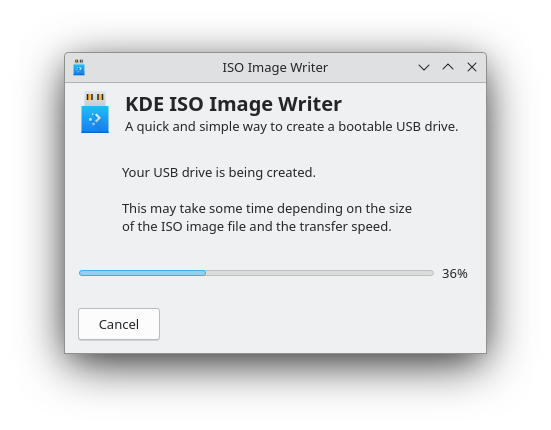
https://apps.kde.org/tr/isoimagewriter/
this one worked i think
 marsh bluff
my usb disappeared from the disk list tho
ember ravine
marsh bluff
my usb disappeared from the disk list tho
its okay
windows cant see UDF 1.0
marsh bluff
ok
marsh bluff
ok ill try
ember ravine
btw heres my f15
 marsh bluff
well its not there now

i mean its there (Disk 2) but neither windows nor the boot menu see it
 ember ravine
marsh bluff
i mean its there (Disk 2) but neither windows nor the boot menu see it
ember ravine
marsh bluff
i mean its there (Disk 2) but neither windows nor the boot menu see it
thats not a flash drive
open diskmgmt.msc
marsh bluff
wdym
marsh bluff
ember ravine
open diskmgmt.msc
 ember ravine
marsh bluff
ember ravine
marsh bluff
is there the flash drice
marsh bluff
E: is the flash drive
ember ravine
marsh bluff
E: is the flash drive
YOUR FLASH DRIVE IS 1 TERABYTE?
okay
what we will do is..
ventoy
ember ravine
install ventoy to your usb
Ventoy is an open source tool to create bootable USB drive for ISO files. With ventoy, you don't need to format the disk again and again, you just need to copy the iso file to the USB drive and boot it.
marsh bluff
this is what it downloaded

i need the ventoy2disk right?
i dont see where to put the ISO file here
 ember ravine
marsh bluff
i dont see where to put the ISO file here
ember ravine
marsh bluff
i dont see where to put the ISO file here
u dont. just select drive and press instakl please.
we will copy the file later
marsh bluff
ok
 marsh bluff
ember ravine
press options
marsh bluff
ember ravine
press options
what next
man im so friggin dumb
it broke the flash again
ember ravine
marsh bluff
what next
dont have
a SMALLER one
or
okay
open diskpart
clean
convert gpt
create partition primary
select partition 1
active
format fs=ntfs quick
exit
then retry on ventoy
marsh bluff
DISKPART> active
The selected disk is not a fixed MBR disk.
The ACTIVE command can only be used on fixed MBR disks.
active didnt work
is it necesary?
and formatting isnt working either
ok wait im gonna try to recover it
ember ravine
oh my.
marsh bluff
ok good news
the flash is back
i dunno if i should do the ventoy again tho. is it not gonna break it this time? maybe change some settings first?
ember ravine
marsh bluff
i dunno if i should do the ventoy again tho. is it not gonna break it this time?...
yes
marsh bluff
ok
marsh bluff
ember ravine
partition style>gpt
did it
ember ravine
marsh bluff
did it
partition confgiruation
tick the preserve some space
write 800
then okau
now please send photo
marsh bluff
do i change the file system?
 ember ravine
marsh bluff
do i change the file system?
ember ravine
marsh bluff
do i change the file system?
wait a second
ember ravine
marsh bluff
do i change the file system?
we could try udf
marsh bluff
ok
ember ravine
marsh bluff
do i change the file system?
just press okay with this configuration
ember ravine
nope
marsh bluff
i dunno it looks like the only thing we changed is the reserved space right now
ember ravine
marsh bluff
i dunno it looks like the only thing we changed is the reserved space right now
yes
?
marsh bluff
cuz i already had GPT as partition style
marsh bluff
ember ravine
yes
ok so i try it again
ember ravine
can u please press okay then install
ember ravine
no problem😊
marsh bluff
ember ravine
can u please press okay then install
ok it did the error again
ember ravine
fuck
go to the downlaods
and in the ventoy folder
theres log.txt
i need to look in it
please open it
marsh bluff
ok its a loong file
you want the whole log?
or the last messages
[2025/08/29 15:04:52.454] ### [Check Fail] The data write and read does not match
[2025/08/29 15:04:52.474] FormatPart2Fat failed.
[2025/08/29 15:04:52.487] FindProcessOccupyDisk for PhyDrive 2
[2025/08/29 15:04:52.503] QueryDosDeviceA success \Device\Harddisk2\DR2
[2025/08/29 15:04:52.578] handles->NumberOfHandles = 99857
[2025/08/29 15:04:52.579] NOTE: Could not identify the process(es) or service(s) accessing \Device\Harddisk2\DR2
[2025/08/29 15:05:13.832] Not ventoy disk, set secure boot option
here are the last ones
ember ravine
marsh bluff
[2025/08/29 15:04:52.454] ### [Check Fail] The data write and read does not matc...
uh is the secure boot support on
marsh bluff
it is
should it be off?
well that makes sense actually
i dont even have secure boot enabled
maybe thats the problem
marsh bluff
the whole logs?
ember ravine
yes
marsh bluff
could it be cuz the flash is messed up after all that stuff i did
ember ravine
the drive could be cooked a bit
or.. not 1 tb at all
like 256 or smth
can u please change to UDF
and try again
marsh bluff
ok lemme just fix the flash first
marsh bluff
ember ravine
like 256 or smth
well the diskpart showed 976 gb right?
well even if its not 1tb
ember ravine
marsh bluff
well the diskpart showed 976 gb right?
that can be tricked, sorry
marsh bluff
still it would be enough
marsh bluff
ember ravine
that can be tricked, sorry
oh ok
ember ravine
marsh bluff
still it would be enough
it will csuse bad things in situations like this
if u had a linux system we could try dd
anyway
does it install now
dont u have ANY other flash thumb drive
marsh bluff
ember ravine
does it install now
i gotta restart and do the diskpart thing hold on
ok the flash is back to life
ember ravine
do it again please
marsh bluff
so now with udf
ember ravine
marsh bluff
so now with udf
yes
it will install UDF 1.0 or UDF1.4
it WILL work
with your sysfem
bıt
has to format
first
marsh bluff
ember ravine
it WILL work
i hope so lol
ember ravine
no
marsh bluff
ok well i left it enabled
so all of the setting were right
i got some bad news then

😭
man idk anymore
the flash broke again
ember ravine
dont u have sny other drive
marsh bluff
i mean i can borrow one probably
ember ravine
this ones controller broken or its not what its size
marsh bluff
ember ravine
dont u have sny other drive
i have an other one but its 1gb
so ill have to find another one
ember ravine
marsh bluff
i have an other one but its 1gb
1🥀
HOW
wait
debian online 700 mb
download debian NOW
marsh bluff
ahaha
 ember ravine
wot
marsh bluff
i got it from here https://archlinux.org/download/
ember ravine
marsh bluff
i got it from here https://archlinux.org/download/
me too
anyway
not relevant
ember ravine
hmmmmmm
marsh bluff
but udf or exfat?
marsh bluff
u mean the iso file from archlinux dot org?
ember ravine
marsh bluff
u mean the iso file from archlinux dot org?
no
oh yes
on a flash
like
a linux with base utils
and grub
that way..
marsh bluff
umm
idk i only got the iso file i downloaded from the site
man u know what
i think my flash IS fake
its supposed to be kingston
but in any program its just "general udisk"
marsh bluff
ember ravine
https://www.iventoy.com/en/doc_start.html
ok i copied the iso files to the folder
but it still needs internet
marsh bluff
what is that
oh
well i can try
ok i did it
that was surprisingly easy
ok now it works
i dont have to change anything on the site right?
marsh bluff
the white boxes got my ip adress written and stuff

the manual says i should just press the green button
soo
do i press the button?
homie u there?
honestly im starving
so im gonna go cook something and then come back
so take your time
ember ravine
marsh bluff
sorry it took so long
its okay
 marsh bluff
ember ravine
press configuration
marsh bluff
ember ravine
press configuration
did it. u there?
marsh bluff
oh ok
ember ravine
jsut press the green button on start
ember ravine
marsh bluff
the white boxes got my ip adress written and stuff
orsss the green thing on here
ember ravine
u should boot from PXE boot
marsh bluff
it says its running
marsh bluff
not really
ember ravine
if not
marsh bluff
what was supposed to happen
ember ravine
marsh bluff
what was supposed to happen
it wouldnt work.
your pc is a server now.
just close it.
im sorry.
marsh bluff
wha
ember ravine
ember ravine
install grub4win.
install this one
marsh bluff
so we not using iventoy
ember ravine
marsh bluff
wha
if we did this from another pc your pc would boot from the iso
marsh bluff
ok
ember ravine
Grub2Win lets you easily dual boot Windows and Linux with a customizable menu, supporting UEFI, BIOS, GPT/MBR, and multiple file systems. #Grub2Win
marsh bluff
ember ravine
https://grub2win.com/
thank you
 dusty wedgeBOT
leopard1a5_no2 received a thank you cookie!
ember ravine
marsh bluff
i already installed some garbage called "grub4win"
🥲
marsh bluff
ahaha
the one u sent me said that it is too old and gave me another link
now im doin it again
ok wait its not working
oh my god man
this thing doesn't frickin work for me
i mean what i can do is try a new flash drive
marsh bluff
yeah
ember ravine
marsh bluff
ahahaha
your usb drive is a hard disk right
marsh bluff
which way did you install your linux?
marsh bluff
ember ravine
your usb drive is a hard disk right
idk its just a usb stick
ember ravine
marsh bluff
which way did you install your linux?
oh uhm.. first it was ubuntu.
i used rufus
to flash it to a thumb drive
then i switched distros.
i just used dd in them
im telling u.
marsh bluff
ohhhh
ember ravine
we can do a online installer
with your 1 gig flash
thennu can switch
download debian
marsh bluff
ember ravine
i just used dd in them
so maybe if i manage to install another distro i can then install arch from there?
ember ravine
marsh bluff
so maybe if i manage to install another distro i can then install arch from ther...
of course, yes.
marsh bluff
maybe thats the way
marsh bluff
they got an official cite?
marsh bluff
ok
ember ravine
did it download
marsh bluff
yeah
ember ravine
marsh bluff
rufus?
yes rufus
ember ravine
marsh bluff
yeah
rufus your way to that little usb
marsh bluff
yeah
ember ravine
....
marsh bluff
well rufus was the first thing i used
ember ravine
bro
marsh bluff
but then it didnt boot
ember ravine
anyway
marsh bluff
thats why i made this post in the first place
ember ravine
marsh bluff
but then it didnt boot
send me the rufus configs
ember ravine
marsh bluff
configs?
select the debian iso
marsh bluff
yeah
ember ravine
then send me the rufus window
 ember ravine
marsh bluff
ember ravine
marsh bluff
okay, very good looking. start
marsh bluff
the ISO mode right?
ember ravine
huh
ember ravine
whats the default
marsh bluff
ISO
ember ravine
do that
marsh bluff
ok
marsh bluff
alright
marsh bluff
ember ravine
a hard drive..
what does it even mean
ember ravine
mhm
hard disc drive
that doesnt matter. although, u need tı boot into bios when u reboot for me
ember ravine
marsh bluff
the bios?
f2
ember ravine
marsh bluff
i mean why do i need to go to the bios
boot override from there
amd there could be a setting
like boot from ahrd drive
marsh bluff
ember ravine
like boot from ahrd drive
idk about that tho
i think i checked the whole bios
ember ravine
please just reboot into bios
marsh bluff
theres like 2 options which relate to boot
marsh bluff
fast boot and secure boot
ember ravine
shut off them
marsh bluff
they are disabled
ember ravine
nicr
marsh bluff
ok so now i go to bios and try to boot the flash
ember ravine
...
marsh bluff
maybe its the flash after all
marsh bluff
or the nvidia drivers
marsh bluff
ember ravine
its NOT the nvidia drivers
how do you know
ember ravine
we have almost the SAME pc
marsh bluff
alright
ember ravine
marsh bluff
how do you know
 marsh bluff
so you got nvidia gpu as well?
ember ravine
marsh bluff
so you got nvidia gpu as well?
 ember ravine
jackpot
marsh bluff
and it got the same flicker
ember ravine
do u have a ethernet cable
ember ravine
we are gonna set up iventoy on that old asus
connect the two pc
and then network pxe boot
marsh bluff
damn
oh
im sorry i wont be able to do it
the cable is in my country house, im going there today but then im gonna have to take the laptop with me and im going there on a train
i could do this on the next weekend
maybe i just try to find another usb flash
im so sorry man i ran you through all of this
its very frustrating
ember ravine
alright its the manual method.
open windows.
diskpart
select disk x
clean
convert gpt
creare partion primary
select partition 1
active
format fs=ntfs quick
assign
exit
select your iso drive so it mounts as a virtual drive
then this. D: is the virtual drives letter, E: s the flash drives letter. change them respectively. xcopy D:* E:\ /E /F /H
ember ravine
marsh bluff
what exactly is this
xcopy is exactcopy i think its to flash the drive and copy the iso contents inside manually.
lastly, go to the boot section inside the drive
cd D:/boot/
bootsect /nt60 D:
chamge the letters too okau
if this doesnt work im done man
marsh bluff
so from what i understood im gonna open the iso file and its gonna act like a disk, but its gonna be a virtual one
then change the letters?
ohhh
wait
so you wanna change the ISO virtual disk's letter to E?
so i use it instead of my flash
i dont really get it
ember ravine
marsh bluff
so you wanna change the ISO virtual disk's letter to E?
No
write the things i gave you
marsh bluff
ok wait wait wait
ember ravine
but changing the letters inside the code respectively
marsh bluff
firstly the diskpart thing
"active" command doesn't work, it says it can be used for MBR disks and we just used "convert GPT" so we got a GPT disk
are you sure this is how it should go?
DISKPART> active
The selected disk is not a fixed MBR disk.
The ACTIVE command can only be used on fixed MBR disks.
this is the response i get
i just did
list disk
select disk 2
clean
create partition primary
select partition 1
format quick
maybe its the same thing idk
but i still dont understand where you want me to change the letters
the disk management?
marsh bluff
sorry man 😭
marsh bluff
ember ravine
JUST GO TO RUFUS AND TRY DD MODE.
i tried the dd mode with arch ISO and the flash disappeared from the system
but ok ill try it again
ember ravine
marsh bluff
sorry man 😭
its okay, thank you
dusty wedgeBOT
boogle8 received a thank you cookie!
marsh bluff
ok im doin it right now with the debian iso
ok its done
the drive is still here doe
interesting
so now i restart and try to boot it
ember ravine
sur
ember ravine
dusty wedge
**boogle8** received a _thank you_ cookie!
bleh
dusty wedgeBOT

 ember ravine
marsh bluff
ember ravine
marsh bluff
graphical install..
marsh bluff
ember ravine
graphical install..
whats wrong
ember ravine
marsh bluff
whats wrong
do it
marsh bluff
oh
ember ravine
graphical install
marsh bluff
sorry
uhh
k wait a sec
i just dont got discord on my phone
maybe there is like a guide on the full installation
cuz id have to boot into windows every time to use discord
 vernal cypressBOT
vernal cypressBOT
vernal cypressBOT
Too few arguments for command addnote!
Usage: .addnote <name> <text>
marsh bluff
but its arch
and the thing i got on my usb is debian
maybe i can do the same to arch
it just didnt work the last time
i dont really know what to do now
i can either try to install debian
or try to do the same trick with arch
in rufus
well i already know how to do debian right
so if i fail with arch i can just do it again
ok you know what
ill have to go pack my things cuz im leaving today anyways so i dont think ill have enough time to install any one of those
im just gonna leave it as it is right now
and tomorrow im gonna decide which is the better way to do it
thank you SO MUCH for all of your help and sorry that it was so frustrating. i am REALLY grateful to you for patience twin
ember ravine
np gang
marsh bluff
im definitely gonna come back here tomorrow so ill let you know if i succeded
ember ravine
sure
marsh bluff
i hope it doesn't stop workin tho
or were gonna have to spend another day figuring it out :))
jk
so bye for now
see u tomorrow
ember ravine
cya
ember ravine
marsh bluff
or were gonna have to spend another day figuring it out :))
bro
install the debian
u can dual boot
marsh bluff
yeah i just though about that
i dont lose nun by installing debian
i can install it and then do arch
and after that im jus gonna remove debian
marsh bluff
ember ravine
install the debian
man i just tried installing the debian and it does an error
ember ravine
marsh bluff
man i just tried installing the debian and it does an error
what error
marsh bluff
it says something like "wrong magical number" or something like that
it also says "you need to load kernel first"
ember ravine
marsh bluff
it also says "you need to load kernel first"
please disable secure boot
marsh bluff
its disabled
marsh bluff
wdym
what keys
i can only disable or enable it in bios
ok wait im gonna check
i had to enable secure boot to see them but here they are

no keys
ember ravine
marsh bluff
i had to enable secure boot to see them but here they are
yeahhh
i
if they emptu
just a secundo
marsh bluff
it has to be the flash
marsh bluff
 marsh bluff
ember ravine
its not
marsh bluff
ember ravine
its not
what else could it be
ember ravine
marsh bluff
what else could it be
just a second bro
marsh bluff
ok
ember ravine
marsh bluff
ok
brother can u try making the boot entry that debian is in is first order like this one
 marsh bluff
well its not installed yet
ember ravine
marsh bluff
debian is on the flash
can u press f8 in bios and select the drive
flash
marsh bluff
i can
well it will just boot it right?
so thats the same as selecting it in the boot menu
i CAN boot into it but i cant do the installation cause of the errors
yeah i just tried it and its the same thing
marsh bluff
maybe i try to do the arch flash through dd again
and if its not working ill try to find another flash
ember ravine
shit
THROW THAT FLASH DRIVE OIT OF THE FUCKONG WINDOW or.. retry installing debian iso
check how much gigabytws is it
ember ravine
marsh bluff
and if its not working ill try to find another flash
bro
how much gigs is the debian iso
it should be 4.3
marsh bluff
what
its 754 mb
how can it be 4 gigs
i downloaded it from the official site
oh i found it
there are cd and dvd iso's
and the dvd one is 4 gigs
but do i need the dvd one?
ember ravine
hahaha
no bro
it failed
press download my bro
it should be 4.3 gigs
press the downlaod here
its 4.3 gigs
not 750
marsh bluff

fym "it failed"
if you go to all installations there are CD installations and DVD installations. CD ones are 750 mb and DVD ones are 4 gb
you want me to get the dvd one?
marsh bluff
ember ravine
press the downlaod here
thats what i did
ember ravine
.... what the shit?
ember ravine
marsh bluff
you want me to get the dvd one?
yes bro the dvd one please
im sorry lol
marsh bluff
ember ravine
yes bro the dvd one please
so now rufus with dd mode?
ember ravine
marsh bluff
so now rufus with dd mode?
yep
marsh bluff
ember ravine
yep
done
lemme try rebooting
ok it booted up
its the grub console
it doesnt have graphic install or just install options like last time
just the console
marsh bluff
idk maybe i gotta type something to open the install window
ember ravine
uhh photo plz
marsh bluff
ember ravine
whats on your screen..
the terminal
 marsh bluff
ember ravine
uhh photo plz
marsh bluff
ember ravine
uhh photo plz
this
ember ravine
im gonna kill myself
marsh bluff
bruh
ember ravine
thats recovery grub
ember ravine
marsh bluff
maybe i try something ultra simple
no
ember ravine
marsh bluff
like mint
no.
marsh bluff
is it easier?
marsh bluff
ember ravine
no.
😭
ember ravine
please reboot and select correct partition maybe
marsh bluff
no such command
what exactly are we trying to do if its the recovery terminal
is there even a way to start installation
ember ravine
marsh bluff
what exactly are we trying to do if its the recovery terminal
what
i said reboot
ember ravine
from your bios.
marsh bluff
doesnt matter
i just boot into the flash
oh wait
im stupid
"correct partition"?
ill try to find it
i dont see it
is there such option in the bios?
marsh bluff
ember ravine
from your bios.
i dont freakin get it😢
you want me to go to my bios right
so then what
ember ravine
marsh bluff
so then what
look at the boot options
marsh bluff
yeah
ember ravine
show me them
marsh bluff
ok
 modern cloak
OP wants arch
Ends with Debian for ??? Reason

Just get a good flash drive, ventoy gpt mode, then disable secure boot, fast boot, legacy support CSM and boot arch. Install, then enjoy
ember ravine
modern cloak
OP wants arch
*Ends with Debian for ??? Reason*
<:harold1:840041356718243861>
J...
ok bro u got it
modern cloak
But if OP has no idea about Linux, the easiest solution is to install Linux mint
ember ravine
modern cloak
But if OP has no idea about Linux, the easiest solution is to install Linux mint
read up before talking.
modern cloak
Tldr, get a better flash drive
marsh bluff
boot options
 ember ravine
marsh bluff
boot options
ember ravine
marsh bluff
boot options
yes..
so
what pres f8 in easy menu
select the drive
lets see
and record the thing
booting up
marsh bluff
u mean the flash
marsh bluff
well its just gonna be a black screen and then the terminal
marsh bluff
ember ravine
i wanna see errors
errors were with the cd iso file
here its just the terminal, no errors
or maybe i just dont see them
ember ravine
marsh bluff
or maybe i just dont see them
yeah
prolly corrupted iso
or..
your flash drive needs to be burmed
marsh bluff
ember ravine
record though
here
bruh
what happened to the quality
well i think u get the point
marsh bluff
ember ravine
prolly corrupted iso
theres no frickin way i downloaded 5 iso's and all of them are corrupted
it has to be the flash
or idk
