#grub boot not appearing in uefi mobo bios
211 messages · Page 1 of 1 (latest)
 pulsar lark
 modern cradle
shouldn't be let me check
there is no option for secure boot in bios
lol
thats why
pulsar lark
it's bios?
modern cradle
yeah
pulsar lark
not UEFI?
pulsar lark
hold on, let check that board
modern cradle
iFixit
Hi @mememe93 , Look under the Advanced tab in BIOS to enable Legacy USB support. Here’s an image taken from the motherboard user manual (Sect 3.18) which shows the options. (click on image to enlarge for better viewing) - Motherboard and CPU
see
same bios
pulsar lark
no shade lol, just accustomed to newer boards having those features, don't get me started, I was tinkering with computers in the era of BIOS, dual booting is hard now, then it was worse
you shouldn't have to, specially if that board doesn't have fall back UEFI
which with the other lacking features, it's probably missing
let me look at some stuff real quick
modern cradle
i guess it wont boot even in legacy mode if secure boot can't be disabled?
pulsar lark
legacy should disable it though
pulsar lark

Unix & Linux Stack Exchange
Well, obviously I can, because all of the Linux distros are delivered as hybrid ISOs that can boot both BIOS and UEFI.
The question is how? I had thought I could run grub-install twice:
grub-inst...
This is old but it is for grub2
which is the new grub
modern cradle
https://winraid.level1techs.com/t/request-p8z68-v-pro-not-gen3-modded-bios-with-updated-oproms/33850

Win-Raid Forum
Hello. I’ve been searching for a long time how to switch from Legacy to UEFI mode on this board, whenever I try it, it always halts at logo screen, nothing happens, so I’ve read on multiple forums that I need a modded updated BIOS for the board, but just can’t find it anywhere, only for Gen3 which I suppose isn’t compatible with non-Gen3. Is the...
what about this
lol
pulsar lark
it's a risk but hey it's a server, swappable ebay components amirite
modern cradle
no way to run arch with secure boot?
modern cradle
aha
pulsar lark
.aw secure boot
modern cradle
that ll work so
 dark hollyBOT
pulsar lark
.aw secure boot
dark hollyBOT
pulsar lark
.aw secure boot
Secure Boot
modern cradle
?
pulsar lark
should be section 3
modern cradle
i mean it should work
it detects win10 and its uefi
so
its just that this uefi mode can only keep secure boot enabled
this is a pain
in the aaaaaaaaaaaaaaa
lol
pulsar lark
win10 doesn't require secure boot is my understanding
modern cradle
.aw pain
dark hollyBOT
modern cradle
.aw pain
No results found.
pulsar lark
computers that were not compatible with secure boot can't upgrade to Win11
modern cradle
thats why its showing
u can bypass that
but yeh
my main pc has a i5 11400f
decent enough for me now
so
i did read
you can't boot into windows with the signed personal key
It is usually not possible to boot Windows by signing its bootloader (EFI/Microsoft/Boot/bootmgfw.efi) with a custom, personal key with Secure Boot Mode enabled, without enrolling the "Microsoft Windows Production PCA 2011" key in the UEFI Secure Boot variables:
pulsar lark
welcome to proprietary shenanigans
pulsar lark
as long as the mobo sees the boot entry you're always good
modern cradle
can i just setup the secure boot from the arch install with laptop
pulsar lark
that is outside of my linux knowledge by miles
odds are no, my understanding of secure boot is that it's tied to the hardware
modern cradle
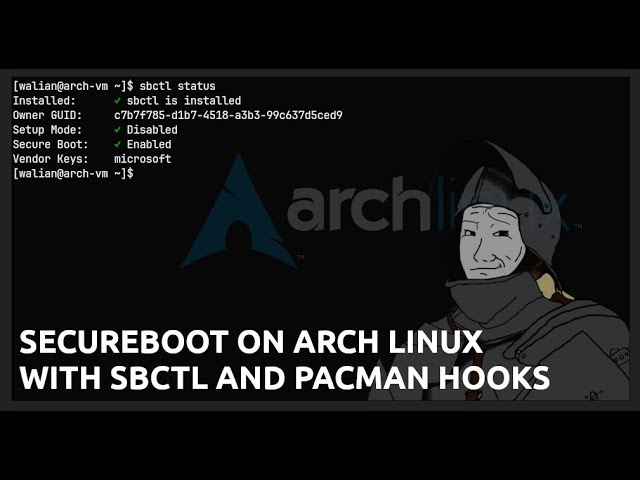
Straight forward method to setup Secure Boot on Arch Linux. Hooks into pacman to automatically keep your kernel and boot loader signed.
Uses sbctl and systemd-boot to protect (perhaps lol) your machine from everyone except Microsoft...
i can also boot into it with secure boot enabled from laptop
so should be ok
just sign the boot files
i guess
pulsar lark
you can try that if you want
just don't do pacman -Sy like they did
it's always pacman -S or pacman -Syu
those are rookie mistakes lol
pulsar lark
he also uses systemd-boot
modern cradle
yeah
rip
meh
seems like u can't with grub
im just done
last solution install with mbr legacy
and hope
for the best
lol
pulsar lark
no just telling so you don't use the same commands
modern cradle
modern cradle
can't i just convert
?
gpt to mbr
do you just convert it from gpt to mbr
or u have to also convert uefi to legacy
lol
pulsar lark
both actually lol
modern cradle
just reinstall i got it
pulsar lark
may I ask why the install-here-and-move-the-drive-there scenario?
pulsar lark
ah
modern cradle
archinstall seems to do removable in automatic
pulsar lark
didn't know that actually
pulsar lark
yes, it's in the wiki
pulsar lark
I'm not sure if you tell it you're on legacy since the CPU will be like he's lying
my google-fu says as long as legacy boot is on it should work but I don't trust it
modern cradle
ll see
 pulsar lark
no, sorry lol, I mean HDD
modern cradle
500gb
pulsar lark
oh that's fine
modern cradle
actually no
i think more
only my linux is gonna be 500
lol
should be a 1tb
so 900ish gb
modern cradle
i have my windows 10 server installed on dual boot
pulsar lark
till UEFI our lord and not savior showed up
modern cradle
but
i want to install arch
and convert my current win10
into vm
and run it from arch
with qemu or kvm
pulsar lark
and use looking glass?
modern cradle
what is that lol
pulsar lark
checkout looking glass
it's really nice but even with my modern system that was not working out
I went back to dual boot
modern cradle
nahhh
i dont want gpu passthrough and this stuff
its just a server
i could give a gpu
but nah
i have 2 gpu on my main pc
hahaha
both bad but good for now
an rx570 and a 1050 ti
pulsar lark
I take a TI over an AMD card in that era
though nvidia doesn't play nicely with linux
modern cradle
what
no
its ok
i used to do 1 gpu passthrough with this 1050 ti
wtf
why its showing rootfs
instead of the classic root@archiso
pulsar lark
on the prompt?
pulsar lark
I don't recall BIOS being able to see filesystems
ext3 is a filesystem that is still around
modern cradle
Then format the boot partition into vfat: mkfs.vfat /dev/sda2.
Finally, set the root partition into ext4: mkfs.ext4 /dev/sda3
Also for bios
Just GRUB installation is different
pulsar lark
yep
modern cradle
Just copy and paste these commands to install the bootloader.
mkinitcpio -p linux pacman -S grub grub-install /dev/sda grub-mkconfig -o /boot/grub/grub.cfg
(please note that if you're installing this on uefi you should use these instead:
mkinitpio -p linux pacman -S efibootmgr grub grub-install --target=x86_64-efi --efi-directory=/boot/efi /dev/sda grub-mkconfig -o /boot/grub/grub.cfg