#installation (solvedn'thn't)
1 messages · Page 3 of 1
 grand moth
Ping me when u guys are back
grand moth
Or should i do it on my own then
 copper lily
So where are you at
grand moth
Uh well
copper lily
Have you made a new user
copper lily
Did you add the user to wheel
grand moth
Uh no
copper lily
usermod -aG wheel nova
grand moth
Done
copper lily
Have you set a password for that user yet
copper lily
passwd nova
copper lily
They can be the same, it’s just less secure
copper lily
Log out of root and in as nova
copper lily
Yes
copper lily
exit
copper lily
I think logout works too
grand moth
Oke
copper lily
Log in as nova
grand moth
Did it
copper lily
Use your password
copper lily
grand moth
In the sudoers
Yep, that’s what I wanted to know
grand moth
Ye
copper lily
su - and type in the root password
grand moth
Uh
copper lily
What
grand moth
Doesnt work
copper lily
Wdym
copper lily
No that’s not what you do
grand moth
Then wat?
copper lily
You do su - and you’ll be prompted for your password
grand moth
Oh alr
copper lily
You don’t include your password in the command
grand moth
Done
copper lily
What text editor do you prefer
copper lily
nano? vim?
copper lily
nano /etc/sudoers
grand moth
Yep
copper lily
Move to where it says ALL:ALL or something
And says something about wheel on the same line
copper lily
Send an image
copper lily
Send an image of that line
grand moth
 copper lily
Save
grand moth
Done
copper lily
Now try the pacman command I sent earlier again
copper lily
Send an image
grand moth
 grand moth
Naw
copper lily
grand moth
All, yes
copper lily
 proud storm
did you guys install xorg xserver and stuff
proud storm
did you guys install xorg xserver and stuff
We will
copper lily
What do you see now
grand moth
Uh
proud storm
well ping me f u need me 👍
grand moth
 copper lily
2
grand moth
copper lily
Now run `pacman -Syu xorg-server xorg-xinit`
Installed that
copper lily
grand moth
940m
Gimme a moment
grand moth
Oke
copper lily
You’re using the default kernel, correct?
grand moth
I think so
copper lily
Also I’ve got 5 minutes
copper lily
install nvidia
copper lily
grand moth
Dont know what the def one is
The linux package
copper lily
Syu updates the system as well as installing the package, so that what I usually do. S just installs.
grand moth
Ah alr
copper lily
Never use Sy unless someone tells you to for very specific reasons
copper lily
Yes
copper lily
Run i3
copper lily
Actually might have to do something else first
grand moth
Ah
copper lily
modprobe nvidia
copper lily
with sudo
grand moth
No such device
grand moth
 copper lily
You did install nvidia, right?
copper lily
Here, you can probably get off the ground with framebuffer drivers for now
I gtg. Run i3.
copper lily
Ok that’s great. We’ll have to figure out drivers later then
grand moth
Oh alr
proud storm
pacman -S tmux
grand moth
Done
Btw i need to change my keyboard layour again
I shall just go on archwiki for dat
proud storm
loadkeys croat
proud storm
then do xterm
proud storm
do you see terminals
grand moth
Cmd not found
proud storm
after u typed xterm
proud storm
ok install xterm
grand moth
Display is not on set
proud storm
do su
grand moth
Yes
proud storm
ok try xterm again
proud storm
show me the error
grand moth
 grand moth
Oke
proud storm
install xorg-apps first
proud storm
no prblem
grand moth
I got 2 blank windows noww
 proud storm
that only thing left is a display manager
grand moth
Ah
proud storm
which is the login screen
grand moth
Oh alr
proud storm
so pacman -S lightdm lightdm-gtk-greeter
I like using lightdm very customizable
and lightweight
proud storm
ok su nova
grand moth
Did
proud storm
now enable the service of lightsm like this
sudo systemctl enable lighdm.service
lightdm.service that is
grand moth
Did it
proud storm
nano ~/.xinitrc
grand moth
O
proud storm
we are gonna create a file called .xinitrc in the home directory which is the ~ symbol
proud storm
just type nano ~/.xinitrc
grand moth
Cant
proud storm
make sure the spelling is correct
grand moth
Type in the ~
proud storm
why
grand moth
I cant
proud storm
ah
grand moth
Not on keyboard
proud storm
lol
grand moth
Xd
proud storm
ok then cd /home/nova
proud storm
then nano .xinitrc
proud storm
in the file type exec i3
grand moth
And save?
proud storm
ye
grand moth
Did
proud storm
you installed awesome?
 grand moth
Yep
proud storm
meh we need a terminal
proud storm
try alt+f2
proud storm
ctrl+alt+f2
proud storm
ye
grand moth
Did
proud storm
pacman -Rns awesome
proud storm
now sudo reboot
proud storm
yep
proud storm
i use win, but whatever you want
grand moth
Ah alr
proud storm
its a superkey
grand moth
Yee
proud storm
with a bar in the bottom
proud storm
modifier + enter
proud storm
weird maybe i3 needs xterm afterall lol
grand moth
Yeah it says uh
proud storm
anyways lets install xterm
grand moth
Alr
proud storm
then sudo reboot
proud storm
good
proud storm
so ill take you through the steps to get AUR
grand moth
Okey
proud storm
there are two package managers in arch
proud storm
what youre using now which is pacman
proud storm
exactly
grand moth
Or both are used
proud storm
yay is for compiling stuff from source
grand moth
Oh alr
proud storm
pacman is like installing a setup.exe
grand moth
Ye alr
proud storm
btw, most of linux stuff is about googling. I could show you the basics here and there but its up to you where to go next
ill take you all the way to installing a browser
proud storm
then you can start taking it from there
grand moth
Ye
proud storm
is there a firefox package?
grand moth
Alr and customizing it to look like yours?
proud storm
throught it was aur
proud storm
yea there is
proud storm
wireplumber
grand moth
Firefoxo installed
Change mouse sens?
Btw can i jusy like
Open up steam
And play shit?
proud storm
get aur first
proud storm
try doing it on your own
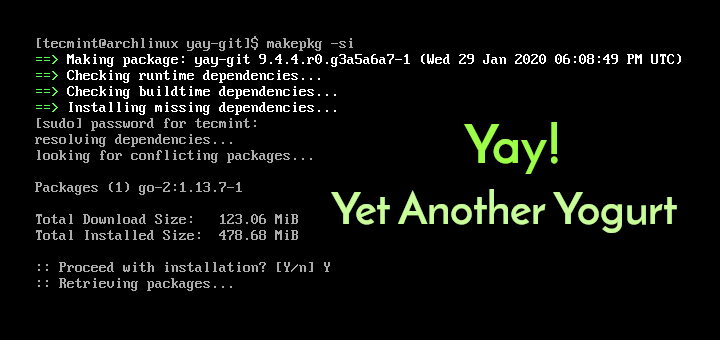
How to Install Yay AUR Helper in Arch Linux and Manjaro
In this article, we demonstrate how you can install Yay AUR helper on Arch Linux or Manjaro which is based on Arch and see a few examples of how you can use Yay.
grand moth
Oh okey
proud storm
if you run into any trouble ping mee 👍
grand moth
Ye i wanma
Idk how to
Alr it says
"Couldnt get a file descriptor referring to the console"
proud storm
where did you tyype it
grand moth
Alr
Sorry am dumb
Oh i cant write the file
Sudo nano?
Did it
Reboot to change it?
I removed the # and added croat
proud storm
yep see ur learning 👍
grand moth
Btw how do i stop it from prompting me to
Choose arch when i
Boot it
Its the only option
grand moth
proud storm
yep see ur learning 👍
Thanks :D
 normal frostBOT
0v3r10r6 received a thank you cookie!
proud storm
its all in the wiki rly
proud storm
what is in sudo nano /etc/vconsole.conf
proud storm
ok do a sudo localectl status
grand moth
It says
Sys locale
Us
Vc keymap
Croat
Current is us
Thats the fallback one
It tells me
grand moth
Nope
proud storm
like a keymap=us
grand moth
Didnt work
proud storm
what does it say

 halcyon vapor
same tbh
proud storm
there is no fallback
halcyon vapor
what does locale -a say?
grand moth
Idk
proud storm
maybe thats not the keymap u want...
halcyon vapor
@grand moth type that in the console please
proud storm
local -a
grand moth
O
proud storm
locale
grand moth
 halcyon vapor
 grand moth
My layout is american
Not croat
I know it
The literal keys from my keyboard
Dont match up
And the pc is croatian!
Laptop i mean
And i cant find the :
To install aur
Well clone it
proud storm
have some urgent buisness to take care off
halcyon vapor
can't find what?
proud storm
so cya for now
grand moth
I need it to copy aur
halcyon vapor
@grand moth what pkg?
grand moth
Pkg?
halcyon vapor
what are you trying to clone?
 halcyon vapor
don't do that
halcyon vapor
git clone https://aur.archlinux.org/yay.git
cd yay
makepkg -si```Do dat?
halcyon vapor
yes
halcyon vapor
just copy and paste
halcyon vapor
did you install yay now?
halcyon vapor
now what do you want to install from the aur?
grand moth
Idk
Uh
Tell me
What are
Recommended thing
To download
Well ofc i want steam and discord too but thats from pacman i think
Idk will they run tho
No idea how to close the terminals either
Wait should i exit yay directory or
halcyon vapor
yes
grand moth
Now?
halcyon vapor
@grand moth laptop or desktop?
halcyon vapor
I would recommend installing auto-cpufreq, it's an automatic CPU speed and power optimizer for Linux based on active monitoring of laptop's battery state, CPU usage, CPU temperature and system load.
yay -S auto-cpufreq
halcyon vapor
just press enter
grand moth
Alr
Remove make depends after install?
@halcyon vapor
Alr yes it is
Done
Alr so can i just go ahead from da wiki
My system is ready
Can do steam and discord?
halcyon vapor
@grand moth sudo pacman -S discord steam
halcyon vapor
then sudo pacman -Syu
grand moth
Uh
Failed to sync
All databases
Damn wat dafuq
@halcyon vapor
Welp
Did i fuck up smth
Cant update
halcyon vapor
@grand moth screenshot your pacman.conf please
grand moth
 halcyon vapor
you forgot the other line for multilib
halcyon vapor
 halcyon vapor
now sudo pacman -S flameshot steam
halcyon vapor
flameshot = screenshot tool
grand moth
I got nvidia card so
Ah alr
6 providers
Lib32
Nvidia utils
Vulkan intel
Vulkan radeon
Serast
And virtio
Wat to choose?
halcyon vapor
@grand moth first are you on awesome?
halcyon vapor
@grand moth is i3 your first wm?
grand moth
Yes
halcyon vapor
then I would recommended awesome
grand moth
Well they said i3
halcyon vapor
for "my first wm"
 halcyon vapor
2
halcyon vapor
then add bindsym Print exec "flameshot gui" to your config
halcyon vapor
no
halcyon vapor
your i3 conf
halcyon vapor
this is why I recommended awesome
halcyon vapor
cp /etc/i3/config ~/.config/i3/config
halcyon vapor
bindsym Print exec "flameshot gui" add that
halcyon vapor
@grand moth edit ~/.config/i3/config
halcyon vapor
@grand moth i3-msg restart in the terminal
grand moth
Wtf
Terminal.isnt opening
I just tried to its showing me
A constant like
Ball
Spinning
Ill reboot
Did it
Now the spinning ball is forever here
Wth
And opening the terminal
Does nothing
It doesnt work
Fucking hell
Atleast the ball is gone but yesh
halcyon vapor
@grand moth edit ~/.config/i3/config
halcyon vapor
@grand moth control alt f5
halcyon vapor
then edit it
grand moth
Alr
halcyon vapor
add bindsym $mod+Return exec alacritty
then sudo pacman -S alacritty
then reboot
halcyon vapor
@grand moth what does win key plus enter do?
halcyon vapor
it should
grand moth
It doesnt
halcyon vapor
@grand moth would you like to move to awesome instead?
grand moth
No
I wanna switch back to windows now xd
I have no will for anything
Nothing works
Cant even fuckin type tilde
Im giving up on this shit
Im too retarded for this
grand moth
Thanks for all of da help yall gave me
A shame you wasted it on a failure like me tho
Welp
copper lily
grand moth
A shame you wasted it on a failure like me tho
You probably learned a lot
grand moth
I learned shit
All i did was follow your commands
You guys basically built the system
I am just a keyboard masher
copper lily
grand moth
I learned shit
- You know what a WM is
- You can install packages and do some other basic system management
- You’re vaguely familiar with what needs to be done for certain tasks (this is worth more than it sounds)
grand moth
Alr then
I still cant type tilde
Therefore unable to go further in da installation
But somehow my keyboard layout
Is back to croat
copper lily
Did you change your keyboard layout ever
grand moth
So das nice
Yes many times
Using archwiki
Tried everything
But now
Terminal doesnt work
In i3
It just wont open
copper lily
Probably a bugged config or something. You can reset it by deleting it and you’ll be prompted to generate a new one upon starting i3 again.
halcyon vapor
@grand moth
grand moth
Hay
grand moth
copper lily
Probably a bugged config or something. You can reset it by deleting it and you’l...
Okey
grand moth
halcyon vapor
<@379324335162392576>
Wat?
halcyon vapor
that was it
proud storm
@grand moth What I suggest is to install back windows for now so you can have a usable computer
Then on windows install arch on a virtual machine with virtualbox
This way you can have a working machine and learn how arch works at the same time. When youre ready one day for the switch then attempt a clean install again.
Btw, you can rice arch within the virtual machine and your progress won't be lost since you can extract the dotfiles (config files) from the virtual machine
And since you already have ventoy installed on ur usb, just copy the windows installation iso to the usb then choose windows in the ventoy boot menu
grand moth
Okey
Well idk how ill learn on a vm
Since im too dumb to follow the damn wiki
All i do is follow your commands
I think im just gonna fuck around with arch till i learn it enough
Because i got arch to relearn linux again
And i shall
Idc if it will take me months to do so
Ill try my best to learn it
grand moth
Note i dont really need the pc except for games
And i shall go thru everything to make arch run
Fuck windows man xd
copper lily
grand moth
Since im too dumb to follow the damn wiki
It’s a learned skill
grand moth
Okey
Im doing it rn
Not too hard currently
We shall see
Hmmm
If a font is mission in config
What do i need to do?
Install a valid font?
 turbid pawn
wait so what happened?
oh, I see problems with window manager
you are coming from windows, right? I wouldn't recommend a window manager straight away since it works very differently than windows in the sense that you use workspaces rather than tiling your windows and alt tabbing between them.
A desktop environment is probably easier to work with at the start.
Up to personal preference though. If you want the most similat thing to windows to get used to linux, I recommend KDE.
proud storm
grand moth
Install a valid font?
start with basics. Do not worry now about special unicode characterss, fonts, swap etc. Set a goal and try to make it work. Think simple. How to get a wallpaper? I bet your background is still black. hint: nitrogen. How to get a start menu when you press the super key to list apps? Better than starting apps from terminal (hint: rofi) How to get steam and play games like csgo? How to get nvidia drivers to use with said games? Hint: whats an optimus laptop, read about optimus manager
grand moth
Okey
Thanky
I shall do wm tho
Because i really need performance
Talkin to arc btw
grand moth
proud storm
start with basics. Do not worry now about special unicode characterss, fonts, sw...
Thanks for da help
normal frostBOT
0v3r10r6 received a thank you cookie!
proud storm
Np, try as best as you can to do it alone. All those questions can be answered by googling the arch wiki btw. When you get really reallly stuck then we can help, but if its something simple we will just link you to the relevant arch wiki. That's really the best way to learn about arch linux. And its very worthwhile at the end. good luck 👍
grand moth
I still cant get the damn layout to be in croatian
Its like that in root
But not on the gui
Cant login to any of my accs xd
Cause the layout is fucked
I need help with this
grand moth
Alr fixed everything
Just a question
Whats the like
Text before the cmd called
Ive seen people change it
I wanna change mine
@proud storm
Like the nova#archlinux thing
How do people change it
halcyon vapor
@grand moth screenshot that please
proud storm
u mean terminal?
grand moth
Yes
proud storm
you need zsh
grand moth
The text before dat
grand moth
Like before the empty space
Ah alr
Thanks
Thats all
I configured my system now
Its pretty nice
Just idk wat to choose as a wallpaper xd
proud storm
good when you feel thats it looks great then do a neofetch for us 👍
grand moth
I shall!
halcyon vapor
@grand moth sudo pacman -S zsh
halcyon vapor
sh -c "$(curl -fsSL https://raw.githubusercontent.com/ohmyzsh/ohmyzsh/master/tools/install.sh)"
grand moth
Okey
halcyon vapor
open your .zshrc
grand moth
Not rn
halcyon vapor
that's mine
 halcyon vapor
grand moth
halcyon vapor
grand moth
Alr
copper lily
proud storm
you need zsh
You don’t need zsh or any extra programs for it. This can be done in unmodified bash.
@grand moth If you’d like you can do this in bash but it’s a bit more manual
copper lily
What
copper lily
Also I can’t really walk you through it right now, just saying the option is there if you want it.
Here’s the wiki page for it https://wiki.archlinux.org/title/Bash/Prompt_customization
grand moth
Yeue no need
Thanky
I feel a bit bad tho
I used an autoconfig script for dat
Now it looks nice but
Yeah
My lazy ass
copper lily
Well that’s a starting point ig
halcyon vapor
I made a auto install script 
grand moth
Funky
halcyon vapor
post install that is
grand moth
Hmm
Uh
Alr
Now i got
Archlinux%
Thas it
The wiki thing
Gives me nothin of info xd
Its hard to understand
halcyon vapor
@grand moth on zsh?
