#Gradual FPS drops; Impossible to solve?? HELP

1 messages · Page 1 of 1 (latest)

vagrant prism
#

Im atp where I might js put a bounty on this fucking bug and pay whoever fixes it.

My fps drops gradually in tf2 and its not running as its supposed to.

I have a 13700k and 3080, should run fine but will start at 800fps (used to run way more but wtv) and immediately starts gradually dropping until I restart. It gradually drops from like 800 to sub 200 in less than 10 minutes.

Games like CS2 do not face this issue
This issue persists on a fresh system

Ask any questions you need.
Not everything I tried has been listed so feel free to ask.

Things I've tried:

-TF2
Tried all mastercoms presets
Tried no config
Tried Fresh Install
Tried every launch option known to man
Tried fps uncapped and capped
Tried all dx levels
Verified that fps drops even when I'm idle

-System/Drivers
Wiped my ssd clean
Tried both windows 10 and windows 11
Updated BIOS
Watched memory usage, no real increase
Disabled E cores in BIOS
Tried different power plans
Verified temps they are fine
Tested on a blank user profile
Disabled all overlays
Turned on/off gamemode
Turned on/off accel gpu scheduling
Tried several nvidia control panel sets
Tried process lasso (only pcores)

muted zephyr
#

Record video

vagrant prism
# muted zephyr Record video

I cant rly record a video since it takes like 10-20 mins but I can send u screenshots of graphs u need when it drops

muted zephyr
#

Do 2 recordings.
One when it's good fps, one later when it's bad.

vagrant prism
muted zephyr
#

Can you link your autoexec and modules?
If you have ragdolls disappearing instantly, that could be the reason.

vagrant prism
minor vigil
#

Assuming that this issue exists (because this is a very strange problem) the only way which comes to my mind to describe this is "a leak".

FPS are leaking.

Could you make those videos again, but with Steam's overlay instead?
https://youtu.be/FeE2l4OLgWI

Check out the news page about it: https://help.steampowered.com/en/faqs/view/3978-072C-18DF-FBF9
And a more in-depth guide here: https://help.steampowered.com/en/faqs/view/3462-CD4C-36BD-5767
0:00 - Valve's FPS Overlay
2:31 - Tiers of detail
2:53 - FPS only
3:13 - FSR LIE
4:00 - FPS Details
4:45 - FPS Details, CPU and GPU Utilisation
5:28 - Thre...

▶ Play video
hasty shoal
#

does alt-tabbing (or similar) change anything?

#

do older graphics drivers have the same issue?

#

does this happen on both fse and borderless fullscreen?

vagrant prism
#

no, no, yes, yes

#

borderless fullscreen caps my fps to 240 but It will still drop below that given enough time

hasty shoal
#

have you tried disabling as many overlays as possible? (discord's overlay, xbox game bar, nvidia's overlay, steam's overlay...)

vagrant prism
hasty shoal
#

i also find it interesting that you have an fps cap in borderless fullscreen, is that an intentional fps cap set within nvidia's settings?

vagrant prism
#

Also I'm trying these rn and will lyk

vagrant prism
#

Also worth noting, the higher my cfg is, the faster the drop

minor vigil
vagrant prism
#

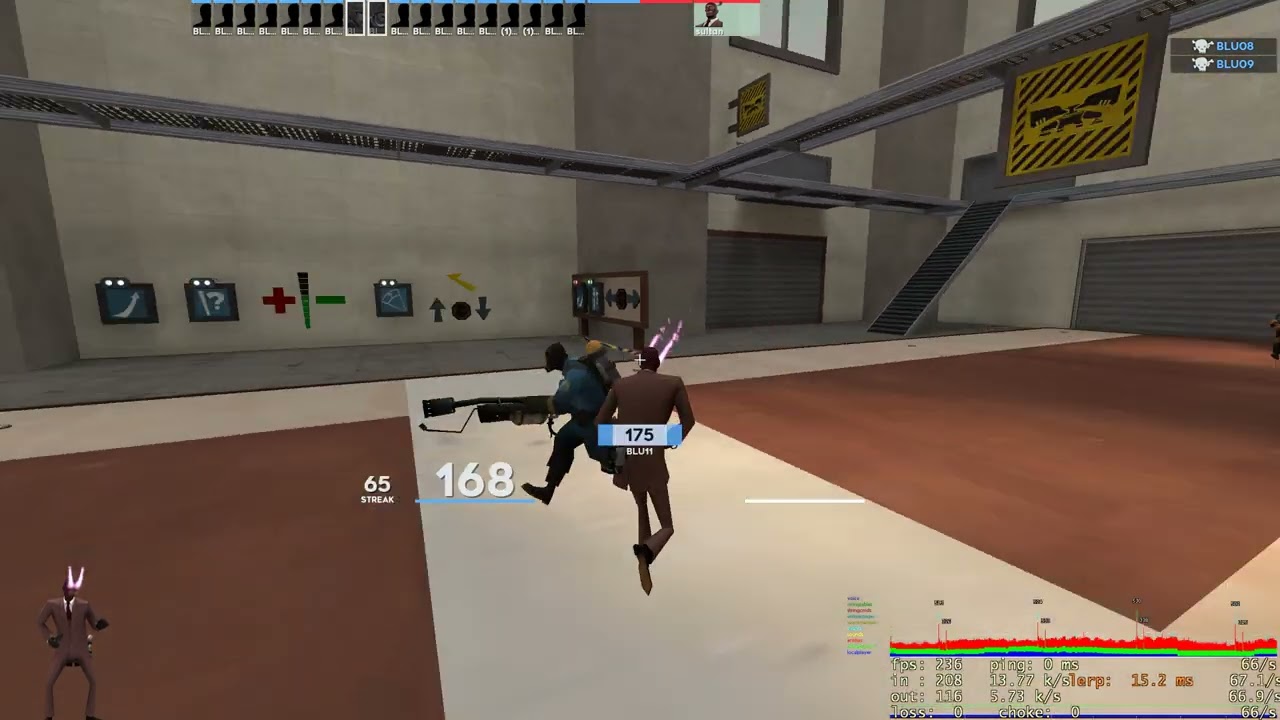
But using netgraph I can see my actual fps when running windowed borderless, but any other overlay that tracks fps would show me 240

#

Also, I noticed changing from fullscreen -> windowed borderless has the same effect that hud_reloadscheme does

#

freezes for like 30 seconds depending on how low my fps is, then goes back to normal

vagrant prism
#

Ok I have news,
Using borderless completely stops the frame drops, however, I can only see 240 fps cuz of hard limits.
I wouldn't really call this a solution, this is just more info that could help find a solution.

minor dune
#

Using dxvk allows you to bypass the dwm vsync in borderless which means you can see more than 240 fps

#

Probably better to try to fix the actual problem instead though

neon gulchBOT
#

*Probably better

to try to fix the actual

problem instead though*

minor dune
#

I don't know why

#

as in I don't know if it's a dxvk thing or an nvidia driver thing or a windows thing

#

but if you have a dxvk window that covers the full screen, it skips the dwm vsync

#

if you have a dx9 window you always have vsync from dwm

#

even if the window covers the full screen

#

the only way to skip it in dx9 is to use full screen mode, but with dxvk you can skip it even with windowed mode

vagrant prism
#

sick, so how can I set up dxvk

minor dune
#

Launch tf2 with -vulkan

vagrant prism
#

ah ok

#

would it work If I use dx8 or does it not matter

minor dune
#

It does technically but valve has it set up to force dxsupportlevel 100 when using dxvk

#

so that's all you can use

#

if you have 80 or 81 saved in the registry there's a glitch when changing to 100 so make sure you have 90/95/100 already saved

vagrant prism
#

fuckkkkk dx9 messses with my game so much

#

But its better than nothing, I'll try this and lyk

minor dune
#

I mean really you should figure out what the actual problem is

#

so you can use full screen instead of weird workarounds

#

but yeah this is worth testing I guess

vagrant prism
#

I'd definently prefer that but I am almost forced to weird workarounds

#

This glitch is so random

minor dune
#

If you absolutely need to use windowed mode and you don't want the triple buffered vsync from windows dwm, dxvk is the way to get around that

vagrant prism
#

I tested on an alt account and I didn't really try for long but I'm like 90% sure the fps wouldn't drop

#

I deleted all my tf2 files and installed on an alt*

minor dune
#

Did you try without your hud mod

#

just on your normal setup but without the hud

#

maybe that was the problem

vagrant prism
#

but then with those same tf2 files, and no config or hud or any modifications, the problem occured on my main

#

with cloudsync off

#

It doesn't really make any sense

heady compass
heady compass
# vagrant prism how come

DirectFlip optimizations
In short, Windows doesn't optimize windowed modes in games that use old graphics APIs

minor dune
#

I tried it several months ago and borderless window in dxvk wasn't forced to be fse instead

#

like volume overlay showed over it

#

but I just tried it now and it's like you're saying

heady compass
minor dune
#

Somehow I had windowed mode with tearing (no vsync from dwm) and volume overlay appearing using dxvk without using nvidia profile inspector

#

I wanna say like 1 year ago

minor vigil
minor vigil
minor vigil
minor vigil
vagrant prism
woven spadeBOT
#

@vagrant prism has leveled up! (3 ➜ 4)

vagrant prism
#

I'll test around and see if it really put an end to it

minor vigil
#

Just to drop in something else too, you may want to try out Bazzite.

If you don't need Windows for some specific software for your job then it's not worth suffering 11's genuine spying, and even if you needed so It's better to have W11 on its own isolated 240gb SSD and the main PC in memory formats which Windows can't read.

minor vigil
#

I don't remember if you mentioned if you are using a desktop or a laptop @vagrant prism .

minor dune
#

you can try it yourself if you'd like, there's no way to get screen tearing in windowed mode in tf2 using dx9

#

the game doesn't have to wait for anything, but dwm only scans out one frame from the application per vertical retrace, not multiple

#

at least on windows 10 that's how it works

minor vigil
#

#1398499544370647050 message

Too bad we are all talking past each other, so let's make the record straight:

Windows gaming in a window shouldn't show Screen Tearing, but it also DOES NOT limit the game's max FPS to the monitor's HZ.
Vulkan, be it Native or DXVK (Proton or not) can lock some games' max FPS to the monitor's HZ when fullscreen or borderless. It also breaks them in some situations with fullscreen (launch Left 4 Dead 2 with -vulkan; if you set the game to fullscreen in the menu the game just breaks, if you then try to launch the game without setting the launch option -windowed or if instead you set -fullscreen it crashes and gives a error message at launch).

minor dune
#

If you're trolling me you're doing an expert job

heady compass
#

Holy schizobabble

#

Don't quote me on it, but I'm sure DXVK limits the framerate in certain situations according to the template config

#

Other than that, it could be a case of the window being composited separately from the game's rendering, so you essentially get a sort of shitty fast-sync-like situation

#

I wouldn't exactly know right now

minor vigil
#

Wrong link.

minor dune
#

basically fast sync but probably a little worse

#

I should test the click to photon latency between them at some point I wonder if dx9 windowed would be worse latency-wise than fullscreen fast sync or if they're about the same

heady compass