#Voxy: Mine In Abyss Edition 2.x + Survival LODs 1.21.8 (OUTDATED GUIDE, STILL OPEN FOR QUESTIONS)
1751 messages · Page 2 of 2 (latest)
 rancid solstice
rancid solstice
rancid solstice
just entered it
 grim heart
press f3 and send screenshot
 grim heart
interesting
can you go to voxy settings?
make sure, the last option, stacked layers is enabled, make sure voxy is enabled too, and put render distance to 512
rancid solstice
 rancid solstice
done


 grim heart
disable environmental fog in voxy config too
rancid solstice
it is disabled
grim heart
send me screenshot

 grim heart
are you sure you didnt mess up when installing lods?
rancid solstice
ok it kinda does but only around me, the skybox still shows
i have no idea whats goin on[
rancid solstice
 grim heart
if possible
 grim heart
let it load
for some time
in a minute
it should load
speed depends on gpu and cpu
if you look up
you see terrain loading?
from upper layers?
grim heart
ok give it a minute or two
rancid solstice
maybe that fixed it
grim heart
after it loads you should be good to go
rancid solstice
ill let ya know
grim heart
ok
grim heart
dw
im usually blinded
because i got good hardware
and forget that although voxy is very optimized
it can take time to load in other setups
rancid solstice
yea ill see if it works
some parts still disappear when i move the camera but the whole abyss on top of me is rendered
which is strange
rancid solstice
ok, i think its slowly loading
rancid solstice
im just moving around trying to see if more loads in
grim heart
look down or up if terrain stays the same

 grim heart
i see i see
rancid solstice


 grim heart

look there
and if you see numbers
going up and dow
it means terrain still loading
a good chunk of l5 has been loaded i can see
lowering the quality
can help speed up
rancid solstice
grim heart
going up and dow
if i look at a certain direction they'll go up but rapidly go back to 32
grim heart
yeah thats the way voxy work
that technique is called frustum culling
what you dont see is not rendered
rancid solstice
huh, interesting
grim heart
but it means it gets loaded
cortex coded voxy in a very interesting way
where you zoom in quality gets higher
it makes you able to see blocks at high quality even if they are like 700 chunks away while keeping performance
rancid solstice
thats pretty cool, thats why i get such stable fps lol
but like
when voxy's loading, is it normal for the chunks to just disappear when u move ur camera?
is that how it worksw
grim heart
rancid solstice
when voxy's loading, is it normal for the chunks to just disappear when u move u...
honestly no
what render distance u using?
rancid solstice
yea thats whats bugin me
on normal minecraft configs im using 32 chunks
on the voxy its 512
like u said
grim heart
is terrain still the same?
or does it load more?
waaaaaaaaaaaaaaaaaaaaaaaaaaaaaaaaaaaaaaaaaaaaaaaaaaaaaaaaaaaaaaaaaaaaaaaaaaaaaaaaaaaaaaaaaaaa
rancid solstice
both the ceiling and the terrain down the abyss are loading but they dont flicker

theyre stable, i move the camera nd they remain
grim heart
ok cool
rancid solstice
but its like the chunks that surround me dont load properly or something
 rancid solstice
honestly i wish i had a recording software to show how the game is behaving lol
rancid solstice
yea on this rate ill be having to leave minecraft open for it to load while i do other stuff lol
grim heart
does it look like its loading 😭
atp just use 1.21.4
it loaded faster in my rx 460
listen
put quality
at 256
and hit apply
rancid solstice
grim heart
atp just use 1.21.4
at first i actually downloaded the modpack for the server on the 1.21.4 minecraft but when i tried joining the server it just crashed lol
it was caused by voxy cus when i disabled it i could enter the server like normal
rancid solstice
idk if its got something to do with my pc configs but atleast for now it doesnt look like its loading
grim heart
😭
grim heart
yeah
 frigid mauve
grrrr but thats a video of how i downloaded my modpack
i'll make it unlisted on youtube one sec

PLEASE READ THE GUIDE ITS NOT HARD IM CRYING LET ME LISTEN TO MY MAIDCORE MUSIC
 short gale
ok wait ima watch this vid
frigid mauve
frigid mauve
https://youtu.be/JwLZ8BkMqwg
you do not need all those mods that i showed but for ease of downloading the thang thats how you do it
there is a clash with a certain mod:
POLY (what ever the name it is . DELETE IT)
frigid mauve
short gale
the lods listed at the top of this guide, the 2GB thing
Yes thats the .Voxy folder that I have there UNPACK IT INTO YOUR MAIN MINECRAFT FOLDER WHERE I DID THAT RESOURCE PACK THANG IT SHOULD BE LIKE THIS
 frigid mauve
https://youtu.be/JwLZ8BkMqwg
frigid mauve
frigid mauve
https://youtu.be/JwLZ8BkMqwg
one more thing I forgot to mention in the VIDEO CLICK THIS COGWHEEL AND SET THE AMOUNT OF MEMORY YOU WANT you can custom it, I run a 1990 nasa doo doo pc (16-gb memory) so I use that setting


 glacial ibex
what do i have to install?
frigid mauve
glacial ibex
what do i have to install?
Watch the video or jump to the first message and there is a guide
 small raptor
frigid mauve
https://youtu.be/JwLZ8BkMqwg
small raptor
frigid mauve
https://youtu.be/JwLZ8BkMqwg
 prisma jolt
rancid solstice
on the voxy its 512
prisma jolt
rancid solstice
on the voxy its 512
dont use 512 rd
just use 128 or something
at 512 rd on mia your loading something like 14500 top level nodes which is... alot
(tho it still shouldent take long)
prisma jolt
rancid solstice
in here you can see the RSSQ is up meaning geometry is generating/loading
(RSSQ == render section service queue)
rancid solstice
oh! does it also explain the chunks flickring when i move the camera?
bc i waited around for a bit and the chunks missing just didnt load or were at the very least taking super long to load
trying to do a clean reinstall now using chikosei's video, lets see if it changes anythin
short gale
my friend is having an issue where she did everything, and so did i, and joined just fine and then suddenly "lost connection" and now when shes joining into the server it says "joining world..." forever
prisma jolt
rancid solstice
oh! does it also explain the chunks flickring when i move the camera?
depends on what you mean by "flickering"
prisma jolt
completly different issue
rancid solstice
do u know what it could be?
prisma jolt
no idea why culling is exploding for you
rancid solstice
damn
prisma jolt
turn on render statistics in settings then rerecord with f3 open and keep still for some of it (i.e. move, stay still for few seconds, repeate)
prisma jolt
uhh can you shrink your gui size please... cant actually see the debug info ;-; sorry
prisma jolt
its too stable to not be cause by culling... afak?
rancid solstice
lmao what the hek
prisma jolt
really hoping is not an amd moment ™
rancid solstice
yea it doesnt change anything
prisma jolt
weird
rancid solstice
bro i just pressed f11 and it stopped flickering
but it only worked after i updated my drivers
frigid mauve
No problem you're the true hero for making it
 obtuse geode
Hey guys, both of my friends seem to share a problem where regardless of them setting up voxy just like in the guide, minecraft seems to have them render in the chunks themselves
nevermind, i gave them survival instead of survive
frigid mauve
All good 
grim heart
obtuse geode
nevermind, i gave them survival instead of survive
a faq reader
make a wish
obtuse geode
to be honest, we didnt even realize that we had the wrong ip until I noticed that the survival version had a different text than survive
grim heart
oh ok
it doesnt work with survival
because the lods i made were loaded with survive.mineinabyss.com
although i think if you change the name of the folder to survival.mineinabyss.com
it should still work
i doubt the ip is also stored in the .sst files
obtuse geode
that gave me an idea on how we might be able to solve another issue we had, thanks
grim heart
 boreal flame
guys
ever since idownloaded this mod
i started crashing
ifollowed eveyrthing in the faq
and i still crash
i crash the moment i join the server
before i downlaoded this it wasnt crashing
and there is no voxy tab
pls help
@grim heart
frigid mauve
@boreal flame let me help you out
boreal flame
sure sure
i think what i did wrong
is that i
downloaded the mod pack from modrinth
then i went to the folder
added the mods
then i deleted the old .voxy
and added the new one
should i retry everything
@frigid mauve
frigid mauve
Okay so. To keep it simple
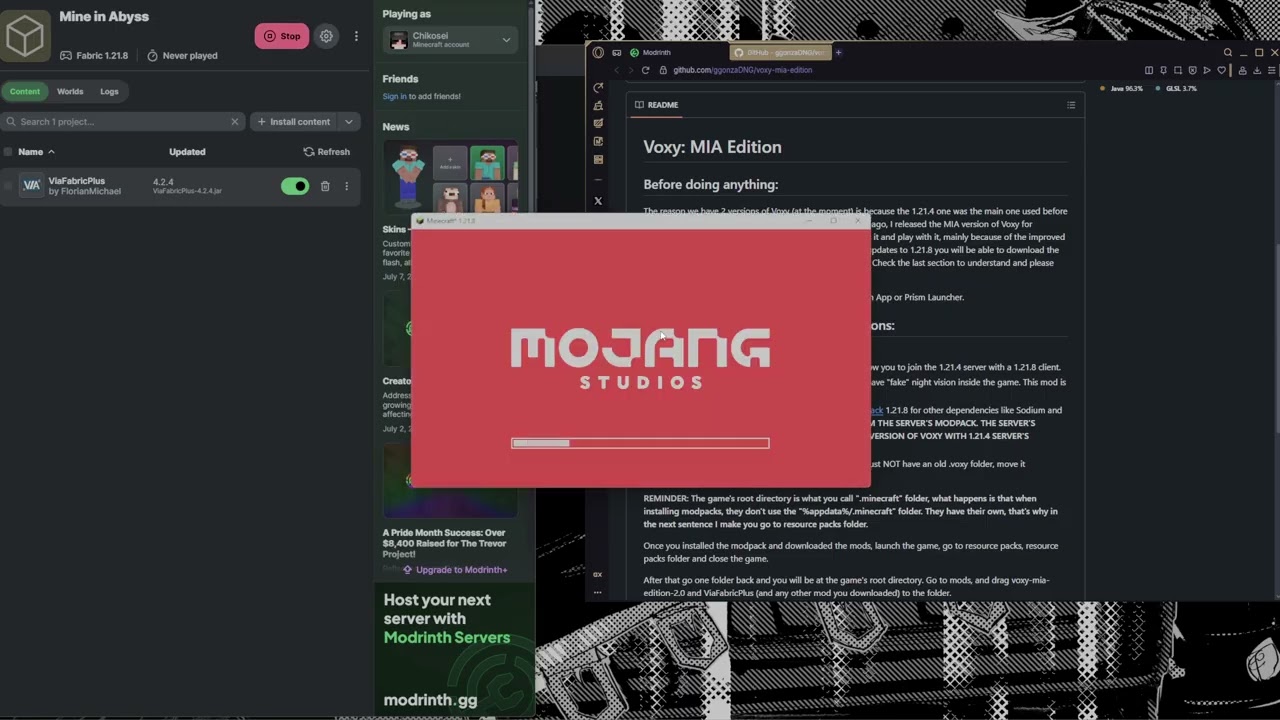
PLEASE READ THE GUIDE ITS NOT HARD IM CRYING LET ME LISTEN TO MY MAIDCORE MUSIC
boreal flame
ill js retry everything
frigid mauve
You downloaded everything, the voxy MIA edition etc.
boreal flame
yes
frigid mauve
if you run into any issues feel free to message again and i'll help out
boreal flame
frigid mauve
if you run into any issues feel free to message again and i'll help out
alr so
for the lods
for me to have custom shaders
the map is gonna have to be all loaded for me
so i will know where everything is before i explore
i understand now
frigid mauve
So the .voxy folder yes is your LODS it allows you to already be all loaded for you
Make sure you use the SAME IP as the one in the folder to the one in your multiplayer!
boreal flame
yeass!
time to test it out
@frigid mauve
i js clicked launch
it wont let me download polytone
it gave me error saying polytone is in the wrong version
frigid mauve
Delete it :)
frigid mauve
LOL all good
boreal flame
it worked :P
frigid mauve
Start the server and see it first
boreal flame
yep
im in the server
@frigid mauve not to be an annoyance
but i just read the shaders in the faq
r they toggled in in the shaderpack option settings
my brain is too small to understand anything today
frigid mauve
Ah if you're asking about shaders im probably not the right guy for now. But i think you can toggle shaders etc. Based on the shaders on what you downloaded; the ones i gave in the video do not come with shaders or GammaUtils
frigid mauve
np enjoy the abyss delver!
 undone gyro
Hi, I tried to downloading the file but it keep error and wont donwloading, is this normal?


or maybe it bc of my internet
but it usually take me just 1 mins to download 2gb
@grim heart
undone gyro
ok nvm for some reason i try to download the file from my phone and it did work 
sorry if i interupt u or something
grim heart
dw
grim heart
undone gyro
ok nvm for some reason i try to download the file from my phone and it did work ...
glad u fixed
grim heart
**SINCE THE SERVER UPDATED TO 1.21.8 THIS GUIDE IS NO LOGER NEEDED, CHECK #📢〡announcements **
Voxy: Mine In Abyss Edition 2.x + Survival LODs 1.21.8 (OUTDATED GUIDE, STILL OPEN FOR QUESTIONS)
 simple violet
I'm gonna go out on a limb and say this isn't normal... Other than the visual garbage it runs perfectly normal :/

grim heart
simple violet
hmmm
weird weird
you downloaded the #📢〡announcements lods right?
send gamelog if possible, and f3 screenshot
i remember another person having this issue
grim heart
grim heart
i remember another person having this issue
and the issue was the amd card 😭
if the issue is amd
hopefully will be fixed next update
as soon as cortex updates the base mod ill go into updating mia version
 misty star
Heya, just new here but I've got the modpack running and I'm able to config everything that is configurable
but it seems that voxy just isn't working or smth?
for reference that floating bit of tree is the furthest it'll render

using it with modrinth btw
I've got the render distance all the way up to max too so idk what's going on, I'm kinda stuck
the lod is installed too in the right place so idk its weird
 night arch
by default modpack has "Chunk Ingest" off
meaning it wont make LODs
either download the LODs from the link in #📌〡information or enable the setting to start making your own
misty star
Alright, I assumed the voxy folder the modpack gives you alr had said lods
my bad
night arch
no it is 2gb and we cant ship that with modrinth
misty star
alright, thanks a lot!
 acoustic terrace
night arch
no it is 2gb and we cant ship that with modrinth
acoustic terrace
night arch
no it is 2gb and we cant ship that with modrinth
new voxy isnt work on modrinth?
night arch
we have our own fork of voxy with some changes
the normal vocy is not yet either no
acoustic terrace
@grim heart when i can find voxy file load for installed?
grim heart
do you speak spanish by any chance?
grim heart
acoustic terrace
<@774063868925575168> when i can find voxy file load for installed?
go to #📢〡announcements and download the lods from there
acoustic terrace
i need to copy archive?
grim heart
follow instructions
simple violet
grim heart
if the issue is amd
I infact have an amd, a radeon rx 580 
grim heart
other guy had 580 too oof
grim heart
simple violet
I infact have an amd, a radeon rx 580 <:ohwell:940781531776028705>
although voxy has updated and shader support has been added
when i get home ill uodate mia version to 2.1
and make solas shader edit compatible
with voxy
maybe amd issue you had is fixed
cant really say
simple violet
grim heart
send gamelog if possible, and f3 screenshot
Log of me logging in, turning on voxy, and leaving server
https://mclo.gs/cvVVvP0
And F3
 grim heart
@simple violet other dude
solved the issue
by updating drivers
using minecraft windowed and then f11
simple violet
I updated drivers like 2 days ago 
simple violet
unless one just dropped yesterday and today I am up to date
grim heart
rancid solstice
bro i just pressed f11 and it stopped flickering
sorry for ping
grim heart
grim heart
sorry for ping
@simple violet
simple violet
fullscreen did not help (F11)
grim heart
could ask him what he did and reproduce his steps
simple violet
Also mod list
 simple violet
grim heart
try removing cwb mod
simple violet
grim heart
try removing cwb mod
didn't help, still flickering :(
rancid solstice
grim heart
could ask him what he did and reproduce his steps
f11 works sometimes lol, didnt really fix it
but i think its got something to do with the resolution
i said that it fixed it on that other message but the truth is that after i quit the game and came back the problem was still there
but sometimes f11 helps
but sadly i dont really know whats going on with voxy
simple violet

 severe pilot
I'm also having issues getting voxy to work. Although for me its more it just keeps crashing. I have the LODs installed and the right settings but anytime I turn on voxy or join the server with it on it just crashes every time. I've uninstalled and reinstalled everything multiple times now and feel like I'm missing something small thats causing this. I've given it 8gb of ram to work with so something is causing Minecraft to just crash, not a memory problem. I'm playing on the Modrinth launcher and here's my latest logs https://mclo.gs/xIpNyip
Not sure if you're on but was hoping someone would have a fix or the knowledge to know what's going on.
also too scared to ping people
OKAY NVM NOW IT JUST WORKS I GUESS OKAY
 simple violet
Bruh
grim heart
severe pilot
I'm also having issues getting voxy to work. Although for me its more it just ke...
ping if u have issues, i regularly check the channels but itd be easier if u ping me
severe pilot

 cobalt hull
@grim heart hi
i can't use voxy
i tried using mine in abyss mod pack
and din't work
like my game close after 10 seconds on the loading terrain screen
grim heart
launch your game
and dont enter the server
then go to resource pack
resource pack folder
and then one folder back
after that
enter the server and make the crash happen
when game crashes ans close
go to the folder
and search for logs folder
and send latest.log file here
then go one folder back
and go to crash-reports folder
and send the latest one
cobalt hull
ok

well when i tried it did enter but the render distance din't change
and my pc is screaming until now
cobalt hull
lod?
grim heart
check #📢〡announcements
and follow the wiki instructiond
to download and install lods
cobalt hull
ok i did download now
cobalt hull
OK
one question i should take out of the paste the voxy?

and i did check the crash report after the minecraft close
empty
cobalt hull
i followed but i din't understand that part
ok i did it
it did work
hey man im sorry for all your waste of time
i am very thankfull
cobalt hull
now it came back
grim heart
cobalt hull
now it came back
does the game work without issues?
grim heart
cobalt hull
and i can put shaders on it
working on that
shaders are usable in the version youre using of voxy
which means you need to fiddle with their settings for them to look good
im about to release an update which support shaders
but ill explain in more detail when in release why it doesnt "work out of the box"
#1400694601731538964
you can download these
and give me some feedback
theres ton of shaders u can use
 digital berry
hey umm so i have been trying to get voxy to work since the update (to no avail..)
it works fine without it
every time voxy is enabled, my game freezes
input still works as i was able to type in chat and even walk off a ledge (and die lol) but the actual screen itself is frozen
i updated my drivers, uninstalled, reinstalled, clean installed, etc..
so here is the log: https://mclo.gs/Ce8rQNP
i am very stupid so i probably am doing something wrong
 snow badger
yeah voxy is a little messed up for lots of people
ive got a glitch where my game just crashes everytime i load in
 open sequoia
Yea, for me voxy only works in fullscreen mode. Whenever I try loading into a world when it’s windowed I crash 
digital berry
i even tried fullscreen lol ig i must have done something wrong
open sequoia
Have you tried assigning additional ram to your Minecraft instance?
open sequoia
Mine is on 8gigs. Though according to system manager usually only eats around 6 when playing
Never checked how high the initial loading in spike is
open sequoia
Might be the issue in your case
snow badger
i dont know why that would be the problem
open sequoia
Did you download the LODs?
 open sequoia
Disable chunk ingest and increase service threads. You could also test whether the issue is the size of the LODs by removing them from the folder and trying to load in voxy without any to check
Besides those no clue. Got somewhat lucky with my voxy working
snow badger
ill try that now then
oh that actually caused something else
it made my game freeze then crash instead of just crash
snow badger
open sequoia
Disable chunk ingest and increase service threads. You could also test whether t...
how do i check where the LODs are
im on this part
 open sequoia
snow badger
how do i check where the LODs are
open sequoia
snow badger
how do i check where the LODs are
.voxy folder in the Modrinth instance folder
 open sequoia
Click on the folder
 open sequoia
Ah, yea. Remove that folder
snow badger
fully delete the file or the docs inside of it?
open sequoia
Either should lead to the same thing
snow badger
well ill delete the folder
see if the game works now
well it didnt work
the game froze for much longer though
grim heart
snow badger
well ill delete the folder
send game log again
grim heart
digital berry
hey umm so i have been trying to get voxy to work since the update (to no avail....
the issue is your igpu
dont know if u can do a lot about that tbh
do you have a dedicated gpu?
maybe minecraft is launching with your igpu instead of your dedicated gpu
grim heart
well
the issue
is your igpu not supporting a feature voxy uses to work
have you updated your igpu drivers?
digital berry
yup
the igpu has been discontinued but i updated yesterday
the good news is it actually ran with voxy about an hour or two ago, but when i restarted the game using the new lods, they didnt show up
it didnt crash or freeze, but for some reason the lods just werent being rendered idk why
snow badger
grim heart
send game log again
grim heart
digital berry
https://mclo.gs/8wuHuZz
[23:23:08] [Render thread/WARN]: [me.cx.vy.ct.ce.gl.sr.Shader$Builder]: WARNING: 0:5: '#extension' : 'GL_ARB_gpu_shader_int64' is not supported
your issue is that
this is caused by driver issue as i said before
@prisma jolt no fix for that?
grim heart
dw
grim heart
digital berry
i see my bad
its weird that it worked b4 for you
was 1.21.4 version that worked?
digital berry
ya
grim heart
@snow badger are u there?
grim heart
digital berry
ya
ok then that may explain why 1.21.8 doesnt work now
put the following in your jvm arguments
@snow badger
-Dvoxy.geometryBufferSizeOverrideMB=500
your log tells me absolutely nothing
although weird since u using mia version 2.1
but whatever
try that
simple violet
grim heart
ill prepare some coffee and sit down brb lame
Longest coffee break I've ever seen
 grim heart
-Dvoxy.geometryBufferSizeOverrideMB=500
grim heart
grim heart
-Dvoxy.geometryBufferSizeOverrideMB=500
.
simple violet
I'll try it when I get home
Do you have the updated version up as well?
I could also try that
grim heart
yeah
check my github page

GitHub
An LoD rendering mod for minecraft. Contribute to ggonzaDNG/voxy-mia-edition development by creating an account on GitHub.
and look for the latest release
 buoyant bolt
prisma jolt
grim heart
[23:23:08] [Render thread/WARN]: [me.cx.vy.ct.ce.gl.sr.Shader$Builder]: WARNING:...
thats fine everything is working as intended
not sure what the issue is you having
grim heart
prisma jolt
thats fine everything is working as intended
fr?
prisma jolt
Well whats not working?
simple violet
grim heart
although im sure your problem was amd thing
Yup just a gpu thing, the new version and the initial argument changed nothing for me
 snow badger
grim heart
put the following in your jvm arguments
snow badger
grim heart
put the following in your jvm arguments
jvm arguments?
im going to assume you mean here

IT WORKED!
godlaake my voxy saviour
thank you
grim heart
snow badger
thank you
it was a suggestion from cortex but glad it worked for u
digital berry
prisma jolt
not sure what the issue is you having
freezes completely after a few seconds sorry
ill record it happening and then send the log again
 warped violet
grim heart
https://www.github.com/ggonzaDNG/voxy-mia-edition
warped violet
grim heart
https://www.github.com/ggonzaDNG/voxy-mia-edition
so uh, where do I put this for it to show the chunks
digital berry
the mod itself goes in your mods folder
the lods go in the .voxy folder not in the mods folder
warped violet
kk
warped violet
thx
digital berry
footage and log https://mclo.gs/time1Ze
grim heart
digital berry
footage and log https://mclo.gs/time1Ze
20k lines log 🥀
have ypu tried
assigning more than 1 service thread?
digital berry
i have but i'll try again
grim heart
i got home from work will sit in pc in like 10 mins if u giv m time
also would you tell me the amoun of ram your pc has?
digital berry
16gb
grim heart
cool
digital berry
its def my fault im so sorry
grim heart
dw
digital berry
idk how but i just know i did something wrong
grim heart
sometimes pc just don wannv work
digital berry
🥀
had chunk injest on, this one was much shorter
crash still happened
https://mclo.gs/rtWT1ql
digital berry
no i deleted them bc i thought maybe the ones i had were outdated somehow
i'll get them from the site again
those ones are up to date right?
digital berry
yup
all of them not just graphics
just to check do i rename the mineinabyss.com folder to build.mineinabyss.com
since thats the server address
grim heart
dw
digital berry
oh really
and should i just drop it into the .minecraft folder or should i delete the old .voxy first
sorry
grim heart
tff
digital berry
im so sorry
grim heart
@prisma jolt sorry for pinging again
do you know what in the world is going on with this person's computer?
grim heart
digital berry
https://mclo.gs/p2rmVFD
.
digital berry
💀
 nocturne verge
@grim heart hey, mind if I ask a question? voxy hasnt been working for me (is enabled and chunk numbers are up, just not rendering) although it worked just fine beforehand (I just switched windows versions) and I'm using the integrated BSL shaders, any idea how to fix the issue?
 fading pebble
nocturne verge
<@774063868925575168> hey, mind if I ask a question? voxy hasnt been working for...
fading pebble
nocturne verge
<@774063868925575168> hey, mind if I ask a question? voxy hasnt been working for...
do you have fog turned off in shader settings?
nocturne verge
the issue was present even before enabling shaders but i'll test that now
yeah dosent change
like i see my usage go up and performance go down when I raise the chunk render distance for voxy
but they dont actually render
only the normal chunks from regular settings (which maxes out at 66)
grim heart
nocturne verge
<@774063868925575168> hey, mind if I ask a question? voxy hasnt been working for...
send your game log
f3 screenshot with voxy enabled
and voxy config tab screenshot
grim heart
digital berry
footage and log https://mclo.gs/time1Ze
@prisma jolt
there video
dont really know
if the game crashes because of some thing
or because of trying to load
and not working for some reason
simple violet
simple violet
If you're looking at things cortex, any idea why this might be happening?
simple violet
simple violet
Log of me logging in, turning on voxy, and leaving server
https://mclo.gs/cvVVvP...
There's my log
simple violet
simple violet
And F3
prisma jolt
suspect issue is either with the fork or some positioning thing somehow or some culling issue
as havent seen it before except on mia (and not on my system)
simple violet

Well it's the same version everyone else uses with the same LODs so it's not like I'm doing anything differently 
prisma jolt
who knwos graphics drivers really suck
simple violet
Only current solution really is get a better gpu lmao
 fiery totem
Hello my game is crashing since the update
Warning
Profile Mine In Abyss Modpack 1.3.1 has crashed! Visit the logs page to see a crash report.
prisma jolt
send logs
nocturne verge
grim heart
send your game log
@grim heart the far away chunks at like idofront are rendering but no nearby ones, just the normal ones that max out at 66

 grim heart
nocturne verge
<@774063868925575168> the far away chunks at like idofront are rendering but no...
grim heart
nocturne verge
<@774063868925575168> the far away chunks at like idofront are rendering but no...
disable border fog
nocturne verge
thanks, know where I can find that setting? i only see stuff like atmospheric fog or various other fog settngs (even in shader settings) so where can I find border fog?
 harsh willow
@grim heart excuse me, im having some crashes with voxy every time i try to activate the mod with the lods in the server
Ive tried reinstalling the LODs, but nothing, it keeps crashing
grim heart
nocturne verge
thanks, know where I can find that setting? i only see stuff like atmospheric fo...
its in shadwr seeting
you may find as distant fade
or smth like that
dont remember how was it called in bsl
grim heart
harsh willow
<@774063868925575168> excuse me, im having some crashes with voxy every time i t...
semd game log and crash log
harsh willow
grim heart
semd game log and crash log
harsh willow
grim heart
semd game log and crash log
how do i send game log?
harsh willow
grim heart
logs/latest.log
I apologize if this is an absurd question, but where is that located?
grim heart
.minecraft/logs
 grim heart
si ese mismo
asegurate de que la ultima vez q iniciaste minecraft haya crasheado
ya que latest.log registra lo que sucedio la ultima ve
q jugaste
harsh willow
si, no volvi a abrir minecraft tras el crash
harsh willow
harsh willow
totalmente, no volvi a entrar tras el crasheo para no alterar el log
vuelvo a entrar?
grim heart
estas usando el modpack del server?
harsh willow
si, con modrinth
grim heart
ok
modrinth almacena sus modpacks en otra carpeta
si no me equivoco era
%appdata%/ModrinthApp/modpacks/ y asi
hasta llegar a la .minecraft del modpack
harsh willow
no me salen los modpacks
grim heart
entra al mimecraft con el modpack
harsh willow
voy
grim heart
una vez abieerto anda a pack de textura y click en abrir carpeta de packs de textura
despues de eso activas voxy y entras al server para que crashee
te vas al explorador de windows que quedo abierto con la carpeta de los texture packs y vas una carpeta atras
ahhi deberias tener la catpeta logs y crashh reports
harsh willow
grim heart
una vez abieerto anda a pack de textura y click en abrir carpeta de packs de tex...
me tiene que abrir una ventana en explorador de archivos, no?
grim heart
si
harsh willow
okay
grim heart
es para reproducir el crash
harsh willow
esta vez no crasheo
pero tampoco se cargaron los LODs
no veo el mapa en su totalidad
grim heart
estas con shaders?
harsh willow
nop
harsh willow
 grim heart
si te vas a configuracion de video y sepsues a la pestaña voxy
esta activado con el rendering tambien activado?
harsh willow
 harsh willow
listo
grim heart
instalaste los LODs?
harsh willow
si
pero sinceramente no creo que sean los correctos
instale los que estaban en un mensaje fijado
harsh willow
que mensaje es?
grim heart
cuales usaste??
harsh willow
esos en los que le he pingeado
grim heart
ok esos eran para la 1.21.4
harsh willow
ohh
grim heart
desde que voxy fue actualizado a la 1.21.8 gran parte de su codigo fue reescrito
y la manera en la que se almacenan los lods cambio
descarga los de #📢〡announcements
harsh willow
comprendo
grim heart
tiene que ser uno de los mensajes con un boton azul que dice "here"
harsh willow
voy a buscar
night arch
can we close this in favor of #1241695193934200912 ?
grim heart
ok