
#Looking for some tech advice:
510 messages · Page 1 of 1 (latest)

 stark holly
 dense fossil
I wanna clean the metal part out before reapplying, is that possible
dense fossil
I wanna clean the metal part out before reapplying, is that possible
Your ram is running in single chanel. They should not be next to eachother. One should be on farthest right, and one should be in the 3rd slot from the right. This could explain instability and random frame drops.
What CPU and ram btw?
dense fossil
stark holly
Your ram is running in single chanel. They should not be next to eachother. One ...
Omg I just found that out pffft
dense fossil
stark holly
What CPU and ram btw?
Im running a ryzen 5 5600gt and ram I forgot the brand name rn
But my gpu is an nvidia 5060 ti 8gb
Ofc I see alot of people straight DOGGING on it right after I purchase it
stark holly
dense fossil
Im running a ryzen 5 5600gt and ram I forgot the brand name rn
Yea that's not great
dense fossil
Yaaayyyy spent 200 dollars on the wrong cpu :3
stark holly
The GPU is fine
dense fossil
Srry cpu
Best cpu pair to go with my gpu at least?
I can provide my system specs too
stark holly
dense fossil
Best cpu pair to go with my gpu at least?
What's your budget
And can you return anything
dense fossil
stark holly
And can you return anything
I dont know if I have a warranty on the cpu
I have a warranty on the gpu tho
Ill check if I can return tomorrow
stark holly
dense fossil
I dont know if I have a warranty on the cpu
Sometimes you can return within like a month without warranty
dense fossil
I think it mightve been a month already but I will check regardless
Cpus I see go about 300 dollars
stark holly
Cad?
dense fossil
I think I can live with that I just have to wait next month
dense fossil
stark holly
Cad?
Yes
dense fossil
stark holly
Sometimes you can return within like a month without warranty
hey just found out I can return it still, Im starting return process now and Ill call em tomorrw
stark holly
dense fossil
hey just found out I can return it still, Im starting return process now and Ill...
If you can also return the motherboard that'd be perfect cause then you can go intel and get a 14600kf for $230
That's more like AM5 performance but you can reuse your ddr4 ram (be careful to get specifically a ddr4 lga1700 motherboard cause there's ddr5 available for that socket as well)
dense fossil
stark holly
If you can also return the motherboard that'd be perfect cause then you can go i...
shoot gotta return the motherboard too??? damn...
stark holly
I mean you could go for a ryzen 5700X but that's worse performance and more expensive
Actually same price but still
dense fossil
nah nah
Ill return the motherboard too
so
could you show me what motherboard you are talking about
stark holly
Jist use pcpartpicker canada
It has all the filters you need
One sec I'll make an example one
dense fossil
stark holly
One sec I'll make an example one
lemme give you all my current specs tooyou might need it
stark holly
dense fossil
lemme give you all my current specs tooyou might need it
Yea do you have a cooler aside from the one that came with your cpu?
dense fossil
Motherboard:ASUS TUF Gaming B550-PLUS WiFi II AMD AM4 (3rd Gen Ryzen) ATX Motherboard (PCIe 4.0, WiFi 6, 2.5Gb LAN, BIOS Flashback, USB 3.2 Gen 2, Addressable Gen 2 RGB Header and Aura Sync)
Power supply:CORSAIR RM750e (2025) Fully Modular Low-Noise ATX Power Supply with 12V-2x6 Cable – ATX 3.1 & PCIe 5.1 Compliant, Cybenetics Gold Efficiency, 105°C-Rated Capacitors, Modern Standby Mode – Black
Ram: Corsair Vengeance LPX 32GB (2 X 16GB) DDR4 3200 (PC4-25600) C16 1.35V Desktop Memory - Black
CPU: AMD Ryzen 5 5600GT 6-Core 3.6GHz AM4 Processor
CPU cooler: Hypermaster cooler
one minute
Cooler Master Hyper 212 Spectrum V3 CPU Air Cooler (RR-S4NA-17PA-R1)
and the graphics card being 5060 ti 8gb
dense fossil
Reseated the rams today but I still think its either the cpu or the vram
now I think its the motherboard too now that you mentioned it
stark holly
What would you say is an acceptable price for motherboard?
dense fossil
Honestly, any price ngl, just until I hold down my job I can get anything
my focus rn is returning the parts that concern me
stark holly
dense fossil
Reseated the rams today but I still think its either the cpu or the vram
I don't know if the stutters are because of hardware if reseating the RAM didn't help
You should disable the iGPU of your CPU if it has one (your current one does)
dense fossil
how do I do that?
 stark holly
dense fossil
looks like you want me to disable the graphics card
stark holly
dense fossil
looks like you want me to disable the graphics card
Not the graphics card. your cpu has integrated graphics
stark holly
 dense fossil
nothing
dense fossil
stark holly
https://www.newegg.ca/msi-pro-b760-p-wifi-ddr4-atx-motherboard-intel-b760-lga-17...
this is a good motherboard??
looks like what I have already
stark holly
It's more than good enough
there's a cheaper option and it'd probably work but it's pretty rough lookin
dense fossil
very skeptical..
stark holly
You don't have to change motherboards if you don't want to go through the hassle. honestly your current CPU should work but you could have a much better system
dense fossil
I wanna make sure this is right and Im not returning parts for smth else just to meet the same problms
stark holly
Well you might because the problem could be software-bound
What I was talking about is mostly about having a better system in general
dense fossil
odd
stark holly
stark holly
I don't know if the stutters are because of hardware if reseating the RAM didn't...
^
dense fossil
I dont know what problem could be software related
stark holly
Could be a driver issue?
dense fossil
nah I religiously reinstall drivers
stark holly
did you DDU?
dense fossil
ddu?
dense fossil
you did not know this?
stark holly
I'm pretty sure they don't
stark holly
I'm pretty sure that's for the integrated graphics
dense fossil
throw this whole computer away atp
stark holly
wait nvm
dense fossil
like wtf am I doing bruhhh
stark holly
Ok I guess am4 cpus have drivers
stark holly
dense fossil
I should be upgrading to am5 shouldnt I
that would require ddr5 ram
idk if you've seen prices recently
dense fossil
side note: what would happen if I put my 7 year old t force rams into my computer
dense fossil
stark holly
idk if you've seen prices recently
let me geuss, out of reach
stark holly
$350 for 32gb
dense fossil
nuke the whole generation
no clue why I decided to build a computer in THIS economy
stark holly
Nah you're good, just gotta figure out the problem
How much performance are you getting atp not including stutters?
dense fossil
on good days, I had good 120 frames with ultra graphics, but that started going down as of recently
stark holly
what game?
dense fossil
I assumed it was faulty graphics card or smth
stark holly
performance is gradually going down?
huh
track your cpu temperature see if its normal
dense fossil
stark holly
what game?
battlefield 6, campaign was fine but then I joined conquest, oblivion was amazing at first but then got trashy, db the beast was fine but then also went to shit
thought the vram wasnt fit for open world
and thought "hey maybe I shouldve spent the extra 100 dollars for 16gb"
stark holly
that's definitely true but still don't think you should be getting regular stuttering
dense fossil
let me try what you said
monitor cpu temperature
Ill play a round of battlefield 6 and track the temperature for a bit
stark holly
dense fossil
Ill play a round of battlefield 6 and track the temperature for a bit
Btw you did put your ram in the other slot right?
dense fossil
forgot to mention fortnite was abysmal, recently tried playing with the lowest settings possible and was getting max 40 frames
dense fossil
stark holly
Btw you did put your ram in the other slot right?
yeah, ram 1 is in slot 2, and ram 2 is in slot 4
basically moved the first one a slot
stark holly
dense fossil
forgot to mention fortnite was abysmal, recently tried playing with the lowest s...

dense fossil
I am absolutely STUMPED
Im canceling the return orders rq just in case first
Im going to try playing a round of battlefield 6 rq with optimized graphics
stark holly
I'd change the cpu regardless honestly 💀
dense fossil
so the cpu temperature is 42 C
stark holly
ok that's completely fine
getting 40 in fortnite would immediately have me asking if your displayport/hdmi is connected to the gpu or motherboard but you said you get 120 in bf6
I guess try a BIOS update, make sure resizable bar is turned on in bios, and do a ddu
dense fossil
stark holly
getting 40 in fortnite would immediately have me asking if your displayport/hdmi...
yeah playing the campaign and small maps. I get questionable performance when I get on conquest
stark holly
120fps is very good btw I'm just worried about the stutters
dense fossil
and oblivion is worse, but I pinpointed it being bethesda can't fix their shitty games
talking about remaster btw
50 C
stark holly
bf6 is one of the best optimized games recently
dense fossil
yeah so def a sofware or hardware problem
Ill replace cpu, if thats not the issue Ill consider motherboard too
if thats STILL not the problem its software
could it by chance MAYBE be the monitor Im using or is that a stretch
stark holly
if you change the cpu just change the motherboard too and go for a 14600kf (its 230) and the mobo I sent
but before that
stark holly
stark holly
I guess try a BIOS update, make sure resizable bar is turned on in bios, and do ...
maybe try these
think you can record a video of the problem?
dense fossil
I could install obs to record
stark holly
dense fossil
I could install obs to record
just use xbox gamebar
actually that itself could cause stuttering XD
ok
Can you one more time specifcally say what the problem is?
dense fossil
I can try re explaining
idk if its a me thing but the performance is just questionable, stutters, slow, so on
cpu at 56 c
dense fossil
getting 56.8 megabytes its telling me
stark holly
of what
stark holly
do you mean fps?
dense fossil
video memory also keeps exceeding for some reason even though I do anything to lower it
stark holly
can you take a screenshot
stark holly
dense fossil
video memory also keeps exceeding for some reason even though I do anything to l...
that would explain stutters
are you on ultra settings?
what resolution are you playing at
dense fossil
stark holly
are you on ultra settings?
was, but it was fine on ultra before
im on high now giving same results
dense fossil
stark holly
what resolution are you playing at
100
like that should be the normal limit I should go
stark holly
no like 1080p? 1440p? 4k?
 stark holly
yea no 1080p shouldn't be having problems
dense fossil
how odd Im still having problems!
ok so
normal temperature for cpu
but ALOT of performance issues still
at first it was meh sudden frame drops but gradually it was getting worse
stark holly
ok forgetting numbers. Does the game LOOK jittery?
stark holly
your displayport or hdmi is connected to gpu and not motherboard?
dense fossil
looking it up and there is no such thing as "disabling a cpu's igpu"
stark holly

Learn how to disable integrated graphics in windows in this video. For more videos like this then please leave a like.
GuideRealm is the home of technology-based how-to's, guides & tips
Equipment & tools I use (affiliate links):
Tubebuddy (YouTube tools): https://www.tubebuddy.com/pricing?a=Tucker
Microphone: https://amzn.to/3IQgsiH
Laptop: ht...
dense fossil
yeah Im just disabling the graphics card not whatever you just said
stark holly
what is the thing you're disabling called?
dense fossil
igpu
stark holly
no like
stark holly
stark holly
https://www.youtube.com/watch?v=L9HRinkb2_0
see how here he has 2 options
4070 and radeon graphics?
you should see a radeon graphics
dense fossil
I dont see radeon graphics
stark holly
ok on that same screen expand "processor" what does it say there
stark holly
open up a new chat in #1027757333117415424
dense fossil
Chat i got my refunds early and I have a 200 dollar best buy gift card
Do I get a cpu and mobo first or get ddr5 ram before prices skyrocket
@stark holly
 glass glen
dense fossil
I wanna clean the metal part out before reapplying, is that possible
glass glen
dense fossil
I wanna clean the metal part out before reapplying, is that possible
whys ur cooler fan wrong way round lol
dense fossil
glass glen
whys ur cooler fan wrong way round lol
Oh that? That was by accident
I dont think it negatively impacts anything however
glass glen
dense fossil
I dont think it negatively impacts anything however
it should be worse since its the other way round
but i thik cause 5600gt is just a low power cpu so you can still go by with it and not throttle
dense fossil
glass glen
but i thik cause 5600gt is just a low power cpu so you can still go by with it a...
Replacing cpu with a 78003xd instead. Got a b850 eagle mobo just now, and I got the ddr5 ram I need. But ill be sure to put the cooler the other way lmao
stark holly
dense fossil
Replacing cpu with a 78003xd instead. Got a b850 eagle mobo just now, and I got ...

Here I was tryna stay in budget
just say you got cheddar brah


 outer falcon
dense fossil
But my gpu is an nvidia 5060 ti 8gb
outer falcon
dense fossil
But my gpu is an nvidia 5060 ti 8gb
its a great 1440p card just not priced well
thats why people dog it
i ran a 4060ti 8gb not long ago. It served me pretty well
dense fossil
outer falcon
its a great 1440p card just not priced well
I gained the 16gb vram recently actually
outer falcon
dense fossil
I gained the 16gb vram recently actually
you bought the 16 gig model?
dense fossil
I had the 8 gig previously but my friend bought the 16gb for me cus I did a job for him not long ago
outer falcon
could you look in settings in display what resolution you use?
dense fossil
I can change the refresh rate to 75 and it can go 1920 x 1080
outer falcon
do you still have any gaming problems?
outer falcon
i reccomend (if you have money left) to buy a good deal on a 1440p monitor (120-180hz) they go for around 100 bucks where i live. The reasons why i reccomend this is because your machine will absolutely destroy 1080p and the visual quality difference of 1080p and 1440p is quite significant.
however it can wait since gaming on a 1080p monitor is still a nice experience
dense fossil
Sounds good. I can do that but it'll take a bit.
outer falcon
alright champ
dense fossil
Im on strike currently
outer falcon
goodluck with the build
dense fossil
Thanks dawg, I hope this thing lasts me years
Considering prices for parts are outrageous
outer falcon
yeah i saw you bought ddr5 ram. that mustve costed you a kidney
dense fossil
outer falcon
yeah i saw you bought ddr5 ram. that mustve costed you a kidney
A kidney and a toe bru
The cpu isnt gonna be easy either
But I can wait
outer falcon
which cpu are you buying?
dense fossil
7800x3d
dense fossil
My pops said he'd get it for me for Christmas, but knowing him I know hes gonna make me do something for it later like repair his car
outer falcon
its a great cpu however its not a neccesery upgrade a 7600x would also run pretty well with your 5060ti 16gb and save you like 250 bucks
depends on what games you play but if you plan on playing in 1440p id reccomend saving on the cpu a bit more if your short on money
the 7600x has great single core performance
and its 6 cores handle all games quite well (atleast as far as i know)
but if you really care about future proofing then the 7800X3D is gonna last you very long as its one of the best gaming cpu's out now
also @dense fossil if you choose a 7600X you dont need a very powerfull PSU and you can reliably use the cooler you already have. The 7800X3D is very hot (mine idles at 50 with a big fat 2 tower cooler)
dense fossil
So I must decide between 7600X and 7800x3d
I have time to decide
Like I said im on strike
Its Christmas soon, im a tad bit busy with art projects, and I have SLIGHT feeling the army is going to contact me in January
dense fossil
outer falcon
depends on what games you play but if you plan on playing in 1440p id reccomend ...
Ive been wanting to play battlefield 6 and the latest games, I was very excited to try out the oblivion remastered but my final conclusion with the game is that its going to run like shit no matter my specs (Bethesda cant fix their games at all)
outer falcon
dense fossil
Ive been wanting to play battlefield 6 and the latest games, I was very excited ...
haha true some things are just horribly optimised
id reccomend going the 1440p route i love 1440p
dense fossil
Me too, ill go that route as well
4k is too expensive and I cant tell the difference anyways
outer falcon
yes the leap between 4k and 1440p is not as big as 1080 and 1440p. Also 4k takes alot of performance away. 1440p is the GOAT giving good visual quality with good performance especially with a system with a 7600x and a 5060TI. you would get good fps in all games (the well and decently optimized ones)
outer falcon
yes
dense fossil
My motherboard only takes the 7 to 9 series
outer falcon
wait a minute im gonna check something
dense fossil
Gotcha
outer falcon
i think you read something wrong
it supports the 7000 and 9000 series of cpu
the ryzen 5 7600X belongs to the 7000 series of cpu
outer falcon
since your b850 supports the am5 system it supports the am5 cpu's of the 7000 and 9000 series
dense fossil
I still need to think first anyways
You would prefer 7600x over 7800x3d? Asking cus i had discussions with my dad (a computer engineer) and best buy experts
outer falcon
for 1440p gaming and overall value yes
but for the best future proofing and experience no
depends on your priorities
they are both good options
but 1 is more expensive
dense fossil
I might save alot of money in the future if I do future proofing, or no?
outer falcon
i dont know
in 1440p resolution the 7800X3D is not a whole lot faster then the 7600x
and for hundreds of bucks less
dense fossil
7600x sounds better
But this sounds like a decision I need to think about at the right time later
outer falcon
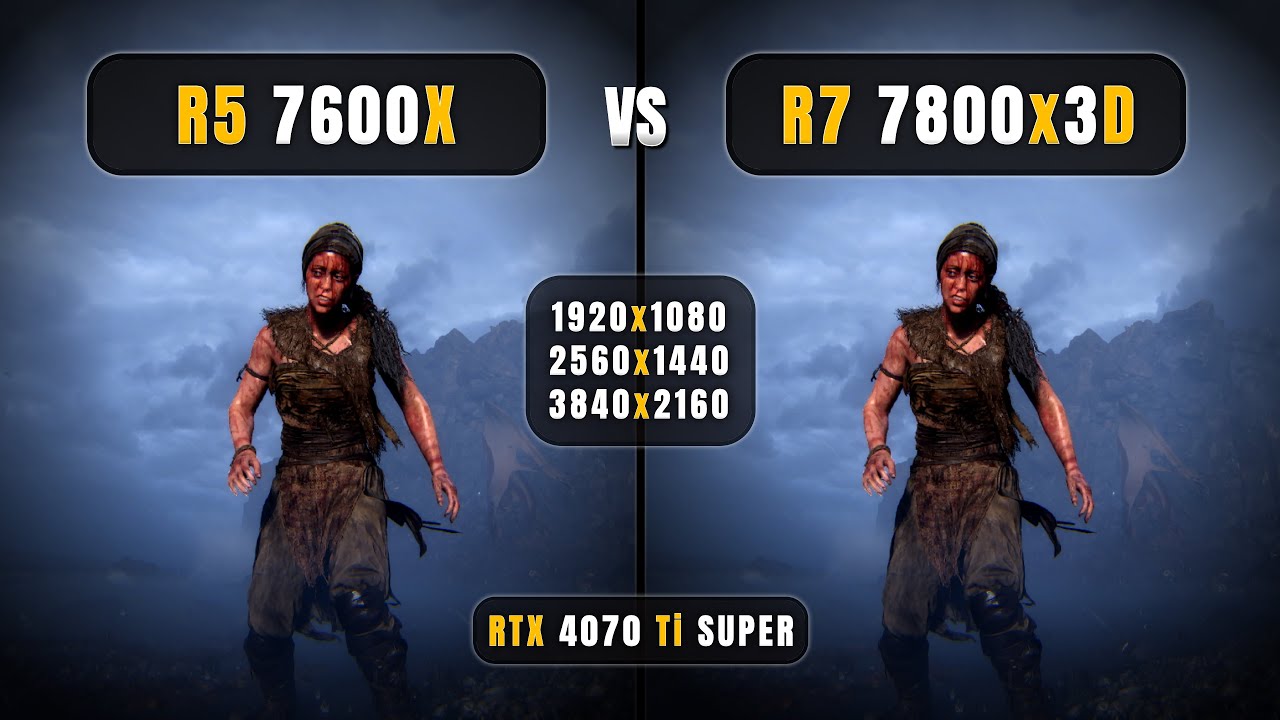
AMD Ryzen 5 7600x vs Ryzen 7 7800x3D - 1080p, 1440p, 4K - How Big is the Difference?
=======(Timestamps)=======
0:00 7600x vs 7800x3D
0:24 God Of War - 1080P
1:06 God Of War - 1440P
1:36 God Of War - 4K
2:06 Hogwarts Legacy - 1080P
2:51 Hogwarts Legacy - 1440P
3:21 Hogwarts Legacy - 4K
3:51 Ghosts Of Tsushima - 1080P
4:34 Ghosts Of Tsushima - ...
you will see big differences and small ones
sometimes its 100 fps of difference
sometimes its just 10
goodluck to you man
dense fossil
Actually ending my shit if all this goes to a waste and I still end up with the same performance as last time
Jk
But nah I hope to god it goes better
dense fossil
@outer falcon yeah uh it seems its already too late and the 7800x3d is coming this saturday
I was actually not expecting that at all lmao
outer falcon
Nice
 bright fjord
If monitor is still up for debate, you can find some 240Hz 1440p at under 200 dollars, which your pc should often be able to drive (if it can’t then just set an fps limit)
dense fossil
bright fjord
If monitor is still up for debate, you can find some 240Hz 1440p at under 200 do...
That'll be easy will totally consider
Alright guys! Im gonna build this on Sunday! Ill give you all updates and stuff of its progress.
If it goes smooth, we can check this discussion as resolved.
bright fjord
dense fossil
Alright guys! Im gonna build this on Sunday! Ill give you all updates and stuff ...
Great! Could you write down the final specs you decided on now?
dense fossil
bright fjord
Great! Could you write down the final specs you decided on now?
5060 ti 16 gb
7800x3d ryzen 7
Hypermaster cpu cooler
Rm750e power supply
Kingston hard drives (one 200 gb and one 1tb)
Gigabyte B850 eagle mobo
outer falcon
Nice install windows on the 200 Gb one
dense fossil
Informing you all the hard drives are from my old computer. I have alot of important files on there, both drives
 dense fossil
I wanna clean the metal part out before reapplying, is that possible
dense fossil
dense fossil
I wanna clean the metal part out before reapplying, is that possible
I wanna clean the metal part out before reapplying, is that possible
glass glen
huh what metal part are you taling abt
the heatsink?
if its the heatsink just wipe the old paste and then reapply new paste
dense fossil
glass glen
if its the heatsink just wipe the old paste and then reapply new paste
I was in the middle of that but there is some paste thats hard to reach for me to clean it
I dont have any alcohol on me either so
dense fossil
I decided to wipe the heatsink with a damp paper towel and leave to dry is it cooked
dense fossil
Ah, the cpu did not come with new thermal paste.
dense fossil
Im gonna go out and get some arctic mx 6 paste tomorrow
glass glen
dense fossil
Ah, the cpu did not come with new thermal paste.
usually it comes wioth the cooler
cpu doesnt give you thermal paste
unless you got one with the stock cooler which will have thermal paste on the coolers heatsink preinstalled
dense fossil
glass glen
usually it comes wioth the cooler
Im reusing my cpu cooler because its still in good condition. But im assuming I threw the thermal paste tube away cus it was empty I think
 dense fossil
I removed cmos, repeated gpu, and so on idk whats going on
Holy shit wait I got it
Its fuck8nt on
Aight boot is frozen now
glass glen
dense fossil
bro im sorry but what is this cable management
dense fossil
My dad did that, im trynna fix it
glass glen
dense fossil
on the left ur exhuast fan turn it around too
dense fossil
Anyways its not frozen now
glass glen
rn its bnlowing air into the case
glass glen
dense fossil
Anyways its not frozen now
nice
dense fossil
glass glen
on the left ur exhuast fan turn it around too
Yeah ill get to it in a sec
Now its frozen again
glass glen
dense fossil
Yeah ill get to it in a sec
yeah and ur cooler fan too
dense fossil
I think the hard drives are having a problem
glass glen
dense fossil
I think the hard drives are having a problem
?
u installed windows on a hdd
dense fossil
Yeah
glass glen
why not get a 128gb ssd for system if u wanna save money
dense fossil
Ok I only plugged one hdd and it took me to the bios screen
dense fossil
glass glen
why not get a 128gb ssd for system if u wanna save money
Cus I have important work files on these drives
glass glen
dense fossil
Cus I have important work files on these drives
no like u can use ssd just for the system
and all ur files is on ur hdd
u can excess ur files like normal
dense fossil
Confused
glass glen
dense fossil
? is it me or the pcie 8pin looks upside down
glass glen
dense fossil
Confused
like u can just use one drive for file and one drive for windows installtion
glass glen
glass glen
? is it me or the pcie 8pin looks upside down
@dense fossil
dense fossil
glass glen
like u can just use one drive for file and one drive for windows installtion
Well I decided to plug one hdd in and keep the other unplugged
Thats how one drive takes me to bios screen and the other to bios menu
dense fossil
glass glen
<@409474627484516353>
Nah its not dw about it
dense fossil
Hold on it says diagnosing pc

I think i can reinstall windows through this screen but idk if I get to keep my files
Hol up imma try smth
@glass glen
 glass glen
dense fossil
<@552839741679075329>
glass glen
dense fossil
<@552839741679075329>
something wrong with ur windows lol
if u do this it keeps everything in your "User" but deletes like ur apps
so u only keep ur files
glass glen
dense fossil
Any other method I could try instead of that
honestly just backup ur files and reinstall
u keep all ur fiels anyways
u just have to reinstall all ur apps
dense fossil
So just do it then
dense fossil
Yeah im backing my files up
glass glen
you can just have windows installed on another drive
u can excess everything in ur harddrive rn
dense fossil
I have both drives plugged in rn
dense fossil
Nah
Ion think so
Im resetting now
I had clip studio paint for free so Im hoping this shit doesnt corrupt anything
Im scared actually
glass glen
dense fossil
I had clip studio paint for free so Im hoping this shit doesnt corrupt anything
🏴☠️ or what
dense fossil
Pirated yeah
glass glen
just install it again from wherever u got it from,
dense fossil
Ok bet good
Whay about the stuff I saved on it, like drawing files and stuff
There was a painting i hadn't finished on there
glass glen
dense fossil
Whay about the stuff I saved on it, like drawing files and stuff
where is it saved tho
if its saved in ur users itll be fine
dense fossil
Currently im getting my display also from the motherboard, not the gpu, this is prolly cus I resetted bios too
dense fossil
glass glen
if its saved in ur users itll be fine
I think? Prolly was
glass glen
dense fossil
I think? Prolly was
did u change the path or just left it as default
i thjink default shoudl savce in documents
dense fossil
glass glen
i thjink default shoudl savce in documents
Yeah I recall it being in documents
I think it'll be fine
I hope
glass glen
yeah just wait for it to restart
change ur orientation for ur fans please
after ur done with everything
dense fossil
Im gonna do that right away. I'd have to shut the pc down and unplug everything first to organize the wires and rotate the cooler
Will do when restart is done and windows is properly set
glass glen
dense fossil
Im gonna do that right away. I'd have to shut the pc down and unplug everything ...
no
dont rotate the cooler
you dont have to unplug anything
you can unclip the fan
turn it around and put the clips on the other side
and clip it back
same for the fan on the left just unscrewm turn around and screw it back
i would suggest you to get an ssd and learn how to install windows from yt or whatever u prefer
and use that are ur system drive
dense fossil
Ion think I got the cash for an ssd now, and I was capable of running just hdd last time
glass glen
dense fossil
Ion think I got the cash for an ssd now, and I was capable of running just hdd l...
uh ig u can do it once u have money
u can just get the small capacity one so it wont be that expensive
but running ur os on a harddrives really slow
dense fossil
Ah the boot has froze again
glass glen
glass glen
and clip it back
do yk how to do this
dense fossil
Wtf is this
glass glen
dense fossil
Ah the boot has froze again
wym froze
dense fossil
Just frozen
glass glen
dense fossil
Just frozen
just
wait for a few mins
ig
probably just harddrive being really slow
dense fossil
glass glen
dense fossil
huh
something wrong with teh bios maybe
or ur ram
leave it for a while first
and then what happens after it
dense fossil
glass glen
something wrong with teh bios maybe
I reset the bios tho, maybe I should reseat ram after waiting?
glass glen
dense fossil
I reset the bios tho, maybe I should reseat ram after waiting?
yeah try that maybe
dense fossil
Im sorry im losing sm hope rn
Brother I set it to csm by accident motherboard is displaying red light on vga
Im done bruh
dense fossil
Plugged hard drives into my old computer instead and suddenly its working fine
@glass glen
Didnt freeze on boot and went straight to windows 11
Uh
Im missing my c drive
Oh no there's my c drive
Ok it kept all my files and stuff thank god
 dense fossil
Chat its working

Holy shit
I need to erase all drivers and install new ones now
DDU I think it was
dense fossil
We might need to close this chat off soon cus its working a bit I think
Ok my first drive is being detected but not the second
dense fossil
@glass glen hey you recommended getting a monitor, what monitor i should get
Sorry wrong ping
@bright fjord YOU recommended getting a monitor, which one do you recommend
stark holly
dense fossil
<@971575877320179752> YOU recommended getting a monitor, which one do you recomm...
You didn't ask me but what's your abs max budget?
dense fossil
stark holly
You didn't ask me but what's your abs max budget?
He said smth about getting a 120-200 hz monitor for a hundred bucks if I recall
stark holly
Look for 180Hz+ 1440p, and preferably at least HDR400
There's also the option of a 27" vs 24" screen. 24" means more pixel density and better for competative gaming, 27" is slightly less crisp but more immersive
dense fossil
?


Will this benefit me regarding frames and stutters, I wanna make sure im not throwing more money away
bright fjord
https://a.co/d/cvxCiPT
but you can often find on ebay even cheaper
even a 170 dollars 300hz one still at 1440p @dense fossil

In competitive gaming, every frame matters. Introducing Acer's XV272U gaming monitor - the WQHD (2560 x 1440) resolution monitor that can keep up with your game play. Through AMD FreeSync Premium technology, the game’s frame rate is determined by your graphics card, not the fixed refresh rate of ...
dense fossil
bright fjord
https://a.co/d/cvxCiPT
but you can often find on ebay even cheaper
even a 170 do...
I can afford it next month
Thanks
bright fjord
dense fossil
Thanks
You’re welcome!
dense fossil
Holy crap wait nah thats 400 bucks
dense fossil
Its on sale for 200 but its original sale is 400 yeah
But I dont think it'll be on sale next month
bright fjord
Bro in that case, when you have around 200 to spend, look for deals. I’m 99% sure you will find something as good. The monitors are the fastest-evolving component so the prices come down fast!
dense fossil
Well I wanna make sure again im not wasting money, how beneficial is it going to be when I buy the monitor
bright fjord
dense fossil
Well I wanna make sure again im not wasting money, how beneficial is it going to...
It’s great for me and a lot of others but you gotta hear more yourself I think. Ask others. In a month when you have the money, look at the deals and consider
dense fossil
Im considering cus I think idk for sure that my current monitor is holding back my pc a bit
Maybe idk im trynna get more input from anyone and you
dense fossil
Alright other than the monitor which i will handle next month, I am proud to say that this computer runs exactly how I want it.