#hdmi 2 no signal: msi monitor, potentially motherboard problems
315 messages · Page 1 of 1 (latest)
 limber ibex
hdmi 2 will display, hdmi 1 will be detected but not display, displayport will not display
when i plug in my pc at the same time as my laptop, trying to swap from hdmi 2 to dp, doesn’t work
 uneven snow
pic of pc
limber ibex
what specifically or the entire thing

gpu fans aren’t spinning but i think jts jjst bc it’s not utilised yet
uneven snow
the power cable does not look to be plugged in right
limber ibex
it can’t go in any more, it’s a lian li stock cable
uneven snow
mate its giving you a error light and code
 limber ibex
this is my first pc idk any of thhs
uneven snow
but its in the manual
limber ibex
i didn’t read it
limber ibex
limber ibex
it can’t go in any more, it’s a lian li stock cable
blue tips r exposed still
the gpu is on though how isn’t it connected
uneven snow
limber ibex
i didn’t read it
go do it
limber ibex
the little screen and everything
limber ibex
uneven snow
go do it
okay but how am far is the gpu cable meant to be installed
limber ibex
do i hold the clip thing constantly
uneven snow
no
limber ibex
it physically can’t go in anymore than it has
uneven snow
if it cant lets go over to the main issue
limber ibex
okay
limber ibex
the documents in my motherboard box has nothing about errors
uneven snow
what motherboard
limber ibex
b850 aorus stealth ice
also the gpu cable can be pushed in further it seems so i gotta try harder
uneven snow
 uneven snow
 hollow cargo
limber ibex
i didn’t read it
hollow cargo
limber ibex
i didn’t read it
When in doubt, RTFM
limber ibex
uneven snow
https://download.gigabyte.com/FileList/Manual/mb_manual_b850-aorus-stealth-ice_1...
soo how am i meant to know the code
 limber ibex
it says 46
hollow cargo
What does the manual say 46 means...?
limber ibex
46 isn’t on there
hollow cargo
Take a photo of the two seven segment displays
limber ibex

 limber ibex
so just 2 sticks
 limber ibex
in which slot
 limber ibex
it’s not compulsory to help also idk where to look in the manual
you can’t be fussy and annoyed at me when you chose to help me
if it’s not too much trouble can you just help me out here
hollow cargo
I'm helping and I'm happily helping, just saying, I'm figuring this out along with you mate
So per the diagram, if you've only got one DIMM, you should use slot A2
If you get the same issue, swap it with another DIMM and test again
limber ibex
ive got a dentist appointment, do you think you can help me out in an hour
hollow cargo
I presume I'll be around 🙂
hollow cargo
All good my dude, sorry if my comment came across as harsh or direct
uneven snow
rule nr.1 of ddr5 is only 2 actual sticks of ram
on desktop computers if you wanna game
 limber ibex
uneven snow
rule nr.1 of ddr5 is only 2 actual sticks of ram
limber ibex
uneven snow
rule nr.1 of ddr5 is only 2 actual sticks of ram
the 1st and 3rd are dummy sticks
uneven snow
Thank god
uneven snow
limber ibex
Tried slot 4?
uneven snow
The last one
limber ibex
still says no signal
let me try a dp
yeah dp no signal
it still has 46 written on it
uneven snow
Try 1 and 3
limber ibex
individaully right
uneven snow
Na both
limber ibex
still 46
uneven snow
How long have you had the pc on after saying 46?
limber ibex
uhh wdym
i turn off the pc and plug out the power each time im changing the ram configuration
uneven snow
That part is what you are meant to do
But like how long have you just let it sit on code 46
limber ibex
idk what that is sorry
uneven snow
 limber ibex
i see
i need to take it out?
i am struggling to find it
omds do i need to take apart my whole system to clean it
this is really annoying
uneven snow
limber ibex
i am struggling to find it
its in the manual
 uneven snow
reseat cpu and check pins
uneven snow
could try to update to the latest with qflash
limber ibex
uneven snow
could try to update to the latest with qflash
explain please

 limber ibex
one thing im confused about
once i've extraxted all those files
theres the .f3 file
and some others
do i just delete the other adn keep .f3
uneven snow
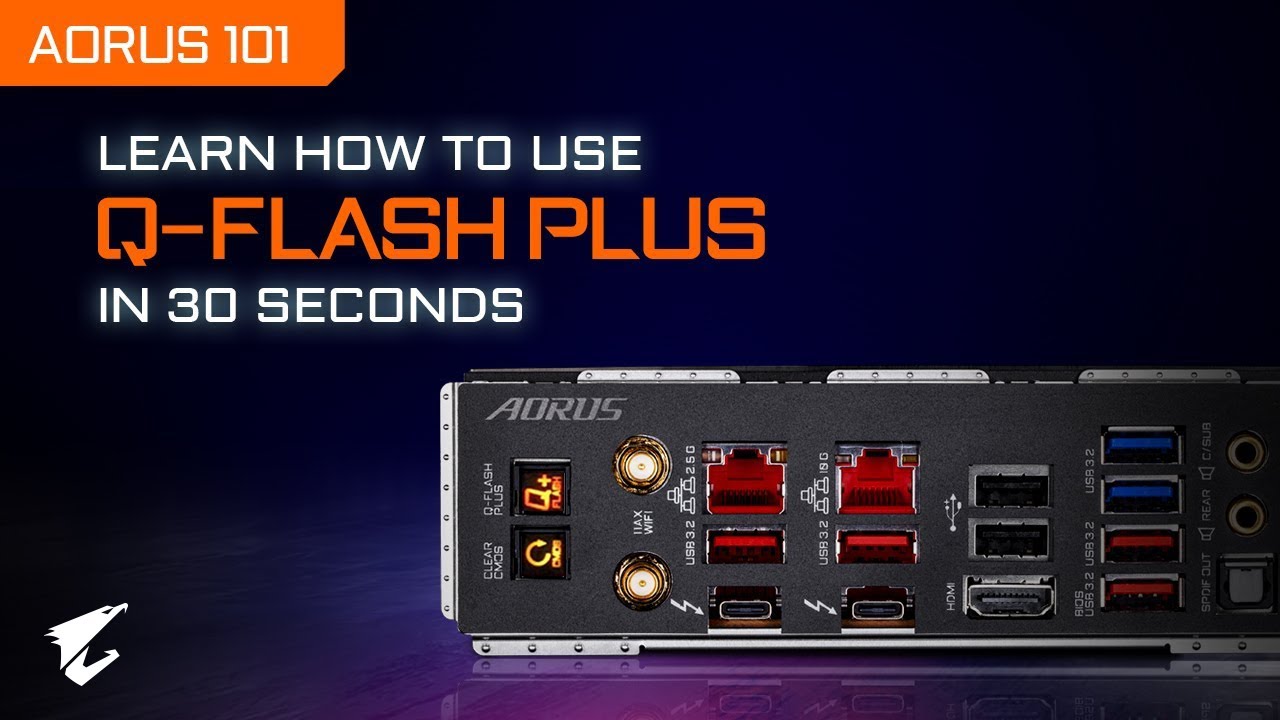
Need to flash the BIOS for your GIGABYTE motherboard? In this video, you will learn how easy it is to update the BIOS using the Q-Flash Plus function, available on most GIGABYTE motherboards, in just a few simple steps.
// Follow us on Social Media //
Facebook: https://www.facebook.com/AorusOfficial
AORUS Gaming Community: https://www.facebook....
hollow cargo
What CPU do you have?
uneven snow
hollow cargo
What CPU do you have?
motherboard is b850
hollow cargo
Yeah, but the issue is the GPU is displaying nothing and we have a DIMM fault being reported yeah? So let's strip it, minimum to post if we can. If the CPU has integrated graphics, we can remove the GPU, connect to the mobo, try just one DIMM, if the issue remains, swap it with another one, etc.
Did the BIOS as in upgraded?
hollow cargo
As long as you followed the process
limber ibex
yup waited for it to stop flashing
hollow cargo
Ok so that CPU has integrated graphics
limber ibex
i see
hollow cargo
So take out your GPU
limber ibex
okay
hollow cargo
Connect the monitor to the motherboards HDMI port, have just one DIMM installed, and try switching it on
hollow cargo
The power cable connecting to the GPU? Or the monitor cable?
hollow cargo
Stiff as in to get out of the GPU, or bending/routing through the case?
hollow cargo
Stick with the current plan, but when we do connect it back in, do you have a different cable?
The connector is supposed to be hard plastic, and can be a bit tough to push into place, but it should seat all the way, and the locking latch on the connector should engage. If it doesn't, something is wrong with the cable or connector on the GPU, my money would be on the cable
limber ibex
oh no its fully in, its just stiff to get out
hollow cargo
Yeah that's not a huge issue, that's mostly just the design
limber ibex
so i've put the case flat, should i just hold the gpu or press down on it as i pull out the cable
hollow cargo
I would have one hand on top of the GPU, with the other hand squeeze the locking connector and grip the connector and while trying to pull it up, gently wiggle/rock left and right along the width of the connector to try to help loosen it. If it's not coming out, you might need to take it to a PC shop, you don't want to break the GPU connector and if you're not 100% on how much force to use, don't risk breaking it
limber ibex
no pc shops exist near me
limber ibex
hollow cargo
I would have one hand on top of the GPU, with the other hand squeeze the locking...
is it wiggling as i raise it
or wigglign then pulling
hollow cargo
As you raise it
hollow cargo
🙂
hollow cargo
It depends on the design of the board and clip
hollow cargo
Yeah they often don't design these thinking about disassembly haha. Either the front or rear of the GPU, without bending anything, can your fingers reach those locking tabs? Can you push/pull (depending on the design)?
Also remember, you might need to have the rear of the card loose first
limber ibex
no chance i can touch it
its an aorus 5080 if that helps
yeah i need to get the tab open first
hollow cargo
I think I came across a similar issue years ago, and the only option I had wasn't great, I needed to use a flat head screwdriver to reach down and push it. Thing is, if you slip, you could kill the mobo
hollow cargo
Nice. Single DIMM, monitor to mobo, see if it powers on
limber ibex
should i clean the cmos first?
hollow cargo
Up to you, if it's a brand new setup I guess it wouldn't hurt?
limber ibex
i didnt
limber ibex
hollow cargo
Nice. Single DIMM, monitor to mobo, see if it powers on
okay turning it on
still has 46 on it
no signal detected
hollow cargo
Red LED?
limber ibex
im colourblind so i dont actually know too well
hollow cargo
Pic?
 hollow cargo
Power drain, swap the DIMM and try again
limber ibex
power drain?
hollow cargo
Unplug the PSU, hold the power button down for no less than 20 seconds
Use the same DIMM slot but use the other DIMM
limber ibex
huh
hollow cargo
To which bit?
limber ibex
hollow cargo
Use the same DIMM slot but use the other DIMM
?
r u asking me to run 2 ram sticks or 1
hollow cargo
So you've got 4 memory slots, and you've got 2 real memory sticks yeah? One of the real ones is installed at the moment. Power drain the system, then take that stick out and put the other one in its place
hollow cargo
The memory you're using with the LEDs on top, is that part of the dimm or is that an extra piece that clips over the top?
limber ibex
its part of it
hollow cargo
Do you have the specs of the DIMMs? Manufacturer/model?
hollow cargo
Checking
limber ibex
thank you
in the meantime i'll take out the cmos
okay uhm this cmos design is very different to the standard i see online
hollow cargo
How so?
 hollow cargo
Looks like there's a spring I. The right hand side, and not much holding it on the left. Can you fit something small on the left side of the batter and push it right a little, while trying to get it to pop out/up?
Also, this is really odd, looking at the memory support list for your mobo, I can see CMH32GX5M2B6000Z30 and CMH32GX5M2B6000Z30K, but no CMH32GX5M2B6000Z30W. But the K variant I think is just the black variant, so I don't know why they wouldn't have the W variant in the list, but yeah it's not there
limber ibex
i saw on pcpartpicker someone w my mobo w the ram so i assumed it should be fine since they didnt report any issues

White themed minimal cables build by SandYandK - AMD Ryzen 7 9800X3D, GeForce RTX 5090, Phanteks EVOLV X2 ATX Mid Tower
hollow cargo
I'd reach out to gigabyte/Corsair to confirm just to be sure, and logically it makes sense that it should be ok, but just to be sure
limber ibex
ok i cannot get the cmos out at all, i'll just short it
hollow cargo
Yeah if you've got a jumper go for it, there should be a jumper header for thst
hollow cargo
There should be a procedure in the manual, I haven't checked it, normally it's something like you short the jumper, switch it on, that clears everything and it boots without the ability to save changes, then you power it off, move the jumper back/stop clearing CMOS, and power it back on again
 hollow cargo
Oh ok, so yeah, just short it for a few seconds I guess?
limber ibex
omds
started the pc
doesnt work
rttot 46
error*
same thing
hdmi 2 no signal: msi monitor, potentially motherboard problems
do i just rebuild it atp..
 misty marsh
limber ibex
do i just rebuild it atp..
misty marsh
limber ibex
do i just rebuild it atp..
its flashing DRAM... it could be either CPU or RAM...
did you try with..a single stick of ram?..
limber ibex
yes
hollow cargo
The issue should be the memory or possibly the CPU, though it could be the mobo. Considering we've swapped the memory about and the error didn't change, we should hopefully be ok there. The only other things I can recommend before reseating the CPU would be to test the DIMMs in other slots, and make sure everything that's not minimum to post is removed. Minimum to post for this system is the mobo, CPU, 1 DIMM, a PSU, and power button. So any SSD's, HDDs, ODD's, WiFi cards, etc, get them out, try the other DIMM slots one by one, only one DIMM is needed to test, if the issue is still there, reseat the CPU while inspecting the pins and under side of the CPU
misty marsh
limber ibex
yes
in all memory slots?..
limber ibex
yup
misty marsh
reseat the CPU...and whats the boards name again?...
limber ibex
b850 aorus stealth ice
misty marsh
limber ibex
b850 aorus stealth ice
it doesnt even have details on 46?..you sure that board name is correct?..
limber ibex
yes
hollow cargo
I think 46 is one of the reserved codes for this board
limber ibex
when i put the cpu back in
should i take off the thermal paste
or nah
i have isopropyl alcohol
my friend gave me his thermal paste its mx-6 so i got some left over
misty marsh
keep using a single ram stick...try a different one...
and make sure you are seating this CPU properly..
and the liquid cooling setup..
limber ibex
okay
hollow cargo
If it's brand new and you don't accidentally rub it off, you'll probably be ok, if you have spare thermal paste it wouldn't hurt, but also maybe at least wait till it completes post, because if you remove it again, you'll then need to reapply it again
hollow cargo
 hollow cargo
No issues with the socket, pins, CPU that you could see?
hollow cargo
If I needed to guess, you got a faulty CPU or mobo
I'd contact gigabyte and ask about the error
hollow cargo
Being restricted, they should know what it means
If you got all of these components from Amazon, maybe reach out and let them know that one of them appears to be faulty and you're looking into it, that way if it takes another month or two to get an answer from gigabyte, Amazon knows that the issue started now and can't bounce you back for a refund or something
limber ibex
okay
hollow cargo
Sorry I couldn't help more, and it's an extremely unlikely situation. If I think of anything else I'll let you know
When you did the BIOS flash, it was the more recent update yeah?
limber ibex
mhm
hollow cargo
F3?
hollow cargo
Try not to get too discouraged. While it's a setback, think of what you've gone through here and what you've learned. This is what PC building is about. Next time you need to build one you'll be a pro, then one day you'll get to Linus status and have so much YouTube money that you can afford to drop anything 🙂
Who knows, maybe you'll be able to help the next you in this forum 🙂
limber ibex
is it a guarantee i can get replacements
omds this shipped from the usa asw its going to take forever
and i need to locate all the screws to put back in the box
hollow cargo
I presume this stuff is all brand new? It should all be under warranty, Amazon is normally good with that aren't they?
hollow cargo
What country are you in?
limber ibex
uk
hollow cargo
I'm not sure what the laws are there, but there should be something about DOA, faulty on arrival, etc, or just a basic warranty that's stated on the sale page
 hollow cargo
No idea?
VGA is your old school monitor connector, the blue one with lots of pins. Maybe they're asking for your monitor manufacturer?
limber ibex
i think it meant gpu
hollow cargo
One of the two would be my guess, but technically it doesn't make sense lol
limber ibex
im just getting amazon to replace it hopefully
misty marsh
limber ibex
slot 1, does not work
other slots work?....
hollow cargo
Generally, It's more likely for a motherboard to have issues like this than the CPU, the CPU is a very highly engineered part with much higher manufacturing standards employed. The only real concern there is transport, which is out of your hands.
In this case we had a DRAM error reported, and the CPU is the memory controller. So if the issue was the mobo, there's a better chance of resolving it by using different DIMM slots. If you do that and the issue remains the same, it's more likely that the issue is the CPU, unless you can see damage to the socket, which you couldn't in this case
limber ibex
misty marsh
other slots work?....
one ram stick
tried all 4 slots
did not work
code 46 each time
im just getting this refunded and buying it again
hollow cargo
Yeah sounds good
3F~4F Reserved.
I think the 46 code should fall in there somewhere, and being reserved, it's probably part of what manufacturers refer to as vital product data (VPD), which is normally either proprietary or only for service personnel
limber ibex
hollow cargo
3F~4F Reserved.
I think the 46 code should fall in there somewhere, and being r...
do you think i should replace the ram or nah it cant be
hollow cargo
Pretty slim chances of having 2 faulty DIMMs. But I would still check with gigabyte about compatibility. Again, it doesn't make sense that there's an issue, but if you want to dot your I's and cross your T's...
limber ibex
hollow cargo
Pretty slim chances of having 2 faulty DIMMs. But I would still check with gigab...
whats up man
i got my new motherboard after amazon took ages to process a refund
hollow cargo
How did it go?
limber ibex
oh no like i literally just got it
hollow cargo
Oh right haha. Fingers crossed it sorts it out!
limber ibex
hollow cargo
Oh right haha. Fingers crossed it sorts it out!
should i just use 1 stick of ram?
limber ibex
k