


39 messages · Page 1 of 1 (latest)
 dusk egret
Okay so long post time. I pieced together a "cheap" sub $500 home lab setup thing with the following specs to try and run FUTOs self hosted guide and run HEXOS (I already have the key and got it installed onto the NAS, but that's where the first issues arise). Noise/electric isn't an issue for this.
I have a Tripp Lite SmartRack SR12UB 12u rack
Cisco sg300-52p Poe switch connected to my spectrum IPS router for now, I intend to replace this with a Pfsense box, eventually and keep it as a bridge.
2 gen 10 HPE servers with 128gb ram total (currently all in one system with a 1tb NVME) with dual Intel Xeon Silver 4208 CPUs
A 24tb I think supermicro x8dth 8bay server (6x4tb Hitachi drives, I intend to replace with 18tb drives by the end of the year)
I've got the switch connected to the router and everything else (including my windows 11 gaming PC) connected into the switch, and my MacBook on Wi-Fi as well as a raspi 3b+ and a zerow I believe to play with if needed.
I created a bootable USB drive with etcher to install hexOS to the NAS, but it isn't being detected by the network and it gives me an error. I've tried power cycling and rebooting several times and connected directly to the router itself versus the switch. I can occasionally see the NAS on the network and snag an IPV4 address from my ISPs app, but I'm such a beginner and out of my league I'm not sure where to go from here after two days of playing with it.
I switched over to the HPE server, and I cannot even figure out how to work the BIOS to enable the PCIe NVME card and install an OS, I was thinking proxmox and attempting to run PFsense and the rest of the self hosted guide on it and leave the 2nd one ram less and unplugged.
Long story short, I'm so lost on where to start with this stuff and keep googling different starting points and things to try that I'm coming to you guys to save the AI slop. Let me know what you need from me, and I'm sorry for being such a noob here, maybe I wasted my money.
 pearl fulcrum
dusk egret
Okay so long post time. I pieced together a "cheap" sub $500 home lab setup thin...
pearl fulcrum
dusk egret
Okay so long post time. I pieced together a "cheap" sub $500 home lab setup thin...
It would appear that you're connecting the IPMI port. That only provides access to the BMC (board management controller), not the server itself.
dusk egret
pearl fulcrum
It would appear that you're connecting the IPMI port. That only provides access ...
I thought that, but the Ipmi port is labeled, I've I've tried Ethernet into all 3 ports at once with no luck
pearl fulcrum
from the pics theres one ethernet cable plugged in and the firmware screenshot shows IPMI has got a DHCP lease. Run dmesg -kw in the linux shell and plug into one of the non-IPMI ports
dusk egret
Alrighty I'll try that 🙂 thanks
 open gulch
dusk egret
Okay so long post time. I pieced together a "cheap" sub $500 home lab setup thin...
open gulch
dusk egret
Okay so long post time. I pieced together a "cheap" sub $500 home lab setup thin...
Wait so it sometimes does connect to the network? But most of the time it doesn't?
dusk egret
pearl fulcrum
from the pics theres one ethernet cable plugged in and the firmware screenshot s...
I'm plugged into 2 different network ports currently and ran the command

 pearl fulcrum
dusk egret
I'm plugged into 2 different network ports currently and ran the command
pearl fulcrum
dusk egret
I'm plugged into 2 different network ports currently and ran the command
It shows enp1s0f0 came up, the left one that's blinking presumably. Check ip addr now
dusk egret
 pearl fulcrum
dusk egret
pearl fulcrum
dusk egret
exit back to console setup, enter option 1, select enp1s0f0, and share a pic of that page
dusk egret
 pearl fulcrum
enable ipv4_dhcp, that's supposed to be enabled by default on truenas
pearl fulcrum
idk the behavior of truenas. normally enabling dhcp requires only a network stack restart and I would assume the console setup tool does that
but if it didn't, then yes restart
dusk egret
Got the hexos dashboard! Time to mess with the hpe server tomorrow and get it into the rack
 pearl thorn
what about your proliant Gen10 issues are you using nvme drive in the hot swap bay or via pcie to m.2 adapter?
i highly suggest that if you get any system first step should be factory reset the bios and ILO as you dont know what was configured by a previous owner
dusk egret
pearl thorn
i highly suggest that if you get any system first step should be factory reset t...
Good idea, thank you ! Here's the pic of the server I got, it's on a PCIE card.

 dusk egret
Sorry it's been a hectic week with work, I haven't even been into my server room in 5 days 😅 i went in and reset the bios on the HPE server this morning and still no update on the PCIe card being detected. The bios for the HPE servers are so weird I'm not even sure where to begin haha
pearl thorn
take a photo of your m.2 drive, it is possible that you are trying to install sata m.2
dusk egret
pearl thorn
take a photo of your m.2 drive, it is possible that you are trying to install sa...
https://www.bestbuy.com/product/crucial-p310-1tb-internal-ssd-pcie-gen-4-x4-nvme-m-2/JX8PSKCGL8 this is the drive I'm using
pearl thorn
is part number of this riser you have 877946-001 ?
photo is too low res for me to tell
https://community.hpe.com/t5/proliant-servers-ml-dl-sl/dl380-gen10-m-2-enable/td-p/7047830
if it is then it only supports sata m.2 drives
I have installed an NVMe M.2 drive into drive 13 on the riser card. I was not finding the device, nor any area in the BIOS that finds the devices for boot. I could not find anywhere to enable the function. Are these devices available for boot?
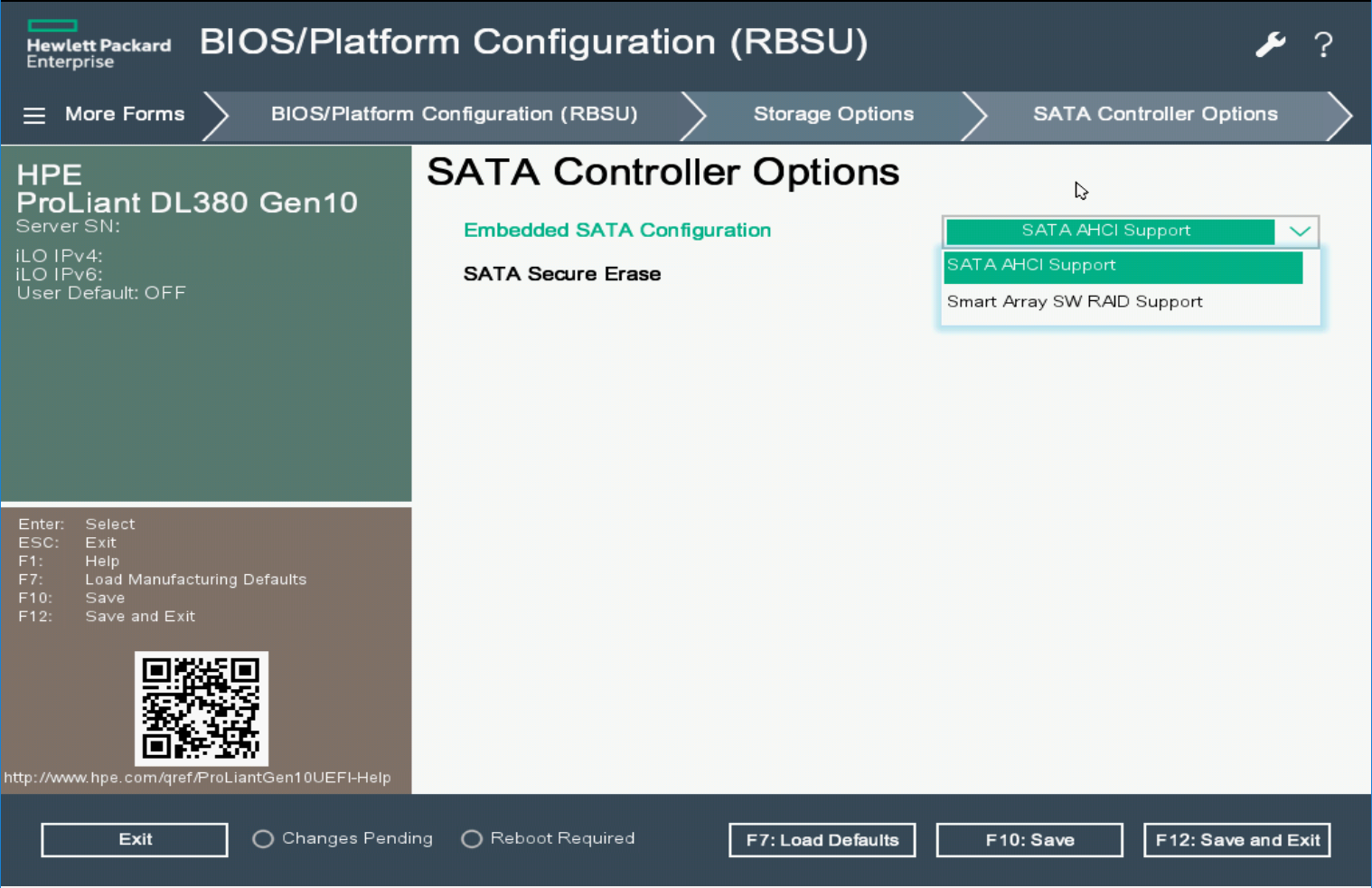
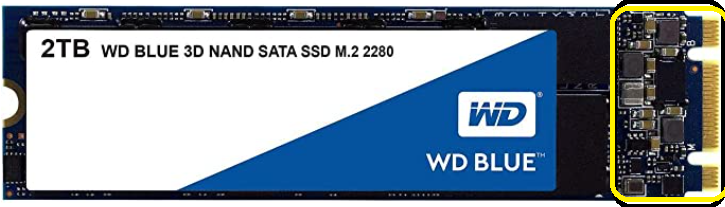
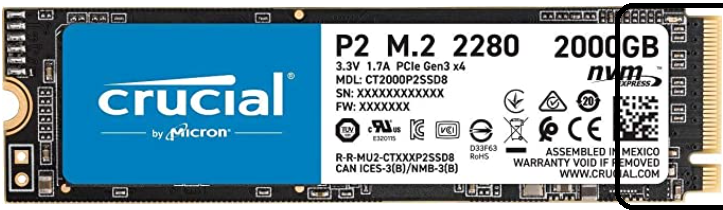
hpe in its infinite wisdom has chosen to put in a m key m.2 slot for a riser that only supports sata. they should have used B key slot instead
pearl thorn
you could probably get a cheap passive pcie to m.2 adapter
quad one too as it supports bifurcation
dusk egret
I didn't even think of that good idea
pearl thorn
15$
 dusk egret
Should have one on Saturday, thanks!


