#:( NEW GPU but getting lag and stutters low fps
138 messages · Page 1 of 1 (latest)
 somber moon
 subtle plinth
What GPU
Make sure you plugged your HDMI directly into the GPU and not motherboard
@somber moon
Is it plugged into the GPU? Or mobo
 scenic pine
Make sure rebar is on too
With rx 9000 and any Intel GPU you always want to be sure rebar/ resizable bar/ CAM is on
That looks to be right, what cpu?
Yes go into the bios and make sure it's on
What motherboard
Who made it, Asus, ASRock, gigabyte?
scenic pine
Speed is xmp on
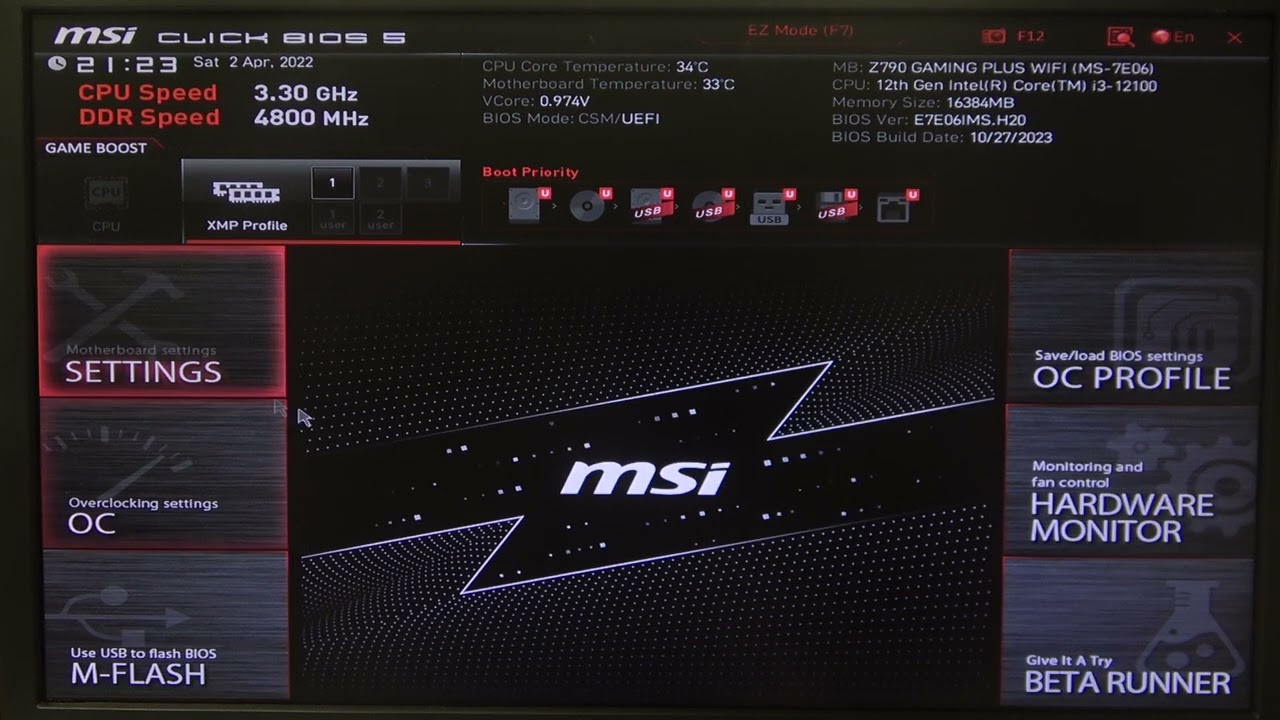
How to Enable & Disable Re-Size BAR Support on MSI Gaming Series Motherboard - Learn how to enable or disable Re-Size BAR Support on your MSI Gaming Series Motherboard. In this video, we’ll guide you through the BIOS settings to manage Re-Size BAR, a feature that allows the CPU to access the full GPU memory, potentially improving gaming perfor...
subtle plinth
Shouldn’t be having too many issues, can you download furmark and see what it runs during that bench?
scenic pine
One thing that is strange is how old the parts are
5600x with a 9060 XT
Anyhow follow the video and I suspect it will be the fix
subtle plinth
Shouldn’t be an issue though @quasi hornet unless that cpu is absolutely cooked for some reason.
What frames were you getting before swapping to amd
scenic pine
subtle plinth
Shouldn’t be an issue though <@627242881140391958> unless that cpu is absolutel...
Rebar?
subtle plinth
I would’ve ran with a 7600x
scenic pine
subtle plinth
I would’ve ran with a 7600x
Yeeeaaa
What were the old specs
No
5600x is a like 5 year old cpu or something like that with a GPU that came out this year aka what is a bit strange
From what I have seen all am5 motherboards come with rebar on by default while older ones like am4 does not
subtle plinth
If you can yes.
scenic pine
Cpu?
First enable rebar, then test again
When I search up bad cpu there is no company that makes that but Intel 13th and 14th gen k ones
What game
Wait just all games being bad
subtle plinth
Did you update your drivers?
scenic pine
I would ddu and install drivers again
subtle plinth
Or did you just plug and play
scenic pine
Latest bios
subtle plinth
Do your windows updates too
scenic pine
GPU too
But those are some very very low temps
I think at the start I was a bit confused as I was helping someone with a 5600x in their new builds list but if it's just a upgrade it's all fine, what I suspect it could be is some setting or something
5600x is more then fine just old
Old does not mean bad
What are you trying to return
It's fine also it was only if you did not already own am4
If you already had the old parts the 5600x is the best move
Well that
Ofc there is other ones on am4 but that one should be fine
I am not fully sure what it might be, if you have not already tried it a windows reinstall could be worth it
Nononononono
I only said it since it meant rebar is not always on right out of the box
Did you reinstall windows or is this still the same windows from the old pc?
Something not making sense

#amd #radeon #performance #lag #stutter #gaming
How to use AMD Radeon Graphics Performance Overlay and diagnose GPU problems
Using AMD Radeon performance overlay is a great way to help diagnose lag and stutter in games or if you are not getting the full performance from your expensive video card!
In this video you can see how easy it is to se...
I wanna see the stats when you game
What
1440 180 is like 150
Your GPU is like 3x the price of one
No
DO NOT EVER PUT EVEN A SMALL AMOUNT OF TRUST IN A LLM, I do not understand why this has to be repeated again and again.
Do what I said
I want to see a gaming session
subtle plinth
Your monitor doesn’t do anything for fps
scenic pine
And check task manager while doing so
scenic pine
subtle plinth
Your monitor doesn’t do anything for fps
V sync
Ye
Activate ALL the metrics
subtle plinth
scenic pine
V sync
That just syncs your frames to your monitors refresh rate, you could have the worst of the worst monitors and just play without vsync and you’d be fine
scenic pine
You need to turn the overlay on
What programs do you have installed
No
Are you sure the display in game and in windows is 1080p
It's so strange
It's not making sense
Chat gpt just lying there
The best for gaming is the 5800x3d by miles then tbe 5700x3d a cpu still in production and then something like the 5800x and then down to the 5600x
scenic pine
its not making any sense
subtle plinth
You may have a super rare case of either a faulty cpu or gpu
 ocean gale
@somber moon In your video, it looks smooth when you stood still and moved the camera
Would that be accurate? It was a pretty short part of the video
@somber moon All games or just that game?
Have you tried any games that are exclusively single player? A lot of modern multiplayer games will use online servers even for the single player/training modes
 velvet crane
I know someone already asked, but to reiterate.
- What parts were replaced?
- Did you perform any updates? If so, which ones?
 teal grotto
probably faulty gpu but try to put a 60 fps cap on the framerate and see if that makes a difference
this looks normal for me that i own a b580 it sutters same but not as much as the video below
if it not works try to put ur old gpu instead of this and check if anything fix
oh it was fsr issue?
that's not normal
when and if u have the opportunity check the old gpu whit this pc
and see if it does the same
yes it should but if u have a very old monitor it may explain the screen tearing
but to not waste any money if i were u ill check whit the old gpu
i also got a 5 year second old monitor 60 hz 4k so the hz not say how old is it
well if u fixed the game issues and not the tearing try to plug it into another monitor if u have one or to a tv
and see if it does the same
scenic pine
teal grotto
this looks normal for me that i own a b580 it sutters same but not as much as th...
Turn on rebar
teal grotto
scenic pine
Turn on rebar
i do have rebar
that's the b580 it just needs a fps cap to 60 fps to make it work in some games
 scenic pine
teal grotto
that's the b580 it just needs a fps cap to 60 fps to make it work in some games
scenic pine
teal grotto
that's the b580 it just needs a fps cap to 60 fps to make it work in some games
What cpu
And how is the performance
teal grotto
yeah but it's just the arc how is made
i talked whit some guys and even a guy whit core ultra told me that arc isn't for high fps
it's for high resolution and high graphics
yeah
scenic pine

How the fans on the CPU cooler do


But the GPU is in the right slot
Well yes 80w cpu vs cooler that can do like 200-300w even
No
Well ok yes but it's not the issue
teal grotto
nah 9060 xt usually frame drop
it's fine ur cpu
but not as much as others
gpu is still very new
i mean it was released in june so it's new even in release
well i don't know well so
try turning off HAGS if u get framedrops
scenic pine
If this is a case of a single game having issues I will get big mad
velvet crane
Is it only throne and liberty?
 jovial sinew
Can't go off league, its meant to run well on actual potato. Samsung fridges can play it at 30 fps
scenic pine
i dono mine is more then fine
jovial sinew
I wouldnt disable windows game mode, but thats just me