

265 messages · Page 1 of 1 (latest)
 plucky ermine
so, recently my computer started having weird stutters at random. sometimes if i alt tab or click something in an slightly weird way, the whole screen is gonna freeze for a second and then unfreeze like nothing happened. i initially ignored them, thought they were normal. but then i started noticing them in games, and it's way more intensive than when on the desktop. it's generally the same thing, i play for a bit, everything goes normal, and then there's this big stutter for like 2-3 whole seconds and the game resumes as normal. but if i keep playing for a while, like 2-3 hours the stutters start becoming more frequent, making it completely unplayable. also, sometimes the stutters only pause the frames themselves but other times it also pauses sounds. Now, i tried to search up what this could be, and i ended up downloading cinebench to test how both my GPU and CPU is doing. As you can see on the images, the CPU seems to be completely normal. searched up my score in google (ryzen 5 5500) and seems to be about right. even overperformed a bit. but the GPU, had a worse result (567 points). i read someone in reddit saying this could be caused by the power the gpu is pulling, and it certainly is pulling very little, only 40w when it can go up to 130w if im not mistaken (RX 6600)
in case it's needed these are my specs
RX 6600, ryzen 5 5500, 8x2 16gb ram 3200mhz, windows 10
 left dagger
install MSI Afterburner
https://www.youtube.com/watch?v=UvuiIRipZE4
trust me, this'll help
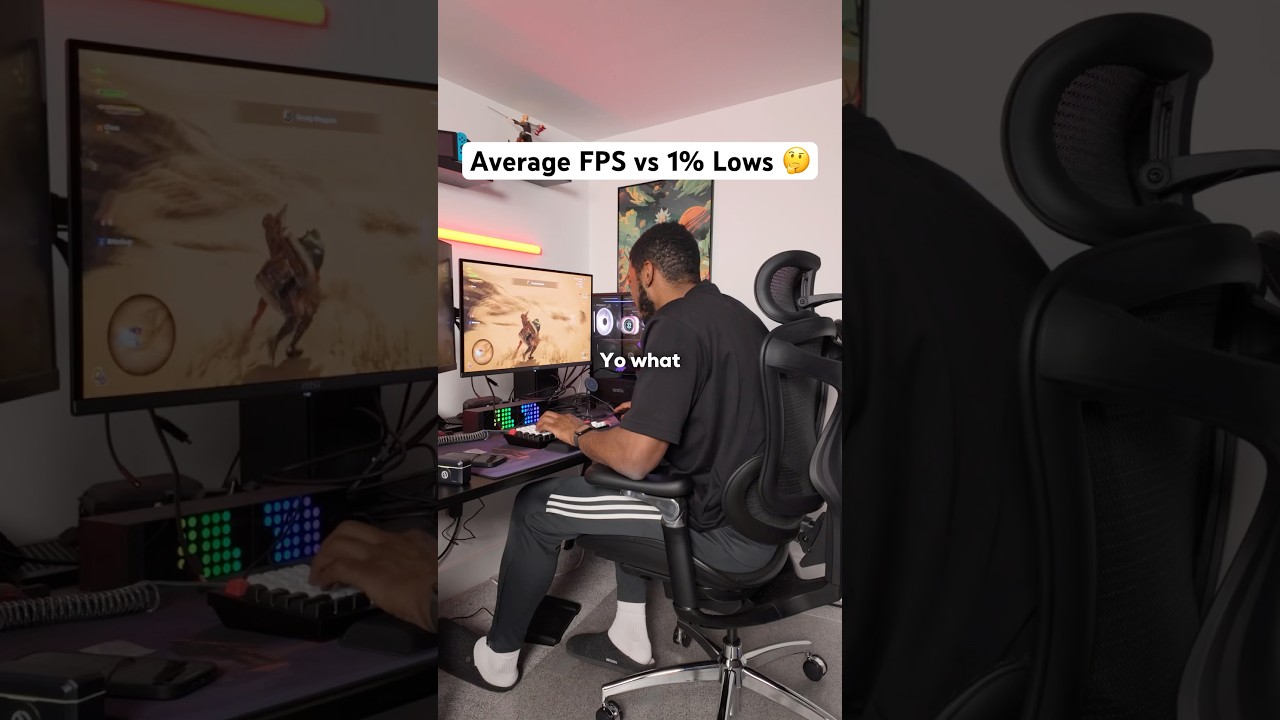
Average FPS ❌ 1% Lows ✅
When you are measuring the performance of your gaming PC it’s more important to look at the 1% Lows rather than just the Average FPS. This stat will show you how consistent your PC is at running games. If you have REALLY bad 1% Lows, you’re probably getting a lot of noticeable stuttering in your games. This is w...
https://www.msi.com/Landing/afterburner/graphics-cards
https://www.guru3d.com/download/msi-afterburner-beta-download/
(official sites, dont download both)
plucky ermine
how will that help exactly?
i watched the video before btw, i don't think it has to do with my issue (?
in terms of 1% lows they're normal until the big ass stutter hits and then it goes to like 10fps or something
cause it's a literal dead stop, like i said
plucky ermine
hey, so, i disconnected and reconnected my power supply, and now i got a better score in cinebench, which aligns well with what 6600's are supposed to do. this makes me believe that (thankfully) it's not a hardware issue and it might be a software issue instead. both gpu and cpu are working correctly. my theory is that a windows update may have been one that caused this but still im not sure, any other recommendations, if anyone reads this? lmao

 terse mango
You re-seated cables on your hardware to sort a software issue? Gotchya. That makes sense.
 unkempt coyote
Also download hwinfo64, and monitor temps
Turn off any xmp / expo ram settings under bios
(You can always turn them back on, this is just a way to check for instability)
left dagger
plucky ermine
in terms of 1% lows they're normal until the big ass stutter hits and then it go...
It could be a RAM issue. Check RAM percentages.
plucky ermine
terse mango
You re-seated cables on your hardware to sort a software issue? Gotchya. That ma...
no i mean that that discarts it being a hardware issue
the cinebench score was something else, my main problem is still there lol
plucky ermine
unkempt coyote
Turn off any xmp / expo ram settings under bios
ill try that out
plucky ermine
left dagger
It could be a RAM issue. Check RAM percentages.
what do you mean by checking ram percentages, how much is being used at a time?
left dagger
plucky ermine
what do you mean by checking ram percentages, how much is being used at a time?
Memory section in Task Manager, you can clean this with WinMemoryCleaner
RAM is just short term memory which is unimportant data
RAM is only used for web browsing, games or any other processes that you want to run.
plucky ermine
yeah yeah, i know what ram means lol, i just wanted to know exactly what you wanted me to check out, thanks
left dagger
if thats not the issue, lmk
plucky ermine
right now im using 40%, but i have a bunch of stuff opened like opera and discord which are at the very top
left dagger
oh and FYI, if your GPU is dying, it'll start artifacting
plucky ermine
if i close opera im at 20%
plucky ermine
left dagger
oh and FYI, if your GPU **is** dying, it'll start artifacting
oh, i didn't know that lol
plucky ermine
plucky ermine
if i close opera im at 20%
20% out of 16gb btw
left dagger
same goes for CPU but it'll just wont communicate with the motherboard and wont turn on
plucky ermine
aight, it's good to know what it actually means for a part to die lol
im gonna try the other stuff people suggested
plucky ermine
aight, bye, thanks for the help!
plucky ermine
unkempt coyote
Also download hwinfo64, and monitor temps
i've downloaded hwinfo, what do you want me to do in it?
unkempt coyote
plucky ermine
i've downloaded hwinfo, what do you want me to do in it?
Run it in the background in sensor mode while you do stuff playing on your pc
Just minimize it once it's running and recording.
It puts little stress on the pc, its just checking temps, power, amperage, etc ...
Play some games, browse the web, do whatever you normally do for a few hours.
Then open it back up from the bottom right corner, and take a look at what temperatures you are seeing on anything
Look at average and maximum
plucky ermine
ok, thanks, i'll do it
plucky ermine
ok so, i played a 2 hour or so session of rdr2 and i activated multiple graphs in adrenaline software to see what changes every time my game stutters. i took some screenshots, which are these


the stutters themselves are signaled by the "micro stutter" graph, so everytime my game stutters, that graph goes up
you can see the GPU usage and CPU usage going down along with the micro stutter
no change in temperatures or voltage
and this is how my sensors were looking when i stopped playing

@unkempt coyote
terse mango
You’re vram capped
Use less vram and it will sort out by the looks of your rdr2 stats
plucky ermine
you sure? i used to play rdr2 before with the same configuration and this wasn't a thing
also, the stutters happen outside games too
i'll try it out still tho
plucky ermine
plucky ermine
also, the stutters happen outside games too
way less tho, it's like one every 2 hours or so
plucky ermine
plucky ermine
i'll try it out still tho
im gonna test other games and also test rdr again with lower graphical options
plucky ermine
plucky ermine
you sure? i used to play rdr2 before with the same configuration and this wasn't...
same vram usage too, after 3 or 4 hours of gameplay i used to get lower fps, but nothing like the stuttering im experiencing now
unkempt coyote
Did you upgrade your monitor by any chance?
unkempt coyote
Running the game at 1080p?
unkempt coyote
Game shouldn't be capping 8gb vram then
And a bad cable can absolutely cause these issues
plucky ermine
hmmm
ok
it's been like
2 weeks since i installed it
should i try with another hdmi cable then?
plucky ermine
unkempt coyote
And a bad cable can absolutely cause these issues
really?
plucky ermine
the old one broke cause i handled it in a stupid way and it bent lol
unkempt coyote
Hmmm ...
But yes a bad cable can cause all sorts of issues. It's rare, but does happenm
plucky ermine
im gonna try getting another cable then
unkempt coyote
You can also try a different port on the gpu you plug your monitor/'s in
plucky ermine
good idea
terse mango
Maximum virtual memory committed exceeds available . Maximum physical memory exceeds available. It’s a VRAM issue.
unkempt coyote
And also this ^
Im still guessing you made a change in your graphical settings that is upping the vram usage
plucky ermine
yeah, im sure the vram maybe causing lower fps but like i said, i used to play like this non issue before, the stutters are completely new thing i hadn't experienced before
unkempt coyote
Fairly certain rdr2 shows under graphical settings how much vram you are using.
terse mango
If he’s using rdr2 with DLSS he’s probably adding approx 2-2.5gb vram usage
unkempt coyote
Lower some settings to get it to around 6gb vram usage
plucky ermine
unkempt coyote
Fairly certain rdr2 shows under graphical settings how much vram you are using.
if im not mistaken it says 4.5-5gb of vram
unkempt coyote
Hmmm
terse mango
You’re using 809x of vram in your Adrenalin shots
plucky ermine
terse mango
If he’s using rdr2 with DLSS he’s probably adding approx 2-2.5gb vram usage
i have a amd graphics card
plucky ermine
terse mango
You’re using 809x of vram in your Adrenalin shots
yeah, idk what that's about
unkempt coyote
Dlss / fsr all one in the same
Are you watching steams in the background, have discord open? Running other apps?
terse mango
Well fsr uses 3-3.5 on my AMD at 1440p so if 1080p fsr, 2.5gb max probably still same
plucky ermine

5 gigs
but yeah, im using 8 in total
5gs of rdr + whatever is using the other 3
terse mango
 plucky ermine
so ill probably have to lower my graphics as well
terse mango
While you are playing your vram is maxxed
unkempt coyote
8088
terse mango
Doesn’t matter how much each app is using. You’re capped and need more
unkempt coyote
Something is sucking down your vram
plucky ermine
how do i check that
unkempt coyote
Try a different amd driver
terse mango
Are you using FSR?
plucky ermine
nah
terse mango
Or frame gen?
plucky ermine
neither
plucky ermine
unkempt coyote
Try a different amd driver
what u mean?
unkempt coyote
Uninstall your current gpu driver. And install an older one.
unkempt coyote
Newest doesn't mean best. Look at the issues with nvidia atm. I'm using a 4 month old driver atm because of all the issues.
Are you familiar with DDU?
plucky ermine
i know what it does but haven't used it at all
imma check that out
you think that's causing the vram problem?
bad drivers?
unkempt coyote

Download Display Driver Uninstaller (DDU) Official - Remove AMD/NVIDIA/INTEL Graphics Drivers Cleanly - DDU is a driver removal utility that helps you completely uninstall AMD/NVIDIA graphics card drivers and packages from your system, leaving no leftovers behind, including registry keys, folders, files, and driver store.
It absolutely can
terse mango
Heh
unkempt coyote
Thats not normal
terse mango
Is mem leaks on vram a thing?
unkempt coyote
Yes
terse mango
Never experienced one. This is a goodie
unkempt coyote
Im guessing it's a driver at this point
plucky ermine
damn
unkempt coyote
Alright, im'a make this super easy to understand.
plucky ermine
i have all these dudes opened
 plucky ermine
terse mango
Any new software?
plucky ermine
terse mango
Any new software?
uhhh
i don't think so no
i downloaded project + lol
terse mango
Is it an ex mining card or have you mined on it?
plucky ermine
nah it isn't i got it prebuild
unkempt coyote
Step 1, download the prior amd gpu driver for your gpu.
Step 2, download DDU, and extract it to your desktop into its own folder.
Step 3, discinnect from the internet entirelly.
Step 4, boot into safe mode.
Step 5, run ddu. Keep all options at default. Select amd drivers after and clean and restart.
Step 6, when pc boots, install that amd driver you downloaded prior.
Step 7, after the gpu driver installs, hook back to the internet.
plucky ermine
in a local website, i trust it cause my brother has got computers from them before
terse mango
Awesome. Didn’t want das to waste his time if it’s probably a dead ram module as it’s 2gb
plucky ermine
yeah, makes sense you asked that
plucky ermine
unkempt coyote
Step 1, download the prior amd gpu driver for your gpu.
Step 2, download DDU, a...
ok, ill have all that in mind, but first i think i might as well try to see if the HDMI cable was the issue lol
maybe i'll do both, actually
if that fixes my vram issue, it's a plus
unkempt coyote
It could cause issues yes, extra vram usage is highly doubtful, but doesn't hurt to try. Drivers absolutely can cause these issues.
plucky ermine
i just closed everything but discord, im sitting at 1gb vram, is that normal?
terse mango
Hardware acceleration is a thing
plucky ermine
what u mean
terse mango
Video playback normally has it on by default for web browsers to use the GPU
terse mango
Let me boot my pc quick and check
Amd normally uses more ram. Just loading up I will show my 7800xt
plucky ermine
aight
unkempt coyote
Also need to remember. Even though your gpu has 8gb of vram, it's more like 7.7, or 7.6 realistically too
On my laptop atm with a 4060, using 484mb
 terse mango
Just like fake frames and fake msrp… however long long before… we started doing fake kb/mb/gb/pb size too
plucky ermine
lmao
plucky ermine
i was gonna try to switch to another hdmi port but my gpu only has 1 hdmi port and 3 display ports lol
unkempt coyote
Display port > hdmi
unkempt coyote
not sure why I was still typing on my phone when I had discord open on my laptop now
terse mango
It’s like going from VGA to DVI
unkempt coyote
but yes, wipe your gpu driver
terse mango
Only most people don’t notice because we’ve come a long way for that stuff
plucky ermine
unkempt coyote
but yes, wipe your gpu driver
ill do that
plucky ermine
so, tomorrow i will ask my dad if he has any hdmi cables lying around, check if it helps, then do the DDU thingy
unkempt coyote
need to remember, hdmi cables ... lol, come in MAAAAANY different versions
plucky ermine
aren't they retro compatible or smth
unkempt coyote
it might not allow you to go up to 165hz, 144hz, etc
plucky ermine
i only have a 75hz monitor tho
unkempt coyote
oh, your fine
plucky ermine
when i get a better monitor i'll get a display port along with it
unkempt coyote
you should be capping your fps to 75hz though
plucky ermine
i have them capped lol
unkempt coyote
you said you were getting above 75
plucky ermine
unkempt coyote
you said you were getting above 75
that's when i uncap them when im testing how much fps i get
but most games i play them with vsync on ngl
i don't like the tearing
unkempt coyote
gotcha, but yeah you want it capped at like 75-85 ish .. depends on the display tbh
if you can keep a solid 75 no matter what, just turn on vsync, the input lag you wont notice on a game like rdr2
plucky ermine
mine has shit tons of tearing for some reason, some games i can play perfectly without vsync like fortnite, but others like rdr have way too much tearing lol
plucky ermine
unkempt coyote
if you can keep a solid 75 no matter what, just turn on vsync, the input lag you...
yeah, i also have the anti lag thing from adrenaline software so it improves input delay a bit
terse mango
Partly the display, partly vram capping out
unkempt coyote
Turn on freesync, and vsync in your adrenaline software
and cap the fps to 5 below your monitors refresh rate
inside the game
AND ONLY INSIDE the game
plucky ermine
my monitor is cheap as heck it isn't even freesync compatible 💀
unkempt coyote
oh rip
terse mango
Hopefully not an 8gb 5060 😝
unkempt coyote
you should enable vsync globally then, with a 6600 you should have no problems maintaining 60-75 fps
plucky ermine
terse mango
Hopefully not an 8gb 5060 😝
that thing ain't even worth the money 💀
unkempt coyote
global vsync settings > in-game vsync settings
plucky ermine
unkempt coyote
you should enable vsync globally then, with a 6600 you should have no problems m...
maybe, like i said some games look good uncapped
plucky ermine
unkempt coyote
global vsync settings > in-game vsync settings
i didn't know there was a difference!
unkempt coyote
very much is
terse mango
unkempt coyote
global vsync settings > in-game vsync settings
I find with my 7800xt it’s the opposite. I’ve wondered if it’s my setup specific or latest AMD
unkempt coyote
this applies to freesync tech as well, but this will make for an interesting read

G-SYNC Module The G-SYNC module is a small chip that replaces the display's standard internal scaler, and contains enough onboard memory to hold and process a single frame at a time. The module exploits the vertical blanking interval (the span between the previous and next frame scan) to manipulate the display’s internal timings; performing G2...
terse mango
Might have to try global again with latest driver update
unkempt coyote
but firstly ... go do this
Step 1, download the prior amd gpu driver for your gpu.
Step 2, download DDU, and extract it to your desktop into its own folder.
Step 3, disconnect from the internet entirelly.
Step 4, boot into safe mode.
Step 5, run ddu. Keep all options at default. Select amd drivers after and clean and restart.
Step 6, when pc boots, install that amd driver you downloaded prior.
Step 7, after the gpu driver installs, hook back to the internet.
plucky ermine
thanks for posting it again lol, saved me from scrolling a bunch
aight guys, thank u so much, i will let you know if my problem is fixed or not
❤️
unkempt coyote
terse mango
Might have to try global again with latest driver update
Yeah, its hit or miss in some games. Then you can get into even more shenanigans when you have low latency mode involved. Ultra, vs On ... Fullscreen gsync vs fullscreen + windowed
plucky ermine
tried changing the HDMI cable, unfortunely this did not fix it, thought about getting a display port cable instead cause i thought, maybe it's the port itself that's malfunctioning or something, but my monitor doesn't have any display ports lol. haven't done DDU, but im not sure if it's necessary, cause you suggested DDU to fix my vram issue but the usage i have actually seems to be normal for amd cards? what you guys think i should do? @unkempt coyote @terse mango
unkempt coyote
plucky ermine
tried changing the HDMI cable, unfortunely this did not fix it, thought about ge...
Absolutely ddu lol
unkempt coyote
You can also buy a displayport to hdmi adapter. I'd recomend it, only because displayport generally runs better. But it depends on the setup. It is possible there is an issue with the port. But before you do any of that, DDU
plucky ermine
unkempt coyote
You can also buy a displayport to hdmi adapter. I'd recomend it, only because di...
sure, thanks
plucky ermine
i've just finished doing DDU, im gonna test using my computer, play some game for some hours, see if it made any difference
plucky ermine
tested red dead 2 for 2 hours again, unfortunely it isn't fixed... @unkempt coyote
i guess my next option is getting the display port cable + the adaptor

Cable DisplayPort 4K a HDMI de 6.6 pies, DP a HDMI Video UHD 2K120Hz 4K30 Nylon trenzado DP a HDTV Cable unidireccional para Dell, monitor, proyector, escritorio, AMD, NVIDIA, Lenovo, HP Gris
you think this one could work
before buying it imma test some other game
theorically it could be an rdr issue but i doubt it
cause i have stutters while on my desktop too
plucky ermine
hey
i think it might actually be just an rdr2 issue lol
searched it up, some people are saying that "there's a vram leak" (don't know what that means) with rdna2+ cards in vulkan, they suggest testing without smart access memory on or switching to dx12
imma try doing that
also, yesterday i played resident evil 4 remake for 2 hours and noticed no stutters either
 grizzled oak
Om my old like rely old pc the screen would randomly freeze and then the image started shrinking as the rim trend purple 🟣 intell my screen was only 2" by 2" and the rest was just a deep purple color and this was a 12" by 10" monster then it just went black in stopped terning on. is it similar to that @plucky ermine
plucky ermine
damn, nah, i had not heard of that error before
plucky ermine
plucky ermine
searched it up, some people are saying that "there's a vram leak" (don't know wh...
also, i just tested directx12, it stutters like crazy, just like people said it would, but it uses WAAAY less vram, more aligned with what rdr reports it should use. around 5-6 gb of vram, while with vulkan it would use 7-8
unkempt coyote
Dx12, will either work fantastic, or it won't. There doesn't seem to be an inbetween.
Friend if mine is going through random dx12 crashes with ac shadows
unkempt coyote
Yeah, id go with Vulcan or dx11, the tried and true
plucky ermine
well, tried the "disable smart access memory" thing, and it did use 3gb less of vram with vulkan, but the game ran like trash anyways lol
terse mango
Yeah you need SAM enabled
Vulkan will always use more VRAM as it gives applications more free roam to allocate it as opposed to DX. This normally has a smoother performance and can be part of the API’s uplift over DX in same games
plucky ermine
i see
well, i really need to test more to finally decide if this is just an unfortunate rdr2 issue or if there's something else going on with my pc
terse mango
Try doom. That’s Vulkan iirc
unkempt coyote
If you have baldurs gate 3, fairly certain it runs all 3
plucky ermine
terse mango
Try doom. That’s Vulkan iirc
i'll do that
plucky ermine
hey, i think i FINALLY fixed my issue. and it was something... pretty goofy. it ended up being my SSD being full. i had like 40gb of free space and it seems that was causing the stuttering, i uninstalled a big game, cleared 100gb from my ssd, and now all the stutters both in desktop and in game are completely gone. i wish i thought about that sooner bro... but atleast it's done lol
how do i tag the publication as solved, btw?
nvm i figured it out


