
#PC sounds like a plane trying to take off
188 messages · Page 1 of 1 (latest)
 molten valley
I don't think it's the GPU, it couldn't cause this much noise, and on the otherhand if CPU is 1200rpm what the hell is causing it.
molten valley
any idea?
i honestly cant tell what to do here
it's too loud
gpu stays at like 60c max
so i dont understand why it goes batshit crazy
cpu too
 stiff sable
You could try tuning the fan curves, or seeing what temp probe is being referenced for the fans
molten valley
stiff sable
You could try tuning the fan curves, or seeing what temp probe is being referenc...
Must be the psu
 stiff sable
If there is one thing I DONT recommend doing, its opening those.
that thing can easly shock and kill you
you can blow off the fan, but I highly advise against any contact with any of that
molten valley
stiff sable
that thing can easly shock and kill you
well dont worry im not that stupid
i used some compressed air
stiff sable
well it isnt just stupid, accidents happen even to the smartest.
molten valley
anyway. it seems quieter. but coil whine is crazy
coil whine and the cpu i think
which i just dont understand
it's like a buzzing sound like it's hitting something but theres nothing there
stiff sable
coil whine you cant exactly help, the cpu, see if you can turn the fan curves down in the BIOS without temps getting too high
molten valley
the temp of cpu
is like 51c
well. i got a different issue to diagnose now, one monitor doesnt turn on anymore... i plug in 1st displayport, 2nd one turns off.
This coil whine stuff is just new to me
I had a 1070 ti before the 4070 ti super, and ive never heard it before
never mind
i think it's not any more quieter
was wasting time
well, the worst part is
i cant possibly know
whether its the cpu or the gpu or the power supply
and it could just be that the power supply is too weak to handle a 4070 ti super, ryzen 7 5800x3d, 2 m.2 ssds and 32 gb ram. 735w raidmax psu but i have no idea
stiff sable
molten valley
well. i got a different issue to diagnose now, one monitor doesnt turn on anymor...
press windows key + "P" and select extend. see if that helps.
molten valley
stiff sable
press windows key + "P" and select extend. see if that helps.
unfortunately not
no signal
it seems to be
i plug in monitor 1 dp
that works
monitor 2 dp that is already plugged in and works turns off
so i dont know.
weird
maybe i need to clear cmos
also, thing to note is that
the gpu blocks the pch fan entirely
in bios i remember that being at 3000rpm
at idle i dont hear it so i dont know maybe its not it
Yeah
This is nothing to do with the gpu or cpu
This is all PCH
I am almost positive
stiff sable
thats highly strange... does windows display report a second display being connected at all?
molten valley
stiff sable
thats highly strange... does windows display report a second display being conne...
no sir
as for the noise issue
i am almost certain it is caused by the pch fan on the motherboard. it is blocked by the gpu, and that maybe causes it to go lunatic mode.
cause as you suggested
i turned down the cpu
it's currently at 790 rpm
gpu at 1300rpm
stiff sable
there is a chance. can you open the case and listen closer?
stiff sable
alright
molten valley
i honestly cant tell
it's just too hard
while i hear it loud and clear from my table, i come down there i cant tell what it is
the gpu, pch, or the cpu
my bet it's the pch.
Yeah
it's quite warm
even hot
the pch part
stiff sable
by pch you are referring to the south bridge yes?
molten valley


Yeah i think
It's just flawed design
I cant believe it
It's so mind blowingly stupid
The board is literally camed
TUF GAMING
stiff sable
the south bridge making that much noise is strange...
stiff sable
do you have space to install the card in the bottom pci-e 16x slot?
molten valley
wouldnt that decrease performance, to be installed in the slot below.
i know i tried to use it some time ago but it would never boot.
stiff sable
it is likely its a 8x slot, it shouldnt cause an issue unless its set to a speed the card isnt compatible with. I think single digit performance (%) loss is expected with higher end cards though.
stiff sable
it would seem strange that the fan runs that high at all times
check board info and see if it has a means to turn the fan down in bios
molten valley
ive looked
it's a common issue
then again, it may be bad airflow. ive no idea
as for the bottom pcie, i think its 16x, ive read that before i did it. not sure
no difference in perf
so i dont understand
700rpm cpu
1500rpm gpu
auxfanin2 3245rpm
i would have thought that moving the gpu to the 2nd slot would have done some good
but it's actually no better
Disregard what i said again
Not the pch fan
just set it to 0 rpm
that thing can be barely heard at all
But I still can't tell what the hell it is then
It is not the PCH, and if the CPU is 779rpm then it shouldnt even be that.
stiff sable
can you stop the pch fan with your finger and see if its still making noise?
stiff sable
molten valley
you should be able to press on the edge lightly
molten valley
stiff sable
can you stop the pch fan with your finger and see if its still making noise?
i stopped entirely with software actually
its not the issue that i thought it was
turning it off and on makes no difference to the noise
If i were to put my money on it, it’s the PSU
stiff sable
you might be right then if everything else reports low rpm or you have verified is quiet
molten valley
I’ll do 1-2 more tests with gpu and cpu
But it must be the psu, i guess it cant handle the new gpu
stiff sable
have you calculated wattage of the system?
molten valley
It’s a Raidmax 735W, i hear not great things about it.
molten valley
stiff sable
have you calculated wattage of the system?
Calculator tells me 600-699w
molten valley
stiff sable
I think your guess of the power supply is fairly well backed
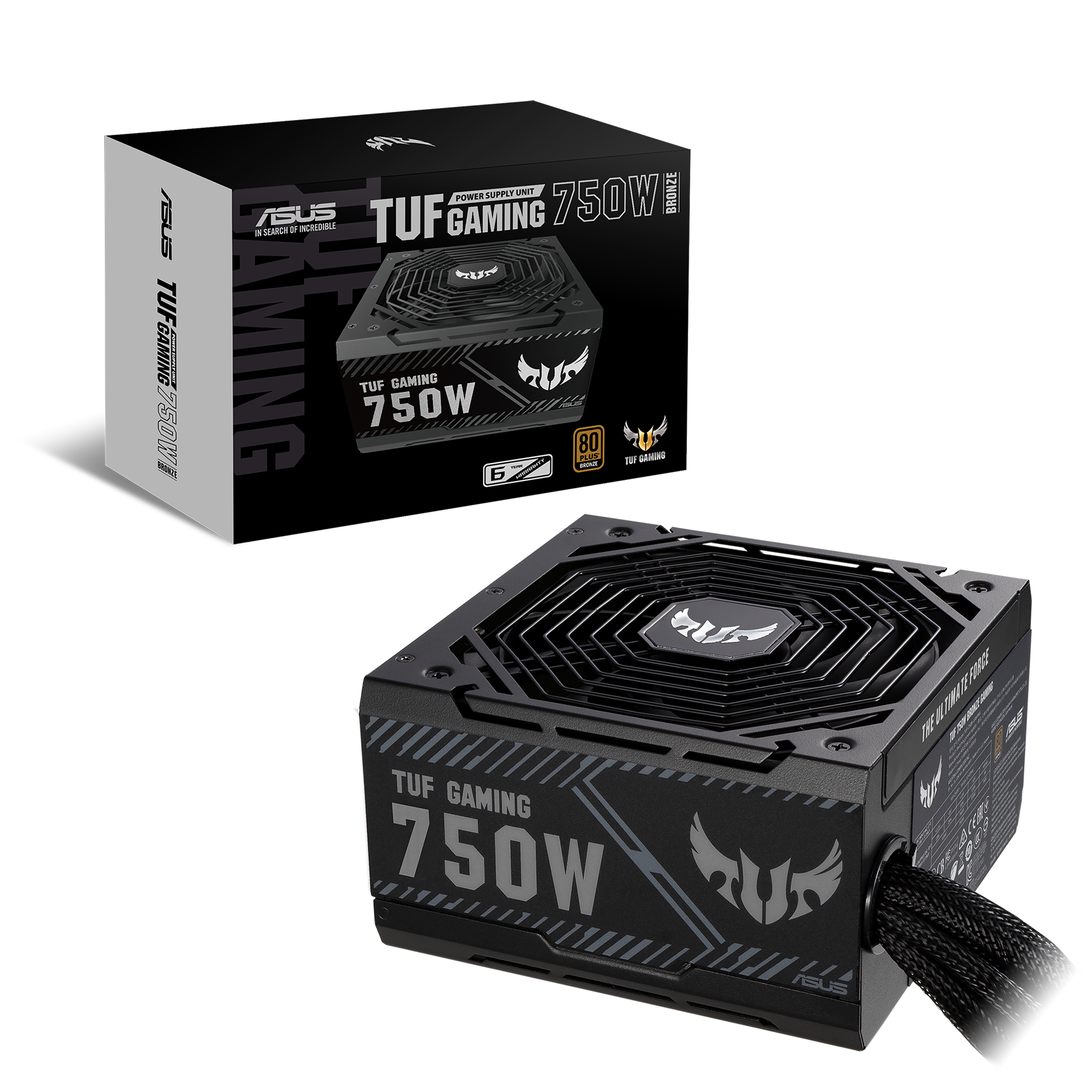
ASUS Serbia
TUF Gaming series PSUs are designed for casual gamers. The series brings military-grade components and a robust cooling solution together to create a power platform you can depend on.
Replacing it with this ASUS TUF Gaming 750 Bronze rated one
So this one is B tier
The current one I have is E tier (avoid)
Let's hope it works
But yes, it's almost definitely the PSU
molten valley
Okay so
It was the PSU
Still
it is the loudest component even after upgrading to the ASUS
Benefits are that the PSU is superior, it works much more quieter, preferably I would want to not hear it at all, but I guess that's not possible?
stiff sable
molten valley
it is the loudest component even after upgrading to the ASUS
Higheer rated PSUs (gold, titanium, Platinum) are much better for power conversion. they loose less energy to heat during conversion. I have a seasonic 1000w titanium psu (seasonic prime series) and love it. Its basically silent, even when at full load, which for me is 850w.
so generally, the lower the 80+ rating, the more energy you loose to heat in the AC -> DC conversion process, and the more the fan has to work.
molten valley
stiff sable
Higheer rated PSUs (gold, titanium, Platinum) are much better for power conversi...
It's quiet now compared to before, still kind of stupid PSU is the loudest
I guess you're right though
stiff sable
molten valley
It's quiet now compared to before, still kind of stupid PSU is the loudest
I had a evga psu at one point that was insanely loud, 80+ bronze rated. I never thought twice about upgrading. My current one I've never actually heard over ambient, which is quiet for me
molten valley
Cant tell
why i went for that piece of shit psu anyway
I think it's because it was modular
But apparently it's absolute dogshit and is miracolous it hasn't blown up in these 6-7 years i've had it.
It is a shame though, most psus here advertised
are 2nd rate brands
This ASUS one I was quite lucky to get, as it was locally available. And it's B tier apparently, so mid range.
stiff sable
If it works, it works. I also advise if you can, move your rig away from directly next to where you sit if you are trying to dampen noise
molten valley
stiff sable
If it works, it works. I also advise if you can, move your rig away from directl...
i moved back the gpu to the 1st slot, as it was running at 4x.
that caused performance issues
i didnt notice it when playing other games
but in last of us it was quite apparent
i was getting 66-70 fps andn that wasnt right
after moving it back it came back to 90-120 on average.
yeah it definitely wasnt pch fan
it's a lot more quiet, quiet enough that it doesnt sound like an engine.
stiff sable
molten valley
it's a lot more quiet, quiet enough that it doesnt sound like an engine.
well thats good
strange that the card is experiencing such drops in performance in the primary slot though...
molten valley
no i mean
it was in the 2nd slot
and it was at 4x
now it's back at 16x when in primary
stiff sable
oh your wording made it sound like you moved it to the 1st and it started having issues
all good
thats normal then
molten valley
overall everything seems much better. gpu doesnt seem to whine as much either.
if i upgraded to the 7900 xtx that would have been probably the tipping point for that other psu.
i think anyways
was already the tipping point, but i never paid much attention to it. cause the silence is day and night when i turned it on today the first time after changing the psu.
it's barely audible.
only when gaming you can hear it
interestingly enough
space marine 2
30 fps 1080p lol
it was 2-3x before at the 4x slot
no idea why on this game its worse so much
40% usage
Thats really interesting
Just went back to normal all of a sudden
nvm disregard
2nd monitor causes 2-3x drop
if a video is playing