recently bought a used custom gaming PC off of Facebook marketplace. It's been working perfectly for the last couple of weeks till tonight. I noticed a random pop-up from Alienware command center saying something about updating or something. I never installed it myself nor do I own any Alienware products. I assume it's from the previous owner. I tried using windows then Revo UnInstaller to uninstall it. Both times mid uninstall windows would completely freeze up. Can't move the mouse nothing pops up, etc. The only thing I can do is press and hold the power button and when it boot back up, it will work again. Now it freezes even when I'm using the PC as normal, seemingly at random. Sometimes 30 seconds after a restart or 10 minutes after. What could possibly be causing this? I don't visit any sketchy websites, and I use an ad blocker.
So I don't think I downloaded anything malicious. I ran
"sfc /scannow"
"chkdsk /f"
"DISM.exe /Online /Cleanup-image /Restorehealth"
and nothing came back that would be alarming. How am I to know if this is a ram or psu issue? It doesn't seem to be storage related but idk. Any help greatly appreaciated...
#Windows randomly freezes and won't un-freeze unless I hard power off
56 messages · Page 1 of 1 (latest)
 final oak
final oak
final oak
 still gyro
and is clean instal on the table
still gyro
and is clean instal on the table
Just performed one, same issue

I'll get you the cooler and psu spec in a sec
final oak
What
still gyro
final oak
What
what mobo
final oak
One of those ssds is a portable btw. Just didn't disconnect it when I took the pic.

B760i
final oak
still gyro
enter bios and reset it and set cpu core to 4ghz
When you say reset it, do you mean just set to default settings?
still gyro
final oak
When you say reset it, do you mean just set to default settings?
yes and check that bios update you on
final oak
still gyro
yes and check that bios update you on
Ok one sec
final oak
still gyro
yes and check that bios update you on
Does this count
 still gyro
final oak
Does this count
still gyro
final oak
Does this count
yes
final oak
still gyro
yes
Ok any chance you know where to set the cpu core
still gyro
final oak
Ok any chance you know where to set the cpu core
advance
final oak
Also turned on xmp
still gyro
final oak
Also turned on xmp
did i say to reable it
final oak
didn't know if it was on or off to begin with but I'll turn it back off
I'm in advanced up cpu config but not seeing where to set the core to 4ghz
 final oak
still gyro
yes and check that bios update you on
final oak
still gyro
yes and check that bios update you on
Bios version 2.22.1286
final oak
still gyro
sync 40
 still gyro
ok'
final oak
save and exit?
still gyro
final oak
Bios version 2.22.1286
that may of killed your cpu
still gyro
final oak
save and exit?
yes
final oak
still gyro
that may of killed your cpu
fuck.
final oak
still gyro
yes
Ok booting
Ok pc is back up
Might be unrelated but my Firefox tabs are crashing now
still gyro
final oak
Ok pc is back up
https://rog.asus.com/motherboards/rog-strix/rog-strix-b760-i-gaming-wifi-model/helpdesk_bios/ update bios
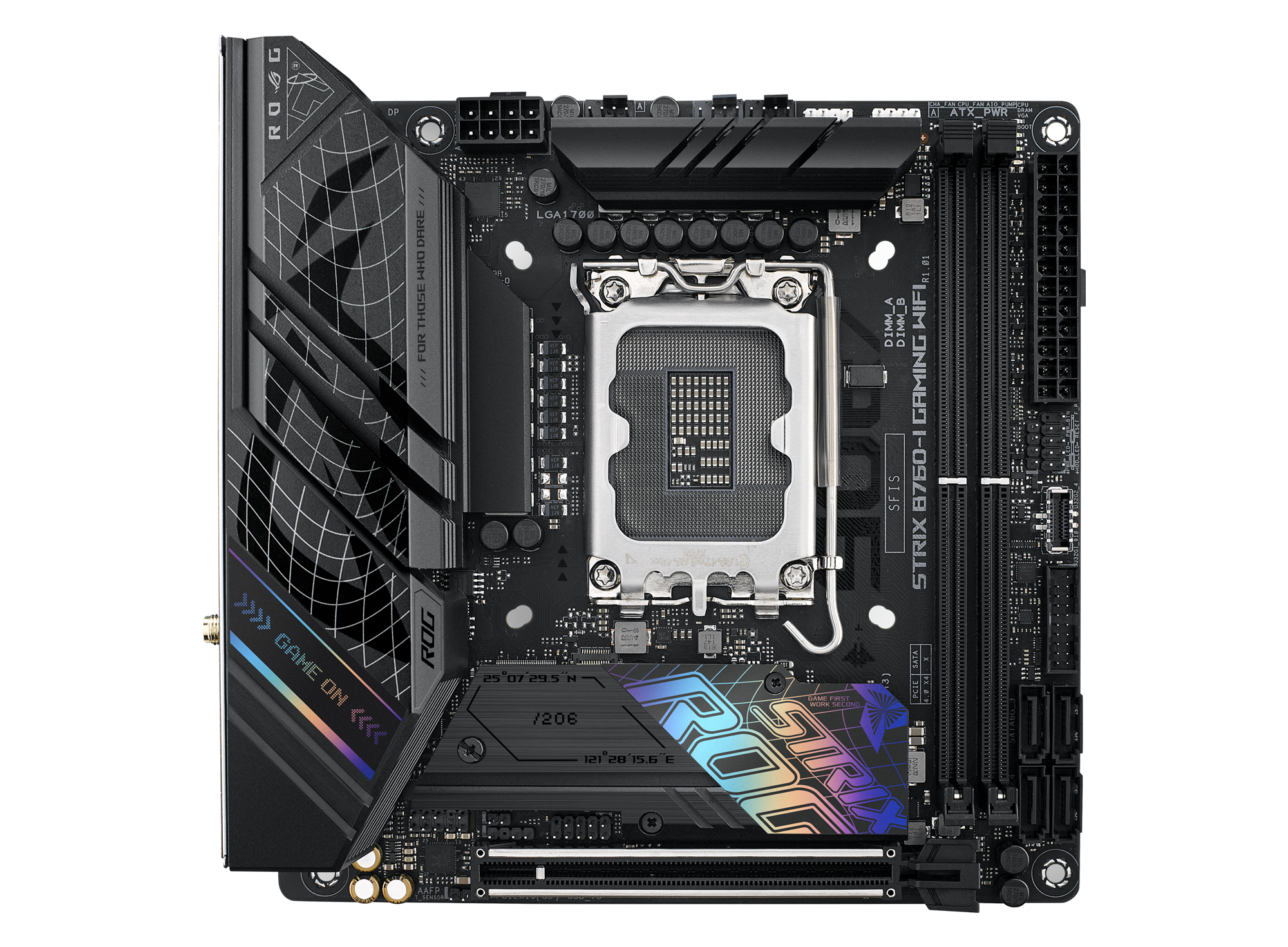
The ROG Strix B760-I gives you amazing Raptor Lake performance and a wealth of connectivity options while packaging it in a tiny mini-ITX frame.
final oak
still gyro
https://rog.asus.com/motherboards/rog-strix/rog-strix-b760-i-gaming-wifi-model/h...
Ok, I've never done that before- do i need an external thumb drive
still gyro
yes
final oak
im going to assume this is the one i need yes?
 still gyro
yes
final oak
still gyro
yes
I don't have a thumb drive but I have a portable ssd, can I use that or does it need to be free of all data besides the files for the mobo?
still gyro
final oak
I don't have a thumb drive but I have a portable ssd, can I use that or does it ...
its fine
final oak
Ok I'll use that then
final oak
still gyro
its fine
Should I do that ME update as well
still gyro
yes
final oak
still gyro
yes
Oh ok so it says the bios update should do that
still gyro
final oak
Oh ok so it says the bios update should do that
ok
final oak
still gyro
ok
Ok it's done updating. Should I set the cpu to sync 40 again
still gyro
final oak
Ok it's done updating. Should I set the cpu to sync 40 again
no see if dose crashing with nothing changed in bios
final oak
still gyro
no see if dose crashing with nothing changed in bios
ok. ill mess around with it tomorrow night, its late rn for me. ill update you if I continue to have an issue- thanks for all your help
still gyro
final oak
ok. ill mess around with it tomorrow night, its late rn for me. ill update you i...
intel kind of had a problem with cpu and VID asking for over 1.6V and restting/updateing bios is good thing to try ever if that was not a thing
final oak
im ngl idk what that means exactly haha, when it comes to more in depth things i get lost pretty quick