#PLS HELP having trouble with installing HexOS!
22 messages · Page 1 of 1 (latest)
 fickle tinsel
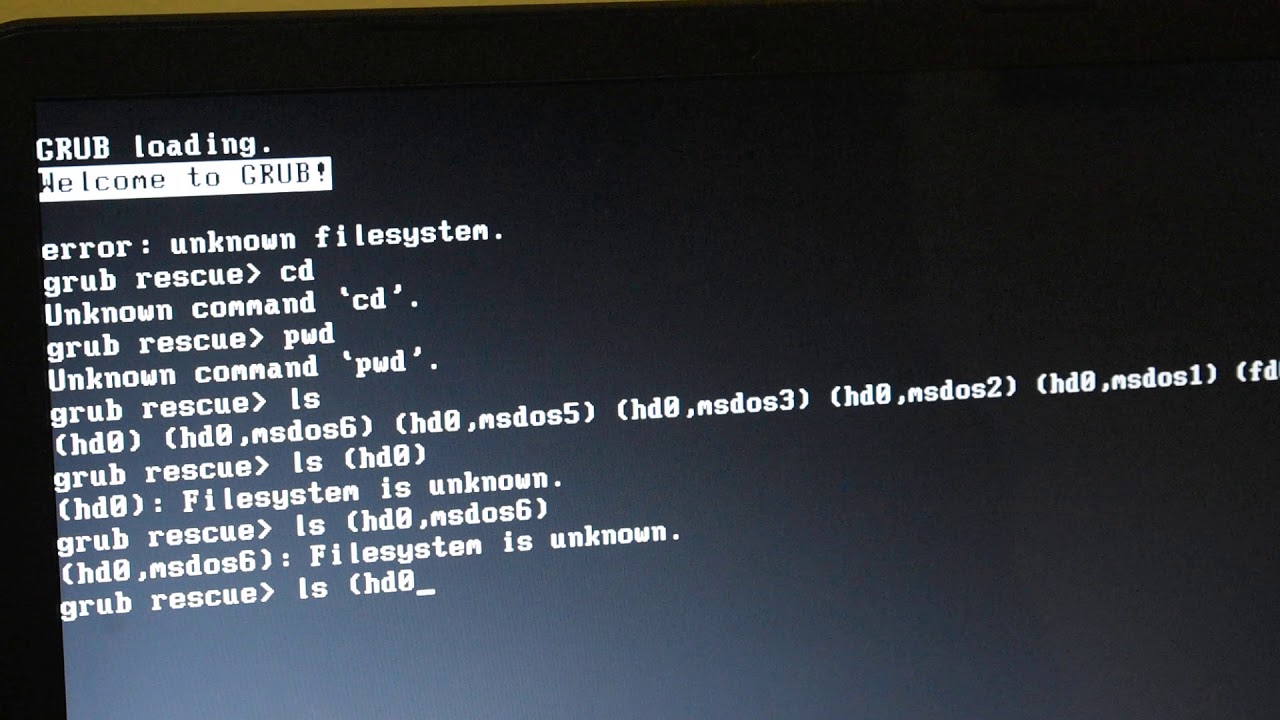
This video is helps you resolve GRUB issues. Grub issues that normally occur is the "Unknown Filesystem Error".
This usually if the OS(Kali) disk space is full or almost full, or the swap space error, or others.
How to resolve it:
- List all the partitions on the disk: "ls"
- Find the partition that contains the Grub loader: This is done by us...
Got here:

When I press start HexOS installation I get this:
 fickle tinsel
bump
 frail island
What file system did you use?
 wide void
wtf is that os
 vocal kernel
wide void
wtf is that os
vocal kernel
wide void
wtf is that os
a new os built on TrueNAS (scale?) by an ex-employee of unraid and invested in by Linus. it's still in active beta right now
 barren cipher
K, so
In Rufus, did you pick the correct filesystem?
fickle tinsel
barren cipher
K, so
In Rufus, did you pick the correct filesystem?
I don't know. I thought the default should be good?
How do I know what file system to pick?
fickle tinsel
frail island
What file system did you use?
The Rufus default one. Fat something I think? Maybe large fat? Whatever Rufus had after I selected the iso. I thought it knows what to pick...
How do I know which one is correct?
frail island
fickle tinsel
The Rufus default one. Fat something I think? Maybe large fat? Whatever Rufus ha...
Probably ZFS.
fickle tinsel
frail island
Probably ZFS.
Ok but next time how do I know that?
frail island
TrueNAS which this is based on uses ZFS.
fickle tinsel
frail island
TrueNAS which this is based on uses ZFS.
theres only two options

i tried ntfs also didnt work
i also tried balena etcher, but when i use it the bios doesnt even see the flash drive. like it sees that theres a usb but it doesnt count it as bootable
frail island
fickle tinsel
theres only two options
Windows doesn't support ZFS so you might have to do it from Linux, not sure.
vocal kernel
Why would the installer need to be zfs
barren cipher
vocal kernel
Why would the installer need to be zfs
It probably doesn't
I was hoping there'd be exFAT in the drop-down