#What's Wrong With My PC? (Can't Even Boot to BIOS Out of Nowhere)

1 messages · Page 1 of 1 (latest)

tawdry vault
#

Part 001: Hey folks,

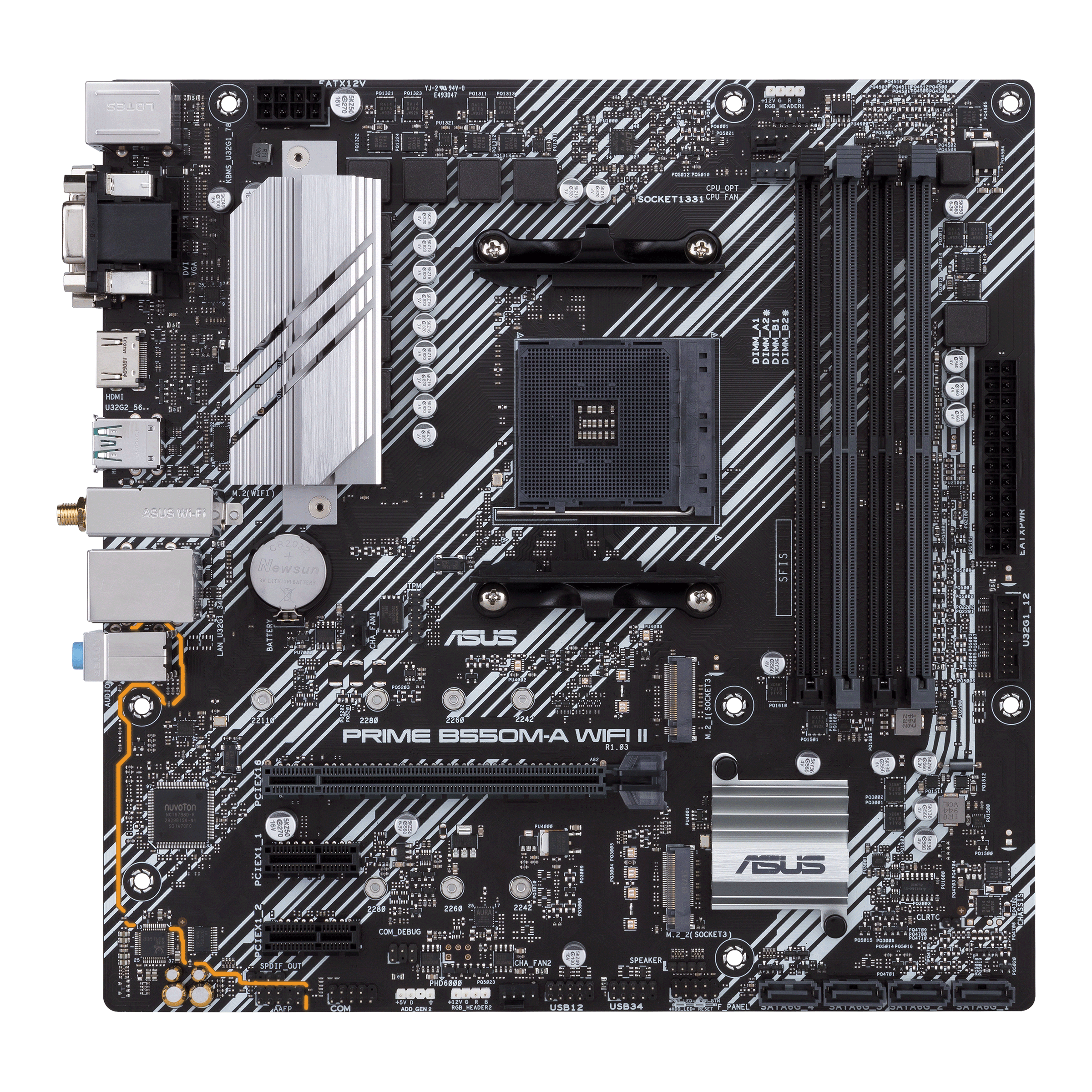
I've been pulling my hair out for days trying to diagnose what is wrong with my PC. I recently upgraded my CPU from an old 2014 Intel i3 to a Ryzen 5 3600. I also grabbed a new motherboard (Asus B550M) so that I wouldn't have any issues.

I reinstalled Windows (thought it might help with driver issues) and updated my GPU drivers. I also decided to flash the latest bios to it, just to be sure there wouldn't be any issues down the line.

The PC worked great for a quite a few days, but after a while it would take longer, and longer to boot (or to even reach bios). I didn't think much of it and thought it may be one of the multiple drives delaying the start due to the CPU switch, but this morning, after having the PC on for about 8 hours with no issues yesterday, the PC wouldn't boot at all.

I've tried reseating everything, and I mean everything. Checking power connectors, replacing the BIOS battery, everything I could think of to try and fix it. After reseating the CPU, the computer booted and worked wonderfully... for about 20 minutes. In the midst of watching something, the PC froze, leaving Barney in Ted frozen in time as I slowly sank back in my seat, cupping my face in my hands knowing my troubles were far from over. My confusion also comes from the fact the startup was very delayed, and that it was working perfectly for quite some time. I also want to add that I did make sure the motherboard standoffs and all CPU fan mounting was taken care of.

#

Part 002: To add some insight, I did purchase both the CPU and motherboard second hand. Both products were working (the CPU did have bent pins of which LTT gave me the motivation to fix, and was able to bend them correctly back in place to have everything work fine). along with the motherboard, of which I could not see any physical damage. When I was able to get to the BIOS, everything seems fine and normal. Temps are fine, all drives are being read, the ram is running at appropriate speed, no issues with the CPU or GPU.

I've very confused about the lack of BIOS when booting, which has lead me to believe it is the motherboard. The fans will spin up, the USB ports will provide power, everything seems fine, but I am only greeted to a black screen. If it was the motherboard, why would it work fine for days, over a week even, only to have it fail now??

Any tips, ideas or thoughts would be very, very greatly appreciated. Thanks so much everyone waveboye

sullen drift
tawdry vault
# sullen drift VRM burnout, or the GPU failing

I haven't had anything to give me any indication that the GPU was starting to go 2b_think if my VRM is one of the culprits, the best (or I guess the only) thing to do would be to get a new motherboard yeah? also, thank you kindly for your response arigato

coral coral
#

Try another gpu, if you have access to one.

zinc nest
tawdry vault
tawdry vault
zinc nest
tawdry vault
tawdry vault
# zinc nest Hold..

*the asus page if that helps ~ and thank you again for your help @zinc nest sendlove

https://www.asus.com/ca-en/motherboards-components/motherboards/prime/prime-b550m-a-wifi-ii/

ASUS Canada

ASUS Prime motherboards are expertly engineered to unleash the full potential of AMD and Intel processors. Boasting a robust power design, comprehensive cooling solutions and intelligent tuning options, these ASUS motherboards provide daily users and DIY PC builders a range of performance tuning options via intuitive software and firmware features.

tawdry vault
zinc nest
#

check if you see...similar to the pic...sent above..that says CPU ..DRAM ...BOOT... VGA

tawdry vault
#

I've honestly scowered my entire MoBo and can't find it. This is genuinely the first board I haven't been able to find the LED boot lights. I even check pretty much every page of the manual but still absolutely nothing this_is_fine this is what I get for buying ASUS right after watching that recent Gamers Nexus video on them nus

zinc nest
tawdry vault
#

yupp, CPU fans spin, case fans spin, GPU fans spin, the USB ports are supplying power (I tried with and without them incase any of the drivers were causing issues), I'm just absolutely stumped just_f_my_shiz_up

zinc nest
tawdry vault
#

still no luck this_is_fine

#

reseated the CPU (again), took off and reapplied the CPU cooler, still won't even make it to BIOs sadfingerguns

zinc nest
#

check 24 pin connection...

tawdry vault
#

I unplugged and replugged everything sadly, I've tested in single, dual channel, everything. Every attempted reboot I swap around the RAM to be sure. The last tests I've been doing have only been with a single stick

#

also, thank you again @zinc nest pika_heart_dance this entire issue has been driving me nuts lum_scream

tawdry vault
#

I'm assuming it has to be either my used CPU or used Motherboard, I'm just not sure what. I thought I was saving a few bucks (since im broke as heck lol) by buying both of those things second hand, but now it looks like I'm just down over $100 this_is_fine