#Pc won’t boot after changing some bios settings
89 messages · Page 1 of 1 (latest)
 copper quiver
 strong zinc
try just keeping the cmos battery out and booting
 strong zinc
do you know your motherboard model
strong zinc
VGA light usually has to do with the gpu
copper quiver
I did not change anything related to gpu in bios
Was just changing a couple of things safe boot custom settings
strong zinc
try just taking the GPU in and out
And reseaating the power cables for it
just as a sanity check
copper quiver
Sure
Lemme do that
Tried the above even tried using on board graphics as output
When I power on the monitor power ups and then displays no signal received
Then log off
And mobo stuck at vga light
strong zinc
hmm
i mean my thought process after that would be probably q-flashing the bios
it could be a power issue. its just strange the GPU light is lit up
yeah looked it up just looks like a bug with gigabyte bioses
youre going to have to do a q-flash

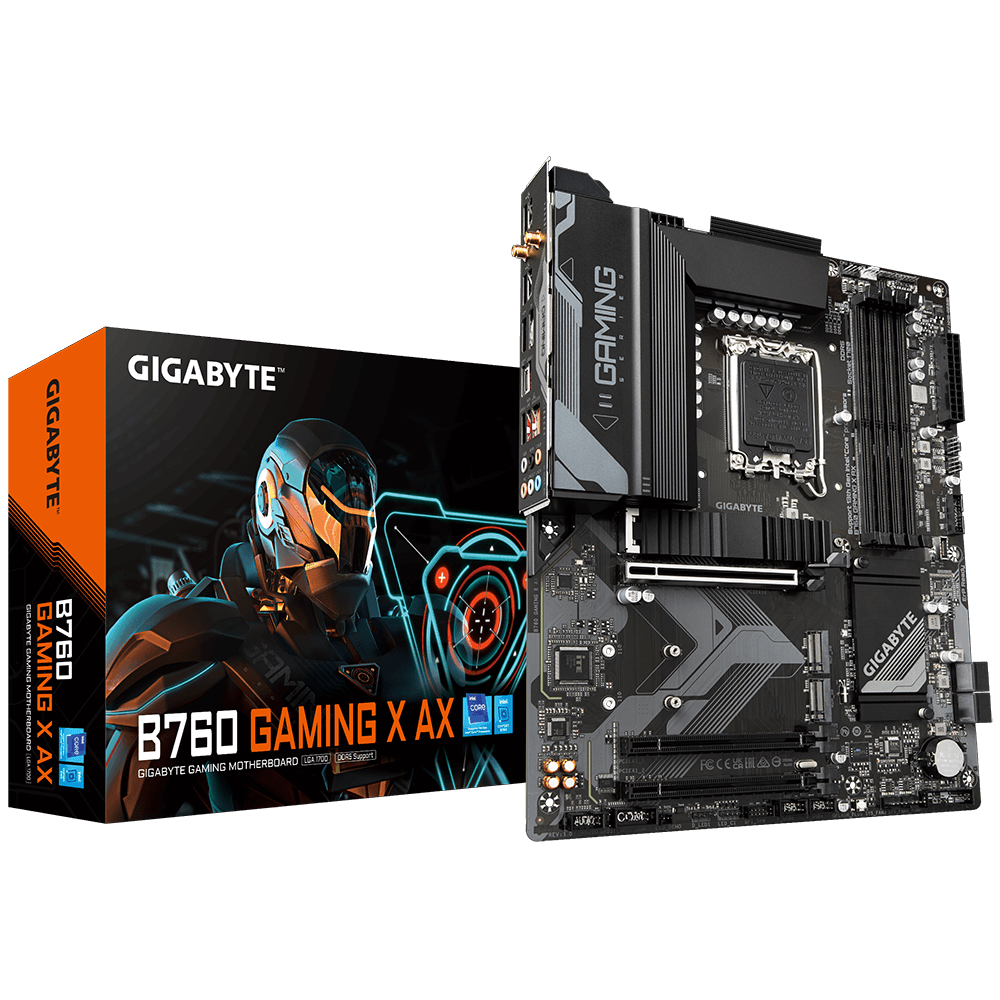
GIGABYTE
Lasting Quality from GIGABYTE.GIGABYTE Ultra Durable™ motherboards bring together a unique blend of features and technologies that offer users the absolute ...
bios download
copper quiver
Okay what’s the process? I see theres a qflash button on the board
I need to download the bios on a pen drive?
strong zinc
strong zinc
https://www.gigabyte.com/FileUpload/Global/WebPage/20/images/utiltiy_qflash_uefi...
outlined here
copper quiver
Okay let me give this a try
strong zinc
Download the bios
Rename the file (e.g. X79UD7.F1) to gigabyte.bin
Put only the file on the usb stick
Plug the usb stick into the USB port labeled for q-flash
Turn computer on while pressing the Q-Flash button (next to the cmos iirc)
copper quiver
looks about right?
 strong zinc
yeah
strong zinc
that then
copper quiver
how do I know that it started installing from the usb?
strong zinc
try holding it down while youre turning it on
oh ok
just leave it for a bit, see how it goes
copper quiver
okay
strong zinc
lmkk
strong zinc
ok try booting
strong zinc
did you put the battery back in
copper quiver
yeah had not taken it out while installing the bios
strong zinc
hmm
yeah you can try one more time, hold the flash button down while starting the pc
copper quiver
I'm not getting to this screen as shown in their website
strong zinc
copper quiver
looks about right?
is this right on the root of the usb
copper quiver
yeah
no folder
what is this end key they have mentioned to enter the qflash menu?
strong zinc
when you boot the pc press the end key a bunch on your kb
copper quiver
man
maybe we were downloading the wrong bios
my mobo is elite ax
you sent for gaming ax
dude I think it worked this time
installed the correct bios
copper quiver
my bad man really sorry
it's working now in the system
thanks sooo much for all the assistance
strong zinc
@copper quiver no problem glad it’s working ^^
 frigid egret
Please put your post on resolved ✅ nice read and happy to see your pc is working again 👍🏻
copper quiver
How do I do that?