#Just looking on upgrading my ssd from a 200gb one to a 2tb m.2
91 messages · Page 1 of 1 (latest)
 foggy crane
 shy hornet
Transferring the OS is always kind of a pain. There are some tools that allow you to do it but I'd strongly urge you to do a fresh install unless you're willing to buy a paid version of the software tools to move an OS
It's been a few years since I've done it
So it's possible there is a free/open source package that allows you to do this
But you would need to research
M.2 slot should just be a small slot that fits the connector.
Just...plug it in
This is what I used when I was managing a corporate environment for imaging SSDs from HDDs

Acronis
With Acronis data migration software you can migrate data between different operating systems using our data migration tools and cloud migration services
foggy crane
shy hornet
Transferring the OS is always kind of a pain. There are some tools that allow yo...
How would I just transfer my non-operating system data if I did this
foggy crane
shy hornet
Just...plug it in
Knew physically how to do it, just thinking how to do it without needing a fresh windows key yk
foggy crane
shy hornet
So it's possible there is a free/open source package that allows you to do this
Would this work? Just put it in the computer instead of the adapter? https://youtu.be/egNMtC3vwN0?si=HGZST1fz4BuTtqJR
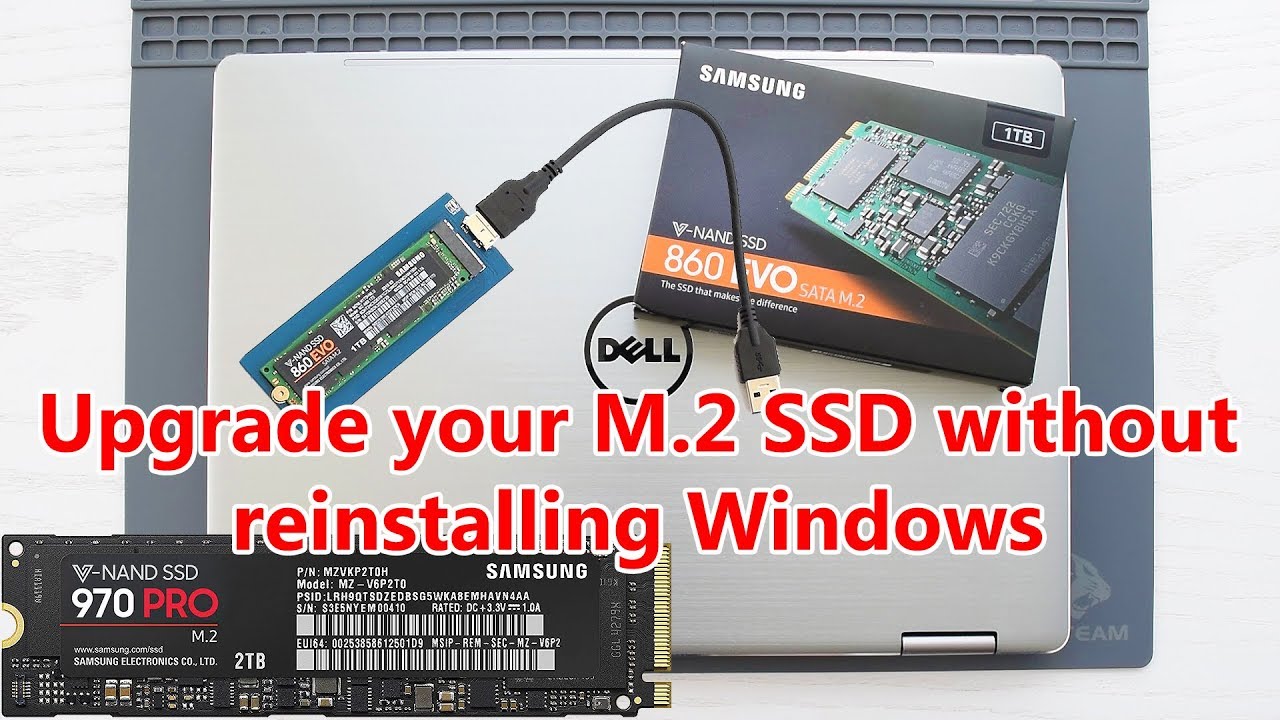
How to Upgrade M.2 SSD without reinstalling Windows 10. Upgrade M.2 SATA NGFF SSD without reinstalling windows. Upgrade M.2 NVMe SSD without reinstalling windows. M.2 NGFF SSD upgrade. NVMe SSD upgrade. NVMe to USB adapter. M.2 to USB adapter. M.2 NGFF to USB adapter.
Monetize your Clicks and Downloads: https://publisher.linkvertise.com/ac/18...
shy hornet
foggy crane
How would I just transfer my non-operating system data if I did this
You don't need to. They will just work as long as you are using an operating system that is compatible with whatever file system you are using on those drives
Yea, you could use a tool like acronis to image the boot drive with the boot record and clone it to a secondary drive. Essentially making a bootable drive with the OS copied to it
foggy crane
shy hornet
Yea, you could use a tool like acronis to image the boot drive with the boot rec...
So there isn’t any cons to this?
shy hornet
There was a catch with using the free version of acronis at the time but generally no
foggy crane
shy hornet
You don't need to. They will just work as long as you are using an operating sys...
Wdym, I would need my files on the new drive aswell?
Just looking at my options
shy hornet
You don't need to do anything with the secondary drive. As long as you are staying with the same OS type
Like if you were going from windows to Ubuntu, that would be a concern
But since you're cloning your current OS drive, it shouldn't matter
You would just plug a secondary drive using an m.2 adapter. Fire up acronis, use their instructions for cloning an OS drive, and then just unplug the old drive and plug in the new m.2 drive
Do not boot your computer with both drives, new and old, plugged in at the same time
Weird shit happens
And windows has historically not liked that.
That's the only thing to be careful of
It can cause weird corruption issues
foggy crane
shy hornet
You would just plug a secondary drive using an m.2 adapter. Fire up acronis, use...
I wouldn’t need an apdatpter right? Got a free m.2 slot on my mb so should just be able to use that and unplug my other ssd before boot?
shy hornet
There aren't really any other options other than
- clone existing os drive
- new drive and new os
foggy crane
foggy crane
I wouldn’t need an apdatpter right? Got a free m.2 slot on my mb so should just ...
Old ssd*
shy hornet
foggy crane
I wouldn’t need an apdatpter right? Got a free m.2 slot on my mb so should just ...
Yea, that might work. You may run into issues with boot order but it should be pretty easy to fix
foggy crane
shy hornet
Yea, that might work. You may run into issues with boot order but it should be p...
Just in bios surely?
shy hornet
Yea, it should be pretty easy to figure out if you run into it
I say you just send it
foggy crane
Aight
shy hornet
Worst case you have to plug in the old drive
foggy crane
Yeah, it shouldn’t corrupt anything on that one right?
shy hornet
This is also coming from someone who has been procrastinating doing this very thing on his 128gb PC with 10tb of other ssds
No
It's just making an image of it
So if anything, you're backing it up in a weird way
foggy crane
Also, how would I wipe that after I check it’s all done properly
shy hornet
Are you planning to use it for anything else?
foggy crane
shy hornet
This is also coming from someone who has been procrastinating doing this very th...
I currently have a 200gb ssd (not m.2) and a full 2tb hdd so thought I would upgrade my ssd to a 2tb m.2
shy hornet
Depends how thorough you want to be but a format would be fine
foggy crane
shy hornet
Are you planning to use it for anything else?
Not sure yet, would be good to keep as a spare ig
shy hornet
You'd likely be fine to plug it in once it's booted.
foggy crane
shy hornet
You'd likely be fine to plug it in once it's booted.
Without shutting my pc down?
D:
shy hornet
Either way you're probably fine
I had a weird incident happen only once
And I don't know exactly what caused it
But I've done it plenty of times
Booting with that drive in there
You just need to make sure you're booting from the right drive
And do what you need to do quickly and not leave it in there for longer than you need to format it
foggy crane
shy hornet
And do what you need to do quickly and not leave it in there for longer than you...
Do I just reformat it to the same format?
shy hornet
Yea, or just save it until you have a use for it and know what format you need
Ext4/NTFS/FAT32
If you know you're going to use it in windows then NTFS
Or honestly if you could do their new dev drive filesystem. It's so much faster than NTFS lol
That's a win11 thing though
foggy crane
shy hornet
Or honestly if you could do their new dev drive filesystem. It's so much faster ...
I know what you’re talking bout!
Lmao
foggy crane
shy hornet
That's a win11 thing though
Is there any realistic cons of windows 11 anymore?
shy hornet
Idk. Windows is a huge pain in the ass and I have to deal with it for my job so I'm going to be biased
There aren't any real issues with anything after win10 for most consumer uses
foggy crane
shy hornet
There aren't any real issues with anything after win10 for most consumer uses
I was planning on upgrading a couple weeks ago, didn’t have the storage space lmao
No reason why, just was pissed of the constant upgrade messages
Well ima start it soon, I’ll lyk how it goes
Ty for the help
shy hornet
Ay. It's alright. I used to learn by breaking the family computer and having to fix it before anyone noticed
So if you have an issue just Google it first and then ask me again if you're not sure
 foggy crane
Would this work? Just put it in the computer instead of the adapter? https://you...
foggy crane
foggy crane
Would this work? Just put it in the computer instead of the adapter? https://you...
this one isnt free anymore, looking for an alternative
foggy crane
shy hornet
Ay. It's alright. I used to learn by breaking the family computer and having to ...
Hm
Is it fine to install a ssd without standoffs
Lmao
shy hornet
Yea
 tepid sorrel
foggy crane
this one isnt free anymore, looking for an alternative
tepid sorrel
foggy crane
this one isnt free anymore, looking for an alternative
Clonedisk
free and easy to use
foggy crane
@shy hornet @tepid sorrel just tried changing my boot drive and the new m.2 isn’t an option?
shy hornet
Complete guide to two types of disk partitioning Master Boot Record & GUID Partition Table. Also learn the key difference between MBR vs GPT.
 dense locust
Check out clonezilla
foggy crane
tepid sorrel
<@766213377382678528> you just upgraded ssd or whole pc?
Ssd
Came up eventually tho
After a couple reboots, dunno why but it’s working now