#building my 1st pc
1 messages · Page 5 of 1
 arctic lotus
like what
 topaz solstice
there was a gen 5 ssd that goes into pcie slot, can find the image any more
found it

enterprise/server drive
like i said, something that's no use to you
topaz solstice
arctic lotus
those are ssds tho
12vhpwr/pcie 5.0 power connector
 arctic lotus
what is the significance of it on a psu
topaz solstice
none for the better part, but it makes it easier and nicer when using a nvidia gpu
arctic lotus
why easier
topaz solstice
in your case, it means not using an adapter but a direct cable that uses the same fittings bothe side of it
 naive robin
arctic lotus
why easier
naive robin
arctic lotus
why easier
Do you want to route and plug 4 cables in, or just 1
 steel sapphire
arctic lotus
why easier
steel sapphire
arctic lotus
why easier
less clutter
 desert mist
Personally I’d trust the 4 more as many do but. Defo would be less to squeeze in a case with only 1 connector
topaz solstice
desert mist
Personally I’d trust the 4 more as many do but. Defo would be less to squeeze in...
i'd prefer the corsair one personally if i had to
@arctic lotus


@naive robin just found this
 arctic lotus
topaz solstice
<@841694455747706911>
arctic lotus
topaz solstice
<@841694455747706911>
so is nano fit not the best one? ik you were talking about how you didnt like them
topaz solstice
arctic lotus
so is nano fit not the best one? ik you were talking about how you didnt like th...
to mean the minifit was fine, it can handle the higher wattage much better
all they had to do was use a 12 pin (2x6) minifit instead
arctic lotus
i like the idea of them getting smaller.
topaz solstice
it would have negated the issue the current fitting has
arctic lotus
whats the current issue
topaz solstice
arctic lotus
i like the idea of them getting smaller.
and the moment that over loads, it melts
arctic lotus
(pun not intended)
topaz solstice

Get your JayzTwoCents Merch Here! - https://www.jayztwocents.com
○○○○○○ Items featured in this video available at Amazon ○○○○○○
► Amazon US - http://bit.ly/1meybOF
► Amazon UK - http://amzn.to/Zx813L
► Amazon Canada - http://amzn.to/1tl6vc6
••• Follow me on your favorite Social Media! •••
Facebook: http://www.facebook.com/jayztwocents
Twitter...

USE CODE 'THISISFINE' on the GN store for 10% off through 11/23/22! https://store.gamersnexus.net/ - grab a GN coaster pack, PC building modmat, mouse mat, shirt, or more to support our work and get something quality in return!
The RTX 4090 12-pin cables (12VHPWR connectors) have been in the news for burning, melting, and the theories surroundin...
Thank you both Steve and Jay. Check response videos at links below
Gamers Nexus https://youtu.be/Z8OD_kLdF9Q?t=464
JayzTwoCents https://www.youtube.com/live/1VfIQ5ZgUls?feature=share&t=2459
⭕ Visit our ecommerce shop and buy all your tools at https://northridgefix.com
⭕ Ask questions and Engage in our Forum at https://northridgefix.com/forum/
...
cablemod sent several 4090's from customers, even buying the card from the customers and sending a brand new one out
to northbridgefix, as even cable mod adapters melted due to the 4090
as the cable mod adapters fully connect in and don't pull out
it might only be a small amount of them that has melted it's still a design issue
the melting issue is quite obviously to much wattage going through the cable and connector itself
16 gauge wire + minifit is much safer due to handling a much higher wattage overall
nano/microfit = 12v 8.5a = 102w on each pair of pins
minifit = 12v 13a = 156w on each pair of pins
the nano/microfit hit failure point faster than a minifit

Intel’s ATX 3.0 specs for PCIe Gen5 power cable It appears that official specs of the PCI-Express 5.0 power cable for next-gen graphics cards have been leaked. Officially going by a name of “12VHPWR” is the upcoming standard for PCIe Gen5 graphics cards. The data provided by Intel, who are responsible for defining the ATX […]

Nvidia and PCI-SIG have been collaborating on an updated power connector in response to the issues r
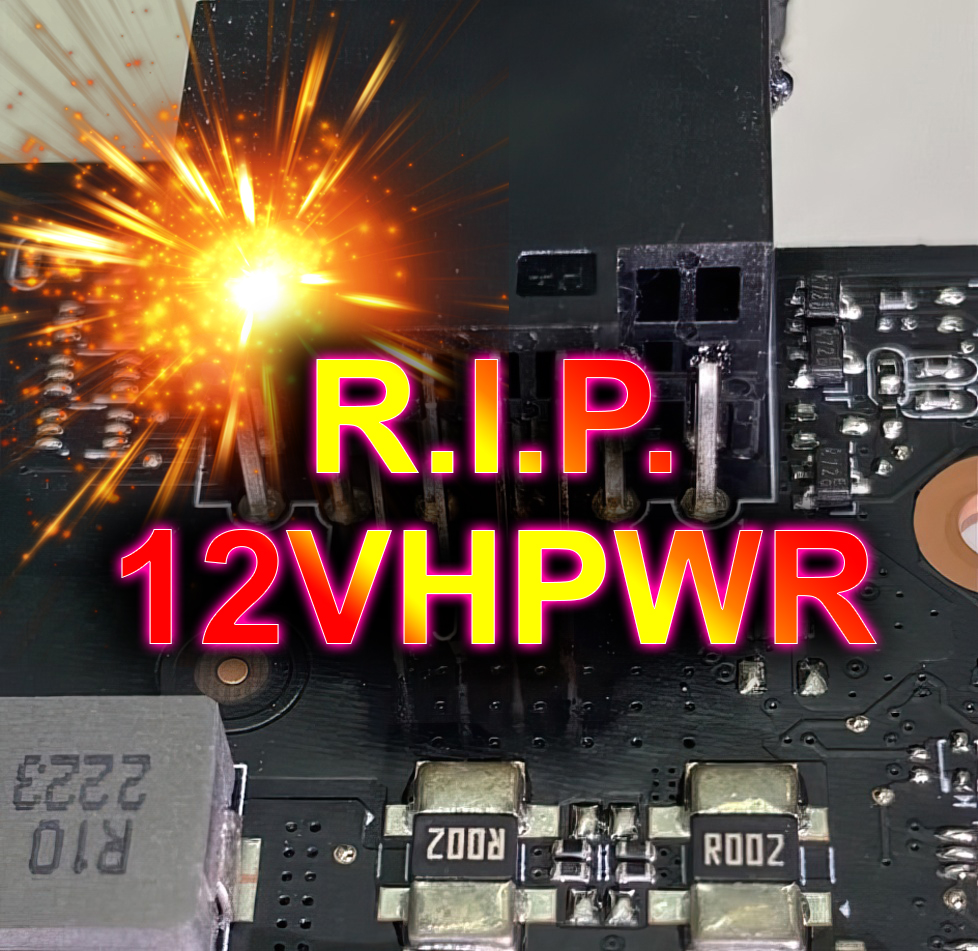
igor´sLAB
The king is dead, long live the king. Or the other way around: The findings of the last few months are finally taken seriously and the connector is modified, work is done on a new standardization and…
https://www.igorslab.de/en/nvidia-geforce-rtx-4090-and-a-design-problem-on-the-board-12vhpwr-connector-could-clearly-be-cool-pad-mod/ igor's lab offers a potential 'fix' that can offset some of the issue in the design flaw itself

igor´sLAB
In general, today's review does affect all graphics cards that use external power connections, but the rather small 12VHPWR adapter and the ability to blow through a whopping 600 watts (and more) on…

the dumbest bit about the 12vhpwr cable, is you can easily modify this bit on the cabe and just ground the pins out
 arctic lotus
interesting
so then do i not get the 4090
or do i not get atx 3.0 lol
on a side note ive memorized san pan lan can man etc
 runic bloom
huh that was not the conclusing rauko was getting at
arctic lotus
i still dont know what ran or ban is. or nano tho
topaz solstice
arctic lotus
i still dont know what ran or ban is. or nano tho
wouldn't worry about them
naive robin
arctic lotus
so then do i not get the 4090
You get a 4090 and an ATX 3.0 PSU
 sharp harness
arctic lotus
why easier
sharp harness
arctic lotus
why easier
So you don’t have to route all of these to the adapter.
arctic lotus
sharp harness
So you don’t have to route all of these to the adapter.
are you saying that with pcie 5 on a psu which is just that 12vhpwr or basically atx 3.0
i only have to plug in one of those cords into the psu instead of all of those ones. (ik other parts still have power cords.)
but it allows you to consolidate all those into 1 cord?
all those as in the ones in the video
sharp harness
arctic lotus
are you saying that with pcie 5 on a psu which is just that 12vhpwr or basically...
Yes.
What I'm showing you in this video are 3 8-pin PCI-E cables being put into a PCI-E to 12VHPWR adapter.
But with a PSU with native support for 12VHPWR you won't have to do this.
arctic lotus
why not just plug the three 8 pin pcie cables instead
instead of plugging them into an adapter that turns them into 12vhpwr
arctic lotus
so atx 3.0 is only important for graphics cards
arctic lotus
okay cool
is there a chart for all the atx standards
like how usb standards have a chart
 lusty tiger
arctic lotus
is there a chart for all the atx standards
lusty tiger
arctic lotus
is there a chart for all the atx standards
Wdym “all the atx standards”
arctic lotus
like atx 2, atx 3
steel sapphire
arctic lotus
is there a chart for all the atx standards
that is a very very deep rabbithole that basically includes standards for every single pc part from cases to mobos to psus
 desert mist
probably not
 pale tulip
its very irrelevant
honestly man, like every psu at the highest end is realistically the same
topaz solstice
arctic lotus
like atx 2, atx 3
no, they'll be separate pdf documents for each atx specifications
topaz solstice
which to be fair goes into enough detail it's more for an EE to understand
arctic lotus
i will probably throw out all my ram research because of the LTT testing stuff
level1 (the optane guy) showed up in the ltt video today. so that was cool.
lusty tiger
arctic lotus
i will probably throw out all my ram research because of the LTT testing stuff
What?
 robust finch
lol trusting ltt research lol
topaz solstice
arctic lotus
i will probably throw out all my ram research because of the LTT testing stuff
well that would be less than smart
sharp harness
topaz solstice
well that would be less than smart
👆
topaz solstice
any of the LTT "tests" needs to be taken with 3 barge loads of salt
lusty tiger
Any tests should be cross checked with other reviewers’
arctic lotus
at the time, i couldnt find any good ram benchmarks. i have since found another, but my ram choice is based almost 100% off LTT
lusty tiger
why would you look for ram benchmarks
arctic lotus
topaz solstice
well that would be less than smart
but ive been told to mostly do this. and after watching everything. i think i will take that advice.
lusty tiger
am5 basically cant do more than 6000 cl30 anyway
pale tulip
anyway, ram speeds dont affect x3d chips as much
so buy whatever
you will still be happy
arctic lotus
because ram speed isnt the most important thing
pale tulip
arctic lotus
but ive been told to mostly do this. and after watching everything. i think i wi...
take LTT benchmarks with a grain of salt
lusty tiger
A very common question I get asked is "are custom gpus worth it?" well today I show you some compelling data to help you make your purchasing decisions!
Check out the EKWB Quantum Surface Radiators at - https://ek.tech/SurfaceRad
Get your JayzTwoCents Merch Here! - https://www.jayztwocents.com
○○○○○○ Items featured in this video available at...
topaz solstice
lusty tiger
am5 basically cant do more than 6000 cl30 anyway
not without some extra tuning to be had
lusty tiger
yeah
pale tulip
nah but buying that hynix kit for $80 and tuning it might be fun
topaz solstice
arctic lotus
but ive been told to mostly do this. and after watching everything. i think i wi...
their tests are not fully done properly, they've had backlash over it at how rushed they are so they do not give accurate enough a result
and if you want to get anything for ram, gamernexus/ hardwareunboxed/techspot
topaz solstice
pale tulip
nah but buying that hynix kit for $80 and tuning it might be fun
it would but never expect someone new to pc building to understand tuning ram
pale tulip
topaz solstice
it would but never expect someone new to pc building to understand tuning ram
ok but its like the best place to start having fun
arctic lotus
i would say am5's biggest problem is ram
pale tulip
meh
arctic lotus
topaz solstice
their tests are not fully done properly, they've had backlash over it at how rus...
honestly, it was outright intentional. but i personally dont care cause i havent made any purchases yet.
topaz solstice
arctic lotus
i would say am5's biggest problem is ram
eh, not really, you can just use some 6000mhz cl30-32 straight away and have no issues tbh
topaz solstice
arctic lotus
yeah but intel benefits way more from ram
both benefit from ram, especially on timings
lusty tiger
am4 definitely benefited more from faster ram, idk about am5
arctic lotus
i would say am5 benefits more from timings
topaz solstice
lusty tiger
am4 definitely benefited more from faster ram, idk about am5
7000 series is a bit like 2000 series in regards to ram currently
arctic lotus
the difference in 5600, 6000, or 6400 speed is negligible.
topaz solstice
arctic lotus
the difference in 5600, 6000, or 6400 speed is negligible.
you wouldn't use lower than 5600, and that's mainly if it was 4 sticks of ram
arctic lotus
yeah i dont think i would use lower.
topaz solstice
2 sticks you can get it to do 6000-6400, though amd themself said that 6000mhz is the sweet spot for 7000 series ryzens
they quite clearly stated it as it is
arctic lotus
the benches from my other source are showing a lot of lower capacity ram performing better similar to lower capacity storage drives.
so a lot of the 16 GB sticks are doing better than 32 GB sticks
pale tulip
2x16 the goat fr
arctic lotus
i wonder why
topaz solstice
arctic lotus
so a lot of the 16 GB sticks are doing better than 32 GB sticks
not for ddr5 if you mean 16vs 32 gb kits
pale tulip
interesting source..
topaz solstice
32gb kit on ddr5 is like doing 16gb kit on ddr4
arctic lotus
also i know now that obviously ram has read and write speeds too
but whats the difference?
lusty tiger
dont worry about it
arctic lotus
what does a ram read speed do thats different from a storage read speed
or is it the same thing but faster
ik the order of caching
topaz solstice
though tbh ddr5 really makes a difference when it comes to memory intensive programs
topaz solstice
arctic lotus
what does a ram read speed do thats different from a storage read speed
that if i remember correctly is due to the timings
arctic lotus
topaz solstice
though tbh ddr5 really makes a difference when it comes to memory intensive prog...
yeah which is why i dont want to go dual 16 GB tbh. i actually see a bigger benefit from going as much as possible.
pale tulip
in which program bro 😭
arctic lotus
so whats better, faster individual sticks of ram. or higher threaded ram with more capacity.
lusty tiger
dream, either get 2x16, or 2x32
topaz solstice
arctic lotus
yeah which is why i dont want to go dual 16 GB tbh. i actually see a bigger bene...
won't make any difference apart from compiling for programming AI in your case
arctic lotus
lusty tiger
dream, either get 2x16, or 2x32
i mean, that's what we are discussing.
pale tulip
arctic lotus
so whats better, faster individual sticks of ram. or higher threaded ram with mo...
if u run out of ram, more ram
if you dont run out of ram, faster speed
topaz solstice
arctic lotus
so whats better, faster individual sticks of ram. or higher threaded ram with mo...
a kit, you never do single stick
arctic lotus
pale tulip
if u run out of ram, more ram
if you dont run out of ram, faster speed
okay i understand now.
topaz solstice
pale tulip
if u run out of ram, more ram
if you dont run out of ram, faster speed
or combine the 2 and get it to peak
pale tulip
topaz solstice
or combine the 2 and get it to peak
get the epyc with 8 sticks of 512gb
arctic lotus
more ram is always better unless you dont need it. in which case the speed is better.
in tech its easier to make lower capacity go faster too.
topaz solstice
i.e. 64gb kit of 6000 cl30-32 ram
pale tulip
topaz solstice
i.e. 64gb kit of 6000 cl30-32 ram
yeah this might be the play
topaz solstice
arctic lotus
in tech its easier to make lower capacity go faster too.
that depends on the dies(ic's) that makes up the ram
arctic lotus
topaz solstice
a kit, you never do single stick
oh i didnt mean 1 stick. i meant how some sticks seem to prioritize speed over capacity. but that's weird with ram
pale tulip
you can have both
topaz solstice
arctic lotus
oh i didnt mean 1 stick. i meant how some sticks seem to prioritize speed over c...
you can have both, the ones that prioritize speed have better ic's that OC better to allow for that
arctic lotus
sodimms are laptops only right
topaz solstice
arctic lotus
sodimms are laptops only right
yes
arctic lotus
okay ty
topaz solstice
there are adapters but i'd never trust them
arctic lotus
also thought it was cool knowing now that ram have notches in different places like m.2s
and pcie cards
runic bloom
topaz solstice
there are adapters but i'd never trust them
they look funny
 topaz solstice
arctic lotus
also thought it was cool knowing now that ram have notches in different places l...
topaz solstice
arctic lotus
also thought it was cool knowing now that ram have notches in different places l...
eh, those notches don't work the same as it does for m.2's
arctic lotus
runic bloom
they look funny
yep child ram lol
topaz solstice
runic bloom
they look funny
also risks killing the pc
1 bad adapter = fried ram/cpu
i'd rather not kill the pc the moment after it's built
pale tulip
thats the funny thing to do
topaz solstice
pale tulip
thats the funny thing to do
nope, remotely doing it if the person who had you make the pc, tries to screw you over
doing 4 sticks of ram to make up 64gb or higher capacity, you'll end up running at 5600mhz
meanwhile keeping it to 2 sticks you'll get the full speed
the other downside to doing 4 sticks is that you might only see half the total capacity
with ddr5
 sturdy anchor
runic bloom
they look funny
sturdy anchor
runic bloom
they look funny
Lmao “STD”
pale tulip
sturdy anchor
Lmao “STD”
be mature
sturdy anchor
No 🍞
topaz solstice
that memorybenchmark.net one is a clone of userbenchmark @arctic lotus do not use it
really sad that ubm owner cloned their site but added gpu/storage/memory to the front of it
pale tulip
 topaz solstice
they have a big hardon against anything amd related
arctic lotus
no its passmark
which has been regarded as a good benchmark site
also no, i love amd.
arctic lotus
#1 6400 16GB sodimm❌
this is high threaded but it's for laptops only.
https://www.memorybenchmark.net/ram.php?ram=Gold+Key+Technology+Co+Ltd+NMUD516F81-6400F+16GB&id=20432
#2 5600 16GB✅
high threaded but it's only 16 GB.
https://www.memorybenchmark.net/ram.php?ram=Patriot+Memory+(PDP+Systems)+PSD516G560081+16GB&id=21827
#3 4800 16GB green stick ❌
This is high threaded but it's only ddr5 4800, and 16 GB and its a green stick.
https://www.memorybenchmark.net/ram.php?ram=Kingston+KF568C36-16+16GB&id=20835
#4 5600 2x16GB (32GB) sodimm❌
this is high threaded but its for laptops only.
https://www.memorybenchmark.net/ram.php?ram=SK+Hynix+HMCG88AGBUA084N+32GB&id=22267
#5 #6 ❓
two more ram sticks that could be #5 or #6 but i can't find the speed for them. idk anything about apacer.
https://www.memorybenchmark.net/ram.php?ram=Apacer+Technology+GD2.45312H.002+16GB&id=22652
https://www.memorybenchmark.net/ram.php?ram=Apacer+Technology+GD2.42312H.002+16GB&id=21981
#7 6000 2x16 (32GB) ✅
high threaded. i didnt know thermaltake makes ram. it is either #5 #6 or #7, but it has a speed of ddr5 6000 cl is probably 36 but it's only 2x16GB.
https://www.memorybenchmark.net/ram.php?ram=Thermaltake+Technology+Co+Ltd+RG33D516GX2-6000C36B+16GB&id=22063
#8 6400 2x48 (96GB) ✅
high threaded
https://www.memorybenchmark.net/ram.php?ram=Corsair+CMK96GX5M2B6400C32+48GB&id=22085

heres the full benchmark

 gentle elm
We back to ram?
arctic lotus
these are all high threaded
gentle elm
What all is decided so far
arctic lotus
but most of these are not useable for me.
because they are laptop only
or because i dont want 16 GB
lusty tiger
 topaz solstice
lusty tiger
32GB
https://www.newegg.com/g-skill-32gb-288-pin-ddr5-sdram/p/N82E16820374377
6...
topaz solstice
lusty tiger
32GB
https://www.newegg.com/g-skill-32gb-288-pin-ddr5-sdram/p/N82E16820374377
6...
i'd go for the ripjaw ones
lusty tiger
topaz solstice
i'd go for the ripjaw ones
topaz solstice
yeah
arctic lotus
topaz solstice
i'd go for the ripjaw ones
why ripjaws over trident
gentle elm
I prefer tridents
lusty tiger
afaik, the only difference is esthetics and, by extension, price
topaz solstice
arctic lotus
why ripjaws over trident
tridents don't perform better than the ripjaws, and the ddr5 ripjaws give the build a classy look
pale tulip
topaz solstice
i'd go for the ripjaw ones
flare at least
topaz solstice
pale tulip
flare at least
for 32gb yeah, for 64gb it's ripjaws
arctic lotus
i would go trident just for the rgb because i think its pretty
pale tulip
arctic lotus
ok imo this is useless
if you care about performance you manually tune
topaz solstice
arctic lotus
i would go trident just for the rgb because i think its pretty
if you wan't rgb you can go better and tbh just get some rgb strips instead
arctic lotus
also the tridents i have chosen are the same price as the ripjaws equivalent right now
arctic lotus
topaz solstice
if you wan't rgb you can go better and tbh just get some rgb strips instead
what are rgb strips
lusty tiger
arctic lotus
also the tridents i have chosen are the same price as the ripjaws equivalent rig...
what have you chosen
lusty tiger
arctic lotus
what are rgb strips
holy shit
topaz solstice
https://www.newegg.com/g-skill-64gb/p/N82E16820374468 <- cheaper than tridents
lusty tiger
arctic lotus
what are rgb strips

 arctic lotus
is that for pcs?
topaz solstice
arctic lotus
what are rgb strips
arctic lotus
ohh okay
topaz solstice
lusty tiger
the second one is better due to the diffusion built in
lusty tiger
arctic lotus
is that for pcs?
generally, but you can use them for whatever the hell you want
topaz solstice
 lusty tiger
arctic lotus
requires some diy too
lusty tiger
arctic lotus
requires some diy too
you wouldnt buy an rgb strip to put on ram
topaz solstice
better lighting via doing it this way as it'll act as accents
it also doesn't result in performance loss due to having rgb built into components
pale tulip
topaz solstice
should have done that in a lancool 3
lusty tiger
....
pale tulip
lancool 3 ❤️
lusty tiger
esthetics are so subjective
topaz solstice
https://www.newegg.com/g-skill-32gb/p/N82E16820374419 <- the flares
basically ripjaws but with expo spec
lusty tiger
also cl36 not cl30
topaz solstice
you can get it as cl30 still
arctic lotus

G.Skill F5-5600J2834F32GX2-TZ5RK 64 GB (2 x 32 GB) DDR5-5600 CL28 Memory (F5-5600J2834F32GX2-TZ5RK)
this is what i have selected so far
lusty tiger
idk how 5600 cl28 compares to 6000 cl30. im guessing theyre basically identical
in which case, thats a perfectly fine kit
pale tulip
lusty tiger
idk how 5600 cl28 compares to 6000 cl30. im guessing theyre basically identical
eh, kinda
topaz solstice
lusty tiger
idk how 5600 cl28 compares to 6000 cl30. im guessing theyre basically identical
basically a 10ns latency on both but more bandwidth on the 6000 kit
lusty tiger
so 6000 cl30 is better
topaz solstice
yup
pale tulip
its better but like the difference inst the end of the world
topaz solstice
pale tulip
its better but like the difference inst the end of the world
this for the better part
it's not like where on ddr4 3600 cl18 = 3200 cl16
i need to find a chart like the one for ddr4 that shows their latencies
arctic lotus
i basically made this choice because of LTT's video but then that whole situation came up
with gamernexus
lusty tiger
arctic lotus
https://pcpartpicker.com/product/yPBG3C/gskill-64-gb-2-x-32-gb-ddr5-5600-cl28-me...
either that or this is fine
https://www.newegg.com/g-skill-64gb-288-pin-ddr5-sdram/p/N82E16820374383
arctic lotus
Buy a Samsung 970 EVO Plus NVMe M.2 SSD: https://lmg.gg/FZksz
Sign up for Linode to get your $100 in 60-day credit at https://linode.com/ltt
How much does RAM speed matter? It's a question we've covered before, but with new platforms from AMD and Intel, and of course the new DDR5 spec, it's time to go down the rabbit hole once more...
Discuss...
based off this video i chose the 5600
topaz solstice
i've never made a purchase based on anything posted by ltt tbh
 terse pecan
Lol
topaz solstice
arctic lotus
well thats why im changing it
6000 cl30-32
if you get a cl32 kit, they can be found with better timings that can be tuned even more later on
still in the end be a better choice in comparison
especially when amd themself tells you that 6000mhz is their sweet spot currently for 7000 series ryzens
which i did state 2-3 threads earlier tbh
next gen the sweet spot will probably be 6400mhz knowing how it was on the am4 cpu's
3000 series with 3200-3600 mhz, 5000 series with 3200-3800 mhz
arctic lotus
in that video the 5600 out performs the 6000
pale tulip
uh, LTT testing
arctic lotus
and is on par with the 6400
topaz solstice
arctic lotus
and is on par with the 6400
yeah, no
lusty tiger
nah just get 6000 cl30. thats the best speed for ryzen 7000
assuming you want 64GB:
with RGB-
https://www.newegg.com/g-skill-64gb-288-pin-ddr5-sdram/p/N82E16820374383
without RGB-
https://www.newegg.com/g-skill-64gb/p/N82E16820374468
topaz solstice
https://youtu.be/X7bGhv5rJyU?t=67 basically a 7.5 tonner

Apollo takes us through his incredible off-grid Tiny Home, which he built himself out of a converted army truck / military vehicle. He lives in this off-road capable rig full time so that he can live near his work sites - where he clears and renovates properties.
SUBSCRIBE FOR MORE VIDEOS:
https://www.youtube.com/user/tinyhousegj/noodlemx?su...
pale tulip
why is that legal
topaz solstice
because it's decomissioned
for £20k i could get a decomissioned scorpion scout tank
pale tulip
still weird
desert mist
Ram benchmarks don’t make a lot of sense tbh. Cause one ram kit will use Samsung and the next will use SK Hynix. At least some brands use whatever anyway
Well that and the fact am5 doesn’t really run super fast ram stable anyway
JayzTwoCentz made a rant about it but I didn’t really understand why cause am4 never ran super fast ram stable either sooo, especially not if you run quad channel
topaz solstice
desert mist
JayzTwoCentz made a rant about it but I didn’t really understand why cause am4 n...
you'd never be doing quad channel on any consumer setup
though his rant is more from an OC'r point of view
 barren trench
How is this pc not done yet
desert mist
topaz solstice
though his rant is more from an OC'r point of view
Either or he can’t really be mad it’s known that amd doesn’t do so well with fast ram speeds.
Tbh when Intel starts stacking cache on their chips I believe it’s gonna hurt AMD bad if Intel stays at the same price point per chip
topaz solstice
desert mist
Either or he can’t really be mad it’s known that amd doesn’t do so well with fas...
lets be fair, intel has issues at times with faster ram also, but after a certain point it's diminishing returns in regards to performance
with ddr4 it was after 4000mhz
with ddr5, it might be at a much greater speed over 8000mhz
desert mist
Some have mentioned ddr6 being around 12000MHz + 
The leaks I’ve seen anyway like bruh
Why
topaz solstice
desert mist
The leaks I’ve seen anyway like bruh
well ddr5 already can hit 11,000mhz tbh as it's been shown with XOC
desert mist
I mean with xmp profiles
pale tulip
desert mist
Some have mentioned ddr6 being around 12000MHz + <:linuth:654379955043696680>
pure speculation
might be possible though
topaz solstice
we're at what? 8000mhz with xmp currently?
desert mist
I’ll probably be on ddr4 for the next 3-4 years anyway so it’s meh to me
 hazy hedge
Anything purchased yet ?
gentle elm
hazy hedge
Ok I’ll check back in a week might still be on ram tho
Prob back to storage
lusty tiger
Hell nah
gentle elm
lusty tiger
Hell nah
?
lusty tiger
Not back to storage
arctic lotus
lusty tiger
assuming you want 64GB:
with RGB-
https://www.newegg.com/g-skill-64gb-288-pin-dd...
i do. but im okay with 96 gb too
arctic lotus
desert mist
I mean with xmp profiles
why does xmp also have gens?? i saw xmp 3.0 etc
desert mist
Just means it’s improved over the years
arctic lotus
gentle elm
She went back to ram
im not back to ram, just talking about maybe switching it
since ik a lot of people want me to switch it too
desert mist
Just like any other thing that has multiple versions it’s new and improved software and hardware
arctic lotus
but it would seem a lot of 5600 modules are outperforming the 6000 modules too on this benchmark too. so that makes 2
desert mist
Like I said it’s sorta a lottery lol
arctic lotus
desert mist
Just like any other thing that has multiple versions it’s new and improved softw...
what about expo
arctic lotus
desert mist
Like I said it’s sorta a lottery lol
lottery implies the die
desert mist
A lot of brands use a mix chips from various manufacturers
arctic lotus
whats the difference between the die and the controller
desert mist
No it also implies the types of chips used on the ram
Some use Hynix some use micron some use Samsung
No way to tell until you buy it
desert mist
arctic lotus
what about expo
Same scenario, just improves with the version number
arctic lotus
that corsair vengence tho has 2x48 modules that outperform the 2x16 and 2x32 modules
arctic lotus
desert mist
Same scenario, just improves with the version number
whats the highest gen for xmp and for expo resepectively?
desert mist
I think it’s called m die anyway
desert mist
arctic lotus
whats the highest gen for xmp and for expo resepectively?
Urm XMP I think 3.0 and idk for expo
desert mist
Yea pretty much
arctic lotus
do you know for expo woopy
pale tulip
it doesnt matter
arctic lotus
so you dont know
desert mist
One set of Corsair vengeance will not always perform the same as the next exact same kit
pale tulip
ig its just expo
 desert mist
Because of the type of chips throw on the ram kits
Yea it used to be called DOCP and EOCP
Guess expo is the new thing idk
For amd anyway
desert mist
Maybe idk they all have their own dumb versions of it but the do the exact same things
desert mist
When buying ram just look for low CAS latency and decent ram speeds that the community says run stable. Cause not every single ram kit will perform exact the same even if it’s the same model number as another @arctic lotus
arctic lotus
desert mist
When buying ram just look for low CAS latency and decent ram speeds that the com...
the 5600 has the best latency
pale tulip
according to LTT*
arctic lotus
well also according to passmark
desert mist
The listing will literally show you the latency
arctic lotus
and it does have a lower CL
desert mist
Cas Latency that is
pale tulip
arctic lotus
well also according to passmark
its the same thing anyway
desert mist
Cl30 is pretty solid
arctic lotus
which has a weaker memory controller
arctic lotus
desert mist
Cl30 is pretty solid
this one is cl28
desert mist
Seems pretty solid
pale tulip
(CL doesnt mean much for performance)
arctic lotus
they all share a first word of 10ns
desert mist
Depending on the chip lottery you might be able to overclock it a little too
Maybe up to 5800-6000
pale tulip
anyway, as i said previously
if you want best performance, buy any kit and manually tune it
otherwise, simply dont care about it too much
pale tulip
uh
naive robin
Wont make a difference
pale tulip
guilty mentioned before a bunch of issues with their DDR5 fwiw
naive robin
The RAM ICs are made by Samsung, Micron, SK Hynix and a few others
Corsair or G.Skill slap a label on it and sell it
arctic lotus
pale tulip
guilty mentioned before a bunch of issues with their DDR5 fwiw
what does fwiw mean
pale tulip
for whatever its worht
naive robin
For what it's worth
topaz solstice
arctic lotus
corsair seems to be a better brand than gskill tho
you be joking right?
arctic lotus
i might switch to the vengence tbh
pale tulip
why would you
topaz solstice
arctic lotus
i might switch to the vengence tbh
don't
lusty tiger
Don’t
arctic lotus
whats the difference between ram read and ssd read?
does ram read do anything different?
lusty tiger
They’re different technologies
arctic lotus
the dominator looks good too
but i think its only in 2x16 and is only 5200
so probably a no
 solar gulch
Progress update?
arctic lotus
naive robin
AM5 is DDR5 only
yeah ik lol
is the dominator really only ddr4
i thought i saw a ddr5 version

yeah its ddr5
arctic lotus
naive robin
That's DDR4
oh i see why you thought ddr4. i meant 5200 not 3200

im gonna check tom's hardware
naive robin
RAM benchmarks are best found by looking at CPU benchmarks that use RAM excessively, such as Y-cruncher or Linpack Extreme
Or various youtube videos
I believe Hardware Unboxed did a RAM comparison?
arctic lotus
oh so Ycruncher is the pi one
and then Linpack extreme is the successor to prime95 and it is basically just a bunch of math solving equations speed testing
naive robin
linpack ex is not a successor to p95
p95 largeffts is still useful for RAM testing but linpack ex and ycruncher are better for RAM testing
topaz solstice
arctic lotus
#2 is so not true
topaz solstice
arctic lotus
and then Linpack extreme is the successor to prime95 and it is basically just a ...
no, they're totally different in that sense they're not even the same libraries used

 topaz solstice
arctic lotus
topaz solstice
arctic lotus
does not make it the successor though
arctic lotus
okay thats fine
topaz solstice
latest occt though uses a more modern linpack library it seems
topaz solstice
arctic lotus
okay thats fine
linpack xtreme is a reason why i know my ryzen 5 3600 can pull 130w
when being really stressed as a cpu
it will stress out the cpu to the point of breaking
lusty tiger
arctic lotus
is the dominator really only ddr4
Don’t waste money on dominator. Imo, it’s ugly as hell
topaz solstice
lusty tiger
*he says while using vengeance lpx*
Imma get g.skill next tho probably
you'd be doing yourself a favour
lusty tiger
topaz solstice
you'd be doing yourself a favour
I’ve heard that it’s not as good. What makes it worse?
solar gulch
ay wsg yall
 orchid oracle
solar gulch
ay wsg yall
orchid oracle
solar gulch
ay wsg yall
Wsp
arctic lotus
lusty tiger
Don’t waste money on dominator. Imo, it’s ugly as hell
imo its the prettiest ram out there wym
but its also too slow
sharp harness
lusty tiger
am5 basically cant do more than 6000 cl30 anyway
Can confirm. I put 6400 cl 32 in my firends computer when building it hoping that future bios versions fix that problem. (currently can't get it to run more than 5000mhz stable 😭 .)
but that was before i updated the bios and basically every driver
i might be able to get it to 6000 if i try now.
pale tulip
work fine
arctic lotus
sharp harness
Can confirm. I put 6400 cl 32 in my firends computer when building it hoping tha...
but they couldnt get more than 5000 at first
i dont wanna get 6000 and have it not post
sharp harness
arctic lotus
i dont wanna get 6000 and have it not post
it will post
arctic lotus
not everyone has spare ram laying around to temporarily post and then update bios after it posts and then instal back the regular ram
sharp harness
just at 4800
topaz solstice
lusty tiger
I’ve heard that it’s not as good. What makes it worse?
bottom of the barrel dies, basically worst binned ones that others wouldn't touch
topaz solstice
arctic lotus
not everyone has spare ram laying around to temporarily post and then update bio...
that's not how it works
it posts ate jedec spec first
after that you have to go into bios to enable it's xmp/expo profile so it can run at the speed it's advertised to do
arctic lotus
topaz solstice
it posts ate jedec spec first
okay good
topaz solstice
arctic lotus
okay good
all ram post at their respective jedec speeds
naive robin
sharp harness
i might be able to get it to 6000 if i try now.
You might even be able to do 6400 now
Latest BIOS updates were magic for Ryzen7k
sharp harness
perhaps
arctic lotus
so if i get a 6400. itll work at first for sure with the jedec
arctic lotus
but then after i post first time and bios updates. i can maybe get lucky and get 6400 to work
topaz solstice
arctic lotus
so if i get a 6400. itll work at first for sure with the jedec
yes, just you might not have it stable at 6400mhz without some manual tuning
would be better off just getting a kit that does 6000 cl30 though
arctic lotus
whats wrong with running 4 sticks of ram in dual channel mode? vs 2 sticks of ram in dual channel mode?
naive robin
Harder to run 4 sticks at higher speeds
4 sticks at 6000 is simply not happening on current gen AM5
topaz solstice
arctic lotus
whats wrong with running 4 sticks of ram in dual channel mode? vs 2 sticks of ra...
with ddr5 you won't be reaching their max speed, and there's also it not running at full capacity, both of which i stated before
topaz solstice
naive robin
4 sticks at 6000 is simply not happening on current gen AM5
5600mhz at most if i remember correctly for speed
hazy hedge
naive robin
4 sticks at 6000 is simply not happening on current gen AM5
technically you could if your sticks are rated for like 7600 lol
lusty tiger
hazy hedge
technically you could if your sticks are rated for like 7600 lol
That’s not a limitation of the ram, that’s a limitation of the cpu
naive robin
hazy hedge
technically you could if your sticks are rated for like 7600 lol
The CPU does not like it
The IMC cannot handle it
hazy hedge
gotcha
topaz solstice
hazy hedge
technically you could if your sticks are rated for like 7600 lol
nah, it's zen/zen+ issue in a sense but on zen 4
i suspect 8000 series will cure it
@arctic lotus if you could drive a coach/bus you could really deck it out and basically have a full house inside it
 arctic lotus
topaz solstice
5600mhz at most if i remember correctly for speed
arctic lotus
topaz solstice
5600mhz at most if i remember correctly for speed
wouldnt 4 sticks at 5600 still be better than 2 sticks at 6000 tho?
for higher core / threaded workloads?
arctic lotus
naive robin
The IMC cannot handle it
yeah amd has a weak imc. internal memory controller right?
topaz solstice
arctic lotus
wouldnt 4 sticks at 5600 still be better than 2 sticks at 6000 tho?
no
topaz solstice
arctic lotus
for higher core / threaded workloads?
not when 4 sticks of 16gb will be seen as 32gb total and not 64gb
remember ddr5 has 2 channels per stick
arctic lotus
do you mean dual rank
topaz solstice
arctic lotus
do you mean dual rank
nope, that is totally different
arctic lotus
whats the difference between dual rank and dual channel
i thought dual rank was just on the stick
itself
im p sure dual rank is the double sided dram thing
naive robin
That'd be correct
topaz solstice
arctic lotus
whats the difference between dual rank and dual channel
dual rank is basically 2 rows of ic's on a stick, while dual channel is using 2 sticks of ram
arctic lotus
im p sure its like 8 on both sides. ecc is 9. (but like i think only on one side its 9)
naive robin
arctic lotus
yeah amd has a weak imc. internal memory controller right?
It's not necessarily weak
topaz solstice
but with ddr5 the sticks themselves have 2 channels
arctic lotus
okayy
naive robin
The main issue is that it's first gen DDR5 controllers lol
topaz solstice
naive robin
The main issue is that it's first gen DDR5 controllers lol
which is why i said it's like zen/zen+ issue tbh
@arctic lotus

 arctic lotus
so ive heard dual channel must be supported by the cpu.
and i know dual channel must be supported by the mobo.
and ive also heard that dual channel is on the ram itself.
so is it on all 3? and if dual rank has a distinct look. is it possible to visualize dual channel or is it internal only?
awhile back i read a p in depth article on ram. and i remember most of it. but still a little confused
topaz solstice
dual rank you'd see pretty much straight away due to it having ic's on both sides of the ram stick, or 2 rows on a single side of the ram stick
 arctic lotus
oh so double sided doesnt necessarily mean its dual rank then
topaz solstice
yup, but that's dependent on the way a certain brand has it set up
arctic lotus
so then, whats the difference between zen4 and am5
naive robin
AM5 is a socket
Zen 4 is a codename for a CPU microarchitecture
arctic lotus
is zen4 amd only?
naive robin
Of course, it is their in-house developed architecture
arctic lotus
im guessing intel is rocket lake or some shi
naive robin
Rocket Lake is 11th gen
arctic lotus
ive learned a bit about microarchitecture.
naive robin
Alder Lake is 12th gen
Raptor Lake is 13th gen
naive robin
The naming is completely unrelated to anything to do with the architecture for Intel
For AMD it's just what version of 'Zen' it is
arctic lotus
is the microarch apart of the cpus or is it apart of the socket
naive robin
Yes
topaz solstice
arctic lotus
is the microarch apart of the cpus or is it apart of the socket
always the cpu
 limber dune
Why is this such a large post??????
topaz solstice
limber dune
Why is this such a large post??????
read pin, if you're not going to help, take a hike
arctic lotus
okay i looked further into it.
dual rank is ram only. its not on the mobo or the cpu.
dual channel is cpu and the mobo. NOT the ram.
the ram configuration can determine the "channel mode" tho
topaz solstice
arctic lotus
the ram configuration can determine the "channel mode" tho
only for single vs dual channel or if you mixed capacities (doing flex/hybrid mode)
naive robin
limber dune
Why is this such a large post??????
One of (five?) threads made so far
arctic lotus
and the mode just depends on how much data can be accessed at one time.
so like
single channel can access 64b
dual channel can access 128b
quad channel can access 256b
whereas
single rank 64b blocks are on standby
dual rank 128b blocks are on standby
quad rank is 256b blocks are on standby
so then a dual channel configuration would be
2 dual rank modules in 2 slots. (the dual channel can access 128b max, and a dual rank module has 128b ready on each module so it accesses both modules at the same time and draws 128b width of data from each module)
or 4 single rank modules in 4 slots (the dual channel can access 128b max. This doesnt change, but the single rank modules have 64b blocks ready instead of 128b blocks. so it access all 4 modules at the same time despite being called dual channel, but it only draws a 64b width from each modules since that is the max single rank has ready. it is still dual channel because 64b (from 1 module) + 64b (from another module) = 128b (dual channel)
this means dual rank AND dual channel dont determine the number of ram modules that the cpu + mobo can access. dual channel determines how much data can be accessed regardless of ram stick quantity. and dual rank determines how much data is ready to be accessed if it could be accessed, which is dependent on the channel mode.
my guess then, is that
topaz solstice
naive robin
One of (five?) threads made so far
4 in total dude
topaz solstice
arctic lotus
and the mode just depends on how much data can be accessed at one time.
so like...
yes though this is primarily ddr4 and before that
arctic lotus
no one does single rank ram for dual channel because dual rank ram is newer and more popular
and because theres probably no point of doing 4 single rank
since it still ends with a dual channel bandwidth
topaz solstice
arctic lotus
no one does single rank ram for dual channel because dual rank ram is newer and ...
not true, they do but for 16gb or higher sticks they will be dual rank most of the time
an 8 gb stick is more than likely be single rank
a 16gb stick can be single or dual rank
a 32gb stick is dual rank
though on ddr5 each stick is also dual channeled
so you can't treat ddr5 like you would for ddr4
#1153136851431989259 message <- see this
arctic lotus
topaz solstice
<@841694455747706911>
okay yeah i think ive heard of this. its called rank interleaving. it basically allows for 32b of that 64b block to be accessed while giving time for the other 32b on the block to ready itself.
which is ddr5 only i think
so the imc is apart of the cpu?
not the mobo or the slots or the ram
topaz solstice
arctic lotus
so the imc is apart of the cpu?
well, cpu and chipset, mainly cpu
arctic lotus
does the chipset have its own imc
topaz solstice
some do afaik
arctic lotus
so how would having 2 imcs work
topaz solstice
it would be an interlink/interleave between the 2
arctic lotus
ohh okay
topaz solstice
which should allow for more stability
but with a newer cpu, and different changes, just focus on the cpu having an imc instead
arctic lotus
ohh i get it. mobos used to have imcs in the chipset back in the northbridge days.
arctic lotus
so for ram testing you wouldnt look at higher resolution cause its mostly just a cpu cache basically
higher resolution testing is more gpu bound
so i need to see 1080p testing
topaz solstice
arctic lotus
so i need to see 1080p testing
no, you would need to see the results from the likes of ycruncher or linpack xtreme tbh
the faster it is on those the better
arctic lotus
whats wrong with userbenchmark again
runic bloom
the fact its wrong
topaz solstice
which tbh comes down with tuning the system
topaz solstice
arctic lotus
whats wrong with userbenchmark again
heavily biased against amd, goalpost shifting to make any amd product to look bad even when it's proven to be better
runic bloom
runic bloom
the fact its wrong
this wasnt like an own, its literalyl just incorrect a lot of the time
topaz solstice
the fake eFPS they show up for gpu's is super misleading
runic bloom
wheres that one screenshot of a 5950x losing to an i3 was it?
topaz solstice
runic bloom
wheres that one screenshot of a 5950x losing to an i3 was it?
threadripper losing to a 9th gen i3
which tbh wouldn't happen
runic bloom
even ignoring their amd hateboner it just sucks at comparing intel vs intel
lusty tiger
They used to love amd
runic bloom
like i think its pretty obvious the 13900ks isnt 60% better
 arctic lotus

AMD crazy leaks 7950X3D and LN2 or something 5800X3D 5.5Mhz?
#amdryzen #ryzen7000 #tech
𝘀𝙪𝙗 𝙩𝙤 𝙩𝙝𝙚 𝙘𝙝𝙖𝙣𝙣𝙚𝙡 𝙩𝙤 𝙠𝙚𝙚𝙥 𝙪𝙥 𝙩𝙤 𝙙𝙖𝙩𝙚, 𝙖𝙡𝙨𝙤 𝙘𝙝𝙚𝙘𝙠 𝙤𝙪𝙩 𝙢𝙮 𝙡𝙞𝙣𝙠𝙨 𝙗𝙚𝙡𝙤𝙬 𝙨𝙤 𝙮𝙤𝙪 𝙣𝙚𝙫𝙚𝙧 𝙢𝙞𝙨𝙨 𝙖𝙣𝙮𝙩𝙝𝙞𝙣𝙜!
Join the RNG club to get access to perks:
https://www.youtube.com/c/rngues/memb...
🔊 https://discord.gg/2dSQtBF
📸 Cashapp $EzBreezy750
𝗕𝘂𝘀𝗶𝗻𝗲𝘀 𝗜𝗻𝗾𝘂𝗿𝗶𝗲𝘀 𝗘𝗺𝗮𝗶...
so this is userbenchmark vibes af
gentle elm
topaz solstice
heavily biased against amd, goalpost shifting to make any amd product to look ba...
yeah according to them a 7700x is beaten by a 7 year old celeron
like what is this

lmao
 lusty tiger
nahhh
gentle elm
lusty tiger
nahhh
what?
lusty tiger
gentle elm
what?
they say the 12600 is better than a 3990x
gentle elm
ik
nahh what the hell is this

they say the 4080 beats 7900xtx lmao
@lusty tiger
 lusty tiger
superseded by the 13600k my ass
gentle elm
lusty tiger
superseded by the 13600k my ass
kf*
lusty tiger
no k
lusty tiger
gentle elm
kf*

 stark wedge
isnt the 7800x better tho
sturdy anchor
7800x doesn’t exist
stark wedge
x3d..
lusty tiger
arctic lotus
is it saying the 7950x3d is on par with that??
its saying lies
sturdy anchor
Yes, which is wrong
gentle elm
12%...............
 arctic lotus
i just wanted to see the "%" lol
gentle elm
arctic lotus
cause its not lmao
yeah thats user benchma5rk
gentle elm
no they just dont have intergrated graphics
here is there list of "equivlent" cpus to a 7950x3d

12100f 💀
gentle elm
userbenchmark is a fucking joke
lusty tiger
lusty tiger
literally none of them are equivalent
well, the 13900k, kinda
lusty tiger
gentle elm
userbenchmark is a fucking joke
but yes, it is
gentle elm
lusty tiger
well, the 13900k, kinda
yeah kinda but a 12100f????????????????????
ima go donate to userbenchmark to support there great work
lusty tiger

A lot of you are asking where you should get your information instead. Thanks for asking! And I'll try to help:
For a quick summary on the current situation of, say, CPUs, a video like this is awesome: https://youtu.be/qACIqmP8xgw
And he's just done one for GPUs, too. https://youtu.be/yrsUm26SHGI
I've listed these because the information is rece...
gentle elm
$100 sound fair?
gentle elm
gentle elm
ima go donate to userbenchmark to support there great work
for this
lusty tiger
gentle elm
$100 sound fair?
-$100
gentle elm
lmao
lusty tiger
they should be paying for their lies
 gentle elm

what
the
f
is
this
ima go buy a 9600k instead of a 7800x3d cus userbench mark said its better
Okay? @lusty tiger
lusty tiger
lmao
gentle elm
@lusty tiger


 lusty tiger
what percentage
gentle elm
lusty tiger
what percentage
so ima get the old ass sucky xeon cus it is only 5% worse than 3990x
lusty tiger
ew
gentle elm
anw ima go play csgo 2 now
naive robin
arctic lotus
does the chipset have its own imc
Not anymore
naive robin
topaz solstice
it would be an interlink/interleave between the 2
No such thing existed
There is one IMC per system
desert mist
userbenchmark is nvidia and intel biased lol
They literally dog amd on every single review lol

the conclusion for the 3090 ti is "I like it" LOL
 crimson niche
💀
lusty tiger
desert mist
the conclusion for the 3090 ti is "I like it" LOL
And the amd one is just wrong. “Experienced builders have no interest in buying amd cards, regardless of price.”
lusty tiger
lets just move on from userbenchmark
solar gulch
userbenchmark is goofy
lusty tiger
ye
orchid oracle
Bro even the Intel subreddit banned User mench bark what do you expect lol
they just trolling
arctic lotus
whats the highest speed intel can do
ik amd it's
6000 sweetspot
6400 kind of unstable
6400+ unstable
but what would the intel equivalent be?
 mossy granite
on avarage, how much does it cost to put together a pc that can run oculus rift
arctic lotus
mossy granite
on avarage, how much does it cost to put together a pc that can run oculus rift
why would i know
arctic lotus
arctic lotus
ik amd it's
6000 sweetspot
6400 kind of unstable
6400+ unstable
but what would t...
so it looks like 7200 is the 6000 equivalent for intel
whats the highest intel can go?
arctic lotus
topaz solstice
so another thing i will say for this. is the single sided vs double sided module has nothing to do with rank actually. it's like the physical side of pcie slots vs electrical bandwidth side of pcie lanes.
the actual rank is what matters more, and how it's sided doesnt matter. there are double sided single rank and double sided quad rank etc.
the rank is just the number of 64b wide blocks.
single rank has 1
dual rank has 2
quad rank has 4
so this makes even more sense now.
it is only really the case for single rank double sided modules tho that could be confusing. but there are only ever going to be 2 sides on a ram stick so it wasn't obvious at the time to me.
naive robin
arctic lotus
ik amd it's
6000 sweetspot
6400 kind of unstable
6400+ unstable
but what would t...
Intel can do up to 8000 or slightly higher in gear 2 but that nukes performance
Afaik Intel can boot and daily 6000-6400 in g1
arctic lotus
i also found another good source for ram. and i think i was wrong about ddr5 for amd. it seems to be more speed senstive than i thought. and more speed sensitive than intel.
but intel gets more out of ram since they can utilize 7200
arctic lotus
naive robin
Intel can do up to 8000 or slightly higher in gear 2 but that nukes performance
...
what are gears? is that an intel only thing
arctic lotus
so 7200 = the sweetspot
7400 = kind of unstable?
7400+ = unstable?
naive robin
arctic lotus
ik amd it's
6000 sweetspot
6400 kind of unstable
6400+ unstable
but what would t...
Also it's more like 6000 is the sweetspot and limit for most CPUs
6200 is rare-ish, 6400 is almost unheard of
arctic lotus
yeah for amd
what about for intel
ik about the 6200 status vs 6400 and the lottery
naive robin
arctic lotus
so 7200 = the sweetspot
7400 = kind of unstable?
7400+ = unstable?
Intel cares much less about RAM speed than AMD's current architecture
Stick to 7200 or less for Intel
arctic lotus
arctic lotus
i also found another good source for ram. and i think i was wrong about ddr5 for...
which is why i say this
arctic lotus
naive robin
Stick to 7200 or less for Intel
so 7200 is the 6000 equivalent for intel?
naive robin
Maybe? I'm unsure
arctic lotus
damn
so i am pretty sure i will be switching to 4x modules
the rank interleaving capabilities and the cpu speed of zen4 should be good enough to benefit from 4x modules.
it wouldnt be much improvement, and only matters for cpu bound operations, but the improvement seems to be worth it.
arctic lotus
in dual channel mode, it should be able to access 128b at a time. if each slot 4x dual rank. i dont think it would make a difference from 4x single rank.
4x single rank would be
4x 64b blocks that dual channel accesses 128b at a time.
4x dual rank would be
8x 64b blocks that dual channel accesses 128b at a time.
arctic lotus
topaz solstice
not when you only get to use half of each stick's capacity
tbh i actually do not know why there is a slight performance increase
but it looks consistent, and thats also what my original article i learned from said too
so basically all of my sources say 4 sticks is better contrary to popular belief
but yes, its definitely not quad channel lmao
topaz solstice
arctic lotus
but it looks consistent, and thats also what my original article i learned from ...
and a 4x16gb stick will not give you a total of 64gb of capacity with ddr5
it will give you 32gb
arctic lotus
my personal take is, i think there is just more headroom and the rank interleaving allows better "juggling" of that data. but tbh i really dont know
topaz solstice
for 64gb and higher capacity you have to go 2 sticks of ram
arctic lotus
topaz solstice
it will give you 32gb
i dont understand this part tbh
topaz solstice
ddr5 has 2 channels per stick
arctic lotus
are you talking about the 32b rank interleaving thing
topaz solstice
and with 2 sticks it gives you a quasi-quad channel
but when you use 4 sticks, half of it is disabled
you're limited to 128gb on the mobo
arctic lotus
do you have a source for this.
i just want to read more about this on my own time if you can please.
topaz solstice
https://www.reddit.com/r/buildapc/comments/wm0x0r/can_you_get_4_sticks_of_ddr5_to_work_well/ some people discussing about using 4 sticks of ddr5


PCMag UK
With the launch of Intel's newest desktop CPUs comes the future of PC memory: DDR5 RAM. Here's how to decide if you need it now.
runic bloom
Also after making such a big dral about ram speeds now you want to go 4 sticks
topaz solstice

Corsair Community
Hello, I ran into an issue with my new build. I made a new pc from scratch witch i am very happy with. As soon as i installed Windows 11 pro x64 i noticed that i am using only 32gb out of the 64gb that is installed. My system is follow: - Asus Prime Z690-A - Intel i9-13900KF - nVidea 4090 - 2x 2T...


Level1Techs Forums
HI all, first post on the forums but been a follower for a while. I have a problem and need some help. I poked around to see if my issue has been talked about before, but after about an hour I figured I’d just ask. Specs Mobo: Gigabyte Aorus x670 Elite AX CPU: Ryzen 7 7700x RAM: 64GB G.Skill Ripjaw S5 DDR5 6000 MHZ (two separate packs of tw...
forgot this one was a thing also
where using 4 sticks of ram can be that unstable the system won't even post
and no it's not stuck in a long endles loop of memory training due to this
as memory training should take no more than 5 minutes at most
discusses ddr4 with zen2/3 architecture but the info can be also applied to ddr5 with zen4 architecture
 arctic lotus
topaz solstice
https://www.reddit.com/r/buildapc/comments/wm0x0r/can_you_get_4_sticks_of_ddr5_t...
arctic lotus
topaz solstice
https://www.reddit.com/r/buildapc/comments/wm0x0r/can_you_get_4_sticks_of_ddr5_t...
so for this one. i am already aware stick number doesnt determine channel. that is just the cpu + mobo combo.
you either have quad channel or you dont. you most likely dont unless you have server level equipment. like i think threadripper is quad channel.
arctic lotus
topaz solstice
https://uk.pcmag.com/components/137375/what-is-ddr5-everything-you-need-to-know-...
so in this article i read through it. and i did find this
 topaz solstice
i've seen it also
arctic lotus
arctic lotus
this is what i mean by rank interleaving
topaz solstice

Last updated on: February 1, 2023 On July 14th, 2021, JEDEC announced the publication of the JESD79-5 DDR5 SDRAM standard signaling the industry
 arctic lotus
topaz solstice
https://forum.level1techs.com/t/ddr5-ram-on-am5-fails-to-post-with-all-4-slots-o...
arctic lotus
topaz solstice
https://forum.level1techs.com/t/ddr5-ram-on-am5-fails-to-post-with-all-4-slots-o...
i kind of chop this up to being user error tbh.
but i adore wendell. even though the person having the issue isnt wendell lol.
topaz solstice
but still for 64gb or higher you go 2 sticks not 4
arctic lotus
topaz solstice
i hate that this is calling it channels. ive also heard people call it rank. it's neither lol.
topaz solstice
arctic lotus
i kind of chop this up to being user error tbh.
but i adore wendell. even though...
less of a user error on this one, it's mostly bios, and it's someone whow was a n early adopter ofr ddr5 system
topaz solstice
arctic lotus
i hate that this is calling it channels. ive also heard people call it rank. it'...
nope, it's 2 channels
and it uses dual rank ic's anyways
arctic lotus
that just makes it sound like its dual channel tho. or implies ddr4 didnt have dual channel
just bad naming imo
topaz solstice
 topaz solstice
arctic lotus
that just makes it sound like its dual channel tho. or implies ddr4 didnt have d...
topaz solstice
arctic lotus
that just makes it sound like its dual channel tho. or implies ddr4 didnt have d...
ddr4 doesn't have 2x 32bit bus channeling, it has a single 64bit bus channel
topaz solstice
it's not
arctic lotus
just in general
i mean. its my opinion. its super dumb lmao
idek what else to call it tho tbh
topaz solstice
you can treat the channels on the ram as sub channels to the configuration of how you would set it up on the mobo
but if half gets disabled when in use for doing 4 sticks, that's half the ram being electrically disabled
arctic lotus
im still calling it rank interleaving. its really just a capability unique to ddr5. its not even about the channels. or maybe just call them subchannels.
topaz solstice
 arctic lotus
channel architecture is a good word
topaz solstice
arctic lotus
im still calling it rank interleaving. its really just a capability unique to dd...
it's not rank interleave, that would be mislabelling what it does
topaz solstice
topaz solstice
this clearly shows that each channel is using dual rank ic's
but as they split the bus from a single 64bit bus into 2x 32bit bus for better efficiency it means data access is faster and you can go with a higher bandwitt per stick
arctic lotus
yeah that picture is dual rank ddr5
topaz solstice
arctic lotus
yeah that picture is dual rank ddr5
which all ddr5's will be for 16gb sticks and over
arctic lotus
yeah
arctic lotus
topaz solstice
it's not rank interleave, that would be mislabelling what it does
fair enough, but i will still call them subchannels.
topaz solstice
still though it results in if you use 4x ddr5 sticks you have to learn to manual tune and OC the ram
arctic lotus
really just the 32b channel architecture
topaz solstice
arctic lotus
fair enough, but i will still call them subchannels.
that would be fine as you can treat them that way
arctic lotus
but that is still fine for 4 sticks
topaz solstice
arctic lotus
but that is still fine for 4 sticks
and a first time builder generally has no clue beyond just enabling xmp/docp/expo
as well as the tuning side of ram should be only done after you're used to the system as it is
arctic lotus
yeah, but i personally will probably try to learn tuning right after building and posting pictures.
topaz solstice
arctic lotus
yeah, but i personally will probably try to learn tuning right after building an...
you will have to be prepared to be resetting the cmos several times while tuning ram
as bad tuning = no post
arctic lotus
oh so docp is for asus only
topaz solstice
arctic lotus
oh so docp is for asus only
for ddr4 mainly
arctic lotus
im okay with that if i get a cmos button etc
topaz solstice
arctic lotus
im okay with that if i get a cmos button etc
you don't for the better part
arctic lotus
ik its only on more expensive mobos
topaz solstice
but the best way is getting a separate switch that would normally be used as a reset switch and connecting it on the clrcmos header
topaz solstice
arctic lotus
ik its only on more expensive mobos
they all still have a 2 pin clrcmos header
and rather than constantly shorting it/ opening the case up to get at the clrcmos button
do what i just said about using a spare button
i repurposed the one on my case for that as i fitted an extended external power button which has a smaller reset on it for front panel control
and yes, i do have my ram on my setup tuned and oc'd
arctic lotus
what is fclk?
arctic lotus
topaz solstice
but the best way is getting a separate switch that would normally be used as a r...
okayy
seems like something i could do
just buying a switch basically
topaz solstice
arctic lotus
okayy

one of these, attach it to the clrcmos header, and any issues that needs the cmos to be cleared, you just press it
topaz solstice
arctic lotus
i might have an extra one of those
i have more than 1 extra of them tbh but due to using an external power switch like this

i can just use the cases switch instead
the external switch i got for my use case, though it could be useful for yours if you have to put the pc in a hidden spot
desert mist
naive robin
Intel cares much less about RAM speed than AMD's current architecture
Not really true, because especially with the 13900k vs the 3d chips Intel has much more to gain from ram OC
arctic lotus
tuning seems to not really yeild that much on ddr4, but for ddr5 zen4, its a measurable difference.
desert mist
Granted yea there’s a point of diminishing returns and it’s probably met well before 7200 but
arctic lotus
single rank vs dual rank doesnt seem to be a big factor, and 5600 speed seems to have some timing issues even tho it is cl28.
desert mist
When your pushing for super high clocks having faster ram definitely isn’t a down side
As long as it’s stable that is
topaz solstice
arctic lotus
tuning seems to not really yeild that much on ddr4, but for ddr5 zen4, its a mea...
nope it improves on both generations, just ensuring the better performance by a small amount on each and generally better stability for the ram ic's themself
desert mist
Some claim to get 8000MHz stable but idk about all that
topaz solstice
desert mist
Some claim to get 8000MHz stable but idk about all that
buildzoid has, though it took a while for it
arctic lotus
i dont think you get perf uplift 100% but yeah there is no reason to not tune your ram
arctic lotus
but on zen4, tuning has a bigger impact it seems
desert mist
arctic lotus
i dont think you get perf uplift 100% but yeah there is no reason to not tune yo...
Best thing to do is tighten timings not per say OC
arctic lotus
desert mist
Some claim to get 8000MHz stable but idk about all that
so what is the 6400 for intel?
desert mist
Idk some claim much higher stable all over Reddit so
I think I even saw one person say they got 8400MHz stable but that’s pretty steep
arctic lotus
tuning also makes speed matter even less
topaz solstice
arctic lotus
tuning also makes speed matter even less
tuning is more to do with stability
arctic lotus
a 6000 cl30 is still going to beat out a 5200 cl30 tho.
arctic lotus
topaz solstice
tuning is more to do with stability
i agree with this
thats why i would tune personally
topaz solstice
unstable ram causes system crashes
desert mist
arctic lotus
a 6000 cl30 is still going to beat out a 5200 cl30 tho.
Not necessarily
Depends on the chip manufacturer
arctic lotus
i mean maybe
topaz solstice
desert mist
Not necessarily
5ns difference tbh
arctic lotus
like if you lost on the lottery maybe
desert mist
Which isn’t an uncommon thing lol
topaz solstice
which while not noticeable still affects the systems own responses
desert mist
Exactly no point in chasing fractions of a nano second
arctic lotus
desert mist
Which isn’t an uncommon thing lol
still, not a valuable reason to go 5200 over 6000
desert mist
Exactly. Just throw in CL30 6000 and call it a day
arctic lotus
well, like ive said before
the whole point of this additional research is to supplement ltt. i originally chose the 5600 cl28 based off them.
i have many more sources now
desert mist
Yea I’m the past LTT has been wrong ALOT so
arctic lotus
yeah well. im not going to repeat myself
i wouldnt be doing this, if i didnt watch those videos
desert mist
Just saw the video about their amd card experiences and now they’re keeping them in their personal rigs after they dogged amd so
arctic lotus
about ltt vs gamernexus and all that
desert mist
Steve at GamerNexus is normally a pretty reputable source. If he is wrong he’s pretty quick to fix it
topaz solstice
arctic lotus
about ltt vs gamernexus and all that
20 mins of testing vs 2-3 days of testing being the difference
desert mist
Aka quality of content
arctic lotus
i watched all 4 videos
topaz solstice
wouldn't be surprised if gamernexus was more like a week or so of testing especially with gpu's
arctic lotus
i wouldnt be doing this if i wasnt convinced lol
basically, straight up lying on some benches
desert mist
topaz solstice
wouldn't be surprised if gamernexus was more like a week or so of testing especi...
Yea mentioned spending weeks testing several CPUs so wouldn’t doubt it
topaz solstice
desert mist
Yea mentioned spending weeks testing several CPUs so wouldn’t doubt it
yeah for sure
arctic lotus
but its fine. i have better sources now.
desert mist
He’s my go to for most pc part reviews. Especially cases he has some superb case reviews
arctic lotus
so what are the 5th and 6th numbers on timings usually
denoted
ik the first 4 mostly
1st one is CL etc
ik one is row speed
and column speed
im p sure the 4th one is the whole time
or something
but yeah it seems that the 5th and 6th timings usually denoted are tuned timings
so like ddr5 6000 cl30-38-38-38-96-96 is better than ddr5 6000 cl30-36-36-36-76-112 because even though 36 is lower than 38. the first one with 96-96 is tighter than 76-112. but these are still both plug and play examples.
is the server down
topaz solstice
It shouldn't be
arctic lotus
i typed up a prompt but had some issues sending
my bad
its not the server it was doing it on my server too
arctic lotus
i think im back
naive robin
arctic lotus
so like ddr5 6000 cl30-38-38-38-96-96 is better than ddr5 6000 cl30-36-36-36-76-...
tCL - tRCDRD/RCDWR - tRP - tRAS - tRC
None of those timings massively matter for performance btw
Under some testing the difference between C30 and C32 was about 0.6fps at a >120fps average, aka entirely within error
naive robin
arctic lotus
is the server down
Discord is having issues right now afaik
topaz solstice
Yup got cloudflare warning earlier strangely
arctic lotus
same
only mobile works for me right now
discord getting hacked lol
watch dogs
untuned winner = #1 6000 cl30 (96-96)+8fps#2 6000 cl30 (76-112)+2fps#3 5200 cl30 #4 6400 cl32 #5 5600 cl28 #6 6000 cl40 #7 5200 cl36 #8 5200 cl40
tuned winner = #1 5600 cl28 & 6000 cl30+5fps#2 5600 cl28 single rank
Hitman
untuned winner = #1 6000 cl30 (96-96)+7fps#2 5600 cl28 & 6400 cl32
tuned winner = #1 6000 cl30+2fps#2 5600 cl28
zero dawn
untuned winner = #1 6000 cl30 (96-96)+4fps#2 6000 cl30 (76-112)+2fps#3 6400 cl32 & 5200 cl30
tuned winner = #1 5600 cl28+2fps#2 6000 cl30
tomb raider
untuned winner = #1 6000 cl30 (96-96)+5fps#2 6000 cl30 (76-112)+2fps#3 6400 cl32 & 5600 cl28
tuned winner = #1 5600 cl28+2fps#2 6000 cl30
riftbreaker
untuned winner = #1 6000 cl30 (96-96)+5fps#2 6000 cl30 (76-112)+4fps#3 6400 cl32
tuned winner = #1 5600 cl28+5fps#2 6000 cl30
requiem
untuned winner =** #1 6000 cl30 (96-96)+2fps** #2 6000 cl30 (76-112)+2fps#3 5200 cl30 & 6400 cl32
tuned winner = #1 5600 cl28+3fps#2 6000 cl30 & 5600 cl28 single rank
spiderman re
untuned winner = #1 6000 cl30 (96-96)+7fps#2 6000 cl30 (76-112)+6fps#3 6000 cl40 (lmao)+2fs#4 6400 cl32 #5 5600 cl28+2fps
tuned winner = #1 6000 cl30 & 5600 cl28+4fps#2 5600 cl28 single rank
callisto
untuned winner = #1 6000 cl30 (96-96)+11fps#2 6000 cl30 (76-112) & 5200 cl30+2fps#3 6400 cl32 & 5600 cl28
tuned winner = #1 6000 cl30 & 5600 cl28+3fps#2 5600 cl28 single rank

Support us on Patreon: https://www.patreon.com/hardwareunboxed
Join us on Floatplane: https://www.floatplane.com/channel/HardwareUnboxed
Actually Hardcore Overclocking: https://www.youtube.com/c/actuallyhardcoreoverclocking
Buy relevant products from Amazon, Newegg and others below:
AMD Ryzen 5 7600: https://geni.us/qGJVbZ7
AMD Ryzen 5 7600X: ...
so yeah it would look as tho you guys were mostly right on ddr5 6000
discord still going bananas lol
lusty tiger
arctic lotus
> watch dogs
> untuned winner = **#1 6000 cl30 (96-96)`+8fps`**#2 6000 cl30 (76-...
See how all of this only gives you like 3 fps? It shows how much ram matters. Just get 6000 cl30 and call it a day
arctic lotus
actually no
6000cl30 outperforms all of the rest with almost always a 10fps lead
the +fps is comparing it to the adjacent placeset
lusty tiger
So does that mean you can just pick some ram and move on?
arctic lotus
i already picked some ram and moved on
i am coming back because you guys didnt like the ram i picked
i picked the ram based off ltts video
then the ltt testing fraud was announced. i finally watched all 4 videos. which were really long.
so i returned to ram. found more sources.
a lot of my research is still true too
like speed is still additive but amd is more sensitive than i thought to speed.
so the relative gaps between 5200 and 6000 are actually significant enough
but also cas is still a much bigger factor as i said before. however it is more scaling.
and amd really seems to like cl30. in fact cl28 actually has stability issues making 5600. the only one that uses cl28, actually not a great speed.
lusty tiger
So you’re getting 6000 cl30
arctic lotus
so in other words. the 5600 cl28 latency is too low. and cl30 or cl32 etc are fine. but cl36 and cl40 is where you really start to have a deadweight.
this is important because it changes everything.
yes 6000cl30 offers the best all around experience and best plug in play experience.
and there is certain 6000cl30 modules with 96-96 timings that are already tuned extremely well with end users in mind.
however, the 5600cl28 still offers more for oc world record breakers. where a tuned module would basically stabilize it and unlock its cl28 potential
so now the question really is.
how hard is it to tune lol?
cause if its not too hard to manually tune.
then i just might input buildzoids numbers into bios and call it a day.
lusty tiger
arctic lotus
cause if its not too hard to manually tune.
then i just might input buildzoids ...
I doubt that will work
Due to the silicone lottery
arctic lotus
yeah the +fps is only like a negligible increase of about 2 from the 6000cl30. buy when comparing it to the rest untuned. its like +15fps
arctic lotus
lusty tiger
I doubt that will work
im p sure this is what everyone does.
limber dune
lusty tiger
See how all of this only gives you like 3 fps? It shows how much ram matters. Ju...
Me on 2400mhz
naive robin
Manual tuning is a very long process
Takes a couple days of tweaking and stresstesting to ensure stability
arctic lotus
how difficult cause it doesnt seem hard
naive robin
It's not difficult, it's just extremely tedious
limber dune
naive robin
Takes a couple days of tweaking and stresstesting to ensure stability
Sooooo overclocking?
arctic lotus
hmm okay. im strongly considering the 6000 cl30 now. but i want to tune anyway so this will be fun
also these are just speeds
naive robin
limber dune
Sooooo overclocking?
Well, yeah
Anyway CAS latency and all the other primaries don't matter
You want to tune your secondaries and tertiaries for actual performance gains
arctic lotus
how do you compare different ram manufacturers
so like
gskill tridents are like top tier right now
but corsair has the vengence
and the dominator
the dominator open box says only 5200
but ik you can set it to anything
cause jedec is like 4800. and so 5200 means nothing then
since i could just set that to 6000 then
lusty tiger
Just grab some g.skill 6000 cl30
lusty tiger
arctic lotus
well i also need to make sure its not 76-112
How much of a difference does it make
naive robin
arctic lotus
so like
Well for DDR5 you want Micron Rev. N i believe it is
If you want to overclock it manually
The actual brand of it doesn't matter one bit
Corsair and G.skill and Patriot and literally everyone else uses Samsung, SK Hynix or Micron dies
arctic lotus
lusty tiger
How much of a difference does it make
lets put it this way. the 6000 performs so well out of the box.
the no other module could compete except itself.
sometimes even the cl40 was better than some other speed
naive robin
And there is no surefire way to ensure what die you get lol
arctic lotus
arctic lotus
lets put it this way. the 6000 performs so well out of the box.
the no other mo...
in addition to this. the 5600 performs comparitively horrible open box untuned.
so if i got a 5600. i better learn how to tune fast otherwise the ram is going to be suboptimal
arctic lotus
naive robin
Well for DDR5 you want Micron Rev. N i believe it is
is this the die
ive heard of hynix A die i think
ill have to watch more buildzoid for the die
topaz solstice
arctic lotus
im p sure this is what everyone does.
Different results within the same specs and no tunings are the same, and what results buildzoid got wont be the same as yours
pale tulip
meh, hynix a die is good enough
topaz solstice
Definitely will be
orchid oracle
mossy granite
on avarage, how much does it cost to put together a pc that can run oculus rift
Minimum Spec:
Processor: Intel i3-6100/AMD Ryzen 3 1200, FX4350 or greater
Graphics Card: NVIDIA GTX 1050 Ti/AMD Radeon RX 470 or greater
Reccomended Spec:
Processor: Intel i5-4590/AMD Ryzen 5 1500X or greater
Graphics Card: NVIDIA GTX 1060/AMD Radeon RX 480 or greater
Memory: 16 GB RAM
But i would reccomend start a new thread for that
Thats for the Rift S btw
topaz solstice
mossy granite
on avarage, how much does it cost to put together a pc that can run oculus rift
Make your own thread
lusty tiger
pale tulip
worst advice uve given
I mean, you can, I don’t think it’s worth it
pale tulip
you do it once, get performance gains, then never mess with it again
topaz solstice
lusty tiger
I mean, you can, I don’t think it’s worth it
once tuned right, it'll be more stable than being left at xmp/expo profile and once set it's a leave and forget, while saving to a profile that you duplicate onto a usb stick
that way you don't have to retune it everytime the bios gets updated
arctic lotus
pale tulip
grab 6000cl30 and tune that
tuning seems to produce a very nice end result
arctic lotus
if not all at once, then 100% will tune eventually
arctic lotus
pale tulip
you do it once, get performance gains, then never mess with it again
this is totally something i could do
okay, im gonna look at some 6000 cl30 ram
but still consider the 5600 cl28 ram
6400 is actually garbage tho btw
pale tulip
theres a guaranteed hynix a-die for $80
arctic lotus
6400 isnt even good if you win the lottery
pale tulip
pale tulip
theres a guaranteed hynix a-die for $80
if you want to have some fun manually tuning
arctic lotus
im thinking about 4 modules if im going 6000 cl30 tho
pale tulip
why
arctic lotus
oh wait, i decided against it last minute
sorry im just waking up
i decided against it because of latency.
the dual channel would have to travel through a2 before reading a1 i think in channel a
and b2 before reading b1 in channel b
so im guessing you dont plug in ram in a1 and b1 then?
even though a1 and b1 are closer to cpu
naive robin
arctic lotus
and b2 before reading b1 in channel b
Not how that works
arctic lotus
uh idk
ive also heard of it before
but everytime i research it i stumble upon it
so like constantly affirmed that. that is how it works
topaz solstice
arctic lotus
i decided against it because of latency.
the dual channel would have to travel ...
this you need to check from the manual itself
naive robin
You use slots 2 and 4 due to them being at the end of the daisy chain in a standard motherboard using a daisy chained memory topology
We have had this discussion before
arctic lotus
isnt that what i just said lmao
im talking about using 2 ram instead of 4
a2 and b2 are slots 2 and 4 lol
naive robin
arctic lotus
i decided against it because of latency.
the dual channel would have to travel ...
No, you said whatever the hell this was
arctic lotus
thats the same thing
arctic lotus
slots 1 and 3 are closer to the cpu
topaz solstice
arctic lotus
a2 and b2 are slots 2 and 4 lol
there are some in which it's slots 1+3
arctic lotus
is it cause its moved around on the mobo
naive robin
It entirely depends on how the PCB designers lay out the slots
And the 'latency increase' from having 4 sticks instead of 2 is more because you have to run them slower to ensure stability
arctic lotus
okay thats fine if i get a weird ass mobo ig lmao thanks for the advice
but p sure im completely right lol

 naive robin
arctic lotus
i decided against it because of latency.
the dual channel would have to travel ...
naive robin
arctic lotus
i decided against it because of latency.
the dual channel would have to travel ...
I'm talking about the weird stuff you said about "travelling through a2" or whatever
Because that is not how that works, nor does it make sense
topaz solstice
arctic lotus
but p sure im completely right lol
you would expect it to normally go 1,2,3,4 as the slot arrangement, but there are those that do it as 4,3,2,1 or 1,3,2,4 or even 4,2,3,1
arctic lotus
naive robin
Because that is not how that works, nor does it make sense
ive heard multiple sources talk about it like this
it can't access the data in a1 or b1 immediately
that latency is what produces that slowed down speed