#building my 1st pc
1 messages · Page 3 of 1
 lusty tiger
actually, i was wrong. the rtx 3090 has nvlink. i think sli died a while ago because of its bandwidth limitation
2GB/s for sli vs 200GB/s for nvlink
 arctic lotus
so what if a mobo doesnt have sli / crossfire / nvlink, but it has dual x8 can it run multigpus still at all or no?
also what does this mean

 pale tulip
marketing bs
arctic lotus
ik what pcie slot is lol
i also used vga for years but i also dont think this is the same vga
ik what pcie1 is
i have no idea what "15 mu gold contract" is
pale tulip
marketing bs
arctic lotus
mu = ik is usually friction in physics or micro in stuff like this
 desert mist
@lusty tiger has a dedication like no other
lusty tiger
arctic lotus
so is this saying 15 micro gold contact
It just means it has gold in the slot for better contact
arctic lotus
slot only not the whole pcb right
and in this case it would be the pcie slots
is it marketing bs for real or are pcie slots with zero gold, worse
 topaz solstice
there is usb 3 with tbt 3 built in as well, it's not just usb4
arctic lotus
topaz solstice
there is usb 3 with tbt 3 built in as well, it's not just usb4
i have not seen this at all
lusty tiger
arctic lotus
is it marketing bs for real or are pcie slots with zero gold, worse
There can be a difference
pale tulip
i think its probably minimal
lusty tiger
rauko will know for sure lol
topaz solstice
this one like sli is more deader than a dodo and really an unimportant feature to not be thought about
lusty tiger
Sli was dead before multi-gpu was dead because of its bandwidth limitation
topaz solstice
arctic lotus
slot only not the whole pcb right
it's the pins, they're coated with 15 microns worth of gold for better conectivity
pale tulip
15 microns!
topaz solstice
arctic lotus
is it marketing bs for real or are pcie slots with zero gold, worse
there are no pcie slots that don't have gold coating, it's just lower amoutns of it
arctic lotus
when i searched it said micrometers
topaz solstice
arctic lotus
when i searched it said micrometers
 lusty tiger
Yeah that ^^
topaz solstice
micron is the correct term but that's what it means
 crimson niche
1 micron meter = 1e-4 cm
topaz solstice
crimson niche
1 micron meter = 1e-4 cm
way smaller
lusty tiger
crimson niche
1 micron meter = 1e-4 cm
Why centimeters
crimson niche
lusty tiger
Why centimeters
Idk why not
crimson niche
1e-6 M if you prefer
topaz solstice
it's more like 0.000001cm i believe
topaz solstice
lusty tiger
Why centimeters
essentially 100cm (1m)/ 1000000
arctic lotus
topaz solstice
sounds good to me
topaz solstice
arctic lotus
sounds good to me
you can use either, but makes more sense to use microns for the measurement of the coating it has
still though it's all about it's conductivity
arctic lotus
lusty tiger
There can be a difference
so a gold plated port is slightly better than a regular port, but dont go around trying to get 25 microns of gold vs 10 microns of gold
lusty tiger
arctic lotus
so a gold plated port is slightly better than a regular port, but dont go around...
Exactly
topaz solstice
arctic lotus
so a gold plated port is slightly better than a regular port, but dont go around...
yup
arctic lotus
how does the gold help at all. whats the theory behind using gold
topaz solstice
arctic lotus
how does the gold help at all. whats the theory behind using gold
it increases electrical conductivity
arctic lotus
so what if a mobo doesnt have sli / crossfire / nvlink, but it has dual x8 can it run multigpus still at all or no?
topaz solstice
for a pc you need all connections to be highly conductive for it all to have the best signal quality for data transfer
topaz solstice
arctic lotus
so what if a mobo doesnt have sli / crossfire / nvlink, but it has dual x8 can i...
it can, just it's not linked together
though it's a useless feature for the better part
crimson niche
Imagine 1 gpu per screen : 2 screen 2 gpu
Would be stupid
arctic lotus
or maybe all dual x8 mobos just happen to have sli / crossfire
topaz solstice
back when multi-gpu was a thing it gave minimal performance gains while maximizing heat production
topaz solstice
arctic lotus
or maybe all dual x8 mobos just happen to have sli / crossfire
nope
arctic lotus
so then what if it only had sli / crossfire but it doesnt have dual x8. it should still be able to run multigpus, but just with less optimized lanes basically
 naive robin
arctic lotus
mu = ik is usually friction in physics or micro in stuff like this
naive robin
arctic lotus
mu = ik is usually friction in physics or micro in stuff like this
Mu in this case means micron
They're just stating that it's gold plated lol
arctic lotus
oh yeah what about the vga part
naive robin
arctic lotus
so then what if it only had sli / crossfire but it doesnt have dual x8. it shoul...
Crossfire works with x4 lanes, SLI requires x8 minimum
crimson niche
Both are kanda usless
arctic lotus
ohh okay so sli wouldnt work without dual x8 then
naive robin
arctic lotus
oh yeah what about the vga part
Marketing bullcrap
They're just stating that the contacts in the PCIe slots are gold plated
topaz solstice
and still a useless feature when a newer gpu will have better performance
naive robin
arctic lotus
ohh okay so sli wouldnt work without dual x8 then
No current generation graphics card supports SLI or Crossfire
They are dead technologies that offer worse performance at the cost of buying a bigger PSU and second graphics card
Sure you may get higher frame rates but your frame times will be higher too, leading to massive microstuttering that makes most games unplayable
topaz solstice
arctic lotus
oh yeah what about the vga part
tbh, vga = video graphics adapter, synonymous with gpu/graphics card and the old 15 pin port (usually blue coloured)
arctic lotus
so thats the same old vga connector
naive robin
No
naive robin
They just say VGA because of what rauko said
arctic lotus
oh its just saying its not ALL of the pcie slots. its only the main gpu slot
topaz solstice
arctic lotus
oh its just saying its not ALL of the pcie slots. its only the main gpu slot
top slot is where you normally put the gpu but it not designated as the gpu slot on any mobo
arctic lotus
both vga stand for the same thing tho. but in this context they use it to say the gpu slot because its the video graphics array slot ig
right so calling it the vga slot is more respectful of people who dont want to put a gpu there,, ig
topaz solstice
arctic lotus
both vga stand for the same thing tho. but in this context they use it to say th...
it's just a pcie x16 slot, nothing about it says "gpu only"
arctic lotus
yeah ik
lusty tiger
topaz solstice
top slot is where you normally put the gpu but it not designated as the gpu slot...
If, for example, you had a g series amd cpu or an intel cpu, and used the top slot for a m.2 expansion card
arctic lotus
but vga in this context stands for the same thing as the old ass vga connector but in this context they are referring to that top pcie slot like you said
so then if the top slot has gold plating
i thought they all have gold plating? why even mention this
lusty tiger
Where the fuck did vga come from
arctic lotus
do they not all have gold plating?
arctic lotus
lusty tiger
Where the fuck did vga come from
its the wording manufacturers use
i posted a screen capture of it
original pic
topaz solstice
lusty tiger
If, for example, you had a g series amd cpu or an intel cpu, and used the top sl...
or if you wanted to do a "hybrid mode" between an apu and gpu when it comes to amd
lusty tiger
arctic lotus
i posted a screen capture of it
Where
naive robin
arctic lotus
do they not all have gold plating?
Not always
lusty tiger
Oh i see it
naive robin
Gold plating is expensive, sometimes you cut costs and get a cheaper part for the motherboard
arctic lotus
right
topaz solstice
arctic lotus
do they not all have gold plating?
pci/pcie are though, afaik
arctic lotus
so in this case the hdv probably doesnt have gold plating on the pcie2 or pcie3 slots
naive robin
That is such a non-issue
lusty tiger
Motherboard: says it has gold contacts
Me: “I’m sorry, but did I ask?”
lusty tiger
So can we move on
arctic lotus
yes
lusty tiger
What are your motherboard options? You want one with 2 gen 5 m.2 slots right?
topaz solstice
naive robin
That is such a non-issue
amongst several other non-issues
arctic lotus
i dont have anymore questions rn, but i have to work on my own decision making process right now on my own.
im still a little confused about whether or not sli / crossfire is downloadable software or if its built into the mobo in the meantime
lusty tiger
arctic lotus
i dont have anymore questions rn, but i have to work on my own decision making p...
Don’t ask about that bruh. It doesn’t matter
topaz solstice
lusty tiger
What are your motherboard options? You want one with 2 gen 5 m.2 slots right?
x670e/b650e only then
arctic lotus
the two gen 5 slots arent mandatory
topaz solstice
arctic lotus
i dont have anymore questions rn, but i have to work on my own decision making p...
it's so dead, i've seen dodo's more alive
topaz solstice
arctic lotus
is it software tho
combination of drivers and hardware
naive robin
SLI is a physical bridge you plug into both graphics cards
Crossfire works over the PCIe bus
NVLink uses a giant connector with a bridge between the cards
topaz solstice
naive robin
SLI is a physical bridge you plug into both graphics cards
Crossfire works over ...
crossfire also had a bridge for some cards afaik
naive robin
Oh, yeah, anything before the R9 290(X) used a bridge
Then AMD decided that doing it over the PCIe bus was cooler or whatever and ditched the bridge
topaz solstice
arctic lotus
im not interested in multigpus
crossfire

@arctic lotus sli


nvlink
 lusty tiger
arctic lotus
im not interested in multigpus
lusty tiger
arctic lotus
im not interested in multigpus
Then why the fuck are you asking
naive robin
Chill just a touch
topaz solstice
naive robin
Chill just a touch
looks like rtx 6000 ada has a link of some kind, like a mini form of nvlink
arctic lotus
lusty tiger
Then why the fuck are you asking
cause this came up under the pcie section so i got to thinking
oh so if it doesnt say this does that mean multigpus just dont work on it? 🤔
 topaz solstice
arctic lotus
cause this came up under the pcie section so i got to thinking
oh so if it does...
topaz solstice
arctic lotus
cause this came up under the pcie section so i got to thinking
oh so if it does...
ignore the crossfire bit, and they're just trying to point out how connective the slot is
naive robin
The statements are unrelated, they've just been grouped because PCIe connector or whatever
arctic lotus
ik they are unrelated
i was just confused why it says supports amd crossfire at all
i honestly thought all amd boards supported crossfire tbh
naive robin
Because marketing is marketing, and anything that can be marketed will be
arctic lotus
cause if it is hardware, i kind of dont want crossfire on my mobo at all
lusty tiger
arctic lotus
cause if it is hardware, i kind of dont want crossfire on my mobo at all
It’s not worse in any way lol
It doesn’t make the motherboard worse
arctic lotus
so i kind of wanted to know if its software, or if its downloadable or built in. and if it doesnt say it, if that means it doesnt have it at all
lusty tiger
I don’t understand why you’re trying to figure out something you don’t care about
arctic lotus
lusty tiger
It doesn’t make the motherboard worse
yeah but still something sitting on the mobo that you wont ever use.
lusty tiger
So?
My motherboard has sli/crossfire support I’ll never use
And I’m still happy with my motherboard
naive robin
Crossfire support is baked into the BIOS of the board, as is SLI support
arctic lotus
topaz solstice
it seems these are the older bridges that are no longer needed
lusty tiger
arctic lotus
yeah but still something sitting on the mobo that you wont ever use.
Just like usb 4
arctic lotus
naive robin
Crossfire support is baked into the BIOS of the board, as is SLI support
so you can disable it
naive robin
arctic lotus
it seems these are the older bridges that are no longer needed
SLI and NVLink still needs a bridge
Crossfire doesn't need a bridge
naive robin
arctic lotus
so you can disable it
No
arctic lotus
ohh okay
naive robin
It is not enabled, nor is it disabled
arctic lotus
it doesnt seem to be downloadable either
naive robin
It exists and will activate if you have two cards in the board that support Crossfire
Crossfire is a BIOS and driver thing, and it only activates when you tell it to
arctic lotus
and i dont think i can uninstall it
topaz solstice
arctic lotus
and i dont think i can uninstall it
simply don't use 2 gpu's and you're fine
arctic lotus
ik the gpus have to support it too but i dont think the 4090 does
lusty tiger
arctic lotus
ik the gpus have to support it too but i dont think the 4090 does
It doesn’t
Because it’s bad
naive robin
It's like trying to get rid of support for USB 2.0 ports on your board
You simply don't
arctic lotus
only certain games support multigpu use too so yeah
lusty tiger
Like 15
topaz solstice
arctic lotus
ik the gpus have to support it too but i dont think the 4090 does
the slot/ port is removed but the connecting on the pcb is still there for it
arctic lotus
so if it doesnt "support crossfire" and it doesnt have dual x8. it probably wont have any muligpu support then
crimson niche
topaz solstice
the slot/ port is removed but the connecting on the pcb is still there for it
Ye cause they had plan to put it but they cancelled it
naive robin
Thing is, you'd have to try to manage to not support Crossfire
Having two PCIe x16 slots on the board, with one wired for x4, is entirely good enough for crossfire
arctic lotus
so what you are saying is as long as it has x16x4 or dual x8. its going to support crossfire and theres no way around it.
naive robin
Pretty much
arctic lotus
so when it says "supports crossfire" thats just redundancy and its really just about the lanes in use.
topaz solstice
just redundancy, not about the lanes in use
lusty tiger
arctic lotus
so when it says "supports crossfire" thats just redundancy and its really just a...
It’s just so they can add another thing to their marketing
topaz solstice
it's a marketing ploy at this point
arctic lotus
which means you also wont ever have a dual x8 board that doesnt support crossfire
lusty tiger
You won’t really have a board (am5) that doesn’t support crossfire
 sturdy anchor
Why are you talking about crossfire?
lusty tiger
Maybe an a620, but idk I don’t look at those
topaz solstice
it would have to be before 2000 tbh for it not to support sli/crosfire
and the chances of that is slim to bubkiss
lusty tiger
sturdy anchor
Why are you talking about crossfire?
Idk, she herself said she’s not interested in multi-gpu, yet still asks questions about it
arctic lotus
okay so im still extremely confused by wifi, lan, ethernet, and other internet stuff on a mobo
in about the different wifi techs
like wifi 6e or whatever
idk about ekeys

ik m.2 socket just means m.2 slot
i know ekey is for wifi stuff and its not like a mkey or bkey or bmkey and so the teeth must be different
ik it still uses the same width to length sizing
but im p sure all ekeys are 2230
so really small
ik bt means bluetooth
but what is the ekey for
naive robin
arctic lotus
i know ekey is for wifi stuff and its not like a mkey or bkey or bmkey and so th...
Well you've already got the answer here
naive robin
You put an M.2 E-keyed WiFi card in there and whatever that card supports is what you get
arctic lotus
and im confused because this is the hdv board, it doesnt have built in wifi. so wtf is this ekey doing here
naive robin
So you can have wifi..?
arctic lotus
so an ekey m.2 doesnt count as built in wifi then
naive robin
No
It is an expansion slot such that you can add in a WiFi card at a later date if you wish
arctic lotus
im guessing not all wifi modules / wifi cards are m.2s
why doesnt it list the pcie gen
m.2s usually list the pcie gen
like for mkeys
naive robin
Because you don't need more than PCIe 2.0 x4 for any WiFi connection that you'd realistically have
arctic lotus
so all ekeys probably have pcie 2x4 but just dont say it basically
naive robin
Wouldn't need more than PCIe 3.0 x1, frankly
arctic lotus
which is even less
naive robin
Considering PCIe 3.0 x1 (2.0 x2) is 1GB/s which translates to an 8Gbps network speed
Which the majority of people don't have
naive robin
No
arctic lotus
oh probably cause of the teeth first and foremost
how its keyed
cause a 2230 mkey wouldnt fit
naive robin
2230 is an irrelevant piece of information here
M-Key is not compatible with E-key, and vice versa
arctic lotus
ik that
all ekeys must be 2230
so what this means about the hdv is that it doesnt havee built in wifi but you can buy an ekey to put into the mobo and then it will have wifi
lusty tiger
arctic lotus
so what this means about the hdv is that it doesnt havee built in wifi but you c...
Yes
also its been said that motherboards with wifi are just wifi-less motherboards with the e-key m.2 relocated to under the io shield and a wifi module connected
arctic lotus
can you put an ekey inside a mobo with built in wifi
naive robin
It already has that slot populated
lusty tiger
and you have to rip out the io shield
but there's no reason to because it already has wifi
arctic lotus
also whats the difference between ethernet and lan?
lusty tiger
LAN is your local area network. ethernet is the connection to your router
in this context though, theyre identical
arctic lotus
so ethernet is just the cable
lusty tiger
local being all devices inside your house (on one side of your router)
arctic lotus
so lan is your internet or
arctic lotus
so lan is your shared file network?
arctic lotus
does a nas use your wan or lan
lusty tiger
usually lan
arctic lotus
 lusty tiger
what about it
arctic lotus
are dragon and dragon rtl8 the same thing here
lusty tiger
dragon is just the name of the 2.5Gb ethernet chip
lusty tiger
like the infamous aquantia 10Gb ones
arctic lotus
or is it like the blazing m.2s and hyper m.2s
lusty tiger
arctic lotus
does it matter
not that i know of
lusty tiger
arctic lotus
or is it like the blazing m.2s and hyper m.2s
no that would be whether its Gb (10/100/1000), 2.5Gb, (10/100/1000/2500), or 10Gb (10/100/10000)
afaik, the type of nic doesnt matter
arctic lotus
whats nic
topaz solstice
arctic lotus
but what is the ekey for
 topaz solstice
naive robin
It is an expansion slot such that you can add in a WiFi card at a later date if ...
topaz solstice
naive robin
It is an expansion slot such that you can add in a WiFi card at a later date if ...
or a 4g/4g lte/ 5g card on it instead
topaz solstice
lusty tiger
no that would be whether its Gb (10/100/1000), 2.5Gb, (10/100/1000/2500), or 10G...
drop the 10mb connection when it comes to both 10Gbe and 2,5Gbe
for 10 Gbe it's more like 100/1000/2500/10000
arctic lotus
topaz solstice
so the ekey is most likely a 3x1
topaz solstice
arctic lotus
so the ekey is most likely a 3x1
it's equal to any gen of pcie at double x1, or basically pcie3 x2, pcie4 x2, etc
arctic lotus
why double the lane if it only says its x1
topaz solstice
because it splits it
splitting pcie x2 into 2x pcie x1
so whatever pcie gen, 2(pcie x1)
arctic lotus
so it's two pcie x1s not just one pcie x1 or one pcie x2
topaz solstice
arctic lotus
so it's two pcie x1s not just one pcie x1 or one pcie x2
yup
arctic lotus
do ekeys go through gen 2 all the way up to 5 then?
topaz solstice
no different than just doing pcie(gen#) x2 though
arctic lotus
right so functionally the same as one pcie x2
topaz solstice
essentially capabole of gen 1-7
topaz solstice
arctic lotus
right so functionally the same as one pcie x2
you got it
arctic lotus
i think i always forget about pcie gen 6 or 7
naive robin
Because those dont exist in consumer spaces yet
arctic lotus
7 just came out i think and 6 is enterprise so 7 is still enterprise too
topaz solstice
arctic lotus
i think i always forget about pcie gen 6 or 7
because they're not physically out for consumer and gen 7 is still theoretical
naive robin
PCIe Gen 6 is still being developed and is not in use anywhere outside a lab
topaz solstice
gen 7 is on paper but not in use
arctic lotus
but the gen speed wont ever be the bottleneck. since itll be your isp really
naive robin
Gen 7 has a specification written up but that's it
topaz solstice
arctic lotus
but the gen speed wont ever be the bottleneck. since itll be your isp really
wifi gen and pcie gen are totally different tbh
so don't try to compare them in that sense
but wifi 6e has the potential of reaching 10Gbe
arctic lotus
topaz solstice
wifi gen and pcie gen are totally different tbh
by wifi gen do you mean 6e etc
topaz solstice
arctic lotus
by wifi gen do you mean 6e etc
yup
wasn't til wifi 5 really for wifi to match ethernet speeds when it came to 1Gb ethernet
but latency wise it's still miles behind ethernet
arctic lotus
oh i meant just that the pcie ekey gen speed wont be the bottleneck since isp internet speed itself wont be fast to saturate that anyway
topaz solstice
arctic lotus
oh i meant just that the pcie ekey gen speed wont be the bottleneck since isp in...
you can get 10+ Gigabit fibre as it is, though only up to 1Gb fibre is for home fibre
arctic lotus
right okay
topaz solstice
possible to get 10Gb fibre for home use but that takes a fair bit of dedicated connections for it
 gentle elm
lmao

 orchid oracle
haha
lusty tiger
gentle elm
lmao
-_-
gentle elm
lusty tiger
-_-
and this is the 4th post
lusty tiger
so?
arctic lotus
oh ekey is keyed in the middle
lusty tiger
arctic lotus
oh ekey is keyed in the middle
not quite the middle
arctic lotus
that's very distinct and rememberable
yeah
so im guessing with the dragon the "rtl8..." part is just the controller name
 lusty tiger
arctic lotus
so im guessing with the dragon the "rtl8..." part is just the controller name
lusty tiger
arctic lotus
so im guessing with the dragon the "rtl8..." part is just the controller name
yes
arctic lotus
ik 2.5 gb and 10 gb lane etc but what is the whole 10/100/1000/2500 thing
naive robin
Just the speed of the thingy
 solar gulch
damn we on wifi now?
lusty tiger
arctic lotus
ik 2.5 gb and 10 gb lane etc but what is the whole 10/100/1000/2500 thing
it can do 10, 100, 1000, and 2500 mb/s
lusty tiger
solar gulch
damn we on wifi now?
ethernet
solar gulch
lusty tiger
ethernet
same thing
lusty tiger
not actually
arctic lotus
wifi ethernet lan kind of
solar gulch
they both do internet
arctic lotus
is that all just internet?
lusty tiger
so? thats the basically the extent of their similarities
solar gulch
ik
lusty tiger
wifi is wireless. depending on the type of wifi, and your access point, its significantly slower (for LAN connections)
ethernet controller also makes a difference for speed difference
arctic lotus
so that means lan is wired then
arctic lotus
lusty tiger
it can do 10, 100, 1000, and 2500 mb/s
so it can't go in between these speed, it just has the notched speed?
arctic lotus
lusty tiger
wifi also connects to your LAN
oh okay
lusty tiger
arctic lotus
so it can't go in between these speed, it just has the notched speed?
those are the most common
lusty tiger
no
lusty tiger
arctic lotus
is it like frequency
no its speed
arctic lotus
okay
lusty tiger
arctic lotus
are uncommon speeds bad
basically no one makes a 250mb switch
you can barely find under 1Gb switches as it is
thats the minimum youd want to get anyway
you usually get multiples of 10 like that for switch speed
internet is all over the place, but a switch determines LAN connections
 lusty tiger
im assuimg this is for the ethernet?
arctic lotus
yes
naive robin
Not at all considering you will never touch those settings or, need to touch them
lusty tiger
absolutely not important. i dont know what almost any of those means, nor do i care
arctic lotus
i know smart auto adjust is just this

friendly UI means nothing to me but like. UI for what lmao
solar gulch
lusty tiger
absolutely not important. i dont know what almost any of those means, nor do i c...
lmfao
 main holly
Which cooler was used in this build?
desert mist
not ever
desert mist
Fairly certain
desert mist
arctic lotus
Just marketing bullshit that caters to noone just looks fancy on paper
main holly
Will a NZXT Kraken 240mm be enough for a 7950x3d?
naive robin
Yes
Now just in case, if you're preparing your own build please make your own thread
arctic lotus
arctic lotus
this is like ambient bandwidth detection
do mobos come with lan software that you can open up on the desktop?
arctic lotus
touch what
solar gulch
arctic lotus
do mobos come with lan software that you can open up on the desktop?
this i think
solar gulch
arctic lotus
this is like ambient bandwidth detection
or this
lusty tiger
arctic lotus
touch what
never touch any lan software
solar gulch
theres your answer
arctic lotus
lusty tiger
never touch any lan software
why
solar gulch
arctic lotus
why
no like 90% of people never touch lan software
lusty tiger
arctic lotus
why
why wont they touch it? because it doesnt matter and the "default" settings are fine for all of those 90% (with 90%, i think im feeling generous. probably closer to 99%)
solar gulch
lusty tiger
why wont they touch it? because it doesnt matter and the "default" settings are ...
you seem salty
🧂
lusty tiger
why?
arctic lotus
who is "they"
solar gulch
arctic lotus
who is "they"
omfg
solar gulch
lusty tiger
nor do i care because 90% of people will never touch it
this is "they"
arctic lotus

lusty tiger
90% (more like 99%) of people will never touch lan software because the "default" settings are fine for them
lusty tiger
there, i condensed all of the messages into 1
solar gulch
then again we all communicating pretty shitty
arctic lotus

solar gulch
lusty tiger
never touch any lan software
this
lusty tiger
arctic lotus
<:DennisWut:717979470518288415>
im not explaining it again
solar gulch
denseeee
lusty tiger
solar gulch
this
ngl i dont remember typing that 😂. obviously i did, i just thought i said like "lan software" or something like that
solar gulch
lusty tiger
ngl i dont remember typing that 😂. obviously i did, i just thought i said like ...
yeah it confused me at first
i thought you were telling her to never touch lan software
which you technically are ngl
lusty tiger
but this should have cleared it up lmao
solar gulch
yeah
arctic lotus
i just dont know what lan software is
lusty tiger
lusty tiger
90% (more like 99%) of people will never touch lan software because the "default...
well anyway, this
arctic lotus
and idk who they are
solar gulch
oh my god
solar gulch
arctic lotus
and idk who they are
99 percent of people you dimwit
lusty tiger
"they" are the other pc enthusiests, like yourself, ffs
arctic lotus
okay
solar gulch
solar gulch
99 percent of people you dimwit
dont use lan software such as
arctic lotus
so what is lan software for
solar gulch
arctic lotus
this is like ambient bandwidth detection
this
lusty tiger
arctic lotus
i just dont know what lan software is
software for controlling lan. youre the one who brought it up
solar gulch
is lan software
solar gulch
lusty tiger
software for controlling lan. youre the one who brought it up
no way?
is that like gpu software?
software that controls gpu?
lusty tiger
arctic lotus
do mobos come with lan software that you can open up on the desktop?
right here. why are you asking what it is? this seems to imply you know what it is
arctic lotus
im asking cause i dont know what it is
solar gulch
arctic lotus
im asking cause i dont know what it is
THEN WHY DID YOU ASK
arctic lotus
i didnt know lan software existed until after you replied
solar gulch
arctic lotus
do mobos come with lan software that you can open up on the desktop?
what is this then?
??????
arctic lotus
i said it like that cause i was guessing lan software existed
solar gulch
oh my god dude
solar gulch
of course it would exist
arctic lotus
solar gulch
i think this chat is actually getting salty now
arctic lotus
im not salty
solar gulch
arctic lotus
<:what:717978897932746792>
nvm
arctic lotus
just confused
lusty tiger
someone out there probably makes a motherboard with lan software
solar gulch
how would you configure lan or whatever?
lusty tiger
not that you need it
arctic lotus
lusty tiger
someone out there probably makes a motherboard with lan software
it seems as tho they all have lan software
lusty tiger
idk
arctic lotus
so all this is just lan software stuff
 lusty tiger
like i said i have no idea, nor do i care
i would assume everything under "supports dragon 2.5G lan software"
since it says "lan software"
😂
so yes, that motherboard has LAN software
solar gulch
REALLY????
solar gulch
my dense brain got confused seeing a denser brain
lusty tiger
the only way it can happen
lusty tiger
gemoetric proofs
lusty tiger
proving random piece shit 1 with random piece of shit 2 that you just proved using random piece of shit 1
arctic lotus
lusty tiger
since it says "lan software"
well thats why i asked
lusty tiger
but anyway, back to motherboards
lusty tiger
arctic lotus
well thats why i asked
you shouldnt have to ask if something has lan software when it clearly says it has lan software
solar gulch
no way
 white leaf
arctic lotus
so what is lan software for
white leaf
arctic lotus
so what is lan software for
Some network cards come with both drivers (required) and extra software (not required) - in every situation I've ever experienced, the optional networking software has eventually caused more harm than it ever could hope to solve, so I (and many others) recommend leaving it off your system, unless you enjoy pulling your hair out trying to troubleshoot a network card that seems "stuck" at 100mbps speed even though the network link says 1000mbps. Thanks Killer Network Software - your QoS configuration definitely didn't corrupt itself on multiple systems I've built before. Damn piece of shit. Ahem. Anyway...
lusty tiger
Noted
topaz solstice
arctic lotus
wifi ethernet lan kind of
ethernet= lan, wifi = wlan, internet = wan, mobile internet (3g/4g/4glte/5g) = wwan
topaz solstice
arctic lotus
so all this is just lan software stuff
speed
controller
all the software for it
in that order
though with it using a realtek controller there's no point using the software
well for lan there isn't
topaz solstice
lusty tiger
wifi also connects to your LAN
nope, lan(ethernet) is wired, wlan(wifi) is wireless and does not connect to your lan
it would require bridging the connection
pale tulip
topaz solstice
ethernet= lan, wifi = wlan, internet = wan, mobile internet (3g/4g/4glte/5g) = w...
i will confirm this after i finish the course
topaz solstice
pale tulip
i will confirm this after i finish the course
it's been known that way for a long while

A wide area network (WAN) is a telecommunications network that extends over a large geographic area. Wide area networks are often established with leased telecommunication circuits.Businesses, as well as schools and government entities, use wide area networks to relay data to staff, students, clients, buyers and suppliers from various locations ...

A wireless LAN (WLAN) is a wireless computer network that links two or more devices using wireless communication to form a local area network (LAN) within a limited area such as a home, school, computer laboratory, campus, or office building. This gives users the ability to move around within the area and remain connected to the network. Through...
A local area network (LAN) is a computer network that interconnects computers within a limited area such as a residence, school, laboratory, university campus or office building. By contrast, a wide area network (WAN) not only covers a larger geographic distance, but also generally involves leased telecommunication circuits.
Ethernet and Wi-Fi a...
Wireless wide area network (WWAN), is a form of wireless network.
The larger size of a wide area network compared to a local area network requires differences in technology.
Wireless networks of different sizes deliver data in the form of telephone calls, web pages, and video streaming.
A WWAN often differs from wireless local area network (WLA...
pale tulip
topaz solstice
it's been known that way for a long while
shhh i had to flex that im doing a networking course
lusty tiger
topaz solstice
nope, lan(ethernet) is wired, wlan(wifi) is wireless and does not connect to you...
Oh really? That’s interesting
solar gulch
what is all this gobbledegook
topaz solstice
solar gulch
what is all this gobbledegook
read the pin, if you're no help take a long hike
lusty tiger
topaz solstice
nope, lan(ethernet) is wired, wlan(wifi) is wireless and does not connect to you...
Wait, if Wi-Fi is not LAN, how can I ssh into a raspberry pi connected through Wi-Fi
desert mist
Cause it shares the same local network. ie the same access point to the internet
It’s essentially the same thing as lan just uses a different form of connection. WLAN
topaz solstice
lusty tiger
Wait, if Wi-Fi is not LAN, how can I ssh into a raspberry pi connected through W...
because when you access the network from your pc, you're going through the router, so it's wifi/lan in the pc to the router and then wifi/lan to the ras pi from the router
desert mist
Aka shared local area network
topaz solstice
yup
lusty tiger
Ohhhh ok, that makes sense
desert mist
ye
arctic lotus
topaz solstice
though with it using a realtek controller there's no point using the software
is realtek bad or good
 crisp rune
why yall blocekd 🤣
topaz solstice
arctic lotus
is realtek bad or good
eh, it's about average tbh, and the most common nic controller
crisp rune
why does this thread have 2k message????
topaz solstice
topaz solstice
read the pin, if you're no help take a long hike
@crisp rune
naive robin
Because dream would like to learn about everything
crisp rune
topaz solstice
<@688144996146085988>
ohhhh ok, makes more sense
what have we got so far?
arctic lotus
i just need to pick a mobo
a cpu cooler
and a psu
oh and a case
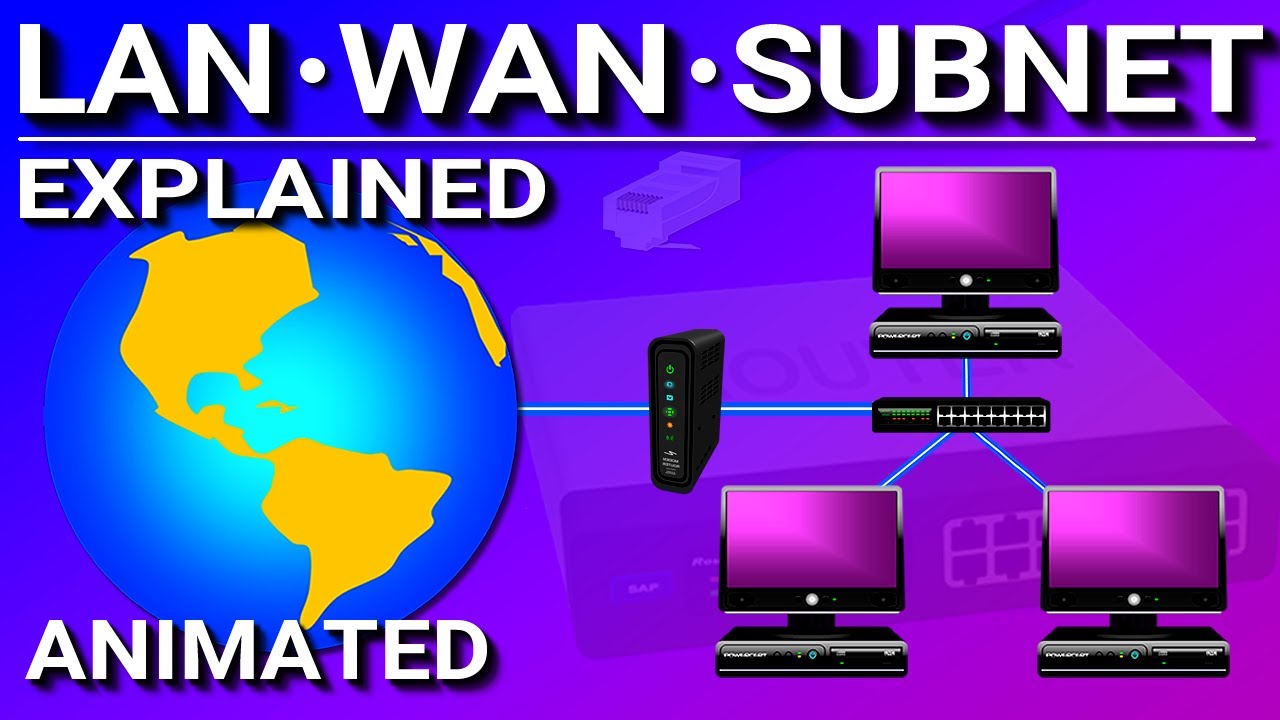
This is an animated video explaining the difference between a LAN (local area network), WAN (wide area network), and a subnet (subnetwork).
all of his videos are golden
desert mist
EVGA SuperNOVA series or Corsair RM series 😮💨
Seasonic has a lot of solid ones too I just haven’t really used them before.
arctic lotus
ohhh so thats what a subnet is
its a sub network
and a network is just any connection between computers
so then my question about wan is this
are there multiple wans?
i was only aware of the wan we call the internet?
does the deep / dark web count as another wan?
arctic lotus
lmao
ik now a lan is just like a building scale for companies or household scale for families
so ig with a wlan then you could connect everyone on a private network then huh
itd be like small scale tho just no ethernet
so wifi and ethernet are the connections.
so just wireless or wired
and then on a small scale thatd be wlan or lan
but if you connect to the global network internet thatd be wwan or wan.
wan would just be a wired connection to the internet
so thats why "subnet never matters" its cause for household family scale. everyone is most likely on the same subnet. especially if you live alone.
so then lan software would capable of controlling your lan settings probably and just governing people on your lan with permissions or something
so then what happened back then to combine modems and routers together?
into a gateway
ik subnets still use routers
topaz solstice
desert mist
Seasonic has a lot of solid ones too I just haven’t really used them before.
i'd sooner pic a revolution df over any seasonic psu tbh
topaz solstice
arctic lotus
does the deep / dark web count as another wan?
nope
topaz solstice
arctic lotus
are there multiple wans?
i was only aware of the wan we call the internet?
only 2, WAN and WWAN
the only difference is how it's accessed over each way
arctic lotus
but dont all the wireless and wired in people still access the same internet we know
topaz solstice
arctic lotus
but dont all the wireless and wired in people still access the same internet we ...
yup
arctic lotus
awesome. i understand
desert mist
topaz solstice
i'd sooner pic a revolution df over any seasonic psu tbh
Biggest reason I stick with evga and Corsair
arctic lotus
i wonder what it would take to create a new wan.
itd be pointless for me or people like us. but maybe china would consider their own wan or something or north korea
ig that boils down to money and satellites
topaz solstice
it's the internet, just different ways of accessing it
topaz solstice
arctic lotus
ig that boils down to money and satellites
money, sure, satellites no
20-30k tbf to become your own isp
the only person i know who's done that is no longer part of this discord i believe
topaz solstice
desert mist
Biggest reason I stick with evga and Corsair
i prefer corsair myself, pinout compatibility
with the cable i use from corsair i get to use it amongst several lines they've released
desert mist
Meh I buy them brand new so
topaz solstice
i have the corsair premium sleeved start kit
means i only ever need to swap the psu itself and never have to redo cable management
so any psu upgrade i may need, i only have to install the psu without touching the cables
handy investment when it comes to psu's themselves
i also avoid adding extra points of failure/issue causing when it comes to not having to use an extension
evga you're getting similar now but it's really limited on what line and wattage for the same equivalence
arctic lotus
topaz solstice
the only person i know who's done that is no longer part of this discord i belie...
if you did that. would that count as a wan?
desert mist
topaz solstice
means i only ever need to swap the psu itself and never have to redo cable manag...
Well tbh they last like 10+ years so
Really no point in keeping cables that long they become fragile
topaz solstice
arctic lotus
if you did that. would that count as a wan?
yes it would, as you would be your own isp that connects to the internet, but you'll be needing to learn heavily about networking to do that
topaz solstice
desert mist
Really no point in keeping cables that long they become fragile
tbf, that's dependent on several factors
desert mist
In general the plastic on the cables will degrade overtime
Same with the plastic on the connectors from heat cycles
topaz solstice
light also plays a factor into that
lusty tiger
topaz solstice
yes it would, as you would be your own isp that connects to the internet, but yo...
Basically just don’t. It’s not worth it.
topaz solstice
majorly not worth it for the better part for most people
lusty tiger
Unless thats your business plan
topaz solstice
lusty tiger
Unless thats your business plan
or if you want to tell an isp that's providing crap services to go do unhumanly things to themself
lusty tiger
That too
solar gulch
topaz solstice
read the pin, if you're no help take a long hike
i love hikes fam
lusty tiger
Identity change anyone?
solar gulch
lusty tiger
Identity change anyone?
hehehehe
arctic lotus
here's the memory info on the hdv

ik about mem max and xmp and expo
ik most memory is non ecc
but i thought unbuffered memory was ecc?
its matx, so the mem max of 96 gb and the 2 dimm slots is normal
i also know about dimm slots
lusty tiger
arctic lotus
but i thought unbuffered memory was ecc?
i guess there is unbuffered ecc, and unbuffered non ecc
arctic lotus
oh really
okayy so here it probably means non ecc unbuffered
basically just regular memory lol
lusty tiger
id assume so, since it fucking says it in the spec list
solar gulch
yeah
arctic lotus
so then its saying that this mb supports up to 7200? how can this be if we know am5 barely supports 6400
lusty tiger
arctic lotus
so then its saying that this mb supports up to 7200? how can this be if we know ...
the cpu barely supports 6400
solar gulch
unbuffered is also called nonregistered
lusty tiger
but the motherboard can support as high speeds as the manufacturer wants
solar gulch
unregistered mb
arctic lotus
so im guessing the mobo wouldnt overide the cpu's max ram speed then
solar gulch
lusty tiger
the memory controller on the cpu determines max memory speed
duh lmao
arctic lotus
so i can't do ddr5 7200 on this mobo with am5 even though the mobo supports it. the cpu wouldnt and so you have to abide by the slower speed.
lusty tiger
arctic lotus
so i can't do ddr5 7200 on this mobo with am5 even though the mobo supports it. ...
yes
arctic lotus
well it does say +(OC)
solar gulch
to 3400
lusty tiger
the memory controller on the cpu can only do so much
solar gulch
lusty tiger
the memory controller on the cpu can only do so much
yeah i cant run my ram at its speed
3600
highest it can go while still being stable is 3400
arctic lotus
but im guessing the mobo is just saying 7200 is possible with oc, but that still doesnt matter with the cpu not being stable past 6400
solar gulch
arctic lotus
but im guessing the mobo is just saying 7200 is possible with oc, but that still...
no it could prob go past
arctic lotus
maybe, this is a p shitty board.
lusty tiger
arctic lotus
but im guessing the mobo is just saying 7200 is possible with oc, but that still...
6400 is the highest without like a day of careful tuning
solar gulch
my 1600 max is like 2666
you can go past the max
just might be unstable
and wont do much to performance ngl
solar gulch
pretty sure 6000 cl30 would be fine
solar gulch
and you could go higher
arctic lotus
one last thing. ik what dual channel is. but i thought the ram determined if it was dual channel. not the mobo?
solar gulch
arctic lotus
one last thing. ik what dual channel is. but i thought the ram determined if it ...
the mobo slots
ram can do single dual quad whatever
lusty tiger
^
arctic lotus
ik that
solar gulch
then whyd you ask?
lusty tiger
motherboard/cpu determines channel number
arctic lotus
but i thought the stick determined if it was dual channel or quad channel etc
lusty tiger
its not
solar gulch
arctic lotus
but i thought the stick determined if it was dual channel or quad channel etc
nope
arctic lotus
so the mobo does determine it
lusty tiger
yes lol
solar gulch
like we just said mobo determines it
arctic lotus
okay cool
solar gulch
arctic lotus
so the mobo does determine it
(and cpu)
like max ram speed on mobo and cpu kinda
lusty tiger
all the motheroabrs you can choose from will be dual channel
arctic lotus
so this is saying it has dual channel "support" then
solar gulch
arctic lotus
so this is saying it has dual channel "support" then
its like the ram speed we talked about
lusty tiger
arctic lotus
so this is saying it has dual channel "support" then
it means it has 2 ram channels
solar gulch
yeah
lusty tiger
the cpu also has 2 ram channels. you dont have to use them (youre an idiot if you dont tho)
arctic lotus
which is dual channel support right
arctic lotus
so im guessing that any mobo that says it has dual channel support means it also has single channel support too?
solar gulch
arctic lotus
so im guessing that any mobo that says it has dual channel support means it also...
duh
lusty tiger
yes, you can just not use one channel, like i said
solar gulch
you shove a single stick in it and its single channel
arctic lotus
okay well how do i know if the mobo has quad channel support
solar gulch
solar gulch
you shove a single stick in it and its single channel
(prebuilts be like)
lusty tiger
arctic lotus
okay well how do i know if the mobo has quad channel support
it doesnt
solar gulch
arctic lotus
okay well how do i know if the mobo has quad channel support
it says it
and you dont need quad
arctic lotus
okay cool
lusty tiger
am5 wont have quad channel support
solar gulch
at all
solar gulch
lusty tiger
am5 wont have quad channel support
oh shit then mb
arctic lotus
lusty tiger
am5 wont have quad channel support
what usually does?
lusty tiger
threadripper/threadripper pro
solar gulch
but the mobo page on website or whatever will say its channel support
arctic lotus
okayy
solar gulch
arctic lotus
what usually does?
server shit
arctic lotus
so im guessing on their mobo pages, it will be all like "quad channel ddr5 memory technology" or some shit
and then not even mention dual channel cause if it supports quad channel, then that means it supports dual channel
solar gulch
arctic lotus
so im guessing on their mobo pages, it will be all like "quad channel ddr5 memor...
yes lol
lusty tiger
yes
solar gulch
we went over this
lusty tiger
but dont worry about quad channel
solar gulch
ong
lusty tiger
am5 cpus only have 2 channels, and by extension, am5 motherboards
arctic lotus
solar gulch
isnt there also triple channel?
 arctic lotus
its a lifesaver tbh
lusty tiger
arctic lotus
yes. but again, you'll only have dual channel
arctic lotus
way better than chatgpt
lusty tiger
because it searches the internet
solar gulch
arctic lotus
way better than chatgpt
it is chatgpt basically
solar gulch
lusty tiger
because it searches the internet
this is all it does
it takes stuff from sites and send links
and pisses me off
lusty tiger
its chat gpt with internet access, which is why its so much better. you also get gpt4 for free
solar gulch
lusty tiger
its chat gpt with internet access, which is why its so much better. you also get...
actually?
it pisses me off sometimes
lusty tiger
yeah
solar gulch
sometimes its dumb as a rock
lusty tiger
on mobile you can choose between them, and probably on desktop too. gpt 4 is slower than 3.5
solar gulch
it got confused on monitors and didnt understand "4k" and kept sending 1080p monitors
pissed me off so i said fuck you to it and it closed the chat
now i know that if you insult it, itll just shut down
lusty tiger
solar gulch
it got confused on monitors and didnt understand "4k" and kept sending 1080p mon...
is this bing ai or chatgpt
solar gulch
yeah
lusty tiger
solar gulch
it takes stuff from sites and send links
at least it cites its sources
solar gulch
FOR REAL BRO
snapchat ai is better tho ngl
you can persuade it to do stuff its not allowed to do
it takes a while though
solar gulch
fr
we went from storage to mobo to storage to mobo and then to otehr stuff now we back to mobo
just choose ngl
lusty tiger
Motherboards*
Features that matter:
multiple m.2 slots
extra pcie expansion
4 light debug LEDs
Nice to haves:
Wi-Fi + Bluetooth
bios flashback
7-segment display debug
Lots of usb (mix of 480Mb and 5Gb)
Many Fan Headers
6+ sata ports
2.5 Gb LAN (if you want fast nas access in the near future)
Clear CMOS Button on Rear I/O
PCIE Release Button
Nice to have but doesn't matter:
Right-Angle Internal Headers
USB-C
Features that don’t matter:
Thunderbolt
10Gb LAN
10+ Gb USB
Beep Codes
Covers
which ones do you want
solar gulch
dream
 solar gulch
arctic lotus
solar gulch
arctic lotus
protection against static electricity
arctic lotus
oh yeah mb
arctic lotus
why even put that on USB only
lusty tiger
Why even give a shit
solar gulch
FR
lusty tiger
lusty tiger
*Motherboards**
__Features that matter:__
> multiple m.2 slots
> extra pcie expa...
Like actually. Find the features you know you’ll want/need, and pick a motherboard with those features
ez
arctic lotus
lusty tiger
Like actually. Find the features you know you’ll want/need, and pick a motherboa...
if i did that, youll be mad at me lmao

 sharp harness
arctic lotus
ram is dram?
sharp harness
arctic lotus
ram is dram?
Yeah DRAM is usually what people mean when they say ram.
sharp harness
arctic lotus
so wait ram uses the same kind of ram as storage then?
Not any storage I'm aware of uses DRAM, although it probably exists outside of the consumer space.
Since DRAM and NAND are two different technologies that are used for different purposes in a system. DRAM is a type of semiconductor memory that can store data for a short time, but requires power to do so. NAND is a type of flash memory that can store data for a long time, even without power. DRAM is faster and more expensive than NAND, while NAND is cheaper and slower than DRAM.
With the growth of the gaming industry, NAND technology looks to develop further in order to help satisfy consumers' ever-increasing storage needs. Here we explain the key differences between the types of NAND.
For some reason some messages didn’t send the first time so I’ll send it again.
“Just like DRAM there are different kinds of NAND.”
“Here’s a link from Kingston on what those are.”
sharp harness
sharp harness
Not any storage I'm aware of uses DRAM, although it probably exists outside of t...
I forgot to mention although its not used directly as storage some SSD will have DRAM on the SSD to use as cache.
Mostly the expensive ones iirc since its more Expensive and faster than HMB.
Which basically allows the SSD to use some of your systems DRAM as cache instead of it being on the SSD itself.
topaz solstice
arctic lotus
okay well how do i know if the mobo has quad channel support
only server and workstation mobo's have that abiolity
topaz solstice
lusty tiger
am5 wont have quad channel support
it's a quasi-quadchannel
topaz solstice
arctic lotus
ram is dram?
yes, though most will say the type and speed
i.e. ddr4 3200
or in your case ddr5 6000
and wher it says "(OC) next to it, that implies running expo/xmp profile not the jedec
topaz solstice
lusty tiger
am5 cpus only have 2 channels, and by extension, am5 motherboards
all cpu's unless it's hedt, workstation or server have dual channel**
topaz solstice
arctic lotus
this is only on a specific intel mobo chipset and select few intel cpu's, otherwsie it's a really bad choice to do
@lusty tiger remember ddr5 has 2 channels of ram per stick so anything will read the ram as quad channel primarily when it comes to using software like hwinfo
but with ddr5 you must only use 2 sticks of ram for it to detect their full capacity, using 4 sticks of ram with both make the ram run at half capacity, and make it harder to run them at their xmp/expo profile
topaz solstice
solar gulch
isnt that on ancient tech?
ancient, ancient xeon's
topaz solstice
arctic lotus
so im guessing on their mobo pages, it will be all like "quad channel ddr5 memor...
where ram is concerned it's a 15-30% performance difference between single and dual channel
topaz solstice
arctic lotus
cpu determine if you can do dual, triple or quad channel
topaz solstice
solar gulch
theres unbuffered both ecc, non ecc
yup, though that's more for workstation/server use if i remember correctly
lusty tiger
topaz solstice
<@797640137273901137> remember ddr5 has 2 channels of ram per stick so anything ...
Ahhhh. But it’s still 2 conventional channels
naive robin
arctic lotus
so then its saying that this mb supports up to 7200? how can this be if we know ...
An AM5 CPU can do up to 6400 in 1:1 mode, and nearly 8000 in 2:1 mode
Depends on the CPU, motherboard, BIOS and RAM ICs
topaz solstice
lusty tiger
Ahhhh. But it’s still 2 conventional channels
yeah, that's why it's quasi-quad
arctic lotus
naive robin
An AM5 CPU can do up to 6400 in 1:1 mode, and nearly 8000 in 2:1 mode
im guessing 1:1 mode and 2:1 mode are xmp / expo settings
arctic lotus
sharp harness
Not any storage I'm aware of uses DRAM, although it probably exists outside of t...
dram is the cache
pale tulip
arctic lotus
im guessing 1:1 mode and 2:1 mode are xmp / expo settings
uhh
lets keep it at that, sure
arctic lotus
sharp harness
https://www.kingston.com/en/blog/pc-performance/difference-between-slc-mlc-tlc-3...
ik about these already but ty
arctic lotus
topaz solstice
it's a quasi-quadchannel
what does quasi mean here
naive robin
arctic lotus
im guessing 1:1 mode and 2:1 mode are xmp / expo settings
Yes ish
2:1 mode is worse, 1:1 mode is better
arctic lotus
so using 1 slot in dual channel is half speed.
but using 2 slots in dual channel is 100% speed.
using 4 slots in dual channel would be half speed too then?
you would need quad channel to run 4 slots at 100%
which is better but not needed.
 lusty tiger
arctic lotus
why does this mobo say it has four usba "2.0/1.1"
lusty tiger
arctic lotus
why does this mobo say it has four usba "2.0/1.1"
They’re usb version 2.0 and 1.1
It’s just bs marketing
arctic lotus
but 1.1 isnt the same as 2.0
arctic lotus
yeah but they arent the same
lusty tiger
So?
naive robin
arctic lotus
so using 1 slot in dual channel is half speed.
but using 2 slots in dual channe...
4 slots in dual channel is normal speed
If not slightly faster than 2 slots in dual channel
naive robin
arctic lotus
yeah but they arent the same
They'll de-rate to 1.1 if the device plugged in is also 1.1
topaz solstice
arctic lotus
im guessing 1:1 mode and 2:1 mode are xmp / expo settings
yes but he's refering to the infinite fabric clock where 1:1 = the IF clock matches the ram's frequency, 2:1 is where the IF doesn't match and the ram's frequency is double that
i.e 6000mt/s ram runs at 3000mhz so the IF clock matches it
where as say an 8000mt/s ram kit will be running at 4000mhz so the IF clock will be at 2000mhz instead
topaz solstice
arctic lotus
what does quasi mean here
and for quasi, this

it implies that the ram is doing quad channel but it's not really doing quad channel
as ddr5 has 2 channels of ram per stick
it's 2x 32bit bus for each ddr5 ram stick
where as on ddr4 and earlier it was 1x64bit bus per stick
so they would read as a single channel per stick

Last updated on: February 1, 2023 On July 14th, 2021, JEDEC announced the publication of the JESD79-5 DDR5 SDRAM standard signaling the industry
this would explain it better than i can
 arctic lotus
naive robin
If not slightly faster than 2 slots in dual channel
arctic lotus
naive robin
If not slightly faster than 2 slots in dual channel
i know it doesnt double again
arctic lotus
naive robin
They'll de-rate to 1.1 if the device plugged in is also 1.1
but doesnt all usb have backwards compatibility?
arctic lotus
i know none are back compat with usb 1 tho
so the farthest back must be 1.1
but 1.1 should be for all of them
is derating the same as backwards compatibility? cause if you plug in a 1.1 cord, it would just be determined by the cord. in this case the cord is 1.1 which should work fine in a 2.0
also this mobo manufacturer does something different that others usually dont. they list whether the usb is off the cpu or the chipset
 naive robin
Usually manufacturers don't because there's no speed difference between the two options
And therefore, no need to list it
lusty tiger
arctic lotus
i know none are back compat with usb 1 tho
1.1 completely replaced 1.0
arctic lotus
my question about that is. i know about hubs and how its not the cpu or the chipset. but
how can a usb port be off of something like a cpu + hub or a chipset + hub?
is it saying both at the same time or is it saying which part the hub connects to after?
topaz solstice
arctic lotus
my question about that is. i know about hubs and how its not the cpu or the chip...
remember the pics i sent?
arctic lotus
i would probably remember if i knew which ones
topaz solstice
about the pcie lanes
arctic lotus
i remember. i knew about that stuff before you sent the pics tho
topaz solstice
about how they're split out
arctic lotus
yeah the connection lines
topaz solstice
most of the usb ports will be tied to the chipset
arctic lotus
i know those. so are you just saying that
CPU = directly to cpu
Chipset = directly to chipset >> and then cpu
"CPU + hub" = directly to some hub >> and then cpu
"Chipset + hub" = directly to some other hub >> then to the chipset >> then to the cpu
topaz solstice
yup
arctic lotus
okay im on track then
arctic lotus
how do i see how much power the mobo will use
lusty tiger
arctic lotus
how do i see how much power the mobo will use
It’s not enough to matter afaik
Especially compared to something like a 4090
topaz solstice
arctic lotus
how do i see how much power the mobo will use
on average, mobo itself will only use a couple of watts of power tbh
it's more the wattage the gpu and cpu themself use
solar gulch
motherboard is what holds them all together so it doesnt need much power
topaz solstice
it's the central nervous system of the pc
solar gulch
topaz solstice
it's the central nervous system of the pc
does that mean when a dimm slot stops working its a crippled motherboard?
lmfao
pale tulip
yes
topaz solstice
solar gulch
does that mean when a dimm slot stops working its a crippled motherboard?
yes
topaz solstice
you can compare the pc to the head of a person tbh
solar gulch
gpu is someones eyes probably
and cpu is their brain
gpu could have better analogy tho
topaz solstice
hard drive = long term memory
ram = short term memory
mobo = central nervous system
solar gulch
a broken dimm slot would be a concussion then lol
arctic lotus
lusty tiger
Especially compared to something like a 4090
so then all my power should be accounted for then already
arctic lotus
do cases use a lot of power usually?
solar gulch
arctic lotus
do cases use a lot of power usually?
its a metal box
arctic lotus
maybe lights and usb tho
solar gulch
arctic lotus
maybe lights and usb tho
a case fan is rated at 1.8 watts
topaz solstice
solar gulch
case=looks or smthn
the skull and skin
solar gulch
0.6-6 depending on size
topaz solstice
arctic lotus
maybe lights and usb tho
less than the spark between 2 brain cells for some people
solar gulch
topaz solstice
less than the spark between 2 brain cells for some people
lmfao
topaz solstice
solar gulch
a case fan is rated at 1.8 watts
eh, depends on the fan in question
topaz solstice
more like 0.5 - 36w
 sturdy anchor
Yes
topaz solstice
arctic lotus
well apart from the gamemax being a tier F psu, nope
topaz solstice
and tbh you don't need anything higher than 1.2kw for a psu
arctic lotus
topaz solstice
well apart from the gamemax being a tier F psu, nope
i need to check that tier list again
lusty tiger
....
arctic lotus
topaz solstice
and tbh you don't need anything higher than 1.2kw for a psu
is 1.2 kw = 1200w
topaz solstice
arctic lotus
is 1.2 kw = 1200w
yes
lusty tiger
bequiet dark power 13 | corsair RMe 1000W
topaz solstice

PSU Tier List will help you to choose the best PSU out of hundreds of models on the market. From budget to the highest end Power Supplies.
sturdy anchor
lusty tiger
bequiet dark power 13 | corsair RMe 1000W
Maybe not the RMe I believe they have coil whine
lusty tiger
lol
topaz solstice
sturdy anchor
Maybe not the RMe I believe they have coil whine
everything has coil whine
lusty tiger
i origionally only said the dark power 13, but didnt want to only say one psu over and over again
sturdy anchor
Fair enough
topaz solstice
sturdy anchor
Fair enough
even people have coil whine
sturdy anchor
Maybe the real coil whine were the friends we made along the way
 topaz solstice
i prefer the corsair tbh, they will be gen4 pinouts, with only a few moving over to gen5 pinouts now
topaz solstice
lusty tiger
because 4090 power plug
you mean the 12vhpwr cable
lusty tiger
yes
lusty tiger
one of the reasons i called for the dark power 13 was because of its native 12vhpwr plug
also because of its titanium efficiency for van life (is she or is she not doing van life)
topaz solstice
think it's msi that has a decent way for you to detect if the cable is properly seated in
topaz solstice
lusty tiger
also because of its titanium efficiency for van life (is she or is she not doing...
if she goes van life, she'll be better off with a 4070ti/4080 tbh
topaz solstice
she'll still be able to do 4k gaming if she wanted but more realistically be better for 1440p instead
topaz solstice
lusty tiger
wait, the 40 series is super efficent
more efficient than 7000 series
lusty tiger
1440p is all you need anyway
lusty tiger
yeah
sharp harness
topaz solstice
she'll still be able to do 4k gaming if she wanted but more realistically be bet...
4080 is overkill for most things (I have one), I put a 4070ti in my brothers computer and it’s great for games tbh.
But that is at 1440p so idk if it’ll be the same for 4K
desert mist
Montech Titan Gold 1200w pretty solid too
lusty tiger
 native frost
how do u guys still post in this shit
native frost
how do u guys still post in this shit
Refer to the pinned message
desert mist
Honestly with your budget should just stick with A tier PSUs
lusty tiger
100%
desert mist
Preferable multi rail PSUs for ever higher reliability
desert mist
lusty tiger
because 4090 power plug
Honestly wouldn’t be caught using anything but the 3-1 adapter for the 4090 because just seems more reliable
16 pins to 12 instead of 12 to 12
lusty tiger
You mean 4 in 1. Idk, it looks super ugly
desert mist
Oh yea 4-1
I mean you can conceal it tho
Just buy a reputable branded cable and makes sure the cable is properly seated to keep any possible chance for it to melt
lusty tiger
desert mist
I mean you can conceal it tho
I mean, not really
desert mist
You can lol get a aftermarket cable long enough for it simple
Cable mods makes them with angled connectors
lusty tiger
That’s basically using the native plug at that point
solar gulch
dream finally got a pfp?
lusty tiger
she put a pfp on her alt that she didnt care about
solar gulch
lusty tiger
she put a pfp on her alt that she didnt care about
yeah ik
arctic lotus
lusty tiger
she put a pfp on her alt that she didnt care about
yeah i saw a cute pic on fb today and decided wth
this account sucks tho without nitro
lusty tiger
nitro is meh imo
arctic lotus

this is the hdv
so you can look up a mobo "block diagram" and that should show you all the lanes (for usb)
arctic lotus
saw another mobo say "THB_U4 add-in card connector" but im pretty sure thats just another way of saying the same thunderbolt aic header thing
arctic lotus
what is

single rail vs multi rail
the m2000 seems like a good psu
its also A tier
the super flower leadex looked okay too but i couldnt find a purchase link or price anywhere
i think platinum or titanium will be my only options
i dont think i will consider a gold psu
naive robin
Why
arctic lotus
just the efficiency of it

here are the highest wattage psus on pcpp
i hear the gamemax is bad lol so i can cross those off
the silverstone hela has no efficiency rating which is weird
i can't find the super flower anywhere
the m2000 is completely fine
 inner dirge
2000w 
arctic lotus
fsp group cannon is just the m2000 but worse. it is gold instead of plat and it's longer.
enermax i can buy at walmart with my discount
but its gold
naive robin
Using a 2000W PSU for a 1000W system will result in lower efficiency in terms of PSU ratings
arctic lotus
i dont think that's true
naive robin
The 80+ ratings are usually hit at 85% load or thereabouts
arctic lotus
if anything the efficiency should be higher because of the bell curve
naive robin
The bell curve is offset towards higher load
arctic lotus
the closer you get to 60% the more efficient it is
here are the 1600w options

not including the 1550w options
i would say out of those 2000 ish watt options here are the only ones worth considering

dream's Notion on Notion
A new tool for teams & individuals that blends everyday work apps into one.
naive robin
There is a giant PSU spreadsheet already
It's linked on the same page as the tier list
arctic lotus
these are the ones im choosing from
 runic bloom
Why the hell are you getting 2000 watts
topaz solstice
arctic lotus
if anything the efficiency should be higher because of the bell curve
nope and if you use a 2000w psu on the electrical system for a car you'll be tripping it, use an apropiate power supply, no more than 1.2kw
topaz solstice
arctic lotus
https://ambiguous-hen-8da.notion.site/d44c68c38421425da42914e09e931a3a?v=238f83d...
none of these are good in regards to being in a van
you're being utterly stupid with the psu decision
1200w at most only
 lusty tiger
arctic lotus
https://ambiguous-hen-8da.notion.site/d44c68c38421425da42914e09e931a3a?v=238f83d...
lusty tiger
arctic lotus
https://ambiguous-hen-8da.notion.site/d44c68c38421425da42914e09e931a3a?v=238f83d...
All of those are terrible
Dark power 13
pale tulip
lusty tiger
All of those are terrible
i mean
theyre not terrible
just overspecced
doing a spreadsheet of a spreadsheet is crazy though
lusty tiger
topaz solstice
nope and if you use a 2000w psu on the electrical system for a car you'll be tri...
If this is true, they’re terrible
topaz solstice
lusty tiger
If this is true, they’re terrible
it's sustained load vs peak load
then on top of that, transinet spiking
inverters afaik have came a long way but a transient spike could trip the whole system
by the time dream has the system built, she'd have to build a different one or "downgrade" most of the current one
desert mist
Oh dear god
crisp rune
just wondering what have we got so far
solar gulch
jesus christ
 unreal zenith
she will NEVER need a 2000w psu, a 1200w one is still overkill
solar gulch
ong
topaz solstice
@arctic lotus with the way you're going you'll be needing this as a minimum https://www.victronenergy.com/upload/documents/Datasheet-Inverter-RS-Smart-Solar-EN.pdf
 solar gulch
thats a lot of funny numbers
lusty tiger
So quite a bit more for everything else in the vehicle
topaz solstice
lusty tiger
So quite a bit more for everything else in the vehicle
most doing the van life have the bare minimum basics and have a 3kw inverter
covers for a hot water boiler, microwave, kettle/coffee machine mainly
the pump is mainly a 12-24v caravan/campervan/rv pump
all the lighting is 12v primarily
topaz solstice
solar gulch
thats a lot of funny numbers
mainly this unit does 5.3kw continuous but will drop to a lower wattage output if it gets hotter, and it's peak power that it can hit is 7kw for 4 mins/ a surge of 9kw for 3 seconds
but on it's own, it sips away at 20w when zero load is placed on it
solar gulch
ok
topaz solstice
which for an inverter is quite highly efficient
you wouldn't want to put more than 5kw load in total on it tbh
a 3-3.5kw load = kettle/coffee machine + microwave + shower being on all together roughly
500w-1kw for the kettle/coffee machine, 600-1.4kw for the microwave, 1-2kw for the heater in a shower
lusty tiger
Parallel inverters, or multiple circuits. That’d be so crazy
desert mist
topaz solstice
most doing the van life have the bare minimum basics and have a 3kw inverter
People doing van life don't have a nuclear reactor running in a pc case with pink accents either tho
crisp rune
do we even have a part list so far or is it still changing?
topaz solstice
lusty tiger
Parallel inverters, or multiple circuits. That’d be so crazy
nah, that's when you run 2 inverters side by side, pretty easy to do
topaz solstice
crisp rune
do we even have a part list so far or is it still changing?
not a full one, mobo hasn't been fully decided yet
crisp rune
what have we got so far?
topaz solstice
and she's looking at psu's currently#