#building my 1st pc
1 messages · Page 2 of 1
 steel sapphire
 orchid oracle
0%
 solar gulch
no
orchid oracle
Or 0.000 repeating 1 %
solar gulch
i almost opened a case
btw chance for a special to drop from case is 0.26
and statrak is 0.026
steel sapphire
i assume those are good (i dont play csgo)
solar gulch
steel sapphire
i assume those are good (i dont play csgo)
cheapest gloves are 40 dollars, cheapest knife is 70
from third party sellers*
its 50 and 100 on steam market
which is like a 40 and 90 dollar profit cuz cases cost like 3-10 dollars
solar gulch
steel sapphire
i assume those are good (i dont play csgo)
or you unbox smthn like this

 lusty tiger
if you keep talking about random stuff, ill report you both
steel sapphire

lusty tiger
steel sapphire
<:unoreversecard:654893060500750346>
<@&750150305383186585>
this user is not contributing to the thread and introducing other topics not related to the thread/forum.
steel sapphire
this entire thread is a violation of rule 4
solar gulch
uh oh
steel sapphire
¯_(ツ)_/¯
solar gulch
steel sapphire
this entire thread is a violation of rule 4
hes got a point
whatever rule 4 is
steel sapphire
no spam and trolling
steel sapphire
"do not spam, shitpost, troll, or advertise"
this thread is most definitely spam and trolling
solar gulch
i think pokey is familiar with that rule
lusty tiger
steel sapphire
this thread is most definitely spam and trolling
literally no one has proof of that
solar gulch
stop talking baby
steel sapphire
anyways
steel sapphire
oh sick im unblocked
 arctic lotus
you arent, i just figured, i might as well uncollapse to see why i had 20 messages
arctic lotus
sure
solar gulch
and the cycle continues
lusty tiger
do you have any idea for a motherboard dream?
steel sapphire
solar gulch
and the cycle continues
such is the circle of life
arctic lotus
im off the next 2 days and now that ive cleared up those things about reading the manufacturer stuff. i have made great progress
solar gulch
maybe
arctic lotus

dream's Notion on Notion
A new tool for teams & individuals that blends everyday work apps into one.
lusty tiger
solar gulch
is that why youve been on notion for three days??
thats why shes regularly on notion for upwards of a week lol
steel sapphire
now thats a spreadsheet
solar gulch
lusty tiger
thats why shes regularly on notion for upwards of a week lol
damn wtf
 solar gulch
arctic lotus
is research pc parts
solar gulch
arctic lotus
is research pc parts
i did that for like a month
also german W language
lusty tiger
arctic lotus
https://ambiguous-hen-8da.notion.site/225d13c19bcd4c2b9cf5a889de882c0c?v=0aa5f5f...
if youre using 2 t700s, you'll want a motherboard with 2 gen 5 m.2 slots
arctic lotus
this is how i put that one m.2 into
1x 2242 / 2260 / 2280 M-Key PCIe Gen 3x2 + SATA3 (Chipset)
solar gulch
steel sapphire
now thats a spreadsheet
holy shit i didnt even look
solar gulch
arctic lotus
1x 2242 / 2260 / 2280 M-Key PCIe Gen 3x2 + SATA3 (Chipset)
i have a question
lusty tiger
lusty tiger
if youre using 2 t700s, you'll want a motherboard with 2 gen 5 m.2 slots
or....dont use 2 t700s because theres no reason to
the very best advice i can give is use no more than 1 t700, preferably 0. but, its your choice so 🤷
solar gulch
lusty tiger
the very best advice i can give is use no more than 1 t700, preferably 0. but, i...
yep
 sand stream
solar gulch
yep
sand stream
solar gulch
yep
when u gonna upgrade that cpu
u can get a 3600 for like 50$ school money
 topaz solstice
no it doesn't make it worse, it's how it cas to communicate with everything, the fact they're using a single chip for the sata means that everything on the chipset is being used up essentially and it needs an extra controller for the sata ports otherwise they would not work
topaz solstice
sand stream
when u gonna upgrade that cpu
take that to a separate thread
sand stream
🤓
topaz solstice
sand stream
🤓
<@&750150305383186585> troll
@arctic lotus might as well remove this from your list

a620 won't help for your purposes
solar gulch
sand stream
u can get a 3600 for like 50$ school money
no really
 violet sparrow
Did the list get deleted again?
 naive robin
Just a side note, other way around. It has to travel through the chipset to the CPU.
 worldly shore
Bro this thread is longer than some college textbooks
 honest totem
This shit is still going on
Oh naw
You guys are still on ssds
You guys on optane
naive robin
If you don't like how long this thread's been going on, then simply unfollow it and be about your day. Complaining about it wont make it go away, nor is it constructive in any way.
naive robin
naive robin
If you don't like how long this thread's been going on, then simply unfollow it ...
arctic lotus
topaz solstice
<@841694455747706911> might as well remove this from your list
i added this for comparison sake. it's like the worst A board
wth we have pins now?
lusty tiger
arctic lotus
wth we have pins now?
Just the mods can pin afaik
arctic lotus
ohh makes sense
just got back from my doctors appointment in detroit
back to work
arctic lotus
lusty tiger
Just the mods can pin afaik
OHH i remembered a big thing i wanted to ask about the hub
are they physical connectors off the mobo too? or are they electrical support only? so like 1 sata port that allows for 1 sata cable and then the sata cable splits and can do 1 additional or 2 additonal sata connections?
lusty tiger
arctic lotus
are they physical connectors off the mobo too? or are they electrical support on...
The asmedia hub has 2 sata ports, and (I think) uses 1 pcie 2.0 lane
arctic lotus
so like usb headers basically. mbs will have a couple headers for the front panel, and some of those usb headers are "free floating" or electrical only.
im asking if the hub is like that or if it's literally just 2 sata ports
lusty tiger
lusty tiger
The asmedia hub has 2 sata ports, and (I think) uses 1 pcie 2.0 lane
At least that’s what bing ai said. Though they said b650 was 11th gen not am5 so….
lusty tiger
arctic lotus
im asking if the hub is like that or if it's literally just 2 sata ports
Like what
arctic lotus
if we look at the pcb layout i should be able to see 4 sata ports
lusty tiger
arctic lotus
if we look at the pcb layout i should be able to see 4 sata ports
There’s 2 off the chipset and 2 off the sata hub/controller
arctic lotus
lusty tiger
Like what
like yknow how usb headers will have physical headers and then some of those physical headers will support additional headers on top of the physical header itself.
so like if a mobo had 2 usb2 headers, it might support +4 usb2 headers on top of the 2 usb2 physical headers. it's kind of uncommon knowledge.
but basically im wondering if the sata hub is like that.
lusty tiger
arctic lotus
like yknow how usb headers will have physical headers and then some of those phy...
No it’s not
It supports 2 sata devices because that’s how many ports it has
lusty tiger
Yes
arctic lotus
awesome im all set with the asmedia thing
lusty tiger
2 sata ports from the chipset, and 2 from the sata controller

I am looking at the same motherboard, right?
@arctic lotus
 arctic lotus
manual made it seem like there was only 2 for a second
 arctic lotus
lusty tiger
2 off the chipset and 2 off the sata controller, just like it says in the specs
arctic lotus
lusty tiger
2 off the chipset and 2 off the sata controller, just like it says in the specs
yep

its just cause they basically sit on top of each other lol
lusty tiger
?
arctic lotus
btw what are these other 4 documents
 lusty tiger
arctic lotus
btw what are these other 4 documents
lusty tiger
arctic lotus
btw what are these other 4 documents
Look up all those abbreviations, I don’t know
lusty tiger
Yes
lusty tiger
arctic lotus
its just cause they basically sit on top of each other lol
Wdym
arctic lotus
2 of the sata physically are on top of the other 2 sata ports on this mobo

so my question with this is
does it matter if it says this or not
lusty tiger
arctic lotus
2 of the sata physically are on top of the other 2 sata ports on this mobo
Oh, yeah
lusty tiger
arctic lotus
does it matter if it says this or not
Wdym
arctic lotus
like if a mobo doesnt say this does it mean that it nvme m.2s slots wont work for boot drives?
arctic lotus
so its just redundancy
lusty tiger
Yeah pretty much
arctic lotus
what about the u.2 part, when it says u.2 kit, does it that it wont support an asus u.2 kit for example?
lusty tiger
It probably would, depending on what exactly the kit is
arctic lotus
and if it doesnt say this, does that mean u.2 kits wont work at all on that mobo?
lusty tiger
Like if it’s just an m.2 to u.2 adapter with a cable connected, any will work
lusty tiger
arctic lotus
and if it doesnt say this, does that mean u.2 kits wont work at all on that mobo...
It probably won’t work
For the same reason as the sata m.2
arctic lotus
so basically just see if it has u.2 support but dont worry too much about the brand
lusty tiger
Yep
topaz solstice
arctic lotus
wth we have pins now?
Those have been out for a while
arctic lotus
no we cant do pins in this discord its still admin only
i knew about pins on discord
lusty tiger
Lol
lusty tiger
arctic lotus
so basically just see if it has u.2 support but dont worry too much about the br...
So can you pick a motherboard?
topaz solstice
arctic lotus
does it matter if it says this or not
nope, doesn't matter tbh
topaz solstice
arctic lotus
2 of the sata physically are on top of the other 2 sata ports on this mobo
that's quite normal tbh
topaz solstice
lusty tiger
The asmedia hub has 2 sata ports, and (I think) uses 1 pcie 2.0 lane
any gen and can be x1/x2 for lane usage
the chip can do up to 6 sata ports off it
lusty tiger
Ngl I don’t know anything about that besides what I looked up.
and it doesn’t fucking matter
topaz solstice
dw dude, had a similar discussion in tech chat 1 about another asmedia chip
lusty tiger
🥹
topaz solstice
arctic lotus
are they physical connectors off the mobo too? or are they electrical support on...
it'll be 2 ports directly connected to the chip, and then that chipc connects to the pch/chipset
though this is probable echoing what creeper said
 topaz solstice
arctic lotus
topaz solstice
arctic lotus
what they said about nvme boot disk, should have never been mentioned
lusty tiger
And u.2 tbh because no one should use it
arctic lotus
the hdv by comparison

it doesnt mention u.2 support so that means it probably wont support u.2 then?
lusty tiger
It won’t, at least I don’t think so.
arctic lotus
topaz solstice
what they said about nvme boot disk, should have never been mentioned
so all nvme m.2s slots can be used for your boot disk?
lusty tiger
arctic lotus
so all nvme m.2s slots can be used for your boot disk?
Yes
topaz solstice
arctic lotus
so all nvme m.2s slots can be used for your boot disk?
yes, that's why them mentioning it is as pointless as mentioning u.2 support
topaz solstice
arctic lotus
the hdv by comparison
what would need to be checked is the bios itself for this
as a u.2 kit is an m.2 adapter and raid on the nvme slot itself can mean you can use any u.2 kit
lusty tiger
So any m.2 slot can have a u.2 drive connected?
topaz solstice
quite possibly
but it depends in the bios's settings and firmware
each brand may have a different take on it
topaz solstice
well if we look at the hdv, it's so low end they may have it setup with raid over nvme is disabled
where as a midrange board like the riptide
or the lightning may have it enabled in the bios
lusty tiger
Ohhhh yeah
arctic lotus
what is enabled in bios?
topaz solstice
lusty tiger
Ohhhh yeah
asus mobo's are the only one you can't apply that level of logic to though
topaz solstice
arctic lotus
what is enabled in bios?
the ability to use a m.2 adapter for sata/u.2
that's all that a u.2 kit is really
just an adapter that uses the m.2 form
u.2, m.2 adapter
 lusty tiger
U.2 is, after all, pcie; just in a different form factor
arctic lotus
oh so the u.2 support is toggleable itself inside bios

 lusty tiger
topaz solstice
m.2 adapter to m.sata
lusty tiger
topaz solstice
m.2 adapter to m.sata
Buying ewaste to keep using ewaste 💀

 arctic lotus
when it has this disclaimer does it just mean that it doesnt have enough m.2 physical slots since raid10 requires 4 drives?
 topaz solstice
arctic lotus
when it has this disclaimer does it just mean that it doesnt have enough m.2 phy...
topaz solstice
arctic lotus
when it has this disclaimer does it just mean that it doesnt have enough m.2 phy...
yup, like a asus hyper raid card
or, a u.2 kit

 arctic lotus
topaz solstice
yup, like a asus hyper raid card
arctic lotus
topaz solstice
yup, like a asus hyper raid card
so they have expansion slots for even more m.2s?
topaz solstice
arctic lotus
so they have expansion slots for even more m.2s?
been around for a fair while
arctic lotus
topaz solstice
m.2 to pcie x16 adapter (read as monstrosity)
this looks insane
topaz solstice
arctic lotus
this looks insane
you only do pcie x4 off it
lusty tiger
topaz solstice
m.2 to pcie x16 adapter (read as monstrosity)
Why didn’t they just use an open ended x4 slot
topaz solstice
lusty tiger
Why didn’t they just use an open ended x4 slot
because miners
lusty tiger
That’s what it’s meant for?
topaz solstice
it's what it would be commonly used for
arctic lotus
wait another gpu? lol
topaz solstice
 lusty tiger
For when your mining motherboard still doesn’t have enough pcie slots
topaz solstice
arctic lotus
wait another gpu? lol
yes
topaz solstice
the m.2 to usb i showed earlier
steel sapphire
no keep mining alive just so people can sell the gpus they bought for next to nothing on tbe used market
topaz solstice
it's for something like this to be plugged in
 lusty tiger
topaz solstice
it's for something like this to be plugged in
lusty tiger
topaz solstice
it's for something like this to be plugged in
I’ve seen that before
topaz solstice
again, read as a monstrosity
lusty tiger
Not that exactly, but the usb thing
lusty tiger
steel sapphire
no keep mining alive just so people can sell the gpus they bought for next to no...
?
topaz solstice
lusty tiger
Not that exactly, but the usb thing
there's mining mobo's with 20 or so usb ports on, you'd plug these into it
steel sapphire
lusty tiger
?
dude i got a 3080 ftw3 ultra for $525 in june
 gentle elm
Lmao
lusty tiger
She really needed to factor in sata m.2 support into her “comparison”
topaz solstice
lusty tiger
She really needed to factor in sata m.2 support into her “comparison”
to me it's leave all m.2 for nvme use, and just use sata 2.5 ssd's from the sata ports
so m.2 sata support is absolutely useless for decision making
arctic lotus
im probably not gonna use any sata
topaz solstice
arctic lotus
im probably not gonna use any sata
that means no hdd's then
arctic lotus
but tbh i probably wont go the b650e pg riptide just cause i dont like it's m.2 line up
topaz solstice
it's line up is fine tbh
arctic lotus
i dont like it
topaz solstice
that last m.2 port perfect for a games drive
topaz solstice
not having wifi built in isn't an issue tbh
arctic lotus
its a big deal for me
topaz solstice
arctic lotus
its a big deal for me
wifi cards exist for a reason
arctic lotus
i dont like wifi adapters
topaz solstice
it's the exact same thing, as having it built into the mobo
and tbh, running ethernet to the pc will always be better than using wifi
arctic lotus
until it breaks and you dont post and you can't tell if you are connected to the internet or not for a windows update
topaz solstice
arctic lotus
until it breaks and you dont post and you can't tell if you are connected to the...
a wifi adapter breaking won't mean your system doesn't post
if anything it'll be the antenna breaks
or someone being overly heavy handed when putting the card into the pcie slot
arctic lotus
im talking about a no post situation
and not having built in wifi was annoying for troubleshooting.
topaz solstice
arctic lotus
im talking about a no post situation
that would be ram/cpu/power related
topaz solstice
wifi would never have cured it
arctic lotus
p sure it was corrupted windows, and issues with windows updating along with weird shit on the boot drive
which was the only drive
topaz solstice
essentially what a wifi card is now
 honest totem
naive robin
If you don't like how long this thread's been going on, then simply unfollow it ...
honest totem
naive robin
If you don't like how long this thread's been going on, then simply unfollow it ...
Am not complaining it’s that I been tryna help but how can you help if they don’t want to hear it
arctic lotus
honest totem
Am not complaining it’s that I been tryna help but how can you help if they don’...
you have not been trying to help.
idk who you are at all
topaz solstice
arctic lotus
one less thing to worry about
well if you ever wanted to upgrade the wifi you're going to have to remove the shroud over the vrm's/rear I/O
honest totem
And you forget how we were saying optane istg smart
honest totem
arctic lotus
you have not been trying to help.
You have not been tryna cooperate
honest totem
You asking for help means you agreed to cooperate and not retaliate every response
gentle elm
Lmao
arctic lotus
not exactly retailiating, but if you just want to argue about how i should go intel instead of amd, then yeah i might retaliate.
topaz solstice
arctic lotus
am i building a pc for you?
reminds me, if you get the t700's you going to get the m.2 coolers that i said about?
honest totem
arctic lotus
not exactly retailiating, but if you just want to argue about how i should go in...
I never said that
arctic lotus
honest totem
And you forget how we were saying optane istg smart
what is istg?
arctic lotus
topaz solstice
reminds me, if you get the t700's you going to get the m.2 coolers that i said a...
i will do custom cooling loops before i get those fans
gentle elm
topaz solstice
reminds me, if you get the t700's you going to get the m.2 coolers that i said a...
Oh yeahhhh forgot about that
honest totem
arctic lotus
what is istg?
I meant isnt
arctic lotus
and i will get those fans before thinking about dropping the t700
topaz solstice
arctic lotus
i will do custom cooling loops before i get those fans
you will be paying the cost of the pc to cool it if you do a custom loop
gentle elm
You need those fans
gentle elm
topaz solstice
you will be paying the cost of the pc to cool it if you do a custom loop
Fr
arctic lotus
honest totem
And you forget how we were saying optane istg smart
why would i forget this? of course im going to retaliate. i have talked with other people in this server about it in DMs and no one has anything bad to say about it.
besides it's expensive and overkill.
not that its bad.
topaz solstice
and custom loops only look good lately, but don't actively help with performance
topaz solstice
arctic lotus
why would i forget this? of course im going to retaliate. i have talked with oth...
expensive, not overkill
honest totem
arctic lotus
why would i forget this? of course im going to retaliate. i have talked with oth...
It’s impractical
Have you heard that
arctic lotus
they have the highest random read speed
topaz solstice
arctic lotus
they have the highest random read speed
which means nothing for an OS
honest totem
Do I take 2 transit routes arrive 45 min
Or 1 transit for 10 min and 5 min of walking
45 vs 14
Which one
arctic lotus
yeah youre getting blocked.
topaz solstice
it also wouldn't beat a gen 4 drive nowadays if used for OS
honest totem
How was I
Warned
They warned me for not being on topic
I was talking about imoratucially of an ssd
What is the bs
That’s dumb
honest totem
arctic lotus
yeah youre getting blocked.
For speaking facays
My analogy makes sense
45 min or 15 min and only walk 5 min
arctic lotus
the analogy is trolling
gentle elm
topaz solstice
it also wouldn't beat a gen 4 drive nowadays if used for OS
Yeah it wouldn’t
arctic lotus
im building a pc. not taking college philosophy
honest totem
It is not trolllint
arctic lotus
i can't stand anyone's "philosophy" in here
honest totem
topaz solstice
which means nothing for an OS
This
arctic lotus
sorry but absolutely not what ive researched
honest totem
you use chatgot
That isn’t research
You consult outdated or niche sources
Which are usually for expierment ak purposes
If Linus can watercool a bed
Does that me it’s what to do
No
arctic lotus

acting like he staring over my shoulder. doesnt even listen when i say i was basically bullied into using chatgpt. i used to hate it. but i actually like it. and now i like the bing ai more.
lusty tiger
arctic lotus
they have the highest random read speed
But they like…don’t
gentle elm

topaz solstice
arctic lotus
sorry but absolutely not what ive researched
the moment the optane cache is removed from the drive, essentially it's weaker than any gen3 drive

 arctic lotus
okay so i finally found some good sources
and im actually doubling down on what ive said even more so
steel sapphire

 pale tulip
steel sapphire
<:KirbyPopcorn:712623643678605313>
pale tulip
steel sapphire
<:KirbyPopcorn:712623643678605313>
get a hobby lol
arctic lotus
in other words, ive decided to absolutely spend even more money on a more expensive optane drive
lusty tiger
lusty tiger
P5 plus
objectively better than any optane
pale tulip
arctic lotus
okay so i finally found some good sources
what source
lusty tiger
arctic lotus
in other words, ive decided to absolutely spend even more money on a more expens...
what the fuck
arctic lotus
instead of getting the p1600x. im for sure getting the 905p
arctic lotus

So it may not be for everybody, but here are Wendell's reasons for becoming so obsessed with Intel's Optane!
Places to buy the optane:
https://www.newegg.com/p/pl?d=optane
https://www.amazon.com/Intel-optane/s?k=Intel+optane
Check us out online at the following places!
https://bio.link/level1techs
*IMPORTANT...
steel sapphire
yeah this thread is definitely "not trolling"
lusty tiger
arctic lotus
instead of getting the p1600x. im for sure getting the 905p
thats still worse than the p5 plus for randoms
pale tulip
wtf is level1techs 😭
lusty tiger
steel sapphire
yeah this thread is definitely "not trolling"
refer to the pinned message
lusty tiger
pale tulip
wtf is level1techs 😭
its quite credible
steel sapphire
lusty tiger
refer to the pinned message
nuh uh
lusty tiger
linus talks to wendyl a lot for server stuff
lusty tiger
steel sapphire
nuh uh
im reporting you if you dont shut up
pale tulip
wait 54 seconds for a boot?
lusty tiger
pale tulip
wait 54 seconds for a boot?
thats worse than my sata ssd
arctic lotus
that's the 990 pro lmao
lusty tiger
arctic lotus
that's the 990 pro lmao
seriously dream, an optane ssd is really bad for boot
pale tulip
cause my patriot p300 boots like almost instantly
gentle elm
lusty tiger
seriously dream, an optane ssd is really bad for boot
It’s about same speed as a gen 2 for boot
lusty tiger
well, its just really bad in general
arctic lotus
it's literally faster than the 990 pro lmao.
lusty tiger
lusty tiger
P5 plus
actual benchmark proof of optane being worse. and im using intels specifications not actual benchmarks so thats as good as the drive can be
steel sapphire
arctic lotus
it's literally faster than the 990 pro lmao.
this
how much storage is the 905p?
arctic lotus
the one tested is 1tb.
arctic lotus
i WAS going to invest $75 into a p1600x instead. but most likely going to go the 905p for safety and comfort
pale tulip
pcie ssd for safety and comfort
lusty tiger
its still worse
arctic lotus
p5800x is gen 2 optane
steel sapphire
thats good stuff
pale tulip
holy shit 
 lusty tiger
here's intels specifications for the 905p
 steel sapphire
she wants the optane drive guys shes done her research you dont need to keep arguing with her
arctic lotus
pale tulip
pcie ssd for safety and comfort
i meant extra room for boot drive since the p1600x is 118gb. and i am a little worried itd be too small even though the price is good
pale tulip
price is NOT good
arctic lotus
pale tulip
holy shit <:whoa:717980111965650985>
905p. not the 900p
he says the price in the video too
and ive already found it at that price too (the $350)
lusty tiger
it gets beat by a fucking 970 evo
pale tulip
arctic lotus
and ive already found it at that price too (the $350)
price of a gen 4 4tb drive lmao
steel sapphire
lusty tiger
it gets beat by a fucking 970 evo
she wants the optane drive tho
lusty tiger
its worse in every fucking way
pale tulip
find the love of your life
arctic lotus
steel sapphire
she wants the optane drive tho
well this but also, creeper is a bit confused.
lusty tiger
arctic lotus
well this but also, creeper is a bit confused.
how
steel sapphire
pale tulip
find the love of your life
no
arctic lotus
it's not slower lol
steel sapphire
im pretty sure she would know, i dont see anyone else spending their entire days researching
lusty tiger
well, its faster than a 970 evo in randoms, but not a p5 plus
just give up on the fucking optane
please
arctic lotus
and if you have done your own research and have gotten past the sequential part, and have started looking into randoms, then you are comparing q32 or q20 not q1.
which is also mentioned
steel sapphire
arctic lotus
and if you have done your own research and have gotten past the sequential part,...

arctic lotus
now i literally have 3 sources
lusty tiger
whatever, waste your money. idfc anymore
arctic lotus
it was never about the money silly
steel sapphire
it was about the friends we made along the way
lusty tiger
arctic lotus
it was never about the money silly
it should be more about the money than youre making it
arctic lotus
im just happy i can feel confident about it as i am with the cpu and gpu
optane would be ass for a video editing or bulk drive tho
steel sapphire
lusty tiger
it should be more about the money than youre making it
its not ur build she can spend her money however she wants
lusty tiger
steel sapphire
its not ur build she can spend her money however she wants
i litearlly just said that
steel sapphire
ok then were in agreement for the optane drive?
arctic lotus
it only makes it harder to learn when people lead me astray from the most overkill options because of price alone.
overkill options should be mentioned, and people need to let me lead myself astray from those options if i so choose.
like the 13900ks
steel sapphire
exactly
arctic lotus
we have to at least acknowledge those options especially if i ask for them explicitly. and i have caught you guys intentionally discussing how you will try to misinform me about the most expensive options because they are overkill
because if you dont. then i will spend eternity researching them until i find out.
steel sapphire
thats not very cash money of them
lusty tiger
.......
arctic lotus
i never asked for price / performance
lusty tiger
ok
topaz solstice
arctic lotus
we have to at least acknowledge those options especially if i ask for them expli...
who said about misinforming you about the most expensive options?
steel sapphire
itll be in the logs somewhere
lusty tiger
Your “overkill pc” will stop being overkill in like 4 years and you’ll just have wasted money
topaz solstice
because i've done no misinforming at all, even when you tried to claim that i did
steel sapphire
lusty tiger
Your “overkill pc” will stop being overkill in like 4 years and you’ll just have...
itll still be overkill, just old
arctic lotus
honestly i dont know if 4 years will be enough time for nand to catch up since nand seems to concern itself more with sequential speeds.
but yes. its not only sequentials. its also higher qd randoms too.
lusty tiger
steel sapphire
itll still be overkill, just old
Maybe
pale tulip
uhh
steel sapphire
its age doesnt change how overkill it is, but you are right that it will soon be knocked off the top by newer faster components
topaz solstice
arctic lotus
like the 13900ks
13900k is a poor choice if you're planning to game, and tbh alot of troll builds are made using this
arctic lotus
the productivity power of it is nice, but it also benefits more from ram.
steel sapphire
youre not gonna change her mind my guy
arctic lotus
gaming isnt as good, but im not so sure unless i see real world cpu + ram comparisons instead of standalone cpu.
lusty tiger
steel sapphire
youre not gonna change her mind my guy
Are you going to help?
topaz solstice
arctic lotus
gaming isnt as good, but im not so sure unless i see real world cpu + ram compar...
techspot is good for that
lusty tiger
arctic lotus
gaming isnt as good, but im not so sure unless i see real world cpu + ram compar...
The 3D v cache makes ryzen way better
arctic lotus
ive seen some real world performance reports that showed the 13900k and 13900ks outperforming the 7950x3d if it was using the "right" ram. which confused me.
topaz solstice
but as the 13900k loses out to a 7800x3d for gaming it makes it a poor choice on that front
honest totem
arctic lotus
ive seen some real world performance reports that showed the 13900k and 13900ks ...
It has a better memory controller
honest totem
topaz solstice
but as the 13900k loses out to a 7800x3d for gaming it makes it a poor choice on...
Exactly
If you aim for priducoficy and gaming
And you do a loop
I would suggest the 13900ks
But you want the 3D cache
topaz solstice
and for production work a 13700k is more ideal than a 13900k
arctic lotus
lusty tiger
The 3D v cache makes ryzen way better
still love that. that's basically what optane is.
honest totem
topaz solstice
and for production work a 13700k is more ideal than a 13900k
I have tried both
lusty tiger
arctic lotus
still love that. that's basically what optane is.
What???
honest totem
I regret returning the 139900k
lusty tiger
It’s completely differently
honest totem
arctic lotus
still love that. that's basically what optane is.
💀💀
topaz solstice
arctic lotus
still love that. that's basically what optane is.
nope, optane is nothing like x3d cache
topaz solstice
honest totem
I regret returning the 139900k
better off without a spaceheater that secondary function as a cpu
13900k being only coolable with a 360mm aio as minimum
lusty tiger
And it needs to be a good one
topaz solstice
the ice giant can cool it, without being at thermal throttle limit, just it's cost and case prohibitive
arctic lotus
ik they are different technologies. i guess i just meant how 3d xpoint uses a three dimensional mesh of wires to increase ssd cache.
whereas 3d vcache stacks another layer of cache on top of its existing cache to increase cpu cache.
ik they are completely different tho
topaz solstice
lusty tiger
And it needs to be a good one
which funily enough, means a cooler that's $120-180
lusty tiger
arctic lotus
ik they are completely different tho
Then why did you say “like optane”
lusty tiger
But anyway, that’s why ryzen is better than core for gaming
arctic lotus
one is cpu, one is storage. one is amd, the other is intel. both are kind of about cache. both use 3d in the name even tho the type of 3d is different
lusty tiger
The fact that one is cpu and one is storage means they’re not at all comparable
topaz solstice
lusty tiger
But anyway, that’s why ryzen is better than core for gaming
tbf amd had cpu's better for gaming before fx series and during when intel had their intial pentium line
arctic lotus
well i already know that about the 7950x3d. that's why i chose it
arctic lotus
like cpu to cpu. the 7950x3d is better overall.
the 7950x is almost the same thing tho. but more cost effective
topaz solstice
lusty tiger
Yeah
funny fact, amd had multicore capability way before intel did
arctic lotus
i actually do buy into the x3d gimmick tho
lusty tiger
arctic lotus
i actually do buy into the x3d gimmick tho
It’s not a gimmick
lusty tiger
topaz solstice
funny fact, amd had multicore capability way before intel did
Wow, really?
arctic lotus
but honestly i dont think its a gimmick and i think its the future of cpus
topaz solstice
arctic lotus
i actually do buy into the x3d gimmick tho
unlike 'rtx' for graphics cards, x3d is not a sales gimmick
arctic lotus
i look forward to see how the future will evolve with 3d vcache in mind.
lusty tiger
7800x3D beating literally every other cpu
arctic lotus
in gaming yes
lusty tiger
No one buys an x3D cpu and doesn’t game lol
arctic lotus
and it does it with less meaning that it's easier for x3d cpus to outperform
topaz solstice
lusty tiger
Wow, really?
yeah, way back with the pentium being single core, amd's k6 line had the ability but was never fully utilised
topaz solstice
lusty tiger
No one buys an x3D cpu and doesn’t game lol
until you realise there's server cpu's with x3d cache that's 1GB
topaz solstice
lusty tiger
that’s server stuff
and it's what the threadripper is based on, and all ryzens are based off the threadripper in smaller form
arctic lotus
but #1 isnt needed.
topaz solstice
arctic lotus
x3d cpus are still good as workstations tho
wanna bet?
arctic lotus
i mean sure
arctic lotus
905p, t700, t700
lusty tiger
Ok
arctic lotus
so i have a question about that
arctic lotus
is a bulk drive needed if you just have a drive for each individual thing
lusty tiger
That’s really stupid tbh
topaz solstice
arctic lotus
is a bulk drive needed if you just have a drive for each individual thing
not if you've got it organised
lusty tiger
A bulk drive is made for whatever shot you want. Don’t get drives for every fucking thing
topaz solstice
but depends on how you've got it set up
arctic lotus
lusty tiger
Cross off every motherboard with only 1 gen 5 m.2 slot
whichever mobo i choose will just impact the storage. if it ends up having, two gen 5s then ill do the t700 and custom loop. or if not then maybe ill toss one of the t700s
topaz solstice
lusty tiger
A bulk drive is made for whatever shot you want. Don’t get drives for every fuck...
that's kinda saying do the opposite of what i've done
naive robin
arctic lotus
one is cpu, one is storage. one is amd, the other is intel. both are kind of abo...
'3d' in those names are marketing
Please don't do a custom loop in your van
arctic lotus
im not clingy to having 2 t700s
lusty tiger
arctic lotus
whichever mobo i choose will just impact the storage. if it ends up having, two ...
I’d say toss at least 1 anyway but it’s your choice
arctic lotus
i actually found a van today, that i could buy but idk if i should
topaz solstice
arctic lotus
i actually found a van today, that i could buy but idk if i should
if you do, you'd have to reconfigure the whole setup of your pc around it
lusty tiger
Also why the fuck did we switch to storage if the motherboard is going to change it anyway. Didn’t you switch to storage bc you didn’t know what motherboards would support what storage?


 topaz solstice
arctic lotus
topaz solstice
arctic lotus
that's a minibus, not a van
arctic lotus
and then i live rent free, until i save up for a better option
lusty tiger
Why are you wasting money on unnecessary pc components if you need to save for something
topaz solstice
arctic lotus
but could be a good starter home for me
it be a good start, but you'd need someone to do a ton of welding for you
arctic lotus
topaz solstice
it be a good start, but you'd need someone to do a ton of welding for you
yeah a lot of work needs to be done. you can get replacement windows for cheap and i would need to get it towed and rekeyed. it drives fine, but i cant drive it til i get it rekeyed tho. idk if the police department will let me rekey it there.
topaz solstice
well that's an e450, not a transit
arctic lotus
i have people who will do anything i saw p much. they are strangers tho.
plenty with power tools and i could get a group and they would still be happy.
topaz solstice
arctic lotus
yeah a lot of work needs to be done. you can get replacement windows for cheap a...
you wouldn't be be getting replacement windows, you'd be removing 6-7 of them
and there would be sheet metal replacing where they sat
arctic lotus
ik you can get used bus windows for cheap. i might just replace the broken one. but if not. i could just use cardboard.
lusty tiger
I’m just not gonna comment on any of this because I wouldn’t know what to say so ttyl evry1
arctic lotus
i could just keep the windows. i only meant the 1 window
topaz solstice
arctic lotus
ik you can get used bus windows for cheap. i might just replace the broken one. ...
no and no, you have no privacy with the way those windows are set up
topaz solstice
you would need 6 completely removed so you can have some minimal privacy at least
topaz solstice
arctic lotus
i would have to see how tinted they are
5% tints on them, = no privacy at all
arctic lotus
but theres other options besides going full on replacement and sheet metal work. ive seen the sheet metal work done too tho. and im not opposed to that either.
topaz solstice
arctic lotus
but theres other options besides going full on replacement and sheet metal work....
it would add more structural rigidity to that bus which is something it would need
arctic lotus
damn should i go for it
topaz solstice
arctic lotus
damn should i go for it
no
not with the amount of work it needs to make it structually sound before making it livable
steel sapphire
yolo
topaz solstice
an old decomissioned ambulance would be better in comparison
lusty tiger
steel sapphire
yolo
Dude stop
topaz solstice
arctic lotus
yeah i love those
link the site you saw it at
 unreal zenith
is dream still going for car life? Or no?
arctic lotus
topaz solstice
link the site you saw it at
i havent found any ambulances up for sale
lusty tiger
unreal zenith
is dream still going for car life? Or no?
She wants to again now
topaz solstice
unreal zenith
is dream still going for car life? Or no?
van life, quite possibly
unreal zenith
living in an ambulance would be very awkward
arctic lotus
unreal zenith
living in an ambulance would be very awkward
it wouldnt be
not for me
unreal zenith
driving around in one at least
arctic lotus
itd be the same as living in a van
topaz solstice
unreal zenith
living in an ambulance would be very awkward
nah, it can be done very practical
unreal zenith
kind of I guess
arctic lotus
unreal zenith
driving around in one at least
you would just paint the outside
not all are white and red lol
arctic lotus
maybe i would go dark gray or something
topaz solstice
unreal zenith
I would go with van life
it's just slightly lower wheel base than using a 7.5 tonner
lusty tiger
unreal zenith
driving around in one at least
It would be illegal not to paint it probably, impersonating emergency personnel
unreal zenith
also ambulances are shaped like boxes in the back
unreal zenith
lusty tiger
It would be illegal not to paint it probably, impersonating emergency personnel
yea
arctic lotus
lusty tiger
It would be illegal not to paint it probably, impersonating emergency personnel
most likely in some way yeah
lusty tiger
Id want it a cooler color anyway lmao
topaz solstice
unreal zenith
also ambulances are shaped like boxes in the back
what do you think using a 7.5 tonner would be like?
unreal zenith
It wouldn’t look good not painted anyway
unreal zenith
topaz solstice
what do you think using a 7.5 tonner would be like?
idk
arctic lotus
also ambulances have better fuel economy than a skoolie
unreal zenith
why not a house, sorry to ask
topaz solstice

Episode 1: https://youtu.be/c5GAVbKpkdA
Episode 2: https://youtu.be/W-_QAnBiVMg
Episode 3: https://youtu.be/sJpqv6q8Au8
Episode 4: https://youtu.be/YsSo7QYohr0
Episode 5: https://youtu.be/0uquITdFMoM
Episode 6: https://youtu.be/mwlwIGiRBKU
Episode 7: https://youtu.be/oI4v__yixmM
Episode 8: https://youtu.be/kIjIQ1_qQ0w
Episode 9: https:/...
lusty tiger
arctic lotus
i dont think i need to explain that one
Yes you do
arctic lotus
i will be a slave before i spend $300k on a house
unreal zenith
:/
arctic lotus
its only going to get worse btw
lusty tiger
I thought you were rich
arctic lotus
not 300k laying around rich lmao
unreal zenith
your about to buy a 5-6k pc…
unreal zenith
I would start saving for one just saying
lusty tiger
For actual wasted money, it kind of is
arctic lotus
already have money saved
topaz solstice
arctic lotus
most likely in some way yeah
vinyl wrap might be cheaper
arctic lotus
topaz solstice
vinyl wrap might be cheaper
yeah potentially
i like the latex look of it too
unreal zenith
dream do you live in a van rn?
arctic lotus
nope
just an apartment. i spend very little on because i got in before they inflated prices.
but now they are about to inflate my rent
unreal zenith
buying a house could possibly be better for you long term
arctic lotus
well im probably going to move to new york so
arctic lotus
yeah
unreal zenith
in the city?
arctic lotus
manhattan
lusty tiger
Dang, that’ll be rent inflation and a half
arctic lotus
lol well. i will live there for free
lusty tiger
You’re really doing vanlife now?
unreal zenith
How would you even find a place to park a van or ambulance
unreal zenith
wont it eventually get towed
topaz solstice
arctic lotus
just an apartment. i spend very little on because i got in before they inflated ...
th handy thing about an ambulance, is the amount of external cupboards
arctic lotus
one of the girls that lives alone in her van in new york is so nervous and scared and reclusive. i feel like i would be out and about going crazy all day.
arctic lotus
yeah me too
topaz solstice
unreal zenith
wont it eventually get towed
it depends on where you park up
unreal zenith
topaz solstice
it depends on where you park up
Yeah Ik, I just feel like it would be hard to find a good spot considering Manhattan is the most densely populated borough
arctic lotus
unreal zenith
Yeah Ik, I just feel like it would be hard to find a good spot considering Manha...
it vastly depends on time of day.
before 2pm is quiet on some days
especially in certain areas
oh yeah another reason im going optane is they dont slow down when you get close to max capacity and they dont need dram and the have more endurance.
lusty tiger
ssds shouldnt be filled up
topaz solstice
arctic lotus
oh yeah another reason im going optane is they dont slow down when you get close...
on a ssd you always leave 20% of space, never fully fill it up
topaz solstice
arctic lotus
it vastly depends on time of day.
https://www.youtube.com/watch?v=DX2e_FqNxng for you to learn from
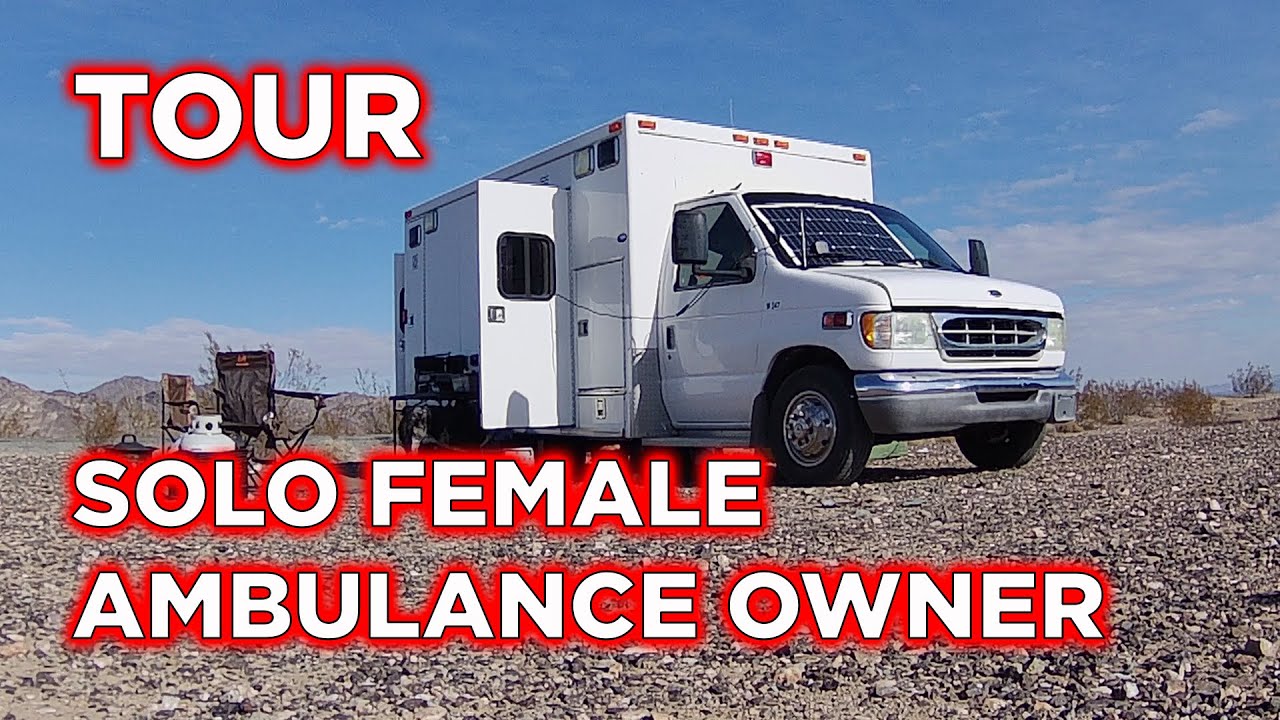
I was fortunate to meet up with one of our viewers to get a look at her 2002 Ford E450 Northstar Ambulance. Watch the video to see the features that have me jealous of her rig!!!
Every $10 of support gets you a campulance man sticker: https://paypal.me/campulance/10
Or, to just donate via PayPal click this link: https://paypal.me/campulance/
M...
solar gulch
pale tulip
its as much information as one
arguable
arctic lotus
topaz solstice
https://www.youtube.com/watch?v=DX2e_FqNxng for you to learn from
thank you so much
arctic lotus
topaz solstice
on a ssd you always leave 20% of space, never fully fill it up
yeah i probably wont use all of the boot drive capacity anyway, especially if i do the 905p
topaz solstice
arctic lotus
yeah i probably wont use all of the boot drive capacity anyway, especially if i ...
really not a great choice especially at the capacity
120gb drive, that means making sure 24gb is always free
on a drive that small it's not going to happen
on a 250+ gb drive it's way easier
though when your boot drive is 500gb you'll never max it out when it's just used for OS, drivers and main launchers
arctic lotus
finally watching those gamernexus ltt videos
yeah i probably should have watched these sooner
arctic lotus
topaz solstice
120gb drive, that means making sure 24gb is always free
you shouldnt have to do that with optane tho
arctic lotus
topaz solstice
though when your boot drive is 500gb you'll never max it out when it's just used...
so what could i do with 1tb?
since i would have extra space
naive robin
Extra documents or files or whatever
Or, the smart option
Not getting such a huge boot drive
Or just not having a separate boot drive at all 🤷
arctic lotus
naive robin
Or, the smart option
Not getting such a huge boot drive
Or just not having a sep...
could i put certain games on there too instead of just the launchers?
lusty tiger
arctic lotus
could i put certain games on there too instead of just the launchers?
There’s no reason to, especially with a t700
naive robin
I mean it's likely that the launchers will need to exist in the same folders as the games themselves, and you'll just need to create shortcuts to access them more easily
arctic lotus
i thought people put there launchers on the boot drive?
lusty tiger
arctic lotus
i thought people put there launchers on the boot drive?
No it’s just the shortcuts to launchers, for game drive equipped systems
lusty tiger
arctic lotus
so what could i do with 1tb?
Honestly, whatever the fuck you want. Everything we’ve said about drive usage are really just guidelines. You just need to find the best configuration for you
arctic lotus
naive robin
I mean I put my everything on the boot drive
and that doesnt slow down the drive? or make it less optimized or whatever?
naive robin
arctic lotus
and that doesnt slow down the drive? or make it less optimized or whatever?
Not at all
Windows even has built in functions to make sure the drive continues to remain optimised in terms of where files are stored
arctic lotus
so what happens to nand drives when they get close to capacity?
ive heard some things
lusty tiger
arctic lotus
so what happens to nand drives when they get close to capacity?
They lose cache size and can’t move around files well to keep nand wear equal across the chips
lusty tiger
Yeah, it can lose some speed
arctic lotus
is there a speed degradation chart?
lusty tiger
arctic lotus
how much speed loss are we talking
It changes
But the nand degradation is much more important
arctic lotus
well less cache size means it fills up faster which means slower
lusty tiger
Because if the drive can’t spread out drive wear, you might straight up lose capacity
arctic lotus
and if a longer delay on moving files because theres so much data stored also means slower drive
lusty tiger
?
arctic lotus
lusty tiger
Because if the drive can’t spread out drive wear, you might straight up lose cap...
is that permanent
 naive robin
Electrostatic discharge
naive robin
You know when you touch something and you get a little electric shock sometimes
If you touch a computer component and it's not designed to take that it will die
However, most/all components nowadays can survive static discharge just fine
arctic lotus
naive robin
You know when you touch something and you get a little electric shock sometimes
i am extremely prone to static shock
naive robin
Just touch something metal like the PSU often enough then
arctic lotus
every 5 mins i shock myself at work
naive robin
That sounds more like you're in contact with something that isn't grounded properly
arctic lotus
everything time i "first touch" something
even if its not really metal
no im walking around
arctic lotus
so the hdv mobo says it's "thunderbolt ready"

but i absolutely can't find the tbt on it
on the manufacturers website there is this

and then on the manual there is this
 naive robin
You plug in a PCIe thunderbolt expansion card and connect the required cable to that header
arctic lotus

 arctic lotus
naive robin
You plug in a PCIe thunderbolt expansion card and connect the required cable to ...
arctic lotus
naive robin
You plug in a PCIe thunderbolt expansion card and connect the required cable to ...
right so it's just support for a aic
ik what an aic is but that's not really what im looking for
im trying to see if the usbc on the mobo has tbt or if the mobo has any tbt ports
lusty tiger
arctic lotus
im trying to see if the usbc on the mobo has tbt or if the mobo has any tbt port...
It doesn’t
And you don’t need thunderbolt anyway
arctic lotus
so does that mean, a mobo on the manufacturer's website can get away with advertising that it is "thunderbolt ready" even if it only supports an aic?
lusty tiger
Yes
arctic lotus
so what does "thunderbolt ready" mean
lusty tiger
It means it can have thunderbolt
arctic lotus
lusty tiger
It means it can have thunderbolt
can you help me find a motherboard that has tbt ports?
lusty tiger
arctic lotus
can you help me find a motherboard that has tbt ports?
Why do you want thunderbolt
arctic lotus
cause i want it
steel sapphire
lusty tiger
Why do you want thunderbolt
bc she can
lusty tiger
arctic lotus
cause i want it
What are you going to use it for
arctic lotus

http://www.amazon.com/dp/B08XMS493G/?tag=level1techs-20
https://forum.level1techs.com/t/how-fast-is-a-p5800x-optane/171363
Thanks for watching our videos! If you want more, check us out online at the following places:
-
Website: http://level1techs.com/
-
Forums: http://forum.level1techs.com/
-
Store: htt...
arctic lotus
lusty tiger
What are you going to use it for
why do you wanna know 😆
lusty tiger
arctic lotus
why do you wanna know 😆
Most people don’t need tbt. I want to see if you have a legitimate purpose
arctic lotus
okay, ill tell you after you help me find 1 mobo with tbt ports. that seems p fair.
steel sapphire
arctic lotus
https://youtu.be/fINeI6Xm6t0?si=A4WjM6mkZE1ITQJn
wendell knows his stuff
lusty tiger
arctic lotus
okay, ill tell you after you help me find 1 mobo with tbt ports. that seems p fa...
There doesn’t seem to be a motherboard with native thunderbolt ports. It looks like you’ll need to buy an aic
Just usb 4 are on motherboards from what I’ve seen
arctic lotus
but usb4 supports tbt
lusty tiger
arctic lotus
but usb4 supports tbt
Not necessarily
Thunderbolt 4 is the highest spec of usb 4. Usb 4 is not necessarily thunderbolt 4
They can leave out a lot of shit and still call it usb 4
arctic lotus
lusty tiger
Not necessarily
wait what is re-driver?
arctic lotus
oh i guess tbt 5 got announced last week
lusty tiger
Go ahead and ignore that
arctic lotus
3d xpoint vs 3d nand which is also why i was comparing it to 3d vcache

 lusty tiger
arctic lotus
3d xpoint vs 3d nand which is also why i was comparing it to 3d vcache
lusty tiger
arctic lotus
3d xpoint vs 3d nand which is also why i was comparing it to 3d vcache
Well don’t
lusty tiger
arctic lotus
oh i guess tbt 5 got announced last week
So what do you want tbt for?
steel sapphire
solar gulch
progress...?
nope lmao
arctic lotus
im using this spreadsheet to try finding tbt support

but this spreadsheet actually already has errors
it doesnt mention the usb header support which is kind of a big deal for a spreadsheet like this
a lot of these have 4 usb headers. but they also usually have about 4 more electrical only headers.
it would seem most motherboards only do the tbt header if that
pale tulip
usb is not this important bro
arctic lotus
also im p sure in the time it has taken to research this
usb4 has actually renamed its specifications
its no longer usb4 vers 1
and usb4 vers 2
it is now

so usb4 is using the same naming convention as usb3 now again
kind of annoying but also kind of funny
so the gen 2 speed is the same gen 2 speed as usb3
and the 2nd number is still the lanes
 vernal jay
arctic lotus
vernal jay
arctic lotus
Why do you need usb4?
Unless you get a usb4 device or drive (which cost quite a lot) no point
A 3 gen 2x3 is enough for vr even
topaz solstice
gen 3.2 x2 you mean
topaz solstice
arctic lotus
i can tell you a rog strix mobo will have it as a whole header
topaz solstice
arctic lotus
you shouldnt have to do that with optane tho
you have to do that with any ssd, even with optane drives, and with a 1tb drive, you would still follow tha 20% rule
arctic lotus
topaz solstice
i can tell you a rog strix mobo will have it as a whole header
i saw those rog strix mobos. its saying it has a tbt header.
but a couple others seem to have a tbt header
topaz solstice
arctic lotus
well less cache size means it fills up faster which means slower
which is what the 20% rule is about
arctic lotus
but the rog strix ones might support tbt 3 off their usb4
arctic lotus
topaz solstice
you have to do that with any ssd, even with optane drives, and with a 1tb drive,...
i didnt know there was a 20% rule
or at least i didnt know the rule was 20%
what happens when a drive reaches 100% max capacity
topaz solstice
it's to cover you for wear and tear on the nand + other bits
topaz solstice
arctic lotus
what happens when a drive reaches 100% max capacity
creeper covered that already
and ssd's have this feature called trim
to much wear and tear on the nand and trim will also reduce capacity over time
arctic lotus
i cant find it
topaz solstice
lusty tiger
There doesn’t seem to be a motherboard with native thunderbolt ports. It looks l...
on rog strix mobo's it's a header you just add adapter to and put a usbc connector on
topaz solstice
arctic lotus
i cant find it
 arctic lotus
so this one has it off the rear io


ASUS ROG Strix X670E-I Gaming WiFi features 10 + 2 power stages, ROG Strix Hive, EZ mode PBO button, DDR5 support, PCIe® 5.0, onboard Wi-Fi 6E, two M.2 slots and M.2 Gen 5 & chipset heatsink, and two USB4® Type-C ports. It also features AI Cooling II, AI Networking, Two-Way AI Noise Cancelation. ROG Strix X670E-I Gaming WiFi caters to gamers and...
a true tbt 3 port
arctic lotus
topaz solstice
this is when it breaks the 20% rule
im talking about after that
what happens when the max capacity is reached not 80%-99%
arctic lotus
arctic lotus
https://rog.asus.com/us/motherboards/rog-strix/rog-strix-x670e-i-gaming-wifi-mod...

okay now the usb is complete
oh wait thats tbt 4 not tbt 3
that's insane

found another
here is the proart with 2
topaz solstice
arctic lotus
what happens when the max capacity is reached not 80%-99%
yes, and when wear and tear on the nand reaches a certain point or you fill the capacity up to max, creeper told you what happened
arctic lotus
im sorry, i still cant find it
topaz solstice
arctic lotus
oh wait thats tbt 4 not tbt 3
having tbt is pointless tbh, and not worth it 95% of the time
topaz solstice
arctic lotus
im sorry, i still cant find it
it's cvovered in what i sent a screenshot of
arctic lotus
topaz solstice
i still dont see it
topaz solstice
arctic lotus
i still dont see it
this all happens when at 100%


 arctic lotus
topaz solstice
having tbt is pointless tbh, and not worth it 95% of the time
arctic lotus
topaz solstice
having tbt is pointless tbh, and not worth it 95% of the time
yeah but at least ik how to compare them now. its basically any usb4 only that has jhl controller.
arctic lotus
topaz solstice
this all happens when at 100%
this is 80-99%
topaz solstice
topaz solstice
this all happens when at 100%
trim is to help against this but only in a small amount
topaz solstice
arctic lotus
this is 80-99%
and at 100% this all happens, not just 80-99%
topaz solstice
unlike a hdd which doesn't lose it's speed, this lot happens, if there is to much degradation it will die, but if it's healthy then no
it could go read only mode for a while
which is why the 20% rule for ssd's came to be
topaz solstice
nope because it's a spinning drive
arctic lotus
oh okay.
topaz solstice
it's speed is measured in rpm mainly
arctic lotus
well im p sure that's also the case with optane. at least from what ive researched and have been told
it has the highest endurance too
topaz solstice
so it's motor, whether it does 5400,5900 or 7200 will still be spinning at that speed
naive robin
arctic lotus
3d xpoint vs 3d nand which is also why i was comparing it to 3d vcache
Once again, 3Dwhatever is just marketing speak
This is how gates have been for a little while now
topaz solstice
arctic lotus
it has the highest endurance too
not when the cache is full, and no it will happen as it's an ssd with optane cache
arctic lotus
naive robin
Once again, 3Dwhatever is just marketing speak
This is how gates have been for a...
there are people in chat rn who are saying its not a gimmick tho
topaz solstice
you fill it to 100% it's going to slow the fuck down
naive robin
I never said it was a gimmick
topaz solstice
naive robin
Once again, 3Dwhatever is just marketing speak
This is how gates have been for a...
isn't it marketed in how the way it accesses the cache?
naive robin
Yeah that too
arctic lotus
well im not saying its a gimmick either, im just saying the technology can be compared in some ways
naive robin
Then one can say that DRAM and normal NAND can be compared because they're both IC types that store things
A lot of technology is very much comparable
But it's not... correct to compare them
arctic lotus
i disagree.
naive robin
Then enjoy meaningless comparisons 🤷
arctic lotus
okay so now i know how to find out if the mobo has thunderbolt. then what is this then?
ik what a thunderbolt card is. but is this a thunderbolt header? or does the aic come with the mobo?
 arctic lotus
okay so now i know how to find out if the mobo has thunderbolt. then what is thi...
arctic lotus
arctic lotus
okay so now i know how to find out if the mobo has thunderbolt. then what is thi...
and by thunderbolt. i mean jhl controller off the rear
topaz solstice
arctic lotus
okay so now i know how to find out if the mobo has thunderbolt. then what is thi...
the card is separate, and for that mobo you need to add the card for it to have thunderbolt capability
i already linked how it worked earlier
something having usb4 does not garuantee it having thunderbot
same with something having usb3,2 gen 2
arctic lotus
topaz solstice
the card is separate, and for that mobo you need to add the card for it to have ...
so why does it say - 1 x Thunderbolt™ AIC Connector (5-pin) (Supports ASRock Thunderbolt™ 4 AIC Card)
what does this even mean
naive robin
It has 1 thunderbolt connector, which is intended to be used with their thunderbolt AIC
arctic lotus
topaz solstice
something having usb4 does not garuantee it having thunderbot
yeah ik. its usb4, then usb4 with tbt 3 and then usb4 with tbt 4
arctic lotus
naive robin
It has 1 thunderbolt connector, which is intended to be used with their thunderb...
is it a tbt header?
topaz solstice
arctic lotus
ik ive seen this
topaz solstice
read from that message in regarding to the AIC for the asrock mobo
arctic lotus
ik what the card is
topaz solstice
arctic lotus
ik what the card is
then you would have realised what that 5 pin connector is for, as it does not directly do tbt through it
arctic lotus
oh okay so it is a tbt header
topaz solstice
arctic lotus
oh okay so it is a tbt header
not properly
arctic lotus
i just read it. thats what it is
topaz solstice
a proper tbt header is 19 pin
arctic lotus
so can the tbt header be used for anything else besides the aic?
topaz solstice
no
arctic lotus
so its not for the front panel then
topaz solstice
that 5 pin header is for controlling the aic
you can't do tbt out of the front panel
arctic lotus
so its a special tbt (aic only) header
topaz solstice
less special but otherwise yes
arctic lotus
wait and the aic requires 3 cables to be plugged in?
a tbt cable
a usb2 cable
and a dp cable
topaz solstice
arctic lotus
a tbt cable
a usb2 cable
and a dp cable
2 cables tbh
the dp connection is for a pass through
so ignore it for now
arctic lotus
is the usb2 not for pass through?
topaz solstice
no
arctic lotus
cause thunderbolt shouldnt be only usb2
topaz solstice
thnderbolt is pcie (#gen) x4 which it gets from the pcie slot
but for some of it's capabilities it uses usb
it's also helping with controlling it
and with some peoples builds it means needing the use of a usb splitter (almost like a hub) but to use internally inside the pc
arctic lotus
tbt aic sounds annoying as hell
but if a mobo says it has a tbt header, now i know that's what it means
topaz solstice
arctic lotus
but if a mobo says it has a tbt header, now i know that's what it means
a mobo can have a tb header and not use an aic
hence why i said about rog strix mobo's
rog strix b650-f gaming

full tbt header
 arctic lotus
topaz solstice
no
arctic lotus
topaz solstice
no
so this was wrong then?
topaz solstice
arctic lotus
so this was wrong then?
nope, it depends on the mobo manufacturer
alot of them are just a cable for controlling the thunderbolt aic
but there are some that have a full header you can plug straight on to
different brands with different ways of implementing it
arctic lotus
so if the tb header is only one physical header, how does it split into 3 cables? does it split?
topaz solstice
nope it wouldn't split, it would be 1 cable
arctic lotus
so it plugs directly into the aic and then the other 2 cables plug into somewhere else from the aic
topaz solstice
that's for the ones that control it using a cable
if it had a header for direct connection, it would be like connecting a usb c cable onto the header
and the more i read about TBT the more useless it looks against how you can have alternative modes on usb C
i.e DP-alt, HDMI-alt
and tbt is primarily a feature of intel mobo's not amd so much
arctic lotus
tbt4 is royalty free so the main reason it's not on amd mbs is cause tbt3 was expensive.
its also why the controllers being used instantly jump to tbt4 and not a tbt3 controller
and tbt wasnt usbc until tbt3 but since it was expensive. widespread use was still mostly left to apple products it seems.
topaz solstice
arctic lotus
and tbt wasnt usbc until tbt3 but since it was expensive. widespread use was sti...
and yet tbt4 only became royalty free due to intel letting it be part of usb-if
arctic lotus
i do know about the dp alt mode stuff, just a transitional period for usb3.2 into usb4.
topaz solstice
otherwise, mobo manufacturers would be still paying intel for use of it
arctic lotus
what is usb-if
topaz solstice
USB Implementers Forum
original thunderbolt connection tbf, v1/v2 before it went to using usbc

still doesn't mean it isn't a feature mainly for intel, not amd
arctic lotus
i think thats mini dp
topaz solstice
it is, it is also how thunderbolt was originally
arctic lotus
yep
arctic lotus
topaz solstice
still doesn't mean it isn't a feature mainly for intel, not amd
for now but i think amd is just scared to use tbt tbh. they wont even list it on their mobos without naming it by controller whereas intel will just call it thunderbolt
topaz solstice
arctic lotus
for now but i think amd is just scared to use tbt tbh. they wont even list it on...
nope, not scared, it's a case of not having to pay intel for the use of it
though now with tbt4 being part of usb-if, they don't have to worry about that
as it's royalty free, so they just list it by the controller chip
 arctic lotus
topaz solstice
though now with tbt4 being part of usb-if, they don't have to worry about that
arctic lotus
topaz solstice
though now with tbt4 being part of usb-if, they don't have to worry about that
yeah but these are tbt4 controllers too
topaz solstice
arctic lotus
yeah but these are tbt4 controllers too

like i said, they just do it this way as it's easier, it also means it doesn't use intel's terms for it
considering the stunts intel has pulled to try and have a monopoly on cpu's over the years, i can't blame amd taking that route
and yes, amd has sued intel a few times and won
solar gulch
pale tulip
usb is not this important bro
ong
lusty tiger
arctic lotus
but the rog strix ones might support tbt 3 off their usb4
You’ll have to check what features are on that usb 4 port
Because as I said, usb 4 is not thunderbolt
Also why do you want thunderbolt
solar gulch
ong bro
lusty tiger
solar gulch
ong bro
What
solar gulch
theres not much of a point for dream to get thunderbolt
lusty tiger
I want to know if she has a legitimate reason, which I doubt, but i wanna make sure.
solar gulch
yeah
arctic lotus
lusty tiger
Because as I said, usb 4 is not thunderbolt
i already know the differences between usb4, usb4 with tbt3 and usb4 with tbt4.
lusty tiger
So you know usb 4 is not necessarily tbt 4
arctic lotus
i was the one saying all this a month ago
i just needed help finding out how to know whether or not a mobo has tbt or not
which is done and over with
 lusty tiger
I said there doesn’t seem to be any
arctic lotus
alright so when a mobo says this
lusty tiger
They just have the header for an aic
arctic lotus
that means it supports multi gpu
lusty tiger
arctic lotus
that means it supports multi gpu
Yes, for amd specifically
arctic lotus
but what if it doesnt say it
lusty tiger
arctic lotus
but what if it doesnt say it
It literally doesn’t matter
naive robin
CrossFire is the capability of using multiple AMD graphics cards (which in of themselves support crossfire) together
arctic lotus
i meant what if it doesnt say it my bad
lusty tiger
Multi gpu gaming is dead
lusty tiger
Nvidia
lusty tiger
Not that i know of
arctic lotus
like nlink or some weird
arctic lotus
oh mb
what is nvlink real quick
oh it is multi gpu
but its better than crossfire and sli
okay then
so why does nvidia have 2 technologies for multigpu
why do they have sli and nvlink lol
lusty tiger
They’re the same except:
Sli uses a master-slave relationship.
Nvlink uses a mesh network. It can sometimes pool vram together
lusty tiger
arctic lotus
why do they have sli and nvlink lol
Nvlink is for enterprise and is way faster (i think)
arctic lotus
ohh ty
lusty tiger
Nvlink can also connect more gpus
arctic lotus
are these technologies downloadable software or do they come with the mobo?
arctic lotus
lusty tiger
Nvlink can also connect more gpus
ohhh okay
lusty tiger
arctic lotus
are these technologies downloadable software or do they come with the mobo?
The way it’s supported is the top two x16 slots can choose between x16 and nothing, and x8 and x8. Motherboards that don’t support it have x16 and x4
And you shouldn’t care about it
You can’t use it anyway
arctic lotus
ik about those which is my next question
what is the difference between dual x8 and crossfire/sli/nvlink
lusty tiger
arctic lotus
what is the difference between dual x8 and crossfire/sli/nvlink
sli is for Geforce. nvlink is for Quadro. Crossfire is for Radeon. dual x8 just means the motherboard supports 2 gpus (the dual x8 allocates more lanes to each gpu than x16 and x4
arctic lotus
because there are plenty of mobos with x16x4 that still support crossfire for example
 lusty tiger
arctic lotus
because there are plenty of mobos with x16x4 that still support crossfire for ex...
lusty tiger
arctic lotus
because there are plenty of mobos with x16x4 that still support crossfire for ex...
unless its x16/x0 or x8/x8 and x4
but i mean x16 x4 and x4
arctic lotus
so dual x8 is the electrical limitation
lusty tiger
yes