#♡ i am still building my first pc ever ♡
1 messages · Page 20 of 1
 vast geyser
 spare sedge
i already chose the 990 pro as a filler storage decision
 lusty orchid
vast geyser
matx actually
lusty orchid
vast geyser
matx actually
depends on how you have it set up i guess
 teal pond
spare sedge
i already chose the 990 pro as a filler storage decision
teal pond
spare sedge
i already chose the 990 pro as a filler storage decision
If you dont mind the price just get that one
it’s the best one
spare sedge
why would i mind the price.
spare sedge
its only $300
vast geyser
u forgot dream has more money than ion tiriac
spare sedge
thats so cheap
lusty orchid
teal pond
If you dont mind the price just get that one
you should base the storage choice on their use case, not that it being the best of them
spare sedge
like i understand 1k storage being too pricey
vast geyser
vast geyser
u forgot dream has more money than ion tiriac
hes my favorite rich person
vast geyser
spare sedge
you dont even know my use case.
none of it requires fast ssds
vast geyser
folding
spare sedge
i put it as that when i was choosing a cpu
lusty orchid
spare sedge
you keep saying its just gaming
nope, wrong, didn't say it was just gaming
 vast geyser
most of ur use case requires a speedy gpu
spare sedge
i just dont know why you think giving me less options is a good idea
itll just take me longer to find out
 pure mica

vast geyser
ok scrooge mcduck
lusty orchid
not really, it gives you the more realistic options for your use case
teal pond
it also narrows down the options so its easier to choose
vast geyser
spare sedge
i just dont know why you think giving me less options is a good idea
wait thats like contradictory
pure mica
No shit
lusty orchid
spare sedge
i just dont know why you think giving me less options is a good idea
you literally have the best options for your use case already set for cpu and gpu (gpu being quite literally overkill in itself)
teal pond
cpu is also second best for gaming and awesome for productivity
with a 2 fps difference
lusty orchid
the storage side of it doesn't realistically require anything more than gen 3 drives especially just for games and file storage
AI side of things you'll likely need 64gb of ram
mainly due to training for the AI
 candid plume
spare sedge
i just dont know why you think giving me less options is a good idea
candid plume
spare sedge
i just dont know why you think giving me less options is a good idea
More like giving you more options will lead to longer time, since you will study every smallest element, no matter how far people help u. The point of build-a-pc tickets is that people filter your stuff and choose the best for u to make it easier.
lusty orchid
candid plume
More like giving you **more** options will lead to longer time, since you will s...
or help to filter what's needed and not needed
candid plume
yea
spare sedge
you dont even know what realistic is for me
teal pond
If your building at that kind of budget you might as well go with 64gb of ram, it doesn’t hurt
candid plume
but i feel like a lot of the help is refused
pure mica
candid plume
More like giving you **more** options will lead to longer time, since you will s...
👆
spare sedge
lusty orchid
you literally have the best options for your use case already set for cpu and gp...
and we are going to keep going just like that
candid plume
I think at one point this thread will get closed again
vast geyser
so, just pick every best component, yeah?
candid plume
bc it might lead to nothing
vast geyser
vast geyser
so, just pick every best component, yeah?
hx1500i here you come
teal pond
Lol
lusty orchid
vast geyser
hx1500i here you come
ax1600 you mean
spare sedge
anyway im at work
vast geyser
wait yeah why am i listening to ethan about psus
spare sedge
tonight im going to compare the m.2 slots on motherboards
vast geyser
vast geyser
wait yeah why am i listening to ethan about psus
thats on me
lusty orchid
or a bequiet dark power 12/13 or dark power pro 11/12
vast geyser
or evga p2
teal pond
who actually needs a 1600 watt psu though
lusty orchid
spare sedge
tonight im going to compare the m.2 slots on motherboards
nothing to compare really
vast geyser
why the fuck not atp
candid plume
oven
teal pond
Threadripper sandwich
vast geyser
ax1600i is pretty sick actually
lusty orchid
teal pond
guys who actually needs a 1600 watt psu
people who power unlock an intel cpu and oc a 3090/3090ti/4090
and that's without undervolting
teal pond
oh
vast geyser
vast geyser
ax1600i is pretty sick actually
so its components are made of fucking meteorite
and it also has a 10 year warranty
and is fully digital
lusty orchid
vast geyser
so its components are made of fucking meteorite
and it also has a 10 year warran...
it was essentially one of the better seasonic based psu's
vast geyser
"one of the better" 
lusty orchid
vast geyser
"one of the better" <:whoa:717980111965650985>
pretty much the only corsair line that was seasonic oem
though for some, the cwt oem'd ones are way better built
lusty orchid
spare sedge
anyway im at work
if you can find a decent b650 mobo, that has 2 fully electrically wires pcie x16 slots, dropping to a 4070ti and getting an a100 would be way better
especially on the AI front
the a100 has no display output due to it being an accelerator card and can be choosen as either 40gb vram or 80gb vram
pure mica
A100 cost hell a lot still
lusty orchid
they want to over pay on a ton of it
pure mica
💀
lusty orchid
might as well get something that realistically would help with folding, boinc and AI even more so
lusty orchid
you basically give a 12-16gb vram gpu, a 40-80gb boost using the a100
it requires a full pcie x16 slot
pure mica
pure mica
Let get a h100 gpu then
If we gonna over pay get this
vast geyser
hows the power consumption on the a100 though
lusty orchid
vast geyser
hows the power consumption on the a100 though
250w
vast geyser
hm, neat
lusty orchid
yeah, 5k+
pure mica
Ye
lusty orchid
the amd equivalent is the mi300
pure mica
Most cost less
lusty orchid
if you really wanted to go overkill for ai though, rtx a6000 + a100
lusty orchid
pure mica
Most cost less
hah.... no
pure mica
lusty orchid
hah.... no
How much
lusty orchid
5k+ again if i remember correctly
pure mica
💀
pure mica
lusty orchid
if you really wanted to go overkill for ai though, rtx a6000 + a100
Rtx a6000 ada + a100 would be more overkill
vast geyser
..
lusty orchid
pure mica
Rtx a6000 ada + a100 would be more overkill
nope, not really, you'd get a 4090 over an a6000 ada
vast geyser
power draw might be a bit too high
lusty orchid
yup, 1600w would be required minimum
pure mica
Still would be possible
vast geyser
its a van
lusty orchid
pure mica
Still would be possible
you realise the power would be drained quicker than 2 shakes
 lusty orchid
and i suggested 4x 400w solar panels for their build when it comes to the van as it is
that much power draw at once would mean you would need to double up the solar panel amount
so 8x400w, there's only so much real-estate on the roof you can fit a solar panel on for
when it comes to the vanlife you have to balance power draw against power generated
preferably power generated being double that of the power draw
 brave brook
Because night
spare sedge
lusty orchid
nothing to compare really
quantity
compatibility sizes
and speeds
brave brook
spare sedge
quantity
compatibility sizes
and speeds
all m-key will be 2280, and almost all nvme ssds are 2280, so size is not an issue. as for speed, all will be at least gen 4
spare sedge
lusty orchid
if you can find a decent b650 mobo, that has 2 fully electrically wires pcie x16...
way "better" in what regard?
what is the a100
brave brook
spare sedge
what is the a100
a very expensive data center gpu for ai
spare sedge
whats a h100 gpu lol
brave brook
spare sedge
whats a h100 gpu lol
the a100 but more powerful
spare sedge
pure mica
Rtx a6000 ada + a100 would be more overkill
a6000 ada and ada 6000 are awful
lusty orchid
vast geyser
a gpu
correction, an accelerator card
pure mica
spare sedge
a6000 ada and ada 6000 are awful
Not me saying it lol ik
 pearl heath
spare sedge
a6000 ada and ada 6000 are awful
pearl heath
spare sedge
a6000 ada and ada 6000 are awful
Well they're great for what they're intended to be used for
Just, not for your use case at all
brave brook
theyre enterprise anyway, so irrelevent here
vast geyser
lusty orchid
correction, an accelerator card
aaaaa
spare sedge
brave brook
all m-key will be 2280, and almost all nvme ssds are 2280, so size is not an iss...
well it is if theres an mkey that isnt 2280
vast geyser
i feel like an idiot now 💔
spare sedge
so its really just quantity which is 2 or 3
pearl heath
spare sedge
well it is if theres an mkey that isnt 2280
All M-keyed SSD that you will end up buying will be 2280
brave brook
spare sedge
well it is if theres an mkey that isnt 2280
theyll all support 2280, some will support other sizes
lusty orchid
spare sedge
quantity
compatibility sizes
and speeds
2280 being the optimal size, quantity depends on the mobo, and speed really not important due to what you plan on doing
spare sedge
pearl heath
Well they're great for what they're intended to be used for
no like the 4090 also out performs them
pearl heath
22110 is reserved for datacentres
pearl heath
spare sedge
no like the 4090 also out performs them
In the tasks that you are going to use the 4090 for? AI stuff and all that?
spare sedge
im saying if you have 3 m.2 slots and one is 2260. its basically not useable
vast geyser
speed doesnt matter cause youre going for 990 pros anyway apparently
brave brook
spare sedge
im saying if you have 3 m.2 slots and one is 2260. its basically not useable
they will all be 2280
 open iris
spare sedge
im saying if you have 3 m.2 slots and one is 2260. its basically not useable
open iris
spare sedge
im saying if you have 3 m.2 slots and one is 2260. its basically not useable
No (99% for legal reasons) consumer motherboard does that though
pure mica
vast geyser
speed doesnt matter cause youre going for 990 pros anyway apparently
She doing like me lol
lusty orchid
spare sedge
im saying if you have 3 m.2 slots and one is 2260. its basically not useable
and that's only on 1 mobo, doesn't mean it's all mobo's
vast geyser
pure mica
She doing like me lol
why r u here anytime someone mentions an expensive component
r u mr krabs
lusty orchid
vast geyser
speed doesnt matter cause youre going for 990 pros anyway apparently
she's not chosen it, just using it as a place holder currently
pure mica
vast geyser
why r u here anytime someone mentions an expensive component
Expensive taste 🤔
 pure mica
Lol
lusty orchid
brave brook
**they will all be 2280**
last mobo she was looking at had 1 slot that was 2260
brave brook
ok, so maybe 1 does? just skip those then
lusty orchid
brave brook
ok, so maybe 1 does? just skip those then
yup but we've already seen what dream is like
the worst bit is no mobo has been selected
brave brook
:/
lusty orchid
so currently searching up on any storage choice is moot
vast geyser
brave brook
why tf. i already told her what to get
you know the answer isnt cheap drives..
"cheap"
brave brook
no reason to get more tho
vast geyser
dick measurign contest
pearl heath
They want to learn about every component
While I try to steer them away from the less useful things to know about, I will be happy to answer more relevant questions
This is less of a building thread and more of a learning thread
 thin wasp
Guess that’s my time for me to show up.
pearl heath
As much as we'd love for it to be a build a PC thread, of course
pure mica
pearl heath
They want to learn about every component
While I try to steer them away from the...
What a about using your mod power and tell him to focus on the pc build🤔
brave brook
borderline abuse of power
vast geyser
that would be abuse
pearl heath
They aren't breaking any rules 🤷
lusty orchid
pearl heath
They want to learn about every component
While I try to steer them away from the...
with a steep learning curve to be added
brave brook
she says she googles stuff, but im kinda doubting it
pearl heath
No need to be mean about it
brave brook
im not trying to be, but so many of the questions are basically google questions, its getting tiresome
pearl heath
While true, you are under no obligation to answer if you don't feel like it
thin wasp
@spare sedge you buy anything yet? (Photo for attention)
 vast geyser
thin wasp
<@841694455747706911> you buy anything yet? (Photo for attention)
vast geyser
thin wasp
<@841694455747706911> you buy anything yet? (Photo for attention)
nothing is bought 💔
vast geyser
literally
 vale prairie
thin wasp
It’s a dream build….
vale prairie
thin wasp
It’s a dream build….
Ba-dum-tss
lusty orchid
thin wasp
It’s a dream build….
i am so tempted to put up a bing crosby song on this tbh
because a white christmas, will happen before the build
spare sedge
im fine with 2260 if its compat with 2280.
im just saying that tonight i will be looking at mb storage and comparing the options.
i already know 2260 / 2280 is fine. im not asking questions about it rn
pearl heath
Just a touch strange to be looking at all the options when quite literally every single AM5 motherboard will be compatible with 99% of the SSDs you will actually buy, all 1 of them
lusty orchid
spare sedge
im fine with 2260 if its compat with 2280.
im just saying that tonight i will b...
you say this but you've not even sorted out what mobo you'll be using
once that's sorted, then you know what storage you can use
i know, to logical a way to do it, but it works
 haughty quail
yeah exactly bro
brave brook
mobo should be chosen first, because its more expensive than storage, and determines the storage needed
lusty orchid
and what storage you get to use
brave brook
^meant that
lusty orchid
tbf it works both ways
brave brook
yeah, "what storage you get to use" makes more sense tho imo
lusty orchid
brave brook
yeah, "what storage you get to use" makes more sense tho imo
tbf, we're getting close to the point, one of us will rub 2 sticks together with some sticky back plastic and a couple plastic tubs and end up with a jet pack or something running on chewing gum
either that, or i've watched to much McGuyver over the years
vale prairie
The fact that dreams threads have reach a total of over 30,000 messages yet she still hasn’t picked a motherboard
How long are we going to help her since clearly this is going nowhere
brave brook
She won’t listen to us saying you don’t need to know every fucking thing about every component
haughty quail
vale prairie
The fact that dreams threads have reach a total of over 30,000 messages yet she ...
yeah
this is crazy
vale prairie
It’s pretty fucking simple to pick a part (such as the motherboard), first sort from low - high or ratings high - low, then filter by chipset and look at whichever has the best reviews/ratings that fits into your desired aesthetic.
vast geyser
vale prairie
It’s pretty fucking simple to pick a part (such as the motherboard), first sort ...
....the point of the thread isnt to pick the parts
vale prairie
Okay, but that doesn’t mean everything requires several hours of research
haughty quail
fr ^
teal pond
she wants in-depth knowledge
vale prairie
When has anyone ever had to explain fucking pata outside of this thread
haughty quail
and we aint even on the mobo
haughty quail
vale prairie
When has anyone ever had to explain fucking pata outside of this thread
i didnt even know what that was
vale prairie
Pata is irrelevant technology, it’s ancient!
haughty quail
yep
vale prairie
haughty quail
i didnt even know what that was
Sata before it was cool
vale prairie
🙃
haughty quail
is okay goofy
vale prairie
I don’t even see why she needs “in-depth knowledge”
vale prairie
I bet she doesn’t even remember the message 6352 messages ago
haughty quail
vale prairie
I bet she doesn’t even remember the message 6352 messages ago
ohh ohh
ik
idk
haughty quail
wow i guessed that
lusty orchid
ram also
vale prairie
Ram was way further back
haughty quail
prob cuz we talked about usbs forever
vale prairie
Ram was somewhere before 5000 messages
haughty quail
ok
vale prairie
Maybe even the previous thread
haughty quail
we cant even see that far back
haughty quail
vale prairie
Maybe even the previous thread
i think it was
vale prairie
I keep accidentally pressing something on my phone and it sends me to the start of the thread but I don’t know what it is 🗿
haughty quail
lol
brave brook
vale prairie
I keep accidentally pressing something on my phone and it sends me to the start ...
do you have an iphone? iphones have a thing where you tap the top of the screen and it sends you to the top of whatever window youre in
vale prairie
Yes
Cool, I figured it out
Well you did
I mean it will have no applicable use outside of this thread but cool
spare sedge
lusty orchid
you say this but you've not even sorted out what mobo you'll be using
i have a database
spare sedge
lusty orchid
i know, to logical a way to do it, but it works
i didnt choose a cooler or storage first. anything about those parts are placeholders
and i am choosing a mb. but i literally didnt know anything about storage at first
so i literally had to figure that out first in order to pick a mb
the point of the thread IS to pick my pc parts lmao
after mb storage stuff im gonna work on another part
like maybe audio
pearl heath
spare sedge
the point of the thread IS to pick my pc parts lmao
You're just doing it on the most scenic route possible, is what everyone has been complaining about
Like, a lot of the people who buy PC parts and build their own PCs haven't a clue for how PCIe works, or what it even stands for
For storage, all they need to know is "is it fast??" and we recommend the SN770 or the P3 Plus and yes, they're fast
They provide the storage space and speed required, and they're happy, that is all
haughty quail
pearl heath
Like, a lot of the people who buy PC parts and build their own PCs haven't a clu...
really people get pc help and dont know what pcie is for?
damn bro
thats just sad
i forget what pcie stands for but ik what it does at least
but i aint learnin about usbs for a month
no offense dream
spare sedge
pearl heath
They provide the storage space and speed required, and they're happy, that is al...
unfortunately this is just how i am with everything i buy.
like everything everything. sometimes i just wont spend money cause it takes me too long to do the research
so like many household items.
even food
open iris
I would hate you irl no offense 
spare sedge
actually you would love me irl.
on discord you hate me.
pearl heath
Are you really making uneducated purchases if someone else has done the learning for you, as we have done in our time of messing around with PC parts?
haughty quail
spare sedge
actually you would love me irl.
on discord you hate me.
i prob would
i kinda hate you in dc
pearl heath
You're trying to compress multiple years of learning about how parts work and such into less than a few months
haughty quail
pearl heath
You're trying to compress multiple years of learning about how parts work and su...
pov: me
i forgot most the shit i learnt as well
spare sedge
pearl heath
You're trying to compress multiple years of learning about how parts work and su...
yeah thats prolly true.
spare sedge
so i finally found some benchmarks on ssds
they were really hard to find but from the looks of it there are
sequential r/w
and random r/w
haughty quail
yes
spare sedge
and then iops
pearl heath
If you're moving huge amounts of small files, you only should look at random r/w
If you're moving small amounts of huge files, you only should look at sequential r/w
IOPS is another way of discerning random r/w
spare sedge
so i hear sequential is the marketed one and its the one that matters the least
so is iops random r/w more important than regular random r/w
and is writing better than reading
haughty quail
bro what?
haughty quail
spare sedge
and is writing better than reading
theyre both required
ok im getting confused
bye
neither are more important
brave brook
spare sedge
and is writing better than reading
writing is always faster than reading, and is the marketed one (because its the bigger number). random is kinda important, but ssds have pretty good random
brave brook
spare sedge
unfortunately this is just how i am with everything i buy.
like everything ever...
that is very unfortunate....
spare sedge
yeah and also with food. i eat not really the most normal meals either.
like i never eat what i feel like or what i want
i only eat for stats
haughty quail
uhhh
brave brook
back to the topic....do you know if you want gen 3 ssds or gen 4?
brave brook
well yeah, not sata makes sense
spare sedge
all the benchmarks put 2tb drives in the top ranks and thats confusing
so idk if i want 2tb or 4tb or 8tb. but prolly not 8 tb
brave brook
id recommend 500gb for boot, and 1 4tb
if you need more (at least with an atx x670e mb), youll have 2 extra m.2 slots
spare sedge
my thing with 8tb is that its overpriced and is likely to drop in price.
brave brook
not anytime soon, until more maunfactures make 8tb drives
spare sedge
but itd be nice to have the big one now and just build from there
brave brook
4tb is a nice "big one"
especially something like the teamgroup mp34. it is gen 3, but thats still fast, and its also tlc
gen 3 is quite literally half the price
brave brook
yes....
spare sedge
5th gen is cheaper than 8tb
brave brook
you cant compare them
you cant compare a 4tb gen 5 to an 8tb gen 4
theyre fundamentally different
spare sedge
how so
brave brook
because theyre different sizes and different pcie generations
i mean you cant compare the prices
spare sedge
i just feel like yeah storage is supposed to be storage so cap should be more important. the jump from gen 4 to gen 5 is like 4k to 8k
i want to see which drives have the best randoms
even if its marginal
brave brook
spare sedge
i just feel like yeah storage is supposed to be storage so cap should be more im...
and useless for all but the most enthusiastic file copiers
brave brook
spare sedge
even if its marginal
its not worth....the effort to reasearch
spare sedge
well i do plan on video editing
brave brook
gen 4 will most likely be fine for that
spare sedge
i will find options for all 3 categories and weigh the pros and cons of each and narrow it down to one
is it okay to start with just one drive?
brave brook
yeah, at your price point though, i think itd be better to have a small drive for boot, and a larger drive for other files (games, videos, etc)
watch this video
https://www.youtube.com/watch?v=8y7ZpFfZXeM&t=323s

Sponsored: Invest in blue-chip art for the very first time by signing up for Masterworks: https://masterworks.art/thiojoe
Purchase shares in great masterpieces from artists like Pablo Picasso, Banksy, Andy Warhol, and more.
See important Masterworks disclosures: https://www.masterworks.io/about/disclaimer
▼ Time Stamps: ▼
0:00 - Intro
2:41 - NV...
brave brook
spare sedge
So is a gen 5 4tb faster than a 4th gen 8tb
i dont think a 4tb gen 5 ssd exists
spare sedge
oh i think i figured it out
the 2tb ssds popping up on the top charts must be a lower cell nand
plc is basically not out. the 8tb must be qlc.
tlc must be 4tb
so maybe the 2tb drives are slc or mlc
brave brook
Nah they’re all tlc
mlc and slc aren’t worth it for consumer ssds
Every ssd is either tlc or qlc
spare sedge
its just so strange cause didnt we start with slc
where are all the slc and mlc drives then
are they all industrial / enterprise
lusty orchid
spare sedge
so i finally found some benchmarks on ssds
if it's the ones from UBM, then you haven't found a benchmark at all
lusty orchid
spare sedge
its just passmark
check puget system ones, also ones that have used crystaldiskmark
lusty orchid
spare sedge
do ssds have manufacturer websites too
quite obviously yes
lusty orchid
it really is
lusty orchid
spare sedge
what is puget system
a test suite, that covers cpu, gpu, ssd. ram ect
spare sedge
whats a test suite
lusty orchid
spare sedge
i see everyone always use crystaldiskmark
because quick and easy way to see for sequentials and randoms
lusty orchid
spare sedge
like is it the name of the benchmark
yes
lusty orchid
spare sedge
is there a website or a link
yes, you will need to google it
or you can use sites like tomshardware/anandtech to see their results
reviews also cover benchmark tests
we've had mlc drives for consumer use
and the google docs spreadsheet i linked way earlier tells you what nand types most ssd's use
brave brook
spare sedge
its just so strange cause didnt we start with slc
It’s because slc and mlc are faster, but way more expensive. Tlc is a great middle ground
brave brook
brave brook
watch this video
https://www.youtube.com/watch?v=8y7ZpFfZXeM&t=323s
Also, did you watch this?
lusty orchid
brave brook
It’s because slc and mlc are faster, but way more expensive. Tlc is a great midd...
slower but have higher endurance
brave brook
Slc is faster than tlc. That’s why it’s used as a cache in tlc ssds. The ssd dynamically sets an slc cache by not utilizing all the bit layers
lusty orchid
nope, tlc nand is faster than slc
the fastest nand is plc but has a much lower endurance
brave brook
I’ve heard it the opposite
lusty orchid
remember slc nand is only 1 bit
brave brook
Yeah, so it’s easier to access each bit
lusty orchid
tlc nand is 3 bit
slc nand has the highest endurance in comparison
but as a whole for data storage it's the slowest of them
as a cache it's ideal because at 1bit you can put data on and off load it to the nand flash for storage quite easily
easier access does not mean it's faster in the long run
the one currently with optimal endurance while having equal transfering speed is tlc nand
brave brook
 lusty orchid
brave brook
lusty orchid
brave brook
as cache it's faster, but as a complete storage medium it's slow
lusty orchid
when you can only write 1 bit at a time to it
rather than 3+ bits at a time to a tlc or higher nand
it's like smr vs cmr in regards to hdd's
brave brook
Cmr is faster but lower capacity tho
lusty orchid
not really lower capacity
you can easily get 18tb cmr drives
but your data access times is half that of an smr drive
brave brook
Dang, half?
lusty orchid
yes
brave brook
That’s insane
brave brook
Yeah bc of the overlapping magnetic things
lusty orchid
in the case of slc, if it's used as a storage medium rather than as a cache, you essentially have the same effect as smr
it also has less storage capacity
brave brook
ic
lusty orchid
as sequentially, you have to wait for 1 slc nand to clear before you can write to it
with a a row of them, as you can write to them all at once
but each one has to wait for the other to clear to be able to pass on the info
brave brook
Ohhh ok
lusty orchid
so it ends up being like a traffic jam but for the data
if you treat nand like a highway/motorway you'll understand nand much easier
1 bit = 1 lane
 orchid gate
spare sedge
well i do plan on video editing
orchid gate
spare sedge
well i do plan on video editing
You won’t be doing 20 hour vids unless they’re game playthroughs
lusty orchid
3 bits = 3 lanes
brave brook
lusty orchid
if you treat nand like a highway/motorway you'll understand nand much easier
Hmmmmm, that’s interesting
lusty orchid
you can offload 1 bit onto 3 bit faster than 3 bits onto 1 bit
but the more you use 3 bits, the more it has to endure over time
brave brook
Yeah
lusty orchid
due to wear and tear
which is where trim comes to hand
it's no difference than when highway/motorway maintenance happens
brave brook
It’s a lil slower, but not halted completely
lusty orchid
exactly
brave brook
That makes sense
lusty orchid
and over time after a certain point, the tlc nand stops being able to write to
but can still be read
leaving them in a read only position
like what RoM's do
brave brook
All nand can almost infinitely be read
lusty orchid
(read only memory)
though a ssd needs to have power to maintain the data on it, which makes it poor for cold storage
brave brook
lusty orchid
(read only memory)
So that’s what ROM means (I never knew but didn’t think about or care what it meant)
lusty orchid
eprom = erase-programable rom
and eeprom is the same, but i've forgotten what the other 'E' is for
the fact you have to flash bios, shows that it's an IC/silicon chip that is known as an EEprom
we all know ram as it is
brave brook
Random access memory
lusty orchid
yup
brave brook
So many abbreviations
brave brook
Oh
What’s the difference between sdram and dram, or is dram just an abbreviation of sdram
lusty orchid
single density/single data rate ram
essentially an abreviation if i remember correctly
brave brook
MiniTool
Both SDRAM and DRAM belong to RAM, but there are some differences between them, so read this post to get some information about SDRAM vs DRAM.
lusty orchid
but dram like sdram is highly volatile in data storage
brave brook
Which is why ram as storage will never ever work
lusty orchid
it'll never work long time
it only works as a temporary highly volatile storage for oyu to quickly access data to be able to transfer it somewhere else or to act as a cached drive that can be loaded up on the fly
hence the term 'ram-drive'
brave brook
So basically what ram is used for anyway
lusty orchid
yup
brave brook
Lol nice
lusty orchid
and tbf ever since the days of dos ram-drives have been a thing
mainly you see it labelled as 'X'
ie x:\
quick and dirty installer drive created by your os for installing it to the main storage
brave brook
Hmmm, ok
lusty orchid
it used to be done as a way to load windows from a cd
because dos without the ram drive being made would only install from a floppy drive
now, if you can imagine windows being installed from 34-35 floppy disks just for win95/98
brave brook
Oh boy
lusty orchid
2000+ disks would have been needed for windows 10
brave brook
And we get bored plugging in 1 usb drive
lusty orchid
different implementation, same method tbh
as a result we now use usb to do what we did with floppies, cds and dvds
brave brook
especially with usb 5Gb, it’s miles faster and higher capacity
lusty orchid
that's mainly usb 3.1
brave brook
lusty orchid
that's mainly usb 3.1
?
lusty orchid
but otherwise yeah, soon it be worth only denoting usb by it's speed especially when usb4 becomes mainstream
brave brook
Yeah
lusty orchid
 brave brook
Is usb 3.2 gen 1x2 used at all?
lusty orchid
what is known as usb 3.0 is actually usb 3.1
lusty orchid
brave brook
Is usb 3.2 gen 1x2 used at all?
yes, on usb C
brave brook
So all 10Gb usb c is that?
brave brook
Wdym
lusty orchid
which allows you to do a combination of dp/hdmi- alt alongside 10Gbe over it
brave brook
What’s 3.2 x2
 brave brook
Oh that one
lusty orchid
essentially yes
as TB is a usb-if standard
so depending on the cable and port
it's possible to do equal to TB over usb C
brave brook
Oh
brave brook
lusty orchid
it's possible to do equal to TB over usb C
Yeah, for usb 4 and tb4, tb4 is just the top spec of usb 4
lusty orchid
just like for PD over usbC it depends on the cable and the port
brave brook
usb c is totally gonna solve all the different usb cable problems
lusty orchid
it essentially already has but also has it's own issues
as a cable needs to be clearly labelled for what it can handle for PD
as currently at a max, 240w is the maximum rated current
that's 20v 12a
lusty orchid
well in comparison, the power brick for a dell latitude under it's standard barrel connector does 19.1v 3.5a
and it uses 3 wires in the process for that
brave brook
lusty orchid
well in comparison, the power brick for a dell latitude under it's standard bar...
So usb pd would do that instead?
lusty orchid
braided sheathing for the ground, a thick internal wire for the mains, and a thin wire as a sensing wire
lusty orchid
brave brook
So usb pd would do that instead?
yup, it can
still the cable would have to be clearly marked up for it
brave brook
Yeah, of course
lusty orchid
and under usbC specs, if it's not clearly marked up, it is to be treated no better than a cable that does usb2 speeds and power rating
which is 5v 500-900mA
lusty orchid
brave brook
Trash in comparison 😂
basically an apple cable
brave brook
Cya
lusty orchid
cya
lusty orchid
spare sedge
my thing with 8tb is that its overpriced and is likely to drop in price.
not any time soon tbh, though if you plan on video editing, it depends on what level of video editing you're doing, if it's hobby based you can get away with using a gen3 drive that has a decent dram cache, though yes a gen4 drive with cache is better for the use, if it is production level then a gen 4 with dram cache drive should be used
also if you wished for a bigger drive, you can always do a nvme raid drive, though that requires using the first pcie x16 slot in the process
as that will be the one that can handle bifurcation the best
though certain branded model motherboards can hand doing that and also having a gpu in the second x16 using full speed and lanes for it
though i'd advice against doing nvme raid for now til you're more experienced with your own system
you're sooner to see a 4tb drive to drop in price sooner than a 8tb drive
spare sedge
brave brook
So all 10Gb usb c is that?
yes
spare sedge
brave brook
Cmr is faster but lower capacity tho
cmr is for hdds right
spare sedge
lusty orchid
it also has less storage capacity
i said this earlier too.
wheres the benchmarks ;-;
 lusty orchid
spare sedge
wheres the benchmarks ;-;
lusty orchid
spare sedge
wheres the benchmarks ;-;
it's a suite to benchmark the hardware, any results for certain products is shown in reviews on sites like anandtech or tomshardware
which i did say before
spare sedge
yeah but idk what that means ;-;
been on tomshardware too
which was also kind of ass
lusty orchid
spare sedge
yeah but idk what that means ;-;
well a suite is a collection of programs used for doing certain things, in this case for testing multiple aspects of a pc, based on performance (speeds and endurance), to power draws of each component
spare sedge
so intel optane does have slc
which is interesting cause i had already heard about optane
lusty orchid
yes mainly as cache
lusty orchid
but optane is no longer a thing
lusty orchid
spare sedge
ik they do slc qlc mix
yes, slc as the cache, qlc as the storage nand
spare sedge
i dont think the intel optane is slc qlc mix
spare sedge
lusty orchid
yes, slc as the cache, qlc as the storage nand
so the dram is literally slc
lusty orchid
spare sedge
so the dram is literally slc
nope
different type of ic technology in comparison
dram cache is volatile, slc cache is not
spare sedge
what is ic tho
spare sedge
so a slc qlc mix would be dramless
lusty orchid
yes
spare sedge
i wonder if dram is better than pseudo slc
lusty orchid
p5800x being the fastest dramless ssd
lusty orchid
spare sedge
i wonder if dram is better than pseudo slc
not always
spare sedge
how would you even know that its the fastest
lusty orchid
spare sedge
how would you even know that its the fastest
performance benchmarks that was done on it
checking multiple reviews
spare sedge
i wish i could see
lusty orchid
google.com would tell you
90% of this is all findable on google tbh
gen 5 nvme drives now are the fastest but it doesn't mean it's the best to get
and drive selection is based upon use case
lusty orchid
but also drive selection can only happen realistically once a mobo is sorted out
lusty orchid
spare sedge
so they have enterprise ssds that arent on pcpp?
correct, no enterprise drive will be on pcpp
spare sedge
naol recommended the p5800x or 905p but the 905p ik now is the optane
optane is kind of on pcpp
lusty orchid
p5800x is also optane
lusty orchid
spare sedge
optane is kind of on pcpp
consumer models, not enterprise
spare sedge
those are the big names
samsung 990 pro, crucial t700, and intel optane
how do i get on the enterprise models so i can view the enterprise ssds lol
lusty orchid
t700 is a gen5 drive, the brand itself is crucial, and their longest lasting model is a sata 2.5 drive known as the mx500
lusty orchid
spare sedge
how do i get on the enterprise models so i can view the enterprise ssds lol
google.com and searching for specific enterprise models
spare sedge
i havent found shit
lusty orchid
but don't ever expect an enterprise model to be realistically good performance wise
spare sedge
im on t700 product page but theres nothing there either
and obviously not other drives
and it doesnt tell you p5800x
or 905p
lusty orchid
spare sedge
and it doesnt tell you p5800x
doesn't it??
 spare sedge
 lusty orchid
 spare sedge
like based off passmark i would just go the t700
where do i go for all the enterprise drives in one place
i LITERALLY dont know all the random enterprise model names lmao
i didnt even know the model was enterprise until i did
lusty orchid
t700
 spare sedge
it doesnt say shit about anything tho
doesnt talk about dram or cache
or cell level
lusty orchid
spare sedge
it doesnt say shit about anything tho

Tom's Hardware
The fastest consumer SSD you can buy is here.
find a review like i just linked
simple as that
spare sedge
not really but THIS review is good
lusty orchid
 lusty orchid
spare sedge
not really but THIS review is good
lusty orchid
spare sedge
not really but THIS review is good
yes really, buying based off a benchmark is poor planning
lusty orchid
spare sedge
yeah but not every review is gonna have this^^^
every drive review does have this for comparison basis
spare sedge
so this one has dram
lusty orchid
and you'd be looking at several 1000's of reviews
spare sedge
is it possible to have dram + pseudo slc + tlc?
lusty orchid
yes but no
it's possible, but no it's not practical
in regards to optane https://www.tomshardware.com/reviews/intel-optane-ssd-dc-p5800x-review

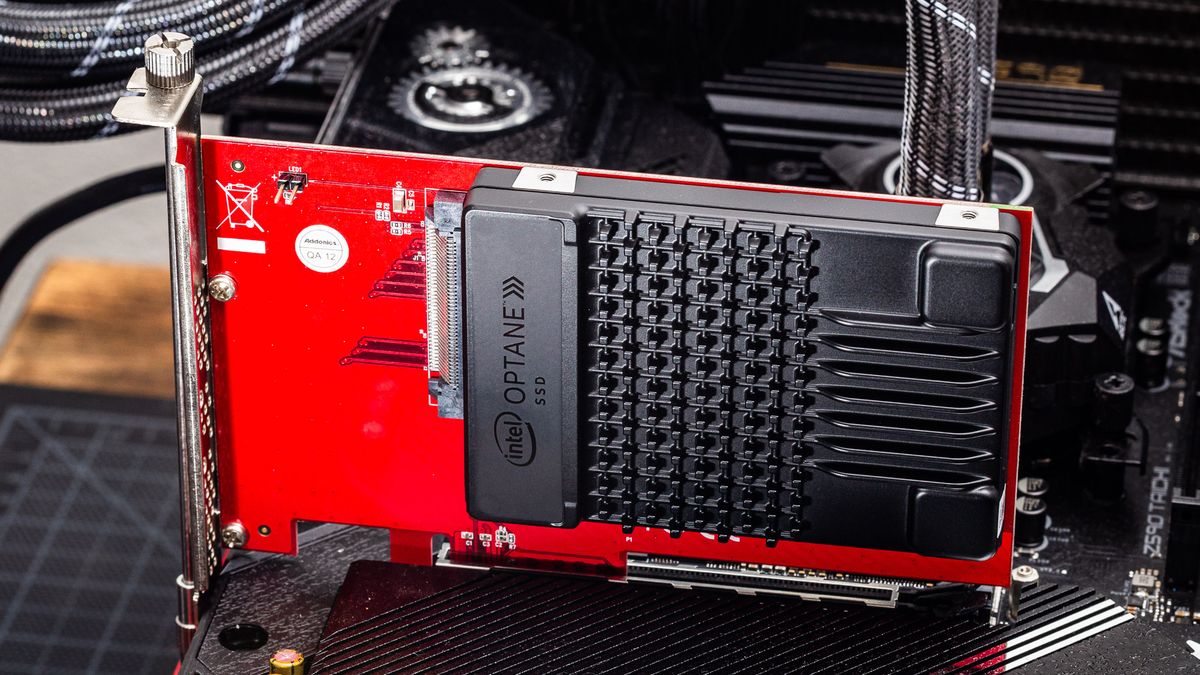
Tom's Hardware
The fastest just got faster
a benchmark that was done of the t700
 spare sedge
 lusty orchid
but having all that speed on a drive and not being able to use more than a quarter of it really is a waste of it's performance
spare sedge
i put the part numbers for the ones with t700 in the part number
it turns out those were t700s too
the first two are t700 1tbs with heatsink vs without
lusty orchid
well yes obviously
spare sedge
and the one at the bottom is the t700 4tb
 spare sedge
yeah the first two part numbers
those two arent the part numbers
thats just the names
i already knew those ones
lusty orchid
yes they are, just labelled differently
spare sedge
so why are the 1tbs or 2tbs performing better than the 4tbs??
i checked if it was cauce of tlc vs qlc
and slc or mlc arent a thing
soo
and its not
they are all tlc
lusty orchid
it's not tlc vs qlc there, it's the number of people who have them/test them
spare sedge
i also dont understand how heatsink vs wo heatsink can make a difference
spare sedge
lusty orchid
it's not tlc vs qlc there, it's the number of people who have them/test them
thats what im saying
they are all tlc
so why is the 4tb underperforming?
lusty orchid
spare sedge
thats what im saying
nope, you took the wrong part of that
lusty orchid
having to highlight the issue
 spare sedge
thats great but can you answer the question
lusty orchid
you never buy purely by benchmarks alone as it is
lusty orchid
spare sedge
thats great but can you answer the question
and i did, you just didn't like the answer
lusty orchid
what the fuck did i highlight?
lusty orchid
"it's the number of people who have them/test them"
spare sedge
so youre saying more people have tested the 2tb versions over the 4tb versions and thats why it performed better
lusty orchid
more reviews to be done, for higher sizes, as well as you never know what firmware they're tested with half the time
newer firmware can change the results at any time
lusty orchid
spare sedge
the first two are t700 1tbs with heatsink vs without

faster a drive is, the more heat it generates
no heatsink = no beuno
and gen5 drives need to be actively cooled not passively
spare sedge
yeah but the without heatsink versions are outperforming the heatsink versions
lusty orchid
operating range is like 10-60c for the nand in a ssd
though above 50c the nand with start to thermal throttle til it won't work at all
spare sedge
is the t700 enterprise?
lusty orchid
spare sedge
yeah but the without heatsink versions are outperforming the heatsink versions
only way would be some modified direct cooling
spare sedge
cause its beating out the optane
lusty orchid
spare sedge
is the t700 enterprise?
no, expensive consumer model
spare sedge
the reason i noticed the optane tho was because in a couple videos it had a slighty better random score
in fact the optane always had better randoms
it seems passmark thinks so too
 lusty orchid
and for most of the optanes it requires pcie slots
spare sedge
like a physical pcie slot?
lusty orchid
yes
spare sedge
what is 4KQD1
lusty orchid
though you still look in the wrong areas for things
lusty orchid
spare sedge
what is 4KQD1
that's the 4k randoms
spare sedge
the u.2 nvme pops up on here too it seems
does 4k have anything to do with resolution lol
lusty orchid
 lusty orchid
spare sedge
does 4k have anything to do with resolution lol
lusty orchid
spare sedge
does 4k have anything to do with resolution lol
if we was talking displays yes, but we're talking storage instead
lusty orchid
spare sedge
how did you do this?
i googled it to look for the results of benchmarks
and that was one from a t700
it is that easy to find no matter what you say
spare sedge
so p5800x is the overkill enterprise optane drive and 905p is the shittier consumer version of optane
spare sedge
lusty orchid
i googled it to look for the results of benchmarks
did you just google t700 crystaldiskmark?
lusty orchid
basically, a weaker version, not shittier
lusty orchid
normally no, but it alligns with reviews
if i was to search t700, i'd get an engine instead
spare sedge
lusty orchid
a benchmark that was done of the t700
also this doesnt show iops
spare sedge
lusty orchid
do you understand what q8t1, q1t1, q32t1 or q1t1 mean?

okay so 4k is 4 kilobyte
lusty orchid
spare sedge
do you understand what q8t1, q1t1, q32t1 or q1t1 mean?
the naming for it no, but the sizes for it for the benchmark testing, somewhat
spare sedge
 lusty orchid
as it's testing a specific block size for writing, then reading
spare sedge
okayy im understanding this now
lusty orchid
and iops just means in/outs per second
spare sedge
 lusty orchid
which in this case is how much data goes in and out, or also known as the read and writes
spare sedge
lusty orchid
and iops just means in/outs per second
yep i knew this one. i also know that it is random r/w related but idk why or if iops is better than classic random r/w
wow so this means
that seq use much larger block sizes
lusty orchid
yes because sequentials can be split and spread across the nand
like the spinning of a disk's direction
spare sedge
random reads vs random writes dont have a difference right? since they work together? so its really just random vs seq?
and rnd is better for day-to-day tasks?
seq is only good for video editing?
that means when it says seq1m and rnd4k thats just redundant. because seq is 1m and rnd is 4k.
so it really just is saying sequential vs random lmao
spare sedge
so if you do light video editing are the top performing seq drives worth it? or is it only worth it for intense 4k video editing or something
lusty orchid
with randoms it's more like 1,2,30,3,4, 25,5,6, etc....
lusty orchid
spare sedge
so if you do light video editing are the top performing seq drives worth it? or ...
only worth it for the intense
spare sedge
anything else its good for besides video editing
ik large file copying
but anything else to put it into perspective
lusty orchid
light video editing is easily done on a gen 3 drive as long as it's got dram cache and a decent capacity
lusty orchid
spare sedge
ik large file copying
3d rendering on a large scale
that can put a toll on multiple areas of the pc
spare sedge
and seq write is the big marketed number. but it also works with seq read so really its just seq r/w
is there any reason to go for something that has a higher seq read?
lusty orchid
spare sedge
and seq write is the big marketed number. but it also works with seq read so rea...
that's what you see when they advertise it's speeds
spare sedge
okay cool
lusty orchid
spare sedge
is there any reason to go for something that has a higher seq read?
nope, not really
spare sedge
and so seq read is just the number that goes with it that is less important but its tied to seq anyway
lusty orchid
like i've said earlier, in your case, and realistically, everything is easily done on gen 3 drives
there is no performance gains nor advantages for you
that's what my knowledge tells me, and my instincts too
spare sedge
heard
lusty orchid
it's also what others knowledge and instincts have been telling you
 rotund rain
the difference between nice gen 3 and nice gen 4 is quite small at this point, and will most likely have a bigger impact in a few years, so only people on an extreme budget should consider the... like $50 it costs
spare sedge
 lusty orchid
rotund rain
the difference between nice gen 3 and nice gen 4 is quite small at this point, a...
lusty orchid
rotund rain
the difference between nice gen 3 and nice gen 4 is quite small at this point, a...
even less in price difference at the lower end for 1-2tb
spare sedge
this means that q1t1 is queue depth 1 generated by 1 thread
lusty orchid
it's when it's 4tb+ it matters more @rotund rain
lusty orchid
spare sedge
this means that q1t1 is queue depth 1 generated by 1 thread
yes
basically 1 bit per thread or if it's increased, 1 byte per thread being read
where as for q8t1 it would be 8 bits per thread written, or if increased, 8 bytes per thread written
spare sedge
so that means the q1 seq and q1 rnd tests are like a perf / unit test whereas the larger queue depth tests are testing more of the drive potential
lusty orchid
it allows you to compare the speed differences on how fast it can write to the nand, how fast it can transfer the data per nand and then how fast it can read off it
spare sedge
so like q1 is like min and q8 or q32 is there max
lusty orchid
the randoms matter the most in the end tbh
lusty orchid
spare sedge
so like q1 is like min and q8 or q32 is there max
q32 would be the largest
spare sedge
lusty orchid
q32 would be the largest
yep
lusty orchid
spare sedge
so what else are randoms good for
well randomness described it well enough
lusty orchid
 spare sedge
lusty orchid
spare sedge
lusty orchid
wait why are the read speeds faster in this?
lusty orchid
spare sedge
wait why are the read speeds faster in this?
on all ssd's the reads will be faster
spare sedge
lusty orchid
on all ssd's the reads will be faster
so is it the read speed that is advertised? not the write speed?
i had it backwards before
i was thinking upload download speed for some reason
this means 4kqd1 just means rnd4k q1t1
lusty orchid
spare sedge
so is it the read speed that is advertised? not the write speed?
both read and write are
though as usually write is within margin of error of the read speed on most, you can get away with using a single speed for the advertisement
remember advertisement = make shit up if needs be to get sales
spare sedge
so how is iops different from regular random r/w what more can the iops tell us that the regular r/w doesnt already?
lusty orchid
regular sequential basically just goes 1,2,3,4,5,6,7, etc...
orchid gate
I wonder how random works, or why it happens in the first place
lusty orchid
randoms goes 1,2,25,3,4,40,59,6,7, etc....
orchid gate
leading hypothesis = several files for different applications of varying sizes are written to disk
spare sedge
lusty orchid
regular sequential basically just goes 1,2,3,4,5,6,7, etc...
oh its linear is what you mean
orchid gate
And smaller ones are prioritised
spare sedge
and randoms is all over the place. random
orchid gate
Even if it means switching app
lusty orchid
spare sedge
and randoms is all over the place. random
yup
orchid gate
orchid gate
leading hypothesis = several files for different applications of varying sizes a...
Defo wrong
spare sedge
i think i figured out what iops is tho. its basically just the randoms r/w/s
lusty orchid
and for data tbh, writing it to a disk you want it to write sequentially more so preferably
spare sedge
or rnd r/w ps
lusty orchid
a corruption during sequential writes is easier to pick out than one during a random write
due to like i said, the way it writes the file
spare sedge
this means iops are the most important benchmark for an average understanding of the drive's random r/w performance irl
lusty orchid
where as random writes where it is literally random could write the end of the data before eveing doing the start of the data
spare sedge
lusty orchid
this means the iops on here is NOT the q1t1. it is in the top right corner
spare sedge
lusty orchid
where as random writes where it is literally random could write the end of the d...
yeah
lusty orchid
spare sedge
this means the iops on here is NOT the q1t1. it is in the top right corner
the q32 as it relates to larger data chucks at 4k
 spare sedge
this means that the p5800x is the best drive on the market right now for most people.
it has the best random r/w of any drive on the market
obviously it is also overpriced
and random r/w dont change much
lusty orchid
spare sedge
this means that the p5800x is the best drive on the market right now for most pe...
for many people it would but if we just go for m.2 drives a sn990 would be the ultimate for most though a skhynix p41 can actually perform alot better
spare sedge
lusty orchid
the q32 as it relates to larger data chucks at 4k
i meant top right where the MB/s is. itll be in there
spare sedge
lusty orchid
for many people it would but if we just go for m.2 drives a sn990 would be the u...
its just overkill and overpriced yeah but it is the best.
lusty orchid
well the top right is sequential writes not randoms
top 2 on both sides are sequentials, bottom 2 on each side is randoms
spare sedge

no no i mean in here
this is where you find the iops results
this image just doesnt show it
but im sure i could find them on google images
lusty orchid
spare sedge
this is where you find the iops results
that changes it to how you wanted to read it as
spare sedge
i dont think you have to rerun the test
lusty orchid
bytes per second, megabytes per second or gigabytes per second
only rerun the test if you change these

 lusty orchid
spare sedge
https://discord.com/channels/375436620578684930/1146514029246955691
lusty orchid
spare sedge
https://discord.com/channels/375436620578684930/1146514029246955691
his is due to his use case for what he does
does not mean the sabrents are a good choice for yourself
spare sedge
afaik optane also uses additional technology unique by intel to achieve these randoms
its too bad its been discontinued tbh
whats his use case lol
lusty orchid
spare sedge
whats his use case lol
he does show it in his thread but it's graphics designs
spare sedge
a hard drop after sabrent


 spare sedge
i recognize that drive

its the best price / perf drive
so i dont need to match the size of my drives or the speed unless i am planning to do raid
if i was going for price / perf i would probably go the vp4300
anything with a disk rating of 40,000+ drops off hard in terms of price / perf
with the t700 being a disk rating of 70,000
but most of that is seq
so t700 is certainly fast but its not optane fast
is just a figure head sort of. a market horse
optane technology is literally in its own tier
how would you even plug a u.2 into your mb?
rotund rain
use an adapter
spare sedge
what adapter?
u.2 to m.2?
u.2 is literally just enterprise m.2
i think its wider
spare sedge
but yeah this definitely doesnt look like it would fit into a m.2 slot
does adapter hurt speed
rotund rain
it shouldn't
lusty orchid
spare sedge
https://www.newegg.com/intel-800gb-optane-ssd-dc-p5800x/p/N82E16820167484?
here's a hint of a trick, when sending long links from seller sites, delete everything after the first '?'
lusty orchid
spare sedge
what adapter?
you would need a sas to m.2 adapter or a sas hba card
spare sedge
lusty orchid
here's a hint of a trick, when sending long links from seller sites, delete ever...
thank youu
lusty orchid
and again, not something you need to do, get or touch
spare sedge
i thought u.2 was just a modern sas
lusty orchid
spare sedge
thank youu
it removes all the garbage like tracking and search history
lusty orchid
spare sedge
i thought u.2 was just a modern sas
nope, it's what sas is
just another form
spare sedge
im p sure sas is scsi and for sata / ahci
lusty orchid
you can fit sata drives into a sas connector but not a sas drive into a sata connector
spare sedge
and that u.2 is nvme

 spare sedge
yeah
lusty orchid
there are also other forms of sas connectors depending on use
spare sedge
 spare sedge
yep i was about to guess that
idk what the diff is between the top one and the last 2 tho
besides price
lusty orchid
spare sedge
besides price
other than the bottom one coming with a heatsink, just price
it's 50/50 on whether a gen 4 nvme drive needs a heatsink
as some do and some don't
spare sedge
oh wait one is a 2230

how do these have a better random r/w than most optane drives???
 rotund rain
as far as i know hard drives have garbage random reads, the ones with a large cache have okay random writes
spare sedge
how large does a boot drive need to be
lusty orchid
spare sedge
how large does a boot drive need to be
no more than 500gb
spare sedge
rotund rain
as far as i know hard drives have garbage random reads, the ones with a large ca...
oh maybe the cache is huge then
rotund rain
lusty orchid
no more than 500gb
this isn't 2018 anymore.
spare sedge
lusty orchid
no more than 500gb
how about 58 gb
lusty orchid
spare sedge
how about 58 gb
to small
spare sedge
for just windows?
lusty orchid
spare sedge
for just windows?
widows requires 64gb
then there's drivers, main launchers
lusty orchid
rotund rain
this isn't 2018 anymore.
500gb is all you ever need at most for a bo0t drive
lusty orchid
spare sedge
what does linux require lmao
depends on the distro for that
lusty orchid
distro* as distributed copy
lusty orchid
2gb
lusty orchid
the sky
lusty orchid
yes but it would be pointless when you can just get a decent m,2 or sata 2.5 ssd instead
literally pointless to get an optane drive
spare sedge
but it would be zippy
lusty orchid
their relevance is long gone since early 2016
lusty orchid
spare sedge
but it would be zippy
not over any normal gen 4 drive
spare sedge
still relevant imo. optane was discontinued because they couldnt sell the product at a reasonable price
lusty orchid
and linux doesn't even benefit from an optane drive let alone a gen 4 nvme
lusty orchid
spare sedge
still relevant imo. optane was discontinued because they couldnt sell the produc...
well you'd be wrong in opinion there
spare sedge
still have the best speeds
lusty orchid
nope
spare sedge
and superior technology
lusty orchid
not in regards for linux itself when it runs as fast on a sata 2.5 ssd as it would on a gen3 or gen 4 nvme ssd
spare sedge
yeah probably
linux doesnt need much
but optane offers next to double the real world performance of a t700
lusty orchid
because of how linux is, it would run on a hdd with no real issues
lusty orchid
spare sedge
but optane offers next to double the real world performance of a t700
pointlessly not relevant in regards to windows let alone linux as os's
spare sedge
can we talk about the different options for types of drives
like boot drive
etc
so you can have a boot drive
lusty orchid
boot drive is simple, 500gb, nvme drive, gen 3
literally nothing more needed for that
spare sedge
no i mean what other types of drives can i have
lusty orchid
they're all storage drive, it's just what you designate their use for
lusty orchid
1 drive for boot, the rest for storage of everything else
spare sedge
were you the one who had a bunch of them
lusty orchid
preferably one that's games only
spare sedge
so 1 boot drive got it
lusty orchid
spare sedge
were you the one who had a bunch of them
not the only one but yes i put a picture of my setup
spare sedge
and now you are saying games and storage are separate too
so 1 games drive
what else
any other ideas
lusty orchid
one for general storage
spare sedge
anything else
lusty orchid
nothing else tbh
as they just become extras of the same things in regards to storage and games
spare sedge
unless you want to organize your storage more. like maybe 1 drive just for music and pictures and another for just video or something
lusty orchid
spare sedge
unless you want to organize your storage more. like maybe 1 drive just for music...
which is what i've done
i also tied the libraries option widows does to them
spare sedge
so you have 1 boot drive, 1 games drive, 1 storage drive and 1 videos drive
lusty orchid

 spare sedge
oh so you split music and pics too
lusty orchid
total physical amount of drives
 spare sedge
whats the point of doing this and splitting your drives like this
lusty orchid
data security, if my os corrupts i don't lose everything
spare sedge
so the speed and cap for each drive is for that drive alone
lusty orchid
yup
spare sedge
so what does the speed and cap do for a boot drive
individually
does seq determine the start up speed
of windows
lusty orchid
boot drive being C:\