#♡ i am still building my first pc ever ♡
1 messages · Page 19 of 1
 spare sedge
 pearl heath
Please be aware that chatGPT answers can and will be wildly incorrect sometimes
spare sedge
pearl heath
Please be aware that chatGPT answers can and will be wildly incorrect sometimes
been discussed
i didnt even like chat gpt.
but its been helpful recently
this
this

 haughty quail
Who?
spare sedge
lmao
haughty quail
lmao
haughty quail
spare sedge
yeah and chat gpt is wrong lmao
You still asked what it was, we simply pointed it out in the picture
If answering the question you provide is "treating you like this", might reconsider
haughty quail
Then don't ask questions on a public forum
 lusty orchid
want to know the dumb thing about nand types?
spare sedge
everything you say is just unhelpful
spare sedge
lusty orchid
want to know the dumb thing about nand types?
yes
haughty quail
Unhelpful, or you just want to ignore?
lusty orchid
spare sedge
yes
other than slc could be generalized under mlc
spare sedge
that was kind of a guess of mine
lusty orchid
as mlc just means multi layer cell
spare sedge
so is slc the best
lusty orchid
for endurance it's the best
spare sedge
endurance as in speed
lusty orchid
but for data writing it's the worse
spare sedge
i thought qlc and plc are just more capacity and slower
lusty orchid
where they say how many writes it will do is the endurance
lusty orchid
spare sedge
i thought qlc and plc are just more capacity and slower
nope, more capacity, and faster in writes but has a way lower endurance for it
haughty quail
spare sedge
everything you say is just unhelpful
?


 spare sedge
what is endurance
haughty quail
You tell me
lusty orchid
spare sedge
what is endurance
now long it will last, as in how many writes it is garuanteed for
 vast geyser
spare sedge
what is endurance
vast geyser
spare sedge
what is endurance
how many times an ssd can write stuff to itself before dying
haughty quail
haughty quail
Unhelpful, or you just want to ignore?
Proving my point
argues first "leave me alone" "you say unhelpful things" ignores actual advice
spare sedge
vast geyser
how many times an ssd can write stuff to itself before dying
so its just the write speed?
lusty orchid
spare sedge
so its just the write speed?
you will see some say 1,000 tbw on them
haughty quail
☕
lusty orchid
spare sedge
so its just the write speed?
no
lusty orchid
the write and read speed are the sequentials, and not endurance related
lusty orchid
spare sedge
like a diamond pickaxe vs a golden pickaxe in mc
yes
lusty orchid
i'm interested in the implementation for the power side of it
spare sedge
haughty quail
Lmk when the van exists
sure
OHHHH
i didnt know lightning was usb2
lmao
thats so bad
vast geyser
apple
spare sedge
yeah ik
vast geyser
👍
spare sedge
lmao
that literally explains so much to me rn
if i was eu id be mad too lmao
i have no sympathy for apple using usb2 lmao
how about i make a separate thread for the van lol
not yet tho
vast geyser
spare sedge
how about i make a separate thread for the van lol
doesnt belong in build a pc
spare sedge
any other reason to not go m.2 gen 5 if the mb supports m.2 gen 5 besides the cooling?
spare sedge
vast geyser
doesnt belong in build a pc
doesnt have to be
vast geyser
theres no other thread for that
spare sedge
it would be fine in tech support or battlestations
vast geyser
also, making a van livable is more so personal research, preferences, and lots of measurements
 open iris
spare sedge
any other reason to not go m.2 gen 5 if the mb supports m.2 gen 5 besides the co...
open iris
spare sedge
any other reason to not go m.2 gen 5 if the mb supports m.2 gen 5 besides the co...
The fact you won't take advantage of it
spare sedge
open iris
The fact you won't take advantage of it
how?
vast geyser
vast geyser
also, making a van livable is more so personal research, preferences, and lots o...
id assume at least
spare sedge
ive already done my research on van life
open iris
Because it has no affect in games and you don't spend all day just moving files from one drive to another
spare sedge
im saying lets not talk about it in here
vast geyser
ok?
lusty orchid
spare sedge
i didnt know lightning was usb2
it is, and it's realistically no different from usb C running at usb2 speed
spare sedge
well yeah it is a usbc 2.0
with a funny name
meanwhile apple with thunderbolt lmao
lusty orchid
spare sedge
any other reason to not go m.2 gen 5 if the mb supports m.2 gen 5 besides the co...
no performance benefits for you personally for how you want your pc
spare sedge
the best connector on earth
open iris
lusty orchid
it is, and it's realistically no different from usb C running at usb2 speed
Yet it's going to stifle apples innovation 
lusty orchid
spare sedge
it would be fine in tech support or battlestations
once sorted out, battle stations would be an ideal location
spare sedge
lusty orchid
once sorted out, battle stations would be an ideal location
i wouldnt post now. its months out
lusty orchid
spare sedge
what benefits are there
if it was video editing, the speed is the major benefit
spare sedge
but ik i want a laptop too after the pc
spare sedge
lusty orchid
if it was video editing, the speed is the major benefit
so video editing benefits from m.2 5x4?
lusty orchid
spare sedge
so video editing benefits from m.2 5x4?
it benefits from a gen 4 drive to begin with
spare sedge
and so even more with gen 5?
lusty orchid
yup
lusty orchid
especially when you're talking about a 40+ gb raw video for like 4k resolution
lusty orchid
production based editing **
spare sedge
i doubt many mbs offer it
so if you dont get a mb that offers that then its really just a paper weight
you need to match your m.2s to your mb
lusty orchid
several intel and both b650e and x670e mobo's from amd
vast geyser
spare sedge
you need to match your m.2s to your mb
not really
spare sedge
with raid. does it matter the type of storage?
vast geyser
its backwards compatible
lusty orchid
spare sedge
you need to match your m.2s to your mb
no, you need to match it to your use case
vast geyser
you can use a pcie 2 m.2 with a pcie 5 slot if you wanted to
lusty orchid
spare sedge
with raid. does it matter the type of storage?
nope, but again you match it to your use case
spare sedge
vast geyser
you can use a pcie 2 m.2 with a pcie 5 slot if you wanted to
this is good to know too. i was assuming it.
lusty orchid
spare sedge
like does raid 10 work with 4 m.2s
raid 10 as it mirrors and spans the data, you want all drives to match in speed and capacity
spare sedge
lusty orchid
raid 10 as it mirrors and spans the data, you want all drives to match in speed ...
whereas raid 5 or 6. its not as important to match speed and cap
lusty orchid
but for what you're after, you don't need to touch raid setups
spare sedge
probably not
lusty orchid
spare sedge
whereas raid 5 or 6. its not as important to match speed and cap
it is important
spare sedge
oh so with all raid you need to match cap and speed
lusty orchid
jbod is the only type of raid where capacity doesn't matter
spare sedge
does speed really matter then or just cap
lusty orchid
for raid types that isn't jbod, yes speed does matter
jbod = just a bunch of drives
 lusty orchid
it would be external, primarily an nvme ssd inside an enclosure using usb c as the connection under usb4 protocol
 lavish nexus
Well I mean…
Upside is dream is done obsessing over USB
Wait nope might’ve spoke too soon
haughty quail
dream likes usbs
spare sedge
alr does anyone have an m.2 recommendations
1.5 pages of 4tb m.2s
i wish i could sort by random r/w
 brave brook
haughty quail
brave brook
haughty quail
Now that’s just wrong. It came out after chat gpt
brave brook
spare sedge
alr does anyone have an m.2 recommendations
Yeah, the 1tb mp33 and the 4tb mp34
spare sedge
why the mp33
brave brook
It’s cheap
And there isn’t a 1tb mp34
It is gen 3, but they’re significantly cheaper than gen 4
 lusty orchid
dont worry about going for the pro, no speed difference
 lusty orchid
spare sedge
what does pro mean / do
lusty orchid
spare sedge
what does pro mean / do
pro being short for professional i believe for that one
also mp34q = qlc nand version of the mp34
spare sedge
lusty orchid
also mp34q = qlc nand version of the mp34
thank youu
brave brook
lusty orchid
also mp34q = qlc nand version of the mp34
Aka don’t use it
lusty orchid
yup
brave brook
I accidentally got a qlc ssd (the p3) for my game drive
Because I didn’t know the difference
lusty orchid
it works just that it has a lower over all endurance compared to a tlc drive
haughty quail
^^^
brave brook
lusty orchid
it works just that it has a lower over all endurance compared to a tlc drive
Yeah, which for a game drive, is fine
spare sedge
brave brook
Aka don’t use it
so actually do stay away from qlc and tlc
stick to slc and mlc ssds?
could i start with 1 ssd and then buy a 2nd one later for a "game drive"
 pure mica
spare sedge
could i start with 1 ssd and then buy a 2nd one later for a "game drive"
pure mica
spare sedge
could i start with 1 ssd and then buy a 2nd one later for a "game drive"
Ye i did that you just need to format the new drive when you install well you need to do that enyway in the first place so
brave brook
spare sedge
so actually do stay away from qlc and tlc
tlc is the best bang for the buck
slc is way too expensive
and most dont use it anyway
spare sedge
does pcpp tell you which one it is
 brave brook
?
brave brook
get a 1tb mp33, and a 4tb mp34. if you need more storage down the line (you probably wont), then you'll (depending on the mobo) have 1-2 extra m.2 slots
pure mica
We will not be done in one month for sure with this build...
spare sedge
what about the crucial t700
ltt did a video on it and it comes with a heatsink
so what im getting now
is that no one does slc or mlc because its hard to scaled the capacity
so they are faster but thats why everyone does tlc instead of qlc right now
and then there is the samsung 990 pro
pure mica
spare sedge
and then there is the samsung 990 pro
Hehehe i got 2 🤪
spare sedge
so i should also consider those as well
i hear both are amazing drives

so the cpu DOES determine the # of cpu lanes on the mb??
does revision 5 mean its pcie gen 5?
so wait x2 or x1 lanes would be better on drives then?
like more lanes means a more powerful drive
but less lanes means it takes up less of the cpu or chipset lanes
brave brook
spare sedge
ltt did a video on it and it comes with a heatsink
So will most motherboards
brave brook
spare sedge
so the cpu DOES determine the # of cpu lanes on the mb??
There’s 24 pcie lanes + 4 lanes reserved for the chipset. I believe revision 5 is gen 5.
spare sedge
brave brook
So will most motherboards
wdym. im talking about the t700
wdym by 24 + 4 lanes = 28 lanes
brave brook
spare sedge
wdym. im talking about the t700
Yes, and I’m saying most motherboards have heatsinks so buying an ssd simply because of the heatsink is stupid. Also, is that gen 5? If so, don’t buy it
brave brook
spare sedge
that fucking sucks lmao
Not really
spare sedge
so you only get 24 not 28
brave brook
That’s how the chipset gives more lanes
spare sedge
how does ssd naming work
brave brook
Or else you’d only get 24
spare sedge
like samsung 980 vs 990
brave brook
Bigger number = better/faster
spare sedge
brave brook
Or else you’d **only** get 24
i mean yeah but this means nothing cause all mbs have chipsets and thats just the standard
ik you sacrifice 4 for more but still
brave brook
And the chipset needs pcie lanes
brave brook
So it’s better to reserve those for the chipset. And most reviews skip those altogether, because they’re standard
brave brook
spare sedge
is it always 4 lanes
I think so
spare sedge
brave brook
Bigger number = better/faster
is there gens or
brave brook
There’s many gen 3 and 4, and 2-3 gen 5. Gen 5 is absolutely useless for this pc
And 90% of them are x4
spare sedge
does the capacity change the speed too? why do different capacities have different benchmarks and different irl performance?
 brave brook
Do. Not. Buy. The t700
brave brook
spare sedge
its an example
I was referring to your first mention of it, not that picture
brave brook
spare sedge
does the capacity change the speed too? why do different capacities have differe...
Where did you learn that? I’m curious
I don’t know how capacities compare. I’d assume they’re similar performance. The drive writes per day will be different because it takes different amounts of time for different capacities
 rotund rain
spare sedge
does the capacity change the speed too? why do different capacities have differe...
rotund rain
spare sedge
does the capacity change the speed too? why do different capacities have differe...
to a minor extent they do there used to be a more extreme difference but now it's quite small.
As to why:
- Fewer NAND Chips
- Reduced Parallelism
- Smaller DRAM Cache
- Limited Overprovisioning
- Smaller Controller Limitations
- Economies of Scale
brave brook
And no cache anymore because of how fast nvme is
spare sedge
here are some fan favorites




ADATA XPG GAMMIX S70 Blade 4 TB M.2-2280 PCIe 4.0 X4 NVME Solid State Drive (AGAMMIXS70B-4T-CS)

Lexar NM790 4 TB M.2-2280 PCIe 4.0 X4 NVME Solid State Drive (LNM790X004T-RNNNG)

Sabrent Rocket 4 Plus 8 TB M.2-2280 PCIe 4.0 X4 NVME Solid State Drive (SB-RKT4P-8TB)
apparently this is the only good 8tb m.2 nvme ssd
idk why but all these benchmarks are saying the 2tb versions of ssds are faster and better than 4tb and 8tb ssds

Crucial T700 2 TB M.2-2280 PCIe 5.0 X4 NVME Solid State Drive (CT2000T700SSD3)
and this is apparently the best ssd on the market rn
its only $290
so that's like nothing

MSI SPATIUM M570 HS 2 TB M.2-2280 PCIe 5.0 X4 NVME Solid State Drive (SM570N2TBH)
the m570 did well too
also $290

Gigabyte AORUS Gen5 2 TB M.2-2280 PCIe 5.0 X4 NVME Solid State Drive (AG510K2TB)
gigabyte has one too
also $290

Samsung 990 Pro w/Heatsink 2 TB M.2-2280 PCIe 4.0 X4 NVME Solid State Drive (MZ-V9P2T0CW)
990 pro with heatsink seems to be everyones favorite
and the 2tb version is apparently one of the best
its 4x4 but it's also only $150
basically half the price of the 5x4 m.2 nvme ssds


Solidigm P44 Pro 2 TB M.2-2280 PCIe 4.0 X4 NVME Solid State Drive (SSDPFKKW020X7X1)
here's a $105 one that naol recommended next to the 990 pro

p44 seems to do well but its the 1tb not the 2tb

Solidigm P44 Pro 1 TB M.2-2280 PCIe 4.0 X4 NVME Solid State Drive (SSDPFKKW010X7X1)
which is $60
 orchid gate
spare sedge
what about the crucial t700
orchid gate
spare sedge
what about the crucial t700
Super power hog
First ever PCIe 5.0 drive, you pay you pray
spare sedge

Looking to build a PC? Check out my build guides below!
$700 Entry PC Build List: https://a.co/1HiyJAJ
$1000 Gaming PC Build List: https://a.co/gAhndFG
$1600 Gaming+Streaming PC Build List: https://a.co/gtQFGU1
Grab some mryeester merch! https://crowdmade.com/collections/mryeester
All my socials and links: https://www.mryeester.com
As an Ama...
tf is this
orchid gate
spare sedge
tf is this
So, GPU functions on its own, RAM doesn’t add to it
But it appears as if it’s a legit VRAM hack which it probably isn’t
@spare sedge don’t splurge on PCIe 5.0 drives
Imo no one needs anything faster than PCIe 4.0, plus PCIe 5.0 isn’t very energy efficient either
orchid gate
spare sedge
and this is apparently the best ssd on the market rn
Not in terms of power efficiency, again
also it’s “overqualified for the job”, like having Gordon Ramsay making a bowl of white rice, no dressing or additions
I’m sure he’d sneak in a crouton (“flaw”) or two (like the t700’s inefficiency)
https://www.pcworld.com/article/1676119/pcie-5-ssd-5-reasons-upgrade.html i think the last point is a banger

PCWorld
Even early PCIe Gen 5.0 SSDs offer massive increases in performance over PCIe Gen 4.0 drives, but the cost and practical benefits make it less compelling.
As an early adopter you might feel bummed to miss out on potentially way faster drives that are PCIe 5.0
and might have someone chuckle at you for “believing that was 5.0”
spare sedge
orchid gate
also it’s “overqualified for the job”, like having Gordon Ramsay making a bowl o...
lmao
have you seen him make a grilled cheese sandwich
what was fucking on that day
lmaoo

While in Australia, Gordon visited the most amazing cheesemaker in Tasmania who's making cheese illegally in his home! After tasting the local cheeses, Gordon decided to whip up his take on the classic grilled cheese sandwich complete with homemade kimchi. No one will call you an idiot sandwich after making this!
Full Recipe: https://gordonram...
spare sedge
orchid gate
and might have someone chuckle at you for “believing that was 5.0”
so even if i get a gen 5 pcie m.2 slot
i should just get a gen 4 m.2 and then wait for the better gen 5 m.2s
spare sedge
orchid gate
<@841694455747706911> don’t splurge on PCIe 5.0 drives
i will say tho. $290 is NOT a splurge lol
$1000 on a 8tb m.2 is a splurge.
i think my budget for an m.2 is $1000. i wont go over that and be happy
i think ik enough tho to at least go back to motherboards
my filler ssd right now is the samsung 990 pro or something
cpu 7950x3d gpu 4090 ram ddr5 5600 cl28 mb x670e cpu cooler aio storage 990 pro
budget 3-5k usecase #1gaming #2productivity theme pink
hi, my name is kassy, i am currently trying to choose a motherboard.
updated the post

so i now some usb is cpu lanes or chipset lanes
im guessing the same is here with m.2 too
wait wtf
this hdv supports 5x4 lmao
that wasnt hard to find
its like a $140 mb
so i know the ones that say 2260 / 2280 means it supports both of those sizes
but how does something fit a 2280 and none of the smaller ones???? makes no sense to me
they are just shorter
how do they not fit lmao
and what is blazing vs hyper??
what does 2 m.2 3 connectors mean lmao??

and what does 5x4x2 mean?
 rotund rain
spare sedge
what does 2 m.2 3 connectors mean lmao??
rotund rain
spare sedge
what does 2 m.2 3 connectors mean lmao??
Most likely the number of M.2 slots on the motherboard
spare sedge
rotund rain
Most likely the number of M.2 slots on the motherboard
i know there is 2 on that board
but whats the "3"
earlier it says socket 3
but idk what socket 3 means
rotund rain
spare sedge
but whats the "3"
M.2 sockets keyed for SATA or two PCI Express lanes (PCIe ×2) are referred to as "socket 2 configuration" or "socket 2", while the sockets keyed for four PCI Express lanes (PCIe ×4) are referred to as "socket 3 configuration" or "socket 3"
rotund rain
spare sedge
and what does 5x4x2 mean?
X4 and x2 refers to the number of pci express lanes running to the SSD, some higher end motherboards allow you to bifurcate lanes to utilize them in other slots on the motherboard, or allow for more combinations of storage if needed
spare sedge
rotund rain
X4 and x2 refers to the number of pci express lanes running to the SSD, some hig...
what does bifurcate mean
rotund rain
“Bifurcate" is a verb that means to divide or split something into two parts or branches. When something is bifurcated, it is separated into two distinct or separate elements. This term is often used to describe a process of division or separation where a single entity or path is split into two.
In the context of SSDs and storage technology, "bifurcate" refers to the ability to split or divide the PCIe lanes on a motherboard or controller into multiple partitions or channels. This is commonly done to allow a single physical PCIe slot or connection to support multiple SSDs, each using a portion of the available PCIe lanes.
spare sedge
so i know about x4 and x2. and ik those are the number of lanes
and ik m.2 uses pcie
and ik what 5x4 and what 5x2 means
gen 5 with 4 lanes or gen 5 with 2 lanes
and ik that gen 5 with 2 lanes would use less lanes obviously from other devices that could use it since you only get so many lanes on the cpu or the chipset. in this case all the m.2 is using the cpu lanes only.
but by saying bifurcate do you just mean that the m.2 slot supports 5x4 AND 5x2 or does it mean something else
also is this a typo? this is for the same board


ive never heard of m.2 with 25mm width
and pcpp says its 2580 not 2280????
but they both say its 25110????

Gigabyte B650M AORUS ELITE AX Micro ATX AM5 Motherboard (B650M AORUS ELITE AX)

GIGABYTE
Lasting Quality from GIGABYTE.GIGABYTE Ultra Durable™ motherboards bring together a unique blend of features and technologies that offer users the absolute ...
 novel pulsar
what's
 limber hatch
boty
spare sedge
haii
limber hatch
boy what in the
spare sedge
ik ik
limber hatch
nah jk
spare sedge
please dont make fun of me
limber hatch
ok so whats ur budget?
novel pulsar
spare sedge
what does 2 m.2 3 connectors mean lmao??
m.2 connector are where you put your SSDs in
spare sedge
us
novel pulsar
spare sedge
5k ig.
5k helps? that's a lot
spare sedge
everything
novel pulsar
and it's supposed to look like kuromi
limber hatch
do u guys have ikea?
spare sedge
ik a lot more now but basically im just confused by some wording on product websites
limber hatch
do u have a build in mind
spare sedge
limber hatch
do u guys have ikea?
yes and 3 mc
spare sedge
limber hatch
ohh
spare sedge
yess this
limber hatch
i didnt see mb 🙏
spare sedge
no dont be
limber hatch
cpu 7950x3d gpu 4090 ram ddr5 5600 cl28 mb x670e cpu cooler aio storage 990 pro
budget 3-5k usecase #1gaming #2productivity theme pink
spare sedge
suprim liquid x for the 4090
limber hatch
can u adopt me please
novel pulsar
limber hatch
can u adopt me please
? ok
spare sedge
right now im confused by aorus elite ax's wording on pcpp and its manufacturer's website


can you guys help me figure this out idk what to do
novel pulsar
m.2 are these connectors you connect SSDs
limber hatch
do u have an AIO in mind?
novel pulsar
the small ones
spare sedge
limber hatch
do u have an AIO in mind?
not yet
ik what m.2s are
but the form factor numbers are off
one says 25110. do 25mm width m.2s exist?
i thought they were all 22mm
spare sedge
i know the shorter ones
 spare sedge
ik that too
novel pulsar
there's are no wider ones
limber hatch
bro i dont think u need to read everything letter by letter
novel pulsar
spare sedge
right now im confused by aorus elite ax's wording on pcpp and its manufacturer's...
i think the second image says you get a special thing to put SSDs on, then you connect it to a PCIe slot
limber hatch
also ALWAYS BUY WARRANTY
spare sedge
and then why does pcpp say this is a 2580 / 25110 mkey when the manufacturer says it is a 25110 / 2280 mkey
novel pulsar
novel pulsar
i think the second image says you get a special thing to put SSDs on, then you c...
an M-Key
novel pulsar
spare sedge
and then why does pcpp say this is a 2580 / 25110 mkey when the manufacturer say...
probably a minor mistake
limber hatch
spare sedge
and then why does pcpp say this is a 2580 / 25110 mkey when the manufacturer say...
don worry bro
novel pulsar
trust manufacturer not pcpp if there's any contradictions
limber hatch
so u want a two fanned aio yeah?
spare sedge
novel pulsar
probably a minor mistake
so instead of 2580 or 25110. it should be 2280 and 22110?
orchid gate
spare sedge
i will say tho. $290 is NOT a splurge lol
Ok, in your case ig
pearl heath
spare sedge
i think my budget for an m.2 is $1000. i wont go over that and be happy
Christ your budget for storage alone is more than most people's budgets for their entire PC
lusty orchid
limber hatch
cpu 7950x3d gpu 4090 ram ddr5 5600 cl28 mb x670e cpu cooler aio storage 990 pro
...
mobo should be b650 chipset, ram should be 6000 cl30-32 as that cpu can do it
and tbh, gen 4 drive is a waste for what you plan on doing
spare sedge
pearl heath
Christ your budget for storage alone is more than most people's budgets for thei...
are you still awake
do you know whats going on here
lusty orchid
spare sedge
right now im confused by aorus elite ax's wording on pcpp and its manufacturer's...
it can accept a fractionally wider nvme drive, but tbh you would be hard pressed to find a nvme drive that's 25mm wide
spare sedge
so that means it must be a typo
lusty orchid
standard nvme's are 22mm wide
spare sedge
ik that
lusty orchid
spare sedge
so that means it must be a typo
nope
spare sedge
wdym
lusty orchid
it's not a typo
spare sedge
how
lusty orchid
yes
spare sedge
and 25110
lusty orchid
25 mm wide, 80mm long
spare sedge
and pcpp doesnt even say the same thing
lusty orchid
25 mm wide 110mm long
lusty orchid
pcpp just follows the websites info
spare sedge
well then pcpp is a typo then
lusty orchid
i can show you areas of pcpp where it shows up as all the pcie slots are pcie x16 on a mobo but they're actually not
spare sedge
2580/25110 M-key is what pcpp says
M key, type 25110/2280 is what the manufacturers website says
lusty orchid
and that's only because a pcie x16 slot is used but it's electrically wired for pcie x4
spare sedge
so that means pcpp made a typo then
lusty orchid
spare sedge
so that means pcpp made a typo then
nope
spare sedge
wdym
lusty orchid
lusty orchid
pcpp just follows the websites info
....
lusty orchid
just to reapeat again, pcpp follows what the website does
spare sedge
spare sedge
2580/25110 M-key is what pcpp says
M key, type 25110/2280 is what the manufactur...
i literally just posted the info here
does that look like the same thing to you?
pcpp says it is 2580. the manufacturer says its 2280
lusty orchid
sign in to pcpp and tell them to make a correction
spare sedge
is it a typo?
pearl heath
Yes
lusty orchid
it would have to be at this point, reading what the site, and manual said
pearl heath
Pcpp uses data scrapers to get the info from the websites and sometimes it gets it wrong
That is all
lusty orchid
i know i've had to get them to correct a nvme before
spare sedge
and so even though 25mm wide ssds dont exist. manufacturers make m.2 slots 25mm wide that are backward compatible with 22mm wide standard m.2s is what you are saying?
lusty orchid
yup
spare sedge
so i can still plug my 2280 m.2 into a 2580 m.2 slot?
lusty orchid
more or less it allows for a nvme that has a heatsink attached, but yes you can
lusty orchid
spare sedge
so i can still plug my 2280 m.2 into a 2580 m.2 slot?
you going to change the ram to 6000 cl30-32?
you know what is "supported" is based on jedec ram specs where cpu's are concerned
but what it can hand under expo/xmp is totally different
spare sedge
lusty orchid
you going to change the ram to 6000 cl30-32?
i will look more into it but honestly probably not just going based off the benchmarks in this video
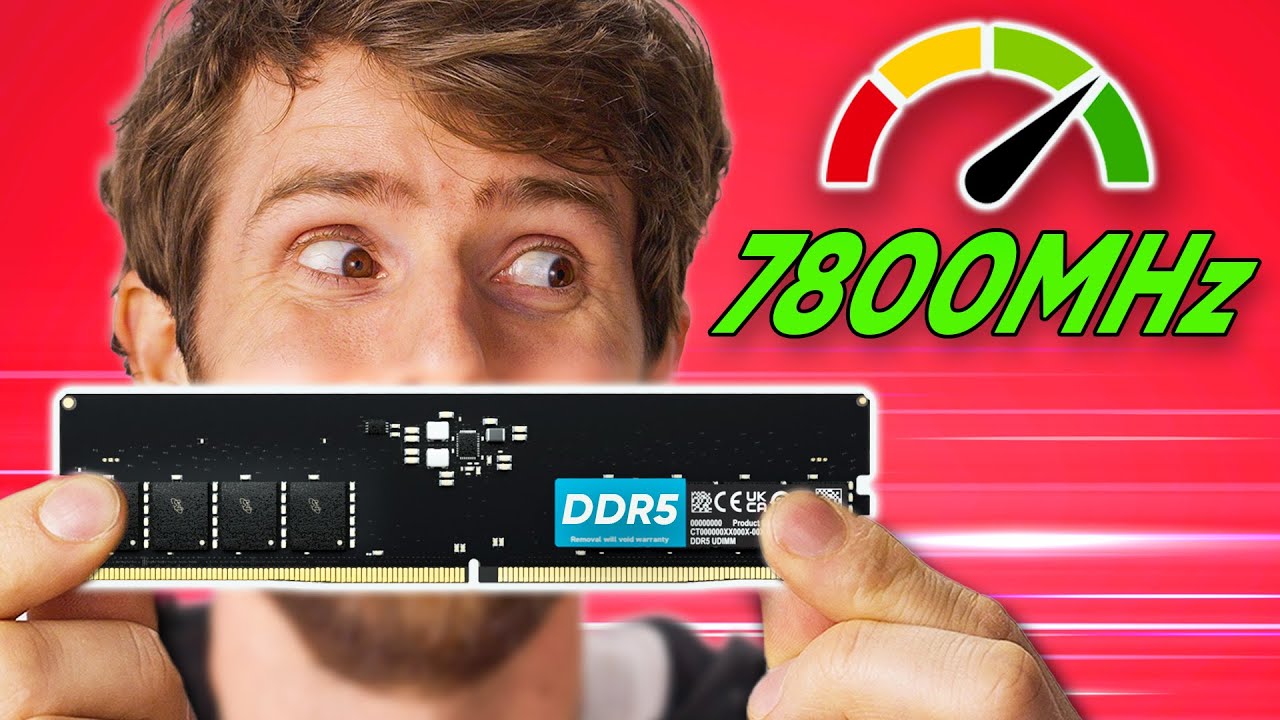
Buy a Samsung 970 EVO Plus NVMe M.2 SSD: https://lmg.gg/FZksz
Sign up for Linode to get your $100 in 60-day credit at https://linode.com/ltt
How much does RAM speed matter? It's a question we've covered before, but with new platforms from AMD and Intel, and of course the new DDR5 spec, it's time to go down the rabbit hole once more...
Discuss...
lusty orchid
i'd use a better video in that regards
spare sedge
couldnt find any other better comparisons
cant find any good ssd comparisons either besides passmark
lusty orchid
gamernexus? derbauer
spare sedge
the 5600 looks to be on par with the 6400 in terms of irl performance
lusty orchid
spare sedge
cant find any good ssd comparisons either besides passmark
puget systems better than passmark
spare sedge
and speed isnt everything. its more about the timings
lusty orchid
spare sedge
the 5600 looks to be on par with the 6400 in terms of irl performance
you mean first word latency
lusty orchid
which i can easily label off which ddr5's are 10ns
spare sedge
im going the 5600 because the 6000 speed increase is an additive property with a very linear progression. the tighter CL on the 5600 is better than the 6000's CL
lusty orchid
though going above 6000 mhz really isn't that easy unless you're into ram oc'ing which is not for you currently as it's your "first" build
spare sedge
and i would rather have a lower CL than +400 mhz because its the most popular ram
plus im p suree jedec is 4800 is it not
so i can just just get the tighter timings on the 5600 kit and xmp to 6000 if i wanted to right
lusty orchid
spare sedge
im going the 5600 because the 6000 speed increase is an additive property with a...
not always, considering under expo/xmp for 7000 series amd, 6000mhz cl30 is the most ideal ram speed and latency
lusty orchid
spare sedge
plus im p suree jedec is 4800 is it not
not just 4800, there is jedec spec profiles up to 7200 mhz
spare sedge
see thats not from what ive seen
if we can pull some sources that show that
ive seen the exact opposite consistently placing ddr5 6000 at #3
behind ddr5 6400 (unstable fear)
and ddr5 5600
lusty orchid
spare sedge
ive seen the exact opposite consistently placing ddr5 6000 at #3
according to who?
spare sedge
apparently 6400 is just fine tho
lusty orchid

Tom's Hardware
Directly from the horse's mouth
spare sedge
lusty orchid
according to who?
i dont have the sources compiled but my main source for ram was ltt
lusty orchid
spare sedge
i dont have the sources compiled but my main source for ram was ltt
please no, after what they've done lately with tests, just no
pearl heath
spare sedge
so i can still plug my 2280 m.2 into a 2580 m.2 slot?
2580 doesn't exist
spare sedge
lusty orchid
please no, after what they've done lately with tests, just no
are you talking about the drama with gamer nexus
pearl heath
It is not a form factor
pearl heath
spare sedge
apparently 6400 is just fine tho
Baaaarely
Only a few CPUs will actually run them at that speed
spare sedge
well i decided on 5600 over 6400 anyway
lusty orchid
spare sedge
are you talking about the drama with gamer nexus
less about the drama, more about improper testing,
spare sedge
improper testing how
pearl heath
spare sedge
well i decided on 5600 over 6400 anyway
5600 c28 will be perfectly fine with an X3D CPU
Especially considering X3D means that it doesn't care much about RAM at all
spare sedge
yeah the 3d vcache is kind of huge
lusty orchid

Wccftech
AMD has confirmed that DDR5-6000 will be the sweet spot for Ryzen 7000 CPUs and a Auto Mode for FCLK is recommended for overclocking.
lusty orchid
spare sedge
not huge as in a game changer
tbf it is a game changer
spare sedge
i think in the future it will be. i like the new tech
lusty orchid
it proved it by making gaming experience better
spare sedge
rn i think its mostly a gimmick and that the 13900ks is probably more powerful in the end
pearl heath
It isn't
In applications that use the cache, any X3D CPU is better
And it's not even a competition lol
lusty orchid
https://www.anandtech.com/show/17585/amd-zen-4-ryzen-9-7950x-and-ryzen-5-7600x-review-retaking-the-high-end/5 reasonable write up in regards to expo btw
 spare sedge
unfortunately, ive had dozens of people say the opposite when i was really excited about the 3d vcache
pearl heath
(fwiw you can gain performance with DDR5-8000 on select Ryzen CPUs due to some architectural nonsense)
pearl heath
spare sedge
unfortunately, ive had dozens of people say the opposite when i was really excit...
They are simply all wrong lol
lusty orchid
spare sedge
unfortunately, ive had dozens of people say the opposite when i was really excit...
who is this so called dozen?
pearl heath
pearl heath
(fwiw you can gain performance with DDR5-8000 on select Ryzen CPUs due to some a...
But you will need to manually tune the RAM and CPU to do this so uh
Don't bother
lusty orchid
you know you keep mentioning dozens of people every time but it's usually about something wrong
 sour kite
People still say to avoid x3d chips because of the mobo frying issue, but it's largely old news now
spare sedge
i will say the proper comparison is 7950x3d vs the 13900ks. i really do think those are the top 2 best cpus for amd and intel. i went with 7950x3d for a reason.
lusty orchid
sour kite
People still say to avoid x3d chips because of the mobo frying issue, but it's l...
tbf that's more chipset avoiding rather than cpu avoiding
spare sedge
a lot of people were comparing the 7950x3d with the 13900k but the 13900ks is just the 13900k but better.
where price isnt a factor
pearl heath
The soon-to-be-renamed 13900ks lol
sour kite
7950x3d is much much better for gaming because of the big ass cache
spare sedge
both are overpriced splurge options for sure. but the 7950x3d isnt as overpriced as the insane 13900ks
lusty orchid
spare sedge
i will say the proper comparison is 7950x3d vs the 13900ks. i really do think th...
might the top 2 consumer releases, but not best
threadripper with x3d cache exists i believe
but that's just going over the top in general
spare sedge
and im honestly happy with spending a little bit extra on the 7950x3d instead of the 7950x which is technically a smarter price / perf buy.
spare sedge
sour kite
7950x3d is much much better for gaming because of the big ass cache
yeah it is.
sour kite
what GPU are you going to pair it with btw?
lusty orchid
spare sedge
and im honestly happy with spending a little bit extra on the 7950x3d instead of...
a tuned 7900 actually is a more smarter price to perf buy
spare sedge
the 13900ks and 13900k are workstation leading cpus
lusty orchid
considering it runs cooler and has a lower power draw
sour kite
spare sedge
the 13900ks and 13900k are workstation leading cpus
depends on the workload x
spare sedge
the 7950x3d is definitely one of the best for gaming with considerable performance in productivity behind the 7950x.
sour kite
on my workstation I've got an i7 11700 just because I run alot of VMs
spare sedge
sour kite
depends on the workload x
yeah that too. ig i meant overall imo
sour kite
I haven't upgraded yet as AFAIK ecores don't play well with VM
lusty orchid
sour kite
on my workstation I've got an i7 11700 just because I run alot of VMs
i've seen that rival a 12900k in comparison for power draw
sour kite
lusty orchid
i've seen that rival a 12900k in comparison for power draw
I think it's thermal throttling most of the time tbf, I want to make upgrades to it
spare sedge
lusty orchid
a tuned 7900 actually is a more smarter price to perf buy
that would make sense too if you didnt want ultra high end
sour kite
but it's company pc not my own
spare sedge
still definitely a great cpu
lusty orchid

 sour kite
how are you going to cool these components btw
spare sedge
pearl heath
The soon-to-be-renamed 13900ks lol
is it getting renamed?
pearl heath
spare sedge
is it getting renamed?
Yeah, to the 14900ks lmao
lusty orchid
@spare sedge you may laugh but all 14th gen intel is, is a 13th gen refresh
pearl heath
Considering the 14900ks has no architectural changes, no core count changes, and only a 200MHz clock bump, it is very safe to assume that they're the same CPU
lusty orchid
pearl heath
Yeah, to the 14900ks lmao
what's the bets on them pulling what they did with 10/14nm again ?
pearl heath
Yes
lusty orchid
thought intel would have learnt by now with what amd did to them
sour kite
isn't intel reusing the 1700 lga for 14th gen?
lusty orchid
sour kite
isn't intel reusing the 1700 lga for 14th gen?
yes
spare sedge
so why do manufacturers name m.2s weird funny names like blazing and hyper
 sour kite
wild
lusty orchid
and it's no node changes
spare sedge
i see it often
lusty orchid
spare sedge
so why do manufacturers name m.2s weird funny names like blazing and hyper
because sales gimmick
spare sedge
also i thought m.2s used slots not sockets. so whats socket 3 or socket 2 etc
spare sedge
lusty orchid
because sales gimmick
thats so dumb. so it literally means nothing and i shouldnt compare their blazing m.2 to gigabytes blazing m.2 or anything like that then?
lusty orchid
the blazing one is a pcie 4.0 x4, while the hyper one is pcie 3.0 x4
spare sedge
i thought it said blazing 5x4 and hyper 4x4
is it named based off the pcie gens lmao
lusty orchid
i wouldn't bother with a gigabyte product, unless you want to experience the most shittiest customer support that blames you for their products failing, especially with their known qc issues
pearl heath
spare sedge
also i thought m.2s used slots not sockets. so whats socket 3 or socket 2 etc
Marketing
pearl heath
spare sedge
is it named based off the pcie gens lmao
Probably?
lusty orchid
spare sedge
also i thought m.2s used slots not sockets. so whats socket 3 or socket 2 etc
slot/socket is interchangable
spare sedge
cause i tried looking up m.2 socket numbers and nothing came up
pearl heath
Marketing will do whatever they feel like to advertise a product
lusty orchid
spare sedge
cause i tried looking up m.2 socket numbers and nothing came up
you need to look at the manual itself
spare sedge
i did
lusty orchid
yeah, gigabyte website front end, gonna be all marketing
spare sedge
i just thought
1 x M.2 connector (Socket 3) was weird
it implies the existence of socket 1 and socket 2
lusty orchid
it is,
spare sedge
they literally just make shit up lmao
lusty orchid
pearl heath
Marketing has no standards
lets be honest, gigabyte has no standards in general
pearl heath
spare sedge
they literally just make shit up lmao
Well, yeah
lusty orchid
they've proven not to lately
spare sedge
ive heard horrible things about gigabyte
lusty orchid
spare sedge
they literally just make shit up lmao
you do realise 90% of marketing is making shit up
spare sedge
but all the girlies get gigabyte
lusty orchid
nope they don't, that's a horrible generalisation
spare sedge
the marketing would catch my eye more if it just said 1x m.2 nvme ssd PCIe 4.0x4
no need for anything else
lusty orchid
spare sedge
the marketing would catch my eye more if it just said 1x m.2 nvme ssd PCIe 4.0x4
asus, asrock, msi do that
spare sedge
the sizes too ofc
also i know that when a m.2 says 2280 / 22110 that means you can plug in EITHER a 2280 OR a 22110 into the slot
but my question is how come some m.2s say 2280 ONLY
lusty orchid
because that's the max it supports up to, or it's only got a standoff at the length for 2280 only
spare sedge
how can it be 2280 only. that would literally mean you can plug in the smaller 2260, 2242 and 2230 slots too
spare sedge
lusty orchid
because that's the max it supports up to, or it's only got a standoff at the len...
OHHH the standoff
lusty orchid
spare sedge
how can it be 2280 only. that would literally mean you can plug in the smaller 2...
if it's got the screwdowns for the standoff to go for them yes
spare sedge
so theres space for any size but with out the screw down in the right place you cant screw down the smaller sizes
OKAY cool perfect!
lusty orchid
you got to remember allowances for the m.2 drives, normally nvme's is mainly made by standoff position
spare sedge
also my next question is this

so when it says x4 / x2 that means it supports both x4 and x2 lanes
but like
5x2 doesnt even exist for m.2 yet
lusty orchid
if you look at this, you will see it only has 2 standoff locations

so it can only use either a 2280 or 22110
manual for that gigabyte mobo btw
lusty orchid
there are some that have more, and some that just have a single standoff location
spare sedge
only diff is one is gen4
lusty orchid
which will be the bottom one
spare sedge
so when you plug in bigger it just lays on top of the shorter standoff then
lusty orchid
as the first pcie x16 slot and first m.2 slot/socket is linked to the cpu
lusty orchid
spare sedge
so when you plug in bigger it just lays on top of the shorter standoff then
nope
spare sedge
oh what happens to the other stand off when you plus a longer m.2 into the slot
lusty orchid
the standoff unscrews so you can move it the the right position for the ssd
spare sedge
lusty orchid
as the first pcie x16 slot and first m.2 slot/socket is linked to the cpu
i saw that, which means i should probably mark that as well
since cpu is better
but im not sure why
cause i thought chipsets have more lanes than cpus
lusty orchid
in the case of the 22110 as the screw for the heatshield that covers them lines up with with it, it just directly uses that to mount it down
spare sedge
lusty orchid
the standoff unscrews so you can move it the the right position for the ssd
oh so you just take it off the board completely
so its not in the way of the longer m.2
lusty orchid
spare sedge
so its not in the way of the longer m.2
and doesn't damage the nand flash if it's double sided
pearl heath
spare sedge
so when it says x4 / x2 that means it supports both x4 and x2 lanes
It'll de-rate to x2 if there aren't enough PCIe 5.0 lanes available
spare sedge
lusty orchid
and doesn't damage the nand flash if it's double sided
ik the nand is where the actually storage is
and flash uses cells right
and all the tlc qlc stuff is in the nand
lusty orchid
spare sedge
and flash uses cells right
yes but the nand's location on the pcb for a ssd can be on one side or both of it
spare sedge
pearl heath
It'll de-rate to x2 if there aren't enough PCIe 5.0 lanes available
is x2 worse? cause ik m.2 5x2s are coming out and people want them because they use less lanes
lusty orchid
i.e a 4tb nvme ssd could be single sided under one brand but double sided under another
lusty orchid
spare sedge
is x2 worse? cause ik m.2 5x2s are coming out and people want them because they ...
it's slower but not necessarily worse
spare sedge
what is the sweet spot for lane use. more lanes = a more powerful m.2 ssd or usb anything etc but it also means using more of your cpu or chipset.
lusty orchid
spare sedge
what is the sweet spot for lane use. more lanes = a more powerful m.2 ssd or usb...
totally depends on what needs the pcie lanes
a usb expansion card can run off an x1 slot
so it only needed 1 lane
spare sedge
so if you can get the same gen 5 speeds out of a lower lane count. go for that instead
pearl heath
spare sedge
is x2 worse? cause ik m.2 5x2s are coming out and people want them because they ...
It's a question of bandwidth
5.0 x2 = 4.0 x4
So it won't be limiting anything currently lol
spare sedge
cause its the same performance but uses less bandwidth
pearl heath
spare sedge
so if you can get the same gen 5 speeds out of a lower lane count. go for that i...
You cannot select how many lanes something will use, other than by buying a device that uses that many lanes
lusty orchid
but a sata expansion card depending on use case could run off a pcie x1/x2/x4/x8/x16 depends on use case and amount of ports it's expanding out to
rotund rain
the cpu lanes still adhere to the PCI express standard, and it's up to the specific motherboard but in general, for the x670/x670E and z690/790 boards the top PCIe x16 slot is gen 5 and the top M.2 slot is usually gen 5, some cheaper boards might only be gen 4 and AM4 boards can either be gen 3 or 4
pearl heath
spare sedge
are cpu lanes faster than chipset lanes
Yes
A device connected to a chipset lane still needs to talk to the CPU
It just goes via the chipset instead of directly to the CPU
Which is why it is slower
spare sedge
so my overall conclusion for that is that. the lanes themselves arent faster.
its that the cpu is literally a whole cpu and a chipset is just the motherboards brains and the chipset isnt a full on processor so the chipset still has to go through the cpu basically
so chipset lanes are like a 2 step thing
cpus are direct
rotund rain
the speed is the same, but the latency is slightly worse because the chipset acts as a middleman
spare sedge
alr im on board with it all ty
alright a new question

what does mode mean
is it the 128 gb mode
or is 128 Gb/s the speed that gen 5x4 goes
vast geyser
nah it doesnt go that high
there seems to be an asterisk
maybe its explained somewhere below?
spare sedge
 pearl heath
vast geyser
nah it doesnt go that high
pearl heath
vast geyser
nah it doesnt go that high
Gb, not GB
Mode just refers to the PCIe generation and lane configuration
rotund rain
spare sedge
or is 128 Gb/s the speed that gen 5x4 goes
That is the theoretical bandwidth of the transfer speeds that the PCIe lanes can do.
Keep in mind the difference between GB and Gb (very important)
Realistically, the highest you'll see is about 10-15% slower than the limit once the technology has matured

At this point, we really just need bigger SSDs, them being faster really hasn't done much for us so far
orchid gate
I don’t think PCIe 6.0 is intended for ordinary consumers 
nor mentioned much in regular press
rotund rain
nah not yet
open iris
Ordinary consumers don't need more than gen 3 really
rotund rain
the irony is that the high end sata drives are still really good 
open iris
Slower than medicore pcie gen 2 ssds 
pearl heath
orchid gate
I don’t think PCIe 6.0 is intended for ordinary consumers <:monkaS:6888290986714...
The only devices that use it are still being prototyped, or are in extremely specialised and limited use atm
limber hatch
lusty orchid
mobo should be b650 chipset, ram should be 6000 cl30-32 as that cpu can do it
i jus copy and pasted the top btw!
lusty orchid
spare sedge
alright a new question
Gb = gigabit, not GB as in gigabyte
haughty quail
pure mica
We will not be done in one month for sure with this build...
yep i ws wrong
lusty orchid
rotund rain
At this point, we really just need bigger SSDs, them being faster really hasn't ...
though it's not worth it both in price and nand flash type to go above 4tb
rotund rain
lusty orchid
though it's not worth it both in price and nand flash type to go above 4tb
well not now, but that's my point.... more effort should be put into increasing the of storage and not how fast it can go
lusty orchid
rotund rain
well not now, but that's my point.... more effort should be put into increasing ...
even now it's the case
you can get a 4tb nvme drive for 160 minimum, and that would be a tlc nand drive
an 8tb drive would set you back 350 minimum and that's a qlc nand drive
brave brook
Sabrents 8tb is $1000
lusty orchid
team group mp44 8tb, $930
brave brook
Yeah, the 8tb one is useless for this build ngl
brave brook
spare sedge
here are some fan favorites
….sata m.2 🤮
vast geyser
spare sedge
its only $290
then you realize thats the price of a 4tb drive that does the exact same thing
lusty orchid
spare sedge
https://youtube.com/shorts/2wELIS19cX8?si=cQsws3tV6GC3xPeT
never in your life, ever touch this website ever again
something to never do either
rotund rain
brave brook
….sata m.2 🤮
none of those are M.2 sata 
lusty orchid
rotund rain
none of those are M.2 sata <:KEKW:908594113803337809>
wanna bet?
brave brook
rotund rain
none of those are M.2 sata <:KEKW:908594113803337809>
What in the hell are those pictures then
Cause it sure ain’t nvme
vast geyser
the image is just wrong
lusty orchid
sata

 vast geyser
the drives themselves arent sata
vast geyser
lusty orchid
sata
2.5, not m.2
rotund rain
lusty orchid
sata
yess SATA. Not M.2. Those are 2.5 inch
pure mica
Lol they are right those are not m.2
lusty orchid
rotund rain
yess SATA. Not M.2. Those are 2.5 inch
still sata was used amongst it, and the fact it's userbenchmark
that alone tells you it's not trustworthy
brave brook
Aw hell nah, that’s userbenchmark???
vast geyser
yeah
pure mica
💀🔫
brave brook
Fuck userbenchmark
lusty orchid
brave brook
Aw hell nah, that’s userbenchmark???
 brave brook
Why can’t she just get the mp33/mp34 like I was asking her to :/
rotund rain
really the only thing that doesn't belong is the Kingston A400, the rest are fine due to their history
lusty orchid
brave brook
Why can’t she just get the mp33/mp34 like I was asking her to :/
because they want to overspend on a system i severly doubt they'll see half the performance of
vast geyser
$1000 on ssds is batshit crazy though
lusty orchid
a $1k budget just for storage alone just shows more money than brains at this point
pure mica
vast geyser
$1000 on ssds is batshit crazy though
Well i spent that on 4 m.2 nvme me
vast geyser
ok
pure mica
Nothing wrong with that
lusty orchid
pure mica
Well i spent that on 4 m.2 nvme me
let me guess, all samsung drives
vast geyser
plenty of stuff wrong with that
pure mica
Ye
lusty orchid
pure mica
Nothing wrong with that
totally wrong if it's gaming where you see no performance benefits for OS let alone GAMING
pure mica
lusty orchid
totally wrong if it's gaming where you see no performance benefits for OS let al...
My system isn’t just for gaming tought me
lusty orchid
gen 4 and gen 5 drives are only worth it for production based video editing tbh
brave brook
Gen 3 for this pc (I wish)
vast geyser
pure mica
I do 3d rendering of big projects
eh, fast storage doesnt really help
pure mica
vast geyser
eh, fast storage doesnt really help
For video editing after yes it do
vast geyser
i can only imagine the videos being 30 seconds long
pure mica
vast geyser
i can only imagine the videos being 30 seconds long
Sometime it 2 or 3 min long and can be more if it a big building
lusty orchid
and anyone says about direct storage, for gaming means they know nothing tbh, as it really doesn't help as much as people think
brave brook
And there’s like 2 games that support it (are there more? I don’t know for sure)
haughty quail
Good morning thread, what's the update
lusty orchid
brave brook
And there’s like 2 games that support it (are there more? I don’t know for sure)
ratchet and clank supports it but ends up with horribly reduced performance with it
brave brook
Oh dang
pure mica
haughty quail
Good morning thread, what's the update
I just wake up too i didn’t found enything interesting
haughty quail
Dayum 😢
pure mica
This build wont be done in 1 months so ye we have all the time at this point
brave brook
Let’s not derail the thread tho
lusty orchid
pure mica
Architecture stuff
this i can understand, the software for the rendering can be demanding, but you also see my point about it, and tbh, you could of paid way less for some mp44's or sn770's tbh for the same speeds
brave brook
Yeah
pure mica
Usb was a pain
brave brook
Paus
lusty orchid
pure mica
The dude wanna learn about everything including small part on a pc
we're not dropping to EE level
brave brook
The next component 🥹
lusty orchid
brave brook
The next component 🥹
hopefully mobo's as without that there will never be a working pc
pure mica
brave brook
The next component 🥹
I want to learn everything how a psu work
lusty orchid
pure mica
~~I want to learn everything how a psu work~~
just no
pure mica
lusty orchid
just no
It will be her not me
brave brook
I will not answer those questions
pure mica
brave brook
I’ll just spam the tier list (not really)
pure mica
brave brook
I’ll just spam the tier list (not really)
Yes yes do that
lusty orchid
i will not be able to answer them, tbh, as that reaches EE levels
i only lightly touched on it when telling her the difference between an inverter and converter
brave brook
We’ll all just tell her “it’s 1: out of our knowledge. 2: entirely useless for you”
pure mica
She wont lessens to 2
brave brook
Well she won’t get answers here anyway
pure mica
Lol
rotund rain
it all depends on the question
brave brook
I’m not answering random ass questions to power supplies
pure mica
brave brook
I would be doing what we’ve been asking her to — googling it
lusty orchid
brave brook
I would be doing what we’ve been asking her to — googling it
or referencing the cultist and tomshardware websites
brave brook
Idk how she can’t find things when searching
pure mica
brave brook
Idk how she can’t find things when searching
Fun fact cause she don’t search by her self
brave brook
?
pure mica
That why she don’t found it she don’t search the info in the first place
pure mica
Sometimes i don’t believe that
brave brook
pure mica
That why she don’t found it she don’t search the info in the first place
If this is true
pure mica
brave brook
If this is true
Probably she just don’t search "correctly" i guess
brave brook
Yeah
Google searching isn’t always intuitive, but bing ai exists, and it’s not hard to figure out google keywords
pure mica
Ye
open iris
at least learning about usb is somewhat useful and easy to explain
brave brook
But it had to be explained 2 too many times
open iris
trying to learn the ins and outs of power supplies is too much
pure mica
brave brook
But it had to be explained 2 too many times
Fact too much
open iris
and frankly most people dont even know
brave brook
Yeah
open iris
the extent of my psu knowledge is the rating is the efficiency and look at the tierlist if you don't want a bomb
pure mica
open iris
the extent of my psu knowledge is the rating is the efficiency and look at the t...
I just got platinum and call it a day… (msi meg ai1000p) just did small research to make sure it good before
open iris
and with an atx 3.0 psu you dont need a 12vhp adapter
vast geyser
wow really?
brave brook
pure mica
The over expensive one💀
Story of your pc
lusty orchid
pure mica
I just got platinum and call it a day… (msi meg ai1000p) just did small research...
thing is, if you don't look things up with the help of the tier list, you can get a platinum efficiency psu that's a bomb instead
pure mica
lusty orchid
thing is, if you don't look things up with the help of the tier list, you can ge...
Ye that why i looked too
lusty orchid
you got lucky going with the msi psu, but still
pure mica
lusty orchid
you got lucky going with the msi psu, but still
I were lucky cause i look at more then 1 places to make sure it good
So it not really luck
lusty orchid
pure mica
I were lucky cause i look at more then 1 places to make sure it good
the luck is more you choosing a decent one straight away
open iris
Imagine a world where most psus weren't ass and that tierlist wasn't the only line of defense which most buyers don't know about
pure mica
open iris
Imagine a world where most psus weren't ass and that tierlist wasn't the only li...
At last i knowed about it lol
lusty orchid
open iris
Imagine a world where most psus weren't ass and that tierlist wasn't the only li...
so one where gigabyte p750gm/850gm doesn't explode or arived DoA?
open iris
p750gm made for funny memes though I'll forgive it's explosive nature
lusty orchid
open iris
p750gm made for funny memes though I'll forgive it's explosive nature
you got to remember, under gigabytes customer service, it's your fault for it being explosive, not gigabyte
pure mica
lusty orchid
you got to remember, under gigabytes customer service, it's your fault for it be...
It was dumb
brave brook
lusty orchid
you got to remember, under gigabytes customer service, it's your fault for it be...
How does that work
lusty orchid
brave brook
How does that work
it's gigabytes customer supports own attitude on products they've sold that have shown to be faulty from the get go
they're one of the worse for customer support
brave brook
Oooof
rotund rain
lusty orchid
it's gigabytes customer supports own attitude on products they've sold that have...
Source?
lusty orchid
rotund rain
Source?
gamer nexus for one, others who's had products from them that they refused rma's due to basic faults
i.e. 3080 waterforce "all copper" heatsink which had galvanic corrosion due to them using aluminium and copper mixed in the the waterblock's design
next to nzxt, they're known for really bad customer services
nzxt is more due to the forced recall that was made of them for the h1 v1 case that caught on fire
lavish nexus
Tbh if retailers just followed the tier list and listed accordingly everyone would be save from exploding PSUs but alas that is not the case
Or just simply posted links to the Cybenetics pdf for that specific PSU
spare sedge
lusty orchid
a $1k budget just for storage alone just shows more money than brains at this po...
spare sedge
brave brook
We’ll all just tell her “it’s 1: out of our knowledge. 2: entirely useless for y...
this literally just makes it take longer
spare sedge
brave brook
But it had to be explained 2 too many times
none of you even understand usb lmao
spare sedge
open iris
trying to learn the ins and outs of power supplies is too much
this will happen btw
vast geyser
eh, random probably knows a fair bit, but who the hell feels like explaining power supplies
brave brook
Yeah
vast geyser
plenty of online resources anyway
brave brook
As rauko said, it’s getting into the EE portion, that is much too in-depth for this thread
brave brook
spare sedge
none of you even understand usb lmao
No offense, but neither did you
brave brook
spare sedge
this literally just makes it take longer
Why can’t you be convinced that you don’t need to learn every fucking thing about every component. Basically no one here gives a shit about how power supplies work, and if they do, they’ll look it up on their own time.
 vale prairie
This 👆
lusty orchid
spare sedge
none of you even understand usb lmao
you wanna be sure about that
lusty orchid
spare sedge
https://discord.com/channels/375436620578684930/1146514029246955691
and this means what?
other than the persons wanting to blow money
vast geyser
his house burned down, he got a fat check
lusty orchid
brave brook
Why can’t you be convinced that you don’t need to learn every fucking thing abou...
and if they do, they’ll look it up on their own time.
this so much this in many ways
lusty orchid
lavish nexus
Or just simply posted links to the Cybenetics pdf for that specific PSU
til you see what arezgames did, when they released a fake 'gold' efficiency psu to the public by having a single psu being rated for it by cybenetics
novel pulsar
we
 thin wasp
vast geyser
$1000 on ssds is batshit crazy though
thin wasp
vast geyser
$1000 on ssds is batshit crazy though
Good think i only have 4 nvme drives worth 1000 each
haughty quail
spare sedge
https://discord.com/channels/375436620578684930/1146514029246955691
Bro linked a GIF
haughty quail
brave brook
Why can’t you be convinced that you don’t need to learn every fucking thing abou...
REAL
vast geyser
haughty quail
Bro linked a GIF
na its a thread
haughty quail
vast geyser
na its a thread
She linked a GIF in the thread
vast geyser
ye
haughty quail
Oh fr??
Might be my account then. I keep refreshing and it still just goes back to the GIF 💀
 violet fog
ur still here wtf
how does it take you like 2 decades to pick a pc
by the time ur finished the 5090 is gonna be out
brave brook
Nah not that long
 teal pond
She isn’t only picking parts, she is learning about them
lusty orchid
the only things that's been selected so far is ram, cpu and gpu
been 2 days on storage without any choices made
haughty quail
It might genuinely be 2 decades at this point
lusty orchid
and no mobo has been selected yet
teal pond
she needs to choose the mobo before storage imo
lusty orchid
teal pond
she needs to choose the mobo before storage imo
did you not see me saying that, and the order selection i said?
spare sedge
brave brook
No offense, but neither did you
i do now. so it doesnt matter.
haughty quail
I honestly think at minimum, case should have been first but I agree that mobo comes before storage
haughty quail
No, don't apologize there's like 18k lol you wouldn't have known
spare sedge
brave brook
Why can’t you be convinced that you don’t need to learn every fucking thing abou...
p sure rauko knows a lot about electricity.
teal pond
yeah dream you should find a case, it will narrow down the mobo
spare sedge
vast geyser
his house burned down, he got a fat check
what about my fat check lmao
haughty quail
He knows, prob just CBA
lusty orchid
spare sedge
p sure rauko knows a lot about electricity.
enough to do what i want to do, anything more i'll look up what i need
haughty quail
spare sedge
what about my fat check lmao
Burn your house down first 🙏
lusty orchid
haughty quail
Burn your house down first 🙏
arson doesn't get you that
teal pond
It was an accident with proof
haughty quail
lusty orchid
arson doesn't get you that
Dumb questions get dumb answers in fairness
haughty quail
teal pond
It was an accident with proof
Yeah. So unfortunate what happened to the house and setup
lusty orchid
haughty quail
~~Dumb questions get dumb answers in fairness~~
but it does get you a 6x6 room with 3 meals a day
haughty quail
teal pond
yeah dream you should find a case, it will narrow down the mobo
Yeah, case should have been first before all else imo
teal pond
the cpu and gpu can be before the case because of the gpu size though
vast geyser
haughty quail
And a lot of roommates I guess
never drop the soap
haughty quail
teal pond
the cpu and gpu can be before the case because of the gpu size though
I guess so. I honestly think case first then PSU and go into the other parts next
But I can understand where you're coming from
lusty orchid
spare sedge
p sure rauko knows a lot about electricity.
also i'd rather deal with a 12v-24v system than a 120-240v system
teal pond
yeah psu is another factor
haughty quail
Storage honestly should be last on the list
haughty quail
teal pond
the cpu and gpu can be before the case because of the gpu size though
GPU can be last imo before CPU
But if you want to purchase both together, I guess it doesn't matter
teal pond
you need to match the cpu and gpu so you don’t wasnt money
haughty quail
I agree with you
lusty orchid
teal pond
the cpu and gpu can be before the case because of the gpu size though
tbh, it gives you an idea of what to match up with it for everything else
haughty quail
I think in order: case, PSU, all the other stuff to buy at once (GPU, CPU, motherboard, etc.), and then storage can be last
lusty orchid
@haughty quail@teal pond
 haughty quail
lusty orchid
<@456226577798135808><@804113273745440800>
haughty quail
lusty orchid
<@456226577798135808><@804113273745440800>
May I ask why in reverse order?
Is this specific to the van situation or building in general
teal pond
unless you hear of a specific gpu or case you want before you think of anything else
lusty orchid
haughty quail
Is this specific to the van situation or building in general
in general
haughty quail
I can understand the parts, but I am not understanding why PSU and case should wait as well
lusty orchid
if you don't decide on the cpu, you can't decide on the mobo
teal pond
haughty quail
I can understand the parts, but I am not understanding why PSU and case should w...
so you don’t get an unnecessary psu
haughty quail
Icic
teal pond
if your getting a 4090 you don’t want a 600 watt cpu
lusty orchid
as for the psu, that you decide based on the power draw of everything in the build + 100w on top
vast geyser
haughty quail
I can understand the parts, but I am not understanding why PSU and case should w...
you wanna know the wattage needed before you pick the psu
lusty orchid
vast geyser
you wanna know the wattage needed before you pick the psu
with a little headroom**
100w headroom always ideal
vast geyser
lusty orchid
with a little headroom**
well, thats still knowing the wattage
lusty orchid
vast geyser
well, thats still knowing the wattage
true, fair enough
haughty quail
I guess it is fine for case to be last or second to last, what matters is functionality of the parts. I'm sure most will fit into the case anyway with proper research
teal pond
some people build without cases to perform tests
haughty quail
Very true
vast geyser
haughty quail
I guess it is fine for case to be last or second to last, what matters is functi...
pcpp does the compatibility
lusty orchid
case is always decided upon once you know you got everything else tbh, it's also a subjective thing
haughty quail
Case can always be negotiated, so I see your point
lusty orchid
i know dream wants it to be pink but tbh that's very limiting unless you get a decent case and spray paint it after
teal pond
I would do that tbh
haughty quail
Seems like the most reasonable option
teal pond
spray painting isnt that hard
lusty orchid
the choices for cases that are already pink aren't great tbh
haughty quail
There aren't that many though, right?
vast geyser
like the 205m...
teal pond
Nope
haughty quail
I see a lot of white cases that could go well with pink
vast geyser
and uhh.. pop air, but thats more magenta
lusty orchid
haughty quail
There aren't that many though, right?
4-5 in total
haughty quail
But I don't really see much for pink cases
haughty quail
lusty orchid
4-5 in total
Yeah, I figured
😢
All else fails, white case looks good too
lusty orchid
best way is a black or white depending on what shade of pink they're going for
haughty quail
White case, setup lights pink
vast geyser
i feel like an o11 mini spraypainted will be the best way go about it
haughty quail
I think it would look fine or put together
lusty orchid
i.e baby pink/candy pink you'd spray over a white case
vast geyser
haughty quail
White case, setup lights pink
i mean, there are pink fans
haughty quail
vast geyser
i mean, there are pink fans
Exactly 💯
White wouldn't be a bad case option either. I think white/pink combo looks nice
lusty orchid
vast geyser
i feel like an o11 mini spraypainted will be the best way go about it
avoid a glass sided case as it's going to end up in a van
lusty orchid
vast geyser
i mean, there are pink fans
aye, idcooling pinkflows
haughty quail
Doesn't look bad imo
 vast geyser
lusty orchid
aye, idcooling pinkflows
vast geyser
lusty orchid
aye, idcooling pinkflows
i remember akira talking bout them
haughty quail
But if she really wants pink then she can do spray paint
vast geyser
lusty orchid
avoid a glass sided case as it's going to end up in a van
cant be that bad to have 1 glass panel
lusty orchid
in white frame with solid pink blades/ white fram transparent blades that can be set to pink
haughty quail
1000% agree
lusty orchid
vast geyser
cant be that bad to have 1 glass panel
you'd have to make sure it's protected against vibrations/ shock dampening tbh
mesh sides would be the more optimal
vast geyser
meshroom s 
lusty orchid
and we both know a couple cases that work well as mesh sides while allowing light through
vast geyser
https://pcpartpicker.com/product/c2gFf7/ssupd-meshroom-s-wpcie-40-riser-atx-mini-tower-case-41860124115128 doesnt get meshier than this!

SSUPD Meshroom S w/PCIe 4.0 RIser ATX Mini Tower Case (41860124115128)
vast geyser
lusty orchid
and we both know a couple cases that work well as mesh sides while allowing lig...
i can unironically only think of sfx ones
OR APPARENTLY THE NORTH?

Fractal Design North ATX Mid Tower Case (FD-C-NOR1C-01)
teal pond
I’m getting a lancool iii
teal pond
the ap201 is a bad case though, right?
teal pond
annoying to work with
lusty orchid
teal pond
the ap201 is a bad case though, right?
nope it's actually a decent one for small form factor
lusty orchid
teal pond
annoying to work with
well, itx case
teal pond
yea I guess so