#♡ i am still building my first pc ever ♡
1 messages · Page 2 of 1
 open iris
You might want one that could support thunderbolt
 spare sedge
what is thunderbolt
open iris
Otherwise basically just the amount of usb ports
open iris
spare sedge
what is thunderbolt
Beefed up usb made by intel and apple
 thorn portal
spare sedge
what is thunderbolt
thorn portal
spare sedge
what is thunderbolt
usb c
spare sedge
is that the one that apple uses for their phones
thorn portal
no
spare sedge
like the lightning cable
open iris
thorn portal
usb c
It's uses a usbc connector but it's not the same as everything with usbc
thorn portal
yh ik but just in simple terms
 vast geyser
the msi mpg b650 edge is a bit pricy but good
vast geyser

MSI MPG B650 EDGE WIFI ATX AM5 Motherboard (MPG B650 EDGE WIFI)
open iris
Anyway the main benefit with thunderbolt is higher bandwidth compared to usb4
spare sedge
which is ass
open iris
Before usb4 existed though it had way more to offer
spare sedge
im p sure the x670e boards are the best
open iris
But usb4 closed the gap
spare sedge
lets start there. but other things looked good
open iris
Like usb3 and under don't have pcie capability
spare sedge
like the am5 socket matched which is good
vast geyser
spare sedge
which is ass
how
spare sedge
vast geyser
how
because of the chipset
vast geyser
what can the x670 provide that you need
spare sedge
its a B which is the mid range board
vast geyser
uhhh, there B boards which are better than X boards...
spare sedge
you mean there are b board which are better?
if so. how?
idk anything about mb really
 sudden matrix
for a first computer it sounds extremely powerful
vast geyser
spare sedge
if so. how?
simply just are
sudden matrix
nice
spare sedge
sudden matrix
for a first computer it sounds extremely powerful
ty. i did my research so far.
sudden matrix
spare sedge
ty. i did my research so far.
what are you using it for?
spare sedge
vast geyser
simply just are
but the arent. x and z boards are top line flagship boards
vast geyser
spare sedge
but the arent. x and z boards are top line flagship boards
did you really learn nothing about marketing
spare sedge
sudden matrix
what are you using it for?
gaming, everything else. things like ai and proteins etc. blah blah
sudden matrix
spare sedge
gaming, everything else. things like ai and proteins etc. blah blah
woah alr
With the specs you have you can run basically any game at max settings
spare sedge
maybe eventually i will post some stuff like that. maybe in a year
unboxing pics first tho
then maybe a build pics
then maybe selfie + pc pics
vast geyser
spare sedge
maybe eventually i will post some stuff like that. maybe in a year
wait..
so when are you planning on buying.
spare sedge
vast geyser
so when are you planning on buying.
asap
vast geyser
ok
spare sedge
right after i choose parts
but ai and proteins wont be ready for show and tell for at least prolly a year
idk really. it depends if i drop to 4 days instead of 5 days at walmart
and then hopefully 3 days
sudden matrix
spare sedge
and then hopefully 3 days
whats your budget im curious
sudden matrix
2-7k?!
vast geyser
oh right also 1 small issue i have with the pink thing
sudden matrix
Thats alot lol
vast geyser
the only pink aio is kinda crappy
sudden matrix
Windows 11 or 10?
spare sedge
p reasonable when a cpu on my eyes costs 1k
and when gpus cost 2k
so gotta be realistic if you want a 4090
sudden matrix
spare sedge
p reasonable when a cpu on my eyes costs 1k
HUH LOL. for me a cpu is around 150 bucks and gpus are 400 bucks
spare sedge
yeah lmao
spare sedge
i dont think i could ever bring myself to build something like that unless it was for shits and giggles after my serious build
open iris
My gpu is literally worth less than 100 now and my cpu was 90
sudden matrix
i mean its only an rtx 2060 super and ryzen 5 3600 but it gives me 100+ fps in most games
open iris
My motherboard cost more than my cpu 
spare sedge
or unless someone gave me one of those budget builds for free like how my brother did
even tho it doesnt work
spare sedge
open iris
My motherboard cost more than my cpu <:linuth:654379955043696680>
bruh how
isnt that like a bad budget spending
open iris
12100f is goated though as a budget cpu
spare sedge
yeah it is
open iris
Nah not really i needed wifi and bought the cheapest one
Was less expensive than buying a wifi card
spare sedge
okay anymore mb examples
 grave spade
I think a lot of mobos for the current gen are more expensive than the cpu
vast geyser

Gigabyte B650 AERO G ATX AM5 Motherboard (B650 AERO G)
spare sedge
woopy. i appreciate you. but im not picking a b650 board lol
am5 x670e should narrow the search better right
vast geyser
the issue is that you dont even know why its bad
spare sedge
i was just told that the x670e is the best chipset
grave spade
You’ll get the same performance on both and can overclock on both
vast geyser
the only thing they do more is they provide more pcie lanes
grave spade
Considering you’re interested in doing light overclocking there’s no benefit going x670e
spare sedge
i dont understand
grave spade
spare sedge
from what i understand the mb has like no performance
Correct
spare sedge
can we look at some x670e boards
vast geyser
the only difference that actually matters is that they have 1 more m.2 slot
spare sedge
thats a p big deal
grave spade
And there’s already like 3 slots
vast geyser
yeah the ones i sent have 3

Asus PRIME X670E-PRO WIFI ATX AM5 Motherboard (PRIME X670E-PRO WIFI)
grave spade
5 years ago when they had one
 wind knot
I do not recommend asus mother boards
vast geyser
wind knot
I do not recommend asus mother boards
y
spare sedge
ddr5 looks good
open iris
Jkjk
vast geyser
why did u say that
open iris

spare sedge
memory speed is supported at 5600
vast geyser
it can go up to 6000 or more
 vast geyser
pcie slots
spare sedge
i know pcie is a bus type
vast geyser
x16 is usually for gpus
spare sedge
and pci is the older bus
open iris
Size of slot on the motherboard
spare sedge
but wth are x1 x4 x8 x16
 open iris
Size of slot on the motherboard
open iris
open iris
Size of slot on the motherboard
√
thorn portal
middle one is x4
open iris
Thunderbolt card maybe idk if those are x16
spare sedge
wdym by size
open iris
Any usb cards slso
vast geyser
size of the slot
spare sedge
bandwidth just means signal right?
open iris
The physical size
vast geyser
open iris
Any usb cards slso
oh yeah those r neat
thorn portal
spare sedge
so whats the difference between the x1 and x4
x4 is 4 times faster
vast geyser
spare sedge
bandwidth just means signal right?
yes
thorn portal
 spare sedge
vast geyser
size of the slot
spare sedge
vast geyser
size of the slot
like how wide the slot is?
vast geyser
yes
spare sedge
thorn portal
oh wtf
you can have dual direction bandwidth??
so is x16 the best one
vast geyser
yes
spare sedge
or does it just mean that if a card needs x16 that means it requires a lot more and is more hungry
vast geyser
nah doesnt mean anything
every pcie slot for gpus is x16
the gpu can decide how much it needs
spare sedge
cause if the x16 takes up that amount of space, that's kind of awful
open iris
Bro what else are you going to use the space for???
vast geyser
fr
spare sedge
yeah but id be nice if the gpu didnt have to take up that much on the mb
vast geyser
why?
open iris
It would have to anyway
Cause of the physical size of a gpu
The slot being smaller wouldn't change anything lmao
vast geyser
you saw what monstrosity youre buying?
then complaining about the size of a fuckin pcie slot?
spare sedge
you basically dont want your devices to use higher pcie unless they have to
so no they arent really better. just circumstantial
vast geyser
did u decide on a 4090 yet
vast geyser
which one
spare sedge
suprim x liquid
spare sedge
its one of the smallest cards it has a rad
but the rad is the smallest rad too
which isnt as good for cooling
but it has the highest vrms next to the suprim x and the hof
open iris
Are you actually going aio for your gpu
vast geyser
ok lets stop talking about this
vast geyser
one day hopefully you will realize how the vrms dont really matter
spare sedge
the rog is the best air cooled card to be practically on par with the suprim x liquid, but it is $300 more for just an extra hdmi port
spare sedge
vast geyser
one day hopefully you will realize how the vrms dont really matter
no i wont lmao
this research was not standalone vrms lmao
the top 7 cards i detailed ARE the top best 4090s on the market. its not subjective to individual or to aesthetic thats fucking dumb
the suprim liquid is cheaper than the fe
like how much better do you guys want me to do lmao
the gpu choice is already impressive
an i can switch to the rog if i want.
but the rog is huge
and ugly
and the pretty white one is like $2300
i cant justify $600 for 1 hdmi and white color
spare sedge
okii
vast geyser
so your issue with b650 is that someone told you that "b650 is bad"?
spare sedge
well not exactly
i dont want to get into it
right lets get back to the pcie
so is each pcie size a different bus then?
like pcie x1 vs pcie x4. would that be 2 different bus types
vast geyser
i suppose so
spare sedge
i know the pci vs the pcie are 2 different bus types
vast geyser
spare sedge
like pcie x1 vs pcie x4. would that be 2 different bus types
the difference is just the bandwidth and size
thats all there is to it
spare sedge
so the pcie x1 pcie x4 pcie x8 and pcie x16 are all one bus which is the pcie bus. but the x number is just the size which also tells you the bandwidth of that pcie slot
meaning the bandwidth of all x1 are the same and the bandwidth of all x4 are the same etc.
vast geyser
spare sedge
meaning the bandwidth of all x1 are the same and the bandwidth of all x4 are the...
depends on the pcie version but yes
vast geyser
the generation
grave spade
Btw you only need a single 16x for your gpu as you’re not using anything else
spare sedge
whats the newest gen ig
vast geyser
gen 1, 2, 3, 4 and now, although not in use, 5
grave spade
6 actually exists but not available to consumers
spare sedge
grave spade
Btw you only need a single 16x for your gpu as you’re not using anything else
which means itx is still on the table
vast geyser
i mean 7 exists doesnt it
grave spade
Sure yes
spare sedge
but im interested in my pcie options
vast geyser
nvm 2025
spare sedge
cause if im interested in another useable pcie then i will cross off itx
grave spade
You can see there what there is
spare sedge
grave spade
Pcpp has a section for pcie expansion
wait really?
vast geyser
https://caseend.com/ if u plan on itx btw
 vast geyser
to customers, 5
grave spade
 spare sedge
is it only 3
vast geyser
only thing that uses it currently is some wildly expensive SSDs
spare sedge
i dont mind going there i just dont know where navigate to
vast geyser
for all purposes, 4 is what matters
vast geyser
not to consumers
spare sedge
to whomstve
vast geyser
big datacenters most likely
spare sedge
okii so datacenter thugs get pcie 6 then
am i allowed to get pcie 6 or no. is it actually impossible
vast geyser
yes its impossible
again, the only things you can buy with pcie 5 currently are some really expensive ssds
wind knot
it would not matter anyway since gpus are pcie 4
vast geyser
yep
spare sedge
so its not possible like how industrial gpus like the 6000 ada are possible or how the xeon or epyc cpus are possible
spare sedge
which is so dumb
cause i can go and buy a 6000 ada but not this
or a xeon but not his
vast geyser
yes
spare sedge
you would think some guy would throw one up on ebay
spare sedge
so does pcie 7 exist then
vast geyser
no
spare sedge
okii
vast geyser
rumored for 2025
spare sedge
so pcie 5 is the best but not a lot of stuff uses it
vast geyser
yep
spare sedge
makes sense to me
vast geyser
basically a pcie 5 1tb ssd costs as much as 4tb of pcie 4 ssd
vast geyser
yeah
spare sedge
are there any that have 1x pci, 1x pcie x1, 1x pcie x4, 1x pcie x8, 1x pcie x16?
or are pci, pcie x1 and pcie x8 basically useless
 vast geyser
M key is the standard ssd
spare sedge
theres different types of m2 😭😵💫
thorn portal
the numbers are to do with sizing im pretty sure
spare sedge
is mkey for all of them or just the 2280 and then the 22110
thorn portal
all
spare sedge
ohh i get it now
 modest valve
spare sedge
theres different types of m2 😭😵💫
modest valve
spare sedge
theres different types of m2 😭😵💫
It’s width x length
spare sedge
this just tells you which m2 are compat
modest valve
Just the dimensions
spare sedge
like how it lists the compat ram speeds
vast geyser
spare sedge
this just tells you which m2 are compat
yes
spare sedge
 modest valve
You should just go for 2280
vast geyser
yeah 2280 is the fastest and cheapest
spare sedge
thats storage talk right
vast geyser
ye
spare sedge
we'll get there.
modest valve
Yeah do the mobo rn
 modest valve
I’m guessing you’re gonna want a pcie gen 5 ssd so we’re gonna have to accommodate that when selecting the mobo right
vast geyser
spare sedge
allrrrighhhttt wth are these lmao
sata is the connector for ssds and hdds
spare sedge
OH
vast geyser
modest valve
I’m guessing you’re gonna want a pcie gen 5 ssd so we’re gonna have to accommoda...
who tf wants a pie gen 5 ssd
spare sedge
spare sedge
OH
whats msata then
vast geyser
i guess a variation of it?
spare sedge
hm okii
vast geyser
for mobile maybe
spare sedge
whats the highest sata version
vast geyser
3
modest valve
vast geyser
who tf wants a pie gen 5 ssd
Nvm better not to talk ab it
vast geyser
sata is pretty crappy though
spare sedge
vast geyser
3
oh is it not 6? im guessing 6 is just the gb/s speed then
spare sedge
so then this mb has 4 sata 6.0 gb/s slots?
vast geyser
yeah
spare sedge
okii cool
vast geyser
you can use sata for fan and argb hubs actually
spare sedge
what sata version does this mb have
vast geyser
3
modest valve
vast geyser
https://caseend.com/ if u plan on itx btw
I think I saw a build on this but it had custom water cooling
Wait let’s save this for later when discussing cases mb mb
vast geyser
spare sedge
whats the highest sata speed btw.
6gb/s
open iris
Fun fact on the ps4 it's actually faster to run your ssd through usb over sata cause sata 2 has slower speeds than usb 3
vast geyser
lel
open iris
Yeah
spare sedge
how does it get smaller than a pcie x1 lmao
open iris
No it's an m.2 connector
vast geyser
https://caseend.com/data/fractal-design/fractal-design-torrent-nano THERES A MINI TORRENT?
anyway back to motherboards
open iris
 spare sedge
how can a case have a itx mb but an atx psu??
 open iris
spare sedge
how can a case have a itx mb but an atx psu??
open iris
spare sedge
how can a case have a itx mb but an atx psu??
Honestly that's a good thing cause there's way less sfx psus on the market
 final wind
spare sedge
how can a case have a itx mb but an atx psu??
final wind
spare sedge
how can a case have a itx mb but an atx psu??
Just a description of the size
spare sedge
open iris
so mini pcie isnt the bus type its a storage drive?
did it come before m2?
final wind
Just used to transfer information
spare sedge
but not like memory or ram
grave spade
spare sedge
how can a case have a itx mb but an atx psu??
Their naming schemes are independent
thorn portal
spare sedge
what is ekey
 thorn portal
ekey wouldnt be used for ssds
thorn portal
spare sedge
so just changes the notch around
yeah
thorn portal
thorn portal
ekey wouldnt be used for ssds
theyd usually be used for wifi or bluetooth adapters
vast geyser
spare sedge
how can a case have a itx mb but an atx psu??
you can have an itx case that supports ATX motherboards as well
open iris
~~More like an atx case that supports itx but that's being pedantic ~~
vast geyser
open iris
~~More like an atx case that supports itx but that's being pedantic ~~
huh
nah
hating
grave spade

ASUS Global
ASUS Workstation motherboards are designed for professionals in AI training, deep learning, animation, or 3D rendering. Featuring expandable graphics, storage, impressive connectivity and reliability, Pro Workstation motherboards are the ideal solution for creative professionals and IT administrators.
I bring to you the most motherboard of all time
It’s very motherboard
vast geyser
hottie
vast geyser
buy an air cooled 4090 and half the slots are gone
grave spade
Or use riser cables
7 4090s that server absolutely no purpose
Pure beast
Or this mofo that will allow you to mine and earn your money back within 200 years
 vast geyser

My Patreon: https://www.patreon.com/buildzoid
Teespring: https://teespring.com/stores/actually-hardcore-overclocking
Bandcamp: https://machineforscreams.bandcamp.com/music
Twitch: https://www.twitch.tv/buildzoid
Twitter: https://twitter.com/Buildzoid1
Facebook: https://www.facebook.com/actuallyhardcoreoverclocking
#ryzen #motherboard #am5 #x67...
vast geyser
vast geyser
https://www.youtube.com/watch?v=lTBnzUF6EbE&ab_channel=ActuallyHardcoreOverclock...
even the cheapest will run the best cpu
and i assure you, he knows his stuff
and that video should end the motherboard discussion
 brave brook
vast geyser
and that video should end the motherboard discussion
brave brook
vast geyser
and that video should end the motherboard discussion
Alr so what has been chosen now?
vast geyser
nothing
brave brook
grave spade
Or this mofo that will allow you to mine and earn your money back within 200 yea...
Why the fuck are you showing a mining board
vast geyser
cause its funny i think
brave brook
vast geyser
suprim x watercooled
The case might not support it, but we’ll see
Probably just get a massive one anyway
vast geyser
nah cause the theme is pink
so its a bit uh
interesting
+if you buy a massive one, the 240mm aio will look bad
brave brook
240mm AIO??
vast geyser
thats the gpu
brave brook
Yeah
All the coolers are overbuilt anyway so it doesn’t matter what kind of cooler it is
vast geyser
oh my god theres a motherboard with 4x pcie 5.0 m.2 slots
brave brook
vast geyser
oh my god theres a motherboard with 4x pcie 5.0 m.2 slots
Goodbye pcie expansion. It’s the same with a 4090 tho
vast geyser
My Patreon: https://www.patreon.com/buildzoid
Teespring: https://teespring.com/stores/actually-hardcore-overclocking
Bandcamp: https://machineforscreams.bandcamp.com/music
Twitch: https://www.twitch.tv/buildzoid
Twitter: https://twitter.com/Buildzoid1
Facebook: https://www.facebook.com/actuallyhardcoreoverclocking
#ryzen #motherboard #am5 #x67...
brave brook
Also goodbye lots of usb
vast geyser
put the timestamp
grave spade
vast geyser
cause its funny i think
Precisely
brave brook
grave spade
Precisely
But she’s not mining so it doesn’t apply here. I want to keep this tighter than the last one and get the questioned answered sooner so we can move faster
grave spade
Tell her that 💀
grave spade
🐈⬛
vast geyser
brave brook
Also goodbye lots of usb
nope
brave brook
Yeah 4 gen 5 m.2 is stupid
vast geyser
yeah he laughed at it
vast geyser
https://youtu.be/lTBnzUF6EbE?t=1492 this is the right timestamp actually
My Patreon: https://www.patreon.com/buildzoid
Teespring: https://teespring.com/stores/actually-hardcore-overclocking
Bandcamp: https://machineforscreams.bandcamp.com/music
Twitch: https://www.twitch.tv/buildzoid
Twitter: https://twitter.com/Buildzoid1
Facebook: https://www.facebook.com/actuallyhardcoreoverclocking
#ryzen #motherboard #am5 #x67...
file copying enthusiast
spare sedge
grave spade
Or this mofo that will allow you to mine and earn your money back within 200 yea...
are those pcie x1 slots?
spare sedge
grave spade
Or use riser cables
7 4090s that server absolutely no purpose
what are riser cables
grave spade
spare sedge
are those pcie x1 slots?
Yes
grave spade
spare sedge
what are riser cables
Just allows you to put your gpu somewhere else
Than directly attached to mobo
spare sedge
but can you change pcie x16 to x1
grave spade
But of course you lose performance
spare sedge
ohh okii
grave spade
Yes
spare sedge
grave spade
But of course you lose performance
how much
grave spade
They only do it for mining because bandwidth doesn’t matter
spare sedge
good
grave spade
spare sedge
how much
Down to 1x quite a lot
spare sedge
hmmmm
sounds exactly like what i was trying to say earlier
and everyone just rolled their eyes at me
who knew. its actually a thing
grave spade
Which part
spare sedge
spare sedge
you basically dont want your devices to use higher pcie unless they have to
this
they have better bandwidth tho but still
in a different application
grave spade
spare sedge
this
I don’t exactly know what that means
spare sedge
brave brook
4 sticks of ram will halve the speed
it wont. its still dual channel. but 4 sticks isnt better than 2 exactly. single channel mode halves the ddr.
spare sedge
grave spade
I don’t exactly know what that means
the reply part
grave spade
I saw
spare sedge
it doesnt matter
grave spade
I don’t know what you were trying to say though in the reply
spare sedge
thats alr
brave brook
spare sedge
it wont. its still dual channel. but 4 sticks isnt better than 2 exactly. single...
4 sticks is literally never better than 2 in a gaming pc. You’ll always have dual channel
grave spade
K
vast geyser
brave brook
4 sticks is literally never better than 2 in a gaming pc. You’ll always have dua...
1 stick is dual channel btw
in ddr5
brave brook
What?
spare sedge
yeah but you could have 2 laying around and just plug and play when you need 4
vast geyser
it acts like dual channel
spare sedge
vast geyser
in ddr5
p sure its not
vast geyser
cause ddr5 is just that funny
brave brook
It acts like dual channel ddr4, but it’s not dual channel ddr5
vast geyser
spare sedge
p sure its not
There is no DDR5 single channel; a single DDR5 stick now physically has a Dual Channel layout that supports two channels per DIMM slot instead of DDR4 RAM’s single channel. JEDEC claims that the new channel architecture improves efficiency and is instrumental in providing greater bandwidth than DDR4.
vast geyser
brave brook
It acts like dual channel ddr4, but it’s not dual channel ddr5
sssure
grave spade
We still talking about the best ddr5 setup 😭
spare sedge
i mean yeah the evidence is conflicting
vast geyser
but yeah you dont want 4 sticks cause the memory controller will shit itself
brave brook
vast geyser
sssure
Ok, then with 2 sticks, it’s quad channel, which is optimal for ddr5
grave spade
AMD, DDR5, 2 sticks. No more no less.
spare sedge

Will you see any noticeable differences in performance when choosing either 2 or 4 RAM Modules for your PC? We've taken a closer look.
 pure mica
why pink setup?
spare sedge
pure mica
why pink setup?
wdym
pure mica
spare sedge
https://www.cgdirector.com/2-vs-4-ram-modules/
I use 2 stick tbh
vast geyser
brave brook
Ok, then with 2 sticks, it’s quad channel, which is optimal for ddr5
yeah idk all i know is that 1 stick acts like dual channel
vast geyser
spare sedge
what do you want from me
white would be easier but thats off the point
brave brook
vast geyser
yeah idk all i know is that 1 stick acts like dual channel
1 dimm slot supports 2 channels
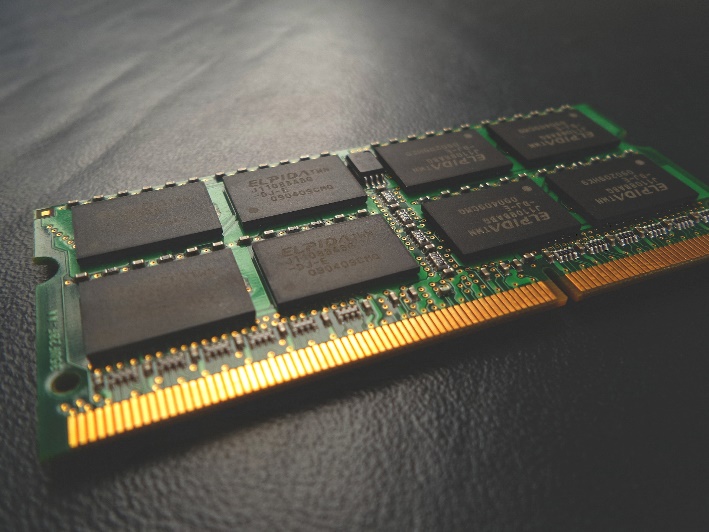
JEDEC (or Joint Electro Device Engineering Council) is a governing body that defines specifications and standards for the microelectronics industry. These
spare sedge
what would you recommend. maybe hello kitty
grave spade
🙏 🌳 🦅
 haughty quail
calm downn haha
brave brook
spare sedge
what would you recommend. maybe hello kitty
What?
pure mica
💀
grave spade
Hello kitty is a perfectly respectable theme
pure mica
spare sedge
grave spade
Hello kitty is a perfectly respectable theme
yeah see.
haughty quail
grave spade
Hello kitty is a perfectly respectable theme
yasss
vast geyser
grave spade
Hello kitty is a perfectly respectable theme
hotwheels is better
pure mica
vast geyser
hotwheels is better
Yep my man
spare sedge
its not even childish
brave brook
2 sticks has always, and probably will always (for the foreseeable future) be best
vast geyser
brave brook
2 sticks has always, and probably will always (for the foreseeable future) be be...
yep
grave spade
 grave spade
brave brook
2 sticks has always, and probably will always (for the foreseeable future) be be...
grave spade
brave brook
2 sticks has always, and probably will always (for the foreseeable future) be be...
This
brave brook
brave brook
2 sticks has always, and probably will always (for the foreseeable future) be be...
End of story
spare sedge
hello kitty goes hard if you guys dont know
grave spade
!!
haughty quail
im going no rgb black workstation look but thats my build
spare sedge
grave spade
this is up my alley
brave brook
And 6000MT/s cl30 is best for am5
spare sedge
haughty quail
im going no rgb black workstation look but thats my build
awe girl why

૮꒰ ˶• ༝ •˶꒱ა ♡ hello!
I have missed you all during the time I was away! I am excited to share my first PC build ever! It was one heck of a learning experience to say the least, and I feel very happy about the results. I would definitely do something like this again, though. Hope you enjoy the video! ✿
! disclaimer !
This was my first time pu...
pure mica
You start with a epic budget to end up hello kitty
vast geyser
brave brook
And 6000MT/s cl30 is best for am5
you can go higher
grave spade
spare sedge
https://youtu.be/hjlFzpjBpBE
K maybe not this
spare sedge
pure mica
You start with a epic budget to end up hello kitty <:KEKW:670048864052445204>
its gonna be so cute
haughty quail
pure mica
You start with a epic budget to end up hello kitty <:KEKW:670048864052445204>
thats noty our thing to judge
vast geyser
vast geyser
you can go higher
with gear 2 you can hit 8000mhz but it performs worse than just 6000 i think
spare sedge
grave spade
K maybe not this
it was cute at first but its kind of just a white case with mid parts
pure mica
haughty quail
thats noty our thing to judge
I can share my tought
grave spade
haughty quail
im going no rgb black workstation look but thats my build
Probs one of the best aesthetics
vast geyser
vast geyser
with gear 2 you can hit 8000mhz but it performs worse than just 6000 i think
+its pain to get it stable
brave brook
vast geyser
you can go higher
It’s not worth the risk of instability
grave spade
CL80
pure mica
vast geyser
+its pain to get it stable
I got 7200 me in not a pain at all
spare sedge
pure mica
You start with a epic budget to end up hello kitty <:KEKW:670048864052445204>
i can go back to pink
vast geyser
intel or amd
spare sedge
are stickers an option. she puts stickers on hers
pure mica
vast geyser
intel or amd
Intel lol
vast geyser
7200 on AMD is much more painful to hit
vast geyser
spare sedge
https://youtu.be/hjlFzpjBpBE
thats doable
vast geyser
vast geyser
thats doable
yknow whats not doable though
brave brook
I said this literally days ago, just get g.skill trident z 6000MT/s cl30. 32/64, probably 64 considering the budget
vast geyser
that aesthetic with the watercooled suprim x
pure mica
spare sedge
https://youtu.be/hjlFzpjBpBE
Cute but not my style
grave spade
spare sedge
are stickers an option. she puts stickers on hers
If they’re nice and you don’t pick at them
spare sedge
grave spade
If they’re nice and you don’t pick at them
i would prollly pick at them
but i can just clean them off if i do that right
brave brook
pure mica
Cute but not my style
Doesn’t mean it’s not her style
vast geyser
vast geyser
that aesthetic with the watercooled suprim x
cause literally holy hell thats ugly tubing and radiator
pure mica
brave brook
Doesn’t mean it’s not her style
I didnt say it wasnt her style. Dude
grave spade
spare sedge
i would prollly pick at them
Put a lacquer over it 🤣
Or stick them on the inside
spare sedge
lmaoo
pure mica
Put leaf all around it lol
vast geyser
grave spade
Or stick them on the inside
how does that work
spare sedge
but i should do high quality stickers then?
vast geyser
i think any stickers would work honestly
grave spade
vast geyser
how does that work
You just stick them on the inner side of the glass…
brave brook
grave spade
You just stick them on the inner side of the glass…
Hell no
vast geyser
grave spade
You just stick them on the inner side of the glass…
i dont see how tf that would work
vast geyser
vast geyser
i dont see how tf that would work
use glue on the side with the image?
brave brook
The underside of the stickers would be ugly as hell
grave spade
You can make adhesive faces even on printed sides
spare sedge
vast geyser
use glue on the side with the image?
thats not a bad idea
vast geyser
i should have shutted up
brave brook
vast geyser
use glue on the side with the image?
Oh that would work
pure mica
vast geyser
i should have shutted up
Yep
grave spade
Paint the entire side panel black
spare sedge
i can just put them on the outside tho too
grave spade
Black 3.0
spare sedge
LMAO
brave brook
grave spade
Paint the entire side panel black
No, just no
spare sedge
that would be cool tho
grave spade
There could be cockroaches inside and you wouldn’t know
vast geyser
they should really make a small h9 flow..
brave brook
If you’re painting glass black, just get a case with a solid side panel
spare sedge
so back to mb
pure mica
Ye lol
 grave spade
vast geyser
they should really make a small h9 flow..
grave spade
vast geyser
they should really make a small h9 flow..
Lían li stocks
pure mica
spare sedge
ik mini pcie now
brave brook
spare sedge
Where is this from
spare sedge
but what is half mini
grave spade
spare sedge
Irrelevance
spare sedge
pcpp
grave spade
Dead technology
brave brook
spare sedge
pcpp
Yes but where specifically
vast geyser
spare sedge
just ignore them
vast geyser
brave brook
Yes but where specifically
motherboard i think?
spare sedge
brave brook
Yes but where specifically
side panel on this mb
vast geyser
dream have u watched the vid i sent
spare sedge
what is msata
brave brook
spare sedge
side panel on this mb
Which mb
spare sedge
no but i will at work
pure mica
spare sedge
what is msata
I got a good website for you to found out it call google
brave brook
spare sedge
what is msata
Could you just look it up?
spare sedge
this is the image that helped me out
 pure mica
grave spade
pure mica
grave spade
Wait fuck
spare sedge
wait that means
grave spade
Mentioning that was a mistake
brave brook
A what? And why
 vast geyser
is the d31 mesh with the screen available anywhere
spare sedge
and the mini pcie uses e key
spare sedge
brave brook
Do not get a sata m.2
what is a sata m2
vast geyser
buying a sata m.2 is trolling
pure mica
Lol
brave brook
spare sedge
what is a sata m2
An nvme ssd but worse in every way
spare sedge
i hear m2 is the best ssd
vast geyser
m.2 is a form factor
brave brook
spare sedge
i hear m2 is the best ssd
Nvme specifically not m.2
brave brook
vast geyser
m.2 is a form factor
Because this
spare sedge
i thought m2 ssd were nvme
brave brook
M.2 is just a form factor
grave spade
2280 pcie gen anything is best
brave brook
grave spade
2280 pcie gen anything is best
Yes
grave spade
Convince her the Inwin z tower is the best case
vast geyser
lmfao
brave brook
For ssd just get a couple 980 pros — 1 500gb one for boot, 1 2tb for files/games
vast geyser
bleh
brave brook
Or get a 970 evo 2tb, doesn’t matter
vast geyser
sn850x + msi m461 4tb
vast geyser
grave spade
No benefit having a seperate boot
it makes stuff much easier tbh
grave spade
vast geyser
sn850x + msi m461 4tb
I like this
grave spade
vast geyser
it makes stuff much easier tbh
No
brave brook
vast geyser
sn850x + msi m461 4tb
Yeah that too
grave spade
It’s only one drive. All your games go on there and not all apps allow you to install on anything but the boot drive
vast geyser
when you have to reinstall windows u can have the games and files separately
grave spade
And when they get full you’re not wasting storage
brave brook
If your windows os gets messed up, you don’t have to reinstall all your games, and visa versa for the games
grave spade
Why would your os get messed up unless you’re doing dumb stuff
vast geyser
always expect the worst
brave brook
grave spade
It’s only one drive. All your games go on there and not all apps allow you to in...
That’s why you install your apps on the c drive, and all your games on the d drive
grave spade
If there’s a problem with the installation you’d likely realise before you install everything
brave brook
You’re not going to have 350gb of programs
grave spade
Personal preference I guess
brave brook
Especially with Xbox games, it’s better for them to be separate, because Microsoft is ass
brave brook
My brother’s Xbox games install borked itself, and he couldn’t uninstall any games, but they were still taking up space. He had to format
And he couldn’t remove the files because Microsoft
brave brook
grave spade
Where’s macrosoft
What?
grave spade
Don’t worry
brave brook
grave spade
Don’t worry
Tell that to dream about 50% of her questions
grave spade
RAID 10 with 990 pros
brave brook
grave spade
RAID 10 with 990 pros
Why
grave spade
Yes.
brave brook
No
grave spade
How about raid 60
haughty quail
i run raid 1 with two 1tb 980's
spare sedge
what is raid
thorn portal
its a way of keeping your data safe in case a storage device fails
for example
if you have 2 ssds and you use raid 1 then it would mirror the data from one of the ssds to the other ssd so if one of the ssds fail then the other one will still have the data
vast geyser
thorn portal
its a way of keeping your data safe in case a storage device fails
uhhh
theres multiple types of raid
lets not get into them
its a huge rabbithole
brave brook
yes
thorn portal
yeah
brave brook
for this build it doesnt matter
open iris
You say that like the fact of it mattering would stop dream
brave brook
vast geyser
theres multiple types of raid
there are so many, especially with zfs
brave brook
open iris
You say that like the fact of it mattering would stop dream
im not explaining every different raid configuration
that would bring this thread up to 10k as well
brave brook
open iris
You say that like the fact of it mattering would stop dream
i will say over and over, you dont need it. if you really must know, google it
 spring wraith
dont get dominators
they come with bad ram ics

G.Skill Trident Z5 RGB 64 GB (2 x 32 GB) DDR5-6000 CL30 Memory (F5-6000J3040G32GX2-TZ5RK)
this is what id recommend
pretty much guaranteed hynix
not too pricey
and a good kit for ryzen overall imo
brave brook
spring wraith
<@841694455747706911> https://pcpartpicker.com/product/DtFbt6/gskill-trident-z5-...
Yes that is perfect
Imo gskill trident is epic
brave brook
Looks so cool, is pretty cheap, and from what I heard, the Hynix chips they have are to the moon overclockers
brave brook
spring wraith
not all trident z5 kits have hynix ics
Well, the ones that do then lol
brave brook
spring wraith
<@841694455747706911> https://pcpartpicker.com/product/DtFbt6/gskill-trident-z5-...
And assuming these do, this is the kit to get
vast geyser
spring wraith
not all trident z5 kits have hynix ics
do they?

Part List - AMD Ryzen 9 7950X3D, GeForce RTX 4090, Jonsbo D31 MESH Screen MicroATX Mini Tower
brave brook
Matx?
vast geyser
sorry sorry just had to put it out there
brave brook
Atx sales volume is so much higher, there’s way more variety
brave brook
Is that atx?

 solar cliff
And you’re spending $20k on a pc
spring wraith
open iris
It's the sweet spot
fuck no
its nice if you want a smaller pc but atx has so much more functionality
off pcie slots alone
and more high end boards
but yeah i love the d31
and ap201
open iris
literally barely anybody is using more than 1 pcie x16 slot
you cant convince me otherwise
spring wraith
what happens if your nic fails
open iris
all you need is an x4
spring wraith
what happens if you use a shit ton of storage and want extra m.2s (this person is doing ai shit)
open iris
which most matx boards have
spring wraith
its far less flexibility for the same price
open iris
a lot of matx boards have multiple m.2s as well
spring wraith
also half of them dont even have optical outs iirc
open iris
also matx boards are usually cheaper
spring wraith
open iris
a lot of matx boards have multiple m.2s as well
so do itx boards
spring wraith
open iris
also matx boards are usually cheaper
and usually far qorse
with the exception of like the b650m aorus elite
open iris
spring wraith
so do itx boards
then why did you even bring it up as a point???
spring wraith
because you can saturate them easily???
have you ever talked to a professional about their needs in a pc
open iris
what the hell are you even on about
for 90% of people the difference between an atx and matx board is irrelevant
solar cliff
vast geyser
get out
nty
vast geyser
spring wraith
and usually far qorse
how
open iris
were also at a very funny stage where the extra slots actually might as well not even be there unless you use a riser cause the gpu blocks them all lmao
spring wraith
vast geyser
how
find me a good matx lga1700 board
its like impossible
theres only a couple good ones on am5, thats it
and those are only good because am5 cpus are efficient
aside from the gene obv
spring wraith
open iris
for 90% of people the difference between an atx and matx board is irrelevant
no shit
for 90% of people the difference between a $2500 pc and $800 pc is irrelevant
open iris
spring wraith
find me a good matx lga1700 board
what arbitary things do you want for this matx board for an example?
spring wraith
a vrm that wont shit itself with a 13900k
ability to run ok ram
at least 2 m.2 ports
at least like 6-7 usb a ports, ideally an optical out too
open iris
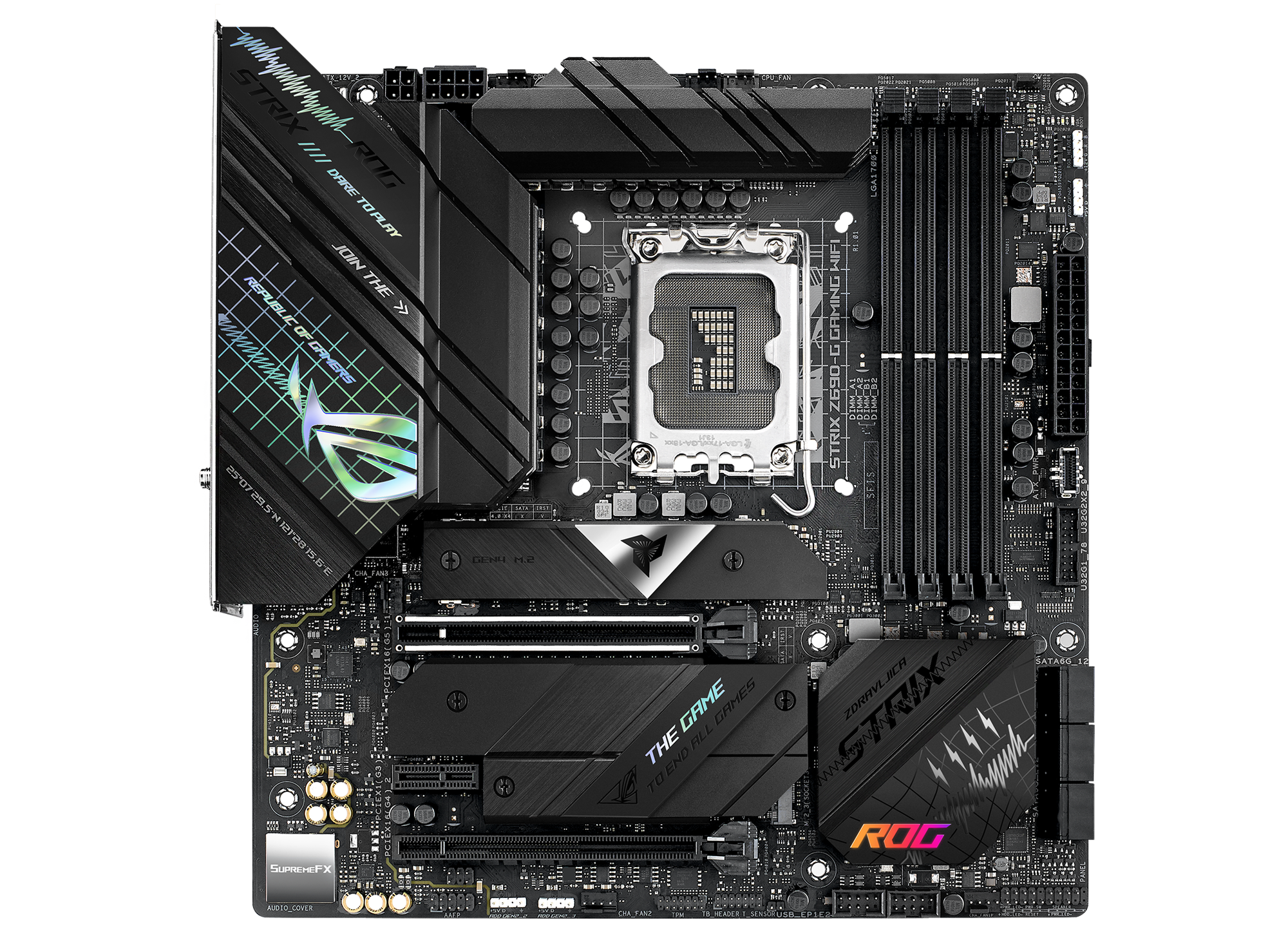
ASUS ROG STRIX Z690-G GAMING WIFI Intel LGA 1700 ATX motherboard, DDR5, PCIe 5.0, 14+1 power stages, WiFi 6E, Intel® 2.5 Gb Ethernet, three M.2 slots, USB 3.2 Gen 2x2 USB Type-C®, SATA and Aura Sync
Powered by Intel 12th Gen Core processors, the MSI MAG Z690M MORTAR WIFI is hardened with performance essential specifications to outlast enemies. Tuned for better performance by Core boost, Memory Boost, Premium Thermal Solution, M.2 Shield Frozr,
spring wraith
open iris
https://rog.asus.com/motherboards/rog-strix/rog-strix-z690-g-gaming-wifi-model/
that isnt available
like anywhere
spring wraith
open iris
https://www.msi.com/Motherboard/MAG-Z690M-MORTAR-WIFI
can you find the vrm specs
i dont see any
spring wraith
spring wraith
that isnt available
and when it was, you could get considerably better boards for the same price
vast geyser
spring wraith
a vrm that wont shit itself with a 13900k
how tf does lga 1700 matter in this thread
open iris
spring wraith
can you find the vrm specs
cant actually as well but vrms in general dont really matter at the high end cause its been proven basically any z690 can run a 13900k fine
warship
spring wraith
open iris
cant actually as well but vrms in general dont really matter at the high end cau...
LOL
spare sedge
so im watching that video at work
i understand hes going over relevant boards. its a good source
but i have a ton of questions
what is post code
and clock gen
and dual x8
spring wraith
dual x8 = two pcie x8 slots, meaning you can get better bandwidth for either dual gpus or a gpu + another device
as opposed to just having one pcie x16 slot (for your gpu) and an x4 slot (way less bandwidth) for your second device
spring wraith
spare sedge
what is post code
"posting" is just a series of tests and procedures that your motherboard carries out when you start it up
a "post code" basically just communicates what the motherboard is doing at any given time
this is super useful for troubleshooting as you can see what kind of error is occurring if you come across one
for example a memory error, cpu error, motherboard error, memory controller error, etc.
spring wraith
spare sedge
and clock gen
a clock generator basically just sets the "timing" of everything connected to the motherboard
the point of raising your clock gens speeds is to raise the speed of your cpu
spare sedge
the guy speaks of post code like its really expensive this gen and that most cheaper boards dont have it anymore.
this isnt a problem for me, but are their different tiers of post codes?
ive seen the analog number ones and ive seen the rgb light ones.
the ones im used to are just the beeps.
im not a stranger to a no post pc.
spring wraith
but, the problem with doing this is that it also raises the speeds of most other things connected to your motherboard, primarily drives, which can kill them pretty quick
thats why having an external clock gen (or eclk) is useful, because it ONLY affects your cpu
so you can overclock locked cpus with it (like the 7950x3d)
spare sedge
spring wraith
a clock generator basically just sets the "timing" of everything connected to th...
oh so not gen like generation. its gen for generator.
in the case of clock gen
spring wraith
spare sedge
the guy speaks of post code like its really expensive this gen and that most che...
yeah post codes are just the analog number ones
the rgb lights are like post leds or whatever
spring wraith
spare sedge
oh so not gen like generation. its gen for generator.
yes
clock generator
BCLK is your normal clock gen (the one that affects everything) and ECLK is the external one that just affects your cpu
its probably not super useful for you as i dont think youre gonna be overclocking? afaik
spare sedge
spring wraith
thats why having an external clock gen (or eclk) is useful, because it ONLY affe...
ohh i think thats what he said in the video. i left out the external part.
so external clock generator or gen or eclk
clk for clock im guessing and no g for gen.
vast geyser
spare sedge
the guy speaks of post code like its really expensive this gen and that most che...
post codes make it very easy to troubleshoot
spare sedge
that was the most ive learned in 7 mins.
vast geyser
and ig they were way more commkn back then
spring wraith
yeah they were
vast geyser
buildzoid is like a mountain of knowledge
spare sedge
yeah but they were under valued so companies knew they could make more money off of it so now you have to pay more money for them
spring wraith
eh
vast geyser
fym eh
vast geyser
how
spare sedge
spring wraith
and e cores
good to know
spring wraith
also calls e cores "error cores"
spring wraith
spring wraith
despite having a binned imc
and the best ddr5 boards
spare sedge
what are e cores
spring wraith
theyre on intel cpus
theyre "efficiency cores" (not efficient but) that are used for background tasks and rendering stuff primarily
spare sedge
spring wraith
and the best ddr5 boards
literally what im watching now. not a bad source for hearing mb feature options in the background. even if he doesnt explain what they are.
spring wraith
think of it as like having 2 sets of cores
the high performance p-cores then the lower performance but more plentiful e cores
spring wraith
spare sedge
literally what im watching now. not a bad source for hearing mb feature options ...
yes hes great for mobo roundups
especially for amd
goes over the features well
 spring wraith
no thats buildzoid
spare sedge
oh good. i got confused cause the description sounded just like him
good to know it is him
spare sedge
spring wraith
goes over the features well
seeing the options listed like this is nice
spring wraith
yes
spare sedge
cause i didnt even know what was out there
spring wraith
true
 abstract wyvern
Not again
vast geyser
spring wraith
despite having a binned imc
i mean he hit 8000 on am5 in the end..
vast geyser
spare sedge
seeing the options listed like this is nice
came to any conclusions?
spare sedge
okay so i restarted the video knowing what ive learned. and i already have more questions
spare sedge
vast geyser
came to any conclusions?
light years from picking a mb
vast geyser
spare sedge
okay so i restarted the video knowing what ive learned. and i already have more ...
ask away
i have a feeling i know which
spare sedge
so what exactly is usb type A and is 6 like a standard or something
and what is bios flashback
vast geyser
type A is the port that everything uses
vast geyser
spare sedge
and what is bios flashback
you can update bios without a cpu
vast geyser
vast geyser
type A is the port that everything uses
you can easily google that
vast geyser
idk bout easy tbh
spare sedge
im at work
vast geyser
and yet youre watching a 1 hour buildzoid video twice 😭
spring wraith
vast geyser
idk bout easy tbh
easier than intel to stabilize for daily
spring wraith
spare sedge
im at work
making your employer pay for u to learn about pc shit
optimal
spare sedge
literally
what is the "basic set of audio ports"
is 1 usb type c standard?
and where do you check a mbs power delivery
vast geyser
spare sedge
what is the "basic set of audio ports"
headphone microphone and smth else
vast geyser
spare sedge
is 1 usb type c standard?
there isnt a standard for them
vast geyser
spare sedge
and where do you check a mbs power delivery
i think you basically dont
cause as you heard, theyre thermally limited and not power limited
so it doesnt really matter
spare sedge
that statement was about the ryzen 7000 cpus
theres gotta be a way about power delivery
also i ask about usb stuff cause it honestly confuses me because there are so many usb types and idk why i would need any of them for a pc
i want to know the standard
typical number of ports
open iris
usb
spare sedge
so troubleshooting LEDs are not the same thing as a post code then?
open iris
reason why linus has made like 4 different rant videoss about usb
vast geyser
spare sedge
i want to know the standard
there isnt a standard
spare sedge
and what is the standard for m.2 slots
vast geyser
did u learn nothing from the conversations we had the morning
spare sedge
okii so it is shorthand
spare sedge
so pcie 4 ia gen 4 and gen 5 is the newest one
spring wraith
yes
you dont rlly need gen 5
but
its nice i guess if youre gonna upgrade your gpu later
spare sedge
and so the gen describes bandwidth then only?
vast geyser
spring wraith
its nice i guess if youre gonna upgrade your gpu later
4080 barely uses gen 3 btw
vast geyser
spare sedge
and so the gen describes bandwidth then only?
yes
spare sedge
yeah i heard the 4090 isnt gen 5 so no point
spring wraith
yes
vast geyser
vast geyser
4080 barely uses gen 3 btw
i mean barely fully utilizes it
spring wraith
vast geyser
4080 barely uses gen 3 btw
yes but if youre in x8 mode
vast geyser
why tf would you be though
vast geyser
spring wraith
capture card
having an AV1 encoding gpu then using a capture card is like scamming yourself tbh
vast geyser
there really isnt a performance loss
spare sedge
dual x8 is better than x16 and x4 right so that should be a good reason
im on lunch now

here are the mbs he goes over
so which ever mb you choose it actually does have a small impact on performance but not as much as the ram
 maiden pasture
Damn rip the old thread
vast geyser
spare sedge
dual x8 is better than x16 and x4 right so that should be a good reason
yeah but idk how you could ever use dual x8
maiden pasture
Yeah fair enough
brave brook
vast geyser
yeah but idk how you could ever use dual x8
Anything change while I was gone?
vast geyser
really depends
brave brook
spare sedge
how many m.2 slots is typical
It depends on the motherboard. On x670, it’s usually 4
Well chipset rather
 open lava
I got 3 on mine and using 2 atm
spare sedge
brave brook
It depends on the motherboard. On x670, it’s usually 4
i mean in general
also what does he mean when he says gen by 4
brave brook
2-4
brave brook
spare sedge
also what does he mean when he says gen by 4
pcie gen 4, as opposed to gen 3, or gen 5
spare sedge
im guessing pcie x4
brave brook
spare sedge
im guessing pcie x4
all nvme ssds are 4 lanes of pcie
brave brook
spare sedge
im guessing pcie x4
yes, that is correct
spare sedge
so gen 5 is very uncommon
spare sedge
sata is only for ssds or is it for hdds too
vast geyser
hdds as well
spare sedge
i keep mixing sata with ethernet
vast geyser
and fan and argb hubs
spare sedge
what are argb hubs
vast geyser
a hub to plug argb devices in
spare sedge
also whats argh
vast geyser
addressable rgb
vast geyser
vast geyser
addressable rgb
basically u can control the color
and its not just red green and blue
spare sedge
isnt that just rgb
vast geyser
for fans
vast geyser
vast geyser
and its not just red green and blue
.
spare sedge
whats the difference between rgb and argb
vast geyser
just google it
modest valve
spare sedge
whats the difference between rgb and argb
Rgb displays one color at a time while argb can display multiple
For ex if u have an argb fan, u can control each led on that fan but if you have a simple rgb fan, then the controls for all the leds will be the same
Argb is more common and versatile nowadays so it’s a no brainer to go for argb options if available
modest valve
Still on mobo but narrowed it down to x670e I think
vast geyser
i really dont get why yet
vast geyser
maybe ram?
 orchid gate
imma need a pcpartpicker link if I miss out any more
orchid gate
Yes
vast geyser
if it took 2 days for a gpu i dont want to imagine psus
orchid gate
I said to leave that till last
modest valve
We’ll just pick a tier a psu with high wattage and rating
modest valve
It’ll be hard to explain to her thi
vast geyser
vast geyser
again, took 2 days for a gpu
the easiest part to pick
orchid gate
And all of them were 4090s
vast geyser
orchid gate
And all of them were 4090s
exactly
orchid gate
modest valve
It’ll be hard to explain to her thi
She’s willing to research and check back
Which is actually a concern
vast geyser
all 4090s that perform like 4090s
modest valve
Also has she decided on a micro atx mobo