#I am building my first PC ever
1 messages · Page 9 of 1
 vale mulch
 austere shale
 austere shale
vale mulch
is ddr5 the speed
austere shale
vale mulch
is ddr5 the speed
No that’s the gen or type as it’s called
Am5 only supports ddr5

 vale mulch
OH but the ddr5 part isnt the speed part
austere shale
Sure
vale mulch
what is the ddr5 part like ik ddr5 is newer than ddr4
austere shale
It’s just telling you which “generation” of ram it is
vale mulch
but idk what ddr is
austere shale
Yeah
So DDR5 was released maybe 2 years ago or more
DDr4 is slowly becoming obsolete, though it is still very popular
austere shale
But yeah I wouldn’t recommend anyone to buy ddr4 if they’re building a new system
vale mulch
and is ddr5 3000 slower than a ddr4 5000?
austere shale
vale mulch
and is ddr5 3000 slower than a ddr4 5000?
I don’t think ddr5 gets that slow
 hot mural
I think it goes down to 4800
austere shale
And I think there were very few ddr4 sticks that reached 5000mhz, they were very expensive
austere shale
hot mural
I think it goes down to 4800
I think 4400
I just remember seeing that in my bios
austere shale
Yeah
vale mulch
hot mural
Still lol, ddr5 would be better
why tho
austere shale
There’s again bullshit about ddr5 ram latency but it’s still better than ddr4
austere shale
vale mulch
why tho
Just the modules are denser and can reach higher capacities while being made to run at higher speeds
hot mural
Newer, better components.
austere shale
That ddr4 just won’t be able to handle
vale mulch
so a ddr4 with higher speed is worse than a ddr5 with lower speed??
vale mulch
i heard about those
austere shale
Depends how big the gap is but considering ddr4 barely exceeded 5000 generally ddr5 is cheaper
I think the standard for ddr5 is cl40
hot mural
Like, just to make things easier ....
Ddr4 at 10,000 mhz, with timings of 50-50-50-150
Would be slower for gaming and production work at 5000mhz 10-10-10-50
I just threw out numbers btw, these are not realistic
hot mural
Timings
vale mulch
is that number set for the data or workload
theoretical
or is it for a made up ddr5
for comparison analogy
hot mural
You are trying to look too deeply into this stuff
vale mulch
i just want to know if a ddr4 with higher speed is better than a ddr5 with lower speed
hot mural
Better timings = lower latency
Faster speed = faster speed
You want to find a nice mix between low timings, and fast speed
austere shale
vale mulch
i just want to know if a ddr4 with higher speed is better than a ddr5 with lower...
No
DDR4 is out of the question because it’s not compatible with am5
vale mulch
so gen is more important than speed then
hot mural
Ddr5 consumes less power, they have better dimms, and can obtain faster speeds.
vale mulch
austere shale
DDR4 is out of the question because it’s not compatible with am5
yeah but what if i want to drop down to get better ram
austere shale
You won’t get better than ddr5
hot mural
The worst ddr5 ram is better then the best ddr4
vale mulch
hot mural
Ddr5 consumes less power, they have better dimms, and can obtain faster speeds.
so its a little more than just how new it is
austere shale
And you’d have to either get a previous gen Ryzen or go for Intel 13th gen
vale mulch
austere shale
You won’t get better than ddr5
well. ik that now. cause the ram gen is more important than speed
hot mural
Right, but you are trying to get down to the minute detail on your hardware. Get a 4090, get one of the best cpus, a decent motherboard, decent ram. And you will be set for a very long time no matter what the pc is used for.
No, speed is very important. But ddr5 is newer hardware, supports faster speeds, and has better conponents.
vale mulch
but not as important as gen
gen controls compat as well as the architecture inside like power consumption apparently
hot mural
You are thinking about something that doesn't matter. Ddr5 has better specs. Period.
vale mulch
i mean if a ddr4 had a higher speed it would have confused me if i didnt ask
hot mural
Intel 13th gen, though is newer has better specs then 12th gen.
It can't thats the point. It can't handle it, nor could the motherboard and cpu that supports the ddr4
vale mulch
so whats going on with ram. mbs still had amd vs intel chipsets.
austere shale
I’ll just list the things to look for so it’s easier:
•Make sure it’s DDR5(the only ram supported by AM5)
•Make sure you don’t overspend for higher speed as AM5 struggles above 6000mhz(you’d be wasting money)
•Make sure it’s 2 sticks
•Check the latency, CL40 is a common latency, but is possible to get CL32 for a decent price, it will be a slight improvement in performance
hot mural
How fast of ram and how much memory you can have is based off the cpu
vale mulch
who is ram by
vale mulch
austere shale
I’ll just list the things to look for so it’s easier:
•Make sure it’s DDR5(the o...
i need a source for the 2nd point. i dont understand why i cant just go 8000mhz
hot mural
Because they don't make ddr4 800p
austere shale
Because AM5 just can’t handle it
hot mural
It can't handle it
austere shale
You’d essentially be wasting your money
vale mulch
i also know the 2 sticks vs 4 sticks debate is annoying but i really need to look into that on my own time cause i hear VERY conflicting things
hot mural
If am5 supported it, sure .... but it doesn't. All pc parts are in a relationship with one another.
austere shale
vale mulch
i also know the 2 sticks vs 4 sticks debate is annoying but i really need to loo...
If it’s AM5 it’s 2 sticks only, if Intel, then generally 2 sticks but 4 stick kits have been made and tested
 hot mural
If you are getting 32 gigs of ram get 2 sticks.
If you are getting 64 gigs of ram get 4 sticks.
Boom, easy.
hot mural
You are looking into this too much. You don't need to understand the why, just know it does
austere shale
hot mural
If you are getting 32 gigs of ram get 2 sticks.
If you are getting 64 gigs of r...
No!
vale mulch
yeah see
austere shale
AM5 just can’t do 4 sticks
vale mulch
i was told never to get 4 sticks
austere shale
At least not without a long struggle
hot mural
Oh, I didn't know that. I'm an Intel cpu guy
vale mulch
but all the videos i see say 4 sticks and that you should want upgradeability
austere shale
vale mulch
but all the videos i see say 4 sticks and that you should want upgradeability
That really only applies to DDr4
hot mural
So once again dream. Depending on your cpu that will tell you what ram you are getting
vale mulch
so amd gets 4 slots but can only use 2? i dont get it
austere shale
As DDR5 is newer it may take longer to get to that stage
hot mural
My brain is melting
austere shale
vale mulch
so amd gets 4 slots but can only use 2? i dont get it
It’s still possible but let’s say not for a normal consumer
vale mulch
if you feel a video would be better. i will watch it
id rather not draw trolling suspicion or whatever
vale mulch
austere shale
It’s still possible but let’s say not for a normal consumer
is it just the overpriced useless thing again
austere shale
vale mulch
is it just the overpriced useless thing again
No it’s just that you have to play around in bios with the latency and frequency of the ram to find a stable setting. This is what the manufacturer normally does themselves because of how long it takes
hot mural
I'm going to speak based off an Intel cpu.
You look up the cpu. On its specs sheet it will say "supports ddr4, ddr5" Supports speeds up to "8000mhz", supports up to "256gigs of ram".
Ok great. Now which motherboard am I pairing with the cpu. Ok, this one, awsome. Then look at the boards specs. Board says it prefers dual channel memory great, so I can go x2 or x4 sticks of ram.
hot mural
austere shale
No it’s just that you have to play around in bios with the latency and frequency...
Don't even go down the rabbit hole of memory oc. Just tell her to set xmp and call it a day.
vale mulch
ik ram oc is just bios
austere shale
Buy only one set of ram, if you mix sets of ram, even the exact same model, it may not work as intended
hot mural
So if you buy ram, buy the exact .... same .... thing. Don't deviate.
Like, I have this ram here in my current build.
If I decide to get 64 gigs I'll just buy this again and populate all 4 slots on my motherboard.

CORSAIR VENGEANCE DDR5, optimized for Intel® motherboards, delivers the higher frequencies and greater capacities of DDR5 technology in a high-quality, compact module that suits your system. Tightly-screened high-frequency memory chips power your PC through faster processing, rendering, and buffe...
Personally, you don't need more then 32 gigs. But you want to "futureproof", so I'd advise 64
austere shale
hot mural
Like, I have this ram here in my current build.
https://amzn.to/441itQK
If I d...
Just fyi. I’m using a 13700K with the same sticks at 6000mhz. But because I bought 2 sets, so 4x16gb I can only achieve 5200mhz. Though Corsair do make 4x16gb kits that are guaranteed to work
The DDR5 controller are still kinda shit
But at least you can have 4 sticks on Intel
hot mural
I was about to ask why it doesn't run at its supposed speed, but saw you oc'ed it further
austere shale
No the sticks are rated for 6000mhz, but can’t get a stable clock above 5200
hot mural
Huh
austere shale
But when I keep just one set of 2x16 it works fine
hot mural
My friend used 4 sticks when we built my pc. It was 6400, 64 gigs.
austere shale
It’s a ddr5 thing
hot mural
Xmp worked just fine
austere shale
It’s possible it came as a 4x16gb set as Corsair does make them
But the problem here is buying 2 sets rather than 1
hot mural
Yeah the set was 4x16
austere shale
Yeah so those are guaranteed to work together
hot mural
Awwww so if I upgrade like a week from now, and bought the same ram, it might only run at 5000 not 5600
austere shale
But if you buy 2 seperate sets like you wanted to it’s not guaranteed it will work at the full speed
Yes
Correct
austere shale
Exactly
That would be disastrous
Hopefully in a few years it will be as easy as DDr4 again
hot mural
I watched a Jay video where he was showing that isn't mattering too much any longer with how fast stuff is getting now
Like if you mixed one at 5600, one at 6000, one at 6400
They all just ran at 5600
austere shale
Damn that’s lucky
hot mural
Right but even at say, 4000, that's still good
austere shale
hot mural
Right but even at say, 4000, that's still good
Yeah realistically you’re losing frames in the single digits
hot mural
I was just typing that out lol
He went from like 121fps on cyberpunk, to 105 or something at 2k ultra
austere shale
I think cyberpunk relies a bit more on ram
hot mural
It requires everything lol. But still, considering that's a worst case scenario that's not bad.
Cyberpunk be the new crysis
austere shale
Oh god
hot mural
Meanwhile on my beast I'm still playing league lol
austere shale
Ready to run that pentium 1 with 8MB of ram and GeForce 256
hot mural
When I built my new pc, I went from a 6700k to 13600k. I didn't have a gpu yet. Ran league. Got like 160fps on 2k max settings.... I was like .... huh
I was even able to run monster hunter world, albeit low settings around 45-50fpa
I fully believe gpus will be a thing of the past at some point. It will all be igpu based.
vale mulch
so from what ive gathered
first choose if the ram is going to be for a laptop or desktop. obviously in this case it is a desktoo so we need dimms and no sodimms
an then gen is the most important since its literally a whole tier and everything gets better about it.
so ddr4 is better than ddr3 and ddr5 is better than ddr4 and it also controls compat with the mb and the cpu to an extent
and then the capacity is the next most important as the first 2 are conditional and p much decided by your build. with capacity you want 32gb for gaming but that is overkill and plenty of room. and 64 or higher is unnecessary.
then speed is one of the least important especially in gaming as it wont really make a difference at all since the ram is already closer for processing data and already faster than m2 nvme ssd
then latency is the least important and can just be ignored.
 proud rapids
Speed does matter if you are going amd
vale mulch

✅ Read full article ➡️ https://www.gamingscan.com/how-to-choose-ram/
⭐️ Subscribe ➡️ https://www.gamingscan.com/subscribe
How Much Does RAM Affect Gaming ➡️ https://www.youtube.com/watch?v=eLSTWWP4Dts
What RAM Speed Do I Need ➡️ https://www.youtube.com/watch?v=XdT0FZBSjnk
Single vs Dual vs Quad Channel Memory ➡️ https://www.youtube.com/watch?v...
proud rapids
Thanks to Seasonic for sponsoring this video! Buy a Seasonic TX 1000 PSU today at https://geni.us/aryiquT
We’ve done plenty of build guides before – But now we’re taking it to the next level. Not only will you know how to build a PC, you’ll know how to build ANY PC – This is the LAST guide you’ll ever need!
Discuss on the forum: https://linust...
 void heart
take the g9 neo from samsung
taking the g9 is around 1.5k more
you could make a request to linus and depositing 20k i guess? since this is a special request he could make a vid out of it so benefits for everybody
austere shale
vale mulch
when is DDR6 coming out
It will be a while considering DDR5 just came out not long ago
And DDR4 I think existed for around 8 years before DDR5 came around
hot mural
On average major upgrades are 5-10 years
 fierce spindle
vale mulch
when is DDR6 coming out
fierce spindle
vale mulch
when is DDR6 coming out
DDR5 is still kinda crap compared to its potential bc its so new and u already want ddr6. Chill 😂
fierce spindle

Sending PC hardware underwater in style! Thanks to ASUS for sponsoring this build! Visit https://asus.click/DIYPerks to check out the Zenbook Pro 14 Duo OLED for those in search of incredible!
#ASUS #InSearchOfIncredible #Submersible #ISOI2023 #Zenbook #ZenCreator
But thanks to ASUS for sponsoring this build, and for the various manufactures f...
 rose pollen
dream you should be fine with a set of 32 gb, ddr5, 6000mhz ram
hot mural
fierce spindle
https://www.youtube.com/watch?v=yFswDJPvtPY
Every time I see a post like this, it gives me ptsd of my mineral oil build.
fierce spindle
Listen, you know what u got yourself into
and we respect it
but in this one the components arent getting wet, so thats a lil big difference lol. Yet I totally get it lol
 proper dove
rose pollen
dream you should be fine with a set of 32 gb, ddr5, 6000mhz ram
proper dove
rose pollen
dream you should be fine with a set of 32 gb, ddr5, 6000mhz ram
CL30 aswell
rose pollen
yes
hot mural
fierce spindle
Listen, you know what u got yourself into
I didnt watch the video, I just did an eye squint when I saw liquid + pc lol
vale mulch
fierce spindle
DDR5 is still kinda crap compared to its potential bc its so new and u already w...
you always assume that i want something when i ask a question
i dont wamt ddr6
just want to know if its coming out soon
vale mulch
austere shale
And DDR4 I think existed for around 8 years before DDR5 came around
ty
anyway whats the highest speed ddr5 goes to?
ik its not 6000
is it 7600 or is there any higher than that?
vale mulch
void heart
take the g9 neo from samsung
whats a g9 neo
rose pollen
It can go higher, but amd doesn’t do well with higher than 6200 I think
vale mulch
void heart
you could make a request to linus and depositing 20k i guess? since this is a sp...
this would be fun and cute but i really am not interested in a custom pc or prebuilt. and i also want the build experience
vale mulch
rose pollen
It can go higher, but amd doesn’t do well with higher than 6200 I think
whats the highest speed
rose pollen
well the world record is like 16000 but thats unusable, I think someone in this server got theirs to like 8k
ram speed doesn’t matter very much, you’ll be fine with a 6000 set
anything above that with amd cpus can get unstable
vale mulch
rose pollen
well the world record is like 16000 but thats unusable, I think someone in this ...
is that industrial
whats the highest regular ddr5
without ocing
vale mulch
what does the CL stand for
 lone saffron
I gently have to disagree, i have my 2017 build that costed me 7k its a bomb even after 6 years. Same as when i first booted it up.
 median flame
lone saffron
I gently have to disagree, i have my 2017 build that costed me 7k its a bomb eve...
median flame
lone saffron
I gently have to disagree, i have my 2017 build that costed me 7k its a bomb eve...
by peak performance i mean like top-tier. improvements have been made in those 6 years where far far far better can now be had. i assume its 7900k + 1080ti or smth similar but thats at best a midrange pc now.
lone saffron
@vale mulch You want a legit build? i can give you one. It wont cost u an arm or a leg, and is also top components u can buy in 2023. While looking aboslutely monumental. U can give it any color u would like and ur gonna absolutely adore it
median flame
by the looks of it they want it to cost an arm and a leg with a few kidneys as tip
vale mulch
lone saffron
<@841694455747706911> You want a legit build? i can give you one. It wont cost u...
sure send a pcpp
right now i just want to know what CL stands for
lone saffron
vale mulch
sure send a pcpp
I gotchu, https://pcpartpicker.com/list/LFhQz6
Updated link
so let me narrow it down to how much you will pay
4,6k usd
enjoy my friend
u cant get something better than this
techincally you could if u wanted 128gb ram but thats too much and u wont make even 25% use of it
lone saffron
this will help you understand
all ur questions about ram ddr5
i wanted to know as well so i searched, and i found for when i created my pc parts.
vale mulch
eh it just gets into stuff idk about yet
and some that i already know
okay
Cl stands for cas latency

okay so what does the number mean tho
is a lower number better then?
cl30 is better than cl40
lone saffron
well
long story short lower is indeed better but the thing is that if u have a CL36 6800Mhz and you want better CL for better performance, what will happen is that if you narrow down to CL32 or CL30 it will be 6400Mhz or 6000Mhz respectively
so basically even if you decide to go with lower CL the Mhz drops as well
so basically the performance between MHz and CL evens out
choosing a 36 with higher Mhz would be no different from choosing a 30 with lower Mhz
they will both perform nicely, but for general consensus i think going mid CL is best even tho your Mhz wont be as high
personally i went for a CL-30 DDR5 2x32 gb 6000Mhz as i think that's a nice middle ground
but the performance between CL's won't be that noticeable anyways, its just a matter of what you want in the end.
Also what i considered with lower CL's is QVL verified ram list of the respective motherboard you want to go with
Usually higher CL's are not Qualified Vendor List meaning they are not tested on certain motherboards as much as mid ones
if it is QVL, that means u won't have any issues running XMP profile and boosting your MHz from the 4800 base Mhz they arrive out of stock to a 6000Mhz to what it can actually have
if it's not QVL, then you might be taking a risk and if it's not working then you wont be able to use XMP and as a result end with the stock Mhz the ram comes with.
you might experience blue screen of death or crashes when runing games if you go with a ram that is not QVL while you try to enable XMP profile, so i'd be aware of that
also the motherboards of 2022-2023 that support ddr5 are kinda shaky, i did ALOT of research on what would be the best motherboard (white version) and honestly the only good one i found which has insane performance and doesn't bug as easily as other brands, is the MSI MPG Z790 EDGE
There doesn't exist a 20k ultimate pc in our day and age (it did in 2017 tho cause at that time u could build yourself a 4 way sli with 4 gpus :)), but since things have changed cause people realised SLI won't give u better performance even though it was the trend back then) , a 5k$usd pc will get you the best parts available at this time and hour
void heart
vale mulch
whats a g9 neo
Just check on the internet Samsung Odyssey G9 Neo it’s a 49” curved monitor
vale mulch
lone saffron
long story short lower is indeed better but the thing is that if u have a CL36 6...
i was gonna say okay so that means the speed is a derivative or cl but this isnt the case in fact there is
ddr5 6000 cl40 along with ddr5 6000 cl30
in this case the cl30 should be better because unlike what has been previously stated.
the cl matters more than the speed entirely.
particularly the first word latency is the most important
the speed does show better read and write speeds on tests. but doesnt equate to real world performance from what ive researched.
it is only the first word latency that will net major performance increases.
vale mulch
lone saffron
they will both perform nicely, but for general consensus i think going mid CL is...
so yeah you want your cl to be as low as possible
cl30 is better than cl40 for example
"lower is better"
vale mulch
void heart
Just check on the internet Samsung Odyssey G9 Neo it’s a 49” curved monitor
oh okii thanks for the monitor tip. but that sounds too big lol. 49 in? woof
vale mulch
lone saffron
Also what i considered with lower CL's is QVL verified ram list of the respectiv...
what is qvl
vale mulch
lone saffron
Usually higher CL's are not Qualified Vendor List meaning they are not tested on...
so this means higher cl is bad too then
vale mulch
lone saffron
if it is QVL, that means u won't have any issues running XMP profile and boostin...
im not familiar with oc. also what exactly is xmp. ik it is ram oc.
lone saffron
vale mulch
what is qvl
https://pangoly.com/en/compatibility/msi-mpg-z790-edge-wifi/ram?c=13th Gen K series
QVL = qualified vendor list = tested by motherboard manufacturer = gives you a sense of if it works or not when you enable XMP.
austere shale
vale mulch
so this means higher cl is bad too then
Yes but generally you won’t get more than cl40, speed makes a bigger difference
But I guess you’re limited to 6000mhz so if you can get a lower latency that is ideal
vale mulch
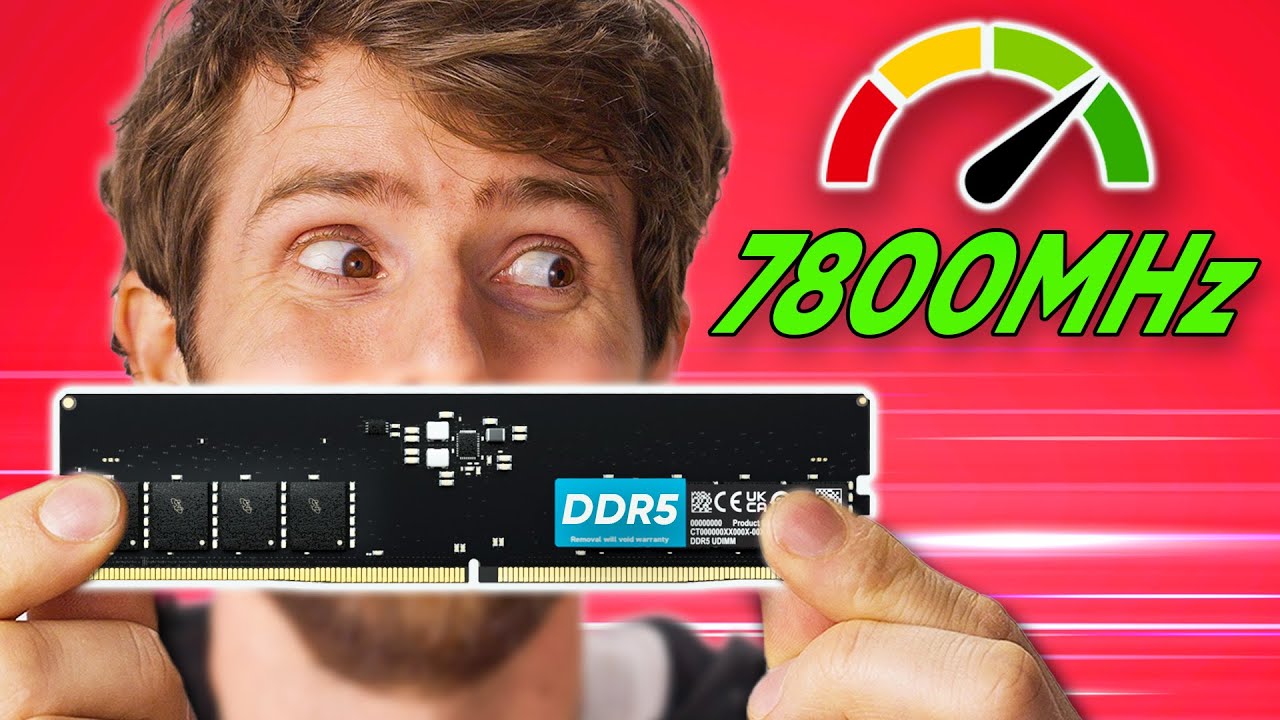
Buy a Samsung 970 EVO Plus NVMe M.2 SSD: https://lmg.gg/FZksz
Sign up for Linode to get your $100 in 60-day credit at https://linode.com/ltt
How much does RAM speed matter? It's a question we've covered before, but with new platforms from AMD and Intel, and of course the new DDR5 spec, it's time to go down the rabbit hole once more...
Discuss...
what does "tight timings" mean
austere shale
Low latency
Just pick a kit of ram 😭
There’s nothing much more to it that you can control
 turbid elm
vale mulch
what does "tight timings" mean
turbid elm
vale mulch
what does "tight timings" mean
Just get cl30 6000mhz
austere shale
Just set these filters. Choose something you like the look of. Don’t spend extra for ram faster than 6000mhz. It shouldn’t cost more than $250

If you can get lower latency ram for 10 more dollars go for it. Any more than that don’t bother
vale mulch
i work til 10pm everyday
and then i sleep for 90 mins
and then i literally try to stay up
i woke up just now
i still dont know anything about timings
like what are timings
why is it like 3 or 4 numbers
vale mulch
lone saffron
https://pangoly.com/en/compatibility/msi-mpg-z790-edge-wifi/ram?c=13th%20Gen%20K...
so qvl is manufacturer certified thumbs up that you can xmp it?
 muted token
vale mulch
i still dont know anything about timings
muted token
vale mulch
i still dont know anything about timings
Not important, not unless you’re trying to maximize performance for overclocking
Just look at CL/CAS and Mhz for now
muted token
vale mulch
so do you just not know?
It’s extremely difficult to explain
 next mountain
vale mulch
so qvl is manufacturer certified thumbs up that you can xmp it?
next mountain
vale mulch
so qvl is manufacturer certified thumbs up that you can xmp it?
just take my build holy fuck
vale mulch
why on earth would i do that
next mountain
if you want different aesthetic just change osme items
next mountain
vale mulch
why on earth would i do that
because its one of the better one?
vale mulch
im not even done choosing an aib or a mb
next mountain
vale mulch
im not even done choosing an aib or a mb
aibs dont matter they all perform relatively the same
vale mulch
if you guys rush me i will literally have to just restart
muted token
vale mulch
well i have til 1 pm
I meant more like an entire university class to explain this
next mountain
youre just throwing money for brand and aesthic
vale mulch
next mountain
aibs dont matter they all perform relatively the same
this is not true
muted token
Or like an hour of video at least from AHOC or something
next mountain
vale mulch
this is not true
this is true though
all 4090 coolers were designed for 600w
the 4090 only does 450w
vale mulch
some have slightly different performance and offer different aesthetics and different cooling
next mountain
vale mulch
some have slightly different performance and offer different aesthetics and diff...
are you going to overclock the gpu?
vale mulch
so obviously im not going to fucking choose a random aib that looks cool thats fucking dumb are you kidding me
next mountain
are you going to overclock
vale mulch
im not spending all this time and money to pick something in a dumb way
next mountain
just answer the question
next mountain
vale mulch
yes im planning on oc
how heavy of an overclock
next mountain
are you trying to push the cards stability or just a light one?
vale mulch
idk
next mountain
then get any 4090 you want and call it a day
vale mulch
idk anything about oc
i havent chosen which 4090 yet
yesterday i took a detour to compare the 4090 to the 6000 ada
muted token
vale mulch
so obviously im not going to fucking choose a random aib that looks cool thats f...
Sir bro we are literally telling you that they all perform the same and the only thing different is the looks. Literally no difference in performance. And then you’re just saying “no imma ignore your explanation because you must be wrong despite me not knowing anything”
vale mulch
right now we are on ram
okay for fucks sake
im not a sir bro lmao
because thats not true and im asking to learn about timings
yesterday i didnt know anything about cl
if you think youre going to magically ephiphanize me and im just gonna go. omg its a ram stick with hello kitty on it
then youre mistaken
austere shale
vale mulch
does no one here know lmao
It’s just that latency has little effect to your system performance and there’s nothing that the consumer can do. So knowing about it has no benefit apart from just the pure interest
vale mulch
basically what im saying is, we answer the questions and help me. or we dont hang out in here. nothing is going to make me go.
"oh i dont need the answer anymore. my bad." even after. if all my questions are not answered. then im not building it.
i can only google so fucking much
if i honestly thought i could do all this on my own. then i obviously wouldnt subject myself to this
but i cant
muted token
vale mulch
i can only google so fucking much
Google will explain it to you so much better than we can
vale mulch
i literally dont know everything to research
and it just takes forever
im not trying to spend 5 hours googling timings
muted token
vale mulch
im not trying to spend 5 hours googling timings
What makes you think that we can explain it better in less than that?
muted token
You’re not just asking for a PC. You’re asking for a deep dive to know how one works. That takes time to learn.
vale mulch
i thought it would be a simple explain and go
muted token
I have been building PCs for 7 years and i’m still learning new things
vale mulch
a deep dive???? lmao
you should know this
and if you dont
then why say anything here
honestly
 muted token
Idk cause i was trying to help you build a PC
muted token
I guess what you want instead is a shortcut to understanding how each and every component in a PC functions
vale mulch
or to make fun of my process
muted token
In which case, gluck with that
vale mulch
its not a shortcut. i wasnt under the impression that learning timings was gonna take me 7 years
anyway this is what i know about ram
ddr = the gen
the number after ddr = the speed. usually in mhz. ddr is not the speed.
the cl number after the speed = cl which stands for cas latency which makes or breaks performance and is more impactful than speed on real world performance while speed has more of an effect on synthetic benchmarks.
the speed doesnt really matter. almost every speed has the same performance or the linear progression is like a 5 degree slope.
austere shale
That’s all you need to know to choose your ram
But the latency and speed parts are switched around
Speed has a bigger effect than latency
vale mulch
thats not what i have observed
i also posted the video from linus where he shows the proof
maybe speed mattered back then for boomers
like ddr4
but this is ddr5 we are talking about
austere shale
It also depends on the application
muted token
Mhz matters more than CL to an extent
vale mulch
it wasnt like it was the only ram video i watched
Buy a Samsung 970 EVO Plus NVMe M.2 SSD: https://lmg.gg/FZksz
Sign up for Linode to get your $100 in 60-day credit at https://linode.com/ltt
How much does RAM speed matter? It's a question we've covered before, but with new platforms from AMD and Intel, and of course the new DDR5 spec, it's time to go down the rabbit hole once more...
Discuss...
this was the only good speed test
 muted token
One step of improvement in mhz (usually by 200mhz) usually gives a slightly better benefit than having a lower CL by 1
vale mulch
but it was a synthetic benchmark not indicative of irl performance
not every benchmark is synthetic like this
muted token
vale mulch
this was the only good speed test
That’s aida read write speeds
vale mulch
this is just raw data being pushed.
austere shale
Considering your 6000mhz limit I’d maybe look at lower latency dimms if you care about it
muted token
It translates well only to aida read write speeds
muted token
Literally nothing to do with how real world tasks work
vale mulch
im just saying i have seen 7800 ram sticks
but after watching the video i dont think i would go that high
unless the deal was good enough
vale mulch
cause from the video, it seemed like the 6000 and 6400 were the highest speeds without problems but its only because of their cl
austere shale
vale mulch
why is 6000 mhz the limit
Because you went Ryzen
vale mulch
so its really not the speed
muted token
Cause memory benchmarks is one of the benchmarks that’s least related to real world performance
austere shale
If you look at the gaming section and compare different frequencies with similar latencies you’ll see the higher frequency ram gets more performance
vale mulch

heres the top speed ddr5 that is compat
but in the video, LTT does say anything above 6400 wouldnt post
for amd, but then why say its compat on pcpp
muted token
It wouldnt post above 6400, doesnt mean it doesnt post below it
vale mulch
austere shale
If you look at the gaming section and compare different frequencies with similar...
in what the video?
austere shale
And if you do then your system will be very unstable
muted token
You can just put in an 8000 stick and run it at 6400 and it’s compatible
austere shale
vale mulch
in what the video?
Yes the one you linked
austere shale
muted token
You can just put in an 8000 stick and run it at 6400 and it’s compatible
^
vale mulch
muted token
You can just put in an 8000 stick and run it at 6400 and it’s compatible
you can set your higher speed ram to be lower?
austere shale
Yes
vale mulch
oh i didnt know that
austere shale
Manual overclocking
vale mulch
well this would be underclocking
austere shale
The standard speed of ddr5 is like 4400mhz, but to get to 8000mhz you have to overclock it
muted token
vale mulch
well this would be underclocking
No
vale mulch
cause its a lower speed.
austere shale
8000mhz is more of a rating of what the ram can do
vale mulch
no that stick is 8000
muted token
All ram is clocked at default speed, which is usually 4800
austere shale
It’s not the default clock speed
vale mulch
whatt
austere shale
vale mulch
no that stick is 8000
No I’m saying that all ddr5 ram will run at 4400mhz or there about unless you change it in the bios
austere shale
Like autooverclocking
muted token
To get advertised speeds you have to enable XMP which stands for Xtreme Memory Profile
vale mulch
ik that but
austere shale
But only if the ram is specific to the cpu
muted token
Which is overclocking
austere shale
So if you try going xmp with a Ryzen and 8000mhz ram it will overlock but won’t be stable
So you can’t use xmp then
vale mulch
okayy so xmp is the oc for ram
and now i know what it stands for
so all ram has a base frequency and you always have to change it in bios?
austere shale
Pretty much
vale mulch
if a new pc builder isnt taught this they could have bought ram and never known to change it??
austere shale
Yes
vale mulch
i feel like that is an important thing to mention
austere shale
Assuming they haven’t watched tutorials
vale mulch
what was ddr4's base
austere shale
2133
muted token
It’s always mentioned in “how to build a PC” tutorials
vale mulch
so outside of xmp
austere shale
^
vale mulch
muted token
It’s always mentioned in “how to build a PC” tutorials
and also not from the ones ive watched
austere shale
Manual over clock
vale mulch
how is that different than xmp
vale mulch
because obviously a build video is pointless to me right now
but i will eventually get to it
like is there any other way to overclock ram besides xmp
like do you have to pour liquid nitrogen on it like the videos
or something
vale mulch
but that's the exact same thing as xmp i thought
with xmp i thought you literally go into bioa and choose the clock speed you want and hope it works
muted token
vale mulch
like is there any other way to overclock ram besides xmp
Yes, manually typing in the speed and timings yourself in bios
muted token
vale mulch
with xmp i thought you literally go into bioa and choose the clock speed you wan...
No, XMP is a profile like its name says
muted token
It contains a preset of all the numbers needed for the clock speed and timings
muted token
vale mulch
whats a profile lol
Do you know what a preset is
vale mulch
no
like im only guessing a profile is in some kind of drop down arrow inside a bios menu
muted token
 vale mulch
but other than that
so like a template
or
the only profiles i am aware of is like a windows profile
for who you log into as
muted token
vale mulch
the only profiles i am aware of is like a windows profile
Yes that is what a profile is
When you log into your account
All your settings and files are there
austere shale
It’s frequency and timing that has been set by the manufacturer that are guaranteed to work given the conditions are correct
muted token
Same with XMP (or really any other “profile”)
When you set that profile, all the settings are set for you
austere shale
I’ll try not to
vale mulch
muted token
Yes that is what a profile is
but what is a bios profile
is a preset just a giant selection of settings
like ive had preset runes in league of legends lol
vale mulch
austere shale
It’s frequency and timing that has been set by the manufacturer that are guarant...
so the manufacturer just has preset bios settings?
under different bios profiles?
vale mulch
muted token
When you set that profile, all the settings are set for you
what are the other profile names?
are there other ones
so with the naming convention of CL40 and so on.
when pcpp has it listed here like this. does it just mean the same thing as
CL32
CL36
CL36
CL36
CL34

 vale mulch
someone said vmem and vcore today.
is vmem = just the gpu memory
is vcore = just the cuda cores on a gpu
and vrm = voltage regulator module right?
vale mulch
im taking a break from ram until i can figure it out
vale mulch
best coolers
colorful neptune oc
gigabyte aorus waterforce
inno3d ichill black
inno3d ichill frostbite
msi suprim x liquid
asus strix
galax hof oc lab plus
gigabyte aorus master
best performance + cooler
asus strix
colorful neptune oc
galax hof oc lab plus
gigabyte aorus master
gigabyte aorus waterforce
msi suprim x
msi suprim x liquid
asus TUF
gigabyte gaming
gigabyte gaming oc
also i didnt know it went gtx, rtx, quadro
which is odd cause the quadros are supposed to be professional, but their productivity performance is worse than the 4090
void heart
vale mulch
oh okii thanks for the monitor tip. but that sounds too big lol. 49 in? woof
i mean i have it and its GREATTT
vale mulch
i am probably going to be looking at a smaller monitor
i like em big but i think im gonna be turning over a new leaf
im selling my 3 75 in tvs if that tells you anything
gigabyte and zotac have 4 and 5 year warranties
you only get the 4 or 5 years if you register tho
otherwise its 3 years only
for both
if based of looks at first glance the galax hof looks nice
i guess in US tho, gigabyte is still 4. everyone else is 3 years
cryptomining isnt covered lol
asus warranty has bad reviews
msi warranty seems to have good reviews.
fe seems to have good durability. asus seems to be the worse.
msi have the most options.
a lot of aib partners dont seem commited to this 40 series launch
 night jasper
I think he meant he needs a pc thats future proof
 low nexus
the aesthetic is pink/white
fierce spindle
vale mulch
you should know this
U ask why, we give an answer, u ask why on that answer, we give an answer, u ask why on that answer, we give an answer, u ask why again... ofcourse its a deep dive.
The man is right, yr not asking for a build, u are asking computer science class question to ppl who just do some computer stuff as a hobby. And u definitely ask a lot of questions thats just one google away lol. But a lot of questions is a lot of one googles. And 90% of questions asked here are not important to get a good build 😂
night jasper
Yo
vale mulch
fierce spindle
U ask why, we give an answer, u ask why on that answer, we give an answer, u ask...
i wasnt under the impression that the people here were unequipped to answer my questions
if that's the case, why bother commenting
it costs nothing to just be quiet if you offer no help
its not even a deep dive, im literally asking what timings on ram are
fierce spindle
bc we tried for building a PC, but ur doing pc science classes
vale mulch
that's not even true
low nexus
pc build first, questions after
vale mulch
im not picking parts without proper info
if you would like i can just post my first pc build
low nexus
you do not need to know the entire history of electronics
 low nexus
good build
vale mulch
it's not just about putting parts in a case and closing the thread to complete the build
low nexus
remove the windows dvd
vale mulch
its about making a confident purchase
night jasper
7800x3d cpu for gaming
vale mulch
night jasper
7800x3d cpu for gaming
its not a gaming pc
 amber quest
vale mulch
amber quest
vale mulch
x3d chip for gaming/3d related tasks, also add an ssd or two because that single NAS drive isn't gonna cut it
low nexus
remove the ram remove the cooler remove the case, add a crucial p3, go for a 4000d, get a crucial 64gb kit, go for a peerless assassin 120se and thats decent
night jasper
Or i7 13900k cheaper
low nexus
eh
vale mulch
everyone please stop
the attachment is like 20 days old

the first one was made with entry level research
low nexus
painful build
night jasper
What cpu and gpu
low nexus
4090fe is cheaper
low nexus
eh
vale mulch
its better than last gen fe tho
obviously i am going with an aib
and people with deeper research know that there is absolutley no reason to go with the fe as it is horrible
night jasper
What r u gon use with the pc
vale mulch
i dont need to debate right now
i didnt know what i was doing at the start
but i do now with cpu and gpu
i need help with motherboard and ram
i need my questions for those parts answered . i dont need to talk about cpu or gpu
night jasper
R u gonna game with the pc or work,browse,
amber quest
Pick the motherboard first, then look at compatibility lists between the motherboard and cpu for ram
vale mulch
the only thing for gpu left for me is to choose the best aib
which i am working on while i wait for some answers
after ram idk what i should look into next
but from what i can tell performance wise, the ram is the 3rd most important
vale mulch
amber quest
Pick the motherboard first, then look at compatibility lists between the motherb...
ive already looked into this option. not only is this the least recommended but it is also the worst option
night jasper
Cl32 3600mhz
vale mulch
you dont want to choose your mb first, because then you get the "best motherboard" and then you get stuck with parts for that part that are compat
its much better to choose the best cpu or gpu and pick a motherboard that is compat with them
vale mulch
with pcpp, its seemless with compat but im p sure it messes up on compat here and there
vale mulch
amber quest
Tha'ts why i said that xd
oh my bad
amber quest
Need to make sure you get memory that will actually work properly, new gen ryzen is very picky
vale mulch
so heres the progress with the mb, i was picking it. but someones told me to skip it and move on cause i wouldnt know what i need until further into the build
amber quest
vale mulch
oh my bad
 You're good c:
vale mulch
so right now i just have a mb that works for the build but nothing i am in love with
im trying to learn all the mb features right now
cause there are some that i want
like wifi
but idk all of them
and i will probably like a lot of them
right now i am on ram
here's what i know about ram
ddr = the gen
the number after ddr = the speed. usually in mhz. ddr is not the speed.
the cl number after the speed = cl which stands for cas latency which makes or breaks performance and is more impactful than speed on real world performance while speed has more of an effect on synthetic benchmarks.
the speed doesnt really matter. almost every speed has the same performance or the linear progression is like a 5 degree slope.
so with the naming convention of CL40 and so on.
when pcpp has it listed here like this. does it just mean the same thing as
CL32
CL36
CL36
CL36
CL34

the CL number is what is usually listed after the ddr speed
the ddr number is usually listed first
so it goes
ddr5 6000 cl40 or something
what i want to know is
how is the 40 number calculated or where does it come from?
i know it is the cas latency
and i know what cas latency is
the speed is the time it takes for 1 read and 1 write.
the cas latency is the start of the issue of the command to the end of the command that is executed
but like what is the number th
is it seconds? and is the column under cas latency is that the same CL number that is listed for the ram?
is the cas number the first number of the timings? or no maybe the number comes from the timings or is it included in the timings in some way? idk cause idk what the timings are
i need to know what the timings are

for example this OLoy blade looks interesting
but how would the cl be listed for this
is it ddr5 7200 cl32?
cause idk
its an interesting ram stick because the first word is under 9ns which is very significant
this isnt even science. it should be basic pc building research. i thought i came to the right place
vale mulch
amber quest
Need to make sure you get memory that will actually work properly, new gen ryzen...
i know that anything over 6400 seems to have trouble posting. but that should change with the future. and from what ive been told. its not set to 7200 or 8000. so it should post. just dont set it to 7200 in bios and you should be fine
i can literally set my ram to 6000 or 6400 and be fine
and with a fw of 9ns this should be amazing
the first word latency is the most important stat. the speed doesnt change irl performance almost at all
whereas with first word you could get 1 - 10 fps
im not even exaggeratting on the 10
so a lower cl number is preferred.
vale mulch
the asus strix and musim x seem to be the better aibs

BEST RTX 4090 BENCHMARK - CUSTOM CARDS COMPARED – ASUS vs MSI vs GIGABYTE vs ZOTAC vs INNO3D vs COLORFUL vs Founders Edition vs – 58 Tests
Buy items in this video from Amazon at the links below:
RTX 4090 purchase link: ▶ https://amzn.to/3TulGEa
ASUS STRIX RTX 4090 OC purchase link: ▶ https://amzn.to/3gsjP3Y
MSI RTX 4090 Suprim X purchase link: ...

LUMION 2023 RENDERING TEST
LUMION 11 RENDERING TEST
RTX 4090 vs 6000 ADA GENERATION
CPU : AMD Ryzen Threadripper PRO 5995WX
RAM : 256GB
austere shale
vale mulch
i know that anything over 6400 seems to have trouble posting. but that should ch...
It will change in the future, but will need a new cpu motherboard combo
hot mural
vale mulch
if you guys rush me i will literally have to just restart
Rush you? It's been like a week, and you have hundreds of replies, all telling you the same thing.
If you want the best, get the AMD cpu everyone has been recommending, or the intel 13900k. Gpu, best on the market is the 4090. Get at least 32 gigs of ram, look for speeds of 6000mhz, get 2tb nvme drive, Samsung 990 pro would work, get a good motherboard and powerfully to match the cpu you get. I'd recomend at least a 1000 watt psu, but 1200 would be a little overkill but nice to have. For a motherboard just go with any one of the recommendations we have all made. If it's 200$ chances are it's a decent enough motherboard.
austere shale
Tbf I did have to repeat the same thing about ram several times
turbid elm
Someone put together a Pcpartpicker list
austere shale
There’s already several
turbid elm
hot mural
Rush you? It's been like a week, and you have hundreds of replies, all telling y...
You don’t need a 990. The 980 (or pro) is practically overkill anyway. Considering the budget, a 1200W psu would probably be the choice (basically the only component worth “futureproofing”). The motherboard depends on the features you want (nvme slots, pcie expansion, usb, Wi-Fi, etc.
austere shale
Practically all major x670 boards have all of these features
turbid elm
Yeah, especially with Ryzen 7000’s 24 gen 5 pcie lanes
lone saffron
turbid elm
Someone put together a Pcpartpicker list
I gave her the best pc part picker to exist at this hour and date, i will link it once again:
https://ca.pcpartpicker.com/list/nqPwrv
This not only has insane aesthetics, top of the top performance in 2023, but you can put pink color at your desire or any other color and it will look insane !
Tweaked and added a way better PSU (the ultimate psu u can get) and yeah that should hold up for 10 years easily
Tweaked and added the only QD-OLED 34 inch monitor (the best of the best) so you have insane performance and top of the class monitor color quality and everything you would ever want.
those parts are meticulously calculated
its not something u just blow ur money on, i chose them depending on availability, performance, reviews, and most of all, reliability
turbid elm
lone saffron
I gave her the best pc part picker to exist at this hour and date, i will link i...
That case is really expensive
lone saffron
turbid elm
That case is really expensive
Budget 5k-20k
turbid elm
lone saffron
Budget 5k-20k
Yeah but why buy a $263 case when you could get the lianli o11. There’s already uni fans
lone saffron
cause that case is better than lian li in every way brother
thats why its out of stock everywhere, but on amazon u can get it more easily
lone saffron
turbid elm
Yeah but why buy a $263 case when you could get the lianli o11. There’s already ...
There may be uni fans but not the AL 120 v2's.
listen the person here wants the best the cream the top of the top
i gave her a list according to her wishes
turbid elm
lone saffron
cause that case is better than lian li in every way brother
Cap
WHY IS THE GPU $2600
lone saffron
all those prices are in CAD
but because its a 4090 and its white
so yeah
that is the price for it
lone saffron
this is the 2nd time u said expensive, the person has a big budget for a big build so trust me u have nothing to worry about
@vale mulch https://www.youtube.com/watch?v=cv0zfDC-TpM
This is more or less how your pc will look like, you can change everything to pink or any other color you want 🙂

#인텔13세대#라이젠4세대
How to Build a Gaming PC Full Guide,
////////////////////////////////////////////////////////////////////////////////
FULL SPEC:
CPU: INTEL® CORE™ I7-13700KF
M/B: ASUS ROG STRIX Z790-A GAMING WIFI
GPU: COLORFUL RTX 4090 VULCAN OC WHITE
RAM: G.SKILL TRIDENT Z5 RGB SERIES 64GB (4X16GB)
SSD: WD_BLACK SN850X PCIE® 4.0 NVME™ SSD 2TB
...
turbid elm
lone saffron
this is the 2nd time u said expensive, the person has a big budget for a big bui...
Just because there is an unlimited budget, doesn’t mean we should try to spend as much as possible
Bruh
 silver path
rose pollen
dream you should be fine with a set of 32 gb, ddr5, 6000mhz ram
silver path
rose pollen
dream you should be fine with a set of 32 gb, ddr5, 6000mhz ram
cl30 tho not 36
silver path
lone saffron
<@841694455747706911> https://www.youtube.com/watch?v=cv0zfDC-TpM
This is more ...
not the h9
ill die if someone uses that
turbid elm
and I’m pretty sure she said she didn’t want to spend extra on random bullshit.
lone saffron
turbid elm
and I’m pretty sure she said she didn’t want to spend extra on random bullshit.
Random bullshit? what in that build is random and bullshit? bro why are u even in this thread honestly all u come with is complaints
turbid elm
lone saffron
Random bullshit? what in that build is random and bullshit? bro why are u even i...
Bro did you even se some of my other messages?
I explained multiple things and sent a website for the different form factors of motherboards
lone saffron
turbid elm
Bro did you even se some of my other messages?
Ur not the one who decides what and how gets spent buddy, im here just to give her a nice build, if she wants to change stuff with her own perferences then so be it
oh im not reading walls of texts
turbid elm
lone saffron
Random bullshit? what in that build is random and bullshit? bro why are u even i...
Random bullshit like the streamer cables
lone saffron
turbid elm
Random bullshit like the streamer cables
If u say so ^^ keep the thoughts to urself bud
the person will decide what she wants in the end like i said
u dont have to tell me shit
silver path
lone saffron
Random bullshit? what in that build is random and bullshit? bro why are u even i...
like an overly big/expensive case
lone saffron
silver path
like an overly big/expensive case
I'll have let u know that case is one of the best in 2023 and has insane airflow and looks. Also it's a mid tier
not big by any means
silver path
turbid elm
Random bullshit like the streamer cables
why streamer cables? shes doing ai work
turbid elm
lone saffron
I'll have let u know that case is one of the best in 2023 and has insane airflow...
Source?
silver path
lone saffron
not big by any means
yes by every mean
turbid elm
lone saffron
Ur not the one who decides what and how gets spent buddy, im here just to give h...
Ok? So? I’m still going to say that streamer cables and a $1900usd 4090 is a waste of money. As I said, just because there’s no budget limit, doesn’t mean we should spend as much money as possible
silver path
lone saffron
i dont think u know what big means
a h7 flow is a big case and has way more than enough room also the fact that she has an unlimited budget does not mean she has to spend more on things that arent needed like streamer cables or an expensive case just because something looks nice does not mean it is good
lone saffron
turbid elm
Ok? So? I’m still going to say that streamer cables and a $1900usd 4090 is a was...
That is entirely up to the client wanting a new pc not you bud, like i said im just suggesting it doesnt mean it has to be this way
silver path
the h7 flow is by tself a big case imo its very long
lone saffron
h7 flow?
turbid elm
lone saffron
That is entirely up to the client wanting a new pc not you bud, like i said im j...
Yes, and she doesn’t want to spend extra on random bullshit
lone saffron
who said that is a h7 flow
silver path
lone saffron
That is entirely up to the client wanting a new pc not you bud, like i said im j...
shes clueless and she might follow your very expensive path and waste money on things she doesnt need
silver path
lone saffron
who said that is a h7 flow
im saying that a h7 will even do
a fucking h5 has room for a 4090
lone saffron
ok. then y'all make her a new build list 🙂 u know whats best !
more suggestions the better
silver path
lone saffron
ok. then y'all make her a new build list 🙂 u know whats best !
i made a list
silver path
lone saffron
ok. then y'all make her a new build list 🙂 u know whats best !
yes clearly you dont!
turbid elm
There’s so many messages that they’re all buried
lone saffron
silver path
yes clearly you dont!
im not here to argue or debate ur choices about savings so thank you very much
turbid elm
So you want her to spend more money unnecessarily??
lone saffron
No. i want her to choose what is best for her
i only gave her a taste of what i'd think is a possibility
u know what im done writing to y'all have fun
this will not become an arguing section
silver path
Part List - AMD Ryzen 9 7950X3D, GeForce RTX 4090, NZXT H5 Flow ATX Mid Tower
now here and fuck off far and wide
silver path
lone saffron
No. i want her to choose what is best for her
which are not streamer cables and a big case dumbo you dont need a fucking streamer cable for AI and gaming
silver path
lone saffron
this will not become an arguing section
oh mate it did even before you arrived
rose pollen
this post has almost 9000 comments and they havent decided on the build yet, it shouldn’t be this complicated
she wants a white case with pink lights, a 7950x3d, and a 4090
 crystal atlas
vale mulch
austere shale
Tbf I did have to repeat the same thing about ram several times
crystal atlas
vale mulch
austere shale
Tbf I did have to repeat the same thing about ram several times
with what part? i dont agree with this at all
if anything. ram was no offense the least helpful part of the process. if it was the same as others itd be done by now.
but honestly i feel like no one knows anything about ram
vale mulch
hot mural
Rush you? It's been like a week, and you have hundreds of replies, all telling y...
please just stop. the cpu and gpu have already been decided on.
i dont need help with the cpu or gpu.
i need help with the motherboard and ram
turbid elm
vale mulch
please just stop. the cpu and gpu have already been decided on.
i dont need hel...
What features do you want on a motherboard?
Do you want Wi-Fi? How much m.2 do you want? How much usb do you want? How important is pcie expansion to you?
vale mulch
turbid elm
What features do you want on a motherboard?
idk all the options
turbid elm
vale mulch
idk all the options
Well ok. The highest end motherboards probably won’t have many pcie slots, 3-4 (maybe)
turbid elm
vale mulch
The ATX as far as I'm aware as 7.
7 available. Most of them will forgo pcie slots for m.2 slots
This one for example
https://www.amazon.com/dp/B0BF7FT26Z?tag=pcpapi-20&linkCode=ogi&th=1&psc=1

5-Year Warranty AMD AM5 Socket: Supports AMD Ryzen 7000 Series Processors DDR5 Compatible: 4*SMD DIMMs with ECC/Non-ECC Unbuffered Memory Commanding Power Design: Direct 16+2+2 Phases Digital VRM Solution, 8-Layer 2X Copper PCB Cutting-Edge Thermal Design: Advanced Thermal Design, M.2 Thermal Gua...
turbid elm
vale mulch
please just stop. the cpu and gpu have already been decided on.
i dont need hel...
The cpu has been decided on. Which one is it?
vale mulch
95% sure its going to be the 7950x3d
the gpu is just a 4090
the cpu could switch to 13900ks or the 7950x depending on some things later
turbid elm
vale mulch
95% sure its going to be the 7950x3d
Stick to amd imo, it’s cheaper than the 13900k, I think
vale mulch
not the k
and no the k is cheaper
the 7950x is just a more well rounded version of the 13900k. the k has worse gaming but better productivity.
idk which aib yet
turbid elm
vale mulch
idk which aib yet
Aib for gpu?
vale mulch
yeah
turbid elm
Do you prefer a certain color?
turbid elm
vale mulch
the 7950x is just a more well rounded version of the 13900k. the k has worse gam...
So 7950x3d or 7950x?
Or what, I’m a lil confused
vale mulch
yep or a 13900ks
turbid elm
The ks is so much more expensive
For ram I’d recommend 6000 cl30. Pretty much the sweet spot
There are some 5600 cl28, but idk how cas latency and MT/s affect ram
Also, do you have a preference for case? Or have you not looked at cases
@vale mulch
Would you prefer an AIO water cooler or a tower air cooler?
Here’s a good motherboard. Lots of m.2 and usb. There isn’t much expansion, but the 4090 covers most of the slots anyway
https://www.amazon.com/dp/B0B6Q23SPC?tag=pcpapi-20&linkCode=ogi&th=1&psc=1#immersive-view_1691344794118

The MPG series brings out the best in gamers by allowing full expression in color with advanced RGB lighting control and synchronization. Experiment on another level of personalization with a front LED strip that provides convenient in-game and real time notifications. With the MPG series, transf...
So far the list I have is $3700. It could go up $100-$300 depending on the case, cooler, and storage
 fair grove
Chill out
turbid elm
And if you decide on the 7950x3d
turbid elm
fair grove
Chill out
What?
fair grove
turbid elm
*She*
Do I look like I care what her pronouns are no
Wait for a response before spamming shit
turbid elm
fair grove
Wait for a response before spamming shit
That was over the span of 30 minutes, and she was just replying to me
fair grove
turbid elm
That was over the span of 30 minutes, and she was just replying to me
How old are you
Your username and profile tells me like 12
turbid elm
fair grove
How old are you
15
turbid elm
I made this account when I was 13, and haven’t really changed anything
turbid elm
W
proper dove
turbid elm
And if you decide on the 7950x3d
She has
turbid elm
Well ok then
proper dove
Also for case she said she wants it to have pink/white+pink and as small as possible
turbid elm
Small as possible?
proper dove
But atx is probably the best
proper dove
So I’d stick with atx anyway
turbid elm
Yeah
proper dove
This is what I thought would be good https://pcpartpicker.com/list/sYWH9c
Part List - AMD Ryzen 9 7950X3D, GeForce RTX 4090, Corsair iCUE 5000D RGB AIRFLOW ATX Mid Tower
fair grove
proper dove
This is what I thought would be good https://pcpartpicker.com/list/sYWH9c
🫂
proper dove
If she wants a white gpu then this is the best https://pcpartpicker.com/product/V8hFf7/asus-rog-strix-gaming-oc-geforce-rtx-4090-24-gb-video-card-rog-strix-rtx4090-o24g-white

Asus ROG STRIX GAMING OC GeForce RTX 4090 24 GB Video Card (rog-strix-rtx4090-o24g-white)
turbid elm
proper dove
This is what I thought would be good https://pcpartpicker.com/list/sYWH9c
What are your thoughts on the Montech air 903 max?
turbid elm
argb pwm
proper dove
Goddamn
turbid elm
Fan hub included
proper dove
11/10
proper dove
Too bad it’s not sold in the uk yet
turbid elm
proper dove
11/10
Yeah I wish it existed when I built my pc. Id have saved $40-$50 on case and fans
proper dove
Okay
turbid elm
Oh well. Should I put it in this pc list?
turbid elm
Lol
proper dove
Probably not
It’s super good for the price but not great for the budget (20,000 usd)
turbid elm
proper dove
It’s super good for the price but not great for the budget (20,000 usd)
What case then
proper dove
5000D maybe
 misty imp
20k usd budget??
turbid elm
misty imp
20k usd budget??
Well, we’re gonna use a 4th of that, but yes
misty imp
What
fair grove
turbid elm
Well, we’re gonna use a 4th of that, but yes
You play Val?
misty imp
Lmao what
turbid elm
fair grove
You play Val?
Wdym
turbid elm
misty imp
Wdym by the 4th of that
A 4th if 20k (5k or less)
fair grove
turbid elm
Wdym
Valorant
turbid elm
fair grove
Valorant
I do not
misty imp
So the budget is 5k
turbid elm
misty imp
So the budget is 5k
I mean, her budget is 20k, but 5k is about the max you can use lol. Tbh it’ll probably be 4K
turbid elm
misty imp
Why is it mentioned
She wanted a monster pc, and didn’t know the price of components, assuming 20k could be spent on the pc
turbid elm
misty imp
Who assumes that much
90+% of the messages are people explaining the components to her
misty imp
Well just get the 4090 13900k with 32gb ram
turbid elm
Lol
misty imp
There's nothing stoping her those are the best
turbid elm
That’s what everyone said
turbid elm
Either that or the 7950x3d, which is her choice currently
turbid elm
misty imp
Why won't she get those
She wants to learn about the components too
fair grove
turbid elm
She wants to learn about the components too
imagine if sli was enabled on the 4000 series
misty imp
I love when someone with no know lage of pcs wants to buy one
Instantly gets bombarded by terms
turbid elm
fair grove
imagine if sli was enabled on the 4000 series
Imagine. All of 15 games would be available
Sli gaming is dead
misty imp
Imagine how bright the fires would burn
turbid elm
fair grove
wdym
That how many games support sli
fair grove
but if it was still supported
turbid elm
Lol
turbid elm
misty imp
Imagine how bright the fires would burn
?
fair grove
turbid elm
Lol
woudlnt it be beneficial if it were still supported?
misty imp
Nothing is supplying enough power to 4 4090s
fair grove
by developers and nvidia
misty imp
Or cooling it
misty imp
fair grove
woudlnt it be beneficial if it were still supported?
Slapping more gpu barely increase performance
turbid elm
fair grove
woudlnt it be beneficial if it were still supported?
Yes, for all of 15 games, but it’s not worth putting the crazy fast expensive interconnect on a gpu that 90% of the time people won’t use.
turbid elm
misty imp
Nothing is supplying enough power to 4 4090s
What?
Oh
4way sli has been dead for way longer than 2 way sli
fair grove
turbid elm
Yes, for all of 15 games, but it’s not worth putting the crazy fast expensive in...
im saying if it was supported across more games
misty imp
It dosent increase performance enough for the hussle
turbid elm
Yeah, but it just wasn’t cost effective for nvidia or game devs
turbid elm
misty imp
It dosent increase performance enough for the hussle
Yes
misty imp
Expensive
misty imp
I keep thinking in a poor person brain
turbid elm
If you want multi gpu, get quadro
turbid elm
misty imp
I keep thinking in a poor person brain
Not a bad thing imo. Save that cash 👍
vale mulch
turbid elm
The ks is so much more expensive
i dont need help with a cpu please. ik what im doing when it comes to cpus
i already said it is a 95% that i will choose the 7950x3d. but it could switch last minute
turbid elm
👍
vale mulch
there is like a 4% chance ill go 7950x.
i kind of see the x3d as gimmicky but its fine. cause its still really good. but the 7950x3d is a little overpriced. and the 7950x has better producyivity.
there is like a 1% chance i will flip intel ans go 13900ks
i will not go the 13900k at all. there is a 0% chance
i could use aib benchmarks and comparisons
but i doubt ill get those because of the elitist attitudes. so im working on that right now myself.
but other than that im in a great confident spot with the gpu too
i just need to learn about motherboards.
and ram
but im skipping motherboards rn
everyone says 9000 messages and over a week.
but like. most of it is just me saying this. and this was like 10 messages.
what made me learn is ultimately contained inside those 9000 messages.
but theres maybe like only 100 responses of critical learning.
the rest is literally just convincing people to help me.
i literally work 1pm to 10pm. so i cant really do anything during that time
and its been over 15 days since i started.
the first week i spent just trying to determine the best order to pick the parts in and trying to figure out how to use pcpp.
not only that but a lot of people are just wrong and overlly want tp build you a gaming pc.
so theres been a lot of fact checking other peoples work in here. like when they recommend me a 13900k. but dont look at irl performance or use case.
and then they go and say the gaming is amazing when its not
vale mulch
misty imp
So the budget is 5k
the budget is whatever. it doesnt matter
vale mulch
misty imp
20k usd budget??
the number doesnt matter. i doubt it will get that high now
vale mulch
misty imp
There's nothing stoping her those are the best
far from it. lmao
its literally been marked down in price because its not that good anymore.
like yes in the grand scheme of things its one of the best cpus on the market.
i would say #2 in productivity and like #8 or so in gaming.
the ks is literally better in every way
productivity and gaming
the ks is something like #1 in productivity and like #5 or something in gaming off the top of my head
vale mulch
yeah well that explains it. i used to be like you until i spent 15+ days on this
im still on laptop only
 pine totem
Laptop just get slower as Software get more demanding
vale mulch
pine totem
Laptop just get slower as Software get more demanding
less durable than pcs
vale mulch
misty imp
Replacement fans are like 20 bucks
ive never and idk who to take it to
vale mulch
misty imp
Spekears can be replaced or use a headphone
ive been using headphones
misty imp
Take of the back plate
vale mulch
idk any of that
vale mulch
im building a pc tho ill worry about laptop stuff later
pine totem
Yep, do they work anyway, yep
vale mulch
proper dove
If she wants a white gpu then this is the best https://pcpartpicker.com/product/...
idc if the gpu is white lmao
misty imp
I will never forget my yee yee ass laptop that could run lol sometimes
vale mulch
idc about aesthetics at all
vale mulch
turbid elm
Would you prefer an AIO water cooler or a tower air cooler?
idk anything about coolers. im on ram right now
vale mulch
yeah
use case =
#1 gaming
#2 productivity.
it wont be productivity then gaming because those pcs usually sacrifice a lot of gaming to make productivity work since more cores is worse
so for aibs it looks like people are saying stay away from pny zotac inno3d and gainward
or really any aib that doesnt use 600w
almost every benchmark ive seen shows the fe doing much worse.
misty imp
What you gona play?
vale mulch
idk yet
but that doesnt really matter right now
ive already seen the benchmarks for triple aaa titles
rose pollen
you should check out the white asus rog strix 4090, it’s probably the best model and looks really nice
Or a cheaper option could be the gigabyte aero 4090
(If you want a white gpu)
misty imp
Buy 70k garlic breads with all your mlney
turbid elm
vale mulch
idk anything about coolers. im on ram right now
What are you trying to figure out with ram
 light trout
Any ddr5 6000 mhz cl30 ram would work

 vast torrent
Why the hell does this have 9000 messages
light trout
light trout
Any ddr5 6000 mhz cl30 ram would work
Better to go for this range because you’ll get lower CL
And I believe there is a point where (on amd cpus) if u go above a certain clock speed for ram your pc becomes unstable
proper dove
I hope this gets to 10,000 messages lmao
 loud iris
vast torrent
Why the hell does this have 9000 messages
loud iris
vast torrent
Why the hell does this have 9000 messages
She's just trolling tryna get people to overexplain simple stuff :D Its honestly really fun watching
I need ram DDR5
WHY should i get 6000 mhz
Why not 8000
but 8000 exists
but its unstable why is it unstable if it exists
but its not overclocking its 8000 mhz
oh ram is set to default at 4400 mhz
all build videos i watched dont say you need to enable xmp
loud iris
they also said that this is there alt account
what happened to the main O.o
We should just post a pc part picker list, and, close this thread at this point
proper dove
I have done that thrice 🗿

This is the build I recommended https://pcpartpicker.com/list/XLwRsh
Part List - AMD Ryzen 9 7950X3D, GeForce RTX 4090, Corsair iCUE 5000D RGB AIRFLOW ATX Mid Tower
loud iris
but but but but why that rtx 4090
why not another one
are you just trying to sabotage this build now
now she'll have to restart
all cus of you sabotaging.
 misty imp
I will mention pre builds!
proper dove
Been there done that