Hi I was downloading the most recent Nvidia driver from the website not installing it yet then I got a blue screen which then made it to where I can no longer get my computer to post. On to of that since the blue screen my power button on my case will only let me turn on the computer but not turn it off. Things to note the RGB and face panel of my GPU and case lights turn on.
I have tried holding a screwdriver on the CMOS pins and pulled the Mobo battery off and it's not working still
#computer won't post after blue screen
1 messages · Page 1 of 1 (latest)
 sly summit
sly summit
sly summit
Any help would be greatly appreciated
 atomic frigate
sly summit
Hi I was downloading the most recent Nvidia driver from the website not installi...
atomic frigate
sly summit
Hi I was downloading the most recent Nvidia driver from the website not installi...
telling us what that bluescreen error says helps alot
sly summit
atomic frigate
telling us what that bluescreen error says helps alot
I would have included it but I can't get the screen to come back up
It's acting like I'm not getting a signal on my monitor
 outer musk
Check your display cable then, make sure both ends are connecte properly.
And if that doesn't help, and you have an igpu, use the motherboard's output and see if you can get a picture.
Do fans spin up when you turn power on?
Mainly cpu and gpu fans?
sly summit
I'm not sure if I have igpu on Mobo my CPU is the 5950x
atomic frigate
you dont
sly summit
I figured I just couldn't remember off the top of my head
sly summit
I've disconnected and reconnected the monitors about 3 times now and have even tried a different monitor. Not seeing anything out of the ordinary regarding debugging legs
outer musk
How about on the connection to motherboard, I guess you redid that too?
Erm, connection to gpu.
Okay that's good to know that you tried a different monitor.
Hmm, is the monitor powered on, like you do get standby lights?
Or meh, that should've been obvious after you switched displays.
Reaching for straws but.. have you tried different gpu output ports?
sly summit
I've tried all the GPU ports I'm wondering if it's some how bios related
Monitors are all powered on
Only thing is I don't remember what to do to even get into the bios with something like this
outer musk
Well you can't do anything without a display output
Next step is pretty much to replace the gpu and see if that helps
The bluescreen you got earlier might be related to the gpu dying(?), but I think it was a symptom and a not a cause. Something went wrong with the gpu I guess. At least if replacing it gets your pc working again, you know which component was at fault.
sly summit
Reason why I was thinking bios is because originally the Mobo wasn't set up for the 5950x I had to flash the bios to get it to work
Was wondering if reflashing the bios would work I don't think it's the GPU dyinng
At least I hope it's not dying
outer musk
Right now, all signs point to gpu problems
But it's a bit weird that you don't have any debug lights lighting up.
I guess you motherboard has them, though?
sly summit
That I'm not sure to be honest
outer musk
Let's check, what's the MB model?
outer musk
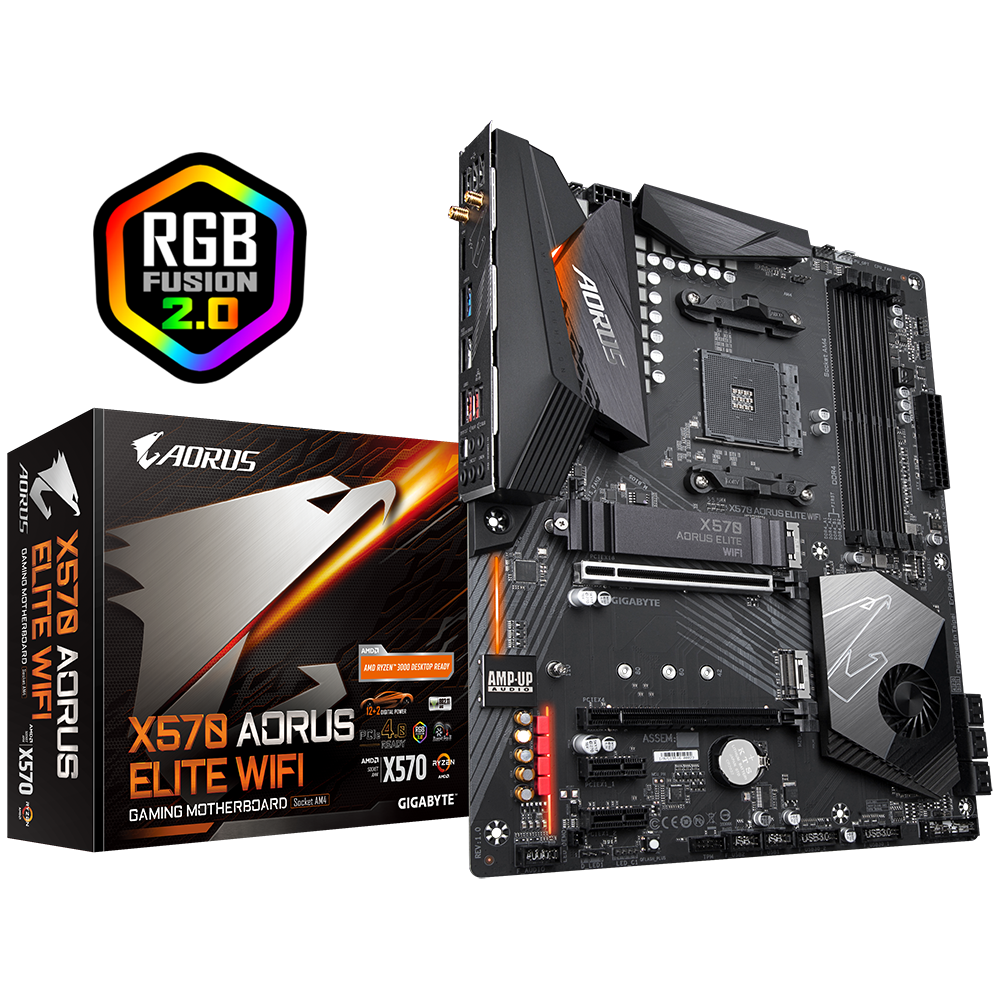
GIGABYTE
Lasting Quality from GIGABYTE.GIGABYTE Ultra Durable™ motherboards bring together a unique blend of features and technologies that offer users the absolute ...
sly summit
Yeah that's it
outer musk
Says rev 1.x .. so I guess it's somehow different from 1.0
or rather, from 2.x
Anyway, let's look
sly summit
Ok I'm not home at the moment to double check I'm out to dinner
outer musk
supports Q-flash, so the board can update the bios at least without any other components it looks like
sly summit
Yeah that's what I did when I first built the computer
Because I went straight to 5950x but default it doesn't support the 5000 series right out of the box with a quick flash
outer musk
but you got it working with an update, that shouldn't be an issue now
can you get your hands on a replacement gpu to test the system?
sly summit
I can try my old 1080ti that I was using in my old computer
outer musk
Nice, do that when you get back home and have the time.
sly summit
Right now my current GPU is a EVGA 3090 K|ngpin
outer musk
I can't find if this Aorus MB has debug lights, I'm guessing it doesn't.
Nothing in their manual matches "debug" either
sly summit
@outer musk question do you happen to know what evga is doing for individuals if they need a replacement or something on their GPUs if it falls under warranty?
In case it is a GPU issue
outer musk
sly summit
<@186598047520653313> question do you happen to know what evga is doing for indi...
I've never had to get in touch with EVGA warranty, so no.
But from what I've heard from elsewhere, they're pretty good to their customers.
Some tips if you reach out for a warranty claim: Clearly map out in plain terms what the issue seems to be.
Don't include any personal thoughts. Just tell them what it looks like.
sly summit
Ok will do I just know they don't manufacture graphics cards and the kingpins weren't made as much or something I think so wasn't sure
sly summit
@outer musk do you happen to know if I need to take out any parts to reflash my bios from when you looked at the manual? I haven't had a chance to try a different GPU yet