#NAS Only accessible via LAN and not ethernet
1 messages · Page 1 of 1 (latest)
 noble pecan
well if it aint reachable via private IP something is wrong with the network 🤔
or with the settings of the NAS
if you want to access it by ethernet it requires opening and port forwarding
so you can access it by the external IP , and the NAS needs to be on a static Internal IP
Well what do you use to connect to your NAS?
SSH? remote desktop? Internal IP + which port?
noble pecan
Ok did you assign the ip to a static ip?
Also what’s your internal ip? What subrange?
Should be: 192.168.1.x?
Something like this should be your internal ip
Best bet is to put your nas on the same range
And make it static
After that open any port and forward that to the static ip + port 8080 ( a 9000 port for example) tcp
And trigger port is enabled as well
After that you should be fine to contact internal and external
 willow ore
I don't think he necessarily wants to access it from outside the network, does he?
noble pecan
willow ore
I don't think he necessarily wants to access it from outside the network, does h...
Yes, yes he does. but its good to start with internal and setting that one straight up.
willow ore
Don't see it but ok. Did he try to just simply ping the nas?
noble pecan
@modest mica
willow ore
result?
noble pecan
also did you tried the IP part?
willow ore
maybe firewall issue then
willow ore
both on the router and nas?
noble pecan
still it has a 20% uptime?
willow ore
is it accessible in file explorer? are you sure the webui is on port 8080
the manufacturers website says you shouldn't put a port after the ip
atleast, doesn't clearly state that
noble pecan
but is it accessible by the browser?
with the static IP?
internal IP?
like http://192.168.1.25:8080 ?
willow ore
does it have a factory reset button? 😂
noble pecan
well undo the static ip, and access it by the qnap finder
and look up how to set it properly
Since 🤔 there must be one more step where the QNAP adapter might be set statically inside the QNAP OS?
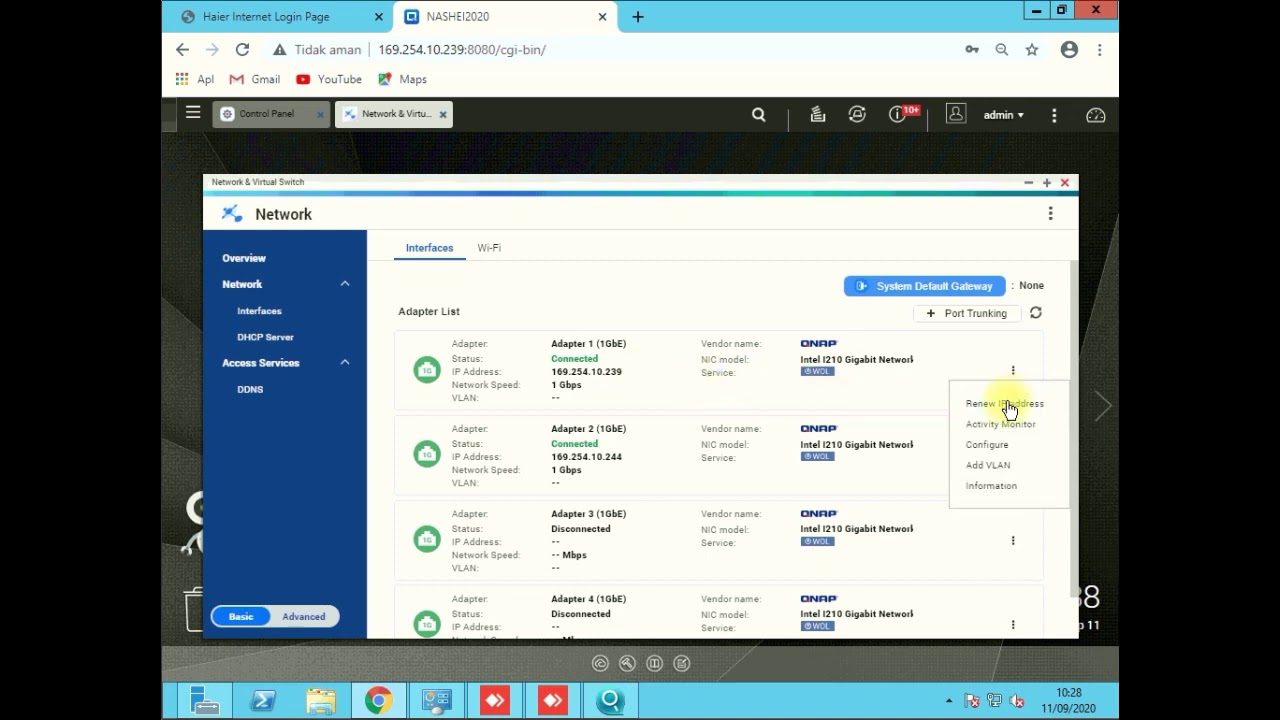
Hello Guys
in this video we can give you tutorial about how to Change QNAP Name and Change Static IP Address in your QNAP Device.
First thing that you need is QNAP Qfinder to detect your qnap devices. just download from qnap website and install in your PC.
Like share and subscribe our channel if this video useful for you.
Thanks.
Tag:
qnap,...
Here is a video by someone who said it properly ( I hope ) .
willow ore
I just run samba on linux, works like a dream 😂
noble pecan
Might be the QNAP is now still using the 169.x.x.x adres and the router DHCP is forcing it to use another 🤔 .
noble pecan
software of QNAP is pretty easy ping all devices, is it QNAP OS? yes? give back IP of said device.
willow ore
so it sees the device...
noble pecan
yeah nothing wrong with the device 🤷♂️ just needs to be in the same sub network
169 is usually an IP which is set and meant for saying ; I got no internet /DHCP assigned
have fun at work!
dont beat your boss :p
noble pecan
willow ore
maybe that's why I get fired...
Still need the paycheck at the end of the day 😄
willow ore
Can you ping the nas from your router?