#just finished my build and the computer turns on but it doesn’t post and the mb usb doesnt work.
1 messages · Page 1 of 1 (latest)
 heavy charm
heavy charm
heavy charm
 cinder wolf
Is the b550 mbo updated for Ryzen 5000 CPUs
cinder wolf
Is the b550 mbo updated for Ryzen 5000 CPUs
yeah, it says series 5000 ready on the box
cinder wolf
The non x 5600 came out 2 years after the 5600x does the box say what 5000 CPUs it's updated for?
heavy charm
cinder wolf
The non x 5600 came out 2 years after the 5600x does the box say what 5000 CPUs ...
nope, it just says “AMD RYZEN 5000 DESKTOP READY”
cinder wolf
If it says P1.90 means its updated for the Ryzen 5600 and the problem is something other than your bios if it reads P1.10 that means your mbo bios is not updated for it @heavy charm
 heavy charm
cinder wolf
If it says P1.90 means its updated for the Ryzen 5600 and the problem is somethi...
heavy charm
cinder wolf
If it says P1.90 means its updated for the Ryzen 5600 and the problem is somethi...
do you know what that is close to on the mb?
cinder wolf
heavy charm
do you know what that is close to on the mb?
Reddit says It's on the back of the wifi module, facing the heatsink.
 heavy charm
Kinda hard to see it, gimme a few minutes
heavy charm
cinder wolf
If it says P1.90 means its updated for the Ryzen 5600 and the problem is somethi...
It says p.10

shit
cinder wolf
We found the problem  the mbo is not updated for your CPU
heavy charm
cinder wolf
We found the problem <:PogChomp:541722967646928907> the mbo is not updated for ...
Thanks for the help, I’ll take it to a shop so they can update it
cinder wolf
No problem
heavy charm
cinder wolf
No problem
Should I take the whole computer or just the mobo?
cinder wolf
Might as well take the whole PC just Incase the problem is more than just the bios
heavy charm
cinder wolf
Might as well take the whole PC just Incase the problem is more than just the bi...
Alright, thanks
cinder wolf
heavy charm
It says p.10
Wait it says p2.10 that came out after your CPU
heavy charm
cinder wolf
Wait it says p2.10 that came out after your CPU
So it’s not that?
cinder wolf
P1.90 is the bios that supports your CPU p2.10 is is a much newer bios so you should be fine,
heavy charm
Very well
Then what could the issue be?
It says the version l2.62 supports the 5000 series
The other ones are all g series
@cinder wolf
cinder wolf
P1.90 supports the non x 5600 https://www.asrock.com/mb/AMD/B550M-ITXac/index.asp#CPU

Supports AMD AM4 Socket Ryzen™ 3000, 3000 G-Series, 4000 G-Series, 5000 and 5000 G-Series Desktop Processors*; Supports DDR4 4733+ (OC); 1 PCIe 4.0 x16; Graphics Output: DisplayPort, HDMI; 7.1 CH HD Audio (Realtek ALC887/897 Audio Codec); 4 SATA3, 1 Hyper M.2 (PCIe Gen4 x4 & SATA3); 6 USB 3.2 Gen1 (2 Front, 3 Rear Type-A, 1 Rear Type-C); Realtek...
heavy charm
huh
cinder wolf
https://www.asrock.com/mb/AMD/B550M-ITXac/index.us.asp#BIOS and p2.10 is two bios versions newer than p1.90
Supports AMD AM4 Socket Ryzen™ 3000, 3000 G-Series, 4000 G-Series, 5000 and 5000 G-Series Desktop Processors*Supports DDR4 4733+ (OC)1 PCIe 4.0 x16Graphics Output: DisplayPort, HDMI7.1 CH HD Audio (Realtek ALC887/897 Audio Codec)4 SATA3, 1 Hyper M.2 (PCIe Gen4 x4 & SATA3)6 USB 3.2 Gen1 (2 Front, 3 Rear Type-A, 1 Rear Type-C)Realtek Gigabit LANIn...
heavy charm
then could the motherboard be broken?
cinder wolf
One second wrapping my head around asrocks bios names and what is really supported
Ok the bios is not the problem
cinder wolf
Could you send a picture of the PC guts so we can see all the plugs and such
heavy charm
cinder wolf
Could you send a picture of the PC guts so we can see all the plugs and such
yeah lemme just rebuild it again
That’s what I thought it was so I took it all apart
cinder wolf
Sorry about that 
Maybe rebuilding it will fix it
Make sure all the plugs are full seated in like the massive 24pin and the top left CPU power connector hidden next to your rear io header
heavy charm
cinder wolf
Sorry about that <:PES3_Yikes:523045516137725952>
lol, not ur fault, i had already started taking it apart before you told me about the bios
cinder wolf
This sneaky CPU power connector was plugged in right?
 heavy charm
Yeah it was
heavy charm
cinder wolf
This sneaky CPU power connector was plugged in right?
The only thing that needs to be plugged in from the mobo to the psu are the motherboard connectors and the cpu ones right?
heavy charm


cpu
can’t really tell but it’s in

It also clicked
@cinder wolf @low wolf
I have these 2 pci e cables, is there a specific order?
 cinder wolf
Nope
It's best practice to not daisy chain them, meaning only using one cable per socket
But that leads to a messier look
 heavy charm
cinder wolf
It's best practice to not daisy chain them, meaning only using one cable per soc...
heavy charm
cinder wolf
It's best practice to not daisy chain them, meaning only using one cable per soc...
I turned it on and still nothing
No usb from the motherboard and no display
cinder wolf
The power supply switch is on and the monitor is connected to the graphics card ?
heavy charm
cinder wolf
The power supply switch is on and the monitor is connected to the graphics card ...
It turns on
It just doesn’t have usb from the motherboard and no display
Any clue on what it could be?
the case does have a pci e gen 4 riser cable
But that wouldn’t explain the usb not working
cinder wolf
So when you press the power button on your case the power supply fan turns on?

 cinder wolf
 low wolf
After that you can just turn it on with a screwdriver
low wolf
After that you can just turn it on with a screwdriver
Did you try shorting the pins to start the PC ? If that works that means your case power button is broken
heavy charm
But the computer turns on, could that still influence it?
cinder wolf
Oh nvm then
heavy charm
I connected it to pwrbttn and gnd
cinder wolf
Is there an easy way to test it without the riser cable?
heavy charm
and when I turn off the computer the gpu fans move a bit
heavy charm
cinder wolf
Is there an easy way to test it without the riser cable?
Easy? Not really but I can do it tomorrow
Would that still influence the usb not working?
It’s 1 am for me
cinder wolf
heavy charm
It’s 1 am for me
Unplugged the CMOS battery wait a a few seconds then reinstall it, make sure your power supply is unplugged
If that fails go to bed and get some good rest
heavy charm
I hate this cmos battery
I’ll do it tomorrow cause I gotta take the radiator off to be able to access it
I’ll let you know
heavy charm
cinder wolf
Unplugged the CMOS battery wait a a few seconds then reinstall it, make sure yo...
Should I also press the power button or something
cinder wolf
Alright sorry I couldn't help that much
heavy charm
It’s fine
cinder wolf
heavy charm
Should I also press the power button or something
Just turn off the PC and unplug the power supply during the battery operation
heavy charm
Just upset that my first build went like this
heavy charm
cinder wolf
Just turn off the PC and unplug the power supply during the battery operation
Alright, thanks
cinder wolf
heavy charm
Just upset that my first build went like this
My first build went badly too since I plugged in every connector attached to the power supply 😆
 cunning moon
It also could be a bad connection to the monitor. Is the cable plugged into the gpu?
heavy charm
cunning moon
It also could be a bad connection to the monitor. Is the cable plugged into the ...
Yep, the cable works and all cause I tested it
cunning moon
Huh
heavy charm
Still wouldn’t explain the usb ports
cunning moon
Maybe try with only stick of ram
heavy charm
cunning moon
Maybe try with only stick of ram
I’ve tried it with each, on slot A1 and B1
cunning moon
Huh
It could also be a bad connection on any of the hardware
Maybe reseat all the connections you can
heavy charm
What does the 24 pin power?
Cause if that went bad then maybe it could be causing all of this
cinder wolf
heavy charm
What does the 24 pin power?
The motherboard, and any fans or USB devices you plug in
heavy charm
cinder wolf
The motherboard, and any fans or USB devices you plug in
Even the rgb?
cinder wolf
Yes
heavy charm
If that went bad it wouldn’t even turn on right?
cinder wolf
Yup
heavy charm
I’m so confused on why the usb isn’t working tho
I’ll go sleep on it
Getting late
I’ll be back tomorrow
Thanks for all of the help
heavy charm
cinder wolf
Unplugged the CMOS battery wait a a few seconds then reinstall it, make sure yo...
That didn’t work, I’m just taking it to the shop
Thanks tho
 deep lantern
it might be the cpu, i had the same problem once. it was the dumb cpu.
heavy charm
deep lantern
it might be the cpu, i had the same problem once. it was the dumb cpu.
ended up taking it to the shop, just hope its not the motherboard
it'll be a huge hassle to replace it
cause ill have to send it to germany, it'll prob take a week or 2 for them to see it and respond
if it does end up being the motherboard ill just send it back and buy this one
https://www.gigabyte.com/Motherboard/B550I-AORUS-PRO-AX-rev-10#kf
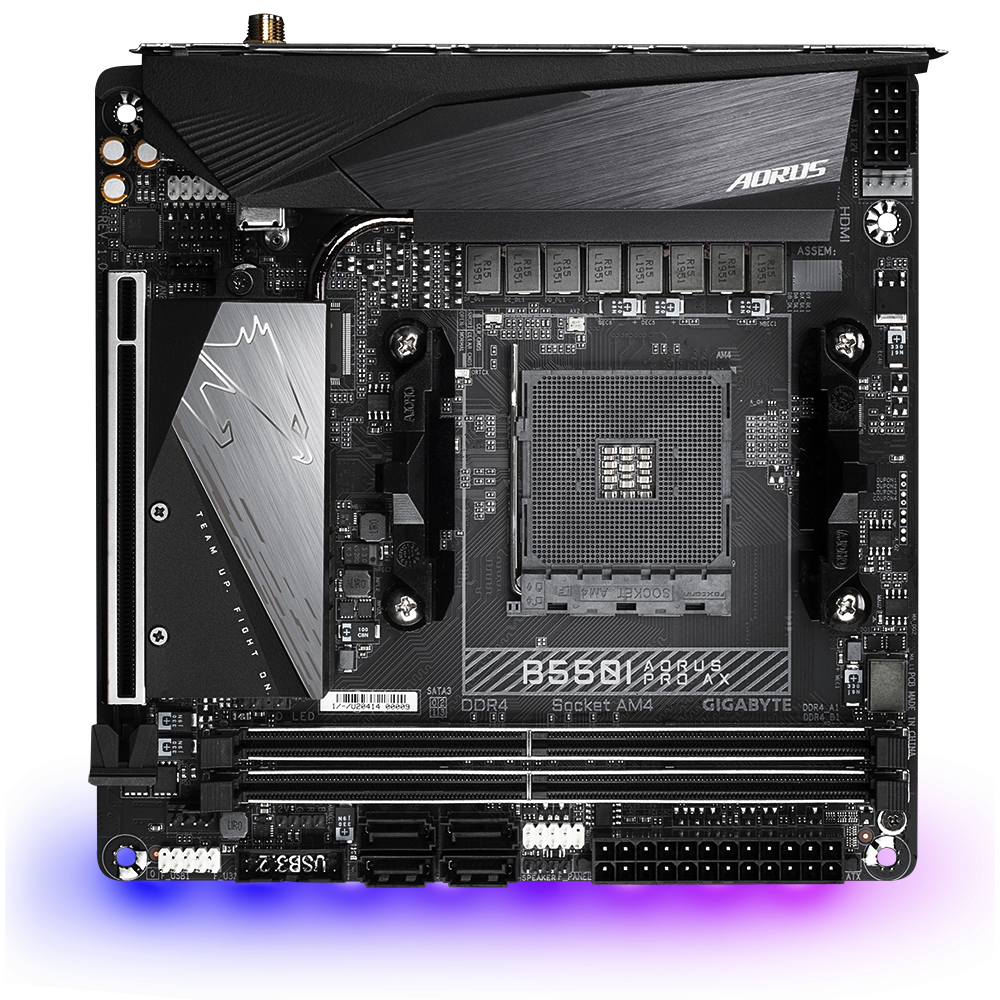
GIGABYTE
Lasting Quality from GIGABYTE.GIGABYTE Ultra Durable™ motherboards bring together a unique blend of features and technologies that offer users the absolute ...
heavy charm
cinder wolf
It's best practice to not daisy chain them, meaning only using one cable per soc...
ohhh, is that why they send 2 of them?
should I do that when I get the pc back?
gpu is a 6700xt
low wolf
heavy charm
ohhh, is that why they send 2 of them?
Yes always connect 2 seperate cables
It’s better 
heavy charm
Alright