#cpu overheating
1 messages · Page 1 of 1 (latest)
 lilac sphinx
And how high are idle temps?
If that’s already 60-70 it might be bad fan curves? Or bad pump?
 waxen sorrel
when im on desktop is on 40 50
lilac sphinx
Where did you place the pump?
waxen sorrel
but when im gaming its on 90 100
lilac sphinx
But does it crash the game?
lilac sphinx
Well how is your fancurve for the pump?
 lilac sphinx
No I mean the curve for the fan
waxen sorrel
how do i check
lilac sphinx
As in how hotter the cpu goes how higher the fans should spin
waxen sorrel
how do i check?
lilac sphinx
Go into bios
waxen sorrel
then what
 waxen sorrel
i will send a photo when im in bios
lilac sphinx
They really should spin loud and hard when it’s used
So above 70 they should really spin loud and hard 80-100 % usage of fan
Everything above 75 should be 100% fan usage
 lilac sphinx
I went sporting
waxen sorrel
ohh okeyy
waxen sorrel
i have it on full speed
lilac sphinx
when its idle it can be lower spinning, and when its higher temperature it goes higher
well if it always on full speed, and not annoying you , sure! 🙂
waxen sorrel
and if i undervolt my cpu will i lose fps?
lilac sphinx
Also , does it make any difference?
waxen sorrel
on what
waxen sorrel
if i have full speed its 50 if i do regural its gonna go 55 temp
lilac sphinx
so it does work?
waxen sorrel
when im in game it goes 100
lilac sphinx
I can't tell from here and have to ask you.
well does the fan curvature works? and lower the temps or no difference?
if not, are you sure, you have set the right fan curve?
as you got multiple headers on your motherboard.
waxen sorrel
im not really that good understanding this cpu problem im sorry xd
how do i set the right fan curve
lilac sphinx
Ok, well you first have to see , which Header did you put the Fan on
waxen sorrel
whats a header
waxen sorrel
where are they
 waxen sorrel
below?
lilac sphinx

or these? 🤔
and they have NAMES like CPU_OPT or CPU_FAN
so if you set the bios fan curve it could be for CPU_FAN or for CPU_OPT.
lilac sphinx
so if you go into your BIOS they have the same names.
and when you set the curve in your bios , they also ask for which Fans you want to set the curve.
that has to correspond with your motherboard.
if you did all of them , to 100% would also be fine 🤷♂️
it just makes more noise, but cools well.
waxen sorrel
wait
lilac sphinx
or is the pump controlling the fans?
waxen sorrel
 lilac sphinx
so thats CPU_FAN.
waxen sorrel
so mines are on cpu opt?
waxen sorrel
oh okeyy
lilac sphinx
thats what the name says
waxen sorrel
soo i need to set cpu fan to 100?
lilac sphinx
yep
waxen sorrel
in bios?
lilac sphinx
Yes 🙂
waxen sorrel
can u show me where?
lilac sphinx

near this area
every bios is different
There are like 6-7 diff sort of bios and I dont know yours
 lilac sphinx
so does your pump have a control aswell?
from your pump does it have a pin header going somewhere?
 lilac sphinx
ah good! 🙂 AIO pump you can try to put on 100% 🙂
and see if it makes any difference
 lilac sphinx
k 🙂
lilac sphinx
All seems fine 🙂
now go try in windows and see the temps
Also might not be the best AIO 🤔
lilac sphinx
is your Top part of the PC open? or does it have a filter on top?
waxen sorrel
on the top where the fans are?
lilac sphinx
yep
lilac sphinx
ah okay 🤔
waxen sorrel
any other solution?
lilac sphinx
yeah get a bigger radiator
waxen sorrel
new cooler?
lilac sphinx
Well I own a I9 -9900K and its 30 degree on a custom loop
waxen sorrel
custom loop?
lilac sphinx
yeah, AIO is all in one. meaning Radiator + pump + everything in one.
you could try a bios update
waxen sorrel
isnt that dangerous?
waxen sorrel
exact bios?
lilac sphinx
well what motherboard you got?
waxen sorrel
asus
lilac sphinx
hwinfo
Free Hardware Analysis, Monitoring and Reporting. In-depth Hardware Information, Real-Time System Monitoring, Reporting & more
waxen sorrel
 lilac sphinx
yes 64 , free download
waxen sorrel
fosshub?
lilac sphinx
for windows, you could use a installer, or use it portable (which means for a usb stick)
🤷♂️ any source (any cdn)
 lilac sphinx
click start 🙂
waxen sorrel
 waxen sorrel
 waxen sorrel
what now
lilac sphinx
now we look up the bios
waxen sorrel
i go into the bios?
lilac sphinx
ASUS Prime series is expertly engineered to unleash the full potential of AMD and Intel processors. Boasting a robust power design, comprehensive cooling solutions and intelligent tuning options, Prime series motherboards provide daily users and DIY PC builders a range of performance tuning options via intuitive software and firmware features.
click on bios 🙂
 lilac sphinx
yeah , always a good idea 🙂
waxen sorrel
wait do i update bios first or the drivers
lilac sphinx
doessnt matter
go for drivers first 🙂
just easier
why does it include winrar though 🥲

 waxen sorrel
there are some data after the end of the payloda data?
lilac sphinx
yeah ... how did you download this?
 lilac sphinx
what did you download?
lilac sphinx
oh no problem 🙂
waxen sorrel
lan and chipset right?
waxen sorrel
my friend told me armorycrate is for asus motherboard
lilac sphinx
yeah and you have an ASUS motherboard? 🤔
 lilac sphinx
well if you can open it, just ignore it
 lilac sphinx
Yes
 waxen sorrel
i did but it was that warning message
waxen sorrel
waxen sorrel
there are some data after the end of the payloda data?
thiss
lilac sphinx
yeah but cant you just use windows to unzip it ? 🤔
its from the official website
so no harm be done with this
 waxen sorrel
it opens micrsoft pmp
waxen sorrel
waxen sorrel
like this
waxen sorrel
pnp*
lilac sphinx
why?
 lilac sphinx
Maybe armoury crate is better 🤷♂️
waxen sorrel
i have the drivers to latest
waxen sorrel
just bios now?
lilac sphinx
yup

 lilac sphinx
yeah you can click on Full speed 😄
lilac sphinx
but...
lilac sphinx
look at your temps 😄

 lilac sphinx
Thats what AIO should do , when its full usage 😄 Gaming should not be 100 Degree anymore
waxen sorrel
its not gonna be*
lilac sphinx
I cannot read your mind.
waxen sorrel
xd sory
lilac sphinx
it is not going to be 100 degree if its on full speed.
it should always be on full speed when you are gaming :G
lilac sphinx
Yeah , but thats why you have a fan curve.
Can you set a fan curve in this program?
lilac sphinx
ok, well check 🙂
 lilac sphinx
Well if nothing changed, get a new cooler
this one is not good enough for your CPU 🤷♂️
is it a new AIO?
return it 🤷♂️
" It is effective for processors having a max of 95 W TDP." so if its not crashing its fine
it might run hot
waxen sorrel
but if he undervolt it then the temp will fall down right?
lilac sphinx
Yes but your potential is lower and it’s not stable guaranteed
Nobody can guarantee you that and once it crashes all your settings are gone
So a poor 40 buck investment
waxen sorrel
lilac sphinx
Nobody can guarantee you that and once it crashes all your settings are gone
settings?
lilac sphinx
Rather tell him you can buy my aio for 80 bucks and you buy something better 
waxen sorrel
lilac sphinx
So a poor 40 buck investment
if it will not work i get my 40 bucks back xd
waxen sorrel
lilac sphinx
Rather tell him you can buy my aio for 80 bucks and you buy something better <:K...
xd whats a best water cooler for my i9 9900kf?
 waxen sorrel
u think 360 will fit in my case?
lilac sphinx
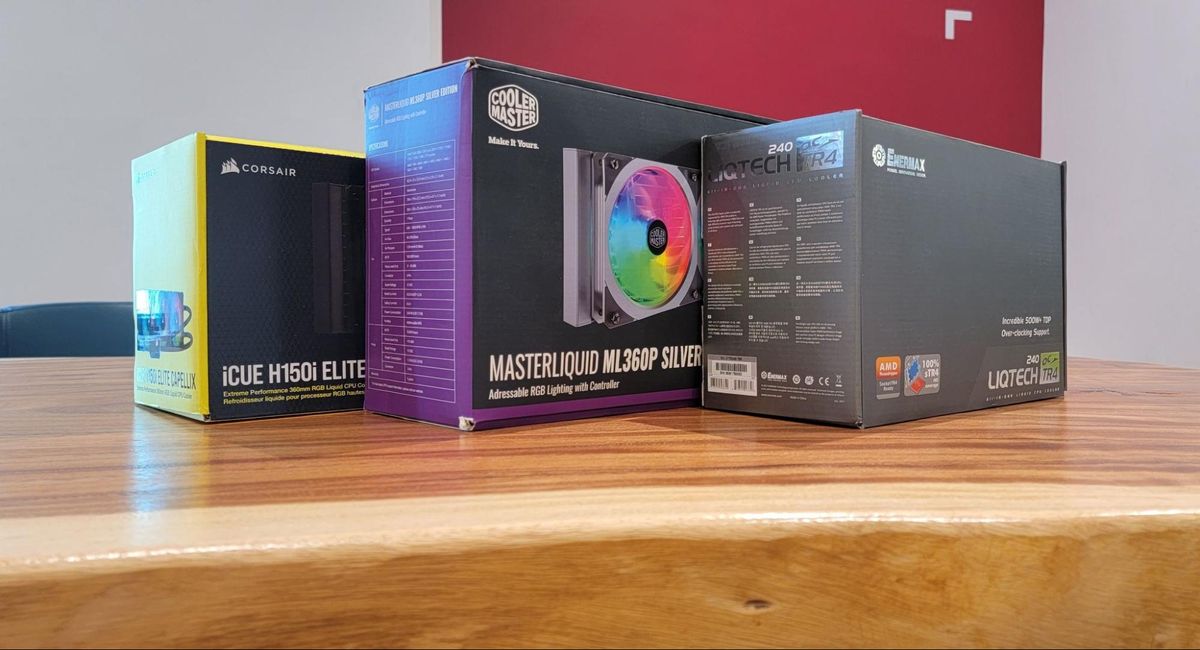
Tom's Hardware
We've tested dozens of AIO coolers to find the best models to keep your rig cool and quet.
One of these on the list always good:)


 lilac sphinx
Best to get 360 mm radiator
More heat dissipation
And space wise get a ruler and measure it
waxen sorrel
but it will not fit inside