1 messages · Page 1 of 1 (latest)
 wooden parrot
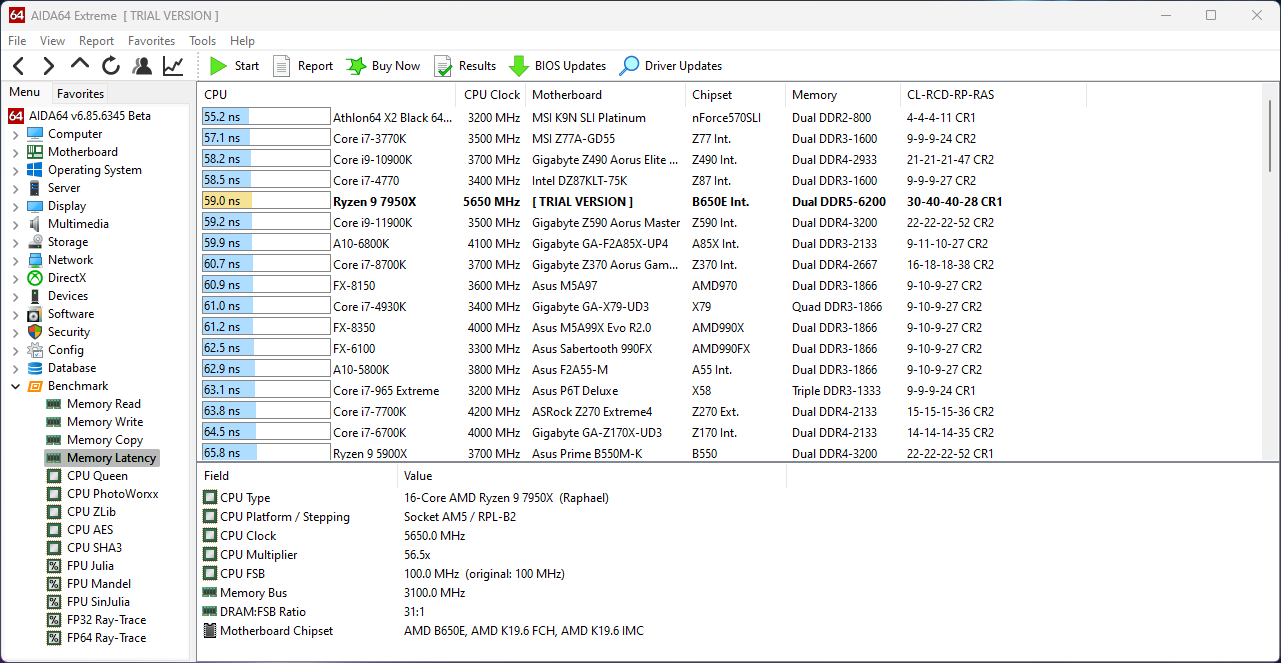
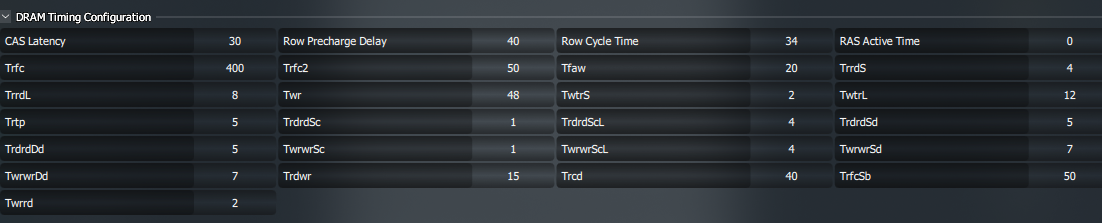
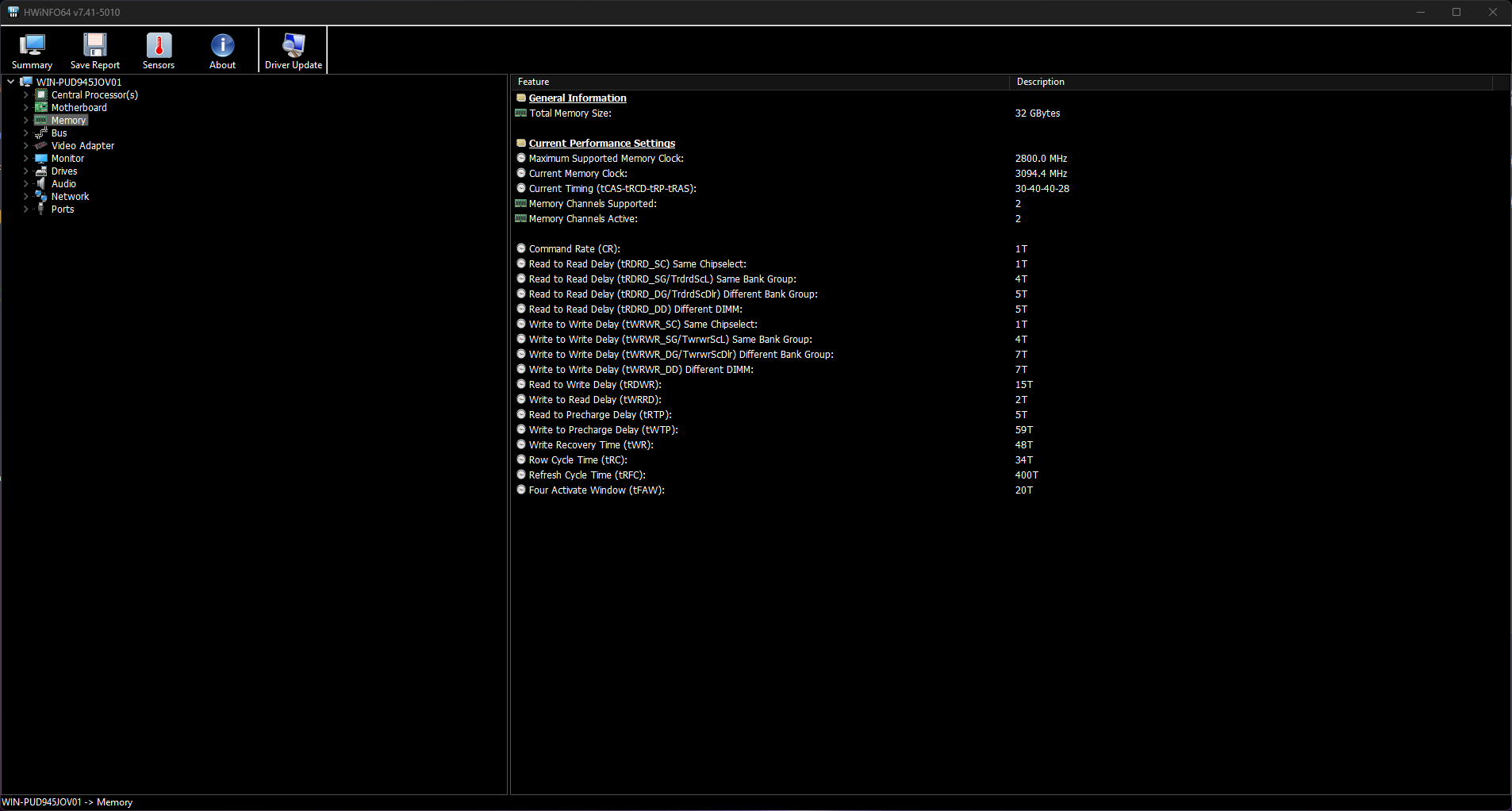
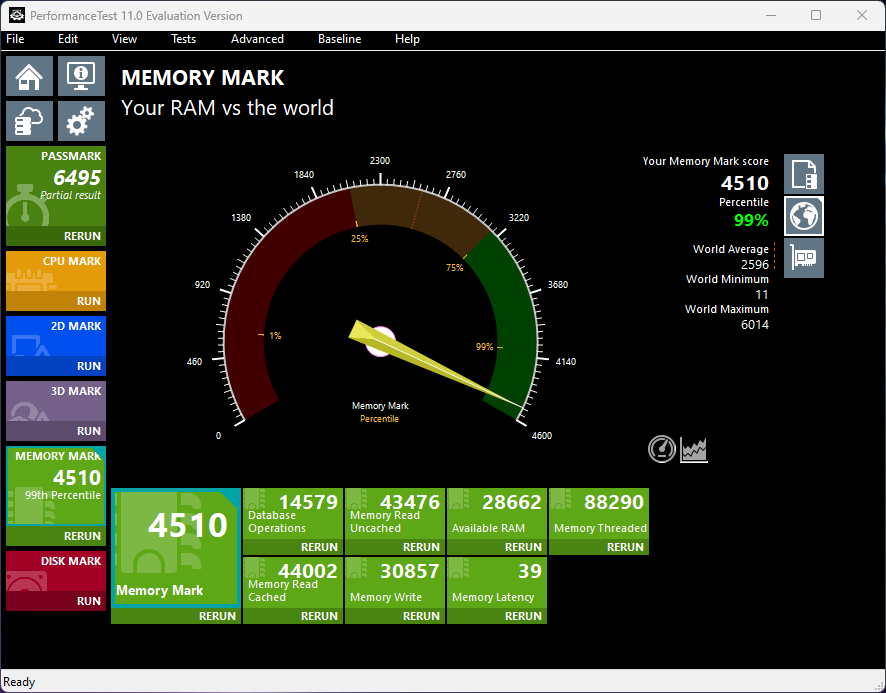
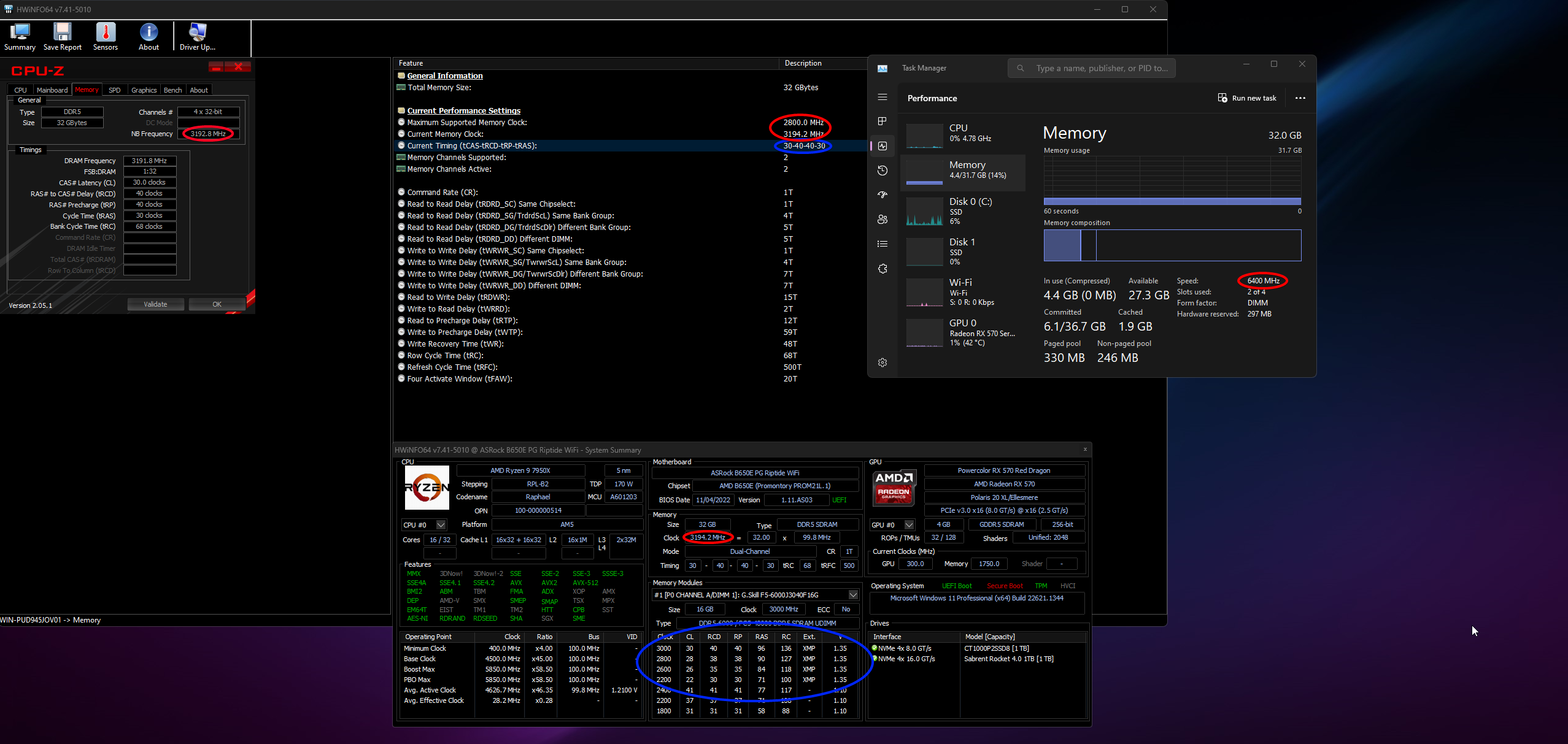
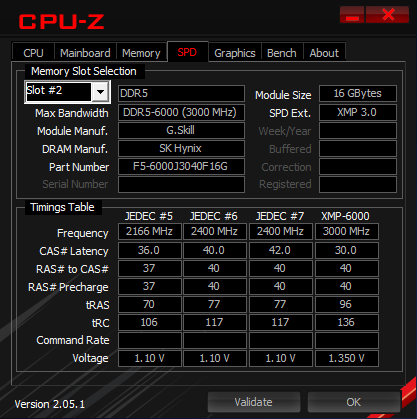
Hi everyone, so I have some Intel certified memory, specifically G.SKILL Ripjaws S5 with 32GB (16x2) 6000MT, my CPU is an Zen4, AM5 Ryzen 7950x, I have been trying to tune the memory to get the best out of it but I am seeing some weird results, so I am hoping somebody here can help me out, CPU-Z and HWInfo64 are both reporting that my ram is running at 3200MT, Initially I thought this was because the UCLK was set to MEMCLK / 2 (half the speed) so I changed that to UCLK=MEMCLK and it still remains the same in CPU-Z and HWInfo64, I am going to try and lower my memory clock to 6200 then to 6000 and I will report back with the results, maybe I was a bit too optimistic running it at 6400MT even though it is rated for 6000MT, also I think my timings are running at what I set in the bios?
https://cdn.discordapp.com/attachments/1031222747491213453/1087341844247085076/IMG_20230320_114745.jpg
https://cdn.discordapp.com/attachments/1031222747491213453/1087342844555034774/IMG_20230320_115125.jpg
https://cdn.discordapp.com/attachments/1031222747491213453/1087342844970278983/IMG_20230320_115143.jpg
https://i.imgur.com/BYCACLu.png
https://i.imgur.com/K8VUh2e.png
https://i.imgur.com/8LgnWWj.png
This is the ram kit I bought - https://www.gskill.com/product/165/377/1649234797/F5-6000J3040F16GX2-RS5K-F5-6000J3040F16GA2-RS5K
Lastly can somebody tell what my Infinity Fabric Frequency should be, and if / how it relates here?
Thanks in advanced.
wooden parrot
So after going back to 6000MT its now running even slower (3000MT) reported by HwInfo64 and CPU-Z, it still seems to be half of what I have set.
 frail trout
wooden parrot
So after going back to 6000MT its now running even slower (3000MT) reported by H...
frail trout
wooden parrot
So after going back to 6000MT its now running even slower (3000MT) reported by H...
Wouldn't that be the double data rate? 3000 + 3000 = 6000
wooden parrot
I am not familiar with how it works, it is my first time tuning / even caring about ram timings tbh.
frail trout
wooden parrot
I am not familiar with how it works, it is my first time tuning / even caring ab...
I'm pretty sure if you look on task manager it will report at 6000mhz
wooden parrot
Yes it does, but what worried me was HwInfo and CPU-Z both reported half of what I have set.
frail trout
I think it's because they are reporting the speed without the double data rate. I wouldn't know how to explain it. I just know that ddr means double data rate so they double the speed and that's what they show on the box when you buy.
wooden parrot
ah ok
Other than that, are the timings correct?
those seem to be inconsistent with what I have set in bios
frail trout
I can't help you with ram overclock, never done it past upping the MHz lol
wooden parrot
ah, no worries
wooden parrot
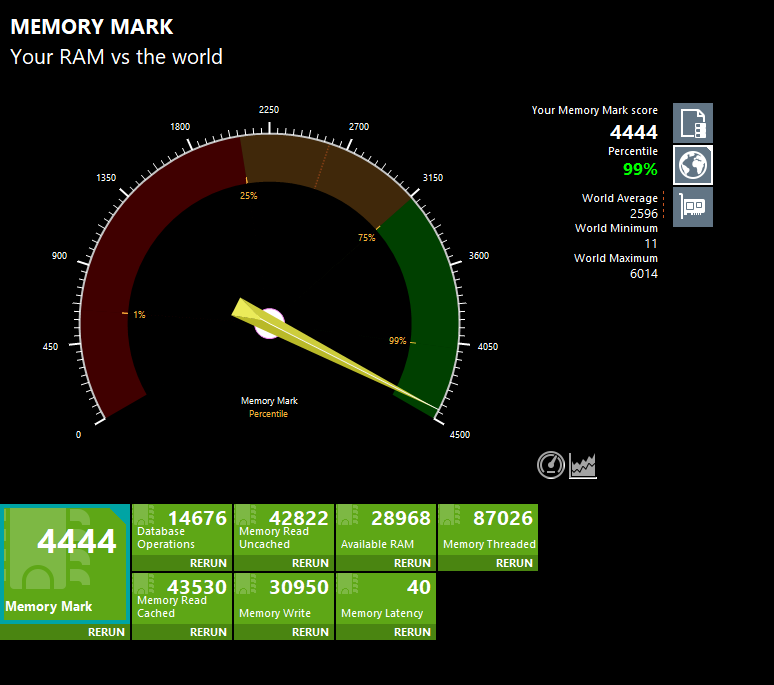
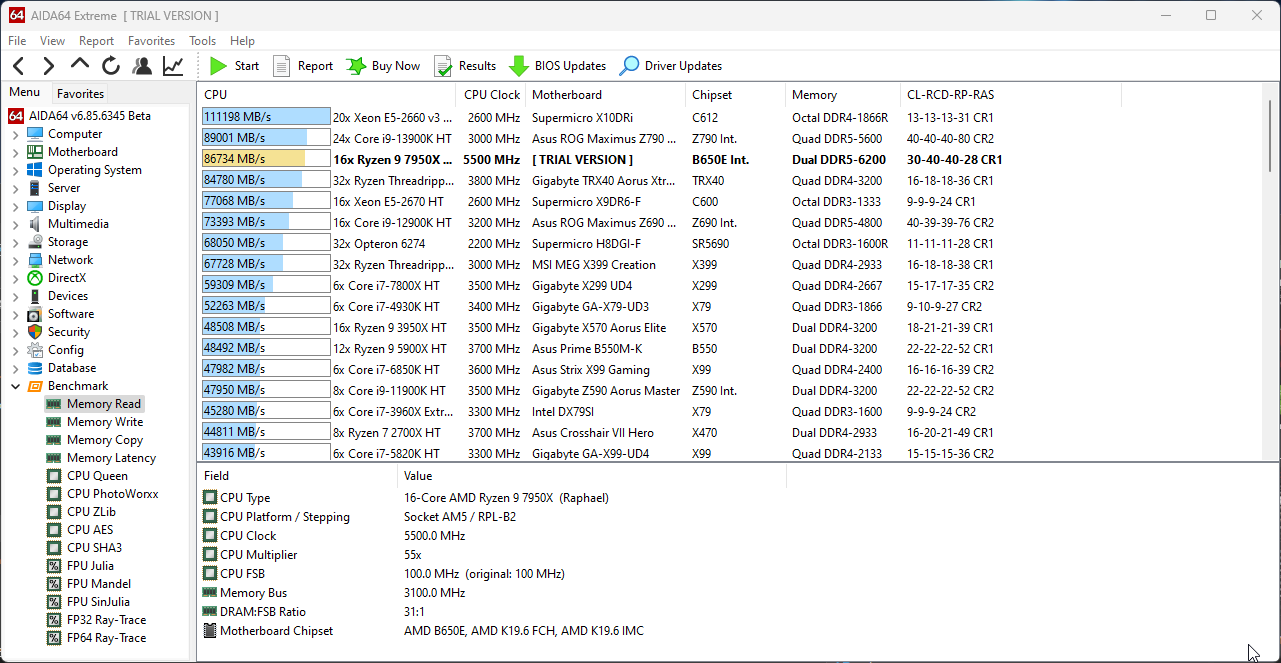
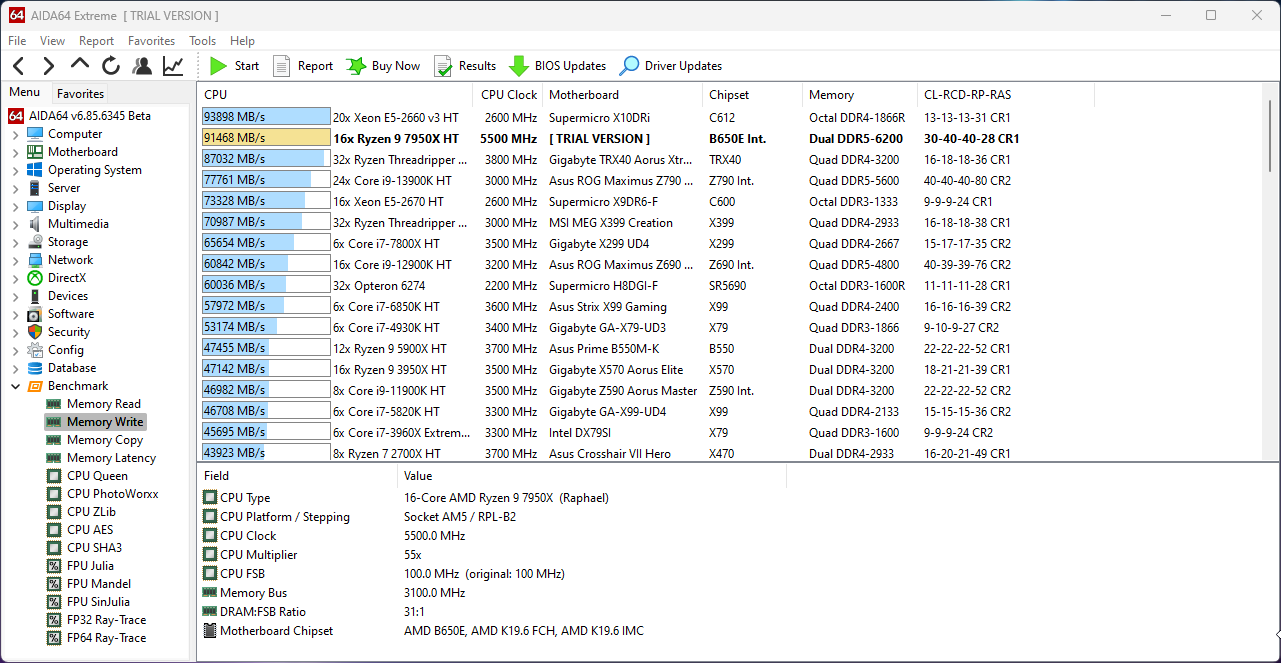
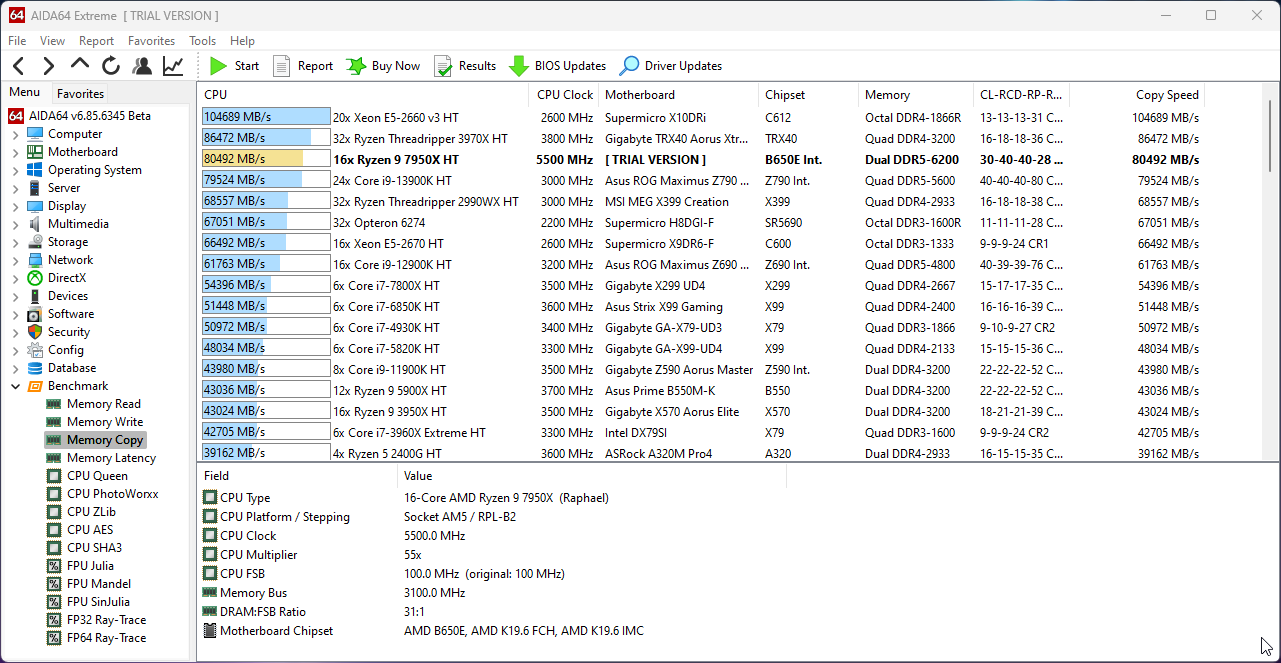
So I have settled at 6200MT, and the rest of settings are more / less the same from - https://youtu.be/dlYxmRcdLVw

Text version: https://www.patreon.com/posts/low-effort-rank-77403831
My Patreon: https://www.patreon.com/buildzoid
Teespring: https://teespring.com/stores/actually-hardcore-overclocking
Bandcamp: https://machineforscreams.bandcamp.com/music
Twitch: https://www.twitch.tv/buildzoid
Twitter: https://twitter.com/Buildzoid1
Facebook: https://www.fa...
At 6400 territory I gotta start setting voltages worryingly high so that is a nope.
Now I'll finish up with a long stress test