#MBR to GPT
1 messages · Page 1 of 1 (latest)
 storm pasture
 quiet iris
DuckDuckGo. Privacy, Simplified.
 summer swan
storm pasture
Hi guys im trying to change my windows drive from MBR to GPT without loosing win...
summer swan
storm pasture
Hi guys im trying to change my windows drive from MBR to GPT without loosing win...
you can change it in disk manager
right click on the drive you want to do it and select convert to gpt
 echo ridge
If you are still having issues I litterally did this yesterday
Doing the offline option worked perfectly.

Windows Central
A PC with UEFI is more secure and faster than the legacy one using BIOS, and here's how to switch.
storm pasture
yeah i done that way thanks guys
 hexed oracle
hey could someone help
i am trying to convert my ssd from mbr to gpt but it always say cannot find OS partition
also i don't care if i need to reset my pc
my problem is that i am trying to convert from legacy to uefi and i can't do that just from simply changing it from bios because it won't boot
and if reinstall windows i think it will automatically be place on legacy mode
so what can i do
@storm pasture
storm pasture
hexed oracle
<@456226577798135808>
run cmd in admin
run command mbr2gpt.exe /validate
then mbr2gpt.exe /AllowFullOS /convert
@hexed oracle
hexed oracle
ok
storm pasture
screenshot it
hexed oracle
 storm pasture

Watch how to partition a hard drive on Windows 10. Learn how to create a partition, how to resize a partition, how to format a partition, how to delete a partition, and how to change partition name.
For more information please visit http://dell.com/support
For support questions email us at dellcares@dell.com
VIDEO TRANSCRIPT
Hi welcome to Dell T...
do that
u want around 1gb
 storm pasture
idk then u have some dodgy hard drive
hexed oracle
how can i reinstall windows but with uefi mode not legacy?
hexed oracle
bruh ain't no way
 mortal junco
hexed oracle
mortal junco
hexed oracle
is that harddrive?
storm pasture
mortal junco
is that harddrive?
wouldnt matter you can GPT hard drives
mortal junco
ok but the screenshot is trying to shrink the partition?
storm pasture
yeah to have a OS partition
mortal junco
looking at his disk management screenshot
its super weird layout
why the "system reserved" on a different drive
lmao
that what might trigger the "cant find os"
also please make a new thread, people wont click on resolved thread
hexed oracle
mortal junco
why the "system reserved" on a different drive
ik i am super confused as well idk at this point
what is happening
mortal junco
Yeah that might be the issue
Really the simplest way is just to reinstall 
make sure to unplug or disable thru bios for other drives
storm pasture
right what drive is your windows on
hexed oracle
disk 1 and the error is saying that couldn't find os partition on disk 0
hexed oracle
well my laptop needs to be cleaned anyway so ok
mortal junco
my bet that he wont boot
storm pasture
mortal junco
my bet that he wont boot
thats the plan
if it doesnt boot, you have some dodgy ass windows install
mortal junco
how do you gonna access the windows without booting
thats what i said earlier...
he has janky ass setup partition
storm pasture
yeah but you can still get into windows
thru recovery
if the drive with windows is still plugged in
hexed oracle
i am gonna try and see what happens
mortal junco
but there wont be boot entry to anywhere
since it lived in the hdd
according to the screenshot anyway
storm pasture
mortal junco
but there wont be boot entry to anywhere
as long as there is A drive with windows, it will boot to windows
mortal junco
aight we'll see
storm pasture
unless the windows install itself is fucked
in which case its a matter of just wiping all drives
hexed oracle
storm pasture
unless the windows install itself is fucked
i have a feeling that it is
storm pasture
hexed oracle
i have a feeling that it is
do you know how to install windows thru USB?
hexed oracle
yeah
storm pasture
wipe ALL of your drives completely
reinstall windows
make sure to write down ur windows key somewhere as it might still ask
the drive might still be in MBR afterwards in which case its just run the command
hexed oracle
storm pasture
make sure to write down ur windows key somewhere as it might still ask
😶
storm pasture
hexed oracle
😶
run cmd in admin
wmic path softwarelicensingservice get OA3xOriginalProductKey
ur windows key will appear
if you have one
hexed oracle
ik i am just saying that i don't have one🙂
storm pasture
welp that might be half the damn reason ur having the problems your currently having
wish you said this earlier
 storm pasture
mortal junco
no one does, dont worry
storm pasture
mortal junco
no one does, dont worry
well yeah ik but it does cause problems with this sorta stuff
hexed oracle
linus himself doesn't have one
mortal junco
second of all, if it does, how the installer know if they have a key or not?
the partitioning happens before install
mortal junco
third of all, asking for license is after youre finish installing
storm pasture
4th of all, the mbr2gpt command only works on certain versions of windows from what ive read
which would explain why its not converting
mortal junco
no
it doesnt work because the janky partition
the boot partition on disk 0
meanwhile the windows itself on disk 1
your only solution here just to reinstall the windows
unplug the non-windows drive beforehand if possible
make sure youre on uefi with csm disabled
then reinstall windows
if all gucci, replug the hdd
remove the extra partition from old windows
and youre set
hexed oracle
yeah my windows installation is fucked it didn't boot
i knew i shouldn't have relied on that store to install windows for me
i bought it from them and said its ok let them install windows for me so i can save time
isn't there a software i think called rufus which i can install windows with uefi mode through usb?
mortal junco
mortal junco
make sure youre on uefi with csm disabled
doublecheck this too on your laptop
just screenshot the rufus setting later
hexed oracle
ok
oh btw i am not on uefi i am on legacy
that's why i am doing this whole thing to enable uefi mode
mortal junco
yes, we basically just doing it from scratch
uefi mode with csm disabled
and rufus on gpt + uefi(noncsm)
hexed oracle
how do i check that csm in disabled?
and also there are different versions of rufus which one?
 broken fern
Go into your BIOS. It's usually within a BOOT menu... varies from board to board
hexed oracle
i don't even have csm
broken fern
If it doesn't say CSM, I know MSI boards don't specifically state that, but they have a "UEFI only" which is the same thing.
hexed oracle
where is it located at?
broken fern
Would normally be under your Boot menu in BIOS.
hexed oracle
you mean in boot priority?
broken fern
Possibly somewhere in that same vicinity, but it varies from board to board. Make / model?
hexed oracle
i have laptop lenovo legion 5 so idk

is it in this section?
@broken fern @mortal junco
mortal junco
so boot mode set to uefi
and maybe after setting it to uefi
the "csm" option might show up
or it says "pure uefi" that might suffice
hexed oracle
yeah i can't find that either
mortal junco
post another pict
hexed oracle
 hexed oracle
nvm figured out what it is for
it won't interfere with anything
@mortal junco which version of rufus should i download?
there is protable version, arm64 ver,arm ver and normal version
mortal junco
normal should be fine
hexed oracle
@mortal junco do you any other source where i can download the iso file
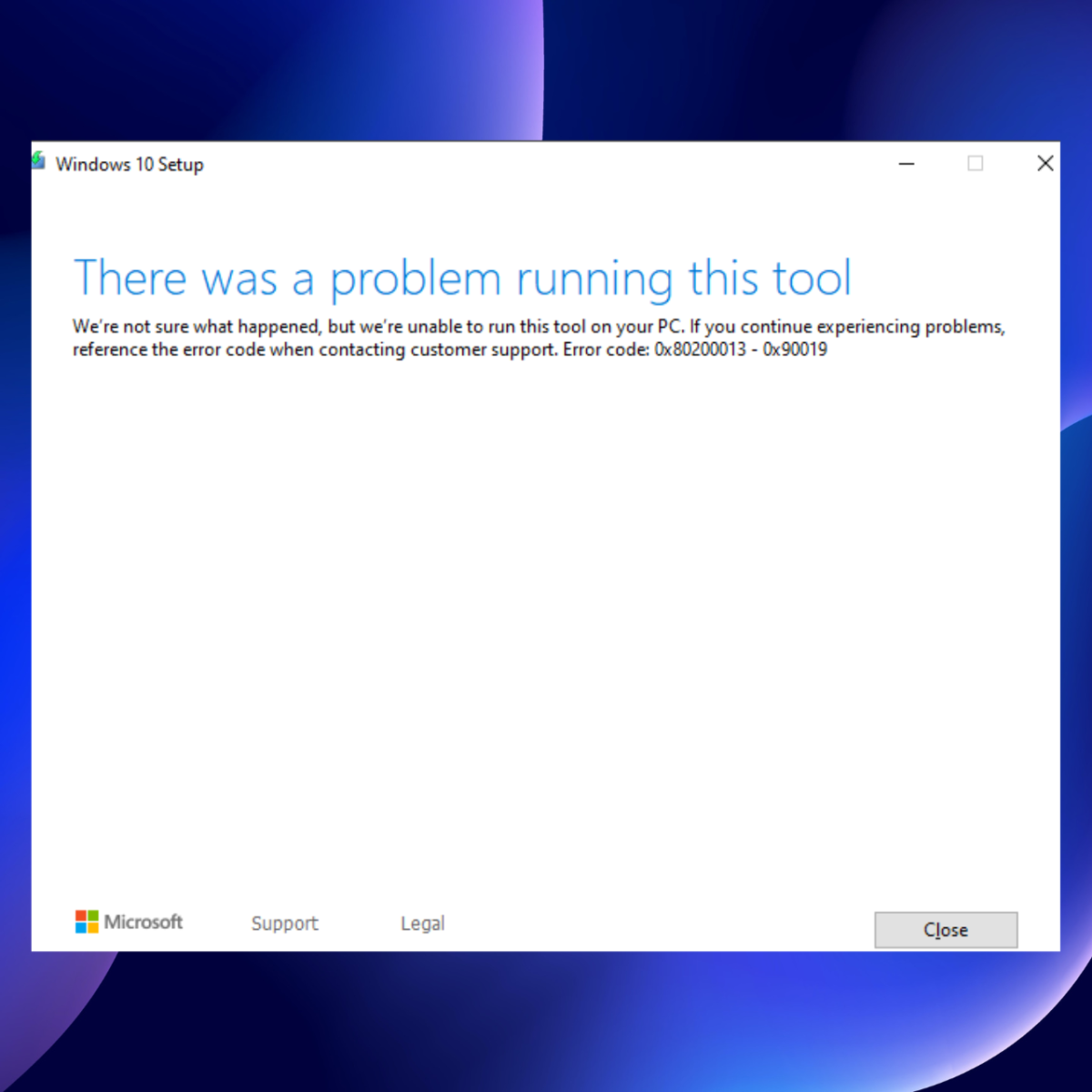
because i tried windows creation media tool and it always says something happened and couldn't complete it
hexed oracle
@mortal junco please give me a screenshot or anything to know where it is i am tired of this
because windows creation media tool is not working

this is what keeps happening
hexed oracle
nah it doesn't do anything
but i got it
found how on youtube
using inspect right?
mortal junco
using inspect?
hexed oracle
yeah hold on a sec
mortal junco
ohh maybe cuz i open it on a linux machine
i just read "You’ve been routed to this page because the operating system you’re using won’t support the Windows 10 media creation tool"
hexed oracle

This video shows how to download Windows 10 ISO directly without using Media creation tool.
#windows10iso #windows10isodownload #directdownloadwindows10 #windows10download #originalwindows10 #windows10isowithoutmct
hexed oracle
mortal junco
i just read "You’ve been routed to this page because the operating system you’re...
ohh ok
mortal junco
hexed oracle
https://youtu.be/W2D2r-t1Ids
ah yes
this can work as workaround
so itll pretend as non-windows
hexed oracle
yeah
hexed oracle
this is the average internet speed in my country 🤣
 mortal junco
yep
 mortal junco
just ok it
hexed oracle
ok
hey so after it is finished i am thinking of just booting my laptop through usb and formating both hard drives while installing the new windows
hexed oracle
mortal junco
its ok to plug all drive in
wdym?
mortal junco
i thought what u mean is that ure gonna plug all the drive in
cuz the plan is to only plug the drive thats gonna be the windows
hexed oracle
ohhh i think that's better
i have a nvme and hdd so i guess i am gonna have to unplug the hdd
but removing the laptop back cover is annyoingggggg
hexed oracle
i was gonna do that anyway 😂
wait
should i press start after it finish?

i think it is obvious but it says that it will "Destroy any data on the target" so i panicked 🙂
@mortal junco
mortal junco
no you can juet close it after it finish
hexed oracle
@mortal junco can i get a quick help here
mortal junco
sup
hexed oracle

does that mean i am gonna have to unplug it and convert it to gpt on another laptop using cmd
 mortal junco
uh
u can try diskpart to convert to gpt
i dont have windows pc to teach ya
gotta look at youtube or guide online
mortal junco
hexed oracle
ah u javent delete part 1
delete all partition on that drive
just realized that
hexed oracle
wait wtf just happened

i enter the cmd then i exit it and go back the setup
i didn't do anything in the cmd
and the other partition is deleted and it work now
i am losing my mind
at least i am finally done
mortal junco
aight

 hexed oracle
@mortal junco should i delete the system reserved partition on the second hard drive?
mortal junco
yes
hexed oracle
ok
hey so

i removed it from the file explorer but it is still on disk management should i also delete it from there?
@mortal junco
mortal junco
cant right click to delete?
hexed oracle
i think i could but i just wanna make sure first
mortal junco
well deleting from file explore wont do jackshit
so you gotta delete from disk management
so it only has 1 partition for the entire disk
hexed oracle
i deleted it
mortal junco
so it has 1 partition now?
hexed oracle
yeah not exactly the partition got deleted but it is unallocated now
mortal junco
well merge it to the rest
hexed oracle
do you know i can merge it with the other partition