#Trojan Virus
1 messages · Page 1 of 1 (latest)
 terse light
So guys, I randomly got a trojan virus called "Altruist" in my program files (x86)
and im thinking about reinstalling my windows
will the trojan virus be removed if i do that?
 frail bluff
Are you just assuming it’s a trojan or do you just not know where it came from?
terse light
its a trojan
terse light
frail bluff
Are you just assuming it’s a trojan or do you just not know where it came from?
i searched it
frail bluff
Altruist or Altruistics?
terse light
frail bluff
Altruist or Altruistics?
both
 cyan roost
terse light
So guys, I randomly got a trojan virus called "Altruist" in my program files (x8...
cyan roost
terse light
So guys, I randomly got a trojan virus called "Altruist" in my program files (x8...
Sure, as long as you FORMAT the drive it will remove the trojan and OS as well.
terse light
cyan roost
Sure, as long as you FORMAT the drive it will remove the trojan and OS as well.
yeah that was the thing i was doing
im installing the windows rn
cyan roost
will mark as resolved 🙂
cyan roost
well formatting a drive clears out the Virus currently on your OS.
completely formatting
terse light
any type of virus?
so im using two drives
hdd has files
and the ssd is os
that is good news
cuz if one
then
my files is gone too
so im ONLY formatting the os drive
cyan roost
Yeah, just need to clear out the partition your OS is on.
Foot note, if you are installing files from the other drive, you could get the virus back , if its sitting in some files you downloaded.
because the virus could be embedded in some installer from a malicious website
cyan roost
Drives can have multiple partitions
terse light
so heres i am going to do
im placing my files on the one drive
and format two drives
cyan roost
🤔 ?
terse light
the one drive
cyan roost
so you got 3 drives in total?
 cyan roost
Do you know what you downloaded which had the virus in it?
cyan roost
Like some illegal crack , torrent or other game crack you may have downloaded
terse light
yeah thats right
i crack games
but i didnt continue it
cuz i noticed many applications automatically installed in
busy on uninstalling them
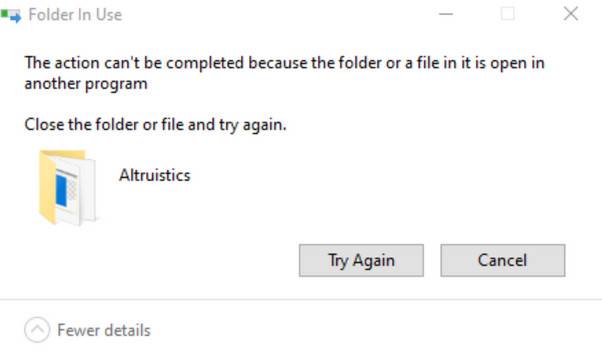
but there is one thing i cant uninstall
which is the trojan
"Altruist" or "Altruistic"
cyan roost

MUO
If the Altruistics virus has gotten onto your PC, here's how it got there, how to get rid of it, and how to avoid Trojan attacks in the future
terse light
cyan roost
Like some illegal crack , torrent or other game crack you may have downloaded
c:drive
terse light
cyan roost
https://www.makeuseof.com/windows-remove-altruistics-virus/
done that
already
but i still not deleted
cyan roost
noted, just read the website anyway
terse light
 terse light

nope still cant
also i tried doing deleting them in resource monitor
but still comes back
and there is not altruist in control panel

in task manager
cyan roost
ah ... check if its in the services
terse light
where
cyan roost
could be its embedded as a service
in services on task mgr
if you dont have services on taskmgr , on windows there should be separate services part as well when you type it in
terse light
 cyan roost
yeah stop it
and second mouse button on it , and tell it to manual start up
or even better "Disabled"
terse light
 cyan roost
do you got admin rights on that PC?
 terse light
 terse light
cyan roost
hmm... restart in safe mode
terse light
cyan roost
hmm... restart in safe mode
how
cyan roost
open cmd prompt
bcdedit /set {current} safeboot network
this will set your PC to boot up in safe mode.
terse light
ok after that
cyan roost
bcdedit /deletevalue {current} safeboot
this will undo it
cyan roost
- go to services and try to disable it from there. You still have internet because of network part.
- msconfig (in run field) go to " Services" and disable altruistic (uncheck it) .
After that you could try to remove the folder again.
terse light
do i need to turn off the internet
cyan roost
not needed
cyan roost
still have internet.
terse light
oh it has google?
 cyan roost
- go to services and try to disable it from there. You still have internet because of network part.
- msconfig (in run field) go to " Services" and disable altruistic (uncheck it) .
After that you could try to remove the folder again.
bcdedit /deletevalue {current} safeboot
after you are done.
cyan roost
you got words, to talk
terse light
if i right click the AltruisticsService
its just
start button
but yeah its stopeed
all
was stopped
terse light
i dont see a disabled button
cyan roost

just for example, should have a screen like this
startup type should be Disabled
not automatic
terse light
cyan roost
you mean stopped - "disabled"
cyan roost
Startup type: "Automatic"
is on the screenshot?
found that one?
find it on your part, and put it as
Startup type: " disabled"
terse light
i have phone
cyan roost

I have banana
this is what it should be .
Tell me. ..
A. did you find this screen? ( yes great! , No tell me! )
 cyan roost
aaaah
they removed the option 😦
on purpose
-s is probably added to boot it silently
cyan roost
This guide teaches you how to remove the Altruistics virus by following easy step-by-step instructions.
terse light
and then format two drives
cyan roost
not yet 😄
this is something you could do , or unless you think its too much, just do plan A
cyan roost
open cmd prompt again:
bcdedit /deletevalue {current} safeboot
to get out of safeboot 😄
terse light
if i install files
wait
wait
so my os is
C:drive
and my files is
D:drive
im only formatting the C:drive right?
cyan roost
yes
terse light
ok
terse light
my C:drive is 256gb and D:drive is 500gb
cyan roost
great , now lets get out of safeboot
terse light
ssd is c:drive and hdd is d:drive
cyan roost
bcdedit /deletevalue {current} safeboot
cyan roost
so backup your files 🙂
terse light
cyan roost
Foot note, if you are installing files from the other drive, you could get the v...
so what does this
message
means
cyan roost
Well if the virus comes from an installer, it can reinstall itself again
terse light
kinda thinks me of affecting the d:drive
cyan roost
from cracked games/ or unreliable resources
cyan roost
so lets continue, backup only whats needed to the D:\ drive
terse light
accept my friend req i dont think you're stranger to me
terse light
cyan roost
so lets continue, backup only whats needed to the D:\ drive
we're only doing c:drive
format it
and install new windows
terse light
nah
cyan roost
desktop
terse light
nah
cyan roost
If those dont matter , you can straight up make a Boot ISO using creation media tool.
terse light
my files keep deleting on c:drive and i need to place it on d:drive
so yeah
i dont have files
or anything
on c:drive
cyan roost
do you got a USB size of around 8 GB?
cyan roost
dont
cyan roost
well maybe in this instance you could 🤔
but some instances it would just lead to more weird stuff
terse light
cyan roost
dont
why not?
cyan roost
because its overwriting over the old OS and in some broken OS cases it will lead to weird behaviour
in this case it probably cleans up whats needed.
terse light
i trust ya im pulling up my usb 3.0
cyan roost
would be okay to do a in windows cleanup 🙂
 cyan roost
usb creation media tool 😄
terse light
nah it doesnt have windows installation on it
cyan roost
so create it? 😄
terse light
oh shi how lucky am i
it already has windows 10 on it
ok heres i am going to do
im communicating you
using my phone
while reinstalling windows
cyan roost
you can do it 😄
terse light
im going to bios and switch to usb
cyan roost
nope, too many people on here xD.
terse light
why?
terse light
cyan roost
nope, too many people on here xD.
i'll be in your list
im active
i can talk with ya
cyan roost
Only thing I do is play factorio and help people with computer issues.
cyan roost
great for that part can I recommend #build-a-pc
terse light
cyan roost
great for that part can I recommend <#375445211280572437>
no i want someone to comment my builds
cyan roost
build a PC can do that as well
cyan roost
Allot of people in the world are s***
terse light
thought i was shitposting and got warned
Ok i literally format the
Ssd
250gb
But it says 230gb
terse light

 fringe quartz
disconnect ethernet or wifi and select personal use
