If you're setting your address statically to what you got when it was set to DHCP and your provider has the best practice configs, you'll lose connectivity when the lease runs out. Otherwise you're going to have connectivity issues eventually as your router will be competing via ARP with another customer and when they eventually discover the issue, they'll disconnect you until you revert your changes
#networking
1 messages · Page 407 of 1
 hollow marlin
 candid leaf
if i use cloudflare dns (located in california) while i'm in pennsylvania, will the connection speed be slower because of how far I am?
 peak cloak
candid leaf
if i use cloudflare dns (located in california) while i'm in pennsylvania, will...
peak cloak
candid leaf
if i use cloudflare dns (located in california) while i'm in pennsylvania, will...
- cloudflare servers are not just in Cali
- DNS does not affect speed
 clever hamlet
DNS just connects you to the website. Cloudflare and Google have pretty fast DNS. But it doesnt affect your internet speed. Your speed is how much you paid for by your ISP. DNS will just render the website, regardless of browser speed, by doing a DNS request or callback. Some DNS service is faster at making requests and callback from others. But you are still hindered by your internet speed provided by your ISP.
peak cloak
clever hamlet
DNS just connects you to the website. Cloudflare and Google have pretty fast DNS...
DNS does not directly render site.
What it does it lookup what IP to connect to for a given domain name.
Basically every public DNS uses something called anycast, where you can have hundreds of servers around the world that have the same IP. So you will be routed to the closest server.
clever hamlet
I suggest using Cloudflare's 1.1.1.2 as it does malware protection and using 8.8.8.8 as your second DNS
 rocky badge
@clear igloo charged a customer $115 for getting a switch, sending it for RMA, and setting up a temporary switch. 
 inland creek
is it normal that enabling native ipv6 on my router for my ISP would result in a 3-4x increase in latency? I had thought that it should technically be about the same if not lower
 silent spruce
have a little issue when using IKEv2
it randomly disconnecting
and doesn't happen with TCP
UDP has same issue though less frequent
this sucks because TCP is a lot slower but IKEv2 got me kicked of game servers too many times
 lunar junco
My WiFi adapter has been causing problems lately, it’s been turning off automatically whenever I play games (EVERY GAME) . I’ve tried everything, I’ve reinstalled the WIFI adapter driver, I’ve tried a hard shutdown, I’ve done a normal reset and a factory reset, I updated my bios, I’ve changed my router, I’ve disabled and enabled the WiFi adapter and the problem still isn’t resolved.
every time it turns of i have to run the troubleshooter , sometimes the troubleshooter solves the problem but other wise i have to perform a network reset or restart my laptop
is there anything else i should try?
 clear igloo
rocky badge
<@291198741862416384> charged a customer $115 for getting a switch, sending it f...
clear igloo
rocky badge
<@291198741862416384> charged a customer $115 for getting a switch, sending it f...
That's it? You need to start higher for the prices 😛
clear igloo
RIP 😦
rocky badge
not 802.3af

@clear igloo https://cdn.discordapp.com/attachments/783396415921324052/996782126689173606/IMG_4629.jpg

but yeah the switch was toast
clear igloo
ouch, yah that's toast
rocky badge
no sys led or act leds
clear igloo
yup, dead
 clear igloo
lol
 static moat
hollow marlin
If you're setting your address statically to what you got when it was set to DHC...
static moat
hollow marlin
If you're setting your address statically to what you got when it was set to DHC...
Coax cable ---> router in modem mode ----> this router
I literally cant set it to dynamic
It wont detect the network automatically
And in the country im in, the IP unless having changed router, has been the same ALWAYS
 velvet jolt
Hello. I'm a beginner. My work gave me a free i5-6500 8gb ram HP prodesk 600 g2 without the drive. I want to learn how to make servers. I want maybe to make a NAS or host things on it. I have a 512gb nvme drive lying around as an external ssd and a 256gb Sata SSD in my main PC I don't need. Idk if it can boot from nvme. Would it be fine to just use an HDD or would it be worth it to use the ssds? Do I need more storage? Also should I get more RAM?
 sudden kayak
definitely use the nvme as a boot drive, it will make things much faster
use a hard drive for bulk storage for the NAS
velvet jolt
Is 512gb nvme enough for server?
 carmine moss
for a nas you want at least 2 hdd's of the same size in raid on or zfs
a 16gb usb is good enough for boot
4gb is enough depending on os
velvet jolt
carmine moss
for a nas you want at least 2 hdd's of the same size in raid on or zfs
I have just 1 2tb SSD. Redundancy isn't big deal as I'm really doing this for learning experience rather than actually needing a nas.
sudden kayak
good enough for boot, but nvme will be much better for any IO intensive software
velvet jolt
Should I upgrade to 16gb ram or is 8 gb enough?
sudden kayak
8 is fine to just try out as a NAS
carmine moss
8gb is enough depends on what you do if you upgrade
still would learn with zfs or raid array even for learning
can be some used 1 tb hdd's or 2tb hdd's
velvet jolt
Would proxmox Bea good place to start? Like to host multiple things?
carmine moss
yeah would boot that of a usb and use an ssd as vm storage
and then 1 or 2 hdd's for the nas part
velvet jolt
Thank you for your help.
velvet jolt
Should I worry about my ISP banning me or something for hosting the server?
Spectrum
clear igloo
What kind of server? If you're hosting a minecraft server or something for friends and you're not impacting their network (ie being DDoSed constantly) then they don't care
velvet jolt
I was thinking a NAS, web server, VPN,minecraft, and/or hosting things like bitwarden or nextcloud. Maybe not all at once. And really only used be me
clear igloo
velvet jolt
I was thinking a NAS, web server, VPN,minecraft, and/or hosting things like bitw...
I would highly advise against publicly hosting a NAS and stuff with files stored on it
VPN though to access that stuff would be fine
velvet jolt
Would the VPN need to be a different device? I have a raspberry pi
 waxen scroll
no
velvet jolt
So if I make all my servers local but make a VPN, I will be fine with my ISP?
waxen scroll
yep
velvet jolt
I already have a VPN with my pi, except it's not working because my ISP switched us to ipv6 and their router won't let me forward with ipv6. Lol
clear igloo
You don't forward IPv6 in most cases
peak cloak
Just open firewall for a specific port / address
velvet jolt
It doesn't have any firewall settings sadly. It's very barebones
peak cloak
velvet jolt
It doesn't have any firewall settings sadly. It's very barebones
Yeah, Problem is many vendors didnt properly support v6
clear igloo
If Spectrum hasn't changed since I had them they still refresh your IPV6 prefix on every modem reboot, 11/10 security
 wanton cypress
Anybody know of any good cheap routers for like gaming that can have more then 20 people on the network at one time?
 wintry flare
well 20 people doesn't tell anything.. are all 20 of those people going to watching youtube at 4k or watching netflix/hulu/etc or just kinda sitting there doing email and basic web browsing?
and what if your internet up/down rn
 meager ginkgo
wintry flare
well 20 people doesn't tell anything.. are all 20 of those people going to watch...
meager ginkgo
wintry flare
well 20 people doesn't tell anything.. are all 20 of those people going to watch...
@wanton cypress
wanton cypress
what
meager ginkgo
what are the 20 people doing on the network
wintry flare
and what's your upstream internet up/down?
wanton cypress
playing video games
meager ginkgo
if you want a decent experience it's not gonna be super cheap
Do your devices have wifi 6 and or wifi 6e?
wanton cypress
i just need something that can provide better internet like no more then $120
wintry flare
ok what is your internet up/down?
meager ginkgo
how big is the place you're in also
wintry flare
cause like 90% of what's going to cause issues is the internet up/down saturation well before your router gets overloaded
peak cloak
And most of the time it's wifi not the actual router
wintry flare
i mean unless you're rocking multi-gig internet any real upgrade to your router/switch etc is only going to provide better speeds internally rather than to the internet
wanton cypress
It is pretty small
wintry flare
if everyone is on wifi then having wifi ap's help spread the load out a little
meager ginkgo
you don't necessarily need multi gig internet to saturate an average router.
wintry flare
but if you have 400 down 100 up or something like that to the internet any recent router/switch even those provided by ISP's can handle that without issue
wanton cypress
ok any good access points you guys recomend
peak cloak
TP-Link Omada is pretty good for the price
meager ginkgo
wanton cypress
ok any good access points you guys recomend
It would probably be better to just get an all in one unit for your price range
peak cloak
I have 1 for the whole house
meager ginkgo
assuming you don't have another router.
wintry flare
meager ginkgo
you don't necessarily need multi gig internet to saturate an average router.
true but given how slow most internet is (relative) most routers can handle traffic to the internet just fine.. it's usually internal you start having issues
meager ginkgo
what country?
rocky badge
I still can't decide what router i want to bring to uni
meager ginkgo
rocky badge
I still can't decide what router i want to bring to uni
does your uni allow you to use your own router?
rocky badge
They say no "routers" but they mean access points
Anything is allowed as long as it doesn't emit WiFi
peak cloak
rocky badge
I still can't decide what router i want to bring to uni
Im bringing hex s
I have one so why not
rocky badge
I'm debating ER-X, a used fortigate, or pfSense
I can do either IPSec or ZeroTier for S2S back home
wanton cypress
meager ginkgo
what country?
U.S
peak cloak
rocky badge
I'm debating ER-X, a used fortigate, or pfSense
Yeah I have er-x for home , will prob use zerotier to connect the 2 sites
wanton cypress
they do because I think people have bought there own but I just want to know recommendations for one
peak cloak
I mean you could prob sneak wifi in, just name it like bob's iphone
meager ginkgo
wanton cypress
U.S

eero delivers world-class, whole home connectivity.
slightly over your budget but probably the best option
and you can always add future nodes for more range
wintry flare
he hasn't told us what is internet up/down is so not even sure if upgrading the router will even do anything for him regarding internet speeds
wanton cypress
yeah all I heard was this room has very slow internet
 full vigil
hey guys so I’m currently looking for a good router/mini pc that can run pfsense without any problem and that doesn’t exceed the 150$. It’s for home usage. Thanks!
wintry flare

Netgate
The Netgate 1100 security gateway appliance with pfSense Plus software is the ideal microdevice for the home and small office network. With a compact form factor, low power draw, and silent operation it can run completely unnoticed on a desktop or wall. Featuring a Dual-core ARM Cortex-A53 1.2 GHz CPU, (3) 1 GbE ports, and 1 GB of DDR4 RAM, the ...
it exceeds your $150 limit by 39 bucks
wintry flare
i found it by going to pfsense.org and looking at the products they ahve listed
full vigil
ik they have more hardware but that completely exceeds my budget
I also checked out the Protectli vault mini pcs and those are nice but hella expensive
peak cloak
not a fan of pfsense personally
 twilit lichen
can someone give me a hand setting up a storage server
 twilit lichen
...
it says i need a company email to use pulseway
also jesus pulseway is expensive
peak cloak
twilit lichen
also jesus pulseway is expensive
I've never seen anyone actually use pulseway in business
there are much better tools
wintry flare
peak cloak
there are much better tools
iv'e seen it used in small businesses (like 4-10 people) where there is no-hand IT staff
wintry flare
full vigil
hey guys so I’m currently looking for a good router/mini pc that can run pfsense...
Fujitsu S920: might be good.. there's a non-LMG youtuber that has a video about using that to make a budget opewrt, pfsense, opnsense) router
might provide you with a different option
full vigil
wintry flare
Fujitsu S920: might be good.. there's a non-LMG youtuber that has a video about ...
yeah i just searched it and it seems nice
full vigil
wintry flare
might provide you with a different option
ok thanks mate!
wintry flare
that video just popped up my youtube recommends 😛
carmine moss
It's interesting that video tho depends on that you need etc as now Chinese boxes are starting to appear and probably price of those systems are going up because that video
wintry flare
need raspberry pi's to get a weee bit more powerful and maybe have a pcie lane >_>
you could do a raspi as a pfsense box depending on what your bandwidth through put needs are
the last company i worked for bought a crapload of raspi 3's and built these little custom pfsense boxes that sat between our work computer and the rest of the network so they could firewall each machine individually
they were a little paranoid
twilit lichen
First ever server build! Works beautifully! Raid 0
 twilit lichen
Idk it’s a two way mirror set up
peak cloak
Thats raid 1
twilit lichen
Idk which raid does what lol I have it set as a two way. I followed the old pc server vid
carmine moss
Raid 0 is no redundancy just speed raid 1 is redundancy
peak cloak
That's just off-site backup
wintry flare
yeah but it'd be nice to configure it so it's not something that has to be setup explicitly 😛
peak cloak
Uhh? You have to either way
velvet jolt
Turns out the desktop for proxmox doesn't have any m.2 or Nvme. Is a 256gb 840 evo with 2tb drive enough or should I get a 1 tb sata SSD?
peak cloak
velvet jolt
Turns out the desktop for proxmox doesn't have any m.2 or Nvme. Is a 256gb 840 e...
Wdym by doesn't have
velvet jolt
peak cloak
Wdym by doesn't have
There is no slot for m.2
peak cloak
Oh, I thought you meant desktop environment and was really confused
peak cloak
velvet jolt
Turns out the desktop for proxmox doesn't have any m.2 or Nvme. Is a 256gb 840 e...
Personally what I have is a drive dedicated to proxmox OS which isn't that big, and then have all the VM storage on a seperate zfs pool
But one big ssd should be fine
Depends what you are using it for
velvet jolt
How big is your small SSD?
peak cloak
250
And then the pool is right now just 2 mirrored hdds
I did have some VM storage on the SSD, but majority is on the hdds
velvet jolt
peak cloak
I did have some VM storage on the SSD, but majority is on the hdds
I see. Hmm. Is it very write intensive? The SSD I have is like 8 years old. Lol
peak cloak
Proxmox itself I don't see why it would be. All it's writing really are config files, assuming the actual storage is separate
velvet jolt
Thank you for your help.

 dense sphinx
so, i have very high upload and download but im still experiencing lag on my computer?

could anyone help trouble shoot?
dense sphinx
idk what the problem is
my internet was just fine yesterday
and now im getting 300+ ping on my games
wintry flare
unplug your router, wait 10 seconds and plug it back in
dense sphinx
i tried that earlier
wintry flare
call you ISP
dense sphinx
this always happens around this time of the month
it'll just go to shit half way through
last time i called they said it was because of all the people using the internet with zoom meetings and stuff but thats bs
wintry flare
are you on wifi or directly connected to the router?
dense sphinx
directly connected
wintry flare
welp your options are just waiting it out.. buying a new router or turning off the wifi on your router and checking your speed with just you using it
 wintry flare
the one that my ISP gave me
dense sphinx
what isp are you buying from?
wintry flare
AT&T Gigapower
wintry flare
yup.. just wish the gear they give you would let me just bypass it >_>
run it in pass through mode would be nice

 lime pebble
Anyone know the best load balance router for business use? other than that tp link made
lime pebble
 pale ridge
Load balance how?
pale ridge
Load balance how?
Trying to merge 2 isp into 1, does zenwifi pro et12 will work in this case, or i need something like linksys lrt224?
pale ridge
Ummmm how?
Like bgp?
Traffic engineer?
You are taking a full table or domestic plus default from both telcos?
Do you mean to use active active or for failover?
 jaunty talon
I am pretty sure @lime pebble just want's to have two incoming connections from different ISP's in same router ;) Based on the routers he speaks about using :)
inland creek
dense sphinx
That site seems kinda unreliable for speed/latency tests, top is speedof.me bottom is speedtest.net:
 dense sphinx
what site should i use?
inland creek
the ones I tend to use are speedtest.net, fast.com and speed.cloudflare.com
dense sphinx
this is what i got
 inland creek
so your ping is high generally and looks like it gets really high when your connection is being maxed out download wise
got any other devices connected to the router you can test on?
dense sphinx
and so what does that mean for me
i do.. but they're sleeping there
could i message you tomorrow for more help though?
inland creek
wait till they wake up and try on theirs, if the ping is as bad then it is either a router issue or isp issue
dense sphinx
what if the ping is good?
inland creek
then it could be a bad ethernet cable, dodgy drivers or some other issue with the ethernet in your pc
peak cloak
lime pebble
Trying to merge 2 isp into 1, does zenwifi pro et12 will work in this case, or i...
what you want is dual wan
whats the budget, we deploy sophos to customers
if you want the best it's $$$
sudden kayak
i would strongly not recommend something like sophos for home use
you're paying a ton of extra money for fancy software features & security stuff that makes zero sense for a home setting, plus the extra processing overhead to run all of it
any of the ubiquiti stuff can do dual wan and it's a solid prosumer option
any basic pfsense/opnsense/openwrt/vyos box can do it
peak cloak
sudden kayak
i would strongly not recommend something like sophos for home use
they said for business
clear igloo
rocky badge
<@291198741862416384>
All the wifi!!
sudden kayak
i mean they said for business but also asked about zenwifi or an older Linksys unit, so i think it's safe to assume their needs & price range are not the sophos kind of business use case... seems like they're more looking for SOHO type stuff
dense sphinx
inland creek
wait till they wake up and try on theirs, if the ping is as bad then it is eithe...
its the same pretty much..
i think it might be an isp issue but idk
we have an amplify router if that means anything
inland creek
do you have a sep modem or are you full fibre?
dense sphinx
im not sure what either of those means? i know we dont have fiber optic connections
or what ever
inland creek
is there a separate unit that goes to your router before it splits out to your devices?
inland creek
I'd expect that to have an issue before any of the amplifi kit, that stuff is generally rock solid

 inland creek
top one is modem
by the looks
could be that or the switch tbh having issues
if it isn't the isp itself/wiring to your place
I'd get on to your isp and don't let up when they try and blame other stuff
they love to avoid sending out engineers
dense sphinx
I remember the last time they sent someone out it like fixed it
ill try calling them though thank you for the advice
hollow marlin
inland creek
they love to avoid sending out engineers
Thats because tech dispatches are a significant cost
rocky badge
@clear igloo Asking around at uni about ITS networking jobs
clear igloo
rocky badge
<@291198741862416384> Asking around at uni about ITS networking jobs
Nice, best of luck
waxen scroll
rocky badge
<@291198741862416384> Asking around at uni about ITS networking jobs
I might be able to get you an internship with an F500 network team 🤔 . What are you going to school for?
rocky badge
comp sci lol
waxen scroll
perfect. thats what they like to hire for internships
its dumb... hiring coders for network internships, whatever. lol
our program is already half way over but theres always next year
inland creek
it's not that dumb there is plenty of overlap
wintry flare
automation of networking tasks 😛
waxen scroll
inland creek
it's not that dumb there is plenty of overlap
the problem is that network is very complex and 99% of the people we get have 0 base knowledge. So its hard to get them enough knowledge to participate in engineering work and none of that is code, at least on my team. We do have a team for network automation.
rocky badge
waxen scroll
perfect. thats what they like to hire for internships
it's technically a computer science degree but my focus is cybersec + modern networking
so i take the base computer science courses then do other stuff
clear igloo
Remember, you can fit more 1s down the tubes than 0s so always try to keep the bits 1
waxen scroll
Also depending on the person because they're not coding they arent as engaged in the internship
wintry flare
@waxen scroll they may also be trying to entice them away from software dev and into network engineering
inland creek
that sounds like more of a filtering issue on recruitment
as most comp sci courses at least here offer networking as an option
inland creek
gotta love corpo recruitment
waxen scroll
however, if i press the issue its possible I can get them to extend an offer to blobby rather than this game of roll the dice
😛
rocky badge
@clear igloo @waxen scroll uni has vacant network tech and network support positions lol
rocky badge
they want cisco experienced people
clear igloo
rocky badge
<@291198741862416384> <@186123993412141057> uni has vacant network tech and netw...
take the tech role, support is usually printers
Printer no worky, I smash with hammer, network guy fix?
rocky badge
rocky badge
they want cisco experienced people
Makes sense since they are all Cisco though
 clear igloo
Yah, helps to know the environment you're working with
waxen scroll
@rocky badge you could touch a network where if you make an outage it might be in the news. exciting right?
rocky badge
trying to stay away from the right half of the org chart
waxen scroll
rocky badge
trying to stay away from the right half of the org chart
if they say no, why not work in media?
inland creek
I like how every coder is a senior even the vacant ones
waxen scroll
setup A/V for events
rocky badge
waxen scroll
if they say no, why not work in media?
Yeah
I'm already working with the esports team with live streaming and shit lol
Job Summary
The Department of Information Technology Services is seeking applications for a Senior Network Engineer. Information Technology Services (ITS) provides the highest quality technology services to students, faculty, and staff and delivers technologies that advance the University’s academic, research, and administrative goals. The Senior Network Engineer reports to the Assistant CIO for Networking/Telecom and Classrooms leading network team in day to day operations. Steers network team for connectivity: 115+ HSU Buildings, 18+ remote sites, 10+ medical facilities. Manage 221 communications rooms, 3000+ network devices (switches, routers, access points), and 26,000+ network drops. Provide and manage network services through specialized (Cisco) devices including: Traffic filtering devices, VoIP Gateway, wireless networking, Wireless LAN controllers, management and monitoring devices, etc. Lead the networking team for the installation and maintenance of the network. Oversee network request and needs including: IOS updates, device configuration, moves, adds, changes, repairs, upgrades, troubleshooting, etc. Maintain network related databases including DHCP, DNS, network subnets, device inventory, etc.
i used to do contract work in school where I would design/operate lights for events (not for the school tho)
wintry flare
rocky badge
```
Job Summary
The Department of Information Technology Services is seeking...
Just put it all in the cloud! sarcasm
rocky badge
They use AWS for a lot of stuff lol
AWS runs the SIS, D2L, and virtual desktops/apps
waxen scroll
what exactly do you mean by "modern networking" anyway
wintry flare
that's where i specialize.. custom cloud deployment architecture and landing zones
 inland creek
gotta love the shoehorned in math
rocky badge
@clear igloo wait so if my uni has 3 ISE PANs how many PSNs do/could they have
or can PANs run authentication alongside administration?
clear igloo
PAN can do both or just admin depending on how they deployed it
rocky badge
oh
wintry flare
I wonder if somewhere in the dark corners of a uni tech closet there is still a token ring installed
clear igloo
Almost certainly, they send the bad students there
rocky badge
😂
wintry flare
i've gone into a networking closet at my old uni and saw hubs in the rack
usually in the liberal arts college's networking closet
and in the College of Science physics area
clear igloo
Depends on the refresh cycle, probably 3850s or 9300s but if they're ordering new now probably still 3750s 😛
rocky badge
😂
waxen scroll
wintry flare
i've gone into a networking closet at my old uni and saw hubs in the rack
I used to work at a place that had decom token ring in all their buildings from decades ago. It was fun seeing all of the signage from the 80s-90s like "Please contact <manager who still works here but promoted in the 90s> for assistance"
rocky badge
 waxen scroll
I still have a few 4-pin token ring to 8pin Rj-45 adapters in my bag
the campus for that was built in the 60s I think
rocky badge
lol

i assume 2nd 10gig connection means 2nd 10gig wan services
@clear igloo not duo 😩 2. Proposed DUO if MS don’t work
clear igloo
lol, they're about the same these days
rocky badge
vi. Fortifying the settings on existing Firewalls, Cisco AMP, and Umbrella
clear igloo
AMP is pretty nice and lightweight so long as you're not pushing over a couple gigs on Windows
rocky badge
2. VPN for everyone will be rolled back and go to VPN requests. lmao
clear igloo
lol
clear igloo
Makes sense
rocky badge
👀
 peak cloak
rocky badge
<@291198741862416384> Asking around at uni about ITS networking jobs
peak cloak
rocky badge
<@291198741862416384> Asking around at uni about ITS networking jobs
I should look too
 dry bronze
rocky badge
i wonder what my uni's access layers are
dry bronze
rocky badge
i wonder what my uni's access layers are
Probably could find it in an lldp packet
rocky badge
not on campus rn lol
@clear igloo https://imgur.com/CvGyB1t
At least internet in the dorms isn't as bad as it used to be
 mystic nebula
Hi, ive just recently finished my pc build and i set it up and everything. But i cant receive any wifi or anything even though i connected the wifi adapter to my motherboard. The only option they give me is still only ethernet does anyone know why?
meager ginkgo
mystic nebula
Hi, ive just recently finished my pc build and i set it up and everything. But i...
You probably need to install the drivers.
mystic nebula
meager ginkgo
You probably need to install the drivers.
How do i install the drivers?
meager ginkgo
mystic nebula
How do i install the drivers?
What’s the model number of the card?
Or is it built into the motherboard
meager ginkgo
What’s the motherboard model?
mystic nebula
meager ginkgo
What’s the motherboard model?
Its a TUF Gaming B660M-Plus wifi D4
meager ginkgo
mystic nebula
Its a TUF Gaming B660M-Plus wifi D4
Windows 11 or 10?
mystic nebula
meager ginkgo
Windows 11 or 10?
Im using window 10 but the motherboard says windows 11 ready
meager ginkgo
ok. I just looked it up, looks like that motherboard doesn't include wifi.
mystic nebula
meager ginkgo
ok. I just looked it up, looks like that motherboard doesn't include wifi.
Oh
So what should i do?
mystic nebula
Is there one you would recommend?
meager ginkgo
give me a sec, looking on Amazon
mystic nebula
Okay thanks
meager ginkgo

EDUP WiFi 6E Card Support 6GHz : The PCIE WiFi 6E Card Built-in Intel AX210 chipset provides the latest 802.11ax standard technology. Target Wake Time, delivers from 80MHz to 160MHz higher peak data rates up to 2.4Gbps, and up to 4X capacity improvement in dense or congested environments comparin...
this one looks fine.
mystic nebula
meager ginkgo
this one looks fine.
Okay yea and how would i install it?
meager ginkgo
mystic nebula
Okay yea and how would i install it?
it would clip into this slot similar to how a GPU would.

wait.

does yours have that antenna thing?
meager ginkgo
Ok. my bad. I was looking at the wrong motherboard..
mystic nebula
Oh no worries
mystic nebula
meager ginkgo
does yours have that antenna thing?
I have it plugged in and i still cant receive any though
meager ginkgo
Can you go into device manager then network adapters and see what the model is?
should look like this

 meager ginkgo
Hmm. Looks like it's not getting detected for some reason
mystic nebula
Oh
meager ginkgo
Is it enabled in the BIOS?
mystic nebula
Ok ill head into bios
meager ginkgo
does it look like this?

 meager ginkgo
press f7
 meager ginkgo
ok, go to advanced then onboard devices configuration
do you see connectivity mode?
mystic nebula
Yea
meager ginkgo
is it enabled?
mystic nebula
Yea
meager ginkgo
hmm. Can you plug the pc into ethernet temporarily?
mystic nebula
I dont have a router close enough for me
I have a wifi booster but the connection is poor and wont work
My GNA Device is off thoug
meager ginkgo
I'm thinking it's a driver issue if it's on in the BIOS. but I can't seem to find the drivers online outside of their utility
mystic nebula
Am i suppose to activate it in someway?
meager ginkgo
Found it I think.
mystic nebula
meager ginkgo
Found it I think.
Oh?
meager ginkgo
Do you have a spare flash drive and another computer you can use?
mystic nebula
Yea i do
meager ginkgo

Intel
This download record installs the Windows® 10 and Windows 11* WiFi package drivers 22.150.0 for the Wi-Fi 6E/Wi-Fi 6/9000/8000 series Intel® Wireless Adapters.
download that onto the usb
mystic nebula
Ok hold on I’ll download it
rocky badge
@peak cloak I'm still debating on what router to bring to uni lol
might just go for the ER-X tbh
its just sitting in a box rn, it runs zerotier and ipsec
and has enough ports to where i don't need to use a switch
mystic nebula
meager ginkgo
download that onto the usb
There is 2
meager ginkgo
mystic nebula
There is 2
64 bit one is the one you want
mystic nebula
 meager ginkgo
top one
mystic nebula
Okay yea its done
mystic nebula
meager ginkgo
top one
Do i exit bios?
meager ginkgo
mystic nebula
Do i exit bios?
Yes boot into Windows
then insert the USB and launch the EXE you should have downloaded onto the usb
mystic nebula
meager ginkgo
then insert the USB and launch the EXE you should have downloaded onto the usb
Run as administrator?
meager ginkgo
mystic nebula
Run as administrator?
yes
mystic nebula
Ok im installing it
meager ginkgo
It will probably prompt you to reboot. Let me know if that fixes it
mystic nebula
Okay
mystic nebula
meager ginkgo
It will probably prompt you to reboot. Let me know if that fixes it
Oh it does fix it
Thank you so much man
meager ginkgo
mystic nebula
Oh it does fix it
Cool. After you connect to wifi, download the Asus app that goes with your motherboard (whatever that is) and install the rest of the drivers so everything works correctly and you should be good after that.
mystic nebula
meager ginkgo
Cool. After you connect to wifi, download the Asus app that goes with your mothe...
Is the app on the asus website b
?*
meager ginkgo
Intel® B660 (LGA 1700) mATX motherboard, 10+1 DrMOS Power stages , PCIe 5.0 support, DDR4 5333 (OC), Dual PCIe 4.0 M.2 Slots with Flexible Heatsink, Realtek 2.5Gb Ethernet, Rear USB 3.2 Gen 2x2 Type-C®, Front USB 3.2 Gen 1 Type-C®, Aura Sync, Two-way AI Noise Cancelation
scroll down and download armoury crate
mystic nebula
Oh im already downloading that
meager ginkgo
you should be good then
mystic nebula
The second i got connected to the wifi it asked me to
Okay and is that all that i needed?
meager ginkgo
yep! you should be fine now
mystic nebula
meager ginkgo
yep! you should be fine now
Although i am connected to the wifi, it still says this
 meager ginkgo
does it say no internet over the wifi icon in the taskbar?
mystic nebula
It says there is
meager ginkgo
Did you reboot yet?
 meager ginkgo
I would try to reboot to see if that fixes it
mystic nebula
OkAy
mystic nebula
meager ginkgo
I would try to reboot to see if that fixes it
Yea it still says the same thing for some reason
meager ginkgo
Does anything other than edge work?
mystic nebula
I tried mail and it seems i cant load into that either
meager ginkgo
ok. Go to Settings then Network & Internet and look for Network Troubleshooter
mystic nebula
meager ginkgo
ok. Go to Settings then Network & Internet and look for Network Troubleshooter
And choose wifi to diagnose right?
meager ginkgo
mystic nebula
And choose wifi to diagnose right?
Yes
mystic nebula
meager ginkgo
Yes
It says they couldn’t identify the problem
meager ginkgo
try these steps in Command prompt as administrator.
 mystic nebula
I just did it
mystic nebula
meager ginkgo
try these steps in Command prompt as administrator.
Should I restart after?
meager ginkgo
mystic nebula
Should I restart after?
Try it without restarting first
peak cloak
rocky badge
might just go for the ER-X tbh
Might as well. Can't go wrong, it's still my main router....
mystic nebula
meager ginkgo
Try it without restarting first
Okay yea thank you very much anyways
meager ginkgo
mystic nebula
Okay yea thank you very much anyways
I'm out of ideas honestly. I'm starting to think you may need to reinstall Windows. Ask in #tech-chat-1 and see if anyone has any suggestions
mystic nebula
meager ginkgo
I'm out of ideas honestly. I'm starting to think you may need to reinstall Windo...
Thanks very much though
meager ginkgo
mystic nebula
Thanks very much though
no problem.
rocky badge
peak cloak
Might as well. Can't go wrong, it's still my main router....
Got ZeroTier setup on it lol
 candid leaf
So lets say I have a vpn. I wanna play a game like lets just say valorant with my friend, but hes in europe, and im in NA. I connect the vpn to europe. I then queue into a game with him. Would I still lag?
rocky badge
yes
 pseudo blade
Of course. The VPN will add overhead and make it a bit worse too.
sudden kayak
i mean it is very possible that if your ISP has particularly bad peering and gets a route that is not ideal, a VPN could help you end up with a better overall route and reduce the overall lag despite the overhead
but that's a particular situation and you're still not going to be able to break the laws of physics
 paper dock
So my clg wifi has a firewall on for everything until 6 pm. This itself isn't super bad but things like steam, epicgames, valorant etc are blocked at all times
Is there a way to get arnd this
Going the pirate route won't work either cuz it doesn't allow torrents like most school wifis
 thick minnow
if i buy a new router can i access the router webpage login? im not sure if my isp lets me access it currently
thick minnow
i can access the webpage but not login, i dont know if my isp lets me access it because ive called and they said i dont think you can use it or somethin prob so i wouldnt mess it it up but
 unborn sluice
thick minnow
i can access the webpage but not login, i dont know if my isp lets me access it ...
unborn sluice
thick minnow
i can access the webpage but not login, i dont know if my isp lets me access it ...
have you tried asking them for the login
thick minnow
yes a while ago
isnt there a way to factory reset it also if i were to buy a gaming router i could just access the router right?
unborn sluice
do you have the gaming login though
thick minnow
i ordered a router so im wondering if the isp can still control the routers settings so like i can update the firmware and stuff do settings on it itself
it could be because the isp owns the router/modem combo they could not give it out idk
unborn sluice
but you would need to plug the gaming router into the isp router
thick minnow
well i would need to get a modem from them so i wonder if i could just login to the gamin router
unborn sluice
do you have the gaming login though
 north crystal
Idk if anyone here is good with MoCA connections for a replacement for wired ethernet, But I was wondering If I had a Verizon G3100 router if I could use an older version of MoCA adapter at my PC end since I would only need Gigabit ethernet speeds and not the 2.5 offered by MoCA 2.5. For example would I be able to use a 2.0 or a 1.1 adapter and connect it to my router which is MoCA 2.5 compatable. Thank you for any help!
 worn viper
Is Xiaomi ax3200 worth it for 60 eruos?
 chrome pollen
thick minnow
because i dont have the router,
chrome pollen
thick minnow
because i dont have the router,
ok, scratch everything.
- if you can't login to your router/modem/ap web page, always use administrator as username, and your wifi password.
- if you can't do that, contact your isp.
- if they don't help, ask for a modem, remove old gear, and also purchase a router.
- you jave your line (coax, dsl, fiber,) and thar goes to your modem
run an ethernet cable from the modem to your router
your router will be separate from your isp gear
- if none of that works, your explaining your problem wrong lol
thick minnow
chrome pollen
ok, scratch everything.
1. if you can't login to your router/modem/ap web page,...
ok i tried a lot of passwords for it currently like admin admin just admin a lot others so
i already bought a new router so i will get a modem from isp and i should be able to login because of new router
meager ginkgo
north crystal
Idk if anyone here is good with MoCA connections for a replacement for wired eth...
Yes - MoCA is backwards compatible.
 zealous ledge
not sure if this is the right place to ask but could i run a minecraft server off of two raspberry pis
like a minecraft server for like 10 people at most to play
well first of all can i even connect two raspberry pis
thick minnow
zealous ledge
not sure if this is the right place to ask but could i run a minecraft server of...
yea u could but would have to be limited plugins etc how much ram? does it have
zealous ledge
i would probably get two 8 gig pis
meager ginkgo
zealous ledge
not sure if this is the right place to ask but could i run a minecraft server of...
why not just get an older used dell optiplex mini or something along those lines?
zealous ledge
because i want minimal space taken up on my desk
meager ginkgo
2 8gb pis is probably gonna be significantly more expensive than a small dell optiplex
meager ginkgo
depends where you're at
zealous ledge
well around
meager ginkgo
I can get a 16gb ram one in the US for like $175
meager ginkgo

eBay
3040 Micro Series: OptiPlex 3040 Micro. Dell Optiplex Device Specifications Hard Drive: 512 GB SSD. Dell USB Wired Mouse. Model: Dell. Dell AC Power/Adapter. Dell USB Wired Keyboard. Type: Micro Desktop.
zealous ledge
eh
this

i dont want like a flat box i was gonna get like a pi tower
anyway
im gonna switch channels because what i have to ask about now isnt related to network
clear igloo
rocky badge
At least internet in the dorms isn't as bad as it used to be
ooof, that's pretty bad
peak cloak
zealous ledge
i would probably get two 8 gig pis
Can't connect things up like that
zealous ledge
peak cloak
Can't connect things up like that
wdym
peak cloak
You can't cluster a single server
zealous ledge
darn
peak cloak
For mc
zealous ledge
i swear ive seen people do that though
peak cloak
You can have 2 servers
zealous ledge
they got like a whole bunch of pis and ran one server
peak cloak
Just not one server on both
peak cloak
zealous ledge
they got like a whole bunch of pis and ran one server
Not a mc server
zealous ledge
eah it was an mc 😭
peak cloak
That are other applications that can be, Minecraft definitely can't
peak cloak
zealous ledge
eah it was an mc 😭
Link?
zealous ledge
peak cloak
Link?
i will look again for it
oh nevermind it wasnt them running at the same time it was if one failed
my bad i was wrong you were right
good job 👍
an actual network question now
in what scenarios would it be needed to use one of these and what exactly do they do

is it almost like an ethernet splitter or something
so you can turn like one ethernet connection into 5
 warm latch
zealous ledge
in what scenarios would it be needed to use one of these and what exactly do the...
warm latch
zealous ledge
in what scenarios would it be needed to use one of these and what exactly do the...
extra ethernet
zealous ledge
so if i were to like run ethernet through my new house would i use one of those to connect things like my pc, a console, and maybe some pis
warm latch
if youve used all avaliable ports on ur router
meager ginkgo
zealous ledge
in what scenarios would it be needed to use one of these and what exactly do the...
You only have 1 ethernet port and you need 4 devices connected to ethernet
warm latch
zealous ledge
so if i were to like run ethernet through my new house would i use one of those ...
id guess so
peak cloak
zealous ledge
is it almost like an ethernet splitter or something
yes, kinda
zealous ledge
im assuming its slowed down speeds a bit or is it the same
peak cloak
no
kinda
the total bandwidth is limited to the upsteam bandwidth, which in this case is gigabit
it's not like you are better than gigabit as internet
meager ginkgo
Only thing i've noticed with cheaper switches is for example, let's say a computer is running a speedtest, the other devices slow down
peak cloak
it's that something with flow control?
meager ginkgo
no clue. It's an unmanaged switch
peak cloak
don't know much about it
peak cloak
meager ginkgo
no clue. It's an unmanaged switch
even unmanaged ones say they support it
have to read more about it
meager ginkgo
yeah idk then. My 16 port doesn't seem to have the issue
peak cloak
meager ginkgo
Only thing i've noticed with cheaper switches is for example, let's say a comput...
like it's not a 50/50 split?
just one device uses all the bandwidth?
meager ginkgo
peak cloak
like it's not a 50/50 split?
wdym
no it's not
I had my M1 Air connected and my desktop, tried to run a speedtest to see what would happen on both at the same time and the one that started first would always get full speed while the other one would be limited to like 10mbps
zealous ledge
dang
peak cloak
yeah flow control is 802.3X, have to read more about it
zealous ledge
so what would happen if two devices require very fast internet speeds
would it just choose
meager ginkgo
it should be fine as long as you aren't maxing out the bandwidth
peak cloak
usually it's a 50/50 split (if maxing out bandwidth)
zealous ledge
ah
peak cloak
your router has an internal switch within in already
zealous ledge
my router is in the direction of red arrow and my room is in the direction of blue arrow i am using a google thing right now for ethernet 💀
 chrome pollen
zealous ledge
is it almost like an ethernet splitter or something
chrome pollen
zealous ledge
is it almost like an ethernet splitter or something
be careful lol, some buildings do have splitters, to separate poe from poe + data. it's called a switch xD its called that because instead of splitting signals, It decides where packets go. imagine a rail way, and there are 4 exits. someone has to know where the train goes, and needs to know which train to switch over.
zealous ledge
ah
peak cloak
chrome pollen
be careful lol, some buildings do have splitters, to separate poe from poe + dat...
never heard it called a switch
it's just a poe splitter
peak cloak
zealous ledge
my router is in the direction of red arrow and my room is in the direction of bl...
yeah, thing is that really isn't ethernet
zealous ledge
i know
i put a lian li sticker and some tape to dim the light a bit

it works better than normal wifi but i mean it sucks still
meager ginkgo
zealous ledge
it works better than normal wifi but i mean it sucks still
If you have coax ports you can setup MoCA which may be easier than running ethernet

looks like that
MoCA is Ethernet over your cable ports
meager ginkgo
Yeah, you know like what a cable box connects to?
zealous ledge
internet thing
peak cloak
cable tv goes over coax cables
meager ginkgo
^
zealous ledge
im very uneducated in network stuff if you couldnt tell
meager ginkgo
It will look similar to this
 meager ginkgo
you don't need them
zealous ledge
nor do we have those ports anywhere in sight
meager ginkgo
Do you know what internet provider you have?
zealous ledge
nope
we dont know our options yet
they are doing the finishing touches on the house
meager ginkgo
Ah, you're moving?
meager ginkgo
If it's new construction they likely have a box somewhere in the house with CAT5e or 6
peak cloak
get them to install ethernet
meager ginkgo
which is ethernet
meager ginkgo
peak cloak
*get them to install ethernet*
Sounds like it's too late
zealous ledge
peak cloak
*get them to install ethernet*
thats what im trying to get my dad to do
zealous ledge
meager ginkgo
Sounds like it's too late
but thats what he said
peak cloak
meager ginkgo
If it's new construction they likely have a box somewhere in the house with CAT5...
some contractors cheap out and are like:
wifi is fine
meager ginkgo
Are the walls already up?
zealous ledge
yeah
meager ginkgo
peak cloak
some contractors cheap out and are like:
wifi is fine
This bugs me a shit ton. lol
peak cloak
zealous ledge
yeah
yeah bit late
meager ginkgo
zealous ledge
yeah
Yeah you missed your chance
zealous ledge
darn
i mean to be fair we didnt have a chance then in the first place because when we put the house under contract it already had the walls up
meager ginkgo
Do you know the builder?
peak cloak
I mean I installed ethernet afterwards, but the way the house was built, basement was unfinished and there were 2 ethernet runs from basement to 2nd floor already which really helped
meager ginkgo
Alot of newer homes come with a little in wall panel with ethernet, so next time you go there check the closets and stuff
 zealous ledge
wait i might have seen one of those
meager ginkgo
My 2018 home built by Pulte came with CAT6
zealous ledge
is cat 6 better than cat 5
meager ginkgo
yes
peak cloak
yes, you want at least cat6 these days
meager ginkgo
zealous ledge
would it be possible to upgrade to cat 6 if its cat 5
Not easily usually
zealous ledge
darn
peak cloak
you have to rip the cable out, install new one
meager ginkgo
because they usually staple it.
zealous ledge
ah
meager ginkgo
Might have looked like this also
 meager ginkgo
If we build another home, I'd love to wire way more. We have like 12 ethernet runs (sounds like alot but it's really not)
peak cloak
meager ginkgo
Might have looked like this also
I just screwed on a patchpanel on plywood
meager ginkgo
peak cloak
*I just screwed on a patchpanel on plywood*
lmao
peak cloak
in the utility room, where the rack is
meager ginkgo
I hate the in wall enclosures, I would rather use a 2 gang wall plate and have the cables go into a rack
zealous ledge
so just to clarify is it "impossible" or just not easy to get ethernet installed if there isnt ethernet already
peak cloak
we just recently renovated the basement, but the whole one side of the basement has like an open utility area behind the walls
peak cloak
zealous ledge
so just to clarify is it "impossible" or just not easy to get ethernet installed...
not impossible, but usually involves cutting into walls
meager ginkgo
this was my network closet when it was actually decent
 peak cloak
and then you to patch it
meager ginkgo
Now there’s cables all over and crap lmao
zealous ledge
peak cloak
not impossible, but usually involves cutting into walls
thats what i would think
zealous ledge
meager ginkgo
this was my network closet when it was actually decent
that looks
wow
lots of cables
peak cloak
if it's from unfinished basement to 1st floor you can usually do it without cutting
zealous ledge
we dont have a basement
meager ginkgo
if you have telephone lines you can also likely convert those to Ethernet
zealous ledge
ah
peak cloak
kinda, not well tho
zealous ledge
i have telephone right now in this current house
meager ginkgo
peak cloak
kinda, not well tho
Newer homes I’ve found run CAT5e minimum
zealous ledge
what type of cable is telephone
meager ginkgo
depends on the year the house was built and what the builder did
peak cloak
meager ginkgo
Newer homes I’ve found run CAT5e minimum
I've seen them split the cable for 2 jacks
meager ginkgo
peak cloak
I've seen them split the cable for 2 jacks
Yeah that’s typical in older homes
zealous ledge
because when i had my first really cheap usb racing wheel the pedals used telephone cable to connect to the wheel
it was strange
peak cloak
zealous ledge
what type of cable is telephone
depends, if they used cat5e, then you can install a different jack
meager ginkgo
let me find a pic of a newer home I went in
peak cloak
zealous ledge
because when i had my first really cheap usb racing wheel the pedals used teleph...
yeah that's just the interface. I remember using lego mindstorms and having a similar click style connector
zealous ledge
 meager ginkgo
Not a good example but this is a million dollar home I went in lmfao
 zealous ledge
cables.
peak cloak
meager ginkgo
Not a good example but this is a million dollar home I went in lmfao
I had a summer job for a little in NYC
zealous ledge
why are so many cables needed
peak cloak
did stuff with ethernet
they terminated everything into plugs...
ok... whatever you say boss
meager ginkgo
peak cloak
did stuff with ethernet
sounds fun
peak cloak
meager ginkgo
sounds fun
my hands hurt so much from terminating the jacks
punchdown is fine
meager ginkgo
Did you use passthrough connectors or regular ones
meager ginkgo
That's atleast better than the regular ones lol
meager ginkgo
zealous ledge
why are so many cables needed
Cameras, anything that uses internet that can accept an ethernet connection I prefer to wire up, so that's probably what this person was thinking
zealous ledge
ah
waxen scroll
meager ginkgo
this was my network closet when it was actually decent
oooo wireless backup
I got rid of mine
meager ginkgo
waxen scroll
oooo wireless backup
It's the security system one
ADT garbage, still need to change it out
waxen scroll
$$$ for 0 use
 flat warren
I have a ssl certificate that is .p7b format and I converted it to .crt but I dont have a private .key file for it, I do have from my org a "certificate password" and that is it, how do I obtain and or generate one?
waxen scroll
mines not ADT. I installed it myself and use a $8/yr place... or whatever it is now
err $8/mo
meager ginkgo
Ours is like $50/mo but my parents won't change it out
I want to get an Envisalink 4 and use the Envisalink monitoring service but they won't budge lol
waxen scroll
i use ELKM1G and Alarm Relay as the monitor
meager ginkgo
Ah nice. Elk is a pretty good system
meager ginkgo
Ours is just a rebranded Honeywell Vista 20P
meager ginkgo
peak cloak
at least some cams
That's what I regret when we built this house.
We didn't wire at all for cameras
waxen scroll
the elk reacts pretty fast with home assistant
meager ginkgo
Yeah the issue is no-one monitors it here
I don't care for the "professional" monitoring personally but parents do
waxen scroll
I mostly use it for detecting people at night for dynamic night lights and then for fire to unlock doors/stop fans
meager ginkgo
sounds neat
waxen scroll
unlike the zwave crap the reaction is near real time and accurate
waxen scroll
I meant the sensors... many of the motion sensors just act as occupancy and dont give live info
meager ginkgo
Are yours hardwired?
waxen scroll
The elk stuff? Yeah. Every sensor is wired
meager ginkgo
Nice. I wish we wired for more stuff in this house, at the time I didn't know about all the stuff out there
was just getting started with the smart home stuff
waxen scroll
it was a pain in my ass to do and took a while
meager ginkgo
lol I can imagine
waxen scroll
I did it without opening walls for the most part
meager ginkgo
That's good, what'd you do, remove trim ?
waxen scroll
go in the basement, drill a hole up into walls. drill a hole where the sensor goes. use a combo of fish tape and snake cam to help guide the wire to the hole
meager ginkgo
Ah, we don't have a basement lmao. So it would be near impossible to fish cables on the 1st floor atleast. 2nd floor has an attic space but the network closet is on the 1st floor under the stairs so it's a bit hard
peak cloak
when wiring outside anything I should take into account, specifically?
meager ginkgo
peak cloak
when wiring outside anything I should take into account, specifically?
You probably want to use shielded CAT6 or fiber
and ground the shielding.
peak cloak
yeah that's what I've seen reccomended
since I have this little section of outside I would would need to go up to go into like the overhang
then I can install a cam there
meager ginkgo
If it's a small section you can probably get away with unshielded if you cover it with something
peak cloak
I could possibly try to push it into the trim
meager ginkgo
and usually for outdoor installs you want to make sure the cable is sun resistant and water resistant
peak cloak
yeah I have some indoor/outdoor cable
meager ginkgo
👍
waxen scroll
the relay board off to the right side is a hack of mine. We have to use those 100v smoke alarms that are linked per building code, so I have a module for those which trips a relay if they go off. The board in the pic is a timing circuit. If the smoke alarms go off for 10+sec they're holding down that circuit and the relay will trip
prevents falses
waxen scroll
peak cloak
I shocked myself on one of those
I almost did. I have a personal rule to test circuits I turn off. I actually removed the lock out from the breaker to turn it off and my head was somewhere else. I never flipped it off.
meager ginkgo
I made a prewire guide a while ago, looking for suggestions to improve it if anyone is interested - https://docs.google.com/presentation/d/1LNONZXsLi-R9ejamD9Bd2UfzpqjqEWVt0ZepTGmMC50/

Google Docs
DIY Smart Home Pre Wire Guide My personal take on a smart home’s prewire. Mid 2022
peak cloak
waxen scroll
I almost did. I have a personal rule to test circuits I turn off. I actually rem...
hmm, I had a small shock since I guess the alarm had some capacitance since right after unplugging I wasn't thinking and put my finger on the metal prongs
still hurt
waxen scroll
it was a "fun" project but IDK if I would do this in another house unless I was doing a reno
 barren creek
made my day 😆

 barren creek
this is the best ending to the video 🤣

 cunning lion
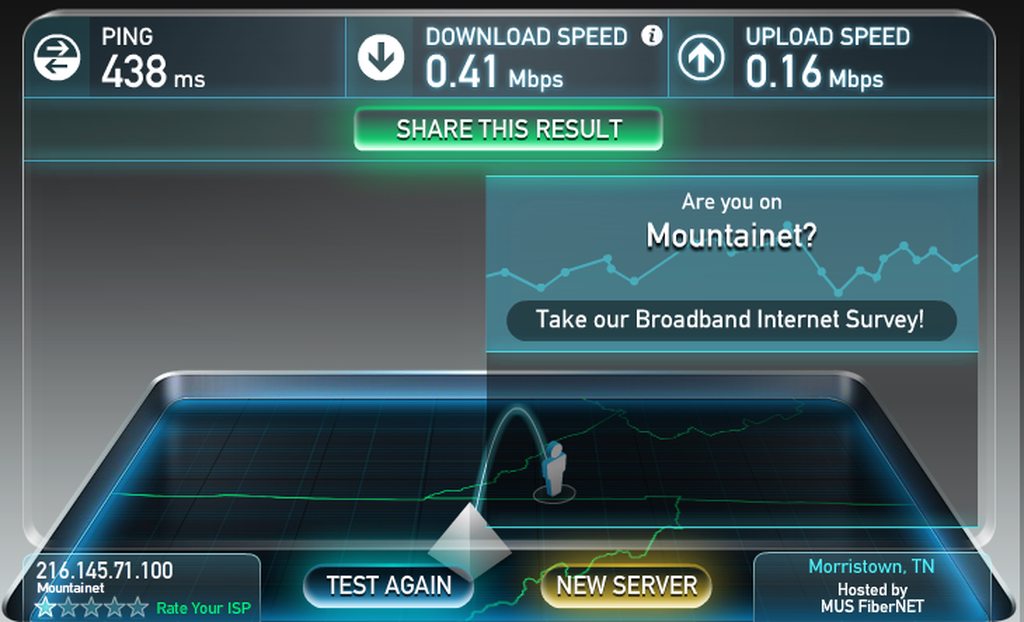
Can the weather REALLY affect cellular connections this much? Instead of my standard 100-200mbps I am now getting this

T-Mobile 5G Home Internet is what we are using
meager ginkgo
cunning lion
Can the weather REALLY affect cellular connections this much? Instead of my stan...
yeah if it's heavy downpours
meager ginkgo
cunning lion
T-Mobile 5G Home Internet is what we are using
also depends on congestion (if tons of people are using the tower)
cunning lion
yeah been rianing all morning apparently
meager ginkgo
is Verizon 5G Home an option at your place?
cunning lion
shrugs I just happen to go T-Mobile since its only $50 a month
meager ginkgo
Verizon is also $50/mo if available
cunning lion
NOPE
Verizon Home Internet services are not currently available at your address, but you can be among the first to know if they become available.
My phone is T-Mobile anyways
meager ginkgo
T-Mobile 5G Internet is good but Verizon is slightly better because you can customize more of the router
meager ginkgo
cunning lion
My phone is T-Mobile anyways
yeah I prefer T-Mobile for cellular service. Super fast
cunning lion
Mobile internet at my previous place was GARBAGE no matter who we went with
even tho my mobiles says LTE it was more like 2g-3g
meager ginkgo
We had 18mbps DSL up until 2018 then we got 940mbps (up & down) fiber
so i'm lucky AT&T came out and installed that
cunning lion
We had COmcast at the previous place then parents ended up moving down to FLorida and I moved in with a couple of roommates here
meager ginkgo
ah nice
cunning lion
We now have T-Mobile5G Home Internet here
meager ginkgo
How's it working for you (when it's not raining)?
cunning lion
Perfectly fine expect an occasional complete drop out where I have to unplug and replug in the box to fix aka it drops the wifi/ethernet connections completely
meager ginkgo
do you have the gray circular one or the black boxy one
cunning lion
Wifi basically dissapears completely and isn't even listed any more until I reboot the box
I basically get the no connection icon in windows
meager ginkgo
Weird.
meager ginkgo
Yeah I don't know man
cunning lion
Yeah a reboot of the box fixes it
meager ginkgo
The T-Mobile discord might be able to help you - that's the only idea I have lol
sudden kayak
can you set the tmobile 5g gateway to bridge mode
it's available here and i thought about using it for dual wan failover
sudden kayak
yeah that's what i was worried about
meager ginkgo
you'd have double NAT if you used T-Mobile for failover
sudden kayak
Verizon won't let me set it up at my address (despite having 5G cells in the area) and tries to sell me DSL 😆
also there is a local fixed wireless wifi provider, but that needs LoS and so would have to be on the roof... and my landlord isn't a fan
sudden kayak
i haven't checked but i doubt it
meager ginkgo
Are you in a 5G UW area or just 5G
meager ginkgo
ah that's probably why you can't get it then
sudden kayak
i mean yeah, it makes sense
it's just weird to have dead spots in residential neighborhoods
meager ginkgo
my house is in a dead spot lol
sudden kayak
vz's 5G deployment in my city is literally just like... a handful of cells in major roads & near office buildings
meager ginkgo
I have to go upstairs to get midband usually
 sudden kayak
damn
 sudden kayak
yeah my tmobile sim is through google fi and I'm on the non unlimited plan
so I'm not risking a speed test 😆
sudden kayak
i actually get surprisingly decent speeds on LTE here, so i could totally use this for home Internet

but i guess it being 5G specifically is part of the marketing so they can't let me sign up if i only get 4G lol
meager ginkgo
sudden kayak
but i guess it being 5G specifically is part of the marketing so they can't let ...
They have LTE Home Internet also. Weird they aren't letting you sign up for that
sudden kayak
oh hmm i wonder if i was just on the wrong page or something
cunning lion

Lte on my phone right now
Samsung Note 10 + here non 5G version
I assume 5G is worse than 4G thanks to the wavelength being worse?
Since LTE isn't nearly as bad as the 5G Home Internet
meager ginkgo
5G is better than 4G LTE. (or atleast supposed to be)
A simple way of thinking of it is - the higher the numberG the faster* speeds you are getting
*: not always accurate
cunning lion
LTE is netting me about 5 times the speed as 5G right now with the bad weather LOL
meager ginkgo
Yeah LTE is a lower frequency so that makes sense
cunning lion
Which is what I was getting at
meager ginkgo
Whenever T-Mobile launches more low-band and optimizes it more it will be on par with 4G if not better.
cunning lion
Hopefully my "box" will handle that when it happens
meager ginkgo
It should have all the "bands" neccesary.
cunning lion
Hopefully it does
cunning lion
T-Mobile seems to have 2 different Home Internet modems. A cylinder and a actual rounded off square one
The one you see in the promotional material then a different one you actually end up with
 chrome pollen
looks fancy?
cunning lion
I have the bottom one LOL
chrome pollen
but it has an lcd screen lol
I jus think thas kinda cool
I have the telus trashcan
cunning lion
I need to use the buttons for everything tho lol
chrome pollen
 cunning lion
and even then the screen is just infomation can't do anything useful with it
chrome pollen
yeq, but it's still cool
maybe you could take it apart and rebuild it in a 1 or 2u rack enclosure
I might do that for my router
cunning lion
Meh I don't do racks here at home
chrome pollen
booo
peak cloak
chrome pollen
maybe you could take it apart and rebuild it in a 1 or 2u rack enclosure
awful amount of work for a meh router
cunning lion
Looks like the rain as slowed down to a sprinkle
 thick minnow
cunning lion
Looks like the rain as slowed down to a sprinkle
thick minnow
cunning lion
Looks like the rain as slowed down to a sprinkle
nice
do you have t-mobile router?
 abstract blade
and i thought i was lucky when i have 10Mb/s on lan
meager ginkgo
abstract blade
and i thought i was lucky when i have 10Mb/s on lan
that's not horrible.
I get around 110MB/s but I have Fiber which is relatively hard to get
abstract blade
aw maan
 sullen olive
Meanwhike me with one gig internet
rocky badge
@meager ginkgo I’m surprised my uni doesn’t use bright ridge
 meager ginkgo
nice
 meager ginkgo
I wonder what the ping is to other speedtest servers
 meager ginkgo
that's not bad actually
rocky badge
4.5ms to 1.1.1.1
meager ginkgo
takes me about 10
rocky badge
heh since they have a /16
abstract blade
rocky badge
4.5ms to 1.1.1.1
27ms to 1.1.1.1
 meager ginkgo
lmao
 gray gulch
Anyone with truenas experience want to help out with some extremely wacky behavior? Right now I can only access the GUI from outside the local network
rocky badge
@meager ginkgo
 meager ginkgo
👀
rocky badge
i'm hoping s2s perf between dorm and home isn't bad
surely it can max the 100Mbps dorm internet limit
it's basically all Level3/CenturyLink from home to uni
because ISP has direct peering with Level3 and then qwest merged with CL
and uni has direct peering with CL
meager ginkgo
I should ping the IP from my house..
rocky badge

Seems like they have the /16, then announce ranges in it and several /23 & /24s
the 64.189.140.0/23 subnet is for their dorm networking
All of the PTRs are "apogeetelecom.com" which is their MSP for dorm net
151.141.0.0/16 seems to be where they have all of their services/websites
meager ginkgo
interesting
rocky badge
216.145.70.0/23 seems to be the NAT ranges for wifi
meager ginkgo
I'll be honest I don't understand most of what you said lol still trying to learn tho
rocky badge
lmao
meager ginkgo
I only know the basic stuff right now
meager ginkgo
interesting..
rocky badge
I see vpn, remote desktop services, websites, cisco unified communications manager, library proxies for research sites, printing services, etc
meager ginkgo
I wish I could see all that just by glancing at that lol
gray gulch
Anyone with truenas experience want to help out with some extremely wacky behavior? Right now I can only access the GUI from outside the local network
cunning lion
rocky badge
https://bgp.he.net/net/151.141.0.0/16#_dns
BLINKS esports?
rocky badge
idfk
cunning lion
according to the list there is a cold fusion site lol
cunning lion
151.141.90.19 coldfusion-cs.etsu.edu
static moat
I set up a domain name with No-IP.com and i have my domain name and my current IP. If my current IP changes however, will people attempting to query the domain name still be able to reach me?
peak cloak
Yes that's the whole point
When router sees IP has changed, it will tell noip to change the record
Dynamic DNS it's called
static moat
peak cloak
Yes that's the whole point
yeah ik, but how does it know the new IP adress that my ISP has changed me to?
static moat
peak cloak
When router sees IP has changed, it will tell noip to change the record
how?
oooh is that the login big for no-ip in the router settings
static moat
wait is that all i need to do
login here or something else too

i also got dynamic ip to work (i had to enable get DHCP for unicast or something like that)
so will that auto update everything for me then?
i dont need to ever log into the site anymore?
peak cloak
static moat
so will that auto update everything for me then?
in theory
peak cloak
rocky badge
we have a fair bit too
 rocky badge
yeah a /16 as well
rocky badge
lmao
Apache/2.2.15 (Oracle)
@peak cloak https://cscidbww.etsu.edu/
my uni actually has HSTS preload
peak cloak
looking at rdns can show quite a bit
rocky badge
yeah
lmfao

do they actually have a nextcloud instance
NXDOMAIN on public dns though
peak cloak
ah yes win2019testbox.erau.edu
peak cloak
are these rooms..
 peak cloak
for reference oconnor and stimpson are dorms

 peak cloak
are these rooms..
peak cloak
peak cloak
are these rooms..
if I get a public IP that would be interesting, but I doubt it
rocky badge
surely 512 isn't enough to give every resident a public IP
And I defo know they do NAT internally
but if each resident gets their own pub  idfk
idfk
peak cloak
will report back in a month
rocky badge
descr: Apogee in service of East Tennessee State University
rocky badge
peak cloak
will report back in a month
same lmao
That's interesting
@peak cloak do the dorms have ethernet
peak cloak
rocky badge
<@222482269829332992> do the dorms have ethernet
yes
rocky badge
yay good
peak cloak
every room has a port + coax
rocky badge
damn coax
i think mine will too but never use it lol
idk if they are even providing catv services over it anymore
rocky badge
Streaming TV can be accessed on the Resident network through the Stream2 platform.Students can access Stream2 through apps for iOS, Android, FireTV, and Roku by searching Stream2 in the various app stores. The web player can be accessed https://webplayer.mystream2.com.

They force everyone on 5GHz if you have 5GHz capable devices
@peak cloak Its interesting they have nextcloud even though students don't even get onsite storage
peak cloak
don't you have cloud storage?
rocky badge
yeah
1TB onedrive
Q is for faculty and staff 500MB

S is departments, T is college of medicine/HIPAA
ENCRYPTED EMAIL: Typing the word encrypt in the subject line of the email will trigger Microsoft 365 to encrypt the email message and attachment. huh
peak cloak
IT also offers 500MB of data storage on a shared network drive, as well as access to Microsoft OneDrive with 5TB of storage.
rocky badge
yeah its default 1TB but you can set users to 5TB