#networking
1 messages · Page 405 of 1
 peak cloak
 acoustic warren
Ohh
peak cloak
real life performance is super messy because of other people on the same freqency
and interference, etc.
 sudden kayak
right all of those numbers are theoretical and unfortunately it's hard to get close to those in real usage
peak cloak
wifi 6 is good with dealing with lots of users
acoustic warren
UniFi has a channel management thing where it finds the least noisy channel. But still getting 350Mbps at best with a Gigabit connection is still a huge downgrade
peak cloak
would need prob a faraday cage and more to get gig
 meager ginkgo
acoustic warren
UniFi has a channel management thing where it finds the least noisy channel. But...
meager ginkgo
acoustic warren
UniFi has a channel management thing where it finds the least noisy channel. But...
if you want a better chance of getting full gig on newer devices, i'd wait for WiFi 6E to become more common
350mbps is still fine for basically everything
peak cloak
6e basically uses a higher freqency
acoustic warren
Yeah... Speaking of 6E, are there any good 6E APs available right now?
peak cloak
6ghz I belive
meager ginkgo
Omada has one coming out at the end of the year (supposedly)
UniFi has one for $249 in Early access
meager ginkgo

Powered by WiFi 6E technology, the AX11000 Ceiling Mount Quad-Band WiFi 6E Access Point EAP690E HD ensures hyper-connectivity with steady performance in demanding environments.
that's the Omada one coming out somewhat soon
meager ginkgo
oh wow I didn't even notice that..
guess i'll have to use the PoE Injectors they include 😐
peak cloak
meager ginkgo
guess i'll have to use the PoE Injectors they include 😐
I don't even think that's included
just DC
sudden kayak
well the thing is, 6E isn't actually any faster because of the higher frequency
it's faster purely because that new frequency range is very lightly used rn and can accommodate wider channels
I've actually seen a live demo of some of our pre production 6E hardware and it's really impressive
peak cloak
sudden kayak
well the thing is, 6E isn't actually any faster *because* of the higher frequenc...
I mean it has to be at least a little faster no?
acoustic warren
6E has a 6Ghz channel?
sudden kayak
granted there's like. almost no client devices that support it
meager ginkgo
acoustic warren
6E has a 6Ghz channel?
2.4, 5, and 6ghz is what most 6E APs will broadcast
sudden kayak
it's in 6ghz frequency range but the channel width is 160mhz
twice the width of regular 5ghz
sudden kayak
peak cloak
I mean it has to be at least a little faster no?
i mean not really
meager ginkgo
The U6-Pro also has 160mhz but my client devices (most of them atleast) only support 80mhz channels at max
sudden kayak
the actual center frequency doesn't really impact the modulation in the way that seems logical intuitive
acoustic warren
What's a good software controller you'd recommend?
sudden kayak
well you basically have to have the controller for that brand of AP
it's unfortunately not standardized or really interchangeable
so pick one brand of APs. then run the software controller or buy a hardware controller from the same brand
meager ginkgo
Omada also has this coming: https://www.tp-link.com/us/business-networking/omada-sdn-router/er8411/

ER8411 supports 10GE connections on both WAN and LAN ports and multiple VPN protocols and high-security, high-performance VPN capabilities, making employees’ remote connections to their main offices as secure as if they were in the main office.
peak cloak
Finally
Something with more than 1 sfp+ port
But not an insane amount
Surprised mtik doesn't have something like that
meager ginkgo
Pretty sure TP-Link said it was delayed to early next year
acoustic warren
SFP connectors are expensive smh
peak cloak
Like they have one with only one sfp+
peak cloak
acoustic warren
SFP connectors are expensive smh
The modules?
acoustic warren
Yeah
peak cloak
The fiber ones aren't
For shorter range
The copper ones, yeah they are pricey
And they use a lot of power
And get hot
 manic shoal
I have a noob question, if I want to extend the range of my isp provided router which is in the ground floor of my house to the first floor, do i connect a router to it via ethernet or do i have to use a switch and then the router. I want ethernet access in the first floor also. What is the benefit of using a switch if I can just use the ethernet ports on the second router?
 clear igloo
peak cloak
now there is poe ++
clear igloo
peak cloak
now there is poe ++
100w poe 😄
clear igloo
meager ginkgo
oh wow I didn't even notice that..
Usually the higher PoE stuff will drop down to lower but the AP might broadcast less channels (ie go from 4x4 to 2x2)
clear igloo
sudden kayak
I've actually seen a live demo of some of our pre production 6E hardware and it'...
The "bad" thing about 6E is you're required to use WPA3 otherwise it won't work on 6GHz
So you can't have say a single SSID that broadcasts on all three (2.4/5/6) that will do WPA2 for legacy and WPA3 for 6 only
peak cloak
manic shoal
I have a noob question, if I want to extend the range of my isp provided router ...
You want an access point
Not a router
manic shoal
What is the difference?
peak cloak
A router is meant to route between networks. It does stuff like NAT, DHCP, etc. If you just connect a second router you will have the issue of double nat, which may cause issues as you will no longer have one network
Access point just emits wifi basically. It allows devices to connect to the existing network
You can hack some routers into APs, by disabling DHCP and instead of plugging into WAN port, you plug into LAN
sudden kayak
clear igloo
The "bad" thing about 6E is you're required to use WPA3 otherwise it won't work ...
ohhhhh interesting
did not know that restriction
 hollow marlin
clear igloo
100w poe 😄
hollow marlin
clear igloo
100w poe 😄
I recall in a podcast a while back that Cisco was either on track or has announced switches that can run on the new 90w PoE standard right? I think the switches were decent as well, like up to 24P gig switches
clear igloo
hollow marlin
I recall in a podcast a while back that Cisco was either on track or has announc...
Yup, the 9300X can do full UPoE+ (90+ watts) on 48 10g ports now
They've got 1900w dual PSUs, lol
I'm sure there are modular cards for that too which can do it, I just haven't looked
hollow marlin
Ah, I meant like actually run off UPoE. But right now Juniper definitely does not have any comparable EX model that has such a PoE budget
clear igloo
Oh, run off UPoE, that I'm not sure of
oh wait, the catalyst 1000 series, yah, some of the compact models can
I remember hearing about those a while back too, almost forgot about them
hollow marlin
Yeah it was on a Packet Pushers episode like last fall talking about the UPoE+ and designing closest close to workstations and all "power runs" via Cat6a back to a central closet.
clear igloo
Yup, I remember that one now
 waxen scroll
hollow marlin
Yeah it was on a Packet Pushers episode like last fall talking about the UPoE+ a...
waxen scroll
hollow marlin
Yeah it was on a Packet Pushers episode like last fall talking about the UPoE+ a...
I have bad news for them
Most big places are toying with wifi only
Not sure what cable infrastructure is going to look like soon. Tldr #doubt on using it to power laptops
hollow marlin
Yeah it was less about endpoints and more around core infrastructure. So your power/UPS could be centrally located and switches scattered throughout would source their power via UPoE+. More towards industrial use than enterprise
 dry bronze
waxen scroll
Most big places are toying with wifi only
dry bronze
waxen scroll
Most big places are toying with wifi only
Wifi is just a fad. It'll die any day now.../s
 pseudo blade
clear igloo
The "bad" thing about 6E is you're required to use WPA3 otherwise it won't work ...
pseudo blade
clear igloo
The "bad" thing about 6E is you're required to use WPA3 otherwise it won't work ...
That's interesting. Wonder how many devices and platforms actually enforce that.
That said I'd prefer the security benefits of WPA3 where possible, see the attempt at tying compliance with new performance-oriented specifications with security and would like to see more WPA3 out there.
Creating a second SSID exclusively for legacy WPA2 devices until you can update or migrate away from them probably isn't the worst idea.
If one SSID was absolutely essential I'm sure you could just add a virtual AP with the same SSID but you'd run the risk of devices that can do WPA3 downgrading unless you prevented that.
 rocky badge
clear igloo
Oh, run off UPoE, that I'm not sure of
rocky badge
clear igloo
Oh, run off UPoE, that I'm not sure of
u poe af
rocky badge
clear igloo
The "bad" thing about 6E is you're required to use WPA3 otherwise it won't work ...
Yeah that's why the UniFi 6E stuff is chonkkk
 short relic
I'm so stumped
My tablet refuses to use my network on wifi 6 mode, even though it scans the network at wifi 6
Like I'll stand next to the access point, and it shows up as wifi 6. I connect to it, and the connection drops to wifi 4
 broken jetty
Hi
I have a rather strange network problem, and I was wondering if anyone has any ideas. I'll start with my setup since it could be considered a little unconventional:
Currently, I have a BT router/modem/etc. box (henceforth referred to as the "BT" plugged into the fibre box, with the WiFi disabled. Plugged into that is a WiFi point for a D-Link Covr mesh network (one of two), which handles WiFi connections for all my general-purpose devices (There's no ethernet wired in the house).
This afternoon I connected my NAS directly to the BT (there was a spare ethernet port on the Covr router but I elected not to use it). It has a Samba server running on it, and, while I am able to connect directly using its IP, I am unable to see it listed in Finder's "Network" tab, nor by using its hostname. To diagnose it, I first disabled my computer's custom DNS server, as I thought the router might have an inbuilt DNS server might be how hostnames are served, but that had no effect. Then, I thought I might have the hostname wrong, so after some Googling I tried running sudo arp-scan --localnet to list every device on the local network, but this only listed 9 devices, and the NAS was not among them.
During my troubleshooting I noticed that the devices connected directly to the BT (the NAS and the COVR router) do not show in the COVR interface, and the devices connected via the COVR do not show in the BT interface. Interestingly, there is one device connected via WiFi even though the BT box has WiFi disabled, and this could mean that the COVR is somehow selectively passing devices through to the BT, for reasons best known to itself.
So my conclusion (with my limited networking knowledge) is that the COVR system is creating a mini-network, which can connect to the BT network via IP address only. If this is the case, I think I could fix it (of course suggestions are welcome), but if it is not, what else could be the cause?
peak cloak
broken jetty
Hi
I have a rather strange network problem, and I was wondering if anyone has a...
The covr router is doing exactly what it should, being a router and NATing. It's it's own layer 2 network if you want to be specific (arp is only within a l2 network). The BT router is also NATing, hence why you were able to connect the Nas. What you have is 2 seperate networks. Technically you can be able to connect to the Nas as long as the 2 networks are on seperate subnets, but all traffic to it will appear as coming from one device (the covr) router. I can make a diagram to explain it better, but basically you have double nat, which will also make port forwarding not work. 2 solutions, connect everything to covr router and turn on bridge mode on BT, if possible or vice versa and make the covr just be a switch/access point if possible, but you'll loose its features
broken jetty
Thank you so much
 sterile kindle
Hello fine people. I was wondering if anyone could give me some advice on a networking issue.
broken jetty
peak cloak
The covr router is doing exactly what it should, being a router and NATing. It's...
So enabling Bridge mode for the COVR will turn it into a wireless access point and nothing more? I wasn't using the extra features anyway, so that's fine by me.
Another thing, one idea I had is to make a custom DNS server using PiHole and assign a .local domain to the various services running on my network, so for example I can have jellyfin.local for my Jellyfin server instead of having to specify an IP/host name and port number (since often I have multiple services on one device). Is a custom DNS server the best way to implement it, or is there a better way?
peak cloak
broken jetty
So enabling Bridge mode for the COVR will turn it into a wireless access point a...
Yeah you can do that
Some routers have DNS server built in, which is what I use
And it automatically adds hostnames from DHCP to the records
Just don't use .local
Use like .lan, .local is for mdns
 topaz basalt
what's better for cat6, rj45 with load bar or rj45 pass through? or does it even matter?
 little schooner
topaz basalt
what's better for cat6, rj45 with load bar or rj45 pass through? or does it even...
little schooner
topaz basalt
what's better for cat6, rj45 with load bar or rj45 pass through? or does it even...
pass through is easier. Save yourself from getting the length of your cable ends incorrect
 cobalt jay
is there any difference in using ethernet straight from router and using ethernet from wall jack connected to router?
 unborn sluice
cobalt jay
is there any difference in using ethernet straight from router and using etherne...
unborn sluice
cobalt jay
is there any difference in using ethernet straight from router and using etherne...
Yes
cobalt jay
unborn sluice
Yes
what are the difference? could you elaborate
unborn sluice
cobalt jay
what are the difference? could you elaborate
- Wall
cobalt jay
unborn sluice
1. Wall
yes so?
little schooner
cobalt jay
is there any difference in using ethernet straight from router and using etherne...
well, the port on the wall could be punched bad. In my experience at my 2nd home, I had to repunch my jack because the first time I did it, I snapped off some of the wires. In a pinch, I just used another long cable that directly connected to my switch and the internet for the whole home came back.
I still prefer to use shorter cables and that's one of the benefits the wall Ethernet ports enable.
waxen scroll
unborn sluice
1. Wall
- Two jacks
rocky badge
@clear igloo @waxen scroll

This hotel/convention center has fiber jacks around the place but they aren’t active
 worn viper
I don't know where to exactly ask that,but will a dedicated archer c6 do the trick for airlink?
dry bronze
rocky badge
<@291198741862416384> <@186123993412141057>
Someone's gonna have dirty fiber
waxen scroll
dry bronze
Someone's gonna have dirty fiber
I keep a fiber and optic cleaner in my every day bag
rocky badge
dry bronze
Someone's gonna have dirty fiber
Yeah
dry bronze
I should probably get one
 thick minnow
any idea whats the best router at ~500 buckeroos
thick minnow
Ok, So I bought Cisco Modelling Labs for self study. $199 software for 1 year access.
Can't download it their server is down. The enterprise side of things is up but guess what my license won't let me download it from there.
So can anyone send me a dropbox or onedrive link for the ISO?


been sitting on the spinning circle for awhile....worlds leading networking device manufacturer and they can't afford the servers to handle a download request.
 thick minnow
Yeah it's bullshit
it is one of the more difficult to start downloads of all times
I bet I would have had better luck on the Pirate bay
much cussing and it's downloading now
which Hypervisor would you suggest?
waxen scroll
this stuff is only made for vmware afaik
 willow hinge
What should I do to start making a much more secure and much faster network at my house
peak cloak
willow hinge
What should I do to start making a much more secure and much faster network at m...
secure? there is a balance between secure and ease of use
willow hinge
peak cloak
secure? there is a balance between secure and ease of use
I want secure and fast. No matter how much trouble it is to make
peak cloak
you could install require wifi enterprise auth, with a unique key for every device, which is much more secure
but it is a pita for home use
you can have ethernet port auth
but is it worth it for home? imo not at all
peak cloak
you could moniter and sniff all traffic
and apply firewall policies based on these
IDS (intrusion detection system)
security onion is one
snort, suricata
willow hinge
I do want that
 thorny vector


Monitoring the whole network (depending on size) turns into a resource intensive jon (storage, ram, cpu). You also need a way to mirror all traffic to your sensor, or else you're going to miss most of everything
easiest thing to do is set up suricata/snort on your router, and give it a solid rule set (talos community ruleset is pretty good)
sudden kayak
oh yeah i was thinking of setting up IPS for my parents' network
I've never bothered
thorny vector
Another thing to remember, monitoring is only worthwhile if its actually going to get looked at. Doesn't matter how good it is if you never look at the alerts
sudden kayak
i mean my understanding is IPS will actually block some things unattended, right?
so if you don't wanna actively look at alerts, use IPS instead of just detection?
thorny vector
IPS will, depending on rulesets
sudden kayak
dunno how worthwhile that is
thorny vector
Can be dangerous, with false positives cutting off legitimate traffic. For example, in my network, my roku TV's trigger a CobaltStrike rule, and if it was an ips, it could cause them to no longer work
sudden kayak
yeah it seems like occasionally checking IDS events is better than having to manually unblock false positives... especially if it's my parents house
 edgy nimbus
So very odd - there is a block of about 17 IP addresses on WAN that my router simply won't do anything with (from 213.186.33.3 to 213.186.33.19 inclusive). Can't ping them, and even more odd, if I traceroute to them I don't even get the first hop (to my router)... any thoughts? nslookup works and gives me the correct IP address
 unreal valley
I have a relatively small home lab but things are stacking up. I'd like to get a rack. Is there a standard depth? I have the rails from I bought each system but I noticed one is 26.5" between the rail mounting points and another is 28.5" which is why I ask
willow hinge
I'm working on building a robust home network so I can work towards learning how to do it professionally.
What should I start with
willow hinge
Should I get a managed or unmanaged switch for my homelab
And what core things should I get for my homelab
At least for the networking portion
Cause I have a old(ish) sff computer I was looking at using for a OPNsense server
8gb ram, i5 3440m, and planning on a 2 port nic
peak cloak
willow hinge
Should I get a managed or unmanaged switch for my homelab
Managed, allows for more features like vlans
peak cloak
willow hinge
Cause I have a old(ish) sff computer I was looking at using for a OPNsense serve...
Imo, I don't like using older computer hardware for routers. Seems like a waste
pseudo blade
willow hinge
Should I get a managed or unmanaged switch for my homelab
If you want control over any ports beyond your router, a managed switch is essential.
Otherwise you must dedicate entire switches to each network section requiring a security boundary.
waxen scroll
peak cloak
Imo, I don't like using older computer hardware for routers. Seems like a waste
No. Not in 2022 if the goal is to learn. You only need EVE-NG (with images obtained through sketchy means) or Cisco CML.
pseudo blade
Energy efficiency can suck on older CPUs, but the lower end Core-i M-series chips weren't especially hungry anyways (35w TDP, new enough for efficient sleep which I bet it'd spend most of the time in).
For labs I'm all for setting up a hypervisor for multiple VMs (KVM,hyper-V,ESXi) and virtualising the router as well
...Just make sure you have a plan B for managing your hypervisor/put it out of band
willow hinge
pseudo blade
For labs I'm all for setting up a hypervisor for multiple VMs (KVM,hyper-V,ESXi)...
In that case, what else should I get/do for the networking portion?
Because I want to do this to learn. Cause this interests the hell outta me. I just do not know where to start
pseudo blade
You're spoiled for choice. Pick a vendor you want to learn, else software suitable for the type/scale of business where you'd like to work, else whatever makes the parts you deem most important easiest. It's also going to depend a bit on how many physical machines you intend to run and how many different VMs.
Find what kind of environment you want your lab to mimic and what resources you have available to implement a subset of it.
pseudo blade
willow hinge
Because I want to do this to learn. Cause this interests the hell outta me. I ju...
For example: My personal lab system is a single desktop with an i7 and 64GB of RAM. It runs a Windows DC, four Linux application servers, a container host VM running a few service containers for Grafana+Prometheus, two Windows 10 clients, Ubuntu and Debian test VMs, a Server 2008 R2 VM, a VM I'm messing with an ELK stack on. Lab routing's simple because I only wanted one subnet for the lab and is being done on a spare Mikrotik I had lying around but could have been done identically in a VM. I have torn the entire environment down three times since February because my needs changed.
But depending on your priorities you might want something completely different?
I needed lots of different types of systems to collect data from, networking was a lower priority for me this time
willow hinge
I do not have any specific priorities. But I do want to become a network architect.
So I want to learn how it will all come together
I have that old 3440m, but I also have a laptop with a 2nd gen I5, a core 2 Mac pro from like 2006-2007. And I have a older server with a 12-core xeon and 32gb eam
pseudo blade
So you care less about the what and more about the where. So a few VMs that don't do much and have minimal RAM as targets, the bulk of your lab in routers. You might set up a pair of redundant routers using VRRP on a critical subnet for high availability, OSPF routing with multiple paths between multiple subnets, remote networks tunneling in using OpenVPN, IPsec and Wireguard for "remote" networks behind routers.
Or perhaps you'd rather mimic something more specific like a datacenter, an ISP.
Pick what looks interesting and build what resources permit, using some combination of what's common for that use case and what you personally find interesting/want to learn.
pseudo blade
willow hinge
I do not have any specific priorities. But I do want to become a network archite...
Dare I suggest you start by architecting something? :)
willow hinge
Sure
When I get the time, I'll make a showcase what what I want to do with the home I am in
And you can give suggestions
peak cloak
willow hinge
I do not have any specific priorities. But I do want to become a network archite...
packet tracer
Try things in there
rocky badge
@clear igloo
 clear igloo
lol, chonky AP
waxen scroll
why does an AP need an up arrow
rocky badge
Idk
This is at DFW
AT&T WiFi lol
@clear igloo Cisco for DFW. Meraki for enterprise
 clear igloo
lol
rocky badge
@clear igloo omg it has a video ad on the captive portal
clear igloo
lol, of course XD
rocky badge
 rocky badge
@clear igloo bruh

Every hour you have to watch another ad and wait for it to “authenticate” your session
clear igloo
I was just about to ask if that was the case, lol
rocky badge
Which I swear is a delay on purpose
clear igloo
of course, can't have you connecting too fast, got to ease into the internet lanes
rocky badge
clear igloo
of course, can't have you connecting too fast, got to ease into the internet lan...
You have to wait like 20 sec
Not min lmfao
clear igloo
Yah, you need to get the device up to speed to ease into that traffic
rocky badge
Idk how the cellular was so good in the plane but shit at the gate
 tall pagoda
Does someone know if Bonjour (Apple AirPrint) service is available to Canon MF8000 series?
If it supports, how do i enable it?
peak cloak
rocky badge
Idk how the cellular was so good in the plane but shit at the gate
Thin walls
On plane
peak cloak
Hmm
tall pagoda
tall pagoda
Does someone know if Bonjour (Apple AirPrint) service is available to Canon MF80...
I hate using seperate PRINT app
sudden kayak
rocky badge
Every hour you have to watch another ad and wait for it to “authenticate” your s...
last time i was at an airport with att wifi it didn't even work, because they only had a license for like 2000 simultaneous users or something
like i watched the whole video ad and then it just passed through the raw cisco controller license error message
rocky badge
@clear igloo @waxen scroll huh, both of AA’s inflight WiFi I’ve been on this week have the same public level3 ip
 thorny shell
Is it worth getting a DOCSIS 3.1 modem?
sudden kayak
right now no
the cheapest ones are like $150 ish rn
whereas docsis 3.0 is fast enough to handle every real world speed tier offered by any cable company that I'm aware of
and you can get them for like $40
so its really not worth it
the only reason to get docsis 3.1 is for like. an unreasonable level of future proofing
 peak imp
Your modem might break before it proves useful
 spiral anchor
I'm running a web server on my laptop at port 3000. It says that
On Your Network: http://192.168.x.x:3000
However, on my another computer in the same network, I can't see to connect to that address. I've forwarded port 3000 for my laptop in my router already. How do I access that page from another device?
Do I need to configure the firewall on the server?
sudden kayak
port forwarding doesn't really apply, that's if you want to access it from outside your network (and you should probably turn that off because a publicly accessible development server is very insecure)
but you should be able to access that from other devices on the local network unless your router has some kind of client isolation functionality
or it could be a firewall on your laptop but how to disable that depends on your OS and security settings
spiral anchor
sudden kayak
but you should be able to access that from other devices on the local network un...
I'm trying to access it from a local network, yes.
spiral anchor
sudden kayak
or it could be a firewall on your laptop but how to disable that depends on your...
is there a way to check? It's a company's laptop and I can't really see or change any firewall settings on it. I wanna access it from my own laptop since the company's laptop is very slow
 lime rampart
spiral anchor
is there a way to check? It's a company's laptop and I can't really see or chang...
lime rampart
spiral anchor
is there a way to check? It's a company's laptop and I can't really see or chang...
Sounds like a firewall issue to me. If your company has a lock on the open ports it's gonna be hard to run something tbh. What OS are you on? On Windows you can run wf.msc and check if the incoming port is blocked or open.
 finite scroll
do you guys know how to like find the best routing for a server
I got a new isp 2x faster but im getting more latency on games (specifically valorant) and I think its because the new isp's servers are physically farther away from riot games' servers
what do I tweak to reduce latency
spiral anchor
lime rampart
Sounds like a firewall issue to me. If your company has a lock on the open ports...
Windows 11. Will try
sudden kayak
sorry yep vivovix has it covered but if it's company managed you may intentionally not be able to change those settings for security
sudden kayak
finite scroll
I got a new isp 2x faster but im getting more latency on games (specifically val...
unfortunately there's really not much you can do short of switching ISPs and/or moving. the one possibility is that you could use a VPN with an exit node that is effectively "closer" in network terms to the game servers, and if you're lucky you might find better routing/peering from the VPN
it's pure luck though, and you may have to try lots of vpn exit nodes & even different vpn providers, but I've seen it make a big difference
 fallen ice
@finite scroll SPEED is vanity, latency is SANITY (once you're over 30Mbps).
Unfortunately owing to peering across the public internet, you have no control over how your traffic traverses across your ISP's network onto a third party. ISP's balance ingress/egress nodes with Tier 1's and peering exchanges constantly. It is a moving target, of which we as consumers are mostly blind (unless you care to run traceroutes/plots). This can be quite insightful, you will see how your traffic traverses across your ISP and over to other parts of the public internet.
 blissful pond
Does anyone else have this issue with TP-LINK routers on bridge-mode? If yes please do tell if and how you fixed it
Linus Tech Tips
I recently moved into a new house that had 2 floors. After moving in I found out that my ISP's router didn't have a strong enough signal to reach the 2nd floor, so I decided to choose between an Extender, a Powerline and a 2nd router. After giving it some thought I decided that the best solution ...
peak cloak
blissful pond
Does anyone else have this issue with TP-LINK routers on bridge-mode? If yes ple...
hmm no clue, would require more indepth packet level diagnotics
or you can just get an access point
waxen scroll
I dont see that you plugged the cable from the first router into your computer
peak cloak
true, does it happen directly
blissful pond
peak cloak
or you can just get an access point
I wanted to not only have an access point but a switch as well
and It seemed a good solution at the time
Since I would only need to run 1 cable
peak cloak
blissful pond
I wanted to not only have an access point but a switch as well
you can just get a switch as well
blissful pond
peak cloak
hmm no clue, would require more indepth packet level diagnotics
That's the weirdest part... Nothing is out of the ordinary until the internet goes disconnects
peak cloak
if you really want switch + AP in one device, tplink has these wall APs, which have some ports
blissful pond
I guess I will prob run 2 cables now
peak cloak
@blissful pond https://www.tp-link.com/us/business-networking/omada-sdn-access-point/eap235-wall/v1/

Omada AC1200 Wireless Gigabit Wall-Plate Access Point EAP235-Wall provides dual-band Wi-Fi of up to 1200 Mbps, also 4 Gigabit Ethernet ports for bridging (1× uplink + 1× downlink), with one downlink port supporting PoE pass-through to provide power for wired device. Ideal for the use in hotel rooms, hospital, offices, dormitories and any other e...
blissful pond
peak cloak
<@452809909180825610> https://www.tp-link.com/us/business-networking/omada-sdn-a...
I wish I knew this existed a month ago
now I already bought the router and I am not in the mood of buying another device
 clear igloo
lol, wow, lot of cabling
rocky badge
it was all networked it seemed
clear igloo
nice
rocky badge
@clear igloo They have a 2 year security footage retention
clear igloo
wtf, why?!
rocky badge
Until recently, security at Round1 centers in the US focused mainly on internal and external theft. As the company began building more Sports Challenge zones, however, it started seeing an increase in litigation from visitors making claims about injuries.
To protect the company against false claims, Round1 decided to increase data retention requirements at their facilities to store footage for two years to allow staff to go back and review incidents to determine the validity of any claim made against the company.
hollow marlin
@clear igloo @waxen scroll Of course at a <1 mile chokepoint that passes through the mountains in which multiple fiber bundles run through had to be the one to cut on a Friday afternoon
clear igloo
mega rip 😦
Just before a long weekend too
hollow marlin
My on-call week fell on this week and Im secondary escalation for NOC until Tues 
rocky badge
@clear igloo Conference center meeting room signage runs Windows
every screen outside of every door
clear igloo
rocky badge
<@291198741862416384> Conference center meeting room signage runs Windows
lol, windows 95? 😄
rocky badge
10
"Can't download updates"
 clear igloo
Holy crap, sparks at minimum, lol
 little schooner
rocky badge
<@291198741862416384> https://www.reddit.com/r/homelab/comments/voy9kl/cyberpowe...
little schooner
rocky badge
<@291198741862416384> https://www.reddit.com/r/homelab/comments/voy9kl/cyberpowe...
oh geez. I'm so happy mine failed before it got to this point
willow hinge
@pseudo blade Here is the network diagram I made. would you have any suggestions on what to add or remove.
 pseudo blade
Probably a few pointers on diagram design: Don't put things that only connect to each other far apart on a logical diagram
willow hinge
pseudo blade
Or perhaps you'd rather mimic something more specific like a datacenter, an ISP.
this kinda maps the 3 levels of my home
pseudo blade
That modem should probably be with the OPNsense firewall it sits in front of
willow hinge
I was planning on just using opnsense as both the router and the firewall
pseudo blade
Either-or
willow hinge
should I use something other then opnsense as the router
pseudo blade
You can use whatever you want to understand
willow hinge
also, to your comment earlier to what I want to mimic, what is the difference between ISP and Datacenter
pseudo blade
OPNsense isn't something I'd expect to see in an enterprise network but is probably fine to start with
willow hinge
I am going to go to school for network architecture
The school I am going to has a specific program for it as well
I just want to start learning as soon as possible
peak cloak
Like college?
peak cloak
Gonna be honest and I don't think it's worth it to go for something so specific
willow hinge
wdym
peak cloak
If it's 2 year, maybe sure
pseudo blade
I did a diploma in networking and then did adv. dip netsec and a degree
It's not a terrible idea as long as they're not just learning network design
peak cloak
It's just the fact, at least here, community college classes teach a bunch of outdated stuff. So you kinda need to double learn
pseudo blade
Networking from a broader perspective, network administration to whatever extent needed
pseudo blade
peak cloak
It's just the fact, at least here, community college classes teach a bunch of ou...
It's great for people with no background knowledge to use as a springboard to go build a decent lab or learn modern stuff
pseudo blade
The certifications themselves aren't worth much
peak cloak
pseudo blade
It's great for people with no background knowledge to use as a springboard to go...
Yeah
willow hinge
mostly basic stuff
pseudo blade
They'll impress people with no familiarity with networking
willow hinge
but will give me some direction. plus I can eventually move to somewhere better
willow hinge
bvut I do not know where to start
pseudo blade
If the course is any good, it'll show you that at least
willow hinge
From what I can tell it is pretty decent
peak cloak
willow hinge
bvut I do not know where to start
Yeah, starting is hard. I did it by getting better home equipment and implementimg more advanced stuff. Learning in prod basically, not ideal but worked for me to kinda get a foothold
pseudo blade
If there's anything outside the curriculum you can do while doing the course, do it
I found that most personal development came from that, not the course itself
willow hinge
starts off with some comptia stuff, then moves to CCNA and other more advanced stuff
pseudo blade
The CCNA stuff I did during mine was dated AF but the principles were mostly OK
90s architecture on mid 2000's equipment
The CCNA Sec material in my netsec diploma was intended for the ASA 5505
 pseudo blade
A+ teaches some old shit too, no idea how good their cloud and sec stuff is
willow hinge
and apparently they have partnerships with companies
but yeah, where should I go after this course
cause my parents kinda expect me to go to college
pseudo blade
Figure that out after you do the course
pseudo blade
Looking at cloud+, what I immediately notice is they won't tell you jackshit about what's actually in it and want you to buy a book or several to find out
willow hinge
found the book through a pretty dubious method
pseudo blade
If the sample questions are anything to go by it varies between basic and pointless
 willow hinge
most of the information I have scanned through I already know
pretty goofy
but it will get me started
should I get a more advanced router
or use my old computewwr
computer
pseudo blade
 willow hinge
fuck that mean lmao
pseudo blade
The more you research this question, the more stupid and arbitrary answers you'll get back. It ultimately blurs into and sums up to "Type 1 = Hypervisors with paravirtualisation and host integration, Type 2 means doing all that in software with no assistance from the host, which pretty much nothing does anymore". Every single hypervisor runs on top of an operating system, ESXi, KVM and Hyper-V are definitely not exceptions.
willow hinge
I can tell it is arbitrary as f not knowing what it means.
like should it fall into its natural place?
pseudo blade
Also if you get asked this in the context of setting up a cloud platform, fire the asking engineer
willow hinge
but how should I get started with my how network
pseudo blade
Build what you drew, figure out what sucks about it, go do your course and learn some of the networking fundamentals, rip it all out and do it again
Repeat until done
pseudo blade
Just build a nice network for your house before you worry about that
 pale ridge
Network architect normally have many many years of experience behind them 10+
pseudo blade
I don't think you need 10 years, but definitely you should understand the underpinning technologies and environments first.
pale ridge
Draining up a design is great and anyone can do it. But it is about it being a suitable solution for a business objective, within a budget.
pseudo blade
It's more than 3 years for sure
pale ridge
@pseudo blade you are missing 90% of the job my friend
pseudo blade
I doubt that but sure
pale ridge
They take business requirements and find solutions which meet them within a budget
pseudo blade
It doesn't take a decade to do that
I won't say a decade of experience doesn't help. It does.
If you're drawing network designs that fit on one page you certainly don't need that long
pale ridge
It takes a long time to build up the knowledge to be able to make useful and informed input.
@pseudo blade you notion of an architect is far from what the role does
Drawing diagrams is just the end of a process requiring a lot of experience and knowledge
Normally a diagram is just a small part of a solutions options paper, Or a white paper or memo. Whatever you want to term it.
It would just be included in a recommendation to upper management in language they can understand.
willow hinge
@pale ridge where should I start my learning then?
willow hinge
Alright
pale ridge
You really want to learn the fundamentals and apply them.
Find something to build and give it a go
Failing to do something is totally fine. In networks it is how we learn how to to cause outages.
willow hinge
I guess I'll build my home network and go through community college
willow hinge
Dns?
pale ridge
Once you get into networking you will spend a lot of time in Linux
Yer dynamic name resolution
DNS
willow hinge
Alright
pale ridge
Configure?
pale ridge
Look up eve-ng it is able to virtualise your lab
Try and find a noc job if you can
Network operations centre.
willow hinge
Virtualise my lab?
pale ridge
When you get more into networking you will need multiple devices in a lab. It is much easier and cheaper to virtualise it.
willow hinge
Alright
pale ridge
It is been a while since I have caused a proper outage but last time it was just a wrong prefix-list.
It was in a maintenance window also
hollow marlin
Hence the reason for maintenance windows
pale ridge
Yep
Just wait till you forget to put add in your command on a trunk port.
Watch as things just vanish.
Alerting lights up
hollow marlin
That's the last time you'll ever forget to double check you included add
hollow marlin
Then you experience Junos and all those worries are go away with commit confirmed
hollow marlin
I believe they introduced a similar function in NXOS
pale ridge
Most of my stuff is all pushed from ansible these days.
hollow marlin
pale ridge
Near touched junos
When you learn Junos, everything else becomes frustrating to work with
pale ridge
I have not looked as never worked anywhere that had it
All enterprise and always Cisco.
hollow marlin
Junipers finally chewing into Cisco market share in Ent. I've always been in the SP field and it's typically Juniper for the core/edge.
pale ridge
USA?
hollow marlin
Yeah
pale ridge
I am Aussie
I think a lot of isp smaller ones are microtik and juniper.
The big telcos are mix of Cisco and juniper.
hollow marlin
Yeah, most small/regional SP are primarily Mikrotik even here in the states
Not including the dozens of other vendors you are required to be at least familiar with for various reasons
clear igloo
hollow marlin
When you learn Junos, everything else becomes frustrating to work with
Learn Firepower 
and everything else becomes easy 😛
waxen scroll
hollow marlin
Junipers finally chewing into Cisco market share in Ent. I've always been in the...
I'm not seeing this trend at all
Jun os is hard to work with and nobody knows it
They lose bake offs just on this
I am seeing Aruba gaining ground
clear igloo
Wait, any vendor is gaining ground right now with no stock? 
clear igloo
1 year 14 day?
sudden kayak
i mean I'm not directly involved but all our DCs and backbone stuff is juniper apparently
dry bronze
clear igloo
1 year 14 day?
We refreshed our switches from Cisco to Aruba, order placed in October. Received everything except class 6 Poe models. Estimated ship date January, then July...now October.
clear igloo
dry bronze
We refreshed our switches from Cisco to Aruba, order placed in October. Receive...
Yah, that's about what I hear from everyone for the most part. Some things are super quick, others are an eternity across the vendors
dry bronze
Also still waiting on a ucs chassis. have the blades but no chassis
clear igloo
lol, weird, usually it's the other way around
I think it's the PSUs that are in short supply
dry bronze
I think our vendor said the ILO or ilom cards, can't remember what they're called now, were hard to get. But he could've been wrong.
clear igloo
True, those could be the hold up too, hard to say
I remember hearing that PSU parts for some vendors were getting to be in short supply
dry bronze
I was going to say maybe that was why class 6 Poe switches were hard to get then I remembered we already have the PSUs
clear igloo
Yah, this shortage stuff seems to change weekly too so who knows what it is now
hollow marlin
waxen scroll
I'm not seeing this trend at all
Most so a by product of the Mist acquisition and their APs gaining popularity. Combine the the wired assurance which incorporated their EX switches, its chipped away some of the market share. That said, Aruba seems to be gaining way more ground based off Reddit post.
hollow marlin
waxen scroll
Jun os is hard to work with and nobody knows it
Blasphemy!
waxen scroll
I've never seen mist deployed in the wild. Ever.
Not just where I work but literally anywhere
It's all Cisco, meraki or aruba
Oh and ubnt
Ubnt has a special place in my heart. I love when I see it
sudden kayak
i didn't even know juniper made APs now
hollow marlin
Juniper purchased Mist a few years back and thankfully has done a decent job of incorporating the SRX/EX in their ecosystem and have not just trashed it. We deploy them and they are nice but stupid expensive and cloud only.
 old elk
the fuck do i put at internal port if im trying to do port forwarding for a game, thanks in advance
 wet trench
I am very new to networking but I have some projects. I currently am working on a project and I am in need of assistance, I have a switch (catalyst 2950), Laptop (windows 10) , and an okay computer running ubuntu server 20.04 and I was wondering if there was a way to use the wifi connection from my laptop to then bridge or share that internet connection to the switch to then provide the ubuntu server internet connection.
 atomic basin
what game? There's a list somewhere of the ports that games use @old elk
Port Forward
List of known port numbers that games and applications use. These port numbers are used for setting up port forwarding to games and applications.
old elk
atomic basin
what game? There's a list somewhere of the ports that games use <@74463869671597...
i have tried so many things but i cannot play fh4 properly, i know which ports are required and i did the thing but it still says "NAT Type: Strict" and it wont connect to multiplayer
rocky badge
waxen scroll
I've never seen mist deployed in the wild. Ever.
I've only seen Mist at REI lol.
clear igloo
old elk
i have tried so many things but i cannot play fh4 properly, i know which ports a...
I'd hazard a guess you're behind CG-NAT in which case you're not getting any better without a lot more messing around
old elk
fucking thing sucks
 old elk
clear igloo
I'd hazard a guess you're behind CG-NAT in which case you're not getting any bet...
old elk
clear igloo
I'd hazard a guess you're behind CG-NAT in which case you're not getting any bet...
well i dont know anything about networking, im just trying to fix my game 
clear igloo
Basically google "what is my ip"
And then check your router for the WAN IP specifically, if those do NOT match then you're stuck
atomic basin
You shouldn't need to forward ports just to connect. Are you using wifi or a wired connection?
old elk
atomic basin
You shouldn't need to forward ports just to connect. Are you using wifi or a wir...
wired
old elk
clear igloo
Basically google "what is my ip"
And then check your router for the WAN IP speci...
yeah, they dont match
fuck this ISP
clear igloo
Who is your ISP? Cellular provider? Are you in the US or elsewhere?
old elk
its over some janky old dish somehow because this apartment doesnt have fiber
i assume im stuck at this point
clear igloo
CG-NAT is pretty common in a lot of places or on cell carriers without excess IPv4 addresses and there isn't an easy fix, port forwarding basically doesn't work
old elk
i could just try to see if a mobile hotspot works
clear igloo
Nope, same deal
CG-NAT is basically all you get on cellular
The only real workaround would be a VPN tunnel to a VPS provider or friend who's not behind CG-NAT
old elk
i have direct connection to the guy who sold me the service, is there anything he can do about this?
clear igloo
I would wager probably not unless he's doing double NAT (your router NATs to his router which NATs again)
old elk
right, that VPS i got will probably come in handy
old elk
aint werkin
 clear igloo
yeet!!
waxen scroll
neet!
little schooner
I have this access point, https://www.engeniustech.com/engenius-products/802-11ax-4x4-managed-indoor-wireless-access-point, and it's started to heat up to the point where the entire wireless network goes down due to it overheating. I've temporarily fixed it by flipping it upside for the heat to go away, but, it's got me thinking.... it this was mounted on the ceiling and overheats like this.... think I should consider a different branded ap?
the surface the ap sits on is a thin sheet of mdf board, but it's metal heatsink only touches a small area of it. idk if this is causing it or bc of the increased summer season Temps
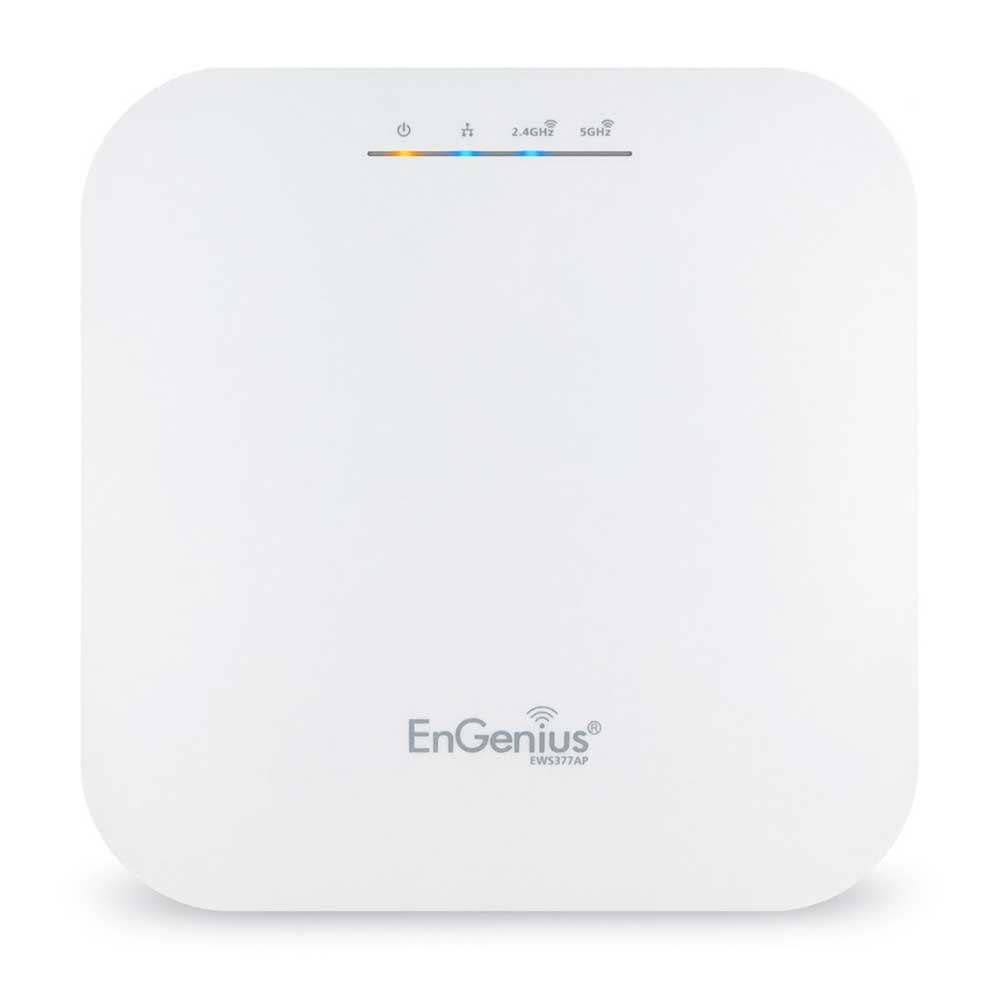
EnGenius EWS377AP WiFi 6 Access Point: 4x4 Managed Indoor Wireless features 802.11ax technology, which deepens and extends the capabilities of Wi-Fi.
sudden kayak
i think that's the one that turned out to be identical to the Netgear wax218 which also has overheating issues
i think it's a qualcomm wifi SoC iirc?
i used the smaller ax1800 version of that for my in laws (wax214/ews357) and it seems to work pretty well but definitely gets toasty
definitely could mount it a little further away from the surface so there's room for airflow behind it
little schooner
sudden kayak
i think it's a qualcomm wifi SoC iirc?
not sure but I had no idea it was like the netgear wax218. hmm I'll try to give it more space for airflow
Any suggestions to avoid a problem like this when using pass through rj45 plugs? No matter how I order the wires, one of them ends up crossing over another and the plug gets stuck when it's near the jacket. pushing the plug down ends up bending the wire (blue wire in screenshot)
 hollow marlin
little schooner
Any suggestions to avoid a problem like this when using pass through rj45 plugs?...
hollow marlin
little schooner
Any suggestions to avoid a problem like this when using pass through rj45 plugs?...
When I make them:
- strip 2"
- Untwist and fan out individually in B order
- Pinch a finger width at the base and push them together (this keeps them flat and no crossing), do not let go
- At a slight downward angle, pull the wires straight (the slight angle tends to assist in keeping them straight)
- Cut at the finger width (just above the pinch point) or 1.5" if you're doing passthrough
little schooner
feels like a science tbh
hollow marlin
Having done 1000s with and without passthrough and single digit failures, this method works the best and how I train others
hollow marlin
All in the technique but becomes a mess if you're stuck with a crap stranded brand
I still remember one brand of 5e that felt as if it was just the plastic insulation with no copper. Damn wires couldn't hold their shape for nothing
atomic basin
This might be a stupidly specific question, but the Asus GS-AX300 router -- can it share a usb printer? The manual on their site doesn't cover much and I'm this close to ordering one but the printer thing is critical.
willow hinge
What Ethernet cable should I get with the lowest price but still decent
For 250 mb/s over a 100ft cable
And it has to go by the breaker box sadly
willow hinge
No, I have Comcast :(
Nvm
I'm such an idiot
Should I get cat6 shielded or cat6a
 lethal marlin
250mbps?
willow hinge
Yes
lethal marlin
oh just get regular cat 5e or 6
lethal marlin
even then, probably not gonna make a difference
willow hinge
Ok, I just kinda wanna make sure everything will be fine
Any specific brands I should go for or avoid
Or anything I should specifically avoid
lethal marlin
ive heard good things about infinite cables if you're in NA
lethal marlin
yeah avoid flat cables afaik
lethal marlin
willow hinge
I am in na
go for infinite cables then
reasonable pricing and a very wide range of products
willow hinge
Can't find it on amazon
lethal marlin
they have their own website
willow hinge
Oh
lethal marlin
North American supplier of Audio/Video Cables, Networking Cables, Fiber Cables, UPS Batteries, Security Cameras and more. Servicing the needs of IT products and the average home user for over a decade.
lethal marlin
managed switches are really expensive and you probably wont need one
for regular use an unmanaged switch is fine
willow hinge
I want to learn how more advanced stuff works
And what I can do with them
Also, any cheap Intel nics should I buy
Like a 2 port so I can use a OPNsense server
I was looking at a cheap $40 nic with a Intel 82575
pseudo blade
Go trawl eBay for a used NIC then
Go for a 4-port because the price difference is pretty much zero
 sly lark
You ever notice how you have 4 bars of mobile data but your internet is shit
Why is that?
Corporations being greedy or something?
peak cloak
That's just to tower
clear igloo
signal strength doesn't tell you anything about congestion either
unborn sluice
- Be patient
 kindred violet
sly lark
Corporations being greedy or something?
kindred violet
sly lark
Corporations being greedy or something?
More like people
 shut hearth
anyone knows a good 100~200 usd routers
like wifi 6 ones
which ones would u recommend then
rocky badge
@clear igloo this netgear router acting as an AP is so bad 😂😂
clear igloo
rocky badge
<@291198741862416384> this netgear router acting as an AP is so bad 😂😂
lol, like a home router acting as AP?
rocky badge
Yeah
 dusky galleon
this is kind of a weird question but here I go. I have an unraid server at my house. Is it possible to host a vm on there and then access that vm from a domain name I bought?
peak cloak
to access what
dusky galleon
my vm
clear igloo
dusky galleon
this is kind of a weird question but here I go. I have an unraid server at my ho...
Possible? Yes
Advisable? Heck no
Best solution is to point the domain name to your home IP address and VPN and then access the VM
peak cloak
dusky galleon
my vm
remote access?
clear igloo
Unless this is a linux VM that you can use certificate authentication with using public/private keys then just VPN back instead, Windows RDP is not secure over the internet and you will get screwed with
peak cloak
like RDP, yeah it's possible. But as lurick said, use a vpn
or rdp gateway, but that's harder to setup
clear igloo
Yah, RDP gateway is server only or something too which tends to be more expensive
peak cloak
I personally use tailscale to access my home network. Easy, simple, relatively secure
I used to run my own wireguard instance, but I'm downscaling my self-hosted stuff for now
dusky galleon
clear igloo
Unless this is a linux VM that you can use certificate authentication with using...
Could you link me to a forum or video that goes more into depth about this
I’m very new to all this networking stuff
Basically my end goal is to be able to access shit from school on my school issued chrome book
peak cloak
what you want is then a web based client
something like Apache Guacamole
again, it needs to be properly secured
HTTPS, etc.
preferably mfa
fail2ban
dusky galleon
can you explain what those securities do
peak cloak
dusky galleon
can you explain what those securities do
HTTPS: Transport Encryption
MFA: Multi-factor authentication, basically requires more than just a password, TOTP is common one, webauthn too for security keys
Fail2Ban: Basically blacklists IPs with too many failed auth attempts
One thing I found to reduce the amount of bots is to use a uncommon subdomain, and use a reverse proxy on your server so just going to your IP doesn't go to apache guac login, but instead requires to know the appropriate subdomain
used to run wordpress on root domain (example.com and www.example.com), hundreds of failed logins. Moved to a subdomain for the wordpress instance, none. Main page is hosted by cloudflare pages, and I just generate a static site
shut hearth
is this a good router ?

TP-Link AX1800 WiFi 6 Router (Archer AX21) – Dual Band Wireless Internet Router, Gigabit Router, USB port, Works with Alexa - A Certified for Humans Device
sudden kayak
i mean if you just want a basic home router/gateway/ap then yeah
it's decent for the price
the people in this channel (myself included) are more likely to give you advice about setting up a whole advanced SOHO type setup with servers & stuff
but if you just want to not think about it it's fine
shut hearth
whats SOHO?
waxen scroll
sudden kayak
the people in this channel (myself included) are more likely to give you advice ...
I'm enterprise only
I dont pay attention to the home networking space other than prosumer like ubiquiti v_v
shut hearth
How much would ubiquity stuff cost
pale ridge
When your home router cost nearly as much as a car you have no idea about consumer stuff.
 clear igloo
Stop watching netflix 😛
rocky badge
lol
 velvet jolt
Anybody have any ideas of a type of server I can make with an old optiplex that will allow me to say I have networking or server experience?
peak cloak
velvet jolt
Anybody have any ideas of a type of server I can make with an old optiplex that ...
I run proxmox with a bunch of different VMs and CTs for different purposes
Jellyfin, grafana, etc
 delicate acorn
Can anyone walk me through on installing motherboard drivers
For wifi cause it's not detected
velvet jolt
peak cloak
Jellyfin, grafana, etc
Thank you for answer. I know what a vm is, but I don't know about the other terms. Do you have any recommendation on how to start to learn that?
peak cloak
velvet jolt
Thank you for answer. I know what a vm is, but I don't know about the other term...
Find a goal, figure out how to do it
For me it started with mc servers
 smoky gulch
connecting to websites or interacting with a public network on Windows 7 is asking for trouble.
smoky gulch
smoky gulch
connecting to websites or interacting with a public network on Windows 7 is aski...
oops, I did the thing where I replied to a really old message.
 south mist
Bruh
smoky gulch
hangs head in shame
smoky gulch
velvet jolt
Thank you for answer. I know what a vm is, but I don't know about the other term...
It's hard to answer your question because saying you have networking experience is a really big and really broad topic. It's like saying how can I learn to be a chef. do you mean a classic french chef. Do you want basic line cook skills so you can work at applebees? Kind of a dumb example, but the point is valid. Some people do networking on Cisco equipment if they work in larger environments like big companies. Some people put together windows servers in a windows domain, and configure them to work together and that's "networking" in one sense of the word. @peak cloak's advice is good cause it will hopefully help you to figure out what you mean by networking. In big companies you will likely need certifications which means studying a lot and getting certified and possibly experience before they will hire you.
 iron bison
Hey everyone, so.
Since the 2th of July I have been unable to connect to discord calls with RTC connecting and no route as well as unable to access PCPartPicker. Along with this unable to connect to Roblox team create servers. I am This is across all devices on my network. (Windows (Desktop), Macos (Laptop) (Andriod) phones)
So far I've tried.
Changing DNS 1.1.1.1 and 8.8.8.8
Keeping DNS to auto.
Flushing my DNS, (and something else in CMD I can't remember)
Keeping my computer, modern and router off for 10 minutes. (Including all the cables)
Calling my ISP.
Trying the website version of discord
Checking all my connections.
I know this is not Discord, roblox or PCpartpicker as I am able to join discord calls and PCpartpicker with mobile data on my phone, I hotspotted my laptop and was able to connect to team create servers.
Any ideas?
 mint temple
iron bison
Hey everyone, so.
Since the 2th of July I have been unable to connect to discor...
mint temple
iron bison
Hey everyone, so.
Since the 2th of July I have been unable to connect to discor...
Have you tried looking at the hosts file?
(Located at C:\Windows\System32\drivers\etc)
iron bison
mint temple
Have you tried looking at the `hosts` file?
No, I haven't. I can look into this however it's effecting all devices on my network.
waxen scroll
smoky gulch
It's hard to answer your question because saying you have networking experience ...
Hello. F500 neteng here. Actually certs don't matter as much anymore. All the big boys want is experience and they don't want to hire anyone with weak experience. Pretty nasty catch 22. I beg then to hire juniors but no worky
mint temple
iron bison
No, I haven't. I can look into this however it's effecting all devices on my net...
Oh, have you checked to see your ISP hasnt block access to anything or you havnt accidentally changed a setting in your router?
iron bison
mint temple
Oh, have you checked to see your ISP hasnt block access to anything or you havnt...
Well I called my ISP today and they said it's not anything on there end.
I pinged Discord, Roblox, Pcpartpicker on both terminal and CMD as well as the pinging tool in the modems software, got pings back no lost packets.
When the issue started on Saturday morning I hadn't changed anything to my knowledge. (Not sure if it factory reset it or not) But when I unplugged everything for 10 minutes I also pressed the pinhole reset button on both the modern and router.
mint temple
Hmm weird and interesting
I know i once had an issue similar to this but it only affected one device
iron bison
Yeah, I could understand if it was only on one device. Or even streching it on my laptop if it used windows but it's effecting Windows, Macos and my phone.
I used hotspot on my phone to my laptop and it worked fine.
mint temple
Have you set static ips for those devices on your internal network
iron bison
Not to my knowledge
iron bison
No worries mate
peak cloak
iron bison
Hey everyone, so.
Since the 2th of July I have been unable to connect to discor...
What's the error when trying to access PCPartPicker
Exact error
iron bison
peak cloak
What's the error when trying to access PCPartPicker
PCPartPicker is unavailable. Refcode: rdwPxr
I look a bit on reddit, u/pcpartpicker replied and said they're IP had been banned.
Tho, I'm not sure why this would be applicable to me as
A: I have an account and it's not banned
B: I've never done anything on PCpartpicker publicly, only made a parts lists no idea if its public or not.
C: This issue started on the same day as all the other issues
peak cloak
iron bison
PCPartPicker is unavailable. Refcode: rdwPxr
I look a bit on reddit, u/pcpartpi...
Is there something more specific?
Like err_nxdomain or something like that
iron bison
It could, but I wouldn't know why
I normally until this issue started used 1.1.1.1 DNS but I disabled it as it wasn't letting me connect to my routes settings 10.0.0 etc
iron bison
peak cloak
Is there something more specific?
Like err_nxdomain or something like that
Nope
 peak cloak
Oh, yeah that's not a browser error
It's connected to some server
Like lzdanger said, could be something with cdn
iron bison
Any ideas of a predental test/fix?
I do know I was able to connect to Pcpartpicker when I used tunnel bear, but it didn't fix any of my other issues. (Unable to connect to discord calls and roblox team create servers)
mint temple
Try resetting your network adapter
iron bison
I tried that eailier today.
Started with pressing the pinhole reset button on the modern and NBN router box.
Then unplugged all the cables and left it off for 10 mintues, and unplugged my main desktop from the wall for the same of time.
peak cloak
mint temple
Try resetting your network adapter
It's something above local PC
It's clearly connecting to something
iron bison
No idea if this helps at all.
But same error on both computers, https://media.discordapp.net/attachments/937714451912724540/992942803552317510/unknown.png?width=706&height=335
When joining discord calls
RTC connecting
No route
RTC connecting
No route. Etc
However it doesn't disconnect either me or the other person on the call after 5 minutes.
 smoky gulch
iron bison
Hey everyone, so.
Since the 2th of July I have been unable to connect to discor...
smoky gulch
iron bison
Hey everyone, so.
Since the 2th of July I have been unable to connect to discor...
Can you take your laptop to another location (coffee shop with WiFi for example, Internet cafe, etc, friends house). Does it work there???
smoky gulch
iron bison
Yeah, I could understand if it was only on one device. Or even streching it on m...
Ah never mind. You’ve already done the same thing
Have you been experimenting with hacking or anything that might get you blacklisted??? @iron bison
iron bison
smoky gulch
Ah never mind. You’ve already done the same thing
Nope, never done anything like that.
I could maybe understand if it was just one website (bug or something idk), but it being both discord and roblox team create is extremely weird
smoky gulch
iron bison
I could maybe understand if it was just one website (bug or something idk), but ...
Hmmm. I’m not sure then. Maybe try discord in a browser and when you get the error (like chrome) …. When you get the error, click the inspect button and look at the networking tab I think. It will show you detailed information. It’s probably too much to diagnose here, but it may give you some hint as to what the problem is.
The other thing you might try if you haven’t is to ask (gently demand) that your ISP escalate your ticket to level 2 support. Most ISP customer support at level 1 are not skilled at solving problems. They are literally reading a script. If customer says “this”, go to step “that and ask this question next”. Works for simple cases, but they are not going to help with a weird problem like yours. Tell them you need level 2 or 3 support (they may call it something else, but the concept is the same). Tell them you want the incident / tracking number so you can follow up.
iron bison
smoky gulch
Hmmm. I’m not sure then. Maybe try discord in a browser and when you get the...
I've tried discord on the brother, but haven't looking into the networking tab.
Called my ISP earlier today (They sounded confused lmao) might have to try that :) Cheers for the help mate
So I had a quick look, this could it/something about it as it's the only one "pending" after RTC disconnnected
 smoky gulch
iron bison
I've tried discord on the brother, but haven't looking into the networking tab.
...
smoky gulch
iron bison
I've tried discord on the brother, but haven't looking into the networking tab.
...
Of course. As a last resort, sometimes this can work >> embarrass them into fixing it or proving beyond any doubt that it is their problem. But only as a last resort. What I mean by that is if they ignore you, or level 2 or 3 is no help, or they won’t dispatch a tech to your flat, post on twitter in their support channel or similar. Be polite, but insistent… say I’ve tried x, y, and z. Here is my incident etc etc etc
smoky gulch
iron bison
So I had a quick look, this could it/something about it as it's the only one "pe...
Pretty hard to tell. Tell muffin, not tomorrow … today! 😂
iron bison
smoky gulch
Pretty hard to tell. Tell muffin, not tomorrow … today! 😂
lmao 🤡
iron bison
smoky gulch
Of course. As a last resort, sometimes this can work >> embarrass them into fi...
Yeah lmao, I've never really had an issue with my ISP.
The only downside to my ISP is its a subsidy of the biggest shareholder of internet/telephone wires. (No fucking how they're like 20% higher then everyone else for internet and phone)
Anyway, I was thinking of changing the second most popular ISP if nothing works out. Get a free modem upgrade so thats nice ig
smoky gulch
iron bison
Yeah lmao, I've never really had an issue with my ISP.
The only downside to my...
That’s another magical phrase that can work when you are trying to get something fixed. “Customer retention team”.
Good luck!
iron bison
Thanks :)
finite scroll
sudden kayak
unfortunately there's really not much you can do short of switching ISPs and/or ...
so ive contaced riot support and they told me to contact my isp to find the best route to their servers (they gave me a list) but my isp said they wouldnt do it and they wouldnt give me a static ip adress either
super upset rn
peak cloak
finite scroll
so ive contaced riot support and they told me to contact my isp to find the best...
static ip won't help at all
finite scroll
peak cloak
static ip won't help at all
if i find the best ip i should make it static
peak cloak
not how it works
peak cloak
finite scroll
how does it work then
ISP advertises a block of IPs which tells all other ISPs how to get to the block of IPs they own. What IP it is does not affect it at all. If ISPs routing/peering sucks, static won't change anything
peak cloak
finite scroll
and what can i do
there are these VPN services that advertise they can help
finite scroll
yeah i asked for a re-route and they wont do it
peak cloak
it's not that simple, but they prob don't care or you didn't reach high enough support
finite scroll
i asked for a tier 2 personnel
and he did not want to forward me
maybe i got unlucky and got an asshole on the phone
ill try again tomorrow
hollow marlin
finite scroll
maybe i got unlucky and got an asshole on the phone
You can keep trying but they will not attempt to reroute a single customer.
- They may not even have an IX peering with Riot
- If they do they may only advertise non-residential routes to their IX peers
- They would have to advertise entire /24 or larger blocks used for residential over the IX meaning it's either all their residential or nothing.
Theres a lot more to it then you realize.
pale ridge
Do you want the lowest latency to riot server?
hollow marlin
peak cloak
it's not that simple, but they prob don't care or you didn't reach high enough s...
When it comes to routing or traffic engineering, the higher up you get in support, the more aggressive the answers of "no" you get unless you're a significant customer with enough IP space.
pale ridge
You would need to ask them to preference they lowest latency link to the prefix you are interested in so it is the preferred route in your isp network for your class of service.
The ISP might be disinclined to do this based on many reasons. Cost being a big one.
peak cloak
hollow marlin
When it comes to routing or traffic engineering, the higher up you get in suppor...
Yeah, I guess most don't care
Needs the $$$
rocky badge
@clear igloo https://www.reddit.com/r/HomeNetworking/comments/vrbi97/was_told_these_are_cat5_ran_as_phone_lines_and/

reddit
72 votes and 114 comments so far on Reddit
pale ridge
Bgp and routing is just like having multiple ways of getting to a city. Some are faster with bigger lanes but often come with toils.
hollow marlin
peak cloak
Needs the $$$
Not really down to money. The large problem comes from one offs that lead to too much mgmt overhead.
We have enough IX peerings and bandwidth for all our customers. But that part does require money.
waxen scroll
rocky badge
<@291198741862416384> https://www.reddit.com/r/HomeNetworking/comments/vrbi97/wa...
rude
waxen scroll
@rocky badge the builder put TWO phone jacks in my whole house. cat5e. the connection outside is connected to nothing because nobody ever ordered phone to this house
I remember homes built in the 80s/90s where they put at least one jack in every room
 mild turtle
Slave/access point router causing issues? I followed a guide some months ago and set up a slave router and everything worked perfectly. Then a few months later we had really bad lightning and then we had issues with the Internet. The company believe it has finally solved all the issues outside the house. Most of the issues we were getting have been more or less solved. However my brother keeps complaining of high ping and getting kicked from Discord, YouTube and sometimes out of games at different points of a match. I've been slowly changing things and I finally think I've found what has been causing it. I disconnected the slave and he said it wasn't happening any more. Then some hours later I plugged it back in without him knowing and I asked him a few minutes later if he was getting issues and he reported the same issues as before and I then told him I had put it back in to test. Any ideas why or how this is happening. Obviously keeping it unplugged solves the issue, however I need the slave because there's a big black space that needs internet.
iron bison
smoky gulch
Pretty hard to tell. Tell muffin, not tomorrow … today! 😂
@peak cloak @mint temple
Thank you all for your help!
I was able to get 2/3 issues fixed. By factory resetting my router.
pcpartpicker still giving me Refcode: rdwPxr. Maybe whatever was breaking the other two things caused my IP to get banned?
broken jetty
I'm looking to setup a PiHole DNS server, and as part of that project I'd like to give some services on my LAN a custom DNS address, but I'm having some trouble deciding what TLD to use.
I was going to use .local, but those are apparently only for MDNS records. Since none of the other officially reserved domains are appropriate for my use-case, and since I can't use any non-reserved domains for obvious reasons, I thought I would just make one up, and I was partial to .home (which I checked was not an officially valid TLD). But, in my limited testing, Safari goes straight to Google without trying to resolve the address if it is not a valid TLD, and, since ~75% of people in my house use Safari as their browser of choice, Safari support is a must for any solution I implement. Does anyone have any ideas?
peak cloak
broken jetty
I'm looking to setup a PiHole DNS server, and as part of that project I'd like t...
you need to put http:// in front for it to try
broken jetty
If the address was actually valid, would it work without the http://?
broken jetty
But it's not, technically
So when I have it all setup am I going to have to type http:// every time?
peak cloak
broken jetty
But it's not, technically
So when I have it all setup am I going to have to typ...
I wouldn't make up tlds since if they ever get assigned, it becomes a mess
what you could use is .home.arpa
Special-Use Domain 'home.arpa.' (RFC 8375)
smoky gulch
iron bison
<@222482269829332992> <@562382703190867972>
Thank you all for your help!
I w...
Nice. I thought you had already done that though, or maybe I confused you with another post on here.
broken jetty
Another option I thought is I want to have some services exposed to the internet through CF Tunnels. Now if I put custom records into my PiHole pointing to a local IP instead of Cloudflare, I could have the same address for both the LAN and the internet, couldn't I?
peak cloak
broken jetty
Another option I thought is I want to have some services exposed to the internet...
same domain different IP? yes, that's called split horizon dns
broken jetty
That could work, actually
peak cloak
although nowadays more and more browsers are encrypting dns by default
completely bypassing anything local, so just have to make sure that's turned off
thick minnow
waxen scroll
I remember homes built in the 80s/90s where they put at least one jack in every ...
dude my house was built in 89 and has 2 rj11 jacks in the whole house
it's the most annoying shit ever
thick minnow
bruh wtf
we have a coax for le cable and one 2 rj11s that aren't connected to anything
i think there are 2 or 3 coax jacks but 2 are within 20 feet of each other and the third is in the attic or something
i wonder if you can run multiple cable modems at the same time
sudden kayak
for the bathroom gaming rig of course
sudden kayak
mild turtle
Slave/access point router causing issues? I followed a guide some months ago and...
can you clarify what you mean by slave router? there are a lot of different ways that could be set up that would affect the performance
little schooner
peak cloak
https://datatracker.ietf.org/doc/html/rfc8375
wow I should of referenced this in the first place. ty
rocky badge
@clear igloo  IPSec router for college dorm?
 pearl plover
So, Spectrum came out, they brought their own router from their house even, and was here for an hour testing things, we basically nailed down that my netgear RAX40 is dying, so I'm getting a very unreliable upload connection, and somewhat download but mostly upload.
What routers do you recommend for around $200 at most (Edit: Can maybe stretch to 250)? Preferably one that supports wifi6, dual-band at least (though triband wouldn't be bad)
I hardwire my PC and TV so I need at least 2-3 ethernet out ports on it. I do run a Quest 2 that I'd like to run airlink on so I think Triband would help with that having a dedicated band for just VR?
waxen scroll
rocky badge
<@291198741862416384> <:Thonk:681821948841295889> IPSec router for college dorm?
Cisco 4331
waxen scroll
Edge router can do I think
clear igloo
rocky badge
<@291198741862416384> <:Thonk:681821948841295889> IPSec router for college dorm?
Why not p2p link with MACsec? 😄
finite scroll
hollow marlin
You can keep trying but they will not attempt to reroute a single customer.
1. T...
to continue this saga, is there anything i can do besides maybe getting lucky with a vpn
oh yeah by saying getting lucky with a vpn, that assumes that I dont know what ip adress/ server riot games uses right
well, riot support did send me an ip adress to test in ping plotter, shall i use that?
i think its not their actual ip tho that stuff is obv protected
finite scroll
what is it tho
peak cloak
one of their ips
finite scroll
would it do the job
peak cloak
finite scroll
to continue this saga, is there anything i can do besides maybe getting lucky wi...
there are these gaming vpns
peak cloak
I have no clue how well it works, could use a burner card I guess and try it
https://www.wtfast.com/en/

WTFast
WTFast is here to help you get rid of pesky online gaming problems and bid farewell to Fortnite lag, PUBG lag, Dota 2 lag, CSGO lag, LOL lag and hundred of other games.
sudden kayak
you can't directly control the route or make a vpn connect to a particular address - your best bet is just getting a vpn and trying various exit nodes close (geographically) to riot's servers to see if any of them happen to also be close (in terms of network topology) to the server
i personally really doubt a "gaming vpn" will help at all, vs just getting any reasonable paid wireguard based VPN
peak cloak
not a good look...
 sudden kayak
i mean yeah the reality is that ISPs like to market throughput as the only thing that matters
peak cloak
sudden kayak
i personally really doubt a "gaming vpn" will help at all, vs just getting any r...
yeah idk
sudden kayak
but latency is waaay more important for gaming
peak cloak
good peering
sudden kayak
exactly - peering is not something ISPs generally advertise but you can do your own research
finite scroll
how can i tell which isp will give me the least latency beforehand
cuz once you make that contract youre stuck with them for a year
sudden kayak
you can't tell for sure beforehand without trying it, but you can look for reviews/discussion of their latency to riot's servers if that's important enough to be worth the trouble
finite scroll
why isnt this being talked about more this is such a frustrating issue
peak cloak
I mean you could look at stuff like peeringdb to get a rough idea, but yeah you won't know until you tried it
sudden kayak
and you can look at peering data - how close they are in a network sense to riot
peak cloak

The Interconnection Database
rocky badge
 rocky badge
@clear igloo 😡 my ISP doesn't hand out IPv6
clear igloo
Still? lol
rocky badge
yes
peak cloak
rocky badge
<@291198741862416384> 😡 my ISP doesn't hand out IPv6
I'm in the same boat
But the rollout is happening, just not in my area
 exotic thicket
had a nighthawk a6210 USB that was having ping spikes so I got a nighthawk a7000 USB which should theoretically be better, but I'm getting significantly reduced download speeds. any thoughts?
using both on same device, same port, same position. with their respective drivers installed
 static moat
Im looking for friends to be able to launch a server on my home network. I have looked into WoL and have it setup on my home network. I tried setting it up so people outside the network can send the magic paket, but it only works for a short period of time, as after a while the ARP entries on the router are wiped since the server is off and not replying to pings from the router. i have tried to add a static ARP entry on the router but my router does not support this. I have also tried to upgrade to custom firmare e.g. DD-WRT for these features, but my router doesnt allow it. any help/ideas? Thanks
static moat
maybe something i can run on an old android phone that can be plugged in all the time?
waxen scroll
ARP is a layer 3 concept. I don't see how that has anything to do with WOL which only operates at layer 2

How to use a Raspberry PI as WOL server (wake on LAN) and wake up any computer with an Ethernet adapter. Great if you WIFI card don't support WOL.
Your only option and you need to make a webgui to expose to friends
static moat
waxen scroll
ARP is a layer 3 concept. I don't see how that has anything to do with WOL which...
Its to do with that WoL shouldn't work in many cases, but it does because the protocol is not enforced. Its quite complicated, but even what i achieved being able to boot outside my LAN should be impossible with WoL, but it isn't
Thanks anyways though
sudden kayak
ok thoughts on parts for soft router - trying to decide: a) one of the generic dual 10G SFP+ intel X520-da2 cards, plus cheap rj45 SFP connectors, for future-proofing if I can get fiber service down the line... or b) one of the intel x540-t2 cards which are 10g RJ45 already
the dual sfp+ cards are like $80-100, plus a bit more for decent rj45 sfp connectors
but that also means i can just swap out the sfp if i do get fiber at some point
ehh actually never mind i've convinced myself that it's not worth paying extra for future proofing
by the time there's fiber in my neighborhood you'll probably be able to get 10g SFP nics for like $15 because 10G will be the new 1G
 copper rover
peak cloak
not a good look...
copper rover
peak cloak
not a good look...
CNAME to https://www.vyprvpn.com/gaming-vpn
VyprVPN
VyprVPN is the best gaming VPN in the world. Use VyprVPN for gaming to defeat DDoS attacks, reduce lag, and access geographically restricted servers.
sudden kayak
i can't even figure out what the scam here is
pseudo blade
sudden kayak
ok thoughts on parts for soft router - trying to decide: a) one of the generic d...
I'd skip the SFP RJ45's if you can, they run hot.
 hollow axle
pseudo blade
I'd skip the SFP RJ45's if you can, they run hot.
hollow axle
pseudo blade
I'd skip the SFP RJ45's if you can, they run hot.
Just use cheap fiber sfps, they are the shit
 short lark
Can I make OPNsense use two 100Mbps NICs to make use of my ISP's 150Mbps?
peak cloak
short lark
Can I make OPNsense use two 100Mbps NICs to make use of my ISP's 150Mbps?
What's on the other end
short lark
peak cloak
What's on the other end
The ISP issued modem/router sadly
 gleaming cave
Sorry for the late tag, but I decided to come on over here and search up this exact issue, as I am having it now.
Did you happen to find a fix?
I've been gone from home 3 weeks or so and internet connection sharing was working perfectly fine, but now, no. I've changed nothing, booted PC up and well stuff went borked.
I'll try to remember to let you know if I find a fix.
pseudo blade
short lark
The ISP issued modem/router sadly
No dice. You could potentially get a gigabit smart switch, bond the two NICs from router to switch using round-robin bonding, then connect that to your ISP's router... but at that point the sensible option is to just buy a gigabit router and be done with it.
I also recommend just getting gigabit interfaces instead of bonding because all bonding options have annoying caveats, and round-robin's is no guarantee the packets will arrive in the order you sent them in (this can cause performance and latency issues if it triggers retransmits).
Everything else's caveat is "single connection throughput can't exceed the bandwidth of a participating interface".
acoustic warren
I'm planning to get a TP-Link Omada Switch, Router and Controller but I already have a pretty good Ubiquiti Access Point. Is the TP Link stuff gonna behave well with the AP or will I have any issues?
pseudo blade
It's not going to integrate, if that's what you're asking.
You will be running two controllers.
Other than that, it should coexist fine.
short lark
pseudo blade
No dice. You could potentially get a gigabit smart switch, bond the two NICs fro...
Yeah, I guess I'll have to wait and get a gigabit NIC. Thank you
 onyx portal
gleaming cave
Sorry for the late tag, but I decided to come on over here and search up this ex...
onyx portal
gleaming cave
Sorry for the late tag, but I decided to come on over here and search up this ex...
No. I did not. I just assumed it was because of a windows update. I just resorted to wifi. My current os build is 19044.1766.
static moat
So Yall know how you can set a static IP adress
e.g. i windows 10
how do you do it if the devices doesnt have an interface e.g. a rasberyy Pi, or alarm system plugged in via ethernet???
can you only do it via DHCP setting MAC reservation? and does that still work if you disable DHCP?
and if so, how does it know all these settings that you set when doing in via windows 10?:
like all the DNS server, defaults gateway ect.?
peak cloak
static moat
how do you do it if the devices doesnt have an interface e.g. a rasberyy Pi, or ...
Raspberry pi, it's just Linux so you set it in there via CLI.
Alarm system yeah you prob can't without hacking
Yeah but that's not really static, just an infinite lease kinda. No it won't.
Why do you want to disable DHCP. I don't get it in this day and age.
There are like no benefits from disabling it, just headaches
thick minnow
ime it just renews the same address most of the time anyway
static moat
WoL over internet seemed to work when i disabled it
since the router wont be flushing the cache it stores for ARP entries
peak cloak
Wol has nothing to do with IP addresses
Nothing to do with arp
Like I believe lurick said
static moat
ok
waxen scroll
i guess im lurick now rip
 tulip yarrow
Hi I have 3 questions. I've been making a public free vm access using apache guacamole on linux debian, but i have a few problems.
1] I can't find any way to sort/organise the connections on the all connections list. I tried naming the connections with invisible characters, like it is working, but it is not what i wanted.
2] Is it possible to create a text? [not a connection, but just a text, which i can organise too, same like the connections] I want to use the text as a warning or a information [as you can see on the screenshot below]
3] Is there any way to prevent a user [in this case guest with no perms] from killing sessions running on the same guacamole account [on the http website, not guac or linux accout]
Screenshots:
attachment


but mainly, i need to fix the guest disconnect thing
peak cloak
waxen scroll
i guess im lurick now rip
I forget ...
rocky badge
lmao free public rdp vm access
peak cloak
tulip yarrow
Hi I have 3 questions. I've been making a public free vm access using apache gua...
This is a more advanced guacamole thing that I doubt anyone here knows. Maybe go to the guacamole mailing list?
tulip yarrow
peak cloak
This is a more advanced guacamole thing that I doubt anyone here knows. Maybe go...
I couldn't find any guacamole contact or support
acoustic warren
My U6 LR connected to a 300Mbps connection gives me 120Mbps max even even I'm right next to it. On the least noisy channel. any idea why this might be happening? Should I just RMA it?
acoustic warren
I've literally nothing in between me and the Ap
thick minnow
like if lightning strikes nearby
acoustic warren
Def not the issue
thick minnow
im talking about my dishes
lightning struck the nearby bridge and I had to reset both dishes
I am soaked
tulip yarrow
peak cloak
https://guacamole.apache.org/support/
The e-mail does not work anymore
peak cloak
Wdym, it's a mailing list
tulip yarrow
When i send a message on that email on their website, a bot sends me back a error message
rocky badge
@clear igloo I spy Cisco in the back
 rocky badge
clear igloo
This a new install of some sort?
rocky badge
clear igloo
This a new install of some sort?
university lecture halls
waxen scroll
rocky badge
university lecture halls
OOF cable boxes with wood spools
those are the worst
little schooner
waxen scroll
OOF cable boxes with wood spools
I've got sliced pretty bad one time trying to pick up a spool but lost my grip. wood made a long cut, so much bleeding
I definitely don't wanna be the cable person part or full time
static moat
So i have recently set this up. How can i ping the laptop from the gaming pc? normally you would just type the Ip adress, but since its on a different network, it doesnt work :-(. any help?

 shadow bluff
static moat
So i have recently set this up. How can i ping the laptop from the gaming pc? no...
shadow bluff
static moat
So i have recently set this up. How can i ping the laptop from the gaming pc? no...
i assume your router has been configured in such that it knows there is another network in your system (seeing 2 router config with different ip and subnet entirely). By general try and error just typing ping * device ip address * should just do the trick first hand unless somehow your router 2 have no idea theres another network in its system
static moat
shadow bluff
i assume your router has been configured in such that it knows there is another ...
How do i know if it knows there is another network or not
Its a wifi reapeater set up as a router
I gave it a static IP
And it does come up in the list of connected devices for router 1
peak cloak
static moat
So i have recently set this up. How can i ping the laptop from the gaming pc? no...
is router 2 NATing?
static moat
Even when all the devices connectwd to router 2 are off
static moat
peak cloak
is router 2 NATing?
Wdym?
peak cloak
I would assume it is, if it's a generic router. You either:
- A turn it into bridge mode so it's just bridging/switching, and everything will be on the same subnet
- B disable NAT, if possible, then you would set a static route on router 1 which will tell it how to get to second subnet
static moat
peak cloak
I would assume it is, if it's a generic router. You either:
- A turn it into bri...
No bridge option from what i found. I want them to be on different subnets
peak cloak
static moat
No bridge option from what i found. I want them to be on different subnets
why?
peak cloak
I don't think it has the option to disable nat, nor does router 1 has the ability to add static routes
I've setup something like that at home, but I can do those things
peak cloak
nope
static moat
Or just setting a static IP
peak cloak
now I have to explain networking
. look here
basically telling router 1 where to go for 192.168.10.0/24
static moat
Ok
That makes sense
You need that for it to work?
Wait wouldnt that be setup then in router 1 not router 2?
peak cloak
yes
static moat
So even if coredy doesnt have the static routes
peak cloak
but router 2 also needs NAT disabled
static moat
The main router can
peak cloak
or else it will translate all internal IPs to it's IP which you don't want
it literally looks at packets and changes the source IP from the LAN IP, to the router IP, that way external devices know how to get back, but you don't want that since it will know how already since you have a static route. This is useful when you only have lets say one public IP. But this also means you cannot initiate new connections from external to internal.
static moat
Ok. I also need a router or something that allows to set static ARP entries, like one that has a command section that you can inout command. Like DD-WRT. My router isnt compatible.with DD-WRM, so any ideas on that?
peak cloak
NOT ARP
static moat
Like alternative firmware that allows this
peak cloak
what is with you and arp
arp is just a protocol that tells devices what IP corresponds to what mac
static moat
You really want to know why?
Ok here it goes
Im able to WoL over internet from outside my LAN. BUT it only works for a short while after the laptop is turned off. I found out that this is because the ARP entries are wiped from cache, and thus after a while e.g. minutes-hours, it stops working
Thus, if i can set a static ARP entry
It will fix the problem because it wont keep wiping it from cache
Thats why
static moat
Dude forget this network i jusg showed you
That issue is what happens with just connected to main router. Not this extra subnet
peak cloak
how WOL works is that you specify the mac address of the device you want to wake up. You send a magic packet to everyone to everyone and the device that has the specified mac address makes up
peak cloak
static moat
Why does the WoL stop working after a while
what software are you using
static moat
WoL app
peak cloak
what exact command are you using

 peak cloak
you leaked your IP btw
static moat
Oops
peak cloak
I feel it could be something funky the app is doing
static moat
Dude its not. Here have a read of this
Read the top solution
Tom's Hardware Forum
Noob here. I want to be able to turn on my three home computers over the internet so that I can access them remotely if I need to. I've configured a dynamic dns and set port forwarding, but it seems to work sometimes and other times not. Here's what's happening.
Last night I put my laptop to...
peak cloak
static moat
Dude its not. Here have a read of this
Wol shouldn't work over the internet
static moat
But it does
If you read the solution, he said either allow for broadcasting to all devices, or have static ARP entries. My question is how do i do either and whith what firware/hardware ect.
peak cloak
Yeah because of some funky things that are being done. What I did myself was just remote into my network, connect to a router/pi that is on the same l2 network and send the magic packet there. Works reliably 100% of the time because thats how it was designed. Not to mention just how much more secure that is
peak cloak
static moat
If you read the solution, he said either allow for broadcasting to all devices, ...
If your router doesn't support it you can't
static moat
Yeah but i need others to be able to boot the laptop
static moat
peak cloak
If your router doesn't support it you can't
I can get a new one. Im asking what router
 crystal oriole
not possible to ssh to router and send magic packet from there?
static moat
crystal oriole
not possible to ssh to router and send magic packet from there?
People joining a minecraft server arent going to be installing SSH and running commands
Just to boot it
crystal oriole
Oooh its for that ah okay yeah
peak cloak
static moat
People joining a minecraft server arent going to be installing SSH and running c...
Can't run 24/7?
static moat
I have looked into rasberry pie, but its like i said, it needs to be simple e.g. run a file that i send everyone to connect
peak cloak
Exposing that seems like a bad idea
static moat
peak cloak
Can't run 24/7?
Nope
peak cloak
static moat
I have looked into rasberry pie, but its like i said, it needs to be simple e.g....
There is probably some web interface that does it
static moat
But at that point im giving access to my rasberry pie to strangers arent i?
Ssh allows for commands, file traversal ect.
WoL is just a simple paket
You see why im trying so hard to stick to WoL?
peak cloak

GitHub
Web interface for sending Wake-on-lan (magic packet). An HTTP server built using GoLang and uses Bootstrap for UI. - GitHub - sameerdhoot/wolweb: Web interface for sending Wake-on-lan (magic packe...
Put some auth in front of it
Simple
static moat
Firstly thats a WoL interface nit an SSH interface
peak cloak
Yes that's the point
static moat
Again useless as it wont boot the laptop after a while
And secondly i have no idea what im doing
peak cloak
If it's local, it may work
static moat
'put some auth in front of it'
Idk what that means
I have no idea how to even use a rasberry pi
static moat
peak cloak
If it's local, it may work
Wdym?
crystal oriole
You run the web interface on some equipment within the same local network with some form of auth (authentication, login screen, something) and make it reachable over the web in order to send out an actual local WoL magic packet.
correct me if im wrong here PresentMonkey but thats the way I understood it?
peak cloak
Yeah
static moat
Thats much more effort than opening 1 file
peak cloak
Since you want it to be user friendly
static moat
So no
I need a router that has static ARP entires, or a feature called directed broadcast
Thats my question
What hardware do i get for that
peak cloak
I would expect a mikrotik to have that, but it's not very user friendly
static moat
Ok i can have a look at that
Thank you
Also a sidenote
I tried connecting 2 routers via ethenet
But neither detected the other as connected
What up with that?
I plugged the cable into both LAN ports
static moat
like in the list of connected devices
neither come up in each others web GUI
actually wait
ive come up witha simple solution
can i make it so a rasberry pi connected to the network
when it receives a WoL paket
it sends another WoL paket to the same LAN?
peak cloak
static moat
when it receives a WoL paket
yeah, but I doubt there is anything out there like that already
Would require custom coding