#networking
1 messages · Page 403 of 1
 pseudo blade
How much speed do you need for the tablet?
 torn moss
Maybe some wpa settings are wrong
torn moss
pseudo blade
How much speed do you need for the tablet?
I don’t know, it’s for settings only. I don’t need to stream videos or anything
torn moss
It has a gigabit rj45 port
2.4ghz will do fine im sure
I heard the radio is really strong right?
pseudo blade
My experience is mostly with the Groove/other products, but I've used it to get 3km+ before with a high-gain omni
Very similar device
But the other end wasn't an iPad, it was another Mikrotik with a sector antenna
Do you just want the Metal to bridge ethernet to WiFi? do you have something planned for DHCP/static addressing?
torn moss
That won’t be necessary, the mixer, router and the iPad will be the only devices in the network
And I indeed not it to bridge the Ethernet to WiFi
pseudo blade
You'll need addressing of some sort or there will be no network lol
 rocky badge
Tbh for some AV stuff, I just use link local IPs
pseudo blade
That's fine, as long as you set them up
You'd just bridge the wifi and ethernet interfaces
rocky badge
Although at my school AV I just setup static reservations on the network for everything since it’s all on the same network and there’s a shit ton of stuff. We have some random netgear router operating in AP mode and a UniFi UAP-AC-M for longer range stuff as well.
@clear igloo Idk what to do with my old router 😂
 clear igloo
sell it 😄
rocky badge
Tbh, I can sell it more than I paid for.

and I still have all of the original packaging and accessories.
clear igloo
wow, that's pretty good, router appreciated, lol
rocky badge
lmfao I could almost come out to -$100 on the fortigate purchase with the money gained from selling it
clear igloo
lmao
pseudo blade
rocky badge
Although at my school AV I just setup static reservations on the network for eve...
If I can do static leases instead of static IPs on devices, I also prefer to.


 pulsar goblet
probably that "privacy warning"
pseudo blade
That just means MAC randomisation is turned off, not relevant
It is common for mobile devices to refuse to remain connected to access points if DHCP doesn't work/internet connectivity is not present
torn moss
did i do something wrong with my settings?
 pseudo blade
Antenna gain is likely not zero - more a legal concern than a technical one
The associated client is using an APIPA address, meaning you don't have DHCP or static IPs configured correctly
pulsar goblet
pseudo blade
That just means MAC randomisation is turned off, not relevant
Okay then, I don't apple.
Thanks for explaining though
torn moss
pseudo blade
Antenna gain is likely not zero - more a legal concern than a technical one
how much should it be?
pseudo blade
Depends on the antenna used
rocky badge
pseudo blade
It is common for mobile devices to refuse to remain connected to access points i...
iOS should be "okay" with apipa addrs. Could it be the iphone antenna?
rocky badge
or are you close enough to the AP and not testing length
ahh, ok this is just initial config not distance
rocky badge
2472MHz is channel 13?
torn moss
we will only use it here
rocky badge
pseudo blade
Should work but not permissible in the US
Yeah but I was wondering if the iphone allows 13 even outside of NA
pseudo blade
I can't see why not
It's seeing the SSID
People do use those channels in countries where it is legal
Most computers/devices see using legal channels as an AP problem
The issue is the lack of DHCP/a static IP
torn moss
i made it work somehow
rocky badge
but the iphone should associate even without dhcp
torn moss
i copied some dhcp settings from my home network
pseudo blade
It did associate
torn moss
should my antenna gain just be 0 for the best results?
pseudo blade
At 30 meters on a 6db antenna, you will not benefit from setting it to 0.
Not much anyways
The only real difference is that you would be transmitting at an illegal transmit power
pseudo blade
0 is
torn moss
😬
pseudo blade
If you have a 6dbi antenna
Would you get caught? Probably not
But that's besides the point
rocky badge
@clear igloo Look at these amazing VLANs at LMG office ™️
 torn moss
pseudo blade
But that's besides the point
torn moss
pseudo blade
But that's besides the point
but with 0 gain the range will be maximum? are there any other settings to improve range/speed?
 dry bronze
rocky badge
<@291198741862416384> Look at these amazing VLANs at LMG office ™️
dry bronze
rocky badge
<@291198741862416384> Look at these amazing VLANs at LMG office ™️
i wonder if security network 1 is vlan 1
pseudo blade
torn moss
but with 0 gain the range will be maximum? are there any other settings to impro...
Not much beyond your current settings that will matter in your provided situation - you can certainly improve throughput but it's at the cost of range/interference tolerance
It's 30 meters
rocky badge
dry bronze
i wonder if security network 1 is vlan 1
I doubt it since the dropdown is scrolled and unifi sorts that by VLAN ID
pseudo blade
rocky badge
<@291198741862416384> Look at these amazing VLANs at LMG office ™️
Have LTT hired that IT person they keep saying they need yet?
rocky badge
no
pseudo blade
Didn't think so
rocky badge
Jake is their "IT" person
I still want to know what they are gonna do for networking in the new lab building
mainly between the new bldg and office
dry bronze
think during WAN he said they are still doing p2p
pseudo blade
My guess is p2p wireless
rocky badge
they better not just lay fiber on the ground like he said one time
dry bronze
oh yea they did talk about that
rocky badge
tbh...if it was me, I'd just get another Internet connection and fiber back to the office. On the router route office networks back to the office and Internet service is completely separate.
because the only reason why they need a connection back to the office is accessing storage, right?
dry bronze
hard telling how much theyre paying for internet a month. if that works well then no reason to pay that
pseudo blade
If they can get a good wireless link between the two it can act as failover/second link for server access
dry bronze
but dark fiber would be best if they could get it
rocky badge
dry bronze
hard telling how much theyre paying for internet a month. if that works well the...
tbh I just like stuff being able to work independently lol
pseudo blade
If I was to make a wild guess it would be that their network visibility is minimal to none
rocky badge
I wonder if they are all sharing SMB creds
dry bronze
rocky badge
tbh I just like stuff being able to work independently lol
probably depends on how bad they need that link. if the link going down means those emplyees cant work then yea they should probably do another internet connection and a site to site or something
or look into dark fiber
rocky badge
I'd think the only "central" authentication they have is Google Workspace/Azure for Teams
pseudo blade
Highly likely
It's very easy to look at the servers and overlook the network
You end up doing dumb shit you don't need to because your network is flat
rocky badge
With the company the size of LMG they should really move away from pfSense imo lol
rocky badge
pseudo blade
You end up doing dumb shit you don't need to because your network is flat
oh yeah I wonder if their servers and clients are on different vlans
unless their router or switch can do intervlan that fast
dry bronze
must be pretty fast based on how they were loading a 5950x downloading from steam
since they have a 10gb link to some exchange
rocky badge
yeah but their server has 100 gig links
i think their pfsense only has 10 gig links
so it would have to be a L3 switch or on the same VLAN
dry bronze
oh, you meant internally to storage
pseudo blade
100 gig+ asic routing is pretty cheap and accessible nowadays
rocky badge
yeah but is it doing layer 3 routing
dry bronze
wonder if theyre even on different subnets
pseudo blade
If it is flat, and they do ptp everywhere they'll eventually screw themselves over hard enough to stop work
I guess to some that is a nightmare, and to others it is great content
I guess the advice to take away is "Don't build a network like LTT does unless problems generate profit"
rocky badge


oh, I guess if Windows can discover it... LMAO

Although that is from like 2016 lol
pseudo blade
That's flat
But when you have 10 employees you can get away with a flat network
It's when you move to multiple buildings and/or a rabbit warren with multiple departments you need to revisit that
rocky badge
ugh they keep blurring internal IPs in some videos lol
dry bronze
i wonder if editing workstations have their internet connection on 1Gb and then the 25Gb is on the storage network or if theyre doing everything on the 25Gb
rocky badge
I think they have a rj45 connection to each workspace but idk if its actually being used
pseudo blade
I remember a video once where they did it separate when high speed networking was new to them, but I doubt they do it now
It's not like they'll impact video editing with their internet usage
But who knows
rocky badge
please tell me it's not a giant pool in 10.20.x.x

There's stuff in 10.20.6.x, 10.20.7.x, 10.20.0.x
I can't tell if they are /24 or something VLANs or one big

oh my god
 crystal oriole
only /16? pfft..
pseudo blade
Well that answers that I guess
 short condor
Hey guys. Atm I am using a mitx system using a i7-6700k with a 4xgigabit network card installed running opnsense (pfsense before). I want to lower my energy consumption and replace it with a Ubiquiti Dream Machine pro or se. I have 1000/1000 connection into the house through fiber. Is the dream machine comparable to pfsense/opnsense as a router/firewall, or will I need to keep my opnsense firewall? I want to be able to use the regular features like ipv4 and ipv6 from my isp and also be able to plug in the fiber directly to the UDM Pro/SE.
pseudo blade
The UDM will definitely permit IPv4 and IPv6 :P
rocky badge
They better not have site to sites in that /16
 waxen scroll
rocky badge
With the company the size of LMG they should really move away from pfSense imo l...
waxen scroll
rocky badge
With the company the size of LMG they should really move away from pfSense imo l...
I dont remember the last time I had to touch my companies Cisco internet routers
they just work
short condor
pseudo blade
The UDM will definitely permit IPv4 and IPv6 :P
Is it as secure though?
 peak cloak
short condor
Is it as secure though?
peak cloak
short condor
Is it as secure though?
it does firewall
short condor
I understand that. I also understand it maybe isn’t a 1:1 replacement feature-wise, but It should be able to replace most?
I have a 24-port switch from ubiquiti that I intend to keep using.
rocky badge
@clear igloo @waxen scroll Apparently Home Assistant is using hardcoded DNS over TLS 1.1.1.1
 clear igloo
I've noticed something weird there too, I keep seeing it reach out to "local" in PiHole. not .local or anything just "local"
rocky badge

Home Assistant Community
Home Assistant Supervisor/CoreDNS uses hardcoded CloudFlare DNS-over-TLS. Supposedly this is used as a ‘fallback’ in case main DNS fails (clue…, that’s what user assigned secondary DNS is for), however HA constantly sends requests to these servers. This is a breech of Security, Trust and Privacy. This either needs to be either removed complet...
The Supervisor has a hard-coded fallback to Cloudflare’s DNS servers (via DNS-over-TLS I assume if it’s on 853) in the case “the user have messed up the DNS on his network”. I’m guessing you have normal DNS traffic blocked, so the Supervisor likely assumes blanket inability to resolve DNS means you’ve “messed up”.
"ha dns options --fallback=false" fixes it for now at least
rocky badge
Yeah
waxen scroll
how much did fortigate cost
rocky badge
$440
waxen scroll
oof
rocky badge
only $60 more than the udmp
rocky badge
clear igloo
"ha dns options --fallback=false" fixes it for now at least
jfc it was a worse offender than google homes
 clear igloo
rocky badge
jfc it was a worse offender than google homes
clear igloo
rocky badge
jfc it was a worse offender than google homes
wow, yah
rocky badge
Google Homes at least saw its hardcoded DNS was being blocked and stopped spam trying.
Home Assistant just kept going at it
clear igloo
Need to figure out how to fix it for HA Core
 thick minnow
So, after reading all this about Google home. The device gets mad when you block its ability to report what its learned about you
 drowsy maple
dry bronze
drowsy maple
dry bronze
Sadly the 5Ks have been rebooted

 waxen scroll
you would have kept the time if you only rebooted one supervisor at a time
errr fixed chassis nm
rocky badge
@clear igloo https://madgigabit.com/2022/06/05/comcast-xfinity-upgrades-gigabit-pro-from-3-gbps-to-6-gbps-fiber/

Mad Gigabit is the first to report that Comcast Xfinity will be upgrading all Gigabit Pro customers from the current 3 Gbps symmetrical fiber to 6 Gbps symmetrical fiber. This comes as the latest news and likely competition against AT&T’s 2/5 Gbps fiber packages. It was first seen by Mad Gigabit on June 2nd, 2022
thick minnow
Cant believe ATT's back end cx managment is still hard lock time gated.
 sudden kayak
rocky badge
<@291198741862416384> https://madgigabit.com/2022/06/05/comcast-xfinity-upgrades...
sudden kayak
rocky badge
<@291198741862416384> https://madgigabit.com/2022/06/05/comcast-xfinity-upgrades...
oh damn i didn't even hear about this yet??
but yeah also mid split trials are in the wild working towards full duplex DOCSIS
pseudo blade
Your slaves list is empty in picture 2. Did you leave it that way?
Not automatically.
You have to add them to the bridge.
But did you copy it to the bridge config?
Picture 2 contains an empty bridge.
Did you apply the config?
Are you managing your NAS using a third ethernet port?
Ok. And you've confirmed you haven't bound one of the bridge ports to the other, unused network adapter?
If you use ip addr, what do you see?
What I'm seeing: enp2s0 has a directly assigned IP. enx... is administratively up with no carrier. The bridge is administratively up, with no carrier.
So either: your cable to enx... is broken, and/or: your bridge may not contain enp2s0
Usually what I'd expect to see is an IP on the bridge
I'd also expect to see the bridge with lower_up
I don't use Linux directly for this often, so I won't claim to be an expert on the tooling.
And when I do I use netplan
It's fine. It's what Ubuntu Server uses by default
You declare your desired state in a YAML file, rather than with a UI like above
 primal ice
basically you should have 3 ports the 2 physical ports and a virtual port that is the bridge. the bridge should get an IP address and then act like a switch.
 pale ridge
dry bronze
Sadly the 5Ks have been rebooted
pale ridge
dry bronze
Sadly the 5Ks have been rebooted
I have seen device with 17years uptime
torn moss
Anyone here done the Dante Certification Program
My dad wants me to do it haha
Is it difficult?
torn moss
Has an audio engineer
It’s for av yeah
Just want to know if there is anything to know before starting
 pseudo blade
torn moss
Is it difficult?
pseudo blade
torn moss
Is it difficult?
None of the levels look especially difficult.
The higher levels are just basic networking.
Plus the proprietary tools
rocky badge
torn moss
Anyone here done the Dante Certification Program
Dante is a big part of AV now
I'd say its worth it
Level 1 is basics, 2 is subnetting + switches + updates + Dante Domain, 3 is IP Ports + ARP + OSI + Troubleshooting + Dante clock management
But you'd probably have a hard time escaping Dante now, as it is widely used...
Send a shit ton of audio/video over an IP network and it's all routable from software
pseudo blade
Did a google, they're not that big. Not tiny, but far from all-encompassing.
rocky badge
They're popular for live AV and installations ¯_(ツ)_/¯
All of the big AV players support Dante: Yamaha, DiGiCo, Crestron, Shure, QSC, Biamp, etc..
But networking is becoming a major part in AV, networked video, lighting, audio, controls.
You're not going to escape networking in AV
pseudo blade
No, networking's valuable regardless
And I see too many AV techs who suck at it
...Or at least their handiwork
 harsh iris
hey can anyone help me build a low budget small form factor home server?
I intend to run plex, a web and mail server for personal blog, and a NAS where I will be able to attach storage later on.
pseudo blade
Will Plex be transcoding? And if so what resolution max?
harsh iris
i can't seem to find something that covers my exact specific needs, so i am a bit lost. I was considering raspberry pi, but that seems like not gonna work. I am not sure about intel/xeon. i want it low power, ut at least enough to host something like ghost, and 4k streaming from plex, for 4-5 concurrent viewers (my friends and family)
 chrome stone
Is Cloudflare WARP just a VPN?
harsh iris
i intend to transfer files from my PC to the storage, and media manage my works and movies, and stream my favourite ones
rocky badge
harsh iris
i can't seem to find something that covers my exact specific needs, so i am a bi...
if it's not transcoding that 4K, you don't need much power.
But remember, audio is still there and depending on the source and destination, it may need to transcode.
harsh iris
pseudo blade
You can only have one.
what is it?
rocky badge
Which is also a lot of processing.

Plex Support
Not All Devices Are Equal You can use many different kinds of devices to watch media with Plex. You might...
harsh iris
i have an older laptop with i7 7th gen, does that work?
I was trying to avoid that because I dont want to run the laptop, because that way I will be very limited to network and storage
chrome stone
A U series chip will struggle
An HQ 7th gen will do fine
harsh iris
I have HQ, it's a MSI one from college
chrome stone
Likely a 7700HQ then. You'll be fine
pseudo blade
For multiple 4k streams even a HQ will struggle
harsh iris
pseudo blade
For multiple 4k streams even a HQ will struggle
2-3 would be the max I guess. 4 or 5 people will use. and some of us live together.
peak cloak
chrome stone
Is Cloudflare WARP just a VPN?
Yes
chrome stone
peak cloak
Yes
Does it hide traffic from the router
peak cloak
Yes, it's encrypted
chrome stone
Sweeeeeet
harsh iris
it has a dedicated 1060, does that help with the streaming? I personally hasn't seen much change. I used to hook it up with my external monitor, and it struggled, and my monitor is 2560x1080
peak cloak
harsh iris
hey can anyone help me build a low budget small form factor home server?
I int...
also don't run a mail server
harsh iris
also would you guys suggest open media vault or ubuntu server?
pseudo blade
The laptop? You can use it to assist with encoding if needed
harsh iris
peak cloak
also don't run a mail server
why not? i can't seem to find something as good as mailgun for free other than open source
pseudo blade
I had to deploy openmediavault a few times and tbh I hate it, I personally prefer Ubuntu Server
peak cloak
harsh iris
why not? i can't seem to find something as good as mailgun for free other than o...
deliverabilty
you need reverse dns records to your IP
DMARC, SPF, DKIM
pseudo blade
OMV is easier for newcomers, but I kept finding problems
peak cloak
all of that, and even then you will struggle with not getting sent to spam
harsh iris
pseudo blade
I had to deploy openmediavault a few times and tbh I hate it, I personally prefe...
i only have experience with ubuntu server
and people suggested docker
peak cloak
if it's meant to be an all in one server, I would use proxmox
pseudo blade
If you can configure Ubuntu Server, just use that
peak cloak
gives you more flexebility as a hypervisor, can run VMs and all
harsh iris
peak cloak
you need reverse dns records to your IP
I intend to run a recursive proxy with a pi by the side. and will get ssl
pseudo blade
Tbh Ubuntu will also, you just don't get a pretty web UI
rocky badge
That's not recursive DNS
harsh iris
peak cloak
if it's meant to be an all in one server, I would use proxmox
thank you so much, I will check this out
peak cloak
harsh iris
I intend to run a recursive proxy with a pi by the side. and will get ssl
rDNS, not recursive proxy
running a mail server is hard, don't do it
rocky badge
I just pay MS $5/mo to run mine lol
harsh iris
peak cloak
running a mail server is hard, don't do it
okay i won't
i think i will experiment on a rasperry pi first, for now I will continue mailgun
pseudo blade
Setting up a mailserver is easy, keeping it secure, connected to the internet and not blocked is hard.
peak cloak
a basic website is easy, although I just use cloudflare pages for most things
harsh iris
pseudo blade
Setting up a mailserver is easy, keeping it secure, connected to the internet an...
ahhhh, i don't have much experience there.
pseudo blade
Blocklists will add entire subnets in one go and if that just happens to also contain your server? Tough.
Fill out a form, wait a few days, sometimes they say no anyways
Usually yes, but no is a PITA
peak cloak
that is even assuming that your ISP allows mail
harsh iris
peak cloak
that is even assuming that your ISP allows mail
i use an older ISP, they don't have much regulations regarding that in my country
pseudo blade
Said ISP is probably part of a blocklist already then
It's not laws and regulations, it's that blocklists can impact the ISP's own services
harsh iris
pseudo blade
Fill out a form, wait a few days, sometimes they say no anyways
well now I am very intrigued. I am gonna read up on this more, and try to see how I can make that work
 harsh iris
pseudo blade
Said ISP is probably part of a blocklist already then
harsh iris
pseudo blade
Said ISP is probably part of a blocklist already then
yeah that's possible, there are captcha checks from now and then.
harsh iris
peak cloak
https://mxtoolbox.com/blacklists.aspx
yep it is, just checked
pseudo blade
lol
peak cloak
peak cloak
https://mxtoolbox.com/blacklists.aspx
it's weird how I'm on a residential IP, and my ISP allows outbound SMTP surprisingly, and I'm just on 2 blocklists
rocky badge
you'll still probably be caught with no rDNS
harsh iris
this also might mean why i am having weird issues with my gmail
harsh iris
thank you so much, i am gonna follow up. or get a secondary connection
harsh iris
pseudo blade
Those are definitely unrelated
ohhh
peak cloak
with gmail you connect to google's servers
with have like the best deliverability probobly
pseudo blade
Google sends SMTP from their servers, which are not blocked
peak cloak
yep, it's just an HTTP(S) connection to the webserver, where mail is sent from their SMTP servers
harsh iris
cloudflare uses a routing option i used to use that and had prolems with mail delivery
peak cloak
harsh iris
cloudflare uses a routing option i used to use that and had prolems with mail de...
cloudflare is only for incoming mail
not for sending
harsh iris
no, there is a setup. that connects with the gmail, if i have a domain name.
peak cloak
harsh iris
no, there is a setup. that connects with the gmail, if i have a domain name.
ah, the gmail smtp hack
yeah I wouldn't rely on that
you would need to add google spf records as well
that gmail thing is older and may be removed one day
harsh iris
peak cloak
you would need to add google spf records as well
well, i started doing it to look professional while sending resumes, followed a tutorial, that didn't discuss this. i have had problems after coming to my new place and then reset everything. currently i am planning to set up personal setup and all, and looking into all this again
peak cloak
harsh iris
well, i started doing it to look professional while sending resumes, followed a ...
yeah, see if you used cloudflare for incoming mail, it added spf records for cloudflare, which are basically to tell email servers where mail for that domain can originate from IP/domain wise.
now if mail for your domain is now coming from google as well, other servers will mark it as spam and block it since it's not in the spf records for your domain
harsh iris
peak cloak
now if mail for your domain is now coming from google as well, other servers wil...
ah understood. i have googled about it in the past multiple times and never gotten an answer. thank you so much
waxen scroll
@clear igloo I got "sherlock holmes" as my TAC owner again
pretty sure its a real human too

 terse anchor
Looking for some help with setting up a network in my new house. Pink is tvs, yellow is where I intend to put wifi ap, blue is where a rack will eventually go. I'm looking for wifi access points to buy and recommendations on how best to use my pc in the garage to play games on the TV in the living room at least or possibly any other screen if practicable. $500 is kind of where my budget is and I have all the stuff to run the ethernet or power to any location already
 peak cloak
terse anchor
Looking for some help with setting up a network in my new house. Pink is tvs, y...
peak cloak
terse anchor
Looking for some help with setting up a network in my new house. Pink is tvs, y...
for APs I would look at either unifi or tp-link omada
especially since your on a budget
terse anchor
Ok, I'll take a look at those. Thanks
 empty flower
Okay so taking another crack at this trying to share my Ubuntu NAS’s internet with a windows computer via Ethernet. Don’t really have a lot of information to go on besides YouTube videos from 8 years ago. It mentions creating a new Ethernet connection then under ipv4 choosing method: share to other computer. My issue is very likely windows being difficult. When I create this interface it gives me a ip of 10.42.0.1/24 from the Ubuntu machine windows has difficulty accepting this ip sometimes I get 10.42.0.2/24 on the windows pc but most of the time it craps the bed and gives me a 169. ip which suggests windows wants to be the dhcp server not the other way around. So I create a static ip on the windows machine to be 10.42.0.2/24 and give it a gateway of 10.42.0.1 and dns of 10.42.0.1; then I refresh the connection but still can’t get internet on the windows pc from the Ubuntu machine. The Ubuntu machine has 3 available 2.5Gbit network cards one is attached to my router the other goes to the windows pc and one is unused. Any suggestions?


 peak cloak
empty flower
Okay so taking another crack at this trying to share my Ubuntu NAS’s internet wi...
peak cloak
empty flower
Okay so taking another crack at this trying to share my Ubuntu NAS’s internet wi...
what you want is a bridge
create a bridge
assign both ethernet interfaces to the bridge
assign an IP on the bridge, that will be the IP of the server
so it will basically be a switch
empty flower
Okay will give that a shot
peak cloak
  version: 2
  renderer: networkd

  ethernets:
    eth0:
      dhcp4: false
      dhcp6: false
    eth1:
      dhcp4: false
      dhcp6: false
  bridges:
    br0:
      interfaces: [eth0, eth1]
      dhcp4: true
      mtu: 1500
      nameservers:
        addresses: [8.8.8.8]
      parameters:
        stp: true
        forward-delay: 4
@empty flower in theory this should be the netplan
didn't test
also make sure to change ethernet interfaces names
to the right ones
empty flower
Ip of the server you mean the Ubuntu machine not the router correct?
The renderer is network manager not networkd is that fine?
peak cloak
empty flower
The renderer is network manager not networkd is that fine?
should be
peak cloak
empty flower
Ip of the server you mean the Ubuntu machine not the router correct?
in the above netplan it gets the machine IP by dhcp
you can manually set the machine IP in the bridge interface if you want
empty flower
It’s the same issue on the windows pc. Tried it with netplan and also tried creating a bridge with nmtui the windows pc is being a bugger. Going to take a different approach and just use link aggregation from my router to my Ubuntu NAS and give my pc a dedicated line to my router I lose a bit of speed doing that but it’s less of a headache
 edgy nimbus
Hey guys! I'm planning on building a 1U rackmount server to run pfsense for my home network. Anyone able to help me spec out parts available in Canada for this? I've never built in a rackmount chassis before...
thick minnow

Netgate
The Netgate 7100 1U 19" rack mount system is a state of the art Security Gateway appliance with pfSense® Plus software, featuring the 4 Core Intel® Atom® C-3558 processor with Intel QuickAssist and AES-NI to support a high level of I/O throughput and optimal performance per watt. This appliance with pfSense Plus software can be configured as a f...

Netgate
The Netgate 1100 security gateway appliance with pfSense Plus software is the ideal microdevice for the home and small office network. With a compact form factor, low power draw, and silent operation it can run completely unnoticed on a desktop or wall. Featuring a Dual-core ARM Cortex-A53 1.2 GHz CPU, (3) 1 GbE ports, and 1 GB of DDR4 RAM, the ...
Just curious, is this because you >want< to experience building a rack mount device? or are you trying to do this on a budget?
edgy nimbus
Because I want to build a rackmount device. The output being useful is a bonus
primal ice
you would want to look for a server motherboard then that is designed to be in a rackmount case. check out https://www.youtube.com/user/teksyndicate/videos for some ideas or https://www.youtube.com/c/ServeTheHomeVideo/videos .

YouTube
We are passionate about technology and how it shapes our world. We create videos to share our knowledge about tech, science and design.
- Business Inquiries/Brand Integrations: Queries@level1techs.com
IMPORTANT Any email lacking “level1techs.com” should be ignored and immediately reported to Queries@level1techs.com

YouTube
The official ServeTheHome.com YouTube channel. From time to time we will have videos that are part of our reviews posted here.
edgy nimbus
Thanks! Any suggestions for good parts sources that are consumer facing in Canada other than memex and Canada computers for this sort of stuff?
 unborn sluice
My question is, how do I get Apple (and probably other companies) to not be able to share my home network password?
Ask the people who you gave your password not to
 iron canopy
what is wan interface
clear igloo
waxen scroll
<@291198741862416384> I got "sherlock holmes" as my TAC owner again
Sherlock would like to assist you 😄
waxen scroll
clear igloo
Sherlock would like to assist you 😄
I broke it
clear igloo
Good
waxen scroll
it didnt work on two tickets
clear igloo
lel
waxen scroll
it said it was going to reach out... it didnt. so I replied asking a question and it ignored me
waxen scroll
@rocky badge Cisco decided their bot sucked and sent me to a nice man in Mexico City
 quasi orbit
edgy nimbus
Hey guys! I'm planning on building a 1U rackmount server to run pfsense for my h...
quasi orbit
edgy nimbus
Hey guys! I'm planning on building a 1U rackmount server to run pfsense for my h...
Why 1U, the fans will be very loud and obnoxious. 2u or 3u would probably be better. I just built in my first rack mount chassis (4u) and it is pretty simple.
 vague snow
don't give them your home password then
 rich bear
just got a new pc and im in the menu the wifi pops up but when i enter my password it says "cant connect to this network"
unborn sluice
Means it can’t connect
pseudo blade
rocky badge
tbh...if it was me, I'd just get another Internet connection and fiber back to t...
Turns out last WAN show they explicitly said it was p2p wireless
pseudo blade
waxen scroll
https://www.linkedin.com/jobs/view/2961632861
I assume they couldn't convince anyone to enter the buildings after recent scandals?
 leaden vector
my internet is gigabit and I tried connecting my pc to my router and the router is not detecting 1gbps so I'm stuck at 100mbps yes I have cat5e ethernet cable
 peak cloak
leaden vector
my internet is gigabit and I tried connecting my pc to my router and the router ...
peak cloak
leaden vector
my internet is gigabit and I tried connecting my pc to my router and the router ...
it's either the cable, or NIC on router/PC
I bet it's the cable
some cat5e for some reason are botched and not all 4 pairs of wires are connected
pseudo blade
+1 on the cable, unless the PC NIC is USB or old enough to drink
rocky badge
pseudo blade
Turns out last WAN show they explicitly said it was p2p wireless
🥴
@clear igloo I'm trying to figure out what this port is connected to 
 clear igloo
rocky badge
<@291198741862416384> I'm trying to figure out what this port is connected to <:...
clear igloo
rocky badge
<@291198741862416384> I'm trying to figure out what this port is connected to <:...
Yes
rocky badge
Nothing in the mac address table for gi16
clear igloo
PoE dongle with nothing plugged in?
 idk
peak cloak
idk
peak cloak
unplug it and see who complains
 rocky badge
peak cloak
*unplug it and see who complains*
rocky badge
peak cloak
*unplug it and see who complains*
Yeah but the weird thing is no Rx
dry bronze
rocky badge
Nothing in the mac address table for gi16
Possibly a second run to an AP for extra power?
rocky badge
dry bronze
Possibly a second run to an AP for extra power?
I don’t think so
Unless they have an AP that I don’t know about that does that
dry bronze
Only thing I could think of that would draw power without networking. Sounds like it's not working already
rocky badge
It’s not drawing power tho
Doesn’t have the + in the port
But the port is capable of providing PoE +
dry bronze
oh, gotcha. so just has line protocol
 wooden arch
Right now my PC is hooked up directly to the router, will adding a network switch between the PC and router cause any noticeable lag/latency/speed decrease on my PC?
clear igloo
Nope
 hexed wedge
Uhh for some reason i get really bad speeds on wifi
Like 1.7 down vs 102 on ethernet
 blazing crest
hexed wedge
Uhh for some reason i get really bad speeds on wifi
blazing crest
hexed wedge
Uhh for some reason i get really bad speeds on wifi
What's your wifi setup?
rich bear
ive tried connecting to my wifi on my pc and it doesnt work i tried updating my drivers resetting my router and resetting my pc ive tried cmd commands and still nothing someone pls help
rocky badge
@waxen scroll @clear igloo https://help.ui.com/hc/en-us/articles/4463318987159-UDC-Leaf-EA-Release-plans

Ubiquiti Support and Help Center
This article details the high-level current features of the UDC Leaf product, how those features will evolve as we move closer to General Availability (GA) for the UDC Leaf and Spine switches, and ...
sudden kayak
i don't think they're gonna do well trying to jump into the datacenter market
it works in such a drastically different way from prosumer/smb gear
rocky badge
Spine
 pseudo blade
The UBNT approach to stability probably won't be looked favourably on by the big players
I reckon it might do OK in growing SME's though
For anything larger or more established... Cisco prices are highway robbery but there are good reasons why they get away with it.
Lots of certified technicians+engineers you can just hire, enterprise support agreements, software stabilityconsistency...
pseudo blade
rocky badge
<:HAhaa:430065691463254016> Spine
I for one enjoy engineering multiple single points of failure into my network architectures
pseudo blade
Is one of the NAT's your carrier? (CGNAT)?
You have two options: Connect via IPv6 instead, or set up a tunnel from a server in AWS/etc to your Plex server and expose the port that way.
hexed wedge
blazing crest
What's your wifi setup?
Just a router
pseudo blade
Not with CGNAT, you can't get your ISP to forward ports to you
 ornate jungle
Can't port forward if your connection uses CG-NAT cause you don't have control over the NAT upstream of your local network. What @pseudo blade said. 😛
waxen scroll
pseudo blade
The UBNT approach to stability probably won't be looked favourably on by the big...
Doing big Cisco spine/leaf migration now. Multiple pods. It burns
blazing crest
hexed wedge
Just a router
What router, and what wifi adapter? Is it running on 2.4ghz or 5ghz? what is the distance between the wifi adapter and the router?
clear igloo
rocky badge
<@186123993412141057> <@291198741862416384> https://help.ui.com/hc/en-us/article...
kek
2 VTEP networks: Each VNI can only span 2 VTEPs
So basically they're not getting into any DC
I need my 500K+ dual stack route scale too
clear igloo
rocky badge
<:HAhaa:430065691463254016> Spine
"spine"
waxen scroll
pseudo blade
Lots of certified technicians+engineers you can just hire, enterprise support ag...
Nope. Not for ACI. Very hard to find
clear igloo
ACI is ez mode, just click button boom
waxen scroll
ACI gives experienced Cisco people a run for their money
You're right in some ways but it's not that easy
clear igloo
Haha, yah, it's definitely a different beast for sure
waxen scroll
If you work in the ACIs that I do you also kind of need to understand programming and API too and that's even harder to find from network people
The point and click takes so much time
I must say though that upgrades and device replacement is amazing. Very smooth experience. It's the configuration of ports and vlans that sucks
pseudo blade
clear igloo
kek
2 VTEP networks: Each VNI can only span 2 VTEPs
So basically they're not get...
I won't pretend to be particularly familiar with VXLANs, so I had a bit of a look into Juniper's documentation, how they work and how many VTEPs are expected on their hardware.
Oh dear
It's not remotely comparable
It's practically useless
clear igloo
pseudo blade
It's practically useless
Exactly, sure this is early beta stuff but no way are you going to magically improve that stuff dramatically from now till GA
clear igloo
Maybe @waxen scroll will get his modular unifi spine though 😛
pseudo blade
If it's 2 now that means either that's all they plan on doing, or they're encountering absolutely terrible hardware or software problems
Or maybe they just really don't want people trying to deploy their shiny new tech at that scale right now
waxen scroll
Do they have a controller for this stuff or is it all manual CLI?
pseudo blade
I'm only seeing CLI docs.
waxen scroll
That's too bad.
pseudo blade
STH tried with the USW Leaf but couldn't adopt it.
waxen scroll
Doing only CLI is even worse because it's not like Cisco where people already understand the syntax. Uphill battle
hexed wedge
blazing crest
What router, and what wifi adapter? Is it running on 2.4ghz or 5ghz? what is the...
uhh whatever my phone/tablet has
2,4ghz and 5ghz are the same , 5ghz has worse signal strength
 hollow marlin
rocky badge
<:HAhaa:430065691463254016> Spine
hollow marlin
rocky badge
<:HAhaa:430065691463254016> Spine
That single diagram shows the amount of competency Ubi has outside of basic L2 and static routes
pseudo blade
hollow marlin
That single diagram shows the amount of competency Ubi has outside of basic L2 a...
Is the edgerouter infinity the insult or the injury?
hollow marlin
Both, but how much depends on what reason they give for putting the DCI on the leaf in that design
pseudo blade
I noticed it wasn't redundant, but didn't even notice it wasn't even on the spine
hollow marlin
It follow not a single aspect of what makes a spine-leaf a simple yet resilient design (though border leaf is a design used)
 royal elbow
i know that after 100m the wire is more prone to interference and loss. if this configuration is used. will the 'PC' get the full speed?. if all the routers are up to spec or ISP speed?
 peak cloak
You don't want to chain routers like that since then you have multiple networks and can have all sorts of issues. But if they are just acting as a switch it should be fine. Even if they were routing the actual speeds should be fine, but it will cause other issues with local communication.
pseudo blade
If you have the router functionality (DHCP, etc.) disabled and you just plug all the cables into the LAN switchports the above will work fine. If you want to be able to manage the WiFi on them if present make sure to give them a static IP each that don't conflict with eachother/DHCP.
thick minnow
Switches would be cheaper and do the same thing
Or even just a 200m cat7 the shielding would work
Shit sorry math failure 300m
clear igloo
thick minnow
Shit sorry math failure 300m
100m* or roughly 300ft is the limit for ethernet
 carmine moss
Yeah 100m needs a switch or something in between if longer
pseudo blade
thick minnow
Switches would be cheaper and do the same thing
Agreed (Unless they really need the devices to do dual duty as APs), but when people prescribe specific hardware I assume they already bought it.
Oh actually there is one definite gotcha - really cheap routers may only be 10/100 on the LAN side and will cap speed.
thick minnow
what's the advantage of using a switch over a hub
pseudo blade
thick minnow
what's the advantage of using a switch over a hub
Switches are smarter. They listen to announcements from computers as to where they are in regards to themselves, remember that and only send information they receive to the correct port to get to the destination. Hubs don't bother to do this and just send all data they receive out of every port except the one it came in on.
...I guess the other benefit of a switch is that you can purchase them :P Hubs are an artefact of a bygone era and switches can now be so cheap that scrapping the smarts to make a hub simply does not make sense for products still made today.
peak cloak
thick minnow
what's the advantage of using a switch over a hub
^, please don't use hubs this day and age
thick minnow
yeah I would get a switch anyway
is it really just security? like other devices can't see other packets
pseudo blade
No, it's not just security.
It's performance too.
If you're sending all data received out of all other ports, you're using bandwidth you could otherwise be reserving, and on larger networks the issue is dramatically compounded.
A gigabit switch is capable of simultaneously sending and receiving a gigabit of data on every port (So for a 48-port gigabit switch, you can theoretically move around 48 gigabits of data through it per second (good luck doing it practically, but it can definitely exceed 1 gigabit). A hub has the speed of any one its ports for everyone. Everyone shares the gigabit. You connect to a local server and copy files? Everyone's internet gets slower because your file transfers are being sent to everyone and the router for no reason.
I'm not even sure you can get gigabit hubs, though you can make one by horribly misconfiguring a smart switch
thick minnow
oh so inside a switch there are paths from each port to every other port?
yeah that seems much more useful
pseudo blade
Not electrically, but they all go to a chip inside that's very fast and can send everything where it needs to go at wirespeed
thick minnow
ok I see
sudden kayak
that's not necessarily the case cuz really cheap crappy switches may not be able to switch all ports at line rate simultaneously
but in the modern age you'd have to go looking for something especially crappy to have that problem
(don't actually worry about that problem for your situation - i just like being pedantic)
rocky badge
@clear igloo lol

 clear igloo
wait, does the spine not even have non-blocking throughput? lol
Should be 6.4Tbps switching capacity if it's non-blocking
rocky badge
"Total non-blocking throughput3.2 Tbps"
clear igloo
lol, that's a big fail because that means you can only get half throughput in both directions at any given time
Although I guess those who use this aren't going to be trying to send 100GbE in both directions on all 32 ports or I'm thinking too much into it
Unless my brain math is bad but 32x100GbE = 3.2Tbps each direction
peak cloak
how do cloud providers deal with private networking? is it vxlan or something completely different?
clear igloo
VxLAN for the most part I believe
rocky badge
vpcs are interesting lol
peak cloak
the whole interaction between hardware and software is interesting
on cloud providers
rocky badge
it's all virtual and their shit handles so many vpcs and routes
aws's nitro system is cool too

Eddy Barker at AT&T Labs discusses what reaching 20 Gbps symmetric speeds in our production network means for today and beyond.
clear igloo
lol, I don't need it

waxen scroll
clear igloo
lol, *I don't need it*
<:thinkuhsweat:747753854061510707>
i need it
the ubnt costs kick ciscos butt
rocky badge
The new stuff has a new controller "UniFi Data Center"
UniFi Data Center management application coming soon. Not part of the UniFi OS.
rocky badge
@clear igloo ????

why is this ISP trying to run a speedtest server over SIP 5060
Chrome is blocking it because unsafe port
clear igloo
lol, wot
 waxen scroll
@clear igloo cisco got me 2 more N9k rmas with no maintenance attached
someone has to be pulling strings
clear igloo
waxen scroll
<@291198741862416384> cisco got me 2 more N9k rmas with no maintenance attached
lol, leaf or spine?
waxen scroll
leaf
clear igloo
Still, that's pretty cool
waxen scroll
they're not supposed to RMA them
clear igloo
Hmmm, maybe someone isn't paying attention? lol
hollow marlin
rocky badge
why is this ISP trying to run a speedtest server over SIP 5060
https://support.ookla.com/hc/en-us/articles/360027274852-Which-Ports-Am-I-Required-to-Use-
Ookla default ports. My best guess is they use it for testing queues because SIP is most the time configured for strict priority. Similar to the way Y.1546 test multiple services (simultaneous traffic at different CoS priorities)
hollow marlin
I need to go back and rewatch the like 3+ Juniper webinars they had with Ookla that I managed to miss because work. They maybe go into more detail about it
clear igloo
hollow marlin
I need to go back and rewatch the like 3+ Juniper webinars they had with Ookla t...
How dare you miss a webinar!!! 😛
waxen scroll
clear igloo
How dare you miss a webinar!!! 😛
No, you may not have my email.
clear igloo
but the feedback!!!!
dry bronze
clear igloo
lol, that's a big fail because that means you can only get half throughput in bo...
Guess we'll just run the data center at half duplex
rocky badge
@clear igloo
 clear igloo
rocky badge
<@291198741862416384>
clear igloo
rocky badge
<@291198741862416384>
10/10 community support
rocky badge
oh my god
 clear igloo
4 hour SLA?
rocky badge
these people are running beta software on prod???
clear igloo
Depends on the stability of "stable" releases sometimes
 soft jacinth
rocky badge
these people are running beta software on prod???
soft jacinth
rocky badge
these people are running beta software on prod???
their employment is in beta status. Could get a a fatal glitch and no more test software a next company that would hire them.
waxen scroll
rocky badge
these people are running beta software on prod???
Cisco wont even let me run prod software on prod
They make me run 2 versions behind
soft jacinth
thats not gonna crash for sure
pseudo blade
rocky badge
<@291198741862416384> https://about.att.com/innovationblog/2022/20-gbps-symmetri...
I want it just so I can justify absolutely crazy network gear.
NBN here is VDSL2, 70/40mbps max.
Shop in front of me us using a Cisco 887VA, a VDSL2 router from... c. 2008?
dry bronze
waxen scroll
Cisco wont even let me run prod software on prod
I thought all Cisco software was beta
clear igloo
dry bronze
I thought all Cisco software was beta
That's Meraki
pseudo blade
You should run Mikrotik gear
Beta is alpha, stable is beta, rc is completely untested
The last two point releases of ROS v7 released to stable have both bricked a family of routers
blazing crest
far out, I still can't believe how much of an improvement wifi 6 has had on my home network.. with a wifi 6 adapter on my pc I'm getting 830mbps down.. which is like 30mbps less than my hardwired connection
thick minnow
blazing crest
far out, I still can't believe how much of an improvement wifi 6 has had on my h...
And probably half the latency
 forest lintel
Ok hopefully y’all can help a dummy like myself. I had my house hardwired with cat 6 about 2 years ago. I use unifi products. I have a ubiquiti usg gateway, a unifi 24 port switch, another smaller switch in one room and 2 of their APs. As embarrassing as it is, I just noticed that not all of my wired electronics are getting GbE connections. Some are only getting 100 MB connections. For example both my PlayStation 5 and nvidia shield pro are connected to the switch in my media room but only the shield is getting GbE according to the unifi controller software. Any thoughts?
empty flower
forest lintel
Ok hopefully y’all can help a dummy like myself. I had my house hardwired with c...
Make sure the devices have more then just a 100mb network port on them some things like tvs only come with 100 not 1000Gbe ports. Otherwise check the cable make sure they are Color coded correctly on both ends and no pins on the cable are poking up incorrect cabling on either end can cause the connection to drop from 1000Gbe to 100 or nothing.
I don’t use unfi but if it’s using auto negotiation for link speed then it should be plug and play
forest lintel
empty flower
Make sure the devices have more then just a 100mb network port on them some thin...
Can you point me to any guides that could help with that?
empty flower
@forest lintel Port type on devices is spec specific you’d have to look at the spec sheet for the devices. Gaming devices should all have 1000gbe ports though. As for wiring a cable I can give you a Color code guide. https://youtu.be/lullzS740wI


Store: http://epicpants.com, Music: http://bit.ly/Trk2ik
Game Deals: https://crit.tv/gamedeals
Patreon: https://www.patreon.com/CritTV
Website: https://crit.tv/
Forum: https://forum.crit.tv/
Qain shows us how to put together a Cat 5E and Cat 6 cables.
Discord: https://discord.gg/vs...
If you see the gold pins on this are poking out when you make a cable and clamp it they get pushed flush if one is still poking up then it wasn’t clamped correctly.
 peak cloak
You can also get a cable tester for like 30 bucks to check if all pairs have contact
dry bronze
forest lintel
Ok hopefully y’all can help a dummy like myself. I had my house hardwired with c...
For the PS5, did you look when it's on? Mine is 100Mb when it's asleep
primal ice
yeah my dell xps8800 machine when it goes into hibernate/sleep mode drops the connection to 10Mb.
thick minnow
can anyone recommend some cheap(ish) layer 3 cisco switches for me to set up a home practice lab? looking to buy 2 so I can practice with PaGP and actually see STP in action?
don't really wanna spend too much more than $200(ish)
hollow marlin
thick minnow
can anyone recommend some cheap(ish) layer 3 cisco switches for me to set up a h...
Cisco CML license is $200 which gets you the images. Then setup EVE-NG community and import images, and now you have a virtual lab where you can deploy 63 nodes, both Cisco routers and switches.
No wasted power, no fan noise and more flexible. Hardware labs are mostly pointless.
Also PaGP is essentially dead. I have never heard nor seen it ever used in production outside my certs
thick minnow
hollow marlin
Cisco CML license is $200 which gets you the images. Then setup EVE-NG community...
Thank you, I will probably still end up finding a cisco switch or something that I can set up to give my PC priority over everything else in the house, hopefully reducing my ping times in game
 sonic notch
Hey, I have a VLAN on my UDM that's isolated from my main network. On my main, I can ping my phone with my laptop and vice versa on Wi-Fi.
On my VLAN, I can't ping between the two, but they can each ping my PC that's connected via ethernet. When running ARP -a on my laptop, my phone's IP doesn't show up.
Any ideas on how to fix this?
peak cloak
sonic notch
Hey, I have a VLAN on my UDM that's isolated from my main network. On my main, I...
On my VLAN
what does that mean? Both devices on the same VLAN? One on vlan, one not?
sonic notch
peak cloak
> On my VLAN
what does that mean? Both devices on the same VLAN? One on vlan, on...
For each test, all devices are on the same VLAN/network
So when my laptop and phone are connected on the main SSID, they can see each other. When they're both on the second SSID, they can't, but they both see my wired PC in both scenarios
pseudo blade
sonic notch
Hey, I have a VLAN on my UDM that's isolated from my main network. On my main, I...
You most likely enabled WiFi client isolation on the second SSID. Disable that and it will likely resolve your issue.
 fair knot
Any advice to diagnose inconsistent WiFi performance? On wired I consistently test 500 down, but WiFi I can get anywhere from 300-500. Only one device on the WiFi network and no overlapping channels. I know WiFi is inherently less stable but just curious what I do can do to mitigate this behaviour as sometimes it performs at full expected speed and other times it just doesn't.
thick minnow
fair knot
Any advice to diagnose inconsistent WiFi performance? On wired I consistently t...
AX, AC, N, G, B?
need some info. AC MIMO can run up to 600, AX will also run up to 600 some. Which one will help the gurus trouble shoot...
if it's AC then it depends on where you are. Are you closer to the AP sometimes?
rocky badge
@dry bronze @peak cloak hehe this train vpns back to aws
dry bronze
huh, interesting. wonder if maybe it has a couple WANs and its so client always exit the same place
peak cloak
rocky badge
<@171063271800045569> <@222482269829332992> hehe this train vpns back to aws
commuter train?
rocky badge
Northeast corridor
peak cloak
amtrak?
rocky badge
dry bronze
huh, interesting. wonder if maybe it has a couple WANs and its so client always ...
I have no clue tbh
rocky badge
peak cloak
amtrak?
Yeah
peak cloak
yeah I saw they have wifi
 peak cloak
honestly considering taking amtrak vs flying when going back home for christmas break
50% cheaper
never was on amtrak before
rocky badge
Idk how the ip is in ny I thought aws didn’t have dcs in ny
Unless they have ips registered there
rocky badge
dry bronze
huh, interesting. wonder if maybe it has a couple WANs and its so client always ...
They seem to have better service than my iPhone on vzw but that could also be due to simply probably VZW better enterprise plan or antenna
rocky badge
a measly phone antenna vs actual cell router
peak cloak
dry bronze
i would imagine its not satellite with that ping
yeah def not
waxen scroll
peak cloak
50% cheaper
prices are out of control. they wanted $700 from chicago to cleveland. $400+ for chicago to orlando. $800 chicago to vegas
I'd rather not go home on christmas break if it means amtrack
they can be just as expensive as normal priced flights
peak cloak
yeah it was like $950 on spirit orlando <-> NYC
rocky badge
These tickets were cheaper than delta,aa,etc
waxen scroll
thats part of why I chose not to go to cisco live lol
dry bronze
waxen scroll
thats part of why I chose not to go to cisco live lol
also because...cisco
peak cloak
waxen scroll
they can be just as expensive as normal priced flights
coach was $400 with the thruway service included
rocky badge
dry bronze
i would imagine its not satellite with that ping
It has moving cellular in heavily trees area reliability ™️
peak cloak
but now it's really expensive flying
last year in october we got tickets for 400 bucks
waxen scroll
prices around october seem to be easing but its only on particular days
dry bronze
rocky badge
It has moving cellular in heavily trees area reliability ™️
so perfectly reliable i assume
waxen scroll
not even @clear igloo wants to go to cisco live
dry bronze
i assume you can do virtual now as well
clear igloo
waxen scroll
not even <@291198741862416384> wants to go to cisco live
It's vegas, bleh
waxen scroll
dry bronze
i assume you can do virtual now as well
you can but many of the topics they have this year are not relevant
rocky badge
dry bronze
so perfectly reliable i assume
They are running a squid proxy too lol
dry bronze
waxen scroll
you can but many of the topics they have this year are not relevant
that was my problem going to conferences and working at a small company doing simple things
waxen scroll
they went too hard on wireless/5G and did very little for enterprise IMO. They also locked the more interesting stuff behind additional paywalls
dry bronze
rocky badge
They are running a squid proxy too lol
guess that makes sense if they have limited bandwidth
dry bronze
waxen scroll
they went too hard on wireless/5G and did very little for enterprise IMO. They a...
Cisco locked stuff behind paywalls?
is it a subscription?
waxen scroll
no, its labs or classes
rocky badge
dry bronze
guess that makes sense if they have limited bandwidth
It’s kinda a moot point ig with so much https today
dry bronze
rocky badge
It’s kinda a moot point ig with so much https today
true, didnt think of that
waxen scroll
rocky badge
It’s kinda a moot point ig with so much https today
nah, its solved. man in the middle
rocky badge
it’s public WiFi lol
waxen scroll
o
dry bronze
just install their root cert and let them see all your data. im sure they can be trusted
clear igloo
Trust all the wifi!
 rocky badge
it would be cool if they did aggregate VZW, Tmo, att lol
rocky badge
crystal oriole
Amtrak?
Yes
waxen scroll
@rocky badge going on a cruise this year. I want to go linkedin snoop to try and get a full mechanical / IT tour
crystal oriole
Ah yeah figured as much when you said AWS :P
rocky badge
lol
rocky badge
crystal oriole
Ah yeah figured as much when you said AWS :P
Lol why
crystal oriole
I might have dipped my fingers into that environment sometimes.
rocky badge
Although I think the WiFi solution was contracted out to icomera
 rocky badge
lol
rocky badge
crystal oriole
> icomera
<a:dab:523766340251680781>
Somehow ubiquiti’s app shows icomera instead of aws like other services do

Although the IP block is registered to National Railroad Passenger Corporation
crystal oriole
 dry bronze

148.59.24.0/24 IP address block information: WHOIS details, hosted domains and IP addresses in this range.
rocky badge
Yeah
 dry bronze
amazon as an ISP. terrifying
rocky badge

Smells like aws byoip
128 other devices on the network oof
All fighting for the crappy cell service
clear igloo
yuck
rocky badge
Which also means no client isolation 
clear igloo

crystal oriole
rocky badge
Which also means no client isolation <:harold3:781554431677693962>
Personally I hope its just limited to ARP scans not being blocked but I am going to bring this up tomorrow morning.
I am dissapointed.
clear igloo
Come on, customers ALWAYS implement all the suggestions 😛
rocky badge
crystal oriole
Personally I hope its just limited to ARP scans not being blocked but I am going...
I’m getting mdns lol
crystal oriole
🤦♂️
rocky badge
I can see sleep proxies from MacBooks and airplay targets
crystal oriole
Thanks Blob
 dry bronze
careful, someone on the train will think you're hacking the mainframe
rocky badge
😂
I wonder if 10.3.96.1 is the remote end
because I am getting packet loss to it as well in a tracert lol

and makes sense for the next couple of hops to not reply bc of aws
congatec is a rapidly growing technology company focusing on embedded computer-on-modules and edge computing products. The high-performance computer modules are used in a wide range of applications and devices in industrial automation, medical technology, transportation, telecommunications and many other verticals.
Squid is running on this lol
@dry bronze @crystal oriole the router is listening on ssh
dry bronze
is it admin admin
sonic notch
pseudo blade
You most likely enabled WiFi client isolation on the second SSID. Disable that a...
This was already disabled when I tested everything
I did something and it started working randomly
rocky badge
@clear igloo @peak cloak https://www.reddit.com/r/techsupportgore/comments/v9ferp/ye_olde_access_point/
 peak cloak
damn
clear igloo
rocky badge
<@291198741862416384> <@222482269829332992> https://www.reddit.com/r/techsupport...
beach attack!
beach smash!!
beach destroy AP!!
 gray knoll
Anyone any idea, why ports 445 and 139 are forwarded correctly, but 25565 isnt?
There shouldn't be any Firewall besides nftables (its a pretty barebones debian)
sudo nft -a list table nat
```outputs```json
table ip nat { # handle 5
        chain POSTROUTING { # handle 1
                type nat hook postrouting priority srcnat; policy accept;
                oifname "eth0" counter packets 248832 bytes 17178090 masquerade  # handle 2
                counter packets 241015 bytes 14813209 masquerade # handle 11
        }

        chain PREROUTING { # handle 3
                tcp dport 139 counter packets 0 bytes 0 dnat to 10.0.0.101:139 # handle 6
                tcp dport 25565 counter packets 0 bytes 0 dnat to 10.0.0.100:25565 # handle 7
                tcp dport 445 counter packets 0 bytes 0 dnat to 10.0.0.101:445 # handle 8
        }
}```OK I’m glad you had me check because as soon as I turned it on, and bumped up to gigabit. I’m feeling a lot better now.
fair knot
thick minnow
AX, AC, N, G, B?
AC, using a TP-Link RE650 in AP mode. Distance to AP is constant: ~10m up a floor to my Desktop. Reported signal strength is -52dbm~ and link speed is reported as 867mbps in Wifi analyzer
My wifi receiver is AX compatible, so maybe I need a better AP?
thick minnow
fair knot
AC, using a TP-Link RE650 in AP mode. Distance to AP is constant: ~10m up a floo...
AX imho, and mind you this is all essentially just personal experience. That being said I've installed thousands of AP's AC tends to be a little more unstable for link speed than AX. If you can eat the upgrade to AX I would recommend that and you should see some better/stable link speed.
it doesn't have to be a top end AX AP
fair knot
I did try this one: https://www.tp-link.com/us/home-networking/range-extender/re605x/
But the signal strength was significantly worse, and I didn't actually test that before we upgraded to FTTP
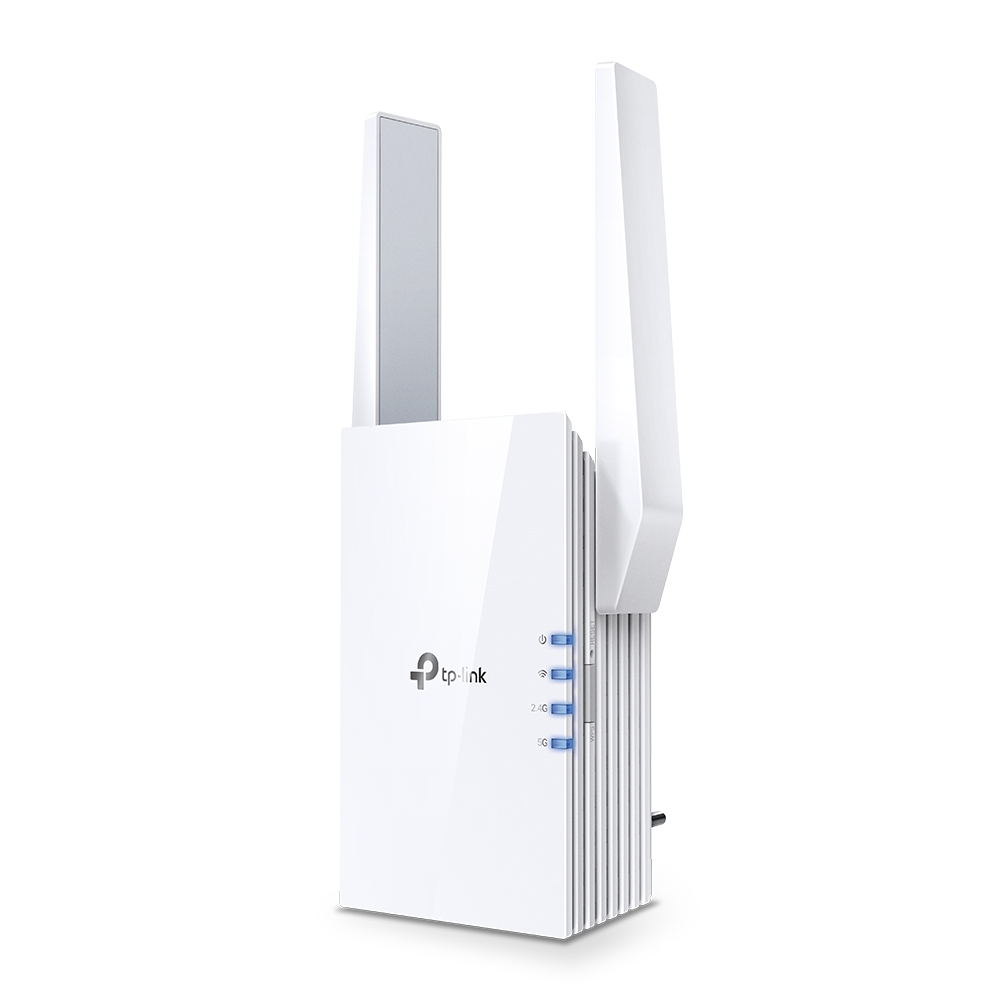
The RE605X by TP-Link uses the latest WiFi 6 technology to boost coverage to every corner of your home, keeping all of you devices connected and all of your connections smooth.
Too cheap?
thick minnow
1gig over wifi is honestly a bit stupid imho, but you want stability and ping. I've seen AX with 30-40+ devices connected (wifi 5) still able to push 800Mbps to a smart phone.
I'm not up on the aftermarket AP tech
I generally only deal with the ISP provided
I'm an internet installer copper/fiber.
You might want one that has some features
like being able to provide priority connections and such
waxen scroll
@rocky badge https://www.reddit.com/r/sysadmin/comments/vaejwu/stress_isnt_worth_it_how_to_move_to_network_admin/
reddit
153 votes and 80 comments so far on Reddit
🤣 dem comments
thick minnow
Like say "Yo this port/mac gets to suck 90% of bandwidth if it wants it"
fair knot
hmm ok thanks for the advice. I'll do some research
waxen scroll
@clear igloo every time a big event happens.... every time. "its probably the networks fault, forget troubleshooting get them on the call"
thick minnow
Man I understand stress but at least the stress isn't coming from shitty managers
where I work they are rolling through the self selection playbook to cut employees down prior to layoff when the economy crashes
I'm trying to get a job away from here before it REALLY gets bad
The biggest example I have is the tactic of "keeping employees off balance"
we are getting write ups for not being onsite at 8am but they keep shifting what counts as "onsite"
waxen scroll
I took a job in finance in 2020 (lul) with them insisting they've never laid off due to economy. Even with the big dip in 08. Company is pretty healthy right now so I dont think about it.
thick minnow
first it was a mile, ok fine we really don't provide service further than 5,280ft from the SAI
then they realized that was actually in our standard workflow so they changed it to .5mi from the address
so now we have to be creepers infront of the house until 815am then roll away to the SAI and then roll back up when we finish there.
I have a buddy that's going in on the mortgage origination gig
oddly it's fairly stable even through crashes
waxen scroll
thick minnow
I have a buddy that's going in on the mortgage origination gig
yikes. rate is like 6%+ right now. not sure whose going through with home buying now
waxen scroll
yeah but homes are also more expensive than 80s and worker pay generally has not kept pace
thick minnow
My region of the country is also fairly well insulated from big crashes
not sure how this state has managed that but our economy is so diverse that it would have to literally be Mad Max before we actually crashed
waxen scroll
10% on $40k aint bad. 6% on 400k oof
thick minnow
I'm at 3.2% on my mortgage
waxen scroll
2.12 here. I accidently refi'd right at the bottom
thick minnow
and my house has appreciated me above water
rocky badge
waxen scroll
<@236237361703288842> https://www.reddit.com/r/sysadmin/comments/vaejwu/stress_i...
lmao
thick minnow
I live in a state that Cali flight is happening in
people are fucking out housing market atm. But it's good for mortgage origination.
200k houses going for 4-500k
waxen scroll
I was thinking of moving to one of those states but I sat too long
thick minnow
just because
waxen scroll
I dont want to pay what they're asking, nor the rents
thick minnow
eh
if you don't mind commuting you can find a house (with power company provided fiber internet) on acreage for 200k
would need to be an hour + commute though, but that's not bad if you are used to major metro areas
waxen scroll
I think remote work is still uncertain. Theres a lot more now but I think employers will walk it back as time goes on
thick minnow
Fun Fact: Atlanta is 4 hours away from Atlanta
thick minnow
waxen scroll
I think remote work is still uncertain. Theres a lot more now but I think employ...
The micromanaging and power hungry management structures all want this. the companies that thrive on productivity and creative freedom don't mind remote work.
waxen scroll
I just dont want to move to nowhere with a terrible commute to (major employment center) and then lose my remote job and be like WELP
I only work at mega corps so where those are at are limited.
thick minnow
People who complain about commute around here are people who have never even seen the I-95 corridor
thick minnow
waxen scroll
Working at mega corp solves pretty much most issues r/sysadmin complains about
Just don't be "entry level". Your head is first on the block when cuts need to happen. It's easier to justify a single 100k/mo salary than 40 60k/year salaries
waxen scroll
Yeah. True. And outsourcing. I'm senior level but not immune to "we dont want to do IT anymore". Got hit with two of those in my career
thick minnow
waxen scroll
Yeah. True. And outsourcing. I'm senior level but not immune to "we dont want to...
I need a job in networking
My dream is to be the basement guy in a CoLo
"Yo innoBius we are getting some data errors in server 4 rack 15"
I want to work somewhere I can get to know my "babies" and be familiar with every component in them
waxen scroll
I'm happy someone is. I did colo for like 3 years. It's amazing... until year 3 creeps up and nobody cares that you want to try netadmin/sysadmin work. Cables and racks only are exciting for so long.
thick minnow
I'm a hardware guy at heart. I honestly love splicing fiber and finding stupid easy fixes to difficult problems.
I can't get fiber tips where I work at atm. Ordered and ordered and ordered and none have arrived. So I've been mech splicing factory tips on shit for about 2 weeks now.
waxen scroll
I made the mistake of getting colo jobs thinking that was my "in" and moving up would be easy. Nope. It's dead end 90% of the time.
thick minnow
I get that
waxen scroll
It was a harsher lesson about tech in general. You dont really move up much, even when you're great at your job.
thick minnow
but, it's only dead end in >that company< get rack experience get your certs while there and you can either become too important for them to let you go or you get a job elsewhere
waxen scroll
After leaving colo I was in the very right place at the right time and a mega corp reached out about a network tech job (not NOC, higher, and doing the repairs the NOC got alerted on)
The rest is history
thick minnow
I also wanna be NOC
but those jobs are hard to find. Not that they aren't out there it's just difficult to locate the postings
waxen scroll
lol... they keep changing the titles too
We named ALL of our engineers infrastructure engineer a while ago
you cant tell what people do in outlook now. its harder to look at jobs
i'm not sure why the CIO was so passionate about reducing job titles that dont matter in terms of record keeping
clear igloo
waxen scroll
<@291198741862416384> every time a big event happens.... every time. "its probab...
It was DNS wasn't it?
waxen scroll
thick minnow
last to be upgraded first to go down
I once had an optic that has multiple lanes decide to send out of order packets on just one of the lanes
yes, finding it sucked
fair knot
thick minnow
it doesn't have to be a top end AX AP
is there a "difference" between buying a dedicated AP vs running a router in AP mode?
Most APs I've found seem geared towards business use, not that it really matters I guess
sudden kayak
i have the good fortune of not doing anything directly connected to production systems
but sometimes i see what my colleagues are working on like a shark right under the surface and i'm grateful i'm not dealing with that kind of stress
 lavish hollow
ok
pseudo blade
thick minnow
where I work they are rolling through the self selection playbook to cut employe...
Companies do this and fail to notice that the real price is productivity. Nobody works their best and hardest for such a business.
 untold valley
Network.
waxen scroll
pseudo blade
Companies do this and fail to notice that the real price is productivity. Nobody...
nope and the salt lasts years
 muted niche
Hi I have a problem with microsoft I cant load microsoft store or load the login page in any device in my house I tried every thing in my pc to the point that I reset my pc and lost everything can some one help me pls
I cant play any game that requrie microsoft login
any help ?

that what i keep getting
and its only when i connect from my house wifi
primal ice
its always DNS. 😛
 civic smelt
my school is so weird they open up port 1194 like they know that im going to use it for my vpn hosted at home
i think they keep every port open for studens but smb, aka 445. i dont know why they blocked it off but let us use 1194 for openvpn
 undone sun
I can't connect to any vpn I tried proton and privado in privado I connect but it gets stuck on locating IP but it says that I'm connected but there's nothing working
ah fuck
thats exactly where i live
 ripe coral
undone sun
thats exactly where i live
ripe coral
undone sun
thats exactly where i live
If your country blocks vpns use mullvad. They use shadowproxy to bypass countries blocking vpn connections
Ive even emailed them to confirm, everything is encrypted
 hazy lichen
I have two servers running on a home network.
One of them is a development server on Raspberry.
Second is a Lenovo ThinkServer.
Both have websites hosted on it. Is it possible to make websites available on port 443 (since i can't really port forward with the same port on multiple IPs) ? or would I need to make a proxy?
ripe coral
hazy lichen
I have two servers running on a home network.
One of them is a development serve...
Local or public websites
hazy lichen
public
ripe coral
I know on an ubuntu server i had i was able to run two different websites on the same ip on the same vps using apache but im not sure how it would work on two seperate machines running two seperate websites
But with my limited knowledge, i would say no, only one website. That might not be the case if you have two different domains for each server and hook it up through cloudflare or something, but dont take my word on it
hazy lichen
Yeah, I know how to host multiple websites on the same. They are of course not the same domains
peak cloak
hazy lichen
I have two servers running on a home network.
One of them is a development serve...
You need a reverse proxy
hazy lichen
Then I understood well
So its like my setup with Discourse with Docker, but with local devices
@peak cloak it seems my setup is kinda conflicting due to the rewrites. In this case the cs2d.com.br loads just fine, as it should, however, the second Nginx that would load the docker setup, is showing cs2d.com.br instead. Do you know what am I mixing up here?
RewriteCond %{REQUEST_URI} !phpmyadmin
REWRITERULE ^(.)$ HTTPS://ThinkServer/$1 [P,L,E=PROXY-HOST:cs2d.com.br]
REWRITERULE ^(.)$ HTTP://Nginx/$1 [P,L,E=PROXY-HOST:community.xxxxxxxxx.eu]
peak cloak
yeah idk apache
hazy lichen
I will ask on OLS's support probably
peak cloak
or nginx that well
hazy lichen
Its LiteSpeed so 50:50 to apache 😄
 brisk ledge
Eyyy, one question, I want to have some files or more like folders synced across my pc, nas and laptop, no matter where i add files, the files get synced as soon as possible, the only way i found is syncthing, is there another obvious way or should i just go with that?
The windows internal stuff is crap and manual is annoying for stuff like shared vm folders or something, which should also work offline, thats why i need the syncing instead of nas only files.
 lavish kayak
looking into buy an ip camera, most just to watch my cats... Looking at the nest cameras from Google, are these any good or are you locked into their eco system? It seems like it's pretty well supported with home assistant at least but it would be nice to hear input from someone else who uses it https://www.home-assistant.io/integrations/nest/#camera
peak cloak
lavish kayak
looking into buy an ip camera, most just to watch my cats... Looking at the nest...
Pretty sure you are locked in
Would be surprised if you aren't
 worldly swift
hi guys. i mistakenly ordered a null modem serial cable instead of serial RS232 cable, I assume serial connection can't be made between 2 PCs using that of course, right?
sudden kayak
ehh just get any cheap RTSP camera and use an rpi to capture it over the network
anything else you're either locked into their ecosystem, or it relies on sending all your video to their servers where they can sell it to the highest bidder
peak cloak
sudden kayak
ehh just get any cheap RTSP camera and use an rpi to capture it over the network
I've been looking at reolink for cheaper cams. Seems to have cloud and self host options
 meager ginkgo
uncle got an XB8

they seem to be rare so unsure how he got one
he just signed up for xfi complete and got it sent to him
thick minnow
I think(?) i have an xb6
its so ass but that might have to do with the fact my parents keep it in a cabinet 🗿
sudden kayak
yeah the xb8 is really impressive
it has built in support for the new Matter/Thread smart home protocols
that can be enabled with a firmware update whenever they start showing up in actual products
sudden kayak
meager ginkgo
they seem to be rare so unsure how he got one
but yeah production is ramping up and stuff so it shouldn't be too long
i can't believe I'm saying this but it's actually a pretty good deal
with wifi 6e and matter/thread, the amount you pay over 2-3 years is less than buying a comparable gateway outright
 grizzled cove
I consider myself rather well versed in Windows Server, I have an MCSA but for the life of me have no idea why Windows Server continues to do this shit

This is between two hosts, on a 10gig connection, both using NVMe U.2 SSD's
Stop bouncing!
Any of you network guys know if this can be resolved?
crystal oriole
the up/down?
grizzled cove
Yeah
grizzled cove
crystal oriole
the up/down?
Drops to Zero then back up to around 1GB/s then down to 0 again
I'd assume it's something to do with cache/memory but both servers have 256GB RAM/512GB RAM respectively
Baffles me how two servers connected on 10gig SFP's still behave like this
I know what the collective answer will be unfortunately, "use Linux"
grizzled cove
Yeah I just expected a little more after spending ~£30K on hardware lol
vague snow
you can always use linux, or just live with it, i wouldn't be very surprised if it bounces just because it doesn't like a straight line
hollow marlin
grizzled cove
I'd assume it's something to do with cache/memory but both servers have 256GB RA...
I think this has more to do with disk cache that system memory. I'd say you could rule out the network side with iPerf, but 10gbps iPerf on Windows is an issue in and of itself
peak cloak
 south mist
how does bnc networking work
south mist
how does bnc networking work
Bnc is a connector?
 peak cloak
I see, it seems it was used wayy back then
No longer relavent in networking
But used in av
peak cloak
south mist
top port is bnc
Look into 10base2
thick minnow
coax lol
empty flower
grizzled cove
I consider myself rather well versed in Windows Server, I have an MCSA but for t...
Is your network cards transfer and receive buffers set to default sizes. Increasing it to whatever max size it supports might increase performance. I also find samba/smb really likes jumbo packets for the larger file sizes but jumbo packets need to be supported on all devices.
 maiden nymph
Soon, I'm gonna post some pics of my ghetto blasta network setup
It's the best worst thing ever, and is soon going to be expanded through my floor and into the garage of the house
I have towers running down there, so I'm gonna have a switch on the other side of the hole in my floor
it'll be great, trust me
waxen scroll
@clear igloo all these cisco live linkedin posts and im just like hmph
 slow pivot
south mist
bnc pci card for internet
slow pivot
south mist
bnc pci card for internet
Look up Token Ring network
 keen flicker
how?
 peak cloak
?
keen flicker
peak cloak
?
theres no open ports
vague snow
what's wrong with no open ports?
 keen flicker
a ip
vague snow
you cannot just connect to any ip lol
keen flicker
vague snow
you cannot just connect to any ip lol
its my server
idk why its not working
vague snow
that's what i asked, now is it a physical server?
vague snow
well you aren't providing enough info then, figure out what the firewall is and open port 22 for ssh
keen flicker
vague snow
well you aren't providing enough info then, figure out what the firewall is and ...
no
its not
unborn sluice

keen flicker
it says its on but no connect :(
vague snow
well it said port closed didn't it?
is there a direct console option on your provider?
there might be software firewall aswell
keen flicker
vague snow
is there a direct console option on your provider?
yes but it says faild to connect
:(
vague snow
contact support then lol
keen flicker
i did 5 times
vague snow
if their tools don't work, it's on them
unborn sluice
Make it 6
vague snow
what provider are you using?
keen flicker
but it cost money to get help
keen flicker
vague snow
is that short for virtual machine?
idk thats ther name
unborn sluice
vague snow
is that short for virtual machine?
No a provider
vague snow
there's a reason it's cheap ig
keen flicker
vague snow
well you get what you pay for
i payed 20$ for help and they no help me
unborn sluice
keen flicker
cheap shitty and sometimes works
So sometimes you can connect without configuring anything?
unborn sluice
keen flicker
i payed 20$ for help and they no help me
Ask for refund
keen flicker
unborn sluice
Ask for refund
it take up to 60 day to get your money back
keen flicker
vague snow
there's a reason it's cheap ig
its 20$ per 30 days
vague snow
i wouldn't use something like do/ovh for a vps
can't help because it's their problem, and not something you could easily fix
keen flicker
vague snow
i wouldn't use something like do/ovh for a vps
but vir mach dont ban my servers stuff like ovh do
vague snow
don't do illegal stuff
unborn sluice
Why would ovh ban you
keen flicker
vague snow
don't do illegal stuff
i dont
vague snow
i haven't heard of ovh banning without a reason, heck i know ovh rarely bans even where there is good reason
keen flicker
unborn sluice
Why would ovh ban you
idk they just do
vague snow
did you not ask?
unborn sluice
They wont do that randomly
unborn sluice
Either you’re not telling us everything or something is wrong. We can’t help you both ways
keen flicker
unborn sluice
Either you’re not telling us everything or something is wrong. We can’t help you...
im telling you as much as i can
unborn sluice
What are you doing with your server
vague snow
what did you do on that server? and what are you planning to do on virmach
keen flicker
vague snow
what did you do on that server? and what are you planning to do on virmach
dstat
yes thats what i do
dstat
unborn sluice
What did you do in ovh
vague snow
why?
keen flicker
unborn sluice
What did you do in ovh
the samething
keen flicker
vague snow
why?
money
vague snow
i don't get why anyone would use a vps to monitor stuff?
unborn sluice
You paid 20$ to dstat?
keen flicker
unborn sluice
You paid 20$ to dstat?
yes
vague snow
how tf does dstat result to money?
unborn sluice
Either you’re not telling us everything or trolling
vague snow
we are talking about the same dstat right? the free linux tool
keen flicker
unborn sluice
Either you’re not telling us everything or trolling
im not see

i need fix welcome but that i do latter
keen flicker
vague snow
we are talking about the same dstat right? the free linux tool
yes
wait its free
unborn sluice
keen flicker
i need fix welcome but that i do latter
Nein
keen flicker
unborn sluice
Nein
?
keen flicker
why he say no?
vague snow
idk
unborn sluice
Why would he


 unborn sluice
We can’t help you if you won’t tell us
keen flicker
i say everthing what more do you need?
vague snow
on the info you have given, it's a virmach problem, go asking support again and again
sudden kayak
virmach is cheap but fine, as long as you know you're getting what you pay for
i use some of their really cheap machines for shit like ssh jump box & irc bouncer
idk what you're paying $20/month for though
in any case they probably have a support SLA so just wait for them to get back to you, or ask again if it's been long enough
but honestly it sounds like you don't know what you're doing so maybe it's just out of scope for their support
 tame linden
Im trying to setup an overseerr instance on docker with a reverse proxy through nginx proxy manager
npm is also a docker container but hosted inside a vm on the same host as the overseerr container
im getting a 504 timeout error from the vm and all other vms that is on that host when i try to curl the overseerr instance. But its fine when i do it from the host
pseudo blade
tame linden
im getting a 504 timeout error from the vm and all other vms that is on that hos...
Suspicion 1 for me is the reverse proxy's config. Perhaps the logs from it and overseerr might be helpful to you?
tame linden
tbh, i think the problem lies in my network stack on the host
so im just guessing its a routing issue somehow
but i dont know how to debug it or where to start
I have a complete *arr-stack that use the default docker network and if i try to use curl to get some data from any vm on the host (tested 3 of them so far) i get this message: "curl: (56) Recv failure: Connection reset by peer"
 fervent brook
Linksys removed the option to not broadcast the SSID...and one of their reasonings is because it disables WPS...
isnt WPS notoriously vulnerable?
 gusty dove
So I have a home file sharing server for pictures, Windows and document back ups and movies. If I wanted to make these available on any of my devices regardless of what network they were on, what would I do? What OS should I use for this. I currently use regular Windows, but I wanted to know if I would need Windows Server/LTSC or something else for this. Thanks!
sudden kayak
there's no practical reason you would need windows server for that rather than regular windows, it's possible on any OS... but if you want to make it accessible from anywhere, using windows at all is a bit of a risk and will make things way more of a pain to set up. you probably want to use Linux and set up something like Owncloud/Nextcloud
gusty dove
Is Nextcloud free if I use the Web Installer?
sudden kayak
i actually have no idea. it used to be open source, now it might not be. I'm probably mixing it up with something else
if you Google "Nextcloud alternatives" you can find whatever the latest open source equivalent is
sorry that i don't have a specific recommendation off the top of my head
for music/movies/pictures I use Jellyfin
but that doesn't really do google docs/nextcloud-style file sharing afaik
peak cloak
gusty dove
Is Nextcloud free if I use the Web Installer?
Nextcloud is 100% free
There's just an enterprise option I think for more features, support, all that jazz
peak cloak
gusty dove
So I have a home file sharing server for pictures, Windows and document back ups...
As for access, for a newbie I would reccomend using VPN like zerotier or tailscale. Not 100% self hosted but doesn't require port forwarding, so less things that can do wrong
 velvet jolt
I used to port forward to my Raspberry Pi, but it seems my IP from my ISP is now an IPV6 address instead of the IPV4 I had before and it doesnt work anymore. Doesn't IPV6 just use global address for each device, meaning I should go to the ipv6 address of my raspberry pi, or should I still enter in ipv6 address of my router and port forward?
peak cloak
velvet jolt
I used to port forward to my Raspberry Pi, but it seems my IP from my ISP is now...
you use the global IP of the pi
still have to add a firewall rule in router to let it through
velvet jolt
So if we use the Spectrum router that I dont think has firewall setting, am I out of luck?
peak cloak
It should
May still be called port forwarding or something
Like ipv6 port forwarding
But on a technical level it's just a firewall rule, no longer adding NAT rules
velvet jolt
I currently have the spectrum ISP router, which goes though a long cable to my TP-Link router. The pi is connected to the TP link. The TP link is also set up as just a WAP
velvet jolt
Thing is on my PC it shows only ipv6 addresses in ifconfig. But in the router app, it still shows ipv4 addresses for itself and the pi and my pc.
But my pc doesnt even see the ipv4
peak cloak
prob because it still thinks the dhcp lease is active
velvet jolt
Well I did reserve the ip