#networking
1 messages · Page 398 of 1
 sour void
 clear igloo
There is a little setup but pretty simple to just pair them to each other and then it's plug and play
 old kayak
My wifi is terrible and just stops working properly and lags just after using normally
Would powerline be a good option until I can get actual ethernet in my house?
 peak cloak
@hollow marlin seems like fios is finally actually rolling out v6
still nothing on my end tho

DSL Reports
Forum discussion: I noticed that my Quantum router got an upgrade recently, and now allows IPv6. I was (finally!!) able to get it to work. I logged into the router administration and turned on IPv6. At this time, I have to set the DNS on my Mac to Google's or CloudFl (Page 46)
 gleaming siren
how do i ban a device from using my wifi
peak cloak
depends on your equipment
peak cloak
it's equipment specific
 gleaming siren
 old kayak
gleaming siren
old kayak
gleaming siren
It looks like this allows you to blacklist a MAC address
gleaming siren
so a device?
old kayak
It isn't foolproof but if it's just your home it should be enough
old kayak
gleaming siren
so a device?
Yes a MAC address is linked to the hardware of something unlike an IP address that's fully software
It can be changed but it takes a good bit of technical knowledge I'm pretty sure
 meager ginkgo
Problem is a lot of newer devices have the ability to randomize the MAC
old kayak
Yeah
Really it depends on what you're trying to blacklist and why to know whether or not blocking the mac address will work
 old kayak
Someone else may know more than me but if they aren’t required just leave them blank
gleaming siren
i need the port
old kayak
That may not be the setting needed to block it then
Sorry I couldn’t really help more I don’t have a ton of hands on experience yet but I’m sure someone else here knows
gleaming siren
all ports
peak cloak
gleaming siren
all ports
use that then
that feeling when you try to unplug one thing, but accidentally switch the whole power strip off
now the switch has the config all messed up
 hollow marlin
peak cloak
<@462711605063450628> seems like fios is finally actually rolling out v6
hollow marlin
peak cloak
<@462711605063450628> seems like fios is finally actually rolling out v6
Yeah there has been more and more random post of them getting a prefix. Also it seems like most are which the provided router
peak cloak
hollow marlin
Yeah there has been more and more random post of them getting a prefix. Also it ...
I've seen a few pfsense posts. I think it's just that majority use provided
clear igloo
gleaming siren
This is the MAC filter you need, the block list screen is for other stuff
 sudden kayak
the bottom line is mac filtering does nothing because any modern device can spoof any mac address and some newer phones randomize the address on each connection
also if you somehow did more advanced device fingerprinting someone malicious could just... use a different device
hence why MAC filtering is not widely never used for network security in the modern day the last 30 years or something
also yeah powerline is definitely your best bet. the xfi extender pod things are pretty limited like all wireless extenders, but you might have the 1st gen ones which especially suck
contact support and let them know the extenders aren't working well, you're not getting usable speeds - they should send out the new ones
that said, powerline is definitely the best bet to get speeds pretty close to Ethernet
i have no idea why they said you can't have two boxes, they might have somehow thought you were asking for two separate modems??
or they thought you were talking about set top boxes or something. weird though
sudden kayak
sudden kayak
contact support and let them know the extenders aren't working well, you're not ...
or you can say this and ask for a refund on the pods and just get powerline extenders
 royal estuary
old kayak
It can be changed but it takes a good bit of technical knowledge I'm pretty sure
royal estuary
old kayak
It can be changed but it takes a good bit of technical knowledge I'm pretty sure
i would say they are fairly easy to spoof
old kayak
Ah ok probably should have made sure I knew more before just saying stuff
royal estuary
funny enough when i was a kid my dad used mac address filters to block me from the wifi, so i just spoofed it and went back on
he also changed the password and told everyone in the family but me so i just used my sisters laptop and got it from there
@gleaming siren question. why dont u just change the wifi password?
 granite heart
Anyone have any experience with Meraki? I plan to load OpenWRT on it but I was just curious if anyone knows about their performance.
 royal estuary
granite heart
Anyone have any experience with Meraki? I plan to load OpenWRT on it but I was j...
royal estuary
granite heart
Anyone have any experience with Meraki? I plan to load OpenWRT on it but I was j...
its kinda a hassle to get openwrt on it
granite heart
royal estuary
its kinda a hassle to get openwrt on it
im fine with that lol. i looked at the docs on it and it'll be a good learning experience at least
and i mean $1 plus shipping for a decent AP
royal estuary
granite heart
im fine with that lol. i looked at the docs on it and it'll be a good learning e...
dunno what performance would be with openwrt on meraki, the processors arent the greatest, but using meraki firmware mr32 u could see 600-700mbps with good conditions, i only really tested the wave2 ones, i got close to a gigabit with those
it really depends on what drivers openwrt has for it and how optimized they are
maybe more 400mbps actually for mr32, i havent tested those for throughput
granite heart
yeah thats what i was expecting
we've got gig fiber but i really don't need super crazy wifi speeds since its mainly just my family using the wifi
royal estuary
well for the price u paid it should be decent, good luck with the flashing process
granite heart
thx ill update when i get the ap and attempt to flash it
apparently the firmware varies between some of these and that can affect the flash process. we'll see!
 mild sail

 tall zodiac
First unifi product for the home office

 queen salmon
is there a way to benchmark network send / receive speeds
clear igloo
queen salmon
is there a way to benchmark network send / receive speeds
iperf for LAN
speedtest/fast/dslreports for WAN
queen salmon
ok thanks
peak cloak
tall zodiac
First unifi product for the home office
I have that one, hardware wise it's great since for a pretty affordable price you get a managed active poe powered switch
Software wise, it's kinda a pita since it's my only unifi device
sudden kayak

 waxen saddle
tall zodiac
First unifi product for the home office
waxen saddle
tall zodiac
First unifi product for the home office
Congrats. 🙂
 unborn sluice
Congrats
 trail urchin
Question for y'all, I'm looking at ditching my service provider modem, to purchase my own. I am looking to get a Docsis 3.1 modem to be able to maximize my network when I decide to upgrade my service. I'm torn between the Arris SB8200 and the Motorola MB8611. Anyone have recommendations on which or another one instead? Looking to get the best performance per dollar.
sudden kayak
the mb8611 has a 2.5Gb ethernet jack
the Arris modem has two 1Gb ethernet jacks which you can only use simultaneously if you get your cable provider to give you two IP addresses and load balance between them
unless you want to get really involved, you probably don't want to deal with that (if your isp will even do it)
it might do link aggregation but i don't think that one does
trail urchin
sudden kayak
the Arris modem has two 1Gb ethernet jacks which you can only use simultaneousl...
Thank you for the feedback, it's sounding like the MB8611 is the better deal overall due to the provider limits with the Arris. Both support link aggregation but I don't plan to utilize that as of yet.
sudden kayak
in any case, it's a huge pain and you're still only getting 2Gbps max - you can get 2.5Gbps if your provider offers a plan that fast with the motorola
trail urchin
sudden kayak
in any case, it's a huge pain and you're still only getting 2Gbps max - you can ...
Mine doesn't as of yet. Only up to 1Gbps atm. But planning ahead to try and maximize the value of the purchase
sudden kayak
yep in that case the mb8611 is probably more future proof
trail urchin
Thank you for the help!
sudden kayak
no prob!
 rocky badge
@clear igloo I kinda want to move back to RADIUS but I don't want AD on prem
clear igloo
rocky badge
<@291198741862416384> I kinda want to move back to RADIUS but I don't want AD on...
You can do remote though?
clear igloo
But that's a hassle I'm sure
 waxen scroll
rocky badge
<@291198741862416384> I kinda want to move back to RADIUS but I don't want AD on...
waxen scroll
rocky badge
<@291198741862416384> I kinda want to move back to RADIUS but I don't want AD on...
Cisco ISE
clear igloo
waxen scroll
Cisco ISE
Don't make him suffer 😛
rocky badge
lololol
That's what my uni uses 
@clear igloo I also don't know how I want to leave the network for college lol
clear igloo
rocky badge
<@291198741862416384> I also don't know how I want to leave the network for coll...
in a working state 😛
rocky badge
well duh
clear igloo
simple enough for the parents
waxen scroll
Here's a hot take
Remove it all
My parents are responsible for their own stuff
When they have an issue they call the ISP
 placid crater
what are some recommendations for a wireless AP? Currently have a Ubiquiti ac-LR and looking to add one or two more AP in our 3 story townhome.. Thinking Aruba 215's or maybe a couple Ruckus R700's?
rocky badge
@waxen scroll @peak cloak University contracted out dorm Internet services to Apogee. That means you're limited to 10 devices and 100Mbps/100Mbps.
waxen scroll
per room or person?
rocky badge
per person
waxen scroll
I mean, does anyone have 5+ devices?
rocky badge
Idk
clear igloo
blob bringing home lab to school 😄
rocky badge
Phone + Tablet + Laptop + game console + streaming device??
clear igloo
Hauling in the network rack
rocky badge
oh yeah, some people bring personal assistants ig
clear igloo
rocky badge
oh yeah, some people bring personal assistants ig
lol, that's got to be the stupidest idea ever especially if you don't turn off voice purchasing in advance
peak cloak
rocky badge
<@186123993412141057> <@222482269829332992> <:HAhaa:430065691463254016> Universi...
idk what they do
 sharp hare
What the speeds
peak cloak
all ik is there is ethernet, so I'll def be taking advantage of that
rocky badge
sharp hare
What the speeds
200/200 on WiFi 6 APs in the commons with a shit ton of people lol
sharp hare
Dam
I wish WiFi had equal upload to download
I don’t understand why download speeds are way higher than upload
rocky badge
They are Ruckus APs @peak cloak @clear igloo for ResNet
So hardware isn't even managed/provided by ITS anymore.
because RESNET was Cisco
waxen scroll
how do you know any of this? Do you already work for them?
rocky badge
Wigle AP data
Plus, ITS says res net is no longer in control of ITS
ITS office no longer has any involvement in the operation or support of net access for the resident network.
waxen scroll
yeah probably because they were tired of support tickets
meager ginkgo
sharp hare
I don’t understand why download speeds are way higher than upload
DOCSIS limitations
DOCSIS is what cable modems use to get internet
Most people would rather higher downloads than higher uploads so that's why they do that
sharp hare
Flip them
I want equality
Like I wish it was 200 download to 100 upload
Or 150-150
rocky badge
@clear igloo My uni has a very aggressive MS365 session life policy 😡
I'm constantly seeing the MS login screen
clear igloo
dang
waxen scroll
rocky badge
<@291198741862416384> My uni has a very aggressive MS365 session life policy 😡
my work was making me double authenticate to use apps on my phone
two fingerprints then I can tell okta to that my login attempt was me
waxen scroll
Luckily I was able to turn that off. Stupid setting for default
 dry bronze
placid crater
what are some recommendations for a wireless AP? Currently have a Ubiquiti ac-LR...
dry bronze
placid crater
what are some recommendations for a wireless AP? Currently have a Ubiquiti ac-LR...
I like Aruba but 215 is getting close to EoL if you care about updates. I'm using 303Hs
sharp hare
What is the best WiFi company in your opinion?
placid crater
dry bronze
I like Aruba but 215 is getting close to EoL if you care about updates. I'm usin...
what is 303Hs?
peak cloak
sharp hare
What is the best WiFi company in your opinion?
there is no best
dry bronze
Aruba hospitality model
peak cloak
it all depends
sharp hare
Thanks for the wise words
placid crater
ahh ok.. Which Arubas need the controller? just the 05's?
dry bronze
placid crater
ahh ok.. Which Arubas need the controller? just the 05's?
anything past 2xx or 3xx, i cant remember, have Instant OS where they cant be controller less
or you can do Central for cloud based. Can also look into their Instant On line if you're buying new.
placid crater
Im probably going to pick up some used one on r/hardwareswap or ebay
dry bronze
placid crater
Im probably going to pick up some used one on r/hardwareswap or ebay
Ok, anything 3xx or newer for sure works controller-less. I like the hospitality models, just replaces the wall plate instead of being ceiling mounted and has extra ethernet ports on the bottom
placid crater
Im in an apartment so I can't run cabling in the walls
meager ginkgo
sharp hare
What is the best WiFi company in your opinion?
I like Ubiquiti but they're definitely not the best
I'd say Ruckus is the best IMO
sharp hare
Ok
 nocturne slate
I am trying to setup WoWLAN and I have enabled power on by PCI devices in bios (no wol setting), setup power settings, and have been able to send magic packets to the system while on but not when shut down/sleeping/hibernating.
waxen scroll
I'm not aware of WoWLAN being a thing. The OS handles the SSID it connects to, etc
Cant connect when the computer and OS logic is not loaded
nocturne slate
ok, but can you help me get WoL up?
sidenote, will probably setup wowlan via Rasberry pi and google home
but I would still need WOL up
 icy frigate
TFW you are reorganizing your office into 2 offices & you realize what an abject rats nest your network solution has turned into 😬
 little schooner
sharp hare
What is the best WiFi company in your opinion?
little schooner
sharp hare
What is the best WiFi company in your opinion?
no best but I use Engenius for wireless. First 5 firmwares had bug that dropped all connections until reboot after a couple months. Then they finally fixed that issue in the 6th. no issues since then
sharp hare
Ok
granite heart
sharp hare
What is the best WiFi company in your opinion?
Like everyone else is saying there’s no best. But I’ll say I’ve had a pretty good experience with the TP Link Omada APs. They’re very comparable to the ubiquiti stuff and you don’t have to pay for management.
meager ginkgo
My issue with the Omada equipment is how big the wifi 6 aps are, and how bad the mobile app is
The mobile app won't let you even assign static IPs from it
 frigid sphinx
it has a terrible WAF
but it turns out that some people can't even get a ubiquity nano approved
peak cloak
meager ginkgo
The mobile app won't let you even assign static IPs from it
I don't mind that since I heavily dislike mobile apps
Webui is better
rocky badge
I use UniFi web ui and app heavily lol
Web ui during setup and provisioning and app for quick diagnostic and info
waxen scroll
🤔
all of my ubnt is local control
except the AP but that server is local anyway
Where's my spine switch at
it looks like they stopped selling the leaf switch
clear igloo
waxen scroll
Where's my spine switch at
no modular unifi for you
rocky badge
@clear igloo I kinda want to setup AD at home again
clear igloo
rocky badge
<@291198741862416384> I kinda want to setup AD at home again
lol, why?
clear igloo
So long as you decom it before heading off to college should be fine 😛
meager ginkgo
Unless they have a house bigger than 2000 sq ft :P
waxen scroll
meager ginkgo
Unless they have a house bigger than 2000 sq ft :P
I've had two homes above 3000 that have been serviced fine by all in ones, you just have to be more strategic where you place it
meager ginkgo
waxen scroll
I've had two homes above 3000 that have been serviced fine by all in ones, you j...
In my experience most all in ones units have range issues on certain devices
And often times you can't move where the ISP hookup is unless you have cable
waxen scroll
One of the homes oddly enough worked stupid well with the router in the basement near the center of the house
I dont know how the signal travelled that well but it did
sudden kayak
microwave RF is just weird black magic
sometimes reflections do weird stuff like that
 faint orchid
I recently posted an issue i had with a router that the 5ghz frequency wasnt working. And was told its not worth fixing. I wanted to know should i juat throw it away?
sudden kayak
you could probably just turn off wifi and use it as a wired router for other network services
depends on how complicated your home network setup is, but if you want to do any fancy routing you can put openwrt on it and use the wired part for fancy stuff
faint orchid
At the moment i live in an apartment and the current modem and router is on my room which is in the middle of the three main rooms
And sadly have no use for it with just the 2.4ghz frequency
waxen scroll
faint orchid
I recently posted an issue i had with a router that the 5ghz frequency wasnt wor...
Yes, toss it
I dealt with this on an asus router and the RMA process was not worth my time
faint orchid
Ok thanks yea wasnt planning on spending money to do the rma neither xD
waxen scroll
They even sent my router back to me claiming they fixed it and clearly didnt. I had to ship it twice
faint orchid
Damn
granite heart
meager ginkgo
My issue with the Omada equipment is how big the wifi 6 aps are, and how bad the...
With regards to the size of the APs, I think they updated them and made them smaller. I haven’t used the app so I wouldn’t have much to say about that.
meager ginkgo
granite heart
With regards to the size of the APs, I think they updated them and made them sma...
🤢

still pretty big
rocky badge
damn that's pretty thick
granite heart
Is that the updated one?
rocky badge
i still can't believe linus got ok'ed for ruckus aps by yvonne
meager ginkgo
EAP 670

EAP670 is an AX5400 Ceiling Mount WiFi 6 Access Point, and is ideal for business scenarios requiring high performance, such as offices, campuses, retails, hotels and meeting rooms.
meager ginkgo
rocky badge
i still can't believe linus got ok'ed for ruckus aps by yvonne
probably bribed her 😂
rocky badge
I'd probably want these

 meager ginkgo
If I had unlimited money i'd go Ruckus personally
rocky badge
unifi and meraki make decent looking aps
rocky badge
meager ginkgo
If I had unlimited money i'd go Ruckus personally
They look so ugly thoughhhh
meager ginkgo
rocky badge
They look so ugly thoughhhh
stash them in closets
granite heart
rocky badge
unifi and meraki make decent looking aps
I like the look of meraki aps but I don’t like the look of the bill at the end of the year
rocky badge
lol
granite heart
The meraki subscription is outrageous for home or small business use imo
I bought a meraki AP and im gonna try to flash openwrt on it
rocky badge
a 3 year license is $180 from cdw
meager ginkgo
I have 2 UniFi 6 Pros
waxen scroll
you can get that down to $1k with a standard cisco discount
rocky badge
Yeah this just basic cdw listings lol
my school went with extreme bc "cisco expensive xd"
waxen scroll
extreme works fine
rocky badge
assuming it was configured correctly
routing and firewall is still cisco tho
bc nobody wants to touch it
waxen scroll
The place I worked at switch and wireless was all extreme. Router was cisco, FW was checkpoint
rocky badge
extreme for wireless, switching, security, dpi
granite heart
rocky badge
a 3 year license is $180 from cdw
That’s not as bad as I thought but don’t you have to license every piece of equipment separately
rocky badge
Yes
granite heart
So yeah I think having 2 APs, a switch, maybe a firewall would just add up to a pretty substantial amount, especially for a home user
 timber sky
I have a mesh network and one of my devices is notorious for not liking mesh networks and I want to know how I can set up a router through my computer so I can have the device just run through my computer if this is even possible
(ping me if you have an answer/suggestion)
 lavish kayak
is there like a app or website that will allow you to generate the commands needed to configure a cisco router in x way? Like a frontend that translates your settings to cisco ios commands?
waxen scroll
Is this because you dont know the cisco commands?
or if you're looking for a way to take a common set of config and translate it into Cisco and other devices maybe JINJA2 ?
meager ginkgo
timber sky
I have a mesh network and one of my devices is notorious for not liking mesh net...
I'd just buy a cheap router for less than $20 and let it run through that
your computer is not a good solution
timber sky
meager ginkgo
I'd just buy a cheap router for less than $20 and let it run through that
Thanks can I just plug it in?
The router to the mesh router*
 rotund bear
yea thats what mine does
 void zinc
Hey all, im sure I can just google this but id rather talk to a person about it: would someone please explain statistical time division multiplexing to me. Or point me to a good video on it (for a network engineering class)
 prisma flame
Hey got a strange question for ya'll I was lucky enough to get a house that already had ethernet cabling put into the walls the only downside is its cat5e. If I wanted to upgrade it down the line would I be able to just tape some new cable onto the old and use the old cable to pull it though rather then having to refish it all?
meager ginkgo
prisma flame
Hey got a strange question for ya'll I was lucky enough to get a house that alre...
depends if it's stapled or not
no way for sure to know without trying it
I'd recommend 6A if you were to repull cable
prisma flame
Perfect thanks
prisma flame
I am still kind of new at this so I will proceed with caution and measure twice cut once and all that jazz.
thb the first repull I might do would be to swap an old coax they had so I can have ethernet in the one room that doesn't have a port, my room!
meager ginkgo
You can use MoCA if you want ethernet on that coax line
meager ginkgo

goCoax MoCA 2.5 Adapter with 2.5GbE Ethernet Port. MoCA 2.5. 1x 2.5GbE Port. Provide 2.5Gbps Bandwidth with existing coaxial Cables. White(2-Pack, MA2500C)
do you know where the coax goes to?
prisma flame
I think I can figure it out
meager ginkgo
It probably goes outside to the side of your house
prisma flame
nah they call go to the basement one sec
 meager ginkgo
do you know if that orange one is the incoming line?
prisma flame
The incoming should be the thicker one that is next to the outlet that dose go back and though the conduit seen in the Bottem of the photo
meager ginkgo
first thing i'd do is test which one is the incoming line
prisma flame
nice
meager ginkgo

The BELDEN PPC MoCA "Point of Entry" filter Model SNLP-1GCW serves as an in-home networking services pass-through for the 5-1002MHz band while providing an excellent termination for the MoCA band from 860Mhz to 1525MHZ. The device physically isolates the subscriber premise by providing a band sto...
this goes on the incoming line
prisma flame
yeah originally my room wasn't my room and the person who used it only wanted to watch cable tv so no ethernet
meager ginkgo
yeah it should work if you get a MoCA adapter
prisma flame
and the other live coax from the spliter I assume gose to the router witch some day I want to move down to that area since that is also were the patch panel is
meager ginkgo
if you want to move the router down there, just plug the incoming into the modem
prisma flame
yeah thats what I would proably do
just want to make sure I have enough wifi access point that mesh well together before messing with it
meager ginkgo
yeah you can use MoCA to connect wireless access points
prisma flame
oh yeah good call
meager ginkgo
you just need a PoE adapter
prisma flame
I was thinking of using the cat5e stuff but this might even be faster?
meager ginkgo
The CAT5e would be fine if you can use that, but for other rooms use MoCA
you can use a combination to get all the rooms hooked up
prisma flame
I see gotcha
yeah the rest of the house is pretty well wired up just the finshed part of the basement thats lacking, it was newer I think idk
Well thanks Blueion for all the great info
meager ginkgo
you only need one adapter and a splitter to connect all of the rooms
then another adapter to connect to each wall jack
meager ginkgo
prisma flame
Well thanks Blueion for all the great info
no problem
how many rooms are you thinking about putting MoCA in?
prisma flame
Well for starter I think just the one
meager ginkgo
ok yeah then you don't need a splitter
prisma flame
yeah
meager ginkgo
if you want to add more just make sure you get a MoCA compatible one
prisma flame
good to know
meager ginkgo
ideally you would want a 5-1675mhz splitter or 5-2300mhz splitter
prisma flame
the router the ISP gave use has enough LAN outlets that I think I can hook up the access points without any issue
prisma flame
meager ginkgo
I'd recommend Ubiquiti access points
oh yeah thats the stuff linus used for his new set up right?
meager ginkgo
prisma flame
oh yeah thats the stuff linus used for his new set up right?
He used ruckus
prisma flame
I have a Netgear one that I have been using as a meshed range extender that I think can also be a WAP if I plug it in to LAN
but if I do need to get more or something else I'll give ubiquiti a look

And there’s a port right on the underside
So I’ve got high hopes it will work!
I might use ubiquity to replace the ones that the ISP gave us when we told them we had range issues though unless you think it would be better to not use different brands in one network
meager ginkgo
prisma flame
So I’ve got high hopes it will work!
It should work fine
waxen scroll
Adorbs
prisma flame
Yo step one went well
No issuing in rerouting the router
Lol and it’s new location despite being in the basement is better so I don’t need to use as many range extenders
prisma flame
Now I just need to wait for the moca to arrive
meager ginkgo
you got a 2 pack right?
meager ginkgo
prisma flame
Now I just need to wait for the moca to arrive
you also ordered the filter right
 earnest gorge
Is it possible to tune the fan on an enterprise firewall to make it quiet enough for home use?
dry bronze
earnest gorge
Is it possible to tune the fan on an enterprise firewall to make it quiet enough...
Probably not but if it uses a standard fan header you might be able to replace it with a quieter model
prisma flame
meager ginkgo
you also ordered the filter right
I will make sure to yeah been mess around trying to find the best spot for the wap and setting that up
Also spent a lot of time checking to make sure they wouldn’t interfere with each others signals but I guess they make them smart enough now that that’s not as big an issue
meager ginkgo
prisma flame
Also spent a lot of time checking to make sure they wouldn’t interfere with each...
yeah it shouldn't interfere as long as you put the filter on
prisma flame
I was talking about the wap
meager ginkgo
ah my bad
prisma flame
It makes since that it wouldn't interfere with the wifi the router puts out since its supposed to be a mesh extender in its default configs so it must have enough smarts to detect the other wifi signals and plan accordingly
prisma flame
meager ginkgo
ah my bad
No worries, I am kind of bouncing around topics on this thread and I might not be explaining myself well since I am still new to networking.
do you have a link for one of those filters you were talking about for the MoCA?
meager ginkgo
prisma flame
do you have a link for one of those filters you were talking about for the MoCA?
The BELDEN PPC MoCA "Point of Entry" filter Model SNLP-1GCW serves as an in-home networking services pass-through for the 5-1002MHz band while providing an excellent termination for the MoCA band from 860Mhz to 1525MHZ. The device physically isolates the subscriber premise by providing a band sto...
peak cloak
prisma flame
It makes since that it wouldn't interfere with the wifi the router puts out sinc...
well really it's how wifi works, even with the same SSID, there's another identifier BSID
BSSID is unique for every access point
and the client device chooses which one to connect to generally
prisma flame
oh is that kind of like a mac adress?
meager ginkgo
essentially yes
peak cloak
now there's these protocols where APs can tell clients where to connect to
meager ginkgo
802.11r
peak cloak
I don't really know the specifics of how it all works
prisma flame
its not magic?
peak cloak
meager ginkgo
802.11r
and k I belive as well?
meager ginkgo
peak cloak
and k I belive as well?
I think
peak cloak
802.11k, 802.11r, and 802.11v are integral in improving the the experience of Wi-Fi clients, specifically around mobility and roaming. Mist supports all three. Ultimately roaming is the decision of the client, however the infrastructure can help the client to make better roaming decisions 802.11k 802.11k helps clients discover neighboring APs,...
meager ginkgo
i'm not an expert on it lol
peak cloak
these are the trio
prisma flame
well thanks again for taking the time to explain it all guys really apricate the insight. You guys saved me from hiring someone to come here and do what just took me less than half and hour and for the low low price of free.
 gleaming cave
I don't think this is a basic tech support question so I'm gonna drop it here, no luck in the tech support channel.
Is there a way to block my computers wifi from connecting to a specific wireless access point?
There are five SSIDs with the same name and I need to tell my wifi to not connect to a specific one, it has better signal but it drops packets constantly.
I cannot disable my wifi adapters roaming. Can only set it to lowest and it will eventually fall back to the higher signal.
Intel Wi-Fi 6 AX200 chipset
I looked into netsh wlan commands but only found it able to block SSIDs, unfortunately.
peak cloak
gleaming cave
I don't think this is a *basic* tech support question so I'm gonna drop it here,...

Super User
Suppose there is a network with several Access Points, all with the same ESSID, but I always want to connect to an specific access point that has a certain BSSID (MAC address), is it possible to do...
gleaming cave
peak cloak
https://superuser.com/questions/485517/how-can-i-connect-to-an-access-point-by-b...
Thank you for the reply, unfortunately none of those allow a blacklist as far as I could find. I've used them in the past.
These allow me to connect to a different BSSID easily enough, it's just the wifi adapter will eventually find a better signal and connect to the terrible WAP that drops packets.
frigid sphinx
fix the broken wap?
gleaming cave
not possible, I live in an apartment complex that has wifi hotspots and such. free internet so I cannot complain much 😄 figured I'd give blacklisting a shot, doesn't seem like it's possible though.
 wooden shore
not exactly the right place to ask but, could my school monitor my activity if i used their network on my phone
peak cloak
wooden shore
not exactly the right place to ask but, could my school monitor my activity if i...
yes somewhat
what websites you go to yes
content no, since it's encrypted over https
wooden shore
peak cloak
what websites you go to yes
just websites?
waxen scroll
wooden shore
just websites?
Anything unencrypted. Source and destination IPs and ports.
To make it more complicated if the school installed management software on your phone, its possible they can read encrypted things as well
I'm sure some do this but I bet its pretty rare
rocky badge
That's why I don't use my phone on school WiFi
 cerulean anchor
rocky badge
That's why I don't use my phone on school WiFi
cerulean anchor
rocky badge
That's why I don't use my phone on school WiFi
Tor go brrr
rocky badge
lol
 cobalt iris
ngl some banks client urls look kinda sketchy
peak cloak
rocky badge
That's why I don't use my phone on school WiFi
What will they see
peak cloak
It's not like they installed SSL certs and can see everything
rocky badge
 peak cloak
We only have some basic IP filters for like hacking websites, and some general stuff
rocky badge
it's not just "discord, spotify, etc are blocked"
Discord, Spotify, etc will get your internet cut off for 5 minutes
peak cloak
But YouTube, Snapchat, discord, all fine
rocky badge
VPN gets your internet cut off for 10 minutes lol
rocky badge
 peak cloak
And it's not like we are a small district
rocky badge
Laptop had Discord auto launching
peak cloak
Sucks
rocky badge
peak cloak
And it's not like we are a small district
We have a total district enrollment of ~8000
they have 2 ContentKeeper appliances because they were using them as VPN concentrators during virtual leaning
They tried 1 appliance and the VPN load just straight up killed the appliance.
It wouldn't even boot up
peak cloak
rocky badge
We have a total district enrollment of ~8000
Ours is prob around 6000
Let me check
rocky badge
It's also funny, since they MITM Google on guest WiFi @peak cloak
So guest WiFi is useless af unless you install their CA which they don't tell you to do.
peak cloak
That sucks
We have like nothing
Just some basic content filters
They can't even do intervlan filtering correctly
rocky badge
All traffic physically flows through ContentKeeper so it's not that hard
Since CK acts as a transparent bridge
Then they have an Extreme Analytics Appliance on a mirror port logging traffic
peak cloak
idk the hardware specifics
 peak cloak
but ik I can print to printers on the other campuses 
rocky badge
it's not hard
 glad ferry
CK is some good stuff. Lots of my K12 customers leverage that platform
rocky badge
Plus, IT gave us an unfiltered IP anyways lol.
Our PAC (theatre) has an unfiltered IP, so I can just VPN back into our router in the PAC.
peak cloak
glad ferry
They always get around any engineered filtering solutions
filtering is chasing a constantly moving target
rocky badge
lol
 peak cloak
I think my district just gave up
rocky badge
For a while, any site on Cloudflare you could use eSNI.
So the filter can't see the unencrypted SNI.
A SSL VPN (FortiGate SSL) would also work
glad ferry
rocky badge
Our PAC (theatre) has an unfiltered IP, so I can just VPN back into our router i...
Yeah back in the day, I had a similar setup. The auditorium networks were basically unfiltered.
I would tunnel everything back to a device on that segment that I controlled.
rocky badge
We want it unfiltered for YouTube and such.
Our digital arts lab also has relaxed filtering, but not no filtering.
If you could figure out the IPMI password for ContentKeeper appliance, you could shut it down remotely since the IPMI on the internet 😐
glad ferry
I’ve seen a handful of districts setup that way. Unsure if it’s a CK requirement or what.
rocky badge
it has a local AND WAN IP
glad ferry
Yeah
rocky badge
Then their CK load balancer
glad ferry
9 times out of 10 the WAN is just a DNAT on the upstream FW
But again, without being a CK engineer, unsure if exposing those interfaces to the INET is a requirement or admins being lazy
rocky badge
I get why the web GUI would be exposed
but ipmi eh
They also moved away from the crappy SoftEther VPN implementation to HTTP proxy.
rocky badge
but the PAC (proxy auto config) file loads over http
rocky badge
glad ferry
Build/leverage VPN
That would be the best practice
peak cloak
you actually have/had vpn for remote school?
peak cloak
everything was just google classroom / zoom
peak cloak
I have admin on school issued laptop
rocky badge
not hard tbh
Dell bios password is super easy to get around
and no bitlocker on the laptops
peak cloak
there was no bios password
technically there was bitlocker but disabled
so like to linux it was not just a straight up NTFS
rocky badge
oh I just used DART
peak cloak
well I used the utilman thing
rocky badge
I made an oopsie and forgot to remove the network interface for my VM that I used an image of my laptop lol
So it connected back to the VPN and updated my computer's AD machine password
And my actual laptop got kicked off the domain bc of trust relationship (old machine password) lol
It took them 3 weeks to do a minute-long fix.
rocky badge
They have a vCenter Appliance with Windows Sever 2016 as the device OS in AD. 🤢
And some of their ESXi hosts aren't even managed by vCenter
Not to mention VMs/servers/networking/management interfaces aren't even on a different VLAN than students/teachers
@peak cloak their actual network admin quit this year lol
"Network admin" right now knows nothing about networking
peak cloak
rocky badge
Not to mention VMs/servers/networking/management interfaces aren't even on a dif...
ah so even worse than our network
strict firewall, still bad network
glad ferry
Keep in mind - Technical Chops are often not the reason for all badly designed systems/networks.
rocky badge
Anybody can access anything in any network
peak cloak
glad ferry
Keep in mind - Technical Chops are often not the reason for all badly designed s...
it was always like this, too much work to change it
glad ferry
Outdated vCenter, ESXI Hosts not connected to vCenter could all be a licensing issue.
Segmentation (or lack there of) is likely a personal issue
rocky badge
They have the appropriate licenses though
glad ferry
Either the admin not understanding what needs to be done, or the approval chain not allowing a change window to occur
rocky badge
peak cloak
it was always like this, too much work to change it
It was set back in 2014 and hasn't changed
Just like the dude who was like "why is the router 10.0.0.3 and changed it to 10.0.0.1 and broke everything"
Or the barracuda backup appliance syncing to MS Hosted Exchange with no encryption over the Internet
or forwarding a phishing email to the whole district from the sysadmin
I also I don't understand how the school doesn't see janitors having physical access to networking/server rooms isn't a security issue.
 proven obsidian
rocky badge
I also I don't understand how the school doesn't see janitors having physical ac...
proven obsidian
rocky badge
I also I don't understand how the school doesn't see janitors having physical ac...
Cause it is a school, not a military base my guy...
rocky badge
still a security issue ¯_(ツ)_/¯
peak cloak
people fall so easily for phising...
someone enters their creds into a fake login page
and then theres a mass spam of emails to the whole district
rocky badge
The sysadmin forwarded a phishing email to the whole school district
To show an example of the latest attacks
peak cloak
bruh...
rocky badge
That had the clickable link
OWA shows the first email in the chain at the top by default as well
Some people actually replied all to the email and said “oops I clicked on it and entered my password”
rocky badge
yeah, same
 oak night
Guys can i terminate cat 7 in rj45?
Or should i go for cat 6a( the problem with 6a is that i can't find it at a decent price)
peak cloak
oak night
Guys can i terminate cat 7 in rj45?
technically cat 7 isn't rj45
cat 7 isn't really a standard that is compatible with home devices
just use cat 6
oak night
peak cloak
*technically* cat 7 isn't rj45
ik but can i terminate it and expect it to work or its just a no go
peak cloak
oak night
ik but can i terminate it and expect it to work or its just a no go
would it work, I think
would it be a cat 7 cable anymore technically no
clear igloo
So long as it's not CCA (copper clad aluminum) it should be fine for gigabit at least
peak cloak
@clear igloo is cat 7 the one with the none 8p8c connector
clear igloo
yup
At the end of the day it's copper, it's down to the twists and whatnot mostly for how well it performs
oak night
clear igloo
So long as it's not CCA (copper clad aluminum) it should be fine for gigabit at ...
So i cant expect to get 10 gig?
clear igloo
oak night
So i cant expect to get 10 gig?
Definitely not on CCA cable, no
for pure copper, you could, it all depends on how good the copper is and if they skimped on anything like number of twists and whatnot
oak night
clear igloo
for pure copper, you could, it all depends on how good the copper is and if they...
Ok thanks
I might wait and get cat 6a
peak cloak
did you buy the 7 already?
oak night
peak cloak
did you buy the 7 already?
Nope
peak cloak
ok good
oak night
For europe do you recommend any seller of cables?
meager ginkgo
oak night
For europe do you recommend any seller of cables?
see if you guys have trueCable
not sure if europe has them
 copper fiber
Something weird
so I got a t4u plus to improve signal strength on my laptop and when I connect to my router (nighthawk x8000) it gets 170mbps but only 20-60 on my velop mesh system
But when I use my internal wifi I get around 90 on my router and 260 on the velop
 fringe crow
If anyone here knows how to set up virtual hosts and host multiple sites from one xampp server, please let me know... very stumped right now
peak cloak
fringe crow
If anyone here knows how to set up virtual hosts and host multiple sites from on...
xampp is just Apache HTTP server
so look at those types of tutorials
you would have like multiple directories
frigid sphinx
CCA is evil. and wrong .. and arguably outside of spec
rocky badge
@clear igloo
 clear igloo
rocky badge
<@291198741862416384>
clear igloo
rocky badge
<@291198741862416384>
lol wot
dry bronze
Well you obviously can't have an HA pair on mismatched versions /s
 south gull
anyone have a good understanding of windows server gpos?
waxen saddle
south gull
anyone have a good understanding of windows server gpos?
Not quite a networking question… but what are you needing?
unborn sluice
seems too specific
little schooner
south gull
anyone have a good understanding of windows server gpos?
don't ask to ask just ask with detail included
 dreamy pecan
Were getting fiber installed at my road and i see its running lines underground on the opposite side my house but its extending well past, even though its across the road will it still be accessable to me
clear igloo
dreamy pecan
Were getting fiber installed at my road and i see its running lines underground ...
That 100% depends on the ISP and their plans
dreamy pecan
clear igloo
That 100% depends on the ISP and their plans
i mean would it have to go underground or can it go from a utlity pole across
clear igloo
It completely depends on the ISP
dreamy pecan
is it possible in theory
clear igloo
They might want to do it one way or the other, no way to tell
If they have plans to service your address, then sure
peak cloak
dreamy pecan
is it possible in theory
it can be underground or overhead
all depends on ISP
dreamy pecan
alright thanks guys 👍
waxen scroll

Reuters
Cisco Systems Inc on Wednesday unveiled a technology that it says can predict issues on enterprise networks before they happen to help prevent problems and increase reliability.
I'm calling my sales guy tomorrow
 hexed talon
How I see it. No point future proofing since tech is still advancing year over year. Unless you have a lab which you will use 25Gbps I/O and have hardware to support it.
 tiny scroll
hexed talon
How I see it. No point future proofing since tech is still advancing year over y...
tiny scroll
hexed talon
How I see it. No point future proofing since tech is still advancing year over y...
or ur linus flexing his 10000mbps internet
idk go amaxzonbasics it works
peak cloak
monoprice seems generally good
peak cloak
tiny scroll
or ur linus flexing his 10000mbps internet
pretty standard in high end business
but LTTs network is a mess
tiny scroll
peak cloak
pretty standard in high end business
oh, I see
i know they use telus , do they actually give 10000mbps netowrking?
peak cloak
tiny scroll
i know they use telus , do they actually give 10000mbps netowrking?
anything is possible with enough money
tiny scroll
dang
peak cloak
I think they uses telus for ISP
tiny scroll
yeah they use telus
peak cloak
but actual fiber was run by another company maybe
tiny scroll
here in ontario telus ins't as prominent as bell but bell internet isn't that good even though we subbed to fiber
tiny scroll
dang
peak cloak
it's really not THAT impressive
 tired imp
Is a UniFi Dream Machine Pro a good thing, or should I just buy a 2 wan router and have my own DNS/ROUTER/DHCP running on a VM? 🤔
meager ginkgo
tired imp
Is a UniFi Dream Machine Pro a good thing, or should I just buy a 2 wan router a...
I would personally buy a UDMP
waxen scroll
I'd personally buy an ASR9912
 rotund bear
nice
rocky badge
now lets see that 35Mbps up 
sudden kayak
uploads should keep improving
things are really heating up with mid/high splits

Fierce Telecom
CableLabs held its inaugural 10G Showcase this week, highlighting operator efforts to push the industry toward faster speeds, lower latency, greater reliability and increased security. | Here are the 5 things you need to know from Comcast and Charter's DOCSIS 4.0 demonstrations at CableLabs' 10G showcase.
 unreal valley
Could I use a Wi-Fi network adapter with pfSense or OpenWRT to be a better router or would I need a specific WAP?
I'm thinking in terms of using a network adapter as a transmitter instead of a reciever
frigid sphinx
wifi transmits and recieves at the rf level it's bidirectional but yes you could use a wifi card as a access point
but wifi cards generally make not so great ap's these days.. we've moved on from host mode 802.11b atheros cards that made quite reasonable ap's
@unreal valley the short version is get an ap 🙂 a wifi card in a pfsense box isn't going to be a patch on a unifi nano or tplink EAP-620HD
 swift creek
rocky badge
now lets see that 35Mbps up <:KEK:638780715516952586>
swift creek
rocky badge
now lets see that 35Mbps up <:KEK:638780715516952586>
I want to switch Verizon fios so bad all their uploads are the same as downloads
At least that’s what’s advertised
meager ginkgo
then switch
swift creek
I hate the monopoly based on area. I can’t get it in my current residence
meager ginkgo
who's your current provider/speed?
meager ginkgo
ah
 stray reef
peak cloak
swift creek
I want to switch Verizon fios so bad all their uploads are the same as downloads
stray reef
peak cloak
swift creek
I want to switch Verizon fios so bad all their uploads are the same as downloads
have it, it's great
I just have the lowest one, but thats all I need
 exotic bobcat
swift creek
I hate the monopoly based on area. I can’t get it in my current residence
exotic bobcat
swift creek
I hate the monopoly based on area. I can’t get it in my current residence
FOT here and I can tell you that monopoly is 100 percent by design. Cable companies are like the mafia. Everyone has their territory and it is agreed upon that you don't infringe on other companies' zone. Not to mention there is a limitation to space on a telephone pole.
peak cloak
exotic bobcat
FOT here and I can tell you that monopoly is 100 percent by design. Cable compan...
guess I'm lucky
here there are 2
optimum and fios
swift creek
Cringgggg lack of fair competition to drive down prices
clear igloo
I mean what do you expect, these companies have received billions of dollars in hand outs to expand, they pocketed the money, flipped off the feds and got a "would you like some more money" response. They don't care
exotic bobcat
peak cloak
guess I'm lucky
Some areas may have two. It depends. I know one town I worked in had two because the city forced it.
peak cloak
exotic bobcat
Some areas may have two. It depends. I know one town I worked in had two because...
it's the NYC metro area, so here I found it's common to have 2
unborn sluice
🖐️
fringe crow
unborn sluice
🖐️
please, i will sell you my soul if you could give me a hand... im at my witts end trying to figure this stuff out lol
peak cloak
fringe crow
please, i will sell you my soul if you could give me a hand... im at my witts en...
what software
fringe crow
wordpress sites on windows 19 server from ovh... currently using cloudflare and xampp
unborn sluice
fringe crow
wordpress sites on windows 19 server from ovh... currently using cloudflare and ...
okay so if we pull this off. Your soul is mine for eternity
fringe crow
it sucks so you can have it lol
peak cloak
fringe crow
wordpress sites on windows 19 server from ovh... currently using cloudflare and ...
so apache
unborn sluice
fringe crow
it sucks so you can have it lol
What have you searched so far?
Looked into VirtualHosts yet?
peak cloak
virtual hosts, setup multiple directories
fringe crow
peak cloak
so apache
yes sorry
peak cloak
why I use containers
 thick minnow
can i ask for some recommendations for my wifi/ethernet?
peak cloak
thick minnow
can i ask for some recommendations for my wifi/ethernet?
just ask
fringe crow
unborn sluice
Looked into VirtualHosts yet?
I have attempted that, however every video or forum i read, tells me different things and ive tried so many different options with no progress at all. been at it for 3 days now
unborn sluice
fringe crow
I have attempted that, however every video or forum i read, tells me different t...
I mean, if you can make one PHP site work. you could just copy paste it change directories and the hosts
peak cloak
@fringe crow have you looked at this
fringe crow
I cant get any to work, im just so lost
peak cloak
Linode Guides & Tutorials
This guide shows how to configure Apache Virtual Hosts to serve multiple WordPress sites from the same Linode.
obv you need to change specific instructions to your needs
but the gist is there
fringe crow
I have looked at that, i stopped looking at it when it said linode though lol
thick minnow
i have 4MBps wifi speeds, and im wanting to connect to ethernet the wifi hub is downstairs and i dont want a cable downstairs to upstairs. is wifi extenders/boosters with Ethernet a good option for better speeds? and if so what ones
like what speed should i go looking for online
unborn sluice
fringe crow
I have looked at that, i stopped looking at it when it said linode though lol
it's provider agnostic, doesn't matter if linode or ovh
peak cloak
@fringe crow like blindly saying it isn't working doesn't help
what specifically doesn't work
fringe crow
sorry, when trying to connect to any of the sites, either i get the root directory of the htdocs folder, or i get a different site that i have on there that isnt php, or i get straight "refused to connect"
meager ginkgo
thick minnow
i have 4MBps wifi speeds, and im wanting to connect to ethernet the wifi hub is ...
no
I'd recommend MoCA or Powerline networking
thick minnow
moCA?
meager ginkgo
thick minnow
moCA?
Internet over cable tv/coax jacks
thick minnow
im sorry, i just dont want cables everywhere, i was thinking of a ethernet cables coming out of my room to my sisters next to me
peak cloak
like using existing cables
unborn sluice
fringe crow
sorry, when trying to connect to any of the sites, either i get the root directo...
that's way too many scenarios. which one actually happens right now
meager ginkgo
If you have one of these closeby you can likely use them to connect Ethernet up
 thick minnow
no sorry
none in my house
actually never seen one in a house in scotland
(i live on a island)
meager ginkgo
ah you're not in the US that explains it well then
I'd recommend a Powerline adapter then
thick minnow
we do have 5ghz tho
fringe crow
unborn sluice
that's way too many scenarios. which one actually happens right now
right now? they all point to the non php site
thick minnow
meager ginkgo
I'd recommend a Powerline adapter then
what is a
fringe crow
wait
thick minnow
sorry what is a good speed for it
unborn sluice
fringe crow
right now? they all point to the non php site
can you try to do the guide that presentmonkey sent. just one wordpress site working. then we'll try to debug why
meager ginkgo
I think NETGEAR makes Powerline adapters.. i'd recommend their 2000mbps kit
may be overkill but will last for a long time
TP-Link also has an AV2000 kit
thick minnow
thanks, im trying to take it all in and learn this stuff, i have even got a apprenticeship at a local tech shop of mine to learn. im only 15 but i think its going to be really beneficial
meager ginkgo
thick minnow
thanks, im trying to take it all in and learn this stuff, i have even got a appr...
👍 no worries
thick minnow
this cant be right, i have 4MBps wifi speed and thats only 34Mb?? and i could* get 2000??

4.7*

this normal?
peak cloak
thick minnow
this cant be right, i have 4MBps wifi speed and thats only 34Mb?? and i could* g...
2000 is the max
think of it like a pipe
just because one pipe is big
doesn't mean the upstream are
alot is also just marketing
misleading
fringe crow
unborn sluice
can you try to do the guide that presentmonkey sent. just one wordpress site wor...

 thick minnow
thanks, im trying to take it all in and learn this stuff, i have even got a appr...
thick minnow
thick minnow
thanks, im trying to take it all in and learn this stuff, i have even got a appr...
aka i dont have a job so i try to get the best "bang for my buck" as much as possible
peak cloak
really cable is the cheapest material wise, but running it is a pain
peak cloak
fringe crow
im guessing this
https://gyazo.com/6d4791ea58ed924b148ca9f405c4a893
would be t...
seems like it
actually no
since that's per site config
but the thing you posted is global
fringe crow
thats what had me confused
peak cloak
fringe crow
thats what had me confused
but it will work in there just as fine
less maintainable, but I doubt this is prod
at least I hope it's not...
fringe crow
okay, ill see what happens
thick minnow
peak cloak
really cable is the cheapest material wise, but running it is a pain
i know i used to have a 20m cable that was used on my dads xp at his house
he used it before wifi became highly available
thick minnow
i would at least need 2X 20M
for me and my sister
or 65ft for people using the wrong measurements
fringe crow
peak cloak
but it will work in there just as fine
peak cloak
fringe crow
okay... so ive configured all that... however now its just pointing all domains ...
show current config
fringe crow
Ill dm it to you so its not out to the public lol
tired imp
I was thinking about running my own local DNS to stop bookmarking IPs 😛 Is there an alternative to PiHole? I always see it being the easiest DNS to configure.
peak cloak
tired imp
I was thinking about running my own local DNS to stop bookmarking IPs 😛 Is ther...
there are many DNS servers
coredns is a pretty new but powerful one
powerdns
tired imp
peak cloak
there are many DNS servers
I will check those out 😄
I thought of PiHole because it sounds like something lightweight as it was meant for rpi
peak cloak
tired imp
I thought of PiHole because it sounds like something lightweight as it was meant...
pihole is far from lightweight for just dns
waxen scroll
peak cloak
pihole is far from lightweight for just dns
Asking my ISP for dns is way more lightweight
tired imp
waxen scroll
Asking my ISP for dns is way more lightweight
Hahaha yeah, I ask Cloudflare 😛
meager ginkgo
tired imp
I was thinking about running my own local DNS to stop bookmarking IPs 😛 Is ther...
I use Adguard Home
peak cloak
waxen scroll
Asking my ISP for dns is way more lightweight
well I would assume for local DNS
rocky badge
pihole isn't that heavy
 tired imp
Woa how can I make my portainer look this cool?
tired imp
rocky badge
pihole isn't *that* heavy
I mean, is it a theme? Paid version? Mine is kinda white and ugly
rocky badge
my account at the top, scroll down, dark theme
tired imp
peak cloak
coredns is a pretty new but powerful one
This one seem really cool, but doesnt seem to have a nice GUI 🤔
peak cloak
tired imp
This one seem really cool, but doesnt seem to have a nice GUI 🤔
what is cool and was thinking of setting up, so it pulls from a git repo
for config
tired imp
hmm, yes, that sounds smart af.
peak cloak
for metrics you can use prometheus
but it is a more complex solution
but everything in one box
rocky badge
PowerDNS is my authoritative DNS, but Pi Hole is just my recursive
Pi Hole conditionally forwards to PowerDNS for select domains.
tired imp
Yes I have my internet connection tested every couple minutes and results shoved in prometheus, it is cool
rocky badge
 peak cloak
rocky badge
PowerDNS is my authoritative DNS, but Pi Hole is just my recursive
peak cloak
rocky badge
PowerDNS is my authoritative DNS, but Pi Hole is just my recursive
what do you have authoritative DNS for? internal domains I assume?
rocky badge
Yes
 tired imp
Is this pihole interface?
rocky badge
 rocky badge
tired imp
Is this pihole interface?
rocky badge
tired imp
Is this pihole interface?
PowerDNS Admin
 tired imp
Does PowerDNS-Admin bundles PowerDNS or is it just the UI? 🤔
 tired imp
So that would be a second container running just for the UI. I think I will go with pihole, as a first timer
rocky badge
Pi Hole and PowerDNS do different things
tired imp
I know, but I just want the DNS part of pihole
Can I achieve typing name and getting to ip with pihole? proxmox.local -> 192.168.10.48
ugh, just realized I will need nginx because all of these containers use esoteric ports. Any reverse proxies with good GUI? 
peak cloak
tired imp
ugh, just realized I will need nginx because all of these containers use esoteri...
nginx proxy manager?
peak cloak
tired imp
ugh, just realized I will need nginx because all of these containers use esoteri...
you can change the port mappings
how are you running it
portainer?
tired imp
portainer, yes I can, but I can't have all of them on 80
peak cloak
docker-compose?
peak cloak
tired imp
portainer, yes I can, but I can't have all of them on 80
oh yeah ofc
so yeah nginx proxy manager is pretty good
tired imp
I will check it out, only used nginx with the config file
 wicked vault
Hello I have quite a problem. So my router turned off randomly and I lost Internet connection. When I walked up to the router all of its lights were off except the power. The lights, all at the same time turn on and then off every 1min or something. I restarted it by unplugging it for 5 minutes that did nothing and my Internet provider hasn't said that there would be an outage. Does anyone know if this is a fixable router issue?
 peak cloak
whats the connection status say
wicked vault
 peak cloak
no like in router
wicked vault
How can I do that. I usually type in my ip address but I can't find my ip address because I'm not connected to the Internet
peak cloak
wicked vault
How can I do that. I usually type in my ip address but I can't find my ip addres...
you need the local ip address
not wan ip address
in cmd type in ipconfig /all
wicked vault
Local ip address is on the router back?
peak cloak
maybe??
wicked vault
What am I looking for specifically in cmd after typing in that command
peak cloak
screenshot whole ethernet adapter section
theres no public ip addresses there so don't worry
 wicked vault
Ah so it's the peovider
peak cloak
wicked vault
Ah so it's the peovider
no
it's the router
did you have a power outage or something
wicked vault
No
wicked vault
The router has been turning off randomly for the past month or so
wicked vault
Happened like 4 times already but it usually worked after a restart
peak cloak
I mean you could do advanced troubleshooting
tired imp
Is there a reset button innit?
wicked vault
That wouldn't even be it because it always happens at like 3am when only I'm using internet
Yes there is a restart button
peak cloak
tired imp
Is there a reset button innit?
yes, problem is it would be factory defaults, unless the ISP changed the factory settings
could try to somehow download winbox
it allows login to router without IP connectivity
just needs MAC connectivity, assuming thats still enabled
wicked vault
I could make a hot-spot and connect to the router on my laptop
Now when I think about it
Should I do that?
tired imp
You could just connect to the wifi using your laptop, or straight cable, and attempt to enter the router
tired imp
Is this a router you bought or did the ISP handed it over to you?
peak cloak
tired imp
You could just connect to the wifi using your laptop, or straight cable, and att...
problem is, dhcp is not working
peak cloak
wicked vault
you are wired into the router right?
tired imp
Yeah, he is already connect with the best way possible 😦
I would go with resetting, it is not working already, can't get worse 🤔
peak cloak
tired imp
Yeah, he is already connect with the best way possible 😦
mtik with winbox provides a way to configure routers without IP connectivity
only MAC
tired imp
Oh, then go with the winbox thing
peak cloak
assuming it wasn't disabled
wicked vault
I am connected with a wire
peak cloak
yep
use mobile data to download winbox
there's this other server with a lot more mikrotik users that could perhaps help you
I'm a noob with it
wicked vault
Can you send me a invite?
 pseudo blade
Hi @wicked vault, based on the described behaviour, that sounds a lot like it's bootlooping and you would need to reinstall RouterOS via Netinstall https://wiki.mikrotik.com/wiki/Manual:Netinstall
If you can't communicate with it using that it's probably actually dead
Oh hey you know what - did you recently update to the latest RouterOS?
I know 7.2.2 (just launched) had a bug that bricks WifiWave2 devices and means you have to netinstall an older version
And the Chateau is a WifiWave2 device pretty sure
Yep
So yeah install 7.2.1 or don't install the WifiWave2 package
tired imp
Thank you guys for the help earlier, also, it looks like pihole also does DHCP that is interesting...
As for DNS configs, can I use pihole as DNS and then 8.8.8.8 or 1.1.1.1 as my secondary? In case my proxmox/docker setup is dead for some reason(it is experimental)
peak cloak
tired imp
As for DNS configs, can I use pihole as DNS and then 8.8.8.8 or 1.1.1.1 as my **...
Kinda
tired imp
I am not sure what Secondary DNS means, is ti a fallback? 🤔
tired imp
Ohhhh they ping both? 😦
peak cloak
Where if one is dead, use the other
But instead, use both
As far as I understand, and from what I read
tired imp
Yeaj it sounds reasonable, it is called Secondary and not "backup" or "fallback"
I will try to keep the machine up 😛 This mobo kinda sucks
- It will not boot up without HDMI connected to display
- Not sure it has power loss behaviour
gonna hit the bed, you guys are amazing, should have come here sooner, cheers
peak cloak
tired imp
Thank you guys for the help earlier, also, it looks like pihole also does DHCP t...
As far as DHCP, not a fan of using pihole for it myself
Since I have so many vlans
waxen saddle
Windows seems to use the primary DNS mostly unless it can’t get a response in time or what it’s looking for isn’t found. It’ll then try the 2nd DNS server.
waxen saddle
tired imp
I will try to keep the machine up 😛 This mobo kinda sucks
- It will not boot up...
You can buy HDMI dongles that emulate a monitor.
meager ginkgo
waxen saddle
You can buy HDMI dongles that emulate a monitor.
HDMI EDID dongle
I use that
 feral sapphire
Does anybody have opinions on TrueNAS / Unraid? I'm not sure which one i should use.
clear igloo
rocky badge
<@291198741862416384> I got the quote for the FortiGate 40F.
Do it!
 high widget
feral sapphire
Does anybody have opinions on TrueNAS / Unraid? I'm not sure which one i should ...
high widget
feral sapphire
Does anybody have opinions on TrueNAS / Unraid? I'm not sure which one i should ...
i do not have experience on NAS but i did find is video on Synology VS FreeNAS / TrueNAS if it well halp (is not help sorry)https://www.youtube.com/watch?v=PlanYb2wYNQ
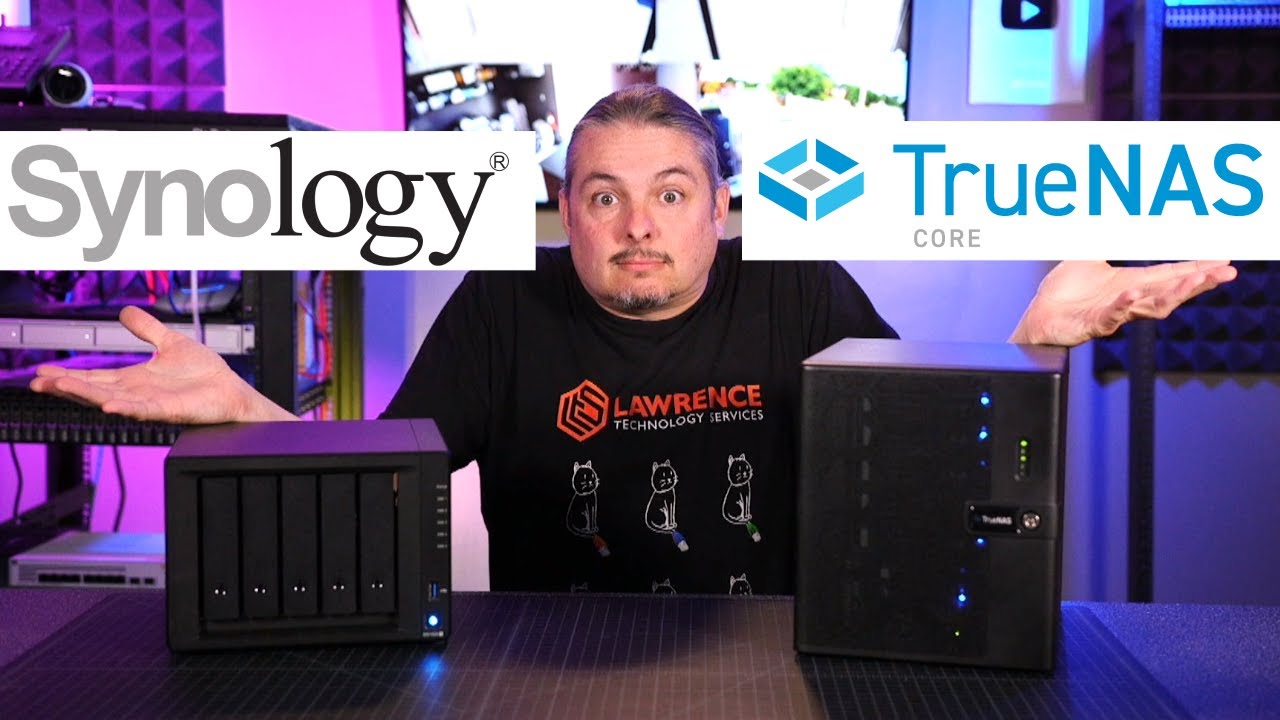
Connecting With Us
- Hire Us For A Project: https://lawrencesystems.com/hire-us/
- Tom Twitter 🐦 https://twitter.com/TomLawrenceTech
- Our Web Site https://www.lawrencesystems.com/
- Our Forums https://forums.lawrencesystems.com/
- Instagram https://www.instagram.com/lawrencesystems/
- Facebo...
feral sapphire
high widget
i do not have experience on NAS but i did find is video on Synology VS FreeNAS /...
thanks i'll check it out
high widget
feral sapphire
thanks i'll check it out
True NAS is open and free you can just build your own server out of old PC
if you want to go down the Rabbit Hole or you could buy one then the price will go high
unborn sluice
buy a synology then install truenas
feral sapphire
yeah i know but since i'll just ordered all the parts to upgrade form my qnap the extra cost of unraid wouldn't break the bank
feral sapphire
unborn sluice
buy a synology then install truenas
would be possible in theory
unborn sluice
possible doesn't mean you should
feral sapphire
i have to say some of the features of unraid are kinda genius like the option to not split files across drives so that they are readable if connected to a regular pc
high widget
i got Website for good old service parts but I don't know the rules are about sharing websites
feral sapphire
if its on topic should be fine (i guess)
high widget
ok i well IM a website on cheap second-hand server
peak cloak
feral sapphire
i have to say some of the features of unraid are kinda genius like the option to...
Well
Not really
The unRAID fs kinda sucks
If you want something actually solid
feral sapphire
peak cloak
Not really
but do you think it sucks?
peak cloak
feral sapphire
but do you think it sucks?
The filesystem, yes
feral sapphire
peak cloak
The filesystem, yes
but why does it suck?
rocky badge
@clear igloo I'm still debating the new fw
clear igloo
rocky badge
<@291198741862416384> I'm still debating the new fw
do it now 😄
rocky badge
The price isn't bad for what it is....
clear igloo
yah
tired imp
Just deployed PiHole to open it for the first time to a "there is a newer version" warning
image: pihole/pihole:latest
getting trolled here 
peak cloak
tired imp
Just deployed PiHole to open it for the first time to a "there is a newer versio...
docker images aren't always up to date with the latest version of the software
just because it's the latest image, doesn't mean it's the latest software
tired imp
That is sad, its a single github action away from being updated 😛
peak cloak
feral sapphire
but why does it suck?
one is dedicated parity drives, such a system sucks since you are limited by basically that single drive. ZFS on the other hand strips it on all the drives.
sure unraid has it's benefits, but I would not call it robust in any way
feral sapphire
peak cloak
one is dedicated parity drives, such a system sucks since you are limited by bas...
i've read that you can have a maximum of 2 parity drives which would be enough
peak cloak
feral sapphire
i've read that you can have a maximum of 2 parity drives which would be enough
still limited by single drive IOPS pretty sure
feral sapphire
yes you only get single drive performance but you could install cache drives
 hybrid badger
what to do when it says no internet access but im connected with ethernet
peak cloak
hybrid badger
what to do when it says no internet access but im connected with ethernet
it means it can't access the internet
there are many possible reasons
hybrid badger
if feel like ive tried everything but i dont know what to do i just built this pc and now this happens @peak cloak
it is saying i might have a limited data plan but i dont
tired imp
Ubuntu comes with something occupying port 53, lame af, had to follow some guide to free it and run my PiHole container properly
peak cloak
tired imp
Ubuntu comes with something occupying port 53, lame af, had to follow some guide...
yeah it's own dns server for host use pretty sure
 hexed wedge
TP-LINK TL-SG105 y or n?
peak cloak
hexed wedge
TP-LINK TL-SG105 y or n?
I mean it's a basic dumb switch, not much can go wrong
hexed wedge
do you have anything else to recommend?
tired imp
My pihole enthusists friends
It is running

How can I TEST that the DNS server is running?
and answering to results
Looks like nslookup is what I want, now...

Why looking up with "default" DNS is returning the wrong address
peak cloak
@waxen scroll ?
peak cloak
tired imp
Why looking up with "default" DNS is returning the wrong address
don't use domain names you don't own
either use a domain name you own, or use a reserved TLD
tired imp
Any reason I can't divert the traffic of these domain locally? 🤔
peak cloak
you technically can, but it's generally not recommended and can cause issues
tired imp
I wanted to use .local, but google chrome doesnt recognize it and does a search instead
.home is the same 😦
peak cloak
tired imp
I wanted to use .local, but google chrome doesnt recognize it and does a search ...
put http:// in front
but yeah it can be annoying
tired imp
very 😢
tired imp
I think I will just go against the recomendation and use .me or something 😛
peak cloak
or just buy one..
tired imp
But right now, it is not going through 🤔 Requests made are not obeying what is set in the adapter, weird
I have one, but is too long
peak cloak
tired imp
I think I will just go against the recomendation and use .me or something 😛
wait are you using like portainer.me, router.me?
tired imp
Why wouldnt I run into issues with my own domain if my local DNS says one thing, and the internet one says another? 🤔
Or you want me to configure my local IPs and CNAMEs on my Name Server?
peak cloak
tired imp
Why wouldnt I run into issues with my own domain if my local DNS says one thing,...
conflicts
peak cloak
especially now with dns over https and stuff
rocky badge
Stuff under home.ryois.me don't exist on my public dns
peak cloak
tired imp
Or you want me to configure my local IPs and CNAMEs on my Name Server?
like blob said, use a subdomain
tired imp
I will entertain the idea
peak cloak
and don't put it on public nameserver
rocky badge
I also have ryois.net lol
Which I dedicate to network stuff
The .me is more for public facing
tired imp
Ok, I have godinhosilva.com.br -> 192.168.10.62
this is my domain, it only has mail innit
peak cloak
rocky badge
The `.me` is more for public facing
I got a .tech for like my portfolio and stuff
with my actual name
presentmonkey is bit unprofessional ...
like ryois is still fine I think
rocky badge
I've been receiving quotes for Fortinet stuff under Ryois lol
tired imp
What could be the reason for things not respecting the DNS set on the adapter? 🤔

is this an IPV6 thing?
peak cloak
tired imp
What could be the reason for things not respecting the DNS set on the adapter? �...
it's set system-wide, not really adapter specific
peak cloak
tired imp
What could be the reason for things not respecting the DNS set on the adapter? �...
well like for portainer you want like portainer.godinhosilva.com.br
not your root
tired imp
yes, I will set CNAMEs as soon as the system starts hitting it
requests are not going through pihole, unless directly pointed
peak cloak
tired imp
What could be the reason for things not respecting the DNS set on the adapter? �...
you have public records on godinhosilva.com.br
see, conflicts
tired imp
Yes, but I don't have them yet as things are not even going through my local server
I will create the CNAME just in case
peak cloak
tired imp
Yes, but I don't have them yet as things are not even going through my local ser...
you do tho
; <<>> DiG 9.16.1-Ubuntu <<>> godinhosilva.com.br
;; global options: +cmd
;; Got answer:
;; ->>HEADER<<- opcode: QUERY, status: NOERROR, id: 62723
;; flags: qr rd ra; QUERY: 1, ANSWER: 2, AUTHORITY: 0, ADDITIONAL: 1

;; OPT PSEUDOSECTION:
; EDNS: version: 0, flags:; udp: 512
;; QUESTION SECTION:
;godinhosilva.com.br.           IN      A

;; ANSWER SECTION:
godinhosilva.com.br.    300     IN      A       172.67.221.220
godinhosilva.com.br. 300 IN A 104.21.59.91```@rocky badge getting into grafana
rocky badge
nice
peak cloak

setup alerts to notify me when off power
ideally it would be though sms, not internet, but meh
got a UPS finally
tired imp
Restarting again, just in case
