#networking
1 messages · Page 397 of 1
 trail venture
it will be for use with a home NAS setup so it does not need to be enterprize grade just affordable
 atomic warren
Switching to tmobile 5g internet, any tips/ advice
 meager ginkgo
atomic warren
Switching to tmobile 5g internet, any tips/ advice
meager ginkgo
atomic warren
Switching to tmobile 5g internet, any tips/ advice
Position it by a window
also use cellmapper to find the best place to put the gateway
meager ginkgo
trail venture
Can someone recommend a good 10Gb ethernet switch that is a small form factor 4-...
Is unmanaged fine?
atomic warren
meager ginkgo
Position it by a window
What cellmaper site do you recommend?
meager ginkgo
go to your location, and select T-Mobile as the carrier
leave the rest as default
each dot is a cell tower location
atomic warren
Oh thats perfect, thank you so much!!!
meager ginkgo
should help you decide what window to place it by 🙂
atomic warren
Looks like I have one projecting right behind my home.
Will trees distort the 5G?
I take that back
meager ginkgo
Any thing will make it slightly penetrate worse.
atomic warren
I was looking at 4G LTE
atomic warren
But it's 5G home internet?
meager ginkgo
There's two types of 5G.. without getting super technical, NSA 5G is the most common meaning it relies on 4G to function, SA 5G is less common and is completely standalone, you are likely using NSA 5G
 bronze smelt
Would i be better off with the built in wifi of a 550 mobo or a standalone card
meager ginkgo
atomic warren
Ah got it.
Just position the gateway by the window closest to the tower
atomic warren
thats what I am going to do
meager ginkgo
that should ensure the best speeds
atomic warren
thanks for the help
meager ginkgo
no problem.
Also play around with location still
just because there's a tower directly behind you doesn't mean it will connect to that
 clear igloo
atomic warren
Have you used 5g home internet before?
clear igloo
atomic warren
Have you used 5g home internet before?
I've got T-Mobile 5G for my dad, it's been great for him and he lives in a very wooded area
atomic warren
good it know I hope this is a good replacement for my wifi
clear igloo
Put the gateway close to a window and you're good, generally gets about 100up/down but can go as high as like 300-500 down
In the 6 months he's had it I had to call support once and they were awesome, took less than 5 minutes to get him back online
atomic warren
alright i have a lot of good places that i can put it
how much sq feet does it cover?
clear igloo
I turned off the wifi as he's got another router that covers a good area but when it was on I would say a good 70 feet in all directions at least, didn't check too closely
bronze smelt
bronze smelt
Would i be better off with the built in wifi of a 550 mobo or a standalone card
?
atomic warren
alright i have a larger home around 3000sqfeet so i hope it covers it well
meager ginkgo
atomic warren
alright i have a larger home around 3000sqfeet so i hope it covers it well
you might want to buy a mesh system to go with it
Try it out by itself first though
atomic warren
spectrum 200up 10down
meager ginkgo
if you're close to the tower and in a 5G UC zone you should get close or over that
atomic warren
spectrum as a company in my opinion hasnt been good shady hidden fees, adding stuff to my plan without consent etc
atomic warren
meager ginkgo
if you're close to the tower and in a 5G UC zone you should get close or over th...
thats what I hope when i type my address into tmobiles website it says 5G UC
meager ginkgo
Also have you checked if Verizon has home internet at your place
atomic warren
Verizon doesnt sadly
meager ginkgo
Only reason I say that is because they have a dedicated bridge mode for your own router
5G Home?
meager ginkgo
Ah well. The T-Mobile should do fine
atomic warren
if It can be better if not the same as spectrum then i will be happy
clear igloo
The only issue is you might have NAT issues with some games since you'll be behind carrier grade NAT unlike Spectrum with just one layer of NAT from your router to the internet
meager ginkgo
And you can't port forward or anything like that
meager ginkgo
What's the lowest plan Spectrum offers in your area out of curiosity
atomic warren
the lowest speeds or cost?
meager ginkgo
if it's somewhat cheap it might be worth it to bridge the two connections
clear igloo
Probably 200/10, depending on the area otherwise it's 100/5 I think
meager ginkgo
atomic warren
the lowest speeds or cost?
cost actually I guess
atomic warren
$80 a month
meager ginkgo
oh wow
atomic warren
they say 49 on their website for just a year then they hike you up
i could have a gig connection with fios for that money
clear igloo
yup, Spectrum is bad
atomic warren
Spectrum overall is bad
clear igloo
Spectrum, last I saw, was $130/month for 940/35
atomic warren
Thats why I hope TMobile is good so I can just cut ties with spectrum
clear igloo
Yah, if you're not like in a metal box you'll be fine
meager ginkgo
and if you don't care about more advanced functions
atomic warren
I don't really tbh.
As long as my smarthome works and everything I should be good
I have around 50 active devices running
clear igloo
I've got about 30 wireless and then a dozen or two wired things
atomic warren
yeah i have some of my clients wired depending on where the eeros are
meager ginkgo
👍
atomic warren
https://www.youtube.com/watch?v=V5DeDLI8_IM
this is going to be me in like 2 weeks

A group of cable representatives make it difficult for a customer to cancel his cable subscription.
Saturday Night Live. Stream now on Peacock: https://pck.tv/3uQxh4q
Subscribe to SNL: https://goo.gl/tUsXwM
Stream Current Full Episodes: http://www.nbc.com/saturday-night-live
WATCH PAST SNL SEASONS
Google Play - http://bit.ly/SNLGooglePlay
iTu...
meager ginkgo
You may want to consider using MoCA to connect the eeros hardwired to the T-Mobile gateway
atomic warren
MoCA?
meager ginkgo
Depends on how fast the gateway goes
 peak cloak
atomic warren
MoCA?
peak cloak
atomic warren
MoCA?
ethernet over coax
meager ginkgo
atomic warren
MoCA?
Ethernet over your cable tv lines
meager ginkgo
I wouldn't set it up until you know you need it tbh
atomic warren
(sorry for all the questions all this network stuff is new to me)
meager ginkgo
You'll know when your Eero's don't get close to the speed the gateway is directly
Basically you would have to buy MoCA Adapters
atomic warren
That seems expensive
meager ginkgo
eBay has new ones for $35/each I think
atomic warren
my house has coax mostly in every room and only one cat 5e port
meager ginkgo
If you want a wired connection i'd highly recommend it
meager ginkgo
So your setup would be T-Mobile Gateway -> Main Eero -> MoCA adapter (sending unit) -> MoCA adapter (Receiving Unit) -> Secondary Eero and so on
it sounds more complicated than it is
But again - i'd determine if you even need it
meager ginkgo
Yeah you usually only need them if you have thick walls or a big house
atomic warren
That LTE tower that is near me says it was last seen in march of 2022 does that mean anything?
atomic warren
meager ginkgo
Yeah you usually only need them if you have thick walls or a big house
i dont have thick walls but i have a big house
meager ginkgo
That just means that's the last time someone mapped it
atomic warren
oh alright
meager ginkgo
atomic warren
i dont have thick walls but i have a big house
again see how the eeros perform without being wired and go from there
The main eero should get the full speed from the T-Mobile gateway
the others are wirelessly connected i'm guessing
atomic warren
Wait sorry again. Do you mean connect the tmobile and the main eero through ethernet?
meager ginkgo
Yes connect the main eero to one of the T-Mobile's LAN ports
meager ginkgo
The main eero is wired to the modem/gateway
so that should be receiving the full speed
meager ginkgo
Wired is usually always faster than wireless
those are cell tower sectors, each antenna has a sector it covers
nothing really useful for you
meager ginkgo
That just means that covers you
atomic warren
Okay they are pointing to me so I guess thats a good plus
meager ginkgo
all you need off that map is the location
atomic warren
And is placing it on the highest floor a big benefit?
atomic warren
Okay i think I have my spot for it.
atomic warren
Thank you for the help I will let you know how it goes when I get it
Ah no worries its okay.
meager ginkgo
No problem 🙂
atomic warren
I look forward to being on the phone with spectrum explaining what I want to cancel them
meager ginkgo
Try multiple different placements of it disregarding the cell tower you mapped. Sometimes it can connect to other towers
atomic warren
They will probably try to sell me cable tv and a landline before i go
because having a landline is such a compelling offer
meager ginkgo
haha
I feel you
Oh one more thing you may also want to join the T-Mobile discord server
they can help you troubleshoot any issues you have.. I can dm you the link if you want
atomic warren
I think I am already in it
meager ginkgo
Yep saw you. You're good
 meager ginkgo
yep
trail venture
meager ginkgo
Is unmanaged fine?
sorry for the long delay its just for local data transfer between 3 computers at home so yes unmanaged is fine
atomic warren
meager ginkgo
yep
On the tmobile network getting 465/50 on the highest level
meager ginkgo
atomic warren
On the tmobile network getting 465/50 on the highest level
awesome.
 quasi bramble
Anyone have experience with port forwarding a nas directly connected to the router to another upstream router?
Tried port forwarding port 445 on the downstream router's lan ip and tried activating port triggering on 445 but no luck
Not trying to expose the shares to the outside web, just want the files accessible across 2 different subnets. My network topology is a bit of a mess because starlink is my ISP
peak cloak
quasi bramble
Not trying to expose the shares to the outside web, just want the files accessib...
Ah, double nat
Should just need to portforward on downstream router
And the connect with the router IP
If starlink router supports static routes you could get rid of double nat while maintaining multiple subnets
Or you could bridge downstream router
quasi bramble
peak cloak
If starlink router supports static routes you could get rid of double nat while ...
Starlink router supports absolutely nothing, can't even set static ips
quasi bramble
It has an ethernet port for connecting an external router but afaik no way to disable dhcp or any of that stuff on it. So I've got an asus router connected in ap mode acting basically as a wired switch and then my main router with the nas drives is connected to one of the lan ports of that
peak cloak
quasi bramble
It has an ethernet port for connecting an external router but afaik no way to di...
Since starlink is cgnat, I would just connect second router, and not use the starlink one at all except for the connected router ofc
That way everything is on same subnet
quasi bramble
That's what I was doing but the problem is the main router is in my bedroom and I want to set up a home server but don't really want it running 24/7 in my bedroom. Hence why I added the asus ap/switch hoping to set the server up downstairs in a closet beside where the starlink comes into the house
Actually now that I think about it I guess I can just swap the main router with the asus ap/switch
peak cloak
Yeah
quasi bramble
peak cloak
Yeah
Thanks, gonna try that
 frigid sphinx
you need 4 addresses for a point to point link (network, broadcast, gateway, other gateway)
peak cloak
frigid sphinx
you need 4 addresses for a point to point link (network, broadcast, gateway, oth...
not necessarily
requires vendor to properly support it but here's the first rfc explaining it https://datatracker.ietf.org/doc/html/rfc3021
Using 31-Bit Prefixes on IPv4 Point-to-Point Links (RFC 3021)
frigid sphinx
ok so yes this also allows for /32's if you're doing circuit termination of subscriber connections..
 solar kestrel
I am having a weird issue with unifi. I have a few remote networks in different vlans traveling through layer 2 tunneling devices, but as of 3 days ago, I am unable to successfully load the webpages from some remote devices. My pings to these devices average 57-65. I thought maybe it was the isp at these sites, but I am able to remote into a computer onsite and access the devices with no problem. Any ideas?
 median quail
Im trying to use a Raspberry pi 3 as a ethernet bridge for my computer and it wont forward the internet. My pc sees the connection as "identifying..." and no internet
 gloomy coral
Hey!
I'm trying to fix my Nat Type being Strict, have tried enabled UPnP, can't figure out. I don't know what is a DMZ, so I won't touch that for now. I can't play with anyone or my brother can't, since our nat type is strict. Any way to fix it? Our router is connected to a modem downstairs.
Thanks!
 waxen saddle
DMZ = DeMilitarized Zone. A kind of zone you might stick a web server for hosting web pages on the Internet.
..so not really useful for your situation. 🙂
frigid sphinx
you can put your playstation into a dmz on a consumer router but it's a very very terrible idea
 grand stratus
waxen saddle
DMZ = DeMilitarized Zone. A kind of zone you might stick a web server for hostin...
grand stratus
waxen saddle
DMZ = DeMilitarized Zone. A kind of zone you might stick a web server for hostin...
you wouldnt do that, you would open up ports 80 and 443 only, you would never DMZ a web server, or any server where you didnt want it to be attacked constantly
waxen saddle
grand stratus
you wouldnt do that, you would open up ports 80 and 443 only, you would never DM...
Thank you for contributing to the irrelevancy of the DMZ.
grand stratus
DMZ should not be a thing on consumer level equipment now, there are some uses for it in industrial and commercial equipment, but in your home... it just shouldnt be a thing
waxen saddle
grand stratus
DMZ should not be a thing on consumer level equipment now, there are some uses f...
And yet, there it is. But again, it’s not relevant to the situation.
peak cloak
grand stratus
you wouldnt do that, you would open up ports 80 and 443 only, you would never DM...
You still open ports on DMZ
At least in my understanding
At a network level, you need to cuz NAT
On my network "DMZ" is implemented so it can't access lan
That's the point, so if server gets breached or something, there's no LAN access
Dont get me started on NAT type
What's type of BS is that
grand stratus
peak cloak
You still open ports on DMZ
DMZing a machine effectively places it outside of the "protection" of nat, direct access to everything on the machine. sort of a "try this first, unless there is a rule to say no". so if i hit an ip on port 80, and a machine was DMZed on that network, the router would first try to route me to that DMZed machine, unless there was a specific route to another machine for that port
peak cloak
grand stratus
DMZing a machine effectively places it outside of the "protection" of nat, direc...
how does that work, you only get one ip
still needs to be natted
hmm
grand stratus
like i said, the router automatically tries the DMZ machine first if there is a DMZ machine
if there is not, there MUST be specific rules
grand stratus
the more you actually dig into networking, especially the low level stuff, the more you realise that the internet exists entirely because a bunch of smaller networks trust each other and each of those smaller networks hope that those smaller networks dont screw each other over. the internet is held together by hope...
peak cloak
grand stratus
the more you actually dig into networking, especially the low level stuff, the m...
yes
bgp, literally based on trust
well now there's rpki
grand stratus
"i know you well enough to trust that you wont balls this up, so im gonna let you in on this party"
and, the best thing is, as long as you are wired in, and the service you are connected to is wired in, its theoretically possible that you and the server you are connected to are connected by what is essentially 1 very very very long copper wire
grand stratus
although these days, that copper wire is terminated at optical transceivers
peak cloak
 waxen scroll
this is why we only hire senior
waxen scroll
this is why we only hire senior
pulls a facebook
grand stratus
the best thing about the facework bgp meltdown was that because facebook was down, facebook staff couldnt use their internal credentials to get into the building to fix the problem
waxen scroll
peak cloak
pulls a facebook
amazon keeps asking me to apply
FB did once too
All the bad press must be hurting
grand stratus
friend of mine just quit amazon and moved back to his previous job. said its an absolutely horrendous place to work
he was there as a developer, and was very well paid... but... he said the level of pressure they put you under, and the level of performance they expect, is nowhere close to worth the money
 rocky badge
@meager ginkgo Went to university in Johnson City today :) Their wifi was really good.
They had Catalyst WiFi 6 APs everywhere.
meager ginkgo
rocky badge
<@390856614942474241> Went to university in Johnson City today :) Their wifi was...
Niceee
rocky badge
meager ginkgo
Niceee
160Mbps in highly dense areas
meager ginkgo
Brightridge?
rocky badge
still sub 10ms ping and 0-0.5 jitter
meager ginkgo
damn
rocky badge
MountaiNET
meager ginkgo
ah never heard of them
rocky badge
They technically have their own ASN
but Mountainet and CenturyLink/Level3 are their only peers
on the WiFi at least, they do NAT.
They also "only" have 66,560 IPs originating from their AS
waxen scroll
rocky badge
but Mountainet and CenturyLink/Level3 are their only peers
Lumen.
rocky badge
Yeah
waxen scroll
I got a friend who works there now. Not 100% sure if hes useful for rerouting requests or not
@hollow marlin maybe some day I'll quit enterprise
SP sounds annoying though
waxen scroll
they're wrong
the VPN is only a tunnel. You're establishing TCP to the file share
I'm kind of surprised your network people think that 😄
I once applied to a job that had two openings. Senior and Regular. I lost senior to this guy who was like your coworker
Was kind of mad
rocky badge
@waxen scroll Would you run a /20 on a network for WiFi lol
waxen scroll
I dont think so, but not like I did networks in 2000
@rocky badge for public? idk probably
as long as clients cant talk to one another it doesnt matter
rocky badge
but it can lol
waxen scroll
are broadcasts off?
waxen scroll
I've seen 20+ on publics
but obviously those limit what talks to what
Most I've seen on non-public might be like /22
rocky badge
This was the main ssid for the university
Radius auth with my account so it probably dropped me into a student or something VLAN
waxen scroll
wait so you're finally done with HS?
rocky badge
Graduate in 16 days
waxen scroll
gg
rocky badge
Was at uni orientation today lol
waxen scroll
What are you learning
rocky badge
Comp sci lol
waxen scroll
do you actually code / like coding?
rocky badge
Yeah
waxen scroll
its a big problem coming up in IT admin/engineer realm
So many APIs being introduced but people dont really code
waxen scroll
I code but I'm not fast at it and I mostly do it for fact finding
rocky badge
This uni is probably full stack Cisco
I see them using Cisco routers, switches, APs, identity services, and cloud email scanning
waxen scroll
dunno. unis are mixed bags. Don't be surprised to see juniper/cisco/arista/etc in the same uni
rocky badge
APs are all Cisco
waxen scroll
Juniper for VPN/Firewall/DC, Cisco for LAN access, Meraki for wireless
rocky badge
oof
waxen scroll
Yes. omg. screw juniper FWs
I'm sure they're better now. Ciscos are NOT better now
gotta use checkpoint or palo
I feel bad for any security sales people at cisco
it must suck
peak cloak
rocky badge
Graduate in 16 days
That's pretty early
peak cloak
Still, mines all the way near the end of June
rocky badge
ew
peak cloak
It's funny, since I have this weird dual enrollment thing at my school, I graduate college with associates before HS
rocky badge
lol
peak cloak
Gonna go for mech engineering
So many kids in my class going for computer science, which aren't really that tech savvy. Pretty surprising
 trail venture
Figured I would ask again can someone recommend a affordable 10Gigabit network switch Unmanaged Small form factor 4-6 ports RJ45
peak cloak
@rocky badge expecting the worst for dorm internet at the school I'm going to
rocky badge
 peak cloak
VPN tunnel will be ready..
rocky badge
classes cancelled, Netflix rise up
trail venture
There are so many cards but all the switches I find with this spec are huge rack mount jobs
rocky badge
peak cloak
<@236237361703288842> expecting the worst for dorm internet at the school I'm go...
I'm actually expecting it to be okay
peak cloak
Yours seems like a tech school
rocky badge
it doesn't seem like they are throttling WiFi
it is purely an AP/connection limit
so a wired connection probably won't be bad
rocky badge
peak cloak
Yours seems like a tech school
it is not primarily a tech school but it's one of the largest with a computer science/computing college in the state
I think they also upped the residence hall WiFi device limit to 10 from 5
peak cloak
I am looking at the faq and it says wireless routers are prohibited..
Kinda reasonable tbh cuz all the ssids
rocky badge
most allow switches but nothing that emits WiFi
they have a policy in place, one CAT6 drop per bed
peak cloak
Yeah
I'm prob gonna bring a hex
So I can tunnel back home
And host public stuff via vps
rocky badge
for now I'm just bringing an unmanaged 8 port gigabit switch
but i might bring a fortigate or something
Although I would only have one computer, my laptop, everything else would be back home. So there's no stopping me from just running the VPN on my laptop.
peak cloak
I have a hex lying around so why not
peak cloak
rocky badge
Although I would only have one computer, my laptop, everything else would be bac...
I may take one of my servers
It's just a little office desktop
rocky badge
I would have no use lol
rocky badge
Apparently the digital media center has a render farm
 woven osprey
I know this chat is not for basic tech support questions but I have a strange issue on my network. I get an error when connecting to websites (on a browser specifically). About 20% of the time I get this error, "DNS_PROBE_FINISHED_NXDOMAIN"
I just got service set up through my ISP recently and correctly registered my own modem that I bought on Amazon. Everything up to that point works fine, until I add my router to the equation. I have manually set the DNS on the router, and the issue seems to happen less often. I called my ISP and Netgear, and neither can help me. I'm out of ideas, anyone seen this error before?
 sudden kayak
that doesn't sound like a basic tech support question to me, i think you're good. when you say 20% of the time, is that consistent on a site to site basis (i.e. 20% of sites never work), or more like 20% of any random web request fails?
and does it fix itself if you request a few more times?
woven osprey
sudden kayak
and does it fix itself if you request a few more times?
it seems like any time i hit a shortcut, it just has a %20 chance of working no matter what site it is. (netflix, youtube, amazon, etc.) and it will either load itself in about 5 seconds, or if I refresh the page enough it will load.
it doesn't prevent me from using the internet its just highly annoying
sudden kayak
hmm that sounds like it could be one resolver that is having a problem in a pool or something
you mentioned setting up dns on your router, what dns resolver are you using?
woven osprey
i tried 1.1.1.1 4.4.4.4 8.8.8.8 and 8.8.4.4 and all are better than the "auto" setting but still giving me issues
sudden kayak
and you're not running pi-hole or anything locally right, just having your router tell all dhcp clients to use that dns resolver?
unless your router is doing something weird with intercepting and hijacking dns... but i can't imagine any consumer router doing that out of the box
woven osprey
yes, no pihole or VPN or anything fancy. I'm using otherwise stock settings on the modem and router. It goes ISP > modem > router > wired to my PC. I factory reset both devices when I got them just to be sure.
Netgear CM600 modem and Netgear R7850 router
sudden kayak
assuming there's nothing weird going on with your PC itself, it should be hitting the specified dns resolver every time and nothing should be changing
and if you've tried it with multiple resolvers that definitely rules out an actual upstream problem or partial outage
woven osprey
weirdly enough this will happen to laptops on the wifi and phones too
sudden kayak
when you've tried different resolvers, have you restarted your pc and the router too?
the router's configured resolver is just what's offered in dhcp settings, so some client devices won't pick up a new setting until they're either disconnected and restarted, or their dhcp lease times out
its possible whatever the default setting was on your router got advertised on dhcp and never refreshed with the clients
sudden kayak
no prob
that's the boring answer and there's a pretty good chance it'll fix things but if not, someone else here will probably be able to help more
 gilded ice
when devices have webpanels are the ips all similar or completely different
i mean yeah routers are 192.168.1.1 but like cameras and databases and lan stuff
 unborn sluice
gilded ice
i mean yeah routers are 192.168.1.1 but like cameras and databases and lan stuff
unborn sluice
gilded ice
i mean yeah routers are 192.168.1.1 but like cameras and databases and lan stuff
the reason routers are 192.168.1.1 is because typically they are literally the DHCP server that gives out these IPs
gilded ice
ok but like a webcam or a webpanel for something on lan
do they all have the same ip with different last 4 numbers or is it completely different
unborn sluice
gilded ice
do they all have the same ip with different last 4 numbers or is it completely d...
it's DHCP. we won't know for sure the IPs they would be given
 gray knoll
gilded ice
do they all have the same ip with different last 4 numbers or is it completely d...
gray knoll
gilded ice
do they all have the same ip with different last 4 numbers or is it completely d...
The DHCP gives out IPs, as it sees fit. Usually (in Home LANs at least) they are all in the same /24, meaning that the IPs only differ in the last block (after the third .).
Atleast thats how legacy ip works, I dont think IP even has DHCP-Server (but I could be mistaken)
Oh btw I tend to call ip 4 Legacy IP and v6 IP, since v4 is as far as I know marked as legacy.
frigid sphinx
it's 8% of the internet? it's hardly been a successful transition I like v6 but I don't think it's taking the world over we've been out of ipv4 allocation for some time now. the commercials of it here only just caught up with people to a point that they're deploying v6 with CNAT for v4 because of the costs for IPv4 blocks
ok it's ~35% of the internet that's higher than I thought.
I have dual stack working but it's hardly been painless and it barely get's used for anything other than google searches and facebook
unborn sluice
routers and switches
waxen scroll
What my man is saying is you're in the wrong chat. We do networking
@rocky badge what's your senior prank going to be
rocky badge
i can fuck the nvrs  /s
/s
waxen scroll
reddit had a dude who rick rolled all networked projectors in the school district
rocky badge
they left idrac open on the nvrs with default creds 👀
waxen scroll

rocky badge
waxen scroll
reddit had a dude who rick rolled all networked projectors in the school distric...
w edon't have that
BUT we have intercoms lol
with default creds
waxen scroll
Back when novell was a thing we had the ability to blast messages to the whole district after tweaking a registry key
rocky badge
their physical security of networking rooms is awful lol
their physical security is just bad overall
waxen scroll
have you tried making a switching loop yet?
rocky badge
My teacher has a master key that gets him into the MDF
They have stp
And I’ve actually accidentally did it one time lol
peak cloak
rocky badge
BUT we have intercoms lol
Same
All the IP speakers are open with default creds
peak cloak
rocky badge
It’s the appliance controlling them

They use informacast
That server is at least secured from what I saw
I wonder if I can setup a SIP and have them use that as well
rocky badge
peak cloak
That server is at least secured from what I saw
I wonder if I could use the server as a bridge to the intercom VLAN
Because it’s on the school VLAN and intercom VLAN
 hollow marlin
peak cloak
I wonder if I can setup a SIP and have them use that as well
hollow marlin
peak cloak
I wonder if I can setup a SIP and have them use that as well
We have tons of customers that we integrate SIP and intercoms. Many have moved intercoms right to the IP phones
 pulsar thorn
That gives me some ideas for my senior prank…
Problem is I’ve been taken to cops for something similar at school, so I risk big trouble…
unborn sluice
pulsar thorn
Problem is I’ve been taken to cops for something similar at school, so I risk bi...
Weigh if it's worth
 wanton coral
can anyone tell me which 2 networks in this cisco config are directly connected?
 peak cloak
wanton coral
can anyone tell me which 2 networks in this cisco config are directly connected?
peak cloak
wanton coral
can anyone tell me which 2 networks in this cisco config are directly connected?
the ones that say directly connected.....

wanton coral
peak cloak
the ones that say directly connected.....
so 192.168.10.0 & 192.168.10.1?
peak cloak
wanton coral
so 192.168.10.0 & 192.168.10.1?
there's more
wanton coral
oh do the serial ones count too? i thought those were like
management COM ports or something
clear igloo
wanton coral
so 192.168.10.0 & 192.168.10.1?
5.5.5.0/30 and 192.168.10.0/24
wanton coral
clear igloo
5.5.5.0/30 and 192.168.10.0/24
Thank you! I have another question if you might be able to shed some light on - why do routers block DHCP requests by default?
Specifically the discovery broadcasts
peak cloak
wanton coral
Thank you! I have another question if you might be able to shed some light on - ...
routers in what context? enterprise cisco I assume?
clear igloo
wanton coral
Thank you! I have another question if you might be able to shed some light on - ...
Broadcasts to 255.255.255.255 are segment specific
peak cloak
^
wanton coral
ohhhhhh i was wondering if it was segment related but was unsure
clear igloo
That's why you need ip dhcp helper on cisco routers or the equivalent on others because it will encapsulate it into unicast to be routed to the end DHCP server
peak cloak
wanton coral
ohhhhhh i was wondering if it was segment related but was unsure
anything broadcast is segment specific
wanton coral
alright gotcha, thank you both!
clear igloo
Multicast is a different story though and NOT something you want to wrap your head around early on 😄
wanton coral
ive only picked up a networking course at the start of this year and its hurting my head :(
clear igloo
I mean the concept is easy enough, you have one host that sends to a bunch of hosts the want to listen to something BUT then you have little nuances about PIM trees and whatnot that really hurt the brain
peak cloak
peak cloak
I've learned by doing for the most part
not something you want to be doing in prod
clear igloo
peak cloak
*not something you want to be doing in prod*
best testbed is production testbed 😄
wanton coral
so what would be the best way to kind of answer this question "DHCP discovery broadcasts are blocked by routers intentionally; briefly explain why routers block these broadcasts and the effect it has on the whole network"
peak cloak
wanton coral
ive only picked up a networking course at the start of this year and its hurting...
do they still teach class addressing
wanton coral
yes
peak cloak
smh
peak cloak
wanton coral
so what would be the best way to kind of answer this question "DHCP discovery br...
like many academic questions I don't like the wording, it's just they they aren't passed along to other segment/subnets, not really blocked in a sense.
wanton coral
yeah half the questions just confuse the hell out of me but they are the dam simplest thigns
wanton coral
theyre making us learn html
peak cloak
learning html is kinda useless for actual programming
python is way more useful
html really isn't a programming language, there's no logic
clear igloo
HTML can maybe kind of sort of help you think about construction of programming if you squint and tilt your head a bit
wanton coral
i think its coming along nicely
 peak cloak
many people I find get so stuck up in the syntax, they miss the whole logic part of programming
I know html, but it's not like I can make something from memory
always looking stuff up
like syntax of lists and stuff, because I forget. It's not like I'm doing that the whole time
wanton coral
i know what in IDE is but the first time my teacher was showing us tools to code on i was just like
MMMM CLAYMORE???
 shrewd blade
you ever spend 2 hours trynna work out why the fuck your switch won't work and then realise you plugged a standard rj45 into the console port instead of one of those rj49 to db9 connectors thingy madongles.
it is definitely late at night.
 long thistle
peak cloak
learning html is kinda useless for actual programming
long thistle
peak cloak
learning html is kinda useless for actual programming
unless you want to be frontend dev
HTML, CSS + React.js (+ react-router, Redux, etc.)
peak cloak
long thistle
unless you want to be frontend dev
it doesn't teach much if any of actual programming paradigms and such
it's just a markup language
in that case, JS is what you need
and then you should have some knowledge of the technology underneath
looking at you, networking
long thistle
peak cloak
in that case, JS is what you need
but you can't start without HTML
peak cloak
long thistle
but you can't start without HTML
technically you can, but it should be taught together with HTML
frigid sphinx
HTML, + CSS + webassembly is pretty much programming tho (particularly webassembly)
I really liked https://nandgame.com/ for teaching low level programming (how computers acutally work)
An educational puzzle game. Solve a series of tasks where you build increasingly powerful components. Starts with the simplest logical components and ends up with a programmable computer.
but most 'programming' is about data formatting and data transformation. the code is simple when the data is in the right format/arrangement
 faint orchid
not sure if this would go here. I have a Netgear AC1750 model R6400V2 that not too long ago the 5Ghz simply dropped. Iv tried factory resetting, trying the current version which is 1.0.4.126 and even trying a random previous version. Iv also tried disabling and re-enabling the frequency and even turning off the wifi with the wifi power button and still nothing. any suggestions?
sudden kayak
honestly that sounds like it could just be a hardware failure if you've tried flashing multiple different firmware versions and the problem persists
how old is it? you might try contacting Netgear for an RMA
 frank haven
Kinda thinking about getting an actual router for my internet not rent one fron the people I get internet from but just find it super confusing so could anyone give something to help me figure out what I need
Idk crap about internet
Also I would preferably like to have a 1 gigabit cable router as that is what I am paying for
meager ginkgo
do you know what speed you have
frank haven
1 gbps
meager ginkgo
over cable?
frank haven
Over wifi
sudden kayak
what provider if you're comfortable sharing? compatibility is usually pretty easy to figure out but sometimes there are exceptions
frank haven
Cincinnati bell
meager ginkgo
Ok that looks to be fiber
frank haven
meager ginkgo
do you know what speed you have
I pay for 1 gbps but get 90~ mbps down and 110 up or vise versa
meager ginkgo
frank haven
I pay for 1 gbps but get 90~ mbps down and 110 up or vise versa
Well that would be the first issue I'd resolve
frank haven
This is not over cable tho
sudden kayak
what speed if you plug in ethernet
frank haven
I will check cable in a minute
meager ginkgo
oh yeah, check ethernet
sudden kayak
if you're already renting a modem from them and not getting the speeds you're paying for (over ethernet), it's on them to replace it with something that can handle the full speed
unfortunately with wifi, there's not much you can do except buy an upgrade yourself
frank haven
I am on wifi 6
frank haven
My comp is
meager ginkgo
So you're not on wifi 6 then likely
meager ginkgo
You need a wifi 6 compatible router to get wifi 6 speeds
meager ginkgo
yeah that would be helpful
frank haven
Aight lemme find the photo
EMG3415-B10A
I see know it only says gigabit Ethernet
Lol was curious about testing the speed of my one bar of 5g not even 1mbps down
7 up
frank haven
meager ginkgo
yeah that would be helpful
You got the model number?
sudden kayak
yeah so that's just wifi 5 and not the fastest of those
so a solid wifi 6 model will help
frank haven
And what do I need and what is compatible
I have no idea what I am doing
So is it like plug in play or is it hard
So is thing good
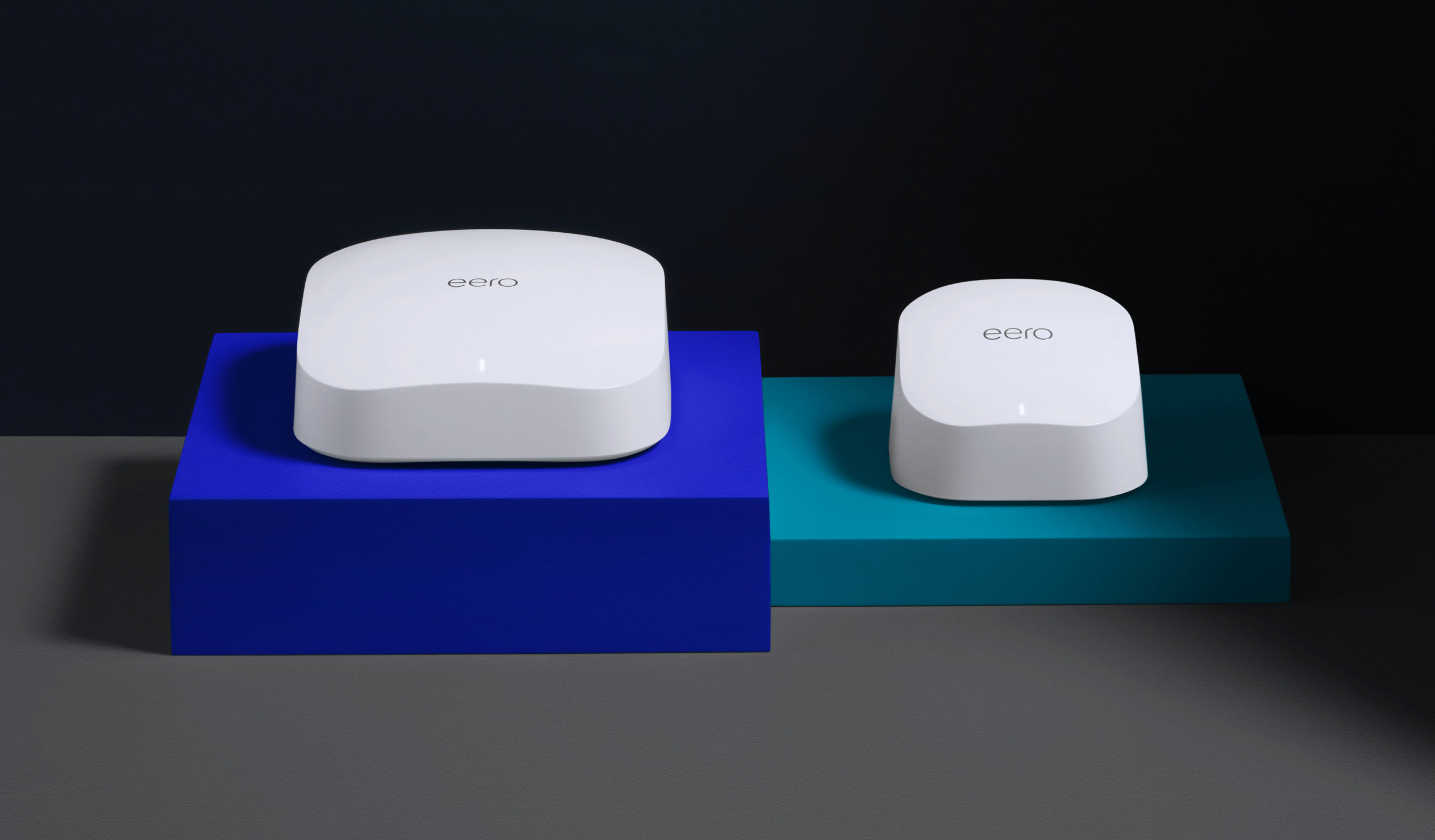
eero is the world’s first home WiFi system. A set of three eeros covers the typical home. They work in perfect unison to deliver hyper-fast, super-stable WiFi to every square foot. It’s simple to set up. Easy to manage. And gets better over time with new features and improved performance. Stream video, get work done, or swipe right in any room —...
What are some good bang for the buck gigabit over internet reputable brands the thing above says it can do gigabit over wifi 6 but idk if it’s a good brand
peak cloak
Gigabit is technically possible over wifi but it's hard
Better to just use Ethernet
When possible
frank haven
peak cloak
Gigabit is technically possible over wifi but it's hard
I mean the thing above claims to be able to do gigabit over internet
And Ethernet doesn’t make much sense unless I want to run it through walls and it would be reality long runs
peak cloak
frank haven
And Ethernet doesn’t make much sense unless I want to run it through walls and i...
ethernet can do 100 meteres
peak cloak
frank haven
I mean the thing above claims to be able to do gigabit over internet
you mean over wifi?
frank haven
And thing I currently am renting will sometimes drop signal and doesn’t have as much coverage as desired
frank haven
peak cloak
you mean over wifi?
Yes
frank haven
My dad has been complaining to me (the only person in my house that knows anything about tech at all) that our current router doesn’t have desired coverage and speeds and sometimes drops connections entirely
So I finally decided to look into it my mom says no cables so
It’s about getting good coverage and speed over wifi
And I want to take advantage of the gigabit we are paying for but current router is only offering it over Ethernet
frank haven
frank haven
https://eero.com/shop/eero-6-plus?gclid=CjwKCAjwsJ6TBhAIEiwAfl4TWHdptPTOzEhpIj5b...
So are these good or is their a better brand
peak cloak
I mean I guess? mesh isn't the best, but it could be better than your current situation
frank haven
Do you know of a better product?
I will have to leave soon and will check responses when I get back but will be here for the next 5 min or so
peak cloak
not without running cables
frank haven
peak cloak
not without running cables
I mean there is a pre run cable that comes from the thing in the basement think it is the modem to where the router is currently
If running cables is the only option I will tell my dad that we have to plan a vacation for my mom so we can run them lol
peak cloak
with wifi you can try, but won't be guaranteed gigabit
frank haven
I mean as long it’s better then what I have
peak cloak
what do you have rn?
frank haven
Some random ass shit from Cincinnati bell
peak cloak
like speeds wise
frank haven
Tops out at ~120 mbps up and ~150 down rn next to it with wifi 6 in my comp
But coverage is horrible to
I am redoing my basement and some of the wifi down there is really slow haven’t tested down their yet but it’s the slowest in my house
Just leave suggestions here or dm them to me I will check in ~45 min
meager ginkgo
frank haven
If running cables is the only option I will tell my dad that we have to plan a v...
Do you have coax/cable tv jacks in your house?
Looks similar to this

If you do, you could consider MoCA networking to hardwire the wifi access point
a wifi access point is a seperate device from your router that gives off wireless
waxen scroll
I wish Linus would shave.
 low pond
waxen scroll
I wish Linus would shave.
low pond
waxen scroll
I wish Linus would shave.
Hmm same
frank haven
meager ginkgo
Looks similar to this
I can check
meager ginkgo
yeah you can get up to 2500mbps over them with an adapter
frank haven
I only pay for 1 gbps
meager ginkgo
that's fine, you will only get up to gig speed from them then
meager ginkgo
👍🏻
It's fairly easy to setup if you can access the place they all go. It's usually on the side of your house in a box.
Then you get an Ethernet output from one of the adapters and hook that up to the router/access point
frank haven
meager ginkgo
Looks similar to this
No I don’t have any
meager ginkgo
frank haven
No I don’t have any
Ah okay. Then Eero Pro would probably work
I'd personally avoid the regular eeros, due to not having a dedicated channel for meshing
 velvet jolt
If someone wipes and reinstalls windows on a used pc because they are afraid the current windows installation could have malware or something bad, are they paranoid?
peak cloak
no
waxen scroll
velvet jolt
If someone wipes and reinstalls windows on a used pc because they are afraid the...
no
peak cloak
that's what you should be doing
frank haven
velvet jolt
If someone wipes and reinstalls windows on a used pc because they are afraid the...
Those are softwares that will find most of it
Without losing data
peak cloak
well still, reccomended to wipe
frank haven
Ones called malewarebyte I used it before
velvet jolt
Yeah. It already looks wiped but you never know. Thank you. Sorry for wrong channel.
frank haven
Np
peak cloak
frank haven
Ones called malewarebyte I used it before
still may not be able to find everything
frank haven
But will find majority
frank haven
velvet jolt
If someone wipes and reinstalls windows on a used pc because they are afraid the...
Should keep Chanel to specific topic
Wait lol
velvet jolt
frank haven
Should keep Chanel to specific topic
Yes. I realized wrong channel after that. Sorry
frank haven
Clicked on the wrong thing to reply to
Didn’t mean to reply to you meant to reply to my question
meager ginkgo
frank haven
So the eero+ is the same as the eero pro right?
no
eero+ is different, eero pro 6 is what you'd want
or maybe even a refurbished regular eero pro
frank haven
I found the pro thank you
meager ginkgo
👍🏻
meager ginkgo
you could always buy them seperately
frank haven
Wut
woven osprey
@sudden kayak I spoke with you a few days ago about my DNS issues being weird, I resolved it by downgrading the firmware on my router 🤦🏼♂️ I hate Netgear
meager ginkgo
frank haven
Wut
missed a word 😛
meager ginkgo
yeah, just letting you know you have options.
frank haven
Yeah
meager ginkgo
If your house isn't very big you may be fine with one.
frank haven
Makes sense thanks
It probably needs two
It exceeds the recommended square coverage of one
meager ginkgo
ah yeah then thats what I'd do 👍
frank haven
Now if I get multiple would I want to put them on different floors or put the second one in the weakest area
peak cloak
well not the weakest area
meager ginkgo
I'd try to stack them on top of each other on different floors
peak cloak
because it still needs wifi signal itself
frank haven
meager ginkgo
I'd try to stack them on top of each other on different floors
Ok that should be easy then
meager ginkgo
yep
frank haven
So one would get pluged into the fiber cable coming out of my modem into one of them
And then the other just gets power?
peak cloak
not fiber, you would need ethernet
meager ginkgo
^
frank haven
Ok
meager ginkgo
they should include Ethernet cables
frank haven
I will double check if it’s Ethernet
peak cloak
what ISP do you have btw?
frank haven
Cincinnati bell
meager ginkgo
I believe it's a fiber ISP
meager ginkgo
Yeah then you would just unplug that router and swap it out
peak cloak
just asking because with like ATT it's technically ethernet out of fiber converter, but it's encrypted and stuff until it goes to their gateway
frank haven
Ok
meager ginkgo
peak cloak
just asking because with like ATT it's technically ethernet out of fiber convert...
I have to deal with this unfortuantely
frank haven
Rip
peak cloak
meager ginkgo
I have to deal with this unfortuantely
there's ways around it
meager ginkgo
peak cloak
there's ways around it
Yeah I know.. but I don't have a router that can do it
frank haven
I am almost home
meager ginkgo
And I don't want to do the dumb switch method
meager ginkgo
sounds good
frank haven
Is this modem?
 peak cloak
no
frank haven
Ok
peak cloak
what does the fiber go to
 meager ginkgo
yes
meager ginkgo
What's plugged into the back of that
frank haven
 meager ginkgo
So that beige cable will plug into your router then
frank haven
Power white Ethernet cable not plugged into anything used it to get wifi driver for computer
peak cloak
frank haven
Into the ceiling
what about the other fiber?
meager ginkgo
other one comes from the street im pretty sure
frank haven
I will go check
frank haven
meager ginkgo
other one comes from the street im pretty sure
Yes one does 99% sure
peak cloak
weird if the ONT /Modem is hidden
frank haven
Ooooooooo
rocky badge
Huh that's interesting. So they are using that single pon to bring rfog and ip services, but you don't get a RF output lol
meager ginkgo
You don't need to find the ONT I don't think
peak cloak
rocky badge
Huh that's interesting. So they are using that single pon to bring rfog and ip s...
yeah interesting
rocky badge
If you just want to replace your router, you only care about the cable going into your existing router's WAN
frank haven
 rocky badge
since it's not fiber going in
meager ginkgo
yep what blob said
frank haven
Ok
meager ginkgo
there's no need to do anything with the ONT
peak cloak
frank haven
ok yeah, you should be fine to plug router in
rocky badge
They probably need it to filter out rfog wavelengths though
frank haven
So just plug and play past initial set up
peak cloak
it's a big ont, so it most likely doesn't do anything like ATT does
peak cloak
frank haven
What is an ont
modem and ONT are usually intergangebly, but modem usually is used to describe what terminates/converts coax/dsl to ethernet, while ONT (optical network terminal) is used for fiber
rocky badge
■ Input wavelength: 1540-1565nm
■ (Output to ONT) Wavelength: 1610 ±10nm
Because it's basically splitting the wavelength and providing for each separate service while providing a coaxial output.
frank haven
Ahh ok
rocky badge
So TV services Cinci bell provides probably isn't IP VLAN based but rather coaxial/DOCSIS
frank haven
I understood none of that
meager ginkgo
do you have tv through them?
frank haven
We pay for it but don’t have it run
peak cloak
frank haven
I understood none of that
technical stuff you don't need to know, just nerds nerding out
frank haven
Cause it’s cheaper to buy the bundle then just wifi
meager ginkgo
yeah then you're fine
frank haven
Ok
rocky badge
delivers advanced bi-directional, interactive RF services over a passive fiber optic distribution network. It is deployed with an existing PON ONT, enabling all voice, video and data services on a common fiber infrastructure.
Uh hu
So I think I asked this but only one of the new router has to be plugged into the wan cable the other just needs power?
meager ginkgo
yep
meager ginkgo
Play around with the placement of the other eero too.
frank haven
I don’t have them :(
frank haven
meager ginkgo
Don't just leave it in one place without testing others
Ok makes sense
frank haven
meager ginkgo
I'm saying when you do.
Ok
meager ginkgo
https://speedtest.net is a good way to test the speeds

Speedtest.net
Use Speedtest on all your devices with our free desktop and mobile apps.
frank haven
Idrc where the other is as long as ones on top of my comp 😏
Lol
I will start testing speeds around my house
And an Ethernet cable directly to the current router
meager ginkgo
👍🏻
frank haven
This is one floor below current router
It does not like my phone
And froze on upload
 meager ginkgo
Not bad
meager ginkgo
mmm
 frank haven
Wtf I tried the same spot (right next to router in same room) and it was 400 up first time then next time same spot it was 200 up hmmm
Sorry almost 500 not 400
peak cloak
meager ginkgo
mmm
that's a lot of runs
summer job, I did a bit of low voltage work for an electrican
had to install jacks on the end of a run like that
PITA
trail venture
So is there anyone here who works with DD-WRT I am trying to figure out if there is a way to use multiple connections to simulate a faster switch?
Essentially I want to run two gigabit connections from my 2.5 g switch to the router and than configure another two ports as WAN to connect another two seperate gigabit connections to the modem which has a dual rj45 as well
I don't know if this is possible using a Netgear R8000 but trying to squeeze some more life out of it without needing to but a new router
I do have a USB to serial device incase this will require direct terminal access but I will need someone to help walk me through it
sudden kayak
woven osprey
<@142822791517831168> I spoke with you a few days ago about my DNS issues being ...
that's so weird. glad you got it sorted out! sorry i couldn't be more helpful
waxen saddle
trail venture
Essentially I want to run two gigabit connections from my 2.5 g switch to the ro...
I’m not quite sure what you mean by simulating a faster switch. You definitely won’t get double speed on anything except for maybe the dual connections between switch and router if you enable link aggregation. (Or the functional equivalent). But as soon as you’re trying to connect over the modem, you’re limited by the ISP speed. So basically, it will only go as fast as the slowest link, and you will see zero performance benefit without link aggregation.
woven osprey
sudden kayak
that's so weird. glad you got it sorted out! sorry i couldn't be more helpful
No worries bro just wanted to expand both our knowledge lol
sudden kayak
trail venture
Essentially I want to run two gigabit connections from my 2.5 g switch to the ro...
if the actual modem can do more than 1Gbps and your ISP offers that kind of speed, you can try to convince your ISP to give you two separate connections and then load balance between them with your router. but i very much doubt a combo netgear wifi box will be able to handle that, even with ddwrt
 glad ferry
I mean... Whats the goal here?
Do you want 2 x 1G INET Connection because it sounds cool?
Or do you need it?
I would be willing to bet that there is "no need" for a connection lager than 1G to the internet.
Now internally... that is a different story...
I personally have use cases for 10G Internally sometimes even 40G when Storage is getting hit hard by the Virtual Environment.
 meager ginkgo
Just setup WPA2-Ent.. man that was a pain in the ass
 peak cloak
meager ginkgo
Just setup WPA2-Ent.. man that was a pain in the ass
peak cloak
meager ginkgo
Just setup WPA2-Ent.. man that was a pain in the ass
radius auth?
meager ginkgo
peak cloak
radius auth?
yep
peak cloak
wonder if you can use SSO for that
sudden kayak
I'm not aware of a way to do it directly
at work almost everything is on SSO but for wifi we have to use a client certificate
which obviously you can stick behind SSO to provision and download but i think if there was a way to do SSO directly with radius ..... we'd be using it
 split escarp
just accidently deleted my vlan which was serving over ~800 hotel clients...
split escarp
peak cloak
messing with prod...
deployed to the wrong proxmox vm
peak cloak
you are routing in a VM?
split escarp
well i have OpenWRT on it so yeah
 split escarp
so we run the vlan off the primary switch which is in the networking room, and that is on proxmox so I can remote, espically over covid lockdown;
and then that leads to switches on every floor, which lead to APs on every floor
peak cloak
yeah, but routing... in a vm...
split escarp
hey it works,
peak cloak
for that many users
peak cloak
split escarp
hey it works,
budget
split escarp
very efficient
split escarp
well its no different if it was running on hardware
peak cloak
a dedicated router with hardware acceleration is more efficent
 midnight wyvern
Bhjjhf
faint orchid
sudden kayak
honestly that sounds like it could just be a hardware failure if you've tried fl...
I got it back in October 2019, i cant do an rma due to its over the 2 year manufacturer warranty. I forgot to do the replacement plan exchange with best buy which us where i bought it. And if i contact netgear they want to charge me that "service"plan they have.
I assume if its hardware failure for a router and no Rma is available its not worth trying to fix it?
waxen scroll
faint orchid
I assume if its hardware failure for a router and no Rma is available its not wo...
nope
 pseudo blade
glad ferry
I would be willing to bet that there is "no need" for a connection lager than 1G...
pseudo blade
glad ferry
I would be willing to bet that there is "no need" for a connection lager than 1G...

Michael Stapelberg
My favorite internet service provider, init7, is rolling out faster speeds with their infrastructure upgrade. Last week, the point of presence (POP) that my apartment’s fiber connection terminates in was upgraded, so now I am enjoying a 25 Gbit/s fiber internet connection!
No need perhaps, but I wouldn't say need's the only factor influencing people's networking decisions :P
waxen scroll
I base my speed on what I actually use and can deal with before noticing its slow
For me paying $300/m for e-Points makes no sense when I cant tell on $35/m service
peak cloak
Yeah, 300/300 is what I have, it works, its nice, latency is great. Only downloads are not as fast, but I don't download enough
 unkempt isle
In my area I would like the ISPs to focus a bit more on the upload speeds, download offerings are fine, the uploads speeds are horendous, great I can get 1000 down, and what 40 up gee thanks
peak cloak
Symmetrical is great
unkempt isle
agreed, I'd take 300/300 all day every day over 1000/40
sadly google fibre is just a few miles away offering 2g/2g so is ATT, I think or will be soon
pseudo blade
Upload speeds are beyond like 40mbps (really 20mbps, they've been trying to kill the 40mbps up offerings and charge more for them) are considered a business feature in Aus
1000/400 is $429/mo if your local infrastructure can handle it
waxen scroll
peak cloak
Yeah, 300/300 is what I have, it works, its nice, latency is great. Only downloa...
120/10
Outside of waiting an extra minute for downloads I don't notice at all even with multiple users
sudden kayak
yeah unfortunately low upload speeds are a consequence of legacy cable infrastructure
rocky badge
We have Gig/500Mbps and we use a steady...100Kbps down and 1Mbps up? lol
Although the average goes up with streaming and usage.
 modest roost
pseudo blade
https://michael.stapelberg.ch/posts/2022-04-23-fiber7-25gbit-upgrade/
modest roost
pseudo blade
https://michael.stapelberg.ch/posts/2022-04-23-fiber7-25gbit-upgrade/
Im getting 40Gbit/s fiber to the home in 2 week
just bought this router

The new MikroTik flagship with the power of a whole fleet. Unleash the power of 100 Gigabit networking with L3 Hardware Offloading! This router can be a handy drop-in upgrade for existing CCR1072 setups.
 white pivot
Met with Nvidia today, they have some interesting plans for Grace and Hopper with their DPUs
pseudo blade
modest roost
just bought this router
Nice! I highly recommend you acquaint yourself with the switch menu and layer 3 hardware offloading features for performance reasons.
I see the video mentions them, but you'll need to explicitly enable it or it'll do CPU routing instead.
modest roost
pseudo blade
I see the video mentions them, but you'll need to explicitly enable it or it'll ...
Thank you for the tips, I’m a first time user for mikrotik and first time using fiber, will also do a core 100gb network.
Doing deep dive on all of their stuff
Here is the server room in my house
 modest roost
Yes 1 network, 2 is video and 3 is audio

But everything uses network, so 5 x 48 port switches full
 dry bronze
modest roost
Here is the server room in my house
dry bronze
modest roost
Here is the server room in my house
I'm not sure why but the most interesting thing is the MFP at home
 ripe coral
So currently my ISP says we have a 900Mbps plan. With direct ethernet from router to pc i max out at 350. Anyone know if the ISP is throttling or if its the router they provided (i use their router because they charge you for not using their router)
 thick minnow
ripe coral
So currently my ISP says we have a 900Mbps plan. With direct ethernet from route...
thick minnow
ripe coral
So currently my ISP says we have a 900Mbps plan. With direct ethernet from route...
Cable company? If its the cable company what you get depends on your location. Only thing thats going to get you the speed you pay for is fiber or vdsl. Vdsl is gonna top out at 100mbs fiber is fiber...
clear igloo
thick minnow
Cable company? If its the cable company what you get depends on your location. O...
Coax (cable) isn't location/distance based, DSL is however
 knotty tartan
I'm setting up a peer to peer 10Gig network configuration on my workstations for filesharing and I'm having a hard time getting the throughput when they connect over the 10gig adapter at all. Could anyone assist me?
thick minnow
clear igloo
Coax (cable) isn't location/distance based, DSL is however
Say that when you are at the end of the tap....Coax internet somewhat works like a water main. if you are the end of the line you will have less water pressure. Theoretically yes you can have the same speed for the whole distance that is assuming that the cable company isn't overselling their capacity. If you happen to be on a leg that is over sold your speed will suffer.
 west sonnet
i'm looking to setup a game cache similar to the LTT video, but i would like it to auto download updates for me, so i can just grab them from my nas when i need them on my PC. any suggestions?
i should also specify why i'm looking for this. the new apartment i'm moving to gives us free internet, but it's only 100mb/s down. so i'm looking to have this download updates for me while i'm not there, then copy over the local network so i don't "feel" the speed difference.
my original idea is to just setup a windows VM with all the game launchers on it, set them all to auto update all the time, then just grab the files from that VM. i don't think that will cause any problems will it?
 snow lance
can the first octet of an IP have 3 digits?
cuz I feel like they never do
other than local ones
peak cloak
snow lance
is there any octet that can't have 3 digits?
no each octet is a byte
snow lance
is it just rly rare for some of them then?
peak cloak
snow lance
is there any octet that can't have 3 digits?
https://en.wikipedia.org/wiki/Reserved_IP_addresses
this has a good overview of IP addresses and their purposes
In the Internet addressing architecture, the Internet Engineering Task Force (IETF) and the Internet Assigned Numbers Authority (IANA) have reserved various Internet Protocol (IP) addresses for special purposes.
peak cloak
snow lance
is it just rly rare for some of them then?
no?
I mean you'll never like get certain ones
west sonnet
snow lance
can the first octet of an IP have 3 digits?
i've seen plenty of IP's with 3 digits in each octet
snow lance
oh it's just cuz this guy for some reason set a rly big number to his nick and a guy is like is that your IP camera hahahah
and I'm like I don't think it do be like that
snow lance
west sonnet
i've seen plenty of IP's with 3 digits in each octet
oh weird I've never seen one
with 3 digits in every octet
peak cloak
snow lance
oh weird I've never seen one
google.com. 229 IN A 142.250.80.14```not in every one , but you get the idea
west sonnet
i see it all the time in business/enterprise space. a lot of times we use IP's to tell us basic information about the device. (i.e. where it is, what type of device, etc)
peak cloak
yeah, subnetting within a network
using VLANs and such
so network device managment would be on one VLAN
a branch office could be another VLAN
etc. etc.
snow lance
peak cloak
```;; ANSWER SECTION:
google.com. 229 IN A 142.250.80...
but that not in all octets
unborn sluice
peak cloak
not in every one , but you get the idea
^
snow lance
peak cloak
not in every one , but you get the idea
ah so you can't have 3 digits in every single octet of one ip?
unborn sluice
west sonnet
i've seen plenty of IP's with 3 digits in each octet
^
peak cloak
snow lance
ah so you can't have 3 digits in every single octet of one ip?
you can
there's nothing in the spec you can't
here
amazon.com.             18      IN      A       54.239.28.85
amazon.com.             18      IN      A       176.32.103.205
amazon.com.             18      IN      A       205.251.242.103```
Happy? unborn sluice
looks like the username
peak cloak
it's only a byte per octet
byte can only go up to 255
@snow lance
at least for ipv4
 winged lily
aww so i canthave 1.420.420.420 as an ip adress
snow lance
peak cloak
byte can only go up to 255
ahhh I knew smth was wrong
snow lance
winged lily
aww so i canthave 1.420.420.420 as an ip adress
would've been cool af 😔😔😔
winged lily
snow lance
would've been cool af 😔😔😔
what if snoop dogg bribed the creator if ips to let him have that ip
snow lance
would have to change the entire system 😔
snow lance
peak cloak
byte can only go up to 255
btw why?
west sonnet
snow lance
btw why?
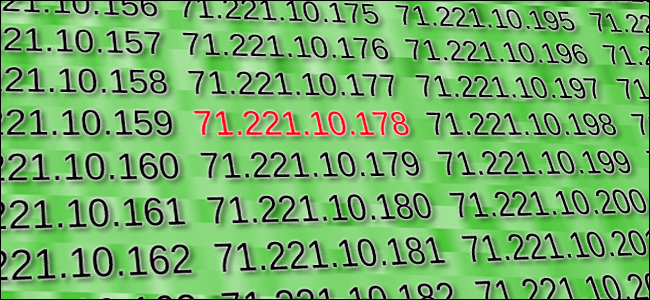
How-To Geek
Every device connected to a network—computer, tablet, camera, whatever—needs a unique identifier so that other devices know how to reach it. In the world of TCP/IP networking, that identifier is the Internet Protocol (IP) address.
snow lance
I'll read later thanks
peak cloak
snow lance
btw why?
It's just the spec
An ip address is 4 bytes
Ipv4 specification
Ipv6 is different
Internet Protocol (RFC 791)
under addressing
Assigned numbers (RFC 790)
this is old, so some concepts are no longer really used
 royal estuary
snow lance
ah so you can't have 3 digits in every single octet of one ip?
royal estuary
snow lance
ah so you can't have 3 digits in every single octet of one ip?
Each octet can go up to 255
royal estuary
snow lance
btw why?
Each octet is one byte. One byte can go up to 255
royal estuary
winged lily
aww so i canthave 1.420.420.420 as an ip adress
U can have 69.69.69.69
clear igloo
or 2001:420:69::bb for IPv6 😄
royal estuary
It belongs to centurylink atm
royal estuary
clear igloo
or 2001:420:69::bb for IPv6 😄
This belongs to cisco lmao
winged lily
royal estuary
U can have 69.69.69.69
now we're talking
royal estuary
winged lily
now we're talking
Get centurylink internet and theres a small chance u can end up with it
clear igloo
I think so
royal estuary
Deadbeef
clear igloo
dead:beef
royal estuary
8008
B4 mods complain i would like to state the numbers came b4 i knew that was in ur filter
waxen scroll
facb:00k
peak cloak
thick minnow
that's where i can get confusing
then routing
 livid frigate
Hello, my internet crashed a few weeks ago and my supplier is not doing anything therefore i want to buy a router in which you plug a sim card in 5g. But there are so many caracteristics that i don't know so that's why i'm asking for your help: do you know a good one which is fast and reliable?
clear igloo
 pale ridge
Cisco isr1111 is pretty nice
pale ridge
Cisco isr1111 is pretty nice
Why would you think a $1000+ enterprise style router would be good for someone asking for plug and play 5G support?
pale ridge
There was no context and it is a starting point to a conversation.
pale ridge
Budget is a good starting point. 🙂
livid frigate
pale ridge
Budget is a good starting point. 🙂
I think so too😂
clear igloo
Look locally in your country for 5G capable routers, those with external antennas are going to be a bonus or the option to extend the receiver will help you with placement of the device relative to the best location for a signal. If you don't need wireless then that simplifies things a bit I'm sure depending on what you want it to do
Make sure it's compatible with your carrier and bands which I would say is generally going to be easier looking at local retailers than global ones and you're less likely to run into issues when checking local carriers with local sites selling 5G routers
pale ridge
Out of interest could you get a usb dongle which would suit your needs since it was temp
Maybe your current router supports a usb internet connection?
livid frigate
Okay thank you very much. I don't find anuy 5g router so i think i'm giong to stick with 4g. Btw I'm in france so i think the compatibility should be fine
what do you think about this one?
livid frigate
pale ridge
Maybe your current router supports a usb internet connection?
no unfortunately

Prend en charge la 4G+ Cat6, qui permet d'augmenter la vitesse de transmission des données jusqu'à 300 Mbps. Branchez votre carte SIM et visionnez des films HD sans coupure ni latence, téléchargez des fichiers en quelques secondes et jouez avec des animations fluides. Liste de compatibilité des s...
pale ridge
Tp-link are very consumer grade.
livid frigate
what you mean?
pale ridge
It will do you fine as a device but don’t expect it to last more then a few years or preform amazingly.
livid frigate
as long as it's capable of 500mbs it's fine to me
livid frigate
but it only depends on the quality of the 4g no?
livid frigate
pale ridge
Can you get 4G 500mbs currently where it is going?
I think so i am in paris
pale ridge
Yer Paris is a big place
Do you have a mobile you can set to 4G and test in the same location as where you will put the router?
meager ginkgo
I doubt you will get a consistent 500mbps
meager ginkgo
Unless you're on mmwave or something similar
pale ridge
Just remember wireless is an inherently unreliable media.

 livid frigate
pale ridge
Do you have a mobile you can set to 4G and test in the same location as where yo...
livid frigate
pale ridge
Do you have a mobile you can set to 4G and test in the same location as where yo...
🤣
pale ridge
Smoking
livid frigate
it's a disaster
pale ridge
What are you needing 500mbs temp for?
livid frigate
downloading big fat games
pale ridge
Maybe just wait for yourself to be back on fixed data?
 heady dome
looking for a good 5 port 2.5GB switch
meager ginkgo
heady dome
looking for a good 5 port 2.5GB switch
unmanaged managed?
heady dome
meager ginkgo
unmanaged managed?
unmanaged
meager ginkgo
which one
oh

Expand your network’s bandwidth and reduce digital bottlenecks with TRENDnet’s Unmanaged 2.5G Switches. These 2.5G network switches come equipped with 2.5GBASE-T RJ-45 ports that provide higher gigabit speeds capable of up to 2.5Gbps over your existing Cat5e or better cabling. Each high-speed 2.5...
that looks ok
heady dome
meager ginkgo
which one
I was looking for one someone had tried the product
peak cloak
meager ginkgo
https://www.amazon.com/TRENDnet-2-5GBASE-T-Compatible-10-100-1000Mbps-TEG-S350/d...
the price difference between gigabit and 2.5 gig is crazy
meager ginkgo
peak cloak
the price difference between gigabit and 2.5 gig is crazy
I know.. I want 2gig fiber but at the same time I don't lol
peak cloak
meager ginkgo
I know.. I want 2gig fiber but at the same time I don't lol
might as well go for 10 gig
could be cheaper lol
meager ginkgo
AT&T only offers up to 5gig lol - and it's $180/mo vs $110/mo
peak cloak
might used gear
peak cloak
meager ginkgo
AT&T only offers up to 5gig lol - and it's $180/mo vs $110/mo
oh I thought you mean locally
meager ginkgo
nah, I don't do alot of local transfers
heady dome

eBay
Netgear 8-Port Gigabit Switches with 10-Gigabit/Multi-Gigabit Uplinks (gs110mx-100nas). 10 Gigabit Uplinks. The two uplink ports automatically detects which speed is needed by the connected device and provides the adequate speed.
peak cloak
heady dome
https://www.ebay.com/itm/393706927407?_trkparms=amclksrc%3DITM%26aid%3D1110010%2...
it has 8 x 1G, 2 x multi (10G)
peak cloak
meager ginkgo
only multigig wan
technically there's no LAN/WAN on switches
heady dome
meager ginkgo
https://www.amazon.com/TRENDnet-2-5GBASE-T-Compatible-10-100-1000Mbps-TEG-S350/d...
looks like this is the best value anyone use this before
 cosmic steeple
i have 1 gib in to a s33 and a axe11000 but my parents are still buffing form 1 room away.
meager ginkgo
cosmic steeple
i have 1 gib in to a s33 and a axe11000 but my parents are still buffing form 1 ...
what device?
cosmic steeple
meager ginkgo
what device?
s33 m and axe1100 r
meager ginkgo
cosmic steeple
s33 m and axe1100 r
no what are your parents devices?
cosmic steeple
iphone 12 and a vizo tv
royal estuary
my dream switch is Cisco 3560CX-8XPD-S but it cost like 1k
waxen scroll
That's very specific
waxen scroll
My dream switch would be in the 100,000
 scarlet isle
Looks like a Network server still in the hospital as it's being demolished
 knotty tartan
scarlet isle
Looks like a Network server still in the hospital as it's being demolished
knotty tartan
scarlet isle
Looks like a Network server still in the hospital as it's being demolished
You have to save it!!!
scarlet isle
I'm actually trying to get into contact with the hospitals technical guys
Like bruh they could've sold that to a company or something, it looks perfectly fine
knotty tartan
You'll have better luck slipping the construction crew $100 to let you haul it off.
scarlet isle
@knotty tartan i just got off the phone, I have to call back on Monday, I'll post a close-up in this chat, because maybe someone can identify them

 sour void
Hi! If this is the wrong place to post this please let me know where it should be posted so I can move it elsewhere.
Hey, I've been having some massive issues with my internet for a while and I wanted to ask around to see what options I have first before trying to schedule appointments or what have you. I have XFINITY, and I've had to move my setup to a room where an ethernet cable can't reach, but since my computer is ethernet only (And the box is quite a ways away anyways), we've been using their wifi cube things to get internet to the room I'm in, and then plugging in an ethernet cord into that cube. Unfortunately though they...Really suck, or at least mine does? And we've talked to XFINITY and they say that our current plan doesn't support two boxes. We're already paying a ton for our highspeed internet (with an ethernet connection to the box, I have 150+MB download and 10+MB upload, but in my new room it drops drastically to less than 10MB download and like, 3-4MB upload) and we don't want to try and up our plan or deal with that
clear igloo
scarlet isle
Those are all patch panels
scarlet isle
Hmmm okay
meager ginkgo
sour void
Hi! If this is the wrong place to post this please let me know where it should b...
You could use MoCA to get Ethernet to where you want it, as long as u have a cable jack nearby the computer.
MoCA is Ethernet over coax
royal estuary
sour void
Hi! If this is the wrong place to post this please let me know where it should b...
u could try powerline connection also
royal estuary
waxen scroll
That's very specific
it small 12 port switch with 10g rj45 and sfp+ ports
sour void
To be quite honest, I don't know what you guys are talking about. I know about the insides of a computer but that's really about it-
clear igloo
royal estuary
it small 12 port switch with 10g rj45 and sfp+ ports
but it's not, not really, they are combo ports, you get SFP+ and RJ45 on the model you listed, but you cannot use both at the same time and all the other ports are gigabit
meager ginkgo
sour void
To be quite honest, I don't know what you guys are talking about. I know about t...
do you have a cable port by your PC?
The same thing your modem would connect to
royal estuary
clear igloo
but it's not, not really, they are combo ports, you get SFP+ and RJ45 on the mod...
its not combo port
clear igloo
royal estuary
its not combo port
ah, looked at the wrong model by accident but still it's only 6 gigabit, 2 nbaseT 10g copper and 2 SFP, not 12 ports total
royal estuary
ya i dont need all to be 10g, for its price they should all be though
royal estuary
sour void
This room is only connected by wifi
powerline or use a wireless repeater (u can use a repeater dont listen to comcast), powerline probably ur best bet to get most out of speed but u wont get full speed
royal estuary
powerline uses ur mains power sockets
royal estuary
 meager ginkgo
they usually cut the speeds and increase range which is not what you want
royal estuary
repeater is like final option if everything else doesnt work
powerline is probably ur best bet, although ur unlikely to get full speed via them also
but better than what u have now, just remember the speed they say on the product, isnt the actual speed u get irl, so like read reviews to see what actual speeds are closer to
u can watch youtube video to see what powerline is and then just get some off amazon