#networking
1 messages · Page 395 of 1
 tiny scroll
yeah, at school we did basics of networking like routers, isps, switches, etc
 peak cloak
Any actual routing
peak cloak
 wanton cypress
is there like a networking section in that discord
wanton cypress
is there like a networking section in that discord
No
Just ask in general
wanton cypress
ok
 cursive valve
Ip tables
peak cloak
It's just homelab. Truenas and hba stuff really isn't networking
cursive valve
I thought we were just throwing out buzzwords
 gritty garden
 glacial kelp
Idk
 thick minnow
I got this certification from the state
Its mostly printer and ip questions
LTS Platinum Professional Level 4 Channel NVR (Compact Case) - LTN8704-P4No Hard Drive https://www.amazon.com/dp/B00TDL3O7I/ref=cm_sw_r_awdo_E4QWWR6TA4C612GKV395

Recorder Series: Platinum Series. Recorder Channel: 4-Channel. Recorder Case: Compact Case. Recorder Technology: IP / NVR. IP video input: 4-ch. Two-way audio input: 1-ch, RCA (2.0 Vp-p, 1kΩ). Incoming bandwidth: 40Mbps. Outgoing bandwidth: 80Mbps. Remote connection: 128. Recording resolution: 6M...
Im trying to see if this is poe compatible
tiny scroll
thick minnow
Its mostly printer and ip questions
ah
thick minnow
 tiny scroll
i dont have a carrier 😦
thick minnow
Nvm found it
If im recording at 4k how many terabytes will it take to be able to have a week of recording
(For a security camera system)

WD Purple drives are built for 24/7, always-on, high-definition security systems. WD Purple surveillance storage feature Western Digital’s exclusive AllFrame technology, so you can confidently create a security system tailored to the needs of your business. Using AllFrame technology, WD Purple dr...
 hard cedar
How many cams?
 gray knoll
thick minnow
If im recording at 4k how many terabytes will it take to be able to have a week ...
gray knoll
thick minnow
If im recording at 4k how many terabytes will it take to be able to have a week ...
Napkin math suggests ~2TB per 4k camera/week
 wispy spindle
4 1080p cams > 1 4k cam
gray knoll
wispy spindle
4 1080p cams > 1 4k cam
4 1080p cams = 1 4k cam storage wise... Or did you mean more useful?
wispy spindle
yes i meant theyre more useful
 plain siren
gray knoll
Napkin math suggests ~2TB per 4k camera/week
plain siren
gray knoll
Napkin math suggests ~2TB per 4k camera/week
This also assumes that you are recording all the time and not for just motion
If you record things like just motion and stuff then you can have 4K cameras without eating up all your space
plain siren
wispy spindle
yes i meant theyre more useful
Having 4K resolution on your camera is actually quite nice because it lets you read things like license plates and stuff and actually see faces
wispy spindle
yeah if i did it for myself id do motion triggered 4k cameras but they posted a link for a 1tb hdd so i assumed they had a very tight budget
 hollow marlin
My Reolink setup with 4 - 4K camera with 24/7 recording gives me 1.5 weeks of recordings with 2TB. However during non-motion events its steps down the quality. I would never do motion only as there has been many times I needed that 5-10s prior that I otherwise wouldn't have
wispy spindle
quality drop in non-motion is a nice feature
peak cloak
TIL my ISP doesn't block snmp outbound
plain siren
hollow marlin
My Reolink setup with 4 - 4K camera with 24/7 recording gives me 1.5 weeks of re...
I made it where if it starts recording due to motion it'll actually save 30 seconds before the motion just for stuff like that
 tender hazel
@plain siren what were you using again for software deployment in windows again?
we just upgraded everything to 2019 and so we can probably do new things now
and we have to deploy some software, so now I am suddenly interested
it was some free thing, I'm trying to remember
 waxen scroll
sccm
tender hazel
SCCM isn't free
thick minnow
wispy spindle
if this is for your home id recommend just doing 1080p instead
Store
Its to catch shoplifting
 little schooner
tender hazel
SCCM isn't free
little schooner
tender hazel
SCCM isn't free
but it works great
plain siren
tender hazel
and we have to deploy some software, so now I am suddenly interested
Microsoft Deployment Toolkit
A free open-source network computer cloning and management solution
little schooner
plain siren
https://fogproject.org/
oo i remember this one
little schooner
for motion events, it wont be as hard on it, yes
for 24/7 recording, i dont recommend it
plain siren
little schooner
oo i remember this one
Yee it awesome
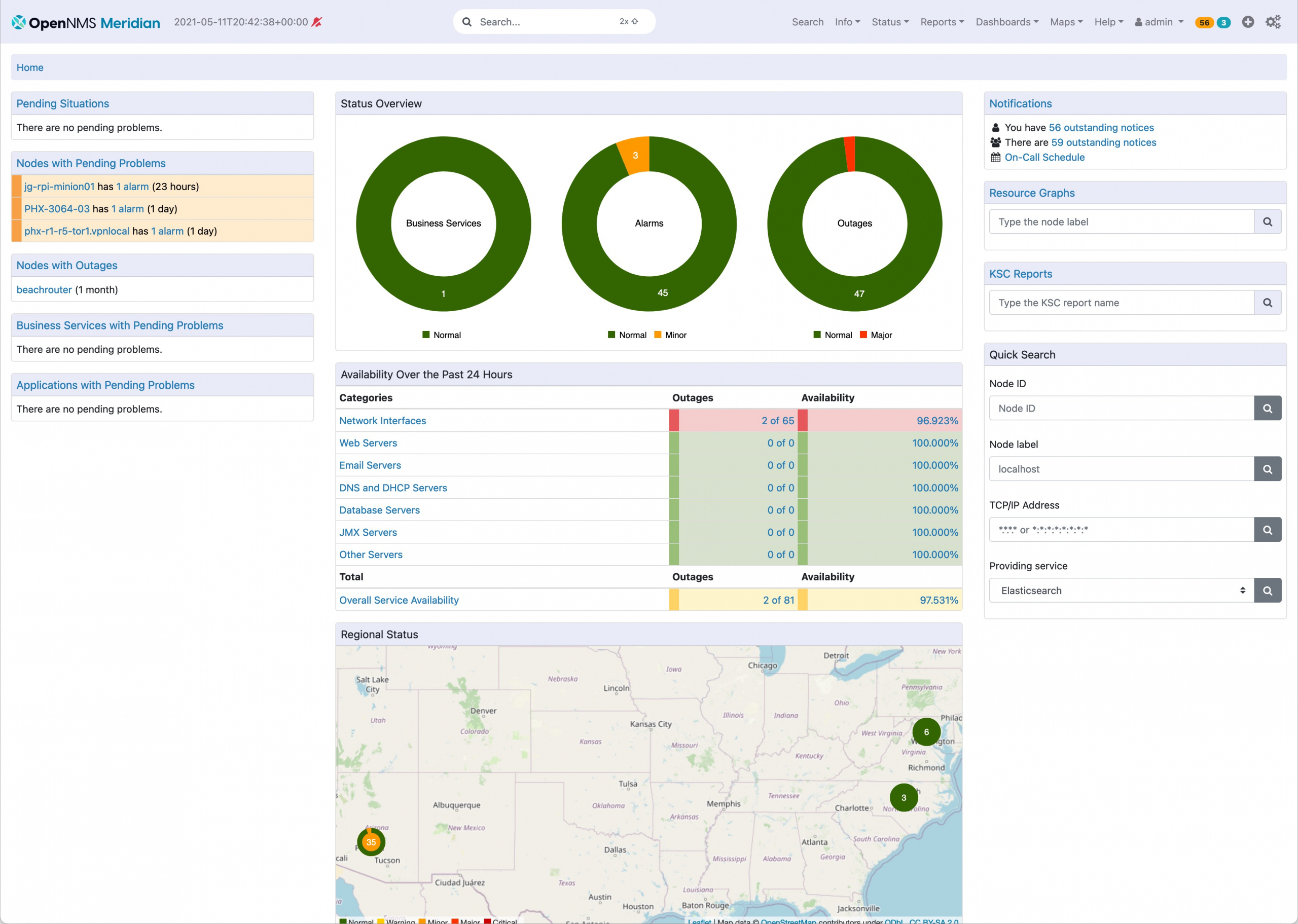
https://www.opennms.com/wp-content/uploads/2021/05/OpenNMS-Meridian-Home-scaled.jpeg opennms got a nice update I didn't realize
 hollow marlin
@plain siren We use OpenNMS and I absolutely hate it
plain siren
hollow marlin
<@589542595341058048> We use OpenNMS and I absolutely hate it
Thank you for the heads up
 lyric sinew
My family changed internet from 100mbit/s to 1000mbit/s.
Before on speedtest i got max like and now only 330. Not even close to 1000 ?
 clear igloo
hollow marlin
<@589542595341058048> We use OpenNMS and I absolutely hate it
clear igloo
hollow marlin
<@589542595341058048> We use OpenNMS and I absolutely hate it
What would you prefer ManageEngine or OpenNMS? 😄
LibreNMS is pretty good though
plain siren
clear igloo
LibreNMS is pretty good though
Tbh I hate everything with PHP
plain siren
lyric sinew
My family changed internet from 100mbit/s to 1000mbit/s.
Before on speedtest i g...
WiFi or Ethernet?
clear igloo
plain siren
Tbh I hate everything with PHP
Yah PHP isn't great but it's bearable compared to some other options imo
I'd rather code in PHP than work with ZoHo/MangeEngine again though
plain siren
RUUUUBY
plain siren
clear igloo
Yah PHP isn't great but it's bearable compared to some other options imo
Want to know how long a projects been running?
Check to see if it uses: Node.js, PHP, Recommends NGINx or Apache, and check to see if its php 5 or 7.
Starting from oldest to newest: Apache [PHP 5], Nginx [PHP 5, PHP 7], Node.js, GoLang/Rust
ez way to tell age
lyric sinew
plain siren
WiFi or Ethernet?
Wifi, and with ethernet it sometimes got to 800+ and sometimes 200
plain siren
That would be expected
plain siren
lyric sinew
Wifi, and with ethernet it sometimes got to 800+ and sometimes 200
If you are using the ISP Provided Router, then everything seems to be in order
 cerulean barn
My network switch kills 90% of my internet speed even though there's no other devices connected, and it didn't do this before? Any insights?

 low pond
Switch is 100Mbit
Or something is running in 100Mbit mode for whatever reason if this didn't occur before
cerulean barn
low pond
Switch is 100Mbit
can confirm that the switch is 1000mbit
how does one change the mode a switch is in?
peak cloak
cerulean barn
how does one change the mode a switch is in?
Check the cables
Is the cable to PC cat5e or higher
Check your link speed in windows
cerulean barn
peak cloak
Is the cable to PC cat5e or higher
cat5e
cerulean barn
peak cloak
Check your link speed in windows
link speed?
internet speedtest you mean?
 peak cloak
cerulean barn
internet speedtest you mean?
peak cloak
cerulean barn
internet speedtest you mean?
No
cerulean barn
cerulean barn
My network switch kills 90% of my internet speed even though there's no other de...
and it's now configured as situation 2, with just the switch in between and no other devices connected
peak cloak
cerulean barn
link speed?

Part of any proper internet diagnostics is knowing just what network speed your card is capable of. Sometimes you want to know. Here's how to see your current possible maximum network adapter speed.
cerulean barn
sec
cerulean barn
peak cloak
https://m.majorgeeks.com/content/page/how_to_see_your_network_adapter_speed_in_w...
 peak cloak
Hmm
What about the cable to router
Use the same cable that is switch - router
And connect it PC - router
cerulean barn
peak cloak
And connect it PC - router
I tried that
cerulean barn
cerulean barn
My network switch kills 90% of my internet speed even though there's no other de...
that gave me 1gbit, as seen here, situation 3
peak cloak
Then switch is issue
cerulean barn
peak cloak
Then switch is issue
for sure
peak cloak
What's the model
cerulean barn
peak cloak
What's the model
netgear gs605
peak cloak
Idk then, it claims it's gigabit
And it's unmananaged, not like it could be a setting
cerulean barn
and it used to run gigabit with a extra wifi repeater connected
but some time ago it started to cap at 100mbit
it's odd
cerulean barn
I guess I can try connecting to my laptop instead, to verify it will again send the 100mbit signal. Then take my laptop and switch to the router, setup there with another cable, and check if the speed is the same
but it can't be the cable though, since when plugged directly into my computer it does run at gbit
 mild turtle
I've given an old router I had to a sibling but I can't figure out why it won't work. I've not used it for about eight years. It's a Nighthawk X6 R8000. It says there's no internet connection. I have a router that has a broadband cable that goes into a switch, that switch has a cable that goes into the nighthawk. There is reason for this but it is long and complicated and the reason why doesn't matter. When I set it up I had a few issues but got it working after trying to figure out old passwords and settings. I got the internet working and walked back indoors but when I went back out it's stopped. The ethernet is connected into the yellow socket and is titled Ethernet/Internet.
 peak cloak
mild turtle
I've given an old router I had to a sibling but I can't figure out why it won't ...
peak cloak
mild turtle
I've given an old router I had to a sibling but I can't figure out why it won't ...
Just to make sure it's not modem - switch - router?
mild turtle
peak cloak
Just to make sure it's not modem - switch - router?
What do you mean?
peak cloak
mild turtle
What do you mean?
Nevermind
You are connecting it's WAN to your router LAN?
mild turtle
peak cloak
You are connecting it's WAN to your router LAN?
The first router is connected to the switch via the LAN port. Then the switch goes into the yellow port on the back of the hawk.
I'm using a wired device from the switch right now, it's working as I'm talking to you, so I know from those two devices the internet works.
Any ideas?
 plain siren
mild turtle
Any ideas?
plain siren
mild turtle
Any ideas?
Well Id be curious to know why you have a switch between Modem/Gateway (Router 1) and the Second Router
Usually you would have like.. IP Passthrough or Bridge mode enabled on the first router/modem
which it would pass the public IP to the second router
and let the second router do the actual router functionality
waxen scroll
switch is being used as a repeater
mild turtle
Yeah, I have more than four devices connected.
plain siren
Well thats the thing, you have them connected to that switch?
Because if so, thats fine but I hope the second router is being used in AP Mode
Otherwise, you have a second router making a whole second LAN behind it
mild turtle
TBH I'm very far from being an expert. All I know is I got it working, walked away, came back and it says "No Internet". I believe it's the Hawk but I can't figure out how to solve it.
plain siren
R1 (Port 1) > R2 (WAN Port)
R2 (Port 1) > Switch (Port 1)
R2 (Port 2) > Device #2
Switch (Port 2) > Device #2-1
Switch (Port 3) > Device #2-2
Switch (Port 4) > Device #2-3
R1 > IP Passthrough/Bridge to R2
(This disables things like DHCP, DNS, NAT and Firewall on R1 and lets R2 handle that)
Everything behind R2
Otherwise you got R1 > ( YOUR HOME LAN ) > R2 > (ANOTHER HOME LAN?) with R2 thinking R1 is an ISP
Ofc you can setup the nighthawk in AP Mode which makes it WiFi Acess point only and disables the whole Router shit on it
And then it can be used as a "Wireless Ethernet" Switch in a way
mild turtle
You'll have to talk to me like a child. I understand some of the words and what some of them are but other than that you might as well be typing anything other than English to me.


 mild turtle
If you've got time you can discord call me if you want and explain it to me that way and I can tell you what I have.
plain siren

Basically, Double nat is like having a house in a house
ISP ( Home ( Home (PC) ) )
ISP ( Home (PC) ) is what you want
Only one router should be doing the router/firewall functionality
mild turtle
So basically just go and open the settings and see if I can find AP mode?
plain siren
Yes.
mild turtle
I'll give it a try but as I said I'm far from an expert.
mild turtle
plain siren
Yes.

 plain siren
let it sit for a bit
mild turtle
@plain siren How long?
plain siren
mild turtle
<@589542595341058048> How long?
like 5-10 mins just to let it settle
mild turtle
Got it, do I need to keep my phone in the same room?
 queen salmon
is there anywhere that sells 7 ethernet cables about 5m long that are gigabit speeds
for a good price
clear igloo
amazon? Cable Matters or Monoprice are my go to
queen salmon
amazon is exensive
clear igloo
Well it's a good price for me? I mean with no definition of what a good/reasonable price is for you it's just people throwing out random recommendations
clear igloo
Yah, everything is out of stock or a rip off from what I can find =/
queen salmon
nothing is out of stock over here for me
clear igloo
cables2go is another good brand but not sure of good stores
queen salmon
is that us only
clear igloo
It shouldn't be, no
queen salmon
also im not paying for delivery
clear igloo
sometimes called c2g
Basically anything Cat5e, Cat6, or Cat6a that's not CCA (copper clad/coated aluminum) will do fine for gigabit
mild turtle
plain siren
like 5-10 mins just to let it settle
Been over 10 minutes, saying the same.
plain siren
mild turtle
Been over 10 minutes, saying the same.
hmm. on your first router, does it show up in client list if you connect to that one and show the status page?
mild turtle
plain siren
hmm. on your first router, does it show up in client list if you connect to that...
I'm indoors connected to the first, working.
plain siren
mild turtle
I'm indoors connected to the first, working.
login to it and check the status page where it lists connected clients
mild turtle
plain siren
login to it and check the status page where it lists connected clients

Where do I look?
mild turtle
plain siren
login to it and check the status page where it lists connected clients
Think I found it.
plain siren
mild turtle
Think I found it.

 mild turtle
plain siren
Well, thats odd.
mild turtle
plain siren
Well, thats odd.
That's the switch I think. The other two devices are two PCs
plain siren
And then... no WiFi Router?
mild turtle
No.
plain siren
Restart the Second Router Hard restart it (unplug and replug)
Make sure the link lights are also on on the port on both the switch and router
mild turtle
It brings this up.
Wireless 2.4
Wireless 5GHz
BT WiFi Discs
Ethernet Port 1
Ethernet Port 2
Ethernet Port 3
Ethernet Port 4
USB.
Other than the Wireless devices port one has a DESKTOP 1 and a DESKTOP 2
Then the unknown
plain siren
actually, your switch is unmanaged i think
So its prob not the switch but the router showing up with that iP
mild turtle
This is the switch I have. https://www.amazon.co.uk/gp/product/B00N2JPKEC/ref=ppx_yo_dt_b_search_asin_title?ie=UTF8&th=1

The NETGEAR Smart Managed Plus Desktop Switch features 8-Port Gigabit Ethernet, ProSAFE Lifetime Protection and more.
 autumn bay
BT routers are garbage
plain siren
default pass is "password"
autumn bay
What ?
plain siren
Yup
autumn bay
My one had random numbers
autumn bay
mild turtle
Also you should probably call up BT and tell them you are having problems with it.
autumn bay
I had my BT hub replaced 3 times because it set it self on fire
Yeah apparently quite common
but no recall
mild turtle
plain siren
default pass is "password"
I found it but it won't load the page
plain siren
the device you are using to access the page, is it connected to the switch?
autumn bay
Also BT admin page if you get logged off it wont let you login to admin if you dont restart
Because it says another user session in progress or sm like that
plain siren
autumn bay
Also BT admin page if you get logged off it wont let you login to admin if you d...
LOL
mild turtle
I've tried accessing the page 192.168.0.239 but it says Problem loading. On Google I've accessed this page.
plain siren
192.168.1.107
 mild turtle
Don't know, that page worked.
autumn bay
192.168.0.1 is default for BT routers
 autumn bay
Or you trying to access some switch or sm ?
plain siren
mild turtle
The one you typed
Ok so, show me DHCP Mode
mild turtle
It says engable
plain siren
Name the Switch SWITCH1 if you havent
mild turtle

 plain siren
There is a bin file in here.
Upgrade the firmware to fix the port 5 issue
https://www.downloads.netgear.com/files/GDC/GS108EV3/GS108Ev3_V2.06.17EN.zip (Direct DL for Safety/Trust Concerns)
Wow they keep these up to date thats nice
mild turtle
What does it do?
plain siren

Its basically like... your PC BIOS
Actually, not basically like. It really damn near is
This file in the .zip is used to upgrade
 plain siren
but
oh no
 plain siren
Yeah expected
plain siren
mild turtle
ok, so... back to this page
mild turtle
Wants me to change the password
plain siren
Uh... do we even know which router this is?
Because its on an entirely diff subnet which means there is NAT > NAT somewhere
and thats our problem
mild turtle
What router?
plain siren
whatever the hell this was
 mild turtle
Don't know. I typed the address on the side of the thing but it loaded to Google, that was the top one. The one you typed in I copied and pasted and loaded the pages I was just on. I never logged into that one above.
 mild turtle
Yeah, the netgear one from the hawk came up on Google, so I just assumed it did the same thing.
mild turtle
I'm back on the netgear page
plain siren
this is called "Phishing"
mild turtle
 plain siren
Yeah change it
mild turtle
Can I change it again if I forget it?
plain siren
sharpie it to the switch if you want but there is a factory reset button on the front
mild turtle
Done it
plain siren
Ok so the Nighthawk router, its plugged into this switch right
mild turtle
Yes.
plain siren
System > Management > Port Status
does it show "Port Status" as "up" for the port that the nighthawk is plugged into
mild turtle
 plain siren
Which one is the nighthawk
mild turtle
Five I believe
plain siren
Well we got a problem then
mild turtle
Why?
plain siren
 plain siren
Either the Cable has a problem
Its not plugged in well
the port has a problem
or the nighthawk is currently going full aneurysm
mild turtle
OK, so I had to remove the RJ45 so I could get it through loads of holes. I then used my tools to head another RJ45. I plugged it into a laptop and it said that it had a connection. I loaded up several websites on it fine.

Used B
mild turtle
Was working golden.
I managed to get internet the first time as said right when I asked the question but when I returned it had disappeared.
plain siren
if you used a cheap crimp tool, go back and put it back in the tool and then push Really fucking hard down on the handle
mild turtle
Then said it could connect to the router but that it had no internet.
plain siren
Im talking
break a sweat
hard
mild turtle
I'll give it a try. I also heard it click several times in the hawk port
plain siren
Also, verify TIA-568B is used on the other side too
Because if not, then you got a crossover cable
and while we dont need those today, they only technically work with Switch <> Client Device
Switch <> Switch and Switch <> Router uses passthrough/straight cables (In old networking world)
So it would explain why it isnt working with the router but is working with a laptop
because those rules are still "Valid" today
mild turtle
Back. I just squeezed as hard as I could and then clicked it back in the hawk
My phone was almost dead so charging it.
plain siren
now go squint hard as you can and see if you can verify that B was used on the other side of the cable
mild turtle
The problem is that it has a read fucking casing so I can't really see the colours. I'll take a picture.

It's Cat6 cable BTW
plain siren
Show me a pic of the other side (with pins facing camera like you just did)
mild turtle
It looks like orange white, orange, white something, blue, white blue, white brown, brown.
plain siren
OW, O, GW, B, BW, G, BrW, Br
mild turtle
Yeah, looks like that.
After orange that is the only one I can't tell what it is, then I can see blue and after.
plain siren
show the other side now, just for my sanity
mild turtle
 plain siren
Heheheheheeeeeeeeeeeeeee
A Laptop may be forgiving about this, but a router wont be
you gonna have to learn this no matter what now
Bonus points if you know what I am about to say next
mild turtle
Wrong way round?
plain siren
No. Its just the... obvious first attempt at crimping a RJ45
Id put money on a failed contact in the secondary pairs or some other wiring failure being the issue here. You need to recrimp it
mild turtle
I pushed on it hard like you asked


 mild turtle
Do you want me to do it again?
plain siren
And I can tell some of the copper conductors didnt make it to the end of the rj45 channels

A picky device may see interference or sub-par frequency
and refuse to init
autumn bay
get a pass through rj45 connector makes life 100000X easier
plain siren
You need to do it again. Practice if you have to
plain siren
autumn bay
get a pass through rj45 connector makes life 100000X easier
And yes, fucking this
autumn bay
plain siren
And yes, fucking this
Learnt it the hard way
plain siren
I even have the crimp tool that shaves the cables poking out at the end
 autumn bay
plain siren
I even have the crimp tool that shaves the cables poking out at the end
autumn bay
plain siren
I even have the crimp tool that shaves the cables poking out at the end
Yeah I cheeped out got some cheap kit thinking what could go wrong welp everything
plain siren
 mild turtle
Can I use pass through with this?
autumn bay
mild turtle
this isnt that good I have the same one
plain siren
Yeah those... typically dont come down evenly on the pins
And bend after a few crimps
plain siren
mild turtle
Can I use pass through with this?
You can, but do yourself a favor
https://www.amazon.com/VCE-Ethernet-Pass-Through-Connectors-Multi-Tool/dp/B07TT5J2WJ Buy it once and never buy it again

VCE RJ45 Pass Through Crimper Tool, Ethernet Crimper Pass-Thru Network Crimping Tool Wire Stripper Cutter with Replacement Blade for Cat7 Cat6a Cat5 Cat5e Connector

VCE RJ45 Cat6 End Pass Through Modular Plug meet the demands of a fast paced work environment with high-quality crimp plugs, shielding your network prevents signal loss and electromagnetic EMI/RFI interference and maintains a proper ground connection. Note: you need a End Pass Through Crimper Too...
Pass through rj45's
Makes life so easy
 plain siren
these are nice too
 autumn bay
ok well I did it right I guess
autumn bay
plain siren
these are nice too
Do you punch these ?
plain siren
https://www.amazon.com/dp/B08JLSVNFG Nope. Well yes but I just use a screwdriver

VCELINK RJ45 Cat6A Connectors Tool-Free Reusable Shielded Ethernet Termination Plugs for 23AWG SFTP UTP Cable, 10G Easy Internet Plug, Fast Field Installation 4 Pack

They are COSTLY however
autumn bay
Might buy these to replace them in my house
Ok nvm
4 for $22
They look stronk ngl
plain siren
https://www.amazon.com/LINKUP-Ethernet-Connector-Termination-22AWG-24AWG/dp/B07KTGYZ4S/ Want costly?

LINKUP - [GHMT & DSX8000 Certified] Cat8 Ethernet Cable Connector (12-Pack) RJ45 Metal Tool Free Easy Termination Plug | for 2000MHz 2GHz 40G Double Shielded Solid LAN Cable 22AWG-24AWG
plain siren
I use these fuckers.
peak cloak
And buy patch
autumn bay
they better assemble themselves
 autumn bay
You use these are your house ?
peak cloak
I have like no need for such high end
plain siren
autumn bay
You use these are your house ?
Yeah
peak cloak
I have like cat5e, cheap jacks
autumn bay
12 for $130
plain siren
The keystone jacks are insane too
 autumn bay
I mean when I start working in IT I hope it pays that well
plain siren

LINKUP - [GHMT & DSX8000 Certified] Cat8 Ethernet Cable Connector (12-Pack) RJ45 Metal Tool Free Easy Termination Keystone Jack |for 2000MHz 2GHz 40G Double Shielded Solid LAN Cable 22AWG-24AWG
peak cloak
autumn bay
I mean when I start working in IT I hope it pays that well
Entry level doesn't pay too well
plain siren
Honestly easy to work with tho
autumn bay
peak cloak
Entry level doesn't pay too well
Yeah after years probably
Maybe
Hopefully
peak cloak
I still idk what I want, going to school for engineering
autumn bay
I mean as long as it pays
peak cloak
I do more advanced stuff at my internship rn
autumn bay
Yeah College (UnI) really doesnt teach you much apart from basics
mild turtle
plain siren
The keystone jacks are insane too
Sorry, was ripping my hair out. How's this?
 autumn bay
mild turtle
Sorry, was ripping my hair out. How's this?
autumn bay
mild turtle
Sorry, was ripping my hair out. How's this?
see the green one on the right all of them have to be like that
pushed all the way up against the plastic


 flat wagon
do you normally just lay your switch ontop of all your cables like that
mild turtle
flat wagon
do you normally just lay your switch ontop of all your cables like that
No. I put it on the floor so I could access it easier and take the picture.
 naive escarp
is twitch network hungy? i'm watching stream 480p, and i get 2000error.
Checked twitches suggestion, and disabled all adblocks. Logged out.
I am on wifi but its only twitch that's acting up
naive escarp

wifi + furthest point away from the router
so not really sure why cant even watch it at 480p
naive escarp
that i have not ...
naive escarp
firefox runs okay 30mins at 720p, safe to say chrome to blame?
thick minnow
can you ddos my website
(for testing)
peak cloak
no
thick minnow
why
hard cedar
Bcz u came into this server and spammed every chatroom with a weird question with a sketchy ass profile
with no previous posst history
wispy spindle
if youre not sure your website will survive a casual dos attack from someone here then it definitely wont survive someone who actually wants to ddos you
why are you so concerned with this though
hard cedar
Also if u want a quick ez ddos thenwhy not do it urself
 waxen saddle
thick minnow
can you ddos my website
(for testing)
waxen saddle
thick minnow
can you ddos my website
(for testing)
Stop asking or I’m calling in a mod. And I really don’t want to do that.
 nova abyss
Hey I have a question so I want to start a small datacenter or business selling servers I have everything down just one thing is the router... I'm not sure what to get. I want to get a router that can support upto 13 public IPs and can rack mounted? does someone know something like this because if so would you pls show me or tell me the name of the product.
plain siren
nova abyss
Hey I have a question so I want to start a small datacenter or business selling ...
You would prob start renting colocation space
in which case, you pay for the network uplink drops from your colo provider usually
and let them handle the networking
Most will announce your IPs too
nova abyss
Yeah I forgot that was even a thing tbh thanks. I will still look around tho but I will def look into that.
 pseudo blade
nova abyss
Hey I have a question so I want to start a small datacenter or business selling ...
pseudo blade
nova abyss
Hey I have a question so I want to start a small datacenter or business selling ...
You'll probably want at least two routers if you want to do things right. As far as what to get... What budget do you have, what uplink speeds can you get, and what performance and reliability are you planning to promise your clients?
Get your requirements fully nailed down and picking a router gets a lot easier.
Also consider if you want to offer private subnets to clients with more than 1 server if that's something applicable to you
nova abyss
@pseudo blade I agree I actually found a modem that supports the network I need and I can get a switch. The uplink is 600mps, I need 13 IPs for 13 servers for the start.
pseudo blade
600mbps is pretty easy. Are you going for low budget clients or do they care about network resiliency?
nova abyss
Oh def Low budget clients, once I grow a bigger business then I'll go for higher uplink like 1Gbps
or Higher
pseudo blade
I just had to sit for a bit and think about the consequences of doing that, clearly I've gotten rusty - So you want the router to have external IPs? So you'll need to NAT for each server?
If you want a public IP directly to each server, you'll need an IP for your router and for your ISP to have a route, else you'll switch
nova abyss
Yes and yes unless I can do without nat I can do that too. I'm not really going to get a router. I'm going to get a modem instead then get a switch. plug the switch -> into the modem
 frigid sphinx
I'm so confused right now 😉
 merry tiger
Hi guys
I'm currently transferring a lot of files (≈80gb) via my LAN
And sometimes speed just drops to 0
Transfering from: very old laptop, win7 32bit, ssd
To external hdd in my pc (USB 3.0)
What can I do to fix it?
Cable to router, from router to pc
Router: Keenetic extra
8p internet cables
I Transferred around 20gb with average speed ≈6mb/s with drops to 0
autumn bay
merry tiger
Hi guys
I'm currently transferring a lot of files (≈80gb) via my LAN
And someti...
When it drops to 0 its processing information not that its not doing anything
 snow sable
yep, drive cant keep up on one end or the other
merry tiger
How can I find my bottleneck?
autumn bay
See what is being maxed out
snow sable
Why even bother doing it via the network, even usb 2.0 should be faster than the speed you're getting
autumn bay
Maybe your router cant keep up
or what you are transferring to or from has slow speeds
merry tiger
I have a pretty good router i think
Probably the laptop is shit
Fun part is
When I plug in hdd directly to the laptop, speed is even lower, around 2mb/s
autumn bay
hmm weird
snow sable
is the laptop a netbook or something? lol
merry tiger
Some weird ultrabook from Sony (2010)
2gb ram, 1 core Intel atom cpu with integrated graphics
autumn bay
merry tiger
2gb ram, 1 core Intel atom cpu with integrated graphics
well thats your problem
issss slow
autumn bay
merry tiger
Like 4c cpu, 8gb ddr3 ram
Yeah thats a lot better
merry tiger
Is there any router settings that can help me?
autumn bay
merry tiger
Is there any router settings that can help me?
I mean 1 core 2 gb ram pretty sure thats the bottleneck
snow sable
yea it's the craptastic atom CPU
if you can yank the ssd and hook it up to something else. If not, you pretty much have to suffer the slow speeds.
merry tiger
I tried to disassemble it
But laptop won, it's very slim
and i don't want to snap plastic and it was feeling like it's screwed in
All screws removed *
When I'm transferring from this laptop to internal hdd on pc, around 6-7mb/s
merry tiger
merry tiger
When I'm transferring from this laptop to internal hdd on pc, around 6-7mb/s
From my normal laptop "
 snow lance
port forwarding no work while i have vpn on even tho i have split tunneling enabled

 peak cloak
nova abyss
Hey I have a question so I want to start a small datacenter or business selling ...
peak cloak
nova abyss
Hey I have a question so I want to start a small datacenter or business selling ...
Uhh that's not how it works
You need an actual enterprise router, look at vyos
That's a budget thing
The big players are Cisco, juniper
pseudo blade
I use Mikrotik gear because it's cheap and I'm used to the idiosyncrasies.
peak cloak
mtik too is good
pseudo blade
Also Cisco routers are expensive enough that unless something is so important I can't tolerate failure they aren't worth it to me
...And even then I'd rather use the budget on another vendor and design in fault tolerance...
peak cloak
yeah
 timber valley
what are other options than cisco?
peak cloak
mikrotik, juniper
timber valley
which one is the best? your opinion
pseudo blade
Depends on what you want to do
timber valley
Ah. so its a tradeoff. ty
peak cloak
it's just different
pseudo blade
Everything's a tradeoff :P
peak cloak
it's kinda like mac vs windows in some sense
timber valley
interesting. so what is the "linux" version?
pseudo blade
Linux.
peak cloak
I was just using that as an example
pseudo blade
merry tiger
Hi guys
I'm currently transferring a lot of files (≈80gb) via my LAN
And someti...
If this is the "extra" I'd hate to see what they take away

I'd also be fascinated to see how they got AC wifi out of an 802.11n WiSoC with no PCIe
Reckon they used USB2?
How do you know it's a bot?
 unborn sluice
that's not how it works but okay
peak cloak
so discord phish..
that won't slow your network down
unless there is more to the story
how
it's just discord account
unborn sluice
how
peak cloak
unless you run a bot
unborn sluice
you're just throwing away buzzwords
pseudo blade
Unless you ran software they provided you, that isn't happening
unborn sluice
hence it's not the discord
peak cloak
some games are p2p so yes
pseudo blade
I don't think that term means what you think it means botted
peak cloak
discord is not peer to peer
unborn sluice
how much buzzwords you want in a convo:
yes
pseudo blade
If your token was stolen it wouldn't make your internet slower
peak cloak
I mean kinda
unborn sluice
if it has the form
"Please input your ip here"
peak cloak
unborn sluice
if it has the form
"Please input your ip here"
well no
if you open a random website that was posted
that is not discord.com or discordapp.com then yes
or discord.gg
pseudo blade
unborn sluice
if it has the form
"Please input your ip here"
I mean if they run a webserver and you follow a link to it, they can get your IP when you make a connection but... really that doesn't mean as much as many people think it does.
peak cloak
and having an IP isn't that big of a deal
pseudo blade
Ok then. Do make sure you update your firewalls and get the IP of the hacker by creating a UI in Visual Basic.
I'm sorry, that's partly an CSI reference. That was rude of me.
Just relax.
Your computer is fine.
gray knoll
Do you have ANY IDEA, how much money hackers would waste targeting you? You are most likely not nearly interesting enough, to waste a 0-click 0day on... Do you have ANY IDEA how much those are worth? 1 MILLION USD! And thats windows only, you would most likely need more than 1 exploit, since you need to bypass the NATs and Firewalls first...
And the 1.000.000$ is buying price from a company that actually buys and sells those exploits... They prolly retail for WAY more...
pseudo blade
Nobody's patching the human brain any time soon
Unfortunately it's usually the most vulnerable part of the environment...
gray knoll
pseudo blade
*Unfortunately it's usually the most vulnerable part of the environment...*
"We were hacked by an advanced threat!!!" yeah right... You clicked the free Movies link again...
waxen saddle
@thick minnow Assuming someone is trying to mess with your connection, if you use a cable modem, sometimes you can change IP’s by physically powering off the modem for 30 minutes. Then turn it back on. If you still have the same external ip, ask your ISP to change it for you.
Did your IP change?
peak cloak
release and renew the lease
there's an option in the router to release and renew dhcp lease most of the time
aka change ip
thick minnow
yo is this worth yoloing 500 bucks on to resell or?

heres a pic for if the site is region locked
its 5k on any other site
pretty sure they typod the price 
 stuck rock
thick minnow
stuck rock
thick minnow
that looks sketch
 eager plank
After listening to the latest WAN Show and to whole thing about Ubiquiti.
Did LTT ever did something about AVM? A german Network/Telecommunications company. Could be interesting to look into them....
peak cloak
eager plank
After listening to the latest WAN Show and to whole thing about Ubiquiti.
Did LT...
looking at it, it's very consumer focused
not much advanced features
eager plank
peak cloak
looking at it, it's very consumer focused
Well yeah they are no competitor to any of the bigger brands but still number 1 for consumers in Germany.
peak cloak
eager plank
Well yeah they are no competitor to any of the bigger brands but still number 1 ...
I mean there kinda is, just unifi found the market for everything intergrated in one
there's tp-link omada kinda for networking
reolink for cameras
frigid sphinx
tplink have cameras too but eh...
peak cloak
frigid sphinx
tplink have cameras too but eh...
nothing up to par to stuff like reolink
 meager ginkgo
I really want to try running UniFi Protect in docker and bridging my cams into it with unifi-cam-proxy
peak cloak
meager ginkgo
I really want to try running UniFi Protect in docker and bridging my cams into i...
why not something like shinobi
frigid sphinx
so wireless vs wired domains and vlans should the wireless network for workstations and the wired network be seperate with l3 intervlan on switches? or should I just givup and put wireless workstations on the same l2 segment?
because I like the former but don't think I can make it work without dual stack support on my switch. 😭
peak cloak
I keep wireless and wired on the same network
frigid sphinx
I have enough hardware to do this correctly for ipv4. but pfsense doesn't 'support' disconnected vlans 😦
peak cloak
wdym
frigid sphinx
pfsense can't dhcp with a dhcp helper
peak cloak
?
frigid sphinx
I'd need to run another dhcp server
peak cloak
pfsense can't run multiple dhcp servers?
frigid sphinx
no it can't run a dhcp zone that doesn't have an interface connected to the segement
frigid sphinx
this topology has 2 routers. a l3 switch which routes between vlans on the switch. and a transit network to the internet router which does everything else.
 peak cloak
yeah so this should be a trunk
 peak cloak
then how do you expect DHCP to work
frigid sphinx
there are two ways to make dhcp work here. one is dhcp on the switch itself.
the other is dhcp helper forwarding the Discover to a dhcp server.
peak cloak
yeah dhcp relay
frigid sphinx
yep
pfsense cannot operate in this dhcp mode. (which is just annoying)
the software is capable of it (isc dhcp server)
but the ui will splat any config that refers to a zone that isn't attached to an interface.
thick minnow
@peak cloak Its me again sorry to bother 😄 By any chance have you worked with Sophos UTM 9?
peak cloak
thick minnow
<@222482269829332992> Its me again sorry to bother 😄 By any chance have you wor...
No I have not
meager ginkgo
finally
 peak cloak
Ubiquiti keystones when?
waxen scroll
peak cloak
Ubiquiti keystones when?
Why do that when you can have Panduit quick ones
 dark prairie
Hey team, was wondering if any networking gurus could provide some assistance with a new router I am attempting to setup. I've set up a rediculous amount of routers in the past, but this one takes the DNS cake, from what I can tell.
peak cloak
dark prairie
Hey team, was wondering if any networking gurus could provide some assistance wi...
wdym
dark prairie
peak cloak
wdym
Hey brother, thanks for the reply
I swapped out my old router for a newer Asus one (RT-AC67P), which has the same WAN and LAN settings as my old router. Nothing has changed. Unfortunately when I attempt to browse, I can only reach Youtube, FB and Google
peak cloak
whats the error to other sites
peak cloak
ok, check the certificate
dark prairie
Can you elaborate on the certificate? Where should I go to reference @peak cloak
peak cloak
dark prairie
ERR_SSL_PROTOCOL_ERROR
can you take a picture / screenshot
 unborn sluice
@dark prairie works for me
 dark prairie
No no, I know it probably works for you, but for some reason it's not opening for me. If I switch to the old router, I can reach bell.mail as well, but not through this new router
Only google, youtube and fb work. Zero other sites; leading me to believe DNS is botched somewhere
unborn sluice
@dark prairie can you check parental controls
peak cloak
dark prairie
Only google, youtube and fb work. Zero other sites; leading me to believe DNS is...
doubt it's dns
if you really want to check, use nslookup to check what IP the domain is resolving too on one router, and check with other
if it's the same, it's not dns
waxen saddle
Flush your dns cache, then search on Google for anything.
dark prairie
I've done that, but issue still persists. Happening on all devices
waxen saddle
What is your dns server on 1 of the computers? (Ipconfig /all)
peak cloak
waxen saddle
What is your dns server on 1 of the computers? (Ipconfig /all)
what I think may be happening is router interecepting SSL and messing stuff up
@dark prairie make sure to turn off all parental controls
dark prairie
dns is 12.1 (the router) , which should be correct, but have tried to explicitly tell the router to use Googles DNS, and when that didn't work, i tried to modify the ipv4 windows settings to use googles DNS, but no dice
peak cloak
yeah no, I am 99.9% sure it's not DNS
dark prairie
Parental controls and filters are all disabled on the router.
Okay this is weird
You know how when your having internet connection issues, and a random browser window appears with your ISP's splashscreen? Like a landing page
Well this ISP that is appearing is not my ISP lol
unborn sluice
can you show us
 unborn sluice
your router switch also causes an isp switch
dark prairie
I don't use cik telecom, unless they have a hand in the actual infrastructure.. or an umbrella company
unborn sluice

waxen saddle
https://www.asus.com/us/support/FAQ/1034294/ Your router is listed on this tutorial. Might get you close to the setting to disable ssl or create a cert.
Official Support | ASUS USA
dark prairie
I bought the router new at Canada Computers. This is bizarre
peak cloak
waxen saddle
https://www.asus.com/us/support/FAQ/1034294/ Your router is listed on this tutor...
thats for the web panel
peak cloak
dark prairie
You know how when your having internet connection issues, and a random browser w...
no
waxen saddle
Gah. Sometimes I hate mobile
dark prairie
I did a factory reset earlier to no success, and then updated the firmware to the latest from the Asus site
unborn sluice
what if you turn on the parental control but leave it as it is
dark prairie
I'll give it a go
waxen saddle
Or try turning off malicious sites blocking if you have that option.
dark prairie
Nah no luck with the parental controls.
I don't have any site settings enabled. If I plug in the old router, every site loads find
fine*
the router is also not set up to block sites atm. I'll double check though
Looks clean. Most settings are disabled by default by the looks of things
waxen saddle
Are you getting the error on Chrome/Edge/Firefox?
dark prairie
 waxen saddle
And your router is forwarding dns requests to… ISP?
peak cloak
dark prairie
doesn't seem like it @waxen saddle
dark prairie
I've tried setting the router to "automatically detect DNS" on router, and I have tried to explicitely tell the router to use a various number of DNS addresses, such as 8.8.8.8, 8.8.4.4, 1.1.1.1, etc
dark prairie
peak cloak
well that's a different error
Sorry man, had only tried Chrome up until he asked
dark prairie
Ya man, im ready to give up on asus netowrking
waxen saddle
It absolutely feels like it is intercepting something.
dark prairie
Yeah man, somethings not right with this router, im certain. I've tried every combination to mind. Never had an issue with routers like this before; I'm sure I've set up no less than 70 in my life so far
peak cloak
dark prairie
Ya man, im ready to give up on asus netowrking
I feel like it's some custom thing not asus
dark prairie
Ciscos, Ubiquitis, and even a lot of Asus ones. My fav was the RT-N66U dark knight router lol
waxen saddle
No other routers plugged in?
peak cloak
dark prairie
Ciscos, Ubiquitis, and even a lot of Asus ones. My fav was the RT-N66U dark knig...
mine's vyos lol, if you consider that a router in your sense
dark prairie
Nope, everything disconnected entirely
Honestly, I may just return it. Does anyone have a recommendation in mind for a 100$ cdn budget? Thinking I'm ready for another flavor
peak cloak
dark prairie
Honestly, I may just return it. Does anyone have a recommendation in mind for a ...
cdn?
dark prairie
Canadian
peak cloak
oh lol
dark prairie
Hoping for at least AC1900
 dark prairie
EdgeROuter?
peak cloak
yeah
wouldn't really reccomend it now
it's older and doesn't get feature updates
if it did, it would be great
dark prairie
They are super customizable. I remember my buddy getting a ubiquiti edge router. He didn't know where to start with how advaced it was
peak cloak
like everything ipv6 is cli only
peak cloak
dark prairie
They are super customizable. I remember my buddy getting a ubiquiti edge router....
wait until you try mikrotiks
dark prairie
mikwhatowhats lol
peak cloak
they are kinda a pita I find for home networking
since basic stuff like dhcp hostname to DNS requires scripts
peak cloak
dark prairie
mikwhatowhats lol

MikroTik is a Latvian company which was founded in 1996 to develop routers and wireless ISP systems. MikroTik now provides hardware and software for Internet connectivity in most of the countries around the world.
never heard of them? they are like the budget networking
dark prairie
Woah, never seen this line ever
peak cloak
dark prairie
Woah, never seen this line ever
the HEX is similar to the ER-X
@dark prairie now the web config.. http://demo.mt.lv/webfig/
it's something...
peak cloak
peak cloak
dark prairie
omg why is this taking so long to load lol
it's not just you
demo2 seems faster
dark prairie
Ah there it is
damn I was so ready to move past this dark knight router tn lol. Been really milking it with Merlin rom
 marble bane
dark prairie
damn I was so ready to move past this dark knight router tn lol. Been really mil...
marble bane
dark prairie
damn I was so ready to move past this dark knight router tn lol. Been really mil...
How long have you been milking it
frigid sphinx
the only problem with microtik is that they play a touch fast and loose with the GPL imo and modifications to the linux kernel
 lapis ermine
My motherboard has a 10Gbe and a 2.5Gbe port. If I get a 10Gbe pcie card for another pc, can I just run a cable between them and use one PC for hot-backups/NAS?
Do I need any thing between them or is a direct connection okay?
gray knoll
You can either connect them to each other in an unrouted Connection (I think one of the Jellyfish videos from LTT explains this, or you put a Switch inbetween that you connect to your router as well.
low pond
lapis ermine
My motherboard has a 10Gbe and a 2.5Gbe port. If I get a 10Gbe pcie card for ano...
Gotta do some configuration but then sure it's possible
 humble cipher
would any usb 3 ethernet dongle work on linux or are there specific ones that work (or work better)?
 long python
I don't know if this fits in networking, but I bought a Three 5g home broadband hub, and it works perfectly on all my PCs laptops, Ipads and IOS devices, gets 600 down and 150 up (as expected) and on PCS with ethernet it does 900-1000 down and 200up. But there is a problem with some other devices, for example my Samsung devices work perfectly for download but get 0 upload speed, so do my smart tvs (Samsung) and also a play station 4. All of which get 0 upload speed making it unusable. Anyone got a solution to this?
Like 0.1 mbps upload speeds or just straight up 0
And only on the android side and a PlayStation
gray knoll
humble cipher
would any usb 3 ethernet dongle work on linux or are there specific ones that wo...
Maybe ask the Linux channel...
humble cipher
gray knoll
Maybe ask the Linux channel...
that would be a better idea lol, thanks!
long python
long python
I don't know if this fits in networking, but I bought a Three 5g home broadband ...
This happens on the affected devices (android / PlayStation)

Normal download but upload is non existent
this is the pc (upload works here)


thats the ipad
frigid sphinx
they vary wildly.
low pond
long python
This happens on the affected devices (android / PlayStation)
Same with even other speedtest servers? 0 upload makes no sense
 crystal badger
long python
I don't know if this fits in networking, but I bought a Three 5g home broadband ...
crystal badger
long python
I don't know if this fits in networking, but I bought a Three 5g home broadband ...
Hmmmm
What hub do you have
long python
low pond
Same with even other speedtest servers? 0 upload makes no sense
All of it
crystal badger
The Huawei one was known to have issues
long python
I have the new one
crystal badger
How odd
 long python
Yep
long python
Yep
long python
crystal badger
Do you know how to get on the web panel?
Been in it for a bit and looked around
crystal badger
Are you able to separate out the 2.4 and 5ghz WiFi?
long python
I have already
crystal badger
Still no dice
long python
Both are faulty in that
crystal badger
What are your APN settings?
crystal badger
Give us a sec I'll have a look
You have to turn this switch off which will turn off data so your internet will go off while you change it

Then click settings and there should be an APN setting

Try and change that from manual and copy those settings
Try both '3internet' and 'three.co.uk' in the APN field
crystal badger
Under the 5G toggle switch that settings
crystal badger
Hackerman
long python
Haha, well my APN is 3internet
crystal badger
You preferably want 3internet as it allows for port forwarding but having more than 0 up is quite a nice feature so three.co.uk might be an alright compromise, at least for now
It seems you're not the only one with this issue on forums
long python
Oh really? Also I won't set port forwarding I don't have servers on stuff running
What one should I use though
crystal badger
Try three.co.uk and see if that makes the upload better on devices with issues
long python
Do I use PAP authentication too?
crystal badger
Make sure to toggle the 5G switch once you've applied the APN
crystal badger
long python
Do I use PAP authentication too?
You can set that to none
It doesn't make a difference I don't think three don't use it
long python
What about the user name and pass
crystal badger
Just leave blank
long python
Should I set it as default
It says it there
Alright I'll test it on my phone
I'll be right back
crystal badger
Alrighty
 crystal badger
Did you toggle 5G back on in the main screen
long python
Yeah
crystal badger
That's
long python
Should I turn it on and off
crystal badger
Yeah give that a go
crystal badger
Yeah that's the normal APN that phones use that really should work
long python
Negative, doesn't work
crystal badger
Send us a screenshot of your APN screen
long python

Couldn't send the screenshot (no connection)
But it's exactly the same as the one you showed
long python
Let's see
Okay well it works
Let me check upload
Mate .... thank you very much

Finally works.
Same speed also
But the upload is better even on my pc
crystal badger
Oaaay
Yeah you just won't be able to port forward, might cause issue with some online multiplayer but most nowadays can handle it?
If you ever need that in the future try 3internet instead of three.co.uk because they might fix it in the firmware
I really don't know why that happens though but hey ho
long python
crystal badger
Yeah you just won't be able to port forward, might cause issue with some online ...
Yeah no problem
long python
crystal badger
I really don't know why that happens though but hey ho
I think it's something to do with the IP adresses
crystal badger
Yeah that APN gives you a shared IP whereas 3internet gives you a dedicated one
I don't really know why that'd cause issue
 hardy kestrel
So... I got three routers (Bought another one because it's a really good deal for $10)
these three 

And should I set the channels to 1, 6, and 11 on 2.4GHz
autumn bay
 glad tusk
Anyone here certified for pen testing?
glad tusk
Anyone here certified for pen testing?
Testing pens ?
sure what pen you need working ?
glad tusk
working?.. i need one broken
autumn bay
no one buys a broken pen
glad tusk
lmao
hardy kestrel
...
autumn bay
....
glad tusk
Long story short, Shared internet, wierd owner..
autumn bay
yes
glad tusk
I'm very familiar with Kali Linux and its Suite of tools, but I'm willing to pay.
autumn bay
What do you want to do ?
glad tusk
a few things really. I need access to the router admin/password again. I obtained them once, noticed some weird stuff and have since been locked out lol. The weird stuff being a second similar router w dedicated ip and ftp port 21 being the only one open. Most of the important security settings disabled. and the Wi-Fi password is literally christmastree, according to the landlord there were female students who used to live here and left on a bad note.. I'm starting to wonder why. Not to mention the landlord claimed to be a nurse/rn...just another one of many lies. Like being the only one with a cable....there are 3 wired devices on the network.....
If I destroy the modem(s) then I'm out of internet until I move. The second router is impossible to crack even with a 17m line list. So I need as much info about this setup as possible before I report anything I find to their ISP.
DM??
autumn bay
glad tusk
a few things really. I need access to the router admin/password again. I obtaine...
Hacking someone or looking into a Router that you dont own is illegal
glad tusk
So is stealing my accounts
autumn bay
Yeah but you arent a registered owner
glad tusk
It's shared... Subscriber laws should protect the majority
autumn bay
Do you not have access to the router ?
you can restore defaults on many by holding a button
glad tusk
yeah its in the laundry room.. I suppose it could fall off the shelf sometime haha
onto my roofing hatchet
pseudo blade
glad tusk
It's shared... Subscriber laws should protect the majority
...No.
If you need access, ask for it
But let's be honest - you don't need access
autumn bay
nope
glad tusk
me too
autumn bay
glad tusk
a few things really. I need access to the router admin/password again. I obtaine...
Forgot to mention 1 device is sometimes always there depending on ISP
glad tusk
I know what I've mapped.
autumn bay
oh well best of luck
glad tusk
Ty. I've let their ISP know about my social media and my roommates... with anyluck ill find a hidden bathroom cam and get some gold stars on my brownie points.
hollow marlin
He's not wrong and this is a public forum
 proper adder
I flashed OpenWrt on my Archer C7 v5 and I'm now trying to figure out how to get my PiHole/Wireguard VPN working properly.
https://forum.openwrt.org/t/wireguard-pihole-dns-not-working-on-openwrt/125147
Anyone have some suggestions for fixes?

OpenWrt Forum
Hello! I've just recently switched from DD-WRT to OpenWrt on my Archer C7 v5 AC1750. I live in an area with an atrocious monopolized ISP (Centurylink) and my internet speeds suck. 3-ish mbps down and 1-ish mbps is not okay in 2022... but damn, that's all I get. There are no other ISPs in my area other than satellite options. Of course...going t...
 lavish kayak
how would one say "EHWIC" cards? Would you spell it out or go ehwic?
 left marsh
I have atwo PCs, one my desktop pc and one a truenas scale server, and they are connected together via a cable, subnet 192.168.2.x. the desktop pc is connected to the home network with internet access subnet 192.168.1.x. Can I pass internet access to the truenas pc?
clear igloo
lavish kayak
how would one say "EHWIC" cards? Would you spell it out or go ehwic?
E H WIC is how I say it
peak cloak
left marsh
I have atwo PCs, one my desktop pc and one a truenas scale server, and they are ...
Technically yes
On windows, no. At least not on home or pro edition
 bright merlin
peak cloak
On windows, no. At least not on home or pro edition
bright merlin
peak cloak
On windows, no. At least not on home or pro edition
really?
 warm horizon
left marsh
warm horizon
left marsh
Perhaps you can provide some context @warm horizon
peak cloak
@left marsh @bright merlin actually I am wrong, it's not a enterprise feature

Server Fault
In the Linux system, we can use bellow command to enable packets forwarding:
~ # sysctl net.ipv4.ip_forward=1
net.ipv4.ip_forward = 1
but how can I realize the same function in Windows?
I use Wi...
 cobalt obsidian
i have a ubiquiti network switch which is poe. but can i just use it as a switch for my pc
peak cloak
cobalt obsidian
i have a ubiquiti network switch which is poe. but can i just use it as a switch...
yes, just make sure passive poe is off
active poe checks if the device supports poe
passive just blasts voltage
cobalt obsidian
how would i do that
peak cloak
if you know if you haven't turned on passive poe on a port, you most likely havn't turned it on
cobalt obsidian
im 99% sure it is turned on
pseudo blade
peak cloak
<@151808215330455552> <@652569516097667092> actually I am wrong, it's not a ente...
You can do quite a lot with a regular install of Windows 10/11. It feels wrong to use it as a router though.
IDK about others here, but I prefer when my routers do what I tell them to and nothing else.
pseudo blade
Guess it works in a pinch ¯\_(ツ)_/¯
peak cloak
pseudo blade
IDK about others here, but I prefer when my routers do what I tell them to and *...
yeah
@left marsh also keep in mind on main router you need to add a static route so rest of devices know where to get to 192.168.2.0/24
snow lance
how do i benchmark a pool in truenas?
gray knoll
Prolly like every other Storage?
left marsh
@peak cloak Can you put me in the right direction with static routes? never heard of this before
peak cloak
left marsh
<@222482269829332992> Can you put me in the right direction with static routes? ...
so lets say you have this setup
windows PC is now technically acting as a router

So from the NASes perspective it needs to get to the internet and rest of LAN right? It needs to know where to
so you need to add a static route on the NAS known as a default gateway. So this would be 192.168.2.1 which is the PC, which is a router. This will then forward it based on it's routing table, which it has 192.168.1.1 as the default gateway. Basically default gateway is the IP to send traffic to which is not on the same subnet
a default gateway static route would look like this in vyos syntax somewhat
  0.0.0.0/0{
    next-hop 192.168.2.1
   }
}```it's basically saying for all traffic, to forward to 192.168.2.1
0.0.0.0/0 represents the internet kinda
but now your router doesn't know where to find 192.168.2.2 aka the NAS
so you need to add a static route like this
  192.168.2.0/24{
    next-hop 192.168.1.5
   }
}```so for all traffic to the 192.168.2.0/24 subnet, to forward to 192.168.1.5
welcome to routing
the internet uses the eBGP protocol to exchange routing information, and for internal use OSPF is often used
so lets say a LAN client wants to get NAS, it would send the packet to 192.168.1.1 since that it's default gateway and it doesn't know where 192.168.2.2 is. Router checks it's routing table and because of the static route, it knows where to forward it, 192.168.1.5 which forwards it to 192.168.2.2
 obtuse cypress
Anyone know if a USB-C 10 Gbps NIC with SFP+ exists
meager ginkgo
obtuse cypress
Anyone know if a USB-C 10 Gbps NIC with SFP+ exists

Blazing-Fast 10GBASE-SR Connectivity at a Breakthrough Price Technical advances plus cheaper gear have enabled creators to capture and output more content than ever at 4K and higher resolutions. The resulting files are larger, too. When moving all that data between your computer and networked sto...
obtuse cypress
@meager ginkgo any experience?\
meager ginkgo
Thunderbolt though
meager ginkgo
obtuse cypress
<@390856614942474241> any experience?\
personally no
obtuse cypress
damnit i guess my x570 dark hero doesn't have thunderbolt
My 3090 Ti blocks my PCIe slot below the GPU
but my office is wired with 2 x OM4
to an Arista 7050s
left marsh
peak cloak
so you need to add a static route on the NAS known as a default gateway. So this...
I can just set the gateway using the Truenas ui?
peak cloak
left marsh
I can just set the gateway using the Truenas ui?
Yes
That text was just example
Os specifics are up to you
left marsh
it was as good example
so boiling down, i set the nas gateway to the pc and i port forward on the router to the pc
and internet trafic will be coming to 192.168.2.2?
so i port forward 192.168.2.2 -> the pc
peak cloak
left marsh
so boiling down, i set the nas gateway to the pc and i port forward on the route...
Not to PC
To NAS IP
If you want to port forward
And add static route in router
left marsh
not sure my router does static routes
peak cloak
Needs to, or else this won't work
Since router won't know how to get to the NAS
Or you can just buy a switch and have everything on same network
left marsh
i have a switch, the issue is getting ethernet access to the wan router
peak cloak
Oh PC is wifi?
peak cloak
Yeah, you could try somehow bridging but that's a mess on windows
left marsh
I was thinking of doing some kind of wifi bridge with a rpi 3
left marsh
that supports wifi bridging out of the box?
peak cloak
It requires some setup
left marsh
Maybe I just run a 20m ethernet cable and deal with the agro
 errant zealot
heyo, anybody know a good wifi card/adapters that supports up to 1gbps/940mbps? we are upgrading our internet soon and we arent sure if i'm able to have ethernet. just to eb safe, I would like recommendations on good wifi cards/adapters
meager ginkgo
errant zealot
heyo, anybody know a good wifi card/adapters that supports up to 1gbps/940mbps? ...
You would need a router to accomodate that speed
errant zealot
we do
errant zealot
nighthawk
meager ginkgo
Wifi 6?
errant zealot
yep
meager ginkgo
An AX210 card is what you'd want ideally
PCIe WiFi 6E Card AX210 Bluetooth 5.2 AX5400M 802.11ax Tri-Band 6G/5.8G/2.4GHz Heat Sink 6dBi Antenna PCI-E Wireless Network Cards for Desktop PC Support Windows 11 /10 64-bit https://www.amazon.com/dp/B08519ST43/ref=cm_sw_r_cp_api_i_XYM4TYA3PD98Q821510Z

Upgraded Wi-Fi 6E AX210 PCIe Network Card Bluetooth 5.2 Heat Sink AX 3000Mbps 802.11ax Tri-band 2.4G/5G/6G PCI-E Wireless WiFi Network Adapter Cards for Desktop PC Support Windows 11/10 64-bit Black
 arctic zephyr
hi. I have a problem in my home network but I can't understand what could be the reasons. I have 200/100mbit internet from my provider and I have ethernet wall sockets everywhere. In my living room I have my router that has an ethernet cable that goes to one of the wall sockets and in a backoffice the end of that socket connects to a switch. On that switch I have all the connections from all other wall sockets. So basically, all the wall sockets in my house come from that switch. The problem I have is in my office, I have a computer connected in one socket and I get only 100mbit 99% of the times I connect the computer. If I restart it, one to three times, sometimes I get the full 200mbit. In the switch, the led color is yellow those 99% of the times. The question is: is a cable problem? Or maybe the head in the office was not properly binded? Or can it be something else?
frigid sphinx
gigabit switch? and cat5e cabling?
@arctic zephyr if it sometimes negotiates a link at 100Mbit that'd do it
clear igloo
frigid sphinx
<@247134394064699392> if it sometimes negotiates a link at 100Mbit that'd do it
Cat5e is capable of gigabit just like 6 and 6a for 100m
clear igloo
Cat5 and Cat5e are two different standards, one (e) is for Gigabit
Well technically Cat5e can do 2.5Gbit but meh, that's not the issue here
Sounds more like poor termination of the cable in the wall socket
@frigid sphinx or did I misread your post and you were asking if they had a gigabit switch and cat5e cabling or better at a minimum?
frigid sphinx
given the symptoms the desktop negotiating a link speed of 100mbit is likely. the cabling being residential building installation from 10+ years ago was the thought process
clear igloo
Yah, if they ran Cat5 or cheaped out and got CCA cable I wouldn't be surprised with the issues
frigid sphinx
a builder.. cut costs on materials without explaining it to the buyer.. unpossible!
</sarcasm>
clear igloo
Super nintendo Chalmers, that's unpossible!
arctic zephyr
the switch is gigabit, unmanaged (Linksys LGS116). the cables are all cat6
arctic zephyr
frigid sphinx
<@247134394064699392> if it sometimes negotiates a link at 100Mbit that'd do it
what do you mean? I didn't understand
frigid sphinx
What's the in wall cabling specification?
arctic zephyr
cat6
forgot to mention that the motherboard is also gigabit, of course
i suspect it has something to do with the way the cable was binded in the socket, maybe it was a bad work
frigid sphinx
yep that's the next thing to check
was it part of the build or a specialist data cabler
arctic zephyr
I made a remodelation. that part was made by the electrician but... here I don't have many good experiences so... maybe it was made in a hurry
frigid sphinx
electricians and builders take insufficient care with data cabling in my experience... both in terms of complying with code and protecting data integrity
arctic zephyr
yes! I know
the problem at this moment is that this socket in particular doesn't have many room to cut the cables and bind again so I'm afraid that I get this worst than it is
the main question was to know if there was some evident cause for this
frigid sphinx
use the old cable to repull it. and if it's your office pull two
arctic zephyr
that will not be possible. in this particular wall, it's not inside any tube (long story...)
the fact that sometimes I get the 200 it's the thing that intrigues me
and makes me think that it's not cable related because I never touch the cables, I never unplug the ethernet cable and even so, I can get 100 or 200
btw, I can get sometimes the 200 after some restarts
is there any other way? I mean, renew the ip address or something that will trigger a new negotiation?
frigid sphinx
so confirm first.
when you only get 100Mbit check the speed that the nic negotiated
arctic zephyr
how do I do that?
frigid sphinx
ummm.. I'm a bad person to ask because my answer is ethtool enp0s1 but that will not help you

 frigid sphinx
yep
so your nic has decided the cable is only good enough that it can provide 100Mbps
arctic zephyr
it seems yes. A good test was to force the renegotiation