#networking
1 messages · Page 390 of 1
 soft totem
soft totem
soft totem
powerlines not just extenders
 meager ginkgo
Are you in the US or another country
soft totem
uk
meager ginkgo
Ah. Power line is decent then there
soft totem
yeah, they work okay but its not enough at all
meager ginkgo
If you want wifi I'd recommend tp link omada or Ubiquiti
soft totem
ill check both out and thx for the advice
meager ginkgo
What's your budget?
soft totem
200-250 max
meager ginkgo
They can get expensive fast.. just keep that in mind
soft totem
yep- ive seen
meager ginkgo
But honestly if you only have 5-10 devices a mesh wifi system will probably be fine
 zenith meadow
I have an ASUS AX-89X router, I have QoS off. However, on all my wi-fi devices it seems like my Download speed is throttled. I have 1gbps internet and it seems like my download is maxed around 280, whereas my upload can go all the way up to 800, on fast.com or speedtest.net
meager ginkgo
zenith meadow
I have an ASUS AX-89X router, I have QoS off. However, on all my wi-fi devices i...
Is hardware offloading on?
zenith meadow
Anyone have any suggestions? It literally sounds like QoS to me but I have that setting off.
soft totem
meager ginkgo
But honestly if you only have 5-10 devices a mesh wifi system will probably be f...
true
zenith meadow
meager ginkgo
Is hardware offloading on?
I believe so, isn't that a part of QoS? i guess I'll google where to find that in my asus menu
meager ginkgo
zenith meadow
I believe so, isn't that a part of QoS? i guess I'll google where to find that i...
Hardware offloading just takes advantage of the hardware to deliver faster speeds. QoS is priority I believe
zenith meadow
meager ginkgo
Hardware offloading just takes advantage of the hardware to deliver faster speed...
Are you familiar with Asus routers? Or where that might be? LAN/Wan/Wireless ?
 peak cloak
er-x needs hw acceleration for gigabit
zenith meadow
meager ginkgo
Hardware offloading just takes advantage of the hardware to deliver faster speed...
When I run a speedtest from a hardwired connection I get the full download speed.
meager ginkgo
zenith meadow
Are you familiar with Asus routers? Or where that might be? LAN/Wan/Wireless ?
I have no clue sorry.
peak cloak
which means no ipv6, since that's broken on hw
meager ginkgo
zenith meadow
When I run a speedtest from a hardwired connection I get the full download speed...
Ah it's not that then
meager ginkgo
peak cloak
er-x needs hw acceleration for gigabit
They only need it for 350mbps internet i think they said
meager ginkgo
Lol. I need to upgrade to a UDM SE
I want that new unifi g4 doorbell pro
Currently using a TP-Link er605
zenith meadow
do most people see the same upload and download speed on a wifi devices usually?
peak cloak
it depends on your internet
 little schooner
zenith meadow
do most people see the same upload and download speed on a wifi devices usually?
little schooner
zenith meadow
do most people see the same upload and download speed on a wifi devices usually?
I don't
zenith meadow
Right, yeah I have 940 mbps up and down. Even hard-wired my upload speed is higher. I get like 800 down/940 up. But on wifi I get like 280 down, 600 up
I'm not sure why my download connection seems so much weaker. I'm right next to my router on wifi6
 hallow prawn
yo my internet is only good at midnight and it sucks throughout the rest of the day how do i fix
hallow prawn
how do i fix that
peak cloak
hallow prawn
how do i fix that
you can't
complain to isp
well it could be wifi congestion as well, if you live in like an apartment

 rocky badge
@clear igloo I want 10G switches 😩
rocky badge
bc 25G is overkill for this application lol
plus it's over existing CAT6
@clear igloo pls provide C9200L-48PXG-4X /s
 clear igloo
rocky badge
<@!291198741862416384> pls provide C9200L-48PXG-4X /s
clear igloo
rocky badge
<@!291198741862416384> pls provide C9200L-48PXG-4X /s
No 😄
 reef sparrow
Idk if this goes on networking, but my internet sometimes (quite alot) drop my upload speed to 0… i hear everything on discord when it does, but when i play valorant for eksample. I get disconected
 carmine moss
saw some extreme networking switches under the ugly blue cisco switches. might buy some at some point used tbh
 subtle glen
is trunking universal between different brands? Say between an HP and cisco switch
peak cloak
subtle glen
is trunking universal between different brands? Say between an HP and cisco swit...
Trunking is a Cisco term
Really what it is is tagging all vlans
zenith meadow
I wonder if I should try to warranty my router
rocky badge
clear igloo
No 😄
😡
peak cloak
So yeah vlans are standardized so yeah it's work inter vendor
subtle glen
peak cloak
Trunking is a Cisco term
i just came across this definition lol "In regards to the 802.1q question, yes, your switch does that, although HP calls this tagging as opposed to Cisco's trunking. "
alright thanks
peak cloak
subtle glen
i just came across this definition lol "In regards to the 802.1q question, yes, ...
Really trunking is all vlans tagged. You can tag only specific vlans if you want. Cisco's access is just untag
Tag / untag makes more sense imo
subtle glen
yeah i got used to that terminology with HP. Unfortunately i fried an HP switch, so back to cisco - HP
subtle glen
oh also, what's a management port?
rocky badge
out of band management/dedicated port for managing the device
So management is never over a port that is serving other traffic
subtle glen
my bad, i meant network monitoring port
rocky badge
Sends a copy of switch traffic over that port for monitoring and inspection by another host/server.
subtle glen
so hypotetically a grafana dashboard?
rocky badge
aka, port mirroring
peak cloak
I want to setup that on my network
rocky badge
subtle glen
so hypotetically a grafana dashboard?
Something like Wireshark
peak cloak
subtle glen
so hypotetically a grafana dashboard?
No?
You would hook something up to it to inspect packets
IDS perhaps, not sure exactly
rocky badge
Grafana just consumes data from Prometheus and such
subtle glen
peak cloak
You would hook something up to it to inspect packets
i was thinking of overall statistics
subtle glen
but isn't such a port like a security risk?
rocky badge
it also does historical packet capturing and such
peak cloak
I mean sure? You can use smpt or whatever it's called for stats
rocky badge
subtle glen
but isn't such a port like a security risk?
Yes if done improperly
subtle glen
guess ill stick with making the trunk thing work for now
 hollow marlin
peak cloak
So yeah vlans are standardized so yeah it's work inter vendor
hollow marlin
peak cloak
So yeah vlans are standardized so yeah it's work inter vendor
Until you get into the SP space get get to have fun with 802.1ad (QinQ) where not all VLAN tags are treated the same
 south blade
How can I start to figure out this issue, I'm intermittently losing connection or something, connected over WiFi, I'm noticing because my movie from my Emby Media server stops, can't even access my AP or firewall config page, but Windows says I'm still connected. I'm just using LAN devices and media, I have no internet right now outside the city, so very annoying having to deal with reconnects multiple times watching a movie. edit: sigh actually it's probably more Windows 11 issues...
 feral wadi
Would the topic of angular-cli be on topic with this channel?
Cause I need help setting stuff up with it
 slow pivot
Probably more #development
 wanton coral
Does anyone know if the new UDM PRO SE is coming to australia?
peak cloak
hollow marlin
Until you get into the SP space get get to have fun with 802.1ad (QinQ) where no...
fun
 safe vessel
trendnet seems to be the cheapest 2.5gb switch, is it decent or junk?
 sudden kayak
trendnet in general is fine, don't know much about that particular switch but generally they do a decent job
little schooner
safe vessel
trendnet seems to be the cheapest 2.5gb switch, is it decent or junk?
its alright, I have their gigabit poe+ switch
the gui is fine
 frigid sphinx
so my network upgrade is mostly done... new ap's new switch, proxmox virtualised pfsense and omada sdn
next is iot wlan and some vlan shenanigans.
 thick minnow
frigid sphinx
so my network upgrade is mostly done... new ap's new switch, proxmox virtualised...
thick minnow
frigid sphinx
so my network upgrade is mostly done... new ap's new switch, proxmox virtualised...
What brand APs did you get?
 plain siren
frigid sphinx
so my network upgrade is mostly done... new ap's new switch, proxmox virtualised...
plain siren
frigid sphinx
so my network upgrade is mostly done... new ap's new switch, proxmox virtualised...
How you liking the TP Link Omada so far?
 dense lily
Hi..
I have an ISP-provided router with only one Gigabit Ethernet port.
I also have another old dual channel router with 4 Gigabit Ethernet ports and 1 WAN port. But it's dead (probably because I tried connecting a high wattage power brick).
Now I want to know if I can use the dead router as a network switch by connecting an ethernet cable from the ISP-provided router's ethernet port to the dead router, and then connecting my other devices to the dead router. (without connecting the dead router to power)
I'm assuming the "switch part of a router" is just a passive device like a USB HUB. Is that a stupid assumption..?
Appreciate any help.. Thanks..
plain siren
dense lily
Hi..
I have an ISP-provided router with only one Gigabit Ethernet port.
I also...
no
slow pivot
dense lily
Hi..
I have an ISP-provided router with only one Gigabit Ethernet port.
I also...
That will not work; switches require power to function properly. Even ethernet hubs required power
plain siren
Switches do active management and are not passive devies
Unlike a Telephone wire kek
dense lily
Thanks..
plain siren
srry 😦
peak cloak
dense lily
Hi..
I have an ISP-provided router with only one Gigabit Ethernet port.
I also...
Hubs are passive
But not switches
 waxen scroll
passive how? hubs are powered and reproduce electrical signal
peak cloak
waxen scroll
passive how? hubs are powered and reproduce electrical signal
Just looked it up, they can be both
Passive or active
thick minnow
Just don’t use hubs
I probably sound like a Cisco Netacad shill but hubs are incredibly stupid in todays day and age
clear igloo
Hubs shouldn't exist in this day and age 😄
thick minnow
Exactly. Like, you can get a switch for the same price!
clear igloo
But it says hub/switch/port replicator/expander!!! 😄
peak cloak
thick minnow
I probably sound like a Cisco Netacad shill but hubs are incredibly stupid in to...
yes they are
thick minnow
port replicator
thick minnow
Yeah. Unless you’re purposely trying to create a collision domain
For whatever reason
waxen scroll
clear igloo
Hubs shouldn't exist in this day and age 😄
they should
I use a hub at home
RS-485 network
Serial of Things
 fervent yarrow
hey guys. Decided to start a LanCache on my NAS since I have friends that come over frequently and I could get some benefit out of it, but all the tutorials im looking at online, make me feel like a Spaniard walking into Japan. I am completely out of my element, I dont understand anything, and I was just wondering if anyone had some good comprehensive guides that are possibly stupid people friendly to help me out lol.
Tried a couple different discords, tutorials and forums to no avail so im trying here now. Thank you guys for the help, its appreciated.
 plucky gull
My knowledge is limited on lancache but what are you running for your NAS/firewall/router(s)?
like what is your topology?
 vestal sundial
Install docker, download lancache docker-compose file, edit .env file to liking, start the container, point router dns to lancache. What stage is the struggle? Haven't used it personally but doesn't seem that bad
plucky gull
i think if you're totally new to docker in general it may be a bit ambitious
I think you may have other ways to improve your lan speeds before going to lancache too
 winter basalt
anyone in here know pfsense?
i upgraded from 2.5.2 to 2.6.0 this morning and have lost internet since
i tried reinstalling 2.6.0 from scratch importing config, with defaults, and installing dev build 2.7.0
right now im trying to download 2.4.4
also if anyone knows where i can get a copy of 2.5.2 that would be great
 waxen saddle
fervent yarrow
hey guys. Decided to start a LanCache on my NAS since I have friends that come o...
waxen saddle
fervent yarrow
hey guys. Decided to start a LanCache on my NAS since I have friends that come o...
LANcache can have some unintended consequences that you’ll want to be advanced/comfortable enough to detect and mitigate. For example, I ran LANcache for a while and my frame rate dropped to about 1/3 where it should have been in 1 game. The fix? Have a particular URL related to the game not go through LANcache. Yes, it was a bizarre fix, but it worked.
AKA. Test it out, if anything goes wrong, undo the integration to see if LANcache is the culprit.
plucky gull
winter basalt
also if anyone knows where i can get a copy of 2.5.2 that would be great
You should look at this but I think you'll need to start at 2.4.4 and upgrade. I think the upgrades will happen sequentially but I'm more familiar with Sophos UTM than pfSense https://docs.netgate.com/pfsense/en/latest/install/upgrade-guide.html
winter basalt
plucky gull
You should look at this but I think you'll need to start at 2.4.4 and upgrade. ...
thanks for the reply but another discord provided me a link to a 2.5.2 image
which still didnt work
plucky gull
ah cool
ah darn
so what happens exactly when you try to restore the config, does it just fail?
winter basalt
everything restores fine
i have no WAN IP or Gateway
I called my ISP for the second time today (first time they said it was fine)
they had me plug in my laptop to the ONT (fiber termination box)
got nothing
no IP no Gateway no DNS
plucky gull
I remember when I had a similar issue i needed to unplug my modem for a solid 10 minutes and let the public ip address flush out/renew
if you have dhcp
winter basalt
yes
the guy cleared that on his end
still nothing
so he reconfigured the box so Port 2 was internet instead of Port 1
i had internet within 20 seconds
so somehow during the pfsense update the port died on the ONT
plucky gull
ISPs man
winter basalt
though i did look at the netgate forums and a few ppl reported the same issue
however their problems seem to be related to traffic limiters
which i dont use at all
frigid sphinx
@plain siren omada is pretty cool... I wish they'd done a little more integration around firmware updates particularly (having to download the device firmwares and upload to omada is kinda silly
plain siren
frigid sphinx
<@!589542595341058048> omada is pretty cool... I wish they'd done a little more ...
Ill take it over the risk of Auto Updates breaking shit and Exploited MITM Hacks/whatever at the moment
frigid sphinx
yeah... I get that.
I got pci passthrough to pfsense working...
so that's kinda neat. the nic's are independant pcie devices so you can map them however you like
 lyric tundra
Hey is getting the plex pass worth it? Or should I stick to the free service it offers?
 unborn sluice
lyric tundra
Hey is getting the plex pass worth it? Or should I stick to the free service it ...
unborn sluice
lyric tundra
Hey is getting the plex pass worth it? Or should I stick to the free service it ...
Install free first
You'll know when you need the pass when you do
lyric tundra
unborn sluice
Install free first
i did that, but not sure if it's worth it. I wanna use plex on other devices like my phone and xbox
unborn sluice
Free version of the mobile doesn't suit you?
lyric tundra
i'm using it on web currently and it's going fine, but i kinda wanna run it on the mobile app. What do you think?
lyric tundra
would you say it's worth the initial $120 investment?
unborn sluice
It's fine for me, but I'd suggest waiting for a promo
lyric tundra
there are promos for plex? didn't know that
unborn sluice
25% off for lifetime, but that's for Christmas
You'll need to decide to buy it now then refund if it's not suitable
peak cloak
since when is plex paid
lyric tundra
peak cloak
since when is plex paid
the plex pass
peak cloak
I just use jellyfin
unborn sluice
oh yea i remember, consider alternatives before buying into this lifetime thing
emby, jellyfin
lyric tundra
unborn sluice
oh yea i remember, consider alternatives before buying into this lifetime thing
...
I looked at other platforms, and emby was the best, except for the fact that it was basically plex
so it was either emby vs. plex
peak cloak
huh, I found jellyfin the best
unborn sluice
lyric tundra
so it was either emby vs. plex
we'll, we are here to suggest not to decide for you. so go with whatever you like
lyric tundra
peak cloak
huh, I found jellyfin the best
it's the first I've heard of Jellyfin,
lyric tundra
unborn sluice
we'll, we are here to suggest not to decide for you. so go with whatever you lik...
alright, thank you for your help!
thick minnow

The Department of Homeland Security warns “every organization in the United States is at risk from cyber threats” with Russia potentially considering escalating its cyber attacks against the United States.
» Subscribe to MSNBC: http://on.msnbc.com/SubscribeTomsnbc
About: MSNBC is the premier destination for in-depth analysis of daily headlines...
peak cloak
ok?
unborn sluice
ok?
thick minnow
thick minnow
https://www.youtube.com/watch?v=WaaFTtiYnaU
As if this wasn’t true for the past 5 years
Would anyone else be in favor of making wiring POE to patch panels illegal
This is the second console laptop I’ve POE’d to death this week because someone keeps wiring POE to unlabeled patch panels
Rant over thanks for reading
peak cloak
thick minnow
This is the second console laptop I’ve POE’d to death this week because someone ...
passive poe I assume?
yeah that sucks
thick minnow
Can someone ELI5 what SD-WAN is?
peak cloak
thick minnow
Can someone ELI5 what SD-WAN is?
Basically it can consist of using tunnels to connect various networks over the internet together.
Zerotier is an sd-wan implementation
hollow marlin
thick minnow
Can someone ELI5 what SD-WAN is?
Mostly a buzzword. But it essentially allows enterprises to manage their networks through a single pane of glass. Uses tunnels (mostly with BGP/MPLS) behind the scenes to connect the sites and tunnel traffic where it needs to go. A lot of the time there is proprietary software for forwarding/routing which do not adhere to standards that allow for more advanced control over the traffic or even their own VPN protocol that has been performance and less overhead than say IPsec.
Essentially its install this box at each site, plug in your router/switch, tell the SD-WAN what you want it to do and let it do its thing.
waxen scroll
the adoption of it is also still low I think
hollow marlin
Yeah its still low and at times even dropping as they realize it cost more in the long run
waxen scroll
ciscos trying to sell us on it now and I keep saying "why?"
peak cloak
the main reason for it is just connecting sites right?
waxen scroll
I mean sure. The actual main reason is so you dont have idle circuits
you can also reduce the load of the internet at the datacenter by having some traffic go out the local internet connection
rocky badge
My school actually moved to SD-WAN 😳
waxen scroll
I dont think theres a point to a school doing it but I dont have the full picture
you can do SD-WAN by hand so you have to weigh that versus spending all this money on actual SD-WAN
rocky badge
waxen scroll
I dont think theres a point to a school doing it but I dont have the full pictur...
it's ISP managed lol
thick minnow
peak cloak
Basically it can consist of using tunnels to connect various networks over the i...
So like a multi site to site VPN?
 peak prairie
I'm consistently getting sub optimal results from my powerline adapter compared to a direct hardline connection, running a cable isn't practical for me right now. The Netgear Powerline 1000 I have is pretty old, about 5 years. Would a newer and "better" one get me better results Or is it squarely down to the electrical wiring?
meager ginkgo
peak prairie
I'm consistently getting sub optimal results from my powerline adapter compared ...
What country are you in?
If you are in the US or Canada, MoCA networking is a good option
can get 2.5gb adapters
Just make sure you have coax/tv wiring in your house
peak prairie
meager ginkgo
What country are you in?
I'm in Texas.
The house I'm in does have coax cabling but I don't want to or know how to mess with it.
I'll look for 2.5gbps Powerline adapters. Maybe that will get me some kind of improvement?
meager ginkgo
peak prairie
I'm in Texas.
The house I'm in *does* have coax cabling but I don't want to or k...
Powerline networking is very finicky, if you are having trouble with the one you have, you will probably have trouble with other ones.
It could work, but MoCA is a much better option.
It's not super hard to get hooked up either. You just have to locate where all the cables go, connect them together (usually with a splitter), then place a moca filter on the incoming line
and of course buy moca adapters
peak prairie
Ya... That sounds hard and labor intensive... Besides, it's not my house, I'm just renting a room here. Thank you for the tips though!
meager ginkgo
Ah, yeah if you're renting that's probably not gonna happen lol
sudden kayak
yeah honestly moca adapters tend to be a good bit more expensive than powerline (for no good reason lol)
meager ginkgo
sudden kayak
yeah honestly moca adapters tend to be a good bit more expensive than powerline ...
MoCa can give you 2500mbps most of the time if you have good cable. Powerline is ok, but can get nowhere near the speed MoCA can.
MoCA is the second best option to Ethernet
sudden kayak
i mean there is also 2000mbps powerline, but both of those are theoretical maximum
if cost is no object then yeah moca is a bit faster and can come relatively closer to the theoretical max with good RF but ...... you're probably still limited by gigabit ethernet on either end
meager ginkgo
sudden kayak
if cost is no object then yeah moca is a bit faster and can come relatively clos...
Moca adapters are about the same price as a good power line adapter. Only reason I'd see someone choose power line would be if they're renting or have a relatively low internet speed.
And they make 2.5gig Ethernet port moca adapters.
sudden kayak
idk i don't see any known brand moca adapters for less than like $150/pair
meager ginkgo
sudden kayak
idk i don't see any known brand moca adapters for less than like $150/pair

goCoax MoCA 2.5 Adapter with 2.5GbE Ethernet Port. MoCA 2.5. 1x 2.5GbE Port. Provide 2.5Gbps Bandwidth with existing coaxial Cables. White(2-Pack, MA2500C)
goCoax is a good brand.
sudden kayak
I'm not saying they're not good, just that I've never heard of them and they don't seem to make anything other than this particular adapter
meager ginkgo
sudden kayak
I'm not saying they're not good, just that I've never heard of them and they don...
All good. Just trying to explain.
sudden kayak
yeah fair 👍
i tend to recommend powerline but it could go either way depending on internet speeds and home wiring
meager ginkgo
sudden kayak
i tend to recommend powerline but it could go either way depending on internet s...
Powerline is good for speeds under 300mbps I would say. MoCA is what i'd recommend after that if you can't or don't want to run CAT6a
MoCA depends on having RG6 in your house and knowing where it all goes
it's also the more complicated option
I've also found that alot of newer homes, have CAT5e or higher as telephone lines
and can be rewired to ethernet
 glossy condor
you using Ethernet?
meager ginkgo
Is your provider a cellular provider for your internet?
sudden kayak
yeah DIY coax tends to be hard to get right
but moca is fantastic for houses that have it all wired up
peak cloak
sudden kayak
yeah DIY coax tends to be hard to get right
wdym
meager ginkgo
Coax is easier to terminate than Ethernet IMO
peak cloak
honestly
sudden kayak
I've never seen non trained DIYers get it right without RF issues lol
peak cloak
I mean what's the proper way?
meager ginkgo
I think the proper way is to have the shield (white stuff) up to the top of the connector
peak cloak
I had to do a whole load of terminations back during a summer job, coax was much easier
meager ginkgo
Only issue I can see is cheap fittings
peak cloak
meager ginkgo
I think the proper way is to have the shield (white stuff) up to the top of the ...
that's what I do
meager ginkgo
Ethernet doesn't suffer as much from that
meager ginkgo
peak cloak
that's what I do
you should be fine then
sudden kayak
mostly cheap tools
i don't bother doing it myself unless i have an employer paying for decent tools lol
peak cloak
wdym by decent tools
meager ginkgo
What does the tool have to do with it out of curiosity?
I get maybe crimping the connector on
I feel like quality connectors and the shield termination is the most important part
and of course cutting the copper down to the top of the coax connector
What country? In the US, cellular internet is usually deprioritized
meaning that if lots of people are using it, your speeds will suffer
your phone plan probably has "premium data"
Can you describe your complete setup?
is your pc connected to the ap or switch?
what ap?
meager ginkgo
I was about to ask that, but some APs have built in ethernet
like the Ubiquiti In Wall ones
what speeds are you seeing on the phone vs your pc
https://www.speedtest.net/ - for a quick reference

Speedtest.net
Use Speedtest on all your devices with our free desktop and mobile apps.
not the most accurate but will give me an idea
have you tried swapping the ethernet cable?
could also be QoS
 timid matrix
helo
meager ginkgo
is the pc windows or mac?
10 or 11?
Ok, can you go to settings on the pc
then network & internet
tell me when you're there
do you see status?
do you see view your network properties?
 meager ginkgo
meager ginkgo
meager ginkgo
should look like this once you press it
I'm on 11 so it's different, but I believe so
just verify your screen looks like that screenshot
do you see Link speed?
it should say 1000/1000
hmm
Silly question, but have you closed almost every program and stopped any downloads?
and what happens when you plug directly into the tmobile gateway?
ah. ok. I'm lost then
timid matrix
do you have any other device that has a Ethernet port on it that u can test with other than that computer?
meager ginkgo
oh also, has the computer always been slow or did it recently start
timid matrix
Hi again, i got this issue where my router from the isp [F609 in this case] wouldnt use my Deco M5's DHCP Server, if i tried to connect to the F609 it would just not give me the IP at all even tho i have the DHCP Server enabled on my Deco M5 , imt rying to achieve something like in the network diagram below

 peak cloak
timid matrix
Hi again, i got this issue where my router from the isp [F609 in this case] woul...
peak cloak
timid matrix
Hi again, i got this issue where my router from the isp [F609 in this case] woul...
ISP router's IP from LAN?
I wouldn't expect it to get IP from DHCP on lan
timid matrix
from isp to my router its using fiber
timid matrix
wait what... so,,,, i cant just make it use my Deco's DHCP Server?
im kinda annoyed that if i put my Deco on access point mode, then it wouldnt have most of the features that i really like , like the DDNS for example
plain siren
timid matrix
im kinda annoyed that if i put my Deco on access point mode, then it wouldnt hav...
Your ISP router doesnt have IP Bridge mode?
peak cloak
timid matrix
wait what... so,,,, i cant just make it use my Deco's DHCP Server?
no
not the LAN interface IP
but the router in bridge mode if you can
so it's just an ONT
timid matrix
plain siren
Your ISP router doesnt have IP Bridge mode?
im not sure what this one does, but i made this new WAN Connection that i called custom-AP then just bind it to LAN1-4 and SSID 1-4

 peak cloak
I hate ISP combos
plain siren
timid matrix
im not sure what this one does, but i made this new WAN Connection that i called...
Ok, there we go
Disable NAT
timid matrix
done
 plain siren
As for Network-Wan_Port Binding, set that to the Port the Deco is attached to I believe
Then Disable the Wi-Fi Modes
timid matrix
i have the deco attached to my switch as of rn, its on LAN4, on LAN4 it have my homeserver and the deco itself, shouldnt impact anything r8?
timid matrix
plain siren
Then Disable the Wi-Fi Modes
you mean access point mode on the deco?
plain siren
no, Disable Wi-Fi on the ISP router
Then you would enable normal Router mode on the Deco
The deco needs to be directly connected to the ISP Router
Then from there you connect the LAN Port of the Deco to the Switch
timid matrix
plain siren
The deco needs to be directly connected to the ISP Router
Ahh so i cant use anythign like switches or smthng like that to connect the deco?
plain siren
Does the Deco not have a WAN and LAN Port
 plain siren
Yeah then you would do ISP Router <> Deco <> Switch <> Server
timid matrix
so in that case, my ISP Router cant be used as an AP / Switch?
peak cloak
no
 somber estuary
Hey! I have 2 IP cameras atm. I'm planning to route a cat cable to the floor below (garage) from my main LTE router to a second router the floor below in bridge mode and connect a poe injector switch to it. And connect my reolink cameras to the switch. The cameras will be located at the corners of the roof, soo, a floor above + the attic (The main router will be right above the second router in the garage right bellow, and the cameras will be in the attic right above the main lte router.
In the future, i'm planning to set up 4-5 cameras in total, soo, while I'm at it, im planning to route cat5e or cat6 cables to all the corners of the house, where I want to place the cameras.
The main question is.. Are there any POE switches at a reasonable price, that can be powered by poe?
Like, I would prefer, that I won't need to route 5 cat cables two and a half floors above. Would be awesome, if I could just route 1 cat cable to the attic, connect the poe switch there and from it, connect it to the cameras at the corners of the roof
And power the poe switch by 1 cable, that goes to the garage, by poe
Is that actually possible? Or, if yes, is it really expensive?
I don't have electricity in the attic, so, I think, that would be the best solution for me
Can anyone give me some suggestions or feedback regarding this?
The main thing I would gain is, that I would need to rout only one cable to the attic instead of 5
 cursive valve
It would be hard to power multiple devices by Poe when you’re limited by Poe input
 somber estuary
cursive valve
It would be hard to power multiple devices by Poe when you’re limited by Poe inp...
somber estuary
cursive valve
It would be hard to power multiple devices by Poe when you’re limited by Poe inp...
Soo, I should just route the 5 cables to the attic, right>
cursive valve
If you could get power to where you have the Poe switch then you can find one for like <50
somber estuary
Or, a AC cable that powers a poe switch and then connect the poe switch to the router
cursive valve
That
An ac cord and a eth cable to attic would work. I’d look for a more industrial switch if it will be in the attic, don’t want to start a fire.
rocky badge
somber estuary
Hey! I have 2 IP cameras atm. I'm planning to route a cat cable to the floor bel...
Ubiquiti has a USW Flex that’s like 90W PoE in via injector or 802.3bt switch. Which supplies a lot of power to the ports.
somber estuary
cursive valve
An ac cord and a eth cable to attic would work. I’d look for a more industrial s...
Yeah, that was my main worry
rocky badge
I think some other brands have switches that can supply that much power but idk any off the top of my head
somber estuary


These ones ar probably really crappy, right?
cursive valve
rocky badge
Ubiquiti has a USW Flex that’s like 90W PoE in via injector or 802.3bt switch. W...
That would be enough for your use, I’d check the ratings for it( temp operating range). Ubiquiti is usually sold out on their cheaper products. @somber estuary
rocky badge
Well they are 100Mbps lol, but for security cameras ehh
somber estuary
I could just buy a reolink nvr, that has poe ports. But I think, that I should better save up some more and buy a synology nvr, that can run as a nvr and run home assistant
*nas
rocky badge
 somber estuary
Buying a ubiquiti one would be too expensive. As from what I can tell, they go for 170eur+
The reolink with poe built in costs 265e

Meet Reolink RLN8-410, an 8-channel PoE network video recorder with 2TB built-in HDD, working with all Reolink cams for 24/7 recording and surveillance! Plug and play.
Soo, In that case, the NVR would seem like a better/cheaper option
cursive valve
I found a 3 pack for 130usd today
somber estuary
From my quick search, looks like the ubiquiti poe switch that could fit my use case starts from 270e
cursive valve
How many cameras
somber estuary
atm, I have 2 4k IP cameras. But later on, I plan to have 5 max
somber estuary
But while I'll be up in the attic, ill run the cat to all the points where the cameras are planned to be set

Meet RLC-810A, PoE IP cam for person/vehicle detection. With 4K Ultra HD, smart motion alerts, remote access and more features, it offers you unrivaled home security.
This one and....

Meet Reolink RLC-510A, a smart outdoor/indoor IP camera with person/vehicle detection, 5MP Super HD, clear night vision, audio recording and more.
Later on, ill probably add one or two of these: https://reolink.com/product/rlc-812a/

Meet Reolink RLC-812A, smart 4K PoE IP camera with person/vehicle detection, powerful spotlights, two-way audio and more.
and the 810a
cursive valve
All look like under 12 w
And within spec for unifi

Ubiquiti Inc.
Layer 2 switch with (5) GbE RJ45 ports, including (1) 802.3af PoE input.
The Switch Flex Mini (USW Flex Mini) is a fully managed, Layer 2 switch with (5) GbE RJ45 ports, including (1) 802.3af PoE input. The USW Flex Mini can be powered with either PoE (via Port 1) or its included USB-C power adapter*. This switch can also be monitored or confi...
This lilboi
somber estuary
Looks so, even the one with the floodlight built in is rated at 12w
somber estuary
cursive valve
https://store.ui.com/products/usw-flex-mini
Oh, so this once can be powered by poe, right?
somber estuary
To power it front the garage, right?
Soo, if i'll connect 5 cameras max, that means 60w
rocky badge
cursive valve
https://store.ui.com/products/usw-flex-mini
That one doesn’t power cameras
somber estuary
Soo, the poe injector in the garage should be 60w+ right?
rocky badge
It’s PoE in, no out
somber estuary
cursive valve
https://store.ui.com/products/usw-flex-mini
And does this deliver the 48-60w?
somber estuary
rocky badge
It’s PoE in, no out
Ohh....
Soo, just a regular switch that is powered by POE
soo, that wouldn't do anything in my situation
somber estuary
Looks like I'll just need to buy one of the poe switches I sent before, put them in a metal box, incase they catch on fire and route 5 cables to the attic.
from the garage
At the end, it will probably be cheaper, easier and safer
cursive valve

Ubiquiti Inc.
Ubiquiti PoE Adapters provide a variety of features to help protect your PoE devices:
Surge protection
Clamping protection
Maximum surge discharge
Peak pulse current
AC cable with earth ground
Electrostatic discharge (ESD) is the leading cause for outdoor device failures. You can effectively protect against ESD damage using a grounded Ubi...
cursive valve
rocky badge
Yeah, usw flex is the only one that’s PoE in and out
Mini can do both according to the specs
somber estuary
Wouldn't want to put a no-name poe switch in the attic, with very dry wood and wood shavings around
somber estuary
cursive valve
Ubiquiti is decent been around a while
Yeah, I could trust ubiquiti
but..
somber estuary
somber estuary
https://apsardze24.lv/en/produkti/6-portu-tikla-komutators-4-poe-porti-48v-2up-l...
These ones I sent..
cursive valve
I’d sink 60 bucks into it instead of a 150+ switch
somber estuary
I could run them in the garage, where nothing can catch on fire
But, It would be quite sketch to run one of those in the attic
rocky badge
I don’t see anywhere on the data sheet it does PoE out
somber estuary
cursive valve
http://dl.ui.com/ds/usw-flex-mini_ds.pdf
I can't find any info about poe out
Just input
cursive valve
Bleh

 cursive valve
It’s bed time
rocky badge
Go little switch go
rocky badge
1.5TB to my clients
somber estuary
Do you guys have any recommendations for a NAs, that would work as NVR for the cameras, run home assistant and plex?
rocky badge
And hallway AP doing half a TB 💀
somber estuary
As the reolink nvr costs 265e
I think it would be better to save some more, and get a NAS, that can work as a nvr, run a docker with home assistant on it, run plex and work just as a regular NAS
What would be the best/cheapest NAS for my use case?
ATM, i'm running Home Assistant on a Rpi4b and plex from my PC, but that means, it needs to be on when I want to use plex.
So would be awesome, If I could run all that, and record the IP camera video on one device. I had considered to just buy a used office pc, but i'm not sure if that would be the best solution
And for the POE, looks like I'll rather run the 5 cables to the attic from a relatively cheaper poe switch instead of balling out on a hig end one that I could put in the attic
waxen saddle
Do you need to record video 24/7/365? or could you get away with only recording motion, and during specific times of the day?
somber estuary
waxen saddle
Do you need to record video 24/7/365? or could you get away with only recording ...
ATM, i'm only recording motion, but I would like the option to record it 24/7 and save the videos for a few days
But again, I have no Idea how that would affect everything
and how powerful the nas/pc should be
cursive valve
rocky badge
The usw flex mini
The small one
 waxen saddle
Constant recording is enough of an interesting problem that entire hard drive lines are created, purpose-built for use in NVR's.
cursive valve
I’ll defer to corewyyn on this one
rocky badge
Oh god constant recording lol
somber estuary
I probably don't need constant recording
rocky badge
At school we have over 700 cameras recording 24/7/365 to 3 NVRs… they save for a week.
waxen saddle
Eh. I'm nowhere near an expert. I just happen to know that constant recording is quite a burden on drives.
rocky badge
It’s so much data.
somber estuary
Just thought that it would be cool to have, as I haven't had one before
waxen saddle
Totally understand ^
rocky badge
Camera network is basically its own switches now…
Because it’s so many cameras going back to a single IDF
cursive valve
I only secure the network and servers
waxen saddle
For me, I have 2x 4k cameras that record medium-detected motion at night. Yep. It picks up cats. But I really don't care about the 95% of the time that absolutely nothing is going on.
somber estuary
From what I have red, a lot of users have had success with the Synology DS918+
running kodi or plex/ home assistant and nvr for cameras
waxen saddle
...and by record, they just save it via FTP to my NAS.
somber estuary
But, that seems quite expensive, soo
Any other options you guys can suggest?
that are cheaper
rocky badge
waxen saddle
...and by record, they just save it via FTP to my NAS.
These freaking NVRs stack lol
The management interface is only on the main one and the 2nd and 3rd one just connect to the 1st one to share their storage.
somber estuary
waxen saddle
For me, I have 2x 4k cameras that record medium-detected motion at night. Yep. I...
I could turn up the sensitivity for the motion detection and that would prob be more than enough
Even now, with the sensitivity set to med, I get detections when there is strong wind or snow
somber estuary
somber estuary
Even now, with the sensitivity set to med, I get detections when there is strong...
Like, when the trees are moving from the wind or there is quite a lot of snow
waxen saddle
rocky badge
The management interface is only on the main one and the 2nd and 3rd one just co...
Sounds like a basic SAN.
somber estuary
And atm, the camera is placed on my windowsill
soo, there would be less false detections when I'll place the camera in the spot near the roof
rocky badge
waxen saddle
Sounds like a basic SAN.
Basically
waxen saddle
I have a little QNAP TS-332X. It's a basic NAS, but i didn't buy it to host anything other than file-system level stuff. Originally it was an iSCSI target for my VM server, but I can't be bothered to spend $600+ for a battery backup for extended outages. So you can imagine what happened when my basic 1.5-hour-long-battery-backup ran out of juice...
So I re-architect-ed and now it's my VM backup destination. VM's (including my docker VM's) are hosted on my VM server.
Don't need much for a Vm server.. I have 24 GB of RAM on mine and I bought the desktop-class computer second-hand for $300.
somber estuary
waxen saddle
I have a little QNAP TS-332X. It's a basic NAS, but i didn't buy it to host anyt...
Price wise, its almost 3 times cheaper than the synology one I posted before.
Would it be enough to run home assistant, plex and work as a nvr?
waxen saddle
No. I don't host stuff on ARM processors. So I can't recommend it for your use-case.
...but know that if you can get creative with how you architect things, you might be able to realize a slight cost-savings.
somber estuary
If i would go the used business pc route, what would be the main requirements for it to work in my use case?
waxen saddle
Would a cheap computer you have lying around work as a server? Then yea, the TS-332X might be perfect. Slap 3 NVR-class drives in there and record to your hearts content. Also throw in 1 or 2 NVME drives for super fast access for hosted apps.
somber estuary
Like, buying a used pc, throwing in a new gold psu
add some hdd's
At least cpu wise, what would be the recommended spec?
I'd prob need a crappy gpu too, for plex transcoding
I could get a 1050ti for like a 100bucks
A couple of tb in hdd's
What would be the recommended cpu for a computer with that use-case? And at the least, how much ram would it require? Prob, no need for the ddr4 ones too, right? DDR3's would be enough for this kind of pc, used for the things I mentioned before. Right?
Would be awesome to run Plex, HomeAssistant, IP cam NVR and a VM or two for sandboxing and local web dev testing/hosting on that one server.
But I have no idea on what the recommended requirements for the server should be, for it to be able to run all of that
Any TechTips would be highly appreciated. 😄
 craggy crater
Anyome know why my pc will occasionally be unable to connect with or disconnect from 5ghz wifi connections? using a tp link archer t4e ac1200 pci card atm. It sees the network, but fails to connect, sometimes disabling and reenabling card works, other times I have to reboot router. none of my other devices or computers get disconnected
peak prairie
meager ginkgo
It *could* work, but MoCA is a much better option.
I mentioned MoCA networking to my roommates/landlords and they seemed receptive to it. It's been exceedingly difficult to find a reference that explains exactly how it works. How do two conductors communicate with the web and simultaneously send an internet signal to the other nodes in the home? Do you have a reference you can link me to?
meager ginkgo
peak prairie
I mentioned MoCA networking to my roommates/landlords and they seemed receptive ...

Instructables
How to Set Up a Coax (MoCA) Network: Like many existing homes, my parents' home has a limited wired Ethernet network and a wireless (Wi-Fi) network covering the rest. My mom, who has rented Netflix DVDs for a while, wanted to start streaming her favorite shows in the family room and be…
That might help, if you still have questions let me know. I'll be on later
 charred sundial
hey guys, I'm getting 1gbps on my home internet through ethernet however I'm only getting 400mbps through wifi using 5ghz
meager ginkgo
charred sundial
hey guys, I'm getting 1gbps on my home internet through ethernet however I'm onl...
You will never get full speed over wifi
That's why people recommend hardwiring devices
You can rarely get full gigabit over wifi, but it requires an expensive AP and a good client device
charred sundial
but it isn't even that close to 1gbps and I'm right next to it and on 5ghz
meager ginkgo
Your router needs to be upgraded
charred sundial
oh right, so I'm guessing my generic provider ap is at fault
it probably can't handle 1gbps
meager ginkgo
If you want to get full gigabit, get a wifi 6 or wifi 6e ap
And make sure you have a compatible device
charred sundial
okay I'll look into that
peak cloak
peak prairie
I mentioned MoCA networking to my roommates/landlords and they seemed receptive ...
basically what happens is that you have DOCISS for cable right? DOCISS and MOCA for the most part work on different frequencies. So you would have your modem as usualy, but then you can feed moca back into the coax network. One thing you want to be aware of tho is to put a moca filter before it goes to ISP or you will be causing issues
peak prairie
peak cloak
basically what happens is that you have DOCISS for cable right? DOCISS and MOCA ...
Thank you for the tip!
sudden kayak
yeah please use a filter 😬
peak prairie
sudden kayak
yeah please use a filter 😬
Noted. Is it just for security or will the ISP be angry at me as well?
sudden kayak
yeah we'll be mad (theoretically it could help security but that's not the big concern)
peak prairie
So, I get that the filter goes between the house and the street. With this, do I use a splitter to connect the modem and adapter? Then from the router to the ethernet port on the adapter? This method of networking is soooo weird...
https://www.bestbuy.com/site/screenbeam-moca-2-5-network-adapter-for-ethernet-over-coax-2-pack-2-5-gbps-coax-to-1-0-gbps-ethernet-adapter-black/6424459.p?skuId=6424459

Best Buy
Shop ScreenBeam MoCA 2.5 Network Adapter for Ethernet Over Coax (2 Pack) 2.5 GBPS Coax to 1.0 GBPS Ethernet Adapter Black at Best Buy. Find low everyday prices and buy online for delivery or in-store pick-up. Price Match Guarantee.
peak cloak
peak prairie
So, I get that the filter goes between the house and the street. With this, do I...
I believe? I'm not too familiar with coax either
peak prairie
Why isn't there a techquickie on this!?!?!? Video suggestion?
meager ginkgo
peak prairie
So, I get that the filter goes between the house and the street. With this, do I...
Don't buy from bestbuy if you can
That amazon one I sent is better and decently cheaper
Filter, MoCA POE for Cable TV & OTA coaxial Networks ONLY https://www.amazon.com/dp/B00KO5KHSQ/ref=cm_sw_r_cp_api_glt_i_2E2093758Z0TM454X1ED

Filter, MoCA POE for Cable TV & OTA coaxial Networks ONLY
This is a moca filter, the others are talking about. Cheap and just goes on the incoming cable line into the house
waxen scroll
peak prairie
Why isn't there a techquickie on this!?!?!? Video suggestion?
since tekquickie pushes pfsense I dont trust them for moca
meager ginkgo
@peak prairie it would also help to see how the cables are connected. Usually it's in a panel in the house somewhere or outside where the utility hookup is.
peak prairie
I use a pfSense router and works great for me... Not sure what you're talking about. @waxen scroll
peak cloak
peak prairie
I use a pfSense router and works great for me... Not sure what you're talking ab...
pfsense is generally considered as not great in the networking
kinda a meme
meager ginkgo
What do people prefer? Opnsense?
peak cloak
Dedicated Router Hardware, Vyos, RouterOS, opnsense I guess too but thats also very similar to pfsense
 peak prairie
peak cloak
Dedicated Router Hardware, Vyos, RouterOS, opnsense I guess too but thats also v...
peak prairie
peak cloak
Dedicated Router Hardware, Vyos, RouterOS, opnsense I guess too but thats also v...
What makes the other router OS's "better"?
peak cloak
peak prairie
What makes the other router OS's "better"?
more powerful, actual cli, etc.
south blade
Archer C7 v2, supposed to be setup as AP, do I have to disable the Firewall and NAT on it?
sudden kayak
if it's in AP mode those should already be disabled
south blade
sudden kayak
if it's in AP mode those should already be disabled
Well, doesn't have an AP mode exactly, instructions online just say to not use WAN, disable DHCP, setup static IP outside DHCP, that's about it...
so can I disable all this?

 sudden kayak
then yeah you just want to disable all of those
 chrome adder
I dont know if this is the right place to ask this, but i have a 100mbit connection in my apartment. My computer connected with ethernet speedtests around 95mbit which is what is should be. But my phone connected with wifi gets speedtest results over 400mbits. is there a reason for this? is it a glitch or something
meager ginkgo
chrome adder
I dont know if this is the right place to ask this, but i have a 100mbit connect...
Most likely a glitch
peak cloak
chrome adder
I dont know if this is the right place to ask this, but i have a 100mbit connect...
so same router?
phone connected to wifi of the router, and PC to the same router?
if so, I bet it's the cable
the speed of ethernet cable specs goes in steps, 10BASE-T, 100BASE-T, 1000BASE-T
100 mbps only requires 4 wires in a cable
1000 requires 8, which is what any ethernet cat5e+ properly made provides
chrome adder
isnt 95mbps what its supposed to be though?
the pack i bought from the isp is for 100down/20up
my phone reads around 250-400 depending on the time
across multiple test pages
peak cloak
ISP misconfiguration maybe
winter basalt
make sure mobile data is off


 meager ginkgo
rocky badge
meager ginkgo
rocky badge
Nice. No 10g upload though 
rocky badge
They only do symmetrical uploads up to 500Mbps 😐
meager ginkgo
Damn
rocky badge
50/50, 500/500, 1Gig/500, 2Gig/1Gig, 10Gig/5Gig
meager ginkgo
That sucks
winter basalt
to be fair for most people 500/500 is more than enough
even if you run some dedicated game servers or plex for your friends
my ISP does have 1G/1G however
but the next step down is 100/100
 main sorrel
Any clue what this unknown{numbers and letters}.attlocal.net client I’m seeing in my pihole logs is, and why the hell it’s trying to do a DNS lookup for Facebook every few seconds? Further, how can I get it to NOT do this nonsense? I do have ATT as my ISP (and no other ATT services) so I’m assuming it’s coming from my modem, but I don’t really know what it’s doing or why (other than the assumption that it’s some nefarious advertising purpose, which seems fairly obvious)

 worthy orbit
winter basalt
but the next step down is 100/100
worthy orbit
winter basalt
but the next step down is 100/100
my ISP was either 1g/1g or 200m/20m
peak cloak
main sorrel
Any clue what this `unknown{numbers and letters}.attlocal.net` client I’m seeing...
I assume att router gives those to local IP s
clear igloo
The number/letters is the MAC of the device iirc for Pihole, too short to be an IPv6 address based on what you've blurred out
main sorrel
clear igloo
The number/letters is the MAC of the device iirc for Pihole, too short to be an ...
Good call — It’s the MAC of my UniFi dream machine, actually, not the pi. Which is slightly more confusing, I have to say.
clear igloo
main sorrel
Good call — It’s the MAC of my UniFi dream machine, actually, not the pi. Which ...
Yah, that's really odd. Is the Dream Machine acting as a DNS server/relay perhaps for something else?
or perhaps it's using facebook to check for connectivity to the internet, not 100% sure since I've not used UniFi stuff before
main sorrel
clear igloo
Yah, that's really odd. Is the Dream Machine acting as a DNS server/relay perhap...
No. The pi running pihole is the DNS, and I have google configured as a secondary if the pi fails or something. Connectivity is possible and probably more likely. I know there was an issue with things if you were blocking Facebook while trying to update the network application recently. On the other hand. It definitely knows I’m still connected to the internet just fine. So I’m really not sure. I’m in the unofficial Ubiquiti discord server as well, so i’ll ask in there. Thank you! I wouldn’t have recognized that as a MAC and probably would have called ATT to yell at them. I was convinced the router/modem was setting up a local domain or something for me with social media “features”
clear igloo
main sorrel
No. The pi running pihole is the DNS, and I have google configured as a secondar...
Haha, yah, sometimes it can be tricky to tell. Let me know what the other discord says, I'm curious now
rocky badge
clear igloo
or perhaps it's using facebook to check for connectivity to the internet, not 10...
They shouldn’t
It should be using ping.ubnt.com or ping.ui.com
Unless you set something other in settings
 obtuse cove
Hi i need help with my 5G Mobile WiFi E6878-370 i was getting about 135 to 140MB/s on my pc using a USB 3.1 cable for the last month and it was working fine but now i got lees than 1MB/s using the cable and around 25MB/s using the Wi-Fi can you help?
the Wi-Fi sucks so hard for gaming and the cable cant even run a 480P video from YouTube let alone downloading games from steam
south blade
obtuse cove
Hi i need help with my 5G Mobile WiFi E6878-370 i was getting about 135 to 140MB...
I don't know this device but do you got another cable to try? Since it's 5G does it say it has a good connection? Could it be the time you're trying to use it and usage of other users causing tower congestion?
 high widget
hallo
 lavish silo
Hello people!
I want to set up a Family Photo server for my older Family members, so they can always access our family photos on phone.
How would I do that?
I heard that Plex is a good idea, but their website is very confusing, cause it's all about movie streaming there.
 low pond
If you want to do more of a photo/cloud storage thing then nextCloud is better for this use case
They have an easy app for android and ios, you could directly access all photos from mobile devices too, or the web interface
lavish silo
low pond
They have an easy app for android and ios, you could directly access all photos ...
I assume it's not free to use?
low pond
Uhh, nextcloud is more open than plex will ever be lol
lavish silo
low pond
Uhh, nextcloud is more open than plex will ever be lol
is that a yes or no

 pulsar thorn
I’ve been hosting my own nextcloud server for a year now and it’s great
Also has webrtc based video and text chat if you wanna try and set that up
lavish silo
pulsar thorn
I’ve been hosting my own nextcloud server for a year now and it’s great
Ive been looking into tutorials, but many of those requiere a domain
I just want to selfhost my data
pulsar thorn
Do you host any websites?
lavish silo
pulsar thorn
Do you host any websites?
No. I just want a family storage, so the people who only use a phone and no pc can access my selfhosted storage
pulsar thorn
Yeah I know, you can selfhost it really easily, you just need to make sure your internet is fast enough that it doesn’t feel slow
lavish silo
pulsar thorn
Yeah I know, you can selfhost it really easily, you just need to make sure your ...
1gigabits/sec should be fast enough
pulsar thorn
That’s more than plenty lol
lavish silo
So I just install the desktop client then?
pulsar thorn
You need to set up a server to use the desktop client
lavish silo

pulsar thorn
It is just a website
lavish silo
Let me find a good tutorial first.
pulsar thorn
Nextcloud is the most deployed on-premises file share and collaboration platform. Access & collaborate across your devices. Your data remains under your control.
pulsar thorn
lavish silo
Let me find a good tutorial first.
Good idea
pulsar thorn
lavish silo
<:PEPEpanic:911594735397912637>
If you have any issues feel free to @ me or DM me
lavish silo
If I install the VM, I cant run other software in parallel on the win10 anymore, sadly
right?
pulsar thorn
What will you be running it on?
lavish silo
I want to convert my old workstation into that. it's a pretty good PC by todays standards. A i7 6700k, 32 gigs of ram, rtx 2070S and a NVME m.2 ssd.
pulsar thorn
Oh damn that’s beefy
lavish silo
I would like to run renders in parallel to the server hosting
 pulsar thorn
I was in the same situation once, i get it lol
lavish silo
@pulsar thorn Got a second?
The VMware software is having an error that virtualization is disabled. But I enabled it in the bios and it's still showing me this error.
pulsar thorn
huh that's odd
lavish silo
In my bios I have enabled intel vt-d
Is it maybe because my chip does not support vt-x?
pulsar thorn
I'm pretty sure it should support virtualisation
carmine moss
windows turn features on!
lavish silo

pulsar thorn
carmine moss
windows turn features on!
worth a shot ig
carmine moss
windows has it off by default
lavish silo
If I google that it always brings me to the bios.
Where do I enable it in windows
oh wait, I got it
pulsar thorn
 carmine moss
yep that needs a few things to be on
carmine moss
virtual machine platform and windows hypervisor platform might be needed also
you on windows 10 home or windows 10 pro?
lavish silo
home
carmine moss
you need pro....
pulsar thorn
usually it's just enable Virtualisation in BIOS and you're good to go
pulsar thorn
carmine moss
you need pro....
not for vmware and virtualbox
 pulsar thorn
try virtualbox?
lavish silo
pulsar thorn
try virtualbox?
I am completely new to VMs and all that.
You mean virtualbox.org?
pulsar thorn
yeah
gonna get some sleep, if you wanna flood my inbox with questions that's all good lol
lavish silo
oh my...
that program also gives me an error 
Not in a hypervisor partition
pulsar thorn
oh ffs 
pulsar thorn
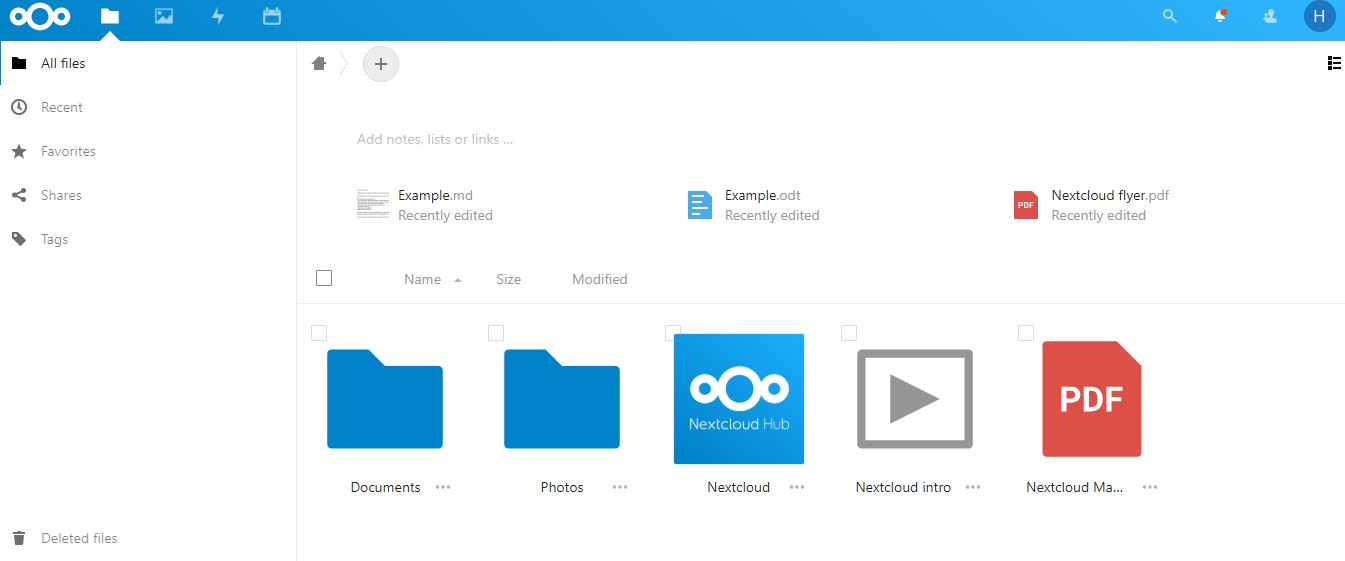
Nextcloud is an Open source cloud server application for homes and businesses to host their files to access them from anywhere in the world using the internet.
if virtualbox doesn't fix itself
pulsar thorn
maybe your pc really doesn't support it :(
lavish silo
cant beeeeee
pulsar thorn
last resort is windows subsystem for linux
if that doesn't work we gotta install linux
pulsar thorn
my fingers are crossed
 pulsar thorn
yayyyy
that saves a lot of stress
I'll leave you to it, just message me or ask here if you have any issues
good luck!
 lavish silo
pulsar thorn
that saves a lot of stress
lavish silo
pulsar thorn
that saves a lot of stress
The VM is set up, do I download the client now?
lavish silo
It just shows me the Ubuntu default page NVM i got it
I need to get an encryption module Got one.
 elder vine
When you logon to a server but can't help but have the echo of "nice..." when you read the ram usage...

 rough yew
I am wanting to run 150 ft of outdoor cat7 around the house but every review of cat7 connectors is a horror story
debating doing keystones or just putting a regular end on it and running the cable long enough into both rooms.
clear igloo
rough yew
I am wanting to run 150 ft of outdoor cat7 around the house but every review of ...
Get burial rated Cat6a, Cat7 that doesn't use TERA connectors isn't in spec anyway and since 99% of it is lower quality stuff marketed as "Cat7" for money don't bother with it. Just make sure any Cat6a doesn't have people saying it's CCA cable
rough yew
Any suggestions on actual products? There are hundreds on here with reviews all over the place.
On Amazon
meager ginkgo
rough yew
debating doing keystones or just putting a regular end on it and running the cab...
Keystones are the best IMO. on both ends. One end a patch panel the other end keystone wall plates.
clear igloo
TrueCable is a solid brand from what I remember, or monoprice but I've not seen them sell outdoor burial cable before
clear igloo
Another option is to run conduit outside and use regular cable instead if it's cheaper that way
meager ginkgo
Yeah agree with Lurick there. Conduit allows for future proofing aswell
rough yew
I like conduit but really already have cable lines running along the sides so I figured I would just clip it up there.

Stanz (TM) Flex Single Coaxial Cable Clips, Cat6, Electrical Wire Cable Clip, 1/4 in (6 mm) Screw Clip and Fastener, Black (100 Pieces per Bag)

Cat6a Outdoor Ethernet Cable 150 Feet,Adoreen Heavy-Duty Shielded Cord(15ft-to-250ft),SFTP,24AWG Pure Solid Copper,POE,Direct Burial,Waterproof,UV PE Jacket,Cat6e Cat 6a 6e,10Gbps 550MHz with 30 Ties
clear igloo
Yah, in that case you really don't have much choice in terms of length from what I see. Almost everyone sells 500ft or 1000ft spools for outdoor applications sadly
Anything that's CCA is EXTREMELY prone to breaking at the slightest issue, not in spec, and cannot be used for PoE or anything either
meager ginkgo
It may be cheaper to use MoCA if you have coax lines, then you also don't have to run a cable.
clear igloo
What speeds are you looking for anyway? gigabit or 10 gig?
rough yew
may as well do 10 gig in case I get new stuff one day.
I have a gigabit router currently. https://www.amazon.com/ASUS-RT-AX3000-802-11ax-Lifetime-Whole-Home/dp/B084BNH26P/ref=sr_1_4?crid=274LJYYIS5OLZ&keywords=asus+wifi+6&qid=1645984020&s=electronics&sprefix=asus+wifi6%2Celectronics%2C102&sr=1-4

ASUS WiFi 6 Router (RT-AX3000) - Dual Band Gigabit Wireless Internet Router, Gaming & Streaming, AiMesh Compatible, Included Lifetime Internet Security, Parental Control, MU-MIMO, OFDMA
meager ginkgo
Have you considered using MoCA? It would probably be fine for your needs. They have 2.5gig adapters with 2.5gig Ethernet ports, you can also avoid running new cable.
rough yew
I actually had that pulled up earlier too. https://www.bestbuy.com/site/screenbeam-moca-2-5-network-adapter-for-ethernet-over-coax-2-pack-2-5-gbps-coax-to-1-0-gbps-ethernet-adapter-black/6424459.p?skuId=6424459
You talking about that.
meager ginkgo
Yeah, do you have cable tv/coaxial wiring in the location where the router is/where you want a port?
rough yew
I do but it is old and runs half the distance
I was gonna use the current hole already in the wall for ethernet
meager ginkgo
Ah yeah. Ethernet is probably better in your case then
clear igloo
And Cat6 won't work since you'd be at or right up to the limit at ~150 feet for 10GbE
I'd honestly just get a 500ft roll of Cat6a and have the extra compared to trying to find a 200ft roll and deal with all that (cutting the ends, recrimping, risking getting junk cables, etc)
rough yew
It is actually 112 ft if you want to be exact to the ft, but I may as well buy 150 since it comes in 50ft increments.
clear igloo
Yah, everything I'm seeing below the 500ft spools is like CCA, Cat6 or Cat5e, or pretty dodgy to begin with
If you can find some Cat6 outdoor rated that's not CCA around 150ft and cut it down then you would be within spec by about 15m (roughly) for 10G so it should work later on. Cat6 can do about 50-55m for 10Gbps provided no issues/damage/etc.
meager ginkgo
celertec CAT6 Outdoor Cable, 500ft, 23AWG Solid Bare Copper, Unshielded Twisted Pair (UTP), UV Resistant, Weatherproof, Waterproof, CMX, ETL Listed, 550MHz, Bulk Ethernet Cable, Wooden Spool- Black https://www.amazon.com/dp/B087Q56TL6/ref=cm_sw_r_cp_api_glt_i_5DQYZ0C0AGZ5Y55GJAQD?psc=1

celertec CAT6 Outdoor Cable, 500ft, 23AWG Solid Bare Copper, Unshielded Twisted Pair (UTP), UV Resistant, Weatherproof, Waterproof, CMX, ETL Listed, 550MHz, Bulk Ethernet Cable, Wooden Spool- Black
This looks decent
clear igloo
meager ginkgo
celertec CAT6 Outdoor Cable, 500ft, 23AWG Solid Bare Copper, Unshielded Twisted ...
Yah
 chilly rock
Just a quick question, I want to setup webdav on my windows server but im not sure how is there any software or anything I can use?
plain siren
chilly rock
Just a quick question, I want to setup webdav on my windows server but im not su...
 plain siren
chilly rock
Just a quick question, I want to setup webdav on my windows server but im not su...
plain siren
chilly rock
Just a quick question, I want to setup webdav on my windows server but im not su...

Introduction Microsoft released a new WebDAV extension module that was completely rewritten for Internet Information Services (IIS) 7 and above on Windows Se...
 tender hazel
btw, don't know if you people have seen this: https://www.youtube.com/watch?v=GT1EWteOpTc

A smart PCIe network interface card that adds full-fledged router capabilities to your servers. The smart and easy way to create 25 Gigabit networks if you want to save space in your server room!
MikroTik dual 25Gbps NIC for servers with built in CCR2004 router
$200 USD MSRP
so for around the same price as a 25Gbps NIC (or even cheaper, depending on the brand) you can get both a NIC and a router
waxen saddle
That's crazy
plain siren
tender hazel
btw, don't know if you people have seen this: https://www.youtube.com/watch?v=GT...
Initeresting. Same CPU found in QNAP NAS' and Ubiquiti UniFi USW-Leaf
This thing has some niche use cases thats for sure
tender hazel
it can be used as a firewall to protect VMs.. it can be used to terminate VXLAN right on the router instead of needing to fuss with it in VMware itself or proxmox or whatever
and honestly I did some searches and I can't find any 25Gbps nics that are that inexpensive
it is so inexpensive that I would be tempted to get one for my desktop, although that runs windows and I have no idea if it would even be compatible with windows
plain siren
tender hazel
it can be used as a firewall to protect VMs.. it can be used to terminate VXLAN ...
VXLAN, Firewall, VPLS, VPN etc was my first thought
plain siren
tender hazel
it is so inexpensive that I would be tempted to get one for my desktop, although...

wonder if it supports SR-IOV
low pond
tender hazel
and honestly I did some searches and I can't find any 25Gbps nics that are that ...
The nearest Mellanox one comes at like 260+ IIRC with dual 25Gbit, and that's only an "NIC"
tender hazel
yeah.. for these virtualization servers like ESXi or proxmox, it makes a great deal of sense
frigid sphinx
it would be nice if it presented a ton of 10Gbe pci nic's
then you could passthrough pci in the virtualiser.. but.. you'd need some odd... controller group stuff
plain siren
tender hazel
yeah.. for these virtualization servers like ESXi or proxmox, it makes a great d...
Meanwhile over at intel

 wooden arch
I want to build a server for all my photos that I can access (upload and view ) from anywhere (including outside the network). anyone have any suggestions to point me in the right direction? I also have a raspberry pi zero sitting around, can that be used?
low pond
nextCloud
wooden arch
thanks
timid matrix
Hey, i got this strange issue where windows wouldnt use the DNS Server that i added, it would still use my router's default DNS , any idea why it wont work?
 timid matrix
Hey, i got this strange issue where windows wouldnt use the DNS Server that i ad...
timid matrix
timid matrix
Hey, i got this strange issue where windows wouldnt use the DNS Server that i ad...
oh and also, with cloudflare's warp app, the DoH would work fine, but still i cant use my Pi.hole with its custom local dns stuff
 low pond
timid matrix
Hey, i got this strange issue where windows wouldnt use the DNS Server that i ad...
low pond
timid matrix
Hey, i got this strange issue where windows wouldnt use the DNS Server that i ad...
You have 192.168.1.68 as first priority
Either turn that down the list or remove it
timid matrix
low pond
You have 192.168.1.68 as first priority
yeah thats what i wanted, but windows wouldnt actually use any of the preferred DNS Server that i have added to the list
low pond
From what you sent, the most highest priority is 192.168.1.68, so it will always use that
 meager tapir
How can I get free ipv6 dedicated ip
low pond
meager tapir
How can I get free ipv6 dedicated ip
Either from your ISP, if not, use free tunnel like tunnelbroker.net
Requires a bit of setup but it's "free" in case your ISP doesn't natively support it for any reason
meager tapir
low pond
Requires a bit of setup but it's "free" in case your ISP doesn't natively suppor...
They do but it's not static
I need a static ipv6
low pond
Tunnelbroker is static and free, but you need to do some manual setting up
meager tapir
low pond
Tunnelbroker is static and free, but you need to do some manual setting up
What setup
low pond
For the tunnel 😛
http://tunnelbroker.net
tender hazel
meager tapir
They do but it's not static
my ISP gives "dynamic" ipv6 and I've been using it for like a year and my prefix hasn't changed yet
so you might give it a try and see how solid your prefix lease ends up being because it might be quite usable
timid matrix
low pond
From what you sent, the most highest priority is 192.168.1.68, so it will always...
yea but the issue is ,its not using 192.168.1.68, its using the DNS that my router have provided, not the 192.168.1.68 where my pihole is hosted on
the result is the first nslookup, which should looks like hte 2nd nslookup
clear igloo
low pond
The nearest Mellanox one comes at like 260+ IIRC with dual 25Gbit, and that's on...
And a lead time of November which is pretty nice
clear igloo
tender hazel
my ISP gives "dynamic" ipv6 and I've been using it for like a year and my prefix...
Yah, most sane providers keep it bound to your modem/ONT/etc but then there's spectrum 😄
thick minnow
Hi, everybody,
I'm a networking hardware newbie and am looking to build my own router. I'd appreciate recommendation for good value components. Specifications below:
My connection from the ISP is < 1 GB speed and I don't have much of a use for a fast wired connection over LAN - that would just be a nice-to-have.
I don't really have a budget but would ideally like to spend tops maybe a few tens USD, but beyond the Techquickie video about DIYing a router IDK about component prices for a DIY router. And ideally I'd like something that has a good value proposition and not pay for more than what I need
 misty warren
if you're just building a linux box, any pc from the last 20 years with pcie will be fine. 1g nics are like sub $20 and you can probably toss in a wireless card/dongle supported by hostap for sub $30
in general, routers dont require a lot of resources
you either need 2x ethernet interfaces or a deep desire to use vlans and a switch that supports them
motherboard build in interfaces are fine
plain siren
misty warren
in general, routers dont require a lot of resources
An Allwinner ARM Chip does well as a base board
thick minnow
Hi
im building a network everything works but i only need to terminate the cables to keystones to put in a patch panel. Anyone have any tips to make me do it fast? im really slow now
I use cat6a
thick minnow
looks like this how

 idle karma
Hi
Can I use my earth-1010 modem as repeater ?
waxen scroll
thick minnow
im building a network everything works but i only need to terminate the cables t...
Sounds like you're not using a punchdown tool o_o It should not be that slow
theres also more expensive keystones from panduit or others that dont require a punchdown but its some special tool they need
70% faster though!
carmine moss
thick minnow
looks like this how
that's a really small networking closet tho it looks clean
carmine moss
i know my patch panel is bad. i just use coupler keystones tho half my keystones don't click in. at least 12 keystones are good of the 24 and paid almost nothing for it 30 euro for the panel and keystones and had mounting included but have enough cage nuts got them for free with my rack
the keystones are supposed to be cat6 so idk not like most of the cables are cat 5e and one cat 6 run and was already terminated into jacks so easier using couplers
clear igloo
thick minnow
And my dad won’t buy me one lmao
flathead screw driver?
thick minnow
carmine moss
that's a really small networking closet tho it looks clean
There wasn’t any more room so yeah
thick minnow
clear igloo
flathead screw driver?
I have that haha
carmine moss
still clean for a small space tbh you don't need a ton of space anyway
idle karma
@idle karma please answer my question
 wanton cypress
Does anybody know how to add a vpn to a tp-link Archer-C50
wanton cypress
can you do it threw a certain protocol
 neon escarp
So question.. I have 2 servers. They are connected through 2 switches and a Vlan trunked between the 2 switches. Yesterday i configured Server one to subscribe to multicast address 224.2.2.30 which server 2 is multicasting to. This setup worked. For 12 hours ish. Any idea what could've broken considering there was no reboot(or powerloss), no configuration changed on either server, and no topology change on the L2 network ?
hollow marlin
@neon escarp Is IGMP-snooping is enabled on the switches and do you have an IGMP-querier within that VLAN?
-If its yes/no, with multiple switch you can run into these scenarios but it varies wildly depending on host OS and how the switch handles flooding MC to unknown groups. But typically its seen around the standard 3 mins mark, not 12 hours. A simple disabling of IGMP-snooping would be enough to test if it was the root cause.
-If its no/no, probably down to a server/host problem. A simple wireshark will tell you if the packets leaving the server and are making it to the host.
neon escarp
I've done yes/yes yes/no and no/no scenarios durring diagnosis with no change. My next test will be to connect the host directly to the server and bypass the switch entirely to rule out server/host problem. i do have a lingering suspicion of just a broken/insufficient switch its an 8 year old netgear GS724T. Last resort as they say sadly... Thx for the input 🙂
 silent torrent
Hello my school had network restrictions. I recently learned that a raspberry pi can act as a vpn. but i was thinking to distribute it through the school i would some sort of router that has ungodly powers or a mesh network
i am looking for a cost effective solution. im just a kid so like probably impossible to do but i got at most 200$
i was thinking i could hide repeaters in lockers and put a battery bank in it
 hearty cliff
hey so Im hooked up to ethernet and the download speed is atrocious, is there any way I could make it faster because I have a good internet provider and other devices arent this slow
silent torrent
hearty cliff
hey so Im hooked up to ethernet and the download speed is atrocious, is there an...
what is your network plan’s speed
 twin zealot
silent torrent
Hello my school had network restrictions. I recently learned that a raspberry pi...
twin zealot
silent torrent
Hello my school had network restrictions. I recently learned that a raspberry pi...
why dont u use a free vpn?
it might be that a vpn is blocked but if the vpn plan is free you cant really lose anything besides some time
sudden kayak
don't use free vpns
twin zealot
if it is for school stuff why not?
i mean what do they want to catch
me playing krunker?
sudden kayak
if a vpn is free it's making money off of you in some other way
usually very sketchy
twin zealot
idk
sudden kayak
if you're paying even like.. idk $1 or $2 a month, it might not be the fastest, but you're a paying customer and they're not going to steal your data or mine Bitcoin on your client or something
twin zealot
do you know proton? from protonmail, they are highly trused for their encrypted mail and also have a free vpn
dont know why their free mail is higly trusted but their vpn not
sudden kayak
that's a very different scenario - a particular known company that offers some paid services and then a very minimal free tier of their vpn
if you are just looking for some random free vpn, it's always going to be some kind of scam
unborn sluice
sudden kayak
if you're paying even like.. idk $1 or $2 a month, it might not be the fastest, ...
they're not going to steal your data
ah yes, cause you're paying for something means they aren't doing anything shady
sudden kayak
it's almost always a good heuristic
if they're getting money from you, they have a sustainable business and they have no reason to do sketchy stuff and risk their reputation
if it's a random free vpn that nobody's heard of, the only way they're gonna break even is by selling your info or doing something else shady
unborn sluice
risk their reputation
ah yes, VPN companies wouldn't do anything that would damage their reputation
sudden kayak
right. if they're a legitimate business they're going to care about their reputation
you're saying that like it's a big gotcha but that's literally making my point
unborn sluice
all I said was sarcastic, and you're digging it deeper
sudden kayak
you failed at sarcasm if you're saying something that is entirely reasonable. no legitimate vpn provider is going to do shady shit like the ones that sponsor YouTubers to say a vpn magically keeps you safe from everything
lol anyway my point stands regardless of your weird attempt at sarcasm. don't use random vpns that make unrealistic claims and offer you something that's too good to be true... get a known provider or run your own
 granite tide
Seems Yealink are expanding into new product ranges. Looks pretty cool

The MeetingBar A30 perfectly covers medium rooms with it’s dual-camera system. The camera array consists of one optical camera for 10x optical zoom along and an 8 MP, 120° field of view digital camera, allowing users to enjoy a deeper but still clear visual experience, which is unable to be achieved with a single camera. Using these cameras, Yea...
 cerulean anchor
twin zealot
do you know proton? from protonmail, they are highly trused for their encrypted ...
cerulean anchor
twin zealot
do you know proton? from protonmail, they are highly trused for their encrypted ...
They track IPs and give to the government when asked, their praise has been diminishing after that happened.
 lament dirge
Hi team, been having weird issues with both lan and wlan connectivity.
For lan, network keeps disconnecting every few seconds and to get connection back I have to manually click the network icon on taskbar and only then will the computer attempt to find available connections and connect successfully. Only for it to disconnect again shortly after. Initially thought it was cable issues but the new cable did nothing.
For WiFi, the adapter properties displays a "This device cannot start. (Code 10) message. I have tried uninstalling and reinstalling the drivers but problem is still there. Kindly assist as I have no idea what's up
 crisp bay
uhh if there's anyone who can understand Nginx, I'm trying to proxy IP:port to a domain but it doesn't work on that specific config/site, it works on others..
server {
        listen 80;
        server_name domain.tld;

        location / {
                proxy_pass http://{redacted}:25586;
        }
}```
well this should work right?all website proxys are blocked. we can’t download anything because of the settings on all of the chromebooks
is there some sort of network switch that has a vpn
pulsar thorn
crisp bay
uhh if there's anyone who can understand Nginx, I'm trying to proxy IP:port to a...
here's a config for one of my docker containers:
server {
        listen          192.168.0.252:443 ssl;
        server_name     example.jcksn.rip;

        ssl_certificate C:/filesync-certs/server.crt;
        ssl_certificate_key C:/filesync-certs/server.key;

        ssl_session_cache    shared:SSL:1m;
        ssl_session_timeout  5m;

        ssl_ciphers  HIGH:!aNULL:!MD5;
        ssl_prefer_server_ciphers  on;

        location / {
        proxy_headers_hash_max_size 512;
        proxy_headers_hash_bucket_size 64;
        proxy_set_header Host $host;
        proxy_set_header X-Forwarded-Proto $scheme;
        proxy_set_header X-Real-IP $remote_addr;

        add_header Front-End-Https on;
        proxy_pass http://192.168.0.79:8180/;
        }
    }
I'm not sure if you need to add the ```
proxy_headers_hash_max_size 512;
proxy_headers_hash_bucket_size 64;
but your config should be working.What are your error messages telling you?
 verbal pollen
Does having a better wifi card helps with being a little far from the modem?
My brother currently has the Intel Wi-Fi 6 AX201, is there any room to upgrade? hes room is quite far from the modem, does replacing the wifi card would help?
or having an extender would help?
 rugged quiver
If you want stability(assuming you can't run network cables), a power line adapter with optional access point would be ideal. Otherwise a repeater might do better than a different wireless card (won't be great for latency if gaming).
crisp bay
pulsar thorn
What are your error messages telling you?
refused basically..checked nginx error log (also added the line to log errors, shows nothin't
pulsar thorn
crisp bay
refused basically..checked nginx error log (also added the line to log errors, s...
can you access your proxied destination from the server or your computer?
rugged quiver
lament dirge
Hi team, been having weird issues with both lan and wlan connectivity.
For lan, ...
Got any other computer to test with?
crisp bay
pulsar thorn
can you access your proxied destination from the server or your computer?
If I try to access it with IP:port, that works, just the domain part doesn't
I tried your config, removed the ssl part as I just wanna run it plain HTTP, still doesn't wanna work
unborn sluice
Whats the error?
crisp bay
Site returned Connection refused, browser console shows nothing, neither does Nginx log..
unborn sluice
can you show the config nw
peak cloak
crisp bay
Site returned Connection refused, browser console shows nothing, neither does Ng...
refused means something outright refused the connection
not even timeout, which means no response
silent torrent
dumb question but i have a travel router. so if i connected it to my school network would the encryption basically prevent any network restrictions from uh well restricting
hearty cliff
So I did an internet test and it said I should have a 30MB/s download speed but in Steam and other apps, I'm only getting about 2MB/s. Is there any reason for this?
unborn sluice
Yes
crisp bay
hearty cliff
So I did an internet test and it said I should have a 30MB/s download speed but ...
Mb =/ MB
2 MB times 8 is 16Mb, the maximum speed you could have is around 3.8MB or so
crisp bay
unborn sluice
can you show the config nw
        listen          80;
        server_name     domain.tld;

        location / {
        proxy_headers_hash_max_size 512;
        proxy_headers_hash_bucket_size 64;
        proxy_set_header Host $host;
        proxy_set_header X-Forwarded-Proto $scheme;
        proxy_set_header X-Real-IP $remote_addr;

        proxy_pass http://{redacted}:25586/;
        }

        error_log /var/log/nginx/domain.tld_error.log;
        access_log /var/log/nginx/domain.tld_access.log;

    }
Try setting the “listen” to the server IP address
crisp bay
gave it, still no effect
low pond
because it's his domain
crisp bay
the domain works, just the routing to it doesn't.. (yes I redacted it)
unborn sluice
i haven't been following the convo, so you did the basic like
restart the nginx, check the ports of the proxy, check the ports of the proxied
all that works right?
crisp bay
yeah that works fine, I can access the content if I use IP:port, just replacing it with a domain doesn't
unborn sluice
to recap this is a server somewhere that doesn't need port forwarding right
and the domain returns the same ip you use to access it?
crisp bay
unborn sluice
to recap this is a server somewhere that doesn't need port forwarding right
well it does, the specific port is opened since I can access it normally
unborn sluice
I mean the proxy server, not the proxied
crisp bay
a bit confused, I have the content and Nginx on the same server, so technically it doesn't need.
I've checked domain IP and it's the right IP
unborn sluice
so you proxy it over localhost?
proxy_pass http://{redacted}:25586/;
cause this suggests it's outside
so you are accessing the public ip of the same server?
crisp bay
yeah, in that config it's the public IP, I can access that easily
unborn sluice
you can, but did you check if the server can
crisp bay
wdym? localhost? tried curl, yeah works (received a whole index.html)
crisp bay
localhost
unborn sluice
do curl the public
crisp bay
yeah same result, that works
unborn sluice
and the nginx error/access log doesn't say anything right?
and nginx is current status is running
i assume systemd
crisp bay
yeah it is running fine, without any errors
unborn sluice
interesting
slow pivot
@crisp bay does the domain you are trying to use map to the IP that nginx is listening on?
crisp bay
my public IP that I can access as described earlier
slow pivot
So not the same as the ip that nginx is listening on?
crisp bay
yeah
wait hold that. Wdym by nginx listening to the IP? the IP that is mapped to the domain?
slow pivot
Yes
unborn sluice
Yes
slow pivot
So from your config, I am understanding you have two servers, each with an IP; nginx is listening to the first and proxying requests to the second, which is the public ip of your http server (home?)
unborn sluice
actually based on what he said he's using the public ip to proxy to the same server
maybe he wants his packet to leave the network for no reason
slow pivot
The domain you are using is mapped via dns to the first ip that nginx is listening to
crisp bay
exactly. Basically that site with 25586 port is mapped to Nginx so I can access it with domain on port 80. The domain is mapped with my IP address
slow pivot
And you are not seeing any requests in nginx’s access log?
And what type if connection is your ip address that nginx is listening on? Is that like a home ISP of some sort?
crisp bay
slow pivot
And you are not seeing any requests in nginx’s access log?
there are some, just not a lot
crisp bay
slow pivot
And what type if connection is your ip address that nginx is listening on? Is th...
home ISP yeah
slow pivot
crisp bay
there are some, just not a lot
Any relating to your test requests from outside your network?
If not, is it possible that your ISP is filtering requests to port 80 from the internet?
crisp bay
I mean, I have another site that is on port 8443 and has the same config, that one works fine, on the same server
that's why it's so weird I can't proxy a simple site..
slow pivot
When you say port 8443, that is the port that nginx is listening to on your public ip?
unborn sluice
slow pivot
If not, is it possible that your ISP is filtering requests to port 80 from the i...
this tbh
crisp bay
okay....ssl issue. Installed a cert, it works..tff
unborn sluice
so it's not running (nginx)
crisp bay
it is, was confused it didn't have ssl so it failed..
unborn sluice
but you said it was running wihtout error
crisp bay
yeah...idk really
waxen scroll

 formal lance
I am trying to remove some of the lag spikes in my remote streaming/quest 2 setup. I am currently using a GL502VM laptop as a wireless streaming device for Parsec/CEMU. I currently have a Netgear AC1750 router, with ethernet from my desktop. I am considering upgrading both my router to a 6/6e one, and concurrently upgrading my laptop wireless adapter from the stock one (Intel 8260NGW https://www.intel.co.jp/content/dam/www/public/us/en/documents/product-briefs/dual-band-wireless-ac-8260-brief.pdf) to an ax210 https://ark.intel.com/content/www/us/en/ark/products/204836/intel-wifi-6e-ax210-gig.html Will this make any real difference, and will it even be compatible (I believe so since both cards are m.2 2230 but would like to confirm before purchasing.
quick reference guide including specifications, features, pricing, compatibility, design documentation, ordering codes, spec codes and more.
south blade
Hey, I gave my Ubiquiti AP an IP address from my OPNsense box, 192.168.1.4, my router used only as an AP is set to 192.168.1.2 in it's own settings, would it hurt to assign it 192.168.1.2 in Static ARP in the OPNsense box?
 worn bone
yo can someone help me with apache??
I have sumn else running on the same port :80
what do I do?
tcp        0      0 0.0.0.0:80              0.0.0.0:*               LISTEN      38222/lighttpd
tcp6       0      0 :::80                   :::*                    LISTEN      38222/lighttpd
Does something look obviously wrong here? I keep having to toggle my WiFi cause I keep losing connection or something, DHCP on OPNsense, disabled on AP devices.
 peak cloak
what's running
worn bone
can I run apache2 on a different port?
peak cloak
go to that device's ip and see what shows
worn bone
ok
peak cloak
worn bone
can I run apache2 on a different port?
yes
worn bone
I think it is running my pihole web interface
worn bone
wait I'll change the pihole port
 next void
Is there a way to make centos read out network traffic/activity?
peak cloak
next void
Is there a way to make centos read out network traffic/activity?
specific traffic?
tcpdump
Daniel Miessler
50 tcpdump examples that get you maximum results in minimum time. Slice by IP, port, protocol, and application!
 next void
My problem is that I’m doing a school project and I have a server rack and we are using IP tables for a router because dumb school network shit and then our dns server isn’t working
And I don’t know what to do anymore😂
peak cloak
next void
And I don’t know what to do anymore😂
yeah tcpdump is great for this
peak cloak
next void
My problem is that I’m doing a school project and I have a server rack and we ar...
ahh, that sucks
iptables is annoying
next void
 peak cloak
I would just use like vyos if I could
worn bone
peak cloak
and block port 80 from other applications to bind to it
so I changed the port for pihole to :69 but it does not show up at http://192.168.29.51:69/ but it does work when I just do http://192.168.29.51/admin/ and apache2 is working too now
next void
Well supposedly the ip tables thing has worked for “7 years and there’s no reason to change it”
Like this thing is actually ancient
peak cloak
raw iptables is super hard to maintain imo
next void
Huh
Well supposed it hasn’t been touched in 7 years
And everything is working

These are all the rules
peak cloak
not much
peak cloak
next void
My problem is that I’m doing a school project and I have a server rack and we ar...
what does the layout look like
peak cloak
next void
Wym?
network topology
next void
Ah
We have a huge district switch at my school, and then we have our own switch for the cyber security program and off comes our little cable that goes to our iptables router, witch then goes back to the switch we have, then a cable goes to a DNS server
Witch then comes back to the server
I mean switch
Then off that same switch it goes to the server I was assigned to build, which I showed a love
peak cloak
what's between dns server and client
peak cloak
next void
Wym?
like what devices are between dns server and client, to figure out why dns is not working

