#networking
1 messages · Page 385 of 1
 amber hornet
 true nova
streaming is upload bandwidth web browsing is download bandwidth  i misread
 fading tendon
What cable shude i use from router to pc?
 long thistle
fading tendon
What cable shude i use from router to pc?
long thistle
fading tendon
What cable shude i use from router to pc?
at what distance?
fading tendon
long thistle
at what distance?
I mean i am not really sure i am buildin a house
And i am thinking of the cables
fading tendon
long thistle
use cat 6/6a in house
Ok ty
long thistle
fading tendon
Ok ty
but make a good infrastructure in key places around the house
because you'll regret if not
fading tendon
long thistle
but make a good infrastructure in key places around the house
Yeah thats what i am thinking at least i cable per room
*1
long thistle
2 would be most optimal
fading tendon
So do you have any advice how shude i do that on the router side becouse there whude be a lot of cables
long thistle
fading tendon
So do you have any advice how shude i do that on the router side becouse there w...
you'll probably need a rack cabinet + patchpanel and switch connected to the router
fading tendon
long thistle
you'll probably need a rack cabinet + patchpanel and switch connected to the rou...
Any good videos on this subject?
long thistle
fading tendon
Any good videos on this subject?

Hello everyone this is Hafiz with you and welcome to my channel.. As you can see this video is about building a network cabinet from scratch it is very important to build your network cabinet properly. If you don’t have a good network cable management strategy in place, not only your racks will look unorganized, but it can make maintenance more ...
 ivory egret
Can anyone recommend a good router for a small business please
 final minnow
ivory egret
Can anyone recommend a good router for a small business please
final minnow
ivory egret
Can anyone recommend a good router for a small business please
Ubiquiti.
ivory egret
final minnow
Ubiquiti.
Hmm... Can you recommend which is good?
 wheat flicker
I tried throttling my upload bandwidth using netlimiter but it still spikes on one pc but it still spikes on other devices when uploading?...
final minnow
ivory egret
Hmm... Can you recommend which is good?
How many clients?
ivory egret
final minnow
How many clients?
Machines connected around 80
 peak cloak
ivory egret
Machines connected around 80
peak cloak
ivory egret
Machines connected around 80
for easy managment, yeah ubiquiti, problem it's all or nothing
either you go all ubiquiti, with switches, router, APs, so it's all under one panel, or none, because then it's a PITA
I guess the Dream Machine Pro works
idk about unifi's product line that much
@rocky badge knows more
ivory egret
Thanks both I've brought one anyway. my current one is doing my head in haha
 tranquil kestrel
hey guys, i just built my pc and my wifi sucks on it. its a b560 wifi mobo and idk how to fix it being so slow.
 mild frost
How do I set a vm to use only one ethernet switch?
mild frost
tranquil kestrel
hey guys, i just built my pc and my wifi sucks on it. its a b560 wifi mobo and i...
Try using ethernet
 round timber
Does anyone know what the websites or software that was used to host the minecraft server?
peak cloak
round timber
Does anyone know what the websites or software that was used to host the minecra...
ddos protection is tcpshield and it's probobly running linux and on-prem at ltt
round timber
Ok
I know they used 3 but I only found 2 multicraft and proxmox I just don't know what the third was
 jaunty girder
should i get 30 mbps fibre optic internet or 80 mbps cable internet
whats better for gaming
and meeting calls
 thick minnow
how to?
peak cloak
thick minnow
how to?
vyos, opnsense, pfsense
round timber
it was something with a green logo and had the word plan in it
thick minnow
peak cloak
vyos, opnsense, pfsense
ok thanks
 unborn sluice

 south blade
ceiling mount 2.4Ghz/5Ghz AP?
unborn sluice
your devices 2.4ghz/5ghz?
south blade
Most of them can connect to either, yeah.
Have an old Ubiquiti AP with only 2.4Ghz, and with most of my devices being wireless or being used with WiFi adapters I'm looking to upgrade before ceiling mounting this old thing.
 terse wyvern
i pinged my public IP but im not getting any response?

 low pond
probably CG nat then.
unborn sluice
Kinda weird that from all the possible numbers, you choose to censor the 3rd octet
peak cloak
terse wyvern
i pinged my public IP but im not getting any response?
Nothing unusual
Since router probably blocks ICMP on wan
 clear igloo
Plus hairpinning is usually blocked as well if you're pinging your WAN from your LAN
peak cloak
Yeah
unborn sluice

 waxen scroll

ZDNet
Comcast's push into 10G technology for the home reached a milestone with a successful test of a DOCSIS 4.0 modem that can already achieve symmetrical transfer speeds of 4Gbps in a lab.
🍆 🍆
peak cloak
still pushing coax
waxen scroll
Of course, it's there already
ATT has claimed fiber is in my city for a few years now and I still can't find an address that has it
waxen scroll
terse wyvern
i pinged my public IP but im not getting any response?
nice censor bro 172.177.98.148
 bronze raptor
maybe this isnt the right channel to ask but im sure you guys can help. in the picture of an example network for the "dream machine pro" it shows the web coming in to it. is that going to be an ethernet cable from an isp modem?
unborn sluice
bronze raptor
maybe this isnt the right channel to ask but im sure you guys can help. in the p...
what are you going to use it for
peak cloak
bronze raptor
maybe this isnt the right channel to ask but im sure you guys can help. in the p...
seeing the said picture would help
bronze raptor
 peak cloak
bronze raptor
peak cloak
bronze raptor
yes
it's to whatever you get internet access from
it's not a modem
just a router
well it does other things too like NVR, basic switching, but you get the idea
bronze raptor
lol i think you are correct, but i am still curious how it all works and i am having issues finding the answer probably because it is so simple.
peak cloak
technically if your ISP has active fiber, you could just plug an sfp module in the router and no modem needed
unborn sluice
peak cloak
technically if your ISP has active fiber, you could just plug an sfp module in t...
how many ISPs in your area got that?
unborn sluice
dang, thought I was missing out
peak cloak
it's rare, but some do in other areas of the country
bronze raptor
so im not sure what "active fiber" is... im thinking of switching to verizon and they claim it is fiber, right?
peak cloak
bronze raptor
so im not sure what "active fiber" is... im thinking of switching to verizon and...
yes it's fiber, but not active fiber

you still to use their ONT
but tbh, it's not that big of a deal
it's a no BS thing, unlike other ISPs
no all in one, stupid ONT/router
just plug your router into ONT, gets IP from DHCP ez
unlike other certain ISPs in my area where they don't even have just an ONT, but force you to use their all in one
and you have to mess with pass through, etc.
looking at you Optimum/Atlice
bronze raptor
okay my next question is, dream machine or something like pfsense?

The Vault is a fanless, solid state, small form factor network appliance built for use as a firewall router and is compatible with a variety of open source firewall projects. The FW4A-0 barebone version comes without RAM or mSATA storage so the buyer can select the option that meets the needs of ...
peak cloak
imo, neither
bronze raptor
okay im open for ideas lol
unborn sluice
tell us what you need?
bronze raptor
im new to this and wanna learn, but dont wanna use my isp all in one anymore
im just looking for home network
unborn sluice
i'd suggest go for simulations first before buying the physical gear
peak cloak
I mean I went head first as well
unborn sluice
unless you have money to burn
peak cloak
you don't need to go expensive
bronze raptor
i do not have money to burn lol
unborn sluice
peak cloak
I mean I went head first as well
i mean I broke our home internet a couple times
peak cloak
problem with unifi is it's $$$ and like the apple of networking
bronze raptor
so that is in fact a good idea
peak cloak
unborn sluice
i mean I broke our home internet a couple times
so did I...
unborn sluice
was fun, but the ISP charges if they fix it for the customer. that was a bummer
peak cloak
unborn sluice
was fun, but the ISP charges if they fix it for the customer. that was a bummer
oh no, I just needed factory resets
I just locked myself out so many times
bronze raptor
wow certainly i dont wanna break my internet lol
peak cloak
learned to keep a port just for managment
unborn sluice
peak cloak
oh no, I just needed factory resets
isp is so sht, they don't give the admin creds. had to google my self
peak cloak
bronze raptor
wow certainly i dont wanna break my internet lol
well if you start messing with all types of things, eventually you will break something, especially if you are new and don't know what you are doing
unborn sluice
ISP won't even allow customer to use a 3rd party router, they disabled IP passthrough on a lower level.
people had to sign a waiver
bronze raptor
peak cloak
well if you start messing with all types of things, eventually you will break so...
good point
peak cloak
like a firewall rule that locks you out, or trying to setup vlans which obv you can't with a downstream PC, unless you are very skilled
unborn sluice
bronze raptor
good point
if you start being afraid, you'll slow down
peak cloak
could take a look at ubiquiti's ER-X
it's fine for ipv4, with ipv6 it has some issues and you need to use CLI which I don't mind
there's also mikrotik's HEX S, which is even less noob friendly
unborn sluice
i'd still go with mikrotik personally
unborn sluice
yea. they don't care really (UI)
bronze raptor
i dont really know what i would be changing. i think i am just looking to learn about stuff and make a more secure home network without using the isp all in one.
peak cloak
like DHCP leases start highest to lowest
unborn sluice
peak cloak
like DHCP leases start highest to lowest
kinda of a weird quirk but not a problem to me.
peak cloak
or things like making DHCP lease hostnames resolve in DNS require scripting
peak cloak
bronze raptor
i dont really know what i would be changing. i think i am just looking to learn ...
it's a rabbithole
bronze raptor
yup, i know that for sure already lol
unborn sluice
bronze raptor
i dont really know what i would be changing. i think i am just looking to learn ...
start by deploying APs
imo, that's the easiest and interesting.
bronze raptor
another thing i kinda like about the dream machine is the security camera stuff all built in
but im sure its way overkill for my home network
unborn sluice
wdym security camera built in
bronze raptor
like just plug in the unfi cameras. or at least i thought it was built in...
peak cloak
unborn sluice
wdym security camera built in
it has unifi NVR in it
but from what I remember it only has 1 drive slot
which is meh
bronze raptor
thats okay though, i like the price of the mikrotik hex s better
unborn sluice
imo, you're vendor-locking yourself in ubi if you go with their NVR
better to deploy your own
bronze raptor
vendor locking with the mikrotik?
unborn sluice
peak cloak
it has unifi NVR in it
iirc, dream machine (non-pro) doesn't have those. so that's the one the difference really
bronze raptor
seems like ubi is vendor locked all together and looks to me like none of their stuff is in stock
peak cloak
unborn sluice
iirc, dream machine (non-pro) doesn't have those. so that's the one the differen...
ah idk their lineup
unborn sluice
peak cloak
ah idk their lineup
me too, i just learned pro has nvr lol
 hardy kestrel
Any powerline adapter recommendations?
(it's basically impossible to run an ethernet cable in the master bedroom on our first house)
 eternal onyx
Hi guys! I'm upgrading my home network, im turning my router into a modem but im not sure what router and WAP i should get. i need the router to be rack mountable and the WAP POE and roof/wall mountable
 smoky girder
i cant figure out how to port foward, ive opened the ports for it and the server is on and no one can connect
we cant even ping it
peak cloak
smoky girder
i cant figure out how to port foward, ive opened the ports for it and the server...
At home? What are the first 2 octets of Wan IP
Look in router
That's you are adding the port forwarding rules
unborn sluice
peak cloak
At home? What are the first 2 octets of Wan IP
that's actually a great way to know if someone is actually giving the public
great thinking
peak cloak
unborn sluice
that's actually a great way to know if someone is actually giving the public
Most of the time, cgnat is the issue
ivory egret
Anyone familiar with Edge OS? Trying to open a port to the outside world but not working
peak cloak
ivory egret
Anyone familiar with Edge OS? Trying to open a port to the outside world but no...
Yes
What are the first 2 octets of wan IP
ivory egret
192.168
peak cloak
ivory egret
192.168
of WAN IP?
peak cloak
ok that seems fine
under Firewall/NAT -> Port Forwarding
make sure you enabled the right interface for WAN interface
and the LAN interface is your LAN, whatever it is. By default it's switch0 iirc
I have all my VLANs there
ivory egret
Yep mine is connected to the correct LAN and WAN
peak cloak
show me the rule
ivory egret
 peak cloak
and you can access the service rn at 192.168.0.50:1666?
ivory egret
Yep
peak cloak
and how are you checking from the outside?
ivory egret
The port forwarding tester is a utility used to identify your external IP address and detect open ports on your connection. This tool is useful for finding out if your port forwarding is setup correctly or if your server applications are being blocked by a firewall.
peak cloak
see if someone else can connect, sometimes port scanners aren't the best
ivory egret
Yeah no one is getting it. I think its an ISP issue. I've had a few issues in the last 48 hours
I'm new to the EdgeOS is there anything else on the firewall i should check? Most things are default
peak cloak
waxen scroll
<@!222482269829332992> remember Crystal?
ye
peak cloak
ivory egret
I'm new to the EdgeOS is there anything else on the firewall i should check? Mos...
by default port forwarding rules will create firewall rules as well
which will allow it through
ivory egret
peak cloak
by default port forwarding rules will create firewall rules as well
Hmm worked fine on my old router
peak cloak
ivory egret
Hmm worked fine on my old router
show this

and your main page,

^example of what I have
ivory egret

 ivory egret
ahh
ivory egret
peak cloak
ah yep
Thank you for that! Still learning, its always something simple haha
 shell bear
 thick minnow
waxen scroll
<@!222482269829332992> remember Crystal?
thick minnow
waxen scroll
<@!222482269829332992> remember Crystal?
where is crystal
waxen scroll
banned
waxen scroll
ivory egret
if you ever get a cable modem you wont be able to access it
peak cloak
waxen scroll
if you ever get a cable modem you wont be able to access it
wdym?
that LAN is in the .0 range?
waxen scroll
192.168.100.1 is a popular cable modem address
low pond
waxen scroll
<@!222482269829332992> remember Crystal?
He still exists y'know 🤣
I have him too in my DM's
unborn sluice
low pond
He still exists y'know 🤣
you're implying that he did exist
wheat flicker
Is this normal
 peak cloak
why would it be not normal
it's kinda like showing a picture of electricity meter and saying "is this normal"
wheat flicker
Aren't u supposed to receive more and send less
 hollow marlin
Depends which perspective you're looking from
 maiden jay
I am wondering. I have a homeserver, running OpenMediaVault 5, with everything else via docker. I have a wireguard tunnel going to the server, no other ports published. I ofc still have all the actual services in docker accessed with HTTP, which is quite annoying given the browser warnings. What would be the easiest way to access them, both locally and remotely, via HTTPS protocol. (Ideally just utilising certbot). I have about 10 different web UIs I access.
peak cloak
maiden jay
I am wondering. I have a homeserver, running OpenMediaVault 5, with everything e...
you have a domain?
maiden jay
peak cloak
you have a domain?
Well, I have adguard home so I can have a dns rewrite locally
I also have a domain on namecheap just for this if need be
peak cloak
maiden jay
I also have a domain on namecheap just for this if need be
yeah you need a global, public domain
maiden jay
I have seen tons of guides on reverse proxies but I cannot comprehend how to get any of them to work for my use case
Probably because I don't get why certain steps are done so don't know how to replace them or if I need them for what I want
Since I don't want to access the server remotely via a port. I want to wireguard into it and THEN locally access all my web guis, but I want HTTPS locally and ""remotely""
peak cloak
maiden jay
Since I don't want to access the server remotely via a port. I want to wireguard...
so basically the process is this, it's recommended to setup a reverse proxy, which you can do in docker. Just plain ol nginx is good, you can also can use caddy. With caddy I think you can also automate cert renewal, never used it myself tho. Then this is the key step, you need to use Let's Encrypts DNS-01 challenge. This basically verifies domain ownership by creating a txt record. Not all DNS providers are supported. If certbot doesn't support it, acme.sh may also. Then you install the certs on the reverse proxy, and setup the reverse proxy. I would also request a wildcard cert from let's encrypt, so you can access different services based on domain name, ex: jellyfin.example.com, nextcloud.example.com, etc.
peak cloak
maiden jay
Since I don't want to access the server remotely via a port. I want to wireguard...
you can have all the dns records be local
but thing thing with a wildcard cert, is that it's one level only
maiden jay
Ok so, that's roughly what I understood, it just seemed to be more of a remote thing not a local thing?
What people seem to recommend lately is nginx-proxy-manager
peak cloak
so for example, *.example.com. test.example.com counts, but test.manage.example.com doesn't
peak cloak
maiden jay
What people seem to recommend lately is nginx-proxy-manager
idk, never used it, seems too bulky for me, but meh use whatever works
maiden jay
It has a very nice looking and simple interface, but they all use cloudflare in tutorials and the dropdown also doesn't seem to have namecheap? I honestly don't understand what they were doing regarding the proxy setting in the cloudflare account etc.
peak cloak
maiden jay
Ok so, that's roughly what I understood, it just seemed to be more of a remote t...
well if you don't want to install any certs on your local browser yes
peak cloak
maiden jay
It has a very nice looking and simple interface, but they all use cloudflare in ...
change your nameserver to cf if you want
maiden jay
So what exactly happens, what is the path things take. I go outside then back in?
peak cloak
no no
when accessing the server over https, all that needs to happen is that the webserver provides a valid cert that is signed by one of the root authorities
if it's not signed by one of the root authorities, a big scary warning comes up, ex: self-signed certs
maiden jay
Yeah that I know
Like that stuff I understand
I just don't understand what the reverse proxy is doing exactly, I thought I did but then I watched how people set it up for openmediavaukt/docker and none of it made any sense to me. I've been looking at stuff for 3 days and it feels like I am getting more lost, not less
peak cloak
maiden jay
I just don't understand what the reverse proxy is doing exactly, I thought I did...
it's basically acting as the https endpoint
so you don't need certs on every single docker container
maiden jay
And most setups seem to be without a vpn tunnel, they open 80/443 and access their servers that way, I want to be able to use my tunnel but I can't find anyone doing both
peak cloak
you certainly can
maiden jay
peak cloak
so you don't need certs on every single docker container
Yeah that I know, it's why I started looking into reverse proxy
peak cloak
and you have single IP for every service
maiden jay
Coz doing ssl for every single container I have, no thanks
peak cloak
you can either do it paths or via domain name
I've never really done this, but basically there are 2 ways for the reverse proxy to know what server to direct you to, by the path, ex: example.com/jellyfin or domain name jellyfin.example.com
maiden jay
Yeah ik
I wish there was some tutorial that explains things better
Everything out there that I found that matches my use case is so very specific to people's setups, they never think that everyone has some variations in how they do things
maiden jay
There's no need for one fits all tutorials
My problem is people saying to do x but not saying why x is being done
Oh well, more reading I guess
I should probably start with ddclient to make sure that the domain is always pointing to my public ip
Pretty sure ddclient supports what namecheap uses so should be simple
peak cloak
maiden jay
I should probably start with ddclient to make sure that the domain is always poi...
why?
there's no need
maiden jay
Because I have a domain pointing to my home ip
peak cloak
but it's not needed for HTTPS?
maiden jay
But it's needed for the tunnel?
it points at my home, if the ip changes it won't anymore
maiden jay
It's very unlikely to change, I would need to lose connection for a good while, but don't wanna risk it
@peak cloak Since I tunnel to my server, I shouldn't port forward 80/443 in the router right?
I would port forward it just on the server? I probably don't have to do this at all since I just publish the ports in the container?
All instructions assume the reverse proxy is used for remote access so it's one of tons of unclear things
peak cloak
maiden jay
<@!222482269829332992> Since I tunnel to my server, I shouldn't port forward 80/...
nope, you access it via tunnel. Depending on how your wireguard setup is, you don't port forward at all on the server
maiden jay
I have the wireguard port exposed in my router, it's the only open port I have there
peak cloak
yeah that's good
maiden jay
Then the docker container exposes 80/443 by default in the container to what I choose outside
So as far as my networking understanding goes, this should be suitable
Oh... so here comes the problem
I can't get the ssl cert, it says the server is not reachable, coz it's trying to get the ssl cert
And says to ensure port 80 is forwarded
maiden jay
Right, and here is where I got stuck when I was casually trying to do this at work
No namecheap in the list, which is unusual, coz they are commonly used to get a cheap domain
I know about duckDNS and such, but I don't like the domain name, having a nice short custom one on namecheap is so much better
I see Linode on the list, I do have a VPS on Linode, not sure how that one works but maybe I can use that?
peak cloak
maiden jay
No namecheap in the list, which is unusual, coz they are commonly used to get a ...
You need to somehow specify the provider and provide Api credentials
For namecheap
I use cloudflare and can generate API tokens to create and delete txt records for my domain
maiden jay
Unless one of those names is some standard that let's me do custom, there is no way to do it for namecheap it seems
peak cloak
Since certbot needs to log in basically, create a record, the tell let's encrypt to check it, and then delete it
peak cloak
maiden jay
Unless one of those names is some standard that let's me do custom, there is no ...
There probably is, if not you can just move DNS over to cloudflare
maiden jay
Looks like Linode might be easier
maiden jay
peak cloak
There probably is, if not you can just move DNS over to cloudflare
Do I need to pay?
peak cloak
No
peak cloak
maiden jay
Looks like Linode might be easier
You can't, how would that work
maiden jay
Wdym, nginx-proxy-manager literally has a linode option
And linode has domains, I have seen people do it for digital ocean
Do you think I mean using my vps somehow? Coz that's not what I mean.
peak cloak
maiden jay
Wdym, nginx-proxy-manager literally has a linode option
Yes, if you use linode for your domain nameservers
The domain name you use for ssl record is what you will need to use to access it
peak cloak
maiden jay
Do you think I mean using my vps somehow? Coz that's not what I mean.
Not in the way you want
maiden jay
Hmmm, I am pretty sure someone used DO for this and they had their server home, but maybe that was a different setup altogether, truth be told I wasn't watching that one with too much focus coz I was half-waiting for a lovely iPhone user at the helpdesk to finally figure out his password so that we can proceed with getting them to login to wifi 😐
Ok, I made an account in cloudflare
So, I choose "transfer" here? In "Buy domains"? Or what do I need to do in cloudflare exactly to not pay
peak cloak
maiden jay
So, I choose "transfer" here? In "Buy domains"? Or what do I need to do in cloud...
Uhh, don't remember exactly. But something like new site
Then it will tell you to change nameservers on namecheap
maiden jay
Hmmm
There is a website tab. I can add a new one.
Then there's buy domains which has a transfer option
Ok, I added the site, it did a scan and now I have the dns management
and I can see the screen that I saw in tutorials, with the option to toggle the CF proxy and shit.
I see what you said, the nameserver thing, alright, will do that then
peak cloak
maiden jay
and I can see the screen that I saw in tutorials, with the option to toggle the ...
don't need cf proxy
you don't want it actually
maiden jay
I know, I just mean this is the screen people were using and I thought they were using a domain bought here
And yeah, they turned it off for the setup, the proxy
They did turn it on after but I don't really care about the proxy
HTTPS rewrites are default on, should I enable "Always use HTTPS"
Do these settings here even matter if I am doing the reverse proxy
maiden jay
Aight
This gon take a while to propagate
Namecheap says to use cf now, cf doesn't see the changes yet tho, hopefully won't take too long
Oh nice, it just did it
Ok, almost there, adding a wildcard cert, processing rn
Ok well, doesn't work
But this is the furthest I ever got, I can manage from here, thanks for help
I think it's a bit clearer now
 peak cloak
maiden jay
peak cloak
maiden jay
you need to have dns entries locally
maiden jay
Yeah that's what I was guessing, what I did earlier was DNS rewrites via AdGuard Home
Before I went into trying to get HTTPS
So what would be the best way to do this then
peak cloak
maiden jay
So what would be the best way to do this then
local DNS, can you not add dns entries in AdGuard?
you obv can't be using DNS over HTTPS or similar tho
maiden jay
AGH has very simple dns rewrite, they didn't update it becuase they want to introduce it in the new web UI that is coming some time in the future
I had a simple blahblah.me ---> 192.168.1.2 before

In nginx proxy manager you do this for every entry you want
but if I just type that in the browser it will ofc try to go there remotely, but the ports are blocked
peak cloak
maiden jay
I had a simple blahblah.me ---> 192.168.1.2 before
hmm the naming is weird, since it's called redirect
I just have a DNS server on router and I have something like this

I don't see it why AdGuard shouldn't work for you
maiden jay
Adguard's rewrite thing is too simple, you can't even edit an entry, you have to delete and re-add. For some reason they decided to not update it and instead just wait till they will have the new web ui, which is dumb coz that's months away no doubt
It won't let me do sth like this
peak cloak
what software is your router?
maiden jay
I can't specify a port or anything
maiden jay
peak cloak
what software is your router?
OpenWRT
peak cloak
maiden jay
I can't specify a port or anything
DNS doesn't have the concept of ports
it's just simple DOMAIN -> IP mapping
for the most part, which are A(ipv4) and AAAA(ipv6) records
maiden jay
Which speaking of, I need to reinstall, I was learning OpenWRT and apparently the luci dashboard makes some shit impossible to uninstall safely. I installed some stuff that embedded itself into a dashboard and they made luci a hard dependency...
So if I uninstall them it will trash luci... opkg is not fun to use
peak cloak
maiden jay
OpenWRT
could do something like this,
Adguard -> Router -> External Resolver
add entries to router
or Router -> Adguard -> External Resolver
maiden jay
Yeah I don't know what that means
Networking is a nightmare for me
I think I can setup hostnames in OpenWRT via dnsmasq?
iirc that's what it uses under the hood
peak cloak
maiden jay
Yeah I don't know what that means
basically right now I assume Adguard is doing it's filtering and then forwarding to an upstream server like cloudflare, google, quad, etc.
Now, what you I assume could do is have Adguard's upstream be your router, with the router being it's own DNS server/forwarder. So now if you have entries in router, those will be answered at router and returned to adguard.
Could also be other way around, router being DNS server, and if it doesn't have entry, it goes to AdGuard server
peak cloak
maiden jay
I think I can setup hostnames in OpenWRT via dnsmasq?
I assume so
peak cloak
maiden jay
I think I can setup hostnames in OpenWRT via dnsmasq?
Network -> DHCP & DNS -> Resolv and Hosts Files -> Additional Hosts files?
actually no
Network -> Hostnames?
maiden jay
peak cloak
basically right now I assume Adguard is doing it's filtering and then forwarding...
I'm gonna be honest, this confused me more 😂
However, I got it working
maiden jay
peak cloak
`Network -> Hostnames`?
And yes, that is what I meant
peak cloak
maiden jay
I'm gonna be honest, this confused me more 😂
I'll make a diagram just to clarify
maiden jay
Lmao
I think you might be trying to oversimplify it for me, but it actually ends up being harder to understand :p
I am not a total noob, most things you said I know, I just generally have trouble in networking with some very specific things because I have no visualisation of what is happening, that was a problem I had setting up the router and also have AGH directly on it, I struggle to figure out why x or y is not working because there might be like 5 different things I need to check that are on the path from to somewhere that are affecting a setup. So even tho I understand most things on their own, when it comes to putting them together, it blurs together into a mess in my head.
I am hoping to resolve that, I am working right now in ICT helpdesk to get some income and sth for CV, but there is a cybersecurity teacher there who might help me with testing security of my setup and he has an open course on networking and cybersec, might help fill in the gaps

It didn't work initially, but I came back when I replied and it worked then, must have been cache somewhere, I did flush what I could but you never know
peak cloak
maiden jay
I think you might be trying to oversimplify it for me, but it actually ends up b...
Ok so if Router is intial DNS server and it has the DNS entry, it looks something like this

well more like this
 maiden jay
Ahhh see, here comes the complication. AGH is ON the router
peak cloak
ah
maiden jay
On 192.168.1.1 just like the router
I have it integrated into luci, but it's a horrible experience. Most clients just show up as 192.168.1.1 so I can't do per-client shit
People online can't figure it out for years, including those on openwrt forums
So I will be moving it back to my RPi like I had it a few years ago, that worked flawlessly with client IPs always
That will likely reduce complexity of my setup in general
the AGH is the upstream server of dnsmasq in my setup, coz that's generally how the luci-agh works around some stuff
peak cloak
peak cloak
well more like this
ah yeah, if the setup is like this, adguard clients will all show as 192.168.1.1
maiden jay
Yeah, except they shouldn't if you use the client resolver thing in AGH. Some % of people gets it to work, others following the exact setup don't
I sometimes get the client ip, but it's random and happens like 20% of the time

This is iirc what is used to fix the issue but when AGH is on the router, rip, it's likely because we are missing something that OpenWRT does, because as I was saying earlier, there are so many places in networking where something is happening that you might not know about or forgot...

 maiden jay
Right, this doesn't really clarify it for me either way
Because if I do not see a real example or do not know what you actually meant me to do, then this won't help. Like, oversimplifying what is happening generally does the opposite of clarifying for me, but don't worry about it, the hostnames via openwrt seems to work, so that's what I will do
Interesting, it doesn't work on my pc
peak cloak
maiden jay
Because if I do not see a real example or do not know what you actually meant me...
ah ok, if it works it works
maiden jay
Only my laptop. The only difference is that laptop is connected via wifi and pc via ethernet
Oh wait.....
peak cloak
maiden jay
Only my laptop. The only difference is that laptop is connected via wifi and pc ...
check if different dns servers?
maiden jay
Nah, AGH handles all dns
I was connected to mullvad
I must have toggled it on for sth then forgot about it
I can't use those hostnames if I connect to mullvad
peak cloak
ah
peak cloak
maiden jay
I can't use those hostnames if I connect to mullvad
yeah
maiden jay
Oh well, got there in the end, no more annoying errors in the browser
maiden jay
yup, now to add 5 million dashboards to it
Wish I could access these while connected to a vpn, but I imagine adding a custom dns instead of using theirs is not a good security decision
Well, actually that wouldn't make sense anyway
peak cloak
maiden jay
Wish I could access these while connected to a vpn, but I imagine adding a custo...
well accessibly via vpn, that would mean it would need to be publicly accessible
maiden jay
yeah yeah
maiden jay
I am unlikely to need these dashboards while using a vpn anyway, so it's not a huge deal, just a minor inconvenience
 cinder canopy
Does anyone know if an ISP can terminate a fiber cable like: https://www.discount-low-voltage.com/Cable/Direct-Burial-Singlemode-Fiber/12strand-Singlemode-Armored-012EUC-T4101D20 without taking out service to anything beyond where they have to terminate it?
The cable hasn’t been cut and there’s no splice box. It’s just a bunch of cable coiled in the pedestals at the street.
If they have to cut fibers to get into the cable, I’m 90% sure it’s the only internet source to an AT&T cell tower.
That’s the only thing that would be taken out if they have to cut it.
The ISP is NorthState BTW. NC 811 said that the only cable that would even run beyond where my road begins are a Spectrum COAX line, NorthState Fiber/Telephone lines, and just the Windstream COAX/telephone lines I’m sure about not going to the tower since they’re overhead
 dusky summit
Question/seeking opinion: Helping an in-law with their home network. They have fiber, running a TP-Link Deco M5 and seem to be getting some speed inconsistancies.
Trying to figure if to go with a wifi 6 either TP-Link or asus device for their main living space. If Asus, I had 2 AC1300 routers not in use I could put in mesh..
Never really weighed between asus and tp-link, looking for opinions.
hollow marlin
cinder canopy
Does anyone know if an ISP can terminate a fiber cable like: https://www.discoun...
Individual strand in a bundle, yes, If there is light on the fiber, no. You can't just call an ISP to see if they'll splice into fiber they don't own.
unborn sluice
yea, you'd have to pay a fortune if it's even possible
hollow marlin
cinder canopy
That’s the only thing that would be taken out if they have to cut it.
Accidentally cutting a fiber has significant fines. Purposely doing can result in jail and massive fines.
"Only an AT&T cell tower", yeah now you're dealing with e911 services as well and it's guaranteed prison time.
I mean are you really saying taking down a cell tower is not that big a deal?
unborn sluice
I mean are you really saying taking down a cell tower is not that big a deal?
"I don't like this wires, lemme cut it"
- free jail time
hollow marlin
Pretty much. Don't ever mess with e911. Knowing a bundle goes to a cell tower and taking it down, if call attempts are made that results in death, congratulations on your bonus 3rd degree murder charges
unborn sluice
3rd degree murder charges
dang, the gravity of our actions
 hasty basalt

is the tp-link archer 4e a good wifi card?
also are there any recommendations or tips on finding a good pcie card? thanks in advance (:
terse wyvern
peak cloak
Since router probably blocks ICMP on wan
can it be changed?
 whole trout
This might be a little late, but I'm dealing with the same issue... except my AP's aren't Ubiquiti. But I'm not entirely sure what the hell is going on but the connection drops are really annoying.
Were you able to solve this issue yourself or how are you dealing with it? My cameras are the Wyze Cam v3 instead of the v2.
 dense fulcrum
whole trout
This might be a little late, but I'm dealing with the same issue... except my AP...
dense fulcrum
whole trout
This might be a little late, but I'm dealing with the same issue... except my AP...
Mine are all WYZE v2 and not 3, so I am honestly not sure what the issue is. I have some Reolink cameras as well and they have a similare, but different issue. They don't have the random off and then back on that the WYZE do, but they will just drop off now and then. to where I have to either power cycle them or reboot them using the reolink app. Lastly, I have an Amcrest wireless that is rock freaking solid. SO I just don't know the cause, I just live with it.
whole trout
dense fulcrum
Mine are all WYZE v2 and not 3, so I am honestly not sure what the issue is. I h...
So your conclusion is that it's not me, the end user.
Based on your observation, I've done everything correctly... aka providing a sufficient range for my cameras, so on and so forth.
dense fulcrum
whole trout
So your conclusion is that it's not me, the end user.
No, vendor firmware or radio is what I think.
whole trout
dense fulcrum
No, vendor firmware or radio is what I think.
So it's the camera, right?
dense fulcrum
That's what I think.
whole trout
(Sorry if I keep asking questions like that, lol.)
dense fulcrum
I think if I replaced them all with Amcrest cameras, they wouldn't drop like these others.
whole trout
dense fulcrum
That's what I think.
Then in that case, I might as well just return the Wyze cams then. I was left to blame Xfinity only to find out that these cameras are shit.
Unless I just need to add more access points on my Linksys mesh network? 😐
dense fulcrum
Yeah, if you just got them, I would. There is one other option, but I am not familiar with it and been too busy to try it. Some dude makes a firmware you can load on WYZE cams (not sure if you can on the v3's yet) and it is supposed to be solid.
whole trout
A post in Reddit said that had to have 6 Deco mesh access points just to get every camera working fine and that just sounds too damn expensive.
dense fulcrum
I don't think an additional mesh is going to help. I had it with one and with three. Well, lol, I guess if you gave each cameras their own AP then maybe, but yeah, not me lol.
whole trout
dense fulcrum
I don't think an additional mesh is going to help. I had it with one and with th...
Oh no 😂
I already have two Linksys MR7350 WiFi 6 AX1800 routers that cover the entire house, I originally thought it was my upload speed, which fluctuates between 15-20mbps.
I know it's a semi-expensive router, but it's only the Wyze Cams that are connected to that mesh network, nothing else.
dense fulcrum
Its called the Dafang Firmware for the WYZE v2 cameras, supposed to be solid to use WYZE cams in RTSP though I think it removes the ability to see them using the WYZE app.
whole trout
Because then, my initial thought was that it may be taking too much bandwidth to the point where the cameras are almost non-functional.
dense fulcrum
He might have one for the v3's out now, not sure.
whole trout
dense fulcrum
Its called the Dafang Firmware for the WYZE v2 cameras, supposed to be solid to ...
Yes, you are correct. When you install the RTSP firmware for Wyze Cam v3, you will lose some accessibility in the app, biggest thing is Cam Plus.
To which I recently just subscribed to for a year.
whole trout
dense fulcrum
He might have one for the v3's out now, not sure.
Can you send a link to this please?
dense fulcrum
AH, I don't use it, well I got it for my doorbell, since I can't do the doorbell over blueiris RTSP.
whole trout
dense fulcrum
AH, I don't use it, well I got it for my doorbell, since I can't do the doorbell...
See, here's the thing, the reason why I wanted to use the app instead of doing the whole RTSP thing with a NVR is that I want to have the ability where my family can still access it.
dense fulcrum
whole trout
Can you send a link to this please?
Here is a video, I think it has links (haven't watched it) https://www.youtube.com/watch?v=DD7mLfk_l9I Here is the link for Dafang https://www.youtube.com/redirect?event=video_description&redir_token=QUFFLUhqbE5IanA1eUxiOUtDbHJpWlVOM0E5QTV0Vkpod3xBQ3Jtc0tueW1RZVkxWl92UVNBVzE3Yy1PZFZIT1lWYm9DM2d1SWl1Y2Q1aXV3cWpicXZkMmduMUFGQ21aMGtnZ1NGMmt6RU5BOU0xQS1LVk9hTG11RWtUeTZKNW5qc28tc1RSNWFqX1ZaR0FlUHU3RWcwVFFMcw&q=https%3A%2F%2Fgithub.com%2FEliasKotlyar%2FXiaomi-Dafang-Hacks
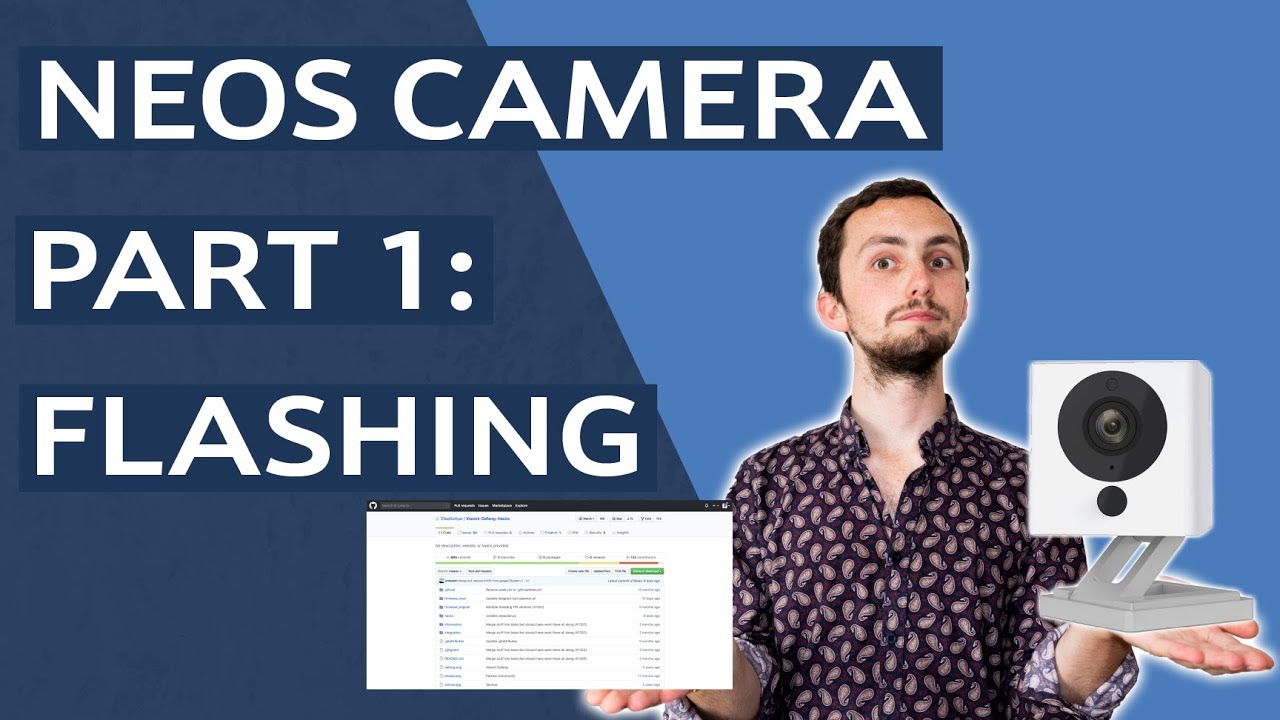
Want to get your Neos or Wyze camera off the cloud? Flash it with custom Dafang firmware - find out how here!
Intro: 0:00
Initial file: 2:00
Custom firmware: 4:51
It works: 6:03
Dafang Hack Github: https://github.com/EliasKotlyar/Xiaomi-Dafang-Hacks
SD Card Formatter: https://www.sdcard.org/downloads/formatter/index.html
As an Amazon Associat...
whole trout
As far as I remember, doing the RTSP firmware thing might only limit the device to me, which just defeats the purpose of having a bunch of cameras around the house, rendering the cameras useless.
whole trout
dense fulcrum
Here is a video, I think it has links (haven't watched it) https://www.youtube.c...
Does this work better than Wyze's firmare thing?
dense fulcrum
BI has a phone app (costs like 10) and you can set users and permissions to view certain cameras (groups). probably could emmulate most features that way, just takes a lot more config.
dense fulcrum
whole trout
Does this work better than Wyze's firmare thing?
Everything I have heard it is a lot more stable than the WYZE RTSP firmware.
whole trout
Can I direct message you instead?
whole trout
dense fulcrum
Everything I have heard it is a lot more stable than the WYZE RTSP firmware.
^^
dense fulcrum
Yeah, though I haven't ever installed it, so not really much help there. I've just dealt with the sporadic dropping of the wyze cams since they mostly come back up.
dense fulcrum
whole trout
Can I direct message you instead?
Sure, if I can be of help I don't mind. Like I mentioned, I haven't tried that firmware, just read it is really stable on the WYZE v2's. I probably should try it, but doing PC's for work and then come home and do them for fun, takes effort 🙂 Most of the time I just want to blast stuff or read a book.
peak cloak
terse wyvern
can it be changed?
With an actual router yeah. But it's more likely it's what ludrik said, loopback
And maybe it's also depending on the router os. Some could recognize packets going to themselves, some not, idk.
waxen scroll
ludick is right, as usual
peak cloak
@rocky badge do you manage some client websites? if so, what do you use?
I have a potential project to setup a simple site
waxen scroll
peak cloak
<@!236237361703288842> do you manage some client websites? if so, what do you us...
if more than one go buy a cpanel/WHM vps from hostgator or something else
sometimes called reseller
each client will get a separate cpanel interface and you can centrally manage it
With HostGator's reseller hosting plans, you can quickly and affordably set up your own web hosting company. Browse our cPanel and WHM packages today!
peak cloak
waxen scroll
if more than one go buy a cpanel/WHM vps from hostgator or something else
for now just one
and for the actual website
I was thinking just plain ole wordpress
waxen scroll
yep
go look up professional wordpress templates they're actually impressive. so much you wont know its wordpress as a user sometimes
sometimes for like $20-50 you can get something cool
maiden jay
@peak cloak I went to sleep yesterday and now came back and was gonna open my dashboard and it's no longer working via https lol

Imma take this weekend off for doing more shit with the server I guess
 heady lynx
any one on windows 11 experienced a problem when trying to disconect a maped network drive that has stoped working i try to disconect it but it says there is nothink to disconect and it wont go way and this makes it imposible to mapp the same area
i want to get rid of the Main as it has stoped working to remap it
 heady lynx
ty windows needs to fix network stuff had few problems with it and whats the point of them adding this button if it dosent work
 clear igloo
Depends on how it's mapped, NFS shares are mapped different from SMB
heady lynx
lol it now says in CMD the network connection could not be found its like its a ghost maped drive
maiden jay
admin prompt will be different to user prompt when it comes to the net command
I was once in a situation where I could only see a certain connection in user prompt but needed to use admin prompt to remove it
But I can't do that coz in the admin prompt it was not seen
🥴
heady lynx
i now did NET view and it isent lised there my NAS is but not the server 😦
also when i remaped it as a diffrent drive letter it wont show up till i can get rid of the current one
so its disconecting now but it wont disapear so i can remap it in
guess i cant fully accsess it right now
waxen scroll
@rocky badge I broke WSL by trying to uninstall ubuntu using CLI and not add/remove programs
lol.. took 30min to sort out
 rocky badge
waxen scroll
<@!236237361703288842> I broke WSL by trying to uninstall ubuntu using CLI and n...
rocky badge
waxen scroll
<@!236237361703288842> I broke WSL by trying to uninstall ubuntu using CLI and n...
lol
rocky badge
peak cloak
<@!236237361703288842> do you manage some client websites? if so, what do you us...
WP lol
rocky badge
waxen scroll
sometimes for like $20-50 you can get something cool
We have a wordpress theme we paid like $300 for but it's unlimited sites with updates
peak cloak
rocky badge
WP lol
Hosting wise?
rocky badge
I just use nginx lol
peak cloak
Self hosted?
rocky badge
Mixture
waxen scroll
but cpanel so easy
low pond
Exactly
cpanel, plesk, stuff in that area
It's used by a lot of shared hosting providers
cinder canopy
hollow marlin
Accidentally cutting a fiber has significant fines. Purposely doing can result i...
Correction: The ISP says they can serve my address with fiber, but I happen to know that the fiber connection from the ISP Northstate(technically they at used to own the cell tower, don’t know if they still do after selling that division off to AT&T) feeds the cell tower unless the old coax is still hooked up in parallel. I know it’s a fiber cable at the street pedestal, which looks like a bundle of fibers. I just know that no one other than me is served by that street pedestal. I can’t imagine them still running the cell tower off the high gauge coax that they put in a few years ago if they have a fiber line there. I’m not suggesting it’s not a big deal at all, I’m just questioning if Northstate’s engineering team didn’t catch that there isn’t a splice box in the pedestals on my road yet since whoever ran that fiber cable didn’t mark my address as serviceable, even though my neighbors to both sides are(we share the same pedestal with one of them). I just don’t know if I need to contact the ISP months in advance to make sure that they actually are aware of how things are setup. I only know about how the cell tower is wired since I know they ran conduit(which I don’t know if we’re sharing the same line or not, but the conduit out of the second pedestal only could run to the cell tower, the road dead ends at the tower) to it when they ran the new coax cable. I’m just concerned about a clueless tech accidentally taking out the cell tower and causing an incident with AT&T
By only and AT&T tower I just meant that the AT&T tower is the only thing that could possibly from my pedestal to the end of the line(no other houses that are hooked up to that line/only one house between mine and the cell tower
Maybe this will help:

 dusk juniper
Is it normal for vpn to lower Ethernet speeds?
cinder canopy
dusk juniper
Is it normal for vpn to lower Ethernet speeds?
Yep
dusk juniper
Thanks 🙏🏻
cinder canopy
You have to connect through whatever internet connection your VPN provider gives you
cinder canopy
cinder canopy
Maybe this will help:
I don’t know for sure that the fiber line I can see in my street pedestal goes to the tower, but I know that the cable doesn’t go into the houses that are below the line since they have a different line
The fiber cable also goes back into a conduit after the second pedestal pictured, which lead me to the conclusion that they ran the fiber to the cell tower
hollow marlin
cinder canopy
Correction: The ISP says they can serve my address with fiber, but I happen to k...
Theres nothing anyone here could give an answer to. This answer can only be provided by the ISP. Even if the tower was purchased by AT&T as well as the fiber, either bundle or individual strands, the OSP (outside plant) and regulatory bodies will have record of this due to leasing cost and safety. Whether buried or on a pole, there is a leasing cost. Its all recorded, just like for power and water, these maps also contain fiber, coax and copper. When you call 311 to dig, this is the database used. The chance of them accidental cutting into the wrong fiber is minimal but always a risk.
There are too many factors other than going off pedestals and maps. Call them and ask. Worst case is they just say no, any other case they will dispatch OSP first before any work is actually done to give you the final answer.
cinder canopy
Sry
 vivid steppe
is it possible to ruin a patch panel with a punch tool
maiden jay
@peak cloak Ok, dude, what is this cursed magic. Yesterday when I was trying to figure out why it was only working in the evening, turns out it was working that whole time, just not for the organizr dashboard and deluge... For all others there was a rewrite clearly visible in AGH/router depending on where I tested, the dashboard and deluge never appeared there at all, no dns query. I just started up my pc to be greeted by https homepage of organizr....
I am at loss for words lol. It can't be the cache, I purged it everywhere, in the router, in agh, in Windows, in the browser
peak cloak
maiden jay
<@!222482269829332992> Ok, dude, what is this cursed magic. Yesterday when I was...
hmm, I take it one layer at a time. See if dns works using dig. Ex: dig @1.1.1.1 example.com Replace 1.1.1.1 with your dns server and then your domain obv. I don't really understand what you mean by "working that whole time, just not for the organizr dashboard and deluge"
maiden jay
these 2 web uis, for organizr and deluge, did not work at all when using the reverse proxy. But I checked later and all others were working just fine.
But now deluge and organizr open just fine via reverse proxy
peak cloak
maiden jay
these 2 web uis, for organizr and deluge, did not work at all when using the rev...
hmm, what error did they give?
maiden jay
I thought I posted an ss but I guess I didn't.. My memory is too bad to remember. But there were no dns queries in AGH for the dashboard and deluge, but there were queries for all other web UIs I had in the proxy manager
This is good enough for now, once I figure out how the saltstack works for OMV and earn enough to get more drives I will make a proper backup to sync with the server, I will likely reinstall everything then with my newfound knowledge, first time setup is always messy.
thick minnow
guys I want to port forward a mc server on my tp link archer c6 but it gives me an error about something that the lan ip and the ip are not on the same subnet..
pls help
peak cloak
thick minnow
guys I want to port forward a mc server on my tp link archer c6 but it gives me ...
Show the rule you are trying to add
 olive plover
There seems to be a major routing issue , europe to asia network seems to be routed to the US, like on the other side of the globe


Check the latency of a server or CDN from multiple locations around the world. The best ping tool from CDNPerf.
olive plover
waxen scroll
india is in asia and that looks fine
its much lower ping through egypt and then to europe, rather than to japan, across the us, and then across the atlantic to europe
I tried tracert too
low pond
olive plover
There seems to be a major routing issue , europe to asia network seems to be rou...
Have you not heard about the cable break?
rocky badge
@clear igloo 👀
 clear igloo
👀
low pond
What's the eyes about 🤔
waxen scroll
low pond
What's the eyes about 🤔
he only has eyes for blob
 snow lance
how much ram should I get for my truenas server the 8 GB I got rn ain't cutting it
got 3x4 tb iscsi and a 2 tb backup and I also would wanna make some jails for qbittorrent and potentially plex
 slow pivot
snow lance
got 3x4 tb iscsi and a 2 tb backup and I also would wanna make some jails for qb...
slow pivot
snow lance
got 3x4 tb iscsi and a 2 tb backup and I also would wanna make some jails for qb...
16GB for the array, and however much you need for those extra services
snow lance
idk how much do I need for those extra services? do they usually take a lot? I could imagine Plex doing but idk about others nextcloud looks cool and they had some backup thing I wanna check out
snow lance
why doesn't my truenas server connect to the internet
 errant gale
is it reachable from the local network
unborn sluice
snow lance
why doesn't my truenas server connect to the internet
wdym
like you can't to your server from the internet
or the internet doesn't work in truenas
snow lance
errant gale
is it reachable from the local network
yes
snow lance
unborn sluice
like you can't to your server from the internet
or the internet doesn't work in ...
I can connect locally but all things that require internet gives an error that it's unable to access the link
unborn sluice
snow lance
I can connect locally but all things that require internet gives an error that i...
so the nas can access the internet
errant gale
Could possibly be that it needs to be portforwardet
snow lance
unborn sluice
so the nas can access the internet
yes
I saw smth about nameserver so I set nameserver 1 to router lan IP, 2 to cloudflare DNS
snow lance
errant gale
Could possibly be that it needs to be portforwardet
just to access?
errant gale
From outside of the local network yes.
 snow lance
errant gale
From outside of the local network yes.
snow lance
errant gale
From outside of the local network yes.
so how do i set that up
btw this is not about accessing the ui from wan this is just installing a plugin
slow pivot
What does “more info” say?
thick minnow
guys if i am connected to wifi can i browse any files stored on that network ?
clear igloo
thick minnow
guys if i am connected to wifi can i browse any files stored on that network ?
If they are open on the share and you have the address to locate the network share, yes
thick minnow
clear igloo
If they are open on the share and you have the address to locate the network sha...
adderess to locate network ?
clear igloo
thick minnow
adderess to locate network ?
IE; if there is a network share on 192.168.1.190 and you know that address or can scan and figure out that address hosts files
thick minnow
clear igloo
IE; if there is a network share on 192.168.1.190 and you know that address or ca...
oh
clear igloo
and there isn't a password protecting that network share or anything else blocking you
thick minnow
and i cannot browse files on 192.168.1.x right ?
i need that address of that server providing thoose files
clear igloo
Yah
thick minnow
that is fine
clear igloo
Sometimes they are shared via SMB, other times just via open share via another method such as network discovery (for windows) and they'll show up under Network in Windows
thick minnow
clear igloo
Sometimes they are shared via SMB, other times just via open share via another m...
okay nice to know, is network discovery speed limited by something or no ?
clear igloo
thick minnow
okay nice to know, is network discovery speed limited by something or no ?
Not usually, no
snow lance
slow pivot
What does “more info” say?
  File "/usr/local/lib/python3.9/site-packages/middlewared/job.py", line 367, in run
    await self.future
  File "/usr/local/lib/python3.9/site-packages/middlewared/job.py", line 405, in __run_body
    rv = await self.middleware.run_in_thread(self.method, *([self] + args))
  File "/usr/local/lib/python3.9/site-packages/middlewared/utils/run_in_thread.py", line 10, in run_in_thread
    return await self.loop.run_in_executor(self.run_in_thread_executor, functools.partial(method, *args, **kwargs))
  File "/usr/local/lib/python3.9/concurrent/futures/thread.py", line 52, in run
    result = self.fn(*self.args, **self.kwargs)
  File "/usr/local/lib/python3.9/site-packages/middlewared/schema.py", line 979, in nf
    return f(*args, **kwargs)
  File "/usr/local/lib/python3.9/site-packages/middlewared/plugins/jail_freebsd.py", line 372, in available
    return self.middleware.call_sync('plugin.available_impl', options).wait_sync(raise_error=True)
  File "/usr/local/lib/python3.9/site-packages/middlewared/job.py", line 338, in wait_sync
    raise CallError(self.error)
middlewared.service_exception.CallError: [EFAULT] Cmd('git') failed due to: exit code(128)
  cmdline: git clone -v https://github.com/freenas/iocage-ix-plugins.git /mnt/JailPool/iocage/.plugins/github_com_freenas_iocage-ix-plugins_git
  stderr: 'Cloning into '/mnt/JailPool/iocage/.plugins/github_com_freenas_iocage-ix-plugins_git'...
fatal: unable to access 'https://github.com/freenas/iocage-ix-plugins.git/': Couldn't connect to server
'```cause once i enabled network share on two win 10 machines and transfer speed was like 5mbit or slower
clear igloo
thick minnow
cause once i enabled network share on two win 10 machines and transfer speed was...
I mean wifi is usually pretty bad for transferring files but the file size matters too. Tons of little files are worse than a single large file
thick minnow
clear igloo
I mean wifi is usually pretty bad for transferring files but the file size matte...
yeah i have that experienced (large vs small)
for example deleting large games(10gb+) using png files for textures...
clear igloo
yup, that will take a while
snow lance
so does anyone know why my nas would be unable to connect to the internet
thick minnow
i even experienced deleting corrupted files
yup win 10 is piece of cupcake and well you cant remove corrupted data
slow pivot
snow lance
```Error: Traceback (most recent call last):
File "/usr/local/lib/python3.9/si...
hmm, weird. Can you grab a shell on that box and see if you can make outbound connections to somewhere? maybe a curl or wget
thick minnow
i did delete it with some free data shredder
snow lance
slow pivot
hmm, weird. Can you grab a shell on that box and see if you can make outbound c...
im pretty noob what do you want me to do
slow pivot

GitHub
Official iXSystems iocage plugins for FreeNAS and TrueOS - GitHub - freenas/iocage-ix-plugins: Official iXSystems iocage plugins for FreeNAS and TrueOS
peak cloak
snow lance
so does anyone know why my nas would be unable to connect to the internet
can you ping 1.1.1.1
snow lance
 slow pivot
You are missing your default gateway
peak cloak
^
snow lance
how do i fix
snow lance
i tried doing this
 peak cloak
snow lance
i tried doing this
peak cloak
snow lance
i tried doing this
what's ipv4 default gateway
empty? if so, add router IP
snow lance
like this?
 peak cloak
yes


 peak cloak
snow lance
oh poggers
peak cloak
snow lance
oh poggers
basically the reason is, the OS didn't know where to go
snow lance
ye makes sense
peak cloak
it was like,
1.1.1.1? where's that? idk, not on the local subnet
snow lance

also with jails can i just install and play around to see what they do or should i rather google instead and stuff
slow pivot
jails... the original container.
peak cloak
snow lance
how so
don't remember exactly
snow lance
im gonna install qbittorrent and see how it is
would be mega pog if i could make it take over lmao
peak cloak
when I eventually build a NAS I want to keep storage and compute seperate
NAS just does storage
everything compute wise: nextcloud, other frontends, etc. are on a separate computer
snow lance
ah ye
that nextcloud looks cool
but especially asigra
i dont find much on it, but rn i got assy windows 7 backup lmfao


 grave shell
Hey all, sorry if this is the wrong place to ask. Any recommendations on a VPN? Haven't looked at them in a long time. Used VPN Unlimited for years since I got grandfathered into their old cheap ass pricing. But now they agreed to block torrent traffic and sites on their US servers, which is shady. If they're willing to do that, who knows if they'd reveal user data. I don't really torrent anymore, but I just don't know if I trust them with my data anymore.
unborn sluice
don't trust
grave shell
Never lol
unborn sluice
all of the VPN promises the data is private, but who knows
snow lance
waxen scroll
now you know why nothing works
i removed dns
unborn sluice
wdyn
snow lance
says the same
unborn sluice
how did you removed
 unborn sluice
so you removed all your name servers
peak cloak
now you have no dns
unborn sluice

waxen scroll
I absolutely do NOT recommend VPNs unless you're using for torrent
snow lance
snow lance
i tried doing this
it says the same with this
waxen scroll
all the marketing LTT and others use is incorrect
unborn sluice
waxen scroll
I absolutely do NOT recommend VPNs unless you're using for torrent
yeaa, only do VPN when you doing shady
else, they shady
snow lance
 waxen scroll
I do banking and other stuff over public wifis all the time. VPN is just not needed.
unborn sluice
I don't even VPN when torreting
 vestal sundial
grave shell
Hey all, sorry if this is the wrong place to ask. Any recommendations on a VPN? ...
vestal sundial
grave shell
Hey all, sorry if this is the wrong place to ask. Any recommendations on a VPN? ...
PIA,Proton,Express and Mullvad should all be good for Torrenting
I used Mullvad for a while but it's expensive and can be slow sometimes
waxen scroll
for torrenting you can save money and use a socks proxy from btguard but I havent looked at prices across the board in a while
unborn sluice
or seedbox really
snow lance
snow lance
 unborn sluice
bruh
vestal sundial
unborn sluice
or seedbox really
Best solution for sure. I use one from pulsedmedia (EU)
waxen scroll
are they that cheap that you wouldnt bother with a $6/m proxy?
unborn sluice
tbf, you still need to copy from the sb to the local but some of them offer services like plex
vestal sundial
Mine is 4.6€/m 1 TB. Can't beat that imo
unborn sluice
waxen scroll
are they that cheap that you wouldnt bother with a $6/m proxy?
for my purpose where I don't want to leave a computer behind, sb is nice
used to use my pi as the seedbox but meh
hollow marlin
@peak cloak is connectivity to cloudflare broke on FiOS for you as well?
peak cloak
hollow marlin
<@222482269829332992> is connectivity to cloudflare broke on FiOS for you as wel...
huh yeah
I can access the website, but not 1.1.1.1
hollow marlin
My Grafana shows it dropped at 10:20. Their backup DNS works though. Someone made an oopsie
grave shell
vestal sundial
I used Mullvad for a while but it's expensive and can be slow sometimes
I think it's cheap, it's about 5.50 USD/month. Most others are 10-15/month.
Just did a one month on Mullvaf to try it out.
And I like the fact that you can literally pay with cash if you wanted lol.
vestal sundial
grave shell
And I like the fact that you can literally pay with cash if you wanted lol.
Yeah thats cool and the account number system is super easy. I paid them in bitcoincash as they give 10% discount. Great VPN but streaming speeds were meh

 wraith mango
should i have AES and TKIP turned on or just AES?
waxen scroll
 hidden socket
Ive done everything on google why tf this always happening to me?
hidden socket
Ive done everything on google why tf this always happening to me?
google says its because your ISP or internal network sucks
super helpful
 hexed bear
What would happen if I wired my house with cat 6 handmade cables but used cat5e wall keystones I already have keystones that are 5e so i dont really wanna buy new cat 6 ones so will my cat6 cables act like cat 5e??!!
 pulsar thorn
hexed bear
What would happen if I wired my house with cat 6 handmade cables but used cat5e ...
pulsar thorn
hexed bear
What would happen if I wired my house with cat 6 handmade cables but used cat5e ...
Presumably yes, your cat6 will become cat5e
pulsar thorn
pulsar thorn
Presumably yes, your cat6 will become cat5e
As in it’ll behave like cat5e
You’ll only be able to get 1Gbps maximum
hexed bear
thats fine i have gigabit but with my powerline i get 80 down furthest room in house with cat 6 and cat 5e cables
wait should I use my best cable from fibre modem to router
clear igloo
pulsar thorn
You’ll only be able to get 1Gbps maximum
2.5Gb*
hexed bear
I dont have modem router combo they are seperate
hexed bear
clear igloo
2.5Gb*
my mobo only caps at gigabte
pulsar thorn
clear igloo
2.5Gb*
Oh :(
hidden socket
waxen scroll
google says its because your ISP or internal network sucks
Have the same isp for multiple years and wifi been good and this is only happening since 2021 and yeah my wifi card is shit but doesnt explain why it started years after i got my pc and not instantly
hexed bear
I get 100 down and 100 up when at furthest room in house on powerline 300 with cat 6 my end and cat 5e on the other but i get 760 down and 550 up with cat 8 ethernet
hexed bear
pulsar thorn
As in it’ll behave like cat5e
so what wouild happen if i had cat 6 cables and a cat 7 keystone
act like cat 6?
pulsar thorn
Yup
wraith mango
hexed bear
act like cat 6?
yeah
pulsar thorn
It’ll always act like the weakest link in the chain
hexed bear
my cat5e keystone face plate things are all yellow they are kinda old tbh i dont know if it is cat5e probably cat 5 ill get 1x single ethernet cat 6 faceplate for my room and 1x quad ethernet faceplate for room with router so i have extra ports when i wire my other rooms
peak cloak
pulsar thorn
You’ll only be able to get 1Gbps maximum
technically, practically you may be able to get more
hexed bear
what keystone does my router have on its ethernet port
peak cloak
hexed bear
so what wouild happen if i had cat 6 cables and a cat 7 keystone
technically cat 7 isn't rj45 iirc
clear igloo
peak cloak
technically cat 7 isn't rj45 iirc
Correct, the ISO spec calls for TERA connectors only
hexed bear
peak cloak
technically cat 7 isn't rj45 iirc
oh
pulsar thorn
hexed bear
what keystone does my router have on its ethernet port
It’s not technically called a keystone, but presumably 1Gb or cat5e
hexed bear
hexed bear
what keystone does my router have on its ethernet port
i am using stock provided sky router im looking at some asus ones
peak cloak
it's not really a keystone, it's just an interface
pulsar thorn
Exactly
hexed bear
peak cloak
it's not really a keystone, it's just an interface
ohk i just thought it was called that
peak cloak
and it's designed to work with whatever interface speeds the device supports
hexed bear
this says keystone

1 last question would i need a network switch if i have enough ports on the router
peak cloak
hexed bear
this says keystone
this is a keystone yes
 pulsar thorn
If you run out of ports get a switch
hexed bear
peak cloak
this is a keystone yes
yes i am looking on amazon and the keystones are preinstalled on the faceplate
peak cloak
pretty keystone refers to the fact you attack it to a plate then
and they can be removed
hexed bear
pulsar thorn
If you run out of ports get a switch
wouldnt i lose speeds and how will it know what device should have different ip
peak cloak
hexed bear
wouldnt i lose speeds and how will it know what device should have different ip
you will be limited to gigabit on the link between router and switch
pulsar thorn
Unmanaged switches forward packets, they don’t care about who’s who
peak cloak
as for the second part, I can explain it but it's a bit complicated
pulsar thorn
They just silently extend how many ports you’ve got
hexed bear
peak cloak
you will be limited to gigabit on the link between router and switch
alr
wait if i have a printer on ethernet and my pc on ethernet does that mean i can use my printer from the other side of my house
that should be my last question
pulsar thorn
hexed bear
wait if i have a printer on ethernet and my pc on ethernet does that mean i can ...
Yes, as long as they have an IP in the same range
So in your case that’ll work
hexed bear
this old man i know makes ethernet cables every cable he treats it like its his life he is giving me 50 meter cables for free
hexed bear
pulsar thorn
Yes, as long as they have an IP in the same range
oh sick
peak cloak
@hexed bear basically in networking there's these layers. Layer 1 is the physical link, layer 2 is data link, so dealing with MAC addresses and stuff. Layer 3 is IP aka network layer. So a switch works on layer 2, just switching between devices based on mac addresses. The router (layer 3) sees all the devices connected to the switch as separate devices because they all have unique MACs, so it gives them all separate IPs.
hope I didn't confuse you
hexed bear
Yeah I am doing some external runs and some internal
pulsar thorn
peak cloak
<@!701355339618189363> basically in networking there's these layers. Layer 1 is ...
That’s the most compressed explanation I’ve seen but it works perfectly
hexed bear
peak cloak
<@!701355339618189363> basically in networking there's these layers. Layer 1 is ...
oh sick I think I understand thank you
peak cloak
hexed bear
wait if i have a printer on ethernet and my pc on ethernet does that mean i can ...
ethernet, wifi, doesn't really matter. As long as they are connected to the network
hexed bear
yeah my printer has issues with wifi
pulsar thorn
Printers suck
pulsar thorn
Dedicated usb scanners are just as crappy though
peak cloak
pulsar thorn
Printers suck
some printers are tolerable
pulsar thorn
I gotta reinstall drivers for mums scanner every 2 weeks because it stops working, we’ve just given up
pulsar thorn
peak cloak
some printers are tolerable
We have two at home and they’re fine now but the older printers we’ve had were horrible
hexed bear
peak cloak
brother and older HPs are pretty good
back then all my stuff was hp
my printer is samsung i used to have hp laser or ink sumin
I am jusst making a plan on amazon then i will make a layout on paint
So should I get my best cable from fibre oxt box to router I think it is oxt or sumin
I think I can reuse some spare old backboxes for the faceplates
you know what i may need a network switch bc if i think about it i have a tv and a sky box and an xbox right next to the router so thats 3 and in the other room i have a tv that has dsicp problems or sumin in 1 room with a sky box so thats 2 then 1 in my spare room for a xbox then 2 in my room for pc and spare device like another pc or laptop or printer so thats 3 overall 8
my current router has 4 and that includes with ethernet wire from modem to router
so i have 3
I need new router and network switch
Thank You for helping!!

The NETGEAR Smart Managed Plus Desktop Switch features 8-Port Gigabit Ethernet, ProSAFE Lifetime Protection and more.
I'm planning buying rn just looking for good one
Jusst gotta make sure the cable aint BRIGHT ORANGE or sumin for an outdoor run LOL!!
peak cloak
hexed bear
https://www.amazon.co.uk/NETGEAR-Gigabit-Ethernet-Managed-GS108Ev3/dp/B00N2JPKEC...
if you want to save money, you don't need managed, unless you need those managed features
so stuff like VLANs
 peak cloak
lol, not much cheaper
hexed bear
Whats the difference
peak cloak
hexed bear
Whats the difference
managed switches have a webui for features like port security, SNMP, port mirroring, VLANs, QOS, IGMP, etc.
stuff you won't really need for a basic flat network
hexed bear
will it slow my internet with managed
peak cloak
hexed bear
will it slow my internet with managed
no?
hexed bear
peak cloak
no?
So I might aswel go for managed then if it is 1 pound more and it is grey bc blue will stand out
Does this come with software
Is there a way to tell if a cable is cat 5 or 7
etc
peak cloak
hexed bear
Does this come with software
it's just a webui on the switch
peak cloak
hexed bear
Is there a way to tell if a cable is cat 5 or 7
it says it on the cable
whatever spec it is
hexed bear
I actually didnt think of that
my cutom cables that this broadband man gave me it dont say
it jut grey nothing else
my cat 8 cables feel very trong and hard if that a way to tell
and some cables are easy to train
peak cloak
usually it is, in intervals there's just some text. And ethernet cables aren't really custom, it's kinda like electrical wiring, a cable is a cable, you terminate it yourself usually when it's structural (in-wall).
peak cloak
hexed bear
and some cables are easy to train
that's just solid vs stranded
peak cloak
hexed bear
dont cat 8 or 6 have plastic in the middle or ssumin
yes cat 6 spec has a plastic seperator
really anything above cat 6 is unnecessary for home use
 peak prairie
I'm transcribing the steps in this tutorial and the video has been very detailed until the end... He shows how to connect to the TrueNAS server with the OpenVPN client but NEGLECTS TO SHOW HOW TO ACCESS THE FILE SHARE! Does anyone know how to pick up where this video left off?

VPN servers allow you to securely connect back to your home network in order to connect to local assets. This means that you can connect to your TrueNAS Shares without having to harden anything for web hosting. OpenVPN is a great way to connect back securely with Mac Windows or Linux!
Hire Me! https://www.spacerex.co/hire-me/
#TrueNAS #OpenVP...
peak prairie
Do you mean by setting up an SMB share?
waxen scroll
right
peak prairie
@waxen scroll Ok...? I know how to do that on a LAN connection but is there an extra step with OpenVPN? Does the remote TrueNAS server show up as if it's on the LAN?
Nice profile pic by the way!
waxen scroll
Gin-sama ... anyway based on that video you assigned an IP range to the VPN. the server should know how to talk to that range after that. Your laptop gets an IP from that range. My concern is I don't see that he did routes on the client side, so its not 100% clear to me if ALL traffic goes into the VPN.
In theroy if all traffic is you just need to use the typical IP SMB is listening on and it should work
peak prairie
I don't need all of my internet traffic to go through the OpenVPN Client, just what is necessary for accessing the file share.
waxen scroll
if thats the case I think that video did not give you the config you need to be successful. There's other ways to configure ovpn where you only push the local routes you need to the client.
I have not done truenas before I have done ovpn a long time ago
peak prairie
waxen scroll
if thats the case I think that video did not give you the config you need to be ...
Good to know! I just wasted my time typing out the instructions for all the steps... 😖
I'm just really having a hard time finding a way to setup remote access through a double NAT.
waxen scroll
if the VPN is connecting you can ask windows where the default route is going and confirm
peak prairie
waxen scroll
if the VPN is connecting you can ask windows where the default route is going an...
Ok? Not sure how to do that but thanks for letting me know that the OpenVPN thing is a dead end... I'll look for another tutorial... It's plain to see why I.T. professionals are paid so well....
peak prairie
I'm mostly posting this for anyone else that might be interested. There's another tutorial that picks up where the one posted before leaves off, it's at the 14:27 point. There's a Part 2 as well... Hopefully this will work.
Configure and setup OpenVPN without a Jail on TrueNas 12 and allow remote access connections to the TrueNas Subnet or just to the TrueNas system itself safely and securely. Use this Virtual Private Network to securely connect back to your home network without worrying about hacker attacks on the connection!
https://mytechworks.online/?p=1
Add...
 rocky badge
@waxen scroll @peak cloak Would it be ok/fair to contact my ISP's parent ISP about a packet loss issue? lol
I'm getting packet loss from their lumen/level3 egress
and friends traceroute to me show packet loss on the lumen/level3 ingress
waxen scroll
If it's a small provider it might work, a large one good luck
 waxen scroll
Large ones you need a circuit ID
rocky badge
their parent ISP's 24/7 support link is an email link lol
waxen scroll
Supposedly the nanog list helps but that's only rumor I've never used it myself
My company is big enough to make our provider contact other providers
 wanton cypress
Does anybody know of like good cloud service for unlimited data i want to backup my server
peak cloak
wanton cypress
Does anybody know of like good cloud service for unlimited data i want to backup...
Backblaze
 outer mulch
Does anyone have one of these, I have been considering buying one once I get a rack
 peak cloak
Backblaze
peak cloak
peak cloak
Backblaze
It's not free though, nothing is. It has 10gb free though
peak cloak
outer mulch
Does anyone have one of these, I have been considering buying one once I get a r...
Qsfp?
Why
outer mulch
Kinda forced to use qsfp for 100gbe
I’ll probably end up using fiber for any runs outside of the rack
peak cloak
Qsfp isn't 100gb, and why do you need such fast speeds
outer mulch
peak cloak
Qsfp isn't 100gb, and why do you need such fast speeds
Future proofing and all my ssds are gonna be on my nas so id rather not get bottle necked by 10gb
 high crystal
outer mulch
Does anyone have one of these, I have been considering buying one once I get a r...
high crystal
outer mulch
Does anyone have one of these, I have been considering buying one once I get a r...
This is similar to something I was going to get, same brand switch but 10gb. The issue is you're going to need a onie imaging server or something it needs to install a os on the switch
peak cloak
outer mulch
Future proofing and all my ssds are gonna be on my nas so id rather not get bott...
Ig, but 100 gb is expensive af. We are talking thousands
outer mulch
peak cloak
Ig, but 100 gb is expensive af. We are talking thousands
I’m gonna run transceivers that go to fiber for longer runs
peak cloak
Wut
outer mulch
It’s gonna be two 42u racks next to each other in my garage
peak cloak
Yes, but 100gb switches and hardware is very expensive
outer mulch
The price isn’t really an issue
peak cloak
I mean sure, but qsfp is only 4gb, qsfp+ is 40gb, but qsfp28 is 100gb
outer mulch
Only a couple of my severs will have 100gbe. Everything else will just use 10gbe or 40gbe
peak cloak
I mean sure
rocky badge
@waxen scroll Moved home to Verizon hotspot since ISP is taking a shit
Speeds aren't bad tbh

but idk why ISP is taking a shit
Hotspot via USB to desktop
Internet connection sharing in Windows from iPhone USB LAN to a new VLAN (70) on my bedroom switch. Which travels over trunk ports all the way back to my core switch.
On my core switch, I moved WAN 1 to router to VLAN 70
wanton cypress
@peak cloak Why is that
i want like unlimited data and to make sure my data is secure
peak cloak
wanton cypress
<@!222482269829332992> Why is that
Unlimited storage, nope. There was that one google gsuite plan with unlimited but it got axed.
It's still a good deal people say, but I don't know the details
I use backblaze
Intergrates nicely with restic, rclone
S3 compatible
wanton cypress
ok
low pond
peak cloak
Unlimited storage, nope. There was that one google gsuite plan with unlimited bu...
Axed as in?
I mean, IDK how but someone shares me a shared drive from their Unlimited plan
hardy kestrel
So... we're apparently doing on site broadcasting nowadays to social media and which one is better
4G Modem or a Pocket WiFi (Battery powered 4G Modem) Nvmind, they already bought a 4G modem without informing me
hardy kestrel
peak cloak
yes cat 6 spec has a plastic seperator
how do you even crimp them properly
I remember reusing a long Cat6 cable to make a few short Cat6 cables and it was hard as shit
I had to cut the plastic bit
wanton cypress
What is the best cloud storage provider for backing up your data i need it to have unlimited storage
peak cloak
hardy kestrel
how do you even crimp them properly
You cut the plastic off
peak cloak
hardy kestrel
Is Cat6 stiffer than Cat5e?
I would say yeah
hardy kestrel
That explains why
After doing 6 cables, my fingers are in pain
Then in the end, we ended up using only one out of the 6 I made 😒
vestal sundial
wanton cypress
What is the best cloud storage provider for backing up your data i need it to ha...
No one will provide true unlimited storage. Backblaze b2 is $5/TB/month
 crude scroll
hey guys, what is VLAN/IPTV and why can't my router connect to the internet unless I enable it
It's really annoying because for one thing if I don't enable it I can't use my router at all
But if I enable it, sure I can use my router, but one of the ethernet ports is completely useless
I don't want IPTV, I want to use all my ethernet ports
long thistle
crude scroll
hey guys, what is VLAN/IPTV and why can't my router connect to the internet unle...
did you get vlan settings from isp?
crude scroll
long thistle
did you get vlan settings from isp?
I guess? I don't know what that is
My network is PPPoE, so I sign in with the credentials they give me
If I disable IPTV the router becomes a 600 buck paperweight
And now I only have 2 working ethernet ports because apparently one is for IPTV and another is for VOIP
long thistle
show me ur boobs settings
crude scroll
Which part, VLAN settings?
long thistle
yes
crude scroll

Changing the mode to custom or bridge also disables the router
Apparently my ISP just doesn't allow for people to not use IPTV or VoIP
Unfortunately for me, there isn't any other ISP that services my area
So I'm screwed
 hot hawk
rq this comes with a poe injector?
or is it sold seperatly

Ubiquiti Inc.
Compact, dual-band WiFi 6 access point with 2x2 MIMO and OFDMA functionality.
The Access Point WiFi 6 Lite (U6 Lite) is a 2x2 WiFi 6 access point that can reach an aggregate throughput rate up to 1.5 Gbps with its 5 GHz (MU-MIMO and OFDMA) and 2.4 GHz (MIMO) bands. The U6 Lite can either be ceiling-mounted to broaden signal coverage and suppor...
rocky badge
Powered by 802.3af PoE (PoE injector sold separately)
In case a PoE injector is needed to power the device, compatible type can be purchased separately.
pulsar thorn
rocky badge
`In case a PoE injector is needed to power the device, compatible type can be pu...
It’s weird when I bought my nanoHD it came with one
peak cloak
hardy kestrel
isn't that basically Live TV over Fiber
no
hardy kestrel
My ISP does the same where a satellite receiver with an ethernet port connects to the ONT and you'll get channels (PLDT)
peak cloak
TV over any sort of IP transport
and it's usually on it's own VLAN, since it's multicast
hardy kestrel
So it's the same if it's either on VDSL, Coax, or Fiber?
peak cloak
yes and no
you can technically do iptv over coax for example, but like I never heard of a provider doing it
hardy kestrel
oh wait, it's the other way around on coax. oops
peak cloak
since coax has it's own freqency range for cable tv
plus you are increasing bandwidth use on DOCISS
hardy kestrel
crude scroll
I don't want IPTV, I want to use all my ethernet ports
Just get an ethernet switch and let your ISP bug you with IPTV
it's the same on our router, LAN 2-4 are blocked and only used for IPTV (which we never subscribed to)
and all I did is bought a 3rd party router, ask my ISP to set our ONT to bridge mode (because if I set it manually, our internet goes from 100mbps to only 5mbps max), and forget about the router functionality of our ONT
 spark tinsel
Guys, thoughts on getting a Speedefy K7 as an extender? Need it to serve about 20 devices at the same time
waxen scroll
I hope @rocky badge fixed his ISPs ISP problem
rocky badge
waxen scroll
I hope <@!236237361703288842> fixed his ISPs ISP problem
It’s being escalated lol
waxen scroll
did they acknowledge its a problem or give up and ask someone else?
rocky badge
waxen scroll
did they acknowledge its a problem or give up and ask someone else?
They acknowledged it
 shut smelt
hi im not sure i can ask that here but i figured ill try since i cant figure it out for the life of me, im running a minecraft server in ubuntu using docker and trying to add a second one and it works but i cant connect to it, the first one uses the port 25565 and the second 25566
all it tells me is that it couldnt ping localhost ? why would that be
 unborn sluice
check if it's actually running
shut smelt
it is
unborn sluice
proof?


 shut smelt
nah
i have one server working on 25565
and the other not working on 25566
not the same container
rocky badge
shut smelt
hi im not sure i can ask that here but i figured ill try since i cant figure it ...
if docker is trying to health check on 25566 make sure server.properties is set to run on 25566
shut smelt
rocky badge
if docker is trying to health check on 25566 make sure server.properties is set ...

 unborn sluice
show us your docker config
shut smelt


i think i figured it out
the SERVER_PORT variable doesnt seem to work so changing it manually seems to do the trick
 solemn sentinel
do yall still use ethernet or wifi 6?
unborn sluice
ethernet
 stoic stag
So my friend ran a simulation for a Wi-Fi mesh system. for my parents new house. Those are 2.4 and 5ghz on each floor. My dads friend recommended these TP link mesh routers that have an output of 30dB and we’d need 14 of them. My friend said if we found a mesh system with an output of 40dB we’d only need 4 per floor. Would anyone know of a mesh system that puts our 40dB+? Everything is concrete so we need a higher power output


 hardy kestrel
how'd you make that 
stoic stag
He works for a company that designs Wi-Fi systems for commercial businesses
Like offices or hospitals n shit
 plain siren
stoic stag
So my friend ran a simulation for a Wi-Fi mesh system. for my parents new house....
plain siren
stoic stag
So my friend ran a simulation for a Wi-Fi mesh system. for my parents new house....
I have a suggestion
however, this depends on if you can run ethernet backhaul to the WiFi AP's instead of meshing them
Find a system that allows for external antennas
stoic stag
plain siren
however, this depends on if you can run ethernet backhaul to the WiFi AP's inste...
umm we can run APs as well too mesh systems were just a bit more affordable
plain siren
Change them out to a higher gain antenna then add a "LNA" inline with the antennas
However, the whole higher gain approach may be a double edged sword
Look up something called "Frontend Overload"
stoic stag
i'll check it out rn
https://amzn.to/3nZMMFx we were also looking at these, he's going to run a test with these as well tomorrow to see if it'll give us a better result

The sleek and elegant Unifi in-wall HD AP transforms an Ethernet wall connection into a simultaneous, Dual-Band 802.11AC Wi-Fi access Point with 4x4 MIMO technology. Easy mounting: The back plate offers multiple mounting holes for use with a variety of 1-Gang electrical wall boxes. Led: the uniqu...
plain siren
Oh shit I have those
stoic stag
do you know what the dB output is?
plain siren
I think you will find out its not actually the power output that will be an issue with those
Instead, they only really project "forward"
They are intended for hospitality use (Hotels)
stoic stag
ohhhhh
plain siren
They cover a room
You put one in each room
They still need PoE
If you do have PoE that means you have Ethernet Backhaul
So you dont mesh per-se
I have a better suggestion
stoic stag
well for downstairs, it's just one long room essentially so we can put one in that room and possibly run mesh upstairs?
plain siren
Mesh implies you dont have ethernet to run to the APs
Mesh systems usually allow Ethernet as a backhaul though so they dont rely on bouncing the signal

MikroTik is a Latvian company which was founded in 1996 to develop routers and wireless ISP systems. MikroTik now provides hardware and software for Internet connectivity in most of the countries around the world.
 stoic stag
those look super expensive
plain siren
Im gonna do some math but I think 40dB is gonna be outside FCC Limitations
stoic stag
i'm not in the US so FCC doesn't apply to me lol
stoic stag
trinidad i'm in the caribbean
ummm they're like 8" i believe
have to use thick concrete blocks cuz of hurricanes so
plain siren
Your local regulatory agency is limiting you to 31 dBm
-30 dBm is maximum Signal Strength anyways
stoic stag
wait how'd you find that? lol i didn't even know we had that
plain siren
In my notes
stoic stag
but honestly where i live nothing like that really matters and nobody is gonna care lol
plain siren
You wont find anything going higher than 31 dBm in tx strength
stoic stag
damn
plain siren
stoic stag
but honestly where i live nothing like that really matters and nobody is gonna c...
The AP OEM's have limiters on them that stop you
stoic stag
ohh