
#networking
1 messages · Page 376 of 1
 waxen scroll
 rich basalt
waxen scroll
https://store.ui.com/collections/unifi-network-switching/products/unifi-switch-i...
rich basalt
waxen scroll
https://store.ui.com/collections/unifi-network-switching/products/unifi-switch-i...
love the switch not the price lol, trying to avoid running more cables to the attic, but if thats the more cost friendly solution ill go that route haha. trying to install a camera system, havent decided if im going to go unifi or not yet, but previous owner already had a cable run to the attic that goes from the basement all the way i was hoping to use.
waxen scroll
i mean honestly with what my local contractors charge, that switch is a damn bargain
the cheapest does $300/hr for residential cabling
rich basalt
i can pull cabling on my own and got a spool of 500ft CAT6, but was trying to find a lazy route haha. was trying to find something around a 100 bucks that wouldnt blow up after a year
 rocky badge
i cringed
waxen scroll
maybe theres something unmanaged that can put up with it but managed switches that put up with it tend to be industrial
@rocky badge my friend installed some 4k UBNT cams
they look great
rocky badge
lol
waxen scroll
I kind of want to grab 4 of them but I dont want to deal with mounting and wiring them heh
rich basalt
thinking about it i could just mount one to the ceiling in the closet and pull the cables through and seal the hole up, then its climate controlled and i could just use one of their el cheapo flex minis
rocky badge
I hate how he connected everything
waxen scroll
rich basalt
thinking about it i could just mount one to the ceiling in the closet and pull t...
thats what a cable TV company would do
rocky badge
Flex Mini doesn't have PoE out

Ubiquiti Inc.
Layer 2, PoE switch with (5) GbE RJ45 ports, including (4) 802.3at PoE+ ports and (1) 802.3bt PoE++ input.
The Switch Flex (USW Flex) is a fully managed, Layer 2 switch with (5) GbE RJ45 ports, including (4) GbE, 802.3at PoE+ ports and (1) 802.3bt PoE++ input. Each of the USW Flex's PoE ports can provide up to 15 W of power to your UniFi acces...
rich basalt
rocky badge
Flex Mini doesn't have PoE out
you appear to be correct lol
rocky badge
4 PoE out
rocky badge
rocky badge
I hate how he connected everything
He should've gotten an Agg/Agg Pro
Connect every switch and shit to the Agg Pro
Also, he has zero PoE switches????
waxen scroll
i have the same issue as well... my pipe to the attic needs cable lube to pull as it is... so its either get a switch or pray I can fit 4 more cables in it
rich basalt
rocky badge
https://store.ui.com/collections/unifi-network-switching/products/usw-flex
this could actually probs survive in my attic with no issues looking at the pecs might go this route
 peak cloak
I have the USW-Flex mini in kinda attic area
waxen scroll
I cheat a little. I pull the cables into the attic and make them long, then I hire a company to deal with the hell that is my attic 😄
peak cloak
peak cloak
I have the USW-Flex mini in kinda attic area
but it's right on top of the AC unit so it's nice and cool
rocky badge
@waxen scroll I hope he gets a PoE switch
 waxen scroll
he has one though, didnt I see him plug the AP into one?
rocky badge
None of those switches are PoE
Also, why didn't he get a Enterprise 24 PoE or Enterprise 48 PoE or something, then he can connect this 2.5GbE APs at 2.5GbE
waxen scroll
because ubnt didnt sponsor so it was done on a budget
 waxen scroll
i wouldnt even do an L3 switch on a job that small
rocky badge
You wouldn't be using UniFi L3 anyways ¯_(ツ)_/¯
waxen scroll
I dont know all the details though
waxen scroll
right, and nat is crap or not even there
 pulsar thorn
lol no point then
waxen scroll
I wouldnt L3 switch in a house unless I had demanding needs between vlans
waxen scroll
my switch has L3 too and I dont even have it configured lol
Edge Switch Lite-24 or whatever its called
rocky badge
idk why you even brought up L3 anyways
waxen scroll
the XG is layer 3, says so in your screenshot
rocky badge
So is every switch he bought
I was just showing the price of the switch ¯_(ツ)_/¯
Also, you can do 10 Gig + 25 Gig on the Enterprise XG 24 he has, you just have to get 10000FDX + 25000FDX on the switch, not autoneg
So he can have at least 25 Gig between EntXG 1 & 2
waxen scroll
@clear igloo do you think I can get my new boss to let me start an ipv6 project?
or do you think ill get laid off in the middle of it like everywhere else
rocky badge
it's also funny and stupid he bought a RPS
waxen scroll
I have to check the records to see if anyone actually requested subnets
 thick minnow
rocky badge
✨ no ACLs or anything ✨
thick minnow
rocky badge
✨ no ACLs or anything ✨
You're technically wrong. You can just not easily.
rocky badge
it's not in the UI
thick minnow
Exactly.
rocky badge
It's in the switch config but that gets wiped after a provision
So it defeats the point of UniFi
waxen scroll
@rocky badge I toured a house with A/B power... but its the first ive ever seen.
thick minnow
You can force permanence by editing the gateway config file.
rocky badge
that's not even the stupidest part about the RPS
rocky badge
thick minnow
You can force permanence by editing the gateway config file.
that's on the USG, not present on the UniFi OS systems
rocky badge
Any local config on the UniFi device is wiped after a provision
Also, gw config json is on the UniFi controller, not individual devices
thick minnow
You can still force permanence on unifi os you just need to know Linux not networking and yeah you provision via the gateway
Again it's stupid.
But it works.
The problem with unifi is that any serious networking config is all locked out of the UI. Which is the whole bloody point of unifi.
If I wanted to run it like a Cisco switch I'd use a Cisco switch vOv
So yeah not disagreeing with you, just saying it's possible but you have to jump through flaming hoops to get it.
I honestly want to move to ruckus like Linus as I've had the same issues he has with my unifi. When you start adding in a few hundred smart devices unifi just starts failing left and right.
Good isolation also isn't really a thing. I may end up moving to pfsense for my home and ruckus for WiFi but I have a lot more important things to do first.
rocky badge
I've been fine with Unifi at some larger sites
Guest client isolation is also working really well
thick minnow
Guest isolation works fine yeah I want layer 3 isolation which is just in beta on unifi. And their early access stuff is sold out unless you run a scalper script.
pulsar thorn
Uhhh, I'm on school wifi, are the admins messing with me or is it a thing that apache guacamole does?
 rocky badge
Probably mitm
thick minnow
Dpi. Pretty normal.
pulsar thorn
Ffs it's not coming up on hotspot so definitely IT admin trying to mess with me
 clear igloo
waxen scroll
<@!291198741862416384> do you think I can get my new boss to let me start an ipv...
clear igloo
waxen scroll
<@!291198741862416384> do you think I can get my new boss to let me start an ipv...
Give it a go, just remember /64 for all the P2P links 😄
rocky badge
update day  https://i.ryois.me/YHdOtwocAZ.png
 pulsar thorn
Upgrades people, upgrades
 peak cloak
but why
pulsar thorn
Idk I didn’t do anything wrong, they just blocked both my domains
pulsar thorn
Already left a note on the IT guys desk, hopefully he Comes to talk to me
Ok so we have this edgeportal that we have to log into before we can access anything outside the network, and it wasn't letting my phone access the internet because my laptop wasn't signed in?
anyway I fixed it
 hollow marlin
clear igloo
Give it a go, just remember /64 for all the P2P links 😄
hollow marlin
clear igloo
Give it a go, just remember /64 for all the P2P links 😄
Psshhh. RFC7404 only 
waxen scroll
hollow marlin
Psshhh. RFC7404 only <:linusSmirk:741333860067049572>
PTP only needs link local
infact its almost like a security though obscurity thing
waxen scroll
pulsar thorn
Already left a note on the IT guys desk, hopefully he Comes to talk to me
some implementations require a website to have a category to let you browse to it
 dry sinew
If I have an Ethernet port with a signal can I connect a wifi router and use it as normal?
peak cloak
dry sinew
If I have an Ethernet port with a signal can I connect a wifi router and use it ...
yes and no
yes as it will work
no as in you will be double nating
but you are already probably nated so it will make little to no difference
dry sinew
Ok thanks
Is there any good cheap wifi routers that are recommended?
Looking at the £35 price range during Black Friday
hollow marlin
waxen scroll
PTP only needs link local
They do but from a SP perspective, only LL for the backbone is a nightmare to tshoot
waxen scroll
im not sure about the /64 comment
why?
we wasted IPv4 so much with stuff like that. Sure IPv6 is huge but the networks are growing huge too
I doubt you're talking about doing eui-64 either
peak cloak
waxen scroll
im not sure about the /64 comment
smallest routable subnet
waxen scroll
thats not what he meant though, I get that
i dont care about advertising tons of /64, i just need one /64 supernet with subnets for my infrastructure
he wants /64 per two devices
or more accurately per link
I've never built any of my proof of concept networks that way but he works with a production network, so I dont know the difference other than easier management with eui-64 (but then IPAM documentation is weird)
I dont remember what the telcos gave me for PTP IPs either
I feel like one did a /64 and another did /127
peak cloak
waxen scroll
he wants /64 per two devices
idk, I remember reading something about it
This document describes different alternatives for configuring IPv6 point-to-point links, considering the prefix size, numbering choices and prefix pool to be used.
hollow marlin
waxen scroll
im not sure about the /64 comment
I don't even like /64 GUA for transport. I just stick with /127
We don't need to conserve like with v4 but with our scheme, each transport link is subnetted from a /56 so there is more than we'll ever need.
waxen scroll
or the link becomes a point-to-multipoint, or there is a need to use more addresses in the link (e.g., monitoring equipment, managed bridges).
this justification hurt my brain
so assign it a new subnet when you do so? its not rocket science
we do this with IPv4 all the time, we can do it with 6
an infrastructure subnet is not like a user facing subnet where they expect it to be one address and moving is hell (regardless of DNS)
@hollow marlin another problem is they do all this waste and then complain when a global company asks for a /48 (I dont remember the exact size we got denied for)
its all rainbows and unicorns... "you dont need to NAT anymore!" [gets denied for IP space for the whole company]
the first job I tried this at we actually had large blocks with all 3 registrars so the subnetting for that and route advertisement flexibility was nice
hollow marlin
waxen scroll
<@!462711605063450628> another problem is they do all this waste and then compla...
It's because people don't realize how fast you burn through a /32 if you at all want format behind the addressing.
waxen scroll
yeppppp
and thats what pisses me off
we got here by wasting and the powers that be tell us to waste WAY MORE with ipv6

but when you agree with their plans they are quick to deny you even if you're large
That being said, I'm also a little surprised they allow /64 to be advertised at all
thats like advertising a /32 to the internet with the guidance they put out
 exotic roost
Hello, I want to get a server for home, but I'm not sure if I should buy prebuild or build it myself. In my country server processors like EPYC and Xeon are not in the market and the prebuild ones are not fitting my requirements and the others are too expensive. So I want my server to be able to run 3~5 VMs and Plex on 4K if possible. Can you recommend me a prebuild server or a recommended CPU and RAM to get? I have picked some parts that still go above the budget, but it's cheaper than a prebuild one. The only problem with it is that the CPU does not support ECC RAM, which is not a big problem from me. Thanks!
CPU: Intel Core i9-10850K
Motherboard: MSI Z590-A PRO
RAM: 32GB DDR4 2666 - x4
M.2 SSD: SSD ADATA XPG SX6000 Pro 256 GB - x2
HDD: 3TB Seagate Barracuda x3
 hardy kestrel
Since I have no way running ethernet cables on this house, which brand should I go for mesh wifi? Asus AI Mesh, TP Link Deco, or Google Nest WiFi
clear igloo
hollow marlin
I don't even like /64 GUA for transport. I just stick with /127
Yah, 127 for p2p is best
But what you REALLY want is /48 for P2P links with public addresses and no firewall 😄
 faint depot
Hey, quick question for anyone with an Asus RT-AX86U, should I plug my modem into the 1gb port, or the 2.5gb port?
Right now I've got it plugged into the 1gb port, and my laptop is plugged into the 2.5gb port. I'm just not sure if this is the optimal configuration.
I couldn't read the manual or anything cause it arrived in Japanese. >.<
 bitter shell
both are in private connections
peak cloak
faint depot
Hey, quick question for anyone with an Asus RT-AX86U, should I plug my modem int...
if you only have gig, there really is no difference
faint depot
My bandwidth is big. I have so many bandwidths.
I don't actually know how much, but my internet is supposed to be one of the fastest.
waxen scroll
well crap... a gaming router has faster ports than my pro-sumer gear lol
not that I need it anyway. I determined that 100mbit is the fastest I need and theres no point in paying more
 pearl hedge
faint depot
My bandwidth is big. I have so many bandwidths.
pearl hedge
faint depot
My bandwidth is big. I have so many bandwidths.
Honestly I understand your logic but here 1/1Gbps is pretty much dirt cheap
I pay like 10 dollars worth of local currency and it is pretty fantastic. Up until yesterday I had a 10/100/1000mbps NIC so there was no point in having more but 2/1 is like 3 bucks more so I might as well… 😄
pearl hedge
ISP here doesn’t even offer 100 any more
I guess that’s our consolation price for having everything else in tatters lol
Good internet I mean
 north mulch
It doesn't really slow down the overall network since most users aren't going to use those speeds on a regular basis. And by having the capacity for that speed to an area, any unused speed would actually help with congestion rather than hinder (at least normally).
the alternative is everyone getting slower speeds. because networks are never built for exactly what they need
being provisioned for gigabit and using a gigabit are not the same thing.
peak cloak
every residential ISP overprovisions
if they didn't, it would expensive
?
why not
north mulch
peak cloak
if they didn't, it would expensive
I agree with this
north mulch
uhhh he just poofed
waxen scroll
ban?
 primal ice
or quit
waxen scroll
peak cloak
every residential ISP overprovisions
my comcrap always goes faster than what I paid, never slower
I want to say they throw about an extra 20-30mbit on it
clear igloo
10/10 deal AT&T!
 peak cloak
waxen scroll
my comcrap always goes faster than what I paid, never slower
peak cloak
waxen scroll
my comcrap always goes faster than what I paid, never slower
I mean if everyone was using all of their bandwidth, it would def slow down
waxen scroll
clear igloo
10/10 deal AT&T!
you and I both know if there are TV line items your bill is ~0.5x more than that price they're showing
clear igloo
waxen scroll
you and I both know if there are TV line items your bill is ~0.5x more than that...
Yah, no TV
rocky badge
My ISP keeps growing and growing but their actual speeds delivered have stayed the same or improved
Which is nice
waxen scroll
comcast showed me $35/m for just internet and surprise the bill after taxes is that
clear igloo
It's $59.99 flat, has been for ~2 years now
rocky badge
clear igloo
It's $59.99 flat, has been for ~2 years now
Damn, lucky
AT&T in our area is $60/mo then $10/mo thrown on top then increases next year
clear igloo
Yah, I somehow got stuck onto some plan and I'm not complaining 😛
rocky badge
$90/mo after the 1st year
clear igloo
yikes!
waxen scroll
ATT fiber has said coming soon for 2 yrs now
rocky badge
@clear igloo I want our Cat6 STP now
clear igloo
Yah, they even said (when I checked as a guest) that I don't have ATT fiber at my address but the box in my closet says otherwise
AT&T is smort
rocky badge
Also, istg if IT is holding our Mac Mini hostage in their warehouse.... lol
waxen scroll
I can get comcast fiber for $300/m if I want
rocky badge
I'm glad Comcast isn't in our area
pulsar thorn
We have to wait for stupid NBN to choose our suburb as the next one to upgrade to FTTP
 clear igloo
rocky badge
<@!291198741862416384> https://i.ryois.me/l1wcHIK1JP.png
clear igloo
rocky badge
<@!291198741862416384> https://i.ryois.me/l1wcHIK1JP.png
Not too bad actually
peak cloak
rocky badge
<@!291198741862416384> https://i.ryois.me/l1wcHIK1JP.png
paid that much for 200/30
 peak cloak
with TV and phone
rocky badge
knoxville utilities board's fiber
pulsar thorn
Check this scam out
 peak cloak
with TV and phone
peak cloak
peak cloak
with TV and phone
which we didn't use at all
rocky badge
1gig/1gig, 2.5gig/1gig
business pricing https://i.ryois.me/jNnq8E7SdM.png

All are symmetrical
clear igloo
PROFESSIONAL
rocky badge
business pro 1 gig is dedicated fiber
clear igloo
Oh, that makes sense then
thick minnow
Hi
pulsar thorn
I’m stuck with $110 a month with another provider if I want 100/40
NBN is the biggest scam ever lmao
waxen scroll
rocky badge
business pro 1 gig is dedicated fiber
it better support bgp
pulsar thorn
You’d presume so wouldn’t you?
peak cloak
bring your own ips
rocky badge
@clear igloo heh, like KUB's fiber. My fiber ISP also started out just to provide fiber networking for the electric company
 gilded escarp

On Security Now, Steve Gibson and Jason Howell discuss Ubiquiti's coverup of a major data breach that put their customers’ networks at significant risk of unauthorized access.
For this story and more, check out Security Now: https://twit.tv/sn/813
Hosts: Steve Gibson, Jason Howell
You can find more about TWiT and subscribe to our full shows a...
rocky badge
waxen scroll
in 8hr webex meeting tl;dr it
it's the January incident
waxen scroll
oh. old video
 pine sage
Preferably i wouldn't Wana sell it but Id like to trade it for an equivalent and card or maybe like a Vega 56 since I'm on linux
 dark fern
I have a question. I need to run ethernet from the 1st floor of my house to the 2nd as there are no outlets on the 2nd floor. I am not at all confident enough with DIY to be cutting holes in my drywall myself, so am I better to just run it along the skirting up the stairs and over the door ways or hire someone to run it between the walls? I'm aware ethernet degrades over distance but it shouldn't be anymore then 50 feet up the stairs, idk if that makes a difference
 trim arch
gilded escarp
https://www.youtube.com/watch?v=jS525PqvAlA
trim arch
gilded escarp
https://www.youtube.com/watch?v=jS525PqvAlA
I love how I just heard a lot of scary technical jargon that I only understood -1/16th of
the only thing I got out of it was IT WAS REALLY BAD
pulsar thorn
dark fern
I have a question. I need to run ethernet from the 1st floor of my house to the ...
I think unless you wanna use cat6 it should be fine
 faint niche
dark fern
I have a question. I need to run ethernet from the 1st floor of my house to the ...
faint niche
dark fern
I have a question. I need to run ethernet from the 1st floor of my house to the ...
I would give a Powerline adapter a try, they're ~$40 USD for a kit of 2. I've used them in the past with pretty good success, but I also have to note that your experience may vary based on your home wiring.
dark fern
faint niche
I would give a Powerline adapter a try, they're ~$40 USD for a kit of 2. I've us...
had a google, my home is a new build so it should be fine, I'll give these a try. thanks a lot
hardy kestrel
Random question, is it possible for 5GHz wifi to interfere with Terrestrial TV?
Everytime I turn on the Wii U which broadcasts 5GHz WiFi, the TV loses Digital TV signal
pulsar thorn
Is this a good start if I wanna get into more advanced network configuration? I’ve never touched anything managed before, and I wanna boost my skills before I get into a networking degree at university…

 faint depot
Only 50 bucks?
 jovial talon

Latest News May 5, 2021 FRRouting recently added a set of YANG models with a GRPC support, which should enable researchers to experiment with modern network automation tools on an open-source route…
handy for learning the basics
GNS3 is one I've used with better results
but has been a while so there might be some newer better stuff out there now
peak cloak
dark fern
I have a question. I need to run ethernet from the 1st floor of my house to the ...
Ethernet is rated for 100 meters
You'll be fine
peak cloak
pulsar thorn
yeah, Mum says it's too far away to pick up
That's not far lol
pulsar thorn
She looked at me and shook her head
Glad council cleanup is on soon I’ll go with my mate and find some stuff to fix up
peak cloak
But at that price I bet it's loud and hungry
pulsar thorn
He always grabs macs and refurbishes them, so he’ll probably want to
pulsar thorn
peak cloak
But at that price I bet it's loud and hungry
Probs 200watts when two 1Gb devices are hooked up lol
peak cloak
@pulsar thorn if you want to try bgp, lookup dn42
It's basically like a virtual internet
peak cloak
I have it setup rn so everyone in home lan, can access the dn42 network
I have a VM running vyos, which basically acts as a router, it connects to peers via wireguard, and advertises my IPs. It also nats an IP for my lan
pulsar thorn
Oh my optimisation
 peak cloak
Lol
peak cloak
I can get you my vyos config if you wanna take a look
clear igloo
peak cloak
But at that price I bet it's loud and hungry
Nah, it's a small business switch, it's like intermediate in terms of config options so it's not very power hungry
clear igloo
Yah, small business stuff is more quiet than the enterprise stuff thankfully
Although the Cat9200 and Cat9300 stuff is pretty quiet by comparison to say a Nexus 😄
 light sleet
Hi quick question about Ubiquiti Networks UniFi 6 Lite. Can i use any switch that states it supports 802.3af PoE? TP-Link switches are like 50% of the cost of a Ubiquity switch here
peak cloak
light sleet
Hi quick question about Ubiquiti Networks UniFi 6 Lite. Can i use any switch tha...
yeah a standard is a standard, if it can output 802.3af it should be good
waxen scroll
noooo just noticed comcast changed my IP that ive had for years.... they moved it 1 spot lower lol
waxen scroll
clear igloo
Although the Cat9200 and Cat9300 stuff is pretty quiet by comparison to say a Ne...
ASR 9k?
clear igloo
waxen scroll
ASR 9k?
You know, just a tad noisy 😛
waxen scroll
@peak cloak you ever configure a router that was almost as tall as you?
 feral bear
Can you connect an external antenna to an ADSL router?
feral bear
feral bear
Can you connect an external antenna to an ADSL router?
or... nvm
bitter shell
Does win11 have network sharing issues?
peak cloak
waxen scroll
<@!222482269829332992> you ever configure a router that was almost as tall as yo...
Nope
google cloud suffering
 low pond
waxen scroll
<@!222482269829332992> you ever configure a router that was almost as tall as yo...
low pond
waxen scroll
<@!222482269829332992> you ever configure a router that was almost as tall as yo...
Heavier too
feral bear
waxen scroll
<@!222482269829332992> you ever configure a router that was almost as tall as yo...
Pics 
waxen scroll
 low pond
Prem. 9922
waxen scroll
@clear igloo Schools: *teaches you IOS from 10 years ago
Employers: *uses IOS-XR, NX-OS and ACI
Why cant we find any entry levels????
waxen scroll
low pond
Prem. 9922
I cheated a little, mine were 9912s but still pretty tall
Hell 10 years ago I was annoyed I learned and passed CCNA and then found out you really needed CCNP knowledge actually to work in the industry lol
clear igloo
waxen scroll
<@!291198741862416384> Schools: *teaches you IOS from 10 years ago
Employers: *u...
Masters degree + 20 years experience
Paying $15/hr 😄
north mulch
we use some of these instead
 waxen scroll
clear igloo
Masters degree + 20 years experience
Paying $15/hr 😄
waxen scroll
clear igloo
Masters degree + 20 years experience
Paying $15/hr 😄
my school taught cisco but used juniper. lol
Always pissed me off that I technically couldn't even work there and I paid them for training
clear igloo
Yah, that doesn't sound fun I think is the right word?
waxen scroll
juniper shops seem to be really picky too. if you've never used juniper they dont want to talk to you
clear igloo
Yah, it's kind of like XR is the closest comparison I've heard
waxen scroll
nexus is technically the same
clear igloo
idk, nexus doesn't really have commit like XR or Juniper
but maybe in terms of drilling down to configs?
waxen scroll
i mean if you have no nexus its hard to get interviews
clear igloo
AH!
peak cloak
How different are enterprise OSes?
waxen scroll
a lot
clear igloo
Yes
waxen scroll
sometimes the basics change too
peak cloak
Sounds like "fun"
clear igloo
That's why APIs and SDKs or other abstraction methods are such a big deal in some larger companies
waxen scroll
BGP Neighbors:
IOS: show ip bgp vpnv4 vrf blob sum
NX-OS: show ip bgp vrf blob sum
IOS-XR: show bgp vrf blob sum
i hateeeeeeeee the IOS one
clear igloo
Yah, I use that because I bounce between IPv4 and v6 a lot so it's more consistent
waxen scroll
Me: Yeah so I put in 2000 lines or more of config here
TAC: what did you use? [lists automation system examples]
Me: Excel.
pulsar thorn
peak cloak
I can get you my vyos config if you wanna take a look
Sure, sorry I fell asleep
waxen scroll
TAC: Well maybe some things got entered wrong
Me: nope.
*FF weeks later and its a device issue, not a config issue
😄
clear igloo
Did you turn it off and on again? 😄
waxen scroll
that might have fixed it to be honest
we're not mature enough to use automation to do one off network changes like a big migration
probably not advisable
clear igloo
Yah
peak cloak
clear igloo
Are you sure you want to delete BGP?
"Yes, do as I say"
waxen scroll
I had to touch like 20 devices and it had to be done in a specific order with checks in between
sometimes excel is way faster
clear igloo
Yah
waxen scroll
I did delete two VDCs last week. It was so satisfying to answer yes
clear igloo
Yah, delete all the things
waxen scroll
i hate cleaning up the databases though
The network is a mess. We have a lot of stuff running through what is essentially 90% decommed devices but we cant decom cause switches need to move or get lifecycled
clear igloo
That's about right 😄
"We need to remove this but it hosts this old thing so we can't"
 plucky delta
well, i am feeling like an idiot. anyone wanting to help me out to find what i have done wrong in my early stages setting up a Truenas box?
plucky delta
welp, all it needed was a reboot. so take that with you, try a reboot as it is a simple thing to test and is easy to test
pulsar thorn
Always worth a shot
 plucky crescent
Hey, anyone have a suggestion for an online store to buy consumer-grade networking gear, like small GB switches that's not Amazon, Newegg, or some other mega-turd?
peak cloak
uhh local stores?
I have a microcenter near me which ship
but online hmm, I can't think of any
 jade briar
For what country? Because microcenter and Best Buy will ship within the US.
 lost nova
Alright if was to either upgrade modem (xfinity gateway they give you) or router (Archer Ax3000) and my main goal was to not to have to restart them once a day to make my internet speed go back up which one should i do first?
plucky crescent
United States. I'll give MC a try, I wish I had one locally. Not thrilled about backing Best Buy either.
 faint bronze
https://youtu.be/Yj2KVMxzym4 The voice sounds like an LTT employee. Am I right? It he from LTT?
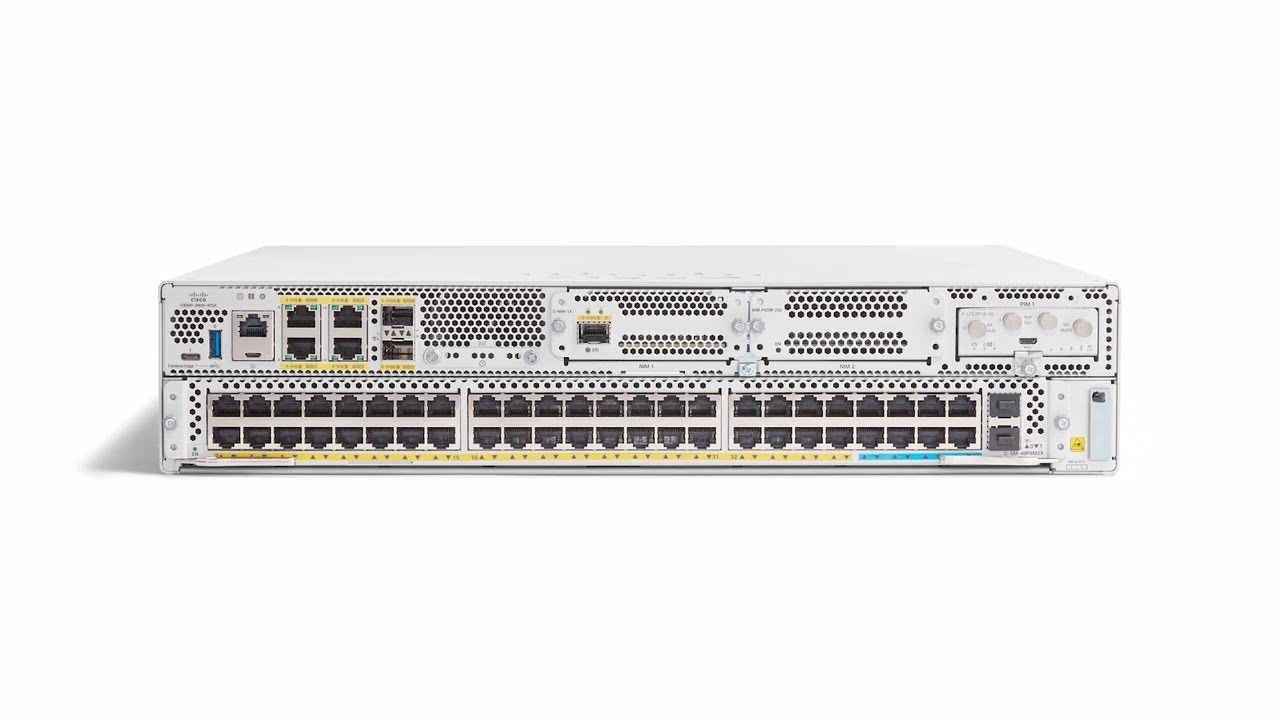
A Cisco Catalyst 8000 Edge Platform offers cloud networking, visibility, and security capabilities in a single device. Learn more at http://cisco.com/go/cat8k.
pulsar thorn
People send wireless AP suggestions please, my current one has limited itself to 100mbps
faint niche
faint bronze
https://youtu.be/Yj2KVMxzym4 The voice sounds like an LTT employee. Am I right? ...
Yes, that's James Strieb
He hosts ShortCircuit and TechLinked pretty often.
 flint matrix
what thats not James -thats the scalper
peak cloak
pulsar thorn
People send wireless AP suggestions please, my current one has limited itself to...
Omada eap
I have the 225
pulsar thorn
Yeah ok, currently trying to install iperf on pfsense so I can see if it's a software issue or hardware causing me to get 150Mbps locally in a 1Gbps network
pulsar thorn
Ok so I did a test with iperf
Wireless was on one of these, https://www.dlink.com.au/home-solutions/DSL-4320L-taipan-ac3200-ultra-wi-fi-modem-router
Extreme Streaming Ready, the TAIPAN is the world's first AC3200 Modem Router, designed for multiple users to enjoy 4K HD video, lag-free gaming and high quality audio throughout the house.
spy21@DESKTOP-HDLA85 ~ % iperf -c 192.168.0.1 -p 5201 -w 200m -t 30s
------------------------------------------------------------
Client connecting to 192.168.0.1, TCP port 5201
TCP window size:  129 KByte (WARNING: requested  191 MByte)
------------------------------------------------------------
[  1] local 192.168.0.10 port 49760 connected with 192.168.0.1 port 5201
tcp write failed: Broken pipe
shutdown failed: Socket is not connected
[ ID] Interval       Transfer     Bandwidth
[  1] 0.00-0.81 sec  32.8 MBytes   337 Mbits/sec

ETHERNET
spy21@DESKTOP-HDLA85 ~ % iperf -c 192.168.0.1 -p 5201 -w 200m -t 30s
------------------------------------------------------------
Client connecting to 192.168.0.1, TCP port 5201
TCP window size:  129 KByte (WARNING: requested  191 MByte)
------------------------------------------------------------
[  1] local 192.168.0.25 port 49882 connected with 192.168.0.1 port 5201
tcp write failed: Broken pipe
shutdown failed: Socket is not connected
[ ID] Interval       Transfer     Bandwidth
[ 1] 0.00-0.29 sec 32.1 MBytes 935 Mbits/sec```We're the only network in the area that uses channel 153, so it can't be interference
faint bronze
Are you physically close to the access point?
hollow marlin
pulsar thorn
```WIFI 5GHz
spy21@DESKTOP-HDLA85 ~ % iperf -c 192.168.0.1 -p 5201 -w 200m -t 30...
What are the link speeds on wireless? That all looks as expected
 hollow marlin
@waxen scroll @clear igloo https://www.ietf.org/id/draft-schoen-intarea-unicast-127-00.html
Lets make 127/8 publicly routable 
This document redefines the IPv4 local loopback network as consisting only of the 65,536 addresses 127.0.0.0 to 127.0.255.255 (127.0.0.0/16). It asks implementers to make addresses in the prior loopback range 127.1.0.0 to 127.255.255.255 fully usable for unicast use on the Internet.
waxen scroll
erm
I guess if it starts at 127.1 ?
I've never seen more than 127.0.0.1 used in the wild
hollow marlin
127/8 is publicly routable with 127.0/16 as the reserved.
Im sure some software makes use of the range (outside 127.0.0.1)but this will cause more headaches than its worth IMO.
low pond
Do all the effort, everything to squeeze every bit of v4 out. But do nothing to support v6
waxen scroll
i kno 😦
low pond
Walk 100 steps for a shitty solution: everyone: YES
Walk 10 steps for an amazing solution: everyone: meh.
waxen scroll
my last two companies are out of space and are doing nothing to get ipv6 in
low pond
Honestly triggers me at this point, even though I have nothing to do with having/managing v4 blocks etc
waxen scroll
It's three conversations:
Me: Hey, I want to get an IPv6 project going
Management: We support you learning new tech, go ahead and research it
Me: hey, POC is deployed and I like it
Architect: yeah no, I hate ipv6
*project dies
Me: Hey, I want to get an IPv6 project going
Management: No. We don't have time (*we have time)
Me: Hey, I want to get an IPv6 project going
Management: We support you learning new tech, go ahead and research it
Me: *gets laid off from outsourcing or just quits in between the POC
low pond
Basically. 4th one could be: v4 just works, or don't waste your time doing something which already works very well
waxen scroll
low pond
Basically. 4th one could be: *v4 just works*, or *don't waste your time doing so...
thats the architect derailing it
low pond
I mean, duh, can't we just BUY more v4 addresses? like its down my grocery store, it's that simple
waxen scroll
Point is, I keep trying but its next to impossible to get ipv6 into a non-ISP company
low pond
 low pond
waxen scroll
Point is, I keep trying but its next to impossible to get ipv6 into a non-ISP co...
low pond
waxen scroll
Point is, I keep trying but its next to impossible to get ipv6 into a non-ISP co...
Many hosting like companies actually support v6 now
waxen scroll
I consider them ISPs too
low pond
Oh :P
waxen scroll
If your only business case is "Well yeah the network works fine right now but we need ipv6 for the future" you've lost
Also other teams have to participate and be willing
Your server people need to test all their stuff, be willing to dual stack, etc
I would not be shocked if I get v6 live and then the server people say "we'll fit in testing.... hmmm... 12 months from now?"
@hollow marlin they should have attached ipv6 to a media change lol
"we're not selling stuff that works with ipv4 anymore...."
If you want 100G guess you'll v6
hollow marlin
People will lose their minds if that became a requirement
 cinder night
hey guys wassup im planning a new network for my home
i have a list of stuff if you have time can just take a look at it would greatly appreciate it
The prices beside it are adjusted for my countries import duties =.= (RIP Jamaican Imports)
faint bronze
Do you already have a router? I do not see that in the list.
cinder night
Yes
its a crappy one though come to think of it
we are planning on just using the isp modem / router combo
faint bronze
Are you planing on using a patch panel for the rack?
cinder night
yeah
oh that isnt on it mb
So we have 8 cameras that we want to put up to be powered by POE not anything fancy, we also have a large square foot house 2500sq foot for the first floor and a little over that on the top
but we also have thick walls because of the type of construction in jamaica so we needed multiple access points currently we were running some netgear orbis 3 access points from it and we have alot of dead spots so we thought about adding 3 more and instead of mesh wire them through poe
in total we have about 16 devices that are going to be wired
faint bronze
You can get POE enabled switches, but they appear to be hard to find on amazon now. At least from TP-link.
cinder night
Yeah
that was my main issue was that the poe switches that i trust are too expensive The TP Link WAP comes with poe injectors so i was going to use those in the space that we plan to have all of this equipment and the 8 port poe injector is just for the cameras
faint bronze
Just to let you know, there are 24 port switches on ebay for a reasonable price. The only problem is that they are Cisco switches.
And fully managed.
north mulch
amcrest makes some unmanaged poe switches. that are good for the cameras.

AMCREST MODEL: AGPS8E8P-AT-96 PoE SWITCH FEATURES: 8 x 10/100/1,000Mbps PoE Ports. PoE Power Consumption: Port 1 <60W, Port 2-8 <30W, Total <96W. PoE Protocol: IEEE802.3af (PoE), IEEE802.3at (PoE+), Hi-PoE Switching CapacityL 20Gbps Packet Forwarding Rate: 11.9Mbps. Packet Buffer Memory: 1.5Mb MA...
cinder night
Gigabit ?
cinder night
yeah
 wheat flicker
Hey so the internet connection went down earlier today, and the modem's upstream indicator was blinking constantly (wifi icon was still solid LED tho). Can any experts tell me what this can mean?
north mulch
Probably a provider issue, unless rebooting the modem fixes the issue, then it could be signs of a failing modem. But if your ISP is anything like mine, outages are normal.
wheat flicker
Rebooted it multiple times to no avail, decided to turn it off completely and turn it on a 2 hours later
Then everything back to normal
It keeps happening every month or so
Looking at logs, it shows "No ranging response received - T3 time out", "sync timing synchronization failure" and "unicast ranging received abort response"
pulsar thorn
hollow marlin
What are the link speeds on wireless? That all looks as expected
1300Mbps
hollow marlin
1300 combined or 1300/1300mbps
pulsar thorn
That's just max rated throughput on 5GHZ 1, so presumably
975Mbps?

My windows laptop sitting underneath the AP says 866.7Mbps
faint bronze
If you google "802.11ac max throughput" Then google suggests an article that states 866.7 Mbps.
If you need more WiFi speed you will have to get a Intel® Wi-Fi 6 AX201 card in your laptop and need a router that is capable of similar. Then your max could be in theory 2.4 Gbps. What router will work, I do not know yet. In concept you could build a custom router that uses an AX201 card.
pulsar thorn
Ok, but we used to get the same throughput as Ethernet, so it feels as if someone’s flicked a switch and made our speeds plummet
faint bronze
Did you look to see if an AP in the area changed it's frequency to overlap with yours?
rocky badge
faint bronze
If you google "802.11ac max throughput" Then google suggests an article that sta...
866.7Mbps per channel
You can have multiple channels
@pulsar thorn New theatre control Mac all setup, networked, and remote access 👌
 pulsar thorn
faint bronze
Did you look to see if an AP in the area changed it's frequency to overlap with...
pulsar thorn
faint bronze
Did you look to see if an AP in the area changed it's frequency to overlap with...
Yeah I had a look and I’m the only one anywhere near channel 153
pulsar thorn
rocky badge
<@!309253874705891328> New theatre control Mac all setup, networked, and remote ...
That looks so good
waxen scroll
@rocky badge
Unpacking wireguard (1.0.20210606-2) ...
Setting up wireguard (1.0.20210606-2) ...
rocky badge
ok
waxen scroll
its my first one, at least be somewhat excited
 regal obsidian
Anyone have any good mesh WiFi recommendations?
 maiden arrow
regal obsidian
Anyone have any good mesh WiFi recommendations?
maiden arrow
regal obsidian
Anyone have any good mesh WiFi recommendations?
Unifi tbh is my go to recommendations
regal obsidian
Thanks
 glad ferry
clear igloo
idk, nexus doesn't really have commit like XR or Juniper
glad ferry
clear igloo
idk, nexus doesn't really have commit like XR or Juniper
That feature is inbound on 10.X
hollow marlin
Oh he knows. Any OS without commit is unusable nowadays and they should have implemented it years ago
waxen scroll
"unusable nowadays" we're still getting along fine without it in enterprise
I havent thought to myself "damn, I wish I could commit" ever
hollow marlin
Once you get used to what you can do with it, it's hard going back.
 hot hawk
anyone knows why im getting more upload than download over deca
 thin hull
Just want some input to make sure
If I use a wifi card 2 976 Mbit/s to a wifi card 2 976 Mbit/s ptp
Will that give me around 250 mbs transfer ?
 minor wind
if there is heavy usage of wifi at my household, for various reasons such as streaming and downloading, and i want to target more wifi to some devices to improve latency in video games, should i invest in an advanced router, or would that not improve or affect latency.
peak cloak
This document redefines the IPv4 local loopback network as consisting only of the 65,536 addresses 127.0.0.0 to 127.0.255.255 (127.0.0.0/16). It asks implementers to make addresses in the prior loopback range 127.1.0.0 to 127.255.255.255 fully usable for unicast use on the Internet.
uhh
pulsar thorn
peak cloak
https://www.ietf.org/id/draft-schoen-intarea-unicast-127-00.html
Why tho?
 little shard
 lone sun
🤔 Is an eui-64 address equivalent to a unique local address in ipv6?
 manic inlet
Hello guys, I have a wifi issues with my 1 gbit internet connection. In our flat there are two rooms but except the one room which router stays, we can't get decent connection. Our ISP provided their own router but I guess, it is not the best. How could I check if this one is good one or how could I know if I will buy new one it will be better than this one in terms of wifi connectivity and gaming performance?
lone sun
manic inlet
Hello guys, I have a wifi issues with my 1 gbit internet connection. In our flat...
Weird, you'd think the room where the router is would have the strongest signal. What ISP is it anyway? And by router, I'm assuming this is also the modem right? 🤔
clear igloo
glad ferry
That feature is inbound on 10.X
I know, it's public in 10.2
or out of "beta" as of 10.2(1)
manic inlet
lone sun
Weird, you'd think the room where the router is would have the strongest signal....
It's an old building with very strong walls. I have Note 20 Ultra and when I am next to the router, it is 500 Mbps and then I go after the wall (yes wifi is next to wall), It drops to 100 Mbps. Especially when I go to kitchen etc., it's not more than 30Mbps. My girlfriend has lower connection. So it's really sad to see such problems. We are working both remote 😞
Do you think switching ISP router to something like Asus RT-AX86U could be beneficial for us?
 vagrant finch
manic inlet
Do you think switching ISP router to something like Asus RT-AX86U could be benef...
vagrant finch
manic inlet
Do you think switching ISP router to something like Asus RT-AX86U could be benef...
I mean ask ISP if you can even change the router
pulsar thorn
order complete 👍

Now enjoy my slow decay as I move into the world of ubiquiti and unifi
manic inlet
vagrant finch
I mean ask ISP if you can even change the router
What do you mean? Some ISPs restrict?
vagrant finch
yes
pulsar thorn
oh yeah they do
often it's a combined fibre/dsl/cable termination that can only be connected by their equipment, which often has no control over dhcp, bridge modes etc
manic inlet
pulsar thorn
often it's a combined fibre/dsl/cable termination that can only be connected by ...
It's very unethical though. Because if they can't provide good connection..
pulsar thorn
exactly right
vagrant finch
manic inlet
It's very unethical though. Because if they can't provide good connection..
what you can do is use a Cat6 ethernet cable and just plug it into a router
then like disable the wifi on the ISP router
manic inlet
I am allowed to set up my own router without problem
RT-AX86U is a good router? @vagrant finch
vagrant finch
Just get a TP-Link AX72 or something @manic inlet
 worn void
manic inlet
Do you think switching ISP router to something like Asus RT-AX86U could be benef...
worn void
manic inlet
Do you think switching ISP router to something like Asus RT-AX86U could be benef...
whos your ISP?
If its come with a stock router, they tend to put the Wi-Fi names for 2.4GHz and 5GHz as exactly the same
Make sure you wack 5G on your 5Ghz name, and you should notice your speeds increase
No need to purchase additional equipment
peak cloak
lone sun
🤔 Is an eui-64 address equivalent to a unique local address in ipv6?
Uhh in ipv6 local is link-local ips
Then you have your public ip
manic inlet
worn void
whos your ISP?
UPC
hollow marlin
lone sun
🤔 Is an eui-64 address equivalent to a unique local address in ipv6?
EUI-64 is an autoconfig process for generating the last 64 bits (host bits) of the address. It can be used for link-local, GUA and ULA.
pulsar thorn
worn void
Make sure you wack 5G on your 5Ghz name, and you should notice your speeds incre...
Or possibly disable coexist/band steering or whatever they call it
worn void
yup
most UK isp’s do it over here to merge the band names so you dont really notice the diff then rely on devices auto switching to preferred band
But it’s much better to do it at router level
manic inlet
worn void
But it’s much better to do it at router level
There is even guide on for this brand to change router
peak cloak
manic inlet
There is even guide on for this brand to change router
how to use your own?
usually it's just unplug ISP one, plug in your own
unless the ISP gives you an all-in-one modem/router then it's a PITA
or like what verizon I think also does it use moca over coax from ONT to their router so you need to get it switched to ethernet
manic inlet
peak cloak
how to use your own?
Yes
peak cloak
peak cloak
usually it's just unplug ISP one, plug in your own
and with this you may need to get pppoe credentials, depending on ISP
my isp just uses dhcp to give out ips
pulsar thorn
peak cloak
my isp just uses dhcp to give out ips
Most here do the same, each house has its own ntd with 1-4ports, each with a uuid linked to your address, so that each isp is able to communicate with your ntd and remote reboot, shutdown, power on as well as link to their vlan
It’s complicated but it’s fairly reliable
manic inlet
peak cloak
and with this you may need to get pppoe credentials, depending on ISP
This is not an issue since I was revealing routers before and getting credentials for many years 😄
The only question is which router is better at games with cable connection and strong wifi range preferable wifi6
I have no knowledge about routers
worn void
manic inlet
The only question is which router is better at games with cable connection and s...
Does your router provided have wifi 6?
manic inlet
worn void
Does your router provided have wifi 6?
They mentioned but I can only see 2.4 and 5
There is none in the options
manic inlet
Mhm
peak cloak
I just have as much stuff wired
manic inlet
I feel dumb. How can I figure it out?
It should be 802.11ax no?
I have no such option too
What do you think about ASUS RT-AX88U? @vagrant finch @peak cloak @worn void
vagrant finch
https://www.tp-link.com/ph/onemesh/product-list/
@manic inlet Just get like one router and one or two extenders for a full mesh system

TP-Link
Unsure as to whether to replace your existing router, with a brand new Mesh solution? TP-link OneMesh resolves your dilemma. Just connect a OneMesh range extender or powerline extender to a OneMesh router, and enjoy the seamless Mesh Wi-Fi.
*Please update the firmware of OneMesh devices to enjoy Mesh network.
Instead of one big router
worn void
manic inlet
What do you think about ASUS RT-AX88U? <@862269085214572554> <@22248226982933299...
RT-AX88U is good
vagrant finch
You can do it with Asus too but I like Tp Link lbetter
worn void
Asus > TP Link
TP Link recalled a lot of their powerline adapters a while back and had them set on fire
manic inlet
vagrant finch
You can do it with Asus too but I like Tp Link lbetter
I know but for gaming Asus looks better for low latency management
worn void
Asus is what I personally use
Got gigabit speeds too
I just prefer it over any other routers then eventually will be going full UniFi
manic inlet
worn void
RT-AX88U is good
Is it good with wifi range though?
worn void
I find it is
I get two bars in my garage which is like 100m away from router
And goes through lot of walls
worn void
Older buildings are a struggle as walls are properly made with correct insulation
But should do the trick, as long as you segregate your bands
manic inlet
worn void
Older buildings are a struggle as walls are properly made with correct insulatio...
I live in old building
worn void
you should be fine
manic inlet


This is the difference between rooms
With open doors even
And the internet is 1Gbps
@worn void you think it will be better with RT-AX86U?
worn void
check your router settings first
Should be a sticker on back of it with login
Go there and go to your security tab or wifi tab and should say your wifi channels
 peak cloak
worn void
TP Link recalled a lot of their powerline adapters a while back and had them set...
peak cloak
worn void
TP Link recalled a lot of their powerline adapters a while back and had them set...
Tplink omada is good
Tplink consumer is 🗑️
worn void
Oh youre practically on a virgin router
Go to security tab under that wireless @manic inlet
There you will see 2.4Ghz and 5ghz, change wifi name to be WIFINAME for 2.4 and then WIFINAME5G to 5Ghz
peak cloak
Yeah that's what happens
Higher speeds need higher freqencies which don't penetrate as much
If you really want good speeds, just use ethernet
Or you need to get more access points
manic inlet
So new router won't solve much of the issue?
peak cloak
I mean not really, it may have higher tx power to brute force it, but like wifi is two way too, so signals from phone may not make it back either
What's your wall material
 elfin whale
wired is the way, shared bandwidth is a pain in close living, more-so now that everyone has 5ghz radios
 junior dock
I am talking to a company that wants my firm to help write an operating system for robots. Does anyone know this field well?
elfin whale
or just wired powerline. lose the shared collision domain portion
also on the 2.4ghz, try setting the channel width to 20Mhz, some newer stuff defaults to 40, and has no benefit in noisy environments
manic inlet
worn void
Get a powerline adapter that has wifi
How do they extend the wifi if they can't receive more than 40mbps 😄
I don't have intersected socket for it
elfin whale
40mbps is near the cap for 802.11g
peak cloak
manic inlet
How do they extend the wifi if they can't receive more than 40mbps 😄
It uses the electrical wiring
 wispy spindle
i wouldnt use powerline ethernet adapters unless you have a modern house
(or recently renovated lines ofc)
but if you have that then you probably already have ethernet running through your walls so just rely on wifi if you cant use ethernet
peak cloak
Yeah poweline kinda sucks
Just use ethernet if you can
Even moca is much better if you have coax
manic inlet
The building is probably post ww2 european building. I won't rely on it
😄
Even though it is renovated
hot hawk

I'M GOING TO SHOW YOU HOW USE DIRECTV DECA TO TO EXTEND YOUR HOME NETWORK ON COAX
email: cpptech2020@yahoo.com
twitter: https://twitter.com/CPP_TECH
FACEBOOK GROUP
https://www.facebook.com/groups/707218663318048
https://youtu.be/LOfI7PJfEiQ
https://youtu.be/-_0tMPMSeYc
https://youtu.be/AzBcijatz7s
Doing this
Yet getting this on a 3ft coax cable

Even more strange is that a laptop gets the same speed while a desktop gets 60 down
hot hawk
A poor man's moca
Just moca on a lower frequency
Limited to 100/100
Yet I don't even see anything close to that


That might Explain it
hot hawk

My desktop can get up to 50+
But my phone and a laptop not plugged in is capped at 20

Wait
Lemme try something
I think it my be a router thays it's connected to problem, but it can handel reg ethernet just fine
Unless it's some rando openwrt setting some where
If not guess I gotta sell my kidney for moca

waxen scroll
hot hawk
pretty sure 20mbit/s is close to 4k quality, not sure what they're complaining about
hot hawk
It's rated for 100/100
Mbps
Ok yea
It might be a router problem

thats more like it
Now the real question is why is it so slow on my open wrt router
pulsar thorn
Don’t worry I’ve been asking myself for a few days “how is my isp router from 4+ years ago than a ‘gaming’ router that’s 2 years newer”
AC3200 vs whatever isp router is probably AC1600 or smth
thick minnow
Hi, I wanted to ask if o have a 1G fiber link from ISP, is it 1G up + down or only down?
peak cloak
ask ISP
thick minnow
I'm talking specific about fibers what they can do
 neat ledge
would a 100ft lan cable be more beneficial for me than 2.4GHz wifi?
peak cloak
ofc
thick minnow
peak cloak
fiber isn't the limiting factor
OK thanks
peak cloak
wispy spindle
you start to notice issues after around 300ft
well ethernet is specced for 100meters
so ofc after 328 ft you will have issues
neat ledge
would a router’s speed be a bottleneck for lan cable speed?
wispy spindle
no probably not
neat ledge
i have an asus ac1900 i think or 1700
wispy spindle
no then
neat ledge
now what do i do with my ax3000 wifi card? XD
wispy spindle
could keep it in the pc to use bluetooth
if it's intel ax200 based it has bluetooth as well
hot hawk
peak cloak
open wrt may not have all the optimizations
prob
 cedar igloo
hot hawk
cedar igloo
Where are ISP speeds limited? I did a fast.com test, and got 1gbps. I am payin...
cedar igloo
hot hawk
cedar igloo
Where are ISP speeds limited? I did a fast.com test, and got 1gbps. I am payin...
so your getting faster speeds than the isp provided you?

cedar igloo
hot hawk
so your getting faster speeds than the isp provided you?
Yes, but only using fast.com
lone sun
hollow marlin
EUI-64 is an autoconfig process for generating the last 64 bits (host bits) of t...
🤔 Ah, I see, I thought it could be used as ULA. Had to be something, since they apparently deprecated the site local address.
hot hawk
yo hold up

they are prob scanning your theoretically bandwidth i guess
so what @wispy spindle said
its ass
berh i cant type speed test
peak cloak
wispy spindle
fast.com is ass
how
wispy spindle
it's ass bro
peak cloak
cedar igloo
Where are ISP speeds limited? I did a fast.com test, and got 1gbps. I am payin...
fast.com uses netflix CDN servers
wispy spindle
he literally just said his isp plan is 350mbps yet hes pulling "2.6gbps" on fast.com
peak cloak
wispy spindle
it's ass bro
how
wispy spindle
use speedtestdotnet
neat ledge
does setting up a DNS in my router increase my network speed? or just latency and consistency?
cedar igloo
wispy spindle
use speedtestdotnet
I was just wondering if my house to ISP is unlimited, and as Netflix has CDN servers within the ISP, I am getting faster?
hot hawk
wispy spindle
he literally just said his isp plan is 350mbps yet hes pulling "2.6gbps" on fast...
thats my speed
i only get 600 down max
peak cloak
wispy spindle
he literally just said his isp plan is 350mbps yet hes pulling "2.6gbps" on fast...
weird
other people reccomend fast.com, since it uses netflix
hot hawk

peak cloak
well
clear igloo
not exactly, it caches locally or something
hot hawk
cedar igloo
I was just wondering if my house to ISP is unlimited, and as Netflix has CDN ser...
prob
 hollow marlin
lone sun
🤔 Ah, I see, I thought it could be used as ULA. Had to be something, since they...
hollow marlin
lone sun
🤔 Ah, I see, I thought it could be used as ULA. Had to be something, since they...
You can still use it for ULA. All EUI-64 is used for is to autogenerate the host bits. I would avoid ULA if you can and while site-local is deprecated, you can still use it. ULA and SLA are non-global addresses so would require NAT so its not like it wouldn't work.
lone sun
hollow marlin
You can still use it for ULA. All EUI-64 is used for is to autogenerate the host...
🧐 I'm just trying to understand IPV6, its rather confusing. I notice that Amazon doesn't even seem to be using IPV6 at all. All I see is a link local address, no ipv6 address for the default gateway. 😕 ....But on my personal computer, its got several different IPV6 addresses. Doesn't look like any of them are eui-64's either though. I do see the mac address is being used to communicate with the DHCP6 server though.
peak cloak
if you are getting ipv6 global address with DHCP6 it's usually not EUI-64
with v6 you have different addresses, like link-local
and then a global ip
clear igloo
or many global ips 🙂
peak cloak
yep
hollow marlin
peak cloak
if you are getting ipv6 global address with DHCP6 it's usually not EUI-64
Even better is its usually global /128 🙂
lone sun
Well, I see a link local, temp address, and one that just says IPV6. Both it and the temp one starts with 2601, which I'm assuming is the global address. But then part of the address next to 'DHCP6 client DUID' has the mac address in it. 🙃
hollow marlin
lone sun
🧐 I'm just trying to understand IPV6, its rather confusing. I notice that Amazo...
You'll see a LL as long as the interface has IPv6 enabled. Its not until you enable SLAAC/autoconfig or DHCPv6 where you will be seeing a global (or static of course)
You'll typically see many v6 addresses on an interface.
The DUID is the DHCPv6 identifier. Like with DHCPv4 which uses the MAC to bind addresses, the DUID uses MACs or MACs+time
cedar igloo
Probably a basic question, but if I have the domain example.com (dns controlled by Cloudflare), and in my local network, a homelab that uses hl.example.com (active directory). How do I get local devices to resolve machine1.hl.example.com by going through Cloudflare - and being forwarded to my local AD dns servers?
My AD DNS server is dns1.hl.example.com
Pretty much, I want to forward all queries for *.hl.example.com to my local DNS server, and leave the rest to be resolved by Cloudflare
waxen scroll
your local devices should be asking the AD for DNS
anything else is not supported for AD afaik
AD DNS should not be exposed to the internet
cedar igloo
AD DNS wouldnt be exposed. Say you query for machine1.hl.example.com, you would be forwarded to 10.1.1.2 (for example), which of course, you cannot get to unless you are on my network.
- Client requests *.hl.example.com from 1.1.1.1
- 1.1.1.1 responds with redirect to 10.1.1.2
- Client requests machine1.hl.example.com from 10.1.1.2 (if on network)
- Local dns responds with query result
waxen scroll
Right so help me on the logic here. The device is on your network. Why is step 1 not "Client requests machine1.hl.example.com from 10.1.1.2" and "Client requests google.com from 10.1.1.2"?
If client was an internet client it cant access machine1.hl.example.com regardless of it responding to DNS
I've never seen an AD implementation where the clients were going around the AD server for DNS.
Anyway enough of my soap box
you're probably looking for an NS record
I dont know how CF works. Try making an NS record for that subdomain and point it to your DNS servers public IP
 rustic harness
Hey guys, looking to upgrade my home wifi network abit. Trying to decide if it is worth it to take the plunge to wifi 6 or not. would you guys say its worth it
hot hawk
rustic harness
Hey guys, looking to upgrade my home wifi network abit. Trying to decide if it i...
If u need the extra speed maybe, autho u can find a wifi 6 router for the same price as a wifi 5 soo
jade briar
6e is the new hotness, not sure about how that is priced
hot hawk
Depends
jade briar
Also why do standard bodies go to a numbering scheme only to not rev the number and start introducing letters again
rustic harness
was actaully looking at getting a few of these.
https://eu.store.ui.com/collections/unifi-network-wireless/products/unifi-ap-6-lite
but i would need two. where as 2 of the wifi 5 are 99 as a pack.
so not much difference but its sway the misses territory

Ubiquiti Store Europe
Compact, dual-band WiFi 6 access point with 2x2 MIMO and OFDMA functionality.
The Access Point WiFi 6 Lite (U6 Lite) is a 2x2 WiFi 6 access point that can reach an aggregate throughput rate up to 1.5 Gbps with its 5 GHz (MU-MIMO and OFDMA) and 2.4 GHz (MIMO) bands. The U6 Lite can either be ceiling-mounted to broaden signal coverage and suppor...
hot hawk
rustic harness
was actaully looking at getting a few of these.
https://eu.store.ui.com/collect...
Wifi 6 has better range so depends if u need that
rustic harness
yea it would be useful currently have issues with drop out in one of the rooms. ive done abit more research and think ill probably take the plunge
hot hawk
Wat
peak cloak
Same frequency, 6e is higher frequency, so less range
clear igloo
Wifi 6 doesn't add range, WiFi 6e adds a new frequency but WiFi 6 alone just adds new features on 2.4GHz and 5GHz bands
peak cloak
Wifi6 just helps in crowded environments
hot hawk
O
clear igloo
it improves throughput though but only for wifi 6 devices of course
rustic harness
tbh my home network has got worse with the addition of some smart home devices, so wifi 6 may be a good idea then
peak cloak
They won't support it
hot hawk
Most of your smart home devices dont have wifi 6
Sounds like a isp bottleneck
Or router over loaded
peak cloak
Best thing to do is to have a different ssid for iot, since iirc they make lots of noise
For the little bandwidth they need
hot hawk
I just toss all of them on a 2.4 ghz ssid
peak cloak
rustic harness
was actaully looking at getting a few of these.
https://eu.store.ui.com/collect...
These are pretty good
hot hawk
Then call it a day
peak cloak
Although they need a controller
Can't use them in standalone without the app iirc, no webui which imo is annoying
rustic harness
peak cloak
Although they need a controller
yea running via the app is fine for me.
And the seperate ssid thing is a good idea i will give it a shot
peak cloak
Also
When running 2 or more you would want to have a controller for better roaming
I have only one omada eap225 so I don't run a omada controller
rustic harness
ok, i will look into it, may just get one for now and then add another down the line with a controller
thanks for your help
pulsar thorn
peak cloak
I have only one omada eap225 so I don't run a omada controller
I ended up ordering a UniFi NanoHD Wave2
Got a controller set up in docker only so it’s easier to configure, like my wifi is all set up I just need to adopt it
 snow lance
anyone know good relatively cheap 10 gbps network card?
faint niche
snow lance
anyone know good relatively cheap 10 gbps network card?
TP-Link TX401 ~$100 or ASUS XG-C100C ~$93? There are a few others but those seem to be the most consumer-focused ones so it should be easier to get support and find drivers if there is ever a problem.
snow lance
I was actually already looking at tx401 but hoped there was cheaper alternatives lmao
rocky badge
@clear igloo Local ISP updated pricing and plans. 250/250Mbps is no longer available, it is replaced by 500/500 for the same price. Same for the 25/25 Mbps plan, it is now 50/50.
waxen scroll
Wat
pulsar thorn
rocky badge
<@!291198741862416384> Local ISP updated pricing and plans. 250/250Mbps is no lo...
That’s good
rocky badge
pulsar thorn
That’s good
Same prices too
So essentially the people on the lower half of the plans got a double in speed for free
pulsar thorn
Yeah I know, wish that was a thing here
rocky badge
This was slowly following their 2Gig/1Gig plan release
pulsar thorn
Recently Telstra said that anyone on 100/40 had to move to 100/20 for the same price they were already paying
Lmao
clear igloo
pulsar thorn
Recently Telstra said that anyone on 100/40 had to move to 100/20 for the same p...
Yay "competition"? 😛
pulsar thorn
Nah they’re just cheap and shitty
clear igloo
yah, no kidding
vagrant finch
pulsar thorn
Recently Telstra said that anyone on 100/40 had to move to 100/20 for the same p...
Wait how can they do this?
 dull mirage
What cable goes between router and switch?
peak cloak
dull mirage
What cable goes between router and switch?
Uhh depends
If both have ethernet interfaces, ethernet
If both have sfp, sure maybe a DAC or fiber
Really, anything
dull mirage
peak cloak
Uhh depends
To router goes internet trough DSL to router and from router goes Ethernet to all pc so from router to switch o should use Ethernet?
peak cloak
dull mirage
To router goes internet trough DSL to router and from router goes Ethernet to al...
What else would you use?
Yes ethernet, what other option is there?
dull mirage
Making sure
 cobalt iris
Anyone know any decently priced 5G modems that have root access or ability to change TTL. Would prefer T-Mobile bands
Since it's internet it's technically networking
low pond
cobalt iris
Since it's internet it's technically networking <:KEKW:670048864052445204>
It literally is, 100% on topic
cobalt iris
Tbh I might just have to wait til more manufacturers make 5G modems
low pond
Yeah, I don't think there's a cheap one per se too
We have 4G/3G/2G modules just like that
5G hotspots are crazy expensive too
Just buy a redmi phone and scrap the 5G parts out /s
cobalt iris
5G modules alone are 400-600
low pond
sadly 😦
cobalt iris
I looked into building my own
Peplink has good stuff
Not cheap tho
Might just buy
Pepwave MAX BR1 Pro 5G
clear igloo
Just get a cradlepoint
cobalt iris
They don't allow changing TTL from what I've found
clear igloo
really, wow, that's surprising actually you'd think they'd have that
although I guess it makes sense, not something most people/companies would care about
cobalt iris
Changing the TTL wouldn't be a must if I didn't only have 40GB of hotspot lol

What I'm currently using. It slow
clear igloo
Ah, you're pretty much only on cell I assume?
or have a need for lots of hotspot data
cobalt iris
In a truck
clear igloo
Yah, I don't get the "here's unlimited data but only for your phone" aspect of "unlimited"
 clear igloo
nice, big money though
cobalt iris
So overall speeds should improve
My galaxy S20 is sometimes 2x faster than the modem while both on LTE on same network so I'd like to improve my overall internet for my own comfort
 novel flicker
Will i be able to plug the ethernet cable connected to the wifi router to a laptop and get internet on the laptop without any configuration?
waxen scroll
novel flicker
Will i be able to plug the ethernet cable connected to the wifi router to a lapt...
99% of the time on regular consumer equipment, yes
novel flicker
That should cover mine. Thanks!
neat ledge
is an ax3000 router overkill for everyday casual use? https://www.bestbuy.ca/en-ca/product/tp-link-archer-ax50-ax3000-dual-band-wi-fi-6-router/13901278
Upgrade your home wireless internet to Wi-Fi 6 (802.11ax) with this TP-Link wireless AX3000 router. Featuring a 160 MHz bandwidth and 1024-QAM, the Archer AX50 delivers lightning-fast gigabit speeds, so you can enjoy more streaming, gaming, and surfing without delay.
though its very affordable
 lethal marlin
a. That’s not really “affordable”
b. You don’t need an ax3000 router
clear igloo
lethal marlin
a. That’s not really “affordable”
b. You don’t need an ax3000 router
Compared to the AX11000 for $600 I would call it affordable
lethal marlin
Yeah but compared to an ac1200 router for $70 that’s not
neat ledge
its in canadian dollars
lethal marlin
Yes I know
neat ledge
whats the difference between ac and ax?
lethal marlin
Wifi 5 and wifi 6, for you, probably nothing
It’s unlikely you have any way of taking advantage of wifi 6
clear igloo
ax has improvements over AC in terms of speed, device handling, etc. but of course it comes with some caveats around types of devices on the network like some of them don't work if you have older standard devices on the network or don't work as well
lethal marlin
I don’t think there are any wifi 6 routers that don’t have a 2.4ghz network as well as 5ghz
clear igloo
AX is for 2.4 and 5GHz
lethal marlin
Yeah exactly, any device will work
wispy spindle
ax is substantially better than ac if you look into how it works
clear igloo
No, for specific AX features to work you need WiFi 6 only clients on the network exclusively. Yes they can interoperate but some features don't work with older standards in the mix
wispy spindle
AC routers can only send data to one device at a time whereas AX routers can communicate with several devices simultaneously
that's why public wifi is usually so terrible
50 people on one wireless access point all taking turns
lethal marlin
https://www.amazon.ca/RT-AC1200-AC1200-Router-3-Step-Streaming/dp/B08668M88V
This is a much more reasonable choice

Upgrade your WiFi with RT-AC1200 V2 dual band wireless technology for reliable streaming and online gaming, all transmitted with four wireless antennas for maximum coverage. Setup your WiFi network in no time with the intuitive ASUS router App, and manage your home WiFi with secure and advanced p...
neat ledge
yeah but i already have an ac1900
lethal marlin
Then keep that
neat ledge
is ax3000 ‘better’ than ac1900?
lethal marlin
Technically, yes, in reality, you won’t notice a difference I reckon
clear igloo
If you're going with new then go with 6e for "futureproof" but otherwise if you don't have dozens of devices using WiFi 6 today then don't bother for 1 or 2
lethal marlin
Yeah if you want to upgrade, go wifi 6E
But I’d just not get a new router, your current one is perfectly modern and fine
clear igloo
wispy spindle
AC routers can only send data to one device at a time whereas AX routers can com...
AC and AX both support downlink MIMO but AX brings in uplink MIMO as well but it's still not full duplex either, there is still time slicing involved but AX with AX devices is better at it and can do more with that slicing
wispy spindle
if you already have an ac1900 router i wouldnt bother upgrading to a newer consumer combo router
be better off learning about networking gear and investing in separate router, access points, and a switch if you really want to upgrade
neat ledge
my current wifi is slow af and unconsistent
idk if its the router’s fault or my wifi supplier
wispy spindle
does it work well in the room that the router is in
if it works well in there but not in rooms farther away from the router youd probably benefit from having several wireless access points instead of just one router
clear igloo
What kind of walls do you have? brick/stone/concrete/drywall/etc?
Define slow, on what device(s), what standard do those devices support?
If you have slowness on a device that can't be upgraded with a newer standard wireless card then a new router isn't going to do anything (for the most part)
lethal marlin
And also, what internet plan do you have?
neat ledge
i honestly have no clue what my walls are but i have an iphone se2, i have speeds of 0.7mb/s
neat ledge
sometimes i get 3000 ping in games and get disconnected
lethal marlin
Where do you live?
neat ledge
richmond bc in canada
lethal marlin
lethal marlin
What internet plan do you have?
And again ^^^
lethal marlin
That’s probably your issue then
wispy spindle
if you get full speeds over ethernet no issue then it's not an isp issue
it's a router/accesspoint issue
lethal marlin
Still though, if you can’t find the website for your isp online, that’s not a good thing lol
peak cloak
wispy spindle
AC routers can only send data to one device at a time whereas AX routers can com...
Wrong
clear igloo
peak cloak
It's just facts
facts be the devil cuz they make people realize they wrong!
waxen scroll
clear igloo
facts be the devil cuz they make people realize they wrong!
you can always report misinformation to the mod
clear igloo
You stop with your logic thinking there mister!
hollow marlin
 waxen scroll
@hollow marlin so you gonna apply to LTT
I'm /really/ shocked they are doing all this stuff with 0 thought about enterprise IT space
PSU testing is great and all but theres a whole space being dominated by so called thought leaders that can easily be taken over
clear igloo
Come on now, you think their average viewer cares about that over big number go brrrr hahaha?
waxen scroll
no, thats the point. find different viewers
I'd say theres a space for no BS, no buzzword / word salad reviews for enterprise IT things.
How many times have you gone to a vendors site only to be confused on what the product actually does? It's all word salad
There's also a ton more money in marketing for such products. I cant imagine ASUS paying a damn thing to review a GPU
peak cloak
let's start
rocky badge
@clear igloo Moved my most used service to the cloud
peak cloak
rocky badge
<@!291198741862416384> Moved my most used service to the cloud <a:Crab:593063471...
What?
rocky badge
image hosting
rocky badge
local S3
peak cloak
Ah
pulsar thorn
I just run a php script on a virtualhost
Works fine for me, been using for over a year and only uses ~150MB
pulsar thorn
waxen scroll
I'd say theres a space for no BS, no buzzword / word salad reviews for enterpris...
This 100%
Especially with networking gear, crosstalk solutions is straight to the point, and it’s all serious
 tender hazel
ugh.. I just found out that my cable modem at home is still transmitting on hidden SSID's on 5ghz and 2.4ghz at full blast in bridge mode
so it is causing interference for me that I never knew about
Shaw XB6 cable modem
rocky badge
pulsar thorn
I just run a php script on a virtualhost
mine's a whole ass nodejs app lol
pulsar thorn
Damn haha
tender hazel
I may have to put this stupid thing into a faraday cage
peak cloak
tender hazel
I may have to put this stupid thing into a faraday cage
Those "block harmful waves" cages
tender hazel
yeah, I might actually have a valid use for one.. the only problem is the ones that are sold are altered paper holders with holes in them that would probably make them not work well as faraday cages
rocky badge
pulsar thorn
Damn haha

uses s3 storage, mysql, 
@pulsar thorn these are interesting https://i.ryois.me/IhtY4EZFAY.png
 pulsar thorn
rocky badge
<@!309253874705891328> these are interesting https://i.ryois.me/IhtY4EZFAY.png
pulsar thorn
rocky badge
<@!309253874705891328> these are interesting https://i.ryois.me/IhtY4EZFAY.png
👍🏻


 calm fractal
Anyone have experience with Firewalla and pfSense, and have a strong preference either way? I want to move away from my VZ router but unsure if I want to build a pfSense box or just get Firewalla
 crystal sail
i just got a raspberry pi and am using it as a nas right now. ive got it setup next to an old router thats being used as a wifi extender which is plugged into the same router as the rpi and my devices connected to the wifi extender is randomly disconnecting and reconnecting now. does this have anything to do with the raspberry pi nas?
faint bronze
When a device switches between one access point and another it disconnects then reconnects with there being no internet for a second. There are technologies to lessen the time disconnected I think.
rocky badge
that's called roaming
pulsar thorn
faint bronze
When a device switches between one access point and another it disconnects then ...
But most devices will stay connected to the original bssid until it completely dissapears, software defined networks like unifi and Omada have a setting to force the handoff
rocky badge

Apple Support
Learn about how devices running iOS and iPadOS roam in an enterprise Wi-Fi environment.
This explains how Apple mobile devices roam
pulsar thorn
I Should read that
crystal sail
faint bronze
When a device switches between one access point and another it disconnects then ...
yeah but like the extender has a different ssid and everything its not switching between networks. sorry if im explaing it badly, i dont know much about networking
 flint rune
calm fractal
Anyone have experience with Firewalla and pfSense, and have a strong preference ...
flint rune
calm fractal
Anyone have experience with Firewalla and pfSense, and have a strong preference ...
I haven't tried out firwalla, but the gold looks nice.
As for Pfsense I have been running it for many years and it does what it needs to, but there are some configs that just feel backwards / werid compared most other enterprise firewalls. Also there was no wireguard VPN last time I check few years back, hopefully that's changed since it was supposed to be going into free bsd kernel.
However it's free. 🤷♂️
If I was gonna buy a new unit for home use today I'd prob give firewall a go, because you can always just return it and fall back to Pfsense for free. Lol
faint bronze
So, dual routers? You could set it up in AP mode and run and Ethernet cable to it. That could be better.
calm fractal
flint rune
I haven't tried out firwalla, but the gold looks nice.
As for Pfsense I have be...
yeah that's what I'm leaning towards as well haha. Figure I may as well try it out. I really want to get into pfSense but watching youtube vids on various things I'd set up just seem overly complex for someone who doesn't have a great grasp of networking
faint bronze
I came to this channel to learn about networking, so I am also not the best with networking terms. My wifi knowledge is really bad. Turning a raspberry pi into a router was fun. Turning it into an AP too was cool not that it was that useful considering the adapter I had for it was well horrible.
flint rune
calm fractal
yeah that's what I'm leaning towards as well haha. Figure I may as well try it o...
Oh yeah if you don't have a lot of networking expierence you may get frustrated with Pfsense. There are some configuration pages with few details and it kind of just expects you to know what something means.
calm fractal
flint rune
Oh yeah if you don't have a lot of networking expierence you may get frustrated ...
Feel like you just sold me on firewalla
peak cloak
calm fractal
Feel like you just sold me on firewalla
Or use something else
calm fractal
peak cloak
Or use something else
Like? At the very least I want the ability to VLAN while also having a strong firewall and a built in VPN server and client
faint bronze
Openwrt?
You could build your own router out of old hardware or use a PI or other SBC. I have not used it before. It looks promising.
calm fractal
Will take a look - I’m fortunate enough to have gigabit so I imagine a Pi wont be able to handle it :\
flint rune
If you go to run a firewall on something as weak as a Pi just be sure to checkout what features you want and throughput you need. Esp if you are looking to run an IPS I'd imagine the Pi would struggle w/ gig speeds.
faint bronze
OpenWrt Wiki
Extending the router ports with a managed switch with VLANs Prerequired knowledge See Switch documentation and Network documentation. This article may contain network configuration that is version dependent post 2021-06 * ifname@interface has been moved to device and device sections
rocky badge
💀 rpi 💀 firewall 💀 ips
faint bronze

If you are looking for an inexpensive, environmentally friendly, and well-built firewall and VPN appliance, the HP T620 Plus may have new life as your answer. We show how to build an awesome low cost, low power, and quiet pfSense or OPNsense appliance from the thin client.
FriendlyElec Nanopi R4S Mini Router OpenWRT with Dual- Gbps Ethernet Ports 4GB LPDDR4 Based in RK3399 Soc for IOT NAS Smart Home Gateway
This looks like it could be quite capable once openwrt makes an official release with support for it.
calm fractal
faint bronze
https://openwrt.org/docs/guide-user/network/vlan/managed_switch
Curious if your router already has to have VLAN support built in (if I were flashing OpenWRT onto it)
faint bronze
It might work... My guess would be that it should work as long as they are actually sperate interfaces in hardware to the CPU. If they are not separate interfaces I wouldn't know. Some routers appear to be using vlan tagging to separate the different interfaces.
The GL.iNet routers appear to use vlan tagging to determine the interfaces.
flint rune
VLAN tagging can be implemented in software, in modern times I have never seen hardware that can't support VLAN tagging. I'd focus more on other features you want, since VLAN tagging should be a given. (I mean yeah make sure box is checked, but it's unlikely to not be. lol)
faint bronze
It looks like it could be possible to double vlan tag traffic. https://notsosecure.com/exploiting-vlan-double-tagging/

Explore a technique to hop over into different VLAN using the double tagging technique which can lead to unauthorised access
flint rune
I think most routers and switch vendors today advise against native VLANs to help prevent VLAN hopping exploits.
flint rune
Seems kind of odd these people published this in 2020 when double tagging g has been known VLAN hopping attack vector for a long time. Not seeing anything new in their publishing. 🤔
Native VLAN is when a specific VLAN ID isn't assigned, they aren't assigned an actual ID so on the other end of the trunk it receives the default VLAN.
I have always see VLAN 1 as the native / default VLAN, no idea if this is 100% the same for all vendors but it's what I have seen for every product I have worked with.
faint bronze
Interesting. I just read the part that says you can double vlan tag. That was what I was looking for.
flint rune
Oh it's not a feature, it's used as an attack vector.
You can in software indicate multiple diff VLANs though, so say you have a printer server you want on VLAN 10 and a phone server software you want on VLAN 5. Using software you can configure them to send their packets out with those VLAN tags out the same NIC.
Although in many cases you configure tagging on the switch and prevent devices from being able to just decide what VLAN they feel like being on / prevent exactly that. 😆
faint bronze
I was wondering if it is possible to double vlan tag so that it could be possible to load openwrt on a cheep router and get vlan tagging even though it uses vlan tagging to select between the WAN and LAN.
flint rune
faint bronze
I was wondering if it is possible to double vlan tag so that it could be possibl...
Wait it uses a VLAN tag to pick which is WAN / LAN? Never heard of that before.
faint bronze
That sounds like what someone suggested before to fix that problem.
flint rune
Typically VLAN tags are used on your internal network and segment traffic, I never heard of them being used to set the WAN port on a router.
faint bronze

OpenWrt Wiki
GL.iNet GL-AR750S Under Construction! This page is currently under construction. You can edit the article to help completing it. A small, lightweight “travel router”, it features dual-band operation and supports 802.11ac. Other notable features include a built-in microSD interface (vendor states support up to 128
This suggests that internally it uses a switch for the WLAN and LAN interfaces with a single physical interface for the switch. I might be reading the eth0.1 and eth0.0 wrong. That is what I think I understand it to mean.
I could be wrong and it could be something else.
flint rune
Usually that means virtual interface, so sounds like they created a virtual interface to handle WAN traffic and all others are treated as plain LAN ports.
faint bronze
So no VLAN?
Or is it a VLAN?
Is it a switched virtual interface? What's a good explanation of it?
flint rune
The description reads like as if it's using a virtual interface, but then it says the word EXAMPLE 1 to 4 and it only has 3 ports unless they are counting the virtual interface? So it may just be the example they wrote and not the actual config, Idk seems like bad docs imo. lol
Looking at the actual img they have posted of the PCB they point out 1 specific port being WAN interface and other 2 being LAN.
What exactly is the question? 😅
faint bronze
I am just trying to understand what they are using to get the multiple interfaces. Is is vlan tagging or something else?
flint rune
No it's nothing todo with VLAN tagging, the physical device has 3 eth ports. Reading that description sounds like they possible have created an additional virtual interface. (You can create virtual interfaces, but they send traffic out the same physical port. Think like running a virtual machine on your computer.)
faint bronze
So they created a software device that acts like a switch? Is that it?
tender hazel
calm fractal
Feel like you just sold me on firewalla
You can use mikrotik if you want to have a hobby platform where you can experiment with things
it is very powerful and flexible in many ways
flint rune
faint bronze
So they created a software device that acts like a switch? Is that it?
I honestly can't say what there is reading that doc, doesn't seem clear to me what they are saying since don't know why they would have even created a virtual interface on it. Lots of firewalls / switches have support for creating them, but not sure why they'd ship it with one pre-configured. I'm inclined to just assume those docs are not right / confusing, since it even has big yellow FIX ME icons in the docs. lol
faint bronze
Nice.
tender hazel
with mikrotik routers you can use any port as a routed port and any group of ports as switched ports
if you have a 5 port device you could use 1 WAN and 4 LAN ports.. or 2 WAN and 3 LAN ports.. or 3 WAN and 2 LAN ports
flint rune
That's what a router does it routes traffic you just configure the ports / rules, nothing special about mikrotik with that. lol
They do make cheap gear and I have bought some, nothing wrong with it. 👍
tender hazel
not all routers give you flexibility in terms of what ports have what roles
often you are stuck having only one WAN port and 4 LAN ports or something like that
flint rune
I have never heard of that, unless you are talking about consumer / home routers. Those yeah they are setup like that, but when business gear like mikrotik it's usually just plain old router.
tender hazel
nah, cisco routers for business usually have a single WAN port and a bunch of switched LAN ports
no ability to reconfigure
flint rune
Oh weren't those just hybrid devices, not sure they still sell them. (Never used much Cisco due to price lol)
Like wasn't it that X ports were router ports and X were switch, not necessarily that it was 1 WAN port.
Figures Cisco would be a company todo that though lol. I have worked w/ Brocade, HP, Netgear (yeah they make cheapo enterprise stuff too), Dell, and few other brands like that and never saw that on any of theirs.
A lot of firewalls I have seen that setup, since they will physically separate the NIC used for WAN to ensure traffic will flow through the port and it can't be software attacked to bypass processing.
peak cloak
flint rune
Wait it uses a VLAN tag to pick which is WAN / LAN? Never heard of that before.
Router on a stick
pulsar thorn
Note to self: always set an interface for maintenance before changing settings
Currently locked out of pfsense :(
pulsar thorn
I’m a genius and used usb Ethernet and made another interface we’re good
peak cloak
pulsar thorn
Note to self: always set an interface for maintenance before changing settings
Yeah I learned that a while back
Had to factory reset a few too many times
pulsar thorn
Yeah I should’ve thought before I made the change
It’s 1:30am I’m not surprised I didn’t think lol
peak cloak
Or also something like commit-confirm
So it rolls back changes if not confirmed within specified amount of time
waxen scroll
We vlan tag on wan all the time in enterprise, sometimes we even tag even if only one network is needed
pulsar thorn
peak cloak
So it rolls back changes if not confirmed within specified amount of time
Pfsense needs that as an option
thin hull
So Im looking for a 2.5gb / 10gb switch / router
As cheap as possible ofc ..
need some ideas what to buy^
Been looking at Zyxel XGS1010
Any suggestions ?
 idle berry
Looking for some help with ESXi. Need to make it recognize my RAID card and I’m at a loss.
It’s older hardware so I’m already having the difficulty there
wheat flicker
why is the network like thi
 low pond
Bursts, maybe some application doing so?
If it's in just smaller KB/s no need to worry probably
faint bronze
The work traffic ends up being pretty bursty. It's just the nature of it. If a router is not traffic shaping correctly alot of packets will be dropped. Once they are dropped then the connections start to time out and traffic goes back up. It falls down and then they re transmit again. With traffic shaping it is possible to keep large TCP streams from taking up too much bandwidth and triggering that supper spikey behavior.
Just some stuff I found from Google.
faint bronze
thin hull
So Im looking for a 2.5gb / 10gb switch / router
As cheap as possible ofc ..
ne...
Unless you have more than a 1Gbps internet it isn't necessary to have a 2.5Gbps router. If you need more than 1 Gbps then you would need a multi Gbps switch. Those are easier to find.
Also that would cost more than 100USD for just a 5 port switch.
 sweet moss
Anyone here good with pfSense? 😅
pulsar thorn
sweet moss
Anyone here good with pfSense? 😅
What have you done now lol
sweet moss
Posted some more info in #tech-support , tried adding a pfsense router to a project and nothing is working D:
Atleast I can log in to it I guess
pulsar thorn
Wait is it part of its own network, or as a device on your main net?
peak cloak
it's a router, you don't just add it
sweet moss
It's like on a virtual box network if that makes sense? It is connected to my main network but I'm not going through it on this pc.
peak cloak
VM on your PC?
sweet moss
peak cloak
VM on your PC?
It's on another physical computer but yes.