#networking
1 messages · Page 368 of 1
 plain siren
 waxen scroll
they put a new device on, the port shut off
 nimble sable
oooh ok, well thats still something
plain siren
waxen scroll
they put a new device on, the port shut off
Blocking Mode >:D
nimble sable
no more hollywood esque "i need to get physical access if i have to hack this server"
is that a a thing you can do on switches? auto shut ports if smthg is connected to it that doesn't belong?
plain siren
Yes
The other line of Physical port security you have avail is MACSEC
Which encrypts data between Device/Switch
So no one can install a device between Client and Switch
Man in the Middle
This is especially needed for shit like ATMs
nimble sable
does it cost a lot of overhead?
plain siren
Think of like.. an ATM at a gas station with the fudging ethernet port in the back exposed
nimble sable
ooh yea,
plain siren
Would be easy to stick something between ATM and Port
nimble sable
looking at those comments btw, you folks who work IT, do yall really dislike BYOD?
plain siren
nimble sable
does it cost a lot of overhead?
Eh not really
plain siren
nimble sable
looking at those comments btw, you folks who work IT, do yall really dislike BYO...
"eh"
nimble sable
sidenote: that's a fun subreddit i hadn't known about before
plain siren
Microsoft has made BYOD easier to deploy policies to
nimble sable
yea my company just switched to microsoft thing
or i think we're partially using meraki?
plain siren
Provisioning Packages (ppkg) and MDM Intune Policies let you deploy policies
nimble sable
i know android has vastly improved work stuff with their "work mode" thing, idk how iphones handle it though
waxen scroll
nimble sable
looking at those comments btw, you folks who work IT, do yall really dislike BYO...
I dont deal with it. The only BYOD i've seen is phone. My current phone is a BYOD
 north mulch
nimble sable
looking at those comments btw, you folks who work IT, do yall really dislike BYO...
north mulch
nimble sable
looking at those comments btw, you folks who work IT, do yall really dislike BYO...
id rather company device break than personal device
 low pond
I'd actually prefer company devices too, dunno why people liek BYOD so much.
I mean maybe that you could "bring the system you like a lot.." but I can basically use any laptop or system TBH
nimble sable
north mulch
id rather company device break than personal device
true, my issue with non BYOD is carrying around 2 phones, that sucks
for phones only ofc, laptops i'd much rather do company laptop
waxen scroll
the places I work for are usually regulated in multiple ways and I dont think the sysadmins will give up control to BYODs
nimble sable
i mean uhh, i've never taken my office laptop to the bath and drowned it by mistake, ofc not
waxen scroll
hell, current place sysadmins refuse to use the TPM chips
we have the type out bitlocker key at boot
waxen scroll
no, I dont think so.
north mulch
nimble sable
true, my issue with non BYOD is carrying around 2 phones, that sucks
my company allows me to run dual sim on the company phone
nimble sable
waxen scroll
the places I work for are usually regulated in multiple ways and I dont think th...
i once workedfor a place where you weren't allowed a phone inside. had to hand it to security on the way in
no this wasn't a govt contract thing, idk why they did that
north mulch
nimble sable
i once workedfor a place where you weren't allowed a phone inside. had to hand i...
be ashamed if there was an emergency and the terrorist severed the land lines
nimble sable
oh nice, dual sims are rare though (though nano+esim are getting more popular)
waxen scroll
my phone does nano+esim
nimble sable
north mulch
be ashamed if there was an emergency and the terrorist severed the land lines
this was india, the landlines are probably barely working anyways
north mulch
yeah i'm doing esim + regular sim
plain siren
waxen scroll
hell, current place sysadmins refuse to use the TPM chips
Id slap those sysadmins
north mulch
good luck for windows 11
waxen scroll
plain siren
Id slap those sysadmins
i work in payments / PCI so I assume they're concerned about a dump of the tpm chip
nimble sable
waxen scroll
i work in payments / PCI so I assume they're concerned about a dump of the tpm c...
a what?
plain siren
north mulch
good luck for windows 11
I utilize TPM for Windows 8 and Windows 10
waxen scroll
tpm chip stores in clear text
plain siren
TPM Chips require an Unlock first
north mulch
plain siren
I utilize TPM for Windows 8 and Windows 10
yeah, i mean not using one
plain siren
And besides, a TPM doesnt have to be the only key store in the unlock chain
north mulch
waxen scroll
<@!589542595341058048> also it takes 4 credentials to fully use my laptop
seems wack
plain siren
My laptop is encrypted requiring the TPM to authenticate with the Yubikey to unlock the decryption Codes while at the same time the TPM has stored on it the first half of the data required to allow my Yubikey to unlock its Decryption Key specifically meant for my Devices
waxen scroll
you need bitlocker key, you need AD pass once to get on. you need an RSA and AD pass again to enable networking, even local
plain siren
You gotta get through the BIOS password, the Yubikey Unlock, the TPM Unlock MFA, and Login MFA
waxen scroll
oh also local networking is not allowed. it'll only let you reach out to VPN
north mulch
I do hope you have a backup yubikey configured just incase
waxen scroll

nimble sable
waxen scroll
oh also local networking is not allowed. it'll only let you reach out to VPN
eh whaaa. wow that's a new one
nimble sable
how od you even do that?
north mulch
maybe the specific network. you're working on requires login.
nimble sable
do you like work fro the DOD or smthg? yeesh
waxen scroll
i dont, but this place does not want data to leak
north mulch
super glue fixes all leaks
north mulch
waxen scroll
i dont, but this place does not want data to leak
TBH i thought a firewall would help with a lot of that. block the people / devices you don't trust
waxen scroll
nope...
it gets worse actually they do more than this
so you could go to gmail or somewhere and dump data
this place breaks our encryption and reads what we're sending
north mulch
so you are at the NSA then
north mulch
but even then, i don't think breaking encryption is whats happening. more likely to be a keylogger or just screeen recording
waxen scroll
everyones concerned about data leaving
nope. its broken. you can tell by looking at the cert
nimble sable
waxen scroll
this stuff is getting really popular at large companies
wow thank God not the one I work at
nimble sable
north mulch
but even then, i don't think breaking encryption is whats happening. more likely...
that seems shady
waxen scroll
nimble sable
wow thank God not the one I work at
you wont know... they install a CA on your system thats trusted and make fake certs for gmail.com or whatever
north mulch
i'm at one of the largest companies.. and we don't even do that shit
waxen scroll
your system wont complain
nimble sable
north mulch
i'm at one of the largest companies.. and we don't even do that shit
same here
nimble sable
waxen scroll
you wont know... they install a CA on your system thats trusted and make fake ce...
yikes
waxen scroll
you need to tell your browser to show the cert and check that CA the cert was issued under
if its a work CA, they're reading your data
nimble sable
mine is shockingly relaxed about it policies (relaxed but not stupid)
like I've seen so much worse
north mulch
waxen scroll
you need to tell your browser to show the cert and check that CA the cert was is...
GTS CA 1C3
waxen scroll
thats the actual gmail cert
but they do this per site too so just cause gmail is fine does not mean others are
nimble sable
took it 5 years to finally ask me about that port 10000 connection I had going on (connection to iRC bouncer, which to it looks a lot like a bot)
waxen scroll
they block all connection to the internet, so that does not work either. You have to use a proxy to do http
nimble sable
learned that day that irc connections on high number ports are used for bots all the time
north mulch
i'm honestly curious at this point
north mulch
nimble sable
learned that day that irc connections on high number ports are used for bots all...
firewalls are your friend lol
nimble sable
north mulch
firewalls are your friend lol
yep that's how they found out I'm guessing. Cisco whatever fancy firewall network security thing
plain siren
north mulch
I do hope you have a backup yubikey configured just incase
Thats why you run 2
north mulch
plain siren
Thats why you run 2
run 2 to login?
plain siren
No, 2 yubikeys with the same Certs/OTP Seed
nimble sable
I really need to start using yubikey at work
plain siren
waxen scroll
oh also local networking is not allowed. it'll only let you reach out to VPN
I do something similar here
DirectAccess VPN
north mulch
nimble sable
I really need to start using yubikey at work
do it
plain siren
Unlike Always On VPN, it has an "Always On VPN" but only for Data destined for Corp/Internal Networks as defined by the Domain
 smoky ridge
Cisco 4 lyf
plain siren
waxen scroll
i work in payments / PCI so I assume they're concerned about a dump of the tpm c...
FOUND IT
 north mulch
the best password is no password
plain siren
north mulch
the best password is no password
You joke but
Passwordless authentication is taking hold
north mulch
i mean it was the hidden meaning in the joke
for now i'm using a password manager with random passwords and 2fac, yubikey on platforms that support it
 torn acorn
So who here can correct what I have found networking to be from LTT Videos.
You take the line from your local Internet Provider and that goes into your Router or Modem? Then I assume if it goes into your Modem, you then take that line and send it through your router. THEN you can take a ethernet cable from your router to your switch. Correct?
 clear igloo
torn acorn
So who here can correct what I have found networking to be from LTT Videos.
Yo...
clear igloo
torn acorn
So who here can correct what I have found networking to be from LTT Videos.
Yo...
that's pretty much it, yes
 peak cloak
The technicalities on how it works are a bit more complicated, but yeah that's correct
clear igloo
Yup ^
waxen scroll
*screams in prefix-list, route-map, and as-path
 sour meteor
Came home from work today to having no wifi, and it looks like my Ubiquiti AP is no longer recieving power from PoE. Anyone know what could cause that or how I could troubleshoot what might be wrong? The poe adapter is still powered, nothing has changed cable/network wise.
sour meteor
Turned out to be the ethernet running to the AP. Strange
 livid aspen
north mulch
the best password is no password
livid aspen
north mulch
the best password is no password
million dollar idea
livid aspen
 solemn yoke
Need help about dual wan
solemn yoke
Need help about dual wan
unless bonded together at the ISP, dual wan is more about optimizing route, fail over redundancy. Or just trying to spread the demand across wan connection.
solemn yoke
@livid aspen I'm trying to connect two internet connections together with load balancing. 100mbps fiber and 8-10 mbps adsl because of data caps. I just turn off wifi from both routers and connect to asus rt ac67u without any setting changes. It does work, kinda. But most sites doesn't load first try, have to reload multiple times. I get ERR_CONNECTION_CLOSED. This is not a problem with google and youtube.
 vital terrace
I'm having a netgear switch problem (I'm completely new to anything related with networking. like BRAND NEW)
vital terrace
It's kind of annoying tbh
solemn yoke
vital terrace
I'm having a netgear switch problem (I'm completely new to anything related with...
Me too. I thought there will be forums and other stuff about this. But they are for far advanced applications.
vital terrace
It sucks all i thought i was going to have to do was set it up or even plug n play but apparently not
peak cloak
vital terrace
I'm having a netgear switch problem (I'm completely new to anything related with...
Well describing the problem would help
Unmanaged switches don't need any setup
vital terrace
It's a managed switch
It's a netgear gs108ev3
I can't connect to it at all with any of the netgear software. I got its ip address but when i try to go to it on my browser it says connection timed out
I've even just tried to connect to it ONLY with a ethernet via my pc
vital terrace
I am going to be setting up vlans in the future
peak cloak
Why I do the Netgear switch I have is just reset it
Then just connect the computer
Manually setup ip address, subnet, etc so it's in the same subnet as default switch ip
And then set it up, and see if I can get it to grab an IP from dhcp so I can reserve it
May have missed something but I think that's the process
peak cloak
vital terrace
I can't connect to it at all with any of the netgear software. I got its ip addr...
You manually setup the computers IP?
peak cloak
vital terrace
I've even just tried to connect to it ONLY with a ethernet via my pc
For this?
peak cloak
Ok, so let's say the default switch ip is 191.168.1.254
vital terrace
If i connect my modem into the switch, and then connect a ethernet to the switch for my computer it doesnt even give my computer a ethernet connection
okay
peak cloak
You want to make the PC ip, 192.168.1.5/24 or something like that
This basically tells your computer that the switch is on the same l2 network and can communicate directly
vital terrace
How do i go about doing that? this is going to be a step by step thing for m, and im sorry in advance
if dming me is easier you can do that
peak cloak
Look up, how to manually setup an IP on windows
Google fu is pretty important to learn
vital terrace
google fu?
@peak cloak what do i put for default gateway and subnet mask
Also Google hasn't turned any results otherwise I obviously wouldn't be here
peak cloak
vital terrace
<@!222482269829332992> what do i put for default gateway and subnet mask
Default gateway you can leave blank, as that would be the next-hop to go to anywhere else, we are just trying to communicate with switch so we don't need it
As for subnet mask, you can put 255.255.255.0 which in cidr form is /24
It basically means that the last octet is what the subnet "is"
Kinda hard to explain
peak cloak
vital terrace
should i try that on both wifi and ethernet
well what I described is for just hooking up to the switch
with nothing else connected
vital terrace
so just ethernet from switch to pc and thats it
peak cloak
ye
vital terrace
okie gimme one second
It's still not working.
I can send a picture if you'd like of what I put in
peak cloak
ok wait
I found the docs for the switch
so the default ip is 192.168.0.239
it says it should get an ip from DHCP server (router)
vital terrace
Thats the ip I've been using is the one you just said
peak cloak
yeah so my bad, try changing your ip to something like 192.168.0.5
same subnet mask
and you may need to factory reset switch
vital terrace
With the app that it says to use to check the ip address on it it says it's the same as what you said even when everything is connected
peak cloak
weird
vital terrace
Okay
I'll do that right now
Would I type in the 192.168.0.239 in my browser to connect still?
peak cloak
yeah
 peak cloak
vital terrace
peak cloak
vital terrace
oh no, you want a different ip than the switch
same subnet, different ip. That will cause an IP conflict
vital terrace
I GOT IT OMFG
peak cloak
nice
peak cloak
vital terrace
Now I gotta figure out the password lul
default password is password
vital terrace
Ty
Now from now on how do I reconnect to it when I go back to my normal ethernet settings
peak cloak
vital terrace
Now from now on how do I reconnect to it when I go back to my normal ethernet se...
you can either manually set an ip on your normal network or somehow try again to make it get a dhcp address again
vital terrace
Should I change the dhcp to disable or enable then
peak cloak
well you need to set an ip that isn't being used on main network
and is in the same subnet, so if router is 192.168.0.1, you may want to try something like 192.168.0.2
usually DHCP range is configured to start at around 20 or 30
vital terrace
So turn dhcp to disable and try to set it to that?
peak cloak
well you need to know what subnet your main network is
vital terrace
It is is enabled it will not let me change it manually
peak cloak
I assume you can only manually set ip with dhcp off
peak cloak
check what IP you get when connected
vital terrace
So should I plug my pc back into my normal network then
peak cloak
yeah
vital terrace
that's what im after then
peak cloak
yeah, what is it?
vital terrace
the way i just explained?
vital terrace
it changed
peak cloak
yeah you got if from dhcp, what is it now?
vital terrace
should i be giving that out lol
vital terrace
192.168.1.109
vital terrace
now i have to go back and reconnect to it
peak cloak
before you do
go to router right now, and check the dhcp leases
make sure there is no one on 192.168.1.2
vital terrace
so go to my router settings on my browser?
peak cloak
ye
vital terrace
it says i gotta sign into my stupid spectrum app to access my routers settings
peak cloak
oh that's stupid
vital terrace
I only have 4 options under it
Port forwarding and ip reservations
would it be under that?
vital terrace
if i click on the devices yes
peak cloak
ok, just make sure there is nothing on 192.168.1.2
vital terrace
there isnt
peak cloak
ok good, so you can go back to the switch and make a static ip of 192.168.1.2
vital terrace
okay
peak cloak
subnet mask 255.255.255.0
vital terrace
It says

What does that mean
I have like 10 min left before I gotta go do other stuff so just lmk as soon as you can
Wait I fixed it I think
I changed it from 192.168.1.2 to 192.168.0.2
And it works when I type that into the browser
So now I should be able to connect all my stuff to it
peak cloak
vital terrace
And it works when I type that into the browser
but only on when connected to pc
when you set the new ip the connection will break
you also want to the default gateway to be the ip of the router which should be 192.168.1.1
vital terrace
yes
peak cloak
subnet mask 255.255.255.0
vital terrace
i meant switch my b
peak cloak
default gateway 192.168.1.1
you won't be able to connect anymore once you save, connect up to rest of network
make sure computer is again back on dhcp (main network) and try to connect to 192.168.1.2
vital terrace
Okay gimme 1 sec
I'll have to finish this in a little bit is it ok if I at you when I'm back
vital terrace
Hey @peak cloak
So when I set it to 192.168.0.2 it messed it up so I factory reset it and the ip address changed bacj to what it was before but now it won't let me access it again
 copper rover
I have no shame, I like using a subnet calculator. Anyone got a recommendation for a favorite calc app for Android or iOS?
peak cloak
vital terrace
So when I set it to 192.168.0.2 it messed it up so I factory reset it and the ip...
you were supposed to set it to 192.168.1.2
you need to change pc ip settings again
vital terrace
Yeah I know I didn't have time to change it back
And I did factory reset it and it wouldn't let me connect
waxen scroll
@plain siren We do a ton of by hand configurations for non-repeatable things like migrations where we need to touch 30 devices in a window. Is there some sort of ansible module that can read, pre-validate my written by hand config is good syntax wise and deploy to the affected devices of many models, each device with its own special config, at once?
its all cisco but we have IOS-XE, IOS-XR, NX-OS
bonus if I can specify specific order of device or tell it all at once
 thick minnow
Hi i have a problem with my network I'm not really good at network the problem is that my router runs 220 Mbits 1 minute the next minute it runs 2? You guys know anything about this problem
waxen scroll
@clear igloo @hollow marlin @jaunty talon *beep ^^
I've worked very little with ansible, so if the answer is make YAML that sucks for me but I understand lol
its more of a repeatable task thing but I was hoping I could use it to speed up manual migrations
plain siren
waxen scroll
<@!589542595341058048> We do a ton of by hand configurations for non-repeatable ...
So basically you wanna apply ansible scripts like a patch for ... lets say a security patch would be applied... only to those affected
you write the Ansible Script, It validates config, it checks the Ansible Script for target restrictor functions/vals/statements of any kind, it then auto deploys to anything it meets those conditionals for.
waxen scroll
What I want is not to write an Ansible script. I want to write a text file with real Cisco config and have Ansible figure out how to validate it and push it
So like...
Conf t
!
Interface eth3/4
Shutdown
!
End
nimble sable
HAH, so i kept wondering why, no matter what i did my transfers from nas wouldn't top at exactly 180MB/s.... well that answers that question. OTOH, damn WD you don't usually expectt to ACTUALLY see the literal number on the specs page like i always expect slightly less in the real world
 waxen scroll
Based on the inventory Ansible should know the device OS and validate accordingly
plain siren
waxen scroll
Based on the inventory Ansible should know the device OS and validate accordingl...
Infra as Code

RackN Digital Rebar creates a single control API for bare metal, virtual, & cloud infrastructure, bringing cloud-like flexibility to your entire IT estate.
plain siren
Indeed Terraform is a good option
https://provision.readthedocs.io/en/latest/doc/integrations/terraform.html DRebar can also use Terraform
copper rover
 midnight light
and yes im using ethernet
midnight light
and yes im using ethernet
Anyone else having packet loss? What if you ping just your router? Packet loss pinging pubic IPs only?
Note: Not always, but generally packet loss is an ISP issue
midnight light
copper rover
Anyone else having packet loss? What if you ping just your router? Packet loss p...
ill check my sisters computer
yea she has packet loss
how do i just ping my router?
@copper rover
copper rover
midnight light
how do i just ping my router?
It's the default gateway IP. That's your router
usually the last number ends in .1
192.168.1.1 for example
Run an IPCONFIG /ALL from the command prompt
midnight light
how do i know theres packet loss there
midnight light
how many times does it do then
 pulsar thorn
until you press ctrl c
midnight light
ok thanks
theres no packet loss there
there was one packet that took 10ms tho
and another 11
is that fine?
pulsar thorn
what was the average ping
pulsar thorn
ok that's fine
pulsar thorn
possibly, is it an isp provided router?
midnight light
im dumb what that mean
pulsar thorn
did your internet provider give it to you?
midnight light
yes
midnight light
pulsar thorn
or just that your internet provider is having issues
tends to happen
ill call the company then
copper rover
When pinging the local Gateway (router) for possible sources of packet loss, I always use large packets over ethernet. So for example "ping 192.168.0.1 -t -l 65000"
Don't use the -l 65000 if pinging the internet or using WiFi
nimble sable
what does -l do?
copper rover
Change packet size
nimble sable
also is it odd that i get MUCH better ping times to a (possibly co-located) speedtest server from ANOTHER ISP than my own gateway? how does my gateway have worse ping times than something else in the internet
copper rover
It shouldn't
nimble sable
copper rover
Change packet size
huh didn't know that was a thing, i always assumed pings were very specific packets
i really shd switch to THAT ISP but they're not in my building
copper rover
nimble sable
huh didn't know that was a thing, i always assumed pings were very specific pack...
Default on ICMP, but yeah, you can specify the size
nimble sable
5Gbps for $100 or so iirc
nimble sable
copper rover
It shouldn't
any way to explain it?
copper rover
Run a tracert on a public IP to be sure
You can't have faster ping times past the router. It's impossible. Latency is cumulative the more hops you go
 gleaming kite
how do i resolve duplicate ip conflict while setting up a windows server and try to connect it with a user device
everything is setup in a VM
both the server machine and user machine have same ip
i am using windows 2016 server edition and have already installed an active directory with the ip
plain siren
gleaming kite
both the server machine and user machine have same ip
Give it a new IP?
Your DHCP Server should not overlap with the IP ranges you use for Static Assignments
else shit like this can happen
More proper answer:
You should have Client/User Devices on its own vLAN
Servers on its vLAN
VMs on its vLAN
 bold orbit
Anyone experienced willing to help out with a MikroTik router VLAN setup? I'll buy you a beer🍻
thick minnow
Why not give a static on the dhcp?
thick minnow
bold orbit
Anyone experienced willing to help out with a MikroTik router VLAN setup? I'll b...
I can help for nothing
bold orbit
Do you even know what a VLAN is?
thick minnow
Yes I hav e it setup
bold orbit
Based on your first reply, I have my doubts 🙂
thick minnow
:(
 worthy orbit
F
plain siren
bold orbit
Anyone experienced willing to help out with a MikroTik router VLAN setup? I'll b...
Which Model Mikro
And how many, if any, switches are attached under the Router
plain siren
Are you wanting to do Port tagging or just leave them untagged and only tag at the device
bold orbit
That's the part I'd like to talk about, since I'm not too familiar with the VLAN setups and best practices. In short, I want like 2 VLANs, one for the LAN / WLAN environment and one for IoT environment.
plain siren
Are all IoT Devices Wired or is there Wireless
bold orbit
There's a mix.
plain siren
I presume your WiFi APs will also handle a Mix of both Normal Client/Devices + IoT over the same AP
bold orbit
Yes, over the shared SSID. I mean, creating a separate bridge & SSID also wouldn't be a problem, if it cannot be done cleanly with one. (got a separate bridge/guest SSID)
peak cloak
If you want iot to be seperate you need another SSID
plain siren
^
bold orbit
That's not a problem,
peak cloak
Ssid vlan mapping
plain siren
^
peak cloak
I'm not too familiar with mtik, but with vyetta based systems just create a vif on a interface connected to the switch and/or AP
plain siren
bold orbit
That's the part I'd like to talk about, since I'm not too familiar with the VLAN...
Well, Port Tagging sets a Ports Main vLAN so whatever attached goes to Set vLAN
bold orbit
I wouldn't be asking for help, if I knew how to set it up correctly. Of course I can config & try, and repeat, but I won't be sure if it's actually best practice etc..
plain siren
however, if you leave it Untagged, you can also opt to set the vLAN Tag on the Device itself if it supports it
bold orbit
So, uhm, anyone willing to help? I won't get anywhere with tips (even if useful), since I've never configured it properly before.. so yeah.
plain siren
Draw me a network diagram
bold orbit
I could, just not sure if necessary since my network is pretty simple. Give me few mins..
something like that

some of the "PCs" are IoT devices
plain siren
bold orbit
I could, just not sure if necessary since my network is pretty simple. Give me f...
the ISP modem... is it in some IP passthrough mode atleast
bold orbit
Yeah, I've got a /30 IPv4 network, and the MikroTik has it's own. It's a full passthrough setup
peak cloak
That network switch? Is it managed?
bold orbit
Nope, not managed. Simple 4 port netgear gigabit switch
peak cloak
Ok, so all those 4 devices on the bottom will be on the same vlan
bold orbit
But all devices behind it, belong to the "LAN". None are IoT
Yeah I get that, and that's fine.
peak cloak
Ok, that's fine
plain siren
/interface bridge
add name=bridge1 vlan-filtering=no
/interface vlan
add name=IoT vlan-id=2 disabled=no
bold orbit
I already have 2 VLANs added .. what I'm struggling with or well don't know, is how to assign them to multiple physical interfaces.

They're currently each assigned to one interface. Not sure how to assign them to multiple interfaces.
plain siren
Ok so remove the interface link
bold orbit
Again, if you have 10-15 mins to spare and could help directly via call / screen share, I'd appreciate it. Otherwise I don't think I'll get further with my setup. This isn't too complex, but it's also not that simple thing to talk about in chat. There's a bit more existing configuration which you didn't see.
plain siren
/system backup save dont-encrypt=yes
plain siren
bold orbit
Again, if you have 10-15 mins to spare and could help directly via call / screen...
Create this backup and send it to me, or a dump of your config
 minor girder
Can someone come into chat and help with a nas issue?
low pond
minor girder
Can someone come into chat and help with a nas issue?

PLEASE KEEP this in your MIND
minor girder
How do I bring up convos
waxen scroll
minor girder
How do I bring up convos
Hello networking! I have a problem with my <make> <model> NAS where it <executive technical summary of issue> and ive tried <these steps> but it does not work. Does anyone know what I can do?
VS:
Hello. I need help.
this is a good practice at work too for chat. Never open with hello only.
ask the entire question
vital terrace
Hello networking! I have a problem with my Netgear GS108EV3 switch where it is setup right but my pc will not connect via ethernet to it. My wireless access point works fine, but not my ethernet to my pc. I've tried ip release/renew but that's it. Does anyone know what I can do?
vital terrace
If I connect it into the access points ethernet ports it works fine
Just not while it's connected to the switch
waxen scroll
that switch supports VLANs, its possible you have put the PC port on the wrong vlan or asked the port to tag when it should not
vital terrace
Windows network repair tool thing says I don't have a ip address
I have changed ports multiple times too
I'm the very definition of a noob when it comes to this stuff. This is the first networking thing I've ever done
AFAIK no vlans are setup
waxen scroll
page 28-29. check to make sure every port is on the same vlan
honestly read the few pages after too, make sure its untagged at the PC
vital terrace
So another weird thing from googling stuff. When I have my ip and dns settings on auto on my pc nothing works. No connectivity to the web interface for the switch. But when I change my ip and dns to manual and enter googles preferred both I can access my switch interface
waxen scroll
whats the switch ip
vital terrace
192.168.1.2
waxen scroll
when you set the static on the PC can you access the router?
vital terrace
Wym by static?
waxen scroll
aka not using DHCP and entering it yourself
vital terrace
The router is a weird spectrum one and I have to use the my spectrum app to change anything or access the router at all
peak cloak
waxen scroll
can you ping the router?
We factory reset the router and manually set the IP since it was not getting it itself. He gets a 169.x.x.x autoconfig address, so no dhcp which is weird since the AP connected works, but not the PC, even apparently changed ports
So I was thinking it's a PC config issue but it's on dhcp
waxen scroll
you can maybe check wireshark to see if broadcasts are coming in from the other devices... if so then yeah the routers got a problem
or even easier ping the router
vital terrace
How do I dothat
waxen scroll
do you know how to get a command prompt?
vital terrace
Yeah
waxen scroll
with you setting the PC address by hand, next open command prompt and type:
ping routerIPAddress
so like ping 192.168.1.1
or whatever it is
vital terrace
Said request timed out
waxen scroll
ok in the same command prompt, type:
arp -a
Do you see an entry for 192.168.1.1 and what does it say?
vital terrace
Nothing fir that ip.
waxen scroll
ok so the switch is probably the problem. another thing you can do is remove the switch from the router and just plug the PC in and see what happens with DHCP
vital terrace
I had to do that in order to change the ip to the 192.168.1.2 that it is right now
I don't know what the exact reasoning is
Refer to presents message for that
peak cloak
vital terrace
I had to do that in order to change the ip to the 192.168.1.2 that it is right n...
that was just plugging into the switch to access default ip
I think lzdanger means to just plug into switch
vital terrace
Okay and see what happenes
waxen scroll
router >>> PC
Not: router >>> switch >>> PC
vital terrace
Oh plug into router
waxen scroll
yep. you got to prove it breaks when the switch is in the middle
vital terrace
It breaks ?
Okay so take the switch completely out
Or leave the router plugged into the switch
waxen scroll
completely out
waxen scroll
yes
waxen scroll
OK so somethings broken on the switch... you have to check that PDF I sent and make sure the VLAN ID of the PC port matches the one of the router port
peak cloak
It's factory reset so there shouldn't be any vlans
vital terrace
Does it matter if vlan is completely disabled on it
peak cloak
It should be all off
vital terrace
 vital terrace
Okay it was on the second one in from left.
And its plugged into the same one
And it is still not doing anything
 peak cloak
Huh, it honestly feels like switch is just broken
peak cloak
But the fact that AP clients work is weird, something messing with arp? Idk
vital terrace
I had a unmanaged switch before this (bought it on accident meant to by managed)
And a unmanaged switch is basically just a port extension of the wap right
vital terrace
It wouldn't work with that either
peak cloak
Huh
vital terrace
I could try to change ethernets
But its gonna take a few
But that wouldn't make sense on why it does work
peak cloak
I have to go for now, I will be back in an hour or so
vital terrace
Okay
 primal ice
vital terrace
Okay
primal ice
vital terrace
Okay
take a picture of your ISP router ports
vital terrace
primal ice
take a picture of your ISP router ports
Okay
Give me a second
Actually is it ok if it's in a little bit
primal ice
basically just trying to see if its an actual router or just a bridge. but yeah take your time.
 primal ice
and it has the 3 ethernet ports?
primal ice
have you set it to bridge mode through the app?
vital terrace
I haven't. Haven't touched any settings at all in the app. I just got this router 5 days ago
primal ice
did you have a tech set it up or was it just shipped to you and you plugged stuff in?
vital terrace
I went to spectrum abd switched out the old one and was told to just activate it
I was having the same problems with the last one I've been trying to set this switch up for almost a week lol.
primal ice
check the app and make sure its not in bridged mode from the factory.
vital terrace
It doesn't even have a setting for bridged most
Mode
@primal ice lmk what u think
peak cloak
primal ice
check the app and make sure its not in bridged mode from the factory.
It wouldn't be
He gets internet access normally just plugging it in
And a 192.168.1.x IP
So it's def not in bridge
primal ice
vital terrace
Mode
you are connecting the switch to ethernet 1 2 or 3 of the ISP router/AP then running a ethernet cable from one of the switch ports to your computer?
your connections should be modem > spectrum ISP AP/router > switch - just making sure.
vital terrace
I have it setup modem > switch and then everything else plugged into switch
primal ice
that is the problem. switch has to come after the router.
vital terrace
I thought you plugged everything into the switch?
Modem into switch ap into switch and any other ethernet
primal ice
your AP is your router.
hook it up like I said and everything should work. modem to AP/router then ethernet from AP/router ethernet to switch then from the switch to your devices.
vital terrace
Okay
Well I'm talking on my computer right now that is connected to the switch that's connected to the router
I will still be able to setup vlans and a NAS this way right?
I also can still log into my switch's web interface
so everything is good
I thought that everything was supposed to go thru the switch
primal ice
yes, a switch does not route, so having the switch before the router is what was causing the problem.
a switch is more or less a splitter.
vital terrace
and a managed switch is just a advanced splitter with more options then, right?
primal ice
correct
vital terrace
Drako tysm
now.. more questions for the future things I would like to setup with this
vital terrace
yes lol
again, I am really new to this so i don't know the correct terminology yet.. i'm sorry
peak cloak
@vital terrace when you before connected to computer and it gave you an ip of 192.168.1.x you were connected to what?
vital terrace
I don't remember, tbh
primal ice
his router/ap
peak cloak
yeah, it makes sense now, ofc the "AP" would work
primal ice
I was going through his convo history, that is how I figured out he had the switch before the ap/router.
peak cloak
terminology really can mess things up
vital terrace
yeahhhh
so
now question... if i had something other than my router, that was another ap. I would hook that into the switch now
primal ice
correct
vital terrace
to say extend my wifi range
peak cloak
ye
vital terrace
okay okay makes sense
peak cloak
everything needs to be behind router
vital terrace
I'm going to be getting a different router and modem eventually
peak cloak
since that does NAT, DHCP, all that fun stuff
vital terrace
(not anytime soon)
okay makes sense now i should be able to correct anything whenever i get the new modem and router now
Now, what are your opinions on a firewall? I would like one because recently my familys accounts were all logged into and a lot of information was almost stolen... I had game accounts banned, bank account attempted to log into, investing app, and everything in between, PSN accounts. FB's. I got it all sorted, after they tried to order 4 sets of airpods on my target account
It's all taken care of but i would like any precaution that i can take for that to not happen again
peak cloak
vital terrace
Now, what are your opinions on a firewall? I would like one because recently my ...
firewall wouldn't really help
vital terrace
I don't know how they got in or anything
peak cloak
sounds like you just got phished
vital terrace
i don't even open emails
vital terrace
then what is the point of other firewalls?
vital terrace
is it worthwhile to get anyways?
peak cloak
but for a home user there's no point
it really only makes sense with business to track connections, who's connected to what, etc.
packet logging, etc.
vital terrace
OH i forgot to mention
my cousin is in college for cyber security, and works with dell. She has an application that can check databases if emails are compromised
i gave her every email there was in my house and none of them popped up
so i don't think i did get phised
phished*
peak cloak
I don't think it's something network wise either
vital terrace
idk how it happened or anything. it was a wild last 2 weeks. but i believe its taken care of
peak cloak
social engineering, pretty easy
vital terrace
changed my passwords for the 3rd time and its a really secure one.
(i hope) and yeah true
peak cloak
defcon and other conferences are fun to watch
vital terrace
what're those?
peak cloak
hacking conventions
peak cloak
in what way?
vital terrace
can you in anyway really
peak cloak
bandwidth? yeah
vital terrace
I don' have slow internet but its not 1gbps
Is there anything I should be careful with with the switch at all?
peak cloak
I mean it's a switch, not much you can mess up
vital terrace
ha, you'd be surprise
peak cloak
with vlans sure
vital terrace
i only wanna set up a vlan for a guest network
plain siren
peak cloak
I mean it's a switch, not much you can mess up
Dont tempt me
vital terrace
lol
 primal ice
yeah a firewall won't really help you if your computer is already compromised cause the connection is going out not coming into your network.
vital terrace
would it help from it happening again?
or naw
present already said it wouldn't so im going to assume no
primal ice
and most common compromises are users clicking links or opening web pages ( again going out) that install malware.
peak cloak
yep
vital terrace
okie ty for the help everyone
 blazing sierra
Background:
So I am starting back at university on campus in my third year for 1 and a half days a week after being at home all through my second year. I bought a 2019 13” MacBook Pro at the start of my first year and built a PC running a 3700x and 3070 at the start of my second year. I commute to university on the days I am on campus and I use my MacBook while I’m there.
Question:
Is there a/what is the best, way of connecting my laptop connected to the university network, to my PC that I would leave running at home so that I can access the desktop and file system etc on my MacBook? I had thought about creating a VPN with the two computers on it and using RDP but I am not 100% sure on how to go about that. Any help would be appreciated, thanks
peak cloak
blazing sierra
Background:
So I am starting back at university on campus in my third year for 1...
yeah vpn would work
pivpn helps with installation, and with wireguard it's pretty great
 spiral anchor
how does this one perform?

I'm planning to run from my router to my room on second floor
blazing sierra
peak cloak
yeah vpn would work
So I’d run the vpn off my pc at home and connect to it at uni?
peak cloak
blazing sierra
So I’d run the vpn off my pc at home and connect to it at uni?
Off PC or other network device like raspberry pi
blazing sierra
Okay cool. Thanks @peak cloak
 cedar igloo
Can someone good at Windows admin help fix a Powershell script?
I am trying to enable WinRM using the below script:
$NetworkListManager = [Activator]::CreateInstance([Type]::GetTypeFromCLSID([Guid]"{DCB00C01-570F-4A9B-8D69-199FDBA5723B}"))
$Connections = $NetworkListManager.GetNetworkConnections()
$Connections | ForEach-Object { $_.GetNetwork().SetCategory(1) }

Enable-PSRemoting -Force
winrm quickconfig -q
winrm quickconfig -transport:http
winrm set winrm/config '@{MaxTimeoutms="1800000"}'
winrm set winrm/config/winrs '@{MaxMemoryPerShellMB="800"}'
winrm set winrm/config/service '@{AllowUnencrypted="true"}'
winrm set winrm/config/service/auth '@{Basic="true"}'
winrm set winrm/config/client/auth '@{Basic="true"}'
winrm set winrm/config/listener?Address=*+Transport=HTTP '@{Port="5985"}'
netsh advfirewall firewall set rule group="Windows Remote Administration" new enable=yes
netsh advfirewall firewall set rule name="Windows Remote Management (HTTP-In)" new enable=yes action=allow
Set-Service winrm -startuptype "auto"
Restart-Service winrm
The only thing I need to do is somehow allow WinRM connections from all subnets. I think it is set as a firewall rule. How can I do this?
It must be a script as I am using Server Core
cedar igloo
Think I've got it. Change
netsh advfirewall firewall set rule name="Windows Remote Management (HTTP-In)" new enable=yes action=allow
to
netsh advfirewall firewall set rule name="Windows Remote Management (HTTP-In)" new enable=yes action=allow profile=public
 hollow marlin
@waxen scroll @clear igloo Finally got Exabgp setup with full v4 tables from RIPE's database. Only downside with running this in Python is the VM requires 29GB of memory for a few GB worth of routes

 modest flame
So I have access to a really good deal on R750's, ~$220, is it worth it? And what should I do for a switch? I currently have an Asus RT-68 and its starting to fail on me.
 empty cosmos
Yo, quick hypothetical question, if i had a modem/router with 2gig internet, and had a dual-gigabit card in a pc, could I just plug in 2 cables and get 2gig internet?
peak cloak
modest flame
So I have access to a really good deal on R750's, ~$220, is it worth it? And wha...
yeah go for it
those are $$$
does it include cpu and ram?
if it does, that's a hella good deal
 wheat flicker
Is it normal for gateway ping to be higher on wireless than wired?
low pond
I think it makes sense, it should just be a little higher, say in the points
wheat flicker
<1 ms on wired, ~7 ms wireless
peak cloak
wheat flicker
Is it normal for gateway ping to be higher on wireless than wired?
yes
wireless is worse
peak cloak
wheat flicker
Little concerned on wireless ping
I get average 8 ms
nothing to worry about
wheat flicker
👍
peak cloak
wired will always be better
wheat flicker
It sometimes spikes up to like 12 is that normal
peak cloak
yeah, I saw that happen
 sly wadi
What pfsense rule would I have to use to forward traffic on port 51820 to a server inside its network (10.6.0.3)? I've tried this so far, which doesn't seem to work.
 peak cloak
sly wadi
What pfsense rule would I have to use to forward traffic on port 51820 to a serv...
peak cloak
sly wadi
What pfsense rule would I have to use to forward traffic on port 51820 to a serv...
you added firewall rule too?
sly wadi
peak cloak
you added firewall rule too?
It automatically added an associated rule
peak cloak
hmm idk
if portforwarding to internet, make sure you have a public ip
What's happening?
 hollow marlin
@peak cloak Looks like there was a global Facebook DNS outage based on reddit
peak cloak
hollow marlin
<@!222482269829332992> Looks like there was a global Facebook DNS outage based o...
why would AWS have issues? and google?
hollow marlin
I did not see anything on AWS yet
and that's that BGP peering with Facebook peering routers has gone down, very likely due to a configuration change that went into effect shortly before the outages happened
peak cloak
rip
hollow marlin
Looks like someone made an oopsie. They need to implement commit confirmed into their web management
There are people now trying to gain access to the peering routers to implement fixes, but the people with physical access is separate from the people with knowledge of how to actually authenticate to the systems and people who know what to actually do, so there is now a logistical challenge with getting all that knowledge unified....I believe the original change was 'automatic' (as in configuration done via a web interface). However, now that connection to the outside world is down, remote access to those tools don't exist anymore, so the emergency procedure is to gain physical access to the peering routers and do all the configuration locally.
If that is true, no configuration safeguards, no OOB mgmt and no redundancy... these are basic level designs, let alone for a hyperscaler
low pond
juan i think there was a issue with the BGP of FB
their DNS servers, and BGP. somehow broke nicely
modest flame
Maybe a multitenant center took a hit? cross networking went down?
 north mulch
hollow marlin
If that is true, no configuration safeguards, no OOB mgmt and no redundancy... t...
north mulch
hollow marlin
If that is true, no configuration safeguards, no OOB mgmt and no redundancy... t...
this is far from the case.
peak cloak


Not only are Facebook's services and apps down for the public, its internal tools and communications platforms, including Workplace, are out as well. No one can do any work. Several people I've talked to said this is the equivalent of a "snow day" at the company.
Retweets
629
Likes
1917
 Twitter
·
hollow marlin
north mulch
this is far from the case.
Twitter
·
hollow marlin
north mulch
this is far from the case.
What is? The quoted text was someone reportedly on the recovery team. Whether or not its legit, thats why I mentioned "if thats true"
north mulch
hollow marlin
What is? The quoted text was someone reportedly on the recovery team. Whether or...
they do have mgmt connections in place.
hollow marlin
Well yeah, the problem appears they have no remote OOB. Thats the problem
north mulch
sounds like the people in cali can't get to the datacenters because of dns, but there are FTE's in the datacenter that should be able to get to them unless internal DNS is also down
peak cloak

About five minutes before Facebook's DNS stopped working we saw a large number of BGP changes (mostly route withdrawals) for Facebook's ASN.
Retweets
268
Likes
462
 Twitter
·
hollow marlin
north mulch
sounds like the people in cali can't get to the datacenters because of dns, but ...
Twitter
·
hollow marlin
north mulch
sounds like the people in cali can't get to the datacenters because of dns, but ...
In scenarios like this, internal DNS to reach a core device is far from acceptable. IP access is all that is needed
hollow marlin
peak cloak
https://twitter.com/jgrahamc/status/1445068309288951820
announcements followed by withdrawals is indicating something is causing the sessions to flap
north mulch
hollow marlin
In scenarios like this, internal DNS to reach a core device is far from acceptab...
while thats true, they have to find the IP address first, and internal tools are likely down due to the dns issue. and the cali people probably can't get to it remotely since the private vpn is also going to be down.
hollow marlin
I understand that, but that is not a problem if it was designed correctly
The whole point of OOB is its supposed to be diverse from the internal connection. The only time physical access should be required is if the device is unresponsive.
north mulch
It is
peak cloak
from my understanding it's not unresponsive, just the connection to it is messed up
north mulch
They have OOB management to all devices.
hollow marlin
Then they wouldn't be trying to get an engineer on site or requiring a screen share with the staff that is
north mulch
IP addresses are great, but when they aren't routable, they don't work so great.
hollow marlin
Yes, again, thats why OOB should be 100% diverse.
low pond
wat oob
north mulch
Out of Band
low pond
oh, OoB
north mulch
hollow marlin
Yes, again, thats why OOB should be 100% diverse.
It is, but out of band by nature isn't meant to be accessible outside of the specified network. So still going to be unreachable. OOB shouldn't be reachable without VPN, but if the VPN is down..
hollow marlin
Ugh....
low pond
why cant the people onsite fix it tho :V
hollow marlin
Its shouldn't be on the same VPN.
north mulch
OOB should be separate from the inband server connection, which it is. but does not be separate from corporate network.
hollow marlin
Yes it does, because in this case, if the internal goes down, so does the OOB
north mulch
their network is designed the way any network should be designed.
peak cloak
from my understanding shouldn't OOB be completely separate?
hollow marlin
Yes
Separate routers, IP space, PDUs, diverse last mile/peerings, VPNs, internal service (DNS), etc...
Losing access to an edge/core shouldn't result in your OOB going down as well
Its doesn't require much in terms of hardware
north mulch
Servers there have shared OOB connections, but the switches and routers etc still have MGMT and console connections on a separate network.
hollow marlin
Which is how it should be and that separate network should be part of the OOB network
north mulch
hollow marlin
Which is how it should be and that separate network should be part of the OOB ne...
but OOB networks shouldn't leave site. so how would California access OOB in the datacenters? They would need to VPN to the datacenter. But they can't.
hollow marlin
I already said it should be a separate VPN
north mulch
separate VPN wouldn't do any good in this case
it would still be housed under the same domain, so it would still be down.
peak cloak
why can't it be a seperate domain?
hollow marlin
hollow marlin
Separate routers, IP space, PDUs, diverse last mile/peerings, VPNs, internal ser...
Read one of my last messages
peak cloak
yeah shouldn't everything be seperate
north mulch
At scale all of those criteria are not really necessary.
hollow marlin
At scale....their called hyperscalers. They host so many services that those should be the bare minimum
north mulch
There is enough redundancy built in to where it's a non issue. Even on the router level there's enough site redundancy to where it doesn't matter. This issue obviously goes beyond that
Losing an entire datacenter is a non issue for facebook.
hollow marlin
This is not about redundancy as redundancy is not immune to software issue such as BGP flapping and causing convergence issues. The main problem I am bringing up is their lack of OOB connectivity. Less than $10k could have lowered the time they have been down which will end up costing them millions
north mulch
They do have OOB for everything.
The bigger issue is likely their inability to find out any of their passwords or ip addresses due to internal tooling being down.
hollow marlin
All the random bits of information given from post show how little they put into design. BGP flapping, fixed with damping to prevent redundancy from properly kicking in. A single core config change with no confirmation, bad coding. Requiring physical access with no diverse OOB network, even small DC are using backup-backup-LTE OOB
peak cloak
don't know how true this is but https://twitter.com/disclosetv/status/1445100931947892736

JUST IN - Facebook employees reportedly can't enter buildings to evaluate the Internet outage because their door access badges weren’t working (NYT)
Twitter
·
north mulch
peak cloak
don't know how true this is but https://twitter.com/disclosetv/status/1445100931...
that would be wild. but also wouldn't surprise me at all.
hollow marlin
north mulch
The bigger issue is likely their inability to find out any of their passwords or...
I don't know what else to tell you. I can keep saying 100% diverse but its not going anywhere
north mulch
i'm saying what good does a OOB connection do if you can't login to the server
they don't have master passwords there, it's all 100% different passwords. every server has a unique in band and OOB password that is different.
passwords are managed by internal tooling, which is inaccessible
hollow marlin
That is where a separate server on the OOB network come in. This is basic disaster design flow
north mulch
Which would still be inaccessible if registered under a facebook domain.
peak cloak
why would it need to be under facebook domain
you have a seperate domain
there are some rumors of router firmware being bricked though which I heard on homelab
north mulch
they have multiple domains, which are all seemingly affected
so chances are it would have been affected even if it was a different domain
peak cloak
use different nameserver?
you can make it completely separate if you want to
and facebook has the money
 sterile arrow
If the hackers really hit their DNS as well as bgp then that is mega crazy! I can't imagine what security measures they've must've got past to get that much power
peak cloak
no speculation it's hacking
apparently some internal peering automation things which messed up
sterile arrow
Damn
sterile arrow
peak cloak
apparently some internal peering automation things which messed up
As someone who works in the internet and networking industry, I need to know how this actually happened
Down to the details. Will make an amazing case study
peak cloak
sterile arrow
As someone who works in the internet and networking industry, I need to know how...
scroll up
north mulch
im still waiting to see the actual cause as well
peak cloak
apparently they can't get access to the routers
sterile arrow
peak cloak
scroll up
Yea saw that. I wanna know more about the attack vectors they exploited to gain privileges to do all this
I know it'll take time to find that out
peak cloak
sterile arrow
Yea saw that. I wanna know more about the attack vectors they exploited to gain ...
oh
north mulch
sterile arrow
Yea saw that. I wanna know more about the attack vectors they exploited to gain ...
that would be interesting too, it's a pretty locked down network.
peak cloak
right now, don't think it's any hackers
just some automation that messed up
the leak is something else
hollow marlin
peak cloak
there are some rumors of router firmware being bricked though which I heard on h...
If it was bricked it wouldn't be sending BGP updates/withdraws. Real transport routes have a control and forwarding plane, control goes down (which would be the brick 99% of the time) forwarded plane stays up and keeps forwarding traffic. BGP would time out after some time and the session would not be rebuilt.
I say real routers because the hyperscalers use commercial programable switchchips to build their own routers/switches. I cannot say its not related to software though...because software
 tiny sand
The loss is huge, and not only for Facebook of cource, my "Company" already Lost 4figures of sales +/-
peak cloak
hollow marlin
If it was bricked it wouldn't be sending BGP updates/withdraws. Real transport r...
oh you are seeing BGP updates?
hollow marlin
That link you posted were updates/withdraws for facebooks AS
peak cloak
that was before it went down?
About five minutes before Facebook's DNS stopped working we (cloudflare) saw a large number of BGP changes (mostly route withdrawals) for Facebook's ASN.
 hollow marlin
Oh I didn't catch the caption, I didn't realize it was prior to the outage
 tall pagoda
Many peeps reporting by Downdetector that the ISP's is down, It is facebook that is down

 rocky badge
If the only thing they do on their Internet is WhatsApp, Facebook, Messenger, or Instagram ofc they are 🤣
Plus Twitter is starting to die from the load, so they probably think their "internet" is shitting itself
peak cloak
yep
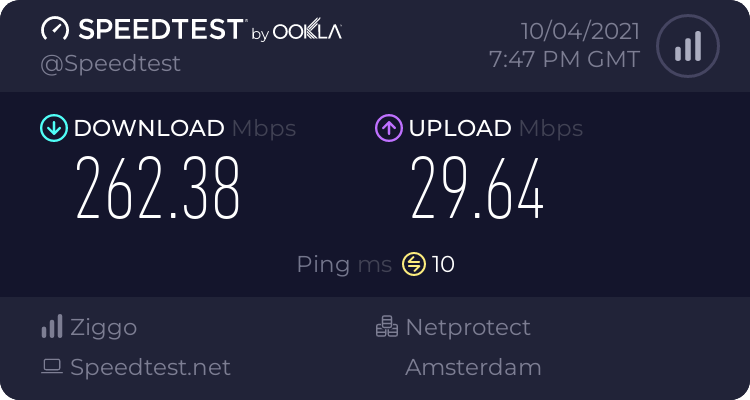 peak cloak
yeah, I wouldn't really expect anything else
hollow marlin
@peak cloak This is the only route I see updated within the past hour that are flapping from their AS. All their other route appear to be in the table have not flapped. But with eBGP there are protections in place via timers to prevent global chaos. (delayed route propegation)
[BGP/170] 00:30:31, MED 0, localpref 100, from x.x.x.x```HE bgp toolkit dying 😩
tall pagoda
C:\Users\MigoNL>tracert migonl.nl

Tracing route to migonl.nl [2a0b:7280:100:0:1c00:97ff:fe00:2682]
over a maximum of 30 hops:

  1     2 ms     2 ms     1 ms  2a02:
  2    18 ms    13 ms    11 ms  2a02:a204
  3    14 ms    12 ms    11 ms  nl-nij01a-ra2-bundle-ether2026-651.v6.aorta.net [2a02:a200:180:97::1]
  4     *        *        *     Request timed out.
  5    19 ms    14 ms    31 ms  nl-ams04a-ri3-ae50-0.core.as9143.net [2001:b88:0:40a::2]
  6    18 ms    15 ms    14 ms  2001:730:2200::5474:8082
  7    17 ms    16 ms    17 ms  2001:730:2200::5474:80ce
  8    14 ms    20 ms    14 ms  2a0b:8f80::86
  9    24 ms    20 ms    33 ms  2a0b:8f80::a9
 10    15 ms    17 ms    17 ms  ipv6-vserver465.axc.nl [2a0b:7280:100:0:1c00:97ff:fe00:2682]

Trace complete.
?
peak cloak
rocky badge
HE bgp toolkit dying 😩
bgp.tools allows you to do bgp debugging and gives insight into internet routing with ease in a user friendly way
hollow marlin
rocky badge
HE bgp toolkit dying 😩
Thats been dead for a bit. I even tried RIPE BGPplay and that becomes unresponsive
 sterile sandal
sterile arrow
As someone who works in the internet and networking industry, I need to know how...
sterile sandal
sterile arrow
As someone who works in the internet and networking industry, I need to know how...
I agree. because MY whole class, including the teacher is on top of this
Border Gateway Protocol (BGP) is a standardized exterior gateway protocol designed to exchange routing and reachability information among autonomous systems (AS) on the Internet. BGP is classified as a path-vector routing protocol, and it makes routing decisions based on paths, network policies, or rule-sets configured by a network administrator...
peak cloak
will be fun talking with the new cybersecurity teacher about this
peak cloak
sterile sandal
https://en.wikipedia.org/wiki/Border_Gateway_Protocol
yeah the glue of the internet, I've worked with it a bit
sterile sandal
peak cloak
will be fun talking with the new cybersecurity teacher about this
we are having a field day with this already
sterile sandal
peak cloak
yeah the glue of the internet, I've worked with it a bit
somebody is out of a job i think
peak cloak
right now, what we think is that some new automation messed it up
and they basically got locked out
sterile sandal
peak cloak
right now, what we think is that some new automation messed it up
Jesus
peak cloak
sterile sandal
Jesus
There are people now trying to gain access to the peering routers to implement fixes, but the people with physical access is separate from the people with knowledge of how to actually authenticate to the systems and people who know what to actually do, so there is now a logistical challenge with getting all that knowledge unified.

Part of this is also due to lower staffing in data centers due to pandemic measures.```seeing reports that it might be an attack too. many employees can't use their key cards to get in
peak cloak
sterile sandal
seeing reports that it might be an attack too. many employees can't use their ke...
think that's just an effect of the outage

Source at Facebook: "it's mayhem over here, all internal systems are down too." Tells me employees are communicating amongst each other by text and by Outlook email.
Retweets
832
Likes
1932
Twitter
·
sterile sandal
JUST IN - Data of over 1.5 billion Facebook users is being sold on a popular hacking-related forum. Data contains users’ names, emails, phone numbers, locations, gender, and user ID.
Retweets
16453
Likes
27873
Twitter
·
peak cloak
yeah I'm 90% sure this is irrelevant to the bgp issues
 slate void
Someone on the Facebook recovery effort has explained that a routine BGP update went wrong, which in turn locked out those with remote access who could reverse the mistake. Those who do have physical access do not have authorization on the servers. Catch-22.
peak cloak
yeah, we pretty much figured that out
sterile sandal
everybody in my classes is having a field day with this
 livid compass
I do not see why.
It's funny the first 3 times you hear about it, but after that it's like eh.
sterile sandal
livid compass
I do not see why.
It's funny the first 3 times you hear about it, but after that...
you would have to be in cybersecurity to understand why
livid compass
sterile sandal
you would have to be in cybersecurity to understand why
I do not have to be in cybersecurity to understand that it was a poorly configured server config sent to stop all outbound traffic.
It happens to everyone. Quite literally everyone.
rocky badge
its funny seeing other services bashing other services being down
because it could also happen to them as well
peak cloak
livid compass
I do not have to be in cybersecurity to understand that it was a poorly configur...
It does not explain the sh show this is
Facebook workers can't get in data centers
Looking themselves out of servers
tall pagoda
According to Koninklijke PTT Nederland N.V. The amount of SMS messages tripled since Facebook is experiencing errors
livid compass
peak cloak
It does not explain the sh show this is
Without physical access, yes.
peak cloak
They should have oob management as Juan explained before
Unless the routers being bricked is true
tall pagoda
 peak cloak
livid compass
I do not have to be in cybersecurity to understand that it was a poorly configur...
peak cloak
livid compass
I do not have to be in cybersecurity to understand that it was a poorly configur...
And no it doesn't
And it's not even a server
The routes themselves to Facebook are messed up
waxen scroll
With manual changes you can shoot yourself in the foot, but automation lets you reuse the bullet
peak cloak
good writeup by cloudflare for new people in networking

The Cloudflare Blog
Today at 1651 UTC, we opened an internal incident entitled "Facebook DNS lookup returning SERVFAIL" because we were worried that something was wrong with our DNS resolver 1.1.1.1. But as we were about to post on our public status page we realized something else more serious was going on.
hollow marlin
waxen scroll
With manual changes you can shoot yourself in the foot, but automation lets you ...
I just read that comment. 
peak cloak
 tribal meteor
So complete data wipe yes?
tribal meteor
So complete data wipe yes?
no?
tribal meteor
damn..
waxen scroll
hollow marlin
I just read that comment. <:LUL:667862701560692736>
I just laugh any time a FB, Google or Amazon recruiter hits me up
No thx
hollow marlin
Yeah no thanks
peak cloak
working at big companies sucks?
 long tulip
in big IT companies - in most cases yes
hollow marlin
peak cloak
https://blog.cloudflare.com/october-2021-facebook-outage/
Summary, FB pulled BGP prefixes for their DNS and things went poof as retries flooded the internet.
peak cloak
basically
peak cloak
peak cloak
working at big companies sucks?
and working at small companies sucks too?
hollow marlin
Small companies are too boring, large hyperscalers are too software focused (too much infrastructure as code). Tshooting networking due to crap code is not something I'd want to deal with
Not including the internal politics of hyperscalers
peak cloak
got it
 waxen scroll
It's more basic that that though. They mistreat their employees to the point they cry and they are political and woke
Working long hours with stack ranking. Nooooo thx
sterile sandal
New Meme
hollow marlin
There are too many people in charge of BGP that shouldn't be
sterile sandal
I am going to edit the pic and then you guys can do as you wish with it as far as memes go
waxen scroll
hollow marlin
There are too many people in charge of BGP that shouldn't be
Most of them work at cloudflare
sterile sandal
OMG, someone on YT is making the claims that this was an attack worldwide.
peak cloak
waxen scroll
Most of them work at cloudflare
are they that bad? what do they do?
sterile sandal
has anyone had any issues with POGO today?
waxen scroll
peak cloak
are they that bad? what do they do?
they take half the internet offline at least twice a year with bad network updates and make blog posts to brag how good troubleshooters they are.
 keen ermine
so I got a question
so I made a OpenVPN file for my laptop. it works in Windows but it doesn't on Linux (Arch Linux).
 shut merlin
question i just built my first pc and now it sucks up the internet up for its self but doesnt use all of it how do i control it\
peak cloak
@hollow marlin remember the vyos ipv6 link-local bgp issue?
I tested it rn and it works
just a week ago 2 new posts were added https://phabricator.vyos.net/T3657
and in the latest rolling set protocols bgp neighbor fe80::202 interface source-interface 'eth1' something like this works
hollow marlin
Thats good to hear. I know I shared a changelog not too long ago that mentioned it but cannot remember what version that was.
peak cloak
hollow marlin
Thats good to hear. I know I shared a changelog not too long ago that mentioned ...
yeah, I remember trying it, but didn't work, maybe just wrong syntax
nimble sable
hollow marlin
Summary, FB pulled BGP prefixes for their DNS and things went poof as retries fl...
so that means other routers wouldn't know how to route to facebook IPs?
sterile sandal
Is there anyone here who knows the ins and outs of discord? There is a mjor problem going on and we can't stop it
 obtuse vale
thick minnow
obtuse vale
thick minnow
[Useless comment, please ignore.]
hollow marlin
nimble sable
so that means other routers wouldn't know how to route to facebook IPs?
Yes. Specifically couldn't route to their DNS resolvers.
waxen scroll
@hollow marlin so smart
hollow marlin

low pond
juan you have me blocked or soemthing? XD
hollow marlin
@low pond I don't think I have anyone block lol
low pond
oh ok you werent responding to me so i was wondering XD
hollow marlin
I could have missed some chat in my rant lol
 autumn bay
do i use T568B or A?
peak cloak
B
peak cloak
To ensure reliable operation, our DNS servers disable those BGP advertisements if they themselves can not speak to our data centers, since this is an indication of an unhealthy network connection. In the recent outage the entire backbone was removed from operation,  making these locations declare themselves unhealthy and withdraw those BGP advertisements. The end result was that our DNS servers became unreachable even though they were still operational. This made it impossible for the rest of the internet to find our servers.
All of this happened very fast. And as our engineers worked to figure out what was happening and why, they faced two large obstacles: first, it was not possible to access our data centers through our normal means because their networks were down, and second, the total loss of DNS broke many of the internal tools we’d normally use to investigate and resolve outages like this.
Once our backbone network connectivity was restored across our data center regions, everything came back up with it. But the problem was not over — we knew that flipping our services back on all at once could potentially cause a new round of crashes due to a surge in traffic. Individual data centers were reporting dips in power usage in the range of tens of megawatts, and suddenly reversing such a dip in power consumption could put everything from electrical systems to caches at risk.
@hollow marlin
@sterile sandal @north mulch
hollow marlin
I just got done reading their "Risk Simulator" from last month on how they break things into a lab to ensure reliability.... well about that..https://engineering.fb.com/2021/08/09/connectivity/backbone-management/
lol. So a month ago they had blog showing how they simulate as many failures as possible. But they say:
And while we’ve never previously run a storm that simulated our global backbone being taken offline, we’ll certainly be looking for ways to simulate events like this moving forward.
That said, I always forget scale and this was a good point in the article.
Individual data centers were reporting dips in power usage in the range of tens of megawatts, and suddenly reversing such a dip in power consumption could put everything from electrical systems to caches at risk.
I cannot imagine an oversight on my part that could bring potentially cities offline
north mulch
Their storms were typically taking a specific region offline, but never the entire backbone. Loss of any given region would have caused basically no end user effect. I’d be interested to see how they test a complete backbone failure like that in the future.
It was really cool watching the effect of traffic during those storms in the past.
sterile sandal
wow. I knew BGP was deep, but not this deep.
hollow marlin
BGP is pretty simple, the hard part is proper designs, especially as scale
north mulch
I'd argue that their network design is pretty solid.
sterile sandal
so I am guessing that any johnny come lately who doesn't know what he's doing can bring entire domains down. That's enough for an updated security alert right there
 little schooner
hollow marlin
BGP is pretty simple, the hard part is proper designs, especially as scale
little schooner
hollow marlin
BGP is pretty simple, the hard part is proper designs, especially as scale
scaling up as a concept trips me up. I'm so happy people who know how to make it happen exist tho
peak cloak
having to figure out if you did something wrong or if it's a bug is pretty annoying
sterile sandal

The Hacker News
Researchers have discovered a new malware, dubbed BloodyStealer, which steals account data from popular gaming stores and apps.
hollow marlin
little schooner
scaling up as a concept trips me up. I'm so happy people who know how to make it...
Scaling with BGP and sticking to the basic dos' and donts', its scales well. Hence why its the backbone of the internet. Once you get into certain redistribution and some AFI/SAFIs, you have to take care in design. It has build in loop preventions, but they are pretty easy to bypass
hollow marlin
peak cloak
*having to figure out if you did something wrong or if it's a bug is pretty anno...
Sure is but it appears their automation has no failsafes in place. Like in Juniper (or VyOS), commit confirmed eliminates a big part of human error. I know they have a lot of whitebox routers so it was most likely running its own code, if so, that means it was not implemented
peak cloak
hollow marlin
Sure is but it appears their automation has no failsafes in place. Like in Junip...
yeah
but that was more about what I am rn trying to figure out, I can ping my next-hop IP, but in show ip route they all show as inactive
hollow marlin
Oh I thought you were talking about the bug FB mentioned lol
peak cloak
oh yeah lol, I should have clarified
hollow marlin
Can you show the routing table where it's showing inactive?
peak cloak
hollow marlin
Can you show the routing table where it's showing inactive?
andddd, a reboot fixed it
I even reset the peer multiple times
see with routing OSes I don't expect a reboot to fix things, but I guess on the latest rolling it does
pulsar thorn
Who would've known...
peak cloak
I've been at this for like over 5 combined hours now
 sharp mantle
Idk of this belong here but since it’s smart hubs which is kinda networking I guess I’ll ask here
How is the built in Alexa zigbee hub from the newish echo’s compared to the smart things hub? Currently looking for a smart home hub and have heard good things about the smart things one but wondering if the Alexa one is any good as I have a lot of Alexa’s and looking to add one more.
hollow marlin
peak cloak
see with routing OSes I don't expect a reboot to fix things, but I guess on the ...
With the little work Ive done in VyOS on the rolling release, I ran into several bugs
peak cloak
yeah, I wish I could just work on stable, but with this one I can actually get v6 to work kinda
I'm getting routes, but can't ping
Codes: K - kernel route, C - connected, S - static, R - RIPng,
       O - OSPFv3, I - IS-IS, B - BGP, N - NHRP, T - Table,
       v - VNC, V - VNC-Direct, A - Babel, D - SHARP, F - PBR,
       f - OpenFabric,
       > - selected route, * - FIB route, q - queued, r - rejected, b - backup

B>* fd00:114:514::/48 [20/0] via fe80::1588, wg92, weight 1, 00:06:02
B>* fd00:191e:1470::/48 [20/0] via fe80::1588, wg92, weight 1, 00:06:02
B>* fd00:1953:615::/48 [20/0] via fe80::1588, wg92, weight 1, 00:06:02
B>* fd00:4242:3348::/48 [20/0] via fe80::1588, wg92, weight 1, 00:06:02
B>* fd00:46c5:1654::/48 [20/0] via fe80::1588, wg92, weight 1, 00:06:02
B>* fd00:65a8:93a4::/48 [20/0] via fe80::1588, wg92, weight 1, 00:00:43
...```/bin/ping6: Warning: source address might be selected on device other than: wg92
PING fe80::1588(fe80::1588) from :: wg92: 56 data bytes
64 bytes from fe80::1588%wg92: icmp_seq=1 ttl=64 time=27.5 ms
64 bytes from fe80::1588%wg92: icmp_seq=2 ttl=64 time=24.3 ms
Routing entry for fd42:d42:d42:54::/64
  Known via "bgp", distance 20, metric 0, best
  Last update 00:08:33 ago
  * fe80::1588, via wg92, weight 1
Codes: S - State, L - Link, u - Up, D - Down, A - Admin Down
Interface        IP Address                        S/L  Description
---------        ----------                        ---  -----------
eth0             10.10.30.61/24                    u/u
lo               127.0.0.1/8                       u/u
                 ::1/128
wg92             172.23.84.34/32                   u/u  tech9
                 fdc1:e70f:34b0::4/128
wg93             172.23.84.34/32                   u/u  Kioubit.dn42
fdc1:e70f:34b0::4/128```try pinging with source of fdc1:e70f:34b0::4 incase its a bug and using LL as the source
peak cloak
hmm, nope
peak cloak
hollow marlin
try pinging with source of `fdc1:e70f:34b0::4` incase its a bug and using LL as ...
PING fd42:d42:d42:54::1(fd42:d42:d42:54::1) from fdc1:e70f:34b0::4 : 56 data bytes
^C
--- fd42:d42:d42:54::1 ping statistics ---
6 packets transmitted, 0 received, 100% packet loss, time 5147ms```@peak cloak what are you advertise in BGP over the tunnel?
peak cloak
as in this? ```vyos@vyos:~$ show ip bgp neighbors fe80::1588 advertised-routes
BGP table version is 19943, local router ID is 172.23.84.33, vrf id 0
Default local pref 100, local AS 4242422810
Status codes: s suppressed, d damped, h history, * valid, > best, = multipath,
i internal, r RIB-failure, S Stale, R Removed
Nexthop codes: @ nexthop's vrf id, < announce-nh-self
Origin codes: i - IGP, e - EGP, ? - incomplete
Network Next Hop Metric LocPrf Weight Path
*> 10.37.0.0/16 0.0.0.0 0 4242421588 4242421876 65043 65037 i
*> 10.50.0.0/16 0.0.0.0 0 4242421588 4242421876 65043 65024 i
*> 10.56.0.0/16 0.0.0.0 0 4242421588 4242421876 65043 65037 i
*> 10.60.128.0/20 0.0.0.0 0 4242421588 4242421876 65043 i
*> 10.60.144.0/20 0.0.0.0 0 4242421588 4242421876 65043 i
*> 10.60.160.0/20 0.0.0.0 0 4242421588 4242421876 65043 i
*> 10.63.0.0/16 0.0.0.0 0 4242421588 4242421876 65043 65042 i
*> 10.64.0.0/16 0.0.0.0 0 4242421588 4242421876 65043 65042 i```
 tender hazel
@hollow marlin The thing I don't understand from Facebook's post is, how did their out of band management go down? was it not on a different ASN?
I mean we are a small-medium ISP and if we had BGP go down completely we could still access our BGP routers via OOB
that's what I find most surprising about the whole thing
peak cloak
peak cloak
as in this? ```vyos@vyos:~$ show ip bgp neighbors fe80::1588 advertised-routes
...
huh so I scrolled down and I see no ipv6
and there's no show ipv6 bgp ...
tender hazel
probably your address families settings are wrong
it is possible to share ipv4 routes over ipv6 BGP or ipv6 routes over ipv4 BGP
peak cloak
 address-family {
     ipv4-unicast {
         network 172.23.84.32/27 {
         }
     }
     ipv6-unicast {
         network fdc1:e70f:34b0::/48 {
         }
     }
 }
 local-as 4242422810
 neighbor 172.20.16.139 {
     address-family {
         ipv4-unicast {
         }
     }
     description Tech9.io
     disable-connected-check
     ebgp-multihop 20
     remote-as 4242421588
 }
 neighbor fe80::1588 {
     address-family {
         ipv6-unicast {
         }
     }
     description Tech9.io
     disable-connected-check
     ebgp-multihop 20
     interface {
         source-interface wg92
     }
     remote-as 4242421588
 }
 parameters {
     router-id 172.23.84.33
 }
normally you would only share ipv4 routes over an ipv4 peering and ipv6 routes over an ipv6 peering, but address families settings allow you to control that
wait
how is fe80::1588 working?
tender hazel
oh I see, there is a source interface setting
nevermind.. I'm used to seeing something like fe80::f388%wg92
you have the address families set correctly - is it possible that your peer does not?
peak cloak
they prob do, they are a big peer with autoconfig
this won't format good on discord so I'll show a screenshot
 peak cloak
tender hazel
so where does 1588 come from?
peak cloak
tender hazel
so where does 1588 come from?
their address
peak cloak
well that screenshot is from their cli interface to make peerings
not vyos
I can try a different peer, maybe someone who doesn't do link-local
tender hazel
are you even able to hard set the link local for your wireguard interface?
I understand now that they require you to be fe80::100
peak cloak
     address 172.23.84.34/32
     address fe80::100/64
     address fdc1:e70f:34b0::4/128
     description tech9
     firewall {
         in {
             name Tunnels_In_v4
         }
         local {
             name Tunnels_Local_v4
         }
     }
     peer us-chi01 {
         address 45.76.26.51
         allowed-ips 0.0.0.0/0
         allowed-ips ::/0
         port xxx
         public-key xxx=
     }
     port 51588
     private-key xxxx=
 }
ok so Kioubit doesn't require link-local, I'll try them
hollow marlin
tender hazel
I mean we are a small-medium ISP and if we had BGP go down completely we could s...
That was my exact argument yesterday in chat. OOB should have been completely diverse
tender hazel
yeah I don't understand that whatsoever
it seems like they simply ignored the general recommendations for OOB management networks
 rugged fern
sup guys, i've got a question for all my making thier own cat cabling ppl
which is a good crimper and stripper?
and which connectors do you use usually for FTP cat 6 cables?
also any of you had issues where all premade cables dont get more than 100mbit to MR8300 router? some linksys crapbox
i've never had these issues in 10 yrs
so im buying new shit, could be it's utp not ftp or my tools so im renewing my toolbox while after it
peak cloak
rugged fern
also any of you had issues where all premade cables dont get more than 100mbit t...
If it's only 100 mbit either, you messed up the cable, or that router only has 10/100 ethernet interfaces
Highly recommend to get some cheap tester to check if all pairs work
Usually when it's 100 it means you messed up somewhere since 100Base-t only needs 4 wires but gigabit needs all 8
 dull mirage
I can't get to my router admin i previously shutdown the dhcp
peak cloak
dull mirage
I can't get to my router admin i previously shutdown the dhcp


ofc you can't, since you aren't getting an IP automatically