#networking
1 messages · Page 359 of 1
 thick minnow
 clear igloo
AH, correct
thick minnow
but sc cable i can only find in 20 meters
 flint matrix
just buy non terminated cable
clear igloo
You can buy LC cable and then SC-LC patch cable for a few bucks
flint matrix
and pigtails
clear igloo
and a coupler for each end
thick minnow
i dont even have the slightest idea how to terminate fiber
clear igloo
Yah, I wouldn't mess with that, plus you either have to buy all the gear or hope someone can rent you one
flint matrix
its not hard, a literal idiot can do it, the machine aligns for you
 peak cloak
$$$
clear igloo
If you're making 1 cable it's probably not worth it but depends on the area, OP is in the Netherlands so not sure what rental would look like there price wise
flint matrix
yeah if youre making 1 - lol thats a terrible idea. if you are doing your whole house its worth it
clear igloo
Yah, they only need 1 cable
Otherwise I totally agree, terminating yourself would be better instead of couplers and whatnot 😄
thick minnow
yeah i dont know where to rent one of those
flint matrix
telecom rental companies
theyre all over
well - i cant find the consumer ones for rent, the prosumer/professional ones are like 200-300/day
but you could literally sit there and knock out 100 premade cables and save a ton of money
i suppose your success rate would be marginally better if you are inexperienced with the higher end models, better tolerances, etc
but after the first 10, the only thing that youll screw up is forgetting to put the stupid heat sleeve on and having to redo it
 tulip rivet
What is the best option for ensuring optimal connectivity between my desktop upstairs and my nVidia Shield downstairs? Right now I am using powerline but is that ideal? I've heard people say powerline sucks etc etc and media over coax-ethernet is better
thick minnow
tulip rivet
What is the best option for ensuring optimal connectivity between my desktop ups...
does the sheild and the desktop have an ethernet port?
peak cloak
tulip rivet
What is the best option for ensuring optimal connectivity between my desktop ups...
Moca is much better than powerline
Best is running ethernet of course
 spare elk
Hello!
I have a Huawei Switch S5720-12TP-PWR-LI-AC, an dI’m trying to reset it.
I don’t have an RJ45 to Serial, nor does the web interface work (the thing with pressing 6s on the mode button). So I’ve looked around, and found this post (https://forum.huawei.com/enterprise/en/need-help-to-reset-the-switch-s5720-12tp-li-ac/thread/668803-871) so I’m not even sure if we can reste it.

Huawei Enterprise Support Community
hello, I need help resetting My Huawei S5720-12TP-LI-AC, We lost the Login password and also the Boot console password has been changed, tried PNP bu ...
tulip rivet
peak cloak
Best is running ethernet of course
does length of cable factor into connectivity strength?
clear igloo
tulip rivet
does length of cable factor into connectivity strength?
No, just know that 100m is the limit +/- a few feet
tulip rivet
that's wild
clear igloo
tulip rivet
that's wild
not really, it's a dedicated link but when you compare it to something like single mode fiber it's nothing but a drop in the bucket in terms of distance
 undone basin
spare elk
Hello!
I have a *Huawei Switch S5720-12TP-PWR-LI-AC*, an dI’m trying to reset it...
undone basin
spare elk
Hello!
I have a *Huawei Switch S5720-12TP-PWR-LI-AC*, an dI’m trying to reset it...
I don't know if you should have Huawei
spare elk
My dad gave it to me, so I can thinker a bit with network stuff.
peak cloak
tulip rivet
does length of cable factor into connectivity strength?
length not really, but with unshielded ethernet you want to avoid running in parallel next to high voltage lines
interference will degrade your speeds
 waxen scroll
peak cloak
interference will degrade your speeds
waxen scroll
peak cloak
interference will degrade your speeds
How
peak cloak
waxen scroll
How
it does for me
I can get gigabit over iperf locally with a short cable with no interference vs a long cable next to electrical lines which gets me around 600
tulip rivet
yeah how fast actually should i expect my LAN connection to be
like surely i should have no stutters etc streaming media on my lan
and on a related note what is the best means of testing lan speed?
tulip rivet
ty
peak cloak
iPerf3 binaries for Windows, Linux, MacOS X
get iperf3 on 2 computers
on the server and run iperf3 -s
tulip rivet
well the inhome streaming is from my desktop to my nvidia shield tv pro
it isn't anything sophisticated with a server
peak cloak
on the client: iperf3 -c 123.123.123.123
peak cloak
tulip rivet
it isn't anything sophisticated with a server
no, you just choose what computer you want to server to be
server just means something that is accepting connections
tulip rivet
ah right, in that case still i dont think i could run that program on the shield
peak cloak
tulip rivet
ah right, in that case still i dont think i could run that program on the shield
prob not
but you could hook up a laptop to the same ethernet port
 lean pebble
peak cloak
I can get gigabit over iperf locally with a short cable with no interference vs ...
lean pebble
peak cloak
I can get gigabit over iperf locally with a short cable with no interference vs ...
That's why you have shielded cables.
lean pebble
It's a pretty known thing that electrical lines can interfere network lines.
I had it to.
I switched some cables here at my house to shielded cables but I guess they were suck so I had to reuse my old cables at the end.
peak cloak
it's fine tbh
it was installed when the house was remodeled
I was little so I knew nothing really about computers
lean pebble
I added those cables I have only 1 cat5e cable that I can't switch
We have alarm with a phone app so it needed internet and it always killed our V.O.D and those hpna / the other one connectivity, so I just connected it to 4G network with a dedicated router to fix it
But our cellular network sucks too so it gets disconnected Everytime and never connecting again untill I reconnect it physically
thick minnow
I am trying to set up a true nas server but it is always getting stuck, can some one pls help me
 undone basin
thick minnow
I am trying to set up a true nas server but it is always getting stuck, can some...
undone basin
thick minnow
I am trying to set up a true nas server but it is always getting stuck, can some...
try turning off secure boot
thick minnow
I cant find sucre boot in my bios
thick minnow
undone basin
try turning off secure boot
Found it, and that works. Thanks
thick minnow
My tru nas server is showing up with no ip, I have connected it to a functional Ethernet connection. Can someone pls help me

 tidal frost
thick minnow
My tru nas server is showing up with no ip, I have connected it to a functional ...
tidal frost
thick minnow
My tru nas server is showing up with no ip, I have connected it to a functional ...
Press 1 and see what it says? Seems like network may just be disabled or something? New server i assume?
Nvmnd read further back yea new setup
 coral flower
So I am currently under a DDoS attack. What should I do? Because I know who did it.

Should I report it on ic3?
thick minnow
@coral flower check your duration, and tell me how long it's been active for
coral flower
thick minnow
<@!592497571092627456> check your duration, and tell me how long it's been activ...
So like 35 seconds
thick minnow
if it's really ddos, restart your router by turning it off for 10-20 seconds
thick minnow
coral flower
So like 35 seconds
yeah, 35 seconds, then its supposed to be 217k
coral flower
It's static. I would have to call my isp.
thick minnow
or do that, and tell them to switch it to dynamic
coral flower
I'm going to watch the data a little more.
Because me on the same network connecting to my server PC I get over 180ms connection.
When it's usually ~10ms at the most.
thick minnow
it's most likely not a ddos attack if the server has just been started 
clear igloo
217,000 bytes in 35 seconds is not a DDoS attack
coral flower
I mean it's been going on for a while. I just turned it off for a few days.
I also closed the port on the router gateway now.
So it should be fine.
clear igloo
coral flower
So I am currently under a DDoS attack. What should I do? Because I know who did ...
217,000 bytes isn't even a quarter of a megabyte, that's not a DDoS attack, that's generic network traffic
peak cloak
coral flower
So I am currently under a DDoS attack. What should I do? Because I know who did ...
That's not ddos lol
coral flower
I THINK I GOT THAT THANKS.
tulip rivet
Hey, I have multiple dsl ports/telephone type jacks in my house, can they be used to connect to my router downstairs?
as opposed to a long ass ethernet or a powerline/moca
waxen scroll

Ethernet Extender Kit Tupavco TEX-100 Over Phone Line or CAT5/CAT6 Cable Range up to 7000ft (Pair of 2pc) LAN Network Extension over Twisted Copper Wire or RJ45 -VDSL Broadband Repeater Booster Bridge
obviously you'll get DSL speeds over LAN though
peak cloak
that's $$$
waxen scroll
yeah well its the only solution
peak cloak
and not much bandwidth
 opal bison
Hey guys, I got myself a new modem, tp-link archer vr1210v, but I can't login the web page is buggy, only seeing the field for password there other one for username doesn't load
tulip rivet
ah okay, still considering my options for optimal LAN speeds for nvidia gamestream, atm i'm on powerline from desktop to router, and ethernet from router to shield
man when i build my own house i'm gonna put the optimal jacks errywhere
peak cloak
I put in jacks myself
except for 3 cables which really helped
those go from basement to 2nd floor
basement to 1st floor is easy
peak cloak
in some places it makes sense not to have them
tulip rivet
yeah i think itd be one big pond here
peak cloak
my network rack is in the basement
 small glade
found an old article that despite being from less than 10 years ago gave off a strong "retro-future" vibe
"In 802.11ac wave two devices--the next generation of 802.11ac, which will start showing up in 2014--the channels will take up 160MHz of frequency."
why was wave 2 delayed to like 2016 and ofc we didnt see 160mhz until wifi 6
fucking hell found another even more recent article/presentation
peak comedy
https://www.ciscolive.com/c/dam/r/ciscolive/emea/docs/2017/pdf/BRKCRT-1100.pdf the "in 2020" slides

although kinda pissed about 802.11af and ah not getting any adoption because in addition to iot it could have actual network device connection applications in rural areas with no cell signal where someone could be out on a field and they would need to be contacted via like a phone
 plain siren
small glade
although kinda pissed about 802.11af and ah not getting any adoption because in ...
plain siren
small glade
although kinda pissed about 802.11af and ah not getting any adoption because in ...
IEEE 802.11ah is a wireless networking protocol published in 2017 called Wi-Fi HaLow (pronounced "HEY-Low") as an amendment of the IEEE 802.11-2007 wireless networking standard. It uses 900 MHz license-exempt bands to provide extended range Wi-Fi networks, compared to conventional Wi-Fi networks operating in the 2.4 GHz and 5 GHz bands. It also...
IoT has its own 802.11 option.
Has low power competing with that of BT
900 MHz so its better range
prominent aspect of 802.11ah is the behavior of stations that are grouped to minimize contention on the air media, use relay to extend their reach, use little power thanks to predefined wake/doze periods, are still able to send data at high speed under some negotiated conditions and use sectored antennas. It uses the 802.11a/g specification that is down sampled to provide 26 channels, each of them able to provide 100 kbit/s throughput. It can cover a one-kilometer radius.[7] It aims at providing connectivity to thousands of devices under an access point. The protocol supports machine to machine (M2M) markets, like smart metering.[8]
Like bruh holy shit it fixes thes the biggest issue with using wi-fi for IoT
It DOESNT KILL THE NETWORK
 small glade
"802.11af and ah"
plain siren
2016
small glade
yeah thing is ah is a tad too much for iot in terms of throughput imo
plain siren
the key gain is the use of license exempt bands
small glade
its theoretically almost useable as a normal wlan and could be in countryside settings where you would need to cover an entire homestead property with enough signal to recieve some sort of alert or message about something if theres no cell signal
waxen scroll
i hate how flakey zwave is ;/
plain siren
the wake/doze system of ah prevents use of it as a proper full blast data stream
Its actually a stand out from the rest of the 802.11 standards because of this
plain siren
waxen scroll
i hate how flakey zwave is ;/
And the fact its the only one besides LoraWAN that is not in the 2.4GHz busted up range
small glade
plain siren
the wake/doze system of ah prevents use of it as a proper full blast data stream
hmmm well im not saying somebody should watch youtube over it just that it could be used for like delivery of a text message or something
and doesnt wifi 6 have wake/doze / TWT too?
waxen scroll
I tried switching my RGB controllers from zwave to local wifi and I noticed no delay in automations
and its very reliable
small glade
what in the name of god and all thats holy is this

 small glade
what in the name of god and all thats holy is this
small glade
small glade
what in the name of god and all thats holy is this
i already want to hold any 40mhz channel user on 2.4 accountable for their crimes against humanity now imagine if this was real lmao
all 40mhz mode does is clutter up the spectrum more i dont have a single wifi client thats capable of benefitting from 40mhz they all max out at 144mbps rate
 olive plover
https://cdn.discordapp.com/attachments/672815804106145792/868878732381794334/20210725_210002.jpg I terminated my keystone since my ISP wont fix a simple issue im so excited it worked first time
 small glade
tbh wifi 6 should have introduced 10mhz channels for 2.4 or something to clutter less especially since most everything can use 5ghz these days and 2.4 would be only for edge range
plain siren
olive plover
https://cdn.discordapp.com/attachments/672815804106145792/868878732381794334/202...
ok now do it again but this time that sheath needs to be as close to the keystone as possible
plain siren
small glade
tbh wifi 6 should have introduced 10mhz channels for 2.4 or something to clutter...
Honestly, I would be the asswipe that says "no, no 2.4G for you, use more AP"
small glade
ehh tell that to the countryside dwellers of latvia
plain siren
I would
small glade
are you supposed to stick an ap in the middle of a field on a stick with an ethernet cable running like 50m?
 small glade
bruh
10 and less mhz wide 2.4g channels is the way to go imo with 2.4 being something thats off by default to not blast in apartments
too bad wifi is kinda a shitshow
olive plover
plain siren
ok now do it again but this time that sheath needs to be as close to the keyston...
yeah, I kinda thought about that, I was expecting myself to fuck up with the wires. I need to buy a long term enclosure for it
plain siren
small glade
bruh
The fact that there was no decent implementation of auto-tx control to keep from overlapping for shit like multi-family living units and shit is really damn annoying
Time to start lining walls with Grounded Steel Mesh.
small glade
wifi 6 does have the frequency reuse thing tho no? so at least aps arent quite screaming over each other but shut up while the other is transmitting. at least theoretically and when both are wifi 6
peak cloak
olive plover
yeah, I kinda thought about that, I was expecting myself to fuck up with the wir...
The thing is to have the wires twisted as much as possible
Until the very termination point
The great thing about keystones is that you can have excess and then cut it off
olive plover
yeah, I need to redo it when I get a proper enclosure and stuff
plain siren
Wall plate?
olive plover
I hope its not too bad for someone who never did anything related to networking before
peak cloak
Where is it coming from and where is the cable going?
olive plover
so the cable is comming from my fiber isp and the jack to the modem was damaged and they wont fix it, since I dont know how to do jacks, I did a keystone and used a patch cord connecting to the router
like my ISP has a long ethernet wire comming from the ground floor to mine, and the jack on my end was damaged so it changed to 100baseT instead of 1GbaseT
plain siren
peak cloak
<@589542595341058048> are ONTs technically modems or no?
Yeah actually
The technical raw definition is "Modulate" and "Demodulate" and thats what a ONT would do
 hollow marlin
I wouldn't say it's completely the same. Mo-dems stand for the name and it's converting a digital signal to analog and vice versa. Light is still being sent sent in a digital signal. I think it's technically true though but many disagree
plain siren
Light <> Electrical
Digital <> Analog
and actually
QAM
quadrature amplitude modulation
hollow marlin
For GPON, yes. For AE, do you consider a switch connected via fiber a modem?
People had the same argument that NICs fall in the same category
 rocky badge
@clear igloo 😡 https://i.ryois.me/V884owbJrl.png

 indigo lichen
Your computer appears to be correctly configured, but the device or resource (DNS server) is not responding
this is my issue
hollow marlin
rocky badge
<@!291198741862416384> 😡 https://i.ryois.me/V884owbJrl.png
Those are actually the phones of the company we bought out last summer  We purchased the HPBX portion of the company and Fanvil was branched off
rocky badge
lol
 low pond
Avita or whatever its called is what i see heavily being used
rocky badge
avaya?
hollow marlin
Avaya, Mitel and Ploycomm are the most popular players
rocky badge
At school we use Avaya/Cisco/and random POTS phones lol.
low pond
rocky badge
avaya?
Has to be this
rocky badge
The main campus isn't VOIP yet while most other campuses are
hollow marlin
We used Mitel for our HPBX until buying the company but now use rebranded Fanvil models. Mitel is rock solid but I don't have much input on the others
rocky badge
Fire & Alarm are cellular & POTS
Migrating the main campus to VOIP is a summer project 
low pond
I always wonder how the equipment where nornal rj11 ports connect to look like, i think POTS is what its called but eh.
rocky badge
ripping out all of the RJ11 and running an additional RJ45
low pond
low pond
I always wonder how the equipment where nornal rj11 ports connect to look like, ...
Like in hotel's especially.
 hollow marlin
POTS to 66 block to Amphenol to SIP gateway
rocky badge
Paging in the main campus is also still POTS
its not VOIP like all other campuses
Because again, that's a large summer project with a lot more Cat6 required
A lot more PoE switches, a lot of configuring, and shit
@low pond
 hollow marlin
Config is simple, cabling is not
rocky badge
POTS for a wing of the school
rocky badge
hollow marlin
Config is simple, cabling is not
Importing and configuring the intercom sys tho
Import list of MACs and assign room/location
That's a small IDF
it only connects 6 classrooms
hollow marlin
Oh I know how it gets, I've done plenty of hospital POTS work. One of which had 700 66 blocks
rocky badge
I think the largest stack is like 8 switches or something
rocky badge
hollow marlin
Oh I know how it gets, I've done plenty of hospital POTS work. One of which had ...
one wall of the MDF is entirely 66 blocks
the back wall is teleco equipment
including old shit from AT&T (T1 & DSL)
And the 64 strand fiber coming from the road
hollow marlin
I do not know if I have any photos of one of the locations. 3 of the walls being entirely 66 blocks.
rocky badge

I think network finally got rid of Enterasys switches
All Extreme now
A lot of the school was Enterasys before Extreme bought them. Then when Extreme bought them, Extreme was the only stuff being deployed.
But EOS doesn't talk and stack with EXOS
hollow marlin
Never even heard of the vendor
rocky badge
Enterasys Networks, Inc. was an American networking company. Enterasys products include networking equipment ranging from routers, switches, and IEEE 802.11 wireless access points and controllers. The company formed in March 2000 as a spin-off of Cabletron Systems.
In addition to networking hardware such as switches, routers and wireless product...
hollow marlin
I know LZ loves his extreme though
rocky badge
Yeah school is mostly Extreme
If IT could have it their way, it would be all Cisco
but Cisco is only for routing now. Extreme wireless, switching, security, monitoring/dpi
I wonder what the new IT director is going to do tho
waxen scroll
@hollow marlin we had personal TAC people for extreme
new job has them for cisco now
rocky badge
My school does Extreme through an Extreme partner lol
waxen scroll
ew
rocky badge
aka an MSP
waxen scroll
i hate when tac is not level 1 and you have to call some other company
rocky badge
how 'bout football
waxen scroll
especially sports.
clear igloo
t3h sp0rtz!
waxen scroll
@clear igloo every time....
company too cheap to use TAC, uses 3rd party as level 1. Major issue comes up. "No <company> get TAC on NOW"
rocky badge
Although, school said Meraki was too ExPeNsIvE :( @clear igloo
clear igloo
rocky badge
Although, school said Meraki was too ExPeNsIvE :( <@!291198741862416384>
license costs $$$
waxen scroll
cisco for k12 is like 80% off msrp
clear igloo
Ah, I don't deal with that stuff so I've never checked
rocky badge
waxen scroll
cisco for k12 is like 80% off msrp
I mean 😳
That's our normal E-Rate discount lol
our internet & metro E is 80% off
indigo lichen
hey
waxen scroll
do schools still do computer labs with desktops?
indigo lichen
my ethernet port on my pc died would a USB Type-C to Gigabit Ethernet Adapter suffice?
peak cloak
They're AIOs here
peak cloak
We have a cad drafting room
waxen scroll
So what do they do when they use chromebooks and the class needs CAD?
clear igloo
indigo lichen
my ethernet port on my pc died would a USB Type-C to Gigabit Ethernet Adapter su...
Should do fine
rocky badge
The only rooms that have desktops are workstations really
For Adobe, Solidworks, Autodesk Maya, etc
indigo lichen
clear igloo
Should do fine
speeds be the same and such?
waxen scroll
I took CAD in high school lol....
clear igloo
Roughly, yah
peak cloak
And next year there's going to be a new lab for cybersecurity
waxen scroll
i liked it
rocky badge
Our Adobe lab is better than our CAD lab
clear igloo
indigo lichen
speeds be the same and such?
Might not push gigabit constantly over long periods but should do fine
waxen scroll
Our adobe lab had macs.... i hated them :3
rocky badge
Adobe lab as 6c/8c, 16GB of RAM, Quadro P4000/P1000
indigo lichen
clear igloo
Might not push gigabit constantly over long periods but should do fine
mines is a 200/200/ speed lol
rocky badge
Solidworks lab is like 4c/16GB and some GTX 980 lol
clear igloo
indigo lichen
mines is a 200/200/ speed lol
Then you'll be fine, USB-C adapters tend to be a bit more robust too compared to USB 2.0 or something
peak cloak
They never installed nvidia drivers so they suck tho
rocky badge
waxen scroll
Our adobe lab had macs.... i hated them :3
We had iMacs
We unified our lab to all Dell precisions
With the $75k lab upgrade 😂
indigo lichen
im sad the prt died and i dont have the money atm for a new mobo and its out of warranty
indigo lichen
clear igloo
Then you'll be fine, USB-C adapters tend to be a bit more robust too compared to...
can i post a bestbuy link here?
rocky badge
We're getting a Synology NAS though
clear igloo
indigo lichen
can i post a bestbuy link here?
Yah
indigo lichen

Best Buy
Shop Insignia™ USB Type-C to Gigabit Ethernet Adapter White at Best Buy. Find low everyday prices and buy online for delivery or in-store pick-up. Price Match Guarantee.
rocky badge
We were going to do TrueNAS but eh, fuck it
waxen scroll
i missed the 1:1 boat completely by like 4 years.... Bringing a laptop to class before that was not allowed unless you had special permission
rocky badge
Synology is cheaper and is stable af

High capacity storage and data protection for anyone
clear igloo
indigo lichen
https://www.bestbuy.com/site/insignia-usb-type-c-to-gigabit-ethernet-adapter-whi...
Looks fine
waxen scroll
phones too.... not allowed in class
rocky badge
Looking at 8x8TB for 56TB usable
Maybe getting some M.2 SSDs for SSD cache
We'll have to talk to IT about 10 Gigabit though
low pond
waxen scroll
phones too.... not allowed in class
As someone from India and studies indian cirriculam, that doesn't sound any off to me 😛
waxen scroll
low pond
As someone from India and studies indian cirriculam, that doesn't sound any off ...
rumor is its a legal problem now to ban phones in class
low pond
bruh.
waxen scroll
"what if theres an emergency" etc
rocky badge
waxen scroll
phones too.... not allowed in class
Phones aren't allowed here either
low pond
its a "standard" to NOT bring phones onto school itself kek at least for CBSE (well, indian cirriculam) and It doesn't even matter only in India, any country, any CBSE powered school follows this "standard" d:
rocky badge
nor is BYOD
waxen scroll
well yeah, byod bypasses all their stuff
waxen scroll
they want to try to block games and all that
rocky badge
Who approved 8000, 2c, 4GB of RAM, 64GB eMMC windows 10 laptops
waxen scroll
i mean for browsing and typing a document it works i guess
rocky badge

They even have a M.2 standoff and place to solder a connector
The horrible 42Whr battery barely lasts a day now
After 3 years
waxen scroll
does each classroom desk have power?
rocky badge
No
 carmine moss
schools here force students to buy business laptops with i3 for 600€ the build quality is good but still not what i would get for 14 year olds at all and before that they need chromebooks for 2 years just a waste. it would be better if they were allowed the windows machines from the start
waxen scroll
Probably cause they're cheaping out on the computer management costs
Chrome os probably free
carmine moss
it's just dumb what happens here in schools and businesses do this year a government owned place went from i7 4770 vpro 8gb ram and 500gb hdd systems on win 7 to 9600 8gb ram and 240gb ssd and win10
rocky badge
I’d much rather have a chromebook
carmine moss
and now those i7 machines are in the junk pile when people sell pentium 4 systems for 150€ still with a screen and keyboard but those are also so old
peak cloak
carmine moss
schools here force students to buy business laptops with i3 for 600€ the build q...
each engineering student gets a laptop here
med get ipads
windows got so slow with the HDDs that are in them
there's an m.2 slot
 lime spindle
any opinions on the wall jacks where it is rj45 on both sides (no keystone)
 peak cloak
lime spindle
any opinions on the wall jacks where it is rj45 on both sides (no keystone)
peak cloak
lime spindle
any opinions on the wall jacks where it is rj45 on both sides (no keystone)
👎
Extra work
Best practice is for in wall runs to be punched down
Not crimped
carmine moss
only use is if you run cable that is premade
plain siren
peak cloak
👎
1 exception:
When you potentially may be attaching Wall mounted AP's
Or PoE Devices later on such as IoT
of which have a female RJ45
Also I found yall a new toy

 cedar igloo
What's all your favourite lightweight Linux server distros? I'm looking for something that is security-first and is extremely minimal
Something like the new Microsoft CBL-Mariner but a bit more mature
The main feature I need is a working autoinstall/provision for automation
undone basin
So your focus is security
cedar igloo
Yes. Something lightweight so there's a small attack surface
undone basin
Gui?
cedar igloo
None needed
undone basin
I would go unRAID but I don't know if that's what you're looking for
cedar igloo
Thank you but not really what I was looking for. I am trying to find something a bit more lightweight than Debian or Ubuntu Server
undone basin
There is tiny core you need 128mb of ram to run it though lol
cedar igloo
Is it still stable/reliable?
undone basin
cedar igloo
Is it still stable/reliable?
Very. But you have to know Linux pretty well in order to use it because it cuts out many components only the necessary one are there
undone basin
cedar igloo
As long as it has wget/curl and systemd, it sounds like it will be fine
You might have to download it with sudo apt install curl or something like that
undone basin
cedar igloo
Thank you
No problem
peak cloak
cedar igloo
Yes. Something lightweight so there's a small attack surface
Alpine?
Used a lot for docker images
hollow marlin
plain siren
Also I found yall a new toy
What device is that?
cedar igloo
peak cloak
Alpine?
Possibly. It will be used as a container host only, and alpine seems very minimal so could work well. I assume as it is widely used in Docker Images that it's trusted in enterprises?
plain siren
hollow marlin
What device is that?
Wio Terminal
plain siren
cedar igloo
What's all your favourite lightweight Linux server distros? I'm looking for som...
Actually what present said, Alpine is my go-to for container hosting.
And basically everything now
It's literally only what is needed to achieve the task and no needless duplicate services
cedar igloo
plain siren
It's literally only what is needed to achieve the task and no needless duplicate...
Sounds exactly what I am looking for.
plain siren
And if a docker container with alpine can run things like docker in docker, NMS, home assistant, MariaDB, etc, it can do the same as if it was baremetal install
cedar igloo
Does it have auto-provisioning/auto-installation?
plain siren
You can do immutable installs and somewhat to that point out of box but it's got many ways to achieve this with a simple Infra as Code platform
The nice thing about it's slim nature is how easy it is to achieve that with minimal addition
Ofc you can get even more granular and higher tier of automated with something like Linuxkit
Which at that point it's like min-maxxing your overhead numbers
cedar igloo
I'm just looking for something that can be installed and converted to a template in Packer, then deployed using Terraform
plain siren
Alpine.
cedar igloo
I'm trying it out now. Thank you all 😀
plain siren
hollow marlin
What device is that?

I set it up to straight dump the UART/TTL/RS232 On display.
It's dumping the GPS strings from the GPIO pins on back (RX, 5V, GND is in use)
I also got some other fun stuff in.


And this guy too. Which is called the Sipeed Maix Amigo

Wio Terminal can use LVGL, it has Wi-Fi

So for something like a room sensor for temp, humidity, etc + ability to do some some tasks like change thermostat, lights, etc, it's a great cheap per room wall panel
Likewise, same with this bigger terminal.

Which is a whole fucking raspi 4 cm with a nice polished package
So I can run ESPHOME, NodeRed, and/Or home assistant right off it while also still being a wall mounted panel, perhaps interfacing with something like thermostat or alarm panel
The sipeed max amigo is just to be a slightly larger/nicer Wio Terminal option
As I want one where the irrigation control would be with a more purpose driven UI default but still be able to do all the nice things
Another where garage button would be.
Although the Maix Amigo is kinda special
It is built for object recognition
peak cloak
plain siren
As I want one where the irrigation control would be with a more purpose driven U...
Pretty cool
We want to actually install a sprinkler system
plain siren
peak cloak
We want to actually install a sprinkler system
If you're willing to do the trench work yourself it's actually quite easy.
You also pay somebody but isometimes it's quite expensive
Can*
They operate the zones by using 24 volt AC valves.
It's actually really quite easy to also do it yourself when creating a controller. And for cheap. However once again the pre-built solutions are expensive
But they are quite polished
This is one of those appliances that are a killer to have as an iot device
Being able to set schedules easily is a lifesaver
 crude silo
When I have my Xfi gateway in bridge mode, does the TP-Link AC1750 that I have need to be connected using its WAN port or LAN ports?
 tender hazel
@crude silo WAN port
you want to use the device as a router when your ISP provided gateway is in bridge mode
 paper valve
Anyone here who is in the cybersec industry know of UST global?
Context: will be going for a interview for my internship and I have no idea what they are and what they do
Their website doesn't tell me much either
plain siren
paper valve
Context: will be going for a interview for my internship and I have no idea what...
Live Monitored Operations as a Service
Its basically Automation as a Service
they love buzzwords too
so use those.... (not joking)
paper valve
damn okay
plain siren
Hold on I think they got a YT channel that shows off their shit lemme find it
paper valve
by automation you mean network monitoring?
paper valve
the narrator is dubbed over 
yea their website is the most confusing shit i've read in a while
plain siren
Its ran by a bunch of marketing turds
They do alot of their stuff B2B
So thats why nothings really public
paper valve
I see, thanks for the help
plain siren
https://www.youtube.com/watch?v=2SI0MjljtSc OK Omg this guy @paper valve

Our Digital Transformation journey is enabled much faster by a Servant Leadership culture, Where the managers' high priority is their team's work than their own.
At UST Global, we receive ideas from any part of the world, How does a manager or Leader enable that and how do we take it forward determines our success. Servant Leadership plays a cr...
Sums their shit up pretty well
 paper valve
LOL
 elfin wraith
randomly clicked, got mouthful of empty adjectives
paper valve
im 3 minutes in and barely have any idea what hes talking about
elfin wraith
is there anything in that video that actually has any concrete bearing
other than "we use words that appear to suggest positive outcomes"
 main tartan
Does anyone know why port forwarding only works when I connect to my 5.0GHz wifi SSID and it doesn't when I switch to 2.4GHz wifi?
main tartan
Just fixed it by resetting the AP.
 low kayak
can someone help me setup rules in zerotier?
i want to ONLY allow acces to certain ports on a certain ip address in the network
and block all other traffic
 deft crystal
plain siren
https://www.bing.com/videos/search?q=UST+global&docid=608053337856307557&mid=DE9...
deft crystal
plain siren
https://www.bing.com/videos/search?q=UST+global&docid=608053337856307557&mid=DE9...
Dang that place is in Dayton? Makes me wanna visit. We'll put their level 5 security to the test...
Kinda wanna build a simple home network server, i can do this realitivly simply with a pi, yes?
 snow lance
best midrange wifi repeater? not too expensive
 dusk oasis
can someone tell me difference between straight-through ethernet cable and crossover ethernet cable ?
 wraith mirage
Does anyone have recommendations for WAPs? Everything online recommended Ubiquiti APS....
 arctic cairn
Hello Guys!
I want to 18 people acces internet, what would be the best option?
like velocity and for routers there are 6 plants with 3 apartments?
thick minnow
if i connected two 4 port 10gbe nics, would i get 80gbe transfer using fiber?
clear igloo
thick minnow
if i connected two 4 port 10gbe nics, would i get 80gbe transfer using fiber?
With same source and destination? No, at least not using LACP
thick minnow
let's say some kind of super nas, direct link with no router/ switch in between fiber optic. and less than 20ft away
peak cloak
thick minnow
let's say some kind of super nas, direct link with no router/ switch in between...
Again, depends on the bonding
Like lurick said, not with lacp
peak cloak
arctic cairn
Hello Guys!
I want to 18 people acces internet, what would be the best option?
18 people as in 18 apartments?
18 wifi clients?
rocky badge
@waxen scroll
 waxen scroll
Are they at least using different channels?

 wispy wing
rocky badge
<@186123993412141057>
wispy wing
rocky badge
<@186123993412141057>
Ooh rgb frisbees
rocky badge
peak cloak
Is the light even rgb lol?
Not on these models
rocky badge
wispy wing
Ooh rgb frisbees
These models aren’t RGB, just white and blue
peak cloak
Doing 20+ ethernet ethernet crimps starts to get tiring fast
wispy wing
how does it work if it doesn't have rgb?
rocky badge
Blue and white LEDs
Lol @ doing crimps for this
All of those cables are just pre made, I never make my own patch cables
thick minnow
Are there any other link aggregation protocols than lag+lacp?
If any minds can they dm me the answer i gotta go to work and dont want to search the chat for three hours
peak cloak
thick minnow
If any minds can they dm me the answer i gotta go to work and dont want to searc...
Idk, but fyi there is a inbox in discord
Can see all mentions
 brisk field
peak cloak
Doing 20+ ethernet ethernet crimps starts to get tiring fast
brisk field
peak cloak
Doing 20+ ethernet ethernet crimps starts to get tiring fast
Tell me about... Doing 16 right now and already had enough
peak cloak
The worst are the ones without any sort of sizing guide
The best are the ones where you put into the little thing and then into the connector
Better than passthrough tbh
And " higher quality"
I heard passthrough isn't the best because of the risks of shorts between wires, at the end
Especially for poe
 cursive valve
Plus it feels lazy
 hardy comet
Will cat.6 ethernet cable support 10Gbps networking?
tender hazel
if the length is short.. 6a is probably better
but if you really need 10Gbps you might consider fiber or SFP+ DAC's (direct attach cables)
depending on the length
low kayak
anyone here know how flow rules work in zerotier?
 modern tangle
I have a debate to win, so I’m consulting a board of experts (hopefully). So my brother is saying bandwidth is speed of the network, and that bandwidth is network speed, transfer rate, or kbs. I’m saying bandwidth is the amount of is measured in GHz and that the speed of a network is kbs, and that bandwidth is like a large lab that the router splits into land for separate use
thick minnow
What's the best router OS for 900down 100up over pppoe?
hollow marlin
modern tangle
I have a debate to win, so I’m consulting a board of experts (hopefully). So my ...
His interpretation is more accurate. Bandwidth is used to describe many different things but in the professional space bandwidth is typically referred to real world rates becaween two host, ex. file transfer, downloads, speed test.
Throughput is the raw data in bps which I think is what you were alluding to.
modern tangle
Oh, I see now. Thanks


 frigid sphinx
Bandwidth is also a general description of the capaciuty of some communication mechiniam
I oftwn say that in order of decreasing bandwidth... in person conversation is higher bandwidth than videoconferencing ... telephone conversation... text chat
 worldly mist
TENDA AC5 or AC6? OR SOMETHING ELSE IS BETTER?
I just want something that doesn't freeze all the time and suffer from high temperatures
My connection is usually 2mbps down
worldly mist
Anyone here?
 brave heron
worldly mist
Anyone here?
brave heron
worldly mist
Anyone here?
are u gonna use ethernet or wireless?
worldly mist
Wireless only and super slow connection
brave heron
buying from amazon?
brave heron
lmao mine does too
brave heron
mine was barely 1
worldly mist
Holy fuck
brave heron
slow internet gang
worldly mist
Where do u live?
worldly mist
You probably kidding
brave heron
no lol im deadass
worldly mist
Wireless system?
brave heron
ethernet
worldly mist
But how?
brave heron
lol idk
worldly mist
You have some big issues
brave heron
frfr
worldly mist
Where i live 1mbps costs 50 USD
worldly mist
Nah it's IRAQ
brave heron
nah now im getting 50mbs
but i used to get 1mb from wireless like 10 feet away from the router
worldly mist
Probably noise
brave heron
idk what it was but it got me hella mad
brave heron
my first time talking in here
worldly mist
Me too lol
brave heron
i was boutta ask why my ethernet is getting so slow
went from 70mb to 50mb in like a day
worldly mist
Whoa dude wait a minute
brave heron
what
worldly mist
That's a pretty Good router i think
brave heron
yeah
something is wrong with my computer
im the only one lagging in my entire house
worldly mist
Oh cable or wireless connection?
brave heron
cable
worldly mist
I'm 100 percent sure it's the cable
brave heron
prolly
brave heron
im using a netgear router extender as the ethernet port
idk if its the different brands
brave heron
i used to have very good internet with it when i first set it up on the netgear
after a day it started lagging
imma restart it again then ig
worldly mist
Can't you just hook your ethernet directly to your main router?
brave heron
ye i could but i would need to buy a 15ft+ ethernet cable
worldly mist
Believe me it's worth it
So you're kinda like using your Netgear extender as a wifi for your computer right?
brave heron
i have the extender set up right next to my computer and i stuck a ethernet cable into the extender
worldly mist
Netgear connect to tp-link through wireless and your computer connected to your Netgear through Ethernet
Right??
worldly mist
Yeah you're suffering from high latency
brave heron
but on the 1st day everything was fine
worldly mist
I've done that before
worldly mist
Nah it's not a good setup i highly recommend that you hook your computer directly for way better stability
worldly mist
Nah it does for sure
You can try ping test before anything
And ask an expert
Check the latency between you and your main tp link router
If it's not higher than 20ms i think you're Good and it's your ISP
brave heron
my ping is 21ms rn
lime spindle
Why cant i deselect the instalation fee. What if I am fine with installing my own internet
 clear igloo
AT&T Fiber? Or a fiber ISP? or is this a coax ISP?
cedar igloo
Hopefully someone here is decent with AD. How can I set environment variables inside a Domain Controller? Apparently you can't have any local administrators, which is required for setting environment variables
crude silo
Hi, I have an Xfi 3rd gen gateway in bridge mode, and the TP-Link Archer C7 that’s connected to port 1 through its WAN port isn’t connecting to the internet. I’ve verified that the connection works, because we’ve been using the gateway with bridge mode off for a month now without issues. Where should I look for static IP settings/how should I fix the dynamic IP settings?
 past berry
has anyone used these? https://www.viloliving.com/
The most affordable and easy-to-use whole home mesh Wi-Fi network, Vilo gives you full control over your home network including limiting your kids’ screen time, alerting you when new devices come online, creating a separate guest network, and more.
 wispy abyss
past berry
has anyone used these? https://www.viloliving.com/
wispy abyss
past berry
has anyone used these? https://www.viloliving.com/
No, but that sounds awful
Never use wireless without a wired backhaul period
Finally grabbed my first proper "layer 3" switch

 slate berry
Hey so I'm training to get a job as a web developer and I am looking at working on getting my own vm or possibly vps server space in order to host websites and so that I can learn more about hosting and running websites and Linux servers in general. I hear a lot of websites recommending bluehost since beyond allowing me to host WordPress websites on it easily, the prices seem fairly good for what you get access too. I still want to make a home server to learn more about servers in general before I make the website on a vps, but I figure I should look into one early so I can focus my studies and test website I end up using to experiment to work on whichever service I end up using. Also if you feel I should just make my own personal server let me know since while I'm intending my home server to be for personal files, I could try using it for hosting if people feel thats more effective than just renting a server;
Also figured I'd give a shout out to network chuck since as someone in training his video tutorials have been really helpful for learning more about networking subjects and server creation and hosting;

Build Guacamole in Linode with a $100 credit: https://ntck.co/linode
🔎🔎Links and Guide: https://ntck.co/233
I can’t believe I haven’t done this before!! In this video, we are installing Guacamole, an open-source tool from Apache that we can use to remotely access EVERYTHING from a web browser…..from ANYWHERE!! We can VNC into a Linux Deskto...
 elfin plank
Im looking at getting a new router since i feel that its the only bottleneck when it comes to my internet, and im looking at this and I wonder are there any better routers than this available on the market? https://www.amazon.com.au/ASUS-Wi-Fi-Gaming-Router-TUF-AX3000/dp/B089MR1S31/ref=asc_df_B089MR1S31/?tag=googleshopmob-22&linkCode=df0&hvadid=341743162074&hvpos=&hvnetw=g&hvrand=401481954630706390&hvpone=&hvptwo=&hvqmt=&hvdev=m&hvdvcmdl=&hvlocint=&hvlocphy=9071730&hvtargid=pla-923124128867&psc=1

ASUS Dual Band Wi-Fi 6 Gaming Router, Black, TUF-AX3000
I cant run Ethernet to my system as its too far from my setup and my current modem is a sagemcom trash can
slate berry
Powerline isn't a good option I assume right?;
Only mention since depending on situation that may be cheaper and more reliable than a new router. In the past I used a powerline ethernet and had acceptable connection speeds compared to trying to access via my wifi. But that was like 7 years ago so not sure if things have changed;
elfin plank
slate berry
Powerline isn't a good option I assume right?;
i cant, the electrics in the house is a mess
too much electrical noise
this may also be a better option tbh: \https://www.scorptec.com.au/product/networking/modems-&-routers/90349-rax70-100aus

NETGEAR Nighthawk AX8 Router, Wireless AX6600, 4x Gigabit Ports, 1x Gigabit WAN Port, 1x USB 3.0 Port at Scorptec.com.au, the online Gaming PC, server computer and technology experts. Fast delivery to Australia.
slate berry
Gotcha then yeah I can't help you unfortunately not too up to date with wifi routers;
elfin plank
do you know anyone who is?
low pond
elfin plank
do you know anyone who is?
Wait here, someone will answer
wispy abyss
elfin plank
do you know anyone who is?
Do you have coaxial?
past berry
How so? Seems like standard distributed wifi but for $20usd a unit. Uses ac, but whatever.
wispy abyss
past berry
How so? Seems like standard distributed wifi but for $20usd a unit. Uses ac, but...
Power line is garbage
past berry
It's not powerline.
wispy abyss
past berry
It's not powerline.
Oh the mesh thing
Every wireless hop you lose at minimum half of your bandwidth
elfin plank
wispy abyss
Do you have coaxial?
Yea i have copper to home, fiber to kerb
I may probably go signal boosters
Coz i just have bandwidth and packet loss issues
wispy abyss
elfin plank
I may probably go signal boosters
That won't help
elfin plank
Going for a better router?
wispy abyss
If you have coaxial wiring in place at your house you can use MOCA to provide Ethernet layer2 communication over coaxial
elfin plank
Moca?
elfin plank
Yea it has the switch box to the router and thats it
wispy abyss
2 adapters

MoCA is a way to extend your Ethernet network over a coaxial cable network. In this video, I show a couple of MoCA wiring diagram options, and also go over the physical installation of a basic MoCA network - with speed tests!
Products used in this video (Amazon affiliate links)
Translite Global TL-MC84 MoCA 2.5 adapters (2-pack): https://geni...
elfin plank
I cant really
wispy abyss
It's so much better than power line and wifi it's not even funny
wispy abyss
elfin plank
I cant really
Oof
elfin plank
Coz Aussie nbn pepega
wispy abyss
elfin plank
Coz Aussie nbn pepega
No existing wiring?
wispy abyss
Wdym
wispy abyss
elfin plank
Like traditional analogue tvs or is more like the settop box
Coaxial is inherently a copper connection. It can be analog or digital
wispy abyss
elfin plank
Like traditional analogue tvs or is more like the settop box
Cable
You don't need it though
Even a straight wire of coax works
I use it because cable/coax is pretty much everywhere, but not rj45 in my home
elfin plank
Yea i cant do that
wispy abyss
Hmm
elfin plank
Coz Australia didn't use that standard
We used terrestrial tvs more and still do
Aka not cable
So i dont have cable runs in my house
So yea
Tbh ill just cope
Isps are shit
wispy abyss
elfin plank
So i dont have cable runs in my house
No rj11 phone line?

Thank you for watching and all of your support. Please Subscribe.
Comtrend GCA-6000KIT - https://amzn.to/3gesdOJ (Not an affiliate link)
Music:
Me! Powerhouse_21 https://soundcloud.com/5-port-studios
Follow Me on my Socials:
SoundCloud: https://soundcloud.com/5-port-studios
Instagram: 5portstudios https://www.insta...
elfin plank
Thats one way to do it
But tbh im not sure if i should, id just pass tbh and wait till i have a place that has a better coax location in an office area
I should be grateful i have no adsl
wispy abyss
elfin plank
But tbh im not sure if i should, id just pass tbh and wait till i have a place t...
Yeah MOCA isn't something I'd actively go for, but something to fallback on
wispy abyss
elfin plank
I should be grateful i have no adsl
I recently started working at an isp. How they fuck do they get those speeds with vdsl?
I've seen 50mbps!
elfin plank
I just need good modem location coz it goes through one wall
 elfin plank
And that is well i still get 260 down 22 up
272 down*
For wifi i still feel it should be better
But tbh i feel like its an isp cap
wispy abyss
In the US at least dsl seems way worse than other countries. I'd assume mainly due to distance
DSL falls off in range very quickly
 ebon wasp
That still wouldn't explain why many farms in the Netherlands have better DSL speeds than houses in a fully build suburb.
wispy abyss
ebon wasp
That still wouldn't explain why many farms in the Netherlands have better DSL sp...
Maybe construction and activity disrupts the signal
Dsl becomes shit the moment rain happens
hollow marlin
All forms of DSL can only reach 10mbps at around 2.5km on good copper. Limits before SNR is too much to hold a connection is a little over 3.5km. G.dmt signalling can push it a bit further.
hollow marlin
ebon wasp
That still wouldn't explain why many farms in the Netherlands have better DSL sp...
Interference. AM radio towers use the same freq. as DSL. If you are in a rural area, typically its not enough to be that big of an issue but even in the suburbs, you're more likely than not close enough to a tower to start seeing an impact
That not including how well the copper is maintained.
thick minnow
so im having a problem at them moment:
my router is in the basement but my pc is in the 3rd floor. im currently using a powerline (dovolo magic 2 next: https://www.devolo.com/magic-2-wifi-next ) to get any connection to the internet
here th real problem: the speeds are very bad... if i connect my laptop via lan to the router in the basment i get around 300 mbits down and 40 mbits up. but if i connect the same laptop to the powerline thing in the 3rd floor i just get 70 mbits down and 40 mbits up.
so:
can i get my dsl somehow through an old cable from an analoge telephone?
The Magic 2 WiFi next powerline adapter brings your home network experience to a new level. Whole Home Wi-Fi with Mesh.
low pond
Lost space hwut?
 unreal terrace
"Your STACK is currently unavailable due to a problem with the server it is hosted on. Our system administrators are working hard on a solution and are doing their utmost to get your STACK back online as soon as possible."
Are cloud storage hosters even allowed to tell me that?
peak cloak
unreal terrace
Are cloud storage hosters even allowed to tell me that?
Why not
low pond
Yep, it's just a very generic answer anyway, "problem"
unreal terrace
peak cloak
Why not
Well they fixed it and send me this:
Your STACK is back online!
Earlier this afternoon, our monitoring systems reported a problem with the server that hosts your STACK.
Further investigation revealed that a spare disk in the server was not recognized. In an attempt to have the disk detected after all, our engineers decided to restart the server.
However, after the reboot, the drive was still not detected. The cause of this turned out to be that a kernel module was not loaded. Our engineers solved this problem by installing a different version of the kernel module. They have also decided to do the same for the other STACK servers.
If you have any questions about the incident, please don't hesitate to contact us via a message from your control panel.
 thick minnow
I'm using tor and this append no matter how many times I'm recounting to the tor network, how can I fix it?
 peak cloak
thick minnow
I'm using tor and this append no matter how many times I'm recounting to the to...
peak cloak
thick minnow
I'm using tor and this append no matter how many times I'm recounting to the to...
Tor exit nodes have lots of malisous traffic
So they are often blocked
 native orchid
wispy abyss
Dsl becomes shit the moment rain happens
native orchid
wispy abyss
Dsl becomes shit the moment rain happens
Same goes in Israel with coax
thick minnow
peak cloak
Tor exit nodes have lots of malisous traffic
Its for that one specific or the tor net?
small glade
Tfw my routers nat is the limiting speed of my internet now
Good 150mbps less thought the router than connected directly to the external modem ethernet line
Through ethernet both cases ofc
lean pebble
native orchid
Same goes in Israel with coax
what company in Israel HOT?
native orchid
lean pebble
what company in Israel HOT?
YES YES YES ( btw YES is a tv cable company)
native orchid
lean pebble
I hate this ISP, the worst ISP in the country
How do you know?
lean pebble
I'm from Israel
native orchid
Shalom
lean pebble
shalom lol
native orchid
who is your ISP?
lean pebble
suffering from adsl/vdsl network
native orchid
lean pebble
suffering from adsl/vdsl network
F
I got Fiber Partner
lean pebble
Bezeq and BezeqINT
native orchid
lean pebble
Bezeq and BezeqINT
BEzeqint are good but bezeq are shit
lean pebble
I'm on private house they ignore from us xD
native orchid
I had Bezeq then moved to HOT (Bezeq were so bad, hot actually were ok besides the time they tried to charge me on a modem I already gave back), Now fiber thanks god.
native orchid
lean pebble
I'm on private house they ignore from us xD
my friend live in a private house and gets from hot bizarre speeds
lean pebble
Partner fiber passing under the floor behind my house xD
My friend with HOT and they can't provide wifi they gave him "new" router from 2015 with only 2.5Ghz and I decided to half help him and gave him my old router that act like access point to 5 and 2.5 ghz
native orchid
lean pebble
Partner fiber passing under the floor behind my house xD
That's the worst, so close yet so far.
They canceled the 3gb (Thanks god, what a miserable try to fight Bezeq 2.5Gb)
lean pebble
haha no one can't fight them with 2.5Gb
native orchid
any place we can chat in hebrew? I am getting tired
lean pebble
its useless I prefer that they'll give 1Gb up / down instead 2.5Gb down and 250Mbps up
I don't have hebrew on my computer 😂 was too lazy to add it after clean installation
native orchid
lean pebble
I don't have hebrew on my computer 😂 was too lazy to add it after clean install...
LOL
I thought this 3gb shit was just laughing on customers, wtf?! we want reasonable speeds and prices with higher uploads not this shit
lean pebble
Yeah higher uploads are necessary or at least higher upload from servers outside of Israel. I tried to downloading file with my friend fiber from my server and I got 15MB/s and my server have 1Gb up/down
native orchid
lean pebble
Yeah higher uploads are necessary or at least higher upload from servers outside...
I am fine with 100mb but still, people need more.
I have a friend who got Fiber but moved to private house and there isn't even Coax installed
lean pebble
They must do at least 150MB/s instead 100Mbps
I just need the fiber I have a router that support it
native orchid
lean pebble
They must do at least 150MB/s instead 100Mbps
I wish we were able to adjust the upload speed, so when I need high download speeds I can just suck all the upload and vise versa
lean pebble
yeah
native orchid
lean pebble
I just need the fiber I have a router that support it
as long as you have memir fiber ( I don't know what it's called in English) you can use almost every router
lean pebble
first they need to fix the internet infrastructures
I don't need fiber converter my router just have fiber port
native orchid
yeah right
native orchid
lean pebble
I don't need fiber converter my router just have fiber port
even better
lean pebble
I have 4 fiber cables of 1 meter each
native orchid
I am speaking about upload speeds meanwhile most of Israel don't have even 100mb reliable internet
lean pebble
I'm stuck on 40Mbps
native orchid
lean pebble
I'm stuck on 40Mbps
I never looked back since fiber
lean pebble
I wish I had fiber
peak cloak
thick minnow
Its for that one specific or the tor net?
Tor in general
That's the drawback of using Tor
thick minnow
peak cloak
Tor in general
but it used to work
peak cloak
thick minnow
but it used to work
Thats on an exit node basic, you could try to get a new route
thick minnow
peak cloak
Thats on an exit node basic, you could try to get a new route
what? i dont understand
 vestal sundial
Just host your own exit node 
peak cloak
thick minnow
what? i dont understand
It's like called, new circuit or something like that
 idle idol
Anyone know of a place to get replacement rack rails?
I'm about to just shelf this nas


 little schooner
@idle idol ohh hey I got the same Hikvision NVR as you
idle idol
little schooner
<@396846966749003776> ohh hey I got the same Hikvision NVR as you
ADT Special lol
Aka something they found a stock pile of in the back of the warehouse 😁
lean pebble
Wish me luck I'm reducing lvm partition on my main vps
idle idol
wow.. so the rack fits, but it drives me nuts.. Got it mounted in the HVAC closet up high but its litteraly the width of the door
Anyone else running their network rack under their desk?
idle idol
gawd i wish i had a basement
stupid slab foundation
Do you have any heat issues with it being in the closet like that?
idle idol
ohhh one of those LOL
peak cloak
it's where all the utilities are
idle idol
That works though. I got an attic but im not to confident that the equiptment would last 30 days up there :p
idle idol
last reading during mid day showed it at 130f.
I just got to figure out a way to put it in my office under a desk or something.
and make it look clean
peak cloak
idle idol
I just got to figure out a way to put it in my office under a desk or something.
 low pond
peak cloak
low pond
peak cloak
That's your setup? Wow ;v
peak cloak
low pond
That's your setup? Wow ;v
no lol
low pond
Oh- 🤣
peak cloak
just a random pic off the internet
low pond
waxen scroll
thats LOUD
Yes, I'd presume the "room" here isn't a bedroom or has a bed
🤣🤣
 worthy coral
What would you all recommend for a home server noob?
My work uses HP ProLiant Microservers that look cool but they are a bit pricey and proprietary… all I have at home is a Cisco 1941 router I got for $5 that I have yet to do anything with
peak cloak
worthy coral
What would you all recommend for a home server noob?
anything you got
I run a optiplex 3010
worthy coral
Ohh
peak cloak
doesn't need "server" in it's name
purpose built servers usually have some nice features tho, which I want
like remote managment
little schooner
@peak cloak I'm thinking of getting a ddr5 system as a server since it finally has ecc built into the standard. I can use faster consumer systems instead of slow and expensive xeons
I'm sad it will be expensive at first
peak cloak
little schooner
<@222482269829332992> I'm thinking of getting a ddr5 system as a server since it...
doesn't ddr5 not have proper ecc
I read something about that
little schooner
I'm not sure, I didn't see that
peak cloak
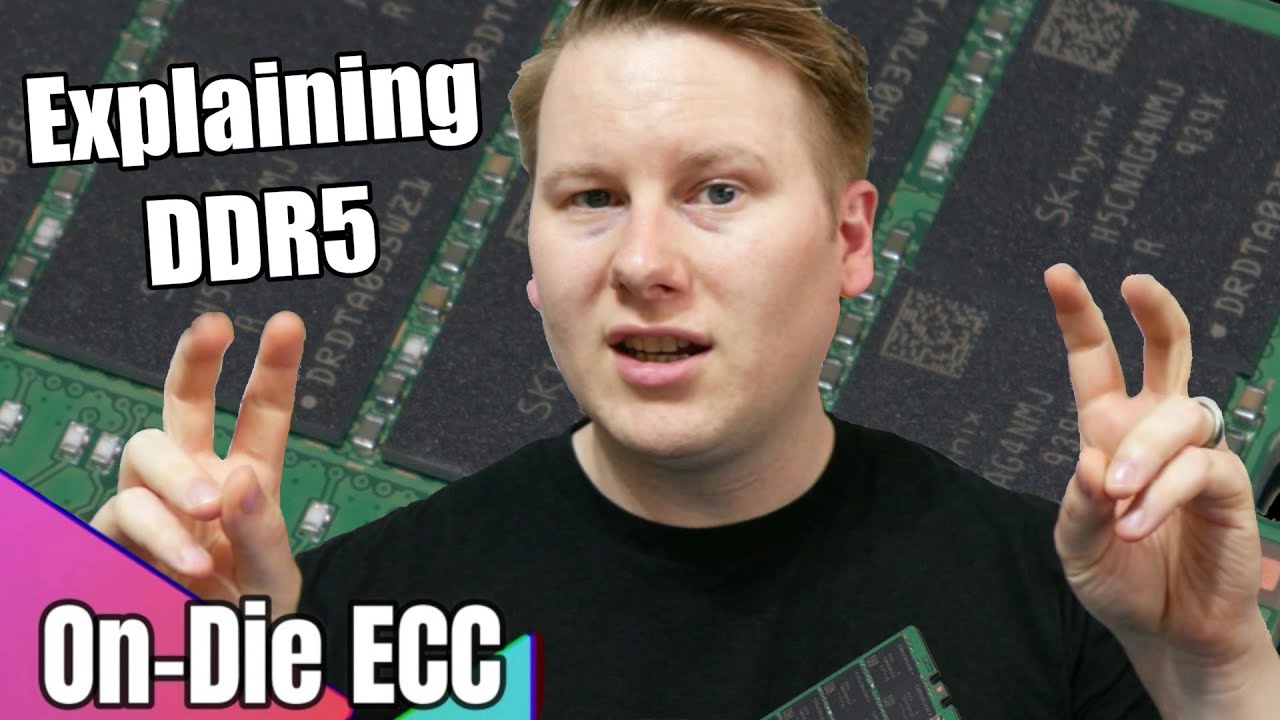
DDR5, when it was announced, had a new feature called 'On-Die ECC'. Too many of the press, and even the DRAM company marketing materials misunderstood this important technology. It is not traditional ECC, and in fact won't do much if you really need an ECC system. Here's what it really does.
0:00 On-Die ECC
0:17 What is ECC
0:38 Memory Does t...
it's just resident data on-die ECC, but not actual full-path ECC all the way up to the CPU (as "regular" ECC is).
So great job, server-grade ECC memory ain't going away, even with DDR5.
@little schooner
little schooner
yeah I was watching the whole video
dang it man lol
awww it's not what I thought
thick minnow
Cleaned up my office cabinet

 sinful stone
Okay so I’m building a new house and trying to set up a home network, I need something that supports a lot of devices since I’m trying to do a full smart home. My plan was to get the Gryphon AC3000 which comes with the router and one mesh extender and then the Motorola MB8611. You guys think that would be a good pair? As well I’m wondering what switches to get and if patch panels are recommended or needed. I’m trying to run as much as I can through Ethernet
thick minnow
Why not just do Access points if you have the hardwire runs?
sinful stone
thick minnow
Why not just do Access points if you have the hardwire runs?
I don’t know much about home networking 🤷♂️ what are those
worldly mist
Is there a good website that ranks router or have real reviews that i can trust or some kinda list that ranks them or anything similar?
peak cloak
sinful stone
I don’t know much about home networking 🤷♂️ what are those
Those are devices you plug Ethernet in and they basically convert Ethernet communication to wifi
You get like 1-5 of those depending on the size and there you go, good wifi signal strength everywhere
This is a picture of blob setting up a bunch of APs before deployment https://media.discordapp.net/attachments/387022787480387605/869342388357828668/image0.jpg

 ember grove
@slate berry the best way to start on this "world" is with a Raspberry Pi. Just buy a Raspberry Pi 4 with 8GB of RAM run Proxmox and you can create/host several websites, learn about virtualization, learn Linux and explore the infinite Raspberry Pi possibilities.
Once you decide that you need something big and you're ready to evolve to the server side of homelab then you can just ask here or on the LTT forum for advices on where to start a homelab.
peak cloak
ember grove
<@117916447488868357> the best way to start on this "world" is with a Raspberry ...
Rasp pi is one, way but getting older pcs for cheap isn't bad either
There are some drawbacks of a pi
ember grove
That's an option but Raspberry Pi is more beginner friendly and you can easily find help/support for it.
And you also have a way bigger community that's 24/7 available to help on any kind of problem that you may encounter.
waxen scroll
@clear igloo hi ~~
Is a line card answering a ping a.... thing ?
I have idiots who are pinging my SVIs as their failover detection and COPP dont like
clear igloo
In the debug/attach console, yes
waxen scroll
I want to see if I can get pings answered another way
 jaunty talon
Who here works with Nexus switches? :) I would like to get my hands on nxos.7.0.3.I7.9.bin for Nexus 3000 :) - SOLVED! :D
waxen scroll
I cant anyway, we're SSO and I cant access cisco from a personal computer
jaunty talon
I miss my own Cisco account I had back in the days when i worked at EA :D
waxen scroll
They're playing chess trying to stop data exfiltration so imma get caught most ways
jaunty talon
Nowdays I have no Cisco at work :D
waxen scroll
one of our SRE is trying to adjust copp and I hate that idea
clear igloo
Yah, COPP is not fun to mess with
jaunty talon
risky :D
waxen scroll
i want to go back to the app owners and tell them NO, figure out another detection method
clear igloo
Yah, pings are not a valid method for failover imo
jaunty talon
I did yesterday something very convenient for myself :D Try curl https://suom1.pub :D
low pond
it has some public keys
jaunty talon
It has my public keys :D
Very nice to have when you setup new machines or automate with ansible =)
waxen scroll
I dont want to put a ping target system out there either cause its just another point of failure
low pond
jaunty talon
It has my public keys :D
How much did the .pub tld cost
jaunty talon
low pond
How much did the .pub tld cost
28€ or something :)
low pond
Oh :P
clear igloo
28 for a year? Not bad
low pond
Eh for me, I like my 2$/yr fees for xyz 😛
jaunty talon
haha yeah, but .pub as so nice for public keys :D
low pond
I see the relation :P
rocky badge
@clear igloo @waxen scroll
 clear igloo
Nice!
small glade
2.4ghz


Why can't we have a bit more spectrum and have 40mhz channels outlawed
Also how the fuck is my basement ap that's running at 5dbm of TX power only detectable
Don't want the network police or whatever the fuck to roll past and detect its running on channel 13
 plucky marlin
So it turns out I'm an idiot... set pfSense up with Proxmox and bridged my gigabit LAN port and 2.5Gb ports. Then realised that the 2.5Gb port would only have high speed access to pfSense as everything else was on the 1gb port.
Then I realised I can just bridge it in Proxmox and it magically work how I want. Doh!
 dense laurel
Idk where to put this but it's been circulating twitter. I don't quite understand how the people are doing what they are doing with the faulty extension but I do feel like it's important to mention. Lmk if it's the wrong place for it
https://twitter.com/LinoYeen/status/1420462663377641472?s=19

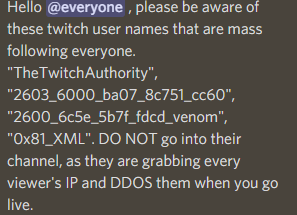
Heads up there is people using IPv6 ip addresses as usernames on Twitch if you see one of these just report do not go onto the page. The panels have a extension that show your IP address. How to report without going on the page do https://t.co/CWTBhT0rIK ( replace the username )
Retweets
303
Likes
301

 Twitter
·
peak cloak
dense laurel
Idk where to put this but it's been circulating twitter. I don't quite understan...
Twitter
·
peak cloak
dense laurel
Idk where to put this but it's been circulating twitter. I don't quite understan...
how? it's pretty easy
why, I have no clue
dense laurel
I'm not that techy
peak cloak
wait, if you just go on their page?
dense laurel
They mention something about the malicious extension logging IPs
peak cloak
I mean you type the address in your browser, your going to that address
it will see a request from your ip
"malicious extension logging" sounds like bs
dense laurel
I believe it's a stream extension
On Twitch there are extensions called "panels". Some are desktop browser only, others are able to be used on the mobile app. They are inside of Twitch to my understanding
Each panel has terms of services even as a viewer watching a stream
peak cloak
I would need to proof of it working, other than that it just sounds eh
not a reliable source either
dense laurel
It seems like most of the Twitter users in the thread are streamers so we could always check the VODs
rocky badge
@clear igloo @waxen scroll not even a FUCKING DAY https://i.ryois.me/yPjvVG4Vhj.png
 waxen scroll
wat
peak cloak
how
rocky badge
this site isn't even near much....just a road
99% of those are cars driving by the APs pick up
peak cloak
rocky badge
this site isn't even near much....just a road
99% of those are cars driving by t...
I assume it deletes the entries after a certain amount of time not seen?
dense laurel
dense laurel
Idk where to put this but it's been circulating twitter. I don't quite understan...
Update on this, apparently Twitch Support has temporarily removed the misbehaving extension, but there hasn't been an official word on it yet
Apparently they've been using the IP addresses to do DDOS attacks when the streamer is live
peak cloak
dense laurel
Apparently they've been using the IP addresses to do DDOS attacks when the strea...
wut
kinda makes no sense
you don't "use" ip addresses not assigned to you
unless they were spoofing
but those get marked invalid and dropped usually on the first hop iirc
dense laurel
This is what a different user said:
https://twitter.com/_Sweaty_/status/1420797465645682690?s=19

❗️❗️TWITCH VIEWERS AND CREATORS BE CAREFUL ❗️❗️
Retweets
467
Likes
603
 Twitter
·
peak cloak
Twitter
·
peak cloak
oh ddos the streamers
dense laurel
Ah sorry I must have not made that part clear
Regardless it's still somewhat concerning
Twitch has yet to make an official statement about the matter
dense laurel
The only time I've encountered DDoS attacks was during midterms and finals seasons... Our uni kept getting targeted leaving most people on campus depending on outside networks to submit assignments. Idk if they've increased their cyber security since then, but it seemed like every year all the routers went down because someone, I think a vengeful ex-student, kept creating DDoS attacks.
 opaque osprey
anybody has info or experience on the zte h196a?
im currently debating buying that or the deco e4 for my home mesh setup
ember grove
Is this GPU https://www.bargainhardware.co.uk/nvidia-quadro-p4000-pcie-x16-8gb-gddr5-fh-gpu-graphics-card better then the P2200 for hardware encoding?

Buy Online Refurbished nVidia Quadro P4000 - 8GB GDDR5 PCIe-x16 FH. Next Day UK Shipping (order before 1PM), international shipping available.
Or maybe going for this one https://www.bargainhardware.co.uk/nvidia-quadro-p2000-pcie-x16-5gb-gddr5-fh-graphics-card and save a bit more to buy more HDD.

Buy online, refurbished nVidia Quadro P2000 - 5GB GDDR5 PCIe-x16 FH (VCQP2000) GPU Graphics Card. Unbeatable prices on fully tested CPUs and components with next day delivery.
What do you guys think?
 warped storm
Is there any small rack for 6u of space? Like cheap
rocky badge
@clear igloo Internet Outage Timeline (School)
7/29 9:26AM: "There is a state wide internet outage. The vendor is working to correct the issue."
7/30 7:07AM: "I just received notice from our Internet provider stating the original fiber cut has been repaired but unfortunately a second area of damage was located. There is no eta at this time for repair."
7/30 9:09AM: "I received additional news from our provider that the damage to the fiber is significant and internet service is not expected to be restored until 6 pm this afternoon."
7/30 12:42PM: "Our Internet service has been restored. A big thank you to our Internet provider ENA for an emergency site visit and completing the cutover to LOCAL FIBER ISP fiber to restore our service."
thick minnow
I got mikrotik and I could not find how to route the tafick to the tor net could someone help?
ember grove
@warped storm where you from?
warped storm
Spain
 dusk saddle
Linus bacon n eggs tips
 frigid pine
Has anyone here ever made an 18Km (11miles) P2P link with Mikrotik?
 wanton coral
I have a Cisco 897 VAG LTE router - even after using the reset pin on the rear of the router it wont display a default gateway, does anyone know of a way to get into the default gateway? I dont want to have to figure out how to use cisco CLI unless I have to
small glade
Say what you will but 2.4ghz wifi still has a place in this world
I'm on the edge of my property rn and an getting 20 Mbps ish stable through 2.4 while 5 can't complete a speedtest
small glade
I'm thinking of disabling 2.4 on one of my 2 aps
rocky badge
 small glade
Wait no actually 3 aps but the 3rd one is on channel 13 in my basement operating at 3mw of TX power so it's a non issue for interference to anything other than in the one room of the basement
rocky badge
1, 6, 11 here lol
small glade
1 and 6 here for my main aps
13 is illegal band afaik but again it's in a basement at miniscule TX power
rocky badge
12 & 13 is low power in the US
rocky badge
The site I recently did is 3 APs per 1 6 and 11

Except I disabled the radios on one AP lol
2.4GHz was manually selected but 5GHz right now is auto
@clear igloo 😐😐I think whoever configured the PtP devices set a static IP
 clear igloo
lol, whoops
rocky badge
The DHCP lease should’ve expired by now
But they’re in the 192.168.1 range
Their old office network wasn’t even 192.168.1 either, it was .0
clear igloo
that's really odd
rocky badge
Their office network went from 10.0.0.0/24 to 192.168.1.0/24, to 192.168.0.0/24, and now 10.0.0.0/24
 small glade
192.168.0 gang
low pond
^
small glade
also i notice that one of the points of wifi 6 is like lower latency but 802.11ac has pretty damn low latency like idk why you would want even lower latency

thats moonlight game streaming from my pc
1ms network latency
for some reason ping is very high if i just ping my phones ip with the ping command tho
i think its probably a power saving thing
video latency did shoot up to the mid teens tho when i ran a speedtest on my other phone
so maybe there is something to it in more crowded applications
imma crank the bitrate to 150 to make the network really suffer
still 1-2ms ping when my phone is the only client
wait its only barely pulling anything over the network when my pc screen is basically static
with a video playing on the pc the latency was 2-3 when only my phone was pulling anything abd again 15 ish when the other phone was pulling a speed test however that speedtest is quite worrying
That jitter and packet loss

wifi 6 maybe isnt a scam/marketing bs after all /s


 clear igloo
https://www.speedtest.net/result/a/7571710217.png
WiFi 6 phone with 30 other devices on the wireless network

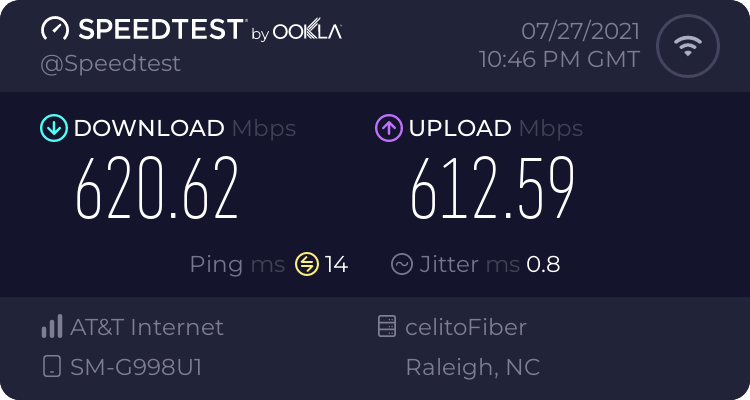 small glade
is there any program i could use to run like a speedtest over local network so the "secondary load" isnt in any way limited by the isp connection?
clear igloo
iperf3
rocky badge
their speeds
small glade
pretty damn good for wifi
my shitty aps dont support dfs so im limited to 40mhz channels
so they are shitty for even wifi 5 standards
rocky badge
This site I just did is only using 40MHz 5GHz lol
Even 3 of the APs support 160MHz and all of them support 80MHz

 small glade
i can get around 200 down and a bit more than that up with these aps over wireless 5ghz in ideal conditions
connection is gigabit but the shitty nat and routing limits the speed to around 800 mbps ish
i have tested directly through the modem and i got 950mbps both up and down so thats cool and all
rocky badge
tbh they get their 150 down
which is their internet speed lol
So at this point I'm worried more about lots of clients
waxen scroll
@hollow marlin https://www.reddit.com/r/sysadmin/comments/ovf5fd/before_you_tell_someone_they_have_imposter/
reddit
93 votes and 39 comments so far on Reddit
🤣
 bronze swift
Can anyone recommend me a wifi router with no additional Ethernet ports? (I’m not sure if it’s called that but I will be running a 150ft Ethernet cable from an Xfinity modem to my room then using that Ethernet cable, putting it into a network switch then into a wifi router I think then making my wireless wifi devices have faster wifi). Also, my net plan is 500Mbps
Maybe this is a bridge router?
peak cloak
bronze swift
Can anyone recommend me a wifi router with no additional Ethernet ports? (I’m no...
So an access point?
No routing
Just changes mediums basically from Ethernet to wifi
I have the eap225
bronze swift
Yeah it’s that thanks
bronze swift
peak cloak
I have the eap225
This?
 peak cloak
Yeah that's what I have
bronze swift
I just bought a tp link network switch a few days ago and Ethernet speeds are AMAZING!!!! I went from 50Mbps to 400Mbps
I think my wifi speeds will be faster too but not that much
peak cloak
So yeah you can just get that or something similar
Routers are just things that route, my router has no wifi
An access point is the specific thing that provides wifi
bronze swift
I still don’t understand the router part, is it like only a network switch?