#networking
1 messages · Page 358 of 1
 topaz mirage
 low pond
Not very sure what that'd mean. So, are you looking for a shortcut to the cp and its flags command or..., what does manage the files even mean here
topaz mirage
Yes. Easier way to hardlink files and folders
The manage part is that Im fine with 3rd party file manager like Total Commander
topaz mirage
topaz mirage
Yes. Easier way to hardlink files and folders
Make it as easy as making shortcut or copy/paste in Win10.
Drag and drop or keyboard combo. Like I can TAB my way through the suggestions in PuTTY for the paths...but that takes too much effort.
 dusk saddle
@plain siren Looking glass is amazing
There's like zero performance loss running this Windows VM even for games
 plain siren
dusk saddle
<@!589542595341058048> Looking glass is amazing
plain siren
dusk saddle
<@!589542595341058048> Looking glass is amazing
Ikr
 lean pebble
dusk saddle
There's like zero performance loss running this Windows VM even for games
lean pebble
dusk saddle
There's like zero performance loss running this Windows VM even for games
My gaming machine is vm 😆
dusk saddle
lean pebble
My gaming machine is vm 😆
Nice! Mine too lol
I don't have much of a gaming machine though. I don't game much anymore and I only have a laptop with a 1650
 pallid verge
I'm losing my mind at Discord & Steam on my computer. I've managed to find out that albeit my internet is okay, Steam and Discord taking unbearably long on my Computer due to them not having gotten of their asses and enabled a 20+ year old protocol, IPv6..
My question: Can I individually disable applications on my computer (using Windows Defender Firewall or another application) from using IPv6?
 tender hazel
pallid verge
I'm losing my mind at Discord & Steam on my computer. I've managed to find out t...
tender hazel
pallid verge
I'm losing my mind at Discord & Steam on my computer. I've managed to find out t...
that doesn't make sense at all
you can have IPv6 enabled and not have any issues with speed of applications that do not support it
topaz mirage
 peak cloak
just curious, wdym by hardlinks?
peak cloak
just curious, wdym by hardlinks?
In computing, a hard link is a directory entry that associates a name with a file on a file system. All directory-based file systems must have at least one hard link giving the original name for each file. The term “hard link” is usually only used in file systems that allow more than one hard link for the same file.
Creating an additional hard l...
topaz mirage
peak cloak
don't you have a gui on the client
I want to hardlink this way files on my NAS using some piece of software on my Win10 rig to do so.
pallid verge
tender hazel
you can have IPv6 enabled and not have any issues with speed of applications tha...
I am aware as to how dual-stack addresses work on a machine. Though a little more clarification as to what I mean may help, discord seems to be making a lot of DNS requests for an IPv6 address on the desktop app as apposed to a browser instance (discord.com/app), resulting in my 'joining call' times being more times then not up to 40+ seconds on any voice channel. Also to help you rule out the possibility of distance, latency, etc.. I live in Sydney, Australia, which as you are probably aware is where the closest discord servers are in Australia (resulting in my call ping being on average 2-10ms, so what I expect). I also see similar behavior on the steam client upon opening, it fails to load any pages or gather my friends list as it's attempting IPv6 requests. None of these issues occur on a browser for discord or steam, just the client/desktop applications. On Edge/Chromium, Safari & Firefox I have assesed that my call join times are around 1-3 seconds and load times for steam pages as good as it'll get on shitty VDSL2 50/20 speeds.
Just to clarify further, steam sorts itself out after 3 or 4 'retry connection' attempts.
lean pebble
dusk saddle
I don't have much of a gaming machine though. I don't game much anymore and I on...
same here but I have rtx 2070S
I thought I'll game on it more but I just don't feel like playing and being on my computer anymore 😅
 raw marten
lean pebble
same here but I have rtx 2070S
I thought I'll game on it more but I just don't f...
raw marten
lean pebble
same here but I have rtx 2070S
I thought I'll game on it more but I just don't f...
mood bro
 hardy kestrel
Do you think a mesh setup (like TP Link Deco) is better than a second access point connected to your main router via an ethernet cable
Because afaik it's not
low pond
Mesh systems usually suck
plain siren
hardy kestrel
Because afaik it's not
Sure as hell isnt
hardy kestrel
knew it
someone keeps bugging me to go to a Mesh system which I am definitely not doing since my current setup is good enough (one access point upstairs connected to our main router downstairs with an ethernet cable)
peak cloak
hardy kestrel
someone keeps bugging me to go to a Mesh system which I am definitely not doing ...
Ethernet backhaul >>> wireless backhaul
 soft crow
Ok me and a friend have been going back and forth with our ISP. We can NOT play games together if it's peer2peer. we have a horrible connection to eachother, no matter if I hsot or he hosts. we always need a third buddy to host for us. Anything we can do about this? Hamachi ping test horrible spikes. we both got great internet when it comes to anything else
We both have tried opening ports, turning off windows firewall, even in registry. we both have same ISP, our internet is great when it comes to downloads, uploads, nothing going on, but just bad connection to eachother
 slate berry
So I'm thinking of using some old laptops together to create a cluster homelab server. Anyone know any good guides on how to connect them up using kubernetes or proxmox or similar? The laptops I'm looking at salvaging have older i7s in them but no ram or storage and for $35 i figure its worth the money even if I had to put in ram for each of them and use my homelab desktop as a master machine to connect with them;
They mostly have no displays either but for my purposes thats a non issue. I considered a rasbery pi cluster but haven't seen anywhere i can buy them for a cheap enough price to beat used laptops even if the power draw will be higher;
low pond
soft crow
We both have tried opening ports, turning off windows firewall, even in registry...
Usually if it is the same ISP connectivity is very great
and even more so if you both are in the same area etc
in what way is it "bad connection", like ping or, what other factor do you notice that
soft crow
We game alot, we host games for random people and friends all good, if i play with friend C we are both fine, if he plays with friend C they are fine, but if we play together, its a horrible lag fest
pings from 20 to 800+. even on hamachi we ping horrible to eachother, but to friends we dont, if i host for him its terrible, and other way around aswell. but if a third hosts we are fine
peak cloak
I mean on hamachi I would expect it to be worse
soft crow
Yeah but we are in a server of a bunch of people, if we ask the others to ping me, its 16-20 ms
if they ping him, it's also 16-20
but if we ping eachother it goes to 800+
soft crow
our routers wont allow pings, so only way we could do that is through hamachi
soft crow
We tried many different games, we always need a third person to host for us, i have no clue how to get this fixed, our isp gave up, and we have no clue
we even gotten new modems to try from our isp
 regal terrace
slate berry
So I'm thinking of using some old laptops together to create a cluster homelab ...
regal terrace
slate berry
So I'm thinking of using some old laptops together to create a cluster homelab ...
You can just install ubuntu server 20.04 and follow a kubernetes install from youtube. Not sure which you want to learn but I would recommend kubernetes as it has more content to learn and is a hugeeee skill for hiring.
plain siren
soft crow
We tried many different games, we always need a third person to host for us, i h...
CGNAT
Essentially your public IP is a NAT'd Public IP and the ISP would basically have to Port Forward on their end just as you would on your own router
It's absolutely trash
plain siren
slate berry
So I'm thinking of using some old laptops together to create a cluster homelab ...
K3os with k3s
K3os makes installing k3s easy (a form of kubernetes)
 dusk hazel
Hello, I have a question about network PCI adapters
I‘ve currently reinstalled windows and it seems like it is missing some network drivers
And can‘t install another one bc it blocks with with the deep sleep error
So yea, would buying a LAN network pci adapter fix that?
I think that with them, they will use their own network drivers
Not sure 
plain siren
dusk hazel
I think that with them, they will use their own network drivers
Well usually the Windows Generic Drivers can at least make them work in a basic manner
plain siren
dusk hazel
Thanks for the response
Did you fix it?
If not give me the Model of the Network Card/Adapter
dusk hazel
I‘m not at home Yet
Uh, idk I use the network adapter that is integrated in the motherboard
The motherboard is a Aorus B450M
plain siren
dusk hazel
Uh, idk I use the network adapter that is integrated in the motherboard
Its a realtek port, and it has the Realtek Deep Sleep problem
Open Device Manager by:
Go to Start
Click Control Panel
Choose System and Security
Click Device Manager (under System)
Open Network Controller properties by:
Double-click Network adapters to expand it
Double-click the Realtek Network Controller
Turn off Deep Sleep mode by:
Choose the Power Management tab
Untick “Allow the computer to turn off this device to save power”
And you can fix it
dusk hazel
Ok, I will try
Thank you
But
Well, there is a problem, it has no power tab
And
I currently have no network driver installed bc it doesn‘t let me
plain siren
dusk hazel
I currently have no network driver installed bc it doesn‘t let me
Why wont it? Whats the error
plain siren
Change your power profile in Control Panel to High Performance as a temp measure
Or you can disable PCIe ASPM / C-States in BIOS temporarily
dusk hazel
I‘ll see
Thank you
I‘ll try it later and say if it worked or not
I‘ll probably have to setup windows on a stick again and install it
Bc I bet this one is corrupted asf
*there was more drivers missing than the network one
plain siren
Yeah because you got no network
So what wouldve already been auto-downloaded isnt there
dusk hazel
I see
plain siren
And usually windows is fast enough that after install you wouldnt notice the DL
plain siren
dusk hazel
I see
Actually I just found out you can also forcefully set the driver from Device Manager > Update Driver > Select a Driver from my Computer to fix your issue too
dusk hazel
Yes
plain siren
Since the Driver is on your PC installed BUT
dusk hazel
I did manually install one driver
plain siren
It didnt apply it
 dusk hazel
I do not have that many manufacters
But I‘ll see
That‘s def bc the realtek driver isn‘t installed
plain siren
It does have that many by default
dusk hazel
Mine doesn‘t
plain siren
I got this off a Dell XPS with only Wireless.
https://download.gigabyte.com/FileList/Driver/mb_driver_597_chipset_2.09.28.509.zip < Chipset Drivers for your Mobo
https://download.gigabyte.com/FileList/Driver/mb_driver_542_w10_10.038.1118.2019.zip < Realtek drivers but if you cannot install with the whole "Setup.exe" find the .inf file that defines the driver in the files and right click it > "Install" then do the manual driver update in Dev. Manager
dusk hazel
Ok
plain siren
Lol all it has is a .exe....
BUT They are using 7z SFX Packager LOL
If you can somehow get 7zip on a flash drive and install it onto your PC (You should be using this anyways so getting it now is not even an issue) you can rename the exe to .7z and itll open up as an archive
dusk hazel
plain siren
Lol all it has is a .exe....
BUT They are using 7z SFX Packager LOL
If you can ...
Ok
Idk, I‘ll have to try when I get home
plain siren
Actually DM me later and ill send you the unpacked files if you end up needing to manual install before it shows up in "Update Drivers"
dusk hazel
Ok, update on this, it now works but only wireless
It did install it‘s own wireless network driver with this adapter
 willow lion
Hello,
I have an ASUS RT-AC87U that I want to use as an AP, but I’m having trouble getting it to take the SSID and password and WAN settings from my ISP’s provided modem/router.
Can anyone give me a hand? I’ll let you remote into my computer if you need to.
My main goal is to have them both set the same, since the ISP’s router is also technically an AP, so when I got from my main floor to my basement there’s no drop and it switches automatically since the signal upstairs can’t get through my floors metallic insulation for the in-floor heating.
willow lion
If this was a Ubiquit set up I’d be done by now because I do those at work, but I’m making two routers from two companies try and talk and I’m an idiot.
willow lion
Nevermind I figured it out
tender hazel
@willow lion make sure that your ASUS is connected to the main network via the LAN port and not the WAN port
 thick minnow
Alright so any advice has to why, everytime I set my ethernet setting to full duplex gigabit or whatever it is called, but ethernet just stops working, until I set it back on auto. It's rather annoying having my link speed at 100Mbps, when I have the capability of using Gigabit. Drivers are up to date, and mobo supports gigabit, as well as we have cat 6 wiring.
Oh forgot to mention only one of the ethernet ports on the back of the router/modem combo we rented works the other ports don't which idk why
peak cloak
thick minnow
Alright so any advice has to why, everytime I set my ethernet setting to full du...
what cable is it
1000Base-T requires 8 wires
100Base-T just needs 4
and what modem/router is it, does it support gigabit?
thick minnow
The cable Im using to connect from the wall port to pc is Cat 5e, and when me and my dad wired it, we used all 8 wires and our house is wired with cat 6 wiring. I mean I would have to check on the type of modem/router name it's downstairs, but I will double check the name of it right quick. We got gigabit service, from Mediacom, as that's the only gigabit options where we are at.
thick minnow
We should have one, I'd have to ask my dad, btw, what comes with our internet option it includes 2 eero mesh boosters or whatever they are called, basically the one ethernet port that is working on the router/modem right now is connected to one of the meshes which has two ports and I'm using the 2nd port for the wiring of the cable we did. I do have some extra ethernet cable I can use to test if it's the cable I am using for my pc.
I thought it might be because I am not connected directly into the router/modem combo, but I can't test it as once again none of the other ports seem to work on there.
 ornate jungle
thick minnow
The cable Im using to connect from the wall port to pc is Cat 5e, and when me an...
ornate jungle
thick minnow
The cable Im using to connect from the wall port to pc is Cat 5e, and when me an...
Bypass the wall jack, even if you have to move your PC just temporarily. This will immediately reveal if the wall jacks or ethernet wiring are bad. I have had wall jacks fail to provide a solid connection many times before, usually because they're low quality or damaged, resulting in only 10/100 negotiation.
thick minnow
Ok, will do I also have a laptop that I could test it with too, that does have an ethernet port, the electricians didn't do a really good job at wiring so it could be the jack, but I will definitely try that
I will update if something changes
ornate jungle
Sounds good. You're on the right track - most of the network troubleshooting I do is literally just removing pieces of the puzzle until I find the variable causing the problem.
thick minnow
Yea that's usually the best method too, I determined it wasn't the cable I was using as I tried another one and same thing so now I'm going to try the laptop and see if there is a difference
 idle berry
Would anybody know how to run an email server on my Ubuntu box so that I could have branded email addresses?
peak cloak
idle berry
Would anybody know how to run an email server on my Ubuntu box so that I could h...
you don't want to run a mail server
pay someone else to do it
too much work
setting up a mail server in itself isn't hard, it's everything else. Getting whitelisted, I think you need ip ptr records, and other stuff
if you want to have your own domain, just use a service
I am thinking of paying for protonmail
idle berry
it’s not worth paying for for what i’d use it for though. i just need to know if it is possible and how to.
peak cloak
idle berry
it’s not worth paying for for what i’d use it for though. i just need to know if...
is it possible, yes, but not worth it if you all your mail to go to spam
also your ISP may not allow it
many block port 25
Mail-in-a-Box
Take back control of your email with this easy-to-deploy mail server in a box.
I heard this is good, never used it
 gritty valley
peak cloak
https://mailinabox.email/
gritty valley
peak cloak
https://mailinabox.email/
This is fine if You want simple, self-hosted mail server. But rather just get a ProtonMail account, pay the 5$ a month for the Plus and attach Your custom domain to it
peak cloak
gritty valley
This is fine if You want simple, self-hosted mail server. But rather just get a ...
yeah that's what I told them
it's a pita to self-host email
plain siren
peak cloak
https://mailinabox.email/
https://poste.io/ Also good
Full featured solution for your Email server. Native implementation of last anti-SPAM metods, webmail and easy administration included.
lean pebble
I use iredmail it's nice and easy to use
 small glade
Can't get my dad's pc to use channel bonding on 5ghz

The adapter should support it and link speeds up to 433mhz
But this only seems to be using a 20mhz wide channel
I did try the obvious like checking if the adapter isn't set to 20 mhz only mode and updating the drivers
Also this wifi adapter supports forcing 802.11a mode so imma do that for fun to see the best case scenario for a 1999 standard
Gets 24/24mbps in 802.11a mode and 4/4mbps in 802.11b mode
Good to know that my wireless network can cater to time traveller's from 2000 lmao
Should I set my router/ap to n and ac only? Aren't these ancient backwards compatibility modes security holes?
tender hazel
the older modes aren't security holes
older wireless encryption methods are but I don't think those are related to the standard in any way.. like I suspect you could probably use WPA3 on a wireless 802.11b or g client device if the driver on the client end supported it
 rocky hawk
I've got a bunch of very old devices on my network and I really appreciate modern network equipment's support for older standards
that being said, if you have something really old better plug it in to the wired network
 waxen scroll
my only old device is a printer that came out right as G was beginning to be supported
laser printers dont die
hardy kestrel
since I have two routers that has antennas (one has 4 and the other one has two)
should I spread the antennas or should I keep them straight up
plain siren
hardy kestrel
should I spread the antennas or should I keep them straight up
Ok so the trick is far left 2 make as horizontal as you can and then far right 2 make them straight up
The one with 2 keep straight up
small glade
Apparently Xbox controllers use 5ghz wifi to communicate
Was probing what networks I could receive on 5ghz (mostly because periodically I was somehow getting a stronger signal from the downstairs ap than the upstairs one for some god forsaken reason possibly the transmitter on upstairs one is going iffy or overheating) and saw a hidden ssid network way up on like Channel 161 or so and with a dbm seemingly coming from within my room
Traced it to the Xbox controller reciever dongle thing plugged into my pc
plain siren
small glade
Traced it to the Xbox controller reciever dongle thing plugged into my pc
Yup it uses 802.11a
 little schooner
I can't disable the spooler because everyone here in the college already complains about printing and printer cards
they did disable it on domain controllers and anything that doesnt need printing. I'm hoping the antimalware programs detect the exploit attempts
 thorny vector
@little schoonerProbably not, for the time being, since the function being called is functioning as intended
Here, this should help a bit

@plain siren Hand built mine on top of postfix and dovecot. Never again.
plain siren
thorny vector
<@!589542595341058048> Hand built mine on top of postfix and dovecot. Never agai...
Yeah, literally aint even worth it.
plain siren
little schooner
they did disable it on domain controllers and anything that doesnt need printing...
Its worth noting that only authenticated users can utilize the exploit
Its just a permissions escalation
RPC Calls can be expliticly set to require Admin permissions before the RPC API even lets you use it and that just prevents it from normal users all together.
thorny vector
It's usually safe to assume getting a low level user is easy. For this, if a www user gets added to the domain, and is running web services, its an insta-pwn of the network from a usually easy to do web exploit
little schooner
thorny vector
https://pbs.twimg.com/media/E5y7h36WYAMPzBo.jpg
oh thx this is useful
little schooner
plain siren
Its worth noting that only authenticated users can utilize the exploit
oh okay, yeah not as bad then.
plain siren
little schooner
oh okay, yeah not as bad then.
yeah its very very overblown rn
there is a pretty solid and full scope POC on Github that unless you are on the Domain Controller or Windows Server (Does not apply to client machines with Win 10) as a User logged in or logged in through RPC Interface.... it wont work
thorny vector
plain siren
yeah its very very overblown rn
Yes and no. It’s not the insta pwn that some media centers are saying it is. However… phish an org of thousands, now instead of having to get lucky with a savvy admin user, you can get an idiot user.
And if a basic PoC is on GitHub, easily assume threat groups have something good already rolling out.
plain siren
DoD released a Rule Patch they applied to the Unified Threat DB that Defender uses.
Its already deployed.
Win 11 also got a proper code-level patch that we havent seen put into 10 yet
(Same with Win Server 2022, it has it)
thorny vector
I’m still regularly seeing win 7 and server 2003 on customer networks. I never assume stuff is patched until proven otherwise.
plain siren
its only a matter of literal weekTOdays until its a non issues
plain siren
thorny vector
I’m still regularly seeing win 7 and server 2003 on customer networks. I never a...
Yeah see, thats the real problem here
Although I immediately move focus to the fact that baseline compliance failure is on the IT/IT Ops/CTO/etc instead of any exploit since that is really a bigger issue than 1 exploit
thorny vector
I totally get what you’re saying about the fixes being out. But whenever I see a vuln that hits older versions hard, I cry inside. Because that means I’ll be seeing it for the next 5 years.
plain siren
Sometimes I hope there would be a full body slam payload distribution jackpot from someone that would wreck everything that isnt being maintained just to prove a point
Just needs to happen 1 time...
and it gotta hit the entire scope/userbase
thorny vector
It’s happened before. See wannacry. It was a huge issue, but then faded into the background.
plain siren
Thats why we got Windows 11.
TPM neuters Ransomware with File Attestation of core files and the whole Write Filter feature which does a shadow volume of the root drive to write to first before doing the write to drive
Oh wait... that was in FUCKING 10
https://docs.microsoft.com/en-us/windows-hardware/design/device-experiences/oem-highly-secure
But... no one was RTFMing and setting it up properly

This document provides an overview of the Windows 10 Secured-core PCs and Baseline Windows security for device purchase decision makers.
So Microsoft had to literally provide a TEMPLATE to make it pre-deployable
tender hazel
yeah I do too, but I figured having a module is better
plain siren
(Not Firmware TPM Btw)
tender hazel
so that I can upgrade CPU's without running into issues there
ahh ok.. yeah sorry I meant firmware TPM
plain siren
tender hazel
I have a Ryzen 3900X
plain siren
Yeah, and windows does something cool, itll backup your dTPM keys to fTPM
plain siren
dTPM is prioritized since its proper implementation
You can use a dTPM to do a TON of stuff
It works as a Smart Card (For auth), FIDO Authenticator, Hardware Modification Provention, Anti-Cheat, DRM Attestation...
2FA Device too. You can literally use it to get the "Yes" "No" Login in Windows Hello for Remote Logins
thorny vector
Malware authors will continue to innovate to match any of these security measures. Especially since they either A - live off the land, or B, write their own cryptor, as well as dealing with shadow volumes. That stuff is already in the wild.
plain siren
Yet they are never able to break the Attestation of Androids using TPM for Login/FRP Full Spec Implementation (only the Gen 1 have they done so)
And... they use the same Infenion platform.. kinda makes you wonder
thorny vector
The money isn’t there for it. The money is all on windows machines.
plain siren
OEM HIGHLY SECURE has been around since 2016, and still never had a CVE for its authentication and VSS/Hardware Health Att/Remote Att/etc implementation where done...
Its also the DoD Spec too. The only time we ever see problems is when the OEMs were not listening to MS' demand from July 2016 to enforce OEM_HIGHLY_SECURE Baseline or when someone reinstalls OS but never reconfigured it to be proper.
The TPM and Enclave systems provide a unique feature of acting like an external device looking in
Process A says "I am process A"
TPM says "Yeah hes process A"
Process B says "I am process A"
TPM says "HES A LIAR"
And last but not least.... main accounts being admin accounts.
thorny vector
Until process A gets injected, or a DLL is hijacked.
 thorny vector
Do you have links to documents for this? I’m still not wholly convinced it’s the panacea you’re saying it is, but I do want to read more.
thorny vector
plain siren
which is always fucking off for some reason
Yes. Yes it is. Which is why I have job security.
plain siren
thorny vector
Yes. Yes it is. Which is why I have job security.
This is the real core crux issue.
Its not that current implementations are not iron gate solid... its the humans that implement them
This is a big one too
 thorny vector
That, and I have seen some SCISHTY malware in my time.
plain siren

Its the DICE Attestation Arch. Achieving this to its full extent on Windows Infra is a damn good months of work
https://trustedcomputinggroup.org/wp-content/uploads/TCG-PC-Client-FIM_v1p0_r0p43_pub.pdf This is more to do with Preboot
thorny vector
I appreciate it. Going to have to implement this. Been getting more malware samples recently, and while I have a separate dirty network, I’m always paranoid about leakage.
plain siren

https://trustedcomputinggroup.org/wp-content/uploads/TSS_ESAPI_v1p0_r08_pub.pdf And this is what happens you pair something like a TPM + Fingerprint or Yubikey
https://trustedcomputinggroup.org/wp-content/uploads/TCG_ServerManagDomainFWProfile_r1p00 (THIS TURNS INTO the P WORD FOR SHIT AND BOT BLOCKS REMOVE ME) _pub.pdf
And thats the real last big one but these are all just specs.... what about using them on windows?
right
This article describes how Windows 10 security features helps protect your PC from malware, including rootkits and other applications
https://docs.microsoft.com/en-us/windows/security/information-protection/kernel-dma-protection-for-thunderbolt (Thanks intel, you are the whole reason we need this)
Kernel DMA Protection protects PCs against drive-by Direct Memory Access (DMA) attacks using PCI hot plug devices connected to Thunderbolt™ 3 ports.
thorny vector
I’m still upset with intel about keeping thunderbolt so close to the chest.
plain siren
https://docs.microsoft.com/en-us/windows/security/information-protection/encrypted-hard-drive This is TCG OPAL Self Encrypting Drives (Bitlocker will use this instead of its own Crypto with TPM and can even require something like Yubikey or Network unlock)
Encrypted Hard Drive uses the rapid encryption that is provided by BitLocker Drive Encryption to enhance data security and management.
plain siren
thorny vector
I’m still upset with intel about keeping thunderbolt so close to the chest.
USB 4.0 is TB3.
And its already out. Its fully TB3 Native.
I have a USB 4.0 Laptop (Dell XPS 9560) and a USB 4.0 NVME Enclosure
And yeah its full speed off that NVMe
My TB3 dock works too
Although the dell XPS is also TB4 which is lol... "Backwards compat with USB 4"
thorny vector
Ugh. I’m so out of the loop. Can you tell I’ve just been getting sandbagged the past year from all the bored hackers at home during COVID?
plain siren
Oh man you should see Type-C right now... its beautiful
The newest USB PD Revision (Which is charging shit over USB Type-C Ports) is specced for 240W @ 50V.
So you can now deliver 40 Gbps of Data + Video + 240W of power over 1 single cable.
My SOLDERING IRON it type-C lol
thorny vector
One cable to rule them all and in the standard bind them.
plain siren
So is ... MY POWER WASHER
Im not joking


Amazon.com : Baseus Pressure Washers Car Washer Machine 50W 5V/2A Portable Cordless Pressure Washers with 3.5 M Water Pipe for Cleaning Car Wash / Fences/Patios/Garden : Garden & Outdoor
Amazon.com: SainSmart TS80P Portable Soldering Iron with TS-B02 Tip & 9V/12V Charger USB Type C Cable, Adjustable Temperature, Auto Sleep Mode, Fast Internal Heating, OLED Display, Upgraded Complete Kit: Home Improvement
Buy Baseus Tire Inflator Portable Air Compressor, Electric Cordless 150PSI Handheld Rechargeable Pump with Pressure Gauge Wireless Digital LED Light Smart Display for Car/Bike/Bicycles/Balls Black: Air Compressors & Inflators - Amazon.com ✓ FREE DELIVERY possible on eligible purchases
All of this... charging off 1 cable 1 charger.
Car jump starter too...
Heres an electric screwdriver..

Amazon.com: HOTO 3.6V Electric Screwdriver, 1500 mAh Cordless screwdriver, Torque Screwdriver With 2 2-in S2 Steel Long Bits, 220rpm Power Screwdriver, QWLSD007: Home Improvement
Lovely for taking apart a laptop and shit
small glade
Ethernet switches "reboost" signal right? Like the limit for how long a cable can be is reset?
thorny vector
@small glade Yes
small glade
ethernet switches deserve more credit like the one thrown in the corner of my room has been running practically non stop since 2016 and not had a single issue
 fallen crypt
is there anyway to bypass voip restrictions that my isp (etisalat) has put in place?
 frigid pine
fallen crypt
is there anyway to bypass voip restrictions that my isp (etisalat) has put in pl...
frigid pine
fallen crypt
is there anyway to bypass voip restrictions that my isp (etisalat) has put in pl...
VPN!
fallen crypt
other than that
i use discord's voice call a lot while playing online games with my friends
i cant play multiplayer with a vpn
frigid pine
You can use a browser based VPN. I think they only affect the browser traffic (not sure) and not other traffic. So you can use Discord on browser.
fallen crypt
I have a linux server in germany if that helps
fallen crypt
frigid pine
You can use a browser based VPN. I think they only affect the browser traffic (n...
the reason i'm looking for ways to bypass voip restrictions is to use the discord app
discord voice calls work fine on the browser
but i dont want to use the browser
frigid pine
Then I don't think there is another option.
small glade
what in the fuck
getting 200mbps over cat5 ethernet
not cat5e
cat5
sorcery


mislabeled cat5e?
or should i call an exorcist
fallen crypt
I have a linux server, is it possible to make discord send all its traffic to my linux server?
only discord, not all my apps
 hollow marlin
@small glade you can get gig speeds on shorter runs of cat5. Same as you can get 10g on cat5e up to around 30m
small glade
hmmm cool
i assumed there was an electrical difference liek extra wires or a different arrangement to signal the ethernet type
peak cloak
small glade
i assumed there was an electrical difference liek extra wires or a different arr...
Well there is
Like cat 4 can't
peak cloak
fallen crypt
I have a linux server, is it possible to make discord send all its traffic to my...
Hmm, only discord would be hard but not impossible
fallen crypt
peak cloak
Hmm, only discord would be hard but not impossible
yeah, just want to divert an applications traffic to my linux erver
how would I go about doing that?
 cunning bolt
How do i ping my router?
small glade
ping the default gateway ip address
 hollow marlin
Not far from the truth. Most "security engineers" I worked with barely understand FWs and how connected to the internet =/= unsecure
 clear igloo
Internet Connected Toaster!!!
 undone basin
clear igloo
Internet Connected Toaster!!!
undone basin
clear igloo
Internet Connected Toaster!!!
Big brain
frigid pine
OoOOooOo!
 fluid raptor
 low pond
God can people stop reffering to it as "Internet" speed
Its just a multimode backbone thingy, they managed to squeez 319Tbit over 4 strands of fiber.
 rocky badge
"multimode"
undersea fiber tends to use DWDM and Digital QAM
MAERA owned by Microsoft, Facebook, and Telxius carries ~200Tbit/s over 8 pairs
Original spec was 8 fiber pairs * 25 DWDM channels * 400 Gbit/s per single carrier (16-QAM modulation) = 160 Tbit/s
but they were able to get up to 26.2Tbit/s per pair
waxen scroll
hollow marlin
Not far from the truth. Most "security engineers" I worked with barely understan...
yep. they dont get layer 3 outside of an ACL
clear igloo
Yah, it was just a bunch of DWDM and additional bands for single-mode light for faster speeds (to put it simply)
low pond
Wonder what'd be the theoretical limit per "strand" 😛
clear igloo
100Tb/s with C and L bands or 200-300Tbit with additional bands
rocky badge
@clear igloo Getting 9 APs shipped to my house 
clear igloo
Just 9? 
rocky badge
6 UniFi AC LRs, 3 nanoHDs
waxen scroll
time for dream machine 2 beta
rocky badge
the udmp se lol
@clear igloo https://i.ryois.me/FGoTZLZ0Zb.png

And the 5 pack AC LR in another order
clear igloo
Nice 😄
low pond
Omg so much UI equipment
rocky badge
Moving to a single family for networking
This site currently has a Netgear consumer router, Cisco small business switch, and old af engenius APs
 whole trout
Hey, does anyone know anything in relation to Web Remote and such?
(I was talking in relation to MA Lighting Systems, but I'll get into more detail about it in a bit.)
waxen scroll
lol i used to do lighting and I think @rocky badge does MA too
I didnt get into network stuff when I did it though, still DMX
rocky badge
nope
waxen scroll
rocky badge
nope
tempted to do it again cause I can get training on all the modern stuff I missed, but when you work full time its hard to want to give up more hours ;/
you'll see
rocky badge
 rose sparrow
Hey! This is my first time making a RJ-45 cable and my question might sound a bit noobish, so anyway. I just wanted to ask which standard should I follow for the wiring purpose? A or B? It's a 25m long CAT5E cable and I want to do gigabit on it
 green gust
rocky badge
<@!291198741862416384> https://i.ryois.me/FGoTZLZ0Zb.png
green gust
rocky badge
<@!291198741862416384> https://i.ryois.me/FGoTZLZ0Zb.png
That's pretty similar to my setup.
I have the 24 port not POE, the Dream Machine - I put a 2TB Seagate drive in there. Two AC LR's, a Firman Power Conditioner and a few other things lol. It's all 10Gbps over SPF which was the selling point for me. I'm making a video on that soon actually.
rocky badge
Nice
rocky badge
@clear igloo @waxen scroll 😭this is what google reminded me of on my Georgia trip


The airport we stopped at to charge had these Aruba APs with an epb fiber sticker and that light pole had ubiquiti p2p for surveillance
low pond
Premuba
 spiral anchor
I did WebRTC and got these 2 errors. How do I fix this?

 frigid pine
 dusk oasis
Can someone tell me if this ethernet cable is cat5 or cat5e
dusk oasis
Can someone tell me if this ethernet cable is cat5 or cat5e
https://blog.router-switch.com/2016/04/ethernet-cables-cat-technical-physical-differences/
Look under Physical Differences heading.
or you could just read it on the cable.
dusk oasis
frigid pine
or you could just read it on the cable.
There is no reading on the cable
frigid pine
Then you need to read the above link.
dusk oasis
frigid pine
Then you need to read the above link.
Thanks m8
Seems like mine is cat5
And it's UTP
frigid pine
adding a manual default route on a router and then default-information originate will have same effect as default-information originate always?
peak cloak
rose sparrow
Hey! This is my first time making a RJ-45 cable and my question might sound a bi...
I always use b
Doesn't really matter
Just stay consistent and stick with one or the other
waxen scroll
frigid pine
adding a manual default route on a router and then `default-information originat...
I believe the default can still disappear if the next hop is unreachable
frigid pine
no no.
I am asking about the equivalency of both scenarios.
- adding a manual default route on a router and then
default-information originate default-information originate always
 sage frigate
so I have a situation where I cant connect my pc via lan cable cuz my parents wont let me run the cable through the house and wifi isnt the greatest in my room. any suggestions on how to get my pc connected so that I can game without too much latency?
waxen scroll
if the router has no default to begin with and you run that command it will generate a default inside of the routing protocol but still not have a default on itself.
lean pebble
vProtect master anyone ?
low pond
😆
clear igloo
frigid pine
1. adding a manual default route on a router and then `default-information origi...
- Will originate a default route if a default route (either from static, another protocol etc) exists in the RIB
- Will always send a default route downstream BUT if there is no route out at that box in the RIB then traffic will die
hollow marlin
^
 frigid pine
clear igloo
1) Will originate a default route if a default route (either from static, anothe...
frigid pine
clear igloo
1) Will originate a default route if a default route (either from static, anothe...
R1(12.1)----(12.2)R2(23.1)----(23.2)R3(34.1)----(34.2)R4(45.1)----(45.2)R5
I am labbing this on PT. R3, R4 and R5 are all OSPF neighbors. But always is not available in the command pallette. So was thinking to replicate always with a default route and default-information originate.
 vernal glacier
how to dual pc stream without capture card on gamecaster
hollow marlin
frigid pine
`R1(12.1)----(12.2)R2(23.1)----(23.2)R3(34.1)----(34.2)R4(45.1)----(45.2)R5`
I ...
PT does not contain all the commands you would typically find in production. always not being there is not a deal breaker but if you want to simulate it do ip route 0.0.0.0 0.0.0.0 null0 with default-information originate and it will give you the same results. The null route will add a default route will add the route in the RIB
lean pebble
Hello
 smoky estuary
Does anyone know of any reliable 10m cat 6/7 cables that I can get on amazon (for outdoor use)
plain siren
smoky estuary
Does anyone know of any reliable 10m cat 6/7 cables that I can get on amazon (fo...
Buy VIVO Black 500ft Bulk Cat6, CCA Ethernet Cable, 23 AWG, UTP Pull Box, Cat-6 Wire, Waterproof, Outdoor, Direct Burial CABLE-V012: Cat 6 Cables - Amazon.com ✓ FREE DELIVERY possible on eligible purchases
Anything labeled as Direct Burial really
smoky estuary
thats expensive as hell
plain siren
Yeah but I listed 500ft of it
small glade
have yall ever heard of an isp doing something earlier than promised?
smoky estuary
small glade
have yall ever heard of an isp doing something earlier than promised?
no
clear igloo
You also listed CCA cable which is NOT in spec
plain siren
Usually when something more important gets added to their agenda
smoky estuary
internet here either fucking sucks (england) or is ridiculously overpriced
plain siren
clear igloo
You also listed CCA cable which is NOT in spec
This is true.
small glade
they said tomorrow afternoon we would get the package upgrade to gigabit well it happened now

not quite gigabit but that could be due to many factors
still 200-800 massive boost
plain siren
They may have pushed the provisioning application early to get time to do clear up time for other tasks
tender hazel
they might promise later than they think just so there is a buffer in case things take longer than expected
plain siren
tender hazel
they might promise later than they think just so there is a buffer in case thing...
"Cover your ass"
Under promise, over perform.
tender hazel
yup
plain siren
Same with "True engineers are conservative on paper"
smoky estuary
plain siren
Anything labeled as Direct Burial really
basically just something like this
https://www.amazon.co.uk/TanQY-Outdoor-Ethernet-Network-Heavy-duty/dp/B07GJ55BZH
Free delivery and returns on eligible orders. Buy TanQY Outdoor Cat 7 Ethernet Cable 10M, Outdoor Network Cable,Outdoor Cat 7 Gigabit Cord Patch Cable RJ45 Gold Plated Lead Waterproof Ethernet Cable Direct Burial Network Cable(10M/30FT) at Amazon UK.
small glade
wonder if the speed limit is due to the isp or my routers nat not keeping up
or is it a limit of cat5e
plain siren
Could be any number of factors really, even something like a dirty connection (like actual dirt)
tender hazel
it is unlikely to be a cable issue with the cat5e cable
small glade
bravo 6 going dark router reboot
plain siren
Its also usually not "dedicated" bandwidth on residential grade, but more shared and assumed not everyone will be pushing gbit at same time on the same link
tender hazel
the vast majority of copper ethernet cable issues will end up manifesting in a drop of the auto negotiated speed from 1Gbps to 100Mbps
plain siren
or an outright failure of link
small glade
am back
tender hazel
yeah
plain siren
depends which pair gets fudged
small glade
gonna also try the speedtest standalone app
 tender hazel
latvia?
plain siren
tender hazel
yeah
AT&T Failed to pay their property taxes for their Texas PSTN Switching Facilities today...
small glade
those numbers esp upload are close enough to 1gbit to be explained by router nat and cat5e overhead
small glade
tender hazel
latvia?
yes
plain siren
I wonder if this is the "ITS HAPPENING" stage of their death
tender hazel
what router do you have?
small glade
archer c7
v5
2 of them actually. one as an ap upstairs
but its only the routery one that matters
plain siren
The Archer has only 1Gbit shared on their bridge (the switch LAN Ports) so if something is using like 100mbit right now that could do it
small glade
nothing should be pulling any internet now as my parents are sleeping but maybe traffic across the cables could equate to close to 100mbps?
i mean a lot is connected to it
plain siren
NVR + PoE Cameras?
IoT Stuff
etc
small glade
a cable going upstairs connected to my pc and upstairs ap and my moms pc and another cable going into a powerline adapter for my experimantal basement ap setup
plain siren
And their Wi-Fi Nic is connected to the bridge as its own port
small glade
over wifi my dads laptop might be connected downstairs and my phone is defo connected to the upstairs ap
plain siren
Speaking of experimental AP's
Windows has specification for using its Wi-Fi Cards/Nic as a Soft AP or dedicated AP to act as a Wi-Fi AP for devices and even do Roaming Support
I wanna try this
tender hazel
that router apparently only has a single core 750MHz mipsbe processor
not exactly high end, it is probably pushing close to the limit
small glade
plain siren
Speaking of experimental AP's
Windows has specification for using its Wi-Fi Card...
experimental as in i just shoved an old router i had down there with openwrt and the tx power cranked all the way down so it only basically serves the biggest room of the basement
and doesnt interfere with my or neighbors 2.4g devices
plain siren
small glade
experimental as in i just shoved an old router i had down there with openwrt and...
I found out the other day my 4G/LTE Hotspot doesnt honor regional Tx limitations on accident.
small glade
need a wired link for it to actually work i only get like 30 mbit over the shitty powerline
plain siren
I set the Tx power to double regional limitations (max it could support) and forgot I did it... it was sitting on my leg and I noticed my leg was getting SUPER HOT
I go to check...
small glade
tender hazel
not exactly high end, it is probably pushing close to the limit
i plan to get wifi 6 or even 6e hardware when it gets a tad cheaper
small glade
plain siren
I set the Tx power to double regional limitations (max it could support) and for...
this thing maxes out at 250mw i dont think that could do much in the way of direct microwave heating of tissue
lowest it goes is 5dbm
plain siren
I think this was doing 27dbm or whatever
I havent used the hotspot since then because I forgot how I set the power level and need to figure out how to reset it lol
small glade
ksp update being bottlenecked by hdd lmao
wait shit it is installed to my ssd
still being bottlenecked

0th world problems
tender hazel
wifi6 apparently doesn't give much enhanced performance unless you are very close to the device
plain siren
Or if you have enough devices constantly streaming data that the improved multi-streaming capabilities actually helps
small glade
tender hazel
wifi6 apparently doesn't give much enhanced performance unless you are very clos...
6e sure because 6ghz range will be a tad smaller than 5ghz
wifi 6 on 5ghz should perform a tad better than ac at the same range theoretically
plain siren
traffic prioritization, OFDMA, meme-beamforming are the theoretical gains of Wi-Fi 6
tender hazel
"meme-beamforming"?
small glade
any beamforming without a rotating or phased array directional antenna is meme forming
plain siren
The meme beams
small glade
phased array beamforming router could be an absolute beast tho
a directional antenna that can solid stately aim itself
way too complicated and expensive tho
plain siren
I call it a meme-beamforming because most of the time thanks to the fact that usually users have connected devices in all directions of the router or more than 1/5th directional, it usually ends up moot
Its very environmentally situational
If you were to use multiple AP's in various locations of coverage, then yeah sure, it works out nicely. But a single AP... eh
 molten falcon
Hey, so I have been using an Asus USB-AC53 Nano wifi adapter and I have been having this issue where my computer will have wifi go from 100 to 0 on loop, so I got a new adapter, Linksys AC1200 1.2Gbps which was working well for a little while but now it's happening again... I have multiple computers and this one is the only one showing this problem, this is on idle as well I should note

Sending is the dotted line, and Receive is the dark red filled in area. My internet is usually around 200-225 mbps and I get that almost each time I speed test, but as I'm watching youtube or working on my other accounts it will take forever to load anything internet related
undone basin
molten falcon
Hey, so I have been using an **Asus USB-AC53 Nano** wifi adapter and I have been...
Do you have drivers installed for it
plain siren
@hot patrol @thorny vector https://support.microsoft.com/en-us/topic/july-6-2021-kb5004945-os-builds-19041-1083-19042-1083-and-19043-1083-out-of-band-44b34928-0a71-4473-aa22-ecf3b83eed0e There is our Spooler Fix for Win 10
its out of band
So you gotta apply the update yourself
tender hazel
hey @plain siren new MikroTik router leaked tonight, looks pretty cool

9 wired ports and a full-sized USB 3.0 port.
7 of these ports are Gigabit Ethernet.
1 is 2.5Gibabit Ethernet.
1 is a 10G SFP+ cage.
And it all comes in this neat, heavy-duty black metallic indoor case. Take a look at the new RB5009 series!
it has a CRS3xx switch chip included so it should be able to do wire speed switching with VLAN filtering just like the CRS3xx switch series
plain siren
tender hazel
https://www.youtube.com/watch?v=c5kBvwGqGws
Alright now were talking
tender hazel
USB port, biggest thing missing on the 4011
DC input and built in terminal block in
the terminal block is going to be really popular for WISP DC setups
although I suppose you could run DC even for a homelab, but the main reason to run DC would be for battery backup without need to convert multiple times
 dark kayak
Anyone here happen to use Grandstream APs?
plain siren
dark kayak
Anyone here happen to use Grandstream APs?
Haha Yes actually
ive toyed with them because I use Grandstream Phones and PBX's
They are quite capable
dark kayak
any particular models? It's been recommend I look at them to repace a Google WiFi that's being used in a set-up too complicate for GWiFi to handle.
I'd love to have something I can push a config to the APs from a script/CLI and have it committed to a repo.
Probably looking at 2 APs in this place, it's not a big house, but looking in to how their controller/LAP stuff works
Not sure if the GWN7630 is worth it for my needs over the 7605 - can get them for about AUD97/ea
plain siren
dark kayak
Not sure if the GWN7630 is worth it for my needs over the 7605 - can get them fo...
Honestly ill tell you this
They do what they say on the box.
Which is more than what I can say for basically everything else
dark kayak
lol
plain siren
The 7630 fit me better for a 3.8K sq ft house deployment
And they provide an easy way to automate their configuration and deploy through a CI/CD from a Git repo
 hexed flume
Hello all. I was wondering about getting a travel router as im in a hotel and there is no ethernet ports and my job requires a wired connection. Any suggestions?
dark kayak
My place is only 21sq - Master bedroom and study where I spend most of my time are adjacent to the garage, and I figure placed there a second AP on the lounge wall which is adjacent to the back bedroom will give more than enough coverage for the house if the range is even 1/4 of the claimed 150m range.
 twin tartan
anyone who specializes in fixing internet problems pls i beg yall to dm me
plain siren
hexed flume
Hello all. I was wondering about getting a travel router as im in a hotel and th...
Buy GL.iNet GL-E750 (MUDI) 4G LTE OpenWrt VPN Router, 128GB Max MicroSD, 7000mAh Battery, OpenVPN, WireGuard, Tor, a Router That You can Program (EC25-AFFA Module Installed), for NA use only: Routers - Amazon.com ✓ FREE DELIVERY possible on eligible purchases

 tight lynx
Hey guys, I know that this is a dumb question to ask but still, I'm unable to see the router in my Network section in explorer. Can anyone help me to get it? Thank you
waxen scroll
i've never seen my routers in mine. thats normal
plain siren
tight lynx
So, Is it ok to just leave it?
its when UPnP Applications do a UPnP Request to the Router
thick minnow
hey guys ,rn in game i always get ping spikes from 60 ping to 200+ ping, if i get a better internet package will my ping be more stable
my mbps rn is 10 and i plan to upgrade to about 100mbps next week
using wifi btw because router is in a diff room
 carmine moss
wifi is the problem if there are more devices and you use isp stuff
thick minnow
so if i get faster package i will get more stable ping?
carmine moss
it will makes things quicker downloaded ping not eally expt if there are more popleusing it
peak cloak
thick minnow
using wifi btw because router is in a diff room
well don't use wifi to benchmark
isolate the issues by using ethernet and then check latency
hexed flume
plain siren
https://www.amazon.com/GL-iNet-T-Mobile-EC25-AFFA-Installed-WireGuard/dp/B082X2D...
GL.iNet GL-MT1300 (Beryl) VPN Secure Travel Gigabit Wireless Router, AC1300 400Mbps (2.4GHz) + 867Mbps(5GHz) Wi-Fi, Pocket-Sized Hotspot, IPv6, Tor, NextDNS, MicroSD Slot, USB3.0 for Wi-Fi Repeater https://www.amazon.com/dp/B08MKZXGBY/ref=cm_sw_r_apan_glt_fabc_N9CFDYGDM5M3D7HGCNXQ
Will this work?
Amazon.com: GL.iNet GL-MT1300 (Beryl) VPN Secure Travel Gigabit Wireless Router, AC1300 400Mbps (2.4GHz) + 867Mbps(5GHz) Wi-Fi, Pocket-Sized Hotspot, IPv6, Tor, NextDNS, MicroSD Slot, USB3.0 for Wi-Fi Repeater: Electronics
 gritty garden
Do you all think using a vpn on airplane wifi could make it go faster? Because of peering issues or something
peak cloak
gritty garden
Do you all think using a vpn on airplane wifi could make it go faster? Because o...
Nope
If anything slower
gritty garden
sad, I would expect the peering to be terrible and this could possibly fix it
peak cloak
Also depends to the server, but to any big destination I wouldn't expect peering to be an issue
 ruby shadow
Anyone ever encountered network drives / shares disconnecting from WIN10 and "removing" saved login info? It baffles me since I prepared .bat file which should store login and make these network drives permanent but on some PCs it just does not make them permanent and they disappear after reboot. Sometimes they wont even use the specified login in the .bat file and require user to manually input it.
thick minnow
Hi I need a miktotik switch that at lest with 5 ports 1gb and chip do someone know a model?
ruby shadow
@thick minnowMikrotik RB260GS
Mikrotik CSS106-1G-4P-1S (RB260GSP)
Mikrotik Cloud Smart CSS610-8G-2S+IN
and many more
thick minnow


any ideas on what i can do to fix this. the ISP does nothing. they say the technicians are having a look then find no problem
peak cloak
ethernet?
thick minnow
I think its WiMax
its an antenna on the roof.
the old ISP was worst. this was better for a fewmonths and its started again about 3 weeks ago
thick minnow
its like they keep it running well for a few months then downgrade you or something.
plain siren
hexed flume
GL.iNet GL-MT1300 (Beryl) VPN Secure Travel Gigabit Wireless Router, AC1300 400M...
I mean, it could, but I never tried it
When it comes to shit like this, I only recommend the stuff i can put in my hands
 muted needle
all this effort I'm putting into my Nextcloud server being able to send email
even bought a Linode server because residential internet legally has to have the port 25 blocked (in my country)

 thick minnow
this is insane
peak cloak
run it to 1.1.1.1
thick minnow
what is 1.1.1.1?
peak cloak
thick minnow
what is 1.1.1.1?
cloudflare
really big cdn
so like it should have less hops
 peak cloak
yeah that 7th hop is ISP
the reason I know is because it's a 10.x.x.x IP which is private, which means it has to be ISP
thick minnow
i just wanna play some games 😦
i changed ISP after 4 years of shit from them. the first 3 months with this ISP have been great. its the last 3 weeks
peak cloak
of course ICMP (ping and traceroute) isn't the best way to check latency and packet loss since they are low priority packets and can get dropped if a router has higher load
peak cloak
what game
thick minnow
all games
peak cloak
hmm
low pond
thick minnow
all games
Seems like its a issue on the link from your home to the ISP, or ISP, etc. not really a issue of the other end stuff
 peak cloak
thick minnow
arnt the first 3 hops my pc to router and router to modem?
peak cloak
thick minnow
arnt the first 3 hops my pc to router and router to modem?
no
well idk if you are double-nating
but you def are behind cg-nat
thick minnow
whats that?
peak cloak
3rd hop is ISP router
peak cloak
thick minnow
whats that?
basically your router doesn't get a public ip, instead the public endpoint is your ISP
peak cloak
thick minnow
it's all private IPs until hop 11
peak cloak
don't think so
thick minnow
my old ISP it would be packet loss from 6pm to 12 at night. now its happening 24/7 for the last 3 weeks with the new ISP.
what a joke
low pond
thick minnow
my old ISP it would be packet loss from 6pm to 12 at night. now its happening 24...
Sounds like congestion ;v
of the old ISP at least
peak cloak
yep
thick minnow
yeah they defiantly signed up too many customers.
peak cloak
well, just not enough bandwidth to service them
over allocation it's called
well every residential ISP over allocates
low pond
Well, oversell
thick minnow
im in the middle of nowhere xD
peak cloak
but how much, and how good the qos is
thick minnow
the people generally come up in the weekends but the arnt the type to be doing stuff online all the time.
peak cloak
low pond
Well, oversell
I always heard over allocate, same thing
thick minnow
I live in Spain. (im British but moved)
thick minnow
ruby shadow
<@456226577798135808>Mikrotik RB260GS
Mikrotik CSS106-1G-4P-1S (RB260GSP)
Mikr...
Thanks
waxen scroll
@hollow marlin ur enemy, pingplotter is in this chat
waxen scroll
nothing which uses ICMP
my own NOC does this to me too. LOOK! Ping loss!
noooooo. try again.
@clear igloo curse COPP policies
low pond
waxen scroll
nothing which uses ICMP
Well, I at least am not aware of a better "generic standard" to ping a server 🤷♂️
peak cloak
waxen scroll
nothing which uses ICMP
what would you use?
ik about the whole ICMP low priority stuff
waxen scroll
icmp is fine for basic checks of a server on the other side of a network
its not fine for pingplotter checking network gear hop by hop
peak cloak
waxen scroll
its not fine for pingplotter checking network gear hop by hop
yeah, but what alternatives are there for an end user?
or are there none?
waxen scroll
none
waxen scroll
udp ping is a thing but I've honestly not tried it on a network device and if it did work I think the engineers would have deprioitized it along with icmp
peak cloak
ik on verizon fios I need to use udp mode on mtr in order for it to show hops
plain siren
peak cloak
well every residential ISP over allocates
I would say that Residential is not guaranteed but not over allocated.
Its cheap compared to dedicated bandwidth (Business SLA Packages) because they give to each breakout line of houses and combined bandwidth at the termination router an amount that is a general average of maximum peak assumed to come from normal residential use.
peak cloak
maybe not using right wording, but basically not having the right bandwidth to accomadate every customer using 100% of their bandwidth
plain siren
10 Houses, 1 Gbps each... but only 3 Gbps may ever be max used
So you can give 3 Gbps to all the houses and offer 1Gbps
plain siren
Technically, yeah
If suddenly all of those 10 houses wanted to spike 1Gbps....
Well now you got QoS and Balancing having to play and lower everyones speeds
Hence the "Up-to"
now if you purchase Business/Commercial grade however
They are going to switch to you another routing lane that is designed to handle dedicated bandwidth
peak cloak
I discovered like a week ago zayo had a line like the next street over and was curious to see the price
contact us
plain siren
How did that come out
low pond
Me and a friend in a different continent want a dark fiber between us /s
peak cloak
ethernet transit is prob cheaper
low pond
Surely is
 hollow marlin
peak cloak
I discovered like a week ago zayo had a line like the next street over and was c...
hollow marlin
peak cloak
I discovered like a week ago zayo had a line like the next street over and was c...
Nope. Zayo is utter trash. The amount of issue we have with them takes up too much time.
tender hazel
new CCR2004 models: https://www.youtube.com/watch?v=Cmt33XMLTqI
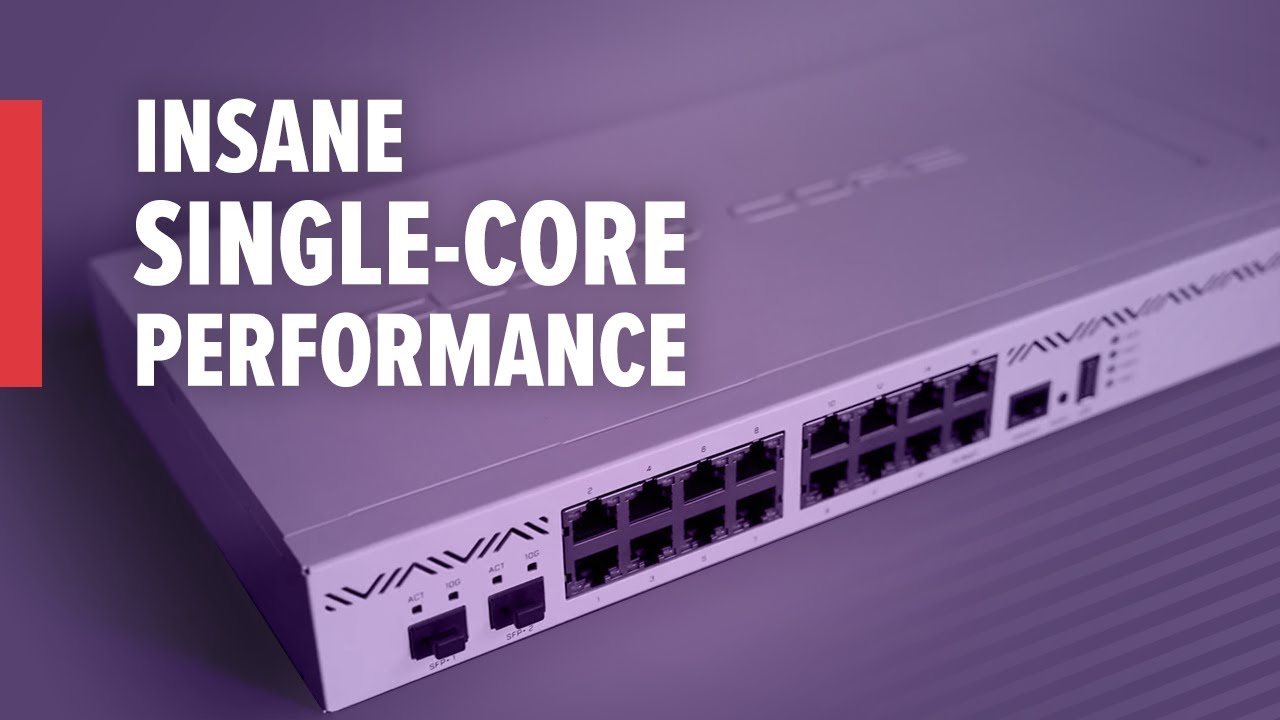
Take a look at the brand new CCR2004-16G-2S+. Like the previous model, this CCR also features the Annapurna Labs Alpine v2 CPU with 4x 64-bit ARMv8-A Cortex-A57 cores running @1,7GHz.
But here’s the difference. This powerful router crushes all previous CCR models in single-core performance, and that is the most important aspect when it comes to...
16 gig ethernet ports with full switch chip functionality like CRS3xx, plus two SFP+ ports
molten falcon
undone basin
Do you have drivers installed for it
I'm not sure, I installed what it told me to on the disk, I'll get that info to you in a moment just got to find the box
I installed Firmware from www.linksys.com/support/wusb6300
which is what it says on the packaging instructions to install, I don't think I have anything other than that firmware wise that I had to manually install
 pastel dagger
i have 1 gigabit connection and I am getting 152kbps whyyy
 eager lodge
Anyone here done a wifi mesh w/Omada EAPs?
 eager lodge
plain siren
https://static.tp-link.com/2020/202012/20201223/1910012926-Omada%20SDN%20Control...
eager lodge
plain siren
https://static.tp-link.com/2020/202012/20201223/1910012926-Omada%20SDN%20Control...
ya, i followed the instrucitons already -- or at least tried to. i've adopted my root AP. but its not detecting my un-adopted EAP (not connected by ethernet)
and yes, its in range -- its across the room, for the sake of getting things set up, to eliminate range as a possible issue
plain siren
Factory Reset the sucker, they are picky
eager lodge
i've done a factory reset on it a few times. i can try again
plain siren
Oh.. well then
eager lodge
these are EAP-620HD if that makes any difference. both US models.
plain siren
You updated the Firmware on the Root AP?
If so, you may have to sit there, update the FIrmware on the Uplink AP's through hardwire first
eager lodge
they both came with the latest 1.0.5 firmware already, checked that
eager lodge
nope. doesn't show up at all.
plain siren
If you click on Root AP, Go to Mesh Tab, rescan shows nothing?
eager lodge
Root AP doesn't have a "mesh" tab, i assumed that was due to there simply not being any mesh APs associated yet due to lack of adoption
I have mesh enabled in the site config, i've triple-checked that
plain siren
Something similar to this
 eager lodge
oh my dear god. i accidentally got the model that doesn't do mesh.
plain siren
- O U C H *
eager lodge
how on earth do the BRAND NEW WIFI 6 models not support mesh
plain siren
Well actually Tp-Link does it right, thats why
They use a whole segregated STA Controller
That way you are not hammering the main client radio
thick minnow
can someone tell me why wifi routers have adopted this cyber-spider look? is it actually functional? surely 8 antennas is getting ridiculous
 peak cloak
eager lodge
how on earth do the BRAND NEW WIFI 6 models not support mesh
peak cloak
eager lodge
how on earth do the BRAND NEW WIFI 6 models not support mesh
Omada does not support mesh standalone
You need the controller
And wdym by mesh, because far too many people think of it as one SSID for many APs
peak cloak
thick minnow
can someone tell me why wifi routers have adopted this cyber-spider look? is it ...
High gain? But tbh it's mostly just looks. You may have super high gain on AP, but you you will still be limited by client device tx strength. No enterprise AP looks like that, not even any high gain directional ones.
 glacial linden
Does anyone use private internet access here?
If so, have you ever used port forwarding with it?
I'm considering getting it since my ISP just put me behind a CG-NAT and all my incoming connections stopped working (incl. DNSCrypt Pi, Minecraft Server and Router VPN server to remotely access my localnetwork), and ISP doesn't care at all... My options were to pay for a cloud server/VPS or go for a VPN with port forwarding support.
plain siren
glacial linden
Does anyone use private internet access here?
If so, have you ever used port for...
Zero-Tier
peak cloak
plain siren
Zero-Tier
They want a public ip endpoint tho
plain siren
peak cloak
They want a public ip endpoint tho
Yeah you use it to bridge a public IP through a tunnel that bypasses CG-NAT
Zero-Tier is an adhoc way to step you up 1 hop to the same level as the ISP so you can handle NAT as you would normally if you got a public endpoint to work with
peak cloak
plain siren
Yeah you use it to bridge a public IP through a tunnel that bypasses CG-NAT
You still need a vps
And at that point just use wireguard
plain siren
IPv6 ftw
https://portmap.io/ This is also a cool service

Portmap.io
Expose your local PC to Internet from behind firewall and without real IP address
low pond
is that related to ngrok
thick minnow
peak cloak
High gain? But tbh it's mostly just looks. You may have super high gain on AP, b...
yeah thats what I was thinking, maybe it's to run 4x4 but in a "gamer" way, real ugly imo
Hey guys I need to compile a firmware image for my router can anyone help?
I need to turn my Asus DSL N55U into a Printer Server + Access Point, but the default firmware won't let me do so as it doesn't have AP feature.
Instructions in this GitHub repo is not clear at all.
https://github.com/matteocrippa/dsl-n55u-bender
Some of the directories are missing I think and didnt say where to execute the make command.

GitHub
DSL-N55U Custom Firmware • Codename Bender. Contribute to matteocrippa/dsl-n55u-bender development by creating an account on GitHub.
Please someone help me I've been trying for days and I'm f***ing tired.
plain siren
https://github.com/matteocrippa/dsl-n55u-bender/tree/master/toolchain < run it in this dir
GitHub
DSL-N55U Custom Firmware • Codename Bender. Contribute to matteocrippa/dsl-n55u-bender development by creating an account on GitHub.
thick minnow
@plain siren there is also another problem, when I run the command: it returns an error: failed to create symbolic link '/opt/brcm': no such directory or file.
plain siren
GitHub
DSL-N55U Custom Firmware • Codename Bender. Contribute to matteocrippa/dsl-n55u-bender development by creating an account on GitHub.
put this in your /opt/
actually, first you gotta make those modules inside there
thick minnow
But there is no such directory should I make one?
plain siren
K26/hndtools-mipsel-uclibc-4.2.4/
run make there
same with K24
the output should be a binary
thick minnow
So the command should be make dsl-n55u or just plain make?
Did it work I'm still not sure @plain siren

@plain siren hey man did it work?
plain siren
Dont look like it, honestly not enough info on their repo to figure out the build chain
would take about a day of focus to sift through for me to even get a grip
thick minnow
Then I think I need to contact the owner of the repo
waxen scroll
@clear igloo @hollow marlin dealing with stupid right now... can you tell me why a cisco device would show an admin dist 0 and an admin dist 1 route in the table for a route?
show ip route 10.0.0.0 vrf test
10.0.0.0/24, attached
*via 1.1.1.1, vlan10, [0/0]
via 2.2.2.2, [1/0], static
someone set these up and I see no reason for it
could be stale config, but idk
the * makes me think the static isnt used anyway but weird that it shows two paths
 dusky rain
Anyone happen to have experience with nginx proxy manager on unraid? Having some issues i cant figure out
hollow marlin
waxen scroll
<@!291198741862416384> <@!462711605063450628> dealing with stupid right now... c...
I wouldn't expect AD 0 based on that output unless something recursive is going in on cef
little schooner
who broke the internet this time??
 compact snow
Is there a way to make something like test.example.com point to example.com:1234 or to xxx.xxx.xxx.xxx:1234 thru a dns record?
hollow marlin
little schooner
who broke the internet this time??
Just saw this on reddit. Someone broke DNS
eager lodge
tons of shit went down. always surprises me how many companies feel its just fine to have a mission-critical service running through a single provider.
waxen scroll
you kind of have to
they charge an arm and a leg for these services and the costs to use multiple are crazy. plus in the case of dns it might be a management nightmare
@hollow marlin im sure some meetings are coming about ditching akamai but where do you move to? Cloudflare? The company that takes out 90% of the internet once or twice a year?
eager lodge
akamai's overpriced for their raw CDN services anyway, there's not really a point in using them other than "they're really good" (hint: no they arent). ya the add-on services can kind of tie you in but its still a /bad/ idea to make your whole setup rely on those.
i prefer to run a mix of DNS services and CDNs with some custom sync logic -- DNS can be synced fine between providers via some basic terraform work for example. deploy scripts can deploy to multiple CDNs easily.
amazon has something like five different CDNs they use in case any one fails, for example -- despite having cloudfront within their AWS portfolio
 queen pollen
Guys i have a question. if you plug a 2.5GBps hub (or any other else bandwith) to a 1GBps router will it have the 2.5GBps bandwith
eager lodge
queen pollen
Guys i have a question. if you plug a 2.5GBps hub (or any other else bandwith) t...
hub? who's making hubs anymore.
queen pollen
I meant switches
waxen scroll
amazon has paid millions in labor costs to come to that conclusion. most companies arent going to dev redundancy like that
thats why already dev'd solutions like akamai exist
eager lodge
queen pollen
I meant switches
switches will gladly run a different speed on every port, and USUALLY have higher aggregate switching throughput than just the top speed of a single port.
eager lodge
waxen scroll
amazon has paid millions in labor costs to come to that conclusion. most compani...
its not even that expensive to build, i've done it at small companies dozens of times now. 🤷♂️
waxen scroll
so when you quit, where are these small companies getting support from?
eager lodge
im not that special, and i leave plenty of documentation
queen pollen
eager lodge
switches will gladly run a different speed on every port, and USUALLY have highe...
Thanks a lot
hollow marlin
waxen scroll
<@!462711605063450628> im sure some meetings are coming about ditching akamai bu...
Options are getting slimmer by the year. Worse is said option are more often than not already using the big players and just being a proxy
eager lodge
i think the "future" is going to be based around how cloudfront and cloudflare run things -- focus on content delivery and toss in a "cloud function" option to run custom code at the edge to handle any sort of custom logic that older networks (akamai, limelight, etc) offer as baked-in addons.
akamai will hopefully die off at that point save for some age-old partners like playstation, apple, etc
rocky badge
@waxen scroll https://i.ryois.me/wXdgi0ywAk.png

Still got 5 more to adopt....
I don't have the POE switch yet

 fallow dagger
is anyone able to help me fix my internet speed issues?
i am pants at setting up stuff on modems and routers
peak cloak
queen pollen
Guys i have a question. if you plug a 2.5GBps hub (or any other else bandwith) t...
Depends to where
To another local device on 2.5g then yes
To the internet no
 last crane
Spent 6 years on viasat (sat internet) with high ping and low speeds.
Recently I put in 80 dollars, used equipment and some elbow grease to improve my situation
Components:
novatel wireless "mifi" 4G usb U620l modem
30 dollar usb extension with waterproof case
free router
used RPI model 3
using my rpi to bridge the wifi to ethernet then the router to create a wlan interface and to act as a switch.
Now i can actually play games and stream HD videos!
Images:
https://cdn.discordapp.com/attachments/829870777976881222/866496161707196416/image0.jpg
https://cdn.discordapp.com/attachments/829870777976881222/866496162264645652/image1.jpg
https://cdn.discordapp.com/attachments/829870777976881222/866496162604646400/image2.jpg
https://cdn.discordapp.com/attachments/829870777976881222/866497348804149278/unknown.png


 plain siren
last crane
Spent 6 years on viasat (sat internet) with high ping and low speeds.
Recently I...
plain siren
last crane
Spent 6 years on viasat (sat internet) with high ping and low speeds.
Recently I...

Raspi LTE Modem Hat >:D
last crane
plain siren
Yeah well i used official equpment from my cell company (verizon)
last crane
plain siren
does that take a 4ff nano sim?
plain siren


LTE CAT 1 Pi HAT is an open-source cellular extension modem for Raspberry Pi, based on u-blox LARA-R2xx series. It is compatible with Raspberry Pi 1 Model B+ and up to Raspberry Pi 4.
last crane
yeah but That wouldnt work for me because i get about -118 DBM inside my room and about -106 dbm on the roof where the actual modem is located.
plain siren

And if you happen to have a motherboard with a Wi-Fi Card in it... its a M.2 Wi-Fi card. It also uses those tiny antenna connectors to <> SMA... which would work for this
last crane
plain siren
https://www.amazon.com/Proxicast-Universal-Wide-Band-Omni-Directional-Outdoor/dp/
^^ this is more than i paid for the ENTIRE setip
plain siren
Well it was an example, there is many cheap <> Expensive LTE antennas
last crane
the modem and case thingy for it cost 80 total. rpi ive had for 4 years so i just threw it together using what i had 🤷
plain siren
Like this guy which is what I use for $9
 last crane
yeah i had one of those but i couldnt find the adapter for the antenna port on the U620l.
plain siren
you mean these guys?
 plain siren
Your Motherboard have a Wi-Fi Card?
last crane
nope
plain siren
Oof.
https://www.amazon.com/Female-Connector-Antenna-Pigtail-Extension/dp/B071HJN1H9/ Here is the Link to them to save for future ref if you want it
Buy Pigtail Antenna WiFi Coaxial Low Loss Cable Mini PCI U.FL to SMA Female Connector Antenna WiFi Pigtail Cable IPX to SMA Extension 15cm Pack of 5: Connectors & Adapters - Amazon.com ✓ FREE DELIVERY possible on eligible purchases
U.FL
last crane
plain siren
Oof.
https://www.amazon.com/Female-Connector-Antenna-Pigtail-Extension/dp/B071HJ...
haha yeah i was no where close to finding that
anyways i was going to order this instead because we need it instead of just a 1 device antenna heh
https://www.amazon.com/weBoost-Booster-Apartment-Verizon-Approved/dp/B08Z68L2J7/
Buy weBoost Home Studio Lite (470165) Cell Signal Booster Kit | Room or Apartment | Verizon and AT&T Only | FCC Approved (Renewed): Signal Boosters - Amazon.com ✓ FREE DELIVERY possible on eligible purchases
plain siren
Cell Boosters (Weboost especially) are great, but in reality, your issues will come from them damn compact modems tbh
Having the PHY Radio away from the antenna does wonders
last crane
i mean its not a noticable difference
from more compact to less compact at least what ive tested
both get within -2 dbm of eachother
low pond
plain siren
Like this guy which is what I use for $9
I see these in the public kiosk machines
plain siren
https://www.amazon.com/Yeacomm-Wireless-Hotspot-Antenna-Support/dp/B083TH42R8/ I can also attest to these things

 plain siren
Yeah I took it off my purchase list
last crane
yeah once the direct deposit check hits im buying the weboost thing
plain siren
https://www.amazon.com/dp/B0871SZQDW/ @last crane Check these guys out too. I got quite a few people attesting to them after replacing older weboost's
Buy HiBoost Cell Phone Signal Booster for Room or Apartment, Band 12/17/13/5, 5G 4G LTE for Verizon, T-Mobile, AT&T, FCC Approved: Signal Boosters - Amazon.com ✓ FREE DELIVERY possible on eligible purchases
Used to be WeBoost was the only one worth a damn
last crane
hm yea and it works on band 13 nice
lean pebble
Hello crazy networking ppl, how are we today / tonight?
plain siren
Ultrawide Band Location actually works so pleasantly surprised and pleased.

 placid scroll
anyone knows how to setup denial of service for comtrend-vr3060 i just need to know what values to set
 waxen scroll

 cunning storm
hey guys
so i tried to access my other PC drive through the network (wifi), now 1 of my drive i specified is not there
can you guys help me ?
 crisp bobcat
Anyone has any good tips to mask my Minecraft ip?
prefareably without paying XD
cus i want to host a server for community.
 naive terrace
I guess you need a static ip
peak cloak
naive terrace
I guess you need a static ip
No
peak cloak
crisp bobcat
Anyone has any good tips to mask my Minecraft ip?
prefareably without paying XD
...
You need a proxy
There are port proxy services out there
I think ngrok is one, portmapper?
Cloudflare has options but those are paid
crisp bobcat
peak cloak
You need a proxy
they are safe n good to use?
 vivid frigate
are you hosting in on your PC?
peak cloak
vivid frigate
can I host a game server on a VPS?
Yes, how well depends on the specs
vivid frigate
wait a sec
peak cloak
crisp bobcat
they are safe n good to use?
Depends on the service
vivid frigate
peak cloak
Yes, how well depends on the specs

Choose the best cheap managed VPS provider? Namecheap's VPS Linux-based web solution includes: ✔️ pure SSD ✔️ cPanel ✔️ WHMCS ✔️ 99.99% uptime ✔️ 24/7 Live Chat and more.
the pulsar one
crisp bobcat
peak cloak
Depends on the service
got any recommendation?
peak cloak
peak cloak
I think ngrok is one, portmapper?
^
peak cloak
vivid frigate
the pulsar one
I have no clue what synergy is
vivid frigate
half life 2 multiplayer basically
peak cloak
2gb is a bit low for a game
vivid frigate
ikr
peak cloak
Just look at the reccomended specs
low pond
In all fairness I TOO do not know the game but wouldn't recommend Nameshit VPS's
rocky badge
@clear igloo @waxen scroll Looking at a VOIP solution to replace this site's POTS

Right now looking at 3cx + flowroute
I need to check what their alarm & fire system uses though
See if I can move it to either cellular or get an ATA
clear igloo
@rocky badge voice is the devil!
rocky badge
They could be paying ~$20/mo
Keep E911 and such
Right now they're paying for 4 E911 lines
waxen scroll
imagine paying $100/yr for a cellular backup that pretty much will never get used
@rocky badge whats nice is i own my alarm. what about the poor people who are stuck with ADT or similar
$50/m monitoring. lmao
waxen scroll
you get $8/m if you own the alarm and go elsewhere
rocky badge

@clear igloo I'm going to see if they can get 300/300 and a static IP instead of 150/150 and 150/40 lol
clear igloo
lol, yah
hollow marlin
rocky badge
They could be paying ~$20/mo
How many lines do they have?
rocky badge
4
hollow marlin
I don't remember our new pricing. I know we have a lot of installs that replace 3cx setups


 hollow marlin
Just make sure if the numbers are changing providers the address are updated. e911 is where you are now into legal territory.
rocky badge
yeah
hollow marlin
Just make sure the provider has the address and dial 933 after setup to confirm
 iron slate
hopefully this is the right discord server to ask, i have a client that has terrible outside wifi, they currently use a Unifi set up with a mesh system outside, they say it sucks and would like to get that upgraded irregardless of the cost, im asking within reason, what are good solutions that have worked for you guys/gals ?
thanks,
BOF
low pond
Dont use mesh
Just hardwired ethernet to many AP's I guess seems like a better solution
peak cloak
iron slate
hopefully this is the right discord server to ask, i have a client that has terr...
Use ethernet wired APs, not mesh
iron slate
peak cloak
Use ethernet wired APs, not mesh
@low pondhardwire isnt possible in this location
peak cloak
iron slate
<@!760788184237211669>hardwire isnt possible in this location
Then wireless point to point radios then have APs
So at each AP location you would have an AP and a P2P radio
Idk much about this wireless stuff, but something like this https://mikrotik.com/product/RBSXTsq5nD

MikroTik is a Latvian company which was founded in 1996 to develop routers and wireless ISP systems. MikroTik now provides hardware and software for Internet connectivity in most of the countries around the world.
iron slate
peak cloak
Then wireless point to point radios then have APs
damn why didnt i think of that! my only concern is the location is like 200FT from the nearest ap ( indoors) but i feel like just a ap bridging should suffice but it doesnt :/
peak cloak
You could keep the current APs, just use p2p antanaes instead of wifi backhaul
peak cloak
iron slate
damn why didnt i think of that! my only concern is the location is like 200FT fr...
A directional wifi AP may work
But you would need 2
And that would be just for the AP - AP link
 fallen inlet
Where do i get a 1km ethernet cable
fallen inlet
peak cloak
Use fiber
Make me understand
peak cloak
fallen inlet
Make me understand
You cant use ethernet for such long distances
It's max 100m iirc
@fallen inlet what are you trying to do?
fallow dagger
i have a question
peak cloak
fallow dagger
i have a question
Just ask
fallow dagger
i am having latenancy issues and i just replace my modem which increased my DL speed but did nothing for my Lat should i replace my router then since its most likely that thats holding me back?
or is it an issue with my ISP?
peak cloak
fallow dagger
or is it an issue with my ISP?
How bad is the latency?
And what medium is it?
Dsl? Coax? Fiber?
fallow dagger
the lat keeps jumping all over the place
and its regular coax
have not gotten fiber yet and screw Dsl
my loaded gets up to like 50 and up all the time
unloaded i am usually at 8 up to 20
usually
peak cloak
Sounds like congestion
fallow dagger
i only have like 6 devices on at all times
peak cloak
fallow dagger
i only have like 6 devices on at all times
On isp side
fallow dagger
and most of the time whats taking bandwidth actively is one first stick and one gaming pc
oh well then i am fucked then
 worthy stirrup
would i get any benefit using cat6 from my second router if the cable that connect my second router to the isp one is cat5e?
 tulip rivet
Hey - just let me know if this is too basic a question for this channel - I have never used any router other than the one(s) provided by my ISP, to what extent can shopping around for a third-party router enhance or change the functionality/performance of your home internet connection, both LAN and to the internet? Similarly, what do you reckon would provide the best possible streaming quality for my nVidia Shield TV Pro when using nVidia Gamestream to stream from my desktop upstairs to my tv downstairs? WiFi performance was poor so I've connected to ethernet now, with my desktop upstairs via powerline.
cunning storm
tulip rivet
Hey - just let me know if this is too basic a question for this channel - I have...
hey i have the same question too
my ISP router is crappy af that we must restart it every hour or so
tulip rivet
i don't have bad performance network wise per se, just wondering if it is something worth putting some money into
peak cloak
If you don't have issues then it's fine
For me, I need a good router for the features, not performance per say
cunning storm
peak cloak
If you don't have issues then it's fine
okay
thick minnow
can you use PVC ethernet cable outside?
rocky badge
I tend to avoid Ethernet cable outside, but that also depends how much "outside" its getting lol
cunning storm
thick minnow
can you use PVC ethernet cable outside?
i don't have one
thick minnow
rocky badge
I tend to avoid Ethernet cable outside, but that also depends how much "outside"...
~100m
rocky badge
yeah no lol
clear igloo
100m is the limit for ethernet cables anyway, go fiber
cunning storm
clear igloo
100m is the limit for ethernet cables anyway, go fiber
fiber is kinda expensive here
rocky badge
fiber Internet != fiber cabling
thick minnow
them why can you buy 500m ethernet cable?
clear igloo
You're buying bulk to cut it up
cunning storm
clear igloo
You're buying bulk to cut it up
just like that time linus buying bulk thermal paste
rocky badge
for installers/etc to run in a building
peak cloak
Get yourself some fiber, won't need to worry about interference and stuff
clear igloo
I'd just get 100m of this:
https://www.amazon.com/Meter-Singlemode-Duplex-Fiber-Optic/dp/B00552OG9E?th=1

100 Meter Singlemode Duplex Fiber Optic Cable (9/125) - LC to LC - Yellow
thick minnow
SL
peak cloak
Then you need sfp modules and media converters (sfp <-> ethernet)
clear igloo
Depends on where it's going from and terminating at, if it's switch to switch then just SFPs (assuming they have SFP slots)
peak cloak
Yeah true, doubt they would have something with sfp tho
clear igloo
yah
Still although it's probably a bit more expensive you're not risking interference, lightning strikes, and cable limits leading to dropped frames, corruption, link issues, etc.
low pond
Eh I'd still use ethernet, can't we just use Switches every few meters to act like an "repeater"
thick minnow
i mean, its only for an acces point
rocky badge
low pond
Eh I'd still use ethernet, can't we just use Switches every few meters to act li...
Ew, no
clear igloo
It's running outside, good luck putting a switch outside
cunning storm
low pond
Eh I'd still use ethernet, can't we just use Switches every few meters to act li...
that's kinda thing that a rich person would do
unless your switch is made out of RasPi
rocky badge
The smart thing is to use fiber
You don’t want that Ethernet cable to fry stuff on either end
clear igloo
or cut the distance the line needs to go to reach the AP
thick minnow
why can i only get 50 meters
cunning storm
you can use switch every meter or so but that's kinda waste of money i guess
cunning storm
rocky badge
You don’t want that Ethernet cable to fry stuff on either end
especially when lightning strikes
thick minnow
can you use fiber female-to-female to extend the cable?
peak cloak
I've never really worked with fiber but I heard you want to keep the end clean
Keep the cap on if not in use
thick minnow
LC or SC fiber?
clear igloo
LC
thick minnow
whats the difference? the only thing i can find is the connector...
clear igloo
thick minnow
whats the difference? the only thing i can find is the connector...
Yup, that's it, SC is thicker/stubby
waxen scroll
no, MPO-12
thick minnow
rly wow
clear igloo
sc = stubby connector
lc = long connector
That's how I always remember it
waxen scroll
*slaps @clear igloo around a bit with 100G
 flint matrix
lol
clear igloo
waxen scroll
*slaps <@!291198741862416384> around a bit with 100G
I'll slap you with 400G QSFP-DDs 😛
flint matrix
sc stubby
waxen scroll
my boss wants to bully your company with 3rd party optics btw
clear igloo
lol, do it!
waxen scroll
as-if you're gonna cave and make our discount bigger
thick minnow
ok, i have selected OS2 single mode cable and 2 single mode coverters
clear igloo
Cool
thick minnow
total 172 euro
clear igloo
Can you link the converters? Just to double check
thick minnow
can i post links here?
clear igloo
yah
thick minnow
Deze Fast Ethernet Media Converter kan worden gebruikt om uw netwerk uit te breiden met een optische vezel interface.Specificatie• Voor Single-Mode-Fiber, 1310 nm golflengte• Afstand tot 20 km met 9/125 um glasvezel• Connector: SC Duplex-connector voor 100 Base-FX RJ45-connector voor 10/100 Base-TX• Overdrachtssnelheid tot 100 Mb / s• 6 ...
clear igloo
Ah, you'll need SC to LC converter then