#networking
1 messages · Page 351 of 1
 peak cloak
I feel like you have no clue what to do
 thick minnow
your right
i already have a good wireless network across tyown
and im currently just using an edgerouter assigning ip's in the range of 192.168.110.0/24
peak cloak
if you want to run a proper isp, you would want to get an AS number, get peering agreements and ip transit
peak cloak
thick minnow
and im currently just using an edgerouter assigning ip's in the range of 192.168...
yeah, that's just NAT
you do not want nat
also
if you want to be a good isp
deploy ipv6
I would highly advise you to get someone who knows what they are doing
 hollow marlin
PFsense for pure routing with customers downstream, yeah no thank you
VyOS hands down if you want your own hardware
 plucky crescent
What action can you hope for from that information, though?
 tender hazel
hollow marlin
PFsense for pure routing with customers downstream, yeah no thank you
tender hazel
hollow marlin
PFsense for pure routing with customers downstream, yeah no thank you
yeah he messaged me, that's what I was telling him
I also let him know about CHR and the bare metal RouterOS x86 version
 primal ice
plucky crescent
What action can you hope for from that information, though?
primal ice
plucky crescent
What action can you hope for from that information, though?
as a single person its just a sanity check - I posted the information and how to use said information on the EA forums got a bunch of other people also sanity checking and bitching at EA and about 8 months later they stopped using that peering. of course in the mean time I just stopped paying for the game and gave up on the game. but that was my choice.
 hoary glacier
does anyone know what type of power cable tp link tx50e ax3000 uses?
i cant find it on the page >.>
peak cloak
hoary glacier
does anyone know what type of power cable tp link tx50e ax3000 uses?
power cable?
hoary glacier
peak cloak
power cable?
ya
peak cloak
oh no clue
hoary glacier
hmm
hollow marlin
We are actually have a ton of issues on our Zayo peering right now. Been a crap shoot since turning it up
primal ice
it uses pcie power, looks like the cable is just a usb header cable for bluetooth.@hoary glacier
hoary glacier
primal ice
it uses pcie power, looks like the cable is just a usb header cable for bluetoot...
icic
primal ice
hollow marlin
We are actually have a ton of issues on our Zayo peering right now. Been a crap ...
yeah under paid techs over congested network.
hoary glacier
primal ice
it uses pcie power, looks like the cable is just a usb header cable for bluetoot...
doesnt that mean that i could just not plug in and just use it as it is ?
because i cant seem to find the right spot to put the cable on a msi z170a m3
primal ice
yeah it should work but you will not get bluetooth with it.
hoary glacier
aite
primal ice
hoary glacier
aite
more or less tech-support stuff but -- it would be that header on the board, which you probably already populated with front USB - heh.
 hoary glacier
primal ice
more or less tech-support stuff but -- it would be that header on the board, whi...
hoary glacier
primal ice
more or less tech-support stuff but -- it would be that header on the board, whi...
LOL ic thanks
ehh i dont really use bluetooth so i should be fine
primal ice
yup
 primal ice
yeah
 hoary glacier
yup alright
 frigid pine
Is this link local address calculation correct?
https://cdn.discordapp.com/attachments/372742316177227776/852452890760970240/20210610_131251.jpg
 frigid pine
??
 tame carbon
link local address isn't nessesarily a mutation of the MAC
it usually is, but doesn't have to be
frigid pine
The source I am learning from says it is generated using the MAC. 😄
So lets assume if it is derived from MAC is it correct?
tame carbon
@frigid pine I cannot confirm
I tried pulling the doc from the RFC
but it links to a page from the ietf that 404's out
no idea what algorithm is used for the EUI64 calculation
frigid pine
tame carbon
no idea what algorithm is used for the EUI64 calculation
- Insert FFFE inthe exact middle of a MAC.
- Flip the 7th bit of the generated hex.
- Prefix the result with FE80::
That's what I know.
 lean pebble
Anyone knows a good open source mail server ?
tame carbon
@lean pebble https://mailinabox.email/
Mail-in-a-Box
Take back control of your email with this easy-to-deploy mail server in a box.
lean pebble
Works on centos ?
tame carbon
This is incoming mail exchanger (SMTP Server)
Outgoing mail (SMTP Client)
Spamassasin antispam
and I think it uses roundcube for a webclient
lean pebble
Because I saw ubuntu only
Webclient doesn't really matters my friend connect it as mail exchange on his phone and outlook
tame carbon
that's not gonna fly
This isn't exchange.
You cannot use outlook's features with this
lean pebble
With autodiscover
tame carbon
That's exchange.
lean pebble
Well with iredmail pro you can do it but cost money
tame carbon
to manage your mailbox you can use IMAP
lean pebble
I don't know why he needs it instead just using normal pop3 imap
lean pebble
I use pop3 with my mail server
tame carbon
ew, one-way synchronization
lean pebble
Pop3s
tame carbon
IMAP allows you to create folders, move mails between folders, and synchronize with the mailbox on the server
pop is just retrieval of mails
its ment for offline use
lean pebble
I'm only using it for spam mails moving from my main mail all spam to it
lean pebble
Google spam assassin sucks
tame carbon
too aggressive, I agree
lean pebble
And I'm lazy to unsubscribe to each of them so I just move it via imap from it to my server
Once a year going to my mail server to remove all of the spam mails from my spam@domain.net
 steep osprey
Hello, anyone here good with twitch? I'm unable to watch it on my PC, and my internet is perfectly fine. Streams of twitch keeps buffering every 5 seconds
I've cleared cookies/cache, restarted pc. tried on twitch app, firefox, same results. But when I watch on my ipad, everything is fine.
frigid pine
Isn't CDP Cisco proprietary?
hollow marlin
Yep thats why the C stands for Cisco
tame carbon
sigh
 waxen scroll
hollow marlin
Yep thats why the C stands for Cisco
waxen scroll
hollow marlin
Yep thats why the C stands for Cisco
big brains only
tame carbon
Cisco Delusion Protocol
 worthy sigil
Does anyone know if I can just use a switch to plug two wan cables together to have more range? The cable between the modem and my router is too short.
peak cloak
worthy sigil
Does anyone know if I can just use a switch to plug two wan cables together to h...
WAN cables?
you mean ethernet?
but if you mean ethernet, then yes a switch could be used to extend a ethernet cable
you could just use a coupler
as long as it's below 100m iirc
worthy sigil
Yeah, those standard ethernet cables
worthy sigil
peak cloak
but if you mean ethernet, then yes a switch could be used to extend a ethernet c...
perfect! thanks!
I have several switches laying around already
worthy sigil
I've got gigabit switches
peak cloak
ah ok
worthy sigil
It's because I'm moving to a new appartment, and the wiring in the building needed to be quite a bit longer
peak cloak
switches just work on Layer 2, so there is no routing done, it's just ethernet packet switching
 clear igloo
Just keep in mind only the router and modem can connect to the switch. If you have just a modem without a router built in and something else is plugged into the switch then it will get a public IP and your router won't so everything on the router will be left without internet access
peak cloak
^
worthy sigil
clear igloo
Just keep in mind only the router and modem can connect to the switch. If you ha...
I'll 3d print some fake ethernet plugs to prevent anyone from accessing them
Thanks for the tip!

 barren heath
I'm hoping someone can help he out regarding playback on Plex. Since yesterday, while trying to remote play some content, I've been getting the error code 4294967283, stating an unknown error. I thought it might be a network issue so I reset everything. I can access the server fine and download content but still get the error. It's been working fine for months and it only just started.
The server is currently running in an i5 9600, 16gb RAM, RTX 2070 SUPER, and windows 10 on a hardwire connection.
If anyone has experience with this, id really appreciate the help
I currently don't have physical access to the server as I'm out of town, if that matters
 short relic
I have a weird issue
I have a thunderbolt dock, and when I unplug my laptop, my ethernet network stops functioning
Router/modem are fine, but the LAN communication is dropped until the dock is turned off or ethernet is unplugged
is there a good software for like monitoring network traffic to detect this "packet storm" so i can send applicable data to the dock vendor? (they referred to it as a 'packet storm' and were wondering if i could capture any data that could help them fix the issue)
peak cloak
short relic
is there a good software for like monitoring network traffic to detect this "pac...
wireshark
top software for packet capture
short relic
how do I use wireshark to capture network stuff
worthy sigil
tame carbon
<@!608131860270153729>
I've got those, but then I'm not going to get close to the gigabit speed I'd like
tame carbon
That doesn't make sense
peak cloak
short relic
how do I use wireshark to capture network stuff
you install it on a computer, may need to restart, then start the capture
tame carbon
you either have gigabit, or you don't
@worthy sigil gigabit over twisted pair is up to like 100 meters
short relic
FOr reference:
I have a macbook air connected to thunderbolt dock. As soon as I unplug the macbook from the dock, the packet storm starts on the whole LAN. So presumably I can use a secondary computer to detect this?
tame carbon
@worthy sigil if it cannot handle gigabit speeds either because too far away, or electrical fault on one of the 8 wires, it will switch to fast ethernet which is only 100M
but there's no inbetween
short relic
ive used wireshark briefly with class, but it was only on machine
peak cloak
short relic
FOr reference:
I have a macbook air connected to thunderbolt dock. As soon as I ...
yes
if it's a broadcast storm
you can filter packets to be just broadcast
and then save the pcap
short relic
is broadcast storm the typical name for this?
peak cloak
yeah, if it's broadcast traffic
short relic
gotcha
so if i just look up "use wireshark to monitor broadcast storm" i should find all the info I need (presumably)?
peak cloak
 worthy sigil
tame carbon
<@!608131860270153729> if it cannot handle gigabit speeds either because too fa...
worthy sigil
tame carbon
<@!608131860270153729> if it cannot handle gigabit speeds either because too fa...
Exactly, I've got 100mbit rn
peak cloak
short relic
so if i just look up "use wireshark to monitor broadcast storm" i should find a...
it's really self explanatory
short relic
cool
peak cloak
you may need to create a filter if you just want broadcast
short relic
ill play around with it
tame carbon
@worthy sigil how long is your cable?
clear igloo
which thunderbolt dock @short relic
peak cloak
just broadcast is literally just this
 short relic
clear igloo
which thunderbolt dock <@!175025492745781248>
short relic
clear igloo
which thunderbolt dock <@!175025492745781248>
Corsair TBT100 TB3 dock
Only happens with macOS
peak cloak
I don't have much broadcast on my pc since it's only connected to a switch and therefore I don't get much ARP
peak cloak
but It'll look like this
 clear igloo
@short relic Seems to be a known issue with that dock
worthy sigil
tame carbon
<@!608131860270153729> how long is your cable?
Probably around 60 meters, and around 15 years old
tame carbon
cable is probably damaged
either its got a kink somewhere
or the termination got loose
short relic
clear igloo
<@!175025492745781248> Seems to be a known issue with that dock
yeah we know lol
the manufacturer/firmware vendor somehow are the only ones who have trouble recreating the issue, so they are asking for network logs
worthy sigil
Right now there's just a very old router connecting it halfway through
hollow marlin
clear igloo
<@!175025492745781248> Seems to be a known issue with that dock
I remember a reddit post a while back reporting the same issues with docks storming the network. Seems to be quite common which is comforting
clear igloo
short relic
yeah we know lol
the manufacturer/firmware vendor somehow are the only ones who ...
AH! So that's why you want the pcap 🙂
tame carbon
@worthy sigil are you able to replace the cable?
short relic
clear igloo
AH! So that's why you want the pcap 🙂
pcap?
peak cloak
worthy sigil
Probably around 60 meters, and around 15 years old
if it's 15
it's probobly only 2 pairs
gigabit needs 4 pairs
clear igloo
hollow marlin
I remember a reddit post a while back reporting the same issues with docks storm...
Someone took down the entire floor at work a few years ago because their mac monitor decided at random to blast broadcast traffic at 10Gig 😄
peak cloak
short relic
pcap?
packet capture
clear igloo
short relic
pcap?
It's what wireshark saves files as
clear igloo
lol
hollow marlin
clear igloo
Someone took down the entire floor at work a few years ago because their mac mon...
Im curious if their "switchchip" is more a hub to cause such issues
clear igloo
hollow marlin
Im curious if their "switchchip" is more a hub to cause such issues
I think it was resolved with a firmware update but I can't remember off hand now
hollow marlin
@short relic you mind sharing a snipit/screenshot of the capture here. Curious if it is a storm or what might be happening
short relic
okay so just a little playing around with it and i got this

as soon as i unplugged the dock this happened
worthy sigil
tame carbon
<@!608131860270153729> are you able to replace the cable?
Unfortunately this is a very old, shared building
tame carbon
@worthy sigil can you check the termination on both ends?
could j ust be that one of the keystones got loose
you could cut it off, and crimp a new one on there
its the part that usually breaks first
esp if you tug on it a lot
worthy sigil
tame carbon
<@!608131860270153729> can you check the termination on both ends?
I might be able to do that, unfortunately not at the time. I have no clue where this cable runs. I'll have to talk to my landlord this weekend
tame carbon
100M it is.
 shadow garden
would changing a wifi channel disconnect every device that's connected to it?
like say, i change my router's 2.4G from channel 8 to channel 11
peak cloak
I changed the channel on my AP, and no it did not disconnect
shadow garden
alright
hollow marlin
short relic
okay so just a little playing around with it and i got this
That is not a broadcast storm, most likely an unknown unicast flood but that should not be that impactful. Any other non-tcp packets in that capture?
tame carbon
@short relic this linux you running?
could check interface statistics
see how much its dropping
short relic
hollow marlin
That is not a broadcast storm, most likely an unknown unicast flood but that sho...
i need to go eat lunch but ill check again in Linux in a little bit
 drifting sandal
Hello, I hope everyone is staying safe and healthy.
frigid pine
hollow marlin
Yep thats why the C stands for Cisco
But then how come Mikrotik is using it on their devices?
peak cloak
frigid pine
But then how come Mikrotik is using it on their devices?
they are not
it's compatible with it
hollow marlin
frigid pine
But then how come Mikrotik is using it on their devices?
They don't, they can understand CDP, but Mikrotik uses their own discovery. CDP is multicast while Mikrotik's is broadcast
 short condor
Hello guys! I am looking for a good pcie intel nic with two or more ports for my pfsense box. Any good ideas? ☺️
tame carbon
10G?
frigid pine
There is an otion to choose from the discovery protocol in neighbor settings where we can choose between CDP, LLDP and MNDP. What's these? If I choose CDP only then also it discovers devices.
tame carbon
also, ew pfsense
short condor
tame carbon
10G?
Would be nice but not a must. ☺️
tame carbon
weeel really depends on money
short condor
tame carbon
also, ew pfsense
Let me guess. Opnsense?
peak cloak
The hype in homelab is vyos now
tame carbon
general purpose computers are very inefficient as routers
peak cloak
I like vyos
but I wouldn't call it user friendly
for the newbie
since it's all cli
short condor
tame carbon
general purpose computers are very inefficient as routers
Well, I am using a i5-6600k in mine. It routes 900mb down/500mb up no problem.
tame carbon
waste of power lol
short condor
250w* psu.
clear igloo
frigid pine
There is an otion to choose from the discovery protocol in neighbor settings whe...
lldp is industry standard
MNDP is mikrotik's version of CDP
tame carbon
@short condor that's a lot
most routers run on something like arm or another type of cpu for a reason
short condor
Yes but show me something that can route my openvpn through for example PIA (I am using a Swedish vpn service) and it gives me those speeds.
short condor
The day it is user-friendly, I will use wire guard.
tame carbon
?!
frigid pine
clear igloo
lldp is industry standard
MNDP is mikrotik's version of CDP
Yeah but how come Mikrotiks being discovered when selecting CDP?
hollow marlin
Mikrotik is programmed to understand CDP packets
Plenty of vendors can understand CDP
tame carbon
@short condor wireguard is fine
its just using public key cryptography instead of user credentials
frigid pine
short condor
Well, I am using a i5-6600k in mine. It routes 900mb down/500mb up no problem.
We are using IBM x5500s and doing 4Gbps up/down.
tame carbon
main reason why:

 rocky badge
Running WG on a 2 core VM with a Xeon E5 2650 in the host....I get gigabit lol
short condor
It has been a lot of back and forth with wireguard in pfsense and opensense, that’s what I meant with user friendly. Need some kind of package install now. Not native integration. We went about OT. 😅 About the nic. Any good to recommend?
rocky badge
I was on a guest WiFi somewhere and they were using the same ISP as me at home, so I ran a speedtest without VPN and with VPN lol
barely any difference in speed
tame carbon
@short condor https://ark.intel.com/content/www/us/en/ark/products/84804/intel-ethernet-server-adapter-i350-t2v2.html
Intel® Ethernet Server Adapter I350-T2V2 quick reference guide including specifications, features, pricing, compatibility, design documentation, ordering codes, spec codes and more.
frigid pine
short condor
It has been a lot of back and forth with wireguard in pfsense and opensense, tha...
You need to decide the throughput for us to recommend something. :D
 rocky badge
Plus, I was outside and pretty far away from their AP
rocky badge
And I guess they have a limit on their guest WiFi
short condor
With my current setup at home of a macmini server with a quad core from 2012. With openvpn and pfsense. No problems there. At the office with a 10Gig/10Gig I only get 1gig because I need a new Nic.


 low pond
rocky badge
I should probably give my wireguard VM more cores though lol
low pond
rocky badge
I should probably give my wireguard VM more cores though lol
which host
low pond
I need to setup wireguard.
short condor
With my current setup at home of a macmini server with a quad core from 2012. With openvpn and pfsense. No problems there. At the office with a 10Gig/10Gig I only get 1gig because I need a new Nic.
low pond
But too lazy/I think it's hard
rocky badge
 short condor
frigid pine
You need to decide the throughput for us to recommend something. :D
short condor
frigid pine
You need to decide the throughput for us to recommend something. :D
10Gig I would prefer.
rocky badge
not bad lol https://i.ryois.me/MG6TPicfRW.png

I'm fine with 600/500 on a VPN where my uplink is 500Mbps
short condor
Is this any good? https://www.amazon.com/10Gtek-X540-T2-Converged-Network-Adapter/dp/B01HMGWOU8?th=1&psc=1
Buy 10Gb PCI-E NIC Network Card, Dual Copper RJ45 Port, PCI Express Ethernet LAN Adapter Support Windows Server/Windows/Linux/ESX, Compare to Intel X540-T2: Network Cards - Amazon.com ✓ FREE DELIVERY possible on eligible purchases
tame carbon
@short condor 10G is its own domain really, not really exists as combo ports with 1G and 10G
what you can do however
is get SFP+ cards
those are modular
and generally cheaper

Intel X520-DA2
2x 10G SFP+
short condor
I was thinking of getting a 2port 10Gig nic like the one I linked. I am able to get it for 130 dollars.
tame carbon
@short condor yeah but that thing does only 10g :P
so the rest of your gear would need to be 10G as well
short condor
Aha!
rocky badge
uh
no
Intel® Ethernet Converged Network Adapter X540-T2 quick reference guide including specifications, features, pricing, compatibility, design documentation, ordering codes, spec codes and more.
X540-T2s operate at 10G/1G/100M
 rocky badge
nb iperf3 over wg https://i.ryois.me/N1oa8IYVVR.png

Remote is Google Cloud
Google Cloud VM has a WG connection back home
thick minnow

short condor
rocky badge
uh
Do you think the 540-T2 is a good buy?
rocky badge
I mean, I generally don't do 10GBASE-T unless I have to
but if I had to, yeah that's pretty good
10Gtek is also good
Works across most stuff and not vendor locked
Although you can probably find cheaper on ebay/used


"Dell" branded works as a normal Intel card, its just Dell part numbers
short condor
So preferably the X520-DA2 would be a better choice?
rocky badge
Yeah, you'll need SFP+s though, which again are pretty cheap
Either fiber or DAC
Something like these https://i.ryois.me/2DAYYE9xAw.png

Its just copper but with SFP+
https://www.amazon.com/s?k=10gtek+DAC&ref=nb_sb_noss_2
https://www.ebay.com/sch/i.html?_from=R40&_trksid=p2047675.m570.l1313&_nkw=SFP%2B+dac&_sacat=0
Amazon.com: 10gtek DAC
 short condor
I have a ubiquiti switch with sfp and I will also soon get fiber into my house so that would work right Pfsense right?
rocky badge
short condor
I have a ubiquiti switch with sfp and I will also soon get fiber into my house s...
Fiber to your house will depend on your ISP
 severe wigeon
Though they can't negotiate down iirc?
rocky badge
but yeah, any of those work with Ubiquiti SFP
rocky badge
severe wigeon
Though they can't negotiate down iirc?
You can force
severe wigeon
Ah
severe wigeon
Must just be fortigate problems then
rocky badge
Depends on the module/etc
severe wigeon
el cheapo amazon
rocky badge
but if you're running 10 Gig no problem
tame carbon
gpon can be iffy
rocky badge
short condor
I have a ubiquiti switch with sfp and I will also soon get fiber into my house s...
If you're getting fiber to your house, depending on your ISP that will limit your options
What they use/what their policies are/how its configured & setup/etc
severe wigeon
IIRC, ISP's such as ATT and them often require you use their ONT's for management/leasing
rocky badge
But internally in your house, SFP+ will work
If you get fiber, each end has to be similar/same preferred modules
DACs have shorter distance but just work ™️
DACs will also have less processing latency too
Since it will be electrical signals all the way, not converting to laser/led
 severe wigeon
If you're feeling lucky, you can try convince your ISP to actually give you a "paired" transceiver that you can use on your pfSense box
Shae actually did a video on that
short condor
The switch is only 1000 atm. Will be a microtic in the future. Also, that’s why I want to find a cheapish solution so that I can upgrade the server to be connected directly to the pfsense box without going through the switch. And with that it will use 10Gig
rocky badge
But yeah, if you don't mind sharing what ISP it is, that will help
tame carbon
I recently helped someone out with their Telus stuff
hastle to get working
@short condor CRS309 is a nice switch to have
rocky badge
but tbh, if your ISP provides you with Ethernet hand off of the termination point
severe wigeon
tame carbon
hastle to get working
Shouldn't be
rocky badge
That will be fine
tame carbon

MikroTik is a Latvian company which was founded in 1996 to develop routers and wireless ISP systems. MikroTik now provides hardware and software for Internet connectivity in most of the countries around the world.
rocky badge
And for ISPs like AT&T, they will 1:1 NAT for you
severe wigeon
Knew it was only a matter of time before the mikrotik shilling 
rocky badge
Which is fine enough tbh for AT&T
severe wigeon
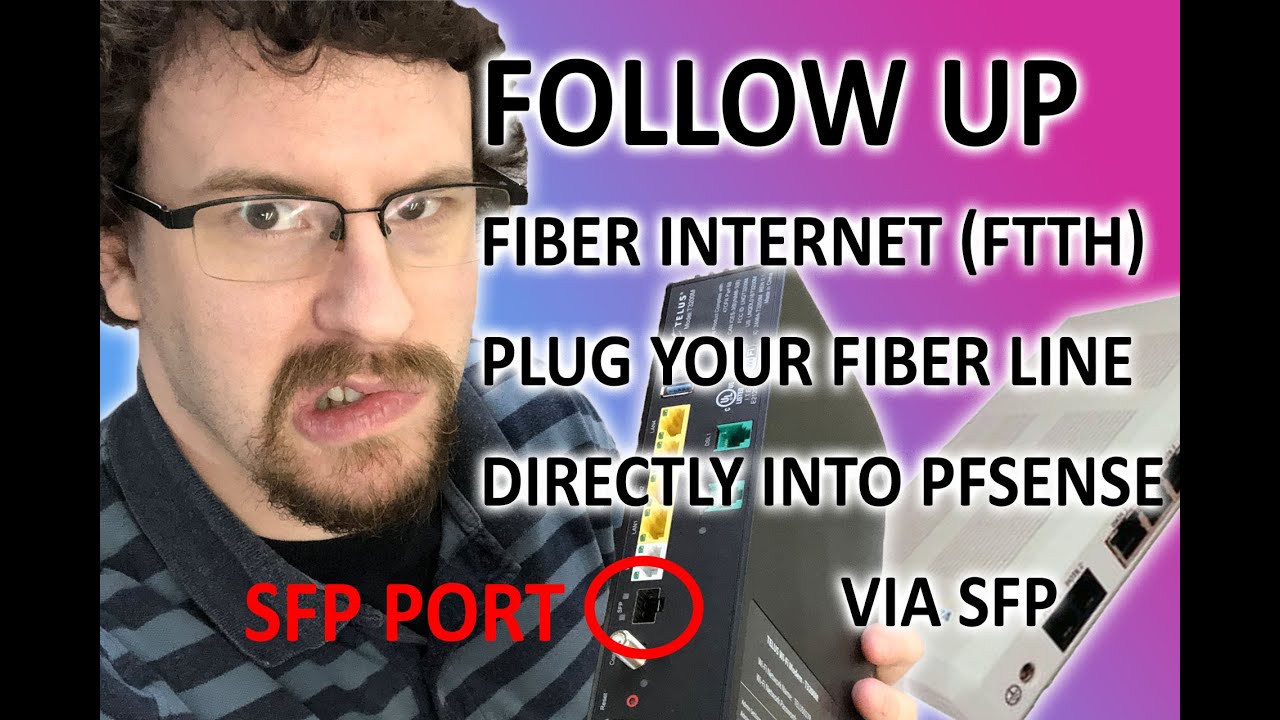
Answering some questions that have been asked about this video: https://www.youtube.com/watch?v=5WWO_4p4UP0&t=5s
I got 1.5 gbit internet! Video:
https://youtu.be/gzk69kHLu1o
The SFP module provided by Telus is a G-010S-A P/N 3FE46541AADA
Router Specs:
Supermicro X9SCL
https://www.supermicro.com/products/motherboard/Xeon/C202_C204/X9SCL.cfm
I...
Telus
rocky badge
way less hassle to configure and setup lol
thick minnow
rocky badge
Which is fine enough tbh for AT&T
Bruh what’s wrong with att
tame carbon
https://cdn.discordapp.com/attachments/776722183119699988/777646103775674368/IMG-20200922-WA0001.jpg
 thick minnow
Att is cheap
short condor
I live in Sweden. They terminate the fiber with MultiMode in the house. Then they provide you with a router and it’s done. I would just skip using their stuff and use my own.
thick minnow
Gigabit for 45 a month🥳
rocky badge
I mean, yeah AT&T service isn't bad
short condor
10Gig for 49.99 a month here. 😁
rocky badge
short condor
I live in Sweden. They terminate the fiber with MultiMode in the house. Then the...
So depending on how they're configuring/setting it up will limit what you can do
tame carbon
@short condor you shouldn't even need their router. If you can get just a module that you can plug into SFP+
then you are good
rocky badge
if the SFP is removable like Telus and AT&T you can probably stick it a router
tame carbon
the guy I helped with telus, he actually got a paired transceiver
severe wigeon
it's rare but possible
short condor
39.99 1gig
49,99 10gig
 severe wigeon
If only
rocky badge
 tame carbon
thats the sorta stuff you want ^
rocky badge
If you can remove the SFP like this you can shove it in another router and do whatever is needed
tame carbon
ditch the box
rocky badge
For instance, with AT&T you can just run WPA_Supplicant with that SFP
severe wigeon
Lol I still have the doc for the BGW210
rocky badge
but that requires the BGW320 router, not the 210
tame carbon
casual rootkit
rocky badge
or the crappy pace
rocky badge
severe wigeon
Wasn't the 210 deprecated?
They no longer install it in new installs
All new customers get 320s
Because it has NBASE-T ports
short condor
This is how they leave it
 tame carbon
oh
rocky badge
So an APC/SPC connector
tame carbon
active E ?
rocky badge
Typical practice
short condor
That’s where they terminate the fiber from the outside. Then we connect the router to this fiber box.
tame carbon
@short condor no that box is where the fiber terminates
oh wait, you got gpon then?
they branch off?
 short condor
😅
severe wigeon
beat me to it blob
 tame carbon
inb4 DWDM
rocky badge
That kinda looks how mine is
short condor
Yeah like that.
 rocky badge
too costy
rocky badge
10G PON
severe wigeon
XGPON
rocky badge
Yes
severe wigeon
Of course it is
short condor
Meaning? I should be able to connect to that and with sfp+ fiber on the other side into the x520?
rocky badge
short condor
Meaning? I should be able to connect to that and with sfp+ fiber on the other si...
Again
Depends on your ISP
short condor
👍🏻
rocky badge
https://www.telecompetitor.com/att-fiber-begins-transition-to-next-generation-xgs-pon-ftth/ @severe wigeon
AT&T XGS-PON FTTH technology is now offered in parts of 40 markets. The technology can support symmetrical 10 Gbps speeds. Verizon is using a different
Part of the reason why AT&T wants people on 320s
severe wigeon
oh XGS
rocky badge
Easier to upgrade later
rocky badge

AT&T will conduct a 10Gbps XGS-PON field trial in late 2017 to provide consumer and business customers with higher internet speeds.
short condor
tame carbon
They offer 10G plans?
Yes, for 49.99 I get the option to have 10Gig.
rocky badge
AT&T recently trialed a 10 GbpsXGS-PON virtualized network in Atlanta and Dallas to provide lightning-fast internet speeds for homes and businesses.
severe wigeon
hot damn
rocky badge
Comcast is doing multi gig over DOCSIS
severe wigeon
"doing"
rocky badge

Comcast achieved a 10G technical milestone in a trial delivering 1.25 gigabit-per-second upload and download speeds over a live production network
They technically already are
tame carbon
as if 5G wasnt dangerous enough
rocky badge
Gigabit plans are over provisioned to 1200-1500Mbps
tame carbon
now we have to worry about 10G as well?!
severe wigeon
I say that as in it likely will never come to consumers
rocky badge
You just need a modem that has a mGig port
clear igloo
Just wait until 100G XD
tame carbon
we'll all doomed
severe wigeon
A wild Lurick appears
rocky badge

DSL Reports
FAQ: What are the actual Provisioned Speeds? Comcast High Speed Internet
severe wigeon
I know comcast provisions 1200, it even says it on their website
rocky badge
Yeah
Gigabit Pro is fiber though
I wouldn't be surprised to see higher speeds coming though
severe wigeon
with docsis handoff iirc
severe wigeon
They changed?
rocky badge
Its always been fiber
severe wigeon
Every GPro setup i've seen also had copper ran in
short condor
Is there a limitation if I runt 2 of those x520 in the same box? I want my server to have a direct connection to the pfsense box. No intermediate switches.
rocky badge
2Gbps of it from a SFP+ port and 1Gbps of it from a RJ45 port
severe wigeon
Ahhh
rocky badge
short condor
Is there a limitation if I runt 2 of those x520 in the same box? I want my serve...
Just your motherboard/CPU's PCIE lanes
severe wigeon
That's where I confused it
severe wigeon
short condor
Is there a limitation if I runt 2 of those x520 in the same box? I want my serve...
make sure the 520's are getting air
mine get TOASTY
short condor
rocky badge
Just your motherboard/CPU's PCIE lanes
Hard for you to answer I guess but I have a i5-6600k
rocky badge
That's fine
the NIC is PCIE 2 anyways
like a x8 or something, so your CPU has plenty of lanes
severe wigeon
x8
rocky badge
@severe wigeon https://i.ryois.me/0hQT1eopQv.png
 short condor
Yea, was planning to put a 40mm noctua fan on it.
severe wigeon
rocky badge
<@!282721240018321410> https://i.ryois.me/0hQT1eopQv.png
I stand corrected
rocky badge
That's also a crazy expensive switch lol
 severe wigeon
I can't imagine the cost of replacing
short condor
Better of buying two x520 or getting 1 x520 and 1 of the 99$ mikrotik 10Gig sfp switches?
rocky badge
24 month contract iirc
severe wigeon
short condor
Better of buying two x520 or getting 1 x520 and 1 of the 99$ mikrotik 10Gig sfp ...
Physical cards
rocky badge
short condor
Better of buying two x520 or getting 1 x520 and 1 of the 99$ mikrotik 10Gig sfp ...
You can trunk off the 10 gig to the switch if you want to
severe wigeon
can usually get pretty cheap
@rocky badge I see me and you operate differently
Must be why i'm always having to redo shit

rocky badge
well its always good to have multiple ideas
lol
Multiple options will help you choose a better option
short condor

eBay
Part number 7051223. Note: although this card is oracle badged, it works just fine like a X520-DA2 with native windows and Linux drivers. 10GBE Dual Port Server Adapter with short Bracket. Location Code: SCBOX X520-DA2 LAND.
rocky badge
yeah that works
severe wigeon
I love my DA-2's
rocky badge
 severe wigeon
Haven't seen a single OS besides windows 10 that doesn't support them
rocky badge
these are my spares lol
rocky badge
severe wigeon
Haven't seen a single OS besides windows 10 that doesn't support them
Windows should, it doesn't include drivers tho
you'll have to download them
rocky badge
Yeah
Intel is widely supported across most OSes which is nice
Same for Broadcom
even BSD and shit lol
@severe wigeon @clear igloo I wish WireGuard could on demand/always on on Windows
severe wigeon
My only experience with WG is through PIA lmao
rocky badge
lol
short condor
How does pfsense handle 10Gig though? Any idea?
rocky badge
Depends on your CPU
@chrome hound has (had?) a 4790K running pfSense for their 10 Gig internet and it handled it pretty ok
peak cloak
vyos is better from what other people said
rocky badge
But that all depends on your CPU and such
peak cloak
for 10gig
 chrome hound
yea I am using a 4790k
short condor
peak cloak
for 10gig
Is only the setup command line or does it have a web ui?
chrome hound
more or less the Network card makes a massive difference in performance
peak cloak
short condor
Is only the setup command line or does it have a web ui?
only cli
there are 3rd party webuis
although I never used them
rocky badge
chrome hound
more or less the Network card makes a massive difference in performance
Does pfSense use hardware offload from the NIC?
chrome hound
if you have the correct card
rocky badge
Nice
peak cloak
I personally just prefer a dedicated router
chrome hound
the intel nics have hte hardware but lack driver support in bsod
peak cloak
I am going to use vyos tho for dn42
chrome hound
I am runing the Chelsio dual port nic
rocky badge
Chelsio is also nice lol, although I don't have any of their NICs
but my friends do
I think one of my friends is running Chelsio for OPNsense
chrome hound
Vyos is fine if you are looking for raw routing, but I need other things like Blocker NG and what not
chrome hound
but at that point why not jsut use a microtik in router setup its about the same level of security
rocky badge
pfBlocker NG does more than DNS
peak cloak
I heard tho Blocker NG is better than pihole
like with the images
it actually sends an white image
peak cloak
rocky badge
pfBlocker NG does more than DNS
yeah
rocky badge
because pfBlocker NG can also add firewall rules
chrome hound
well it all depends on how you want to set things up
rocky badge
not just DNS blocking
short condor
chrome hound
but at that point why not jsut use a microtik in router setup its about the same...
A 10Gig microtik with routerOS is the best option If I vpn and other stuff is not a must?
chrome hound
but it will cost your performace hits on the system
peak cloak
routeros can do vpn
chrome hound
well something like that but its not a secure option
rocky badge
if you're doing a VPN, pfSense's performance will 📉 (over the VPN)
but I typically don't run a VPN on my edge device lol
chrome hound
not as much as you think blob
my work VPN is on PFsense
and I get pretty solid 10g through it
rocky badge
Yeah, just depends on the config & hw accelerated crypto
So if its something like IPSec
short condor
I am using a macmini-server from 2012 with a quad core i7 and I get the 500 down 50 up that I pay for. With openvpn in pfsense.
chrome hound
man how do people live onm sub gig internet
chrome hound
the hell they don't
peak cloak
but I just don't need it
rocky badge
its nice when you actually use gig though
rocky badge
plus my internet is pretty cheap
short condor
Well, I am still waiting for them to dig into my garden and deliver the damn fiber. Then 10Gig for 49$ is a very compelling upgrade.
chrome hound
I would have to cut my wife off the internet if I only had 1 gig
peak cloak
chrome hound
I would have to cut my wife off the internet if I only had 1 gig
how lol
chrome hound
I am sitting at about 3.5 gig steady
chrome hound
you would be suprised how much you can consume when you setup allows for it
every stream is hd or higher quality
peak cloak
even with streaming
it doesn't use THAT much
we don't stream much
I mean yt, all the time, but no super high quality vids
rocky badge
oof
chrome hound
it was time
 chrome hound
 rocky badge
👌 even better
chrome hound
its a little over kill on cpu
rocky badge
June 1st to today https://i.ryois.me/Ona57JXdkP.png

 rocky badge
chrome hound
its a little over kill on cpu
rocky badge
chrome hound
its a little over kill on cpu
We're getting a R7525 in the lab at school
chrome hound
nice
rocky badge
3rd gen EPYC

highest uptime device is the UPS Pi lol
(I only got the router 28 days ago)
So its almost at 22 days lol
chrome hound
lol
rocky badge
its crazy how cheap this server is going to be lol @chrome hound
~$6,000 before discounts
No tax for most stuff lol
chrome hound
well its amd they are trying to break into intels strong hold
rocky badge
The server is only $3,400 itself
chrome hound
its really a win for everyone unless intel just ignroes it and goes under 😄
rocky badge

oop its the R7515
the R7525 is the dual socket version
plenty of I/O for our needs lol
 chrome hound
I think you should send that to me so I can "break" it in for you and make sure its an acceptable server
rocky badge


EPYC 7413 so its a 24 core 48 thread @ 2.65ghz system
dual 1.1kW PSUs
 tax exemption
thick minnow
Wtf u need a server for
chrome hound
things man
chrome hound
 thick minnow
Bruh do u mine crypto
peak cloak
thick minnow
Bruh do u mine crypto
you don't mind crypto on cpus lol
that's like all cpu power
peak cloak
thick minnow
Hard drive mining
nah, that stuff sucks anyway
put that storage to real work
 thorny vector
Monero is mildly profitable on high core count cpu's, but generally people with the cores to make it worth their while are making money doing other stuff with them
hollow marlin
waxen scroll
mounted the wrong way too
Its upside down, all the packets are going to fall out
rocky badge
@severe wigeon Looked at 2021 Form 471 for my school....They have
5Gbps WAN, burst to 6Gbps at high school
1.5Gbps, burst to 2Gbps Central Office <-> High School
1Gbps, Alternative School <-> High School
5Gbps between 12 Schools <-> High School
7.5Gbps, burst to 10Gbps ??? <-> High School
For a grand total of $530,000 pre E-Rate discount
With an 80% discount
waxen scroll
That's bad. You can get 40-100gb circuits now
rocky badge
I doubt that will fit in their budget lol
 shadow garden
no but i see you're lacking in creativity for your router's name
 jovial oriole
 shadow garden
Even something like “5G Coronavirus Emitter” would be more creative 😂 (yes I named my 5ghz guest wifi that)
tame carbon
FBI_SURVEILLANCE_VAN
shadow garden
That’s my main wifi name, with a (SLOW) suffix for the 2.4 ghz network
Confused the cable guy too at first until I explained my naming scheme
But hopefully it’ll serve as a nudge to everyone to get wifi 5/6 ready devices
moreso given that my laptop is the only thing that ISN’T 802.11ac/ax ready
tame carbon
my laptop doesn't even have dual band
low pond
shadow garden
no but i see you're lacking in creativity for your router's name
mine is dlink-4300 (yes i lacc creativity too)
default SSID's = prem
Default router password too! = prem
 small glade
In promotional material for 10gbit fiber we get a peek at what the central datacenter of tet (Latvian isp) looks like lol. Anyone more knowledgeable can tell me if it is actually something in those pics or just promotional images like cursed stock images?


 low pond
small glade
In promotional material for 10gbit fiber we get a peek at what the central datac...
low pond
small glade
In promotional material for 10gbit fiber we get a peek at what the central datac...
just looks like some switching/router based equipment
thick minnow
someone help me with flex
 pure sparrow
Hey just curious if anyone could help me, just had new internet fitted thats up to 600mbps, i've got a powerline that is rated for 600mbps and the ethernet on my motherboard is gigabit, but if i go to the network settings its only showing as a 100mbps link and thats what speedtest is maxing out at.
thick minnow
here is a folder of bojack horseman on a drive
 pure sparrow
over the wifi im getting 450-500mbps so i know its not the internet itself
 tame carbon
@small glade that looks legit
that looks like a modular router, with endpoint interfaces for fibers
@pure sparrow check your cables
100M wired ethernet usually indicates a technical problem
gigabit ethernet required all 8 wired to be connected
100M is 4 wires
pure sparrow
the cables should be fine as far as i know, i used to have the same cable straight into the router and it'd get 150-200 on the old internet
i've moved my pc since too so cant plug it directly in anymore though
tame carbon
@pure sparrow check what your adapter status is
if it negotiated 100M (Fast ethernet) but both the card and network switch/router are gigabit capable,
Then it IS a cable fault
pure sparrow

I've tried changing the speed and duplex to 1gb full duplex but that didnt work, so its likely the cable(s)?
tame carbon
@pure sparrow your computer should just be on "Auto"
it automatically negotiates the fastest speed possible
100M means: cable fault
either its not plugged in properly on either end
or termination (the rj45 keystone itself) got loose
or there's a kink in the cable somewhere and the conductor itself is broken
either way, you got a bad cable
 lime rain
@pure sparrow I had the issue where the card would put themselves in eco mode after a while and not come back, it might be that
tame carbon
This is most likely not related to that issue @lime rain
interface negotiating 100M is typical behavior with faulty cables
lime rain
Oh ok, I did not understood it was always like that
peak cloak
small glade
In promotional material for 10gbit fiber we get a peek at what the central datac...
Nope looks all real
waxen scroll
small glade
In promotional material for 10gbit fiber we get a peek at what the central datac...
thats legit. no stock pics
that appliance should be a multiplexer
takes many separate fiber signals and shoves them all into a single fiber that goes to another facility
i like how in one pic they install the card back in the lower slot and the next pic all of a sudden the card is in the upper slot
@hollow marlin is nokia just rebranded ciena? those cards look like ciena cards
hollow marlin
They look almost identical to some of the 6500 blades. I have never worked with Nokia equipment to say if they are or not
tame carbon
work is so painful
every single source file I open in this project I am working on, is 100% spaghet
hollow marlin
@waxen scroll Why do so many not know how to understand traceroute and when thing are or are not a problem
waxen scroll
what you mean? they dont take one during a problem?
my favorite is when nexus is aggressive at ICMP and so traces look sketch sometimes
hollow marlin
waxen scroll
what you mean? they dont take one during a problem?
No, more of them seeing false positives and reporting it as an issue
drifting sandal
Can someone help me? I have some internet speed issues with the 2.4ghz broadcast channel on my router.
I'm paying for 100mbps and the 5ghz channel gives just that, but the 2.4ghz is giving anywhere from 1mbps to 35mbps. I tried changing the mode, channel (auto, 1, 6 , 11) but nothing works.
hollow marlin
waxen scroll
you know the dude who wrote the presentation on traceroute for nanog?
I do not, but when I get a false flag trace from an escalation, I link the presentation as a response
peak cloak
drifting sandal
I'm paying for 100mbps and the 5ghz channel gives just that, but the 2.4ghz is g...
that's 2.4 ghz for you
not very good in crowded areas
drifting sandal
And my ISP says they can't find anything wrong with the service.
Additionally, it seems that the overall service has some slight packet loss, though none of my speed tests can't detect it. I notice it when I play games online, there is a slight hitch.
drifting sandal
peak cloak
not very good in crowded areas
That bad though?? 😭
peak cloak
drifting sandal
And my ISP says they can't find anything wrong with the service.
Additionally, ...
There's nothing wrong on their end
drifting sandal
sigh, is there anything I can do to improve my experience?
drifting sandal
It seems to have a worst time with the packet loss issue I presume is occurring. When I play games online it totally lags me all over the place. It's not so bad on the 2.4ghz, which why i use that one for gaming, but its slower still.
drifting sandal
Lol, that was my last resort but if that's the only solution now. Thanks.
peak cloak
drifting sandal
Lol, that was my last resort but if that's the only solution now. Thanks.
for me, wifi would be last resort
only if I couldn't wire something
or if it's not practical to
drifting sandal
peak cloak
for me, wifi would be last resort
Lol
I've thought of wiring the connection few times but I'm was trying to avoid unnecessary costs.
That and my laptop's ethernet port is a bit damaged
but it works
hollow marlin
peak cloak
for me, wifi would be last resort
Outside my lab and work laptop, everything else is wireless, ~30 devices.  Honestly wired vs wireless is a non-issue for most cases
peak cloak
hollow marlin
Outside my lab and work laptop, everything else is wireless, ~30 devices. <:pepo...
I always had issues with wireless, like drivers and stuff. Tbh we don't have many devices, so everything that is wired are just the desktops, work laptops, and tv
wifi was always disconnecting on my moms laptop, which I think was some driver issue
I looked in event log, and it was just device reset or something like that
Really only 5 wired client devices
And like 8 wireless
hollow marlin
I rarely have issues other than chromecast discovery time to time but that is not related to wireless. All on a hAP ac2 which soooooo many say Mikrotik has terrible wireless
Maybe just lucky with NICs. All my wireless devices have always had intel NICs outside our phones of course
rocky badge
hollow marlin
Outside my lab and work laptop, everything else is wireless, ~30 devices. <:pepo...
Yup....everything here is mainly wireless where it can be
its just simpler and easier tbh
2 people are home right now and there's 18 wireless clients
The only stuff that can be wireless that isn't is the main Shield TV and my laptop when its docked
I have 28 wired clients tho.... 
waxen scroll
sorry @hollow marlin but for residential wired is king
too many nearby homes with WAP at 100% across all channels
rocky badge
Wireless isn't that bad here tbh https://i.ryois.me/XFfSgLUazi.png

My stuff is using 1, 6, 11 on 2.4 and stuff that isn't using 1, 6, 11 near by are dashcam/non permanent APs
Then for 5GHz DFS 😉 none of my neighbors are on those channels
waxen scroll
i love dfs
hopefully the consumer stuff stays away from it
you know it wont though
rocky badge

 rocky badge
@clear igloo Wireguardddddd https://i.ryois.me/frZoDVljQe.png
 clear igloo
That's not line rate?!?! REEEE!!!
 clear igloo
lol
peak cloak
rocky badge
I hate how cloud providers do IPv6
are you doing a tunnel to vps for v6?
rocky badge
Remote VPN for always on
rocky badge
nope
rocky badge
DO IPv6
peak cloak
yeah, it makes sense tho
rocky badge
@clear igloo I wish I could configure Netflix and such to not go through the VPN
but Netflix has so many IP ranges
 burnt epoch
Hey does anyone here use Pulseway? If so, I'm in need of help [@ or reply so I can see the message]
thorny vector
I've dabbled with it, although its not my prefered solution. What's up?
peak cloak
@burnt epoch ^
burnt epoch
I'm trying to setup Wake On Wan and it doesn't be seem to be working
thorny vector
Have you confirmed wake on lan works?
burnt epoch
I believe so, I'll double check
I forwarded UDP port 9 to 9
Should it be TCP/UDP instead?
thorny vector
I'm also curious as to why you want to wake on wan. The much cleaner, and more secure solution is to VPN in, then do a regular wake on lan
No, it'd be udp. Residential IP address?
burnt epoch
thorny vector
No, it'd be udp. Residential IP address?
I apologize, how would I know?
thorny vector
Are you getting a buisness plan for your internet, or a consumer? Your ISP may be blocking non-standard ports for security reasons
burnt epoch
Ohh. Consumer not business
Also for some reason this time WOL doesn't seem to be working. It said the command was sent rather than giving me an error but I will have to diagnose that
thorny vector
Check their policy on ports, see if they're blocking anything. And again, I'd still recommend the VPN solution.
peak cloak
+1 on the VPN
burnt epoch
Thank you @thorny vector
peak cloak
that's what I do
thorny vector
No worries
clear igloo
rocky badge
<@!291198741862416384> I wish I could configure Netflix and such to not go throu...
can't do domain level filtering?
rocky badge
Idk
clear igloo
burnt epoch
Should it be TCP/UDP instead?
You need to forward to the broadcast address for your network but I highly advise against this and as others have said too a VPN is a better solution
clear igloo
oh, completely missed the pulseway part of it
peak cloak
isn't WOL a L2 thing, not IP?
burnt epoch
peak cloak
isn't WOL a L2 thing, not IP?
It sends a Magic Packet encapsulated in a frame
So in a way, yes
peak cloak
yes ik that
rocky badge
it uses the broadcast address
burnt epoch
rocky badge
it uses the broadcast address
Yes
Though for some reason it's not even working right now
peak cloak
but yeah, you can't do WOL over the internet, without some sort of L2 tunnel/encapsulation
right?
burnt epoch
burnt epoch
Though for some reason it's not even working right now
WOL that is
burnt epoch
peak cloak
but yeah, you can't do WOL over the internet, without some sort of L2 tunnel/enc...
Apparently Pulseway states that with their service you can with Port Forwarding. How exactly I have no idea
rocky badge
 burnt epoch
WOL that is
burnt epoch
burnt epoch
WOL that is
I have to diagnose that first
peak cloak
rocky badge
https://i.ryois.me/HOL3hB4SKY.png
yeah
peak cloak
burnt epoch
Apparently Pulseway states that with their service you can with Port Forwarding....
without any server?
on the L2 domain
burnt epoch
WOL through Pulseway worked like a couple of months ago but for some reason it's not now
rocky badge
burnt epoch
Apparently Pulseway states that with their service you can with Port Forwarding....
Because its connected through the cloud
peak cloak
hmm
burnt epoch
rocky badge
Because its connected through the cloud
Likely, Pulseway requires an account
rocky badge
Idk what pulseway does for WOL
rocky badge
@clear igloo What do you think of mDNS/Bonjour on a large scale enterprise network
tame carbon
bonjour.
burnt epoch
I don't remember this being off LOL
 tame carbon
I've seen this, and I always wondered, why it is a thing
rocky badge
zeroconf discovery
clear igloo
rocky badge
<@!291198741862416384> What do you think of mDNS/Bonjour on a large scale enterp...
I mean I'm sure someone wants to watch the world burn
rocky badge
clear igloo
I mean I'm sure someone wants to watch the world burn
A uni I'm looking at does it 
tame carbon
@burnt epoch both network card and motherboard have to support WoL
rocky badge
@clear igloo https://i.ryois.me/VBwxwZbl8x.png

related mDNS multicast packets are routed across ALL of their networks
peak cloak
airplay is enabled on our school network
rocky badge
Use a name that you can easily identify. Refrain from using "questionable" names.
😂
"questionable" names
tame carbon
p1ss74ker
low pond
oh god.
can anyone help?
I... forgot a VM's password, it's QEMU BS so "qcow2" is its virtual disk file
and, I tried to mount it, in the server that was hosting the VM
i got it mounted using "qemu-nbd --connect=/dev/nbd0 /file/to/qcow.qcow2"
and, i listed its partations and stuff via fdisk, i tried mounting one partaiton and
 hollow marlin
rocky badge
You'd need something to tunnel l2
hollow marlin
rocky badge
You'd need something to tunnel l2
Not necessarily, thats direct-broadcast, if your router allows it you can do it via L3
rocky badge
nice
 nimble sable
so idk if this is the right place to ask this but...late last night my ISP was having issues. In particular it seemed most of the issues was around DNS, oddly it wasn't just folks using the ISP default server, even those who switched to say 1.1.1.1 or 8.8.8.8 were havign a tough time (although reportedly it did help a bit). However, if you ran your OWN recursive DNS server, like I ended up doing, it immediately solved any issues i was having.
so, wtf happened? i kind of know the basics of DNS, but don't quite understand the details of how DNS and ISP traffic works but how could going from the usual dns forwarder to public server to using your own local recursive server improve things? I initially assumed maybe there was some issues around DNS traffic in particular, that makes some amount of sense, but why the improvement when i stopped forwarding requestS?
nimble sable
no idea, im just trying to see if just these facts can tell me anything. But i assume dns packet loss in some way, cuz dns would fail constantly
alls i know is everyone had DNS problems including me
until i switched, then i had no issues and everyone continued with their problems
peak cloak
nimble sable
alls i know is everyone had DNS problems including me
Could just be routes
Some sort of routing to cloudflare could have gotten messed up
Idk
nimble sable
ooh that makes sense
most ppl would just be trynig cloudflare and google
and maybe my Isp just caches cloudflare or smthg
but is there anything fundamentally differnet about the DNS traffic coming out of a forwarded vs a recursive resolver?
peak cloak
nimble sable
but is there anything fundamentally differnet about the DNS traffic coming out o...
well kinda
basically all a forwarder does is forward to a specified server(s)
the other type, basically goes directly to the internet root nameservers and looks everything up
which is slower
so like
instead of just going to cloudflare and cloudflare most probobly already have cached it
nimble sable
ok but if i run like a packet inspector or smthg, would i be able to tell which one is happening? unless i knew all the usual public dns servers and just saw where the packett was headed
peak cloak
your dns server, lets say it's abc.xyz, it will need to go to the root dns servers (it will probobly already have it cached tho), lookup the nameserver for .xyz, then send a request to that nameserver and ask for abc.xyz
peak cloak
nimble sable
ok but if i run like a packet inspector or smthg, would i be able to tell which ...
you know what you are using
don't need a packet inspector for that
nimble sable
ok but what if my ISP wanted to know...could they know?
nimble sable
ooh ok \
hollow marlin
Were you getting packet loss to 1.1.1.1/8.8.8.8 via just pinging them?
nimble sable
nope
hollow marlin
Could be many things, IPS, improper QoS along that path, someone put an ACL on the wrong interface or included the wrong traffic. In any case I do not think you would be able to determine it from your end
 proud coral
Hey guys, I'm sharing home internet with my neighbor. I would like to have a private network, something like a VLAN where I have my OWN network plus internet access from the neighbor. What hardware do I need?
peak cloak
proud coral
Hey guys, I'm sharing home internet with my neighbor. I would like to have a pri...
what you want is a seperate subnet
not necessarily a vlan
vlans are one to achieve this, but not the only way
any actual router will do, ER-X from Ubiquitu would be descent, HEX from Mikrotik as well
you don't really need vlans
just have 2 subnets
beware however of the legal complications of this tho
with sharing internet
waxen scroll
hollow marlin
Were you getting packet loss to 1.1.1.1/8.8.8.8 via just pinging them?
i'd like them to shut down pings for 60 seconds for LOLs and see what happens
hollow marlin
If they do Im shutting my phone off for a few hours
waxen scroll
how many load balancers, PBRs, etc do you think ping those every second
the last PBR I made queried 3 root DNS servers for their own names
needed multiple to fail before moving routing
 tawny bluff


 little schooner
any luck with that?
 tacit mantle
any clue why the internet link from my laptop to pc is so slow
i dont know what i did last time but somehow it will always get its speed back after a while but its whenever i connect it, its so bad
did i connect something wrong? i copied the exact steps on google and i even did a network reset on my router and both laptop and pc
its driving me nuts and i need some help with it
telling me to use ethernet is not an option so if you know a possible solution please i'd like to know
the download shouldnt be this bad
 tacit mantle
not too far
this issue only started to happen when i got a different laptop which was yesterday
otherwise it was fine with my l440 thinkpad
 latent jacinth
got to your network properties on you computer and set speed and duplex to 100mbsfull
tacit mantle
i set it to 1gbps
latent jacinth
do you have anything blocking the path to your router
peak cloak
tacit mantle
any clue why the internet link from my laptop to pc is so slow
Wdym laptop to pc?
A network bridge?
tacit mantle
@peak cloak yes
it used to be fast when i was using adifferent laptop
my laptops task manager says the ip ends with 101 and my pc is 104?
the speedtest before i did a network bridge shows that the connection is good with the router
100mbps download and upload
 peak cloak
Hmm
Idk never messed with windows bridge
@tacit mantle my advice, get a switch
Will save you pain
tacit mantle
switch?
peak cloak
They are like 20 bucks
peak cloak
tacit mantle
switch?
Buy TP-Link TL-SG105 | 5 Port Gigabit Unmanaged Ethernet Network Switch, Ethernet Splitter | Plug & Play | Fanless Metal Design | Shielded Ports | Traffic Optimization | Limited Lifetime Protection: Switches - Amazon.com ✓ FREE DELIVERY possible on eligible purchases
tacit mantle
i dont mind connecting i just need it to be constant
peak cloak
tacit mantle
i dont mind connecting i just need it to be constant
You plug one Jack into a cable from your router and the rest can be used for the desktop, laptop, etc
tacit mantle
there is an AC receiving the internet and there is a switch for the tv n xbox
peak cloak
Much better than windows bridge
tacit mantle
but my setup is far from that
peak cloak
You said you were etherneted?
tacit mantle
my laptop is connected to the internet which is connected from the access point and the access point is getting internet through an ethernet cable
when i use the network bridge on my laptop i will connect an ethernet cable from the laptop to pc
peak cloak
You get a better connection using the wifi ap?
tacit mantle
my pc doesnt have a dongle to connect to the internet
peak cloak
Ohh
tacit mantle
thats why im doing all that
peak cloak
So laptop is providing internet to pc
tacit mantle
but i have a spare laptop wifi card
peak cloak
Gotcha
tacit mantle
i need a m.2 converter but my mobo has 1 m.2 slot
thats what my laptop is getting when not network bridging
 tacit mantle
restart the router maybe
 wintry vault
that has never worked
it's been 30kb/s since i got this internet
i got it in 2015
tacit mantle
now thats when its connected to a network bridge

 round violet
is it copper?
tacit mantle
wait so nobody knows why this is happening?
tacit mantle
this is just by sharing internet from the laptop with a ethernet cable but its not very stable
 peak cloak
Windows bridging is not very good
tacit mantle
its been very stable for me for the past 6months
tacit mantle
ok
round violet
i never had good luck with windows bridging
thick minnow
for the past month my download speed has been incredibly slow, even with ethernet. i used to manage up to 320 mbp/s (without ethernet) and 500+ mbp/s (with ethernet). but when i download shit (mostly games) it now caps between 24-64 mbp/s. why?
ok wtf
i'm getting 430 mbp/s download speed on my phone, but on my PC (with ethernet) it's only 60 mbp/s?
 half holly
thick minnow
for the past month my download speed has been incredibly slow, even with etherne...
half holly
thick minnow
for the past month my download speed has been incredibly slow, even with etherne...
What is your Ethernet cable rated for?
Or is it the same cable as before
And are you getting these speeds from speed test or something?
thick minnow
half holly
And are you getting these speeds from speed test or something?
yeah i'm getting them from speed test
i'm not sure what my ethernet cable is rated for but i can ask my parents
half holly
thick minnow
i'm not sure what my ethernet cable is rated for but i can ask my parents
Would you be able to check the cable by yourself?
It should be printed on the side of the cable
Like cat5 or cat5e or cat6 etc.