#networking
1 messages · Page 346 of 1
 inner cliff
ahh ok, it's vmware
with firefox it's network timeout if you want to reach a non existent 443 site
 copper rover
Lots of apps want to host over 443. So you either have to bind another 443 to its own different IP on the interface, or you just roll with an alternate port.
inner cliff
i just let them fight and the one who wins is allowed to use port 443 ... till the next reboot occurs
copper rover
Some services won't start if it detects a required port already in use.
For example. Intuit are morons. QuickBooks hosting service will randomly step on port range uses by DNS. An issue going back for at least 13+ years.
Did I mention Intuit are morons? Can't say it enough
copper rover
Be sure to patch your VMWare

VMware urges customers to patch a critical remote code execution (RCE) vulnerability in the Virtual SAN Health Check plug-in and impacting all vCenter Server deployments.
vCenter
myvmware.com feeling slammed. Had to retry the ISO download a few times.
inner cliff
is planned for in 2 weeks ... but everything is behind 2 firewalls, the exchange ones weren't that "easy"
inner cliff
we plan 3-4h per cu update, and in most cases it really needs that time
inner cliff
why install easy updates if you can reinstall the whole system? 😄
copper rover
See, this is why I prefer O365 hosted exchange. 😉
inner cliff
i stay with my onprem system. there we are responsible for downtime, we can do something against it, we can still access everything if our internet connection doesn't want to work, it's cheaper (over 400 users, some with 60gb+ mailboxes) and it's better for data security (gdpr/dsgvo)
we had fewer downtimes in 5 years than o365 this year
 tame carbon
Cloud hosted JIRA is a mess too
You can install plugins, and if they break your instance, you are rip.
Have to wait a day, for it to automatically restart itself
inner cliff
we bought our jira license 2 days before they end selfhosting
copper rover
If you're enterprise with your own colo, it makes sense. But for small and medium businesses, it's more expensive for on-prem.
tame carbon
And worst part: self hosted jira is dissapearing
those who are still using it, have 2-3 more years
copper rover
And you don't want to host the servers physically in the building on the gulf with Hurricane threat. That, and all that traffic hits your WAN
tame carbon
Network speed issues can be remedied
@inner cliff YouTrack looks promising
as JIRA alternative
copper rover
Yes, I know. But putting anti-spam filtering 3rd party is another expense.
tame carbon
Its just painful, if you are already invested heavily into Confluence, Crowd, etc
copper rover
O365 with ATP at $2 per user mailbox extra does good. It's not perfect, but a good value for effectiveness
tame carbon
@copper rover problem with on-prem mail hosting, is that big tech is denying a lot of emails
I had my own mail servers until 2 years ago
but turns out, onmicrosoft.com blocks a lot of emails
you send them a request to unblock, they verify everything and confirm they unblocked you
2 weeks later... blacklisted again
why? fuck if I know
copper rover
Because you need a working, and correctly configured, SPF and PTR record. Most of the on-prem setups have DNS records that are incorrect
tame carbon
been there done that
that wasn't the issue
the issue is just, policy
they are forcing everyone to use their mail system
instead of self-hosted
sending an email to anything microsoft related, is a pain
copper rover
Also need to block SMTP traffic outbound the FW from anything internal with the exception of on-prem e-mail
tame carbon
I did everything right.
the rep even confirmed this
2 weeks later, blocked again
no reason given
I gave up eventually, after third time I got sick of it
SPF, PTR and DKIM, DMARC were all in accordance
its just microsoft being prejudiced
copper rover
I've seen routing issues being blocked from Microsoft TO Microsoft. When you're that big, even they get discombobulated
tame carbon
against small time mail providers
over-aggressive spam filtering, that imo is just executive policy
block small time mail servers, so they are forced to go cloud
My friend is still operating his own mailserver
he says he can send email to everything, even google, all of that, EXCEPT microsoft.
they outright block him
and no longer reply to his support mails
I no longer believe this to be a technical issue, but malice instead
copper rover
Sure it's not because of the netblock range he's behind? Business class ISP connections are different. But admins don't let admins reference SORBS for that reason.
SORBS can die in fire
inner cliff
tame carbon
<@!231510387143475200> YouTrack looks promising
i'm back ... there was a popup that the 3080 fe was available, i don't know if i got one, amazon pay was bugged
we will use our jira version till eternity, it's hosted internally
copper rover
lol, Amazon got DDOSed from all the bots trying to autopurchase them
tame carbon
@copper rover I currently use google apps for business for mail lol
copper rover
Fuck it, no point in trying for GPUs when they purchase by the crate
inner cliff
nope, it's from store in germany which offers pay via amazon pay, after I clicked pay I got "ok", but after that they redirected me to my shopping cart
but hey, i'm not tired anymore, better than coffee and energy combined
 rugged fern
that was reply to my issue? sorry i went to sleep it was 2am for me
copper rover
Yeah, well, sincerely wish you luck on getting one.
rugged fern
rugged fern
that was reply to my issue? sorry i went to sleep it was 2am for me
so am kinda lost
inner cliff
we also had problems with ip blocking etc, in the end we got a commercial connection with an /29 ip block and now we don't have problems anymore
 broken jetty
I'm trying to import data into TrueNAS off a drive with partitions in it, but how am I supposed to know which partition is which from this list?
(usually I tell by size but I can't check the sizes here)

And just checking, if I have data on an external disk that I want to put on the TrueNAS machine, this is the way to do it, right?
inner cliff
you could ssh on your system, go to that path and see whats in there
broken jetty
I haven't actually worked out how to SSH with keys, but I will try that
New question, what does this "Host" field mean? Is it meaning it's going to try and connect to another computer because I'd prefer if I connected to it...
 broken jetty
I know that, but what's it going to be used for?
 peak cloak
Radius server?
peak cloak
broken jetty
I know that, but what's it going to be used for?
Authentication?
What does the question mark say
broken jetty
You can use it for multiple things?
peak cloak
No?
peak cloak
That's the hostname of a radius sever
broken jetty
The one in the picture
broken jetty
"Hostname or IP address of the remote system."
broken jetty
Oh I found a whole new section I've never seen before
I feel like it's trying to connect to another TrueNAS system, not a computer that I can run shell commands from
This is all very confusing
 lean ferry
Hey. I got a question. I´m looking for an Access Point for my home.
I needs to transfer at least 200mbits (down) and 100mbit/s (up)
But it should have a great range tho as well.
um what I found: Unifi AP AC lite, fritzbox 4040 or the honor router 3
(I get them all used for around 30€)
inner cliff
fritzbox is a nice router, but coverage in general isn't that great, i got myself an unify lite and don't have any problems
inner cliff
i don't know. if you want to spand more, there is a Access Point U6 Lite that can do wifi 6 as well
inner cliff
peak cloak
haven't heard anything good about fritzbox
fritzbox devices are the main router/modems you get here in germany and in most cases they run without problems
peak cloak
just generic home router
inner cliff
the ui is easy to understand, they can do everything you need (and more), but wifi on most ones aren't that great
inner cliff
i replaced the wifi from my fritzbox 6660 cable with an unifi apc lite, but the fritzbox is still my modem, tv station (dvb-c over ip) and voip gateway
lean ferry
inner cliff
fritzbox devices are the main router/modems you get here in germany and in most ...
they are pretty good tho 😄
but unfortunatly my fritzbox is in the cellar and I´m living detached house
Until now I had the Fritz Repeater 310. He´s good for his price when I had 30mbit/s (download). But since I have 200mbits (download) the repeater is a bit too weak and is only able to transfer around 70mbits
lean ferry
inner cliff
i don't know. if you want to spand more, there is a Access Point U6 Lite that ca...
well ye thats the problem. I dont really wanna spend that much money:d
you know that saying: people from Swabia don´t like to spend much money xD
inner cliff
then get the unifi one, there you still get updates
lean ferry
okay.
peak cloak
unifi is eh
lean ferry
well the only thing is that I dont need PoE etc.
peak cloak
imo omada is better
peak cloak
lean ferry
well the only thing is that I dont need PoE etc.
any higher end AP is poe
for the most part
lean ferry
ye I just mean that I dont really need it but if its there I´ll take it
but ye like I said ... the honor router 3 can transfer much highter mbit per second
but its a chinese product tho
inner cliff
and you don't know if you get updates for it, which can be important for a wireless device
lean ferry
it is?
I´m not sure if my Fritzrepeater ever got a update but avm is just good and stable ;:D
inner cliff
there were issues like wps bugs in the past that could be nasty
peak cloak
yeah wireless security
wps2 and 3 and flaws rn
some pretty big ones
and everything older
inner cliff
you don't want someone to mitm in your connection
lean ferry
mh yeahh I´m living in the country soo xD
peak cloak
no such thing really
inner cliff
there is is reason why they named the vpn service tunnelbear
lean ferry
^^
 clear igloo

lean ferry
well then you recommend the unifi or the fritzbox I guess
peak cloak
or omada
inner cliff
peak cloak
*or omada*
he can get unifi for way less and doesn't want to spend as much
lean ferry
peak cloak
unifi is $$$
for 30€ to be exaclt
lean ferry
so which models do you recommend?
inner cliff
given the other options and price range i think it's the best you can get
but let others talk
peak cloak
lean ferry
so which models do you recommend?
what's your exact budget?
lean ferry
30€
peak cloak
that's low
lean ferry
used is okay
 rocky badge
lean ferry
um what I found: Unifi AP AC lite, fritzbox 4040 or the honor router 3
rocky badge
lean ferry
um what I found: Unifi AP AC lite, fritzbox 4040 or the honor router 3
I have 3 APs in a 2k sqft house, I’m a triangle and the ac lite covers one section fine lol
peak cloak
the ac lite is 90 bucks btw
rocky badge
They’re a little too good, I had to turn down the transmit
rocky badge
peak cloak
the ac lite is 90 bucks btw
He’s buying used
rocky badge
 inner cliff
that was the whole reason why i said unifi ... 😄
 lean ferry
rocky badge
lean ferry
rocky badge
well I got a Fritzbox 7490 but its in my cellar. Thats why I want to expand my Wifi 😄
peak cloak
yeah..
rocky badge
lean ferry
well I got a Fritzbox 7490 but its in my cellar. Thats why I want to expand my W...
Ah yeah
inner cliff
i also got the unifi sw on my pi
peak cloak
so now no controller
rocky badge
The switches act as a dumb switch without controller
inner cliff
spoiler, installing the sw on a pi 4 with 64bit isn't easy
peak cloak
idk
rocky badge
So if you just need a switch and no vlans lol
peak cloak
I didn't have issues
peak cloak
rocky badge
So if you just need a switch and no vlans lol
I needed vlans
that's why I got it
rocky badge
Yeah
peak cloak
it was the cheapest
and poe powered
if only I could ssh into it
but apparently because it's so cheap it doesn't have it
 snow lance
 slate sonnet
Hey guys, what should I look for when buying a usb wifi adapter?
lean ferry
mhh so I´m still not sure which one to buy xD
slate sonnet
I want to buy an adapter that will be able to receive internet with the best signal (if that makes sense)
inner cliff
in most cases it would be better to buy an repeater with lan, or an wifi router with repeater mode and just connect your pc via lan
rocky badge
lean ferry
mhh so I´m still not sure which one to buy xD
Out of the three you’ve mentioned, I’d get the ac lite lol but that’s because the other choices are fritzbox and honor
slate sonnet
It’s not for a pc btw it’s for a tv box thing
Doesn’t have ethernet but it has a usb port for a wifi adapter
inner cliff
ahh ok, in that case you should search for a compatibility list
lean ferry
rocky badge
Out of the three you’ve mentioned, I’d get the ac lite lol but that’s because th...
and whats about that omada thing you recommended?
rocky badge
That was present monkey lol
rocky badge
I mean, if you can get one in your budget, they’re ok too
peak cloak
lean ferry
and whats about that omada thing you recommended?
omada is a brand of tplink
they make pretty good ones
I have the EAP225
inner cliff
just don't get aruba enterprise ones, they aren't easy to setup
 slate sonnet
inner cliff
ahh ok, in that case you should search for a compatibility list
slate sonnet
inner cliff
ahh ok, in that case you should search for a compatibility list
I’ve read the documentation and it says any wifi adapter will do
Well it doesn’t come with one after all
So I want to get one with the best receiving ability
inner cliff
good usb wifi adapters aren't that easy to find, normally it would be "bigger antenna = better signal", but most chinese ones use the antennas as decoration
slate sonnet
Okay
peak cloak
lean ferry
those are the wifi 6 ones
AC1350 Wireless MU-MIMO Gigabit Ceiling Mount Access Point
inner cliff
netgear had some good ones, but i don't know if they still make them
peak cloak
I have this
slate sonnet
Basically as long as it has an antenna that’s functional, I’m good?
inner cliff
search for something like the Netgear AC1200, that should be more than enough
lean ferry
peak cloak
those are the wifi 6 ones
oh thanks
lean ferry
peak cloak
those are the wifi 6 ones
I unfortunatly didnt find one of these used :/
peak cloak
lean ferry
I unfortunatly didnt find one of these used :/
it's fine, you can get the unifi
thing with unifi I find annoying is the controller
and if you don't use that there is no webui
you need to use the app apparently according to blob
lean ferry
you´re sure? On the internet I found something different tho
peak cloak
lean ferry
you´re sure? On the internet I found something different tho
what do they say?
lean ferry
peak cloak
what do they say?
there is a web ui (windows 10)
peak cloak
lean ferry
there is a web ui (windows 10)
that's the controller
no webui on the thing itself
you need to install the controller on some machine
lean ferry
oh okay. Is that a problem?
peak cloak
it's just another thing you need to do
it's fine when you have lots of APs
but for one it would be annoying
the AP I have a built in webui
tame carbon
@tender hazel so we finally got around to moving over to his CRS
and the GPON is giving issues
its detecting the serial number, but not able to get information like wavelength, also no link established
tame carbon
keeps establishing 1G link and dies again
toggles a few times
then tx-fault gets ticked
 hollow marlin
@tame carbon whats the advertised negotiation setup on the tik for that port?
tame carbon
We tried multiple modes
@hollow marlin i went ahead and quit for today, its past midnight. Perhaps you could help debug @flat wagon
I created a vlan tag on the port, and set it to trunk to his router
But thee module itself is now being funny
hollow marlin
The fact you're getting a link then dropping leads me to believe this is a authentication issue, AKA serial/MAC sec on the ISPs end is common.
Something I can assist with you two tomorrow for sure
tame carbon
I told him to keep an eye on this channel
So perhaps you could have a lookxD
Anyways 💤
 lean pebble
GN
 flat wagon
hollow marlin
The fact you're getting a link then dropping leads me to believe this is a authe...
flat wagon
hollow marlin
The fact you're getting a link then dropping leads me to believe this is a authe...
But we used the same module and Fiber line and it worked with the Mikrotik router at 1G speeds
But we try it with the 10G Mikrotik CRS switch and it keeps dropping in and out
hollow marlin
@flat wagon which CRS?
Reason I ask is 10g ports are typically 1/10g only, meaning no GPON support
flat wagon
hollow marlin
<@!151100377331138560> which CRS?

MikroTik is a Latvian company which was founded in 1996 to develop routers and wireless ISP systems. MikroTik now provides hardware and software for Internet connectivity in most of the countries around the world.
we had enabled 1G full, 2.5G full and 10G full on Winbox
and then just 1G full
1G isn't ticked in that picture but it was, just didn't take a picture when I did that


keeps going no link and link ok randomly
hollow marlin
@flat wagon try auto-neg, 1g full, 2.5g and turn flow control on for both tx/rx
 waxen scroll
nerds
peak cloak
aren't we all
flat wagon
hollow marlin
<@!151100377331138560> try auto-neg, 1g full, 2.5g and turn flow control on for ...
kk
flat wagon
hollow marlin
<@!151100377331138560> try auto-neg, 1g full, 2.5g and turn flow control on for ...
it went to link OK for a second and then it went back to no link
 tender hazel
I wonder if it is using dot1x or something
if that is the case it might be tricky to get it working, if you need a specific certificate or something
flat wagon
tender hazel
I wonder if it is using dot1x or something
but it was working on the router with no issues.
just ugh not this
10g switch
what do I have to do to get it working again
tender hazel
make sure you've updated the firmware as well on the CRS309
tender hazel
what routeros version are you running
flat wagon
not sure but it's the latest one
tender hazel
it will show you in the winbox title bar
tender hazel
I ask because the latest one just came out this morning
tender hazel
also, try disabling spanning tree on your bridge
if the bridge includes the port that the SFP is connected to
the link might be going down from BPDU guard
tender hazel
you might as well try

 lone sun
🤔 Question, how valuable is the CCNA certificate right now? Is it considered a high level certificate? I have a net+ and sec+ cert already, so I'm thinking a CCNA might be the next logical step.
flat wagon
 tender hazel
if the switch is not getting online you won' be able to update that way
you'll have to go to files and upload the npk file and reboot it
flat wagon
Ugh
So I have my computer connected to the same network my ISP router (and working) is on but
my PC isn't connecting to the internet now
I ran the troubleshooter and

If discord sends the image smh
there
peak cloak
show output of ipconfig /all
 dusky rain
Probably need to set it to DHCP or set up a static on it.
dusky rain
What about the IP config present monkey suggested
tender hazel
it could be some kind of mac security enforced by the ISP
they may not allow more than a certain number of mac addresses to connect from your home
peak cloak
tender hazel
it could be some kind of mac security enforced by the ISP
but he said it worked with 1G
dusky rain
Easier to post the picture than explain
dusky rain
Probably not the Mac limited since be likely has a router.
peak cloak
a quick diagram would help?
tender hazel
sometimes when you swap routers around you will hit a mac limit on something and be prevented from connecting
peak cloak
dusky rain
Probably not the Mac limited since be likely has a router.
the full story is complicated
 tender hazel
yeah you've probably hit a mac limit somewhere
flat wagon
How to fix that
tender hazel
if it is on some kind of ISP CPE at your house you could reboot it to clear the mac table, otherwise you may have to call the ISP
flat wagon
kk
dusky rain
Could just try setting it to a fixed up first.
Check your router for its subnet and pick a free IP to asign it.
peak cloak
dusky rain
Check your router for its subnet and pick a free IP to asign it.
that won't help
if he can ping the router
tender hazel
mac limits are often enforced to prevent people from doing something like accidentally plugging their internal network into the internet service directly and all the computers end up grabbing public IPs directly
flat wagon
ok internet works
tender hazel
the old wimax radios that we used to use had that feature implemented - if you changed the router twice, it would exceed the mac table and you'd have to reboot the radio to clear the table to allow a new device to connect
flat wagon
so now let's focus on the router. so what Crystal and I did was basically
connect the router to a 1G switch for internet connectivity and that same switch is connected to my ISP router and my PC
and then there's a dac cable between my 10G mikrotik switch and the Mikrotik router
peak cloak
what router?
flat wagon
yes
isp router connected as temp until we configure the Mikrotik stuff
and then phasing that isp one out
peak cloak
flat wagon
ok internet works
not through the sfp+ gpon right?
flat wagon
just Ethernet
flat wagon
so basically
tl;dr we got the sfp+ GPON to work on the router at 1G speeds
but we trying to connect it to the 10G switch and it's not working
that's the issue
tender hazel
I would try disabling spanning tree on the switch temporarily
flat wagon
and "no link"
peak cloak
so I feel like it's a switch issue?
flat wagon
kk
tender hazel
in case it is getting blocked as a result of BPDU guard
longer term you will want to be able to use spanning tree on the switch but for now you'll want to be able to eliminate that from being a potential issue
also make sure you have upgraded the firmware again, each new routeros version comes with a new firmware
it would be nice if mikrotik had a nice easy "BPDU Filter" check box like cisco and so many other vendors have
flat wagon
ok so
I'm connecting to my CRS rn right?
How do I disable the spanning tree?
I have no internet atm due to me connecting my pc directly to the router atm but that's okay
tender hazel
go into the bridge menu, double click your bridge and change spanning tree to none
the default spanning tree mode is RSTP
now that your spanning tree is disabled, see if there is any difference now
with the GPON SFP coming up in the switch
rocky badge
Oh my god spectrum is full of clowns
So when we added internet to my grandmother's Spectrum service yesterday, they apparently removed phone from her service
tender hazel
oh god
flat wagon
damnnn
rocky badge
because one phone has been on hold for 55 minutes
tender hazel
and she probably only has a landline (like most seniors) and not a cell phone so that would be annoying to get fixed
 rocky badge
tender hazel
and she probably only has a landline (like most seniors) and not a cell phone so...
rocky badge
tender hazel
and she probably only has a landline (like most seniors) and not a cell phone so...
nah, she has a cell phone
but that's still stupid
if an alarm system was attached or tried to use for 911
you wouldn't get out
 thick minnow
just like ipv4 does ipv6 have a public and private address
tender hazel
@flat wagon so any change with the GPON SFP now with spanning tree disabled?
flat wagon
let me see
peak cloak
thick minnow
just like ipv4 does ipv6 have a public and private address
kinda
rocky badge
fe80::/10 in IPv6 is private range
peak cloak
it's complicated
flat wagon
It still says no link
tender hazel
actually no, Ipv6 doesn't have the exact equivalent of private IPv4
rocky badge
"private", link local
peak cloak
yes but it's not the equivalent of what most people think of as v4 private ips
rocky badge
There's also fd00::/8
tender hazel
there are link local addresses and ULA addresses
rocky badge
Yeah
flat wagon
@tender hazel do you have Anydesk
rocky badge
fd is unique local
tender hazel
neither are exactly the same as "private", but ULA is closer
rocky badge
fe is link local
tender hazel
no I don't have anydesk
rocky badge
A unique local address (ULA) is an Internet Protocol version 6 (IPv6) address in the address range fc00::/7. Its purpose in IPv6 is analogous to IPv4 private network addressing. Unique local addresses may be used freely, without centralized registration, inside a single site or organization or spanning a limited number of sites or organizations....
rocky badge
apparently there's also fc?
flat wagon
I'll DM you a picture
tender hazel
does the SFP come up if you try hard setting to 1Gbps (like what worked on the RB4011)?
peak cloak
@thick minnow in v4 because we ran out of ips, the router does NAT to a private ip range, while with v6, with the insane amount of addresses there is no need to NAT, which means each device on your lan will have a unique public ip if configured normally unlike in v4 which normally today all share one ip
rocky badge
I hope spectrum will give her the same number
hope it didn't go in their pool of free numbers yet...
tender hazel
the main thing that is backwards with IPv6 sorta
your router doesn't actually need a public IP on the WAN port
with IPv4, your router needs a public IPv4 on the WAN port and then that gets NAT'ted for your internal devices
peak cloak
tender hazel
your router doesn't actually need a public IP on the WAN port
wait it doesn't?
how does that work?
tender hazel
with IPv6 it is backwards because you typically use global IPv6 on your internal LAN, and so your LAN port has a global IPv6 address.. in that case you don't need a global IPv6 address on the WAN port
it can route over link local
peak cloak
hmm, interesting
tender hazel
with IPv6 you don't need a global WAN IPv6 at all
peak cloak
so the isp router knows where to route packets to you via link local?
but how does it know what ip range is where?
tender hazel
the router is smart enough if it has to ping something like ipv6.google.com that it knows it has to send the packets from a global address as the source and sends them from the LAN IPv6 IP since it has no WAN IPv6 global address
from the home router to the ISP the only thing you need is to be able to fire packets at the default gateway, and in IPv6 the default gateway is handled through link local anyway
so even if your router has no global IPv6 address on the WAN port it can still send packets from LAN to your ISPs gateway perfectly fine
peak cloak
tender hazel
from the home router to the ISP the only thing you need is to be able to fire pa...
yeah but what about ISP Router -> Home
how does that work
tender hazel
the ISP router would have a route to get back to your LAN port
the gateway would be the link local of your WAN port
when you ask for a prefix from the ISP over DHCPv6 prefix delegation, they create a route to get to that prefix via your router's link local on that subnet
flat wagon
 peak cloak
tender hazel
when you ask for a prefix from the ISP over DHCPv6 prefix delegation, they creat...
peak cloak
tender hazel
when you ask for a prefix from the ISP over DHCPv6 prefix delegation, they creat...
ah interesting, dhcpv6 does that
so if it was static, it wouldn't work
tender hazel
yeah, it is a built in feature of dhcpv6 prefix delegation
correct
@flat wagon the device itself is not getting online, but you can still upgrade it by downloading the npk to your computer and upload it to the root directory on the device, then reboot the device
tender hazel
that feature of DHCPv6 prefix delegation actually makes it a lot harder to relay DHCPv6-PD
flat wagon
May I have the link please
tender hazel
@flat wagon simply uploading the npk file and rebooting will cause it to upgrade
flat wagon
I know but where do I get the npk file
tender hazel
MikroTik is a Latvian company which was founded in 1996 to develop routers and wireless ISP systems. MikroTik now provides hardware and software for Internet connectivity in most of the countries around the world.
you click on the disk icon for the architecture that the device has
if you don't know the architecture look in the winbox title bar
you would download the "main package" for 6.48.3 for your architecture
flat wagon
same package for both router and the switch l
tender hazel
and go into files, drag and drop it into the root directory, reboot the switch
flat wagon
?
tender hazel
yes, but the architecture may be different
the architecture of the RB4011 is ARM (ARM32)
I'm not sure what the architecture of the CRS309 is
if you download the wrong architecture it won't brick the device because it checks before upgrading that the architecture of the download matches the architecture of the device
flat wagon
Assuming I use this one since the other one says ARM64
 tender hazel
ARM is for the RB4011 yes but I didn't think the CRS309 was arm
tender hazel
look at the title bar when you are logged into the CRS309 with winbox
tender hazel
it is probably mipsbe or something
flat wagon
 tender hazel
ahh
so then it is ARM
interesting
then yes, it would be the same file for both the 4011 and the CRS309
tender hazel
in winbox go to files on the left
and just drag and drop the npk into the root folder
then system->reboot
@peak cloak the issue is that when you try relaying DHCPv6-PD, the relay agent may not be one hop away from the actual router, it could be further away
peak cloak
yeah
 tender hazel
as a result doing DHCPv6 relay for prefix delegation is more rare
@flat wagon that may not upgrade, it is in the "flash" directory
it needs to be in the root to upgrade, generally
after rebooting you may find that it hasn't upgraded and the file is still sitting there
the flash directory is treated specially on the mikrotik routers so it could still find it there, but I"m not sure that it will - I've never tried
tender hazel
make sure you update firmware too
tender hazel
system->routerboard
if upgrade firmware is newer than current firmware, hit the upgrade button and reboot
flat wagon
rebooting
kk connected
to both
upgraded both firmwares
do I plug sfp+ back into the port
Port 1
or should we try a different port and configure that on the switch
incase that port may be faulty
I don't think it is tho but never know
peak cloak
I doubt it would be faulty
flat wagon
okay okay
peak cloak
but I guess you could try
peak cloak
you did all the vlan stuff with crystal?
flat wagon
yes
tender hazel
the VLAN stuff shouldn't matter - if you can't get a functioning link, it is nothing to do with VLANs
peak cloak
yeah true
in general I meant
but yeah you could try to see if a link could be established
tender hazel
yeah, at this point you just want to figure out how to get your SFP module to link up and stay linked
@peak cloak in cases where DHCPv6 prefix delegation is not used, what some ISPs will do is say to their customer: you must assign your WAN port a link local address of fe80::2 or something like that
mikrotik does not currently support custom link locals, so they wouldn't work at all in those situations
peak cloak
yeah I'm not too familiar with all of that
since I just use a HE Tunnel
I think they use another /64 just for transport?
for the endpoints
tender hazel
yeah and in the HE case it is a bit closer to IPv4, you have global IPv6 WAN and global IPv6 LAN
yeah they do
so you wouldn't be familiar with the idea of not needing a global IPv6 address on the WAN port if you use the HE tunnel
but it is one of those things that I find confuses people the most about the difference between IPv4 and IPv6
if you tell someone that in IPv4 their WAN port has a public address and their LAN port has a private address, and then you tell them that in IPv6 their WAN port has a 'private' address and their LAN port has a 'public' address
I get all sorts of blank stares and deer-in-headlights and things like that
peak cloak
I mean yeah, it's just transported over that address
I was just confused on the routing part
also
does that show up on v6 traceroute?
the link-local hops?
tender hazel
in v6 traceroute the device will respond from whatever global address it has
peak cloak
ah
flat wagon
Okay so connected the SFP+
tender hazel
we use link locals for 99% of our IPv6 point to point subnets
tender hazel
if you do a traceroute and the device doesn't have a global address on that port, it will respond with some other global address it has, for instance a loopback
peak cloak
first I would check the link state
 tender hazel
the SFP module may not be compatible with the device
flat wagon
But it's compitable with the router
tender hazel
you can try generating a supout.rif and emailing it into mikrotik
flat wagon
I don't think it's properly configured on port3
tender hazel
and see if they have suggestions
peak cloak
flat wagon
I don't think it's properly configured on port3
what would need to be configured?
tender hazel
there's not a lot of configuration for SFP modules
flat wagon
because are all ticked
 tender hazel
but GPON SFP is a bit of a strange thing
flat wagon
hm
tender hazel
it isn't guaranteed compatible with everything
tender hazel
when you aren't dealing with GPON almost everything works, but you are trying to get this GPON SFP module to work - I would have expected if anything it would have worked in the CRS309 and not in the RB4011
flat wagon
what was the last ditch effort you suggested
you said it was complicated
ugh really wanted this 1.5G to work
rip
can we try what you said though?
WAIT
@tender hazel
I got it to work on 100Mbps
Link OK
oh nvm just died again

fuck nvm died on me again
it seems to be stable now
at 100mbps
link ok
I'm too scared to switch it to 1gbps
took all day just to get this crazy earth-shattering speed of 100mbps
tender hazel
speed hard set on 100mbps (auto negotiation unchecked) shouldn't result in a long term link OK
flat wagon
well
it's stable
so far lasted a lot longer than anything else we tried
zero cut outs
ACT light is on port 1 too
not the 10G light though
which is to be expected atm

still going strong
flat wagon
1G and 10G with auto negotiation on and off
but I think we should put it on 1Gbps and give it a few mins cuz
I just left it at 100Mbps for a few after it going link ok and no link
a few times
and then it fixed itself
let me try 1gbps now
LINK OK
nvm no link
I'll give it a bit
yeah not getting a link with 1gbps
okok wait
link ok and I got internet
okay so
what I discovered
is it takes a few mins
to connect to the new speed
on the router it was instant when you switched
ima see if 10GBPS works
Yeah 10gbps
doesn't work
flat wagon
if I turn on auto negotiation
then yes there is
should I do that
not a 1.25
just a 2.5
flat wagon
kk just gonna wait and see
doesn't appear to work
OK
IT WORKED
@tender hazel
with

but it took like 10 minutes to work after I hit those 2 combos
and then apply
waited 10 minutes
flat wagon
How to check
tender hazel
status tab
flat wagon
oh it's at 1gbps
Did it negotiate because it can't support the module at 2.5G speeds or did it negotiate that because I have no devices that are able to run 1.5G rn?
Because my 10G network cards is still coming
and all I have is my PC connected to the Mikrotik router which is connected to the switch
the router's sfp+ port can only do 1gbps as you told Crystal before
peak cloak
flat wagon
Did it negotiate because it can't support the module at 2.5G speeds or did it ne...
The first
flat wagon
so will the switch negotiate to 2.5G when it detects 1.5G connected devices
o
Our ISP gave us 1.5Gbps speed tho and gave us this module
peak cloak
Huh, yeah that's the thing
peak cloak
flat wagon
Our ISP gave us 1.5Gbps speed tho and gave us this module
Was the router able to negotiate higher than 1g
peak cloak
It's not?
 flat wagon
Doesn't work at 10g either
peak cloak
Not limited to 1g
flat wagon
I might be wrong
um
so

I didn't click on 1G and I go to status
and it says rate: 1Gbps
?????
I clicked on the other 3 and hit apply
Status still says 1Gbps
tender hazel
I believe the advertise checkboxes are pretty much ignored when you are on auto negotiation with SFP modules
you could set them to anything and it wouldn't make a difference
flat wagon
Is there a way we can try to test if we can do 2.5G or 10G
something u can get me to do
flat wagon
1.5G is what it's supposed to be
tender hazel
you'll have to do speed tests to determine if you are actually getting the correct rate
 tender hazel
RJ45 gigabit is not a proper way of testing >1Gbps connectivity
flat wagon
I know
But
Wouldn't it still be pegged at 1Gbps since I'm using cat8 on a high end motherboard
so probably still at 1Gbps
tender hazel
@flat wagon what motherboard?
rocky badge
 low pond
Cat8 isn't even a proper standard
low pond
Cat8 isn't even a proper standard
Cat8 is
its Cat7 that isn't recognized by TIA/EIA
flat wagon
tender hazel
<@!151100377331138560> what motherboard?
Sorry for late reply but it's a Gigabyte Aorus AM4 K7
hollow marlin
@tender hazel Seems to be a global outage in NYC over here on the east coast. In a maintenance window preparing for an upgrade and lost access to the VPN and OOB VPN....
 spark wagon
Hello. I am looking for a PCI-e Add-on card that would allow my old Z77 mobo to get WiFi and bluetooth, preferably with an AX200/201 Intel chip
Any ideas?
 prime moth
@spark wagon usb wifi?
that thing is so old
feel like that might be better than an actual pci wifi solution
tame carbon
@spark wagon have a look at the TPLink PCIe cards
intel mostly sells Mini PCIe cards with wireless
only their ethernet controllers are full PCIe cards
inner cliff
i also said TP-Link Archer TX3000E, but that was to pricey
tame carbon
If you want wifi 6 and BT5.0, that's the one to get
spark wagon
inner cliff
i also said TP-Link Archer TX3000E, but that was to pricey
Ill have to consider it...
Unf. for my wallet
tame carbon
A Wifi 5 and BT 4.2 variant would set you back, ~$45
I think the new wifi 6 interfaces are bit more expensive
tame carbon
ew
spark wagon
Ill wana use it :))
tame carbon
6-legged routers
tame carbon
yeah
and they suck in terms of hardware capabilities, and nevermind the software, its a living nightmare
and its overpriced
spark wagon
Oh well, mine works 🙂
tame carbon
^ for now
Wouldn't surprise me if it died in the next 3 years
That's been my experience with every single TPLink (wifi)-router I've owned
and I've owned three, over the last 10 years
tame carbon
I ditched all of tplink, and went with something more enterprise-y
I still use their wifi dongles though
not much you can screw up with that
tame carbon
@spark wagon Europe as well :P
spark wagon
Where exactly?
tame carbon
The Netherlands
spark wagon
Yeah, but here even TpLink is hard to find
tame carbon
its all farmland here, and all you ever hear from farmers is romanians that break into barns when the farmer on holidas
spark wagon
tame carbon
Romania has a bad reputation in my area lol
For what? Politics? Those have a bad rep. even IN Romania
spark wagon
tame carbon
its all farmland here, and all you ever hear from farmers is romanians that brea...
Oh they are not romanians
tame carbon
So they say xD
tame carbon
I brushed it off as hating on foreigners, not sure what to make of it, regardless, its not important
spark wagon
Indeed
tame carbon
@spark wagon networking stuff I get that is more enterprise oriented is from Mikrotik
european (Latvian) company
inner cliff
order from amazon germany, nl, fr or something like that
spark wagon
Imma head out I gotta sand down my IHS on my 3770...
spark wagon
inner cliff
order from amazon germany, nl, fr or something like that
Yeah... I didnt think of that
tame carbon
@inner cliff that's what I do lol, I order from amazon in germany
Dutch amazon has shitty offerings
but mikrotik equipment, I get from a different vendor
inner cliff
german one also, most good tech deals are in amazon italy, spain and france
tame carbon
I got a corporate account, so I can buy tax-free there
@inner cliff https://mikrotik-shop.de/
Offizieller MikroTik Distributor und Mikrotik MikroTik Trainingspartner
da place to buy
inner cliff
i'm from germany and for some parts direct distribution access, it's in most cases cheaper than vendor prices
tame carbon
I still have a pending order, of around 2500 euros in routers and wAP's
10 wireless APs, for outdoor network
couple PtP antennas
two switches, and a router
inner cliff
@tame carbon you could also try jacob.de if you can't find it on amazon or if amazon is too expensive
tame carbon
@inner cliff in netherlands we have https://tweakers.net
inner cliff
the site is crap, but they got lot's of enterprise stuff
tame carbon
they have a product index, and price-watch of 20+ online stores
I can just drop in a product, and see where I can get it cheapest
but usually that's Alternate for me
inner cliff
jacob is a store, for price watching we got idealo and geizhals
tame carbon
90% of PC parts I get are from alternate
inner cliff
mindfactory is in most cases cheaper than alternate, alternate is more on the expensive side, but still cheaper than amazon
tame carbon
everything is cheaper than amazon
@inner cliff amazon got cought, with anti-trust case
they have a policy, where vendors cannot sell products outside of amazon, for a lower price
This will be reverted soon, meaning price difference between amazon and third parties, will only increase
better for us, consumers
inner cliff
so it's easier for some to avoid amazon, but i would still rather use a bigger shop (like amazon, alternate, jacob etc), just because of security
tame carbon
@inner cliff ideally, you just have a corporate account with Mercateo or something
and buy all your stuff there
inner cliff
we have a mercateo account for work
but most of the time we order from jacob.de, they also got everything we need and are sometimes cheaper
inner cliff
sometimes we use amazon, but that's mostly for "throw away" stuff like phone chargers
inner cliff
jacob.de offers a complete service and if we have problems or need helf for something they have people in their hotline that knew enterprise stuff
tame carbon
noice
inner cliff
we got about 40 phones and need to replace 2-4 chargers (and more cables) per year, don't ask me what they do with it
tame carbon
@inner cliff ok could be worse
I know people that buy a 10-pack of usb charging cables off ali, because they break every 3 months
... no wonder they break
inner cliff
we buy anker cables or similar
inner cliff
and bright red, so that you can find them even if it is darker
tame carbon
@flat wagon did you connect your PC to your switch
with a 10G network card, before you did that speedtest?
@tender hazel isn't it true that you have to manually tell the GPON to use 2.5G ?
because those alcatellucent modules support 1G and 2.5G mode
flat wagon
tame carbon
<@!151100377331138560> did you connect your PC to your switch
No, I did that test just to generally see where my internet speed was at, I wasn't expecting 1.5G speeds because I don't have the network card
I was just merely saying that if I was going to get 1.5G speeds, it would've been in "Status"
of WInbox
tame carbon
@flat wagon I'm suspecting that even if it says 1G, it might just be doing full 1.5G
only one way to find out
flat wagon
tame carbon
<@!151100377331138560> I'm suspecting that even if it says 1G, it might just be ...
I'm confused tho cuz if I connect a cat8 ethernet port directly into my gigabit only laptop, shouldn't I be pegged at 1GBPS on speedtest
although
Fast.com tells me this: https://gyazo.com/e63865924d27a7440b6b98fafe4070ee (with my ISP router)

even tho I'm limited to 1G rn
flat wagon
When you do auto negotiate off and try to do 2.5G, it has no link
and fin told me that somtimes your router/switch will ignore your settings when you do auto negotiate
and stilll be at 1G if you select 2.5G
lean pebble
Mmhmm
rugged fern
2.5gb is relatively new so every piece of old or half supported tech
will most likely not support it
new as in - in home standard
i'd say it's becomming a standard
peak cloak
rugged fern
2.5gb is relatively new so every piece of old or half supported tech
yeah that's not the issue
it's a in a sfp+ slot
peak cloak
it's a complicated story with them
hollow marlin
flat wagon
When you do auto negotiate off and try to do 2.5G, it has no link
That is because if auto negotiate is disable on 1 or both ends it needs to be statically set else it will not negotiate. It's very much needed for GPON
tame carbon
@hollow marlin is there a possibility that the module in question, is not 2.5G enabled?
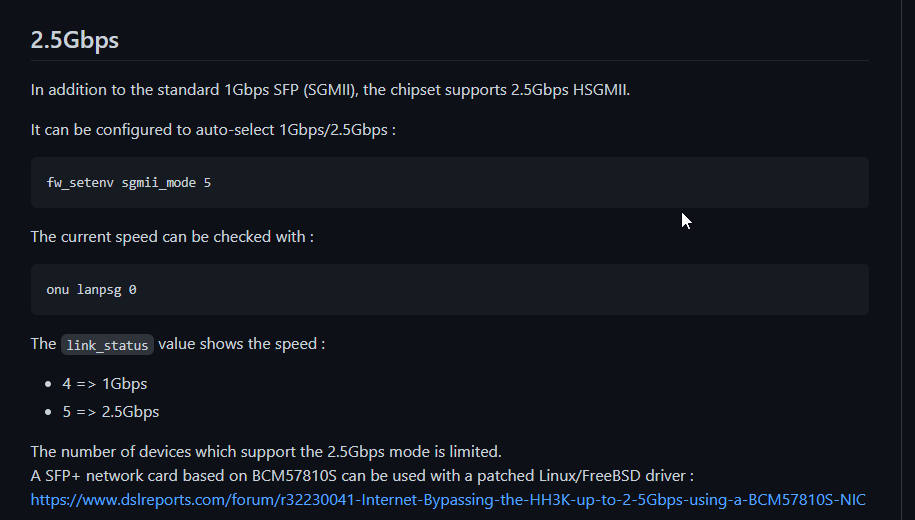
I read on the docu of that gpon module, that it can be configured to do 1G or 2.5G
@rugged fern nah, its just GPON that is being an ass
hollow marlin
tame carbon
<@!462711605063450628> is there a possibility that the module in question, is no...
If its a GPON module it has to be 2.5 capable. This is down to a negotiation and compatibility with the switch. I feel the CRS is not able to use 2.5g on the port.
tame carbon
That.. would be terrible
@hollow marlin but gpon documents suggest that the 2.5G has to explicitly be enabled
It can either operate in 1 or 2.5, or automatically on either
But you have to ssh into it . And idk how yo configure a mtik to get access to that interface
 hollow marlin
Possibly digging through this thread might contain some guidance https://forum.mikrotik.com/viewtopic.php?t=116364&start=200
It doesn't appear ROS has any official support but some people are managing to get them to work through. Looks like they are using reprogramers as I suggested might be needed originally
waxen scroll
my ubnt 2.5 just works idk
tame carbon
@flat wagon you around?
are you able to get a stable link going on the CRS309?, regardless of speed (1G) is fine for now
I want to see if we can get into the GPON itself
and see how it is configured
@hollow marlin It has detected the module, and it was functional
except, they had an issue where it would cycle, though I think they resolved that
It works on the RB4011, at 1G
tame carbon
yeah
which leads me to suspect
its just set to 1G
and telus never configured the module properly
peak cloak
tame carbon
https://i.imgur.com/izoWEhE.png
how does this get into it?
tame carbon
supposedly, the device has a static IP
and you have to configure a static route with masquerade
to 192.168.1.10
idk
but should be possible according to the doc
peak cloak
send link?
tame carbon

GitHub
All about Nokia G-010S-A GPON SFP. Contribute to hwti/G-010S-A development by creating an account on GitHub.
peak cloak
huh
could you just plug it into something like a linux machine
to try to get into it
tame carbon
nah
apparently
you just configure a static route
to that subnet
and masquerade all the traffic that leaves that interface
so router at 192.168.1.1
and the GPON on 192.168.1.10
and then you can ssh on your PC
because the router masquerades traffic before it sends it to the gpon
I've yet to try this
problem is
they dont have internet
and so I cannot really use anydesk with them
when the net is down
which is kinda making it where I am unable to help them out
rocky badge
@clear igloo Yay S2S VPN is working with grandmother on Spectrum
 hollow marlin
tame carbon
I want to see if we can get into the GPON itself
hollow marlin
tame carbon
I want to see if we can get into the GPON itself
Into the module?
hollow marlin
That'll need a reprogrammer or some special linux software to get into it
clear igloo
rocky badge
<@!291198741862416384> Yay S2S VPN is working with grandmother on Spectrum
yeet!
rocky badge
@clear igloo I want to get her a new AP but w/e it works lol
tender hazel
tame carbon
<@!530075635423510548> isn't it true that you have to manually tell the GPON to ...
I'm not sure - I haven't had the opportunity to ever use GPON SFP modules myself
tame carbon
@tender hazel do you think if it says 1G
it really is just saying that because gpon is a strange kind of link?
and in reality speed is much higher?
he hasn't got a 10G nic to test with lol
and idk if he can run iperf directly from the router
rocky badge
@clear igloo not bad ping 😂
 clear igloo
Yah, that's really good
rocky badge
Considering I’m on WiFi and the other end is spectrum…
tender hazel
@tame carbon it is possible
when you run virtual mikrotik CHR's with VMXNET3 on ESXi, the speed always reports as 10G regardless of what it actually is
for instance we have 40G nics in our servers and so it can actually go up to 40G but it shows 10G
I mean it is virtualization so it is a bit different but GPON is also a bit weird
tame carbon
what's the best way to test link speed then?
@tender hazel I went to bed last night, did they actually get a link going?
and obtained an IP ?
rocky badge
@clear igloo I should get my other grandmother to switch her router  So I can have another S2S VPN to her
clear igloo
rocky badge
<@!291198741862416384> I should get my other grandmother to switch her router <:...
lol, do it!
rocky badge
blob WAN /s
tender hazel
you can build your own SDWAN.. GrandmaNet
tame carbon
Grannet
rocky badge
The dns suffix is grandma.ryois.net lol
clear igloo
GranWAN 😄
rocky badge
IPv6 worked right of the box with Spectrum though
tender hazel
tame carbon
<@!530075635423510548> I went to bed last night, did they actually get a link go...
yes it came up on auto negotiate I believe


 clear igloo
rocky badge
IPv6 worked right of the box with Spectrum though
clear igloo
rocky badge
IPv6 worked right of the box with Spectrum though
Yah, they are pretty decent with their implementation
rocky badge
@clear igloo https://blob.rocks/ztkHZeySRn.png

 rocky badge
@clear igloo not the best cable management but it works lol
 clear igloo
yah, it works and isn't that bad
rocky badge
I just gave her our old R7000 running DD-WRT in AP mode
lol
Again, it works and isn't that bad
waxen scroll
blobs picture reminds me of a thought I had... did anyone actually use their intercoms?
its a very 80s early 90s thing
i dont think they install them anymore
kinda scratching my head at why you'd install them vs just yelling. only plus is maybe music everywhere
peak cloak
waxen scroll
blobs picture reminds me of a thought I had... did anyone actually use their int...
Intercoms in school?
rocky badge
waxen scroll
blobs picture reminds me of a thought I had... did anyone actually use their int...
They don’t work
rocky badge
@clear igloo 🙄
 peak cloak
Thought that was just a radio or something
rocky badge
AT&T fiber tech for neighbor
clear igloo
lol, wow
waxen scroll
ATT fiber has been "coming soon" for two years now
i havent seen them go into any neighborhoods so my guess is another 3 years
rocky badge
clear igloo
lol, wow
Local ISP tech accidentally broke our neighbors fiber line while they were installing new fiber
Because neighbor is getting local isp fiber instead of AT&T
But their activation date isn’t until June 1st
So they need AT&T to work til then lol
thick minnow
I have this issue since 5 days . Do you know why my internet is slowing down to 30Kb/s ? resetting a router only speed up to 5 Mb/s . then it falls down again to 30Kb/s and i have to turn off/on router just to google something for a moment. i have high ping while playing games, (200-600 ping in Rocked Leauge, and i cant even log to elite dangerous). Do you know what could be the reason this is happening and if there's solution for this problem?
 versed nebula
we got fucked by the crtc, thank you canada
waxen scroll
if you dont like it, leave
versed nebula
lol
your answer doesn't make any sense

CRTC sides firmly with Big Telecom, undermining any chance for choice, affordability, and the success of small providers
copper rover
versed nebula
we got fucked by the crtc, thank you canada
Depending on how successful Starlink is, that might put competitive pressure on local ISPs.