#networking
1 messages · Page 317 of 1
 untold elbow
@tame carbon i have that one i think
 tame carbon
 untold elbow
or at least mine looks almost identical
 plain siren
Yeah I have a few generics that look exact
Prob same Whitelabel OEM PRovider
untold elbow
oh wait no i have one from trendnet
tame carbon
big ol box of network hammers
tame carbon
@plain siren Conrad is very reputable hardware vendor in Netherlands. and it says 10 years warranty
good enough.
plain siren
good enough
untold elbow
klein does make really nice stuff, i have some of their wire strippers
tame carbon
@untold elbow yeah but paying premiums on US imported parts is just not worth it
tame carbon
I also found a 10 euro ethernet cable tester
just continuity.
might buy that too
@untold elbow lol all that effort to set up a corporate account on conrad.
to be billed exactly the same price (included VAT)
stupid new laws, small businesses no longer to pay Tax free
you get it as a return at the end of the fiscal year
but I can't invoice VAT myself.
Its easier to manage
but you also pay a little more.
wtf.
I just made an order.
money was withdrawn
but its not in the order history
oh
no their servers are slow as fuck, and have no "in progress" status
bad design.
my favorite website for non fiber cabling: https://i.imgur.com/TUR2sFX.png
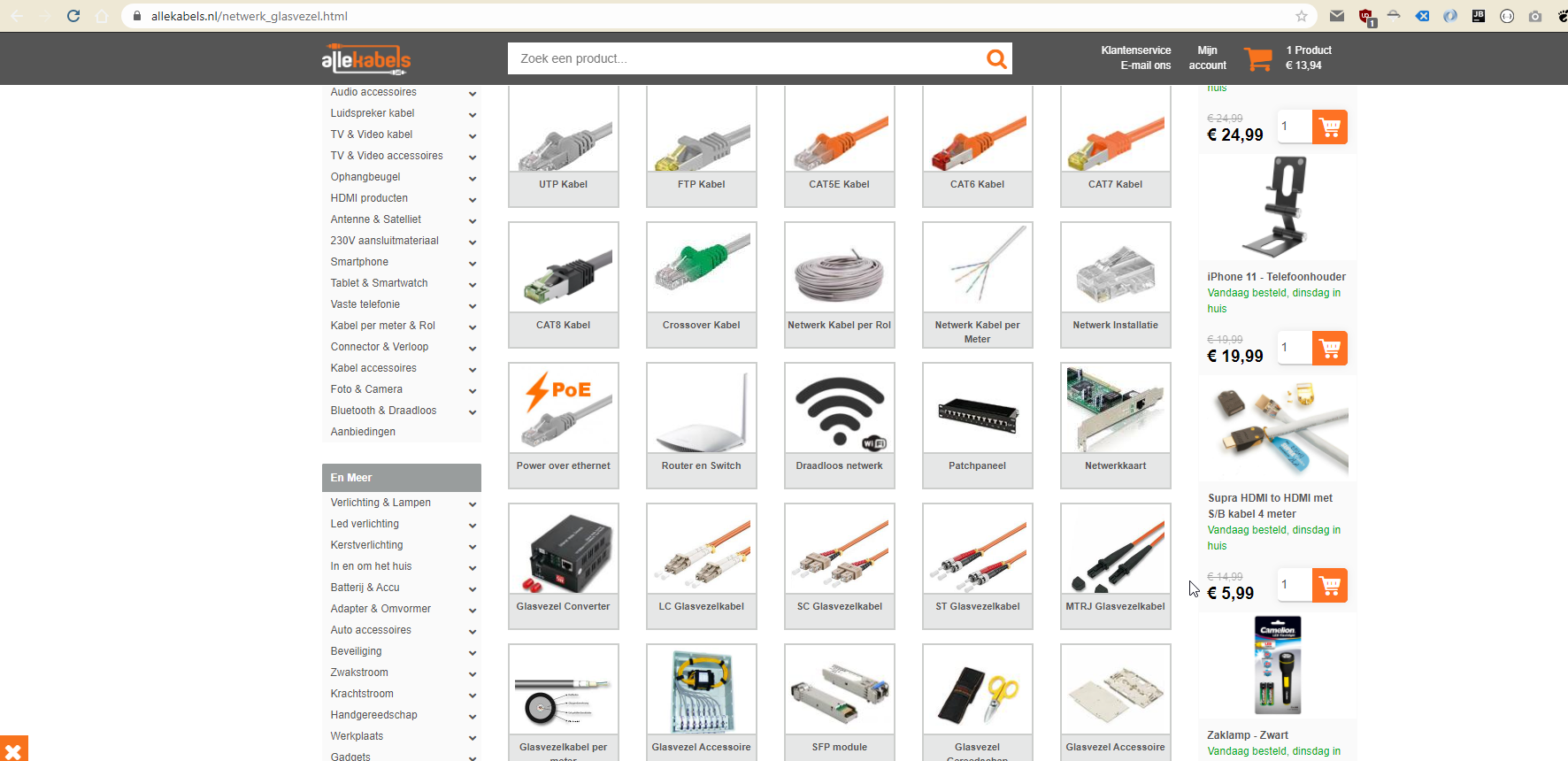
Its called "All the Cables"
really cheap
and they have everything
they have ~100,000 different cables
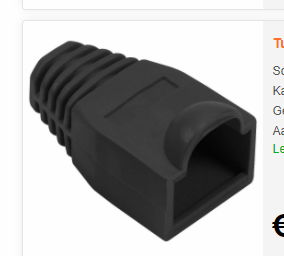
Do you recommend getting shields for the ethernet jacks?
like plastic ones
 untold elbow
i never use them
tame carbon
I guess you could use em for color coding
untold elbow
yeah
tame carbon
but cable makes more sense...
untold elbow
right but then you need like 8 spools of bulk cable
tame carbon
what kind of cable do you recommend for outdoor installation?
untold elbow
i try to not make my own ethernet cable when i can avoid it
tame carbon
yeah but I have to run ethernet
untold elbow
they make direct-bury cat6a cable, i'd use that
tame carbon
outdoors
untold elbow
or get normal cat6a and run it through a tiny PVC pipe, like the kind they use for irrigation systems
but then you need to get all the crap they use to join that piping together, the glue and joints and stuff
tame carbon
Thats what I did at home here
except its just a tube
not really sealed in any way
xD
its cat6a
inside the tube
its just protected from outside impacts, but perhaps some moisture can get in
but the cable was pulled through with green soap, so the isolation is ok
xD
direct bury might be better
plain siren
tame carbon
direct bury might be better
yes
untold elbow
having the PVC pipe there is nice if you're worried about someone potentially breaking the cable with a shovel at some point
untold elbow
oh then screw it
tame carbon
the camping installation
plain siren
Its also nice to help with running more later if there is a potential
tame carbon
the only risk we have there
is someone who wants to put up a tent
puts their peg in the wrong place
that's why we do 50cm
pegs are like 20-30cm long at most
plain siren
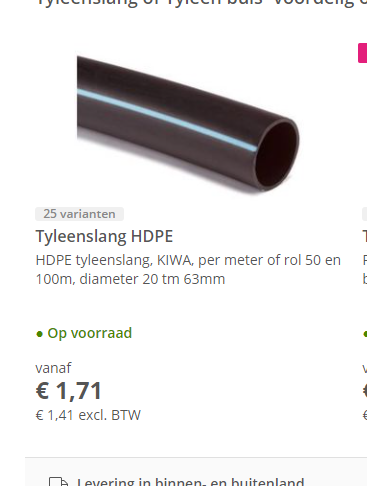
I was gonna say just throw a 1/4 pipe PVC over it when you bury it and that should stop impacts
 untold elbow
yeah that works too
tame carbon
though we might just do regular rugged cable
I want an easy solution
we have a small excavator
untold elbow
direct bury will be the easiest solution
untold elbow
i'd prob only use conduit if you were running fiber
tame carbon
put cable into a waterproof splice box
and in there I put the injectors
then I have some regular outdoor cable go up the post to the radios
something like that
plain siren
Direct Bury is exactly what you would want for that tbh
 tame carbon
The PE jacket I can just cut off right?
untold elbow
the cable is filled with this like gross goopy grease stuff to keep water out
tame carbon
we can just go to nearby h improvement store
untold elbow
so bring paper towels or something to wipe your hands
tame carbon
use wet onesss
untold elbow
da best
tame carbon
actually totally trash for the sewers
I worked in that industry briefly
xD
they can cause clogs
but also obstruct sensor equipment
or so I was told
I only wrote software
untold elbow
yeah but im not gonna wipe with dry tp
tame carbon
I have isopropanol and paper towels
no worries
could also use this rum I got from Grenada
75%
tastes like lighter fluid
untold elbow
no save that for after
tame carbon
does it matter "flexible and solid core"?
for those rj45 jacks?
I always cut those plastic cores out
when terminating
untold elbow
no, matters for the crimps
for permanent installs, you usually us solid core
but you can really use either
tame carbon
so that rugged cable
@untold elbow idk lol
I've had cables with and without plastic core
and used the same jacks for years
plain siren
untold elbow
for permanent installs, you usually us solid core
whistles
untold elbow
i dont think it really matters tbh
tame carbon
Would you recommend shielding?
untold elbow
for longer runs, yeah
tame carbon
There's overhead high voltage lines
untold elbow
then def
plain siren
yes
plain siren
And terminate the shielding into ground too in that case
Preferably at one end only, the ending of the run not the start.
 untold elbow
i think you have to ground the sink wire on both side of the termination
untold elbow
lol nice
tame carbon
@untold elbow https://en.wikipedia.org/wiki/Comet_NEOWISE

C/2020 F3 (NEOWISE) or Comet NEOWISE is a long period comet with a near-parabolic orbit discovered on March 27, 2020, by astronomers during the NEOWISE mission of the Wide-field Infrared Survey Explorer (WISE) space telescope. At that time, it was an 18th-magnitude object, located 2 AU (300 million km; 190 million mi) away from the Sun and 1.7 A...
untold elbow
nice, p cool
tame carbon
yeah the area is really undeveloped
so you can actually see the stars
and build reliable wireless networks
untold elbow
it's very tough to find a dark spot on the east coast of the US
gotta go way out west
tame carbon
or high up.
untold elbow
yeah, not a ton of that here either
tame carbon
being 500 meters above sea level already makes big diff
netherlands doesnt really have good night skies
its densely populated and mostly below sea level
if you go to the coast
the sky is orange at night
@untold elbow https://pbs.twimg.com/media/Dtv7S7rXgAASdEx.jpg
 untold elbow
yeah a lot of cities here have the same thing, or kind of a more red cast
tame carbon
Can you use STP jacks for UTP cable?
untold elbow
yeah
tame carbon
untold elbow
i have no idea lol
tame carbon
how can I see if they are pushthrough?
 untold elbow
yeah
tame carbon
but bunch of complaints
untold elbow
not sure tbh, ive never actually used the pullthrough ones
tame carbon
about there only being 10 in the box
instead of 12
@untold elbow oh cool, found a box of 100 pcs for 30 euros

no more fucking around with getting a perfect flat insert
plain siren
tame carbon
no more fucking around with getting a perfect flat insert
Yeah tbh there is no reason not to use these
plain siren
Good idea
tame carbon
its nice to check for longer runs
plain siren
sometimes they are nice to let you know you need to go back and smack harder on them pins
tame carbon
yeah and not require debugging on Layer 2
plain siren
when that middle pin doesnt register you know what the fuck you did
plain siren
Yeah, however if its hard to visualize as it is for some, you print out the wiring layout with the words writting "TAB IS DOWN"
And you keep that in front of you
tame carbon
I always have the tap away from me
plain siren
same
Down/away
im facing the easier to see into side
cuz fuck sakes, is the blue jacket in there enough yet?
Oh wheres my magnifying glass
lol
tame carbon
clap clap zoom in and enhance
 shy sequoia
Good Morning Yall. Enjoying the PfSense box I setup
 hollow marlin
Yeah that's a deep buffer, with RED you would have to bring the max threshold way down to make sures it's dropping enough to not let the queue build up. 4000 shouldn't be that extreme though
 thick minnow
Hey guys, So my android device just randomly drops my wifi connection, even when it is prettty close by. Any ideas on what might be causing this or how to fix this?
 peak cloak
thick minnow
Hey guys, So my android device just randomly drops my wifi connection, even when...
peak cloak
thick minnow
Hey guys, So my android device just randomly drops my wifi connection, even when...
Look at logs
Idk where you can find them, but that's where you should go first
thick minnow
Do you need them? I have them, crDroid automatically logs everything
Tho I have 0 Idea what most them mean
peak cloak
thick minnow
Tho I have 0 Idea what most them mean
For for disconnected or something like that
thick minnow
Well, I can't really find anything in the logs searching for that word
and for some words related to it
I can't get any errors
 graceful gyro
I've got a networking specific question: I'm looking into powerline for my student place, and I've read that it's not as efficient as straight ethernet, is that deficiency to do with the actual modules themselves or the way they actually transmit signal?
Like for example: say my max real world speed is 250Mb/s from my ISP, would getting modules + cable rated for gigabit eliminate that deficiency? Or would it still be present?
tame carbon
You're not gonna get the full 250mbit on powerline
and you can't use multiple ones, or at least not ideally.
plain siren
tame carbon
and you can't use multiple ones, or at least not ideally.
This produces interesting results
tame carbon
if you are ok with 10M, go ahead xD
thick minnow
can i get help with port forwarding? the port still shows up as 'closed'
 vast shard
For ethernet cable buying. Is it good to buy longer than what you need or Should I just buy long enough cable for my purpose?
I mesaure my new router location from my modem placement and it is 6 foot and 10 inches away. I was thinking of just buying two 10 foot cables or two 12 foot cables
My new router won't be here until mid week
What would be the perfect length cable 10 or 12?
 clear igloo
Unless you're going over 100 meters it won't matter, just get cables that will have a bit of slack and look nice
vast shard
Here the 10 foot cable https://www.amazon.com/dp/B07X9B724Y/ref=twister_B08F55F7DL?_encoding=UTF8&th=1
Here the 10 foot cable https://www.amazon.com/dp/B07X99SSLH/ref=twister_B08F55F7DL?_encoding=UTF8&th=1
Price difference is only $0.28
vast shard
clear igloo
Unless you're going over 100 meters it won't matter, just get cables that will h...
You are right I was thinking really hard on buying longer cables like the 12 foot. I am not going to really mount my router to the ceiling. Figure that router placement would be optimal for me if it is mid high door height.
tame carbon
@vast shard I could do you one better
you can have router and wireless access seperate.
plain siren
Why this is never really a wide spread solution offered in CPE is annoying
Like nooooooo, I want my WiFi Upgradeable without upgrading my whole fucking route table and migrating
vast shard
tame carbon
you can have router and wireless access seperate.
I am not doing that at all. I am just replacing my 15 year old router back in 2006 that has WIFI 4 technology
plain siren
And I want my WiFi AP's in more than one damn area acting like what they should be.... Ethernet without a wire
tame carbon
@vast shard yes but instead of mounting the router in the ceiling. You have seperate devices that do these tasks
you can expand on this if you need coverage in some other place.
vast shard
tame carbon
<@!115279126914400264> yes but instead of mounting the router in the ceiling. Yo...
I am talking about mounting location like the height
plain siren
That seems so weird... having the device doing my routing on the ceiling.... god help me if I gotta access it
plain siren
But if you want ideal, yeah the higher the better
vast shard
so all the heat from the PC is ruining the 15 year old touter now
vast shard
plain siren
But if you want ideal, yeah the higher the better
yes you understand.
plain siren
Its like a sprinkler head, the further up you can get to optimal coverage spread, the more the "dome" coming off it spreads
vast shard
it is not attic placement but just room placement
vast shard
plain siren
Its like a sprinkler head, the further up you can get to optimal coverage spread...
okay got you on that
I am trying to save money on cable length as well even if 10 foot is only $0.28 difference from the 12 foot
tame carbon
 vast shard
I am running CAT 8
plain siren
I utilize In-Wall AP's which have a radiation pattern meant to shoot sideways
plain siren
Yeah, standard non-vaulted ceiling height is about the max optimal
Assuming max broadcast power and all that
vast shard
my new router placement in my room right now will be for family wifi and the house is 2,000 or so sq. ft
tame carbon
imperial units
plain siren
and you are in the corner or center
tame carbon
oh that's quite large.
vast shard
plain siren
and you are in the corner or center
I am in the corner of the house
router is in the right part of the house
plain siren
your 5GHz is gonna get 1280-1390 sq ft on edge propagation and your 2.4 about 1600 from a corner of a 2k SqFt House assuming 2 walls between end
vast shard
tame carbon
<@!115279126914400264> don't tell me you already bought a router
I already have a wireless router
tame carbon
mh
plain siren
and thats assuming quality
vast shard
that cover to the main street as well
plain siren
To be fair, mine covers to main street and across the street until you put the garage between you and most the AP's LOS
vast shard
this house have drywall but multiple rooms and this router is like a buy once and done
I am not going mesh router addition
tame carbon
The solution I have here is multiple wireless access points, each fed by wired ethernet
and the central router controls the wireless network across those devices.
so you just hop between one antenna to another if you move around in the house
and you dont even notice it
vast shard
@plain siren I seen the 2021 router from ASUS
 tame carbon


 tame carbon
Gaming Router
tame carbon
I would return it if you can
vast shard
@tame carbon my Western Digital wireless router right now is very strong and can do all that
plain siren
No matter how many antennas you add to an AP, the physical limitations of propagation of signals will always give same results
tame carbon
with mikrotik you get 3 wireless access points AND a router for less.
vast shard
tame carbon
*Gaming* Router
yes gaming router
plain siren
yeah thats a huge cost of money wasted holy shit I just saw the price
tame carbon
Yeah its a total ripoff
plain siren
And its a MIPS System WOT
tame carbon
they are incredibly limited in features, never receive updates, and are full of bugs.
plain siren
HAHAHA
tame carbon
And they also never reach advertised speeds
plain siren
omg its like a reactor in a box
tame carbon
@vast shard sorry to say, but you have been ripped off. Asus should be banned from building routers. Its a real shame.
I would return it
vast shard
@plain siren I was thinking of putting a switch in my attic and running ethernet wall plates near every electrical outlet and using a wireless router
plain siren
And the RF controller stability is already reported to be compromised by heat due to placement
vast shard
tame carbon
<@!115279126914400264> sorry to say, but you have been ripped off. Asus should b...
I did not buy asus router I a researching right now
tame carbon
@vast shard https://mikrotik.com/product/hap_ac3

MikroTik is a Latvian company which was founded in 1996 to develop routers and wireless ISP systems. MikroTik now provides hardware and software for Internet connectivity in most of the countries around the world.
plain siren
For 540 USD, you could get ...a lot
tame carbon
@vast shard that as your main router, and you can then buy additional APs for $60
 severe wigeon
@plain siren @tame carbon can ysll stop being shills for 5 seconds
plain siren
I had a total of... 1 issue
plain siren
severe wigeon
<@589542595341058048> <@167698274969452544> can ysll stop being shills for 5 sec...
No
tame carbon
speaking from experience here.
vast shard
tame carbon
<@!115279126914400264> that as your main router, and you can then buy additional...
I was going for best router and not going to buy any extra
clear igloo
but muh dedicated controllers and access points and numerous other points of things to manage @severe wigeon !!!!
plain siren
Dont spend that is the point, get a single system with matching specs for 1/10th
You are are looking at price==perf
tame carbon
@vast shard just because it has 8 legs and can walk doesnt mean it is worth the money
Its incredibly expensive and my experience with asus routers is that they are full of bugs and problems
and have almost no features
vast shard
tame carbon
<@!115279126914400264> just because it has 8 legs and can walk doesnt mean it is...
you still thinking I will buy ASUS but I am buying another brand with great reviews and prosetup
plain siren
clear igloo
but muh dedicated controllers and access points and numerous other points of thi...
Is management really changed that much from when you bind it all into the same plastic box?
tame carbon
@vast shard this isnt just asus. those linksys and tplink routers in that pricerange are equally bad.
severe wigeon
clear igloo
but muh dedicated controllers and access points and numerous other points of thi...
Cant forget when people try to use 5 different environments and wonder why shit ain't right
vast shard
tame carbon
<@!115279126914400264> this isnt just asus. those linksys and tplink routers in ...
@plain siren getting none of them as well I found other
severe wigeon
Also not all home gamers have a spare rack
clear igloo
plain siren
Is management really changed that much from when you bind it all into the same p...
For the average home user it is, yes, single point of access for everything without having to delve into a lot of different knobs and settings, if someone wants simple and easy that's fine
 clear igloo
Not saying a $600 asus router is what they should get but sometimes simple is good
tame carbon
and this is 10x more reliable
severe wigeon
clear igloo
Not saying a $600 asus router is what they should get but sometimes simple is go...
Can look at it two ways: Less things to fail, OR, only one thing to replace
plain siren
If I am being entirely honest, Ive found the AIO's just as PnP as much as this shit offered today. We are in 2021 so its not unlikely that some level of user experience was gained
vast shard
tame carbon
and this is 10x more reliable
speed so slow I need more
plain siren
I can be just as lazy in any solution you decide on now a days 
tame carbon
@vast shard yeah but more antennas doesnt mean more speed
not if you all concentrate them in one location
plain siren
only 5 of them are actually wired
tame carbon
at close range with that router above ^ you get ~800mbit/s total bandwidth over 5GHz
that's at an 80MHz channel
clear igloo
If you're doing 160MHz and 8x8 then sure, but you're 5 feet from the router at that point 
tame carbon
yeah but why xD
the moment you are on the other side of the house
5GHz dies, and you are stuck on 20MHz channel on 2.4GHz
plain siren
So according to my shitty ass math, if he can nail a router at about 9ft height exactly dead center of his house I assumed was a square
He can get 5GHz 1'st edge to every corner
Except where bathrooms are
tame carbon
did you analyze the soil composition of the material that was put into the drywall?
plain siren
I assumed the extra 8th inch thick drywall was used and 2x6's not 2x4's
tame carbon
@vast shard if you have the option to run an ethernet cable to the other side of the house, then having a multi AP solution is really preffered
itll yield more stable and equal coverage around the house
vast shard
tame carbon
<@!115279126914400264> yeah but more antennas doesnt mean more speed
my router now has no antennas
it is fast
tame carbon
neither does mine :)
plain siren
It does, its just taped to the inside of the case
severe wigeon
They're just internal
tame carbon
https://cdn.discordapp.com/attachments/776722183119699988/777646103775674368/IMG-20200922-WA0001.jpg
 plain siren
tame carbon
this router has no wireless capabilities at all.
but I can still manage my wifi with it :)
severe wigeon
Usually built onto the board and absurdly fragile
plain siren
severe wigeon
Usually built onto the board and absurdly fragile
made of glass more like
vast shard
I am running CAT 8 ethernet cable so it just provide more speed that way too
plain siren
ugh
plain siren
they break like glass
severe wigeon
Oh
tame carbon
@vast shard cat6a is good enough
vast shard
tame carbon
<@!115279126914400264> cat6a is good enough
Cat 6 is not for me anymore
plain siren
its amazing how brittle that copper is when I can play with the copper in a cat5 cable all day and itll flex
vast shard
I may have two CAT 6 only because it running from a switch
severe wigeon
tame carbon
but I can still manage my wifi with it :)
So like almost every modern ecosystem that dates back to 2012
severe wigeon
Its not special, and it never was expensive. You just kept looking at expensive gear
In like 2015 there were brands in the 300-400 range
plain siren
They were aimed heavily at hospitality up until 2016
vast shard
I found CAT 8 100 foot cable at $20. Even thought I don't need that length it is still cheaper than the Cat 6 cable I bought in store for $30
plain siren
thats about when I saw marketing change personally
severe wigeon
Literally anything beyond 6a is pointless in a home
hollow marlin
vast shard
I found CAT 8 100 foot cable at $20. Even thought I don't need that length it is...
That's not CAT8, 8 is much more expensive and most of it being sold is not actually CAT8
vast shard
@plain siren I figure out all my math in money and cable length. 100 foot cable length is long enough and not going 12 foot because that is excessive
vast shard
hollow marlin
That's not CAT8, 8 is much more expensive and most of it being sold is not actua...
tell that to the internet
plain siren
hollow marlin
That's not CAT8, 8 is much more expensive and most of it being sold is not actua...
This
Internet is telling that to you right now
tame carbon
@vast shard cat5e can do gigabit speeds at 330 feet.
vast shard
for real not everything may seem what the product is
severe wigeon
vast shard
<@!589542595341058048> I figure out all my math in money and cable length. 100 f...
Ensure you count beams, properly securing the cable and giving enough room for slack
tame carbon
and dont forget the drywall sample
plain siren
Anyone ever have the pleasure of playing with GG45 Terminations?
vast shard
severe wigeon
Ensure you count beams, properly securing the cable and giving enough room for s...
the slack is what I am worry about. How much slack is too much?
severe wigeon
Ive watched dumbfucks measure the floor and wonder why it wasnt enough. I swear common sense is lacking noawadays
tame carbon
I think if stumble over it then you have too much slack
plain siren
vast shard
the slack is what I am worry about. How much slack is too much?
When it starts looking stupid
Otherwise, never
severe wigeon
vast shard
the slack is what I am worry about. How much slack is too much?
Really no such thing if you manage it right
Because you can always cut it down
plain siren
bad day when you aint got shit to work with after
vast shard
severe wigeon
Ensure you count beams, properly securing the cable and giving enough room for s...
I measure from my router placement from the floor is 1 foot and 8 inches and the computer is 1 foot and 5 inches. at the ethernet port location. From where I want to place it is 4 foot higher off those port locations.
tame carbon
@plain siren when are we going to use silver for high speed copper wired ethernet?
hollow marlin
vast shard
tell that to the internet
Real CAT8 will cost you $150-200 for 100ft. The internet thinks 7/8 is an actual acknowledged standard too. It's a specialty spec and most are just advertising it for quick money
vast shard
severe wigeon
Because you can always cut it down
I cut it down by buying the right cable length
plain siren
hollow marlin
Real CAT8 will cost you $150-200 for 100ft. The internet thinks 7/8 is an actual...
It was a asshole move by OEM's too. They ruined the next logical step in classification with non-ratified standards made outside the authorities scope
severe wigeon
Because I assume you are using keystone plates
tame carbon
 severe wigeon
hollow marlin
Real CAT8 will cost you $150-200 for 100ft. The internet thinks 7/8 is an actual...
severe wigeon
hollow marlin
Real CAT8 will cost you $150-200 for 100ft. The internet thinks 7/8 is an actual...
Sounds like AR500's bullshit armor that cant even stop greentip, but thats a different rant
plain siren
severe wigeon
Sounds like AR500's bullshit armor that cant even stop greentip, but thats a dif...
It got hot in here suddenly
severe wigeon
"lEvEl iV"
plain siren
heheh, belongs on wish
The redneck that runs my local demo range has a joke:
"Its called wish because you are gonna wish you didnt"
severe wigeon
Ope
hollow marlin
plain siren
It was a asshole move by OEM's too. They ruined the next logical step in classif...
Agreed. It was developed during a time when optics were just starting to make significant jumps. Never was officially acknowledged as the power requirements were enormous compared to fiber and realized early on it was a waste of time. But OEMs and marketing still push that garbage.
vast shard
severe wigeon
Give yourself 5 feet or so extra
so if I did all my measurement and math right I would only need two 10 foot cables because of how high I want to place my router at on my wall and I would probably place it on a small homemade shelving unit
where the modem and computer are located I won't be able to use my 3 foot cable anymore
12 foot in my measurement are very excessive.
vast shard
severe wigeon
Give yourself 5 feet or so extra
Now I will see how much slack I will have left after using my 10 foot cable and placing my new router on the wall. Either actual wall mount it or putting it on a shelf
 tender hazel
plain siren
<:omegaBRUH:826158877938548756>
tender hazel
plain siren
<:omegaBRUH:826158877938548756>
What is this anyway? I see this from time to time. It is a maroon circle with a tan/yellowish border on the outside.
I see people reacting to things with that maroon circle but I'm not getting the reference
severe wigeon
tender hazel
What is this anyway? I see this from time to time. It is a maroon circle with a ...
It's an edgy version of 
which is a version of
tender hazel
ahh I see
plain siren
tender hazel
What is this anyway? I see this from time to time. It is a maroon circle with a ...
Yeah its basically taking the whole gaping mouth gag to the largest extreme out of irony...... or so I assume
its just the first one in my :omega search so I mash enter
Usually most people get what it is so its good enough for my lazy communication standards
tender hazel
I hadn’t really seen enough of the intermediate steps to make a connection
And googling omega maroon circle meme didn’t return anything useful
it looked sorta ugly and so I figured it was some kind of discord bug where it wasn't displaying something properly
interesting.. I can't seem to be able to pass any traffic at all over a VPLS tunnel from one mikrotik CHR on ESXi to another
only between a CHR and a physical router
except for neighbor discovery broadcasts.. they are making it through somehow
the mac and IP show up in the ARP table but the little "C" for connected doesn't appear next to them
not entirely sure what that means
hollow marlin
So only ND is going through the tunnel?
thick minnow
Maccas wifi be pumping

 trail lance
Hi, new to the server.
Where/who may I ask about VPN providers?
Looking at switching my VPN over PIA and wondering if its any good. 3 years ago the speed was dreadful.
tender hazel
hollow marlin
So only ND is going through the tunnel?
Yup.. I put an IP on both sides and I can't ping the one end from the other
but a VPLS tunnel from either of the CHRs to a hardware router is fine
@hollow marlin I'm also seeing some weird behavior of throughput
mikrotik btest from one chr to the other, both with MPLS, TCP receive is fast but send is slow, like 3Mbps instead of 1Gbps
btest from the second CHR to the first, TCP receive is fast but send is slow, same thing
but it is a different direction
so I can get very fast rates on receive in either direction, but send in either direction is slow
so it doesn't appear to be related to the direction of the traffic, but instead based on which side initiated the session
it is just kinda weird
hollow marlin
Thats odd for sure. Are the CHRs licensed? I really only use the CHR in my lab as unlicensed traffic generator is unlimited and works great for my labs. I have not tested it with btest though
tender hazel
they have a trial license of 1G
I checked and what is happening is when I do a send it applies an MPLS label but when I do a receive it does not, it is regular IP.. my advertise filters are preventing anything that is not in my router loopback range from getting MPLS labels
that's why the direction matters, I can't force btest to use a certain src IP so it uses the closest interface and whether the traffic is labelled or not depends on the direction
hollow marlin
That'll be a problem. By advertise filters, I assume thats Mikrotik's syntax for LDP filtering?
tender hazel
yeah.. in our case we set up advertise filters because we only want traffic from router loopback IP to router loopback IP to get labels.. we don't really need other traffic to get an MPLS label
hollow marlin
Nice thing is Juniper defaults LDP to loopback only and only uses an LSP for BGP with next-hops in the inet.3 table. Actually Junos revolves around loopbacks . My IOS-XR configs I always filter loopbacks only. Not just having more control of labels, but a hell of a lot easier when troubleshooting too
You can setup a egress policy to advertise other FECs but its rarely useful.
tender hazel
nice to know that what we are doing is more or less standard practice - I just did it because it seemed to make sense to do so, no need to slap labels on everything
hollow marlin
Yeah its definitely best practice and cleanest config
tender hazel
so this means mikrotik did not fix the bug related to large receive offload in ESXi and KVM
they introduced a fix in 6.45.9.. but I hadn't tried the fix until now
hollow marlin
It was well after then before I began using CHR in EVE so I never ran into it. Were you able to fix the VPLS circuit as well?
tender hazel
no.. VPLS seems to work fine between CHR and hardware though
so this probably won't be a showstopper for what we are doing
I can probably create a bunch of PTP VLANs to allow the CHRs to communicate to each other directly if I need
hollow marlin
Was the inner tag intact when arriving at the other CHR?
Or were the PW even coming up?
tender hazel
the pseudowires come up and show running
and they pass the mikrotik neighbor discovery protocol broadcasts
which is weird
I don't know why that would work, but arp wouldn't?
it must not be getting the arp reply

just a whole bunch of that
yeah it's not getting the arp replies
it is just getting broadcasts, no unicasts
hmm
I wonder if I need promiscuous mode for that
although I wouldn't expect vmware could read that deep inside the packet
nah promiscuous mode isn't helping
hollow marlin
What does the label stack show ingress/egress the HW router?
tender hazel
this is between two CHR's
VPLS works between a CHR and hardware router
the arp request which is received has a label of 16
the reply has two labels, 4888 and 155
hollow marlin
Oh this is just virtual
tender hazel
yeah VPLS is working ok when going from an ESXI VM to a hardware router
hollow marlin
This just 2 CHRs directly connected?
tender hazel
routed through a cloud core router
but they are running on the same esxi box
CHR1 <-- /30 --> CCR <-- /30 --> CHR2
CHR2 is applying the correct labels to the arp reply and sending it back to CHR1, but it doesn't make it
hollow marlin
Whats the MPLS table on the CCR for the outer label in the reply?
tender hazel
I'm just doing more captures here to check, first I was making sure that the CCR is receiving the arp reply from the second CHR2, it is
so the reply going from the CCR to CHR1 pops the outer label, which I would expect, the inner label is 155
the CCR sends it to CHR1
CHR1 does not receive this on ether1
why on earth is this only happening with unicast traffic.. that's what doesn't make sense
broadcasts make it through
hollow marlin
Good, so labels are switching correctly. Odd its only unicast though.
Id have to toss it in EVE to see if I get teh same results.
tender hazel
yeah I was actually just suggesting to our other network engineer that we should maybe have an EVE VM in the office for testing for stuff like this
hollow marlin
Ive never configured VPLS for ROS so it would be going through the wiki. Or in say 15 we could a screen share if you're up for it
tender hazel
@hollow marlin https://pastebin.com/QfaKihBe
Pastebin
Pastebin.com is the number one paste tool since 2002. Pastebin is a website where you can store text online for a set period of time.
that should be enough to get it going, it is pretty straightforward.. I'm up for doing a screen share though, yes
I fully expect you'll be able to reproduce the issue
hollow marlin
Ill toss the config in EVE quick and test first
tender hazel
ok
hollow marlin
@tender hazel looks like its working
tender hazel
oh ok
might be due to the hypervisor in eve-ng
maybe it doesn't do the receive offloading
like it works fine in hyper-V apparently because that doesn't do receive offloading
hollow marlin
Agreed. The config is not to bad in ROS

@tender hazel Anything you want me to test while I got this lab up?
hollow marlin
👍
I do love how little resources are need. MY 3950x can handle quite a bit, but I might replace the vIOS routers with CHR for my larger labs
 mortal stirrup
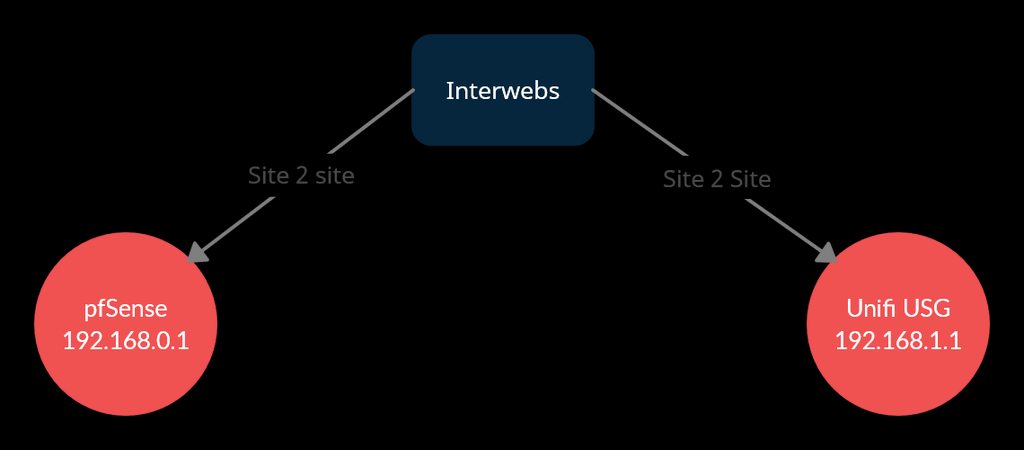
Any ideas why my ipsec tunnel dont work? https://imgur.com/a/29a3nCo
 tame carbon
@mortal stirrup are you using just ipsec or some kind of layer 2 tunnel ontop?
tame carbon
But from that diagram you posted, surely those two subnets should be on the same network?
I've only ever deployed ipsec as L2TP/ipsec
might want to ask the other guys like @hollow marlin . They are bit more familair with this stuff
mortal stirrup
this is how ppl made it before between pfsense and usg, ive copied other ppl config and just changed the ip address to suit my network
for example heres one ive copied: https://devopstales.github.io/linux/pfsense-usg/
I will show you how to create a site-to-site VPN for pfSense and unifi usg.
tame carbon
poorly documented :/
mortal stirrup
im using IKEv1 cause another config used it (ive also tried v2)
yeah i know
also watched this guy: https://www.youtube.com/watch?v=1M6R8cnml-c

UDM Pro to pfsense Site to Site VPN
In this video show you how to create a IPsec site to site vpn between a UDM pro and a PFsense firewall
Join our discord server:
Find us on social media:
Instagram.com/mactelecomnetworks
facebook.com/mactelecomnetworks
twitter.com/mactelecomn
If you would like to support th...
tame carbon
I stay far away from youtube tutorials
mortal stirrup
my config is a frankeinstein beween those, hehe
tame carbon
They often gloss over details
mortal stirrup
well, he described more then first link ;)
tame carbon
welp, I think you'll have to wait for someone else with a bit more experience on this
mortal stirrup
yeah, thanks anyway bro :)
tame carbon
I'm a bit of a single-vendor idiot, and beyond the basics, I dont know much about those other brands
mh
See, for mikrotik most of this is well documented xD
ipsec profile, proposal, peer and identity
and then a policy for encryption
These kinds of things are probably the same on other vendors
 dull mirage
Hey.. Im new and i want to ask.. I want to open port for my web .. And im not sure if i had to pay something to operator... Anyhelp?
tame carbon
@dull mirage if you have your own public IP, then you should be able to just configure your router
 twin zealot
could also be an port on an server
dull mirage
so if i dont have public ip i cant portforward?
tame carbon
@dull mirage some internet service providers hand out shared IP addresses
Best way to verify if this is the case
is by looking at the public IP (WAN) that your router reports
dull mirage
eh
tame carbon
and comparing that against https://www.google.com/search?q=whatsmyip
dull mirage
Im confused now
tame carbon
@dull mirage do you know how to configure your router?
dull mirage
yes.. But my english is super sketchy.. And i hardly understand
tame carbon
There should be an option somewhere that says "WAN" or "Internet"
It should have an associated IP address
dull mirage
okay
dull mirage
tame carbon
It should have an associated IP address
and thats how i will know if i can portforward?
tame carbon
@dull mirage that's the only pre-requisite yeah.
@dull mirage Port forwarding itself is relatively easy, its just a rule you configure
But that only works, if you aren't on a shared network.
Which you can verify by looking at what Public IP your router has on its WAN
dull mirage
so if i dotn have public ip i cant do anything basicly
tame carbon
@dull mirage do you have the router page in front of you?
dull mirage
not yet.
tame carbon
Just take a screenshot and send it, I can have a look
plain siren

dull mirage
here or?
tame carbon
sure
dull mirage
 tame carbon
@dull mirage now what does https://www.google.com/search?q=whatsmyip report?
Does the IP that this page gives you ^ match with the IP that you blanked out in the screenshot
dull mirage
yes it matched
tame carbon
?
@dull mirage if the WAN IP and your reported public IP are not the same
it means your ISP uses some kind of NAT

Carrier-grade NAT (CGN or CGNAT), also known as large-scale NAT (LSN), is an approach to IPv4 network design in which end sites, in particular residential networks, are configured with private network addresses that are translated to public IPv4 addresses by middlebox network address translator devices embedded in the network operator's network,...
dull mirage
ok
tame carbon
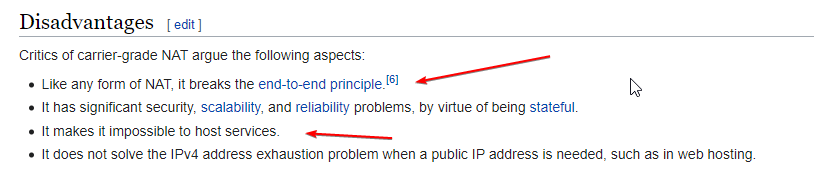 dull mirage
oh..
tame carbon
@dull mirage your router makes use of NAT too
port forwarding is NAT.
It translates packets to your public IP to be forwarded to your LAN
Network Address Translation
if you for example hosted a minecraft server on your local PC
and wanted to port forward
you tell your router to forward traffic from your WAN (on port 25565) to your LAN IP of your PC
@dull mirage as an example: https://i.imgur.com/pEOCc68.png

god I hate explaining NAT
cant we just all use v6 already.
plain siren
Basically you cant go ask your ISP to go setup Port Forwarding on their big ass LAn
tame carbon
@plain siren lol but what if you could ? :D
 lean pebble
Lol
tame carbon
UPnP/CG-NAT
plain siren
EZ Way to explain it, We got 1 Window, But I have the best Painting, You have the Best Sculpture, and He has the best Picture. We all share the Window, we all share the Public IP. I took the Painting, You took the Sculpture, He took the Picutre.
lean pebble
I'm trying my gre again wish me luck 😆
thick minnow
 lean pebble
Same result as last time
hollow marlin
tame carbon
<@!589542595341058048> lol but what if you could ? :D
Its possible with CG-NAT. It can be configured in multiple ways, one is each inside IP can be assigned an outside port range, example, 100.64.0.1 ports 20000-21000 and if they are willing to can forward inbound the block.
Impossible, no, but extremely unlikely to do that outside some high profile customers
tame carbon
@hollow marlin I dont think a NATting comcast-knockoff ISP will even take the time for such a request
static DST-NAT across their CG-NAT sounds... like a security and configuration hole
lean pebble
Anyone knows how to configure gre tunnel from pfsense to mikrotik?
I fixed the pfsense ping block to the default gateway of the server.
tame carbon
@lean pebble why you need GRE?
isnt there another protocol that is maybe slightly less cisco-ey
lean pebble
tame carbon
<@!109801863771074560> why you need GRE?
I already had gre tunnel that worked long time ago with my fortigate just playing with it for learning.
I don't mine learning different protocols
lean pebble
tender hazel
GRE is fine
I fixed the ping issue I had last time from pfsense to his default gw
tender hazel
I mean GRE is pretty simple so just setting up a GRE tunnel shouldn't be problematic at all
lean pebble
It is for some reason
Can't surf the net when connecting to it and can't ping my router on both IPs the gre internal IP and my main network internet ip
plain siren
Are you setting your GRE Tunnel as Default Route?
If you are trying to ping your own WAN IP from Inside your own LAN, sometimes it wont route
If you set your tunnel as def route, then it makes sense you cant do anything when its connecting (but not)
hollow marlin
Major company: "Our Fortinet VPN is not coming up this morning, we are seeing packets go over the tunnel and fail on return, can you do a PCAP to see for any loss on IPsec traffic"
Sure, let me capture your lost packets in a tunnel you are reporting down but sending traffic over
clear igloo
@hollow marlin Just capture them in the air!
plain siren
well you are expected to fly your ass over to the IX and and do it from there their minds
lean pebble
plain siren
Are you setting your GRE Tunnel as Default Route?
If you are trying to ping your...
I'm using the same configuration as last time. @tender hazel helped me configure the mtik side and I just reconfigured my centos 7 gre tunnel.
I have gre tunnel on mtik that pointing to my external IP ad local IP and remote IP as my server IP address then I added mangle rule and IP in the addresses list that setting up my internal IP address that I have on my gre tunnel side.
hollow marlin
Is NAT setup in the VM? It will have to have to have a rule for your subnet/zone to make it to the internet
lean pebble
Yap
The vm configured correctly something in mtik not working properly with my tunnel
hollow marlin
do a tcpdump on the VM to see what traffic is being received.
tender hazel
Erina can you describe the setup a bit more - I know it is more complicated because you have your mikrotik with a GRE tunnel to a VPS and then you also have a pfsense somewhere but I don't know where
and you are policy routing and doing double NAT on the MikroTik and the VPS
 hot hawk
what ports do i have to forward for a wiregurad server on ddwrt
lean pebble
tender hazel
Erina can you describe the setup a bit more - I know it is more complicated beca...
Nah pfsense it's just testing bench for different gre tunnel
I tested it to see if I get the same issue as I have with the vps
Do you remember my setup?
I can access my vps internal gre IP address from my pc but not to the router internal IP address (main gw, gre internal IP)
Pfsense now disabled
tender hazel
I don't completely remember your setup no, I do not recall the way the pfsense is connected, where it is
lean pebble
Ignore pfsense
I just used it to test gre tunnel between pfsense in my cloud service and my mtik and got the same result
That I can't ping gre internal router ip while connecting to the gre tunnel
And can't surf
I did the gre tunnel as pfsense guide told to do
tender hazel
can you clarify exactly you can't ping from where - you can't ping the IP that is on the gre interface on the mikrotik from your desktop that is going through the VPS?
lean pebble
Vps internal IP 10.70.3.1 and router gre internal IP 10.70.3.2
I can ping from my pc and my router to 10.70.3.1 but can't ping from my pc 10.70.3.2 while connecting to the tunnel
And can't surf the net or ping my 10.0.20.1 (router DHCP gw IP)
My other pc can ping both while not going through the gre tunnel
tender hazel
you probably need to add 10.70.3.2 to the gre exception address list we made
as well as 10.0.20.1
lean pebble
Ya but then still can't browse the net
tender hazel
what's changed - you could browse the net before, yes?
you wanted that system to go through the gre to get on the internet
tender hazel
right and we had it working, so what changed?
lean pebble
Nothing I guess.
It stopped working
We made it work but it was ultra slow
Can we try to it in the other way you suggested?
tender hazel
the slow performance was due to MTU issues
lean pebble
Instead with the policy
lean pebble
tender hazel
the slow performance was due to MTU issues
I made it 1400
Both sides
For testing
tender hazel
you might also need to do tcp mss clamping.. on mikrotik it is turned on by default for GRE tunnels I think
but I'm not sure if it is on by default on your VPS
thick minnow
when you pay for wifi do you pay for just speed or is it like cellular plans where you have to pay for a certain amount of data at a certain speed? im in the US by the way
tender hazel
it is probably in the gre tunnel config, or might need to make an iptables rule or something.. I'm not sure how you do it in linux
lean pebble
BTW if I want to do it from pfsense how do I do that ?
Gre tunnel working but can't surf to
tender hazel
I haven't used pfsense before
 sonic idol
does anyone know why my ethernet is plugged into my computer says it is plugged but the internet will not work on it?
 dense sierra
Maybe your Router has settings that have to allow for your device to have Internet first
dense sierra
Yeah, some Routers make Profiles for every device
peak cloak
no they don't
peak cloak
sonic idol
does anyone know why my ethernet is plugged into my computer says it is plugged ...
do you get an IP address
plain siren
dense sierra
Maybe your Router has settings that have to allow for your device to have Intern...
Ah you mean like WAN<>LOCAL Firewall BS?
peak cloak
type ipconfig /all in windows cmd
sonic idol
@peak cloak
dense sierra
plain siren
Ah you mean like WAN<>LOCAL Firewall BS?
I dont know If it is called that way
sonic idol
it gives me an message saying no valid ip config
peak cloak
sonic idol
it gives me an message saying no valid ip config
in cmd?
 peak cloak
ok
plain siren
mmmmm AIO Routers
peak cloak
so looks like no DHCP?
peak cloak
plain siren
mmmmm AIO Routers
AIO?
peak cloak
ahh, yeah
plain siren
Thats what I like to call them
peak cloak
never heard that
plain siren
A nice WiFi Toaster
sonic idol
@peak cloak sorry idk which statements were directed at me
peak cloak
I once saw someone else had it run out of space
peak cloak
sonic idol
<@!222482269829332992> sorry idk which statements were directed at me
restart your router
lean pebble
tender hazel
I haven't used pfsense before
We're back to square one 😂
155ms to the internal router gre IP
peak cloak
dhcp service probobly crashed
sonic idol
I have before multiple times
peak cloak
huh
sonic idol
its a long term issue for months
plain siren
lean pebble
We're back to square one 😂
155ms to the internal router gre IP
I bet I know whats up
sonic idol
no one has been able to help
plain siren
Whats the ping between you and the other end of that GRE tunnel without all the GRE
lean pebble
plain siren
Whats the ping between you and the other end of that GRE tunnel without all the ...
70ms
plain siren
*2
155
You go there and come back
You are making round trip your Routing Table is yoinked
tender hazel
yes, she must have removed something from her policy routing exception address list
plain siren
I was guessing 73 on the ping
Kinda salt
Lets see the whole config, both sides, all at once now.
lean pebble
Now 1ms but the browsing slow af
lean pebble
tender hazel
yes, she must have removed something from her policy routing exception address l...
I forgot I changed the internal IPs 😆
plain siren
Inb4 the loopback put one of the connections into a blocking state and its having to route around it making it slow
lean pebble
MTU 1400
plain siren
I just start assuming worst case whack scenario at this point
tender hazel
you need to do ping tests
to see what MTU you can actually pass
ping tests to something on the internet from your desktop, with various packet sizes
lean pebble
Ping to 10.70.4.1 stable and ok vps
Router internal 10.70.4.2 1ms after adding the exception
plain siren
Actually, Question:
Is it DNS thats slow for you, or is it actual IP Transit
lean pebble
tender hazel
to see what MTU you can actually pass
By my ISP max 1490
plain siren
Try to upload something to Google Drive.
lean pebble
Taking 15 minutes to refresh the page of whatismyipaddress
While connecting to the gre
plain siren
open cmd and tell me the output of nslookup google.com (The response server, not Googles DNS Entry itself)
lean pebble
Straight away I get answer I'm using 1.1.1.1
tender hazel
@plain siren we troubleshot this before, and she reported great speeds on a speed test, but every webpage taking 10-15 minutes to load
that's why I suspected MTU issues
if you start dropping HTTPS packets due to MTU issue then web pages will not properly load
vast shard
My MOM and DAD thought that ETHERNET CABLE send off WIRELESS SIGNAL 
tender hazel
She is doing gre over pppoe
So it gets more complicated
More places things can be going wrong
plain siren
Oh trust me I get that. But I always like to work from the top
@lean pebble Can you just humor me anyways here
lean pebble
plain siren
Was the tcp-mss set with it?
Yeah
tender hazel
mss clamping is enabled on the mikrotik side I believe, but she doesn't know how to do mss clamping on the linux vps and neither do I
plain siren
iptables
iptables -A FORWARD -p tcp --tcp-flags SYN,RST SYN -j TCPMSS --set-mss 1360
tender hazel
yeah I figured something in iptables
plain siren
iptables -A FORWARD -p tcp --tcp-flags SYN,RST SYN -j TCPMSS --clamp-mss-to-pmtu < this calculates
obviously the top is "I know what I want" option
https://tldp.org/HOWTO/Adv-Routing-HOWTO/lartc.cookbook.mtu-mss.html
"Circumventing Path MTU Discovery issues with MSS Clamping (for ADSL, cable, PPPoE & PPtP users)"
Ayyy
tender hazel
and the MTU on both sides of the gre tunnel config should match, make sure you don't have a higher MTU on one side than the other
lean pebble
plain siren
`iptables -A FORWARD -p tcp --tcp-flags SYN,RST SYN -j TCPMSS --clamp-mss-to-pm...
Do I need to something here or just copy and paste?
plain siren
plain siren
`iptables -A FORWARD -p tcp --tcp-flags SYN,RST SYN -j TCPMSS --set-mss 1360`
dis
plain siren
:\
tender hazel
show your gre config on the mikrotik side
plain siren
Yeah Im really gonna need a good like... Everything listed here
lean pebble
tender hazel
show your gre config on the mikrotik side
Interface or the firewall rules
tender hazel
interface, but you might as well show both so that rouing knows what is happening
lean pebble
Both interface and firewall or both sides ?
plain siren
yes.
lean pebble
I'm confused with your answer
plain siren
When you give a X or Y question and someone says "yes"
They are saying "I want X AND Y"


 tender hazel
you can export the config instead.. /ip firewall mangle export /ip firewall nat export and /interface gre export, it will be smaller
plain siren
Actually
plain siren
lean pebble
Enable yes to dont fragment and give it a shot
tender hazel
there's also config in the general tab that isn't shown in those screenshots above
plain siren
Queue for the Interface would be nice too
tender hazel
The GRE config on the VPS would be good to see as well.. I imagine the issue is on that side actually
plain siren
I did some digging and it turns out there is a bit of a long going issue with these Tiks
GRE with IPSec, PPPoE, whatever seems to have a tendency to have some logic failures
I think its an MTU issues + Queue Issue
But I think the Tik isnt doing what it should with the MTU Clamps
And We need to drop those about 8 more anyways
The Tiks are great for their build quality alone, the software/config options are nice too
But sometimes.... I think some cleaning up can be done
It feels like the same way Ubi went with the whole Polished look, these guys are balls to the walls aiming for that "Most detailed possible output"
Theres value in having these things "think" for themselves a bit and fill in the obvious at least
 west vortex
Hey guys. I am trying to use Unbound DNS on a spare raspberry pi I have for network wide, local authorative DNS access. I have some idea of what I am doing... But sadly, doesn't seem to be working. Everything on the net seems to have you install Pihole as well, which does work fine because I use that on a Pi4 as my primary DNS in the network. I wanted to setup a backup DNS with this spare device. Anyone know where to find this info? Or be able to guide me through it?
plain siren
lol
tender hazel
I've almost made that typo like 5 times in the past
hollow marlin
tender hazel
I would suspect the issue is more likely at the VPS side routing
Agreed and what I was asking him to show last round. Without the VPS config it's a shot in the dark
plain siren
west vortex
Hey guys. I am trying to use Unbound DNS on a spare raspberry pi I have for netw...
So you want your authoritative DNS to be made of something fit for just that and you can have the feature-types down the line
What you are looking for is Zone Delegation. You have an idea of what you want but theres more to it
west vortex
plain siren
So you want your authoritative DNS to be made of something fit for just that and...
I have a Pi4 setup with Pihole+Unbound (authoritative) already, I want to use just Unbound on a second Pi3 device as a backup, network wide authoritative DNS in case the primary ever has to go offline, to limit net access downtime
plain siren
Does it have to be authoritative also
west vortex
I would prefer it to be
west vortex
I can setup two DNS servers in my router, so I was going to try and make it easy and just have them not talk to each other and just be used interchangibly by the main router
I believe it's just a proxy. I use Pihole as the adblocker DNS, which queries Unbound on itself as the upstream DNS. Works great.
And the Pihole address is the sole DNS in my router
I just want to add the second pi device running unbound as the second DNS address in my router so if the primary has to go offline, it's not without a DNS server
but I can't seem to get Unbound on the second device configured properly to do that
plain siren
lets say you got ns1 and ns2, ofc we need to put them in the root zone's NS entries (As Authoritative)
dig +short NS google.com as an example. Between the 2 unbound servers, they should be allowed to forward their zones between each other. So if one doesnt come back, the then other will in the NS lookup.
something something round robin
west vortex
That's truly way over my head. I sorta understand it but not entirely.
I'm not looking for them to be able to query each other, if that's what that means.
plain siren
ns1.sub.example.com.  IN A     172.16.1.20
ns1.sub.example.com.  IN AAAA  fd02:faea:f561:8fa0:1::20
ns2.sub.example.com.  IN A     172.16.1.21
ns2.sub.example.com.  IN AAA   fd02:faea:f561:8fa0:1::21

sub.example.com.  IN NS    ns1.sub.example.com.
sub.example.com.  IN NS    ns2.sub.example.com.
I am just looking to have 2 Unbound servers running on the network as redundancy to prevent loss of internet access by the rest of my network
without using an outside nameserver like Cloudflare
plain siren
Look at the last 2 lines in that paste
2 NS records for the same subdomain pointing to 2 diff ns servers
plain siren
Theres more
Each NS server has its own zone file
But the trick is
For the zone its server, it needs to return itself
not its friend
zone "sub.tld" {
    type master;
    file "...";
};
``` on each NS ServerWell that would be great but I can't get Unbound to operate on the seond Pi device..
Which is what I need help with first
west vortex
I thought that I did by saying it wasn't working lol




 west vortex
It's just not seemingly working. I found a unbound.conf setup that I thought would work, and it gave me an error when I tried to restart Unbound. Let me see if I can find it lol
this is the guide I was using
 plain siren
I do have to ask, why even have a PiHole? \
west vortex
when I put in the conf settings, and restart unbound I get this error:
`pi@192.168.1.25:~$ systemctl status unbound.service
● unbound.service - Unbound DNS server
Loaded: loaded (/lib/systemd/system/unbound.service; enabled; vendor preset: enabled)
Active: failed (Result: exit-code) since Tue 2021-04-06 01:42:32 BST; 4s ago
Docs: man:unbound(8)
Process: 25479 ExecStartPre=/usr/lib/unbound/package-helper chroot_setup (code=exited, status=0/SUCCESS)
Process: 25492 ExecStartPre=/usr/lib/unbound/package-helper root_trust_anchor_update (code=exited, status=0/SUCCESS)
Process: 25522 ExecStart=/usr/sbin/unbound -d $DAEMON_OPTS (code=exited, status=1/FAILURE)
Main PID: 25522 (code=exited, status=1/FAILURE)
Apr 06 01:42:32 raspberrypi systemd[1]: unbound.service: Service RestartSec=100ms expired, scheduling restart.
Apr 06 01:42:32 raspberrypi systemd[1]: unbound.service: Scheduled restart job, restart counter is at 5.
Apr 06 01:42:32 raspberrypi systemd[1]: Stopped Unbound DNS server.
Apr 06 01:42:32 raspberrypi systemd[1]: unbound.service: Start request repeated too quickly.
Apr 06 01:42:32 raspberrypi systemd[1]: unbound.service: Failed with result 'exit-code'.
Apr 06 01:42:32 raspberrypi systemd[1]: Failed to start Unbound DNS server.`
west vortex
plain siren
I do have to ask, why even have a PiHole? \
I like network wide adblocking as well as blocking other things without needing a ton of software on every device.
Or devices I can't install anti-ads or anti-tracking software on, like my Echo Show
plain siren
I mean like... why not use the Unbound server
west vortex
Because the UI in Pihole is easier for me
It can pull from lists so I don't have to curate and add them all manually myself
west vortex
pi@192.168.1.25:~$ cat /var/log/unbound | nc termbind 9999
cat: /var/log/unbound: No such file or directory
nc: getaddrinfo for host "termbind" port 9999: Name or service not known
plain siren
sorry termbin.com, I corrected
west vortex
cat: /var/log/unbound: No such file or directory
nc: getaddrinfo for host "termbind.com" port 9999: Name or service not known
plain siren
https://github.com/firehol/blocklist-ipsets < check this out btw
Its literally all the lists shoved into an automagically updating git repo


GitHub
ipsets dynamically updated with firehol's update-ipsets.sh script - firehol/blocklist-ipsets
west vortex
its doing this because unbound is not running
west vortex
because it exited with the error i posted above
west vortex
yes I did both and they return that error because Unbound isn't running, because when I made the conf file, there must be something wrong with it and it wont start
hold on i will try again then
plain siren
5.39.93.71
west vortex
this is all that came back
pi@192.168.1.25:~$ cat /var/log/unbound | nc termbin.com 9999
cat: /var/log/unbound: No such file or directory
plain siren
did you directly copy paste the config file
west vortex
yes but I took out the adblocking portions
plain siren
Was it while you were in windows... SSH'd or some file transfer?
plain siren
Pasted into terminal or did you move a config file over
west vortex
pasted into the terminal
plain siren
Hmm not that
west vortex
but I made the adjustments needed to make it look like the config in the web page
plain siren
I was worried about line endings
cat /your/unbound/conf | nc 5.39.93.71 9999
there is something it dont like about it
west vortex
same thing happened
pi@192.168.1.25:~$ cat /your/unbound/conf | nc 5.39.93.71 9999
cat: /your/unbound/conf: No such file or directory
plain siren
cmd... "your" "unbound" "conf"
west vortex
plain siren
unbound-checkconf
west vortex
pi@192.168.1.25:~$ unbound-checkconf
bash: unbound-checkconf: command not found
plain siren
uwhat
plain siren
sudo unbound-checkconf
west vortex
pi@192.168.1.25:~$ sudo unbound-checkconf
/var/unbound/etc/root.hints: No such file or directory
[1617670790] unbound-checkconf[18368:0] fatal error: file with root-hints: "/var/unbound/etc/root.hints" does not exist
I see now.
Standby
west vortex
Yes. I ahve my Pi4 setup that way
I just want a strict unbound only server as a pure DNS backup
Okay so why isn't root hints installed into /var/lib/unbound like it was on my other pi device?
I do have dns-root-data installed
and it lists root.hints
can unbound use a symlink to the root.hints file? so I don't have to manually copy it every 6 months?
plain siren
rsync
https://github.com/cbuijs/unbound-dns-filter Found it! Its the ad blocker that has karma. It knows what to focus on and you dont ever set any lists
https://github.com/cbuijs/accomplist < Based on this source listing which has aallllllllll the lists.
west vortex
I prefer Pihole. It has per device settings and groups, very powerful.
Also, fixed my conf file. So now to test
plain siren
Thats true, but you can reduce downstream load if you are load balancing already
Pre Filters
west vortex
Honestly, I have the Pi4. The impact on the system is basically zero lol
plain siren
I was more happy I found the thing again tbh ¯_(ツ)_/¯
Mainly because the anti-bot lists for servers, I need to reapply that shit
west vortex
Okay, how can I test that Unbound is working properly on this device?
without triggering the Pihole or the other Unbound ns?
plain siren
nslookup google.com pi2.home.local
west vortex
Says couldnt get address for pi2.home.local
I'm not sure if I was supposed to change anything and if so to what
if I do just nslookup google.com then I am returned this
west vortex
pi@192.168.1.25:~$ nslookup google.com
Server: 1.1.1.1
Address: 1.1.1.1#53
Non-authoritative answer:
Name: google.com
Address: 172.217.1.46
Name: google.com
Address: 2607:f8b0:4009:813::200e
plain siren
the second pi's ip
west vortex
pi@192.168.1.25:~$ nslookup google.com 127.0.0.1
;; connection timed out; no servers could be reached
nslookup google.com 192.168.1.25
DNS request timed out.
timeout was 2 seconds.
Server: UnKnown
Address: 192.168.1.25
that was from windows terminal
plain siren
always sudo unbound-checkconf before start. check the status of the service
west vortex
pi@192.168.1.25:~$ sudo unbound-checkconf
unbound-checkconf: no errors in /etc/unbound/unbound.conf
plain siren

west vortex
0.0.0.0 should mean that it should be accepting queries from any outside client, yes?
plain siren
yes
You know...
I forgot why I liked BIND's elegance so much.
This requires more reading than I like
west vortex
lmao I do apologize haha
plain siren
its all good
Its been a while since I used Unbound personally
I know im missing something too
I wonder if it has to do with the strict DNSSEC Enforcement and private-address assignments on this
nah
is the root.keys valid?
west vortex
Should be, it gets installed with unbound via apt
and my other pi is using the same one and it seems to work fine
let me copy paste over my pi4's config and just change the interface and port and see what happens
OKAY
progress
pi@192.168.1.25:~$ nslookup google.com 192.168.1.25
Server: 192.168.1.25
Address: 192.168.1.25#53
** server can't find google.com: REFUSED
that's after copy/pasting my pihole's config to the other one, and setting 0.0.0.0 and port 53
okay I think I got it
added this to the config:
` # control which client ips are allowed to make (recursive) queries to this server. Specify classless netblocks with /size and
action. By default everything is refused, except for localhost. Choose deny (drop message), refuse (polite error reply), allow
(recursive ok), allow_snoop (recursive and nonrecursive ok)
access-control: 10.0.0.0/8 allow
access-control: 127.0.0.0/8 allow
access-control: 192.168.0.0/16 allow`
pi@192.168.1.25:~$ nslookup google.com 192.168.1.25
Server: 192.168.1.25
Address: 192.168.1.25#53
Non-authoritative answer:
Name: google.com
Address: 172.217.10.238
Name: google.com
Address: 2607:f8b0:4006:813::200e
nslookup google.com 192.168.1.25
Server: UnKnown
Address: 192.168.1.25
Non-authoritative answer:
Name: google.com
Addresses: 2607:f8b0:4006:813::200e
172.217.10.238
from windows terminal
i think it's working now
okay looks like everything is working fine now
dude thank you so much for the help
plain siren
np, njoy
west vortex
Okay so now that I have the IP's of both my Pihole server and my second unbound server in my router, none of my devices are releasing the old 1.1.1.1 address from being obtained automatically, how can I force them to pull the new DNS addresses from the router?
plain siren
you mean clear the clients cache?
west vortex
I did ipconfig /flushdns on the windows machine and it's still using 192.168.1.15 (my pihole) and 1.1.1.1, which should be replaced with 192.168.1.25 now for the new unbound device
wait
my router is telling me that the config is wrong now
plain siren
You do have DNSSEC which means the zones are supposed to be signed
and im pretty sure there is no Central Auth in play right now that would allow shared sig
Would they even allow each other to talk after getting the RR of one
west vortex
Well I don't really need them to talk to each other
I just want the router to use either of them should one of them fail
plain siren
Well I mean, if I see one as authoritative already and I see another unknown trying to do the same, I would ignore it
west vortex
So what is the proper way to get them to both run at the same time and have the router switch between one or the other should one of them go offline for whatever reason?
plain siren
Question is, are you using them as DNS Proxies or as actual DNS Servers in this environment
west vortex
actual DNS servers
plain siren
Whats your domain
west vortex
I have no idea.
plain siren
plain siren
What you are looking for is Zone Delegation. You have an idea of what you want b...
.