#networking
1 messages · Page 316 of 1
 plain siren
 tender hazel
ipv4 we have three /21's.. ipv6 we have a /32 which is many times larger than three /21's.. the /32 costs us like $1000 a year and the the three /21's cost us like $25k a month
plain siren
What would be REALLY cool is IPv4 become entirely private class
 tame carbon
@plain siren You think you can convince the US DoD to stop using v4?
plain siren
Why would they need it if its useless?
tame carbon
they sit on a huge swath of v4 addresses
plain siren
Shit how are they gonna fight that?
tame carbon
and force others to not squat
plain siren
Its already private to them
tame carbon
@plain siren DDoS :D
plain siren
Just throw the rest of the addresses at them and bogon the IPv4
boom inside your own network the DoD addresses are still yours
lol
plain siren
If IPv4 is no longer being routed into WAN
tame carbon
sure
plain siren
its only Private Class
THen it wouldnt matter
There is no IPv4 external links to be had
tame carbon
protocols like Art-Net use 2.0.0.0/8
plain siren
They just kinda got left behind and ditched
tame carbon
I remember when hamachi got heat from the US for squatting on 5.0.0.0/8
plain siren
Well honestly IPv4 would be useless in a 100% IPv6 environment anyways
the only real use I could see would be a stack dedicated for container networks to help with the whole "NAT" reliance thing
plain siren
No but you will still piss everyone off
Its not some authority you gotta worry about, its some IT asshole with a router
he might know how to use it
tame carbon
I am one of those IT assholes
I use my skills to pester employees
like a true BOFH
make kanban board pink because nobody knows what XSS is
plain siren
I use tiny ethernet cables to plug wall jacks back into the second port in them in public places.
tame carbon
 thick minnow
xD
plain siren
heh
plain siren
plain siren
I use tiny ethernet cables to plug wall jacks back into the second port in them ...
Dont forget the pouch full of Atom Lite ESP32 Devkits that are super small and can deauth and crowd up WiFi
tame carbon
I can do that with my phone
plain siren
Yeah but cleaning up 200 of these suckers
 tame carbon
@plain siren I've only used a de-auth attack offensively, ONCE in my life
plain siren
You would keep finding them everywhere
It would be like a nuke for Wifi
Inhabitable
tame carbon
My neighbors were playing Justin bieber - Baby at 2am in the morning
on their ipod dock near their little terrace behind the house
I was so fed up. I got up, ran airomon-ng, sniffed the mac basestation
plain siren
Too much work, BB Gun or .22LR works better, more fun, and faster.
 unborn sluice
plain siren
Too much work, BB Gun or .22LR works better, more fun, and faster.
unborn sluice
plain siren
Too much work, BB Gun or .22LR works better, more fun, and faster.
i can hear freedom sounds
plain siren
LET FREEDOM RIIIIING
tame carbon
@plain siren I actually asked them to turn it down the first time. I put on my bathrobe and slippers and went outside with a maglite
I crawled ontop of the shed so I could shine the torch in their direction to get their attention
then the Dad and son (both drunk) walked over
plain siren
wherever minds know what it means to be in chains
tame carbon
yeah they cussed me out
saying how "Yeah aren't your parents on holiday or something?"
Yes. But I have to work tomorrow too. And I need my fucking sleep
plain siren
I wouldve said "Are you talking to my fucking parents right now?"
tame carbon

plain siren
That wouldve got his attention.
tame carbon
@plain siren its not the first time lol. They had this incident where the parents were gone and the children hosted a party.
And then at 2am in the morning, someone fell into the river (behind their house)
and when they got them out of the river
1 person was missing
Prompting a full scale emergency
with scuba divers, ambulance, helicopters
at 3 am
plain siren
($180,000 down the drain right off, nice)
tame carbon
But these kids were too drunk to realize, that the missing guy had gone home 5pm the evening before lol
He was in a pub somewhere
and the entire neighborhood suddenly had to walk the dog at 3am lol
there was a crowd outside
plain siren
I almost want to say "Wait, Ive heard this one before" but that deserves a drunk tank night
plain siren
AH NOW I remember where I met you
tame carbon
Negligence
plain siren
tame carbon
<@!589542595341058048> they got fined for 75k
Not enough but any more wouldnt have done any good
tame carbon
those kids were quite spoiled
so I doubt they learned a lesson
they were the children of the local jewlery owner
they turned their entire home into fortknox
we had a complaint with them, that their IP cams were filming our backyard
plain siren
tame carbon
we had a complaint with them, that their IP cams were filming our backyard
My 200W IR Laser gonna film their camera
might light up your fiber line too
tame carbon
@thick minnow even WPA2 is easy enough to break. as long as you have a minimal data link like GPRS or EDGE
all you need is an AWS compute instance and cudacat
plain siren
tame carbon
all you need is an AWS compute instance and cudacat
I was about to say just this
tame carbon
costs like 5-10 bucks
to crack a single pw
EAP is only real secure implementation of 802.1 security
plain siren
You can do it servicelessly now and pretty much offload almost everything. Use something like a EAP-32
As an Ex-Employee, you will be told to stop almost immediately on the actual worth-return instances to mine on
tame carbon
They have GPU clusters
plain siren
If you dont, you will be terminated without recourse and they dont bat second eyes to that
So, you dont.
tame carbon
if you run a 10 minute cuda instance to crack a wpa2 handshake, nobody will care
plain siren
tame carbon
if you run a 10 minute cuda instance to crack a wpa2 handshake, nobody will car...
You could do that forever
tame carbon
@thick minnow brute force
plain siren
But miners..
tame carbon
most keys are < 16 chars
takes couple minutes to do
@thick minnow 4 Tesla GPUs at the same time. do a couple billion combinations/second
WEP you can do on your smartphone
WEP security is "securetei"
plain siren
Actually they got the Alpha Preview of GPUCaaS that isnt named yet
Its basically a GPU Compute API/Socket as a service
so imagine
Burst raw flows
tame carbon
@plain siren cool.
even cheaper wpa2 cracking
The problem with wpa2 handshakes is that they don't expire.
The hashed password it sends isnt going to change in the future
plain siren
Basically anything but these authentation server backed protocols which are really "Not in the Wi-Fi" but more so behind the Wi-Fi, are useless
tame carbon
WPA3 fixes this problem
but WPA3 is bad, because you can downgrade to WPA2.
Dragonbleed (vuln)
This website presents the Dragonblood Attack. It is a collection of attacks against the WPA3 protocol, which mainly abuse the password element generation algorithm of WPA3's Dragonfly handshake.
plain siren
yeah useless
if you need a consumer grade auth they should just run a tiny radius server and shrink the 802.1X Auth Server into something that fits in the AP/router
tame carbon
@plain siren that's what i was planning for that public wireless network. Give an unprotected open wifi for everyone
And premium users can use 802.1x login
for higher speeds
plain siren
thats the best shit about it, it aint tied to the wifi-stack so much. Its even used on Wired networks. Its after the fact
tame carbon
its a more elegant solution than a captive portal.
plain siren
You could sit on a routers wifi all day but unless you auth into the network, its useless
tame carbon
@plain siren time to deliver my school report. I hope the teacher enjoys these LF's
plain siren
Well it seems the WiFi Alliance sucks ass at making something
So start using the shit that works
Not even
tame carbon
mr Bluetooth
wasnt that a dutch guy?
AT&T came up with the 802.11 spec
NCR Corporation with AT&T Corporation invented the precursor to 802.11
plain siren
Hendy Lamarr made Wi-Fi
tame carbon
Nils Rydbeck was the guy who made bluetooth
plain siren
AT&T for all the shit I give them are giving us some nice things, even now
plain siren
Yeah that AT&T died along time ago
plain siren
No shit, I hate them for one huge reason.
They are why we are stuck on copper POTS network for voice-tel communication rn
They own the switches after all
All of them
almost
tame carbon
Do they still use rotary encoders? :D
plain siren
a few
tame carbon
WAT
plain siren
They charge 100's of K's to the ... you guessed it, local governments to "Allow" their infra to be there
Just so they can use it
plain siren
And then they charge biz's and the likes, but maintain a monopoly on the raw # of own switch ports
tame carbon
honestly though
if you got nuked. you'll be thankful you use rotary encoders
because those will survive
plain siren
But most of the systems have becomes virtualized anyways
With ofc AT&T making prop internal changes no one knows so they keep it
One of these is not like the others


$ORIGIN 2.4.2.4.5.5.5.1.e164.arpa.
IN NAPTR 100 10 "u" "E2U+sip"  "!^.*$!sip:phoneme@example.net!" .
IN NAPTR 102 10 "u" "E2U+mailto" "!^.*$!mailto:myemail@example.com!" .```Suddenly your email can become something like a telephone number
and SIP < > SIP is now easily capable.... but you are bypassing AT&T as a result
they dont like that

They dont like the idea of the DNS system becoming the phone book heart that does the switching as it would literally destroy them
its over half their income
If you got about 400K, you can volunteer to become the ENUM workholder for +1, (US, CA) and setup the DNS Infra for everyone to use and maintain it..... just to watch AT&T die
US EC is mine, Im not even close to done yet tho.
and thats costly enough to try
You got mail.
Addressed from reality
 strange path
plain siren
They dont like the idea of the DNS system becoming the phone book heart that doe...
strange path
plain siren
They dont like the idea of the DNS system becoming the phone book heart that doe...
last I checked on a AT&T DSL router (that thing of course runs your stupid VoIP phone line) you can't change the DNS at all. If you were to do that you have to do it to each and every device that you have on the thing's network. So it still uses AT&T's DNS for it's lovely @sbcglobal.net email hell. I have an Arris NVG510 and the system page by going to the default router is invigoratingly stupid. You don't just let everyone see the wireless password on the first page that comes up without entering a password first, but no that is free public knowledge to anyone on the private side of the network. The only thing that you can configure for the WAN side is the MTU size.
tame carbon
plain siren
If you got about 400K, you can volunteer to become the ENUM workholder for +1, (...
If you ever got bored
 hollow marlin
Sorry, I had to step away last night. So with RED you are never going to get your full bandwidth with HQ and traffic in other queues. You can alleviate some by increasing the queue limit to say red-limit=100 and set the max/min to red-max-threshold=90 red-min-threshold=50. This would allow the queue to fill up around where it was pretty much reaching the limit before (49) and scale more gradually from there.
The better option would be PCQ where each queue would be classed and any left over bandwidth would be allowed to be used. Without the support for WRED, RED has some major downsides
Just be careful the queues don't get too deep or you'll run into buffer bloat. Actually buffer bloat, not what home users claim it is
tame carbon

Ars Technica
Industry says US should favor private ISPs and take no action to lower prices.
That "industry" also says 10mbit upload is 'enough'
I feel like AT&T and the likes couldn't care less about service quality
Its like germany, where the Telekom can force fiber operators to lower speeds so they don't have 'unfair' advantages over copper
 thorny vector
@hollow marlin How goes the monitoring stuff?
hollow marlin
I brought it up to some of my coworkers and they were interested. I haven't had time to get with upper mgmt to present it
thorny vector
👍
If you need documentation stuff, or harder numbers, let me know
I have some stuff lying around
 vital rain
Hey! I wanted to see if anyone is having problem with this stuff. https://www.cisco.com/c/en/us/support/docs/switches/catalyst-9300-switch/216236-troubleshoot-output-drops-on-catalyst-90.html

Cisco
This document describes how to troubleshoot output drops on the Catalyst 9000 series platforms.
I am not using Catalyst 9000 instead of HP, but we were experiencing the same issue when the usage was high and none of our network admin were able to figure it out 🙂
hollow marlin
Output drops are 99% of the time due to full buffers. Usually seen with mismatch speeds like an uplink of 10g -> 1g port
vital rain
Yea except in my case it was due to many to one congestion.
Network admin actually was suspecting it could be 10->1, but we didn't have any device that uses 10g 🙂
We are resolving the issue now, if you have any solution that would help me that would be awesome!
hollow marlin
Yeah, 10g -> 1g, many to one, same concept. Its just more traffic is trying to egress a port than the port can handle.
If you are getting the drops in burst and its no more than ~10% of the interface bandwidth, you can deepen the buffers
If its for a burst longer than 1s, there is nothing you can do as traffic is overloading the egress port. QoS can be setup to allow particular traffic priority during that time but you are still going to have drops
 tacit leaf
Hey soo today I found out I didnt have a public ip address (my wan ip wasnt same as my public ip), Can I use ngrok for port forwarding?
thick minnow
is this easy to set up
im tempted to do it and try it out now
on my computer
easy as in can i just go straight to doing it or do i need to go watch youtube videos.
tame carbon
@thick minnow whats the intended purpose
thick minnow
thick minnow
is this easy to set up
It isn't easy exactly
but there are scripts that make it easy

GitHub
WireGuard road warrior installer for Ubuntu, Debian, CentOS and Fedora - Nyr/wireguard-install
thick minnow
tame carbon
<@456226577798135808> whats the intended purpose
watch films downloaded on my hard drive from a diff house
thick minnow
Then you should probably use the rooadwarrior script
why?
oh
is that in conjunction with that wireguard install u just sent
tame carbon
@thick minnow you even have access to a linux system?
because all this stuff is so much easier on that
I always worry when I try advanced things on windows
because its actually really hard
tender hazel
hollow marlin
Sorry, I had to step away last night. So with RED you are never going to get you...
I don't think PCQ/SFQ really work for this.. I had tried SFQ before and performance was terrible
the problem I think is that it is MPLS traffic so all of the packets end up taking a single flow in the sfq
tame carbon

LOOK, THE LATENCY FALLS EVERY TIME YOU CLAP YOUR HANDS AND SAY YOU BELIEVE
tender hazel
so even though there are 1024 substreams in sfq and it would probably be ok if the traffic were distributed between all 1024, it all goes into one because of the MPLS labels
it becomes one gigantic pfifo queue
tender hazel
increasing the red has perhaps helped slightly
but the drop rate is still around 2000-3000 PPS
thick minnow
tame carbon
<@456226577798135808> you even have access to a linux system?
No I'll be doing it on my main pc which is windows.
hollow marlin
tender hazel
the problem I think is that it is MPLS traffic so all of the packets end up taki...
Is the traffic passing through the router mentioned:
ingress=label, egress=label
or
ingress=label, egress=no label
tender hazel
it is an internal P router so the traffic should have labels in both directions
hollow marlin
Id grab a PCAP to see if Mikrotik is properly marking the EXP bit
Curious if its marking all as a single class
With RED you will continue to get packet loss not matter what unless you really crank up the queue size
@tame carbon Quit farting around, fix Mikrotik's MPLS queuing already
tame carbon
@hollow marlin I dont even know how 2 mpls
let alone fix it
I had issues setting up a simple queue
fastpath 
tender hazel
hollow marlin
Id grab a PCAP to see if Mikrotik is properly marking the EXP bit
oh yes I know it is properly marking the EXP bit

the EXP bits are used to sort them into the various subqueues
4_ent_splitlake is EXP bit 4
those are our dedicated bandwidth (enterprise) customers
but there is a lot of traffic in the best effort queue because that leg is predominantly home/business retail
the enterprise traffic is very low during COVID because most of those customers are large schools
 ruby bramble
Just setup pi hole and its great
tender hazel
I think CoDel in routeros 7 will be a big improvement
the default codel queue is quite big.. 1000 packets
I wonder what would happen if I tried to make the red queue 1000 packets?
I've never tried RED anywhere near that large
hollow marlin
You can bump it up, 1000 packets is still quite small. Have you seen the BE queue in terms of packets get very high?
tender hazel
no I mean the default codel in routeros v7 (which we aren't using yet in production) is 1000 packets but the red queue (in ros 7 and ros 6) is only 60 packets by default.. and you had said to increase that to 100 packets, and I've now increased it to 200 packets
200 packets is helping
the rates are improving
 hollow marlin
Well lets me do some paper math to see what might be the best size. I just wanted to test at 100 to see if there was any improvement which is good
tender hazel
I'm doing a single connection btest in order to test how it is working
and that's much better than what it was.. I was only getting like 5Mbps or 6Mbps before on a sinle connection
tender hazel
hollow marlin
You can bump it up, 1000 packets is still quite small. Have you seen the BE queu...
I haven't seen the BE queue get super high in terms of packets, I saw it hit 98, but given the packet drop rate and the overall rate I think that the display for how full the BE queue is isn't getting refreshed often enough for me to see what is happening instantaneously
hollow marlin
Yeah it would never be able to display it real time, its all on packets per clock
tender hazel
but this is progress anyway - I've played with the queue types and sizes before and this is the first time I've gotten an improvement, everything seemed to make it worse
hollow marlin
Give it time as well, RED takes an average and I have no clue what ROS uses for the timeframe
tender hazel
I tried doubling it again but it seemed to make the performance deteriorate.. not sure why
hollow marlin
in drops or pps?
tender hazel
I was looking at the Mbps data rate
I can try again
it's dropping about 5000 PPS right now with red queue size 400
actually it is varying between 2000-5000 PPS
it might not be worse actually
it seemed to drop right after making the change but now it has improved
hollow marlin
Oh, looks like mikrotik is doing packet/byte conversions for the avg queue size. That would be a problem

 hollow marlin
This is what worries me based on the wiki
red-min-threshold (integer [0..4294967295 ]; Default: 10) Average queue size in bytes.
hollow marlin
Yeah and CLI is just showing integer
tender hazel
yeah.. somebody screwed up when editing the wiki I think and put a wrong description there
hollow marlin
To be safe I would increase the avg packet size to 1542 to cover the size of the max with a single VLAN/MPLS tag
tender hazel
continuously seeing large number of queued packets again
but rates are ok
I wonder if I should try doubling again to 1600 packets
packet drop rate is down subtantially
1000 PPS
holy crap this is much better
I just hit 50 with a single core speed test
tender hazel
@hollow marlin it seems like after I make changes to the queue type all of the speeds drop regardless of what change was made
and they stay dropped until I disable and re-enable the queue again
then it returns to the old speed or faster
it seems like some calculation isn't happening
it explains why everything I did seemed to make things worse.. it is a bug
tame carbon
wouldn't you want to stay under 4k queue?
as to stay with memory page limits
since this is all CPU bound
then again, 1gbit is peanuts for memory bandwidth
@tender hazel for memes can you try 4096 ?
tender hazel
I went up to queue size 4000 for now
I'm seeing big fluctuations @hollow marlin sometimes it is really fast, other times really slow
the packet rate is not changing much.. I think sometimes there are lots of big packets and sometimes lots of small packets
I think I should put the average packet size back down a bit lower
tame carbon
stupid question but
do you have enough free memory ? xD
can't you just calculate the ideal size?
I mean, 1G @ 1500 bytes
hollow marlin
tender hazel
<@!462711605063450628> it seems like after I make changes to the queue type all ...
If you change the queue type you would have to rebuild the queues. Reason being the bandwidth allocated to each queue as it would then be using token buckets. One queue would quickly starve out the others
tame carbon
calculate how many PPS that is
and then take 0.1ms of that timeframe, and set that as your buffer?
tender hazel
hollow marlin
If you change the queue type you would have to rebuild the queues. Reason being ...
which in this case means disabling and re-enabling them
hollow marlin
Yeah, it would be an overhaul
hollow marlin
tame carbon
and then take 0.1ms of that timeframe, and set that as your buffer?
Other vendors use bits and bytes for the calculations, looks like Mikrotik takes the average packet size x packets for the queue depths. The math is all over the place for determining what the best buffer would be. Currently this queue type is RED which is just a probability of dropping a packet based on the queue size. Just using first in first out scheduling
tender hazel
@hollow marlin they use the linux red implementation
but they don't provide all the options that are available in tc-red
avpkt Specified in bytes. Used with burst to determine the time
constant for average queue size calculations. 1000 is a
good value.
hollow marlin
Looks like min is specified in bytes as well
tender hazel
I just saw the rate go above 900Mbps
hollow marlin
Which makes sense with working with Cisco/Juniper. Going off the screen shot above, min of 400 and avg. packet size of 1000 means the queue would be 400,000B or 264 pckts at 1514B.
tender hazel
tame carbon
you only really need to start queueing at like 980mbit+ ?
we do experiments regarding the best place to start queueing
we used to always use 95% but sometimes we can push it a little higher
tame carbon
ah
tender hazel
our pings from our monitoring systems are prioritized at the highest level so we will know if the upstream is dropping packets if we see those ping packets being dropped
and then we know that we have to pull back a bit on the limit
tame carbon
I was thinking you were solving a problem, but you were actually just experimenting
tender hazel
we also use a stricter bucket size than the default.. 0.01 instead of 0.1
the bucket size of 0.01 makes it react more quickly when the rate goes above the maximum to allow us to push the max a bit higher.. 980 probably would not work with the default bucket size
hollow marlin
With just RED, buckets shouldn't be in play, shouldn't at least because I think its still fifo
tame carbon
wait, but you can just buffer and use TCP flowcontrol right?
I guess UDP would need prioritization
if you start dropping udp packets, people complain :P
tender hazel
this isn't about traffic types
we have customers there - a school with 100Mbps dedicated, another school with 50Mbps dedicated, two health centres with 15Mbps dedicated each
tame carbon
but the max rate is best effort?
tender hazel
if we don't prioritize those customers above retail then the enterprise customers won't get their rates
tender hazel
tame carbon
but the max rate is best effort?
I don't know what you mean?
tame carbon
if the school is not using their 100M, do the other clients get more?
tender hazel
the retail can use whatever the enterprise is not using yes
right now the schools are closed and so enterprise traffic is low, around 10Mbps
everybody shares the same 980Mbps but the enterprise customers have priority over the bandwidth up to their package limits
tame carbon
I'll have to do something like this soon
except, with three groups
business, free wifi, premium wifi
tender hazel
the only reason it is a challenge here is because we have so many customers going through the one tunnel and the one queue with no way of differentiating between them
tame carbon
I saw you were using packet marks?
tender hazel
yes
we are marking the packets based on the MPLS experimental bits, which mikrotik said was impossible but I found a way to get it to work anyway
tame carbon
use the tcp evil bit
tender hazel
I hope it still works in v7 - I emailed mikrotik to make sure that they wouldn't break this functionality in v7 because we need it and it is sort of a workaround for missing features
and they replied back that this solution does not work, it is not possible
but I am using it successfully, and others have set up the same config after I described how to do so
tender hazel
lab tests with a best effort UDP flood show that the prioritized traffic is properly marked and makes it through with no loss
the trick is to create a single-port bridge for each interface, with STP off
then use the bridge filters to match ingress-priority which is set from the MPLS EXP bits, and mark the packets based on that
tame carbon
O.o
tender hazel
it works, but we need lots of extra bridges on our routers that we otherwise would not need
in our core router we have about 30 or 40 VLANs for various NNI's and we have a bridge for each VLAN
tame carbon
@tender hazel isnt there such a thing as interface queues?
creating a bunch of bridges doesnt sound ideal
hollow marlin
QoS is per outgoing interface which contains multiple queues
hollow marlin
tender hazel
it works, but we need lots of extra bridges on our routers that we otherwise wou...
Thats rough, most other vendors will mark the exp bit based on the DSCP by default
tender hazel
the problem isn't marking the exp bit on the router that adds the first label, it is matching the exp bits to place the packet in the correct queue
hollow marlin
ah, gotcha
tender hazel
we can set the exp bits on the PE router without needing these crazy bridges, but to actually use the exp bits for something we need to set up these bridges on the P routers
otherwise we would set the exp bits, but they would not have any impact as the packet travels across the network
normally you would mark the packet with mangle, but MPLS packets on mikrotik bypass mangle
so bridge filters are the only thing that can match the MPLS packet
tender hazel
@hollow marlin looking back on the traffic graphs we have more to that site now than we ever did before
the drop rate is very low now
I might try increasing once more
going up to 8000 made performance worse, reverted to 4000
tame carbon
that's bytes yeah?
@tender hazel single memory page on the CPU is 4096 bytes
might just be aligned to pages
and therefor be slower
tender hazel
it might be something like that but this is 4000 packets, not 4000 bytes
tender hazel
what time is it there?
 granite merlin
Can anyone help with port forwarding? I tried what seems like everything, but I still am getting something wrong. Could anyone help?
 peak cloak
granite merlin
Can anyone help with port forwarding? I tried what seems like everything, but I ...
peak cloak
granite merlin
Can anyone help with port forwarding? I tried what seems like everything, but I ...
are you under cgnat?
go to router login and look for something like WAN IP
share the first 2 octets
so for example if it was 123.123.123.123
just share 123.123.x.x
granite merlin
Im going to be completely honest, ill try and provide as much info as possible but i may be a bit slow, im kinda a newbie :/
im looking rn tho
peak cloak
granite merlin
im looking rn tho
whats your router?
peak cloak
granite merlin
Would you be looking for the number like 192.168.x.x?
no, that's your LAN IP
@granite merlin ok so
I found it
on the home page click the advanced tab
granite merlin
Is the WANip the external ip?
peak cloak
look under internet port
peak cloak
granite merlin
Is the WANip the external ip?
yes
granite merlin
okay that was confusing me
granite merlin
Im on routerlogin, under the advanced tab atm
peak cloak
ok, so share the first 2 octets of the IP address under internet port
granite merlin
72.39
peak cloak
ok that's not cgnat then
granite merlin
Curious, what is cgnat?
peak cloak
granite merlin
Curious, what is cgnat?
basically you don't have your own public IP, instead the ISP has a couple and NATs them to many private IPs. This is done because we have ran out of v4 addresses. Your router actually NATs that one IP you get to all your local devices. The same thing happens at an ISP level. This means you can't port forward because the ISP would need to do it, and they won't
granite merlin
So, me not having cgnat is meaning I own my own nat?
peak cloak
so what service are you trying to port forward? minecraft? webserver?
peak cloak
granite merlin
So, me not having cgnat is meaning I own my own nat?
no
if an ISP cgnats, NAT is done at an ISP level, and then again by your router
 granite merlin
so that example is cgnat?
peak cloak
yep
granite merlin
I think i understand now
granite merlin
Sorry for the questions
peak cloak
no worries
granite merlin
Yes

This is as much as ive gotten, but when I connect with my external ip
it doesent show up
peak cloak
granite merlin
This is as much as ive gotten, but when I connect with my external ip
still connected locally though?
if so, it may be an issue with NAT reflection
granite merlin
Yup, i just connected locally
So i know it isnt an issue with my server, or minecraft
which i figured at the start
peak cloak
if you want, I can check to see if the port is open from outside your local network
or if you have any friends, you can ask them to try to connect
peak cloak
already tried a port scanner?
granite merlin
Yup
peak cloak
hmm
granite merlin
I did the windows firewall thing, where you allow that port with the application
peak cloak
but it works locally, so it shouldn't be windows firewall?
granite merlin
I just saw in a video that maybe that was an issue, not sure what it exactly does
Could it be an isp thing?
peak cloak
they could be blocking it, but I doubt it
peak cloak
granite merlin
What is NAT reflection?
without nat reflection, if you typed in your public address and tried to access a local service it wouldn't work. What it does is redirect traffic back to your local server
granite merlin
So i wouldnt be able to connect locally?
Do you think if i tried from a different computer, it wouldnt work?
peak cloak
granite merlin
So i wouldnt be able to connect locally?
when using your public IP to connect, yes
but, if you use the local IP it should work
you said it doesn't work right if you enter your public IP right?
granite merlin
it does not work
peak cloak
so I'm 90% sure it's an issue between the router and the server
not ISP
but I have no clue what it could be
the IP is correct right?
peak cloak
what I meant by correct IP is, In the port forwarding settings the IP is correct?
peak cloak
windows right?
granite merlin
yes
peak cloak
granite merlin
I used the ip found in my ipconfig in cmd
ah ok good
are you running more than one router?
granite merlin
The modem would have nothing to do with it right?
peak cloak
it shouldn't
granite merlin

Dont know if thatll help
but thats what it says when i try to connect
with my ip
peak cloak
kinda helps, it means it's just getting blocked
no other weirdness
idk what else tbh
granite merlin
new router time? lol
you have any recommendations?
Ill prolly go with an asus one
peak cloak
for consumer routers idk myself, but I always hear to avoid asus
at least from other people here
mikrotik is good
granite merlin
Well everyone here is smarter than me so ill do that
peak cloak
idk how good their consumer stuff is, people say it's nice
peak cloak
although the webui may be a bit confusing for newbies
their newest all in one is 100 bucks although it may be out of stock
granite merlin
Should I go with the lowest I can without limiting my internet?
I have gigabit so i should aim for that?
or is that a non issue anymore
peak cloak
yeah, get a router that can do gigabit
the hap ac3 can do gigabit

MikroTik is a Latvian company which was founded in 1996 to develop routers and wireless ISP systems. MikroTik now provides hardware and software for Internet connectivity in most of the countries around the world.
I myself am getting a HEX S
granite merlin
What are the advantages?
peak cloak
 peak cloak
granite merlin
What are the advantages?
peak cloak
granite merlin
What are the advantages?
of what?
granite merlin
The hex s?
peak cloak
oh
that's just a router
no wifi
has an SFP port
I already am using an ER-X right now
granite merlin
I see, so something I wouldnt be able to take full advantage of probvably
peak cloak
granite merlin
ipv6?
ipv6 is the thing to replace ipv4
peak cloak
granite merlin
and how does that correlate with hardware acceleration
basically if I have HWNAT enabled, it just drops ipv6 TCP SYN packets
peak cloak
granite merlin
So its better?
it has many, many more ips
so no NAT needed
all your local devices get a global ip
your home should get at least a /64
which is 18,446,744,073,709,551,616 ips
peak cloak
granite merlin
wait how is a/64 that number?
you know subnets?
granite merlin
no
peak cloak
so basically in v4 for example your home network is probobly 192.168.1.0/24
which just means the local IP range is from 192.168.1.1 - 192.168.1.254
peak cloak
granite merlin
So yo;u can only have 254 local ips?
in that subnet yes, but the ip range for private ipv4 communications is ALOT bigger
I for example use the 10.x.x.x range locally at home
and I have multiple subnets
so one for Guest network which is 10.0.30.0/24
but I can use the whole 10.0.0.0/8 range
granite merlin
Would I have two subnets?
peak cloak
no, probobly just one
granite merlin
since i have a 5ghz connection and a 2.4ghz??
or is that different
since its two different connection types or is it linked the the same subnet just a different frequency
so like faster internet
man i prolly sound dumb lmao
peak cloak
granite merlin
since i have a 5ghz connection and a 2.4ghz??
no that's SSIDs
that's just wifi
they both are on the subnet in the end
although on more advanced access points you can make multiple SSID's and point them to different subnets using vlans
granite merlin
whats a vlan?
peak cloak
granite merlin
whats a vlan?
basically allows multiple networks on one physical interface
it uses packet tags to identify on what network the packet it
 granite merlin
I am so confused
peak cloak
so for example I use vlans to allow multiple networks between my router, switchs and APs
peak cloak
granite merlin
I am so confused
yeah don't worry about this, this is all higher level networking
just answering your questions
sorry for confusing you
peak cloak
this is basics too
once you get into actual routing, you have stuff like BGP, OSPF, MPLS, etc
that stuff I don't understand myself
granite merlin
I understand bits and pieces, but the abbreviations confuse me
like the meanings behind them
like nat
peak cloak
yeah, it's network address translation. There's different type of NAT too, which I don't really fully understand myself either
like masquerade nat, destination nat, and source nat
anyway I gtg
granite merlin
okay, thank you for the help and lesson!
hollow marlin
@tender hazel I think I know what the issue might be. I just read through Mikrotiks docs and I think what is happening is your bucket is causing the drops.
My guess is since the bucket is 0.1 and max-limit is 980 so the bucket is 98, the BE queue is pulling more tokens than the interface is able to egress. So during high loads, 1078 is given, 1000 make it through and the rest I believe is re-queued in hardware.
I assume this is causing drops when that queue is full, TCP windowing kicks in, traffic pulls back, bucket fills back up, rinse and repeat.
This is also ignoring all other traffic and queues, preamble/fcs/gap, etc...
So just as a test, for the BE queue, try setting the bucket to 0.0 and disable burst in the RED queue and see what happens.
hollow marlin
ah crap, it is isnt it
tender hazel
yeah.. I tried changing the bucket to 0.1 but it didn't help so I changed it back.. the default is 0.1 but I normally set all mine at 0.01 instead
hollow marlin
For the RED queue, wasn't the burst something like 400pkts last I remember?
tender hazel
oh sorry yes.. but I can't disable burst on the RED queue, it doesn't let me set burst to be less than what min-threshold is set for
so I'll have to lower the min threshold to disable burst
hollow marlin
Well it was worth a shot. ROS definitely handles queuing differently as Cisco/Juniper will use the hardware first then only use software queues unless configured to. ROS puts everything through the software queue
tender hazel
I've tried increasing the bucket size to 0.5 just on the best effort queue
all drops on the best effort queue have stopped now
0 drops
I'm getting like 130 mbps on a single session speed test
instead of like 6 or 7 Mbps
hollow marlin
So basically the complete opposite of my theory lol
tender hazel
yeah but I mean the issue is that sometimes certain settings seem to work great.. then I try something else.. and it doesn't work great and I change back to what I originally had and it doesn't work as well as it was
it feels unpredictable
hollow marlin
Yeah, QoS with real world traffic can make sudden test upredictiable. I never asked but are ingress/egress interfaces both a gig or 10g?
tender hazel
our core to the site is a 10G NNI (which also goes to other sites), the site to the core is 1G
everything tends to work great with mikrotik qos until you hit around like 700 or 750Mbps
then these issues start to crop up
but my drop rate with the larger queue is substantially less than what it was before
I think CoDel in routeros 7 will work much better for this
I just wish I could test it somehow
it sorta has to be real traffic to be a good test
I can't just fire UDP through it or something and expect that to demonstrate how it will perform in the real world
@hollow marlin mikrotik themselves couldn't help me much because apparently they have never tried queueing MPLS traffic like this
they suggested I try SFQ which gave me only about 350Mbps on the 1Gbps connection
SFQ divides it up in to 1024 pfifo flows but I think because it is MPLS the matching based on src/dest port and src/dst IP was not working so everything was going into one flow
 lean pasture
I have a really strange problem
With my pc, I get download speeds of 0.1mbps, with really high ping. My sister has the same problem, and recently my laptop has had low speeds. This obviously meant that my modem was the problem. Except my dad on a different floor to the modem has perfect internet. It makes no sense to me. I personally use Ethernet over power, because I thought that there was something in my walls blocking wireless connection to my pc when I built this. the Ethernet over power fixed it temporarily and now it’s gone back to being awful.
troubleshooting network connections feels impossible. it’s like there’s no logical reason something has bad connection, and it changes randomly.
tame carbon
any packet loss?
 frigid pine
granite merlin
frigid pine
granite merlin
Check if your server is allowed to connect over public IPs.
frigid pine
lean pasture
With my pc, I get download speeds of 0.1mbps, with really high ping. My sister h...
Do you mean Power over Ethernet (PoE)? If not what do you mean by ethernet over power?
frigid pine
ohkay.
 sturdy ledge
i am planning to upgrade my wifi from R7000, to Ubiquiti EdgeRouter X and UniFi 6 Lite, do i need a poe injector or does the built in power supply from the EdgeRouter X work
peak cloak
sturdy ledge
i am planning to upgrade my wifi from R7000, to Ubiquiti EdgeRouter X and UniFi ...
er-x can only do passive poe-passthough
I would get a poe injector
poe passthough means that the er-x needs to be powerd by passive poe itself, and can output some of the power back out
sturdy ledge
how many V or A poe should i get
peak cloak
sturdy ledge
how many V or A poe should i get
Idk passive poe, I just use active
802.11af or at
sturdy ledge
https://store.ui.com/collections/unifi-accessories-poe-injectors/products/poe-injector-24vdc-24w-gbit would this work?

Ubiquiti Inc.
Ubiquiti PoE Adapters provide a variety of features to help protect your PoE devices:
Surge protection
Clamping protection
Maximum surge discharge
Peak pulse current
AC cable with earth ground
Electrostatic discharge (ESD) is the leading cause for outdoor device failures. You can effectively protect against ESD damage using a grounded Ubi...
peak cloak
probobly
tame carbon
@sturdy ledge passive support depends on the device you are connecting to
PoE is 19-57V
but higher voltages are only used for higher power devices, because the current is limited to... I forget 300mA ?
higher voltages are usually negotiated between source and drain
hence the 802.11af/at specs
up to 15 watts passive is just fine
@sturdy ledge the way it modulates over the cable is relatively simple. the carrier voltage is just higher
instead of oscillating between 1 and 5V
it oscillates between 20 and 24V to signal the data lines
just the carrier is higher potential to power the device on the other side
That is but one of the modes
It can also use phantom power
which sends an AC power signal as well as a DC data signal
sturdy ledge
Seems complex maybe I'll stick to all jn one solution any routers that you know that are good at penetrating concrete walls
Would Asus ax58u be a good upgrade from my r7000
 dusky gazelle
well i guess im out my spouse is in er with terminal illness and not much I can do 😕
peak cloak
sturdy ledge
Seems complex maybe I'll stick to all jn one solution any routers that you know ...
That's just the details
You don't need to know any of that
Just get a passive poe injector you linked
That's it
Just make sure you plug it in the right way
tame carbon
@sturdy ledge the router I have doesnt have wireless, I just have mutiple wireless access points in the house
doesnt extend it, its all controlled by the main router
so its seamless experience
pretty nice
and its actually pretty cheap
 waxen scroll
@clear igloo @hollow marlin how are we supposed to start automating when it feels like cisco constantly has API vulns, particularly in nexus?
 clear igloo
abstract it! 😄
waxen scroll
NO U
every time I get notified OMG update your stuff I feel like theres always a line in there that says if you have API disabled you're fine
work offered to pay for cisco live but I skipped it
did you have fun?
clear igloo
yah, watch 😛
clear igloo
yah, that's what I heard
waxen scroll
was a bunch of executive marketing ive been told
clear igloo
There were labs, I think, but they were super rushed since it was at the start of all this
waxen scroll
supposedly work covers the cost of two failures so even if they did test theres no point if im not into it
only so many learning credits
it should be free tho if you do virtual
you want to sell products right
why am I paying
😄
clear igloo
exclusive one-on-one talks with engineers or on-hands labs
waxen scroll
yeah i guess we got offered that. conversations that require a new NDA
not sure if thats happening or not
clear igloo
Ah, I've not looked into that much
waxen scroll
i guess your SE gets to spill the beans about future stuff
the requirement for that is basically the most expensive cisco live pass you can get and only those who are covered can attend that meeting
clear igloo
Sounds about right
sturdy ledge
@tame carbon would I need new Lan cables or does cat 5e have poe function already
tame carbon
cat5e can do PoE
You're limited to 300mA on the copper.
thats the max current
higher power output (watts) requires higher voltages
but pretty sure that passive PoE is just 24V or something like that
peak cloak
sturdy ledge
<@167698274969452544> would I need new Lan cables or does cat 5e have poe functi...
I do all my poe on cat5e
Before I got a poe switch I used the poe adapter that came with it
Now my 2 poe devices are active poe
clear igloo
@tame carbon cat5e is good for up to POE and POE+ but you need Cat6 I think for 802.3bt since it's 600mA per pair but I remember seeing 24awg Cat5e should handle that too since it could go up to 2A per pair but I might be remembering wrong
It might be Type 4 PoE (100 watt) that needs Cat6a even for optimal results but Cat5e is plenty for 15.4w and 30w PoE
tame carbon
@sturdy ledge

PoE injectors can be quite simple ^
data & power, and PoE out the other
clear igloo
yup, those are awesome
tame carbon
and they are cheap af
$8
most of the mikrotik APs come with one included
@clear igloo I've seen someone make their own injector before
24V power brick
and stripped the ethernet leads
and used one pair for PoE, and the other two he shorted out. And then the remaining two pairs were data
 limpid lion
Anyone can help me out with a problem I'm having? I'm running a truenas server on my home network and i would like to route the traffic from this server via a VPN while all other traffic on the network is routed normally. I've seen ubiquity routers have an openvpn option built in but that it's not hardware accelerated and therefore the speeds suck. What's the best solution to this issue?
peak cloak
limpid lion
Anyone can help me out with a problem I'm having? I'm running a truenas server o...
wireguard
also
why do you need vpn?
limpid lion
Just privacy reasons
tame carbon
@limpid lion what kind of router do you have?
You can either use wireguard in software
which is pretty fast
or those $60 hAP ac2 from mikrotik have a little onboard accelerator that can do like 400mbit/s IPsec
the RB4011 can do like 2gbit/s
when Router OS7 is out of beta, you can also use wireguard on the mikrotik directly :)
ipsec sets up encryption and with L2TP you set up the layer 2 tunnel. you can use it on pretty much all operating systems out of the box
limpid lion
tame carbon
<@!108502561731952640> what kind of router do you have?
Some trashy asus one. In the market for a new one though as I'm doing a full makeover on my network. Thanks for the advice Ill look these things up!
tame carbon
@limpid lion They have a lot of products, I could recommend you something
you can easily set up a single router, and have multiple access points for wireless if you like
all managed from a central location
MikroTik is a Latvian company which was founded in 1996 to develop routers and wireless ISP systems. MikroTik now provides hardware and software for Internet connectivity in most of the countries around the world.
Ceiling mounted: for additional coverage https://mikrotik.com/product/cap_ac
MikroTik is a Latvian company which was founded in 1996 to develop routers and wireless ISP systems. MikroTik now provides hardware and software for Internet connectivity in most of the countries around the world.
MikroTik is a Latvian company which was founded in 1996 to develop routers and wireless ISP systems. MikroTik now provides hardware and software for Internet connectivity in most of the countries around the world.
this one is for if you need gigabit VPN speeds
limpid lion
tame carbon
<@!108502561731952640> They have a lot of products, I could recommend you someth...
Awesome
tame carbon
even some 10G
 ruby shadow
I have a strange "problem" which was "fixed" by ISP but I still dont have a ducking clue what it was so maybe you have an idea?
The network is following .... ISP Optic --> RJ45 converter --> Router --> Switch (unmanaged) --> everywhere else + TP Link M5 wifi mesh
Now the issue I had was that the connection was dropping randomly and the router was reconnecting PPOE causing 3-20 sec drops in connection. Initially the router was a Cisco so I thought its faulty and changed it for TP Link router and replaced the Optic to RJ45 converter but the problem persisted.
Then ISP came and installed their very questionable Huawei router with exactly the same settings and no issues since then.
I am just scratching my head thinking WTF.
 tribal ferry
Do I need to flush my client DNS every time I update the blacklist in pihole?
Playing around with the software a bit and if I disable a blacklist, go to the website, and then re-enable the blacklist, the website will work fine.
I have to manually close the browser and flush the DNS in cmd to have the blacklist start working again.
Tried adding NAT rules to the virtualized pfsense to force all traffic through this DNS but it didn't do anything.
 thick minnow
can i use esxi host to host 2 machines using gpu passthrough and output in the same host ?
limpid lion
tame carbon
even some 10G
One of the MikorTik ones seems like the best option for sure. OS7 seems to be ticking all of my boxes and it would solve this issue with ease. Thanks again for the recommendation.
tame carbon
v7 is still in beta
its ok for home use
not in production
also the CAPsMAN (controlled wireless APs) does not work with v7 -> v6
I use L2TP/IPsec here
works fine :)
limpid lion
I run powerline adapters to get wifi range in my home. Works fine for my use so not looking to add an AP.
 limpid lion
Holy
limpid lion
yeah they do look nice
tame carbon
 limpid lion
I've always thought about getting ubiquiti gear but when I actually looked in to it, it had me looking for other options which are more versitile
limpid lion
It looks slick AF but whats the point if you got limited options right
tame carbon
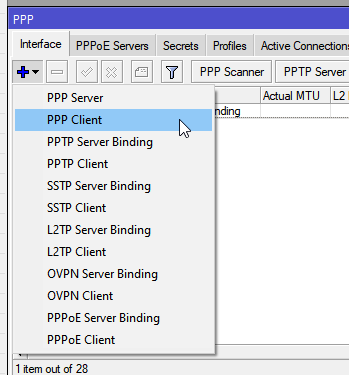
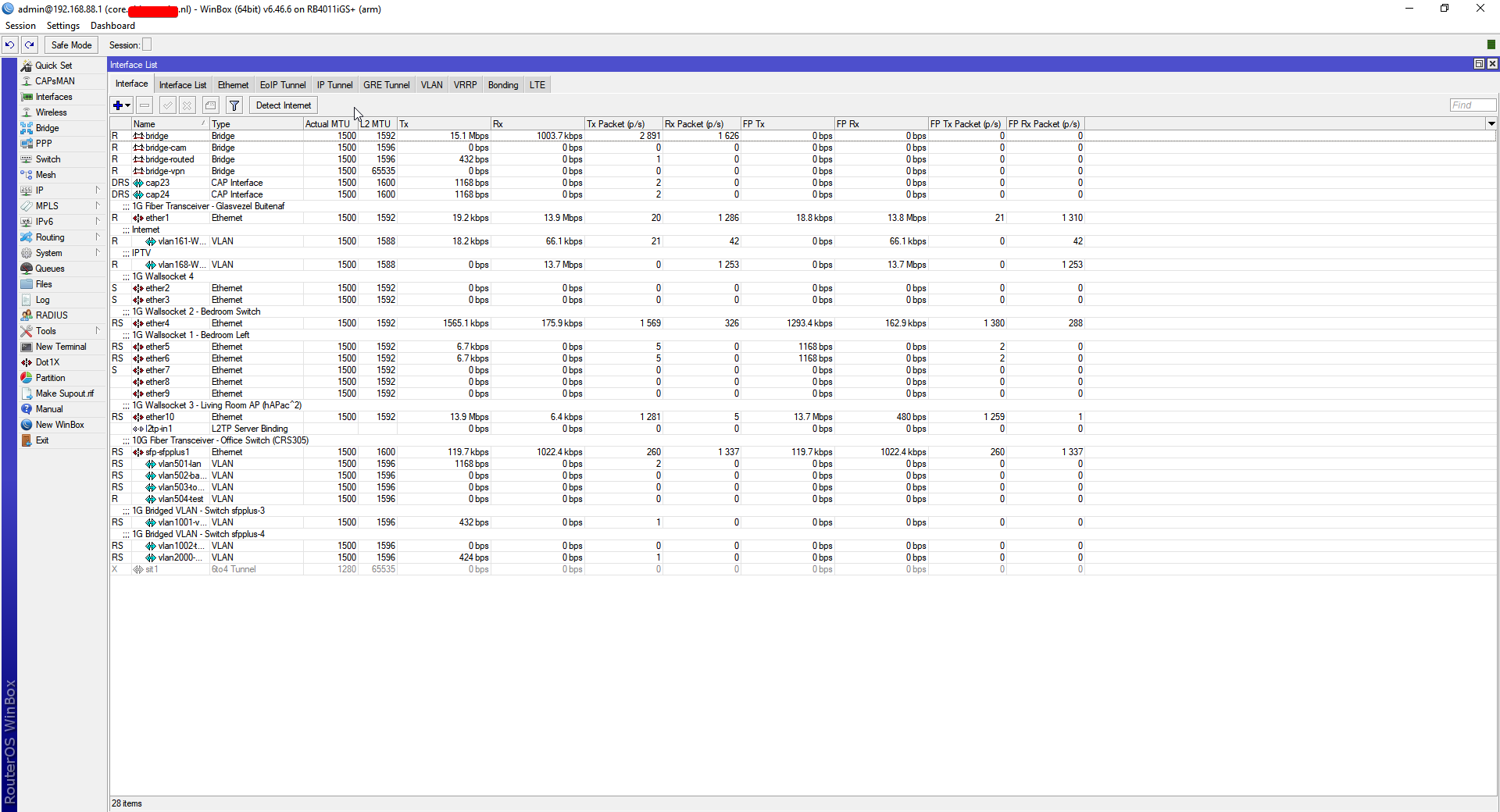
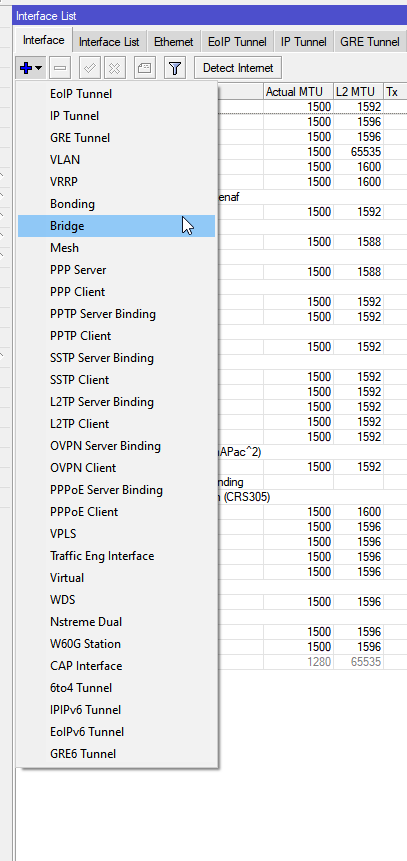
These are all the interface types that RouterOS supports: https://i.imgur.com/2kHClwB.png
 tender hazel
that's actually not complete in some regards, because it can do policy based ipsec which doesn't show up as an interface type yet is a tunnel
tame carbon
@tender hazel you mean these? https://i.imgur.com/1SW3Nlt.png
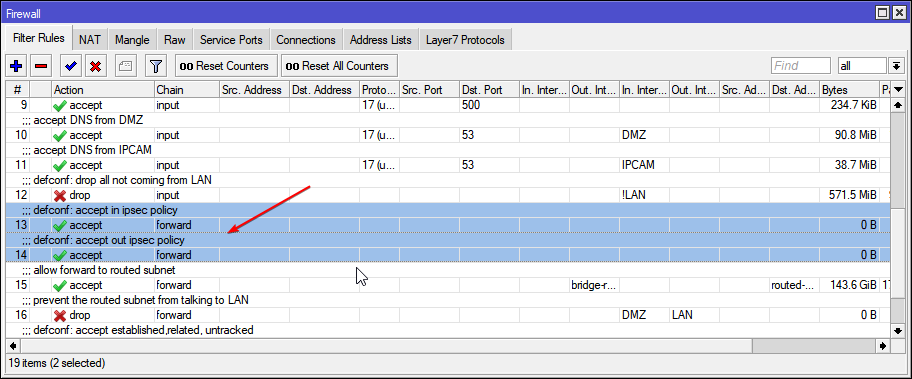
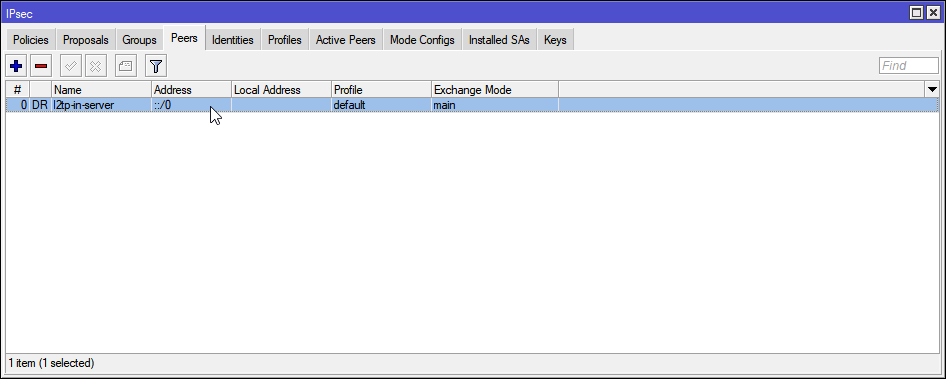 tender hazel
yeah I use l2tp over ipsec too, but when routeros 7 eventually adds ipsec VTI's there will be less need for L2TP in the equation
tame carbon
seeing wireguard, I wonder. what is the benefit of a layer 2 tunnel over layer 3?
you can use other l2 protocols?
tender hazel
l2tp is actually a layer 2 tunnel in most cases, it is a bit of a funny name in that regard
maybe these customers need tripods?
oops
wrong chat
tender hazel
tame carbon
you can use other l2 protocols?
I mean in most cases using layer 3 tunnels is ok.. but sometimes you might want to do something like extend a single LAN between sites
and you can do that with layer 2 tunnels
from an ISP standpoint it is easier to provision a layer 2 tunnel than a layer 3
@tame carbon layer 3 tunnels won't work with anything that requires a mac address since they don't have one
that does include certain things like mac telnet/winbox and RoMON
on mikrotik
tame carbon
mh
tender hazel
so I will sometimes set up a layer 2 tunnel but set it up like a layer 3 tunnel, just to get mac telnet/winbox and romon capability over that
 coral flower
Anyone or just me does networking from my phone lol.

 opaque heath
Thx

 waxen saddle
What’s a VXLAN?
hollow marlin
Finally, VXLAN is a nice addon
tender hazel
they've had it since like beta 2, I haven't tried it yet
hollow marlin
waxen saddle
What’s a VXLAN?
L2 over L3. Its takes a frame and encapsulation it in UDP and routes it to the destination. It goes much deeper but its helps not spanning L2 everywhere.
That a real high level, theres quite a bit to it
waxen saddle
Looks like it decouples the network from the underlying network for orchestration and easier management.
hollow marlin
Kinda. L3 provides the best flexibility and because of that allows for easier management and design. L3 as the underlay and VXLAN as the overlay. It has the same outcome as VPLS but without the requirement for MPLS. That said, they are wildly different under the hood
tender hazel
with MPLS the MTU is specified separately, so you can have an MPLS MTU of like 1540 or 1550 or whatever without your IP MTU being adjusted.. I would imagine with VXLAN you would have to increase the IP MTU to pass 1500 byte IP packets without fragmentation over the VXLAN tunnel
hollow marlin
To be fair, whenever overlays are in play, MTU should be set to max everywhere except the edge.
tender hazel
yeah, it's just nice with MPLS to not have to worry about management packets etc suddenly being jumbo as a result of having to increase IP MTU
logging into a router with winbox or ssh, I really don't need those packets to be > 1500 IP MTU
wireguard works nicely in routeros v7, I am using it at home
the only annoying thing is that v7 doesn't yet support network prefix translation in ipv6
so I have to use the global ipv6 address in the wireguard client in my phone, which will work as long as my prefix doesn't change with my provider
tame carbon
wait so
if I get this right
VXLAN is ideal, if you have like, lots and lots of cloud servers or something and you just hook each of them up to a highspeed switching to a router
and the routers themselves are then each connected at high bandwidth
and then you can scale it with this across the entire network
so wait, can you do vlans inside a vxlan?
tender hazel
I imagine you probably could, but would you even need to?
in a datacenter where you are running hypervisors it could for the most part take the place of VLANs
 severe venture
hello, i hope this is the right section for coax connection help
my orange coax from the street is dead and im wondering if its illegal to go into the PED box outside to hopefully get it working
I will pay for my own internet, I'm not trying to get free internet
 ornate jungle
severe venture
my orange coax from the street is dead and im wondering if its illegal to go int...
ornate jungle
severe venture
my orange coax from the street is dead and im wondering if its illegal to go int...
Depends entirely on the "laws" and regulations set-forth by your cable company. My ISP technically owns the drop cable and PED box attached to the residence, however, because the PED is physically located on MY property, I am allowed to do whatever I want with it, so long as I'm not trying to exploit their service.
That being said, my ISP provides free service calls in the event that the RF signal being delivered at the demarcation point is non-existent or out of DOCSIS specification. @severe venture call you ISP to find out?
severe venture
i just moved and need to setup service with comcast and i called their sales but they are closed
ornate jungle
severe venture
i just moved and need to setup service with comcast and i called their sales but...
Contact their tech support, not sales. (unless Comcast is weird and only allows sales reps to book moves... if that's the case, use a time machine to go back a few weeks so you can schedule the move in advance.)
https://www.xfinity.com/learn/moving
How quickly can I move?
You can schedule a move up to 30 days before your move date. If you qualify for self-installation, you can activate your services as soon as you move in. You can also schedule professional installation for as early as the next day, if appointments are available. Then we’ll help activate your services at the time of your appointment.

Moving? Stay connected to your TV, Voice, and Internet services with Xfinity
severe venture
aw man it makes me call their phone number
my modem is pretty old too, its a SB6121
ornate jungle
severe venture
my modem is pretty old too, its a SB6121
Looks like Comcast still supports those modems, but cannot add them to accounts once removed, and they're limited to around 125mbps down / 100mbps up, give or take depending on overhead.
https://www.commscope.com/blog/2016/support-for-the-arris-surfboard-sb6141-and-sb6121/
CommScope
We’d like to clarify some confusion around our popular SURFboard® SB6141 and SB6121 cable modems. The SB6141 There are currently no plans to end production of the SB6141.
thick minnow
I am trying to setup my Ubiquiti USG as my main router and my Linksys WRT3200ACM as just a wireless access point.
I have the USG up and running, but want to assign the IP 192.168.1.1 to the USG, and the IP 192.168.1.2 for the Linksys AP so I can have access to both configuration pages.
severe venture
ornate jungle
Looks like Comcast still supports those modems, but cannot add them to accounts ...
im planning on getting 200mbps but will replace the modem ASAP
thick minnow
How do I assign the static IP address to both devices?
severe venture
definitely getting a docsis 3.1 modem, its 2021 lol
peak cloak
thick minnow
How do I assign the static IP address to both devices?
in each devices config
severe venture
@ornate jungle does the surfboard SB6190 have the bad intel chipset? or should i go with a SURFboard SB8200
only bad part of the 6190 is docsis 3.0
ornate jungle
severe venture
<@!145658885859049474> does the surfboard SB6190 have the bad intel chipset? or ...
I can't advise on good/bad modems because most ISPs in Canada will only allow the use of a modem provided by the ISP themselves. That being said, looks like someone put together a site that specifically lists Intel Puma 6 modems.
https://approvedmodemlist.com/intel-puma-6-modem-list-chipset-defects/

The Do Not Buy Intel Puma 6 modem list with an explanantion of the chipset defect. Details on the lawsuit & how to spot the defective modems.
severe venture
welp scratch the 6190 off the list
guess im going full send and getting the SURFboard SB8200
thick minnow
peak cloak
in each devices config
Would you be able to walk me through it? I can't access the config for the Linksys anymore after switching it to AP mode
peak cloak
thick minnow
Would you be able to walk me through it? I can't access the config for the Links...
check your DHCP server
look if it got an IP from the DHCP server
 little schooner
ornate jungle
Looks like Comcast still supports those modems, but cannot add them to accounts ...
little schooner
ornate jungle
Looks like Comcast still supports those modems, but cannot add them to accounts ...
oh shoot I have a SB6121 modem too, didnt know it was end of life
tender hazel
@hollow marlin so this is definitely too big for RED queues
I reverted back
latency was going up to like 240,000ms
that's some severe bufferbloat
I don't think I can get this fixed with RED
tender hazel
I only found out about this b/c we manage merakis for a client and there is one there and it started reporting these crazy latency values after making the changes
severe venture
@ornate jungle https://www.amazon.com/dp/B07M8BNVSD/ref=dp_cr_wdg_tit_rfb
good price, but whats the chance it still being tied to another account?
ornate jungle
severe venture
good price, but whats the chance it still being tied to another account?
50/50 - it's either on another account or it's not. only way to tell would be to have your ISP run the SN in their system.
severe venture
right
is it safe to just plug a coax into the neighborhood outside TAP?
there is one open coax
im not disconnecting ANYTHING
 formal lily
Is there a way to remote connect to my pc from a phone and have a controller work through my phone on a game?
I know that I can remote connect to it with a phone but about the controller not really sure
 ocean pivot
Steam in home streaming would work
formal lily
with home streaming dont I have to be on the same network though?
ocean pivot
I think you can set up port forwarding and get it to work
formal lily
only steam games though right?
ocean pivot
You can add games to steam that aren't steam games but idk if they work for streaming, haven't tried
formal lily
I mean i want to try it for rocket league I have the steam version but it can work just going to need to copy all my settings over
sturdy ledge
which one should i get UAP-AC-LR / U6-Lite, needs to penetrate concrete 2-3 walls, size of home is roughly 700-800sf
 lean pebble
What a wonderful way to start my day.
Startx (kde) stopped working properly
thick minnow
So I have a sony bravia tv
Idk if it's a 'smart' tv but here is what it's menu looks like
 thick minnow
Any way to watch films on a NAS from that?
Or from a hard drive elsewhere via the network
Also this is from way before 2018 maybe like 2015 idk a while ago
plain siren
Looks like it heh
thick minnow
But any way to access storage on network with that?
plain siren
You got a model #?
thick minnow
I know I can get a raspberry pi and all that.but just wondering if it can do it direct
One sec

KDL-48W585B
 flat wagon
hey guys so i'm looking for a good NAS with atleast 8+ bays as a home media server. any suggestions?
https://www.amazon.ca/Synology-DS3617xs-Station-Diskless-12-bay/dp/B01MSTCXPN/ref=sr_1_1?dchild=1&keywords=DS3617xs&qid=1616986882&sr=8-1
https://www.amazon.ca/QNAP-TVS-h1688X-W1250-32G-High-Speed-Intel®-W-1250/dp/B08LD17N2P/ref=sr_1_2?dchild=1&keywords=xeon+nas&qid=1617360208&sr=8-2
i'm considering those two atm, they're a bit expensive but they seem pretty good. i'm uncertain if I want to bite the bullet and spend $3,000+ on NAS so just trying to compare it to a bit more inexpensive ones (around $1000-2000).
plain siren
That QNAP is pretty buff holy hell
Are you streaming like 20 streams off it at once?
 flint matrix
sturdy ledge
which one should i get UAP-AC-LR / U6-Lite, needs to penetrate concrete 2-3 wall...
flint matrix
sturdy ledge
which one should i get UAP-AC-LR / U6-Lite, needs to penetrate concrete 2-3 wall...
Cat6a
frigid pine
I have seen people creating costly NASs for their home media stuff. Why don't people just attach their PC via HDMI to your TVs?
flint matrix
Use left over parts. That’s what I do
plain siren
frigid pine
I have seen people creating costly NASs for their home media stuff. Why don't pe...
PC may be in Diff Location or you want to remotely access it
Top it off some other services may be wanted on top and for a storage to backup things on said PC to
And you dont want to be gaming on a PC streaming to a TV elsewhere in the house
Its gonna tank
frigid pine
hmmm. So basically it really depends on the household routine.
plain siren
Well, its more like you dont put all your eggs in one basket
frigid pine
Like my TV only runs when me n my wife are watching together. So I have just hooked it up with my PC.
plain siren
what prob isnt mentioned is they are running Plex or Kodi on top of it and may be using torrents/seedboxes
which cant really be hosted from Windows
frigid pine
Kodi works on Windows.
plain siren
Sure, "works", but works well?
Considering the hell these powerusers put the thing through with there terabytes of data and high bitrate streams
Could just suggest a chromecast and casting from your phone at that point if it was that simple of needs
frigid pine
I personally like windows file explorer to browse. But I have used Kodi on my PC and it can handle 2160 x256 10bit HDR videos pretty well.
recently watched Tenet of whopping 80GBs.
 crimson mirage
rate my 130k ping wifi
 tame carbon
Does anyone know if I need a special sort of clamp for terminating this?

I just went to someone to fix their networking issue, and left my cable crimp
so I need to buy a new one
and I prefer having one with that kind of wire feed ^
plain siren
tame carbon
Does anyone know if I need a special sort of clamp for terminating this?
Oh the passthrough ones? nah
tame carbon
@plain siren I had an oldschool manual clamp
plain siren
Some crimp tools like my Klien have a razor
tame carbon
but terminating and sizing the wire takes so fucking long
plain siren
that cuts those for you
tame carbon
I want something quick and ez
tame carbon
cool
plain siren
 plain siren
Yeah
plain siren
Its lasted years
I beat the shit out of it
Its even survived arcing a 120V Mains after dropping it on it
thats some tuff shit
tame carbon
@plain siren I went over to someone, they asked me to look into the PoE camera gear they bought
but when I arrived
they expected me to put up all the cams.
they didnt even wire the thing up yet
I was like: ffs.
plain siren
I hope you are asking for payment
tame carbon
Showed them how to terminate an RJ 45 clamp
I was there for 30 mins
I got 20 bucks and I was outta there.
not my problems
plain siren
Yeah fr
tame carbon
have my clamp, I showed you how the NVR works. good luck.
@plain siren these people are mh how you say
deadbeat
they spent 900 bucks on cams
but they are waistdeep in dept
but I think his wife is a bit...
:crazy:
cameras because of what. a stalking ex? wtf
tame carbon
I only agreed to have a look, because the guy who I helped out... was the one who helped me excavate a trench behind the house
to lay ethernet between two buildings (couple months ago)
but a controlfreak wife.. that was weird af
plain siren
ohhhh I know these types well
tame carbon
@plain siren she knew everything better (so she thought) and was controlling everything, and being hysterical
I asked them if they had fiber optics, because they wanted to see the camera feed when they werent at home
"no, we had fiber optics, but fiber is shit. cant even do phonecalls wihtout issues"
;-;
plain siren
😐
tame carbon
oh well
they got the cables, they got the crimps and instructions on how to terminate
the software config, I told them they can ask me once they have it all wired up
considering, how clueless. might be a few months xD
plain siren
Which one of them gave you the $20
tame carbon
@plain siren not the wife
I originally thought about $50 or something
but considering the amount of crap I had to do, I was glad I could leave at all.
20 bucks, GOOD BYE
tame carbon
mh?
@plain siren well, they kinda expected me to spend 4 hours on a sunday
to lay polytylene pipes
with ethernet in them
plain siren
Which one you think had that idea
tame carbon
I spoke on the phone last week, told them that I can do the network setup
but I thought we were in agreement that they would put the cams up ahead of time
but they wanted to just waste my time, and expect me to do it
tame carbon
@plain siren https://i.imgur.com/24F3l11.png



nearly 80% price difference
Is the VDV226-107 the same ?
mh, no passthrough
yeah.. Klein is US
very expensive for me
plain siren
Yeah they are expensive but its quality... thats expensive tho
tame carbon
yeah but Amazon listing in the US is $45
that's like 35 euros xD
Its 80 euros here
plain siren
That VCE Branded one is like half the grade but still decent and does what you asked
tame carbon
Im not terminating a datacenter
I'm ok with 300 terminations on a tool
as long I dont have to fuck around with 8 wires for 10 hours
plain siren
Its more or less just one of those "Do you really wanna keep rebuying it every time you need it"
But that VCE will last just as long
tame carbon
Yeah but I dont want to drop 80 bucks on a tool rn lol. more like 40
Its import fees that are so expensive
so I might look for an EU brand equivalent
@plain siren https://www.conrad.nl/p/toolcraft-to-6425613-krimptang-1-stuks-modulaire-stekkers-2141871

Het veelzijdige krimpgereedschap kan worden gebruikt voor het krimpen van Ethernet- en telefoonkabels, voor de kabelinstallatie in Koop op Conrad.nl

They have this image ^
plain siren
but the VCE one is cheaper
