#networking
1 messages · Page 310 of 1
 honest wind
I low-key built my own html page to serve shows / movies from my nas lol
 tame carbon
and you can install it on many smart tv's as well
honest wind
then learned about plex and mega-face-palmed
I still use it though because not gonna let that effort go to waste I guess idk
tame carbon
@honest wind back then we didnt have plex, that didnt exist
it was just a computer we gutted, put sata cards in the pcie slots
and just had a bunch of harddrives connected to it
it had to be as cheap as possible
only the pi's were brand new
I think we had like 8 pi's
student homes don't really get to afford luxury
honest wind
lol yeah. I'm just talking about when I built mine plex did exist lol
 clear igloo
Needs more U's 😄
 still zephyr
@tame carbon my windows is finally reseting
 waxen scroll
@clear igloo https://www.reddit.com/r/sysadmin/comments/mbnmkq/solarwinds_customer_retention_pulling_out_all_the/

reddit
0 votes and 4 comments so far on Reddit
clear igloo
T-shirts are the best 😛
 thick minnow
Noob question, Does anyone know if there’s a self contained network like tor and all that but private and self hosted?
waxen scroll
Cisco anyconnect
thick minnow
I like how Tor’s onion sites work in terms of the links it generates so you don’t need IPs, but I guess a VPN and host names could do the same trick?
clear igloo
waxen scroll
Cisco anyconnect
lol, don't joke 😛
You should see the reviews on the latest release though
thick minnow
Except that would mean others could connect to my whole network when I just want a machine to machine type setup
waxen scroll
I'm glad I don't manage it
 tame carbon
@still zephyr what are you doing???
you shouldnt use the internal windows reset
just make an install usb and use that instead
 tender hazel
@still zephyr did you try DISM restorehealth?
DISM.exe /Online /Cleanup-image /Restorehealth
tame carbon
@tender hazel windows ip stack is broken
tender hazel
and after that finishes, then run sfc /scannow
honest wind
is there a way to get poe+ / poe at to usb @ 5 volts 6+ amps? I've found adapters but they're all 2.4 amps max
if standard poe+ it could theoretically do 5.1 amps which would be fine, but ubiquiti advertises it can do 34.4 watts which at 5 volts would be 6.8 amps or 10+ at 3.3 volts
tame carbon
PoE is much higher voltage
 peak cloak
well active Poe
tame carbon
PoE+ has a max current of 600mA
peak cloak
passive poe sucks
tame carbon
57V * 600mA = 34.2 watts
 rocky badge
802.3at
tame carbon
at
peak cloak
so it supports at
tender hazel
passive poe has its place
honest wind
tame carbon
57V * 600mA = 34.2 watts
correct but amps * volts = watts
so I could get more amps if I step down the voltage
but need an adapter that does this or wire it myself which I really don't want / have the knowlege to do
tame carbon
@honest wind ethernet cable is only rated for certain currents
 quiet cairn
Can someone please help me out here? I live in an apartment and have and pay for a gigabit connection and lately I've only been getting 70mbps (please dm me)
peak cloak
honest wind
so I could get more amps if I step down the voltage
the active poe adapter I posted lowers the voltage
peak cloak
quiet cairn
Can someone please help me out here? I live in an apartment and have and pay for...
on wifi or ethernet?
quiet cairn
peak cloak
on wifi or ethernet?
WiFi, but ethernet is also slow
peak cloak
how slow?
honest wind
peak cloak
https://www.amazon.com/Gigabit-Splitter-Adapter-802-3at-compliant/dp/B00NH8QSOY
can provide 5V / 3.5a
yep was just going to comment on this
I'm interested in the power transfer, don't care about data speeds in this case
3.5a is still the best option so far
peak cloak
honest wind
so I could get more amps if I step down the voltage
I mean not really
you can increase transmission voltage too to transform down later
quiet cairn
peak cloak
how slow?
Around 500mbps on ethernet, but it's an older computer so it doesn't have a gigabit port
honest wind
if you do it with resistors then no but there are some weird electrical ways I don't understand
tame carbon
@honest wind IEEE 802.3bt
peak cloak
quiet cairn
Around 500mbps on ethernet, but it's an older computer so it doesn't have a giga...
wut
weird
because it's either 100Base-T or 1000Base-T
there is no in between
tame carbon
@honest wind the cable itself has resistance
higher voltage = less power loss because of wire resistance
honest wind
right.
peak cloak
yep
honest wind
end goal is to get 5+ amps at either 5 or 3.3 volts at the end
peak cloak
why we transform voltage. AC is much easier to transform up - down than dc
honest wind
my switch has 24 volt active or 802.3 af / at
honest wind
hahaha ok sure
problem solved thanks guys new problem: apartment burned down (joke about the car battery thing)
quiet cairn
peak cloak
how slow?
I don't use ethernet for anything but my ps4 so that's irrelevant
tame carbon
someone about to burn some copper
peak cloak
quiet cairn
I don't use ethernet for anything but my ps4 so that's irrelevant
not really, because you should always diagnose internet over ethernet
not wifi
contact the ISP?
could very well be an issue with QOS
tame carbon
@honest wind I dont really trust those high power PoE standards, 60 watts over twisted pair is just wrong
peak cloak
or rate-limiting whatever it's called
honest wind
well 34 max. and I want to power a ton of neopixels lol
neopixel power draw:
60 LEDs: 18 Watts (about 3.6 Amps at 5 Volts).
144 LEDs : 43 watts (8.6 Amps at 5 Volts).```that's at peak power draw
rocky badge
We're only using Cat6 for DMX lol
tame carbon
that's asking a bit much
rocky badge
power is using powerCON
honest wind
yeah i'm not expecting 8+ amps although it'd be nice
rocky badge
etherCON 
honest wind
5 would be perfect, the best option I see so far is that 3.5a poe splitter
peak cloak
honest wind
well 34 max. and I want to power a ton of neopixels lol
for what exactly? Isn't there standards for like light stage stuff
rocky badge
 tame carbon
xD
rocky badge
This would help our Ethernet cables
From getting yanked out of the wall by stage props
because the stupid plastic latch is fragile af
honest wind
peak cloak
for what exactly? Isn't there standards for like light stage stuff
for me not wanting to run power to where I have the cables but have ethernet already. Basically a laziness thing tbh
peak cloak
rocky badge
because the stupid plastic latch is fragile af
lol, I broke the port itself on my printer but not the latch
rocky badge
peak cloak
for what exactly? Isn't there standards for like light stage stuff
low voltage control all the things
All of the light switches at school are low voltage
Some are even PoE
its just communicating over IP
to the lighting relay switches
tame carbon
@honest wind its designed to power things like wireless APs and telephones. not big RGB arrays
peak cloak
rocky badge
All of the light switches at school are low voltage
light switches in what context? The classroom lights?
tame carbon
though, I think you may just need to limit the current
rocky badge
Yeah

Philips
Enhance employee productivity and well-being while maintaining a focus on energy savings and improved operational efficiency with Philips office area lamps.
I mean, you can power office lighting over PoE
honest wind
yeah I know what it's designed for, but looking at the specs... they're possible
peak cloak
rocky badge
Yeah
Huh, interesting. Seems a lot more complexity for something simple
But then again
rocky badge
Building automations
honest wind
so yes I understand i'm pushing the limits
tame carbon
@honest wind you need a voltage regulator. And then some software. You never really run into a situation where all your pixels are 100% brightness
rocky badge
@peak cloak We do a lot of stuff over Cat6 tbh
tame carbon
as long as you limit the total draw, you can get away with current limits
honest wind
tame carbon
<@!353782408421834754> you need a voltage regulator. And then some software. You...
wrong. my idiot python where I accidentally set all to 255,255,255 😆
rocky badge
Video, Ethernet, DMX, etc
tame carbon
idk what you are connecting this to
honest wind
but yes I know what you mean. Rpi for control, and power
tame carbon
but you will need some custom electronics for this
honest wind
right now max brightness for the full strip is about 60 on one color
rocky badge
@peak cloak
 tame carbon
pixel dimming is PWM that reduces current draw too
honest wind
or 20,20,20 for all white
tame carbon
@honest wind if you exceed power limitations of the link, the source will reset
honest wind
yes and I have to reboot the pi and the neopixels
rocky badge
PoE all the things!
honest wind
point is that I want more power to the pixels than what I currently have
honest wind
rocky badge
PoE all the things!
can I poe my car?
rocky badge
👀
honest wind
can you technically follow a poe standard w/ 4 gauge wire set and a custom built giant rj45 plug? 😆
and of course whatever you need on both ends
honest wind
peak cloak
https://www.amazon.com/Gigabit-Splitter-Adapter-802-3at-compliant/dp/B00NH8QSOY
anyway this is the best option so far, but at $40 I think it's best if I just suck it up and use an extension cord and a phone charging brick
my pi's are all poe right now
honest wind
i'll need a barrel plug breakout adapter too because I don't want to cut open those wires lol
rocky badge
just use this /s
 peak cloak
rocky badge
just use this /s
peak cloak
rocky badge
just use this /s
what's that
rocky badge
powerCON
peak cloak
huh
honest wind
that doesn't really solve my issue lol
rocky badge
Rated up to 20A 240V iirc
rocky badge
honest wind
that doesn't really solve my issue lol
ofc yeah 😛
honest wind
AC
lol but yeah
oooh I know. Instead of using poe. I'll just replace all the wiring with a line of AA batteries
boost the voltage a bit
rocky badge
lmao
peak cloak
I've always wondered what happens if you run current into AA batteries
honest wind
you charge them?
 honest wind
yeah for lower powered stuff more things need to have PoE by default or as an option
rocky badge
hook up to DAS for antennas
 rocky badge
Although
honest wind
PoE a PoE switch 😄
rocky badge
That says it has PoE
peak cloak
poe out?
rocky badge

 vale reef
rocky badge
vale reef
rocky badge
dante dante dante
rocky badge
dante dante dante

 dark kayak
The problem with that is it's a bit like putting a 230V connector on the other end of a ethernet cable - yeah, you MIGHT have some weird use-case that needs that power draw and can handle it, but you don't wnat your regular devices being plugged in to that 6 Amp USB connector.
which is why you're probably struggling to find anything that will provide over 2.4A. Also wire guages and handling that kind of current etc.
still zephyr
@tame carbon after forgetting to check my phone and a lot of errors ive finally done it, thanks for the support along the way, you too @peak cloak
dark kayak
honest wind
PoE a PoE switch 😄
That's a thing.
honest wind
Yea but usually poe pass through
 waxen saddle
I use a PoE powered switch with 2 PoE outs to power 2 security cameras. It’s right at the limit of the PoE voltage limits, and I wasn’t sure it was going to work, but it works very well.
 burnt epoch
Does anyone here own a Synology NAS???
[Use reply function to get my attention]
peak cloak
burnt epoch
Does anyone here own a Synology NAS???
[Use reply function to get my attention]
don't ask to ask, just ask
burnt epoch
peak cloak
don't ask to ask, just ask
If anyone does, is it possible to set up like a multi-user sort of library within a household? Say like in Synology Moments (the self-hosted photos app), can you create like multiple seperate libraries per family member?
 thorny vector
Based on my limited synology knowledge, I'd say you'd be better off looking at "Photo Station" instead
Moments is a "fire and forget" application, photo station offers you more granularity of control
And if you want full control, open source software, and IF your Synology NAS can run docker, you can use Imagestore

GitHub
Open source google photos alternative! Contribute to gregordr/ImageStore development by creating an account on GitHub.
burnt epoch
I read up on Synology's site that Photo Station is like the 'professional' application where you manually sort photos where Moments is more 'home user' where they are sorted by timeline and albums (just like Google Photos; which is what I am seeking a replacement for with the Unlimited Photos option ceasing to exist in June). The only thing I wanted to ensure is that multiple family members can have their own separate libraries off a single NAS (instead of like own big shared one; that would be pretty weird). Like doesn't DiskStationManager have the option for a multi-user system (I did see so in Control Panel)
 bitter trout
Can I link aggregate two 1Gb ports from my router into a switch, then aggregate that link into a single Cat 6 cable in the back of my PCs 2.5gbps port?
 lunar spade
whats the fastest internet my streets infrastructure could support?
for a street built around 2003, would it be 1, 10, 100gbps, etc.?
bitter trout
lunar spade
whats the fastest internet my streets infrastructure could support?
Country?
lunar spade
Canada (Suburban Calgary)
bitter trout
It’s a little old but might give you an idea
Infrastructure from 2003 if left untouched I suspect has basic fibre or DOCSIS links so I would think they’d be using 1gbps cables
I’m in UK and my whole street is getting FTTP tomorrow
I think a rough estimate would be to count how many houses are in your street, check the highest speed available in your area through a providers website, and multiply the numbers
For example, 50 houses with a maximum possible connect speed of 75mbps would come up to 3.75gbps of throughout for that street
Plus add some over provisioning if they are smart and you’ve probably got 5gbps of potential throughput for a given area
I hope that helps @lunar spade
lunar spade
thanks
bitter trout
lunar spade
thanks
You can also use the information from the Canadian governments website, where they break it down by area etc: https://www.ic.gc.ca/eic/site/139.nsf/eng/00007.html
National Broadband Data Information
lunar spade
thanks for the info
tame carbon
@bitter trout more often than not, coaxial networks are overallocated
and DSL being so shit, never reaches advertised speeds
peak cloak
bitter trout
Can I link aggregate two 1Gb ports from my router into a switch, then aggregate ...
not really
your router needs to support link aggregation
and I bet it can't do routing itself over 1 gigabit
tame carbon
@peak cloak most managed switches allow for LACP
@bitter trout You're looking for a switch that has support for LACP.
This is part of the standard for trunking on ethernet: IEEE 802.1ax
This is a form of load balancing and failover. It will not make single connections faster than 1G. But it does allow multiple 1G clients to hit the NIC at the same time
so effective bandwidth is roughly doubled
 peak cloak
but it won't allow for a single 2G connection?
tame carbon
Thats what I said yes
bitter trout
peak cloak
and I bet it can't do routing itself over 1 gigabit
The WAN port is 2.5gbps
bitter trout
tame carbon
This is a form of load balancing and failover. It will not make single connecti...
Ok thanks
peak cloak
what router?
tame carbon
@bitter trout is it one of those tplink 2.5G gimmick routers?
they have a 2.5G port, but can't even do 2.5G.
bitter trout
It’s a SNSV
tame carbon
@bitter trout yeah those are equally bad
bitter trout
What should I have bought 😬
tame carbon
their gigabit lineup routers cant even do gigabit 
they cap out around 700mbit
same with those TPLink archer routers
1.7G at most
bitter trout
Well my new fibre line is 1.2gbps
tame carbon
@bitter trout what kind of network interface do they even use?
bitter trout
For the WAN?
tame carbon
I get SFP from my ISP
bitter trout
Cat 6 from a box they install
bitter trout
One sec ima look at it
tame carbon
1.2G sounds odd for an internet connection. I highly doubt ISPs are rolling out 2.5G gear
bitter trout
It’s a BT ONT
tame carbon
do you know what kind of model # ?
bitter trout
Nokia G-040G-B
 bitter trout
Yeah
peak cloak
so it's a router?
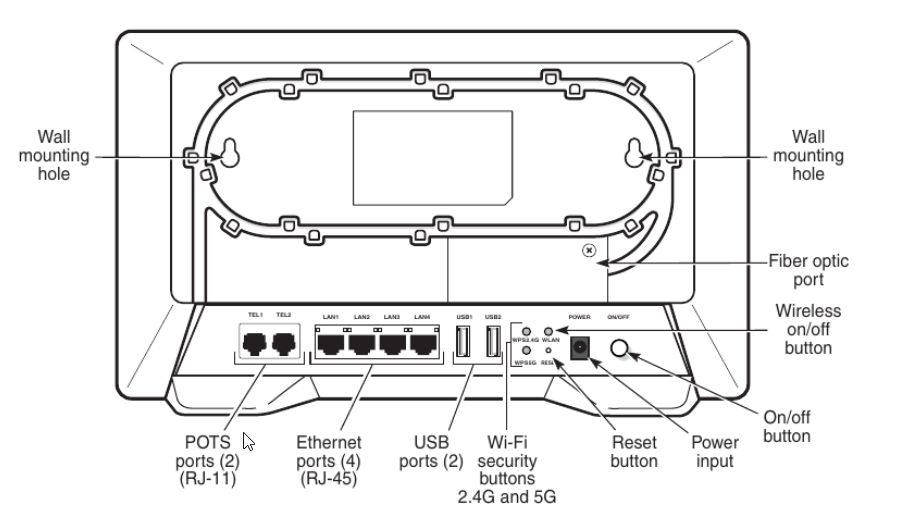
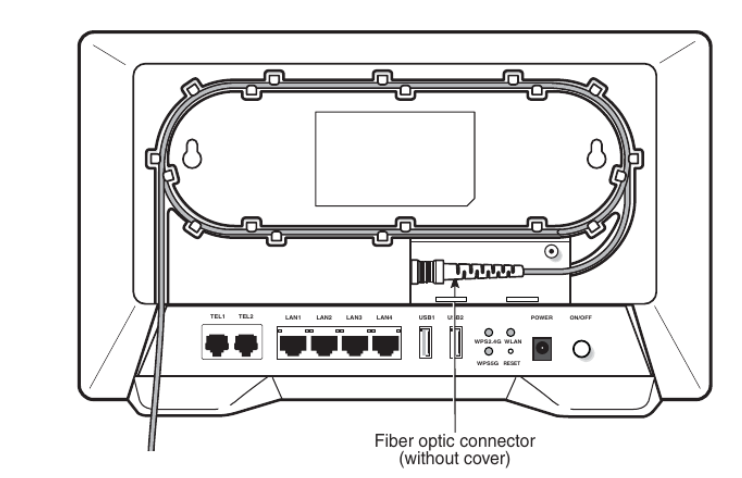 peak cloak
I doubt the port is higher than 1 G
bitter trout
Well mine says OpenReach on it
peak cloak
well that's your ISP?
bitter trout
Yeah BT
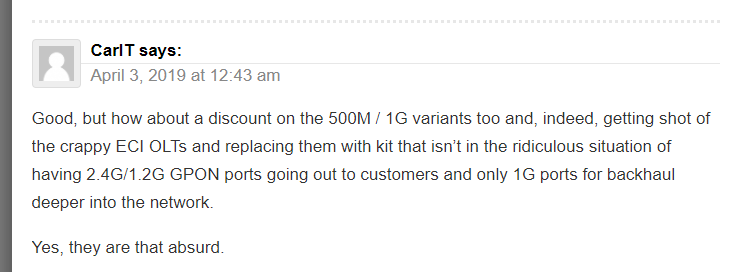 bitter trout
But the port says Optical not POTS
bitter trout
tame carbon
<@!222482269829332992> someone on the internet already had a go at this
Oh bugger
tame carbon
@bitter trout Nokia G-040G-B doesnt exist
Its the G-240G-B that I found documentation for
bitter trout
 tame carbon
strange.
tame carbon
so someone doesnt jank the connector clean off
stress relief
@bitter trout I cant find any documentation on that device
bitter trout
It must be a BT only thing
tame carbon

At present if you order a Fibre-to-the-Premises (FTTP) broadband ISP line on Openreach's UK network then you're likely to end up with a single port
bitter trout
Where that arrow is under that plastic is where the optical@cable goes in
tame carbon
Its GPON, so you have to use this device no matter what
if you want to run your own gear, you disable wireless and all the other nonsense on it
bitter trout
But I suppose those ports are just 1 gig
tame carbon
yeah
@bitter trout I get fiber optic service through a singlemode fiber
That's a 1G fiber link
actual data rates for internet are only 250/250
thick minnow
what do you guys say is a good router and modem
wifi 6 preferably
and I have a ton of devices connected at all times, around 16-30
waxen scroll
@clear igloo @hollow marlin got burned by N9k yesterday
clear igloo
Did you touch it while it was hot?
waxen scroll
it took all my commands and then all of a sudden it refused to configure interfaces anymore or save the config
clear igloo
tacacs issue?
waxen scroll
ethpm is "locked" is what they say
peak cloak
it looks like the bow is jammed into the sand
clear igloo
That is nice 🙂
 humble cloak
oof
clear igloo
wow, that's definitely not helping, lol
 cedar igloo
Has anyone here had any experience using Terraform with vSphere (Ubuntu Server 20.04)? I am trying to create a number of VMs using a single config file, however they all are assigned the same ip address (dhcp) until they are rebooted. even if i set the parallelism to 1, the ips are all the same. Anyone know if you can force a reboot of a virtual machine in terraform?
cedar igloo
sorry, forgot to update. the mac addresses were different however it turns out ubuntu uses the machine-id for dhcp registration, so i just needed to randomise that
 hardy python
yessir
thick minnow
👀
 sly wadi
So... I'm trying to get networking set up with pfSense, trying to create a firewall rule to allow me to connect to the webGUI from my home (wan) network. I can't figure out how to create the rule, and I don't want to use a vpn to get into the LAN and use webGUI from there... So basically, I need help figuring out the firewall rule (using this guide https://www.dlford.io/pfsense-nat-how-to-home-lab-part-3/)
peak cloak
sly wadi
So... I'm trying to get networking set up with pfSense, trying to create a firew...
I used that guide myself
you need to use the cli
tyo first disable firewall
sly wadi
Wdym? I've already run pfctl -d to get rid of the firewall temporarily, but I'm trying to set up a long-term solution
sly wadi
Ah ya, I've done that already
peak cloak
it says it lower down
sly wadi
I tried creating the firewall rule like it said in the guide, but I still can't connect... Just to make sure for the source, if my gateway is 192.168.86.1 would I put 192.168.86.0/24 as the source?
peak cloak
yep
sly wadi
Well here it is anyways, sorry about quality
 sly wadi
peak cloak
I use vyos now in my lab
sly wadi
peak cloak
I use vyos now in my lab
huh, I've never heard of that
peak cloak
it's all cli
and I was already kinda familiar with it because edgeos which is what my main home router uses is very similar
all vyetta based
sly wadi
Huh ok... I'll keep that in mind if I do decide to get a dedicated router. For now though, I might as well deal with having to use WireGuard to access my admin interface
sly wadi
Uhm wait... do I have to? my admin port is 443, so I didn't bother with aliases
peak cloak
well if you want to port forward 443 in the future it won't work
but for now I guess it's fine
oh
are you using https?
sly wadi
Ya, this is temorary. I'm probably going to mess with a reverse proxy if I do port forward though
peak cloak
in the url
sly wadi
And ya, I use https
sly wadi
Well, thanks for trying to help. I guess I'll just wait for them to get online...
o/ for now
Haha, I rebooted and it worked. nevermind!
peak cloak
nice
sly wadi
Thank you!
 willow spruce
okay got a question
i am making a host-only network on vmware
and the dhcp i set up on my windows server wont give out ips to windows 10 machines any ideas ?
i can ping the server when i set up a static IP but i cant ping the w10 machine from the server
willow spruce
oof yea i need to see what that is haha
i think i know what the issue is
might be this

yep it works
am big dumb
this was enabled
 rocky badge
lol
willow spruce
yep
running into real trouble now

big yikes this
when i thought i might not run into problems
tender hazel
@willow spruce you're trying to connect to a windows server active directory domain called Nowakowski.local. Have you set up microsoft active directory servers for that domain?
tender hazel
@tame carbon you'll be asleep now, but FYI, the new wifiwave3 drivers in routeros 7 increase 5GHz performance substantially for any hardware with gen2 wifi chips
more like 550Mbps rate instead of 350-400Mbps
thick minnow
Real footage of the server rooms in every school 
thick minnow
The server room in my school is literally just two PCs running Windows 10
 dense wolf
hello for some reason my smb server in openmediavaut is not working
when I give systemctl status smbd it shows
smbd.service - Samba SMB Daemon
Loaded: loaded (/lib/systemd/system/smbd.service; enabled; vendor preset: enabled)
Active: active (running) since Thu 2021-03-25 16:36:15 +06; 18min ago
Docs: man:smbd(8)
man:samba(7)
man:smb.conf(5)
Main PID: 18658 (smbd)
Status: "smbd: ready to serve connections..."
Tasks: 3 (limit: 4915)
Memory: 9.1M
CGroup: /system.slice/smbd.service
├─18658 /usr/sbin/smbd --foreground --no-process-group
├─18660 /usr/sbin/smbd --foreground --no-process-group
└─18661 /usr/sbin/smbd --foreground --no-process-group
Mar 25 16:50:00 MyHomeServer.local smbd[22683]: [2021/03/25 16:50:00.366056, 3] ../auth/gensec/gensec_start
Mar 25 16:50:00 MyHomeServer.local smbd[22683]: GENSEC backend 'fake_gssapi_krb5' registered
Mar 25 16:50:00 MyHomeServer.local smbd[22683]: [2021/03/25 16:50:00.366265, 3] ../source3/smbd/negprot.c:7
Mar 25 16:50:00 MyHomeServer.local smbd[22683]: Selected protocol SMB 2.???
Mar 25 16:50:00 MyHomeServer.local smbd[22683]: [2021/03/25 16:50:00.366684, 3] ../source3/smbd/smb2_negpro
Mar 25 16:50:00 MyHomeServer.local smbd[22683]: Selected protocol SMB3_11
Mar 25 16:50:00 MyHomeServer.local smbd[22683]: [2021/03/25 16:50:00.367269, 3] ../source3/smbd/server_exit
Mar 25 16:50:00 MyHomeServer.local smbd[22683]: Server exit (NT_STATUS_END_OF_FILE)
Mar 25 16:51:16 MyHomeServer.local smbd[18658]: [2021/03/25 16:51:16.739008, 2] ../source3/smbd/server.c:80
Mar 25 16:51:16 MyHomeServer.local smbd[18658]: Could not find child 24013 -- ignoring
can anyone help me
peak cloak
Can't see any details really wrong from that
dense wolf
in my network tab in windows the server is showing up but when I try to open it tells windows cannot access \MYHOMESERVER
tame carbon
@dense wolf did you set up user groups?
dense wolf
no
tame carbon

DigitalOcean
Samba is an open-source implementation of the SMB/CIFS networking protocol that is used in Windows environments for shared services such as file and printer access and Active Directory. In this guide, you will install and configure a standalone Samba
You create a user account, and then a share for those users
 dire flare
Would anyone happen to have read "Cisco Routers for the Desperate" published by No Starch Press?
I'm trying to learn Cisco and I'll be away for the weekend, unable to fiddle with Packet Tracer
I will however have my tablet & I'd like to get some reading in
Reckon that book'll do fine or would you have some other reading material to recommend?
tame carbon
Cisco 😓
dire flare
Job I'm applying for considers it a plus 🤷
 obtuse oxide
would it be 5, 6 and 1?
obtuse oxide
yea i was about to say
tame carbon
this cisco stuff is foreign to me
obtuse oxide
probs not 5
clear igloo
If the requirement is to remove the existing ip from the main interface then 5
obtuse oxide
what would the 3rd one be other than 6 and 1?
clear igloo
1 and 6 are correct, so 5 is the only logical option since the others are invalid commands or syntax
sly wadi
I'm setting up a Proxmox VE on a Dell Poweredge, and the Proxmox client doesn't show up in my Google Wifi device list, even though pfSense (running in a VM) does show up. Any ideas as to why?
tame carbon
@clear igloo 4 is very imaginary
clear igloo
obtuse oxide
though
Yah, it's not completely correct because you can have an IP on the main interface without issue and do sub-interfaces but it's the "most correct" out of the available options that are left. Maybe a long time ago early IOS didn't like that though but definitely not true today
obtuse oxide
right
clear igloo
I guess since a non-tagged interface would go into the default VLAN that's why they want you to remove the ip off the main interface
tender hazel
yes, no need for an ip there, good to remove it for security purposes
I agree with the answer 1 5 and 6
dire flare
I think it wouldnt work either way if you've got an IP assigned before setting dot1q encapsulation
I did a lab exercise in packet tracer yesterday and trying to set interface IP before setting encapsulation wouldn't work properly
tender hazel
usually when you are doing router on a stick like that you don't have an IP on the main router interface, only on the vlan subinterfaces
obtuse oxide
yea i was gonna say its probs there just as a standard practice
tender hazel
dire flare
I think it wouldnt work either way if you've got an IP assigned before setting d...
I've never tried, I've just always set up the vlan subinterfaces without the main interface having an IP
 hollow marlin
dire flare
I think it wouldnt work either way if you've got an IP assigned before setting d...
hollow marlin
dire flare
I think it wouldnt work either way if you've got an IP assigned before setting d...
Its because if you have a subinterface and you try to add an IP address and if no encapsulation exist, logically it would not know how to interpret where a packet is destined as now both the interface and subinterface technically have the same encapsulation (untagged). Once you specify the encapsulation, you can then add the IP and any other family based commands
bitter trout
Got my new fibre installed today. Very happy with the result.


 VOQ-only Architecture
tame carbon
VOQ-only Architecture
tame carbon
 tame carbon
when you move that slider lol
tame carbon
LOL
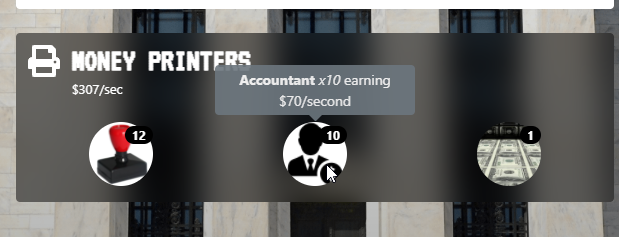
Oooh, its a game lmao
priceless.
you just print money
and then do bribes for more money
ok so its just cookie clicker then

A simple game about central banking
waxen scroll
im just annoyed that they made a stimmy, blocked high income earners based on 2019 income without regard about their current bills/financial situation due to covid
dumb.
tame carbon
 obtuse oxide
its either 2 or 4, but how do u tell?
do pcs and switches have different mac addresses or something?
or types rather
waxen scroll
what happens when you attach another switch and that switch has 10 PCs on it?
what happens to the mac table on the original switch
waxen scroll
yep, thats what happens
waxen scroll
no its PCs but it shows all the PCs on one port if another switch hosting the PCs is attached
obtuse oxide
oh right
 untold elbow
it's 4
obtuse oxide
that would just mean the switch is the one thats directly connected for fa0/1 though right and the pcs are the multiples
waxen scroll
yes
obtuse oxide
kool
waxen scroll
@hollow marlin i remember when these concepts were difficult lol
boy did i not know how hard networking actually is
Doing it right and at scale that is
CCNA back then did not actually prepare you for working on networks IMO
needed CCNP route knowledge at least
waxen scroll
actually doing MPLS yourself, i forgive anyone who says that
but just getting a handoff from a provider, eh
you dont actually do MPLS stuff yourself
tame carbon
yeah but I dont know what its used for and when it is appropriate, and how xD
all I know is its some kind of software defined routing using labels
waxen scroll
its mostly BGP work on your end if the provider is doing the MPLS part
tame carbon
so what MPLS is for the routing between the two peers directly, and BGP to announce to wider internet?
waxen scroll
nope. so if i have [SITE A] -> MPLS PROVIDER -> [SITE B] and i traceroute to site B, I will see a hop leaving site A and the next hop after that its already at site B despite the tons of MPLS hops between A and B
tame carbon
so its routing encapsulation?
waxen scroll
yeah using labels
tame carbon
so what is that MPLS PROVIDER doing?
waxen scroll
label switching over long distances
tame carbon
so its just switching basically, over a giant virtual router
waxen scroll
to over simplify yes
so i can connect all my sites to this MPLS network and I dont need a hub site to route from site to site
the MPLS switches where it needs to go
tame carbon
so is this for things like a corporation with a lot of offices?
instead of going public IP, they just route this stuff internally (ISP) through some MPLS network?
hollow marlin
waxen scroll
<@!462711605063450628> i remember when these concepts were difficult lol
Same, wasn't until getting my NP before I was comfortable
waxen scroll
@tame carbon its complicated. you can use whatever IPs you want in the MPLS network. But lets talk internet
if I have a HQ with internet what I do is advertise a default route to my MPLS provider and my other sites will go to HQ for internet
tame carbon
oh, that's cool
hollow marlin
BGP/MPLS 💚
waxen scroll
i can even do regional internets with some MPLS providers
tame carbon
so MPLS could be used as a faster route in local areas?
waxen scroll
like america goes to america HQ, latin america goes to brazil HQ
tame carbon
an ISP could run MPLS internally between their various neighborhood ISPs, so people in the area have good latency, even if the guy is on another ISP
waxen scroll
yes the reason many corps use MPLS is the latency is very low and its reliable
tame carbon
is that about right what i wrote ?
waxen scroll
ISPs are getting better now and so you'll see more IPSEC
@hollow marlin is the ISP MPLS guy
thats where I stop
I dont have ISP experience
waxen scroll
i mean I dont work at or engineer for ISP
waxen scroll
i couldnt tell you all the things they do
tame carbon
except the ISP I have now, those guys are awesome
you call them up
and they speak jargon
with the DSL provider it was like: have you tried restarting the router?
waxen scroll
last place I worked did self hosted MPLS at both datacenters WAN edges and we shared routes from both facilities using MPLS
tame carbon
they didnt understand what latency is, what FEC and CRC is
waxen scroll
it was on dark fiber
waxen scroll
yeah
tame carbon
that's the dream with it comes to a line basically.
waxen scroll
if you're a big company its cheaper than PTP or ISP MPLS
the start up cost is huge
lots of savings over time
tame carbon
now that. from the exchange straight to my basement
install one of those 48U routers
and then install a single bitcoin miner with 1 gpu.
waxen scroll
right
tame carbon
I wonder if there was some kind of 3d structure you could build
if you could map every single BGP peering endpoint
@waxen scroll I think... we're in the matrix. http://as2914.net/#/galaxy/internet?cx=0&cy=0&cz=0&lx=-0.1978&ly=-0.4638&lz=-0.0814&lw=0.8597&ml=150&s=1.75&l=1&v=2020-01-28
 hollow marlin
tame carbon
an ISP could run MPLS internally between their various neighborhood ISPs, so peo...
hollow marlin
tame carbon
an ISP could run MPLS internally between their various neighborhood ISPs, so peo...
When dealing with MPLS between providers things get a little more complicated. Its called Inter-domain MPLS and ISPs have to have contracts on the service.
tame carbon
@hollow marlin is MPLS subject to different costs compared to regular IP access?
I'd imagine it could be much cheaper
waxen scroll
it should be more
tame carbon
really?
waxen scroll
mhm
there are SLAs and other perks you get
therefor you need to PAY
QoS too!
you cant get SLAs or QoS for internet
hollow marlin
Yeah its more expensive. If you go the SLA route then RSVP is used which is a stateful protocol and uses up memory and CPU. Overall it has little impact on resources until you get at the scale where you have 1,000 of circuits
waxen scroll
they also get pissed if you exceed 5k routes
then you pay more and they go FINEEEEE ok
@hollow marlin I made it to 8k once
then they got mad and I filtered all /29s and /30s
we had like 3 different MPLS services so I just filtered at the convergence points lol
hollow marlin
Curious why they limited it to 5k, we required LOA for each block they want to advertise, but they can slice it up into all /24s for all we care. I let the ARIN folks tear them a new one for lack of summarization
waxen scroll
its private MPLS
like i approach ATT and they make me a VRF on their global MPLS network
theres limits to what they let you do before you pay more
so yeah no LOA needed
i can advertise whatever the hell i want
tame carbon
@hollow marlin have you ever done stuff with the mikrotik API?
rocky badge
 the new APs are supposed to come in tomorrow
clear igloo
waxen scroll
<@!291198741862416384> IOS-XR 64bit <:linuth:654379955043696680>
Fun times 😄
thick minnow
Anybody here use pfsense?
waxen scroll
 tender hazel
we only offer MPLS layer 2 pseudowires (VPLS)
we don't really do MPLS L3 VPN
we haven't really had any demand for it yet, most of our customers who want tunnels just want layer 2
VPLS/EVPL/EPL
waxen scroll
:\
tender hazel
what?
tender hazel
who is going to want such a service?
tender hazel
yeah we only service rural and remote areas.. we have a few customers who have branch offices in the areas we serve but their head office is outside of our service area
so I can't see them wanting MPLS L3 VPN to connect those handful of branch offices together without connecting to the main office
tender hazel
yeah it is just that the traditional use case for MPLS is for a company to link their branch office to the suboffices so they don't need internet connections for the suboffices
waxen scroll
if you're in asia but an american company MPLS is practically a requirement too
we had offices in like 100+ countries
@hollow marlin the latency from india to US over internet is deadly
@tender hazel also back to when i did CCNA.... MPLS was huge and they didnt teach ANYTHING about it or BGP
everyone doin frame relay!
dumb.
tender hazel
we wanted to offer VPLS for a long time but we were all cisco and you could only do L2 pseudowires with MPLS with like metro switches or whatever
so we couldn't actually offer L2 pseudowires to our customers until we moved to mikrotik
our main VPLS customer who uses the service has a mandate to use only public IPs for everything (no RFC1918, even for internal, not allowed to) and not enough public IP space so MPLS L3 VPN doesn't work for them because it doesn't make for efficient use of public IP space
what the customer has at each site is a single video conferencing unit that they need to connect, so an L2 pseudowire makes more sense
it's not like they are going to be doing broadcasts for dozens of workstations across a L2 pseudowire to some other site
it conserves address space more efficiently because only one public IP is needed per site for the video conferencing unit, and so they can all be on one broadcast domain
waxen scroll
i hate video conf
most companies I work outsourced that whole network to someone like ATT
telepresense mainly
I wonder if that tech is even relevant anymore
haven't heard much on it for a few years
tender hazel
it is for our applications - it is telehealth, doctors using speicalized video conferencing to communicate with patients in remote and rural areas, with QoS to ensure they get the required bandwidth
hollow marlin
waxen scroll
me. <@!462711605063450628> , lurick and his customers
Even though we offer L3VPNs, most our sales are L2VPNs sadly enough
tender hazel
I'm not surprised
especially with all of the "SD-WAN" stuff
our telco offers L3VPN and we have to buy it from them in a few locations because nothing else is available.. but they charge something like $1500 if we have to make any routing change to the L3VPN
so what we do is tunnel across their L3VPN
they have some wrong old routes for us but as long as we don't send those to them, it isn't an issue, and we don't have to pay $1500 to fix them
hollow marlin
I prefer L3VPN or EVPN but I also understand how customers minds explode most the time with anything outside L2
VPLS is fine for our customers but it's a nightmare from a tshooting perspective
tender hazel
it is not only our customers minds.. many of our technicians minds explode with the idea of a VRF or anything like that
at least some kind of L2 tunnel behaves like a network cable so they can wrap their head around it
waxen scroll
I'm finding that too
For whatever reason it feels like average network people aren't that technical
But how many companies in the world are needing vrf
And don't get me started on vrfs leaking to vrfs with as override
One of the places I worked for did that and had a LOT of explaining to the NOC on how it works and why
👀
 gloomy cave
Can a damaged fiber cable cause random frequent internet drops without outright signs of disconnection?
 lean pebble
Hello
thick minnow
Hello
tame carbon
@gloomy cave not at random, if you have fiberfuse or a fiber break, you get no signal at all
tame carbon
@spice gust sup
 spice gust
Hi, I can’t find a match in cod, and all my friends can and they are fine, tech support said to ask you guys because it Might be p2p issue
tame carbon
@spice gust might be due to port forwarding
tame carbon
do you know how to open the settings on your router?
tame carbon
That's what I am doing rn
spice gust
Like in sense of help like physically
tame carbon
wat
thick minnow
Usually, it is 192.168.0.1 or 192.168.1.1 in your browser
spice gust
Oh okay
 tame carbon
k.. can you scroll up a bit?
 spice gust
Okay I am there
 tame carbon
ok, the list of devices in there, do you see your xbox?
tame carbon
oh, so CoD on the PC you are using rn
tame carbon
Click on network at the top
tame carbon
is there DHCP settings there?
 spice gust
Oh
tame carbon
@spice gust can you go down the list, find the PC (should be address 192.168.254.137)
and then click on DHCP
spice gust
Okay
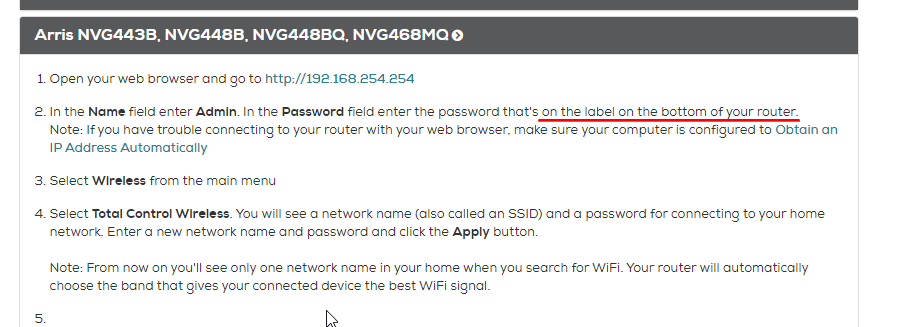
It is asking to sign in let me find the pass word
I don’t know the password

@tame carbon you there
tame carbon
I am
I am also trying to get on this fucking ziply support website
but their stupid bot detection thing is making me do a stupid quiz
 tame carbon
 clear igloo
You mean 5480845684
 tame carbon
Ok.. so that's not exactly what I was looking for
tame carbon
Well, either way, lets just do the port forwarding and care about dhcp after
 tame carbon
Go to firewall, look for NAT
 tame carbon
Go to port forwarding
spice gust
Did so
tame carbon
What version of CoD?
tame carbon
TCP: 3074, 27014-27050
UDP: 3074, 3478, 4379-4380, 27000-27031, 27036
spice gust
Okay
tame carbon
Those ports will need to be forwarded to your PC
spice gust
So how do I input this
tame carbon
Create a new rule
 tame carbon
Yeah, and then you select the protocol and enter the Port
You'll need to make multiple rules
spice gust
I can’t add
tame carbon
And the ports with a - inbetween are ranges
spice gust
It says service name can’t be empty
 tame carbon
You have multiple ports and port ranges
TCP: 3074, 27014-27050
UDP: 3074, 3478, 4379-4380, 27000-27031, 27036
 tame carbon
Yeah, if its not a range but a single number, then you only fill out the left field
If its a range like 10-20 then you fill out both fields
 tame carbon
Yeah... Except that was an example
TCP: 3074, 27014-27050
UDP: 3074, 3478, 4379-4380, 27000-27031, 27036
You need like 7 rules
spice gust
So does tcp go on top and dcp goes bottom
tame carbon
Some ports are both tcp and udp
spice gust
How about this I will turn on team viewer and you take control of my computer and show me
 spice gust

 tame carbon
Local base port should only be for single ports
Though idk
The Naming they use is confusing
spice gust
Arg
so now I know that it’s my router issue
At least
Useless router and can’t port forward
spice gust
Oh
tame carbon
And perhaps @clear igloo can help you out now, I have to dash. Busy with something
Port forwarding is trivial, shouldn't be this hard
spice gust
Pls help someone
spice gust
No
tame carbon
Get it
spice gust
Okay
tame carbon
its like teamviewer, but it doesnt block me
spice gust
Okay
tame carbon
(I cant use teamviewer on a corporate line)
spice gust
Oh okay
I am installing
How long will it take
Cause I am in a class
Right now

@tame carbon
spice gust
There
spice gust
What thing
tame carbon
fucking done.
spice gust
Okay thanks
tame carbon
@spice gust I just forwarded all ports.
but I need to double check fw config
cus its generall unsafe to do this..
tame carbon
btw the answer is A
tame carbon
I disconnected
spice gust
Okay
tame carbon
@spice gust its important that you set windows fw to "Public network"
spice gust
Should my game work now
tame carbon
not home network
spice gust
Okay
tame carbon
@spice gust and then permit CoD internet access
spice gust
Okay
tame carbon
you might want to buy a seperate router
spice gust
I have one
tame carbon
and use the ISP's device purely as a modem
spice gust
A gaming one
tame carbon
its just marketing blah blah blah
spice gust
I have linkskeys wrtx
Router
Not bad
But Jsut wondering will my game work now tho
tame carbon
@spice gust see on a proper router, this is much easier
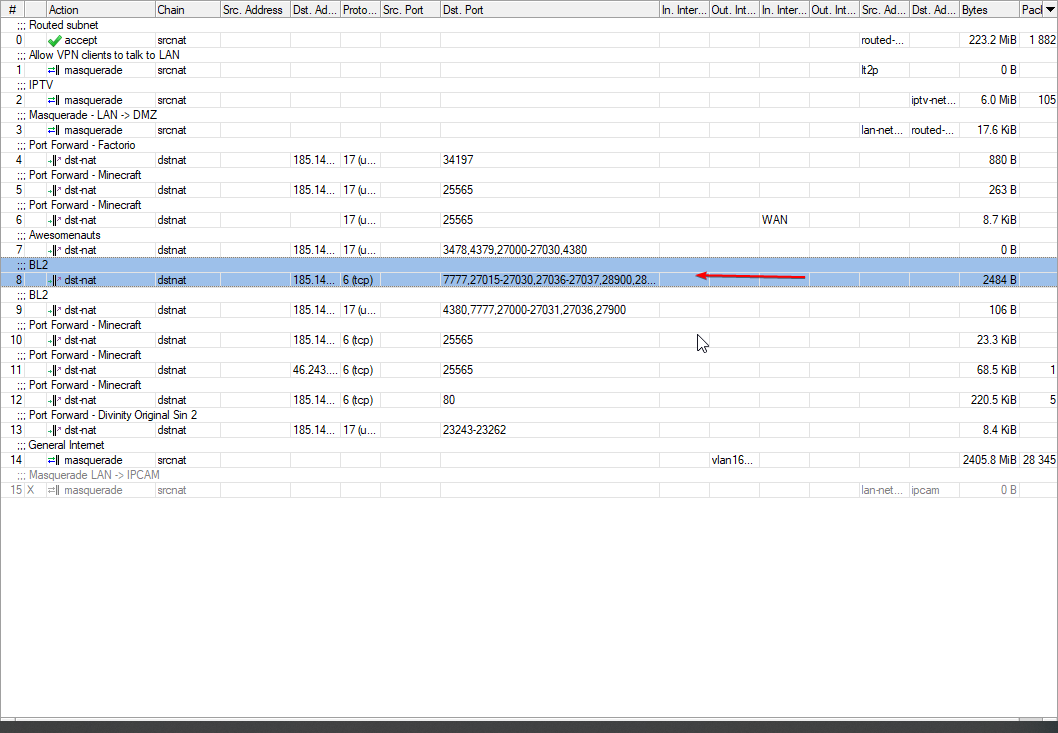
you just add a rule
and enter the ports 🤣
spice gust
Ah
Makes sense
Will consider a anew router
But my main question is will my game work
Do I need a restart
tame carbon
@spice gust basically, the router will forward all traffic to your PC now that is incoming
in p2p contexts, the other players connect to your public IP
spice gust
Oh
tame carbon
but you are behind a gateway that translates addresses
that 192.168.254.0 network
that's a LAN
spice gust
Ah
tame carbon
NAT is a mechanism that just translates the destination IP addresses
spice gust
So mine thing was not forwarding properly correct
tame carbon
if they match a filter
@spice gust yeah idk it was just erroring out on me
piece of junk
spice gust
Ah
tame carbon
but basically what NAT does (Network Address Translation)
when your PC talks to a server on the internet
spice gust
Makes so much sense now
tame carbon
your router is constantly changing source and destination addresses
between your WAN and LAN
spice gust
Okay I am looking for a match now
 spice gust
Oh
tame carbon
its a "demilitarized zone"
tame carbon
really?
spice gust
Yup
tame carbon
mh
you're on the latest windows yeah?
can you go to network settings
find xbox live
it should have NAT status somewhere
spice gust
Yes
tame carbon
what does it say?
spice gust
Checking
tame carbon
it should say open
 peak cloak
cgnat?
spice gust
What is that
tame carbon
@spice gust go back to that DMZ screen
disable it
and then in Firewall
click on UPnP and enable it
tame carbon
ye
UPnP = universal plug and play (and every trojan's dream)
allows a program to dynamically port forward
when needed
spice gust
 tame carbon
but yeah, its also kinda insecure
yeah turn that on
that should fix that teredo warning
spice gust
It was on
tame carbon
then...
IDK.
call your ISP
tell them their ONT is total trash
if they cant help you
buy your own router
and use that instead
you can just forward all traffic from that ISP device, and then you just use your own
you just have to hope that your device supports bridge mode
tame carbon
cool
spice gust
I will see if my game works
spice gust
Yeah
tame carbon
but usually this is done automatically, when you first launch the game
spice gust
Oh
tame carbon
it asks you
tame carbon
@spice gust this is why I hate ISP routers. Because they rename everything and make it so confusing to use
tame carbon
so anyone who is tech savvy, feels as if they are crippled when using the router xD
spice gust
Tell me a good router to buy
tame carbon
the screenshot you saw me post there was a mikrotik
those are 100% manually configured, but the default settings on them are as a home router
cheap, and very reliable
depends on what you need

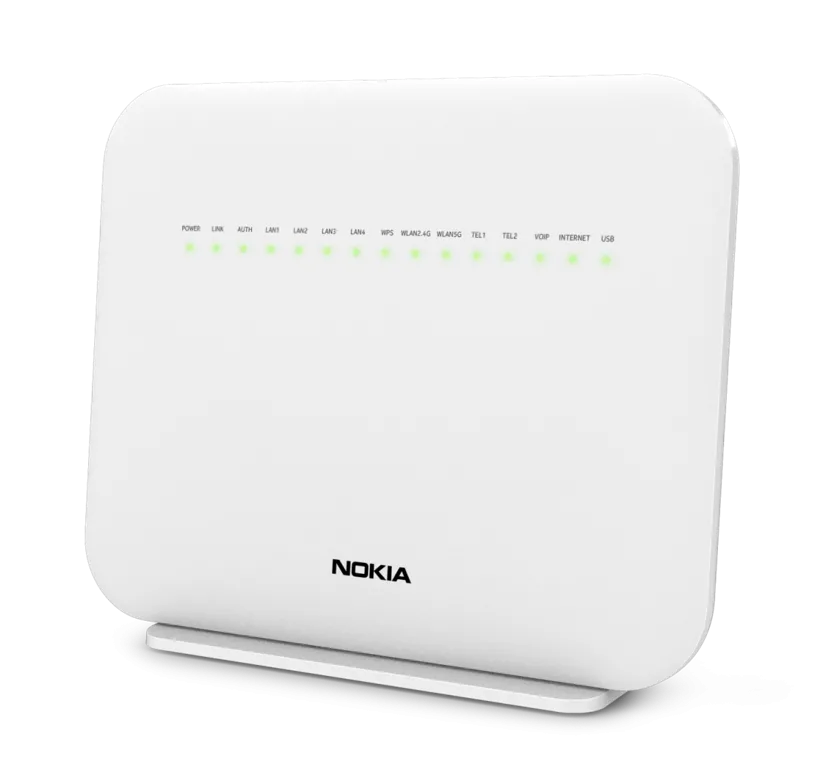
MikroTik is a Latvian company which was founded in 1996 to develop routers and wireless ISP systems. MikroTik now provides hardware and software for Internet connectivity in most of the countries around the world.



 spice gust
Yeah
spice gust
Should I jsut reset my pc
tame carbon
all the consumer stuff is pretty meh
mikrotik is cheap and for the same money you usually get way more performance
spice gust
Looks like my firewall was off
tame carbon
idk what you paid for your gaming router
spice gust
It was 250