#networking
1 messages · Page 302 of 1
 untold elbow
you may need to add some of the iptables commands to the PostUp/PostDown of the linux config (like in here: https://github.com/mochman/Bypass_CGNAT#2b-installing-wireguard)

GitHub
Wireguard setup to bypass CGNAT with a VPS. Contribute to mochman/Bypass_CGNAT development by creating an account on GitHub.
depending on what you want forwarded through the tunnel
but you might not since you didn't do any on the windows side
i'd try it first without any of that
and then bug @tame carbon if it doesnt work because i need to bring my wife coffee before she files for divorce
untold elbow
Yes
 slate sonnet
It works
Yeee
A 5-10 minute thing that took like an hour or so
Actually 5 hours
Damn
 lean pebble
Lol
slate sonnet
Well in theory everything should be working
lean pebble
I'm still with my issue for 4 days
slate sonnet
What's your issue?
lean pebble
Something that should take max an hour
With mikrotik and my tunnel 😆
For some reason I get 120ms to my internal network instead 1ms while connected to it
And ping to my tunnel max 70ms
 tame carbon
did you even do a trace yet?
lean pebble
Internal trace ?
tame carbon
Its clearly routing packets somewhere where it shouldnt
show us the traceroute to the router.
lean pebble
I ping my router should get 1ms
Gimme a sec
I'll reconnect the gre
Well that's weird it's looks like a loop
lean pebble
O_o

10.70.1.1 is my vps internal IP
And 10.70.1.2 my router
The route is ok when I'm not connected to the gre
Nvrm I miss red it
But why I get timeouts
tame carbon
pretty sure that has something to do with the GRE tunnel
because its IP tunnel
and not ICMP
not sure why it would do that
but I've got that here as well in some places
because I am abusing NAT
lean pebble
I guess it's my masquerade rule that making me issues
tame carbon
@lean pebble that might be it
since that default masquerade rule on the mikrotik, applies to all packets going out your wan interface
lean pebble
Ok
How can I block telnet on mtik for some reason the rule I did not working
My ISP spamming me with telnet request
lean pebble
tame carbon
since that default masquerade rule on the mikrotik, applies to all packets going...
From.what I see it's only to wan the masquerade rule
 rocky badge
having telnet enabled
 little schooner
rocky badge
>having telnet enabled
little schooner
rocky badge
>having telnet enabled
engenius recently released a firmware update for the EWS377AP that enables telnet by default
rocky badge
🥴
little schooner
or wait.... makes it possible to configure it from the web gui
but still, I found it ticked on out of the box. That leads me to believe, by default, its enabled out of the box

 tender hazel
the default mikrotik firewall blocks all incoming traffic including telnet, so even if telnet is enabled on the device you can't use it to connect remotely
unless you are not using the default mikrotik firewall
I would be more worried about that, since there are other open ports that can be problematic, not just telnet
 raw timber
how to set up windows share on a Linux seve can connect but can't add any folder or file
lean pebble
tender hazel
I would be more worried about that, since there are other open ports that can be...
I made a new gre tunnel on my pfsense in the cloud and I'm in the same problem
Can't ping the router while connected to the gre tunnel. 😆
lean pebble
tender hazel
the default mikrotik firewall blocks all incoming traffic including telnet, so e...
It should be the default firewall rule
tender hazel
yes, the default mikrotik firewall will block all administration from the outside - by default telnet is enabled yes but you can only telnet from the LAN side
lean pebble
Ok
Now I'm sure that mikrotik fucking my gre tunnel and not my vps gre tunnel
I'm sure I'm missing something here
tender hazel
it's possible I messed up on your policy routing mangle rule
chain=prerouting src-address=10.0.20.11 action=route route-dst=10.70.1.1
no that's correct
10.70.1.1
it is easy with policy routing to accidentally create loops
 hollow marlin
@lean pebble Add in the input rule marked "drop all not coming from LAN" and add the GRE list with "!" mark checked
tender hazel
no, you shouldn't do it that way
you should add an accept rule to allow your gre list higher in the firewall list
the problem is that GRE traffic is considered to be invalid and will be dropped by the drop invalid rule higher in the list
so it is better to create an accept rule for your gre address list above the drop invalid rule
hollow marlin
He has the default ruleset and the invalid rule set is drop invalid forward, not input
Im having him do this as a test, you don't need to start messing with pre/post routing chains
lean pebble
this is the firewall info I get in the log when enable log on the prerouting rule prerouting: in:bridge out:(unknown 0), src-mac
tender hazel
hollow marlin
He has the default ruleset and the invalid rule set is drop invalid forward, not...
The default ruleset has drop invalid rules for both chains
both forward and input
hollow marlin
Checked and yes, thats correct. Still point stands, add it to the drop all not from LAN and move it above the input rules
As well as accept input from GRE
tender hazel
you shouldn't move the drop all not from lan higher up in the list b/c it will start to drop other traffic you don't want it to drop
and if you add a rule to accept input gre protocol from the GRE address list (a GRE address list is good practice for security, as you suggest) and put it above the drop invalid input chain rule, there is no need to change anything in the drop all not from LAN rule
lean pebble
so what should I do ...
tender hazel
/ip firewall filter add action=accept chain=input comment="Allow GRE for trusted tunnels" protocol=gre src-address-list=gre-tunnels
create a rule like that and place it above your drop invalid rule in the input chain
you'll need to add the public IP for the far side of the GRE tunnel into the address list gre-tunnels
hollow marlin
I should read before I type when multitasking. Dont move the placement, add !GRE to the list only and test. Erina should already have an input allow list at the top of the rules. Just make sure its there @lean pebble
lean pebble
input: in:pppoe-out1 out:(unknown 0), src-mac
hollow marlin
Remove the prerouting rule
tender hazel
or disable it for now
tender hazel
first test the ping across gre from the router itself
hollow marlin
Just add the GRE list to the drop all not coming from LAN rule with an !
lean pebble
I have it
tender hazel
it is safe to do that but I do not believe it will make a difference
lean pebble
now I can ping both from the vm but the tunnel isn't working
tender hazel
ahh yes you are correct, I thought there was a chain=forward allow icmp rule becuase I added one
but it is only present in the ipv6 firewall by default, not the ipv4 firewall
hollow marlin
It will make a difference. The GRE is being blocked on the input drop all !LAN chain, not the invalid as its not in the list.
tender hazel
it wouldn't be the gre protocol itself being blocked, but instead the payload when it is decapsulated
hollow marlin
List are equivalent to zone based firewalls, the GRE list is a zone, nothing to do with the payload
tender hazel
tunnels tend to be processed twice by the firewall, the first time it is the outer packet (GRE in this case) which hits the input chain, then it takes the payload and runs it through the firewall a second time and that will be processed by either the input chain or the forward chain, depending on the destination IP address of the packet that was in the payload
hollow marlin
Correct, and the drop all rule of !LAN does not include the tunnel, so its dropped on the second run
tender hazel
and is that list a member of another list? just wanting to make sure it isn't part of the WAN list or something
lean pebble
no no only gre
tender hazel
and what exactly are you unable to ping
lean pebble
the router with the internal ip of 10.70.1.2
and if I can ping it while connected to the gre I get 120ms
tender hazel
your computer on 10.0.20.11 is trying to ping 10.70.1.2
lean pebble
ya
tender hazel
the router on 10.0.20.1 is the same router that has 10.70.1.1 yes? and it is your default gateway?
lean pebble
my main pc can ping it if I'm not connected to the gre tunnel
My default home gateway is 10.0.20.1
my vps internal ip 10.70.1.1
my home internal gre tunnel ip 10.70.1.2
tender hazel
ok
tender hazel
from your home?
lean pebble
from my home vm
tender hazel
so you can ping across the tunnel to the IP that is not at your home, but can't ping the IP that is at your home?
lean pebble
yap
tender hazel
yes, it is the policy routing
you said you wanted any packets from your computer to go across the gre tunnel
so we created the rule
when you try to ping 10.70.1.2, the prerouting rule forces that packet across the tunnel
so your router will not respond to pings because it forces the attempted pings across the tunnel
you have to understand that mikrotik takes policy routing very literally
if you tell it to policy route all traffic from source iP to destination IP, it will do so
even when the packet is addressed to the router itself, the router will ignore the fact that it is supposed to receive the packet and will send it across the GRE tunnel instead
lean pebble
that is the reason why I can't surf the net with the gre
tender hazel
yes, you didn't say you wanted to be able to surf the internet through your router
you said you wanted all traffic from that 20.11 to go across the tunnel, period
lean pebble
Well I though making gre in fortigate is hell I see that here is even more hell
tender hazel
which meant you didn't want internet
you didn't want anything else to work except all traffic to go over the tunnel, and it is
lean pebble
This should move the traffic to the vps
but should move from the router 10.70.1.2 to the vps not disconnecting me from the internet
O_o
lean pebble
all traffic means all traffic from 10.0.20.11 to 10.70.1.2 to 10.70.1.1
tender hazel
that's not what all traffic means, all traffic means all traffic with no exceptions
lean pebble
not 10.0.20.11 to 10.70.1.1 like this and disconcerting me from the internet
tender hazel
I cannot read your mind
lean pebble
This means all traffic because the machine gets the external IP of the VPS
while surfing
this routing rule is not good
tender hazel
so you're trying to use the external IP of the VPS to browse the web, so your VPS is doing some kind of NAT?
lean pebble
ya
tender hazel
how does the VPS know how to get the packet back to the 10.0.20.0/24 subnet?
lean pebble
the router just routing the traffic to the gre
this should be done on the router
the router knows my external IP and my internal vps network 10.70.1.2 that means my router
and 10.70.1.1 thats the vps internal ip
tender hazel
yes, but by default you will not be NAT-ing the traffic going out the GRE tunnel
the packet will come from 10.0.20.11 as the source IP
lean pebble
thats why static routing
tender hazel
the VPS will receive the packet with src IP 10.0.20.11
it will need to send the response back
does the VPS have a route to send the response back?
lean pebble
look
        set srcintf "internal"
        set dstintf "dyson2"
        set srcaddr "all"
        set dstaddr "all"
        set action accept
        set schedule "always"
        set service "ALL"
        set nat enable
next``` This is what I had on my fortigateyes, you were doing NAT on the fortigate
that was acting as a band aid to fix the issue
lean pebble
This was my static route in my fortigate
        set input-device "internal"
        set src "192.168.9.10/255.255.255.255"
        set dst "0.0.0.0/0.0.0.0"
        set gateway 10.70.1.1
        set output-device "dyson2"
    next
yes, your configuration on the mikrotik is different
you are not doing NAT on the mikrotik
tender hazel
either you can add NAT across the tunnel so it is like the fortigate, or you can add a static route on the VPS itself to deliver the return traffic
I would probably add the static route on the VPS itself for the return traffic
tender hazel
your VPS is a pfsense?
hollow marlin
Youll need the static on the VPS
lean pebble
I created GRE in pfsense with static route automatically added by pfsense
hollow marlin
What static is it adding?
tender hazel
the pfsense would need a static route to the 10.0.20.0/24 network
and if you are trying to ping the pfsense from 10.0.20.11 it will fail because the policy routing is forcing all traffic to 10.70.1.1
you will need to ping the pfsense from some IP on the 10.0.20.0/24 network other than 20.11 for a good test
lean pebble
I prefer to do everything from the mtik
I'm used to my old configuration.
Can I do it like the old one or its impossible?
tender hazel
yes you can do it like the old one by adding a NAT rule
but the way you were doing it before is not the best configuration, even on fortigate
but yes you can do it that way
you can add a rule in chain srcnat with out interface list set to your gre list and set masquerade in actions
lean pebble
well it worked perfectly and was stable so I don't mind to stay with this configuration
I did it
what now? the rule was there all this time
lean pebble
yap
hollow marlin
Whats you GRE forward chain rule?
tender hazel
when you ping something on the internet like 8.8.8.8 what happens?
lean pebble
Right now I can ping everything but the gre not working
tender hazel
you can ping 8.8.8.8?
lean pebble
ya
tender hazel
what is your computer using as a dns server
lean pebble
1.1.1.1 1.0.0.1
tender hazel
the computer is not trying to use the mikrotik as a dns server correct?
default mikrotik dhcp configuration has the computers use it as a dns server
lean pebble
works
tender hazel
so then what precisely isn't working?
lean pebble
when I check my external IP I still get my regular external IP
instead my VPS
I'm surfing from my mtik instead from the vps
tender hazel
the policy routing rule should be forcing all traffic to the VPS
as long as it is coming from 10.0.20.11
show your policy routing rule again
tender hazel
ok, you'll need to enable it again to be able to test properly
lean pebble
when I enable it no internet
tender hazel
yes, so when you enable it try the ping tests
try to ping 10.70.1.1
try to ping 8.8.8.8
tender hazel
ping to 10.70.1.2 won't work, that's normal with this setup
if you want to be able to ping 10.70.1.2 you would need to make some exceptions to the policy routing rule
I think your NAT rule for the gre tunnel is set up incorrectly
can you export the NAT rule and paste it in here?
/ip firewall nat export from the command line
lean pebble
add action=masquerade chain=srcnat comment="defconf: masquerade" out-interface-list=WAN
add action=masquerade chain=srcnat comment="masq. vpn traffic" src-address=192.168.89.0/24
add action=masquerade chain=srcnat out-interface-list=GRE
that looks correct
assuming your interface list GRE has the gre tunnel in it as a member
 tender hazel
yes
try to ping the public IP of the VPS
you can ping the 10.70.1.1, I'm curious if you can ping the public IP that your VPS also has
lean pebble
working
tender hazel
ok
as another test, try pinging the default gateway of the VPS (will probably be a public IP on the VPS provider side)
lean pebble
you mean the Gateway of the external IP?
tender hazel
yes
lean pebble
let me find it xD
tender hazel
I assume you can ping it from the VPS itself
try that first
then see if you can ping it from 20.11
lean pebble
can't ping from my home
tender hazel
can you ping it from the VPS itself
lean pebble
ya
tender hazel
ok
so this indicates that the issue is not in the mikrotik configuration, it is in the VPS configuration
lean pebble
no the default gateway always was like this even on my second gre tunnel
tender hazel
you would have had a NAT rule in the VPS itself, and possibly some firewall rules, to allow the fortigate to get online
obviously something has changed and the VPS is no longer configured correctly
with the fortigate you would have been going through double NAT
first, the fortigate would have been NAT-ting traffic from your internal network to show up as coming from 10.70.1.2
lean pebble
I moved it back to my other vps
now I can ping it
the issue on the mtik not my vps
tender hazel
then the VPS would have been doing a second layer of NAT after that
lean pebble
I still have no internet while connected to the tunnel
tender hazel
but you can ping the public IP of the VPS and NOT its gateway
the problem cannot be on the mikrotik in that scenario
lean pebble
are you sure?
Reply from 10.70.1.2: bytes=32 time=117ms TTL=62
Look internal while connecting to the tunnel
mtik doing this issue I never had it with fortigate
tender hazel
it's not an issue, it is doing what you told it to do
the high ping time is unrelated to your problem getting online
lean pebble
No it doesn't
if I ping to 10.70.1.1 I get 70ms
if I ping 10.70.1.2 I get 120ms
10.70.1.2 is internal
and only when connected to the tunnel
other devices can ping both with normal ping
raw timber
how to set up samba on proxmox
tender hazel
@lean pebble the block has finally been removed. Please create an address list named policy-routing-exceptions
and add your 10.70.1.2 IP into it
lean pebble
in address list I can't add name to it
raw timber
what about myquestion
 tender hazel
what is the list called?
you will want a list for all policy routing exceptions as you may find that you need to make more
because there may be things you need to access that you didn't think about before
tender hazel
ok
so now, edit your mangle rule for policy routing
and in the advanced tab, set dst-address-list=!gre-exception
lean pebble
ok
tender hazel
that way it will only policy route traffic that is not going to the gre exception list
lean pebble
same ping
tender hazel
can you show your mangle rule
 raw timber
why no one responded to me or where do I ask I am having issues with Read only access
lean pebble
permissions where?
tender hazel
mattp I've never used proxmox in my life and know nothing about it
lean pebble
Me to but if you talk about linux vps I can help
tender hazel
asking over and over again isn't going to help if nobody in here right now knows anything about it
tender hazel
lean pebble
now 1ms but slow af
yes you see, it is now normal ping times
tender hazel
I was trying to tell you that the ping was unrelated to your issue
but we argued about it for 15 minutes and I finally helped fix the ping issue
which really has not done anything except made you feel better about life in general
lean pebble
tender hazel
which really has not done anything except made you feel better about life in gen...
true but not so true
raw timber
I don't Have Linux vps it just stand set up samba on debin
lean pebble
I just want to make it work like it was before I switched to mtik
tender hazel
again, try pinging the VPS public IP from your 20.11 computer
and try pinging the VPS gateway IP from your 20.11 computer
raw timber
and windows say ac denied for a share I made but user share work
raw timber
for making folder
tender hazel
you can ping the gateway of the VPS?
lean pebble
ya
tender hazel
the public IP gateway of the VPS? the one at the VPS provider?
lean pebble
yap
tender hazel
you can ping that from your 20.11 computer
tender hazel
can you ping 8.8.8.8?
tame carbon
oh shit, mangle
lean pebble
ya
tame carbon
dark magic ahead
lean pebble
haha
tender hazel
check your IP
lean pebble
I get the right IP
tender hazel
great, it is working then
tame carbon
@tender hazel are you just marking the packet when it comes in? and then changing routing decision based on that?
lean pebble
It was fast as a jet
hollow marlin
What is your CPU usage at on the tik? You are not fasttracking anymore
tender hazel
do a speedtest
@tame carbon I'm not doing policy routing, erina is, I am just assisting
lean pebble
loading for ever
tender hazel
it might be MTU issues
tender hazel
yes, I think it is MTU issues
the default GRE tunnel MTU is 1476 which is the largest tunnel you can have with a 1500 MTU
but you have PPPoE
lean pebble
nah my provider gives 1476
lean pebble
My ISP cap to 1476 MTU
tender hazel
so it is even worse then
lean pebble
haha ya
tender hazel
your problem right now is all MTU related
lean pebble
I hope with the fiber they announced today they will get some more brain
tender hazel
check to see what MTU and MRU you get on the pppoe connection
 tender hazel
ok.. try to ping something pingable on the internet from your router, with ping size set to 1480 and don't fragment set
if your ISP is really limiting you to 1476 that should fail
it's strange because your ISP should not be allowing you to successfully negotiate an MTU of 1480 if they are really limiting you to 1476
tender hazel
your ISP must be allowing more than 1476 then
otherwise that would fail
you can test to see if they allow PPPoe max payload at 1500
if it doesn't work you can change the settings back
tender hazel

this is how you can try configuring pppoe max payload 1500
if it doesn't work you can change back
to see if it worked you will need to go to the status tab and see what your MTU and MRU are
lean pebble
can't change MTU
tender hazel
it is max mtu you would change
max mtu and max mru to 1500
in the general tab, like in my screenshot
after you do that, go to the status tab
and check to see what MTU and MRU you are getting
lean pebble
1480 mtu 1500mru
tender hazel
ok so that means that they must not support ppp max payload, so go back to the general tab and click the triangle to the right of max mtu and max mru to disable them
so your pppoe MTU is 1480
you will need to reduce your GRE tunnel MTU from 1476 to 1456
tender hazel
no problem, lowering the GRE tunnel MTU should fix it
lean pebble
I'll try and send you an update
tender hazel
you are losing 20 bytes as a result of the PPPoE overhead at 1480 (1500-20), which means that the GRE tunnel MTU of 1476 is too high and has to be lowered by 20 as well (1476-20=1456)
tender hazel
ok, goodnight
hollow marlin
PPPoE has only an 8 byte header + GRE is 4 (header) + 20 (IP) = 1468. The 1480 is just a Mikrotik default to account for other protocols in use. Messing with MTU will not fix his latency and instead he should be clamping MSS (wont fix his latency but assist with TCP)
tender hazel
yes GRE has a 24 byte overhead.. with the PPPoE MTU at 1480 it will not pass larger packets, so you need to subtract the 24 from 1480 which gives 1456
and erina should be both setting the MTU and clamping MSS
clamping MSS by itself won't help with UDP traffic, you need path mtu discovery to communicate the proper MTU back to the sender
and as far as I am aware, the reason for the 1480 default is not for tunnels, but has to do with performance

it says there "optimal value"
hollow marlin
I don't see he tried setting PPPoE to 1492, he can still change it and test. Also im well aware of MSS and UDP.
It cannot be related to performance
tender hazel
he can increase pppoe to 1492 yes and it will probably go there, but mikrotik's wiki page suggests that 1480 is somehow more optimal, which is why they use it as a default
there is no latency problem btw, the latency is fine
hollow marlin
Most hardware when processes strips the headers away from the payload, make the decision and slap on the header and forward it, basically the total size of the packet doesn't matter in terms of routing/switching each packet/frame. Also lower MSS means more PPS for the same data which will hurt performance
tender hazel
then explain why they use 1480 as a default and not 1492 - they like the number better? They like to artificially decrease MTU to make things slower?
I honestly don't know how 1480 would be "optimal" but they say it is
hollow marlin
Don't know, its just a "mikrotik thing". Best guess is how they do some the internal routing. They are using QinQ internal which we have no visibility to
hollow marlin
The same techniques exist in carrier equipment like Ciena as the lower-end ASICs lack the more complex forwarding
hollow marlin
tender hazel
hmm.. interestingly, sonicwall says 1452 is most optimal
1452 MSS
hollow marlin
Re-read it, they do not know the difference between MTU and MSS
But adding ATM overhead on a T1 is not the same. Dealing with an entirely different beast
tender hazel
it's not DSL?
I assumed Erina had DSL due to the PPPoE client
and I think they do know the diffference between MTU and MSS.. yes the MSS for PPPoE at 1492 is 1452 and they also say the optimal MTU is 1452 but it is for different reasons and coincidentally the number is the same
I have read through it
hollow marlin
He does but its a different scenario. The sonicwall in that article is using a edit: referencing a T1 and using DSL, Erina is going through modem which typically already have a higher L2 MTU configured
tender hazel
it says at the end "On a standard T1 at 1.544Mbps, this means an increase of about 10 kbps" - when I read that I assumed it was referring to the T1 as a reference speed, not literally doing PPPoE over a T1
hollow marlin
Same
They are using DSL in the example, read through and saw at the end. Then re-read it
Still similar to what I was saying, sending to and through a modem is much different than sending directly from the device in the ATM world
tender hazel
ok
we use pppoe on our network for customers, but we do ppp-max-payload so that customers can get 1500 byte IP packets through PPPoE
anyway Erina's latency "issue" was not really an issue, but (he?) was convinced it was, so we fixed that
hollow marlin
Same for us. There is no reason not to in the SP space as all links should be set to max MTU
I thought he mentioned something about his ping times, if not, yeah its not an issue
tender hazel
I was trying to ignore the latency "issue" becuase I knew the cause but Erina did not understand and thought it was a big problem, it was a red herring
it is because the policy routing rule is configured to send any packets from 10.0.20.11 over the tunnel
so when erina tries to ping 10.70.1.2 (which is an IP the router has), the router sends it across the tunnel because the policy routing forces that instead of the packet being delivered to the router, and the other end of the tunnel sends it back
so the latency for pings to IPs on the near side become high because the router sends the ICMP across the GRE tunnel unnecessarily and then it comes back
hollow marlin
I knew that was happening, I thought it was around when he could finally ping out to the internet through the VPS
tender hazel
I had erina create an address list called gre-exception to list IPs that should be exempt from policy routing, and add the 10.170.1.2 in there
and reconfigure the policy routing rule for dst-address-list=!gre-exception
and then erina found that the ping times were normal but the problem was still there, and found the actual problem
hollow marlin
Im referring to him pinging say 1.1.1.1 through the VPS from his VM. I thought he mentioned like 2.5s response
tender hazel
no the 2.5s was briefly when he had the rule configured wrong, he missed the exclamation mark
he had dst-address-list=gre-exception instead of dst-address-list=!gre-exception
hollow marlin
Oh I see, was at 2.5s then dropped to a ms
tender hazel
he says it is slow at loading pages now (takes 10 minutes) but speed tests are fine.. I think some web page elements are failing to load due to TCP being too big and not making it across the GRE + PPPoE overhead.. decreasing the MTU for GRE and doing MSS clamping should take care of that
although the MSS clamping shouldn't be necessary strictly speaking if path mtu discovery is working, it is still a good idea since too many firewalls block all ICMP
hollow marlin
Always assume PMTU is not working. Too many services have ICMP responses disabled or just allow echo reply messages
tender hazel
it is especially a problem with ipv6 since intermediate routers cannot fragment.. thankfully fewer people seem to be blocking ICMPv6 compared to ICMPv4
when we rolled out IPv6 on our network at first it was with a hurricane electric BGP tunnel and we found we couldn't log in to our checkpoint firewall support account anymore
it took me a while to find the right person to open a ticket with to fix the problem with their support system
 glad copper
I fight security at work often because they want outright blocks for icmp "Because its not used for anything important" and I want to strangle them.
hollow marlin
You cannot disable IPv6 ICMP unless you want to break it all together. ND used ICMPv6 in the messaging, disable it and everything breaks. Unless you have a device able to specify the specific message types
 thorny vector
Security, eh?
@hollow marlin I'm doing my nightly data scrub, if you want to over the shoulder
hollow marlin
thorny vector
<@!462711605063450628> I'm doing my nightly data scrub, if you want to over the ...
Sure thing, can in say half hour or so if you are still working on it
tender hazel
ugh.. right now I'm trying to reason with someone who thinks that he needs to NAT66 his entire internal network to make it secure
thorny vector
@hollow marlin yep, just shoot me a ping when you’re ready
 peak cloak
tender hazel
ugh.. right now I'm trying to reason with someone who thinks that he needs to NA...
peak cloak
tender hazel
ugh.. right now I'm trying to reason with someone who thinks that he needs to NA...
urgh, getting rid of the whole point of v6
NAT isn't security
firewall is
rocky badge

tender hazel
yup, I'm trying to explain that
rocky badge
tender hazel
it's like there are situations where NAT66 can be useful - one situation is when you have to change the IP for a service and other devices are referring to that IP directly (vs DNS name), you can NAT66 port forward from the old IP to the new one while you change the IP in the devices. We did that with our syslog server when we had to change the address. Another situation is docker - docker traditionally needed you to route a /64 subnet to it for it to use for the containers, but if you have a bunch of machines that are just used for development and not production, it is annoying to have to route so many /64's and is much easier just to NAT66 the containers. But some people use it like a security blanket and break into a panic if it isn't there, by not understanding what it does and doesn't do.
thorny vector
Dockers over allocation of ip space is egregious out of the box, anyways
 strange path
have you ever gone through your firewall discards and seen an ip address that tracerouts back to this : https://research.esrg.stanford.edu/ Is there a reason that people try to connect to every known public IP address?
 lilac knoll
To exploit them
strange path
I see, another reason why you shouldn't use RDP... right? or is it safe if you change the default port number?
lilac knoll
Not safe
strange path
Well thanks for the info
thorny vector
Never expose any service that gives access to a system, ala RDP or even a web portal like the recent VMware hacks.
Because people felt safe exposing critical architecture to the internet, a single zero day owned them, hard.
strange path
Okay well as I dig through my modem's discards I see a lot of them are from college research things probing every public IP address according to their websites.
thorny vector
Those are usually not bad. For example, I know one actual attack that regularly hits my firewall is from a security research company providing a public service saying “hey, we scan this port and attempt the first part of this attack, and alert you/ your ISP if you’re vulnerable.”
strange path
Well that's neat, I will leave it at that and call it a day - Thanks for the info.
tender hazel
there are certain services that are more frequently opened to the internet, like VPN.. those are generally looked at more closely for vulnerabilities and are generally safer to open to the world
the safest way would be to set up a VPN, connect via VPN and RDP in once connected to the VPN
thorny vector
I prefer guacamole for the average client. Makes it harder for anything that might move laterally to work.
tame carbon
brilliant. SQL Server has a bitwise XOR
just not a logical XOR
GAAARBAGE
-- Will enforce an XOR between HAS_PERSONAL_ACCOUNT_FK and HAS_CORPORATE_ACCOUNT_FK
ALTER TABLE ACCOUNT
    ADD CONSTRAINT CHK_ACCOUNT_TYPE CHECK (
            ((FIRSTNAME IS NOT NULL AND LASTNAME IS NOT NULL AND DATE_OF_BIRTH IS NOT NULL)
                AND
             (COUNTRY_NAME IS NULL AND CORP_NAME IS NULL))
            OR
            ((FIRSTNAME IS NULL AND LASTNAME IS NULL AND DATE_OF_BIRTH IS NULL)
                AND
             (COUNTRY_NAME IS NOT NULL AND CORP_NAME IS NOT NULL)
                )
        );
GO
Such an ugly bit of sql
I'd need exactly half the amount of code if there was a logical XOR :(

 desert briar
tame carbon
I'd need exactly half the amount of code if there was a logical XOR :(
desert briar
tame carbon
I'd need exactly half the amount of code if there was a logical XOR :(
why not xor the data on insert instead? on the backend
tame carbon
@desert briar wat
these are constraints
they are there to protect against invalid or inconsistent data
desert briar
Doesnt matter. So I imagine you have some frontend & backend. Why not do the data validation on the backend itself? Doing it in SQL seems janky
tame carbon
and in this case, the entity ACCOUNT either has a foreign key to a corporation, or a person
always one of the two, never both or none
@desert briar oh that's besides the point
this is an assignment
desert briar
Oh, okay
tame carbon
this is a business rule
that can be enforced through a constraint
@desert briar the moment you insert a record without those fields, it will reject the insert
that's what CHECK is for
desert briar
I know, but thats why you have some sort of backend in your application. You verify data before inserting it into the db. Or doing any other operation for that matter
but this works too
tame carbon
@desert briar thats actually poor form.
A database is supposed to handle this
not your backend code.
and there is no backend in this context.
its pure database
desert briar
meh, debatable. You will find limits with what databases can do.
tame carbon
Yes
tame carbon
@desert briar almost all business rules can be implemented
if not with a CHECK, you can do it with a TRIGGER
I've even written applications completely in SQL before
where all actions were done through procedures
desert briar
ouch, sounds like pain. Hats off
tame carbon
@desert briar all of those constraint checkings in your backend , will only get you so far
it doesnt solve the problem of concurrency
There's all kinds of nasty isolation problems you will run into

Dirty reads, phantom records, deadlocks

Phantoms ^
 desert briar
Yeah, im aware. It honestly depends, again. Thats my opinion. Im not against either approach
tame carbon
@desert briar either way. This assignment is about a comparison between an RDMBS and a Graph database
I'm building a data set, and then replicating it in another Database type
and then seeing how both of these databases, handle the various constraint and quality standards
desert briar
And the whole problem with the dirty reads and what not are why people are moving towards nosql databases
but thats another behemoth which I pretty much know almost 0 about
tame carbon
nosql isnt a general term
within the scope of NoSQL there are various database types
tame carbon
Key-value, Column-Family, Graph, Document
desert briar
they all use their own structure
tame carbon
Graph databases are the only NoSQL variant that support ACID operations
desert briar
No idea what that is, honestly
tame carbon
In computer science, ACID (atomicity, consistency, isolation, durability) is a set of properties of database transactions intended to guarantee data validity despite errors, power failures, and other mishaps. In the context of databases, a sequence of database operations that satisfies the ACID properties (which can be perceived as a single logi...
desert briar
I encountered a nosql db on a test once. It was mongodb. Testing that stuff was pain
tame carbon
atomic updates, means within a transaction either all queries succeed, or none succeed following a rollback.
consistency makes sure that from one transaction to another, the data is valid
through either constraints, triggers or cascades
Isolation has to do with concurrency and transactions
and Durability has to do with transaction logging, in case of power failures and such
@desert briar NoSQL throws these under the bus. opting for a different approach to guaranteeing data quality
In NoSQL, you write procedures and routines to deal with data inconsistency
SQL has these removed by design.
its often said that NoSQL will be "eventually consistent"
desert briar
Right well, I cant really converse on this topic to this depth as Im not familiar with it
tame carbon
hmmk
desert briar
and well, the reason nosql is popular is because its "inconsistent"
😄
popular being a relative term
tame carbon
Nah its popular because it is schema-less
desert briar
I still use mysql
tame carbon
and because it allows for rapid prototyping
desert briar
schemaless->inconsistent->do what u want
 tame carbon

Neo4j is the graph database platform powering mission-critical enterprise applications like artificial intelligence, fraud detection and recommendations.
This is what I am using rn
desert briar
Im familiar with neo4j
One of the tools you use to enumerate active directory networks called Sharphound collects data
tame carbon
Neo4J allows for atomic updates
desert briar
which you plop into neo4j for graphs
tame carbon
and neo4j can also enforce certain constraints
desert briar
just tried to login to the db
i forgot the password
lol
But yeah well, you could pretty much tell me anything at this point and Ill believe it
lol
tame carbon
@desert briar that's just the thing though
there's lots of developers using databases, without the slightest insight into information theory and data quality assurance
yielding buggy code, inconsistent databases and generally a pain in da butt
 vale marsh
Guys, I'm really stuck here. Basically I messed the networking up. I have a main Hitron router from the ISP, and a Dreytek 2830 which acts as an extra router for additional ports. Long story short, I tried to change the DT IP as it was conflicting, and now it's messed up. I can't connect to the internet when I plug the ethernet into the draytek now. What do I do? I done reset and reboot. Can't even connect to main router wifi
It keeps assigning and changing IP addresses, weirdly. Why does it change the main router (Hitron) IP when I only changed the Dreyteks one...very unusual
tame carbon
@vale marsh can you draw up a small diagram?
difficult to help without a clear understanding of the topology, and addressing
@vale marsh in a home environment, you typically only have a single router.
If you have two, you can have all kinds of problems
vale marsh
Thanks for your reply, will make a bit more clearer, typing the message now
 hot hawk
is there any way for a device to pick which router to connect to, when there are two routers using the same ssid which are in a lan to lan config
untold elbow
connecting via wifi?
rocky badge
That's usually up to the client
https://support.apple.com/en-us/HT203068
https://docs.samsungknox.com/admin/knox-platform-for-enterprise/kbas/kba-115013403768.htm

Apple Support
Learn about how devices running iOS and iPadOS roam in an enterprise Wi-Fi environment.
peak cloak
hot hawk
is there any way for a device to pick which router to connect to, when there are...
well AP not router
but yes
it's client side though
hot hawk
so i would need a different ssid?
peak cloak
no
peak cloak
the client device decides what station to connect to. Although there are also solutions where the AP tells the client what base station to connect to
but your AP would need to support that
and I think the client as well
hot hawk
🤔
rocky badge
Just position the APs accordingly and tune transmit power if needed
peak cloak
^
hot hawk
alr i am 99% sure my router that is in lan to lan prob cant change its trasmit power
not sure about my main router
will look into that tho
hollow marlin
What exactly is the issue where you want to connect to one over the other? Baseline decision is the client will prefer the AP with better signal
hot hawk
cuz the other router has a much weaker connection
it is lan to lan over a wireless enthernet bridge
hollow marlin
Tuning power is typically when you want to tune crosstalk and better roaming when its not supported on the AP
peak cloak
hot hawk
cuz the other router has a much weaker connection
it's not connected via ethernet?
peak cloak
ok so it's not ethernet
what I mean by ethernet is wired all the way to the main router
hollow marlin
If its connecting to the weaker signal, reboot and see which it connects to, if still connecting to the weaker AP, there is a discrepancy between the two
 nimble sable
guys is there a good owncloud/nextcloud type deal that has: good iphone app and autosync on same?
hot hawk
peak cloak
what I mean by ethernet is wired all the way to the main router
its like one of these

expect only ethernet
it acts like a direct cable
 peak cloak
hot hawk
it acts like a direct cable
peak cloak
hot hawk
it acts like a direct cable
yes, but it's still wifi
your not benefiting from ethernet
hot hawk
i mean theres WDS but i rather not half the speed
im able to get 16 mpbs with the current setup
over like WDS's 4
hot hawk
wdym
peak cloak
connecting to wifi and basically re-transmitting it
if wifi is already weak, it won't make it even better
hot hawk
not sure how the ethernet bridge works
peak cloak
even though it's "ethernet" it's still wifi
hot hawk
but it does seem to give a faster connection even though its also wireless
peak cloak
wifi quality
hot hawk
yes ik
rocky badge
@clear igloo 🥴 The local fiber ISP's routers are configured for 40MHz 2.4GHz whyyyy
hot hawk
im able to get 20 mbps across the house with that over 2.4 wireless on my s20
not sure if its different protocol or transmit power
hollow marlin
rocky badge
<@!291198741862416384> 🥴 The local fiber ISP's routers are configured for 40MHz...
Defaults. If you are mass deploying any equipment, its less of a headache to just leave the generalize config rather than actually tune them
hot hawk
wait what the crap
its powerline???
i swore its wireless
dafaq
i got some tp link powerline kit to test and it was absolute crap
my life is a lie
 smoky estuary
If I wanted to boost my WiFi signal, would a wireless access point work (preferably connected to my main wireless router via ethernet)
hot hawk
smoky estuary
If I wanted to boost my WiFi signal, would a wireless access point work (prefera...
so a AP
yes
autho id prob do a lan to lan ot WDS so i can have the ablity to do romoaing and all devices are on the same subnet
hollow marlin
I wouldn't say crap, you are sending a digital signal over unsheilded wire that has active AC on it. Not crap, just trying to make the best of the worst situation
hot hawk
hollow marlin
I wouldn't say crap, you are sending a digital signal over unsheilded wire that ...
the tp link powerline only got like 5 mbps in the same location compared to the RCA one which got 20
 lone sun
smoky estuary
If I wanted to boost my WiFi signal, would a wireless access point work (prefera...
lone sun
smoky estuary
If I wanted to boost my WiFi signal, would a wireless access point work (prefera...
The best way to boost or extend your signal is to use a layer 2 translating bridge where it uses 802.11 wifi frames as least as possible. Basically one that translates them into 802.3 Ethernet frames. This is how my school had their wifi setup, and it worked rather well.
 clear igloo
rocky badge
<@!291198741862416384> 🥴 The local fiber ISP's routers are configured for 40MHz...
clear igloo
rocky badge
<@!291198741862416384> 🥴 The local fiber ISP's routers are configured for 40MHz...
why not? 😛
hollow marlin
hot hawk
the tp link powerline only got like 5 mbps in the same location compared to the ...
Depends on a ton of factors
hot hawk
yes ik like wiring and stuff
but was using same outlets

no powerstips
current config the other end is connected to a power switch but it seems fine
i do have 3 HDP50
not sure why
but i have 3
hollow marlin
Still could have been based on time, power usage, utilities dirty power, etc. Most tend to perform similar in the same situation.
hot hawk
that does explain why the thing reports a good link
when its legit across the house

yet there is a terrible link if i got direcetly upstairs
tech is rlly funny sometimes
lone sun
@smoky estuary 🤔 If I were to use wifi, it'd be something like this here. I think this can be setup as a L2 translating bridge but I don't quite remember. https://www.amazon.com/Ubiquiti-802-11ac-Enterprise-UAP-AC-PRO-Separately/dp/B079DSW6XX/ref=mp_s_a_1_1_sspa?adgrpid=64513056228&dchild=1&gclid=Cj0KCQjwi7yCBhDJARIsAMWFScNTNrBLLkn4QR8gxMQUHji1TsGl1dTg0tizVgJ_vf6Au2nEdiOkXYkaAr7YEALw_wcB&hvadid=274708734617&hvdev=m&hvlocphy=9016954&hvnetw=g&hvqmt=e&hvrand=13875685614426222204&hvtargid=kwd-329821141324&hydadcr=20133_9346228&keywords=unifi+ap+ac+pro&qid=1615826461&sr=8-1-spons&psc=1&smid=A1CWARKP010ISH&spLa=ZW5jcnlwdGVkUXVhbGlmaWVyPUEyTlpTU1VVWkIwVzYxJmVuY3J5cHRlZElkPUEwNDQ0NTE4MzZHRTNJV1lLSjQ3QyZlbmNyeXB0ZWRBZElkPUEwMzQxMDI5MVEzOU9KMzFJTFBOTSZ3aWRnZXROYW1lPXNwX3Bob25lX3NlYXJjaF9hdGYmYWN0aW9uPWNsaWNrUmVkaXJlY3QmZG9Ob3RMb2dDbGljaz10cnVl
Shit, long ass link. 😬
hot hawk
lone sun
Shit, long ass link. 😬
e
hot hawk
lone sun
<@323480898521792513> 🤔 If I were to use wifi, it'd be something like this here...
imean thats for like enterprise setups
considering this is just home use a old router should prob be fine
hollow marlin
hot hawk
that does explain why the thing reports a good link
worst to best will always be powerline > wireless > MOCA > ethernet. Give MOCA a shot if you have coax available and cannot make a run. Just be ready for the absurd cost
rocky badge
hollow marlin
Defaults. If you are mass deploying any equipment, its less of a headache to jus...
but 40mhz
rocky badge
clear igloo
why not? 😛

smoky estuary
Why is discord removing my messages?
hot hawk
hollow marlin
worst to best will always be powerline > wireless > MOCA > ethernet. Give MOCA a...
moca 
powerline is a hit or miss
rocky badge
you can't say your ISP's name @smoky estuary
hot hawk
wirless and powerline are prob close to each other
rocky badge
just use VM or something for v*** media
smoky estuary
All I have is a superhub from my ISP.
hot hawk
guess for my current setup powerline>wireless
lone sun
hot hawk
considering this is just home use a old router should prob be fine
I mean, whatever works. As long as he can use it to connect his wifi signal into a wired one. The idea is to basically not use wifi as much as possible, because it sucks.
hollow marlin
rocky badge
but 40mhz
Yep, thats tons of customers saved from calling in complaining about their speeds on their 2.4 device. You need to think of the general audience even if you start slapping a ton of them in a confined area.
hot hawk
perhaps
rocky badge
hollow marlin
Yep, thats tons of customers saved from calling in complaining about their speed...
hot hawk
i would do a powerline to network swicth then the 3 3d printers in my garage
but rather not with the extra ethernet cables
hollow marlin
rocky badge
<:notlikeblob:494901886609129475>
Its hurts me just as much
rocky badge
 hot hawk
so its powerline to my "router"
peak cloak
lone sun
<@323480898521792513> 🤔 If I were to use wifi, it'd be something like this here...
why do I always hear you talking about L2 Translating Bridge lol
normal wifi is fine for most people
hot hawk
which my router is this
 hot hawk
peak cloak
normal wifi is fine for most people
hot hawk
peak cloak
normal wifi is fine for most people
yea ikr lol
hollow marlin
rocky badge
https://blob.rocks/aHrRD48FUm.png
Its a Zyxel which most likely has not been updated, just use one of the recent exploits and change it to 20mhz 
smoky estuary
This is what i was looking at for an access point https://www.amazon.co.uk/dp/B084BGKJZT/ref=cm_sw_r_cp_apa_fabc_8QBTH41B0MCX20JZZPV5?_encoding=UTF8&psc=1
rocky badge
hollow marlin
Its a Zyxel which most likely has not been updated, just use one of the recent e...

peak cloak
smoky estuary
This is what i was looking at for an access point https://www.amazon.co.uk/dp/B0...
if you are going to get tp-link get the omada stuff, their consumer line sucks
I have an EAP225
peak cloak
not really
rocky badge
🥴
peak cloak
openwrt / ddwrt kinda sucks sometimes
hot hawk
90% better than what the router itself ships with
peak cloak
depends
hollow marlin
peak cloak
why do I always hear you talking about `L2 Translating Bridge` lol
School speak as its translating L2 to L1 via a different medium. Never used in common speak in enterprise
hot hawk
plus u get wireguard server and a bunch of other fun features
able to change trasmit power and such
lone sun
peak cloak
why do I always hear you talking about `L2 Translating Bridge` lol
😆 Well, yeah, its fine for some people. Normal setup works for my dad and sister. I use strictly ethernet, but if I were personally forced to use wifi, I'd rather try and set it up through a wired connection like they do in enterprise environments and like they did at my school. 🤷♂️
 smoky estuary
peak cloak
if you are going to get tp-link get the omada stuff, their consumer line sucks
smoky estuary
peak cloak
if you are going to get tp-link get the omada stuff, their consumer line sucks
Wouldn't business equipment be way more expensive
peak cloak
lone sun
😆 Well, yeah, its fine for some people. Normal setup works for my dad and siste...
what does it change if it's wifi or just ethernet frames?
rocky badge
And I only need Wireguard on my router, which is fine since its pfSense
peak cloak
smoky estuary
Wouldn't business equipment be way more expensive
kinda, it's only 60 bucks with actual good features
mikrotik also has descent APs
and I've heard good things about unifi
rocky badge
I want the U6 Pro 😩
hot hawk
rocky badge
And I only need Wireguard on my router, which is fine since its pfSense
that reminds me
i still havent manged to set up my wireguard server on ddwrt
😢
rocky badge
lol
peak cloak
smoky estuary
So something like this https://www.scan.co.uk/products/tp-link-eap225-wall-omada...
that's a small wall plate AP
rocky badge
 peak cloak
you wouldn't really want that as a main AP
lone sun
@peak cloak More efficient since the wireless connection basically stops at the first access point that is connected via ethernet to the modem either through a switch, or directly to it.
peak cloak
lone sun
<@222482269829332992> More efficient since the wireless connection basically sto...
? I don't get it
of course the wifi connections stops lol
rocky badge
Has an integrated 4 port switch wit PoE passthrough https://blob.rocks/nYnxcPWCbz.png
 peak cloak
and switches to ethernet
rocky badge
I also loved the hotel I stayed at with these kinds of APs, one of them had Ruckus APs like this
smoky estuary
peak cloak
that's a small wall plate AP
I already have an ap built into my main router which covers everything else, the other ap only has to serve one room.
rocky badge
And they had working Ethernet ports ♥️
peak cloak
smoky estuary
I already have an ap built into my main router which covers everything else, the...
for one room, then that's perfectly fine
but
you are running ethernet right, there?
smoky estuary
peak cloak
you are running ethernet right, there?
The cable is already there.
smoky estuary
Running directly to the main router
 peak cloak
rocky badge
peak cloak
rocky badge
nice
 clear igloo
Needs -69 dBm 😄
 clear igloo
😄
rocky badge
There u go
 lean tinsel
what is dBm?
tame carbon
-67 best?
that router doesnt know whats best.
69 obviously.
@lean tinsel decibel milliwatts
 thick minnow
rocky badge
<@!291198741862416384>
thick minnow
rocky badge
<@!291198741862416384>
What is that?
lone sun
🤷♂️ Well, wifi is generally way more prone to interference and bandwidth issues since its open air, so its best to set up your wifi so that those frames get translated into ethernet ones at the access point. You are connecting a wireless connection into a wired one. My school set it up that way. I can't imagine strictly wifi working too well in that place through all that thick concrete. 😬
thick minnow
yea
rocky badge

WiFiman is here to save your home or office network from sluggish surfing, endless buffering, and congested data channels. With this free-to-use (and ad-free) app you can:
- Detect all available Wi-Fi networks and Bluetooth LE devices instantly.
- Scan network subnet for details on available devices, using Bonjour, SNMP, NetBIOS, and Ubiquiti ...
thick minnow
Thanks
hot hawk
rocky badge
https://play.google.com/store/apps/details?id=com.ubnt.usurvey&hl=en_US&gl=US
thx x2
peak cloak
lone sun
🤷♂️ Well, wifi is generally way more prone to interference and bandwidth issu...
I still don't get it, if there is interfere packets will drop either way
lone sun
Its less likely to happen with more L2 AP's.
 dark elbow
how can i get ethernet connection if my router is in another room?
lone sun
Glad you asked. 😃 .....L2 AP to the rescue!!!
hot hawk
dark elbow
how can i get ethernet connection if my router is in another room?
100 ft cat5e
and a bunch of tripping

lone sun
That too
dark elbow
hot hawk
😳
clear igloo
dual runs 😄
 clear igloo
rip 😦
rocky badge
I can do 40 Gig and 10 Gig to my room though 😂
clear igloo
I've got 2 of each
rocky badge
nice
hollow marlin
lone sun
🤷♂️ Well, wifi is generally way more prone to interference and bandwidth issu...
Wireless is still sending ethernet frames.... minus the wireless mumbo jumbo within it
rocky badge
^
dark elbow
ok i am gonna get powerline no drilling hole or 500m cord
rocky badge
@clear igloo Also I broke one of my cables
clear igloo
rip
hot hawk
rocky badge
<@!291198741862416384> Also I broke one of my cables <:HaHaa:280925116089630730>
f
lone sun
hollow marlin
Wireless is still sending ethernet frames.... minus the wireless mumbo jumbo wit...
Except, its not going down a wire. And that's how I'd want it. If I was gaming 30 feet away from the modem, which is all the way in the basement. I'd have it setup to where the wifi stops right outside my room. It gets changed to 802.3 the rest of the way. 👍 👍
hot hawk
dark elbow
ok i am gonna get powerline no drilling hole or 500m cord
make sure u can return it cuz powerline is a hit or miss

dark elbow
hot hawk
rest in peace cable
dark elbow
how is it hit or miss
rocky badge
powerline depends on your home's electrical
peak cloak
lone sun
Except, its not going down a wire. And that's how I'd want it. If I was gaming 3...
I don't get it, wifi still has ethernet frames
hollow marlin
lone sun
Except, its not going down a wire. And that's how I'd want it. If I was gaming 3...
Still not sure the point being made. AP client or bridge send the same traffic, bridge just bridges the AP to the switch to be forwarded on. Nothing technically different about them
peak cloak
peak cloak
I don't get it, wifi still has ethernet frames
like what's the point of what you are saying
lone sun
@hollow marlin True, except its going down a wire. 😆 ....instead of open air. That's the entire point. My school set it up that way because strictly wifi would be an utter disaster in that place.
rocky badge
Still Ethernet
 hollow marlin
Still is the same though. Sure they can do a wireless bridge back to another AP, but the same traffic is sent over wireless. AP always convert ethernet frames on the wire to ethernet frames over the air, its just a different header and medium.
Only difference is 802.11 doesn't support additional L2 protocols like VLAN tags. Technically it does but almost no vendor has implemented it outside other standards designed for P2P AP bridges
lone sun
rocky badge
Still Ethernet <:HaHaa:280925116089630730>
🤔 Yeah, well thankfully I'm sitting right next to the modem so I don't have to be concerned about wifi. In the unfortunate chance that I did though. I'm setting it up similar to how my school did theirs. All my APs will be connected to the modem via wire one way or the other, instead of wirelessly.
peak cloak
lone sun
🤔 Yeah, well thankfully I'm sitting right next to the modem so I don't have to ...
oh yeah of course, each AP is connected via wire
not wifi mesh
ew
rocky badge
Lol
lone sun
That's the idea. 👍
peak cloak
who connects their APs to each other via wifi lol
tame carbon
@lone sun usually all of this can be traced back to the fact that people dont want to run ethernet.
mesh wifi, powerline ethernet, and all the other garbage people come up with
I'm a big fan of hacking old telephone wires for 100M
hollow marlin
tame carbon
<@!386039649996505089> usually all of this can be traced back to the fact that p...
dont want can't to run ethernet. Apartments, condos, etc. Some can't
peak cloak
^
tame carbon
@hollow marlin whats wrong with an ethernet cable through the living room? xD
you should see my room lol
rocky badge
xAF
hollow marlin
You could definitely use conduit, the adhesive kind, over to where its needed.
tame carbon
@hollow marlin so then its back to dont "want"
most apartments still allow you to nail things to the wall
lone sun
tame carbon
mesh wifi, powerline ethernet, and all the other garbage people come up with
Right, if enterprise environments don't really bother with that trash, then neither would I if I had to use wifi.
hollow marlin
tame carbon
most apartments still allow you to nail things to the wall
Most, not all. Plenty of apartments will screw over your deposit for the slightest thing. My last apartment had a no nail policy.
hollow marlin
lone sun
Right, if enterprise environments don't really bother with that trash, then neit...
Very few of my devices are hardwired outside of my homelab. Just because you don't get gigabit over wireless doesn't mean trash. Enterprise is dealing with an entirely different scale
rocky badge
Enterprise WiFi = Scale and reliability...if you can hold a meeting over it or something...its good enough lol
tame carbon
Scaling is a big thing
since a lot of corporate entities hand out laptops and phones that are using some kind of radius or dot1x authentication
rocky badge
hollow marlin
Very few of my devices are hardwired outside of my homelab. Just because you don...
 tame carbon
so all their services are kinda tied to their login on the network
rocky badge
Only like 3-4 devices outside of homelab are wired
I have some stuff unplugged rn since I'm taking them with me lol
tame carbon
I hardwired everything that is permanent.
IPCams, TV, spotify dock
and there's a cable under the street behind the house
that goes to a small office building
feeding two routers
and I think I have a switch inbetween on one of the lines, for a vlan that goes to the cameras
I just set it up and forgot about it lol
lone sun
hollow marlin
Very few of my devices are hardwired outside of my homelab. Just because you don...
Not about how many mbps I get. Fact is wifi is hot garbage. I used to use wifi, and it constantly lagged like all hell and cut out my connection while playing NBA 2K, even though I was literally sitting right next to the damn modem. All my problems went away once I switched to Ethernet. Hell will have to freeze over for me to ever go back to a pure wifi connection. 😆
rocky badge
hollow marlin
Very few of my devices are hardwired outside of my homelab. Just because you don...
Also, I usually target ~20Mbps as "usable" wifi lol
I can get way more than that but as long as its above 20Mbps, nobody in the house complains or notices
tame carbon
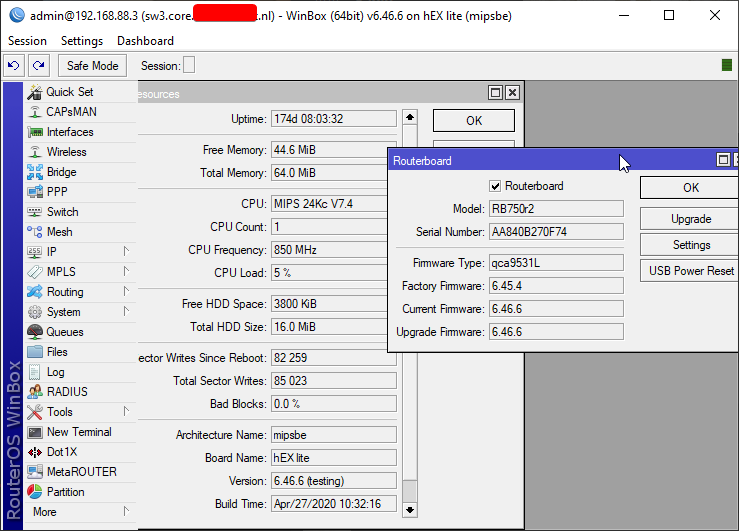 hollow marlin
rocky badge
I can get way more than that but as long as its above 20Mbps, nobody in the hous...
hollow marlin
rocky badge
I can get way more than that but as long as its above 20Mbps, nobody in the hous...
Because you do not need much for 99% of scenarios. Wireless engineers design high density sites like stadiums with a target of 2mbps, any more is a bonus.
rocky badge
Yup....
2Mbps is plenty for guests scrolling FB, IG, snapchat, etc 🤣
Its about the no. of simultaneous clients
not per client throughput
hollow marlin
lone sun
Not about how many mbps I get. Fact is wifi is hot garbage. I used to use wifi, ...
Sure if you are gaming and your wireless is congested with the amount of connections or noise from nearby APs. The only times I have issues is near the edge of the signal. Wireless is the farthest from trash from a protocol perspective. How it works as reliably as it does is next to magic.
Not saying its better than ethernet, because its not, but its not a requirement
lone sun
I had no APs or anything nearby. My computer is all the way in the basement and the only ones using wifi in my house is my dad and sister. It STILL ran like utter shit.
hollow marlin
rocky badge
Its about the no. of simultaneous clients
Yep, 50 clients/2mbps is the target. It will change slightly once WiFi6 becomes more available.
rocky badge
At school the target is 40 clients/AP
~30 student laptops, usually 4 teacher devices, leaving some overhead and extra space
hollow marlin
lone sun
I had no APs or anything nearby. My computer is all the way in the basement and ...
If your antennas were pointed up that would also be an issue. Signal is a donut which struggles with vertical situations. Low signal will be a problem and not arguing that point
rocky badge
And yeah WiFi 6 will be nice
 regal badger
Moving to my friends place and i'll be WFH and Gaming majority of time so having a hardwired connection and consistent speed is important to me. But the router will be downstairs and my room is upstairs how can I set this up without running a wire all the way downstairs?
peak cloak
regal badger
Moving to my friends place and i'll be WFH and Gaming majority of time so having...
if you want hardwired connection and consistent speed use ethernet. You can do other options, but you won't have that great reliability and speed compared to ethernet
powerline and wifi are your other options
tame carbon
my god
I tried to help someone in pm
Who had already messed up their network
and I helped him make it only worse
hollow marlin
rocky badge
At school the target is 40 clients/AP
Sounds right. There are a few good podcast on Packet Pushers that brought on wireless engineers that got into the weeds of the challenges and designs.
tame carbon
he's now unplugged every cable from the central switch
and I feel bad :/
he's getting some very strange behavior
from his network devices
he's got wifi up on the isp router, that's it.
regal badger
peak cloak
if you want `hardwired connection and consistent speed` use ethernet. You can do...
so I'm forced to wire it directly all the way downstairs? Is it possible for me to use a secondary router?
peak cloak
regal badger
so I'm forced to wire it directly all the way downstairs? Is it possible for me ...
how would that help (using a second router)
hollow marlin
tame carbon
he's now unplugged *every cable* from the central switch
I say job well done. His problem is indeed not there anymore 
tame carbon
and now all the devices connected to the ISP router can't even get DHCP
but some ports do
lone sun
hollow marlin
If your antennas were pointed up that would also be an issue. Signal is a donut ...
There are no antennas even needed if the modem is sitting right next to the computer on the desk. If I still needed antennas even though the signal was going practically nowhere, then that only tells me how shit wifi really is. 😣
peak cloak
regal badger
so I'm forced to wire it directly all the way downstairs? Is it possible for me ...
oh you know what, I forgot about MOCA, you can run ethernet over coax, that's pretty reliable compared to wifi and powerline
tame carbon
what have I done
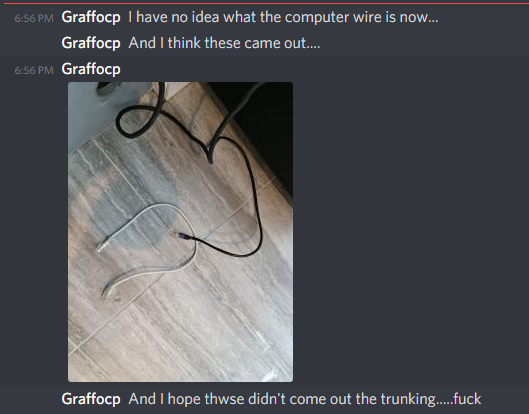


I didnt tell him to do that btw
he just
did that, while I was getting dinner
rocky badge
hollow marlin
Sounds right. There are a few good podcast on Packet Pushers that brought on wir...
Yeah
hollow marlin
lone sun
There are no antennas even needed if the modem is sitting right next to the comp...
Talking about two different points here. I think we'll agree to disagree
tame carbon
OK....
I think I found part of the problem
he started putting cables back and forth
and his primary router's DHCP server has a lease time of 1 week
wtf.
hollow marlin
Ours is set to 2 weeks. No need for 3hr lease times on equipment that is static
peak cloak
I never changed it from default of 1 day
clear igloo
8 hours for wireless clients and 1 week for hardwired clients here
regal badger
peak cloak
oh you know what, I forgot about MOCA, you can run ethernet over coax, that's pr...
If I connect the MoCa to a switch and use my PC and Xbox will that decrease speeds at all?
rocky badge
clear igloo
8 hours for wireless clients and 1 week for hardwired clients here
Mines 2 hours
clear igloo
rocky badge
Mines 2 hours <:HaHaa:280925116089630730> <:HaHaa:280925116089630730>
I do longer for IPv6 😛
oh wait, android doesn't do that
clear igloo
yup
peak cloak
regal badger
If I connect the MoCa to a switch and use my PC and Xbox will that decrease spee...
if they are both using it yes, but that would be just the same as both being wired to the router
in other words the same slowdown would happen if both were connected to the router seperatly
regal badger
peak cloak
if they are both using it yes, but that would be just the same as both being wir...
I prob won't be using them at the same time I can also prioritize my PC on the network just to make sure
peak cloak
regal badger
I prob won't be using them at the same time I can also prioritize my PC on the n...
you could technically, but it's not really worth it. Gaming doesn't use a lot of bandwidth
only downloading uses a lot of bandwidth
regal badger
peak cloak
only downloading uses a lot of bandwidth
gotcha, I just want the luxury of not having to disc and reconnect the ethernet cable every time I want to use one or the other. Currently that's what i'm doing lmao
thick minnow
Hello, i have issue while hosting a minecraft server. When i open port on my router when i try to check it on some page it says Connection Refused or Connection Timed Out 😦
I can join it in local network
regal badger
peak cloak
I mean, just don't use the other one lol
I only have one ethernet cable that's why i'm going back n fourth
peak cloak
regal badger
I only have one ethernet cable that's why i'm going back n fourth
ohhh ok, yeah get a switch
peak cloak
thick minnow
Hello, i have issue while hosting a minecraft server. When i open port on my rou...
Are you under cgnat?
also
show the port forward settings
thick minnow
where is the cgnat ? Or how do i check if iam in ?
thick minnow
peak cloak
show the port forward settings
yes sure
peak cloak
thick minnow
where is the cgnat ? Or how do i check if iam in ?
show a screenshot of the main router page as well, or look for something like WAN IP
hollow marlin
clear igloo
I do longer for IPv6 😛
oh wait, android doesn't do that <:LUL:66786270156069273...
Unless you are that guy that uses DHCPv6