#networking
1 messages · Page 250 of 1
 thick minnow
k
 tame carbon
such a shame that ubuntu doesn't provide a netinstaller
debian installer is like 54MB
thick minnow
lol wait i have to delete the windows iso file already on here
 keen hamlet
Linux ran on a potato one time so it runs on every combination of hardware and architecture
tame carbon
@thick minnow you can use rufus to create a bootable linux image
Rufus is a small application that creates bootable USB drives, which can then be used to install or run Microsoft Windows, Linux or DOS. In just a few minutes, and with very few clicks, Rufus can help you run a new Operating System on your computer...
keen hamlet
but with less performance
tame carbon
@keen hamlet excuse me?
keen hamlet
yes you heard me
tame carbon
My experience has been the opposite
thick minnow
oh
tame carbon
@thick minnow but we're not gaming on this rig now, are we? :D
We're not even installing a desktop environment
so the computer will not need a monitor
thick minnow
lol no the hardware is too ugly
tame carbon
you can use another computer to remotely connect to it
thick minnow
no rgb = no fps
keen hamlet
popOS has better performance and it's pretty much not noticeable at all
tame carbon
Pop! has some terrible security considerations
thick minnow
i only heard of ubuntu version of linux so idk what ur saying lol
keen hamlet
I didn't know that
tame carbon
@thick minnow so 'linux' is the kernel, the core component that talks to your hardware
thick minnow
oh
tame carbon
Programs use the kernel to do things like "allocate me some memory", "or send this message over the network"
thick minnow
so they are different os' using same kernel?
tame carbon
Ubuntu is a distribution
so its linux + core system components & programs
distributions also provide 'repositories' with programs, comparable to an 'app store'
thick minnow
ah
keen hamlet
you can think of the kernel as the closest part of the OS to the hardware
tame carbon
so installing a program like VLC media player on ubuntu is as simple as running: apt install vlc
thick minnow
so ubuntu is a command line?
tame carbon
apt, the Advanced Package Tool, can download the packages and install them for you
@thick minnow everything is commandline, on windows they like to pretend it does not exist
but the desktop environment on a linux system, is just a program that spawns
just like every other program
keen hamlet
on windows they do command line under the hood
thick minnow
oh i meant a command line as in something similar to MS-DOS
tame carbon
yes
thick minnow
oh
tame carbon
windows commandprompt is similair :)
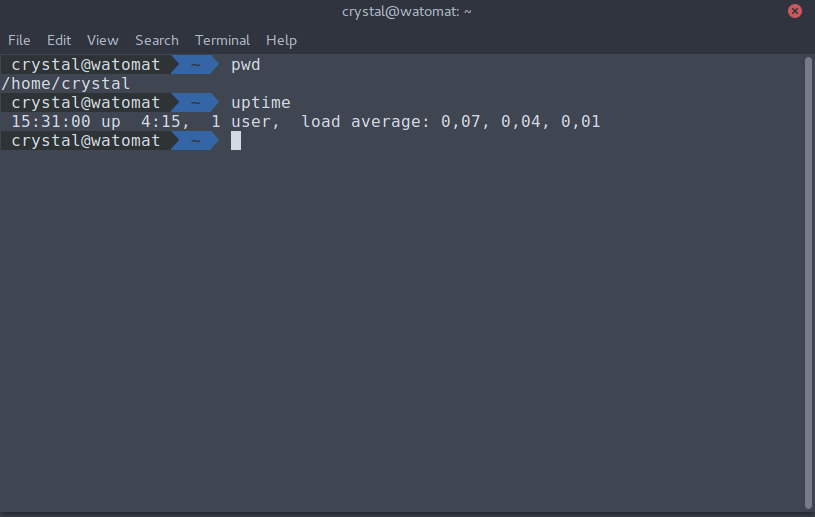 thick minnow
ah
tame carbon
@thick minnow commandline feels scary at first
but it is the fastest way to interact with a computer
thick minnow
i barley know how to use command prompt in windows so yes i will very much so need help
thick minnow
keen hamlet
and here we have another Linux comrade joining
thick minnow
yes
tame carbon
@thick minnow can you show me that again, without the error message in the way
thick minnow
do i need to format the disk first?
tame carbon
restart rufus try again, make sure you use an ISO, not download
dont have to tick any boxes, all you have to do is make sure its the right USB thumbdrive and the right ISO
then just hit start
tame carbon
yeah thats fine hit yes
tame carbon
any windows firewall message?
thick minnow
no, it just says "file could not be located"
tame carbon
cus these additional files that rufus loads normally work just fine
thick minnow
let me move it to my downloads folder
tame carbon
@thick minnow syslinux is just a bootloader
thick minnow
oh
tame carbon
rufus expects a slightly older version of syslinux, ubuntu server uses a newer version
so its trying to download two missing files to fix this issue
thick minnow
where can i get the files
thick minnow
k
tame carbon
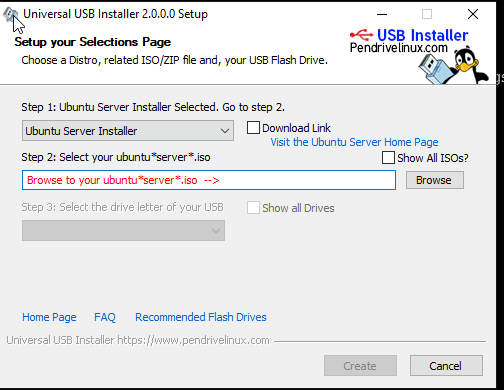
You'll want the 'universal usb installer'
keen hamlet
can you check if Controlled Folder Access feature from Windows Defender is enabled?
thick minnow
sure
tame carbon
the effort required
thick minnow
thick minnow
windows 7 is WAYYY simpler and better than windows 10
tame carbon
on linux you just do dd if=image.iso of=/dev/whateverusbdevice
keen hamlet
here
tame carbon
turn that off
keen hamlet
tame carbon
on linux you just do `dd if=image.iso of=/dev/whateverusbdevice`
i know right
thick minnow
k
tame carbon
nobody needs that
tame carbon
thick minnow
windows 7 is WAYYY simpler and better than windows 10
Exactly. This is what I use as a VM on my linux laptop for emergencies
For when WINE fails, and NEED to run this windows only program
keen hamlet
with that feature disabled does rufus beg for something else?
thick minnow
@keen hamlet what version of windows is that on
tame carbon
meanwhile

pretty sure this is ancient
its also crying its unactivated, even though I have a valid key
garbage OS
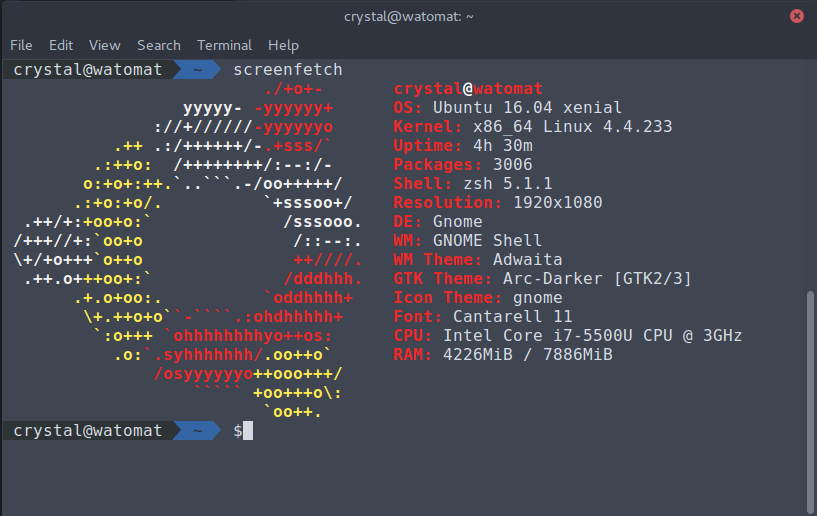 keen hamlet
you go on windows defender
tame carbon
now lets make fun of how old my linux kernel is
keen hamlet
then protection for virus and thread
tame carbon
Windows Security in practice: everyone is suspicious
thick minnow
which one
keen hamlet
second
thick minnow
i dont know
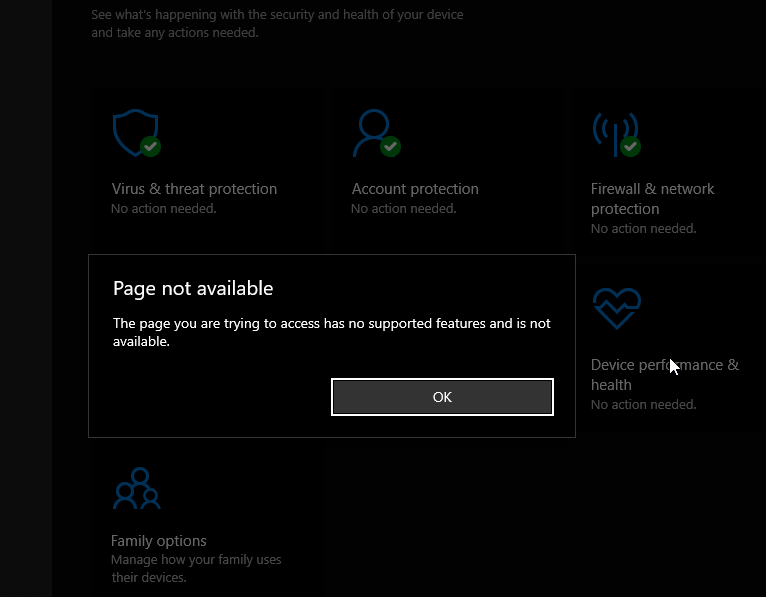 thick minnow
i guess my pc is a nuclear reactor lol
tame carbon
ok. then why bother lmfao
keen hamlet
windows security settings
keen hamlet
tame carbon
ok. then why bother lmfao
ahahhahaahahahha
he is begging for a windows key he has
virus and thread protection
keen hamlet
virus & thread protection settings
thick minnow
tame carbon
@keen hamlet windows' privacy statement which you have to accept during installation begins with the sentence: We care about your privacy
keen hamlet
if you scroll down you should see Controlled Folder Access
thick minnow
k
keen hamlet
tame carbon
<@!711670881239171204> windows' privacy statement which you have to accept durin...
lmfao
tame carbon
I'm sold. Click
keen hamlet
it wasn't that
thick minnow
oh
keen hamlet
ok
tame carbon
and ignore all of windows' idiocy
keen hamlet
I agree
tame carbon
@thick minnow read what I said ^
 tame carbon
fat32 format
thick minnow
k
tame carbon
thats it
tame carbon
I got a meeting in about 5 minutes
will be preoccupied for 20-30 mins
after that I have all evening
to help out
thick minnow
k. ill just wait for u ig
tame carbon
ofc @keen hamlet is still here
keen hamlet
I'll be here for anything else, I'll try my best
tame carbon
and Ill be peering into chat
thick minnow
yes
tame carbon
so I was going to recommend him a guide from digital ocean or linode on how to install this on ubuntu
using samba

DigitalOcean
Samba is an open-source implementation of the SMB/CIFS networking protocol that is used in Windows environments for shared services such as file and printer access and Active Directory. In this guide, you will install and configure a standalone Samba
Digital Ocean has good tutorials on this
thick minnow
its like 75% complete
tame carbon
@thick minnow btw if at any step in the installation, or use of linux
you are unsure as to what you are doing
stop.
thick minnow
ok
thick minnow
alright
tame carbon
9/10x you do something wrong
thick minnow
agreed
tame carbon
and knowing what you are doing, helps avoid this
thick minnow
indeed
thick minnow
it finished and ok
keen hamlet
great
thick minnow
so what do i do now
tame carbon
make sure there are no important files on the target computer
as you are going to format it during installation
thick minnow
k.
the vga port on that pc is also kinda weird so u may see bad quality images that i take
thick minnow
k
tame carbon
after its installed, and has network connectivity, we can use SSH to remote into the machine
servers are 'headless' after all
thick minnow
?
thick minnow
wat let me switch forst boot device to hdd since it will boot from uab first
usb*
ok
it is loading files
tame carbon
just do english
thick minnow
do i just oress "done" for this
tame carbon
your LAN is 10.0.0.0/24 ?
thick minnow
i guess
thick minnow
im using those powerline thingies
tame carbon
you can go next
tame carbon
you can skip that
thick minnow
k
keen hamlet
never show your ip to others
thick minnow
do i continue without updating or update to new installer
tame carbon
@keen hamlet thats a local IP
 peak cloak
I mean, LAN IP is fine
thick minnow
ye
keen hamlet
I know just making a joke
tame carbon
@thick minnow upgrade
thick minnow
ok
tame carbon
that makes sure you get the latest updates
thick minnow
updating
tame carbon
this is why I favor netinstallers :)
thick minnow
do i have to worry about this
tame carbon
debian installer is 54MB, it downloads everything it needs directly
@thick minnow select custom storage layout
thick minnow
k
 unborn sluice
always worry
thick minnow
wut
tame carbon
@unborn sluice pssh
thick minnow
@tame carbon select the drive now?
unborn sluice
tame carbon
<@!349203120082911242> pssh
bssh
tame carbon
@thick minnow screenshot again
@thick minnow we have to create partitions now
I like to do this manually
thick minnow
k
tame carbon
should give you some options
ubuntu installer has changed
NOt too familair with the new one
unborn sluice
tame carbon
ubuntu installer has changed
2020
thick minnow
it says: close, info, format, or use as boot device
tame carbon
format
thick minnow
ok
tame carbon
after that, all the partitions should be gone
and there should be a big block of 'empty space'
thick minnow
thick minnow
k
tame carbon
since we are going to repartition it
tame carbon
easy on the caffeine
thick minnow
so just click enter?
tame carbon
can you select the unused space?
thick minnow
all it is giving me is "avalable devices" and my hard drive
tame carbon
add gpt partition
thick minnow
k
tame carbon
GPT = Guided Partition table
its a small table at the beginning of the drive, with all the locations of where your partitions are located
thick minnow
how much storage should i add to the partition
tame carbon
@thick minnow do you want the data and programs on two different partitions?
thick minnow
probably not
unborn sluice
/ as everything
thick minnow
eh why not lets make a big one
tame carbon
/ is the root of the filesystem, it means the whole system
thick minnow
ah
tame carbon
if you plug in a usb drive, linux maps this to say; /mnt/usbdrive
thick minnow
oh
tame carbon
or more commonly these days in /media/<user>/
Drive letters are lame
nobody needs them
26 letters is not enough
thick minnow
i mean of u only have 4 sata ports...
thick minnow
wait
tame carbon
good luck.
tame carbon
WDC is a western digital drive
thick minnow
but here it says 931.510
tame carbon
so we're formatting for ext4
thick minnow
ok
tame carbon
ext4 is "Extended Journalling filesystem version 4" the latest and greatest
@thick minnow yea
tame carbon
that mounts that partition to the root (/) of your filesystem
tame carbon
@thick minnow in theory, what you could do is make a partition for your data
thick minnow
tame carbon
and then mount it into /mnt/data
thick minnow
k
tame carbon
and leave a small 16GB partition for the rest of the system on /
but we're not doing that now
we just put 1TB under /
tame carbon
nah
thick minnow
oh
 dusty osprey
uh crystal
tame carbon
its easier to put it on one partition
thick minnow
so do i just press done
 thick minnow
whats that
 thick minnow
wat
tame carbon
@thick minnow when programs use have memory in use, but haven't accessed it in a while
the kernel can put this memory onto the disk
windows calls this 'pagefile'
but its swap
thick minnow
is that a good feature or no
tame carbon
well..
SWAP is slower than ram, but helps if you run into high memory situations a lot
dusty osprey
it doesnt really need when u have enough ram
tame carbon
He has 8GB
dusty osprey
so ok for his case i hope
tame carbon
but that is more than enough for a simple fileserver
tame carbon
fileserver would need maybe 100MB ram at the most
thick minnow
wait im still at this page
tame carbon
yeah this is final confirmation
thick minnow
k
tame carbon
its going to format now
thick minnow
why do they have to put "destructive"
dusty osprey
well ur current partations will die
dusty osprey
so windows then its dead 😂
thick minnow
ok it wants me to fill this
tame carbon
@dusty osprey keep out pls
Yeah so your name,
short name for your machine
a username (lowercase)
and a password
my laptop is called watomat
keen hamlet
tame carbon
my laptop is called `watomat`
cool
tame carbon
'o mat is old english for machine
wat is... well wat
some people enumerate pokemon names
for their computers
xD
thick minnow
oh
keen hamlet
seems ok to me
tame carbon
I've seen user@eevee
thick minnow
so i assume i just press done
tame carbon
@thick minnow pick different username
something you'd personally use
this will be your account
thick minnow
k
tame carbon
I use crystal
keen hamlet
I wouldn't be able to guess it
tame carbon
xD
thick minnow
k i picked one
tame carbon
@thick minnow ok then go next
tame carbon
yea you'll want openssh
thats how we will connect to the server after installation
you can leave that out
ye
you can select with space
if you didnt know
dusty osprey
he took him to the dm's because we were annoying him.
keen hamlet
ok
thick minnow
dusty osprey
he took him to the dm's because we were annoying him.
actually the bot muted me for saying "k" three times
thick minnow
yeah lol
keen hamlet
he muted me one time for no reason
keen hamlet
It's not that the bot is coded badly, it's that Linus has this tendency that I don't want to talk about
keen hamlet
 dusty osprey
hmm
keen hamlet
🤐
dusty osprey
yea that was rude of me xD
dusty osprey
yeah its something i feel 24/7
 mossy badge
Anyone familiar with Fortinet? I’m trying to implement WoL over Internet but I’m totally out of the loop with these routers
peak cloak
mossy badge
Anyone familiar with Fortinet? I’m trying to implement WoL over Internet but I’m...
how are you going it?
VPN?
mossy badge
Nah, I’m trying to forward the port to my machine using an static arp entry
peak cloak
port forwarding WOL? bad idea
mossy badge
Why so?
tame carbon

Get $25 in Ting credit when you visit https://Linus.Ting.com
This year, I'm not able to watch my kids play badminton in person... and that's just not acceptable. Here's my solution...
Buy Marshall CV420 CS
On Amazon (PAID LINK): https://geni.us/R2bf
On Newegg (PAID LINK): https://geni.us/Stbg
On B&H (PAID LINK): https://geni.us/B8OhQ
Buy Rode...
peak cloak
plus it won't work, since WOL isn't port based I think
tame carbon
explains how he allocates a workload to a GPU
@mossy badge WoL only works on layer2
you can't route it
so no vpn WoL
what you can do is write a little program for a raspberry pi to send a wake on lan packet
and then access the pi through vpn
peak cloak
you would want a machine on the network that's already on to send the WOL packets
what crystal said
tame carbon
@peak cloak though I think you could do this on a mtik if you wanted lol
it has a WoL tool, and it has a scripting engine
mossy badge
That’s one solution, but right now it is impossible to install a Pi (thanks COVID)
peak cloak
I mean yeah if your router is supported then it could work
mossy badge
I’ve already made a web based tool to power my gaming pc at home, server-> fiber modem -> router ->pc. It send the magic packet to an exposed port in my modem and then it routes to my other router and finally it unicast it to my PC using an static entry in the ARP entry
So even though it is L2, I’m “fooling” my machine thanks to the unicast instead of broadcast
 brave bramble
is it worth setting up vlan for guest and iot devices for inexperienced people?
 lean pebble
Hey guys
brave bramble
um hey?
peak cloak
brave bramble
is it worth setting up vlan for guest and iot devices for inexperienced people?
depends, I would
brave bramble
peak cloak
depends, I would
dude do u live here XD
brave bramble
peak cloak
depends, I would
im just worried ill fuck something up XD
 rocky badge
brave bramble
is it worth setting up vlan for guest and iot devices for inexperienced people?
rocky badge
brave bramble
is it worth setting up vlan for guest and iot devices for inexperienced people?
Depends, for some people I wouldn't bother
peak cloak
I mean it's not hard for me: add vif interface on eth4, then add it on the switch and configure ports (router: tagged, device: untagged)
rocky badge
Some IoT doesn't play nice with mDNS/SSDP/cross VLAN. Sonos comes in mind.
Guest, really depends lol, normally yeah but if its for someone else and you're not gonna be there to manage it 24/7, meh.
brave bramble
my ap is just a netgear router so it might be difficult to add it in
my switch is unmanaged will that cause issues
rocky badge
Possibly
lean pebble
brave bramble
um hey?
Just jumped on to say hi 😆
peak cloak
yeah, you need a managed switch
rocky badge
Some unmanaged switches drop VLAN frames
lean pebble
Oh I managed to fix my net crash while downloading
rocky badge
Some pass them, and you can do it on APs
But generally, if you're doing VLANs, get a managed switch
brave bramble
im considering ill probably wait till i get a managed switch and unifi ap
dusty osprey
Managed is the one with configurable ui and stuff right
peak cloak
yeah
rocky badge
Unmanaged = you have 0 control of it
Managed = does VLANs, port configs, (can do, not all does) layer 3 features, etc
 brave bramble
so if i get managed will i have to forward ports on switch and router?
rocky badge
no
brave bramble
i hav ports forwarded on router so
peak cloak
I think you don't fully understand port forwarding
peak cloak
you have 1 public ipv4 ip from your ISP
brave bramble
i no that
peak cloak
you know NAT?
brave bramble
yes
peak cloak
so behind your router it's all one subnet (generally in a baisc network)
brave bramble
ok
rocky badge
Your L2 switch doesn't do NAT
brave bramble
ok
peak cloak
everything on subnet with the same CIDR is generally on the same L2 network
dusty osprey
Ye so like the controller of this is the routah the switch is like the slave or comes below it
brave bramble
okk
peak cloak
so if a device wants to talk to another it doesn't need to use IP, it can use MAC addresses
brave bramble
ahh
rocky badge
Stuff on the same layer 2 domain usually just goes through the switch
peak cloak
and broadcast (ex: arp) is limited within a L2 domain
rocky badge
The switch will see destination MAC and source MAC
brave bramble
okk
rocky badge
Lookup on its CAM table, switch to correct ports
brave bramble
oooo
 hollow marlin
rocky badge
Your L2 switch doesn't do NAT
hollow marlin
rocky badge
Your L2 switch doesn't do NAT
L3 switches do not also do NAT outside someone offs
rocky badge
Ye
brave bramble
hmmm
peak cloak
port forwarding is just to map a public port to a specific device within your network behind the NAT
brave bramble
i see
peak cloak
example of configuration options on my core switch
brave bramble
i think im gonna save that until my network is up to par and its my own instead of my household of 9 LOL
rocky badge
 GUI
GUI
 hollow marlin
Add this to the list of why CLI is king
hollow marlin
Even enterprise gear GUIs are terrible. Foritnet and Arista I think are the only ones that have a semi-usable GUI. Everything else, CLI is the only way
 clear igloo
Pay $$$ to ISP?
peak cloak
well what do pay for from the ISP?
thick minnow
i forget
but when i connect to my router i get 20mbps
so how can i increase bandwith to my room
unborn sluice

 limber lion
I have a question.
I just download Warcraft 3 reforged and I cannot join custom games on my tp-link router.
I can however use my hotspot on my phone and join games.
Any idea what could be keeping me from joining custom games in WC3?
peak cloak
seems like Warcraft 3 may need port forwarding or upnp
limber lion
I set up port forwarding for the ip of my pc and ports 6112-6119
peak cloak
then idk
limber lion
uPnp is turned on
I have a modem + router setup
Not a combination configuration
Does that change anything
peak cloak
no, modem is just used to convert ethernet to DOCISS or whatever other cable/dsl modulation
it does not do any firewall or NAT
peak cloak
sure it's pointed to your ip?
port forwarding that is
and windows firewall allows those ports
limber lion
When I do ip config on the pc it’s the same up that the forwarding is set for
I turned windows firewall off
And it didn’t help
peak cloak
no clue then
limber lion
It’s pretty annoying bc I don’t know either
 waxen saddle
Router is fully up to date?
thick minnow
Need some suggestions.. Got Fiber Connected Yesterday. What is the best Wifi 6 Mesh system for fiber? Has to be under $250
 lunar pike
Ahhhh fiber.
Lucky dog.
Is it fiber right into your place? Or is there a copper handoff at the road?
lunar pike
Awesome.
What color is the little fiber port? You got a photo of it? I always wonder what different carriers use.
thick minnow
I don’t have a photo... and not home right now
lunar pike
Maybe they all use the same thing? Who knows 🤷🏻
Sorry I’m not helpful for wireless mesh. Just interested in fiber stuff. My bad lol
thick minnow
oh ok
peak cloak
thick minnow
Need some suggestions.. Got Fiber Connected Yesterday. What is the best Wifi 6 M...
why wifi 6?
wayyyyy overkill
 lime pasture
yea wtf
 tribal ferry
Anyone know how well these work - are they good?

Ubiquiti Inc.
Ubiquiti Networks offers a variety of U® Fiber modules to suit your fiber connectivity applications.
To connect copper Ethernet cables to SFP ports, use the UF-RJ45-10G in an SFP+ port for speeds of up to 10 Gbps and distances of up to 30 m, or use the UF-RJ45-1G in an SFP port for speeds of up to 1 Gbps and distances of up to 100 m.
For short d...
Just thinking into the future, I’ve run Cat 6A and I don’t particularly want to buy a 10G RJ45 network switch but I can always use SFP+ ports.
Thinking of a UDM Pro -> UniFi Switch Aggregation -> 24 Port Switch Upstairs -> From the aggregation switch, 10Gbps Cat 6a run to downstairs switch
 little schooner
peak cloak
why wifi 6?
little schooner
peak cloak
why wifi 6?
Wi-Fi 6 made it easy for me to ditch all my copper cabling. It's blazing fast on the LAN
though this is only at site 2. Site 1 still uses copper cabling because it has a server hosting fileshares and VMs and plex
 weary surge
why do i have bad ping only on fortnite ???
like i get a solid 50 in csgo and valorant
but fortnite is at 100
weary surge
no i mean it used to be in the high 60s before...
 thorny vector
That could just mean routing changed
 deft fog
looks like a bad connection try changing out the cable but if that does not work reset the router
also if any one is filmiler with network briging pls pm me i will need the help
dusty osprey
what happened tell
 grizzled arrow
UDP is better in the COVID-19 era as it avoids unnecessary handshakes. 😂
dusty osprey
Old meme
 woeful haven
 worldly badger
what is happening to me
worldly badger
what is happening to me
everythings good
 winter lagoon
grizzled arrow
UDP is better in the COVID-19 era as it avoids unnecessary handshakes. 😂
winter lagoon
grizzled arrow
UDP is better in the COVID-19 era as it avoids unnecessary handshakes. 😂
UDP
grizzled arrow
?
 cloud thistle
worldly badger
cloud thistle
worldly badger
Turn yor router off and on Ez
cloud thistle
Yes it will
cloud thistle
dusty osprey
Mmmm no
Read this shit https://amp.usatoday.com/amp/1748161002

USA TODAY
NASA said a fix with a gyroscope moves the Hubble space telescope close to resuming normal operations.
dusty osprey
y'know turning things on and off isn;t for everything
sure, for many things and bugs a system reboot and whatever does work
but for his case, I doubt its just more than that
 rapid compass
 waxen scroll
Linus doesn't visit discord
peak cloak
winter lagoon
DDoS tools use UPD
fun fact: discord voice and every single video/voice calling platform uses udp for voice and video data
and that's not how DDOS works
unborn sluice
@tame carbon 
tame carbon
wat
dusty osprey
W H Y
It isnt a login based wifi, it works completly fine
and im chatting rn it works fine
¯_(ツ)_/¯
this is weird. i did a reboot, i forgot the network rejoined with password. AND IT STILL does this
😭
 nimble sable
need some advice for upgrade guys: netgear MS510TX or microtek css326 for multi gig network. note: with the microtek I'd have to get an extra sfp pcie card cuz it obviously won't do 2.5Gbe
thorny vector
@nimble sable Eh. netgear should be fine
nimble sable
thorny vector
<@!213721799202963457> Eh. netgear should be fine
they have one switch that does 1/2.5/5/10 Gbe Ethernet, sfp+ AND POE under $500
nimble sable
thorny vector
<@!213721799202963457> Eh. netgear should be fine
thanks..also, for microtek do you know if swos is ok? I've heard conflicting reviews but I am not good do anything with it at all
thorny vector
Haven't had too much personal experience with it, but I've used much worse.
nimble sable
cool I think I'll go with netgear significantly more versatile
tame carbon
@nimble sable I beg to differ
mikrotik way more versatile
What kind of connectivity do you need?
And what are you looking for, a switch or a router?
SwitchOS has less features than the full fledge RouterOS
Though you can get mikrotik switches that run both
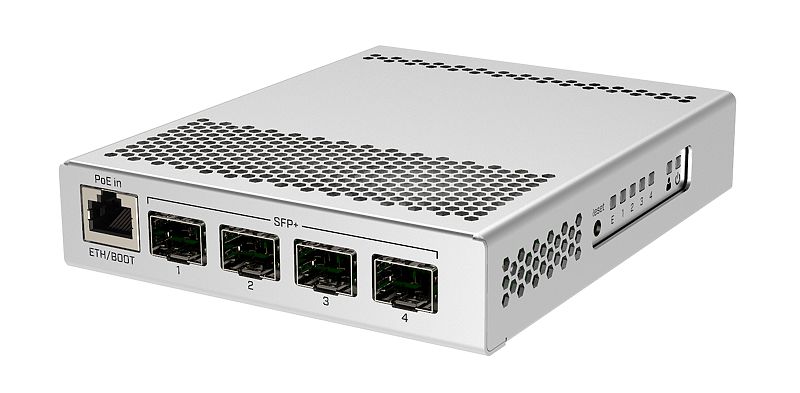
Like their tiny 10G switch https://i.mt.lv/cdn/rb_images/1659_l.jpg

This can run either RouterOS or SwitchOS
I <3 RouterOS for its features
 quaint totem
anyone know OpenWrt i need some help with port forwoarding
tame carbon
@quaint totem can you send a screenshot of your NAT settings?
tame carbon
yeah
quaint totem
it's empty
tame carbon
port forwarding is part of NAT
quaint totem
tame carbon
Add a new rule
quaint totem
quaint totem
soooo what do i do?
tame carbon
Is it not working?
quaint totem
nope
quaint totem
ye
tame carbon
make sure it uses both TCP and UDP
quaint totem
tame carbon
that all seems fine
quaint totem
ye i know
tame carbon
What about locally, can another computer connect to 192.168.1.200?
Could be a firewall issue on your host
tame carbon
ping is something else
quaint totem
uhh ok how can i test it?
peak cloak
use another computer to connect to MC
peak cloak
what are you hosting on?
quaint totem
the pc
peak cloak
@tame carbon nmap scan on the pi?
quaint totem
?!
tame carbon
@peak cloak wat
quaint totem
lol
peak cloak
could that work?
tame carbon
thats not the issue
peak cloak
to check if it's firewall on the pc
tame carbon
I use netcat to see if ports are open :3
quaint totem
we can get into vc so i can shre my screen if you need anythin else
tame carbon
netcat can spawn a simple tcp server
I gotta go eat dinner
but uhm
idk what is wrong, your port forward seems fine
you could try click on 'advanced settings'
see if that makes you any wiser
quaint totem
in the router?
tame carbon
 tame carbon
I wouldn't mess with those settings
NAT is important for general internet use
port forwarding is destination NAT
but regular outgoing traffic is Source NAT
thats why your local computer can access the internet using your router's public IP
quaint totem
im just guessing
tame carbon
@quaint totem have you ever port forwarded on this?
what is on your WAN side
a public IP?
quaint totem
on the old firmware yess but no on openWrt
even on the old one it acrually working was sorta random
quaint totem
the router you mean the one that im usin?
tame carbon
Yeah what is the network route
because you have WAN -> Router -> LAN
We've covered Router -> LAN with that port forward
but if the WAN is not a public network
but say, another router from your ISP
you need to port forward twice
tame carbon
Thats the hardware...
I care about the network configuration
you have 192.168.0.0/24 as your local network
quaint totem
?
tame carbon
Those IPs on the left side
quaint totem
ye?
tame carbon
are not public internet, rather another internal network by your ISP
There's no port forwarding with that
quaint totem
?
tame carbon
Its the router that routes traffic to your router
quaint totem
i just set up the user and password on the PPPoE
tame carbon
through PPPoE (Point to Point Protocol over Ethernet)
@quaint totem do you operate the PPPoE server, or is this information from your ISP ?
tame carbon
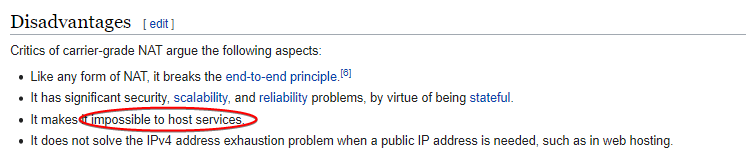
You probably won't be able to port forward with this
Since you are using a shared public IP
quaint totem
the internet itself is workin
tame carbon
through a CG-NAT
quaint totem
but what i don't get is how was it workin?
tame carbon
 quaint totem
i do get that but yesterday it WAS working!
tame carbon
did you change anything?
quaint totem
only the firmware
tame carbon
what does that mean
quaint totem
it was the old (VERY OLD) TP-link firmware of the router and gor updated to OpenWrt
quaint totem
u mean to reset the whole router?
tame carbon
chances are there's something you set somewhere
that you shouldnt have
I'm really no expert on openwrt
so redo the config
if I lost the config to my router my network would be ded for a week
idek know I all set this up
year ago
peak cloak
huh, weird
quaint totem
@tame carbon i found a pdf on the ISP's page and even they just say and instruct you tu just forvoard a port and done!
Biiig BRUH
and yess as it's in the pdf it did work (on the old firmware)
tame carbon
then its broken
tplink routers suck anyways
I just replaced one last week
because it suddenly had like 30% packet loss for no reason
little schooner
The dlink switch at the dentist office I did work for was responsible for dropping 80% of the traffic we needed in order to get them to use the new desktop computers. I think all it needed was a restart but I'm not so sure. It prevented windows deployment services from functioning right
Once the switch was replaced everything started working... But it was too late to do the work the automated way
Very disappointing that I had to do everything manually
quaint totem
F
 heavy ember
Hey, I have some issues with my Nginx reverse proxy for docker, for some reason only 1 containers works fine with SSL, 2 others don’t gave https and those 2 are not working with my phone in 4g
I detailed my issue here if you want to read : https://stackoverflow.com/questions/65327326/have-some-issues-with-nginx-proxy-and-ssl-certificate

Stack Overflow
I just put in place a nginx docker reverse proxy on my hosted server using jwilder/nginx-proxy and docker-letsencrypt-nginx-proxy-companion for SSL.
I first tried with my Jellyfin container, every...
 silk hare
Does anyone know what devices offhand can host a IPSEC VPN Server with UniFi? I know the dream machines can, can the USG, or USG-pro?
thorny vector
@heavy ember Depending on your setup, it might be easier to have a full host be a nginx reverse proxy
heavy ember
@thorny vector what do you mean?
Install nginx directly in the os and not in a container?
thorny vector
Installing nginx on a box, rather than use docker
makes changing the config easier, as well as cert management
heavy ember
I took this container because it auto generate config and certs by detecting containers
thorny vector
Ah, I see, reading the proxy-companion page now
What are all your upstream services?
waxen saddle
@heavy ember I stopped using nginx in a container early on. It's nuts. But I moved to nginx-manager in a docker container and that works perfectly for me.
It's all configured in a web interface. Very easy to just slap encryption on any web service you host.
hollow marlin
Trying to do WAN failover with DHCP LTE interfaces with specific application forwarding with Juniper is driving me insane. pls help @waxen scroll
waxen scroll
I understood some of those words
 opaque stirrup
what connector is this using as i need to change it to ethernet rather than sfp
clear igloo
A GLC-T SFP should work for 1G copper
peak cloak
@opaque stirrup something like this

FS
Check FS copper RJ45 SFP transceiver module compatible Cisco GLC-T data sheet (1000BASE-T SFP connector, RJ45 interface, 100m) and price list!
opaque stirrup
i just bought some 1 gig pcie card instead sfp looks and sounds scary
clear igloo
opaque stirrup
i just bought some 1 gig pcie card instead sfp looks and sounds scary
wat? It's just modular data connectors
opaque stirrup
i didnt think you could just connect the other end into a router
i thought it also had to go into an sfp on both ends
opaque stirrup
why does a little connector cost so much
peak cloak
sfp - copper ethernet are more expensive
sfp - fiber are cheaper
usually fs.com is the cheapest (and reputable)
clear igloo
Yah, for gigabit it's probably cheaper to buy a RJ45 NIC than a SFP NIC and the SFP itself
peak cloak
yeah a fiber sfp module is only 6 bucks
opaque stirrup
really
rocky badge
Mine were like $9
opaque stirrup
how much is the cable though?
thick minnow

rocky badge

eBay
Original CISCO SFP-10G-SR V03 10-2415-03 850nm 10GBASE-SR SFP+ Multi mode Module. The Cisco 10GBASE-SR Module supports a link length of 26m on standard Fiber Distributed Data Interface (FDDI)-grade Multimode Fiber (MMF).
Although I should start doing single mode for new shit
peak cloak
what was the point of multimode? cheaper?
clear igloo
Cheaper optics
 clear igloo
For a while MM 100g was much cheaper over single mode but that's changed with things like short reach single mode optics where they're pretty much price parity with their multimode counterparts but with longer distance (2km sm vs 100m mm)
It still kind of is cheaper ($99 vs $190) to go multimode over single mode, at least with FS.com optics, but it used to be much more expensive
lean pebble
The problem is still here 😑 can't download files that over 1gb, my download just keep crashing for some reason no matter from where I'm downloading the files.
At the beginning all my net went down now only the download is going down.
peak cloak
lean pebble
The problem is still here 😑 can't download files that over 1gb, my download jus...
did the hex s come yet?
peak cloak
if there is no switch between router and end device I would just use seperate subnets instead of vlans
well vlans technically are just seperate subnets
lean pebble
I disabled my cisco switches and using my old fortiwifi as switch for testing
Now I'm 100% sure that I don't know what causes the issue
I disconnected everything from my network and still having the problem and even switched router.
peak cloak
then it's isp?
lean pebble
They checked from their side for 4 days and no issue on their side
We checked with the ISP modem as router and it worked ok
peak cloak
then it's the modem?
lean pebble
But I can't take risks with their product
The modem is basically a router in bridge mode
It worked ok as router while we tested it.
Worked when everything was disconnected except 1 network card on my pc
 desert briar
shouting into the wild, but... What about an IP address conflict? On your LAN.
either IP or MAC address
lean pebble
Nope
I even switched subnets
For be 100% sure it's not a conflict
From 192.168.1.0 to 1.1 and then to 10.0.0.0/24
peak cloak
what about MAC
lean pebble
I don't think it's mac issue
My windows kvm somehow sucking all my network speed and then crash everything
desert briar
Ive been lurking for a bit, and I had something similar ages ago... It was due to a duplicate address though
as I said though, my 2 cents
Cant say much more Im afraid 😄
desert briar
looks like you exhausted a lot of the "normal" troubleshooting procedures, lol
lean pebble
Ya
desert briar
happens on only 1 device?
desert briar
for testing purposes you can try to host something locally on your network and then download it, whatever works for you. Isolate the issue. See if it happens on your LAN too. If it doesnt, ISP.
Otherwise it could be bad drivers on that particular machine
Heck, if you are living in a crowded area with a lot of interference (2.4ghz) or run a lot of power cables near your router or whatever you use
one step at a time
lean pebble
New machine
I'm testing on brand new machine with rj45 connected
Never testing via WiFi not worth the time
Well just happened again via different download method
desert briar
Ill have to run so yeah. But long story short if I were to trouble shoot your issue Id first establish if its a single machine problem or if it affects the whole network. If its a machine, I'd look at the drivers? If it's network related I'd try to establish if it happens locally too
Downloading from the same LAn
lean pebble
I think that internal is ok because I have network drive between the machines that never get disconnected
desert briar
Meh, I'd try a larger file transfer. And verify the file checksum after it
lean pebble
Well I see what is the problem
desert briar




 lean pebble
For some reason it's terminating tls connection with no reason
I guess this is the problem I have in steam / ubisoft / epic games to
desert briar
Eh, shouldnt happen. Auto negotiation should do its magic
Tls negotiation shouldnt fail, unless the certificate is outdated, used with a wrong domain, self signed yada yada yada. Which I guess, is none of those if you are connecting to steam, ubisoft etc. Would be helpful to get the specific TLS error.
lean pebble
Now I'm downloading 80gb file from my server
2020-12-17 01:54:16 (4.24 MB/s) - Read error at byte 2515450418/85463429120 (The TLS connection was non-properly terminated.). Retrying.
peak cloak
wild guess, but make sure the time in the bios is correct
desert briar
Where is that log from?
lean pebble
Ah I never thought to check it 😬
Bios update sucks always changing settings I'll check it
lean pebble
desert briar
Where is that log from?
Wget
peak cloak
try wget --no-check-certificate
desert briar
Local or wan?
peak cloak
just try
lean pebble
Wan
peak cloak
and see if the problem still occurs
lean pebble
I'll reboot into bios to check
desert briar
🤷♂️ it means the peer has improperly closed the tls connection
It could be server side
What a joy
lean pebble
I just did wget from my other server with the same url and it's working
peak cloak
so it's server side?