#networking
1 messages · Page 247 of 1
 cedar igloo
cedar igloo
cedar igloo
Isn't it something like "Elastic Kubernetes Service"?
 unborn sluice
it is
cedar igloo
The past week or so, they have released a snap install of EKS for machines outside AWS using MicroK8S
unborn sluice
care to link that?
cedar igloo

Ubuntu
One install, one cluster, snap! Today, we’re excited to announce that EKS is available outside of AWS, on any Ubuntu system, with the EKS snap. This announcement builds on the existing collaboration between Amazon and Canonical to ensure the quality, security, and usability of Ubuntu-based EKS clusters on AWS. “Amazon EKS Distro (EKS-D) b […]
cedar igloo
I'm just looking for an easy way to install Kubernetes, and am just wanting to try it out to see
Kubeadm seems a pain when you must renew certs
unborn sluice
like try it in the cloud or for development?
cedar igloo
On premise cloud eventually, but testing it in a development environment
unborn sluice

cedar igloo
I've been using K8s for a while now in production using kubeadm
unborn sluice
oh then minikube isn't for you
based on your first question, it seems you don't need anything
cedar igloo
Sorry I'm don't know as much as most in this channel. I'm 1 of 2 developers in my company, and it's down to us to sort out all infrastructure we use
unborn sluice
pretty much install the snap and your on you're own
Sorry I'm don't know as much as most in this channel
It's all cool, we are all learning
unborn sluice
cedar igloo
Sorry I'm don't know as much as most in this channel. I'm 1 of 2 developers in ...
so rn you host it onprem with k8s?
Cause I'm thinking of why you would want to migrate from the existing
cedar igloo
I'm kinda just wanting to test it out to see what features it has
 opaque stirrup
openvpn or wireguard?
unborn sluice
try again
 peak cloak
wire guard
opaque stirrup
@peak cloak but the upload is slow :/
peak cloak
Huh, not for me
opaque stirrup
half of my normal upload
opaque stirrup
 peak cloak
On what did you setup wire guard
opaque stirrup
 peak cloak
And what connection are you using to test wire guard
opaque stirrup
on my vps
peak cloak
Hmm idk
 tribal ferry
The first of two cable runs is done
Had to run it into my office closet, up into a crawl space, into my attics closet, and then through the ceiling
 little schooner
@tribal ferry I need to do something like that at my mom's house
The way I have the access point installed doesn't create good coverage of the home
It is wall mounted instead of ceiling mounted which is bad
peak cloak
I have mine wall mounted, but it's a small house wooden house so no issues
there is no way to ceiling mount it without removing lots of drywall
tribal ferry
@little schooner What AP are you using?
@peak cloak no room in between the floors or just not an easy way to get it there?
peak cloak
Right now it's on the wall of the stairwell which is basically the center of the house. On the other side of the stairwell there was already a hole in the drywall so I could fish the ethernet from the basement to that hole easily and then up to where the ap would be. There was already a hole in the beams so it was easy. To get on the ceiling in the center of the house would be hard because the 2bd floor bathroom is right above it. Lots of plumbing makes it hard so you can't blindly fish there
I would need to cut a hole where the wall meets the ceiling. That's not a huge issue, but the problem was that I may need to make multiple because a pipe may be in the way
 hollow garnet
I have trouble understanding subnet masks and cidr, anyone have any good resources where i could learn it from?
peak cloak

dlford.io
A beginner friendly explanation of networking and IP addressing fundamentals.
hollow garnet
thanks
 clear igloo
A subnet mask is when you put a mask over the subnet and remind it to socially distance 😄
We'll have no inter-domain routing here!
 silver needle
I somehow broke my vlan for my Unifi AP by adding a new switch with POE, all Vlan IDs and Tags are the same on the new switch but I'm puzzled as to why my vlan won't give devices an IP
Router is Pfsense
Switches are GS308E and GC510PP
little schooner
@waxen scroll My prof just scored another 14k grant. Idk how he does it but it's so nice because of the new toys that money can buy
@tribal ferry the unifi AC pro
The issue being that one AP can serve both floors 2 and 1 fine if it was ceiling mounted
Then, ap 2 can be used for the basement instead, since there is a big dead zone down there
AP 1 can reach the bathroom too if I make the change to ceiling mount
tribal ferry
@little schooner Yeah, I think the UnifFi circular APs are really meant to be ceiling mounted if you want good performance
So you want to get another AP for downstairs for her?
tribal ferry
Any ideas on ceiling mounting a 5-port switch?
Got this and I need to mount it on the ceiling in the unfinished part of my half finished basement.
 primal ice
peak cloak
primal ice
peak cloak
@tribal ferry I think those have those recessed things on the bottom where you can put a screw in and then push it to one side to mount it
for better mounting you could put a scew/nail to stop it from moving out of that "locked" position
 sage maple
is there a way to remotely transfer a file from my pc to my friends NAS?
 thick minnow
sage maple
is there a way to remotely transfer a file from my pc to my friends NAS?
thick minnow
sage maple
is there a way to remotely transfer a file from my pc to my friends NAS?
Try with syncthing
To send it to his pc, then to his NAS
Or directly if the nas runs windows or linux
sage maple
ill look into it
peak cloak
@sage maple direct protocols can be SFTP, SCP, among others
sage maple
i dunno what any of that means 😦
peak cloak
they are just types of protocols
so if your friend has a public endpoint for this nas you could do something like this http://www.hypexr.org/linux_scp_help.php
scp allows files to be copied to, from, or between different hosts. It uses ssh for data transfer and provides the same authentication and same level of security as ssh
 lean pebble
Well I manage to make this switches work.
I need to remake my cable for some reason I cant use it on 1Gb ports that's why I had all the problems.
Now the main port is capped to 100Mbps
And everything working fine
sage maple
peak cloak
they are just types of protocols
that looks pretty complicated for a layman
peak cloak
winscp is a gui for scp if you interested
syncthing looks interesting
never used it
but it's most likely built on one those basic transfer protocols
 somber meadow
so now I'm trying to use DD-WRT on a Linksys E1000 router, so I can have it purely for VPN connections, but whenever I put in the information which I know is correct, it reloads the page and prompts me to login again, does anybody know any possible fixes (I have tried resetting it and then setting up a new login but that didn't work)
primal ice
did you change the default ip ? or leave it 192.168.1.1
somber meadow
it's not hooked up to my gateway, and it's accessible at 192.168.1.1 exclusively, I don't even know where to change that cause it won't let me into any of the menus to lets say turn off wifi radios and such
this is the whole setup, wifi is off on that laptop so it's only doing data through the cable
I managed to do it with another reset and just setting everything to default username and pass
primal ice
nice
somber meadow
and I bricked it by setting it as a client..
primal ice
that is my basic setup for dd-wrt
somber meadow
do you know why mine always says that the site can't be reached whenever I apply any settings?
and then it makes me restart the router by pulling out the cord and plugging it back in before I can access it again
primal ice
after flashing it did you do nvram clear or what the dd-wrt site calls a 30/30/30 reset. could be something in the memory messing with it. also possible a flash that is not so great - try reflashing it.
somber meadow
I don't think I did an nvram clear
also how would I find its IP address handed out by the gateway?
peak cloak
you could check your main router's dhcp leases
somber meadow
I can't figure out what any device is actually except for my desktop, laptop, and my sisters ipad
peak cloak
check mac address
somber meadow
I look at the mac address on the bottom of the router, it says f5 at the end, then I check in the list of connected devices on the gateway, it says the same thing for everything except instead of f5 it's f6
peak cloak
hmm
 thorny vector
Try that one. The nic's of routers are generally in sequence, with it only reporting the WAN's
somber meadow
and I also can't figure out the menus that well in here, cause it's difficult to figure that out
primal ice
under the networking tab of the setup should have all the mac address under port setup for the dd-wrt router
somber meadow
it's an AT&T gateway, the BGW320 in particular
primal ice
@somber meadow for the dd-wrt router you would want to set a manual/static address for it outside your dhcp pool so like 192.168.1.20 if your dhcp pool is 192.168.1.100-192.168.1.250. the dhcp pool would be set up on your BGW320. if you didn't change the address on the dd-wrt router you are probably having an IP conflict with the BGW320. since it seems both default to 192.168.1.1 .
somber meadow
I can't even figure out the IP of the DDWRT one, it's gonna be more like a client for VPN traffic rather than a normal router
the BGW320 is an AT&T one, so it uses 192.168.1.254 for its local IP by default
primal ice
that is what you want to set the basic config to
well what ever time zone you are in and your favorite time server.
once you save that. then you would access the dd-wrt router from 192.168.1.20
primal ice
no
little schooner
@tribal ferry well, the access point I have downstairs already can be repurposed for the basement. That can happen after I ceiling-mount the ac pro thats on the 2nd floor
because it reaches the 1st floor fine in ceiling-orientation
somber meadow
primal ice
once you save that. then you would access the dd-wrt router from 192.168.1.20
I don't think that'd work tbh, because it's not gonna be used as a typical router, none of the radios would be active, no DHCP, none of that, it'd be purely for VPN traffic from other locations off my other devices
 safe wave
Anybody here got ddwrt experience
I’m a bit confused as to what’s happening here but basically I have an archer a7 v5 set as a WiFi repeater (different ssid though) and it works and everything but only in “waves”. It’ll work for a few minutes then the dns will die completely so no internet access
Local network access still works during this period so I’m not sure
And I can still access the secondary ddwrt router from the primary router
primal ice
you probably still have dhcp set up and its conflicting with your main router.??
primal ice
you also maybe double nat too if you have it plugged into the wan port.
safe wave
how do I disable the dhcp on the second router
primal ice
set dhcp to forwarder then set the dhcp server as your main router ip
safe wave
I have it set to 192.168.1.169 on the main basic setup page
here
Found this screenshot online
primal ice
local IP is the device IP gateway would be your main router IP same with local dns
safe wave
Don’t ha e these
I’m on ddwrt v3 build 42729
Wait
I don’t have those since I’m already on client bridge routed mode
Since this router isn’t broadcom based (it’s atheros) I can’t choose repeater
primal ice
technically you don't have to go bridge mode. you just turn off dhcp which turns it into a managed switch then. you disable the wan port and add it to the switch.
to disable nat.
safe wave
I am trying to turn this extra router into a repeater b
but
i need to connect to the main router over wifi
and broadcast the second signal over wifi using the second radio
The wifi part works
I think i got the dhcp shit under control now let me check
primal ice
eh you are wasting wireless bandwidth doing that. but if that is what you have to do.
safe wave
yea i need it
Just to get some wireless to an area without it
the wireless thing works and local network access works
but internet access (i think specifically DNS) fails a couple minutes after the secondary router is booted
while local network access keeps working
primal ice
so you do not have an ethernet cable connected to it, correct?
safe wave
nope
i can even SSH into it
Lmfao
but devices connected to it don’t get internet access
no ethernet cables on the secondary ddwrt router
the main router is a wrt3200acm but its running the stock firmware, no ddwrt on that
primal ice
yes but I would use the 2.4ghz as the client and 5ghz as the AP
safe wave
Hmm yea i was thinking of doing that too, not sure if the 2.4ghz band is working properly on my main r
primal ice
2.4ghz is more range can go through walls easier as long as they are not concrete or metal.
5ghz is more speed but less range and will not go through walls at all :p has to be line of sight.
primal ice
you can try changing your channel widths. the other wireless device around you could be causing interference
 soft venture
Hi guys, need some with my wireless network.. In ethernet I can do this
But in wifi it's not that great
I just can't
Wifi is the 2nd one
Router is the Ax3600 by xiaomi
Xiaomi MI 10T PRO
Ik, just need to know how can I upgeade my upload
peak cloak
@soft venture close to impossible to get gigabit over WiFi
Your speed are already pretty good over WiFi
You bad upload is probobly just your client device
WiFi is 2 way communication, your client device also need to be good enough to send enough packets
soft venture
both device are compatible 4x4 MUMIMO..
so i'm gonna stick with that 😦 that's a bit sad.. thanks tho!
 vagrant raptor
wait what
i have 2x2 and am getting 900 mbit over wifi
[SUM]   0.00-10.00  sec  1.07 GBytes   916 Mbits/sec                  sender
[SUM]   0.00-10.00  sec  1.07 GBytes   916 Mbits/sec                  receiver

iperf Done.```are you on a 160mhz channel?
peak cloak
@soft venture your on 5ghz?
soft venture
yup
vagrant raptor
2.4 is not capable of 600mbit
soft venture
900 in upload?
vagrant raptor
this is a local network test
vagrant raptor
the weird thing about your test is the low upload
if you can sustain 600 down you should also get 600 up i think
your device is probably the limiting factor
soft venture
can do an local test on android?
vagrant raptor
iperf requires you to run it on 2 computers
one acts as the server and the other one as a client
there is an app to use iperf on your phone
soft venture
ok
thick minnow
hi, i new to the idea for creating servers and i need to know how to setup nextcloud for start. can someone direct me to a website or video?
vagrant raptor
thick minnow
hi, i new to the idea for creating servers and i need to know how to setup nextc...
thick minnow
Ok Th
peak cloak
usually the official docs are always the best
 manic nebula
5 GHz is also not capable of running 1 Gig afaik, the most i can squeeze out of my 5 GHz connection is 650 Mbps
peak cloak
manic nebula
5 GHz is also not capable of running 1 Gig afaik, the most i can squeeze out of ...
theordically in a lab it is, but probobly not in real life conditions
manic nebula
practically it's a different story, i agree. I get like 560 Mbps in practice, that's it. With some walls in between i'm more at 400-450 Mbps
peak cloak
I need to do an iperf test to test mine
clear igloo
fast gives me 540/780 up/down and iperf gives me around 750/720 as client/server respectively over WiFi 6 with an AP that's got ~15 other clients connected to it. Speedtest says 580/680 as well so i'd say that's decent
clear igloo
Is that with just single stream or with something like -P 4
tribal ferry
Cable run 2 is done.
And I’ve put a switch on the ceiling of my basement for distribution.
UniFi setup soon, all cable running is finished! 
primal ice
@tribal ferry nice and glad you got it figured out \o/
tribal ferry
Thanks!
little schooner
I really wish outlook supported regex expressions for incoming email.
 waxen scroll
I really wish outlook supported native auto decline for calendar invites with a specific text anywhere in the subject
its so basic and they already have other features to respond to text within email subjects
 spare tapir
howdy
lean pebble
Hey 👋
waxen scroll
@lean pebble sasuga ainz-sama
lean pebble
🤔
Mr.Voldigord
What that means ?
I ordered today mikrotik hex-s I hope it'll arrive soon
@peak cloak
lean pebble
Gz
I can't wait for stable internet 😂
I still can't download anything because my router
lean pebble
peak cloak
he's the mtik wizz
My fortigate is dying
I hope mikrotik will fix this problem for me
thorny vector
Ny brain hurts
thorny vector
I did. I hate it.
waxen scroll
i actually have seen a use case for this device
its a crappy one but its a use case
 delicate kettle
I was talking with some friends about how my 2 year old daughter likes to use my server rack shelf with a door as her refrigerator - so i whipped up this gem:
somber meadow
oof to having power on it tbh
delicate kettle
yeah, I went from a normal UPS with a big power button on the shelf to a rackmount APC with a menu to turn off, and moved the shelf to the bottom of the rack. the rackmount UPS was worth every penny
delicate kettle
lol
somber meadow
also it appears I have bricked my E1000 running DD-WRT yet again
I finally did a 30-30-30 reset on it, then I believe the issue I tried to make was setting it to HTTPS
I'm assuming I need to do another 30-30-30 reset to get it working again cause a regular like 10 second one didn't work
somber meadow
is there a way to set up DD-WRT as a secondary device with its own DHCP and stuff behind a main gateway, mostly to connect one or two devices with a dedicated router to protect against and possible measures, and hopefully not cause much of a slowdown in ethernet speed
 hollow marlin
Thats what it does by default
somber meadow
it's not working though, my laptop can't get a network connection through the router and out to the internet
hollow marlin
Is the router getting an IP? Is your laptop getting an IP?
somber meadow
the router has local IPs being handed out by its DHCP server
I'm not sure if the modem is though
so it turns out I forgot to plug the ethernet cable on the back of the router into the gateway, but now there's an orange light appearing and it's still not working
the router is a cisco linksys e1000 with dd-wrt flashed onto it, the light is right above the WPS button, but I turned wifi radios off
 waxen saddle
Are the IP networks different?
hollow marlin
Which port on the cisco are you plugging the gateway into?
somber meadow
I'm assuming it's trying to say no internet but I don't know how to get it to pass through the internet
somber meadow
hollow marlin
Which port on the cisco are you plugging the gateway into?
the yellow Internet one, my laptop is plugged into the Ethernet port 2 (of 4, but it's the only device on it)
somber meadow
waxen saddle
Are the IP networks different?
that's actually what I want to happen, the gateway works with most devices, but then passes through the e1000 for my personal devices via ethernet exclusively
waxen saddle
Right. So, a network behind a network. Correct?
somber meadow
pretty much
waxen saddle
What is the DHCP range of the gateway network?
somber meadow
mostly to help against someone pulling my desktop off the internet remotely
unborn sluice
use firewall for that
somber meadow
(and it's only my device, nothing in the gateway is setup)
waxen saddle
192.168.1.0/24?
somber meadow
what's the /24 for?
somber meadow
well it's that 255.255.255.0 subnet
waxen saddle
If your gateway network is 192.168.0.0/24 and your private network is 192.168.0.0/24, your private router isn’t going to be able to route between the two networks
They need to not match
somber meadow
what should I change it to, and how do I navigate to that inside DD-WRT?
 somber meadow
also will my router allow me to access those devices on the main network without the collision?
unborn sluice
mostly to help against someone pulling my desktop off the internet remotely
You double-nat for this?
somber meadow
unborn sluice
> mostly to help against someone pulling my desktop off the internet remotely
Yo...
what other way is there?
unborn sluice
firewall exists
somber meadow
they pulled it off without any port forwarding, and it was my device only
unborn sluice

somber meadow
and they managed to block all but one of the sites I have access to normally
waxen saddle
It can help of the machine is compromised and the worm is scanning for other hosts to infect on the network
peak cloak
vlans and firewall
unborn sluice
waxen saddle
It can help of the machine is compromised and the worm is scanning for other hos...
i'd rather vlan
or pay for 2 internet subscription /s
somber meadow
I know who's doing it, but I don't know how to stop them from doing it, they managed to do it via only figuring out the IP address of the network
waxen saddle
It’s essentially the same thing. But yea, I’d VLAN too if I had the equipment. If not, double NAT
unborn sluice
somber meadow
I know who's doing it, but I don't know how to stop them from doing it, they man...
physically go to their location then slap them
waxen saddle
Lol
unborn sluice
much easier than this double nat
somber meadow
unborn sluice
physically go to their location then slap them
I don't have the money for that lol
peak cloak
dd-wrt supports vlans, right?
unborn sluice
figuring out the IP address of the network
I assume this is dynamic public ip from the ISP
hollow marlin
somber meadow
I know who's doing it, but I don't know how to stop them from doing it, they man...
Unless your FW is wide open, its most likely happening within your network
waxen saddle
How are they getting your public IP?
somber meadow
waxen saddle
How are they getting your public IP?
likely connected then used an ip check website
unborn sluice
hollow marlin
Unless your FW is wide open, its most likely happening within your network
it is among us
unborn sluice
somber meadow
likely connected then used an ip check website
a what
somber meadow
unborn sluice
a what
something like whatismyip.host
unborn sluice
wait wait
waxen saddle
They need to already have his ip to connect....
unborn sluice
^
peak cloak
that's just your ip checker
hollow marlin
whatismyip
unborn sluice
imagine getting whatsmyip when you are literally connected
waxen saddle
Do you have a dynamic DNS?
somber meadow
I've also already scanned my network for any malicious devices, I know it's not on this network, it's coming from somewhere else, and the firewall let it right on through
 somber meadow
waxen saddle
Do you have a dynamic DNS?
somber meadow
waxen saddle
Do you have a dynamic DNS?
I have a DDNS hostname via noip, does that count?
unborn sluice
yup
waxen saddle
Yes
peak cloak
yeah
unborn sluice
time to yeet
somber meadow
nobody else knows it though
peak cloak
you port forwarded?
unborn sluice
somber meadow
nobody else knows it though
nobody
somber meadow
no ports are forwarded on the main gateway
unborn sluice
someone connects lel
somber meadow
literally, it's a ddns.net site that I have told literally nobody, I set it up yesterday
unborn sluice
then how do you know whose the one doing it?
somber meadow
also it connects to nothing at this point
somber meadow
unborn sluice
then how do you know whose the one doing it?
cause they were in my house yesterday
peak cloak
I'd use a free vpn to get outside my network and do a zenmap/nmap scan of my public ip
waxen saddle
Ah ok. Not the vector then
somber meadow
peak cloak
I'd use a free vpn to get outside my network and do a zenmap/nmap scan of my pub...
the issue is, when I tried to connect to even 1.1.1.1, it wouldn't allow a connection to it
unborn sluice
I mean without port forwarding, their RDP packets must be SMART enough to know the local ip
somber meadow
not even my DNS could be contacted, I was stuck with local IPs and one google site
unborn sluice

somber meadow
every other device on the network could do whatever they pleased
unborn sluice
can we just start all over, remove the doublenat thing
somber meadow
also it was setup while my desktop was offline, locked with a boot password
you can't even get to the OS with the lock that's set
unborn sluice
I mean if you invited the intruder maybe try messaging them
"can you the fuck not connect"
somber meadow
unborn sluice
I mean if you invited the intruder maybe try messaging them
it's my dad's girlfriends son, he doesn't give a shi care what I think
unborn sluice
so future brother in law
peak cloak
I always give guests a seperate guest vlan (wifi)
unborn sluice
peak cloak
I always give guests a seperate guest vlan (wifi)
always
I forgot the problem
what is he even doing?
does the guy like RDP? VNC?
or spam you with ICMP
hollow marlin
I don't think this guy did anything
unborn sluice
Doing nothing is still doing
hollow marlin
Speaking of doing nothing, did you finish reading MPLS in the SDN era yet?
hollow marlin
Out of the bunch its actually one of the shorter reads sadly enough
 thick minnow
Where can I have a UDP tunnel port forwarding service? ._.
 mellow heart
What is a Class C Call?
 tame carbon
@thick minnow that's called a router
UDP is a transport layer protocol, tunnels are layer 2, not layer 4
 low perch
What even is Networking
peak cloak
basically allowing billions of computers to communicate to each other
tame carbon
@low perch someone has to run the internet
that someone has to know how to set it up
low perch
I use my pc without the internet I use satellite
tame carbon
🤦♂️
low perch
I Plug this cable into that box and bam connected lol
tame carbon
yeah but that is a basic ass setup
low perch
I have terabit networking too
peak cloak
troll?
low perch
I'm trolling you with my terabit speeds at work
peak cloak
yeah not even nasa has terabit sat connectivity
low perch
You don't know that
low perch
Dynamic Host Configuration Protocol duh
low perch
<@&750150305383186585> he's tattling
 uncut pendant
.-.
clear igloo
If you're not trolling then tell us what optics you're using, what kind of fiber, and what platforms you're using
 dusty osprey
Tell me TOP 5 ip transits and their ASN numbers if ur really a network engineer
This should be a bit hard to google
peak cloak
yeah my question was bad, easily googled
waxen scroll
@dusty osprey eeeehhh thats not the best question, network eng is split into two major camps
business and telco
business people dont do telco topics for the most part
dusty osprey
It isn't real telco
Even a datacenter based networking engineer should know about very huge ip transit companies actually
thick minnow
what do you all think?
thick minnow
yes i know that
 gentle sonnet
peak cloak
Docker is for running applications
gentle sonnet
peak cloak
Docker is for running applications
And computers are for games... but we still do other things on them.
thick minnow
yes
peak cloak
planning on vlans?
thick minnow
what the benefits?
peak cloak
network segragation
you don't want one flat network really
at base minimum I seperate computers that are internet facing to ones that are my normal home devices
thick minnow
for exm iot?
peak cloak
yeah, so you can have an iot vlan
thick minnow
yes i didint think about this
peak cloak
and then add firewall rules between them
so let's say someone on your guest vlan can't access devices on your trusted vlan
thick minnow
so yes i planning
thorny vector
Or just have everything in different subnets and switches/port groups
so much easier, simpler, and easier to troubleshoot than VLAN's
Although I guess the port groups are vlan-ing, so eh.
little schooner
I have a vlan for iot devices and Amazon alexa and roku stuff
One for cameras too. I see they connect out to China
thorny vector
I just hate vlan's with a vengence. I'd rather just buy a new switch
little schooner
My professor doesn't like vlans either.
He likes a flat network
If we add vlans, the dentist office will call him for free work
So hes against vlans
thorny vector
I thought they were fine. Until I had to rebuild a network no one touched for months. AND EVERY PORT had like some random vlan. Took me 2 days, using tcpdump, to figure out what it was supposed to be.
little schooner
Oh yeah I'd hate to be in that scenario
thorny vector
If I had had a console cable, I would have nuked every damn switch
little schooner
And with that, copy and pasting config is so much faster too
@waxen scroll i setup do not disturb for the work email stuff. Outlook app didn't itself have that feature
Which is weird seeing that it's a feature that makes a lot of sense
thorny vector
Ah, funnily enough, the first cisco router I bought was a datacenter refurb. That hadn't been wiped. So i got to call their SOC and say "hey, I have your router, and your entire network layout and passwords. Want it back?"
little schooner
Maybe it was excluded because the outlook app devs themselves still respond to Microsoft staff emails on off days too huh
@thorny vector did they want any of it back
thorny vector
They had me pull the config, see who logged on last, then wipe it.
Pretty sure they checked with their legal team, becasue they just asked me to not touch it for a week at first
The initial phone call was GREAT though.
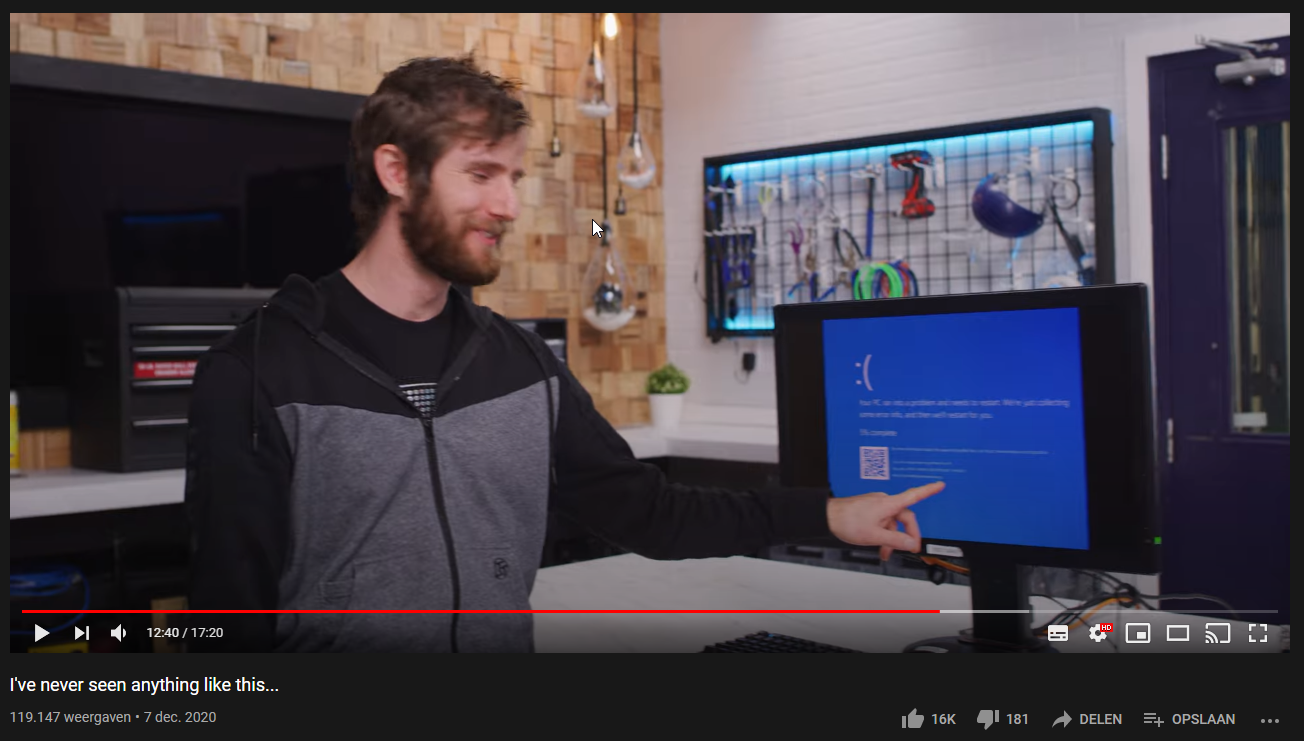
 rocky badge
Woah AMD Ryzen on an Intel based server doesn't like it and crashes????? /s Who knew
dusty osprey
tame carbon
https://i.imgur.com/NwVxxp6.png
He used win10 with 6tb of ram what a bad idea load some entreprise centos for fucks sake

rocky badge
I wouldn't be mad with Windows Server
dusty osprey
I would be. XdD
rocky badge
but Windows FUCKING 10
dusty osprey
But yeah I see ur point
Consumer OS that IS CONSUMER
You can run something like ubuntu desktop on server
rocky badge
like uh
dusty osprey
It will work fine Almos
rocky badge
edge
cortana
Dead giveaway its Windows 10
rocky badge
Look at Windows
dusty osprey

rocky badge
using 19GB out of 1TB on boot
dusty osprey
Ahhhh lovely windows
rocky badge
I played around with a 3TB RAM instance on Google Cloud
rocky badge
Windows used 30GB on boot doing nothing except booting
rocky badge
Yup
dusty osprey
What a coincidence
Hahaha
i saw rhat idle at like 1gb ram
With UwUntu 20.04
I think
dusty osprey
rocky badge
I played around with a 3TB RAM instance on Google Cloud
But, virtulization maybe matters???
because that is VM'ized
But yeah Im not sure how hardware reserve properly works
thorny vector
@rocky badge Is that a personal epyc?
rocky badge
?
thorny vector
Is the epyc in your own personal machine?
peak cloak
nice, fiber is installed
dual wan for a couple of days
idk if I should bother setting up a load balancer
or just change the static route
little schooner
if its just your home, load balancer doesn't add benefit
peak cloak
yeah
also it seems to routing traffic over the new connection
haven't had any issues, but some sites show one ip and the other's show the other
waxen scroll
@little schooner are coworkers still jelly?
little schooner
@waxen scroll I didn't notice it last week. There are even more hard drive failures this week. It's not looking good
I think everyone is focused on getting that fixed. The technician from Dell came last Thursday
Since that's not my work scope, It doesn't affect me but it means I have to wait longer for email responses
Im finishing up my classes next week. Just one more final exam and then the bachelors degree is mine....
peak cloak
huh, verizon doesn't seem to allow traceroute on their network
or am I doing something wrong
or is that thing where it shows 1 hop but it's actually many
 lime pasture
Trace routes can be done with UDP or ICMP packets. Windows tracert uses ICMP. Linux and Mac trace route uses UDP by default (and can be changed to ICMP.)
FiOS's network handles ICMP packets differently then UDP packets. UDP pings work fine.
Since Windows tracert can't be changed to use UDP, Windows users need to use a tool like PingPlotter that lets you select UDP or ICMP.
sorry i dont know much thuis might be wrong
lime pasture
oh ok
lime pasture
yes it does
peak cloak
also, anyone know where verizon supports ipv6? I forgot to ask the tech. From forum posts 1 year ago it seems very limited
lime pasture
im not sure
peak cloak
nope
just some generic info
I'll assume I don't have it, so back to tunnelbroker I go
primal ice
yeah verzion is uhm like most US ISP's - not using IPv6.
peak cloak
from reading forum's lots of spectrum/cox is on ipv6
primal ice
commiecast does also but all of em are cable ISP's
peak cloak
better than optimum
lime pasture
yea i gues
peak cloak
optimum has no intention of ipv6
lime pasture
verizon is like "we thinkin about it" but never does it
peak cloak
apparently it's some of their equipment that doesn't support it
at least that's what I read
lime pasture
um i believe there are some gateways that do support it but very limited
peak cloak
I mean like core routing equipment
lime pasture
oh
peak cloak
idk how true it is
lime pasture
yea im not sure
peak cloak
waiting on software updates or something like that
peak cloak
soon ™️
tame carbon
dusty osprey
He used win10 with 6tb of ram what a bad idea load some entreprise centos for fu...
EXACTLY
xD
hardware was offended so it bluescreened windows
tame carbon
@dusty osprey he got me hyped enough, he said the magic word: redis imdb
so do some actual benchmarks on the beast.
instead, they load windows to look at how many cores are in task manager -.-
they should have anthony co-host these videos
because with just linus, all you get is an IV drip of adrenalin as he carries the server onehandedly over his shoulder
dusty osprey
yea -_-
 slow warren
Anyone of you owns a mainboard with 2.5gbps lan and is using any devices with 2.5gbps here?
I'm hearing that both Intel and Realtek 2.5gbps NICs on the mainboards have issues if you use more than 1gbps connection, is it true?
tame carbon
@slow warren wat
slow warren
I read from many posts online, most people have their 2.5gbps NICs on their boards restarted or drops connection occasionally if they are using more than 1gbps speed.
slow warren
nah literally like more than 20 people online have the same issue
tame carbon
more bad cables?
slow warren
So I doubt it's the issue of Cat5E
slow warren
I can't ask people on my local Facebook either since we are not crazy enough to have a house full of network and IoT stuff.
Neither do I, but I would love to get a board with 2.5gbps lan, until I knew about the problem.
slow warren
Looks like the NICs work just fine if you only use gigabit tho.
tame carbon
either 1G or 10G, 2.5G is a half-assed solution
yet another standard nobody will fully use
slow warren
Yeah, I expect 2.5G to be a norm with normal price in the next 3 years.
tame carbon
@slow warren I think it will be superseded by 10G
10G networking gear pricing isnt that much more than 2.5G
@slow warren https://i.imgur.com/i4Lc1at.png
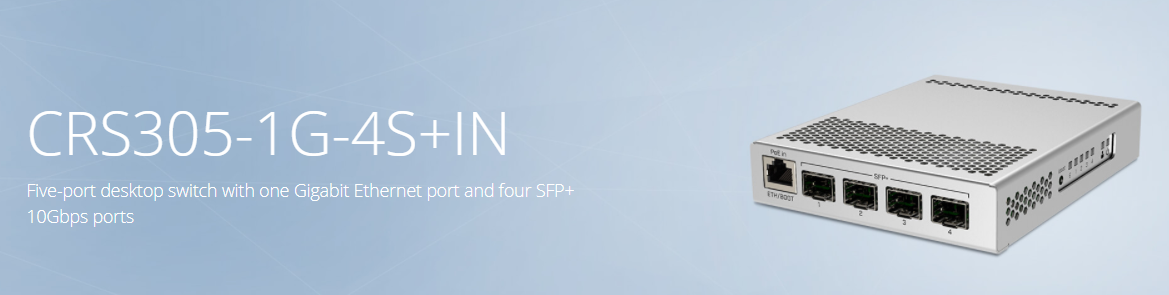
voila.
10G networking on the cheap
That's a 10G capable switch
 tame carbon
2.5G is a meme
you can plug a 2.5G SFP+ module into that if you wanted
@slow warren https://i.imgur.com/fq6FUnG.png
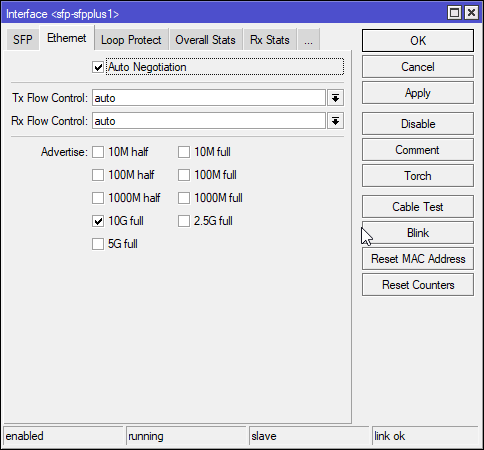
Basically ^
10/100/1000/10000
2500 ?!
slow warren
that's looks like some complicated stuff I'd never use since I don't stream stuff into my home or own a NAS
peak cloak
I mean it's not that complicated
tame carbon
@slow warren thats just the config panel of that switch I just linked https://i.imgur.com/UJgMOsC.png
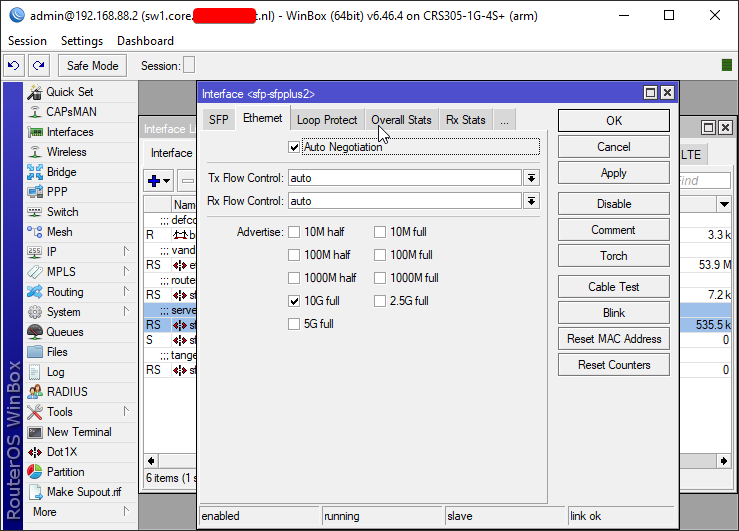 slow warren
These super fast speeds aren't for Ethernet are they?
peak cloak
well sfp+
tame carbon
its ethernet
SFP+ is just a form factor

The small form-factor pluggable (SFP) is a compact, hot-pluggable network interface module used for both telecommunication and data communications applications. An SFP interface on networking hardware is a modular slot for a media-specific transceiver in order to connect a fiber-optic cable or sometimes a copper cable. The advantage of using SFP...
peak cloak
there are sfp+ cards that can do 10G over regular cat cable
tame carbon
SFP+ can do copper or fiber
peak cloak
yep
tame carbon
depends on what kind of module you plug into it
@slow warren DIY fiber optics @ home is not that unthinkable anymore
its actually affordable now
slow warren
But consumer 10G isn't really here yet is it?
tame carbon
It is
I paid $8 for 30 meters fiber (with connectors pre-spliced)
another $10 for the fiber module
peak cloak
fiber itself isn't expensive
tame carbon
two of those.
peak cloak
it's the sfp+ cards
tame carbon
yeah the SFP+ cards themselves are expensive
I paid 200 bucks for a dual 10G intel card
you can get decent ones for less than 100 though
I just went with intel because I know their DMA is reliable
slow warren
yeah I have seen a 10G lan card for about $90 iirc
tame carbon
@slow warren thats a fair price though
regular 1G NICs cost around 30-50 bucks
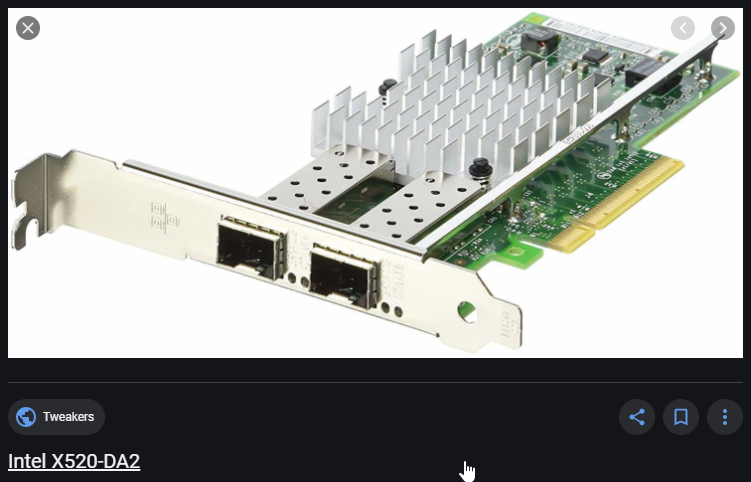
This is the card I have ^
slow warren
I'd have to replace my entire Cat5e in my house with Cat 6 tho, lemme guess about 150m in total?
tame carbon
@slow warren I only run 10G between my router, switch & server
all regular clients here are 1G
with the exception of my desktop
its also 10G capable
peak cloak
those 10G ethernet sfp+ cards don't have that long of a range
tame carbon
fiber
tame carbon
10GbE on copper, oh
yeah that is awful
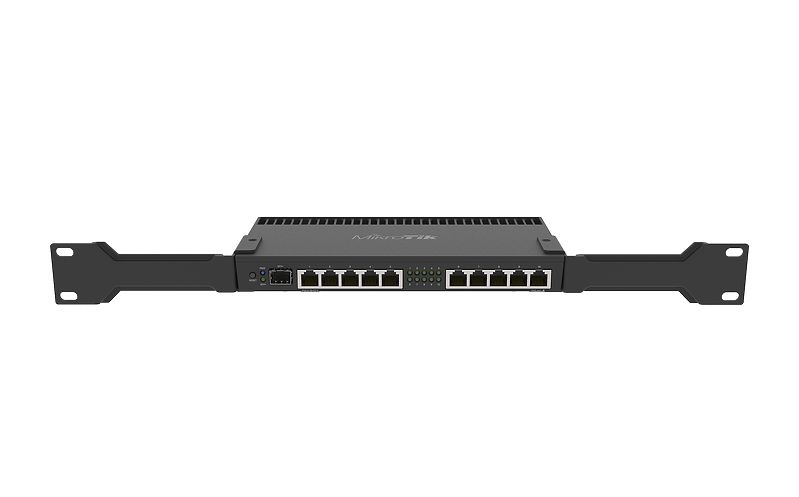
@slow warren https://mikrotik.com/product/rb4011igs_rm

MikroTik is a Latvian company which was founded in 1996 to develop routers and wireless ISP systems. MikroTik now provides hardware and software for Internet connectivity in most of the countries around the world.
That's the router I use to run my 10G network
its small, efficient and very fast
slow warren
I see
tame carbon
@slow warren mandatory picture
https://cdn.discordapp.com/attachments/776722183119699988/777646103775674368/IMG-20200922-WA0001.jpg

amount of times i've linked this lol
peak cloak
I need to redo mine, it's a mess after fiber install
ONT is on my switch rn
need to confirm with parents to disconnect phone service
so I can move ONT to where current modem is
tame carbon
@slow warren the ISP's fiber optics comes in on the left, gets converted to copper because its only 1G
internal network is plugged directly into the 10G port on the router
the 10G switch is in my office
slow warren
So your ethernet is only 1gbps?
tame carbon
@slow warren 250M internet actually
thats just uplink, less important
But the spool of fiber you see
thats what is leftover after it runs through the house
slow warren
looks ridiculously long
tame carbon
 peak cloak
yeah you can't just cut fiber off that easily
peak cloak
I mean there are mechanical splicer kits for 800
tame carbon
I lack the training to use it
fiber to me is just like copper
its just the connectors that are different
slow warren
Might as well buy a reasonable length cable
peak cloak
oh yeah
tame carbon
@slow warren https://fs.com/

FS
FS is a new brand in Data Center, Enterprise, Telecom Solutions. We make it easy and cost-effective for IT professionals to enable their business solutions.
for all your fiber needs
they sell custom lengths of fiber
they also sell the fiber modules
I bought all the modules & fibers from FS
the networking gear I use is all mikrotik
slow warren
I mean I don't own a business or own a server or something, but thank you anyway.
Well, I learnt a lot
tame carbon
@slow warren fs sells to consumers too
They sell enterprise tier hardware
but they sell to consumers too
slow warren
They sell pink color cables, I want those
tame carbon
fiber jacket color is a standard
xD
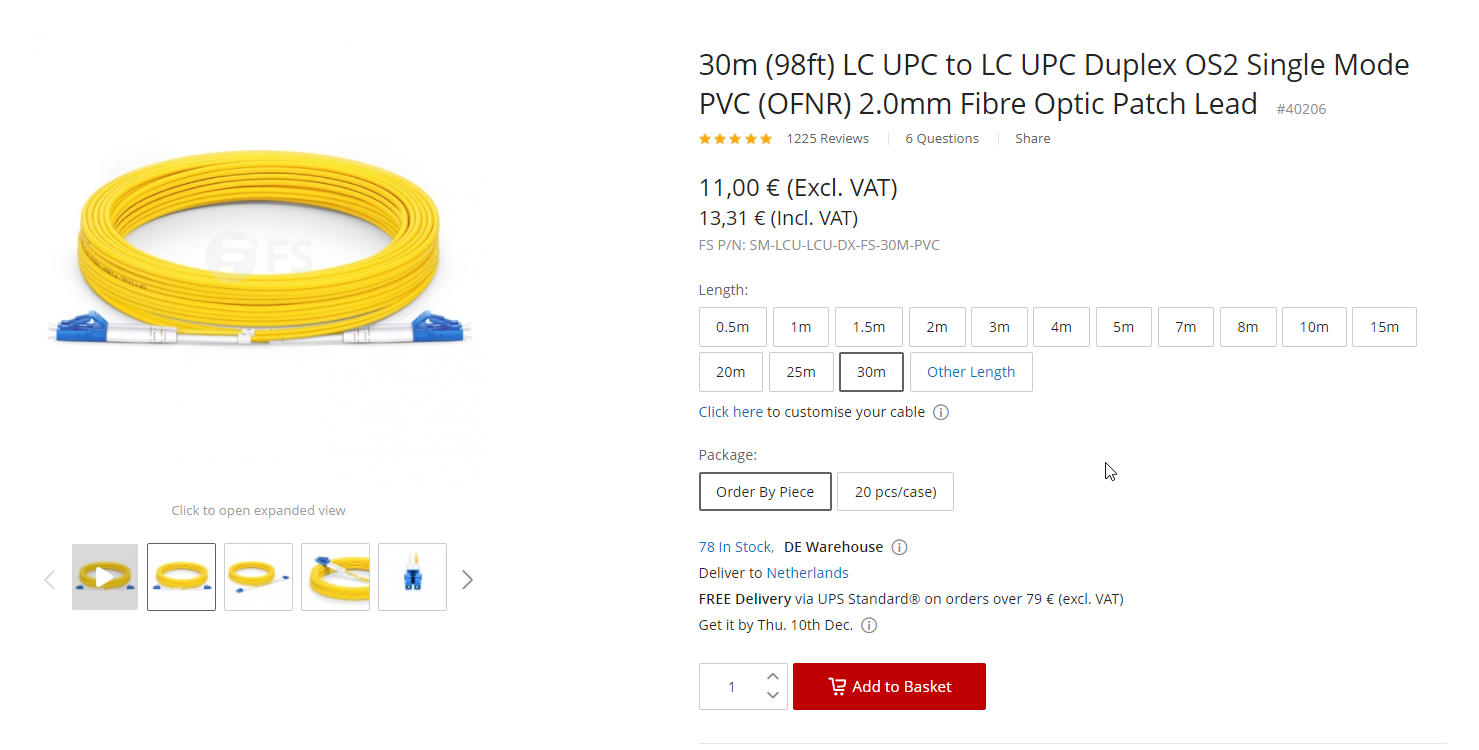
yellow means singlemode OS2 fibers
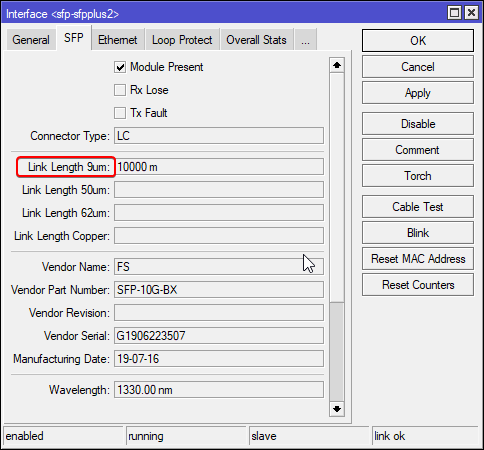
OS2 singlemode, is 9 microns
@peak cloak lol with that kit, you get a bottle of moonshine included
"alcohol"
peak cloak
lol
slow warren
How much difference does shielded CAT cable make compared to unshielded?
tame carbon
@slow warren depends on the speed and length of the copper run
but its to reduce crosstalk and electrical noise
slow warren
Never knew CAT6 cables were pretty cheap
tame carbon
cat6 is unshielded
slow warren
I thought they were like pretty expensive compared to 5E
tame carbon
cat6a is shielded
5e is the most basic ass cable you can get these days
meh ethernet isnt that picky
I've done ethernet over phone lines before
reusing old house wiring
waxen scroll

 hazy sandal
quickie-question (I think), I have 2 domains (DDNS, +subdomains, domain.tld/*.domain.tld and sub.domain2.tld/*.sub.domain2.tld) that is forwarded to pfsense (have 4 public ips, ip1->domain.tld, ip2->sub.domain2.tld, ip3->vpn.domain.tld, ip4->games.domain.tld) and using haproxy as a reverse proxy for all http(s) connections. So far everything works well. Anyhow, I'm planning on setting up freeIPA as identity provider for all my stuff (pfsense, nextcloud, etc etc) and I want that available on id.domain.tld, however, is port forwarding the only way to forward it to my freeIPA vm since I currently has no free IP I can set to id.domain.tld? if so that allows all requests to domain.tld (exl. vpn.domain.tld and games.domain.tld) or any sub/nested subdomain on that port go to my freeIPA server, which makes the 'id' subdomain redundant, and not preferred behaviour. Been looking into aker-gateway (which I plan to use later on), but that seems to be specific to ssh.
 tribal pulsar
Anyone know what all these things taking up data are?
because a lot of that is really vague
hazy sandal
One guess is that http over tls ssl could be streaming services like netflix etc
tame carbon
wat
@hazy sandal that blob of text is kinda hard to understand
@hazy sandal DNS only has merit when doing networking because of hostnames, but this is specific to HTTP
IP addresses, and forwarding of ports, has nothing to do with that
tribal pulsar
would discord fall under 'web file transfer'
tame carbon
@tribal pulsar HTTPS is just webtraffic
websites, or programs that use HTTP to communicate
like youtube, netflix, etc
discord is same yeah
though calls/voice may be slightly different, since that is RTC
@hazy sandal subdomains point to an IP, an IP can host content for multiple subdomains
so you can have multiple subdomains point to the same IP, yet offer different services on them
HTTP/1.1 spec requires every request to have a Host: google.com header
So the logical address (IP) can be the same, but this field can be different for each domain that points to it

DigitalOcean
When using the Nginx web server, server blocks (similar to the virtual hosts in Apache) can be used to encapsulate configuration details and host more than one domain off of a single server. In this guide, we'll discuss how to configure server blocks
often called 'vhosts'
virtual hosts
hazy sandal
tame carbon
<@!338761725446717450> subdomains point to an IP, an IP can host content for mul...
Yeah, I know that, ussing HAproxy I'm hosting about 12 subdomains, but they're all https, which HAproxy can proxy. But when hosting ither than http services it can't proxy on hostname, since ssh ie doesn't have anything about hostname
tame carbon
yeah
there's no simple way around that
though
I forget which it is
there's a special kind of DNS fieldtype
that allows you to associate a different port for a given service on a subdomain
though I am not sure how this is honored by applications
peak cloak
you could have your proxy be the https endpoint
hazy sandal
@peak cloak only applicable on just http(s) endpoints. ldap/ldaps/etc is not http(s) endpoints
peak cloak
hmm
hazy sandal
I dont want that for 2 reasons, ugly, and the port isn't the issue, the issue is I only want freeIPA to respond when calls are sent to id.domain.tld, which doesn't get passed forward 😦
tame carbon
yeah but what protocol is that
HAProxy is ment for HTTP and TCP
forward proxy with http is easy, because the protocol was designed with that in mind
ssh doesn't
hazy sandal
I know, but there is a chance that a friend will be hosting a few things on his servers that will be available to the users, and (a bit of a newb as I am) I'm not really familiar on how to setting up openvpn/ipsec w/o pfsense, which he doesnt run, so for simplicity I'll just put it public and requiring a system account (readonly) to even be able to read anything from it
tame carbon
@hazy sandal these kinds of mechanisms are ment to be run on a private network
especially ldap, and even ssh you don't really want to have a public exposed endpoint
ipsec is the correct way to go
hazy sandal
well, I get that in a real-world production environment, but for labbing, especially with my own stuff, I don't really care about that right now
tame carbon
But I assume, you have a machine in the cloud somewhere with HAProxy
and a local machine that is backing that proxy?
hazy sandal
my haproxy is installed on my pfsense, nothing (except the base domain2.tld) is in the cloud
tame carbon
and you use haproxy to do forwarding for each webservice you provide?
 I use nginx for all my http proxying
hazy sandal
as-in everything is on my machines in my storageroom. yeah, I use haproxy for the webservers yeah, for the past 2+ years xD
tame carbon
@hazy sandal I do similair thing, most of my applications have their own webserver
I use nginx as proxy

NGINX accelerates content and application delivery, improves security, facilitates availability and scalability for the busiest web sites on the Internet
hazy sandal
never really got a good grip of nginx, and gave up since I already know how haproxy works (both in pfsense gui and raw config files)
tame carbon
nginx is super lightweight
uses less than 4MB of static memory
@hazy sandal so let me get this straight, you are attempting to add another service to your existing stack
hazy sandal
thats lightweight yeah. but my pfsense has room to grow (4gb ram, with roughly 25% usage during high usage, ie netflix/yt/d+ streaming and gaming)
yeah
tame carbon
and this is freeIPA ?
hazy sandal
yeah
tame carbon
what kind of service will you be providing on id.*?
like
HTTP
or SSH
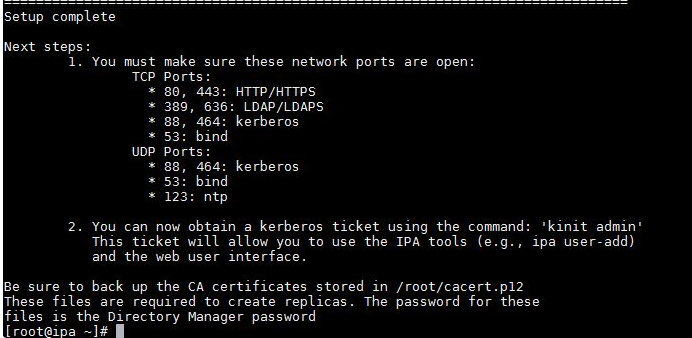
This is the output from freeIPA installed on a linux machine
But you can't hook this service up to the public internet
no ISP will allow you to expose a DNS server to the internet
peak cloak
what I would do is create a vpn between you two
peak cloak
wireguard is nice
hazy sandal
freeIPA is a identity provider for linux (if I got it correctly) that I can use ldaps binds to, which for now will have to be available on a public ip/domain, but will be completely locked down (ie nothing can be read w/o a system account logging in, and that system account is read-only). their guide shows that it can basically configure itself if reachable by a domain, and requires by default a read-only system account login to be able to read
tame carbon
ipsec has served me well for many years now
@hazy sandal yeah but looking at the networking configuration
you need a VPN for this
like not a cloud vpn like the youtubers meme around with
but some tunnel software
you and your friend are connected via vpn
so you have a local IP range, say, 10.1.1.0/24
hazy sandal
I've got a openVPN tunnel working on my end, but I need to travel for quite a while to be able to set it up on his end, and I don't even know how to do that without the pfSense webui
peak cloak
on routerOS and edgemax you would create a new interface that is a tunnel
tame carbon
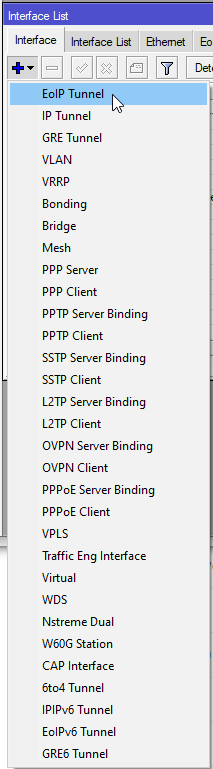

There's OVPN
and all the other protocols
no wireguard :9
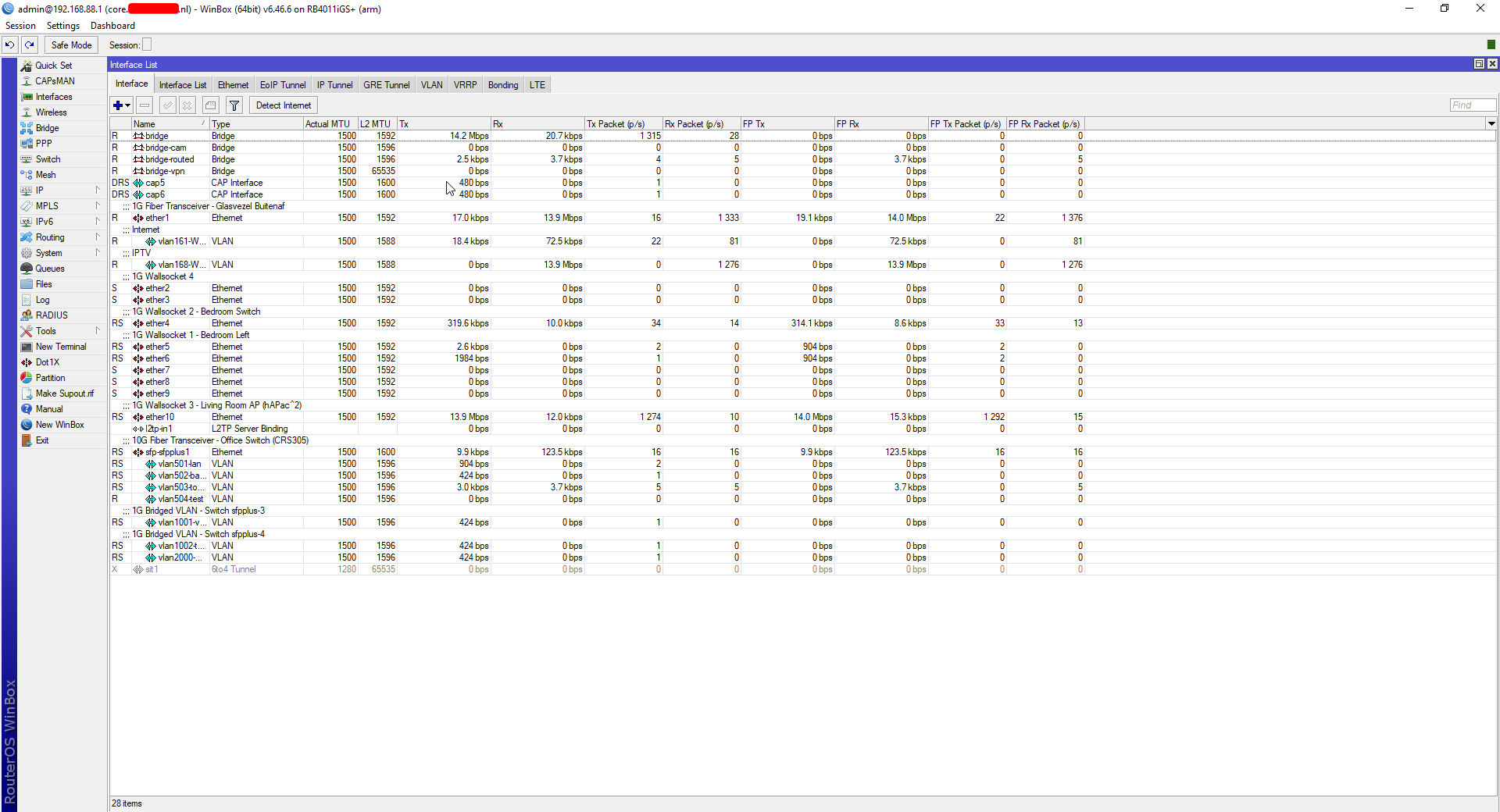
network is relatively big here
for a home network at least
peak cloak
doesn't routeros have wireguard now in the beta?
tame carbon
it might
I'm on the stable branch
only my switches run testing for some reason
networking on mikrotik is ezpz
@hazy sandal basically. https://i.imgur.com/RY6S8PL.png
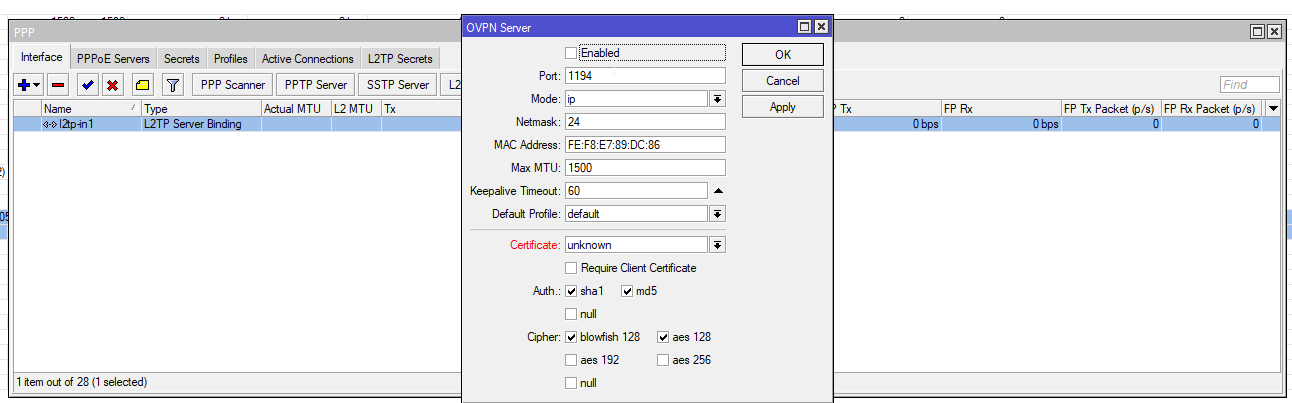
but I use l2tp/ipsec because my router has an accelerator for that, so it can do 2gbit/s
its also natively supported by every OS
windows, macos, ios, android, and pretty much every linux distro can do it out of the box
so no stupid client you need to install
peak cloak
idk I had issues with l2tp/ipsec
tame carbon
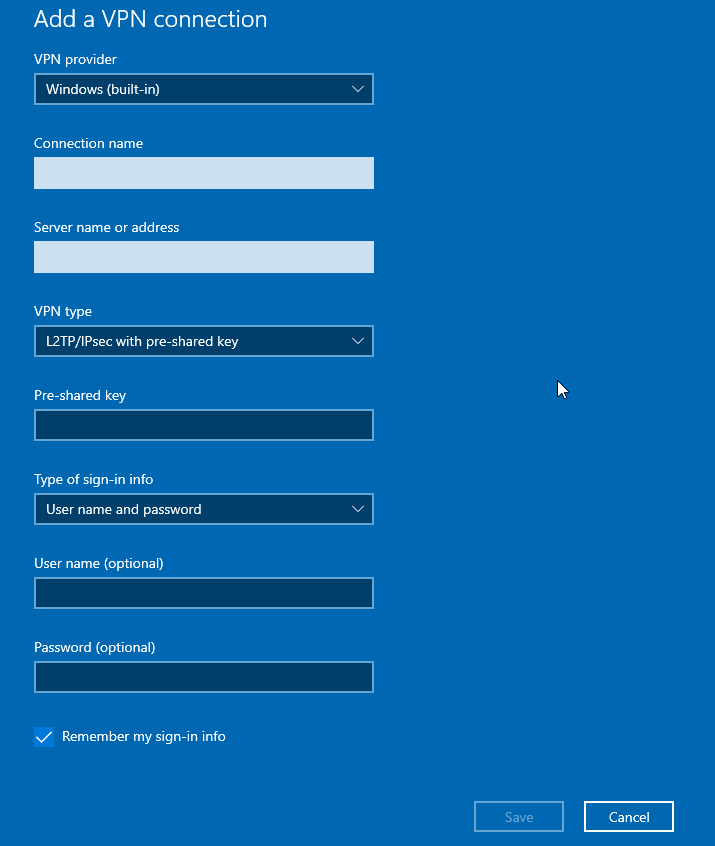 peak cloak
wireguard client is nice though, no bs
peak cloak
true
tame carbon
wireguard is nice and all
but its bleeding edge in terms of protocol age
not really widely supported
setting up an ipsec server with openswan and l2tp with xl2tpd is hell
I've tried three times
and failed everytime
I can get ipsec to work, and l2tp to try to initiate a session
but then I can't figure out how to mangle iptables to forward traffic properly without breaking all network connections
because this is a layer2 protocol :3
but on routerOS
it was just boop
works
hazy sandal
if we ignore the whole vpn/ipsec thingy, the quickstart guide says this:
The hostname cannot be localhost or localhost6. The hostname must be fully-qualified (server.ipa.test) The hostname must be resolvable. The reverse of address that it resolves to must match the hostname.
Does that mean that it is enough to put it in the DNS Resolver in pfSense?
And not needed to be public at all?
tame carbon
@hazy sandal your local dns server, which is usually your router, should have that resolve to the local IP of your ipa server
but you can also put your local ip in a public dns response
that also works
hazy sandal
wouldn't it be an issue if ie id.domain.tld is set in my local dns server, when *.domain.tld is set publicly?
tame carbon
the idea is that id.tld A -> 10.1.1.10 (ip of freeIPA server on the VPN)
its nicer to have this internal
so you can provide DNS on your VPN
peak cloak
kinda a security issue as now an attacker knows the internal ip of it, although for a home thing it shouldn't be a big issue
hazy sandal
how would an attacker know the internal ip? if id.domain.tld is set internally and *.domain.tld is set externally?
peak cloak
I mean if id.domain.tld was set externally
hazy sandal
oh, okey
tame carbon
they would get 10.1.1.10 as a response
but they cant connect to it anyways
since its a private range
not public IP
172.168.0.0/16 is another one
hazy sandal
so setting it in the firewall should be enough then 🙂
tame carbon
192.168.0.0/16 is also very common at home
peak cloak
yeah, for a small thing it's fine, but for a big company it's an additional piece of data that attackers could use
hazy sandal
Not used to this stuff on linux (yet) as we've basically only done DNS in AD DS in school so far xD
tame carbon
@hazy sandal if you have some spare cash
get a mikrotik
run your network services like HAProxy on the machine you run pfsense on
and have that connected to the mikrotik
it makes setting this kind of stuff up so much easier
hazy sandal
right now pfsense is virtualized
tame carbon

peak cloak
I really hate virtualizing core routers
hazy sandal
which works waaaay above my expectations.
tame carbon
lol
@hazy sandal whats max throughput?
@peak cloak still. better than doing this stuff on windows
hazy sandal
haven't really tested that, but it has direct access to 2x 10Gig nics (one to ISP, one to LAN), and then 4x 1Gig nics connected to my homelab stuff. All separated into 3 LANs (LAN, LAB, SCHOOL-LAB)
tame carbon
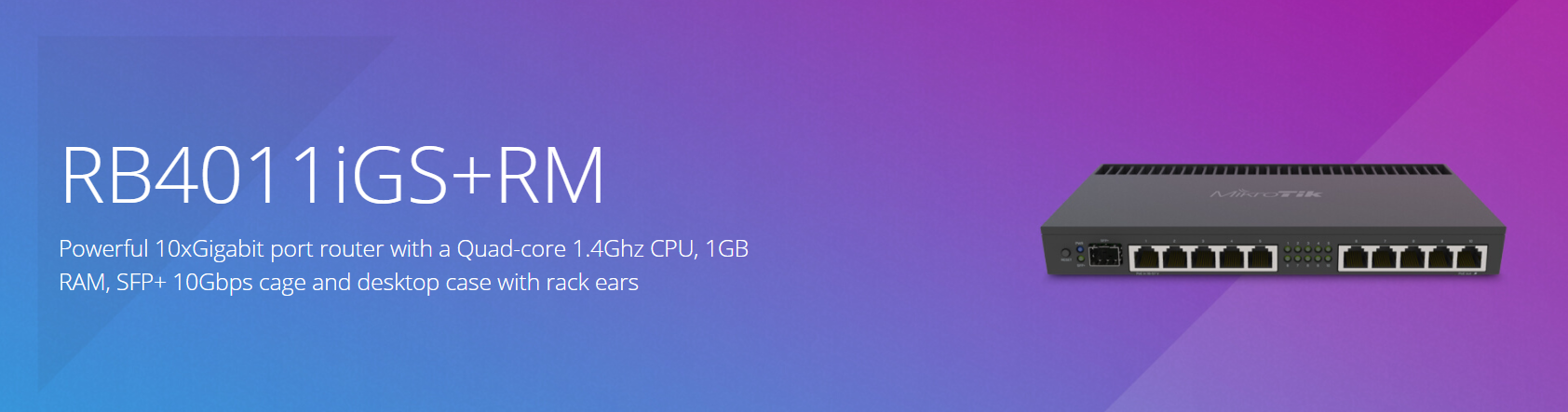
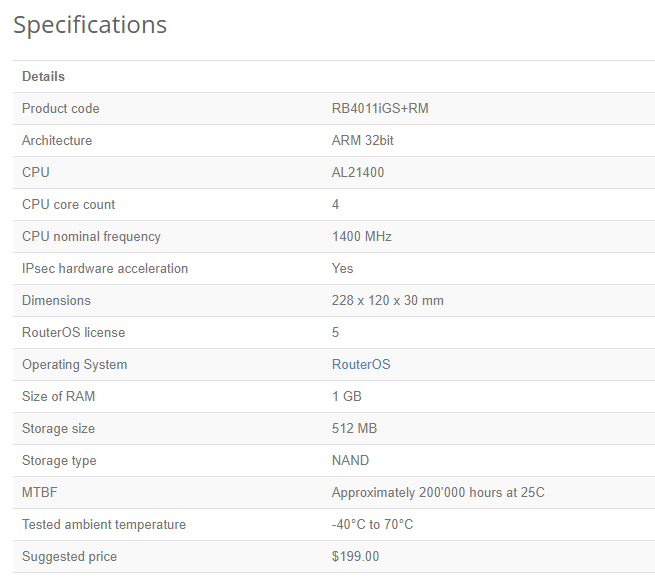
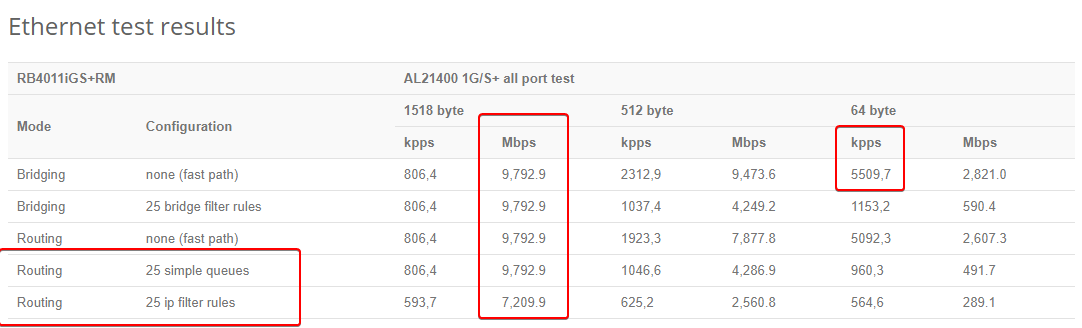
5.5million packets/second, max throughput of around 10gbit/s
that with, 25 filter rules
in the firewall
 hazy sandal
and the ISP is connected with cat6, and is used for all public ips
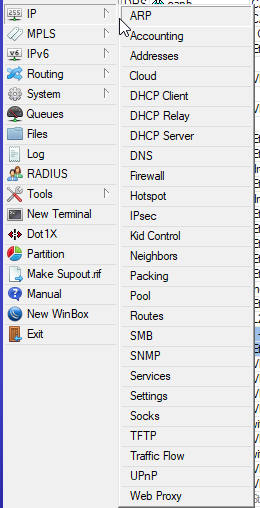
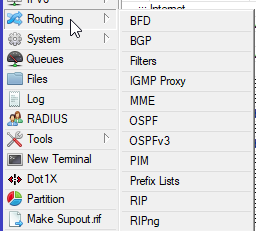 hazy sandal
rn I'm stuck with what I've got, a Dell PE T610 (dual Xeon 5530, lacking H700 thou, so only 2 SATA drives and no SAS), my old gaming rigg (as storage, slow af, but can take all drives) and a pi. But when I'm done with school (~may 22) I'll start filling up my 42U cabinet xD
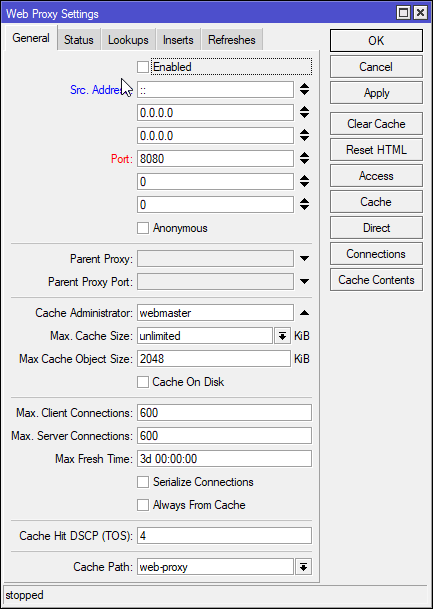 hazy sandal
that looks like win3.1 xD
tame carbon
yeah their management interface is called WinBox
hazy sandal
thats kinda funny xD
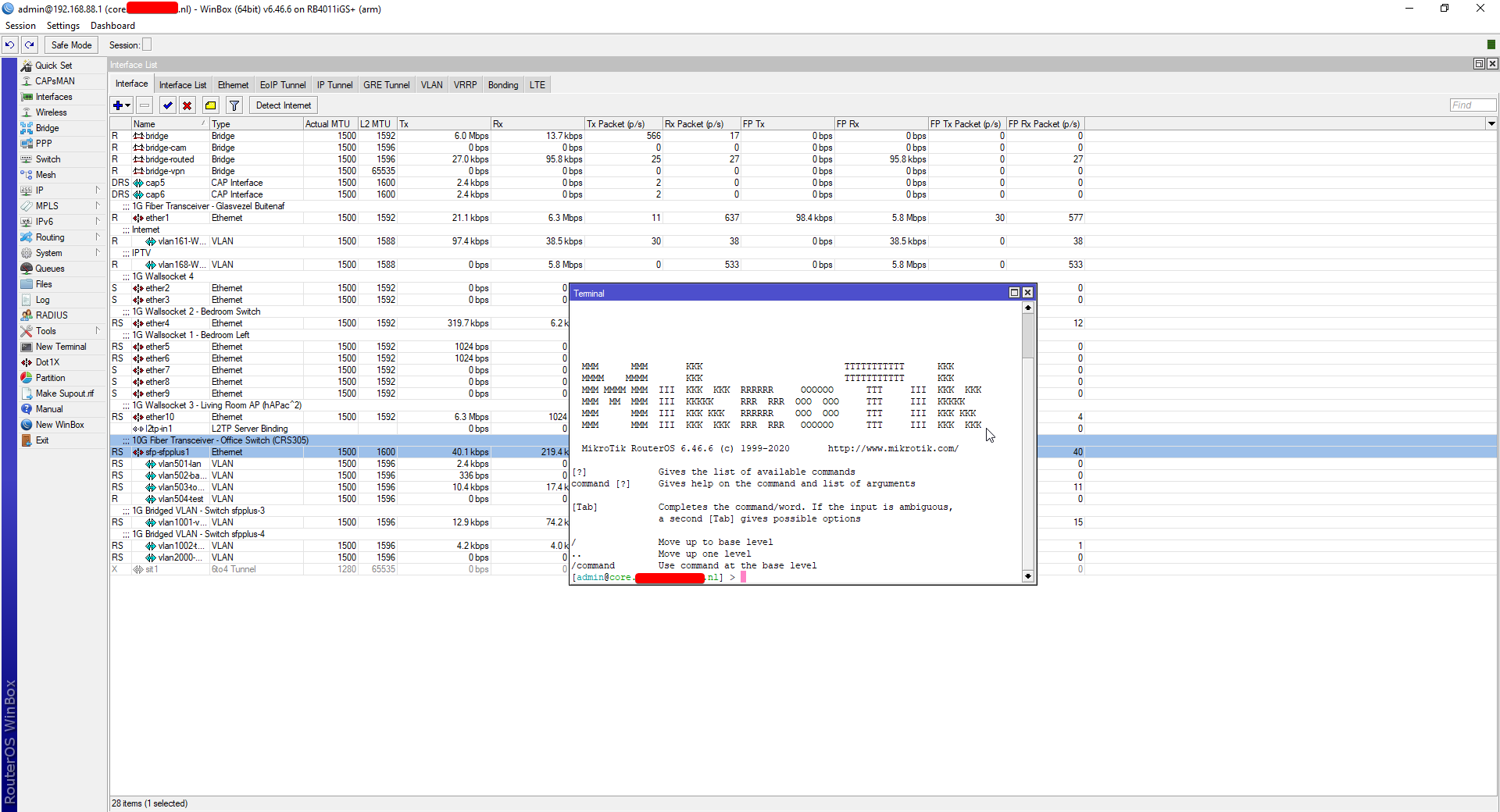 hazy sandal
that seems useful!
tame carbon
at some point
I threw out all the other crap

and my network now has 4 mikrotiks
MikroTik is a Latvian company which was founded in 1996 to develop routers and wireless ISP systems. MikroTik now provides hardware and software for Internet connectivity in most of the countries around the world.
all their products run the same operating system
hazy sandal
my current teacher (in Cisco Communications) is really trying to convice my class that Cisco's stuff is the only viable things available and everything else is just useless xD and he barely even knew of pfSense xD
tame carbon
I don't use cisco
mostly because
- too expensive
- no good documentation available to mere mortals
- not user serviceable
- NSA has had spyware in the past
I don't trust american tech like this, same way americans dont trust Huawei
meanwhile
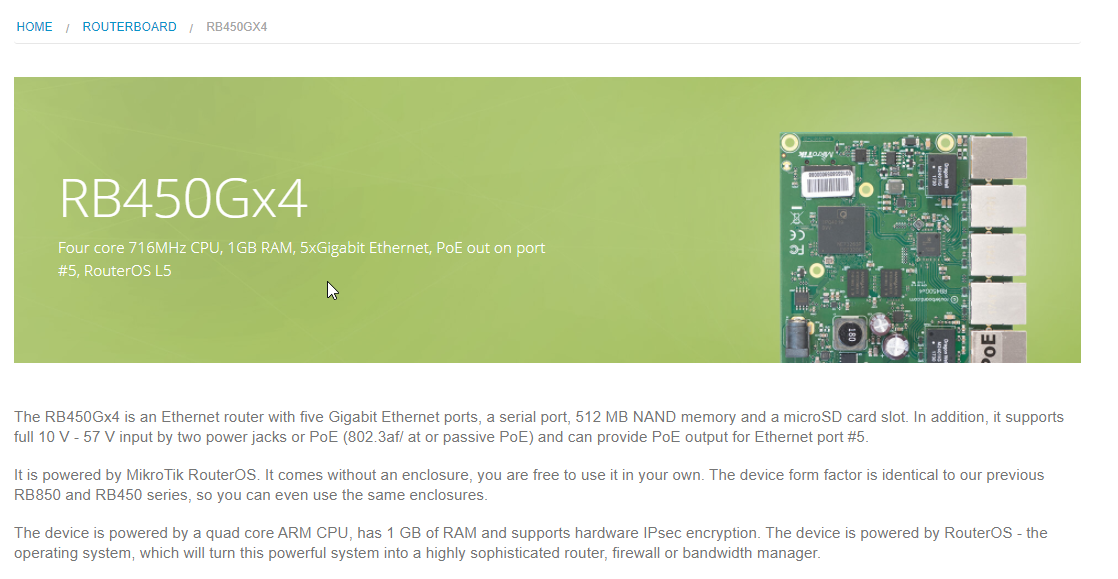
Mikrotik sells bare boards
hazy sandal
yeah, they're expensive as shit. but I actually really like the switch management cli, but we've only been messing with 2960 and 3560 so far
tame carbon
mikrotik has many of the same features
and scripts and configurations
are all commands
its just the graphical shell that makes it easier to browse
that interface view you saw
hazy sandal
well, I, in most cases, prefer cli because it's scriptable
tame carbon
thats just /interface print
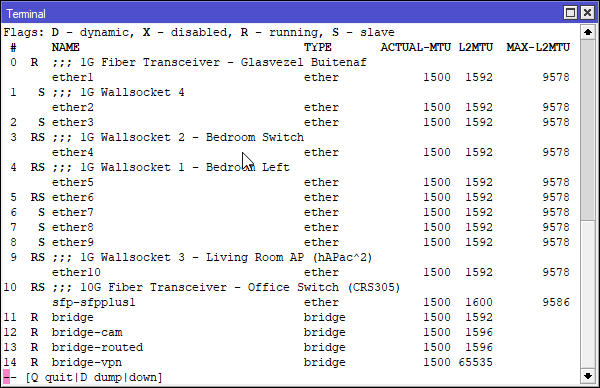
it even has a console cable port
their higher tier units have redundant power
@hazy sandal the thing is with cisco
they scale far higher
mikrotik is low to mid-end
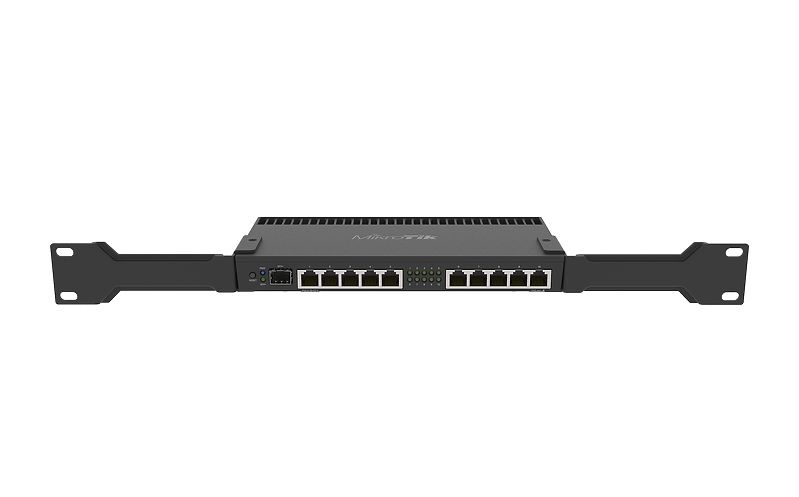
their flagship router can do 80gbit/s
meanwhile, cisco nexus systems
can do terrabits
hazy sandal
oh. a homelab probably doesn't need that high scalability. I might need to look into getting a mikrotik router thou.
tame carbon
Cisco is also a meme when it comes to security
hazy sandal
is there some recommended, preferably rack-mountable too xD
tame carbon

Cisco acknowledged that it had mismanaged a patch which would give rise to a vulnerability in two router models, namely, Cisco RV320 and RV325 WAN VPN routers.
@hazy sandal really depends on your needs
kinda scales with the speed and connectivity you need
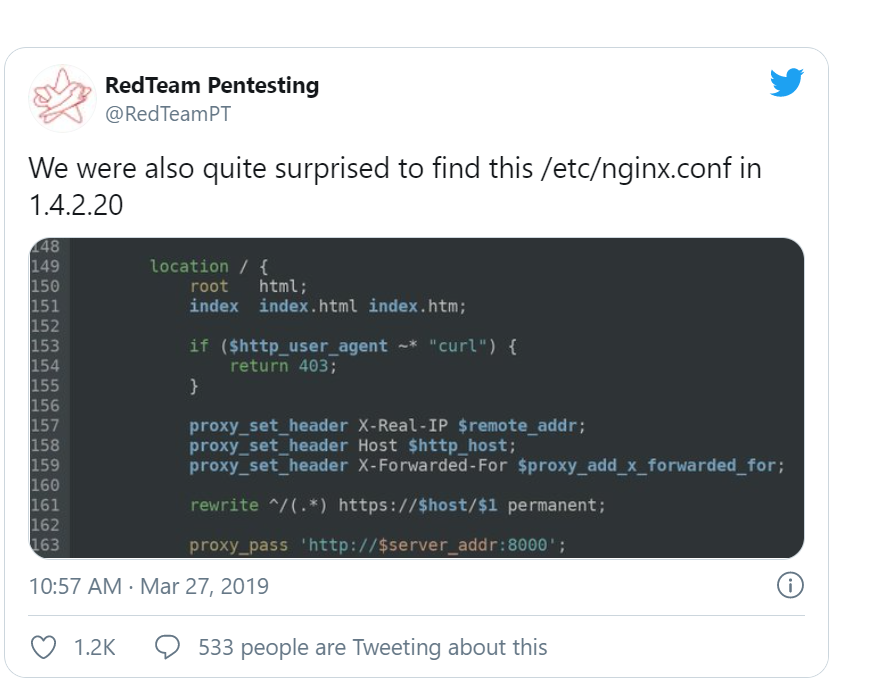




they just banned curl to fix their exploitable API

https://cdn.discordapp.com/attachments/776722183119699988/777646103775674368/IMG-20200922-WA0001.jpg
my homelab ^
hazy sandal
in the coming maybe 10 years there will probably be pretty low. I've decided I won't go all-in until we can get a house 🙂